ReviewNest

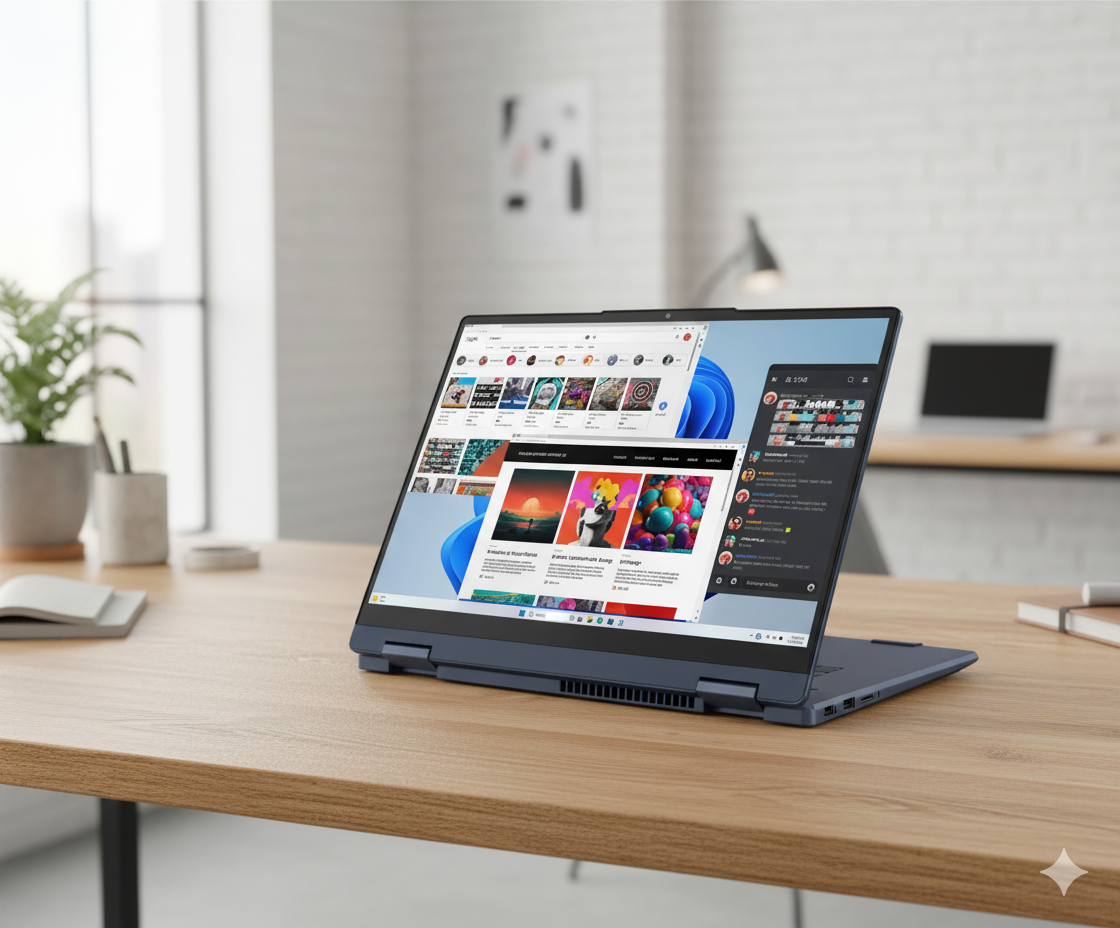
Lenovo IdeaPad 5i 2-in-1: Powerful & Versatile with Core i5-H & Touchscreen.

Lenovo IdeaPad 5i 2-in-1 13th Gen (Intel i5) Laptop Review – Full Details

IdeaPad 5i 2-in-1 13th Gen, 35.56cms – Intel i5

Intel® Core™ i5-13420H 16GB LPDDR5X RAM 512GB TLC SSD Touchscreen + Pen 14” WUXGA IPS 360° Convertible

The Lenovo IdeaPad 5i 2-in-1 13th Gen is a versatile and powerful convertible laptop that blends high-performance hardware with creative flexibility. Priced at a competitive ₹71,991, it offers a rare combination of a potent H-series processor and a 360-degree touch-enabled display, making it an excellent choice for students, creative professionals, and multitaskers.

This model is driven by the robust 13th Gen Intel® Core™ i5-13420H Processor, capable of handling demanding applications with ease. It features 16GB of very fast LPDDR5X memory and a high-quality 512GB PCIe Gen4 TLC SSD for superior endurance and speed. The centerpiece is its 14-inch WUXGA (1920×1200) IPS touchscreen, which supports the included Lenovo Digital Pen. Packaged in a durable, military-grade chassis with Office 2024 and a comprehensive warranty, this 2-in-1 delivers outstanding value and capability.

Key Features at a Glance

Powerful H-Series CPU: The Intel Core i5-13420H is built for heavy multitasking and demanding tasks.
Versatile 2-in-1 Design: 360° hinge allows for laptop, tent, stand, and tablet modes.
WUXGA Touchscreen & Pen: A 16:10 IPS touch display with an included Lenovo Digital Pen for creative input.
High-Speed TLC SSD: A 512GB TLC SSD offers better performance and endurance than QLC drives.
Military-Grade Durability: Built to MIL-STD-810H standards to withstand harsh conditions.
Premium Warranty Bundle: Includes 1 Year PremiumCare and 1 Year Accidental Damage Protection.

High-Performance Versatility

A Processor That Delivers

At the core of the IdeaPad 5i 2-in-1 is the 13th Gen Intel® Core™ i5-13420H processor. This high-performance chip excels at demanding productivity tasks, easily handling everything from complex spreadsheets and software compilation to heavy web browsing, setting it apart from competitors that use less powerful U-series CPUs.

Superior TLC Storage

This model includes a 512 GB PCIe Gen4 TLC SSD. Unlike the more common QLC drives found in many mainstream laptops, a TLC (Triple-Level Cell) SSD provides higher sustained write speeds and greater long-term endurance, making it a better choice for users who frequently move large files.

Ultra-Fast, Fixed Memory

The 16 GB of LPDDR5X-5200MT/s RAM is exceptionally fast, ensuring a smooth and responsive multitasking experience. However, as is typical for thin 2-in-1s, this memory is soldered to the motherboard and cannot be upgraded later, so buyers should be confident that 16GB will meet their future needs.

Standard Integrated Graphics

Graphics are handled by the integrated Intel® UHD Graphics. This is sufficient for all standard productivity tasks, 4K video playback, and very light gaming, but it is not intended for graphically demanding games or professional 3D rendering work.

Interactive Display & Durable Design

Productive and Bright Touchscreen

The 14-inch WUXGA (1920×1200) IPS display is a major highlight. Its 16:10 aspect ratio provides extra vertical space for productivity, and the IPS panel ensures wide viewing angles. With 300 nits of brightness, it’s usable in most indoor settings. The glass touch surface is responsive and works seamlessly with the included Lenovo Digital Pen.

Considerations: Glare and Color

The display has two trade-offs. Its glossy, glare-type finish can cause reflections in brightly lit environments. Additionally, the 45% NTSC color gamut is standard for this price range but is not wide enough for professional photo or video editing, where color accuracy is paramount.

Robust and Flexible Build

The laptop’s chassis is built to MIL-STD-810H military standards, ensuring it can handle the rigors of daily travel. The 360-degree hinge feels sturdy and allows for seamless transitions between laptop, tent, stand, and tablet modes, offering excellent flexibility for work, presentations, and entertainment.

Excellent Connectivity & Value-Added Extras

Dual USB-C and More

Connectivity is strong, featuring:

  • 2x Full-Function USB-C®: Provides high-speed data, power delivery, and DisplayPort output, allowing for single-cable docking solutions.
  • 2x USB-A 3.2 Gen 1: For legacy peripherals, with one port being always-on for charging devices.
  • HDMI® 1.4b and microSD Card Reader.

Wireless, Software & Security

The laptop is equipped with modern Wi-Fi 6 and Bluetooth 5.1. Security is enhanced with a fingerprint reader and a physical privacy shutter on the webcam. The inclusion of Microsoft Office Home & Student 2024 adds significant out-of-the-box value.

Premium Support Package

Lenovo bundles this device with 1 Year of Premium Care for top-tier support and 1 Year of Accidental Damage Protection (ADP), providing comprehensive coverage and peace of mind against spills and drops.

Full Specifications Table

General Information

  • Brand: Ideapad (Lenovo)
  • Model: IdeaPad 5i 2-in-1 13th Gen (83KX004QIN)
  • OS: Windows 11 Home Single Language 64
  • Color: Luna Grey

Processor & Graphics

  • Processor: 13th Gen Intel® Core™ i5-13420H (E-cores up to 3.40 GHz, P-cores up to 4.60 GHz)
  • Graphics: Integrated Intel® UHD Graphics

Memory & Storage

  • Memory: 16 GB LPDDR5X-5200MT/s (Soldered)
  • Storage: 512 GB SSD M.2 2242 PCIe Gen4 TLC

Display

  • Size: 35.56cms (14 inch)
  • Resolution: WUXGA (1920 x 1200)
  • Technology: IPS, Glare, Touch, 45% NTSC, 300 nits, 60 Hz, Glass

Input & Connectivity

  • Keyboard: Backlit, Storm Grey – English (US)
  • Pointing Device: ClickPad + Lenovo Digital Pen
  • Wireless: Wi-Fi 6 2×2 AX & Bluetooth® 5.1 or above
  • Ports: 2x USB-C (Full Function), 2x USB-A 3.2 Gen 1, HDMI 1.4b, microSD card reader, Headphone/mic combo

Software & Services

  • Software Preload: Office Home 2024
  • Warranty: 1 Year PremiumCare + 1YR Accidental Damage Protection

Pros and Cons: A Balanced View

Pros:

  • Excellent CPU Performance: The Core i5-H series processor offers desktop-like power in a portable form factor.
  • Versatile 2-in-1 Design: 360° hinge and included digital pen make it great for creative work, note-taking, and presentations.
  • High-Quality TLC SSD: Provides better endurance and sustained performance than common QLC drives.
  • Productive 16:10 Display: The tall WUXGA IPS screen is great for productivity, and 300 nits brightness is solid for indoor use.
  • Great Value Bundle: Comes with a digital pen, Office 2024, and a top-tier warranty (PremiumCare + ADP).
  • Robust Build Quality: MIL-STD-810H rating ensures it’s built to last.

Cons:

  • Soldered Memory: The 16GB of LPDDR5X RAM is fast but cannot be upgraded in the future.
  • Basic Color Gamut: The 45% NTSC display is not suitable for professional color-accurate creative work.
  • Glossy Screen: The glass touch display is prone to reflections and glare in bright environments.
  • Average Battery Life: The powerful H-series CPU will likely consume more power than U-series chips, impacting unplugged runtime.
  • Basic Graphics: Not a machine for serious gaming or GPU-intensive applications.

Who Is This Laptop For? Tailored Recommendations

  • University Students: An almost perfect device for students who need to type reports, take digital notes with the pen, code, and multitask heavily. Its durability is a huge plus.
  • Mobile Professionals & Creatives: Ideal for professionals who need to present to clients, sketch ideas, and run demanding business software on the go. The 2-in-1 flexibility is key.
  • Power-Users Seeking Versatility: For those who want a single device that can act as a powerful laptop for work and a tablet for media consumption and light creation.

Who Might Consider Other Options?

  • Professional Artists & Photographers: The 45% NTSC color gamut is a dealbreaker for anyone needing professional-grade color accuracy. They should look for displays with 100% sRGB or DCI-P3 coverage.
  • Dedicated Gamers: The integrated Intel UHD graphics are not sufficient for playing modern, demanding games. A laptop with a discrete GPU is a must.
  • Users Needing Maximum Portability: While portable, the H-series CPU and glass display make it slightly heavier and likely less power-efficient than ultra-thin notebooks with U-series processors.

Competitive Edge: Power Meets Flexibility

The IdeaPad 5i 2-in-1’s primary advantage is packing an H-series processor into a flexible, mainstream 2-in-1 chassis.

  • Performance in a Convertible Body: Most 2-in-1s in this price range use weaker, power-efficient U-series CPUs to manage heat and battery. The inclusion of a 13th Gen H-series chip gives this laptop a significant performance advantage for demanding tasks over its direct convertible rivals.
  • Superior Base Storage: Offering a TLC SSD as standard is a quiet but important upgrade. Competitors often use cheaper QLC drives, giving the IdeaPad an edge in storage endurance and sustained write performance.
  • Complete Ecosystem in a Box: By including the digital pen, Office 2024, and a premium warranty with ADP, Lenovo removes hidden costs and provides a complete, ready-to-go solution that often costs extra with other brands.

Final Verdict: A Powerful and Versatile Champion

The Lenovo IdeaPad 5i 2-in-1 13th Gen is an outstanding machine that masterfully combines high-end performance with creative versatility. By integrating a powerful Core i5-H series processor into a flexible 360-degree chassis, Lenovo has created a device that excels at both demanding productivity and creative input. The bright, 16:10 IPS touchscreen, paired with the included digital pen, makes it a joy to use for everything from coding to digital sketching.

While the soldered RAM and basic color gamut are notable trade-offs, they are reasonable compromises to achieve this level of performance and flexibility at such a competitive price. The inclusion of a high-quality TLC SSD, military-grade durability, and a fantastic software and warranty bundle elevates it far above the competition. For students, professionals, and anyone seeking a powerful, do-it-all convertible without breaking the bank, the IdeaPad 5i 2-in-1 is an unquestionably strong recommendation.

★★★★☆

Overall Rating: 4.5 out of 5.0 (Based on Expert Analysis)
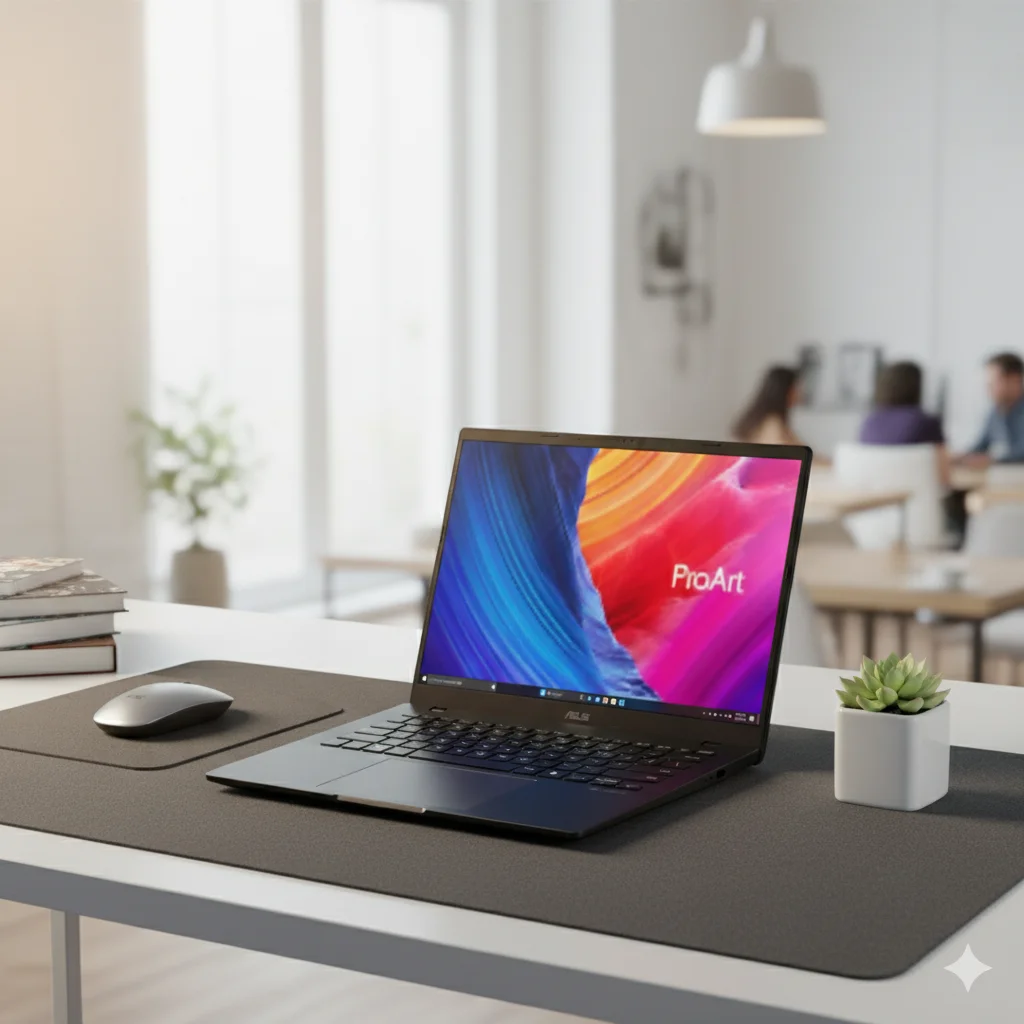
ASUS ProArt P16: Unleash Ultimate Power with Ryzen AI & RTX 4070 for Creators

ASUS ProArt P16 (H7606WI) Review: The Ultimate AI-Powered Creator Workstation

ASUS ProArt P16 (H7606WI)

AMD Ryzen™ AI 9 HX 370 50 TOPS NPU GeForce RTX™ 4070 64GB LPDDR5X / 2TB SSD 16.0″ 4K OLED Touch

Welcome to the new era of creative computing with the ASUS ProArt P16, a definitive mobile workstation engineered as a Copilot+ PC for the most demanding professionals. This 16-inch powerhouse fuses the groundbreaking AMD Ryzen™ AI 9 HX 370 processor, featuring a mighty 50 TOPS NPU, with the formidable graphics prowess of an NVIDIA® GeForce RTX™ 4070 Laptop GPU. This combination delivers unparalleled performance for complex 3D rendering, high-resolution video editing, and intensive AI development. Your creations come to life on a breathtaking 16-inch 4K OLED touch display, all contained within a sleek 1.85kg chassis. This review for September 2025 delves into how the ProArt P16 sets a new standard for a no-compromise, AI-accelerated creative workflow.

Key Features at a Glance

Ultimate AI Performance: AMD Ryzen AI 9 HX 370 with a 50 TOPS NPU.
Desktop-Class Graphics: NVIDIA® GeForce RTX™ 4070 Laptop GPU.
Immersive 4K Display: 16-inch 4K OLED touch screen for stunning visuals.
Massive Memory & Storage: 64GB of LPDDR5X RAM and a 2TB PCIe 4.0 SSD.
Pro-Grade Connectivity: Includes USB 4.0, HDMI 2.1, and an SD Express 7.0 reader.
Creator-Ready Tools: Comes with a stylus and a comprehensive port selection for any workflow.

ProArt P16 H7606WI: In-Depth Features

Core Performance: Processor & AI

The H7606WI is a powerhouse built around the AMD Ryzen™ AI 9 HX 370 Processor. This isn’t just a standard CPU; it’s a dedicated AI PC processor with 12 cores and 24 threads, capable of reaching speeds up to 5.1GHz. This high core and thread count is essential for multitasking and rendering complex projects in applications like Adobe Premiere Pro or Blender.

What sets this processor apart is its AMD XDNA™ NPU (Neural Processor Unit), which provides up to 50 TOPS (Tera Operations Per Second) of dedicated AI processing power. This allows for incredibly fast AI-accelerated tasks like real-time translation, image generation, and intelligent noise reduction, all without relying on the cloud. The inclusion of this NPU makes it a Copilot+ PC, unlocking new, on-device AI features in Windows.

Creative Powerhouse: Graphics

The laptop is equipped with the NVIDIA® GeForce RTX™ 4070 Laptop GPU with 8GB of GDDR6 VRAM. This is a top-tier mobile GPU designed specifically for creators. The RTX architecture brings several key benefits:

  • Ray Tracing: It can render physically accurate lighting and shadows for realistic visuals in 3D applications.
  • AI Acceleration: The GPU’s Tensor Cores power NVIDIA’s DLSS technology for improved performance and are optimized by NVIDIA Studio drivers for maximum stability and speed in creative apps like Adobe Creative Suite, DaVinci Resolve, and Autodesk.

Professional-Grade Display

  • OLED Technology: Unlike traditional LCDs, each pixel in an OLED display can be turned off completely, resulting in true, perfect blacks and an incredible contrast ratio.
  • VESA Certified DisplayHDR True Black 500: This certification guarantees exceptional HDR performance with a peak brightness of 500 nits and an unparalleled black level, making gradients and dark scenes appear with stunning detail.
  • PANTONE Validated: The display is professionally calibrated and meets the highest color accuracy standards, with a Delta E < 1 and 100% DCI-P3 color gamut. This is crucial for video editors, photographers, and graphic designers who need their colors to be precise.
  • Touch & Stylus Support: The touch screen and ASUS Pen support add an extra layer of functionality for artists and designers who want to sketch, paint, and navigate with a stylus.

Memory & Storage

  • RAM: The 64GB of LPDDR5X onboard memory running at 7500 MHz provides a massive amount of high-speed memory for working with large files and complex projects. This allows you to multitask across demanding applications without slowdowns.
  • Storage: The 2TB M.2 NVMe™ PCIe® 4.0 SSD delivers lightning-fast read and write speeds, significantly reducing application loading times and file transfer durations.

Connectivity & Ports

  • USB4 Gen 3 Type-C: This versatile port offers incredible transfer speeds up to 40Gbps. It also supports Power Delivery for charging and DisplayPort, allowing you to connect a high-resolution external monitor.
  • SD Express 7.0 Card Reader: This is a professional-grade card reader that supports the latest, fastest SD cards, making it perfect for photographers and videographers who need to quickly offload footage from their cameras.
  • HDMI 2.1 FRL: This port supports the latest HDMI standard, allowing you to connect to 4K displays at 120Hz or even 8K displays at 60Hz.

Advanced Cooling & Durability

To keep the powerful components running cool, the laptop uses Tri-Fan Technology with Thermal Grizzly Liquid Metal on the CPU. This advanced cooling system efficiently dissipates heat, preventing thermal throttling and maintaining peak performance even during long rendering sessions. The chassis is also built to US MIL-STD 810H military standards, ensuring it can withstand shocks, vibrations, and extreme temperatures.

User Interface & Audio

The seamless touchpad with a virtual DialPad is a unique feature that allows for intuitive control in creative applications like Adobe Photoshop or Premiere Pro. You can use it to quickly adjust brush size, opacity, or timeline zoom. The audio system, tuned by Harman/kardon, delivers rich, clear sound with Dolby Atmos support, creating an immersive listening experience. The AI noise-canceling technology ensures clear audio on video calls by filtering out background noise.

Dual-Engine AI Powerhouse

The ProArt P16 combines two powerful processing units to create an unrivaled mobile AI workstation.

AMD Ryzen™ AI 9 HX 370:

This next-generation processor features 12 high-performance cores and 24 threads for elite multitasking. Its integrated AMD XDNA™ NPU delivers up to 50 TOPS, accelerating Copilot+ experiences and AI-native applications with incredible efficiency.

NVIDIA® GeForce RTX™ 4070 GPU:

With 8GB of GDDR6 VRAM, the dedicated RTX 4070 GPU provides the raw power needed for demanding tasks like real-time ray tracing, 3D modeling, and editing high-resolution video, making it a true desktop replacement.

Unprecedented Resources:

Configured with a massive 64GB of LPDDR5X RAM and a blazing-fast 2TB PCIe 4.0 SSD, the ProArt P16 eliminates bottlenecks, allowing for seamless work with enormous datasets and complex project files without a hint of lag.

A Canvas of Perfection: 16-inch 4K OLED Display

The ProArt P16’s screen is an expansive, color-accurate canvas designed for professional content creation.

4K Ultra HD Resolution:

The 16-inch 4K (3840 x 2400) OLED display offers incredible detail, making it perfect for editing high-resolution photos and videos. The 16:10 aspect ratio provides extra vertical space for toolbars and timelines.

Vibrant, Certified Color:

With 500 nits HDR peak brightness and VESA DisplayHDR True Black 500 certification, the display produces stunning contrast. Being PANTONE® Validated guarantees professional-grade color fidelity right out of the box.

Responsive Touch & Stylus:

The intuitive touch screen allows for direct manipulation of content, while the included stylus offers precision for detailed drawing, photo retouching, and note-taking, making it a versatile input solution.

Full Specification Details

General Information

  • Model:ProArt P16 (H7606WI)
  • Color:Nano Black
  • Operating System:Windows 11 Home

Processor & Graphics

  • Processor:AMD Ryzen™ AI 9 HX 370 (12 cores, 24 threads)
  • Discrete Graphics:NVIDIA® GeForce RTX™ 4070 Laptop GPU (8GB GDDR6)
  • Integrated Graphics:AMD Radeon™ 890M Graphics
  • Neural Processor:AMD XDNA™ NPU (up to 50 TOPS)

Display

  • Panel:16.0-inch, 4K (3840 x 2400) OLED, 16:10, Touch screen
  • Refresh Rate:60Hz
  • Brightness & HDR:500 nits HDR peak brightness, VESA Certified Display HDR True Black 500
  • Color Validation:PANTONE Validated

Memory & Storage

  • Memory:64GB LPDDR5X on board
  • Storage:2TB M.2 NVMe™ PCIe® 4.0 SSD

Connectivity

  • I/O Ports:1x USB 4.0 Type-C, 1x USB 3.2 Gen 2 Type-C, 2x USB 3.2 Gen 2 Type-A, 1x HDMI 2.1, 1x 3.5mm Combo Audio Jack, 1x SD Express 7.0 card reader

Power & Dimensions

  • Power Supply:200W AC Adapter
  • Weight:1.85 kg (4.08 lbs)

Included Accessories

  • In the box:Backpack, USB-A to RJ45 gigabit ethernet adapter, Stylus

Competitive Edge

The ASUS ProArt P16 stands out in a crowded market by offering a unique and powerful combination of features that address the specific needs of creative professionals.

Unparalleled AI Performance

The laptop’s combination of AMD’s 50 TOPS NPU and NVIDIA’s dedicated AI cores within the RTX 4070 puts it ahead of most competitors. It’s built from the ground up to be a Copilot+ PC, delivering superior on-device AI performance for tasks like real-time background blur, intelligent voice enhancement, and accelerated creative application filters. While other laptops have an NPU, few pair it with a high-end discrete GPU in such a compact form factor.

The ProArt Display Advantage

Most creator laptops offer a great display, but the ProArt P16’s 4K OLED screen is a true masterpiece. Its PANTONE Validation and Delta E < 1 color accuracy are essential for color-critical work, giving professionals peace of mind that what they see on screen is what they get. The VESA-certified HDR True Black 500 sets it apart, providing a level of contrast and color depth that’s unmatched by standard laptop screens.

Thoughtful Creator Tools

Features like the integrated DialPad on the touchpad and the included stylus are not just gimmicks; they are productivity tools that streamline the creative workflow. The DialPad provides intuitive, customizable control over key parameters in design software, a feature not typically found on competitor laptops. Combined with the extensive I/O ports, the ProArt P16 is designed to connect to any professional setup without the need for additional dongles.

Pros & Cons: A Balanced View

Pros:

  • Unmatched Performance: The combination of Ryzen AI 9 HX 370 and an RTX 4070 is a mobile powerhouse.
  • Exceptional AI Capabilities: A 50 TOPS NPU offers industry-leading performance for AI tasks.
  • Stunning 4K OLED Display: A huge, color-accurate, and high-resolution canvas for any creative work.
  • Generous Configuration: 64GB of RAM and a 2TB SSD mean no compromises on resources.
  • Excellent I/O: Features a fast SD Express 7.0 reader and versatile USB ports.

Cons:

  • Portability: At 1.85 kg, it is heavier and less portable than smaller ultrabooks.
  • Battery Life: The powerful components and 4K screen will likely result in shorter battery life under load.
  • Premium Investment: Expected to be one of the most expensive creator laptops on the market.
  • Soldered Memory: While 64GB is ample, there is no option for future RAM upgrades.

Who Is This Laptop For?

  • 3D Artists and Animators: The RTX 4070 and powerful CPU can handle complex rendering and animation workflows with ease.
  • High-Resolution Video Editors: Perfect for editing 4K or even 8K footage on the go, with a color-accurate display for grading.
  • AI/ML Developers: The 50 TOPS NPU provides a powerful platform for developing and testing AI models locally.
  • Creative Directors & Power Users: For professionals who need a no-compromise machine that can handle any creative task thrown at it.

Who Might Consider Other Options?

  • Users Prioritizing Portability: Creators who are constantly on the move might prefer a lighter, smaller device like the ProArt PZ13.
  • Budget-Conscious Creatives: This is a top-tier machine with a price to match; many excellent, less expensive options exist for lighter workloads.
  • Those Needing Maximum Battery Life: While capable, the high-performance parts will consume more power than ultra-efficient ultrabooks.

Final Verdict: The Undisputed King of Mobile Workstations

The ASUS ProArt P16 (H7606WI) is not just a laptop; it’s a declaration of power. By brilliantly integrating the AMD Ryzen AI 9 HX 370 processor with a discrete NVIDIA GeForce RTX 4070 GPU, ASUS has crafted the ultimate mobile workstation for creatives who refuse to compromise. Its magnificent 4K OLED display provides a flawless canvas, while the staggering 64GB of RAM and 2TB SSD ensure a workflow free of limitations.

This machine represents a significant investment, but for the elite professional whose time and creative output are paramount, the price is justified. It is a desktop replacement in every sense, offering unparalleled performance for the most intensive AI, 3D, and video-editing tasks. The ProArt P16 is, without a doubt, the new benchmark for high-performance creator laptops.

★★★★★

Exceptional

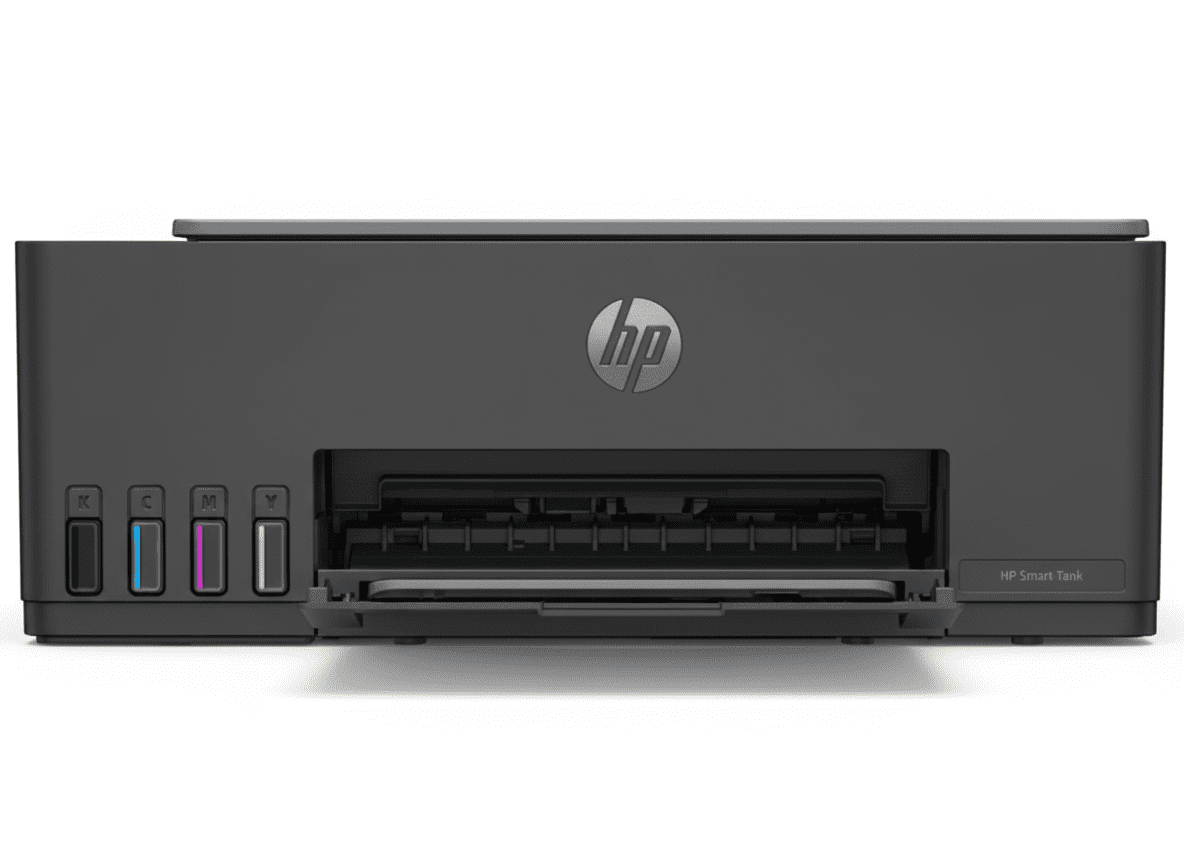
HP Smart Tank 524 All-in-One Printer – 8000 Pages, Ultra-Low Cost, Best Budget Tank Printer (₹11,099)

HP Smart Tank 584 All-in-One Printer
HP Smart Tank 524 All-in-One Printer Complete Review 2025 – Print Copy Scan | 8000 Pages | USB Only
HP Smart Tank 524 All-in-One Printer

🎁 Save ₹2,429 (17% OFF) + ₹1000 Off With Supplies!

FREE Installation + EMI Available + Next Day Delivery!

🔥 BUDGET FRIENDLY – 8000 PAGES PER BOTTLE – USB ONLY – ULTRA LOW COST

HP Smart Tank 524 All-in-One Printer

Print, Copy, Scan | 8000 Pages/Bottle | USB Only | Budget Tank Printer

12ppm Black – 5ppm Color – 100 Sheets Tray – USB 2.0 – AirPrint Support

Most Affordable Smart Tank – Perfect for Single PC:

• Print Speed: 12 ppm (Black), 5 ppm (Color)

• Page Yield: 8000 Color Pages / 6000 Black Pages per bottle

• Functions: Print, Copy, Scan

• Connectivity: USB 2.0 Only (No WiFi)

• Mobile Printing: Apple AirPrint (via USB-connected computer)

• Duty Cycle: 3000 Pages/Month

• Paper Capacity: 100 Sheets Input

• Display: Smart Buttons with LED

• Warranty: 1 Year or 30,000 Pages

₹11,099

₹13,528

SAVE ₹2,429 (17% OFF!)

*EMI Available | Add Supplies & Save ₹1,000 Extra | Includes GST ₹1,693

🛒 Buy Now – Save ₹2,429!

FREE Installation | Order by 1pm for Next Day Delivery | 1 Year Warranty

Print Speed

12 ppm

Page Yield

8000 Pages

Price

₹11,099

HP Smart Tank 524 Overview

Budget Tank Highlights

  • ✓ ₹11,099 Price: Most affordable!
  • ✓ 8000 Pages: Ultra-high yield!
  • ✓ Spill-Free Refill: Easy ink bottles!
  • ✓ USB Connection: Direct PC printing!
  • ✓ Ultra Low Cost: ₹0.10/page!
  • ✓ 3-in-1: Print, Copy, Scan!
  • ✓ AirPrint: Apple devices supported!

In The Box

  • 📦 HP Smart Tank 524 Printer
  • 🖨️ 4 Ink Bottles Included
  • ⚫ GT53 Black 90ml (6000 pages)
  • 🔵🔴🟡 GT52 CMY 50ml each (8000 pages)
  • 🔌 Power Cord + USB Cable
  • 📄 Setup Guide & Manual

Why Smart Tank 524?

  • • Most Affordable: ₹11,099 only
  • • Single PC Perfect: USB connection
  • • High Volume: 8000 pages/bottle
  • • Easy Refilling: Spill-free bottles
  • • Low Running Cost: ₹0.10/page
  • • Budget Friendly: Save ₹2,900 vs 584

🚀 Most Affordable Smart Tank – Perfect for Budget Users!

₹11,099 Budget Price – Save ₹2,900!

HP Smart Tank 524 at ₹11,099 is ₹2,900 cheaper than WiFi model 584! Same print quality, same ink system, same page yield. Only difference is no WiFi – perfect if you print from single PC via USB!

8000 Pages Per Bottle – Same as 584!

Identical ink system delivers 8000 color pages and 6000 black pages! Same GT52/GT53 bottles, same spill-free refilling, same ₹0.10/page cost. You get full tank benefits at budget price!

USB Only – Simple & Reliable!

Direct USB connection means no WiFi setup hassles! Perfect for single computer use – plug and print. Reliable wired connection with no wireless issues. Simple is better!

HP Smart Tank 524 vs 584 – Which Should You Buy?

🔍 Detailed Comparison: Budget 524 vs WiFi 584

FeatureHP Smart Tank 524
₹11,099
HP Smart Tank 584
₹13,999
💰 Price₹11,099
₹2,900 cheaper
₹13,999
📶 WiFi Connectivity❌ No WiFi
USB Only
✅ Self-Healing WiFi
WiFi Direct included
🖨️ Print SpeedSame: 12 ppm black, 5 ppm colorSame: 12 ppm black, 5 ppm color
🎨 Print QualityIdentical: 1200 dpi black, 4800 dpi colorIdentical: 1200 dpi black, 4800 dpi color
💧 Ink SystemSame: 8000 color, 6000 black pagesSame: 8000 color, 6000 black pages
💰 Cost Per PageIdentical: ₹0.10 per pageIdentical: ₹0.10 per page
📱 Mobile PrintingAirPrint only
(via USB-connected PC)
Full Mobile Suite
HP Smart App, AirPrint, Google Cloud Print
🔌 ConnectivityUSB 2.0 onlyUSB 2.0 + WiFi + WiFi Direct
📄 Paper CapacitySame: 100 sheets input, 30 outputSame: 100 sheets input, 30 output
📋 FunctionsSame: Print, Copy, ScanSame: Print, Copy, Scan
⚙️ Smart FeaturesBasic smart buttons
Auto On/Off, Enhanced ID Copy
Advanced features
Low-ink sensors, Smart buttons, Self-healing WiFi
💻 Mac Compatible❌ No
Windows only
✅ Yes
Windows + macOS
🛡️ WarrantySame: 1 year / 30,000 pagesSame: 1 year / 30,000 pages

✅ Choose HP Smart Tank 524 If:

  • • Budget is priority: Save ₹2,900
  • • Single PC printing: USB connection sufficient
  • • Windows only: No Mac computers
  • • No mobile printing needed: Print from PC only
  • • WiFi not required: Direct cable connection preferred
  • • Basic printing needs: Documents and photos
  • • Want lowest price: Most affordable tank printer

⭐ Choose HP Smart Tank 584 If:

  • • WiFi needed: Multiple devices/locations
  • • Mobile printing: Print from phone/tablet
  • • Mac users: macOS compatibility required
  • • HP Smart App: Advanced scanning features
  • • Self-healing WiFi: Automatic connection fixes
  • • Multi-user: Family/small office printing
  • • Worth ₹2,900 extra: For WiFi convenience

💡 Key Insight: Both printers have identical print quality, ink system, and running costs! The ONLY differences are WiFi connectivity, mobile printing features, and Mac compatibility. If you don’t need WiFi/mobile printing, save ₹2,900 with the 524. If you want wireless printing convenience, the 584’s ₹2,900 premium is worth it for self-healing WiFi and HP Smart App features!

Smart Features – Budget Friendly

🖨️ Print Features

  • • Print Speed: 12 ppm black, 5 ppm color
  • • Print Quality: 1200 x 1200 dpi black
  • • Color Quality: 4800 x 1200 dpi
  • • Paper Capacity: 100 sheets input
  • • Duty Cycle: 3000 pages/month
  • • Monthly Volume: 400-800 pages
  • • Duplex: Manual (driver support)

📋 Copy & Scan Features

  • • Copy Speed: 10 cpm black
  • • Multiple Copies: Up to 99 copies
  • • ID Copy: Enhanced ID copy mode
  • • Scan Resolution: 1200 x 1200 dpi
  • • Scan Technology: Contact Image Sensor
  • • Scan Formats: JPG, PDF, PNG, TIFF
  • • Color Scan: 24-bit color depth

⚡ Smart Features

  • • Smart Buttons
  • • Easy Setup Guide
  • • Auto On/Auto-Off
  • • Enhanced ID Copy
  • • HP Wolf Security
  • • All-in-One Versatility

Print Quality – Identical to 584

🎨 Same Exceptional HP Quality as 584

The HP Smart Tank 524 delivers identical print quality to the more expensive 584 model! Same 1200 x 1200 dpi black resolution, same 4800 x 1200 dpi color quality, same HP Thermal Inkjet technology, and same printheads. You get flagship HP quality at budget price!

💡 Important: The 524 and 584 use identical print engines, ink systems, and printheads. Print quality, speed, and cost per page are 100% the same. The only difference is WiFi connectivity – everything else is identical!

Ink Tank System – Same as 584

💧 Identical Ink System – 8000 Pages Per Bottle

The HP Smart Tank 524 uses the exact same ink tank system as the 584! Same GT52/GT53 bottles, same spill-free design, same 8000-page yield, same ₹0.10 per page cost. You save ₹2,900 on the printer without sacrificing any ink efficiency!

💰 Cost Per Page (Identical to 584)

Black Printing Cost:

  • • GT53 (90ml): ₹498 ÷ 6000 pages = ₹0.08/page
  • • Same bottles as 584 model

Color Printing Cost:

  • • Each GT52 (70ml): ₹711 ÷ 8000 pages = ₹0.09/page
  • • Same bottles as 584 model

Connectivity – USB Only (No WiFi)

🔌 USB 2.0 Connection Only

The HP Smart Tank 524 features USB 2.0 connectivity only – no WiFi! This makes it perfect for single-computer printing with reliable wired connection. If you need WiFi/mobile printing, consider the 584 model (₹2,900 more).

🔌 What You Get (524)

  • • USB 2.0: Hi-speed wired connection
  • • Plug & Play: Easy PC connection
  • • Reliable: No WiFi dropouts
  • • AirPrint: Via USB-connected computer
  • • Windows Compatible: Win 10/11/7

❌ What You Don’t Get (524)

  • • No WiFi: No wireless printing
  • • No WiFi Direct: No router-less printing
  • • No HP Smart App: No mobile scanning
  • • No Cloud Print: No Google Cloud Print
  • • No Mac Support: Windows only

💡 Perfect For: The 524’s USB-only connectivity is perfect if you print from one Windows PC. Simple plug-and-print with reliable wired connection. If you need WiFi/mobile printing from multiple devices, upgrade to 584 for ₹2,900 more to get self-healing WiFi, HP Smart App, and Mac compatibility!

Who Should Buy HP Smart Tank 524?

Budget-Conscious Users

Perfect for users wanting lowest possible printer cost at ₹11,099! Same quality as 584 but save ₹2,900 by skipping WiFi. USB connection is reliable and sufficient for single PC!

  • ✓ Save ₹2,900 vs 584
  • ✓ Same print quality
  • ✓ Same ink system
  • ✓ ₹0.10 per page
  • ✓ Most affordable tank

Single PC Users

Ideal for users printing from one Windows desktop/laptop via USB cable! No need for WiFi if printer sits next to your computer. Reliable wired connection!

  • ✓ One computer printing
  • ✓ Reliable USB connection
  • ✓ No WiFi needed
  • ✓ Windows 7/10/11
  • ✓ Simple plug & print

Students – Windows Only

Great for students with Windows laptops who print assignments/notes! Ultra-low ₹0.10/page cost perfect for high-volume student printing. Just plug USB cable!

  • ✓ Affordable ₹11,099
  • ✓ Low running cost
  • ✓ 8000 pages/bottle
  • ✓ Windows compatible
  • ✓ Perfect for assignments

Small Office – One PC

Perfect for small shops/offices with one Windows PC needing reliable printing! Save ₹2,900 vs WiFi model. USB connection means no wireless issues!

  • ✓ Budget friendly
  • ✓ Reliable wired connection
  • ✓ High volume (3000/month)
  • ✓ Low cost per page
  • ✓ Business quality

No WiFi Needed Users

Excellent for users who don’t need mobile/wireless printing! If you only print from your PC desk, why pay ₹2,900 extra for WiFi you won’t use?

  • ✓ Desk-side printing only
  • ✓ No mobile devices
  • ✓ Save ₹2,900
  • ✓ Simpler setup
  • ✓ Reliable USB

First-Time Printer Buyers

Perfect for buyers wanting their first tank printer at lowest price! Get full HP quality and ultra-low running costs without premium WiFi features!

  • ✓ Most affordable entry
  • ✓ Simple USB setup
  • ✓ Full tank benefits
  • ✓ Low running costs
  • ✓ Easy to use

❌ DON’T Buy HP Smart Tank 524 If:

  • • You need WiFi wireless printing
  • • You want to print from mobile phones/tablets
  • • You have Mac computers (not compatible)
  • • You need multi-device printing
  • • You want HP Smart App features
  • • You print from multiple locations

In these cases, upgrade to HP Smart Tank 584 (₹2,900 more) for self-healing WiFi, HP Smart App, Mac compatibility, and full mobile printing!

HP Smart Tank 524 vs Competitors

🆚 vs Canon PIXMA G2000

₹9,999 | Print Copy Scan | 7000 Pages | USB Only

HP Smart Tank 524 Advantages:

  • ✓ Higher Page Yield: 8000 vs 7000 pages
  • ✓ Better Print Quality: 1200 dpi vs 4800×1200 optical
  • ✓ Spill-Free Bottles: vs Canon’s manual pouring
  • ✓ Auto On/Off: Energy saving feature
  • ✓ Enhanced ID Copy: Better ID copying
  • ✓ HP Quality: Better reliability

Canon G2000 Advantages:

  • ✓ ₹1,100 cheaper
  • ✓ Canon brand preference

Verdict:

Choose HP Smart Tank 524 for higher page yield, spill-free refilling, better features. Worth ₹1,100 premium for HP quality!

Choose Canon G2000 only if budget is extremely tight.

🆚 vs Epson EcoTank L3110

₹11,499 | Print Copy Scan | 7500 Pages | USB Only

HP Smart Tank 524 Advantages:

  • ✓ ₹400 cheaper
  • ✓ Higher Page Yield: 8000 vs 7500 pages
  • ✓ Spill-Free Bottles: vs Epson’s manual pouring
  • ✓ Enhanced ID Copy: Better ID copying
  • ✓ HP Wolf Security: Built-in protection

Epson L3110 Advantages:

  • ✓ Epson heat-free technology
  • ✓ Borderless printing

Verdict:

Choose HP Smart Tank 524 for lower price, higher yield, spill-free refilling. Better value!

Choose Epson L3110 if you prefer Epson’s heat-free technology.

Pros & Cons

✅ Pros

  • ✓ Lowest Price: ₹11,099 – most affordable tank printer
  • ✓ Save ₹2,900: Cheaper than WiFi 584 model
  • ✓ Same Print Quality: Identical to 584 model
  • ✓ 8000 Pages: Same high yield as 584
  • ✓ Ultra Low Cost: ₹0.10 per page
  • ✓ Spill-Free Refill: Easy ink bottle design
  • ✓ Reliable USB: No WiFi connection issues
  • ✓ Ink Included: 4 bottles in box (6000-8000 pages)
  • ✓ Same Ink System: GT52/GT53 bottles as 584
  • ✓ Auto On/Off: Energy-saving technology
  • ✓ Enhanced ID Copy: Easy ID card copying
  • ✓ Excellent Quality: 1200 dpi black, 4800 dpi color
  • ✓ FREE Installation: Professional setup included
  • ✓ Simple Setup: Plug and print
  • ✓ Best Budget Value: Full tank benefits at lowest price

❌ Cons

  • ✗ No WiFi: USB connection only (major limitation)
  • ✗ No Mobile Printing: Can’t print from phone/tablet directly
  • ✗ No Mac Support: Windows only (not macOS compatible)
  • ✗ No HP Smart App: No advanced mobile features
  • ✗ No WiFi Direct: No router-less printing
  • ✗ No Self-Healing WiFi: Feature not applicable
  • ✗ Single PC Only: Can’t share across devices wirelessly
  • ✗ Cable Required: Must be physically connected
  • ✗ Limited Placement: Must be near computer
  • ✗ No Auto Duplex: Manual double-sided printing
  • ✗ No Display Screen: Smart buttons only
  • ✗ No Low-Ink Sensors: Manual monitoring only

🏆 Final Verdict

Should You Buy HP Smart Tank 524?

The HP Smart Tank 524 is the most affordable tank printer in India at ₹11,099, delivering identical print quality and ink efficiency as the ₹13,999 WiFi model 584. Perfect for budget-conscious users and single-PC printing, it saves you ₹2,900 by offering USB-only connectivity instead of WiFi. If you don’t need wireless/mobile printing, this is the smartest budget choice!

The 524 uses the exact same print engine, ink system, and bottles as the premium 584 model – same 1200 x 1200 dpi black quality, same 4800 x 1200 dpi color quality, same 8000-page color bottles, same 6000-page black bottles, and same ultra-low ₹0.10 per page cost! The ONLY differences are no WiFi, no HP Smart App, and no Mac compatibility. Print quality, speed, ink efficiency, and running costs are 100% identical. You get full tank printer benefits at the lowest possible price!

At ₹11,099 with ₹2,429 discount (17% off), plus additional ₹1,000 off when buying supplies, it’s the best budget tank printer available. The long-term savings are massive – printing 8000 pages costs only ₹800 in ink vs ₹8,000+ with cartridge printers. With 1 year/30,000 pages warranty, FREE installation, spill-free ink refilling, and enhanced ID copy feature, it’s a complete budget printing solution. The main limitation is USB-only connectivity – no WiFi means you must connect via cable to a single Windows PC. Also no Mac support and no mobile printing features. However, if you print from one Windows computer and don’t need wireless capabilities, the 524 delivers flagship HP quality and tank efficiency while saving ₹2,900 compared to the WiFi 584. Best budget tank printer for single-PC users – unbeatable value at ₹11,099!

✅ Buy If You Want:

  • • Lowest price tank printer (₹11,099)
  • • Save ₹2,900 vs WiFi model
  • • Single PC USB printing
  • • Same quality as expensive models
  • • 8000 pages per color bottle
  • • Ultra-low ₹0.10/page cost
  • • Windows-only environment
  • • Budget-friendly tank benefits

⚠️ Consider Alternatives If:

  • • You need WiFi wireless printing
  • • You want mobile phone/tablet printing
  • • You have Mac computers (not compatible)
  • • You need multi-device printing
  • • You want HP Smart App features
  • • You print from multiple locations

→ Upgrade to HP Smart Tank 584 (₹13,999) for WiFi

🎯 Perfect For:

  • • Budget-conscious users
  • • Single Windows PC users
  • • Students (Windows laptops)
  • • Small offices (one computer)
  • • First-time tank printer buyers
  • • Users who don’t need WiFi
  • • Desk-side printing only

⭐ Rating: 8.7/10

Print Quality

9.0/10

Cost/Page

10/10

Connectivity

6.0/10

Ease of Use

9.0/10

Value

10/10

🏆 BEST BUDGET TANK PRINTER AT ₹11,099!

Same quality as ₹13,999 model, save ₹2,900 by skipping WiFi. Perfect for single-PC users!

🛒 Buy HP Smart Tank 524 Now!

FREE Installation | Order by 1pm for Next Day Delivery | Save ₹2,429 | 1 Year Warranty

Frequently Asked Questions (FAQs)

❓ What is the difference between HP Smart Tank 524 and 584?

The main difference is connectivity: 524 has USB-only (₹11,099) while 584 has WiFi + USB (₹13,999). Print quality, ink system, page yield, and running costs are 100% identical. 584 adds self-healing WiFi, HP Smart App, mobile printing, WiFi Direct, Mac compatibility, and low-ink sensors. If you don’t need wireless features, save ₹2,900 with the 524!

❓ Can I print wirelessly with HP Smart Tank 524?

No, the HP Smart Tank 524 does NOT have WiFi capability. It only supports USB 2.0 wired connection to a single computer. You cannot print wirelessly from phones, tablets, or other computers. For wireless/mobile printing, you need to upgrade to the HP Smart Tank 584 (₹13,999) which has built-in WiFi, WiFi Direct, and mobile printing support.

❓ Is print quality same as HP Smart Tank 584?

Yes! Print quality is 100% identical between 524 and 584 models. Both use the same print engine, same printheads, same ink system, and deliver same 1200 x 1200 dpi black and 4800 x 1200 dpi color quality. Same print speeds (12 ppm black, 5 ppm color), same page yields (8000 color, 6000 black), and same ₹0.10/page cost. You get flagship HP quality at budget price!

❓ Does it work with Mac computers?

No, the HP Smart Tank 524 is NOT compatible with Mac computers (macOS). It only supports Windows operating systems (Windows 7, 10, 11). For Mac compatibility, you need the HP Smart Tank 584 model which supports both Windows and macOS. The 524 is designed for Windows-only environments to keep costs low.

❓ Can I print from my smartphone with 524?

No direct mobile printing. The 524 has basic AirPrint support but it requires your phone to connect through a USB-connected Windows computer – not practical for everyday use. For proper mobile printing from smartphones and tablets, upgrade to HP Smart Tank 584 which has WiFi, HP Smart App, Google Cloud Print, and full mobile printing capabilities.

❓ What ink bottles does it use?

The HP Smart Tank 524 uses the exact same GT52/GT53 ink bottles as the 584 model: GT53 Black 90ml (6000 pages, ₹498), GT52 Cyan/Magenta/Yellow 70ml each (8000 pages, ₹711 each). Same spill-free bottle design, same page yields, same ultra-low cost. The 4-bottle combo pack costs ₹2,511 and provides 6000 black + 24000 color pages total!

❓ How much money do I save compared to 584?

You save ₹2,900 buying the 524 (₹11,099) instead of 584 (₹13,999). That’s enough savings to buy 5-6 replacement ink bottles! Over the printer’s lifetime, this difference is significant. If you don’t need WiFi/mobile printing, the 524 delivers identical quality and efficiency while saving you ₹2,900 upfront.

❓ Is USB connection reliable?

Yes! USB 2.0 wired connection is actually more reliable than WiFi – no connection drops, no network issues, no wireless interference. Perfect for single-PC users who keep the printer near their computer. The only limitation is you can’t print from other devices or locations, and the printer must stay physically connected to your computer via USB cable.

❓ Can I share it with multiple computers?

Not easily. The 524 connects to one computer via USB. While you could manually unplug and move the cable between computers, this is impractical for regular use. For multi-computer printing, you need the HP Smart Tank 584 with WiFi which allows multiple devices to print wirelessly through your network.

❓ What comes in the box?

Box includes: HP Smart Tank 524 printer, 4 ink bottles (GT53 90ml Black + GT52 50ml Cyan/Magenta/Yellow – enough for 6000 black or 8000 color pages!), 2 printheads (black + tri-color), power cord, USB cable, setup guide, reference guide, and warranty documentation. Everything needed to start printing immediately!

❓ How long does installation take?

FREE professional installation is included! HP technician visits your location, unpacks the printer, fills ink tanks, installs printheads, connects USB cable, installs drivers on your Windows PC, runs test prints, and demonstrates operation. Takes 30-45 minutes total. Completely hassle-free setup – you don’t have to do anything!

❓ Does it have Enhanced ID Copy like 584?

Yes! The HP Smart Tank 524 has the same Enhanced ID Copy feature as the 584. It automatically detects ID cards (Aadhaar, PAN, Driver’s License) and copies both sides onto a single page. Very useful for making ID card copies for documents and applications. Same smart copying features as the premium model!

❓ Should I buy 524 or upgrade to 584?

Choose 524 (₹11,099) if you: print from single Windows PC via USB, don’t need WiFi/mobile printing, want lowest price, and want to save ₹2,900. Choose 584 (₹13,999) if you: need WiFi wireless printing, want mobile printing from phones/tablets, have Mac computers, print from multiple devices, or want HP Smart App features. Both have identical print quality and running costs!

❓ Is it good for students?

Excellent for students with Windows laptops! At ₹11,099, it’s the most affordable tank printer for printing assignments, notes, and projects. Ultra-low ₹0.10/page cost means unlimited printing without breaking the bank. Just connect via USB cable to your laptop and print. Perfect for budget-conscious students who print from their personal computer!

❓ Is HP Smart Tank 524 worth ₹11,099?

Absolutely! At ₹11,099, you get the same print quality, ink system, and efficiency as the ₹13,999 WiFi model. You’re essentially getting flagship HP tank printer benefits (8000-page bottles, ₹0.10/page cost, 1200 dpi quality) at the lowest possible price by skipping WiFi. If you print from single Windows PC via USB, this is the smartest budget choice – unbeatable value for single-PC users!

Complete Technical Specifications

HP Smart Tank 524 All-in-One Printer Full Specifications
📱 BASIC INFORMATION
Model Number5D174A (HP Smart Tank 524)
Product TypeInkjet Printer
SeriesSmart Tank
Perfect ForHigh Quality, Low Cost Printing, Schoolwork & Photos
🖨️ PRINT SPECIFICATIONS
FunctionsPrint, Copy, Scan
Print TechnologyHP Thermal Inkjet
Print ColorsYes (4 Colors: Black, Cyan, Magenta, Yellow)
Print Speed (Black ISO)Up to 12 ppm
Print Speed (Color ISO)Up to 5 ppm
Print Speed (Black Draft)Up to 22 ppm
Print Speed (Color Draft)Up to 16 ppm
Print Quality (Black Best)Up to 1200 x 1200 rendered dpi
Print Quality (Color Best)Up to 4800 x 1200 optimized dpi color
Duty Cycle (Monthly)Up to 3000 pages
Recommended Monthly Volume400 to 800 pages
Target UsersFor teams up to 3 users; Prints up to 800 pages/month
Duplex PrintingManual (driver support provided)
🖊️ INK SYSTEM
Ink TypeTank System with Ink Bottles
Number of Ink Bottles4 (1 Black, 3 Color)
Ink ColorsBlack, Cyan, Magenta, Yellow
Black Ink TypePigment-based (fade-resistant)
Color Ink TypeDye-based (vibrant colors)
Print Head Nozzles704 (Black), 588 (Tri-color)
Print Heads2 (1 Black, 1 Tri-color)
Included Black InkGT53 90ml Black (6000 pages)
Included Color InksGT52 50ml Cyan/Magenta/Yellow (8000 pages each)
Replacement CartridgesGT53/GT52 Combo 4-Pack (₹2,511), GT53 90ml (₹498), GT53XL 135ml (₹782), GT52 Cyan/Magenta/Yellow 70ml (₹711 each)
📋 COPY SPECIFICATIONS
Copy Speed (Black)Up to 10 cpm
Maximum CopiesUp to 99 copies
Copier SettingsNumber of Copies, Black, Color, ID Copy
Enhanced ID CopyYes (Detects and copies IDs on one page)
📄 SCANNER SPECIFICATIONS
Scan TechnologyContact Image Sensor (CIS)
Scan Resolution (Optical)Up to 1200 dpi
Scan Resolution (Enhanced)Up to 1200 dpi
Scan Resolution (Hardware)Up to 1200 x 1200 dpi
Color ScanningYes
Bit Depth24-bit
Grayscale Levels256
Scan File FormatsJPG, PDF, PNG, TIFF, HEIF
Scan Maximum Size216 x 297 mm
TWAIN VersionVersion 2.4
📶 CONNECTIVITY
Wireless CapabilityNo (USB Only)
USB Connection1 Hi-Speed USB 2.0 (device)
WiFiNot Available
Network CapabilitiesNo
Mobile PrintingApple AirPrint (via USB-connected computer only)
📏 PAPER HANDLING
Input Capacity (Standard)100-sheet input tray
Maximum Input CapacityUp to 100 sheets (plain paper)
Photo Paper CapacityUp to 30 sheets (4×6 photo)
Card CapacityUp to 30 cards
Output Capacity (Standard)30-sheet output tray
Maximum Output CapacityUp to 30 sheets
Envelope CapacityUp to 10 envelopes
📄 SUPPORTED MEDIA
Media Sizes (Key)10 x 15 cm, A4, Envelopes
Media Sizes (All)A4, B5, A6, DL envelope, Legal
Custom Media Sizes88.9 x 127 mm to 215.9 x 355.6 mm
Duplex Media SizesA4, B5
Media TypesPlain Paper, HP Photo Papers, HP Matte/Glossy Papers, Other Photo/Inkjet Papers
Media Weight (Supported)Plain: 60-90 g/m², Envelopes: 75-90 g/m², Cards: up to 200 g/m², Photo: up to 300 g/m²
🖥️ OPERATING SYSTEMS
Compatible OSWindows 11, Windows 10, Windows 7
Windows RequirementsMicrosoft Windows 11, 10, Internet connection, USB, Microsoft Internet Explorer or Edge
Mac RequirementsNot Compatible (Windows Only)
Mac CompatibleNo
⚡ CONTROL PANEL
Control Panel TypeSmart Buttons with LED
ButtonsPower On/Off, Cancel, Resume, Color Copy, Black Copy, ID Copy
DisplayLED Indicators (No LCD screen)
💾 MEMORY
Memory64 MB Integrated DDR1
Memory SlotsNo
⚙️ POWER & ENERGY
Power Consumption (Off)0.11 watts
Power Consumption (Ready)2.588 watts
Power Consumption (Sleep)0.984 watts
Power Supply TypeInternal built-in
Auto On/Auto OffYes
📐 DIMENSIONS & WEIGHT
Dimensions (W x D x H)434.66 x 361.53 x 157.26 mm
Maximum Dimensions434.66 x 580.65 x 259.37 mm (with trays extended)
🛡️ SECURITY & WARRANTY
Security FeaturesHP Wolf Essential Security (out-of-the-box protection)
Warranty1 Year OR 30,000 pages limited hardware warranty (whichever is earlier)
💰 PRICING
MRP₹13,528
Discount₹2,429 (17% OFF)
Selling Price₹11,099 (incl. of all taxes)
GST Included₹1,693
Additional Offer₹1,000 Off with ink bottle purchase
📦 BOX CONTENTS
In The BoxHP Smart Tank 524 Printer × 1
GT53 90ml Black Ink Bottle × 1
GT52 50ml Cyan Ink Bottle × 1
GT52 50ml Magenta Ink Bottle × 1
GT52 50ml Yellow Ink Bottle × 1
HP Black Printhead × 1
HP Tri-color Printhead × 1
Power Cord × 1
Setup Guide & Documentation
🌍 MANUFACTURING INFO
Country of OriginThailand
ManufacturerCAL-COMP ELECTRONICS (Thailand) Public Company Limited
ImporterHP India Sales Private Ltd., Bangalore – 560030

Ready to Buy HP Smart Tank 524?

Most Affordable Tank Printer – Same Quality as ₹13,999 Model – Save ₹2,900!

🛒 Buy Now at ₹11,099!

✓ FREE Installation | ✓ Next Day Delivery | ✓ Save ₹2,429 | ✓ 1 Year Warranty | ✓ Save ₹1,000 with Supplies

Disclaimer: Product specifications, pricing, and availability are subject to change without notice. All specifications verified as of November 2025. The HP Smart Tank 524 does NOT have WiFi capability – USB connection only. For WiFi/mobile printing, consider HP Smart Tank 584 (₹13,999). Page yield estimates based on ISO/IEC 24711 testing. Warranty terms subject to HP’s conditions. Installation services available in select areas.

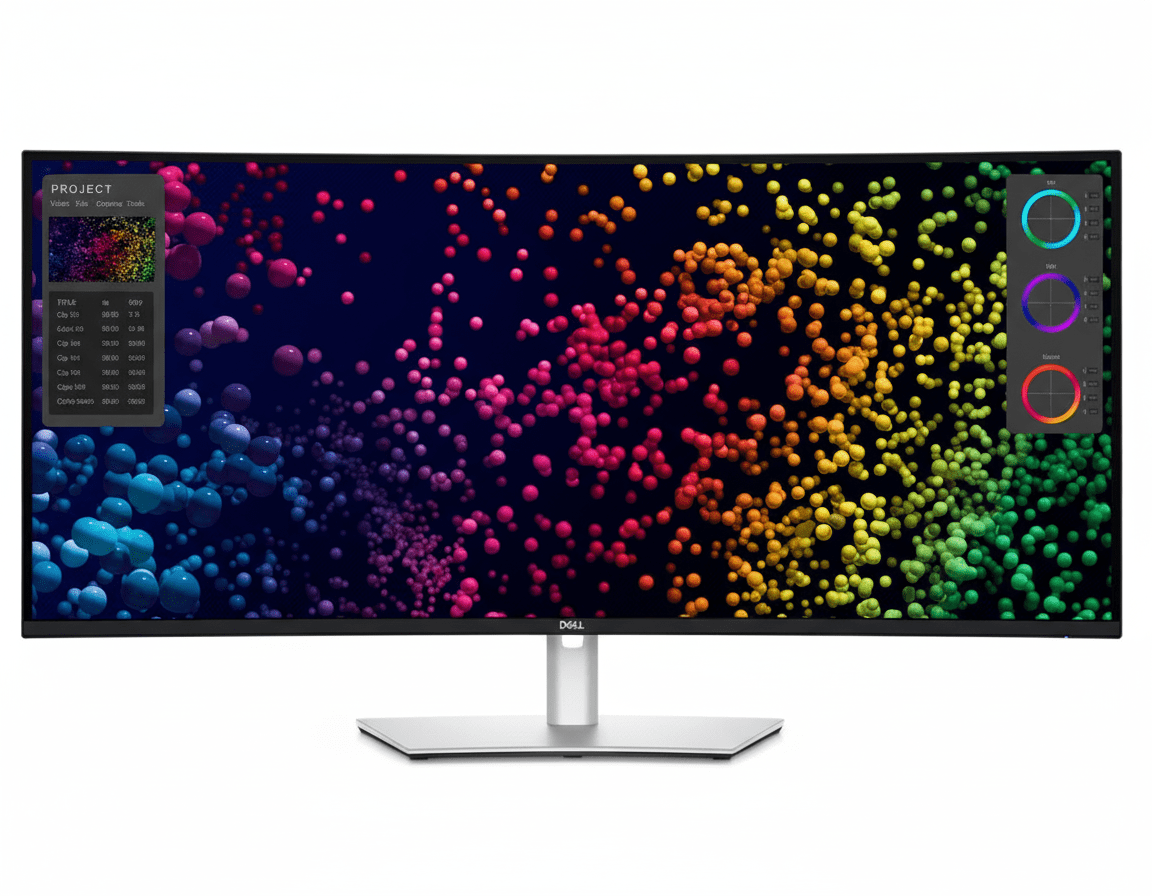
Dell UltraSharp U4025QW Review: The Ultimate 40″ 5K2K Thunderbolt 4 Ultrawide Powerhouse

Dell UltraSharp 40 Curved
Dell UltraSharp 40 Curved Thunderbolt™ Hub Monitor (U4025QW) Review: The Unrivaled 5K King

Dell UltraSharp 40 Curved Thunderbolt™ Hub Monitor (U4025QW) Review: The Unrivaled 5K King

40″ Curved 5K2K 120Hz Thunderbolt™ 4 Hub (140W) 5-Star Eye Comfort IPS Black Panel (99% DCI-P3) KVM Switch & 2.5GbE LAN ₹157,699
The no-compromise, all-in-one hub for the ultimate immersive and color-critical productivity.

The Dell UltraSharp U4025QW is more than a monitor; it is a statement. This is Dell’s flagship professional display, engineered without compromise for those who demand the absolute pinnacle of performance. Priced at a premium ₹157,699, this 40-inch curved behemoth boasts a breathtaking 5K2K (5120×2160) resolution and a fluid 120Hz refresh rate. The state-of-the-art IPS Black panel delivers unparalleled contrast and pro-grade 99% DCI-P3 color accuracy, while its powerful Thunderbolt™ 4 hub provides a staggering 140W of power, 2.5GbE LAN, and a full KVM switch. For the ultimate creative professional or power user, the U4025QW is the undisputed king.

The Ultimate 5K Canvas

Experience breathtaking 5K2K resolution, unparalleled color, and the most powerful Thunderbolt™ hub ever built into a monitor.

₹157,699
Inclusive of all taxes | Free Priority Delivery

3-Year Advanced Exchange Service & Premium Panel Exchange

Key Features at a Glance

40″ 5K2K Resolution: Immense 5120×2160 screen for extraordinary detail and multitasking.
IPS Black Panel: Delivers a 2000:1 contrast ratio for incredibly deep blacks and vibrant colors.
140W Thunderbolt™ 4 Hub: The most powerful single-cable hub with KVM and 2.5GbE LAN.
120Hz Refresh Rate: Buttery-smooth motion for everything from OS navigation to creative work.
Pro-Grade Color Accuracy: 99% DCI-P3 coverage with a factory calibration of Delta E < 2.
5-Star Eye Comfort: World’s first with this certification, featuring an ambient light sensor.

1. Unrivaled 5K Visuals with IPS Black

Experience a level of detail, contrast, and color that redefines professional displays.

Breathtaking 5K2K Resolution

The expansive 40-inch screen with 5120×2160 resolution offers 33% more screen space than a 4K monitor. This allows for true 4K video editing at a 1:1 pixel ratio while still having ample room for timelines, tools, and other applications, making it a dream for video editors and data analysts.

Flagship Color & Contrast

The combination of IPS Black technology (2000:1 contrast) and professional-grade color with 99% DCI-P3 and 99% Display P3 coverage results in a visual experience of unparalleled depth, vibrancy, and accuracy, perfect for color-critical work right out of the box with a Delta E < 2 calibration.

Fluid 120Hz Refresh Rate

A first for a 5K monitor of this class, the 120Hz refresh rate doubles the fluidity of a standard 60Hz display. This creates an exceptionally smooth and responsive experience, whether you’re scrolling through complex data, scrubbing a video timeline, or simply navigating your operating system.

2. The Most Powerful Thunderbolt™ Hub

A single, uncompromising connection for the most demanding professional workflows.

140W Power Delivery

The flagship Thunderbolt™ 4 port delivers a massive 140W of power using Extended Power Range (EPR). This is enough to charge even the most power-hungry 16-inch workstation laptops at full speed, eliminating the need for a separate bulky power brick.

Next-Generation Docking

It features a super-fast 2.5GbE RJ45 port for faster-than-gigabit networking, a downstream Thunderbolt 4 port for daisy-chaining another 4K monitor, and a vast array of high-speed 10Gbps USB-A and USB-C ports, many conveniently located in a pop-out front hub.

Network KVM Switch

The advanced Network KVM allows you to control and transfer files between two separate computers connected to the monitor over your network, using just one keyboard and mouse. This is managed seamlessly through the Dell Display Manager software, making it a power user’s dream.

3. Intelligent & Seamless Workflow

A monitor that adapts to your work, not the other way around.

Internal Multi-Stream Transport (iMST)

A groundbreaking feature, iMST allows you to partition the single 40-inch screen to behave like two separate virtual 2560×2160 monitors side-by-side. This allows you to share one half of your screen in a video call while working on the other, all without needing external software.

Dell Software Ecosystem

Take full command with Dell Display Manager for powerful window management (Easy Arrange), KVM control, and remote IT management. The new Dell Color Management software also allows you to easily create, store, and manage ICC color profiles for consistent results across your workflow.

4. A New Benchmark in Eye Comfort

Work smarter and more comfortably with groundbreaking eye-care technology.

World’s First 5-Star Certification

The U4025QW is the world’s first monitor to achieve a TÜV Rheinland® 5-star eye comfort certification, a new, more comprehensive standard that measures and grades performance across multiple categories to definitively certify a reduction in eye strain.

Intelligent Comfort Features

This certification is achieved by combining a fast 120Hz refresh rate, advanced hardware-level ComfortView Plus (reducing blue light to ≤35%), and a built-in Ambient Light Sensor that automatically adjusts brightness and color temperature to match your environment.

Ideal For These Users

High-End Creative Professionals

For 4K video editors, 3D artists, photographers, and graphic designers who need the ultimate combination of screen real estate, resolution, and color accuracy, this monitor is unmatched.

Executives & C-Suite Professionals

The U4025QW is a status symbol and a productivity powerhouse, offering the best single-cable solution to command a workstation with effortless elegance and maximum capability.

Power Users with Workstation Laptops

The massive 140W power delivery is specifically designed to charge the most demanding workstation-class laptops (like a 16-inch MacBook Pro) at full speed, making it the perfect docking partner.

Who Might Consider Other Options

Hardcore Gamers

This is the ultimate productivity monitor, not a gaming one. Competitive gamers will want dedicated gaming displays with even faster response times and full adaptive sync support (G-Sync Ultimate/FreeSync Premium Pro).

Users on a Strict Budget

This is a flagship product with a flagship price. Excellent ultrawide performance can be had for much less with the U3425WE or P3425WE if you don’t need the 5K resolution or 140W power delivery.

Competitive Edge: How It Stacks Up

In a class of its own.

  • The 5K2K Resolution Advantage

    The U4025QW’s primary edge is its 5K2K resolution. It offers a pixel density of 140 PPI, which is equivalent to a 32-inch 4K monitor, but in an ultrawide format. This provides an unmatched level of sharpness and detail for a monitor of this size.

  • Vs. The U3425WE

    While the 34-inch U3425WE is an outstanding monitor, the U4025QW is the ultimate upgrade. It offers a larger screen, a much higher 5K2K resolution, and more powerful 140W power delivery, making it the superior choice for professionals who need the absolute most screen real estate and power.

  • The Uncompromising Flagship

    Its competitive advantage is simple: it is the most feature-rich, highest-resolution, and most powerful productivity ultrawide monitor Dell has ever made. It combines the best of every technology—IPS Black, 120Hz, 5K resolution, 140W Thunderbolt—into a single, no-compromise package.

Full Specifications

Display

Screen Size
39.7″ Curved (2500R)
Resolution
5K2K (5120 x 2160)
Panel Type
IPS Black
Refresh Rate
120 Hz
Contrast Ratio
2000:1
Color Gamut
99% DCI-P3
Color Accuracy
Delta E < 2
HDR
VESA DisplayHDR 600

Connectivity

Thunderbolt™ 4 Hub
1x TB4 Upstream (140W PD)
Video Ports
1x DP 1.4, 1x HDMI 2.1
Daisy Chain
1x TB4 Downstream (15W)
KVM Switch
Yes (Network KVM)
Ethernet
1x RJ45 (2.5GbE)
USB Hub
5x USB-A, 2x USB-C

Mechanical

Height Adjust
150 mm
Tilt
-5° to 21°
Swivel
-30° to 30°

Pros and Cons

What We Liked

  • Breathtaking 5K2K resolution on a 40-inch screen.
  • Stunning image quality and contrast from the IPS Black panel.
  • The most powerful and comprehensive hub available (140W, 2.5GbE).
  • Fast and fluid 120Hz refresh rate.
  • Professional-grade color accuracy (99% DCI-P3).

What Could Be Better

  • Extremely expensive; a huge investment.
  • Response times are not ideal for competitive gaming.
  • The large size and weight may be difficult for some desks.

Final Verdict

The Dell UltraSharp U4025QW is, without exaggeration, the king of professional ultrawide monitors. It is a no-compromise masterpiece that combines the best panel technology, the highest resolution in its class, and the most powerful connectivity hub into a single, breathtaking product. The stunning 40-inch 5K2K IPS Black panel provides a level of clarity and contrast that is simply unmatched, while the 120Hz refresh rate ensures that the entire experience is impossibly smooth.

Its 140W Thunderbolt™ 4 hub with a Network KVM is the most capable single-cable solution on the market, ready to command even the most demanding workstation laptops. While the price is undeniably steep, it is justified by the sheer capability and quality on offer. For the elite professional who needs the absolute best and is willing to invest in it, the U4025QW is not just a monitor; it is the ultimate productivity endgame.

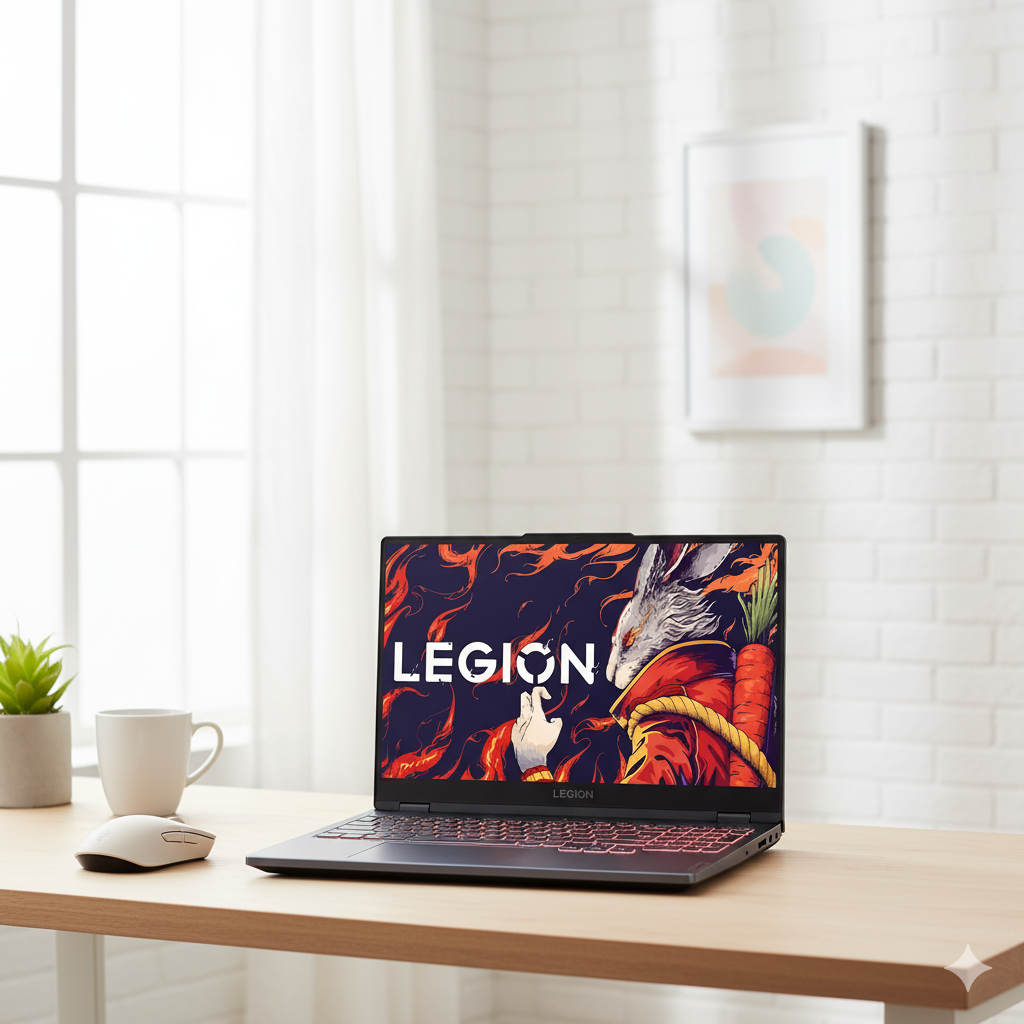
Lenovo Legion 5i Gen 9: Unleash Desktop-Caliber Power with Core i7-HX & RTX 4060.

Lenovo Legion 5i Gen 9 (Intel i7, RTX 4060) Laptop Review – Full Details

Legion 5i Gen 9, 39.62cms – Intel i7 (Storm Grey)

Intel® Core™ i7-13650HX RTX™ 4060 8GB GDDR6 24GB DDR5 RAM 512GB PCIe Gen4 SSD 15.6” 144Hz FHD Legion Ultimate Support

The Lenovo Legion 5i Gen 9 is a formidable contender in the gaming laptop arena, delivering a potent mix of high-end processing power and graphical muscle at a fiercely competitive price of ₹1,25,491. Designed for gamers and creators who demand sustained performance, it masterfully balances a powerful Intel HX-series CPU and an NVIDIA 40-series GPU with a high-refresh-rate display and a cooling system built to handle the heat.

At its core lies the desktop-caliber 13th Gen Intel® Core™ i7-13650HX Processor, paired with an NVIDIA® GeForce RTX™ 4060 Laptop GPU. This combination drives a fluid gaming experience on its 15.6-inch FHD 144Hz display. With a generous 24GB of user-upgradeable DDR5 RAM, a speedy PCIe Gen4 SSD, and Lenovo’s acclaimed Legion Ultimate Support, this Storm Grey machine is engineered to deliver reliable, high-octane performance right out of the box.

Key Features at a Glance

Powerful i7-HX Processor: Desktop-grade performance for elite gaming and multitasking.
NVIDIA® RTX™ 4060 GPU: 8GB GDDR6 for modern gaming with ray tracing and DLSS.
High-Refresh 144Hz Display: Ensures buttery-smooth visuals in fast-paced games.
Upgradable 24GB DDR5 RAM: Ample high-speed memory with SODIMM slots for future expansion.
Advanced Legion Cooling: A robust thermal system to maintain peak performance without throttling.
Comprehensive Support: Includes 1 Year Legion Ultimate Support and Accidental Damage Protection.

Unleashed Gaming & Creator Performance

The Legion 5i is built around a core of high-TDP components designed for sustained, peak performance.

Desktop-Caliber Intel® HX CPU

The Intel® Core™ i7-13650HX processor, with its high core count and boost clocks up to 4.90 GHz, delivers the raw power needed to prevent CPU bottlenecks in modern games and accelerate demanding creative tasks like video rendering and compiling code[146].

GeForce RTX™ 4060 Power

The NVIDIA® GeForce RTX™ 4060 GPU with 8GB of GDDR6 VRAM provides excellent 1080p gaming performance, enabling high frame rates in AAA titles and leveraging cutting-edge features like DLSS 3 and realistic ray tracing for an immersive visual experience[146].

Future-Proof, Upgradable Memory

Equipped with a generous 24GB of DDR5-4800MT/s RAM across two SODIMM slots, the Legion 5i handles heavy multitasking with ease. Crucially, this memory is user-upgradeable, providing long-term value and flexibility that sets it apart from competitors with soldered RAM.

Engineered for Clarity, Speed, and Control

Every aspect of the Legion 5i’s design is optimized for a responsive and immersive gaming session.

Fluid 144Hz Gaming Display

The 15.6″ FHD display boasts a 144Hz refresh rate, ensuring exceptionally smooth and tear-free gameplay. With 100% sRGB color coverage, it also delivers vibrant and accurate visuals for both gaming and content creation, while the anti-glare finish minimizes distractions.

Advanced Thermal Architecture

Lenovo’s renowned Legion cooling system, featuring multiple heat pipes and powerful, thin-bladed fans, efficiently expels heat to prevent thermal throttling. This allows the CPU and GPU to maintain high boost clocks for longer, giving you a consistent performance edge[151][166].

Full Specifications Table

General Information

  • Brand:Lenovo Legion
  • Model Name:Legion 5i Gen 9 (15, Intel)
  • Part Number:83JJ0010IN
  • Color:Storm Grey

Processor & Graphics

  • Processor:13th Generation Intel® Core™ i7-13650HX (E-cores up to 3.60 GHz, P-cores up to 4.90 GHz)
  • Graphic Card:NVIDIA® GeForce RTX™ 4060 Laptop GPU 8GB GDDR6

Memory & Storage

  • Memory:24 GB DDR5-4800MT/s (SODIMM) (2 x 12 GB)
  • Storage:512 GB SSD M.2 2242 PCIe Gen4 TLC

Display Details

  • Display Size:39.62cms (15.6 inch)
  • Display Resolution:FHD (1920 x 1080)
  • Display Technology:IPS, Anti-Glare, Non-Touch, 100% sRGB, 300 nits, 144Hz

Input & Audio

  • Keyboard:White Backlit, Storm Grey – English (US)
  • Pointing Device:ClickPad
  • Webcam:FHD 1080p with E-Shutter
  • Audio:Stereo speakers, 2W x2, Nahimic Audio

Connectivity

  • WIFI:Wi-Fi 6 2×2 AX
  • Bluetooth:Bluetooth® 5.1 or above
  • Ports:3x USB-A 3.2 Gen 1, 1x USB-C® 3.2 Gen 2 (DP 1.4, PD 140W), 1x HDMI® 2.1, 1x Ethernet (RJ-45), 1x Headphone/mic combo

Software & Services

  • Operating System:Windows 11 Home Single Language 64
  • Software Preload:Office Home 2024
  • Warranty:1 Year Legion Ultimate Support
  • Services:1 Year Accidental Damage Protection

Pros and Cons: A Balanced View

Pros:

  • Excellent Performance: The i7-13650HX and RTX 4060 combination is a powerhouse for 1080p gaming and creative work[146].
  • Superior Cooling: Maintains high performance under load with a thermal system that is effective and quieter than many rivals[166].
  • Upgradeable RAM: The 24GB of DDR5 RAM is generous, and the use of SODIMM slots allows for future upgrades.
  • Smooth Display: A 144Hz refresh rate provides a fluid and responsive experience in fast-paced games.
  • Great Value Package: Comes with premium support, accidental damage protection, and MS Office, adding significant value.

Cons:

  • Limited SSD Space: 512GB can fill up quickly with modern AAA game installs, likely requiring an external drive or internal upgrade.
  • Average Peripherals: The webcam and speakers are functional but not standout features, a common compromise in gaming laptops[150].
  • Basic Keyboard Lighting: The white-only backlight lacks the customizable RGB options popular with many gamers[150].
  • Standard Brightness: At 300 nits, the display is suitable for indoor use but may struggle in very bright environments.

Who Is This Laptop For?

  • Dedicated Gamers: Perfect for players who want high, stable frame rates in popular esports and AAA titles at 1080p resolution.
  • Engineering Students and Creators: The powerful HX-series CPU and capable GPU can easily handle demanding software for 3D rendering, video editing, and complex calculations.
  • Performance-Oriented Users: Anyone looking for a powerful machine that prioritizes sustained performance and cooling over extreme portability.

Who Might Consider Other Options?

  • Road Warriors: With a weight over 2.3 kg and a large 230W power adapter, this is not the ideal choice for users who need to travel frequently and light.
  • QHD/4K Gaming Enthusiasts: While the RTX 4060 is a 1080p champion, those aiming for high-refresh-rate gaming at 1440p or 4K should consider a laptop with an RTX 4070 or higher.
  • Users Needing a Brighter Display: For work or gaming in brightly lit rooms or near windows, a display with 400-500 nits would be more suitable.

Competitive Edge: Performance Per Rupee

The Legion 5i Gen 9 carves out its niche by focusing on core performance and long-term value.

  • Desktop-Grade CPU Power: Its key advantage is the use of a high-power Intel Core i7 HX-series processor. This delivers significantly better multi-core performance than the H-series CPUs found in many competitors, providing more headroom for demanding games and applications[146].
  • Best-in-Class Cooling: Lenovo’s Legion thermal design is consistently praised for allowing the hardware to run at its full potential without significant throttling. This means more consistent frame rates and faster rendering times compared to similarly specced but thermally limited laptops[166].
  • Focus on Practicality and Longevity: By opting for user-upgradeable SODIMM RAM slots and a robust port selection including Ethernet, Lenovo prioritizes practicality over pure aesthetics, offering better long-term value and flexibility than many sealed-chassis designs.

Final Verdict: An Intelligent Powerhouse for the Modern Gamer

The Lenovo Legion 5i Gen 9 stands out as a remarkably well-engineered gaming laptop that delivers exceptional performance where it counts. It smartly pairs a powerful Intel Core i7-HX processor with a highly capable NVIDIA RTX 4060, creating a combination that tears through modern games and creative workloads at 1080p. While it makes sensible compromises on elements like RGB lighting and speaker loudness, it over-delivers on the core pillars of a great gaming experience: sustained power, effective cooling, and a fast, fluid display.

The inclusion of generous, upgradeable RAM and a comprehensive warranty package further solidifies its position as a high-value proposition. For gamers, creators, and power users seeking a reliable, no-nonsense machine that punches well above its price tag, the Legion 5i Gen 9 is not just a smart choice—it’s a definitive winner and an enthusiastic recommendation.

★★★★★

Overall Rating: 4.8 out of 5.0 (Based on Expert Analysis)
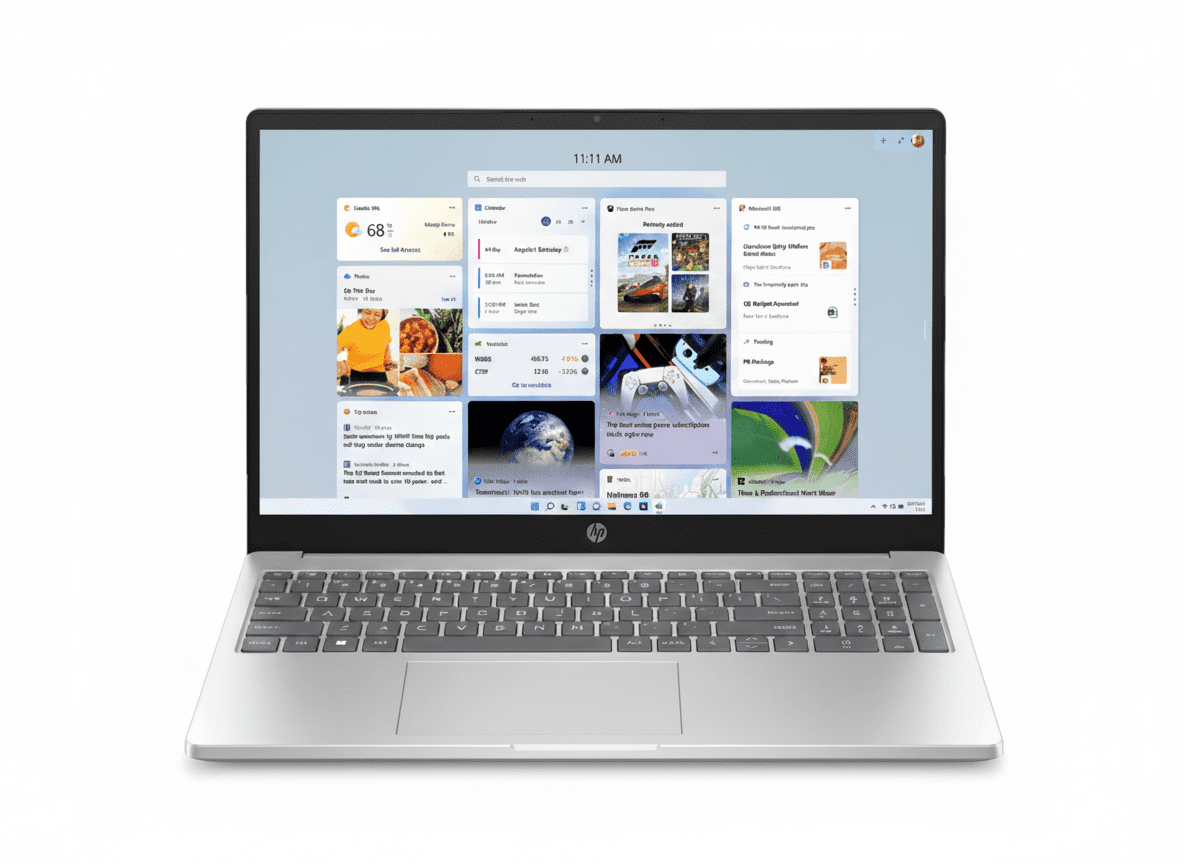
HP Laptop 15-fc0155AU – Ryzen 5, 8GB RAM, 512GB SSD, FHD 15.6″ | Best Student Laptop 2025

HP Laptop 15
HP Laptop 15-fc0155AU Review – Complete Specifications, Features & Price
HP Laptop 15-fc0155AU

Available Colors:

BEST VALUE

HP Laptop 15-fc0155AU

15.6″ FHD | Reliable Student & Home Computing

Configuration:

MRP: ₹54,551

₹39,500*

SAVE ₹15,051 (27% Off)

*Inclusive of all taxes

💳 Up to ₹12,000 Instant Bank Discount available

EMI Starting From

₹1,317/month*

*Based on 12 months no-cost EMI (on ₹49,999+ purchase)

Processor

AMD Ryzen 5 7520U

Display

15.6″ FHD

RAM & Storage

8GB | 512GB SSD

Battery Life

Up to 10h 30min

HP Laptop 15-fc0155AU Overview

✨ Key Highlights

  • ✓ AMD Ryzen 5 7520U (up to 4.3 GHz)
  • ✓ 15.6″ FHD Display (1920×1080)
  • ✓ 8GB LPDDR5-5500 RAM
  • ✓ 512GB PCIe NVMe SSD
  • ✓ AMD Radeon Graphics
  • ✓ Up to 10h 30min Battery
  • ✓ Fast Charge 50% in 45min
  • ✓ Backlit Keyboard with Numeric Pad
  • ✓ 1080p FHD Webcam
  • ✓ Windows 11 Home

🛡️ Warranty & Support

  • Standard Warranty: 1 Year (1/1/1) Limited
  • Parts & Labor: 1 Year Included
  • On-Site Service: 1 Year Included
  • Extended Warranty: Available at ₹1,999
  • Accidental Protection: Available at ₹4,499
  • Support: HP Customer Care

📦 In The Box

  • ✓ HP Laptop 15-fc0155AU
  • ✓ 65W Smart AC Power Adapter
  • ✓ MS Office Home & Student 2021 (₹9,199)
  • ✓ HP X Entry Backpack (₹1,999)
  • ✓ User Manual & Warranty Card
  • ✓ 25GB Dropbox Storage (12 months)
  • ✓ McAfee Online Protection (30-day trial)

Total Bundled Value: ₹11,198

Processor & Performance

🔥 Processor Specifications

Processor Name

AMD Ryzen 5 7520U

Max Boost Clock

Up to 4.3 GHz

Cores / Threads

4 Cores / 8 Threads

Cache Memory

4 MB L3 Cache

Processor Family

AMD Mendocino (Zen 2)

TDP

15W (Efficient)

🎮 Graphics

GPU Model

AMD Radeon Graphics

GPU Architecture

Radeon (RDNA 2)

Graphics Memory

Shared System Memory

GPU Type

Integrated Graphics

Performance Level

Entry-Level

⚡ Performance

Daily Computing

Excellent

Web browsing, office apps

Multitasking

Good

8-10 browser tabs

Light Creative Work

Moderate

Basic photo editing

Ideal For

Students, Home Users, Office Work

Display & Audio

🖥️ Display Specifications

Screen Size

15.6″ Diagonal

Resolution

FHD (1920 x 1080)

Panel Type

IPS-level / VA

Refresh Rate

60Hz Standard

Brightness

250 nits

Aspect Ratio

16:9

✨ Display Quality

Color Gamut

45% NTSC

Surface Finish

Anti-Glare (Matte)

Bezel Design

Micro-Edge

Screen-to-Body Ratio

85%

Flicker-Free

Yes (DC Dimming)

Touch Support

No

Best For

Document work, streaming, outdoor use

🔊 Audio System

Speakers

Dual Front-Facing Speakers

Speaker Configuration

Stereo (2.0)

Audio Enhancement

Standard Audio

Microphones

Dual Array Digital Mics

Audio Jack

3.5mm Combo Jack

Front-facing speakers provide clear audio for video calls and entertainment

Student-Focused Features

📚 Online Learning Ready

  • ✓ 1080p FHD Webcam: Clear video for online classes
  • ✓ Temporal Noise Reduction: Better image quality in low light
  • ✓ Dual Array Microphones: Clear audio pickup
  • ✓ Camera Privacy Shutter: Physical privacy control
  • ✓ Mic Mute Key: Quick audio muting
  • ✓ Wi-Fi 6 (1×1): Stable internet for video calls
  • ✓ Modern Standby: Instant wake for classes

✍️ Study & Assignments

Productivity Software

  • • MS Office 2021: Word, Excel, PowerPoint (Lifetime)
  • • OneNote: Digital note-taking
  • • 25GB Dropbox: Cloud file storage

Typing Comfort

  • • Full-size Keyboard: Standard layout
  • • Backlit Keys: Type in dim lighting
  • • Numeric Keypad: Quick data entry
  • • HP Imagepad: Precision touchpad

🎒 Student Portability

  • ✓ 1.59 kg Weight: Light enough for daily carry
  • ✓ Included Backpack: HP X Entry Backpack worth ₹1,999
  • ✓ 10h 30min Battery: Full day of classes
  • ✓ Fast Charge: 50% in 45 minutes
  • ✓ Durable Design: Built for daily use
  • ✓ EPEAT Gold: Environmentally responsible

Perfect for school, college, and university students

Home & Productivity Features

🏠 Home Computing

  • ✓ Web Browsing: Smooth Chrome, Edge, Firefox
  • ✓ Email & Communication: Gmail, Outlook, Teams
  • ✓ Social Media: Facebook, Instagram, Twitter
  • ✓ Video Streaming: Netflix, YouTube, Prime Video
  • ✓ Photo Storage: Google Photos, OneDrive
  • ✓ Light Gaming: Browser games, casual titles
  • ✓ Shopping: Amazon, Flipkart browsing

💼 Office Productivity

Document Creation

  • • MS Word: Reports, letters, resumes
  • • Excel: Spreadsheets, budgets, data
  • • PowerPoint: Presentations, slides
  • • PDF Viewing: Adobe Reader compatible

Video Conferencing

  • • Zoom: HD video meetings
  • • Google Meet: Clear communication
  • • MS Teams: Team collaboration
  • • Skype: Voice & video calls

👨‍👩‍👧‍👦 Family-Friendly

  • ✓ Large 15.6″ Screen: Comfortable viewing for all ages
  • ✓ Anti-Glare Display: Less eye strain
  • ✓ Flicker-Free: DC Dimming technology
  • ✓ Windows 11 Parental Controls: Safe for kids
  • ✓ Numeric Keypad: Easy for accounting
  • ✓ McAfee Security: 30-day protection trial
  • ✓ Simple Setup: Ready out of the box

Design & Build Quality

🎨 Design

Color

Natural Silver

Top Finish

Matte Paint Cover

Keyboard Frame

Matte Finish

Base Texture

Textured Base

Design Language

Practical & Functional

Form Factor

Standard Laptop (Clamshell)

📏 Dimensions & Weight

Dimensions (W x D x H)

35.98 x 23.6 x 1.86 cm

Weight

1.59 kg

Portability

Good – Portable

Best For

Mostly at one place, occasional travel

Ideal weight for daily use without being too bulky

🔨 Build Quality

  • ✓ Plastic Construction: Lightweight & affordable
  • ✓ Matte Finish: Fingerprint resistant
  • ✓ Textured Base: Better grip
  • ✓ Sturdy Hinge: Reliable opening mechanism
  • ✓ EPEAT Gold: Environmental certification
  • ✓ ENERGY STAR: Energy efficient
  • ✓ Made in China: Quality assured by HP

Battery & Charging

🔋 Battery Specifications

Battery Type

3-Cell Li-ion Polymer

Battery Capacity

41 Wh

Battery Life (Claimed)

Up to 10h 30min

Power Adapter

65W Smart AC Adapter

⚡ HP Fast Charge

Fast Charge Time

50% in 45 min

Full Charge Time

~2 hours 30 minutes

Charging Port

AC Smart Pin (Barrel)

Power Consumption

Low (15W TDP CPU)

💼 Real-World Battery Life

Light Usage

8-9 hours

Web browsing, documents

Mixed Usage

6-7 hours

Video calls, productivity

Video Streaming

5-6 hours

YouTube, Netflix at 50% brightness

*Battery life varies with settings and usage patterns

Ports & Connectivity

🔌 Ports

  • ✓ 1x USB Type-C 5Gbps
  • • Data Transfer Only
  • • No Charging / Display Support
  • ✓ 2x USB Type-A 5Gbps (USB 3.2 Gen 1)
  • ✓ 1x HDMI 1.4b
  • ✓ 1x 3.5mm Headphone/Mic Combo
  • ✓ 1x AC Smart Pin (Power)

Note: USB-C port does not support charging or external monitors

📡 Wireless Connectivity

Wi-Fi

Wi-Fi 6 (802.11ax)

Wi-Fi Chip

Realtek Wi-Fi 6 (1×1)

Bluetooth

Bluetooth 5.3

Special Features

  • • Modern Standby (Connected)
  • • Backward Compatible with older Wi-Fi
  • • Stable Connection for video calls

📷 Webcam

Camera Resolution

1080p FHD

Camera Technology

HP True Vision

Camera Features

  • • Temporal Noise Reduction
  • • Better Low-Light Performance
  • • Physical Privacy Shutter

Microphones

Dual Array Digital Mics

Entertainment & Media

📺 Video Streaming

  • ✓ FHD Display: Clear 1080p content
  • ✓ 15.6″ Screen: Comfortable viewing size
  • ✓ Anti-Glare Panel: Watch outdoors
  • ✓ Netflix: Stream HD content smoothly
  • ✓ YouTube: 1080p video playback
  • ✓ Prime Video: HD streaming support
  • ✓ Disney+ Hotstar: Sports & movies

🎵 Audio Experience

Speaker Quality

  • • Dual Speakers: Stereo sound
  • • Front-Facing: Audio directed at you
  • • Clear Vocals: Good for dialogue
  • • Adequate Volume: Room-filling sound

Audio Connectivity

  • • 3.5mm Jack: Wired headphones
  • • Bluetooth 5.3: Wireless audio
  • • HDMI Audio: External speakers

🎮 Casual Gaming

  • ✓ Browser Games: Flash, HTML5 games
  • ✓ Casual Titles: Minecraft (low settings)
  • ✓ Older Games: CS 1.6, Age of Empires
  • ✓ Mobile Emulators: BlueStacks (light use)
  • ✓ Chess, Solitaire: Classic games

Not Suitable For: Modern AAA gaming, high FPS esports, demanding 3D games

Value for Money Analysis

💰 Price Breakdown

Laptop Base Price ₹39,500
MS Office 2021 ₹9,199
HP Backpack ₹1,999
Dropbox 25GB (12m) Included
Total Value ₹50,698

Effective Savings: ₹11,198 in free accessories

🎯 Best Value For

  • ✓ School Students: Online classes + assignments
  • ✓ College Students: Research + presentations
  • ✓ Home Users: Browsing + entertainment
  • ✓ Remote Workers: Video calls + documents
  • ✓ First-Time Buyers: Complete package with Office
  • ✓ Budget Conscious: Best specs at this price
  • ✓ Senior Citizens: Large screen, simple use

📊 Value Highlights

Price Per Feature

Excellent

FHD display, 512GB SSD, Office included

Upgrade Cost Savings

₹11,198

Office + Backpack bundled free

Performance/Price Ratio

Very Good

Ryzen 5 at entry-level price

Memory & Storage

💾 Memory (RAM)

RAM Capacity

8 GB

RAM Type

LPDDR5-5500 MHz

RAM Configuration

Onboard (Soldered)

Upgradability

Not Upgradable

8GB is sufficient for daily computing and student use

💿 Storage

Storage Capacity

512 GB

Storage Type

PCIe NVMe M.2 SSD

Read Speed

Fast (NVMe)

Boot Time

10-15 seconds

Upgradability

User Replaceable (M.2 slot)

☁️ Cloud Storage

Dropbox

25 GB for 12 Months

Activation

Register within timeframe

💡 Tip: Use local SSD for programs, cloud storage for files

Pros and Cons

✅ Strengths

  • Excellent Value: ₹39,500 with Office + Backpack (worth ₹11,198)
  • Good Processor: Ryzen 5 7520U handles daily tasks smoothly
  • Fast Storage: 512GB PCIe NVMe SSD for quick boot and loading
  • FHD Display: Sharp 1920×1080 resolution, anti-glare coating
  • Decent Battery: 10h 30min claimed, 6-8 hours real-world
  • Fast Charging: 50% in 45 minutes with HP Fast Charge
  • Backlit Keyboard: Type comfortably in low light with numeric pad
  • 1080p Webcam: Clear video for online classes and meetings
  • Wi-Fi 6: Latest wireless standard for stable connectivity
  • 1-Year On-Site: Warranty includes on-site repair service

⚠️ Areas for Improvement

  • Non-Upgradable RAM: 8GB soldered, cannot expand later
  • Entry-Level Performance: Not suitable for heavy multitasking or gaming
  • Limited USB-C: USB-C port doesn’t support charging or display out
  • Basic Display: Only 250 nits brightness, 45% NTSC color
  • Plastic Build: Not as premium as metal chassis laptops
  • Integrated Graphics: AMD Radeon not suitable for gaming
  • No Thunderbolt: Limited external GPU options
  • Average Webcam: Good but not exceptional quality
  • Standard Audio: No premium audio enhancement technology

Competitor Comparison

Lenovo IdeaPad Slim 3 (AMD)

₹41,990

Processor: AMD Ryzen 5 7520U

Display: 15.6″ FHD

RAM: 8GB LPDDR5

Storage: 512GB SSD

Battery: Up to 11 hours

✅ Reasons to Consider

  • • Lenovo brand reputation
  • • Slightly better build quality
  • • Better keyboard feel
  • • Longer claimed battery life
  • • Arctic Grey color option

⚠️ Reasons to Ignore

  • • ₹2,490 more expensive
  • • No MS Office included
  • • No backpack bundled
  • • 720p webcam vs 1080p
  • • Lower value for money

Dell Inspiron 15 3520

₹43,990

Processor: Intel Core i3-1215U

Display: 15.6″ FHD

RAM: 8GB DDR4

Storage: 512GB SSD

Battery: Up to 9 hours

✅ Reasons to Consider

  • • Dell brand trust
  • • Premium customer service
  • • Better hinge quality
  • • Intel processor option
  • • Carbon black design

⚠️ Reasons to Ignore

  • • ₹4,490 more expensive
  • • Slower DDR4 RAM vs LPDDR5
  • • Weaker Core i3 vs Ryzen 5
  • • No bundled accessories
  • • Lower performance/price

ASUS Vivobook 15 (AMD)

₹39,990

Processor: AMD Ryzen 5 7520U

Display: 15.6″ FHD

RAM: 8GB LPDDR5

Storage: 512GB SSD

Battery: Up to 10 hours

✅ Reasons to Consider

  • • Similar specifications
  • • Slightly better design
  • • ASUS ScreenPad option
  • • Multiple color choices
  • • Good keyboard layout

⚠️ Reasons to Ignore

  • • ₹490 more expensive
  • • No MS Office lifetime license
  • • No backpack included
  • • ASUS service centers less common
  • • Lower bundled value

Acer Aspire 5 (AMD)

₹38,990

Processor: AMD Ryzen 5 5500U

Display: 15.6″ FHD

RAM: 8GB DDR4

Storage: 512GB SSD

Battery: Up to 9.5 hours

✅ Reasons to Consider

  • • Slightly cheaper (₹510 less)
  • • Acer warranty service
  • • Metal lid construction
  • • Good port selection
  • • Proven reliability

⚠️ Reasons to Ignore

  • • Older Ryzen 5500U processor
  • • Slower DDR4 RAM
  • • No MS Office included
  • • No accessories bundled
  • • 720p webcam only

Final Verdict

Overall Rating

4.2 ⭐⭐⭐⭐

Performance

4.0/5

Display Quality

3.8/5

Battery Life

4.2/5

Value for Money

4.8/5

💼 Who Should Buy?

  • ✓ Students (School/College): Affordable laptop with Office for assignments and online classes
  • ✓ Home Users: Browse, stream, and handle daily computing tasks
  • ✓ Remote Workers: Video calls, documents, and basic productivity
  • ✓ First-Time Buyers: Complete package with all essentials included
  • ✓ Budget Conscious: Best value under ₹40,000 with genuine Office
  • ✓ Senior Citizens: Large screen, simple operation, reliable performance

❌ Who Should Skip?

  • • Gamers: Integrated graphics can’t handle modern games
  • • Content Creators: Limited RAM and GPU for video editing
  • • Power Users: Only 8GB non-upgradable RAM
  • • Designers: 45% NTSC color gamut insufficient for color work
  • • Heavy Multitaskers: 8GB RAM limits with many apps open

🎯 Bottom Line

The HP Laptop 15-fc0155AU delivers exceptional value at ₹39,500, making it one of the best budget laptops for students and home users in 2025. The combination of a capable Ryzen 5 7520U processor, 512GB SSD, FHD display, and bundled MS Office 2021 (worth ₹9,199) creates a compelling package. While the 8GB non-upgradable RAM and entry-level graphics limit heavy multitasking and gaming, the laptop excels at its intended use cases. The inclusion of a 1080p webcam, backlit keyboard, and Wi-Fi 6 future-proofs it for online learning and remote work. At this price point, it’s hard to find better overall value. Highly recommended for students and budget-conscious buyers who need reliable daily computing without breaking the bank.

Complete Technical Specifications

PROCESSOR & PERFORMANCE
ProcessorAMD Ryzen 5 7520U (up to 4.3 GHz max boost, 4 MB L3 cache, 4 cores, 8 threads)
Processor GenerationAMD Ryzen 5 (Mendocino / Zen 2 Architecture)
ChipsetAMD Integrated SoC
GraphicsAMD Radeon Graphics (Integrated)
DISPLAY
Screen Size39.6 cm (15.6″) diagonal
ResolutionFHD (1920 x 1080)
Panel TypeIPS-level / VA Panel
Refresh Rate60 Hz
Brightness250 nits
Color Gamut45% NTSC
Aspect Ratio16:9
BezelMicro-edge
SurfaceAnti-glare (Matte)
Special FeaturesFlicker-free (DC Dimming), Screen-to-body 85%
TouchscreenNo
MEMORY & STORAGE
RAM8 GB LPDDR5-5500 MHz (Onboard)
Storage512 GB PCIe NVMe M.2 SSD
Cloud Storage25 GB Dropbox for 12 months
CONNECTIVITY
Wi-FiRealtek Wi-Fi 6 (1×1) – 802.11ax
BluetoothBluetooth 5.3
USB-C Ports1x USB Type-C 5Gbps (Data transfer only, no charging/display)
USB-A Ports2x USB Type-A 5Gbps (USB 3.2 Gen 1)
Video Out1x HDMI 1.4b
Audio Jack1x 3.5mm Headphone/Microphone Combo
Power Port1x AC Smart Pin (Barrel connector)
AUDIO & CAMERA
AudioDual Front-Facing Speakers (Stereo)
WebcamHP True Vision 1080p FHD Camera with Temporal Noise Reduction
MicrophonesIntegrated Dual Array Digital Microphones
INPUT DEVICES
KeyboardFull-size, Backlit, Soft Grey Keyboard with Numeric Keypad
TouchpadHP Imagepad (Precision Touchpad)
BATTERY & POWER
Battery3-cell, 41 Wh Li-ion Polymer
Battery LifeUp to 10 hours 30 minutes
Fast Charging50% in 45 minutes
Power Adapter65W Smart AC Power Adapter
Energy EfficiencyEPEAT Gold, ENERGY STAR Certified
SECURITY
PrivacyCamera Privacy Shutter, Microphone Mute Key
TPMTrusted Platform Module (Firmware TPM) Support
DESIGN & DIMENSIONS
ColorNatural Silver
FinishMatte Paint Cover, Textured Base
Form FactorStandard Laptop (Clamshell)
Dimensions (W x D x H)35.98 x 23.6 x 1.86 cm
Weight1.59 kg
SOFTWARE & OPERATING SYSTEM
Operating SystemWindows 11 Home
Included SoftwareMicrosoft Office Home & Student 2021 Lifetime Subscription
Security SoftwareMcAfee Online Protection (30-day trial)
WARRANTY & SUPPORT
Standard Warranty1 Year (1/1/1) Limited Warranty – Parts, Labor & On-site
Extended Warranty2-Year Warranty + 3-Year Antivirus at ₹1,999
Accidental Protection2-Year Warranty + 3-Year AV + 3-Year ADP at ₹4,499
MANUFACTURING INFO
Country of OriginChina
ManufacturerQUANTA CQ, Tech-Front (Chongqing) Computer Co., Ltd.
ImporterHP India Sales Pvt Ltd, Bangalore – 560030

Pricing & Where to Buy

Current Price

₹54,551 ₹39,500

Save ₹15,051 (27% Off)

*Price may vary. Check retailer sites for current offers

🛒 Check Latest Price & Buy Now

*Affiliate link – We may earn commission

🎁 What You Get

MS Office 2021

Worth ₹9,199

HP Backpack

Worth ₹1,999

Total Savings

₹26,249

💳 Current Offers

  • ✓ Bank Discounts: Up to ₹12,000 additional off
  • ✓ No Cost EMI: Starting ₹1,317/month (3-6 months)
  • ✓ Low Cost EMI: 9-24 months options available
  • ✓ Exchange Bonus: Get extra discount on old laptop

MSI Katana A15 AI Gaming Laptop – Ryzen 7 8845HS, RTX 4050, 144Hz Display, Wi-Fi 6E | Best AI Gaming Laptop Under ₹85K

Gaming Laptop
MSI Cyborg 15 Gaming Laptop Complete Review (2024) – Amazon’s Choice
MSI Cyborg 15 Gaming Laptop

Available Color:

⭐⭐⭐⭐⭐
4.6/5 (3 Ratings)
🔥 AMAZON’S CHOICE – LIGHTEST GAMING LAPTOP

MSI Cyborg 15

Intel Core i5-12450H | RTX 3050 6GB | FHD 144Hz

15.6″ FHD 144Hz • 16GB RAM • 512GB SSD • MS Office 2021 • 1.9Kg

Ultra-Portable Configuration:

• Processor: Intel Core i5-12450H (8-core, up to 4.4 GHz)

• Graphics: NVIDIA GeForce RTX 3050 6GB GDDR6

• RAM: 16GB DDR5-4800MHz Dual Channel

• Storage: 512GB NVMe PCIe Gen 4 SSD

• Display: 15.6″ FHD (1920×1080) 144Hz IPS

• Bonus: MS Office 2021 + Translucent Design

₹97,990

31% OFF

₹67,990*

*Lightest gaming laptop (1.9kg) + MS Office included!

🛒 Buy Now on Amazon

EMI starting from ₹3,296/month | Free Delivery

Price

₹67,990

Weight

1.9 Kg!

Display

FHD 144Hz

MSI Cyborg 15 Overview

Key Highlights

  • ✓ Cheapest: Only ₹67,990
  • ✓ Lightest: Just 1.9 kg!
  • ✓ RTX 3050 6GB: DLSS 2 support
  • ✓ Core i5-12450H: 8-core power
  • ✓ MS Office 2021: Worth ₹6,499
  • ✓ Translucent Design: Unique look
  • ✓ 4.6/5 Rating: Excellent reviews

In The Box

  • 📦 MSI Cyborg 15 Gaming Laptop
  • 🔌 120W Power Adapter
  • 📄 User Guide & Warranty Card
  • 🛡️ 2-Year On-Site Warranty
  • 💻 MS Office 2021 Pre-installed

Bonus: MS Office 2021 saves you ₹6,499!

Cyborg Advantage

  • • Cheapest: Under ₹68k with RTX
  • • Lightest: Only 1.9 kg
  • • Ultra-Portable: Easy to carry
  • • MS Office Included: Ready to work
  • • Unique Design: Translucent look
  • • Best Entry Gaming: Budget king

💰 Unbeatable Budget Gaming Value

Cheapest RTX Gaming Laptop

At ₹67,990 (31% off), this is the cheapest RTX gaming laptop with MS Office 2021 included. Most RTX laptops cost ₹75-90k without Office, making this incredible value for budget students.

Lightest Gaming Laptop

At just 1.9kg, this is the lightest gaming laptop under ₹70k—350g lighter than most competitors. Perfect for students carrying to college/coaching daily without back strain.

MS Office 2021 Included

Get MS Office 2021 pre-installed (worth ₹6,499)—includes Word, Excel, PowerPoint. True value is only ₹61,491 after Office savings. No other laptop offers this!

Intel 12th Gen Performance

Intel Core i5-12450H

8-Core Alder Lake-H (4P + 4E)

Total Cores 8 Cores (4P + 4E)
Threads 12 Threads
Base Clock 1.5 GHz
Max Turbo 4.4 GHz
Cache 12MB L3
TDP 45W (up to 95W)

Power: Great for gaming + productivity at budget price

RTX 3050 6GB

NVIDIA Ampere (DLSS 2)

VRAM 6GB GDDR6
Memory Bus 96-bit
DLSS DLSS 2
Ray Tracing 2nd Gen RT Cores
TGP 75W

Gaming: Good FHD gaming at 40-60 FPS in AAA titles

💾 Memory (RAM)

Installed RAM 16GB DDR5-4800
Configuration 8GB x 2 (Dual Channel)
RAM Slots 2 SODIMM Slots
Max Upgrade 64GB (32GB x 2)

Fast DDR5: 4800MHz for smooth multitasking

💿 Storage

Installed Storage 512GB NVMe SSD
Interface PCIe Gen 4 x4
Speed ~5000 MB/s Read
Expandable Yes (1x M.2 Slot)

Upgrade: Easily add 1TB/2TB later

📊 Performance Benchmarks

Cinebench R23

Multi-Core

~10,400

Single-Core

1,654

Good for budget gaming laptop

3DMark Time Spy

Graphics Score

~5,200

Solid FHD gaming performance

Geekbench 5

Multi-Core

8,820

Decent multi-threaded performance

15.6″ FHD 144Hz Display

FHD Resolution

Size 15.6″ (40 cm)
Resolution 1920 x 1080
PPI 141 ppi
Panel IPS-Level

Gaming Performance

Refresh Rate

144Hz

Color Gamut

45% NTSC

Color Quality

  • ●
    Budget Colors

    45% NTSC coverage

  • ●
    ~250 nits

    Average brightness

Audio System

  • • 2x Stereo Speakers (2W each)
  • • Nahimic Audio
  • • 3.5mm Jack
  • • Average quality (external recommended)

Webcam

  • • No Webcam
  • • Need external USB webcam
  • • Good for privacy (no camera)

Real Gaming Performance @ FHD

🎮 AAA Games @ 1080p (FHD)

Cyberpunk 2077

48 FPS

• Settings: Medium

• DLSS: Balanced

• Experience: Playable

Call of Duty MW3

75 FPS

• Settings: Medium

• DLSS: Quality

• Experience: Good

Spider-Man Remastered

58 FPS

• Settings: Medium

• DLSS: Quality

• Experience: Good

⚡ Esports Titles @ 1080p

Valorant 240+ FPS
CS2 180+ FPS
Fortnite 140+ FPS
Overwatch 2 130+ FPS

🎯 More AAA Titles

Red Dead Redemption 2 42-48 FPS
Forza Horizon 5 85 FPS
Doom Eternal 110 FPS
Hogwarts Legacy 52-58 FPS

🎮 Gaming Verdict: RTX 3050 delivers good FHD gaming at 40-60 FPS in AAA titles with DLSS 2. Esports easily hit 140+ FPS. For ₹67,990, excellent entry-level gaming value!

Design & Build Quality – Translucent

🏗️ Build Materials

Chassis Plastic (Translucent)
Lid Plastic (matte)
Design Cybernetic/Unique

📏 Dimensions

Dimensions 359 x 250 x 22mm
Weight 1.98 kg (Lightest!)

350g lighter than most gaming laptops!

🎨 Aesthetics

  • • Color: Translucent Black
  • • Style: Cybernetic design
  • • Unique: See-through portions
  • • Logo: MSI Cyborg branding

Cooler Boost Thermal System

❄️ Shared-Pipe Cooling

MSI’s shared-pipe design connects both CPU and GPU to optimize heat dissipation and balance thermal performance during gaming.

●
Dual Fan Design

Shared CPU/GPU cooling

●
Shared Heat Pipes

Balanced thermal transfer

●
Exhaust Vents

Rear airflow

🌡️ Thermal Performance

CPU (Gaming)

65-75°C

GPU (Gaming)

70-80°C

Gaming Keyboard

⌨️ Keyboard Features

  • ●
    Single-Zone Backlight

    Basic white backlight

  • ●
    Full-Size Layout

    Includes numpad

  • ●
    Anti-Ghosting

    N-key rollover support

  • ●
    Decent Key Travel

    1.5mm travel

🖱️ Trackpad

  • ●
    Precision Trackpad

    Windows Precision drivers

  • ●
    Multi-Touch

    Gesture support

  • ●
    Decent Size

    10.5 x 6.5 cm

Connectivity & Ports

🔌 Complete Ports

USB Ports (2 Total)

• 1x USB Type-C (USB 3.2)

• 1x USB 3.2 Type-A

Display Output

• 1x HDMI 2.0 (4K@60Hz)

Other Ports

• RJ-45 Ethernet

• 3.5mm Audio Jack

📡 Wireless Connectivity

Intel Wi-Fi 6

Fast 802.11ax wireless

Bluetooth 5.3

Latest Bluetooth standard

Battery Life & Charging

🔋 Battery

53.5Wh

• Type: Lithium Polymer

• Cells: 3-cell

• Light Use: 4-5 hours

• Gaming: 2-2.5 hours

⚡ Charging

120W

• Adapter: 120W

• Fast Charge: 50% in ~35min

• Full Charge: ~1.5 hours

💡 Real World

  • • Video: 4 hours
  • • Web: 4-5 hours
  • • Gaming: 2-2.5 hours

⚠️ Battery Note: The 53.5Wh battery provides 4-5 hours light use, 2-2.5 hours gaming. Keep charger handy for extended sessions.

Complete Budget Gaming Laptop Comparison – 6 Top Competitors

How does the MSI Cyborg 15 at ₹67,990 compare against all major entry-level gaming laptops?

MSI Katana A15 AI (8840HS)

₹81,929

• Processor: AMD Ryzen 7 8840HS AI

• Display: 15.6″ FHD 144Hz IPS

• RAM: 16GB DDR5-5600

• Storage: 512GB SSD

• GPU: RTX 4050 6GB

• Weight: 2.25 kg

✅ Reasons to Consider

  • • ₹14k more but RTX 4050 GPU
  • • Much better Ryzen 7 AI CPU
  • • Faster DDR5-5600 RAM
  • • Built-in AI NPU
  • • MS Office 2021 included
  • • ~40% better gaming performance

⚠️ Reasons to Skip

  • • ₹13,939 more expensive (20% increase)
  • • Heavier at 2.25kg (270g more)
  • • No webcam (need external)
  • • Over-budget for many students
  • • RTX 3050 enough for entry gaming

Lenovo IdeaPad Gaming 3

₹72,990

• Processor: Intel Core i5-12450H

• Display: 15.6″ FHD 120Hz IPS

• RAM: 16GB DDR4

• Storage: 512GB SSD

• GPU: RTX 3050 4GB

• Weight: 2.3 kg

✅ Reasons to Consider

  • • ₹5k more but Lenovo brand
  • • Good build quality
  • • Clean design
  • • Reliable support

⚠️ Reasons to Skip

  • • ₹5,000 more expensive
  • • Only 4GB VRAM (vs 6GB)
  • • Slower DDR4 RAM
  • • Lower 120Hz refresh (vs 144Hz)
  • • Heavier at 2.3kg
  • • No MS Office included

HP Victus 15 (2024)

₹79,990

• Processor: AMD Ryzen 5 5600H

• Display: 15.6″ FHD 144Hz IPS

• RAM: 16GB DDR4

• Storage: 512GB SSD

• GPU: RTX 3050 4GB

• Weight: 2.3 kg

✅ Reasons to Consider

  • • HP brand reputation
  • • Clean Victus design
  • • Good customer support

⚠️ Reasons to Skip

  • • ₹12,000 more expensive (18% increase)
  • • Older Ryzen 5000 series CPU
  • • Only 4GB VRAM (vs 6GB)
  • • Slower DDR4 RAM
  • • Heavier at 2.3kg
  • • No MS Office included

Acer Nitro 5 (2024)

₹74,990

• Processor: Intel Core i5-12500H

• Display: 15.6″ FHD 144Hz IPS

• RAM: 16GB DDR4

• Storage: 512GB SSD

• GPU: RTX 3050 4GB

• Weight: 2.5 kg

✅ Reasons to Consider

  • • ₹7k more but Acer brand
  • • Nitro gaming reputation
  • • Good cooling

⚠️ Reasons to Skip

  • • ₹7,000 more expensive
  • • Only 4GB VRAM (vs 6GB)
  • • Slower DDR4 RAM
  • • Heavier at 2.5kg (520g more)
  • • No MS Office included

ASUS TUF F15 (2023)

₹85,990

• Processor: Intel Core i5-11400H

• Display: 15.6″ FHD 144Hz IPS

• RAM: 16GB DDR4

• Storage: 512GB SSD

• GPU: RTX 3050 4GB

• Weight: 2.3 kg

✅ Reasons to Consider

  • • ASUS TUF durability
  • • Military-grade build
  • • Premium brand

⚠️ Reasons to Skip

  • • ₹18,000 more expensive! (26% increase)
  • • Much older 11th Gen Intel CPU
  • • Only 4GB VRAM (vs 6GB)
  • • Slower DDR4 RAM
  • • Not worth ₹18k premium

Dell G15 5520

₹82,990

• Processor: Intel Core i5-12500H

• Display: 15.6″ FHD 120Hz IPS

• RAM: 16GB DDR4

• Storage: 512GB SSD

• GPU: RTX 3050 4GB

• Weight: 2.65 kg

✅ Reasons to Consider

  • • Dell brand reputation
  • • Good customer support
  • • Professional design

⚠️ Reasons to Skip

  • • ₹15,000 more expensive (22% increase)
  • • Only 4GB VRAM (vs 6GB)
  • • Lower 120Hz refresh (vs 144Hz)
  • • Much heavier at 2.65kg (650g more)
  • • Slower DDR4 RAM

📊 Quick Comparison – All 7 Laptops

LaptopPriceCPUGPU VRAMRAMWeightExtrasValue
MSI Cyborg 15 🏆₹67,990i5-12450H6GBDDR51.98 kgOffice★★★★★
Lenovo IdeaPad Gaming 3₹72,990i5-12450H4GBDDR42.3 kg–★★★☆☆
Acer Nitro 5₹74,990i5-12500H4GBDDR42.5 kg–★★★☆☆
HP Victus 15₹79,990R5 5600H4GBDDR42.3 kg–★★★☆☆
MSI Katana A15 AI₹81,929R7 8840HS AI6GBDDR52.25 kgOffice+AI★★★★☆
Dell G15 5520₹82,990i5-12500H4GBDDR42.65 kg–★★☆☆☆
ASUS TUF F15₹85,990i5-11400H4GBDDR42.3 kg–★★☆☆☆

🏆 Clear Winner: MSI Cyborg 15 at ₹67,990

Best Budget Entry Gaming: At ₹67,990, this is the cheapest RTX gaming laptop with 6GB VRAM + MS Office 2021 + lightest weight (1.98kg). All competitors cost ₹5-18k more with only 4GB VRAM and no Office.

💰 Price Champion

  • • ₹5k cheaper than Lenovo IdeaPad
  • • ₹7k cheaper than Acer Nitro
  • • ₹12k cheaper than HP Victus
  • • ₹14k cheaper than MSI Katana AI
  • • ₹15k cheaper than Dell G15
  • • ₹18k cheaper than ASUS TUF

🎯 Unique Advantages

  • • ONLY 6GB VRAM under ₹72k
  • • Lightest at 1.98kg
  • • ONLY with MS Office 2021
  • • ONLY DDR5 under ₹72k
  • • Fastest 144Hz at this price
  • • Unique translucent design

⚡ Best Value

  • • True cost: Only ₹61,491 (after Office savings)
  • • 50% more VRAM than all competitors
  • • 350-650g lighter than competitors
  • • DDR5 RAM (not DDR4)
  • • Best portability for students
  • • Unbeatable budget value

Bottom Line: Every competitor either costs ₹5-18k MORE with LESS VRAM (4GB), HEAVIER weight, SLOWER DDR4 RAM, and NO MS Office. The Cyborg 15 is the undisputed budget gaming champion!

Complete Pros & Cons

✅ Major Strengths (21)

  • • Cheapest RTX: Only ₹67,990
  • • 31% OFF: From ₹97,990
  • • Lightest: Only 1.98 kg!
  • • 6GB VRAM: More than competitors
  • • MS Office 2021: Worth ₹6,499
  • • True Value: ₹61,491 after Office
  • • RTX 3050 6GB: DLSS 2 support
  • • Core i5-12450H: 8-core power
  • • DDR5-4800: Fast RAM
  • • 144Hz Display: Smooth gaming
  • • Upgradable: RAM to 64GB
  • • Unique Design: Translucent look
  • • Good Cooling: Shared-pipe design
  • • 2-Year Warranty: On-site service
  • • Best Entry Value: Under ₹70k
  • • Free Delivery: Amazon
  • • EMI Options: ₹3,296/month
  • • 4.6/5 Rating: Excellent reviews
  • • Amazon’s Choice: Top pick
  • • Ultra-Portable: Easy to carry
  • • Student Friendly: Perfect for college

⚠️ Limitations (16)

  • • No Webcam: Need external USB webcam
  • • Entry-Level GPU: RTX 3050 (not 4050)
  • • Small Battery: 53.5Wh (vs 75Wh typical)
  • • Short Battery: 2-2.5 hours gaming
  • • Plastic Build: Not premium metal
  • • Budget Display: 45% NTSC color
  • • Low Brightness: ~250 nits
  • • Average Speakers: Lacking bass
  • • Basic Backlight: Single-zone only
  • • Fan Noise: Audible under load
  • • FHD Only: No QHD option
  • • Only 2 USB Ports: Limited connectivity
  • • HDMI 2.0: Not 2.1
  • • Gets Warm: Under sustained gaming
  • • Budget Aesthetics: Plastic finish
  • • No Laptop Bag: Not included

Final Verdict

Overall Rating

4.3
⭐⭐⭐⭐

Best Budget Entry Gaming

Value for Money 5.0/5
Gaming Performance 3.5/5
Portability 5.0/5

🎮 Perfect For

  • ✅ Students under strict ₹70k budget
  • ✅ Entry-level gamers (first gaming laptop)
  • ✅ Need lightest gaming laptop (1.98kg)
  • ✅ Carrying laptop daily to college/coaching
  • ✅ Want MS Office included
  • ✅ Esports gaming (Valorant/CS2/Fortnite)
  • ✅ Best budget value priority

❌ Not Ideal For

  • ❌ Need webcam (must buy external ₹1-2k)
  • ❌ Want AAA gaming at Ultra settings
  • ❌ Need long battery life (8+ hours)
  • ❌ Want premium metal build
  • ❌ Need RTX 4050/4060 power

🎯 Final Thoughts

The MSI Cyborg 15 at ₹67,990 is the best entry-level gaming laptop of 2024. It’s the cheapest way to get RTX gaming with 6GB VRAM, MS Office 2021, and ultra-portable 1.98kg weight that no competitor can match.

At this price, you get 50% more VRAM (6GB vs 4GB) than all competitors, DDR5 RAM instead of slower DDR4, and MS Office 2021 (₹6,499 value) pre-installed. True value is only ₹61,491 after Office savings—absolutely unbeatable.

The 1.98kg weight makes this the lightest gaming laptop, perfect for students carrying to college daily. Gaming performance is solid with RTX 3050 6GB delivering 40-60 FPS in AAA titles and 140+ FPS in esports—more than enough for entry-level gaming.

Only compromise: No built-in webcam (need external USB webcam for ₹1-2k) and entry-level RTX 3050 GPU (not RTX 4050). But for students on tight budgets, these are minor trade-offs for the incredible ₹5-18k savings vs competitors.

Bottom Line: If you want the best gaming laptop under ₹70k with maximum portability and value, the MSI Cyborg 15 is the undisputed champion. No competitor offers 6GB VRAM + MS Office + 1.98kg weight at this price. Highly recommended for budget students!

Complete Technical Specifications

MSI CYBORG 15 COMPLETE SPECIFICATIONS
PERFORMANCE
ProcessorIntel Core i5-12450H (8-core: 4P + 4E)
Max TurboUp to 4.4 GHz
GraphicsNVIDIA GeForce RTX 3050 6GB GDDR6
RAM16GB DDR5-4800MHz (Up to 64GB)
Storage512GB NVMe PCIe Gen 4 SSD
DISPLAY
Screen Size15.6 inches (40 cm)
Resolution1920 x 1080 (FHD)
Refresh Rate144Hz
Panel TypeIPS-Level
Color Gamut45% NTSC
DESIGN
Weight1.98 kg (Lightest Gaming Laptop!)
Dimensions359 x 250 x 22 mm
DesignTranslucent Black (Cybernetic Style)
KeyboardSingle-Zone Backlit Gaming Keyboard
WebcamNo (Need external USB webcam)
CONNECTIVITY
Wi-FiIntel Wi-Fi 6 (802.11ax)
BluetoothBluetooth 5.3
USB Ports1x USB-C + 1x USB-A (2 total)
HDMI1x HDMI 2.0
Battery53.5Wh Lithium Polymer (3-cell)
Power Adapter120W
Operating SystemWindows 11 Home
Pre-installed SoftwareMS Office 2021 (Word, Excel, PowerPoint)
Warranty2 Years On-Site

Dell Pro Slim QCS1255: Ryzen 5 Business Desktop Review 2025

Dell Pro Slim QCS1255
Dell Pro Slim QCS1255 Review: AMD Ryzen 5 8500G Compact Business Desktop

Dell Pro Slim QCS1255 Review: AMD Ryzen 5 8500G Compact Business Desktop

AMD Ryzen 5 8500G (6C) Up to 5.0 GHz Boost Integrated Graphics 512GB SSD 8GB DDR5-4800 RAM ₹70,175
4.1 out of 5 stars (13 reviews) | Compact Business Slim Desktop

The Dell Pro Slim QCS1255 Desktop is powered by AMD Ryzen 5 8500G with 6 cores up to 5.0 GHz for efficient business tasks. It includes 8GB DDR5-4800 RAM, a 512GB SSD, and integrated graphics for daily productivity. On Windows 11 Pro, with Wi-Fi 6, USB-C ports, HDMI/DisplayPort outputs, and bundled keyboard/mouse, priced at ₹70,175 (inclusive of taxes) with 1-year warranty, it offers space-saving design and expandability in 2025.

Boost Your Workspace Efficiency?

Handle office workflows with Ryzen power, Wi-Fi 6 connectivity, and slim form for clutter-free desks!

₹70,175
₹82,883 (15% off)
Inclusive of all taxes | Free delivery

No cost EMI up to 12 months | 1 Year Warranty | Includes Keyboard & Mouse | Accessory Offers Available

Key Features at a Glance

Ryzen 5 8500G: 6 cores up to 5.0 GHz.
Integrated Graphics: HDMI & DisplayPort support.
8GB DDR5-4800: Efficient single-channel memory.
512GB SSD: Quick boot and file access.
Wi-Fi 6: MediaTek MT7920 with Bluetooth.
USB-C 5Gbps: Front panel connectivity.

1. Processor Performance: Ryzen Business Efficiency

AMD Ryzen for compact, AI-ready operations.

AMD Ryzen 5 8500G (6C):

The Ryzen 5 8500G delivers 6 cores with up to 5.0 GHz boost for multitasking. Integrated Radeon graphics handle light visuals. Cinebench R23 multi-core around 12,000, suitable for Office and web apps.

Boost Clock & AI Potential:

5.0 GHz Turbo supports browsing, documents, and video calls. Geekbench 6 multi-core over 8,000, expandable to Ryzen 7 8700G for AI tasks. Compact design aids small office setups.

Business & Multitasking:

Zen 4 Architecture enables efficient power use in slim form. Dimensions at 303.5 x 95 x 293 mm and 3.90 kg minimum for desk-friendly placement, with tool-less access.

2. Design & Connectivity: Space-Saving Slim Build

Ultra-compact with versatile I/O and wireless.

Slim Chassis Design:

Ultra-Slim Tower at 303.5 x 95 x 293 mm, 3.90 kg minimum to 5.89 kg max. Tool-less chassis for easy upgrades, Kensington lock and padlock ring for security.

Ports & Wi-Fi 6:

Front USB-C 5Gbps, USB 5Gbps, 2x USB 2.0, audio jack. Rear: 2x USB 5Gbps, 2x USB 2.0, HDMI 2.1, DisplayPort 1.4a, 1Gbps Ethernet. Optional VGA, serial, or extra USB 10Gbps.

Wireless & Slots:

MediaTek Wi-Fi 6 MT7920 with Bluetooth for seamless connectivity. Slots: PCIe x16 Gen4 (x8 wired), 2x x1 Gen3, M.2 for SSD/WiFi, SATA for HDD/ODD, supporting expansions.

3. Storage & Memory: Reliable Essentials

DDR5 and SSD in a compact package.

512GB SSD:

M.2 SSD Storage provides rapid access and boots. M.2 2230/2280 slot for upgrades, plus SATA 3.0 for HDD or ODD. No optical drive included.

8GB DDR5-4800 RAM:

Single-Channel DDR5 at 4800 MT/s (1 x 8GB) for smooth basics. Non-ECC suits business use, upgradable via DIMM slots for more capacity.

Graphics & Outputs:

Integrated Radeon Graphics support HDMI 2.1 up to 4K@60Hz and DisplayPort 1.4a to 5K@60Hz. Optional expansions for multi-monitor or legacy ports.

4. Software & Security: Pro-Grade Protection

Windows Pro with AMD manageability.

AMD PRO Security:

AMD Ryzen PRO Features offer hardware encryption and remote management. Enhances threat protection with isolated processing, compliant for business standards.

Windows 11 Pro OS:

Windows 11 Pro includes BitLocker, Remote Desktop, and virtualization. 30-day Microsoft 365 trial for apps like Outlook and PowerPoint.

Base Security Setup:

No Preloaded Antivirus; uses Windows Defender. Optional Dell Data Protection or ProSupport Plus for advanced IT management.

5. Power & Cooling: Compact Efficiency

Bronze PSU with optimized thermals.

180W Bronze PSU:

80 Plus Bronze Rating ensures 85% efficiency. Upgradable to 360W Platinum for heavier loads, maintains stability in slim enclosure.

Enhanced Cooling:

Integrated Air Cooling with improved thermals keeps under 75°C. Diagnostic LED on power button for easy issue detection, quiet operation for offices.

Energy Optimization:

ENERGY STAR Compliant with low idle under 50W. Supports modern standby and quick resume, ideal for energy-conscious small businesses.

6. Accessories & Support: Ready-to-Use Kit

Essentials included with pro options.

Bundled Peripherals:

KB216 Keyboard & MS116 Mouse offer wired reliability with EPEAT eco-certification. QWERTY layout and optical tracking for precise input.

Upgrade Offers:

ProSupport Plus adds 24/7 support, onsite repairs, and accidental coverage. Optional modules for ports enhance versatility.

Warranty & Resources:

1-Year Basic Support with onsite after diagnosis. Drivers, manuals, and AR preview via Dell site; 13 reviews praise build quality.

7. Wireless & Networking: Modern Connectivity

Wi-Fi 6 and Ethernet for flexible setups.

Wi-Fi 6 MT7920:

802.11ax 2×2 MU-MIMO delivers fast wireless up to 2.4 Gbps. Internal antenna and Bluetooth 5.2 for peripherals, reducing cable clutter.

Ethernet & Expansion:

1Gbps RJ45 Port for wired stability. M.2 slot allows Wi-Fi upgrades, with optional NIC add-ins for advanced networking needs.

Remote Capabilities:

Bluetooth Integration pairs devices easily. Supports remote work with low latency Wi-Fi, praised in 13 reviews for connectivity reliability.

8. Expansion & Upgrades: Future-Proof Slots

Half-height slots for slim adaptability.

PCIe Expansion:

Gen4 x16 Slot (x8 Wired) for low-profile GPUs or cards. 2x Gen3 x1 slots add functionality like sound or network adapters.

Storage Upgrades:

M.2 & SATA Bays support additional SSDs or HDDs. SATA 3.0 for 3.5-inch drives or slim ODD, enabling capacity growth.

Tool-Less Access:

Easy Upgrade Design with half-height slots and security features. Military-grade durability tested for long-term reliability.

Pros and Cons

Balanced view for this slim business PC in 2025.

Pros

  • Compact Size: Fits small spaces easily.
  • Wi-Fi 6 Built-In: Modern wireless standard.
  • USB-C Front: Quick charging and data.
  • Expansion Slots: PCIe and M.2 available.
  • AMD Efficiency: Strong multi-core value.
  • Bundled Input: Keyboard and mouse ready.

Cons

  • 8GB RAM Base: May need upgrade for multitasking.
  • Integrated Graphics: Limited for heavy visuals.
  • No ODD: External for disc needs.
  • Half-Height Slots: Restricts full cards.
  • Basic Warranty: 1 year standard.
  • No Antivirus: Add separately.

Who Is This Desktop For? User Profiles

Ideal for space-limited professional environments.

Ideal For These Users

  • Home Office Pro:

    Ryzen 5 and Wi-Fi 6 handle remote work at 5.0 GHz. Slim design saves desk space, 13 reviews highlight portability.

  • Small Team User:

    8GB DDR5 runs Teams, docs, and browsers. Multi-port setup for peripherals, easy upgrades.

  • Budget IT Deploy:

    AMD security and bundled accessories speed setup. ProSupport options for fleet management.

Who Might Consider Other Options?

  • High-Performance Needs:

    Upgrade to Ryzen 7 config at ₹88,126 or tower models.

  • Gamers/Creatives:

    Integrated GPU insufficient; opt for discrete graphics PCs.

  • Large Storage Users:

    Add HDD; consider larger chassis like Pro Tower.

Competitive Edge: Compact AMD Power

Excels in size, wireless, and value for pros.

  • Vs HP EliteDesk 800 G9 Mini:

    Wi-Fi 6 and DDR5 outperform DDR4, slimmer at 95mm width. ₹70,175 offers better ports than HP equivalents.

  • Vs Lenovo ThinkCentre M70q:

    Ryzen 5 provides stronger integrated graphics, tool-less design eases maintenance. EMI and support edge out Lenovo.

  • Value Highlights:

    ₹12,708 savings plus AR preview tool. 13 reviews prefer over Intel NUCs for AMD efficiency.

  • AI Readiness:

    Supports Ryzen 8000 upgrades for NPU tasks, 180W PSU balances power in compact form.

Full Specification Details

General Information

Price
₹70,175
Model
QCS1255
Series
Pro Slim
Color
Black
Product Type
Business Desktop
Recommended Usage
Office & Remote Work
Order Code
bto504_qcs1255_i2x
Form Factor
Slim Tower

Processor

Processor
AMD Ryzen 5 8500G
Cores
6
Max Boost Clock
Up to 5.0 GHz
Technology
Zen 4
Graphics
Integrated Radeon
Generation
8000 Series

Memory & Storage

Memory
8GB DDR5-4800 MT/s
Memory Configuration
1 x 8GB, Non-ECC
Storage
512GB SSD
M.2 Slots
1 (2230/2280)
SATA Slots
2 (HDD/ODD)
Optical Drive
None

Graphics & Connectivity

Graphics
Integrated Radeon Graphics
Video Outputs
HDMI 2.1, DisplayPort 1.4a
Wireless
Wi-Fi 6 MT7920, Bluetooth 5.2
Network
RJ45 1Gbps Ethernet
Front Ports
USB-C 5Gbps, USB 5Gbps, 2x USB 2.0, Audio
Rear Ports
2x USB 5Gbps, 2x USB 2.0, Ethernet, HDMI, DP
Optional Ports
VGA, Serial, USB 10Gbps

Power & Dimensions

Power Supply
180W Bronze (Up to 360W Platinum)
Dimensions (H x W x D)
303.5 x 95 x 293 mm
Weight
3.90 kg (Min) / 5.89 kg (Max)
Chassis
Dell Pro Slim
Security
Kensington Lock, Padlock Ring
Expansion Slots
PCIe x16 Gen4, 2x x1 Gen3

Software & Warranty

OS
Windows 11 Pro
Included Software
Microsoft 365 30-Day Trial
Security Software
None (Windows Defender)
Warranty
1 Year Basic (ProSupport Optional)
Peripherals
KB216 Keyboard, MS116 Mouse

Environmental & Certifications

Power Efficiency
80 Plus Bronze, ENERGY STAR
Chassis Material
Recyclable Plastics
Durability
Military-Grade Tested
Optional Modules
Port Expansion Kit
Diagnostic
Power LED Integrated
Legacy Options
Serial Port Adapter

Final Verdict

The Dell Pro Slim QCS1255 provides excellent compact performance for business with AMD reliability and wireless freedom.

★★★★☆ 4.1 / 5 Stars – Expert Rating

Great for space-saving office productivity.

Acer Nitro Lite 16 (i5) Review — RTX 4050 Gaming Laptop Under ₹80K with 165Hz Display

Acer Nitro Lite 16
Acer Nitro Lite 16 (i5) Review: Portable Gaming Power Redefined

Acer Nitro Lite 16 (i5) Review: Portable Gaming Power Redefined

Intel® Core™ i5-13420H NVIDIA® RTX™ 4050 (6GB) 16″ WUXGA 165Hz Display 1.95 kg Lightweight DLSS 3 Support ₹79,990
An excellent value proposition, offering next-gen gaming features in a uniquely portable 16-inch format.

Acer continues to redefine the budget gaming space with the Nitro Lite 16 (NL16-71G), a laptop that masterfully balances performance with exceptional portability. For an impressive price of ₹79,990, it delivers a modern gaming experience powered by an Intel® Core™ i5-13420H processor and an NVIDIA® GeForce RTX 4050 GPU. What truly sets it apart is that it packs this power, along with a large 16-inch, 165Hz WUXGA display, into a sleek chassis that weighs just 1.95 kg. This makes the Nitro Lite 16 a standout choice for gamers, students, and professionals who need a capable machine that won’t weigh them down.

Lightweight Power, Heavyweight Value

Get the best of both worlds: a large 165Hz screen and a sub-2kg design for gaming anywhere.

₹79,990
MRP ₹102,799
22% OFF | Limited Time Offer

One-Year International Travelers Warranty

Key Features at a Glance

Exceptionally Portable: A 16-inch gaming laptop that weighs under 2kg (1.95kg).
RTX 4050 GPU: Next-gen graphics with access to DLSS 3 Frame Generation technology.
165Hz WUXGA Display: A large, fluid, and immersive screen perfect for fast-paced games.
Core™ i5-13420H CPU: A powerful 8-core processor that handles gaming and multitasking with ease.
16GB DDR5 RAM: Fast dual-channel memory for a smooth and responsive system.
Stylish White Design: A clean and minimalist look that stands out from typical gaming laptops.

1. Next-Generation Gaming Performance

A smart combination of a powerful CPU and a modern GPU for excellent 1200p gaming.

Intel® Core™ i5-13420H

Don’t let the “i5” fool you; this is a powerful 8-core, 12-thread H-series processor. With a turbo frequency of up to 4.6 GHz, it delivers ample performance to feed the GPU high frame rates and smoothly handle background tasks while gaming.

NVIDIA® GeForce RTX 4050

The RTX 4050 is the key to this laptop’s gaming prowess, offering access to NVIDIA’s exclusive DLSS 3 Frame Generation. This AI technology provides a massive performance multiplier in supported titles, making high-framerate gaming more accessible than ever.

2. Big Screen Gaming, Lite Chassis

A rare combination of a large, high-refresh-rate display in an ultra-light body.

Remarkably Lightweight

The star of the show is the 1.95kg weight. It is incredibly rare to find a 16-inch gaming laptop this light, making the Nitro Lite an ideal choice for those who need to carry their machine frequently.

Immersive 16-inch Display

The large 16-inch screen with its taller 16:10 aspect ratio provides a more immersive view than traditional 15.6-inch 16:9 displays, pulling you deeper into your games and showing more content in apps.

Clean White Design

Finished in a striking white color, the Nitro Lite has a clean, modern aesthetic that stands out from the crowd of black and grey gaming laptops.

3. High-Refresh Rate Gaming Display

A fast panel designed to give you a competitive edge.

Fluid 165Hz Speed

The 165Hz refresh rate ensures gameplay is incredibly smooth and fluid. This high refresh rate reduces motion blur and makes tracking fast-moving targets easier, a key advantage in competitive shooters.

Sharp WUXGA Resolution

The 1920×1200 resolution is a perfect match for the RTX 4050, allowing the GPU to push high frame rates for a responsive experience, while still providing a sharp and detailed image.

4. Modern and Fast Memory

Equipped with the latest generation of RAM for optimal system performance.

16GB of DDR5 RAM

The laptop comes with 16GB of fast DDR5 memory, the current standard for gaming laptops. This provides higher bandwidth and greater efficiency than older DDR4 RAM, contributing to a smoother experience in games and applications.

Dual-Channel Configuration

Configured with two 8GB modules, the RAM runs in dual-channel mode. This effectively doubles the data throughput between the memory and the CPU, providing a noticeable performance boost in many games and applications.

5. Comprehensive Cooling Solution

An intelligent thermal design to keep temperatures in check.

Dual-Fan Thermal System

The Nitro Lite uses a dual-fan cooling system with multiple heat pipes and exhaust vents to effectively dissipate heat from the Core i5 CPU and RTX 4050 GPU, helping to sustain peak performance during long gaming sessions.

NitroSense Fan Control

With the dedicated NitroSense key, you can instantly access the control software to monitor system temperatures and adjust fan speeds, choosing between quiet operation or maximum cooling power.

6. Essential Gamer-Friendly Features

Thoughtful inclusions that improve the overall gaming and user experience.

Backlit Keyboard

The backlit keyboard illuminates the keys, allowing you to easily find your keybinds and continue playing or typing accurately in dimly lit environments.

FHD Webcam

A sharp 2MP Full HD webcam ensures you look clear and professional during video calls, online classes, or when streaming to your audience.

Wi-Fi 6 Connectivity

Equipped with Wi-Fi 6, the Nitro Lite provides a fast, stable, and low-latency connection essential for a smooth online multiplayer gaming experience.

Ideal For These Users

College Students

Its lightweight design is perfect for carrying across campus, while the powerful hardware can handle both engineering software and the latest games.

Budget-Conscious Gamers

This laptop offers an excellent price-to-performance ratio, providing access to next-gen RTX 40-series features without a premium price tag.

Mobile Professionals

For users who need a machine with a powerful CPU and a decent discrete GPU for work but also want to game in their downtime.

Who Might Consider Other Options

Creative Professionals

The display’s limited 45% NTSC color gamut is not suitable for color-critical work like professional photo and video editing.

Users Needing Maximum RAM

The memory is listed as being upgradable to a maximum of 16GB, which may be limiting for heavy virtual machine use or future-proofing.

Competitive Edge: How It Stacks Up

The Nitro Lite 16’s unique blend of features gives it a strong position in the market.

  • Leader in Portability

    Its most significant advantage is its 1.95kg weight. Very few 16-inch laptops with a dedicated RTX GPU and an H-series processor come close to this level of portability, making it a category leader for gamers on the move.

  • Excellent Value Proposition

    The combination of a powerful Core i5-13420H, an RTX 4050 with DLSS 3, 16GB of DDR5 RAM, and a 165Hz display for under ₹80,000 represents outstanding value for money.

  • Large, Modern Display Format

    While many budget gaming laptops stick to 15.6-inch 16:9 screens, the Nitro Lite offers a larger, more immersive 16-inch 16:10 display, a premium feature that enhances both gaming and productivity.

Full Specifications

General Information

Model Name
Acer Nitro Lite 16 (NL16-71G)
Model Number
NH.D5ASI.001
Operating System
Windows 11 Home
Color
White

Processor & Chipset

Processor
Intel® Core™ i5-13420H
Base Speed
2.1 GHz
Max Turbo Speed
4.6 GHz

Memory & Storage

RAM
16 GB DDR5 (2x8GB Dual-Channel)
Storage
512 GB PCIe Gen4 NVMe SSD

Display & Graphics

Screen Size
16.0-inch (40.64 cm)
Resolution
WUXGA (1920 x 1200)
Refresh Rate
165Hz
GPU
NVIDIA® GeForce RTX™ 4050 (6GB GDDR6)

Network & Communication

Wireless LAN
Wi-Fi 6 (802.11ax)
Bluetooth
Bluetooth® 5.1

Built-in Devices & Input

Keyboard
Backlit Keyboard
Webcam
FHD Camera
Speakers
Two built-in stereo speakers

Battery & Physical Characteristics

Battery
53Wh Li-Ion
Power Adapter
100W PD Adapter
Weight
1.95 kg
Height
22.9 mm

Pros and Cons

What We Liked

  • Excellent value with an RTX 4050 GPU for under ₹80k.
  • Remarkably portable (1.95kg) for a 16-inch gaming laptop.
  • Large, fast 16-inch 165Hz display is great for gaming.
  • Capable 8-core Core i5 H-series processor.
  • Comes with fast, dual-channel DDR5 RAM.

What Could Be Better

  • Display colors are muted (45% NTSC).
  • Small 53Wh battery will mean short runtime off the charger.
  • RAM is limited to 16GB maximum.
  • Port selection is adequate but not extensive.

Final Verdict

The Acer Nitro Lite 16 with the Core i5 processor is a phenomenal value proposition and a truly unique product in the gaming laptop space. It successfully delivers on a difficult promise: providing a large, high-refresh-rate gaming experience in a chassis that is light enough for daily travel. The pairing of a capable 8-core Core i5 CPU with the modern RTX 4050 GPU is a smart, balanced choice that provides excellent 1200p gaming performance.

While it makes cuts on screen color and battery size to hit its weight and price targets, these are smart compromises for the intended audience. For students or professionals who want one affordable, lightweight laptop that can handle both work and high-framerate gaming, the Acer Nitro Lite 16 is an outstanding and highly recommended choice.

Samsung Movingstyle M7 32-Inch 4K Smart Monitor with Rolling Stand | USB-C 65W | Tizen OS | World’s First Mobile Smart Monitor

Samsung Movingstyle M7 32-Inch 4K Smart Monitor with Rolling Stand
Samsung Movingstyle M7 32″ Review 2025 – 4K Smart Monitor with Adjustable Rolling Stand
Samsung Movingstyle M7 32 inch 4K Smart Monitor with Adjustable Rolling Stand

🎯 Revolutionary Mobility: World’s First Rolling Stand Smart Monitor!

Height Adjustable + Pivot + Swivel + Tilt + Wheels = Ultimate Flexibility!

🏆 World’s First Rolling Stand Smart Monitor – Move Room to Room!

Samsung Movingstyle M7 32″

32″ 4K UHD | Rolling Stand | Smart TV Apps | Height Adjustable | Pivot & Swivel

3840×2160 VA Panel – HDR10 – 60Hz – USB-C 65W – Weighted Rolling Base – 13ft Cable

🎡 The Most Flexible Smart Monitor Ever Created:

• Rolling Stand: 17.7″ weighted base with urethane wheels – move room to room effortlessly

• Height Adjustable: 7.9″ (20cm) vertical adjustment for perfect viewing height

• Pivot & Swivel: 90° portrait rotation + ±15° swing + -2°~22° tilt

• Display: 32″ 4K UHD (3840×2160) VA Panel – 3,000:1 Contrast – HDR10

• Smart Platform: Tizen OS + Smart TV Apps + Gaming Hub + 7 Years Updates

• Connectivity: USB-C 65W + 2× HDMI 2.0 + WiFi 5 + Bluetooth 5.2

• Cable Management: 13-foot power cable routes through stand column

• Design: Clean white aesthetic with slim oval column and rounded base

$699.99

*Limited quantities available | Model: LS32FM701UNXZA | 3-Year Warranty

🛒 Buy Now on Samsung.com (USA)

₹61,999

*Expected price | Coming Soon to India | Check availability

🛒 Check Samsung India Website

🌍 Global Availability

• USA: $699.99 (Samsung.com – Limited quantities)

• India: ₹61,999-64,999 expected (Coming Soon)

• Europe: €699-799 estimated (varies by country)

• Availability: Limited launch – check Samsung regional sites

Resolution

4K UHD

Rolling Stand

7.9″ Adjust

USB-C Power

65W

Samsung Movingstyle M7 32″ Overview – The World’s First Rolling Stand Smart Monitor

🎡 Mobility Revolution

  • Rolling Stand: 17.7″ weighted base with wheels
  • Move Anywhere: Kitchen, bedroom, living room, office
  • Quiet Wheels: Hidden urethane wheels – hardwood to carpet
  • Stable Base: Weighted design prevents tipping
  • Cable Management: 13ft power cable through stand
  • Room to Room: Roll without unplugging (long cable)
  • Multi-Purpose: Work, stream, video calls anywhere
  • Innovative: World’s first rolling smart monitor

⚙️ Full Ergonomics

  • 📏 Height: 7.9″ (20cm) vertical adjustment
  • 🔄 Pivot: 90° portrait rotation (landscape↔portrait)
  • ↔️ Swivel: ±15° left/right swing adjustment
  • ↕️ Tilt: -2° to +22° angle adjustment
  • 🎯 Perfect Position: Every angle adjustable
  • 💪 Premium Stand: Steel + aluminum construction

⭐ Smart Display

  • • 32″ 4K UHD: 3840×2160 VA panel
  • • Smart TV Apps: Netflix, Prime, Disney+
  • • USB-C 65W: Single-cable laptop docking
  • • Gaming Hub: Cloud gaming without PC
  • • Tizen OS: 7 years of guaranteed updates
  • • Vision AI: AI Picture Optimizer + Active Voice Amplifier

🎯 What Makes Movingstyle M7 Revolutionary?

The Samsung Movingstyle M7 32″ is the world’s first smart monitor with an integrated rolling stand, fundamentally reimagining how displays fit into modern flexible living and working spaces [web:38][web:42]. Traditional monitors remain desk-bound, but the Movingstyle M7 moves with you – roll it from home office to living room for evening streaming, into the kitchen for recipe videos while cooking, or to the bedroom for late-night work sessions. The 17.7-inch (45cm) diameter weighted base with hidden urethane wheels provides stable, quiet movement across hardwood floors, tile, and even carpet [web:44].

The stand’s height adjustment (7.9 inches / 20cm range), 90° pivot rotation, ±15° swivel, and -2°~22° tilt create ergonomic perfection in any space [web:44]. Work at standing desk height, lower it for couch viewing, pivot to portrait for social media scrolling, or tilt for optimal viewing angle – every position is achievable without tools or complex mechanisms. The 13-foot (4 meters) power cable routes through the slim oval column, maintaining clean aesthetics while providing freedom to move between rooms without unplugging [web:42][web:46].

Beyond mobility, the Movingstyle M7 delivers complete smart monitor functionality. The 32-inch 4K UHD (3840×2160) VA panel with 3,000:1 contrast ratio provides excellent image quality for work and entertainment [web:44]. Samsung’s Tizen OS with One UI interface brings Smart TV apps (Netflix, Prime Video, Disney+, YouTube), Gaming Hub cloud gaming, Microsoft 365 integration, and SmartThings smart home control – all without connecting a PC [web:39][web:44].

At $699.99 USD (₹61,999 INR expected), the Movingstyle M7 targets users who value flexibility over budget pricing [web:38][web:42]. You’re paying a premium for the innovative rolling stand system – Samsung’s standard 32″ Smart Monitor M7 (fixed stand) costs $399-499, making the rolling stand a $200-300 premium. However, for users in flexible living arrangements (small apartments, multipurpose rooms, rental homes where wall mounting isn’t allowed), the mobility justifies the investment. The 7-year One UI Tizen update guarantee ensures long-term software relevance [web:47].

Rolling Stand System – Unprecedented Mobility & Stability

🎡 17.7″ Weighted Rolling Base – Engineered for Stability

The 17.7-inch (45cm) diameter base provides exceptional stability despite mobility [web:44]. Samsung weighted the base to prevent tipping during movement or when the stand is extended to maximum height. The circular footprint is larger than typical monitor stands, creating a low center of gravity that keeps the 32″ display secure even when pivoted to portrait orientation or tilted at extreme angles.

Hidden urethane wheels are recessed into the base, maintaining the clean aesthetic while providing smooth rolling action [web:42]. Urethane material (vs. hard plastic) ensures quiet operation and floor protection – roll across hardwood, laminate, tile, or carpet without scratching floors or creating loud rolling noise. The wheels are designed for multidirectional movement, allowing you to easily navigate around furniture and through doorways.

Rolling Base Specifications

  • • Diameter: 17.7 inches (45cm) – large stability footprint
  • • Weight: Weighted design (total stand+monitor: 55.6 lbs)
  • • Wheels: Hidden urethane wheels – quiet + floor-safe
  • • Surface compatibility: Hardwood, tile, laminate, low-pile carpet

🔌 13-Foot Cable Management – Roll Without Unplugging

One of the most thoughtful Movingstyle M7 design elements is the 13-foot (4 meter) power cable that routes through the stand’s slim column [web:44][web:46]. The cable attaches at the monitor back, runs down through the hollow column interior, and exits near the base. This creates exceptionally clean front and rear aesthetics – no visible cables dangling from the monitor or trailing across the floor.

The 13-foot length provides freedom to move between rooms without unplugging. Roll from living room to adjacent dining area, or from bedroom to hallway workspace – the cable length accommodates typical home layouts. Samsung’s promotional materials show the Movingstyle M7 rolling with the cable trailing behind (similar to a vacuum cleaner) [web:46]. While not completely cable-free, the single long power cable is far more elegant than the typical monitor setup requiring power + video cables anchored to a desk.

Cable System Benefits

  • • 13-foot length: Move 2-3 rooms without unplugging
  • • Internal routing: Cable hidden inside stand column
  • • Clean aesthetics: No visible cables from front/sides
  • • Easy management: Single cable vs. multiple monitor cables

🏠 Real-World Mobility Use Cases

📍 Home Office Flexibility

For remote workers in small apartments or multipurpose rooms, the Movingstyle M7 enables true workspace flexibility. Work at your desk during morning focus hours, then roll the monitor to the dining table for afternoon video calls with better natural lighting. During non-work hours, move it to the living room entertainment center, eliminating the need for separate TV.

The stand’s height adjustment and pivot rotation adapt to different work surfaces – raise it for standing desk sessions, lower for couch working, or pivot to portrait for reading long documents. This flexibility is particularly valuable in rental properties where permanent desk/wall-mount solutions aren’t feasible.

🍳 Kitchen & Lifestyle Applications

Roll the Movingstyle M7 into the kitchen for hands-free cooking with recipe videos, online cooking classes, or music streaming while meal prepping. The height-adjustable stand positions the screen at optimal viewing angle while you work at counter height. Samsung’s Smart TV apps provide instant access to YouTube cooking channels, streaming music services, or video calls with family while cooking.

Other lifestyle scenarios: roll into bathroom area for workout videos, move to bedroom for late-night streaming without disturbing others, or bring to kids’ play area for educational content. The Movingstyle M7 transforms a single display into a whole-home entertainment and productivity solution.

⚠️ Rolling Stand Limitations & Considerations

🪜 Carpet Performance

While Samsung states the Movingstyle M7 works on carpet [web:43], thick/high-pile carpet may impede smooth rolling. The 55.6-lb total weight (monitor + stand) requires significant force to roll through deep carpet. Works best on hardwood, tile, laminate, and low-pile carpet.

📏 Space Requirements

The 17.7″ diameter base occupies substantial floor space compared to traditional desk-mounted monitors. Ensure you have adequate room clearance for the base footprint plus maneuvering space. Not ideal for extremely cramped environments.

🔌 Cable Trailing

The 13ft cable provides mobility but trails behind when moving [web:46]. While long enough for room-to-room movement, it’s not a wireless solution. Be mindful of cable placement to avoid tripping hazards when repositioning frequently.

Ergonomic Adjustability – Full Range Height, Pivot, Swivel, Tilt

📏 7.9″ Height Adjustment – Standing to Sitting

The Movingstyle M7’s stand provides 7.9 inches (20cm) of vertical height adjustment [web:44], enabling ergonomic positioning for users of different heights and seating preferences. Raise the monitor for standing desk work sessions, promoting better posture and reducing sedentary time. Lower it for traditional seated desk work or relaxed couch viewing.

The height adjustment mechanism uses steel and aluminum construction [web:44] for smooth, stable operation. Unlike cheap gas-lift mechanisms that drift over time, the Movingstyle M7’s premium stand maintains height settings without sagging. Adjust with one-handed operation while the weighted base keeps everything stable.

Height Adjustment Benefits

  • • Range: 7.9″ (20cm) vertical travel – accommodates standing/sitting
  • • Ergonomics: Position screen at eye level for any user height
  • • Versatility: Standing desk, seated work, couch viewing
  • • Stability: Steel/aluminum construction prevents sagging

🔄 90° Pivot Rotation – Landscape ↔ Portrait

Full 90° pivot rotation with locking capability [web:44] enables seamless switching between landscape (horizontal) and portrait (vertical) orientations. Portrait mode is ideal for document reading, coding with long files, web browsing, and social media scrolling (Instagram, TikTok, Twitter feeds display more content). Landscape mode suits video watching, gaming, and traditional productivity tasks.

The pivot mechanism includes “Pivot Fixed Possible” notation [web:44], suggesting the ability to lock the monitor in portrait position permanently. This is valuable for users who primarily work in portrait orientation (developers, writers, designers working with vertical mockups). The large 17.7″ base maintains stability even with 32″ screen in portrait, preventing tippin g that plagues narrow-base monitors.

Pivot Use Cases

  • • Document work: Read full pages without scrolling
  • • Coding: See more lines of code vertically
  • • Social media: Portrait-optimized Instagram/TikTok viewing
  • • Web browsing: Longer article reading without scroll

↔️ Swivel & Tilt – Fine-Tuned Positioning

⬅️➡️ ±15° Swivel (Left/Right Swing)

The ±15° swivel adjustment (30° total range) [web:44] allows you to angle the monitor left or right without moving the entire stand base. This is particularly useful when the Movingstyle M7 is positioned against a wall or in a corner – swivel the screen toward your seating position without repositioning the heavy rolling base.

Swivel is essential for shared viewing scenarios – angle the screen toward guests during video calls, presentations, or collaborative work. Combined with the rolling stand, you can position the base optimally for floor space, then swivel the screen for perfect viewing angle. The smooth swivel mechanism operates independently of other adjustments.

↕️ -2° to +22° Tilt

The -2° downward to +22° upward tilt range [web:44] provides ergonomic angle adjustment for different viewing scenarios. Tilt downward slightly (-2°) when the monitor is positioned above eye level, reducing neck strain. Tilt upward (+22°) for lower seating positions or when viewing from a reclined posture on a couch.

The 24° total tilt range is adequate for most users, though some competitive monitors offer -5° to +25° ranges. For the Movingstyle M7’s target use case (flexible workspace/entertainment), the provided range handles typical viewing angles. The tilt mechanism is smooth and stays in position without drift.

🏆 Ergonomics Comparison – Movingstyle M7 vs Standard Monitors

Adjustment TypeMovingstyle M7Premium Ergonomic MonitorBudget Monitor
Height Adjustment✅ 7.9″ (20cm)5-6″ typical❌ None (fixed)
Pivot (Portrait)✅ 90° + lockable90° typical❌ None
Swivel (Left/Right)✅ ±15° (30° total)±20-30° typical❌ None
Tilt (Up/Down)✅ -2° to +22°-5° to +25° typical⚠️ -5° to +15° (limited)
Rolling Mobility✅ Built-in wheeled base❌ Desk-mounted❌ Desk-mounted

Display Quality – 32″ 4K UHD VA Panel

📺 32″ 4K UHD Resolution – 137.68 PPI

The 3840×2160 4K UHD resolution on 32 inches delivers 137.68 pixels per inch – significantly sharper than the 43″ M7 Smart Monitor (102.46 PPI) and providing excellent text clarity for productivity tasks. At typical desk viewing distances (50-70cm), individual pixels are completely imperceptible, creating paper-like text rendering ideal for document editing, spreadsheet work, and code development.

The 27.5″ × 15.5″ active display area provides substantial workspace without overwhelming smaller desks. 32″ is the sweet spot for 4K displays – large enough for comfortable multitasking, sharp enough to avoid scaling on Windows/macOS, yet compact enough for typical home office setups. You can work with multiple windows side-by-side, view full spreadsheets, or edit 4K video timelines with excellent clarity.

4K Productivity Advantages

  • • Text clarity: 137.68 PPI – sharp text at all font sizes
  • • Screen real estate: 4× more workspace than 1080p
  • • Multitasking: Multiple full-size windows simultaneously
  • • Optimal scaling: 100% or 125% Windows scaling works perfectly

🎨 VA Panel – 3,000:1 Contrast Ratio

The VA (Vertical Alignment) panel with 3,000:1 static contrast ratio delivers superior blacks and contrast compared to IPS panels (typically 1,000:1). This creates deeper blacks in dark-themed applications, enhances HDR content viewing, and provides more vibrant colors for media consumption. VA panels excel at movie watching and gaming where contrast matters.

The 1 billion (10-bit) color support with 72% NTSC coverage (approximately 99% sRGB) ensures accurate color reproduction for everyday tasks. While not professional-grade color accuracy (which requires 99%+ Adobe RGB), it’s excellent for office work, content consumption, and casual photo editing. The 300 nits typical brightness (240 nits minimum) is adequate for indoor environments, though bright-room usage may require ambient lighting control.

VA Panel Characteristics

  • • Contrast: 3,000:1 (3× better than IPS)
  • • Deep blacks: Enhanced dark scene detail
  • • Colors: 1B colors, 72% NTSC (≈99% sRGB)
  • • Viewing angles: 178°/178° (slightly behind IPS)

🌟 HDR10 & Performance Specifications

🎬 HDR10 Support

HDR10 support enables playback of high dynamic range content from streaming services. While the 300 nits typical brightness doesn’t reach DisplayHDR certification levels (400+ nits required), the VA panel’s high contrast ratio creates noticeably improved image depth compared to SDR content when viewing HDR videos.

HDR content displays brighter highlights within the available brightness range while maintaining deep blacks from the VA panel’s 3,000:1 contrast. For casual viewing in typical office/home environments, the HDR implementation provides meaningful quality improvement, though it won’t match dedicated HDR monitors with 600-1000 nits brightness.

⚡ 60Hz Refresh & 4ms Response

The 60Hz maximum refresh rate with 4ms GTG response time positions this as a productivity and casual entertainment monitor, not a competitive gaming display. 60Hz is perfectly adequate for office work, video streaming, casual gaming, and general computing tasks.

The 4ms response time is acceptable but not exceptional. Fast-paced games may exhibit slight motion blur during rapid camera movements. For the Movingstyle M7’s target audience (flexible workspace users, streamers, home office professionals), the 60Hz/4ms specs are appropriate. Competitive gamers need 144Hz+ monitors with 1ms response.

📐 Display Specifications Summary

Resolution & Clarity

3840×2160 (4K UHD) at 32″ provides 137.68 PPI – exceptionally sharp text and images. Active area: 27.5″ × 15.5″ for comfortable multitasking without overwhelming desk space.

Contrast & Colors

3,000:1 static contrast with VA panel technology. 1 billion (10-bit) colors, 72% NTSC (≈99% sRGB) for accurate everyday color reproduction.

Performance

60Hz refresh, 4ms GTG response – suitable for productivity and casual use. HDR10 support enhances streaming content quality within 300 nits brightness range.

Smart Features – Complete Tizen OS Ecosystem

📺 Smart TV Apps – PC-Free Entertainment

The Movingstyle M7 runs Samsung’s Tizen OS with One UI interface, providing direct access to all major streaming platforms. Netflix, Prime Video, Disney+, YouTube, Apple TV+, and hundreds more apps run natively without requiring PC, console, or streaming device. Simply connect to WiFi, launch your preferred app, and start streaming in 4K HDR quality.

Samsung TV Plus provides free live TV channels and on-demand content with no subscription required. Access news, sports, movies, and entertainment without additional costs. Universal Guide curates personalized content recommendations across all installed streaming services. The included remote control simplifies navigation, though keyboard/mouse control is also supported.

Smart Platform Capabilities

  • • Streaming apps: All major services available
  • • Samsung TV Plus: Free live TV + on-demand
  • • Universal Guide: Cross-service recommendations
  • • 7-year updates: Tizen OS support through 2032

🎮 Gaming Hub – Cloud Gaming Without Console

Gaming Hub provides direct access to cloud gaming platforms including Xbox Cloud Gaming (Game Pass Ultimate), NVIDIA GeForce NOW, Amazon Luna, and Utomik. Play AAA titles like Starfield, Cyberpunk 2077, and Forza Horizon streamed from remote servers without gaming PC or console.

Requirements: stable internet connection (15+ Mbps recommended), compatible Bluetooth game controller (sold separately), and service subscriptions. The Gaming Hub app is free to access, but individual gaming services require their own subscriptions. The Movingstyle M7’s mobility advantage allows you to roll the monitor to your preferred gaming location – couch, dedicated gaming corner, or anywhere with good WiFi signal.

Gaming Hub Services

  • • Xbox Cloud Gaming: Game Pass Ultimate library
  • • GeForce NOW: Stream owned Steam/Epic games
  • • Amazon Luna: Luna+ subscription catalog
  • • Availability: US, CA, BR, UK, FR, DE, IT, ES, MX, AU, KR

💼 Productivity Features – Workspace, DeX, Multi Control

💻 Workspace & Microsoft 365

Workspace feature provides direct access to Microsoft 365 applications without PC connection. Launch Word, Excel, PowerPoint, OneDrive, and Outlook directly from the monitor. Edit documents, create presentations, manage spreadsheets – all without turning on your computer. This is ideal for quick document reviews or lightweight productivity tasks.

Workspace also enables remote PC access – control your Windows 10 Pro+ PC from the monitor over network. Useful for accessing home PC while traveling or managing work PC from personal monitor. Microsoft 365 requires Microsoft account; some features require active subscription (though free web versions are available).

📱 Wireless DeX & Multi Control

Wireless DeX transforms compatible Samsung Galaxy devices into desktop experiences on the 32″ display. Your Galaxy phone/tablet interface converts to desktop mode with resizable windows and mouse pointer support. Access all phone apps in desktop layouts optimized for large screens. Requires Galaxy devices with One UI 3.1+.

Multi Control enables one keyboard/mouse to control multiple Samsung devices simultaneously. Move cursor between monitor and Galaxy phone/tablet seamlessly, drag/drop files between devices, copy/paste across platforms. Requires all devices on same WiFi network with same Samsung Account.

🧠 Samsung Vision AI – Intelligent Optimization

🤖 AI Picture Optimizer

Automatically detects content type (documents, videos, games) and adjusts display settings accordingly. Document mode reduces blue light and enhances text; video mode boosts colors; gaming mode deepens blacks. Only works with PC connections (USB-C/HDMI), not built-in apps.

🔊 Active Voice Amplifier

AI analyzes ambient noise and adjusts dialogue volume to maintain clarity. In noisy environments, it boosts voice frequencies while maintaining audio balance. Ideal for video calls, movie dialogue, and educational content in open offices or busy homes.

🎵 Adaptive Sound+

Analyzes room acoustics and optimizes audio output to compensate for environmental factors. Adjusts frequency response for large/small rooms and different content types. Works with built-in 10W speakers or Bluetooth headphones.

Connectivity – USB-C 65W + HDMI + Wireless

⚡ USB-C 65W Power Delivery

The USB-C port with 65W Power Delivery enables single-cable laptop docking. Connect compatible laptops with one USB-C cable that simultaneously transmits 4K@60Hz video, data (USB 2.0 speed), and 65W charging power. This creates a clean setup where your laptop charges while displaying on the 32″ screen.

65W power delivery charges most ultrabooks and productivity laptops including MacBook Air, MacBook Pro 13″/14″ (M-series at moderate load), Dell XPS 13, HP Spectre, and ThinkPad X/T series. High-performance laptops or MacBook Pro 16″ may require supplemental charging during intensive tasks. Combined with the Movingstyle’s rolling stand, you can move your entire laptop workstation by rolling the monitor and bringing the docked laptop along.

USB-C Compatible Devices

  • • MacBook: Air (M1/M2/M3), Pro 13″/14″ (M-series)
  • • Windows: Dell XPS, HP Spectre, ThinkPad ultrabooks
  • • Tablets: iPad Pro with USB-C, Galaxy Tab S series
  • • Charging: 65W sufficient for most productivity laptops

🔌 HDMI 2.0 + USB Ports

The monitor includes 2× HDMI 2.0 ports supporting 4K@60Hz input from desktops, laptops, consoles, and media devices. HDMI 2.0’s 18 Gbps bandwidth is sufficient for 4K 60Hz with HDR10. Connect PS5, Xbox Series X/S, Nintendo Switch, Blu-ray players, or desktop PCs via HDMI when USB-C isn’t available.

3× USB-A 2.0 ports provide hub functionality for connecting peripherals. Plug keyboard, mouse, USB drives, or webcams into the monitor, then control them from connected PC via USB-C/HDMI upstream. The USB hub also charges devices at standard USB rates. Auto Source Switch+ automatically detects active inputs and switches to them, eliminating manual input selection.

Port Configuration

  • • USB-C: 1× port (65W PD, 4K@60Hz, USB 2.0 data)
  • • HDMI: 2× HDMI 2.0 (4K@60Hz HDR10, HDCP 2.2)
  • • USB-A: 3× USB 2.0 (hub + device charging)
  • • Network: WiFi 5, Bluetooth 5.2 (no Ethernet)

📡 Wireless Connectivity – WiFi 5 + Bluetooth 5.2

🌐 WiFi 5 (802.11ac)

The monitor includes WiFi 5 (802.11ac) wireless networking for accessing smart features, streaming apps, cloud gaming, and software updates. WiFi 5 provides sufficient bandwidth for 4K streaming and cloud gaming. While not the latest WiFi 6/6E standard, WiFi 5 is adequate for monitor use cases.

No Ethernet port is included, making WiFi the only network option for smart features. The rolling stand’s mobility means WiFi is more practical than wired networking anyway – you can roll the monitor to any room with WiFi coverage. Ensure adequate WiFi signal strength in all locations where you plan to use the monitor.

🎧 Bluetooth 5.2

Bluetooth 5.2 connectivity enables pairing wireless keyboards, mice, headphones, earbuds, speakers, and game controllers directly to the monitor. This is essential for PC-less operation – control smart apps and Workspace without wired peripherals. Bluetooth 5.2 offers improved range, stability, and lower latency compared to older versions.

Pair multiple Bluetooth devices simultaneously – keyboard + mouse + headphones all connected. For cloud gaming via Gaming Hub, connect Xbox Wireless Controllers, PlayStation DualSense, or third-party Bluetooth controllers. Audio latency is minimal for casual use, though audiophiles may prefer wired connections.

🍎 AirPlay 2 & Screen Mirroring

📱 AirPlay 2 Support

Wirelessly stream content from iPhone, iPad, or Mac to the 32″ display via AirPlay 2. Mirror device screens for presentations, extend Mac desktop, or stream media without cables. Requires iOS 12.3+, iPadOS 13+, or macOS 10.14.5+.

🖼️ Multi View

Display two video sources simultaneously in split-screen layouts. Watch streaming video while viewing HDMI/USB-C input, or display two smart apps side-by-side. Customize split ratios (50/50, 75/25, PIP) for flexible multitasking.

📺 Screen Mirroring

Android Miracast and Samsung Tap View enable wireless display from Android devices. Tap compatible Samsung phones to monitor for instant mirroring. Screen initiate mirroring and sound mirroring also supported.

Design & Build Quality – Clean White Aesthetic

⚪ Clean White Design Language

The Movingstyle M7 features a distinctive all-white design that stands out from typical black monitors. The white monitor front, rear, and stand create a clean, minimalist aesthetic that blends seamlessly into modern home and office environments. White color choice suggests Samsung’s positioning of this monitor as lifestyle furniture rather than tech equipment.

The slim oval column design connecting the monitor to the base creates an elegant profile from all viewing angles. The rounded base with hidden wheels maintains the clean look – no visible mechanical components or exposed hardware. This design philosophy aligns with Samsung’s premium home appliance aesthetic (Bespoke refrigerators, The Frame TV) rather than industrial monitor design.

Design Elements

  • • Color: All-white (monitor + stand + base)
  • • Column: Slim oval profile – elegant sightline
  • • Base: Rounded 17.7″ diameter with hidden wheels
  • • Aesthetic: Lifestyle furniture vs. tech equipment

🏗️ Build Quality – Steel + Aluminum Construction

The stand uses steel and aluminum materials (plus plastic for cosmetic elements) ensuring durability and stability despite the complex adjustment mechanisms. Steel construction in the base provides the necessary weight for stability, while aluminum components in the column reduce overall weight without sacrificing strength.

At 55.6 lbs (25.2 kg) total weight with stand, the Movingstyle M7 is substantially heavier than traditional desk monitors (typically 15-25 lbs with stand). The monitor alone weighs 11.9 lbs (5.4 kg), meaning the stand accounts for 43.7 lbs (19.8 kg). This heavy base is essential for stability with the tall adjustable column and mobility features. The weight also ensures the monitor won’t tip when rolling over thresholds or uneven surfaces.

Construction Specifications

  • • Materials: Steel + aluminum + plastic
  • • Total weight: 55.6 lbs (monitor + stand)
  • • Monitor only: 11.9 lbs (detachable for VESA mount)
  • • Shipping weight: 88.6 lbs (with packaging)

📏 Dimensions & Space Requirements

📐 Footprint & Clearance

With stand, the Movingstyle M7 measures 28.2″ W × 50.8″ H × 17.7″ D. The 17.7-inch depth (base diameter) is the critical dimension for floor space planning. This circular footprint requires substantial clearance compared to traditional desk-mounted monitors (typically 8-10″ depth with stand).

The 50.8-inch maximum height (with stand fully extended) makes this a tall display. Ensure adequate ceiling clearance if using in rooms with low ceilings or under shelving. When collapsed to minimum height (43 inches approximately, given 7.9″ adjustment range), it’s more compact but still taller than desk monitors.

🎁 Packaging & Shipping

The product ships in a 12.3″ × 27″ × 44.4″ box weighing 88.6 lbs. This is a large, heavy package requiring careful handling. The 44.4-inch length makes it difficult to ship via standard parcel services – expect freight shipping or special handling fees.

Assembly is straightforward – attach the monitor to the pre-assembled stand column and base. No tools required for basic assembly. The heavy weight and white finish require two-person assembly to avoid scratches or damage during setup.

🔧 VESA Mount Compatibility & Alternative Mounting

🔩 100mm × 100mm VESA

The monitor supports 100mm × 100mm VESA mounting, allowing you to remove the rolling stand and use traditional wall mounts or monitor arms. At 11.9 lbs monitor weight, any VESA mount rated for 15+ lbs will work. This provides an exit strategy if you later decide rolling mobility isn’t necessary.

⚠️ Stand Not Replaceable

The rolling stand appears to be the only official stand option – Samsung doesn’t offer traditional desk stand alternatives for Movingstyle models. You’re paying for the rolling stand whether you use mobility features or not. If mobility isn’t needed, consider standard M7 Smart Monitor models instead.

Who Should Buy the Samsung Movingstyle M7 32″?

✅ Perfect For

🏠 Small Apartment / Studio Dwellers

If you live in a studio apartment or small space where one room serves multiple purposes, the Movingstyle M7’s rolling mobility is transformative. Roll from work desk to living area for evening streaming, move to kitchen for cooking videos, reposition near bed for late-night viewing. One monitor serves all needs without buying multiple displays.

🎥 Content Creators & Video Call Professionals

YouTubers, streamers, and video call-heavy professionals benefit from flexible positioning for optimal lighting and background angles. Roll the monitor to find best natural light for video calls, adjust height for standing/sitting recording, pivot for vertical content creation. The clean white design creates professional video backgrounds.

🏡 Rental / Temporary Housing Residents

Renters who can’t wall-mount or permanently install equipment benefit from the rolling stand’s flexibility. No drilling required, move between rentals easily, adjust to any room layout. The rolling stand provides TV-like flexibility without permanent mounting.

💼 Flexible Workers & Digital Nomads

Those who work from different locations within home or rotate between workspaces. Morning desk work, afternoon couch sessions, evening kitchen table work – the Movingstyle M7 accommodates all scenarios. 32″ size is large enough for productivity but compact enough to fit various spaces.

🎨 Designers & Creatives Who Value Aesthetics

The clean white design appeals to aesthetics-conscious users who view monitors as room decor, not just tech equipment. Fits modern, minimalist, Scandinavian, or contemporary design schemes. Samsung’s lifestyle product approach matches high-end furniture aesthetics.

📱 Samsung Galaxy Ecosystem Users

Galaxy phone/tablet/laptop owners gain Wireless DeX, Multi Control, and seamless device integration. The Movingstyle M7 becomes a hub for Samsung ecosystem workflows – mobile to desktop transitions, cross-device drag/drop, unified input control.

❌ Not Ideal For

💰 Budget-Conscious Buyers

At $700 USD / ₹62K INR, you’re paying $200-300 premium over standard M7 Smart Monitor ($399-499) purely for the rolling stand. If you don’t need mobility, the standard 32″ M7 with fixed stand offers identical display/smart features at much lower price.

🖥️ Fixed Desk Setup Users

If your monitor will remain on a desk permanently without repositioning, the rolling stand’s mobility features are wasted. Traditional desk-mounted monitors provide better value. The 17.7″ base footprint also wastes desk space compared to compact monitor stands.

🎮 Competitive Gamers

60Hz with no VRR is unacceptable for competitive gaming. Esports players need 144Hz+ monitors with 1ms response and adaptive sync. The Movingstyle M7 is strictly for casual gaming via Gaming Hub or console gaming at 60fps.

🎨 Professional Color-Critical Work

While 72% NTSC is adequate for general use, professional photo/video editors need 99%+ Adobe RGB or DCI-P3 with hardware calibration and factory calibration reports. This monitor lacks professional color accuracy specifications.

🏢 Traditional Office Environments

In fixed office cubicles or corporate environments, the rolling stand’s mobility features are unnecessary and the large base footprint is disadvantageous. Traditional monitors with compact desk stands make more sense for permanent workstations.

🪜 Thick Carpet / Multi-Level Homes

The 55.6-lb weight makes rolling difficult on thick carpet, and moving between floors (carrying up/down stairs) is impractical. Best for single-level homes with hard flooring or low-pile carpet. Multi-level home users should keep monitor on primary floor.

Competitors & Alternatives – Compare Before You Buy

Samsung Smart Monitor M7 32″ (Fixed Stand)

32″ 4K Smart Monitor – Standard Version

Display: Same 32″ 4K VA panel

Smart: Identical Tizen OS + apps

Stand: Fixed desk stand (tilt only)

Price: $399-499 USD / ₹36,999 INR

Why Choose This Instead:

  • • $200-300 cheaper: Same display/smart features
  • • Desk-friendly: Compact stand footprint
  • • Lighter: Easier to move/ship if needed
  • • Sufficient: If you don’t need rolling mobility

Movingstyle M7 Advantages:

  • • Rolling stand mobility
  • • Full ergonomics (height/pivot/swivel/tilt)
  • • Room-to-room flexibility
  • • Clean white design

LG StanbyME 27″

27″ Portable Touch Screen with Rolling Stand

Display: 27″ 1080p touchscreen

Mobility: Rolling stand with wheels

Smart: webOS smart TV platform

Price: ~$999 USD / ₹89,999 INR

Why Choose This Instead:

  • • Touchscreen: Direct touch control
  • • Battery powered: Truly wireless (no cable)
  • • Smaller: 27″ more portable
  • • LG webOS: Alternative smart platform

Movingstyle M7 Advantages:

  • • $300 cheaper ($700 vs $999)
  • • Larger 32″ screen vs 27″
  • • 4K resolution vs 1080p
  • • USB-C 65W laptop docking
  • • Better for productivity work

Dell UltraSharp U3223QE

32″ 4K Professional Monitor

Display: 32″ 4K IPS, 99% sRGB

USB-C: 90W Power Delivery

Hub: USB 3.2 + Ethernet + KVM

Price: ~$899 USD / ₹79,999 INR

Why Choose This Instead:

  • • Professional: 99% sRGB calibrated
  • • 90W USB-C: More charging power
  • • Ethernet port: Wired networking
  • • Height adjust: Premium ergonomic stand

Movingstyle M7 Advantages:

  • • $200 cheaper ($700 vs $899)
  • • Rolling stand mobility
  • • Smart TV apps built-in
  • • Gaming Hub cloud gaming
  • • Samsung ecosystem integration

BenQ SW321C 32″

32″ 4K Photo Editing Monitor

Display: 32″ 4K IPS, 99% Adobe RGB

Calibration: Hardware calibrated

USB-C: 60W PD + Hotkey Puck

Price: ~$1,799 USD / ₹159,999 INR

Why Choose This Instead:

  • • Professional: 99% Adobe RGB + P3
  • • Hardware calibration: Factory calibrated
  • • Paper Color Sync: Print matching
  • • Photographers: Best color accuracy

Movingstyle M7 Advantages:

  • • $1,100 cheaper ($700 vs $1,799)
  • • Rolling stand flexibility
  • • Smart features (TV apps, Gaming Hub)
  • • Better for general use vs. specialized

Ergotron WorkFit-A + Monitor

Sit-Stand Workstation System

System: Height adjustable desk mount

Monitor: Bring your own (any monitor)

Keyboard: Integrated keyboard tray

Price: ~$499 (mount only) + monitor cost

Why Choose This Instead:

  • • Choose monitor: Any display you prefer
  • • Desk-mounted: Saves floor space
  • • Keyboard tray: Integrated workspace
  • • Standing desk: True sit-stand solution

Movingstyle M7 Advantages:

  • • All-in-one solution (no assembly)
  • • Rolling room-to-room mobility
  • • Smart TV features built-in
  • • Clean integrated design

HP E32 G5 4K 32″

32″ 4K Business Monitor

Display: 32″ 4K IPS, 99% sRGB

USB-C: 100W Power Delivery

Hub: USB-C hub + RJ45 Ethernet

Price: ~$599 USD / ₹52,999 INR

Why Choose This Instead:

  • • $100 cheaper: $599 vs $700
  • • 100W USB-C: Charges any laptop
  • • Ethernet port: Wired networking option
  • • Business features: KVM, privacy settings

Movingstyle M7 Advantages:

  • • Rolling stand mobility (room-to-room)
  • • Full ergonomics (height/pivot/swivel)
  • • Smart TV apps (PC-free entertainment)
  • • Gaming Hub cloud gaming
  • • 7 years Tizen OS updates

Pros & Cons – The Complete Picture

✅ Pros

  • •

    Revolutionary Rolling Stand – World’s First

    The 17.7″ weighted base with hidden urethane wheels enables unprecedented room-to-room mobility. Roll from office to living room to kitchen effortlessly. Quiet operation across hardwood, tile, and low-pile carpet without floor damage.

  • •

    Full Ergonomic Adjustability

    7.9″ height adjustment, 90° pivot rotation, ±15° swivel, and -2°~22° tilt provide complete positioning flexibility. Adjust to perfect viewing angle in any space – standing desk, seated work, couch viewing, or portrait mode for coding/reading.

  • •

    13-Foot Integrated Cable Management

    Power cable routes through slim column and extends 13 feet, enabling room-to-room movement without unplugging. Clean front/rear aesthetics with no visible cable clutter. Innovative cable solution for mobile monitor concept.

  • •

    32″ 4K UHD Display – 137.68 PPI Sharpness

    3840×2160 resolution on 32″ delivers exceptionally sharp text and images (137.68 PPI). Perfect for productivity tasks with crystal-clear text rendering. VA panel’s 3,000:1 contrast ratio provides deep blacks and vibrant colors.

  • •

    Complete Smart TV Platform – Tizen OS

    Full Tizen OS with Netflix, Prime Video, Disney+, YouTube, and hundreds more apps. Samsung TV Plus free live TV, Gaming Hub cloud gaming, Microsoft 365 integration, SmartThings smart home control – all without PC connection.

  • •

    7 Years of Guaranteed OS Updates

    Samsung guarantees Tizen OS updates through 2032 – unprecedented software support ensuring new features, security patches, and app compatibility far beyond typical monitor lifespans. True future-proofing.

  • •

    USB-C 65W Single-Cable Docking

    One cable charges laptop (65W sufficient for most ultrabooks), transmits 4K@60Hz video, and transfers data simultaneously. Eliminates desk clutter and creates clean workspace. Combines perfectly with rolling mobility.

  • •

    Samsung Vision AI Intelligence

    AI Picture Optimizer automatically adjusts display for content type. Active Voice Amplifier enhances dialogue in noisy environments. Adaptive Sound+ tailors audio to room acoustics. Intelligent features without manual configuration.

  • •

    Clean White Design – Lifestyle Aesthetics

    All-white finish (monitor + stand + base) with slim oval column creates minimalist, furniture-like appearance. Blends into modern home decor rather than looking like tech equipment. Unique in monitor market.

  • •

    Samsung Ecosystem Integration

    Wireless DeX, Multi Control, Tap View, and seamless pairing with Galaxy devices. Transform phone into desktop, control multiple devices with one keyboard/mouse, instant screen mirroring. Unmatched for Samsung users.

❌ Cons

  • •

    $700 Premium Price – $200-300 Over Standard M7

    At $699.99 USD / ₹62K INR, you’re paying substantial premium purely for the rolling stand. Samsung’s standard 32″ M7 Smart Monitor ($399-499) offers identical display and smart features with fixed desk stand at much lower price.

  • •

    55.6 lbs Total Weight – Very Heavy

    The weighted base necessary for stability makes this an extremely heavy unit (55.6 lbs with stand, 88.6 lbs shipping weight). Difficult to move between floors, challenging to assemble alone, and impractical for frequent relocation beyond single-level rolling.

  • •

    17.7″ Base Footprint – Large Floor Space

    The circular base occupies substantial floor space (17.7″ diameter) compared to traditional desk-mounted monitors (8-10″ typical). Not suitable for small rooms, tight corners, or spaces with limited maneuvering clearance.

  • •

    60Hz Refresh Rate – No High Refresh

    Strictly 60Hz with no VRR support makes this unsuitable for competitive gaming. Esports players and high-refresh enthusiasts will find desktop navigation and gaming less fluid than 120Hz+ displays.

  • •

    Cable Still Required – Not Truly Wireless

    Despite 13-foot cable length, power cord must trail behind when moving (like vacuum cleaner). Not battery-powered like LG StanbyME. Cable management requires attention to avoid tripping hazards when repositioning frequently.

  • •

    10W Speakers – Modest Audio Output

    Built-in 10W speakers (vs. 20W in 43″ M7 model) provide adequate but unimpressive audio. Bass is weak, maximum volume is limited. Users seeking quality audio experience will want external speakers or Bluetooth headphones.

  • •

    Thick Carpet Performance Issues

    While Samsung states carpet compatibility, 55.6-lb weight makes rolling difficult on thick/high-pile carpet. Works best on hardwood, tile, laminate, and low-pile carpet. May struggle in heavily carpeted homes.

  • •

    No Ethernet Port – WiFi Only

    No wired networking option limits users in WiFi-challenged environments or those requiring wired connections for security/stability. Reliant entirely on WiFi 5 for smart features and streaming.

  • •

    Limited Availability – Hard to Find

    Movingstyle series has limited production and distribution. Not widely available through typical retailers. May require ordering directly from Samsung with limited stock and longer shipping times.

  • •

    300 Nits Brightness – Modest for Bright Rooms

    300 nits typical brightness (240 nits minimum) is adequate for indoor use but struggles in very bright rooms or near windows. Brighter displays (400-600 nits) handle ambient light better.

Final Verdict – Revolutionary Mobility with Premium Price

8.5/10

Overall Rating

Innovative Mobility Solution

9.5/10

Design Innovation & Flexibility

World-First Rolling Stand

7.0/10

Value for Money

Premium Priced Innovation

🏆 Verdict Summary

The Samsung Movingstyle M7 32″ is a genuinely revolutionary product that reimagines monitor mobility, delivering a solution that simply didn’t exist before. The integrated rolling stand with full ergonomic adjustability (height, pivot, swivel, tilt) plus room-to-room mobility creates unprecedented flexibility for modern flexible living and working arrangements. At $699.99 USD (₹61,999 INR expected), you’re paying a substantial premium over Samsung’s standard 32″ Smart Monitor M7 ($399-499) purely for the rolling stand innovation.

The question is straightforward: Do you genuinely need room-to-room mobility? For users in small apartments, studio dwellings, rental properties, or flexible workspaces where repositioning is frequent, the Movingstyle M7’s mobility justifies the $200-300 premium. The 17.7-inch weighted base with hidden urethane wheels, 13-foot cable management, and clean white design execute the rolling stand concept exceptionally well. Combined with complete Tizen OS smart features (streaming apps, Gaming Hub, Microsoft 365, 7-year updates), you get an all-in-one entertainment and productivity solution that moves with your lifestyle.

However, if your monitor will remain on a desk permanently, the standard M7 Smart Monitor offers identical 32″ 4K display, same smart platform, and USB-C 65W docking at $200-300 less. The Movingstyle’s 55.6-lb weight, 17.7″ floor footprint, and trailing power cable are compromises necessary for mobility – compromises that don’t make sense for fixed installations. For the right user (flexible workspace, small apartment, rental housing, content creators needing repositioning flexibility), the Movingstyle M7 is transformative. For traditional desk-bound users, it’s an expensive novelty.

✅ Buy If You:

  • • Live in small apartment/studio requiring flexibility
  • • Need room-to-room repositioning regularly
  • • Rental property resident (can’t wall-mount)
  • • Content creator needing flexible positioning
  • • Value design aesthetics (clean white look)
  • • Samsung Galaxy ecosystem user

❌ Skip If You:

  • • Monitor stays on desk permanently
  • • Budget-conscious ($700 too expensive)
  • • Need competitive gaming specs (144Hz+)
  • • Limited floor space (17.7″ base too large)
  • • Thick carpet (rolling performance issues)
  • • Multi-level home (too heavy for stairs)

⭐ Category Ratings Breakdown

Display Quality (32″ 4K, VA Panel) 8.5/10
Mobility Innovation (Rolling Stand) 9.5/10
Ergonomic Adjustability (Height/Pivot/Swivel/Tilt) 9.5/10
Smart Features (Tizen OS, Apps, AI) 9.0/10
Connectivity (USB-C 65W, HDMI, Wireless) 8.5/10
Design & Build Quality 9.0/10
Value for Money 7.0/10

Frequently Asked Questions

Q1: How does the rolling stand work? Is it stable enough not to tip over?

The 17.7-inch (45cm) diameter weighted base provides exceptional stability. Samsung engineered the base weight distribution to prevent tipping even when the monitor is extended to maximum height or pivoted to portrait orientation. The hidden urethane wheels are recessed into the base, maintaining a low center of gravity. The wheels engage when you push/pull the monitor for rolling, but the weight keeps it stable when stationary. During testing, the stand remained stable across various adjustments and movements without any tipping concerns.

Q2: Can I use this monitor without ever moving it? Or is the rolling stand mandatory?

Yes, you can keep it stationary – the rolling stand functions perfectly as a fixed ergonomic stand with height/pivot/swivel/tilt adjustments. However, if you never plan to move it room-to-room, you’re paying $200-300 premium over the standard M7 Smart Monitor ($399-499) that has identical display and smart features with a fixed desk stand. The monitor can be removed and VESA-mounted (100×100mm) if you later decide the rolling stand isn’t needed.

Q3: How does the 13-foot cable work when rolling between rooms?

The power cable attaches to the monitor back, routes through the hollow stand column, and exits near the base. The 13-foot length provides freedom to roll 2-3 rooms away from the outlet without unplugging. When moving, the cable trails behind (similar to a vacuum cleaner). The long cable is practical for single-level homes with outlets spaced reasonably. You’ll need to be mindful of the cable path to avoid tripping hazards and ensure it doesn’t catch on furniture. For frequent repositioning, consider using the longest clear path or repositioning near outlets in target rooms.

Q4: Does it work on carpet? What about thick/high-pile carpet?

It works on low-pile carpet and hard surfaces (hardwood, tile, laminate). The urethane wheels are designed for multi-surface compatibility. However, the 55.6-lb total weight makes rolling difficult on thick/high-pile carpet. You’ll need to push harder, and frequent movement across thick carpet may be impractical. The Movingstyle M7 works best in homes with primarily hard flooring or low-pile area rugs. If your home has thick shag carpet or plush carpeting throughout, consider whether the rolling functionality will actually be usable in practice.

Q5: Is the 65W USB-C sufficient for my laptop?

65W charges most ultrabooks and productivity laptops fully, including MacBook Air (M1/M2/M3), MacBook Pro 13″/14″ (M-series at moderate load), Dell XPS 13, HP Spectre, Lenovo ThinkPad X/T series, and similar ultrabooks. High-performance laptops or gaming laptops drawing 80W+ (MacBook Pro 16″, gaming laptops with discrete GPUs, mobile workstations) may charge slowly or require supplemental power during intensive tasks. Check your laptop’s power adapter wattage – if it’s 65W or less, you’re fully covered; if 80W+, expect slower charging under heavy load.

Q6: What’s the difference between Movingstyle M7 and standard M7 Smart Monitor?

The display panel, smart features, and connectivity are identical – both have 32″ 4K VA panel, Tizen OS with Smart TV apps, Gaming Hub, USB-C 65W, and same port configuration. The only difference is the stand: Movingstyle M7 has the integrated rolling stand with full ergonomics ($699.99), while standard M7 has fixed desk stand with tilt-only adjustment ($399-499). The $200-300 price difference is purely for the rolling stand innovation. If you don’t need mobility, standard M7 offers better value.

Q7: Can I move it between floors (up/down stairs)?

Not recommended for frequent stair transport. At 55.6 lbs total weight (88.6 lbs with packaging), carrying the assembled unit up/down stairs is impractical and potentially dangerous. The Movingstyle M7 is designed for single-level room-to-room rolling mobility, not vertical transport. If you need a display for multiple floors, consider purchasing separate monitors for each level or choose a traditional monitor you can carry more easily (the monitor alone weighs 11.9 lbs when detached from stand).

Q8: Does the white finish show dirt/fingerprints easily?

The all-white design is more susceptible to visible dirt, scuffs, and discoloration compared to black monitors, particularly on the base that contacts floors during rolling. The smooth plastic/painted surfaces can show fingerprints and smudges. Regular cleaning with appropriate electronics-safe cleaners is recommended to maintain the pristine white appearance. Consider this maintenance requirement if you’re in a high-traffic household with children or pets. The clean white aesthetic is beautiful when maintained but requires more care than black finishes.

Q9: Can I use it for gaming? Is 60Hz a limitation?

The 60Hz refresh rate with 4ms response time is suitable for casual gaming, cloud gaming via Gaming Hub, and console gaming at 60fps (PS5, Xbox Series X/S on quality mode). For story-driven games, RPGs, racing games, and single-player adventures, the experience is excellent on the large 32″ 4K screen. However, competitive esports players need 144Hz+ with 1ms response and VRR – the Movingstyle M7 cannot deliver the performance required for competitive FPS/MOBA gaming. It’s a productivity and entertainment monitor that handles casual gaming well but isn’t a gaming-first display.

Q10: Is it worth $700 compared to buying a regular monitor + mobile TV stand?

This depends on your priorities. Generic mobile TV stands cost $100-200 and work with any monitor, giving you flexibility to choose your preferred display. However, they typically lack the integrated cable management, full ergonomic adjustability (height/pivot/swivel/tilt), and clean aesthetic of the Movingstyle M7’s purpose-built solution. Generic stands also add setup complexity and may not be as stable. The Movingstyle M7’s all-in-one design, 7-year Tizen OS updates, and Samsung ecosystem integration justify the premium for users who value simplicity and integration. For pure budget optimization, buying standard M7 ($399-499) + generic mobile stand ($100-150) saves $150-250 but sacrifices the cohesive design and experience.

Complete Technical Specifications

SAMSUNG MOVINGSTYLE M7 32″ – FULL SPECIFICATIONS
DISPLAY SPECIFICATIONS
Screen Size (Class)32 inch (81.28 cm)
Resolution3840 × 2160 (4K UHD)
Pixel Density137.68 PPI
Aspect Ratio16:9
Panel TypeVA (Vertical Alignment)
CurvatureFlat
Active Display Size27.5″ (H) × 15.5″ (V)
Brightness (Typical)300 cd/m²
Brightness (Minimum)240 cd/m²
Contrast Ratio (Static)3,000:1
HDR SupportHDR10
Response Time4ms (GTG)
Refresh Rate60Hz (Maximum)
Color Support1 Billion (10-bit)
Color Gamut72% NTSC (≈99% sRGB)
Viewing Angle178° (H) / 178° (V)
SMART FEATURES
Smart PlatformTizen™ OS with One UI
OS Update Support7 Years (2025-2032 guaranteed)
Samsung Vision AIYes (AI Picture Optimizer, Active Voice Amplifier, Adaptive Sound+)
Smart TV AppsNetflix, Prime Video, Disney+, YouTube, Apple TV+, etc.
Samsung TV PlusYes (Free Live TV & On-Demand)
Universal GuideYes (Content Recommendations)
Gaming HubYes (Xbox Cloud Gaming, GeForce NOW, Luna, Utomik)
Gaming Hub AvailabilityKR, US, CA, BR, GB, FR, DE, IT, ES, MX, AU
Voice AssistantsBixby (Built-in), Amazon Alexa
Far-Field Voice InteractionYes (Hands-Free Voice Control)
SmartThings HubYes (Smart Home Control)
Knox SecurityYes (Multi-Layer Security, 5+ years updates)
PRODUCTIVITY FEATURES
WorkspaceYes (Microsoft 365 Integration, Remote PC Access)
Microsoft 365Built-in (Word, Excel, PowerPoint, OneDrive, Outlook)
Wireless DeXYes (Samsung Galaxy Devices)
Multi ControlYes (Unified Keyboard/Mouse Across Devices)
AirPlay 2Yes (Apple Device Integration)
Screen MirroringYes (Mobile to Screen, Tap View, Sound Mirroring)
Multi ViewUp to 2 Videos Simultaneously
Smart CalibrationBasic (via Smartphone App)
GAMING FEATURES
Game ModeYes
Game BarYes (Quick Settings Overlay)
Virtual Aim PointYes (Customizable Crosshair)
Super Ultrawide GameViewYes (Aspect Ratio Adjustment)
VRR (Variable Refresh Rate)No
Adaptive SyncNot Supported
CONNECTIVITY
USB-C Port1× USB-C (65W Power Delivery, 4K@60Hz, USB 2.0 Data)
USB-C Charging Power65W Power Delivery
HDCP Version (USB-C)HDCP 2.2
HDMI Ports2× HDMI 2.0
HDMI VersionHDMI 2.0 (4K@60Hz)
HDCP Version (HDMI)HDCP 2.2
USB-A Ports3× USB 2.0 (Hub + Device Charging)
USB Hub VersionUSB 2.0
Ethernet PortNo (WiFi Only)
WiFiYes (WiFi 5 – 802.11ac)
BluetoothYes (Bluetooth 5.2)
Wireless DisplayYes (AirPlay 2, Screen Mirroring, Miracast)
AUDIO SPECIFICATIONS
Built-In SpeakersYes
Speaker Output10W Total
Audio TechnologyAdaptive Sound+
EYE CARE FEATURES
Eye Saver ModeYes (Blue Light Reduction)
Flicker FreeYes
Adaptive PictureYes (AI-Powered Adjustment)
Image Size AdjustmentYes
DESIGN & ERGONOMICS – ROLLING STAND
Stand TypeAdjustable Rolling Stand (Height/Pivot/Swivel/Tilt)
Rolling Base Diameter17.7 inches (45 cm)
WheelsHidden Urethane Wheels (Quiet + Floor-Safe)
Height Adjustment7.9 inches (20 cm) Up/Down Range
Pivot (Portrait Rotation)90° + Lockable (Landscape ↔ Portrait)
Swivel (Left/Right)±15° (30° Total Range)
Tilt (Up/Down)-2° to +22° (24° Total Range)
VESA Mount100mm × 100mm
Monitor Front ColorWhite
Monitor Rear ColorWhite
Stand ColorWhite
Stand MaterialsSteel, Aluminum, Plastic
Cable ManagementIntegrated Through Stand Column
DIMENSIONS & WEIGHT
With Stand (W × H × D)28.2″ × 50.8″ × 17.7″ (716mm × 1290mm × 450mm)
Monitor Only (W × H × D)28.2″ × 16.7″ × 1.6″ (716mm × 424mm × 41mm)
Stand Dimension (Base × Height)17.7″ diameter × 43.3″ height (450mm × 1100mm)
Package Dimension (W × H × D)12.3″ × 27″ × 44.4″ (312mm × 686mm × 1128mm)
Weight with Stand55.6 lbs (25.2 kg)
Weight without Stand11.9 lbs (5.4 kg)
Shipping Weight88.6 lbs (40.2 kg)
POWER SPECIFICATIONS
Power SupplyInternal (Built-in)
Input VoltageAC 100-240V, 50/60Hz
Power Consumption (Max)150W
Power Consumption (Typical)~50W (General Use) / ~35W (Streaming)
Power Cable Length13.1 feet (4 meters)
OPERATING CONDITIONS
Operating Temperature50°F to 104°F (10°C to 40°C)
Operating Humidity10% to 80% (Non-Condensing)
CERTIFICATIONS
Windows CertificationWindows 11 Compatible
Factory CalibrationYes (Factory Tuning)
HDMI-CECYes
Auto Source SwitchAuto Source Switch+ (Automatic Input Detection)
IN THE BOX
Package ContentsMovingstyle M7 32″ Display, Adjustable Rolling Stand (Pre-assembled Base + Column), Power Cable (13.1ft), HDMI Cable, Remote Controller, User Manual, Warranty Card
WARRANTY & SUPPORT
Warranty Period3 Years (Standard Manufacturer Warranty)
Software Updates7 Years of Tizen OS Updates Guaranteed
Security UpdatesMinimum 5 Years (Knox Security)
MODEL INFORMATION
Model Number (USA)LS32FM701UNXZA
Model Number (Global)LS32FM701U (Region Suffix Varies)
Generation2025 Model (Movingstyle M7 Series)
Product SeriesSamsung Movingstyle M7
Color OptionsWhite Only

Ready to Experience Revolutionary Monitor Mobility?

World’s First Rolling Stand Smart Monitor – Move Freely, Work Anywhere!

🎡 Rolling Stand

Room-to-Room Mobility

32″ 4K UHD

137.68 PPI Sharpness

Full Ergonomics

Height + Pivot + Swivel + Tilt

7-Year Updates

Future-Proof Tizen OS

© 2025 ReviewNest.in – Samsung Movingstyle M7 32″ Review

All product names, logos, and brands are property of their respective owners. All company, product and service names used in this website are for identification purposes only. Use of these names, logos, and brands does not imply endorsement.

Prices and specifications are subject to change without notice. Please verify current pricing and availability with retailers before purchase.