ReviewNest

HP 27-cr1009in Review: 27″ 4K All-in-One PC with Core Ultra 7, 1TB SSD & Office 2024

HP 68.6 cm (27) All-in-One Desktop PC 27-cr1009in Review: Seamless Power, Design, and Value

HP 68.6 cm (27) All-in-One Desktop PC 27-cr1009in

Intel® Core™ Ultra 7 155U 16 GB DDR5 1 TB PCIe® NVMe™ M.2 SSD Intel® UMA Integrated Graphics 27″ FHD IPS Display Windows 11 Home (S mode)

The HP 68.6 cm (27) All-in-One Desktop PC 27-cr1009in (SKU: BE1K8PA) is a sophisticated and powerful computing solution designed to streamline your workspace and enhance your digital life. With its integrated display and components, this All-in-One PC offers a clean, cable-free setup, making it an ideal choice for modern Indian homes, students, and anyone seeking a blend of performance, elegance, and convenience.

Priced at ₹92,999 (incl. of all taxes), the 27-cr1009in is powered by the new Intel® Core™ Ultra 7 155U processor, ensuring snappy performance for a wide range of tasks. It features a spacious 27-inch Full HD (1920×1080) IPS anti-glare display, ample 16 GB DDR5 RAM, and a generous 1 TB PCIe® NVMe™ M.2 SSD for storage. Notably, it comes with a Microsoft Office Home 2024 Lifetime Subscription, adding significant value right out of the box.

This comprehensive review will delve into the specific capabilities of the HP 27-cr1009in, from its processing power and detailed specifications to its multimedia features and thoughtful design, ensuring all key information is presented clearly.

Key Features at a Glance

Powerful Intel® Core™ Ultra 7: Next-gen processor with AI NPU.
Ample 16 GB DDR5 RAM: Excellent for multitasking.
Spacious 1 TB PCIe NVMe SSD: Fast and ample storage.
Large 27″ FHD IPS Display: Immersive, anti-glare screen.
High-Quality Privacy Camera: 1080p FHD IR tilt with privacy shutter.
Lifetime Microsoft Office 2024: Significant value addition.
Eco-Friendly Construction: Uses recycled materials, ENERGY STAR® certified.
1 Year Onsite Warranty: Convenient support in India.

1. Performance: Driven by the Intel Core Ultra 7 Processor

The heart of the HP 27-cr1009in is the Intel® Core™ Ultra 7 155U processor. This next-generation chip is designed for efficiency and power, boasting up to 4.8 GHz with Intel® Turbo Boost Technology, 12 cores, and 14 threads. A key highlight of the Core Ultra series is its integrated Neural Processing Unit (NPU), which accelerates AI-driven tasks, enhancing features in video calls, photo editing, and other smart applications, leading to a smoother and more responsive user experience.

RAM Configuration:

Complementing the powerful processor is 16 GB of high-speed DDR5-5600 MT/s RAM (configured as 2 x 8 GB). This fast memory ensures excellent multitasking capabilities, allowing you to seamlessly switch between applications, browse demanding websites, and handle productivity software without slowdowns. The two SODIMM slots also offer potential for future upgrades if needed.

Storage Solution:

For storage, the PC is equipped with a capacious 1 TB PCIe® NVMe™ M.2 SSD. This solid-state drive provides significantly faster boot times, quicker application launches, and rapid file transfers compared to traditional hard drives, contributing to a truly responsive computing experience.

Graphics:

The integrated Intel® UMA Graphics handles visual output. While not intended for intensive AAA gaming or professional 3D rendering, it’s perfectly capable of managing everyday computing tasks, high-resolution video playback, web browsing, and casual gaming with ease.

2. Display & Visual Experience: A Clear and Comfortable Canvas

The HP 27-cr1009in boasts a prominent 68.6 cm (27) diagonal Full HD (1920 x 1080) IPS display. This large screen provides ample workspace and an immersive viewing experience for movies, photos, and web content.

IPS Technology:

Ensures wide viewing angles, so colors and clarity remain consistent even when viewed from the side, making it great for collaborative work or family viewing.

Anti-Glare Finish:

The anti-glare coating minimizes distracting reflections, reducing eye strain in brightly lit rooms.

Three-Sided Micro-Edge Bezel:

This design maximizes the screen-to-body ratio (98.16%), providing an expansive and immersive view with minimal borders.

300 nits Brightness & 99% sRGB:

Offers good brightness for various indoor environments and excellent color accuracy, making it suitable for photo viewing and general media consumption.

Flicker-Free:

Enhances eye comfort during prolonged use.

Non-Touchscreen:

This model does not feature touch input.

3. Multimedia & Connectivity: Smart Features and Ample Ports

The 27-cr1009in is well-equipped for communication and connectivity.

HP True Vision 1080p FHD IR Tilt Privacy Camera:

This high-resolution webcam ensures crisp video quality for virtual meetings and online interactions. The IR (Infrared) capability enables secure facial recognition login via Windows Hello. Crucially, it features a tilt privacy mechanism, allowing you to physically hide the camera when not in use, providing peace of mind. Integrated dual array digital microphones and temporal noise reduction further enhance audio and video clarity.

Dual 2 W Speakers:

Built-in dual 2 W speakers provide clear audio for everyday use, video calls, and online content.

Wireless Connectivity:

With Realtek RTL8852BE Wi-Fi 6 (2×2) and Bluetooth® 5.3, the PC ensures fast and reliable wireless internet connectivity (supporting gigabit data rates with compatible routers) and seamless pairing with a wide range of peripherals.

Comprehensive Ports:

  • 1 x USB Type-C® 5Gbps signaling rate: A modern, reversible port for fast data transfer.
  • 2 x USB Type-A 5Gbps signaling rate: For high-speed peripherals.
  • 2 x USB 2.0 Type-A: Ideal for keyboard, mouse, or other less demanding devices.
  • 1 x Headphone/microphone combo jack: For audio accessories.
  • 1 x RJ-45 (Integrated 10/1000 GbE LAN): For a stable, wired internet connection.
  • 1 x HDMI-out 1.4: Allows you to connect an external monitor, extending your workspace (supports 4K at 30Hz or 1080p at 60Hz).

4. Design, Software, and Value Additions

The HP 27-cr1009in boasts a thoughtful design and comes with valuable software pre-installed.

All-in-One Form Factor:

This design integrates all components into the monitor, reducing cable clutter and saving valuable desk space. Its shell white color with a textured finish gives it a clean, modern aesthetic that blends seamlessly into various home decors.

Included Peripherals:

The PC comes with an HP 710 White Wireless Keyboard and Mouse Combo, providing a complete and coordinated desktop experience right out of the box.

Windows 11 Home Single Language in S mode & Microsoft Office:

The operating system is Windows 11 Home, configured in S mode. This mode enhances security and performance by restricting app installations to the Microsoft Store. Users can easily switch out of S mode permanently if they need to install apps from other sources (note: this is a one-way switch). A significant value addition is the lifetime subscription to Microsoft Office Home 2024 (worth ₹9199.00), providing essential productivity tools like Word, Excel, and PowerPoint for immediate use.

Cloud Storage & Warranty:

Users also benefit from 25 GB of Dropbox cloud storage for 12 months, facilitating easy file sharing and backup. The PC is backed by a 1 Year Onsite Warranty, providing convenient support in India.

Sustainable Construction:

HP highlights its commitment to the environment, using 40% post-consumer recycled plastic, ocean-bound plastic, and 10% recycled metal in the PC’s construction, making it an ENERGY STAR® certified product.

Who Is This Desktop For? Tailored Recommendations

The HP 27-cr1009in is an excellent choice for:

  • Home Users & Families: Seeking a powerful, elegant, and space-saving desktop for shared use, multimedia consumption, and general productivity.
  • Students & Educators: Requiring a robust system for online learning, research, demanding assignments, and video conferencing, benefiting from the new AI NPU.
  • Remote Workers & Small Offices: Who need an efficient and powerful machine for daily office tasks, virtual meetings, document management, and light content creation.
  • Environmentally Conscious Buyers: Appreciating HP’s significant commitment to sustainable materials and ENERGY STAR® certification.
  • Users Prioritizing Privacy & Convenience: The high-quality IR privacy camera with Windows Hello and physical shutter is a strong draw.

Who Might Consider Other Options?

  • Serious Gamers or Graphics Professionals: The integrated Intel UMA Graphics are not designed for modern AAA gaming or intensive graphic design/3D rendering tasks. These users should look for systems with dedicated GPUs.
  • Users Needing Higher Display Resolution: For a 27-inch display, some users might prefer QHD (2560×1440) or 4K (3840×2160) for even sharper text and more screen real estate, especially for detailed work.
  • Users Who Frequently Connect High-Resolution External Monitors: The HDMI 1.4 port limits 4K external display output to 30Hz, which might not be ideal for all users.
  • Users Who Do Not Want S Mode: While easy to switch out of, some users might prefer a standard Windows 11 Home installation from the outset without the initial S mode restriction.
  • Those Needing Ergonomic Display Adjustments: The fixed stand limits height and tilt adjustments, which might not suit all ergonomic preferences.

Competitive Edge: What Sets It Apart

The HP 27-cr1009in distinguishes itself in the All-in-One PC market through several key advantages:

  • Next-Gen Intel Core Ultra 7 with NPU: The inclusion of Intel’s latest processor with a dedicated AI Neural Processing Unit provides a significant edge in AI-accelerated tasks and overall efficiency, setting it apart from older generation AIOs.
  • Generous 1 TB NVMe SSD Storage: While many AIOs at this price point might offer 512GB, the 1TB NVMe SSD provides ample, high-speed storage for a vast amount of files, applications, and media, enhancing user experience.
  • Lifetime Microsoft Office Home 2024: This is a major value proposition that significantly reduces the total cost of ownership and provides essential productivity software without additional subscription fees, a feature not always standard on competing models.
  • Advanced Privacy Webcam: The 1080p FHD IR tilt privacy camera with Windows Hello support and a physical shutter offers a superior blend of security, convenience, and privacy compared to many standard webcams.
  • Large, Immersive 27-inch Display: The spacious 27-inch screen provides an excellent canvas for work and entertainment, offering more screen real estate than smaller AIOs, enhancing productivity and viewing pleasure.
  • Strong Commitment to Sustainability: HP’s use of a high percentage of post-consumer recycled plastics, ocean-bound plastic, and recycled metal, combined with ENERGY STAR® certification, appeals strongly to environmentally conscious consumers.

Full Specification Details

General Information

  • Model Number: 27-cr1009in (SKU: BE1K8PA)
  • Product Type: All-in-One Desktop PC
  • Color: Shell white (Textured finish)
  • Operating System: Windows 11 Home Single Language (S mode)
  • Country of Origin: China
  • Manufacturer: QUANTA CQ, Tech-Front (Chongqing) Computer Co., Ltd.
  • Importer: HP India Sales Pvt Ltd
  • Price (Incl. Taxes): ₹92,999

Processor & Graphics

  • Processor: Intel® Core™ Ultra 7 155U (up to 4.8 GHz, 12 MB L3 cache, 12 cores, 14 threads)
  • Graphics: Intel® UMA Graphics

Memory & Storage

  • RAM: 16 GB DDR5-5600 MT/s (2 x 8 GB)
  • Memory Slots: 2 SODIMM
  • Storage: 1 TB PCIe® NVMe™ M.2 SSD

Display Details

  • Display Size: 68.6 cm (27) diagonal
  • Display Type: FHD (1920 x 1080), IPS, anti-glare, three-sided micro-edge
  • Display Brightness: 300 nits
  • Display Color Gamut: 99% sRGB
  • Flicker-free: Yes
  • Touchscreen: No
  • Screen-to-body ratio: 98.16%

Input & Audio

  • Webcam: HP True Vision 1080p FHD IR tilt privacy camera (temporal noise reduction, dual digital mics)
  • Audio: Dual 2 W speakers
  • Keyboard & Mouse: HP 710 White Wireless Keyboard and Mouse Combo

Connectivity

  • Wi-Fi: Realtek RTL8852BE Wi-Fi 6 (2×2)
  • Bluetooth: Bluetooth® 5.3
  • LAN: Integrated 10/100/1000 GbE LAN (RJ-45)
  • USB Ports: 1 USB Type-C® 5Gbps, 2 USB Type-A 5Gbps, 2 USB 2.0 Type-A
  • Video Connectors: 1 HDMI-out 1.4
  • Audio Ports: 1 headphone/microphone combo
  • Expansion Slots: 2 M.2 (1 for SSD, 1 for WLAN)

Power & Dimensions

  • Power Supply: 90 W Smart AC power adapter
  • Dimensions (W x D x H): 61.25 x 18.63 x 51.68 cm
  • Weight: 6.72 kg

Software & Environmental Features

  • Included Software: Microsoft Office Home 2024 Lifetime Subscription, 25 GB Dropbox storage (12 months)
  • Environmental Features: 40% post-consumer recycled plastic; Ocean-bound plastic; 10% recycled metal; ENERGY STAR® certified
  • Warranty: 1 Year Onsite Warranty

Pros and Cons of the HP 27-cr1009in

The HP 27-cr1009in is designed for top-tier performance, but prospective buyers should consider all aspects.

Pros:

  • Powerful Intel® Core™ Ultra 7 Processor: Excellent performance for everyday tasks, multitasking, and AI-accelerated workloads with its integrated NPU.
  • Fast RAM & Ample SSD: 16 GB DDR5 RAM (in dual-channel configuration) and a large 1 TB PCIe NVMe SSD ensure quick boot times, responsive applications, and plenty of storage for diverse needs.
  • Clean All-in-One Design: Space-saving, reduces cable clutter, and boasts a modern, attractive aesthetic in shell white with matching wireless peripherals.
  • High-Quality Privacy Camera: 1080p FHD IR camera with Windows Hello support and a physical tilt privacy shutter is a significant security and convenience feature for video calls and secure login.
  • Valuable Software Included: Microsoft Office Home 2024 Lifetime Subscription adds considerable value, making it ready for productivity right away without additional costs.
  • Good Connectivity: Features Wi-Fi 6, Bluetooth 5.3, versatile USB ports (including Type-C), and Gigabit Ethernet for comprehensive networking and peripheral options.
  • Eco-Friendly Construction: Uses a high percentage of recycled materials and is ENERGY STAR® certified, appealing to environmentally conscious buyers.
  • Vibrant 27-inch Display: The large FHD IPS anti-glare display with 300 nits brightness and 99% sRGB provides an immersive and comfortable viewing experience for long hours of use.
  • 1 Year Onsite Warranty: Provides convenient and hassle-free support directly at your location.

Cons: Points for Consideration

  • Integrated Graphics: Intel UMA Graphics are not suitable for demanding AAA gaming or heavy graphics-intensive professional applications like 3D rendering or complex video editing.
  • FHD Resolution on 27-inch: For a 27-inch display, some users might prefer a higher resolution (QHD or 4K) for even sharper text, more detailed images, and greater screen real estate, especially for productivity tasks.
  • HDMI 1.4 Out: The HDMI-out port’s version 1.4 limits external display capabilities (e.g., 4K at only 30Hz), which might be a constraint for users with high-refresh-rate or higher-resolution external monitors.
  • Windows 11 in S Mode: Requires users to opt-out of S mode permanently if they need to install apps outside the Microsoft Store, which is a one-way process.
  • Fixed Stand: The included stand does not offer height adjustment, which might limit ergonomic flexibility for some users who prefer more customizable viewing angles.

Final Verdict: A Well-Rounded All-in-One for the Modern Home

The HP 68.6 cm (27) All-in-One Desktop PC 27-cr1009in stands out as an excellent choice for a wide range of users, particularly those seeking a powerful, elegant, and space-saving computer for home, study, or light professional work. Its Intel® Core™ Ultra 7 processor, combined with fast 16 GB DDR5 RAM and ample 1 TB NVMe SSD storage, delivers strong performance for all daily computing needs and AI-accelerated tasks.

The large, vibrant, and anti-glare 27-inch display, coupled with the privacy-focused webcam and valuable inclusion of Microsoft Office Home 2024, makes it a highly functional and convenient hub for productivity, communication, and entertainment. While it’s not geared towards serious gaming or heavy graphics tasks, its comprehensive feature set, aesthetic appeal, and commitment to sustainability make the HP 27-cr1009in a highly recommended and well-balanced All-in-One PC for the modern Indian household.

★★★★☆

Overall Rating: 4.5 out of 5.0 (Based on Expert Analysis)


HP ZBook 8 G1i (2025) – Intel Core Ultra 7 | RTX 500 Ada | 1.72kg Ultra-Light Workstation | 39% OFF + 3-Year Warranty + Free HP Backpack

HP ZBook 8 G1i Workstation
HP ZBook 8 G1i Complete Review 2025 – Ultra-Portable Workstation
HP ZBook 8 G1i

🎁 FREE HP 215 Laptop Backpack Worth ₹1,785!

Plus 3 Years Warranty Included!

🔥 ULTRA-LIGHT 1.72KG – RTX 500 ADA – 39% OFF – POLY AUDIO

HP ZBook 8 G1i

Intel Core Ultra 7 255H | NVIDIA RTX 500 Ada | Ultra-Portable Workstation

16″ WUXGA – 16GB DDR5 – 1TB SSD – RTX 500 Ada – Poly Audio – Only 1.72Kg!

Ultra-Portable Workstation Configuration:

– Processor: Intel Core Ultra 7 255H (16-core, up to 5.1GHz, 13 NPU TOPS)

– Graphics: NVIDIA RTX 500 Ada Generation (4GB GDDR6)

– RAM: 16GB DDR5-5600 (Upgradable to 64GB!)

– Storage: 1TB PCIe NVMe SSD

– Display: 16″ WUXGA (1920×1200) IPS 300 nits

– Weight: Only 1.72kg – Ultra-portable!

₹1,62,499

₹2,67,171

SAVE ₹1,04,672 (39% OFF!)

*Includes GST ₹24,788 | Leasing from ₹5,037/month

🛒 Buy Now on HP India – 39% OFF!

106 views in last week! | Next Day Delivery | 3-Year Warranty

Weight

1.72 kg

GPU

RTX 500 Ada

Battery

77 Wh

HP ZBook 8 G1i Overview

Workstation Highlights

  • ✓ 1.72kg Weight: Ultra-portable!
  • ✓ RTX 500 Ada: Latest GPU
  • ✓ Core Ultra 7: 16-core + AI
  • ✓ 13 NPU TOPS: AI acceleration
  • ✓ Poly Audio: Studio-grade
  • ✓ Wi-Fi 7: Latest wireless
  • ✓ 39% OFF: Save ₹1.04L!

In The Box

  • 📦 HP ZBook 8 G1i
  • 🔋 77Wh Battery (8-Cell)
  • 🔌 140W USB-C Adapter
  • 🎒 FREE Backpack (₹1,785!)
  • 📄 Documentation
  • 🛡️ 3-Year Warranty

ZBook 8 Advantage

  • – Lightest ZBook: Only 1.72kg
  • – RTX 500 Ada: Latest GPU
  • – AI-Ready: 13 TOPS NPU
  • – Wi-Fi 7: Fastest wireless
  • – Poly Audio: Best conferencing
  • – 39% Discount: Huge savings

💼 Ultra-Portable Workstation with Massive Discount

Lightest ZBook Ever – 1.72kg!

At just 1.72kg, the ZBook 8 G1i is the lightest professional workstation! 320 grams lighter than ZBook Power, perfect for travel and mobility without sacrificing pro performance!

NVIDIA RTX 500 Ada Generation

Latest RTX 500 Ada GPU with 4GB GDDR6 accelerates CAD, design, and creative work. Ada Lovelace architecture delivers better efficiency and performance than previous generation!

Massive 39% Discount!

Originally ₹2,67,171, now ₹1,62,499 – save ₹1,04,672! Plus FREE backpack worth ₹1,785 and 3-year warranty. Best ultra-portable workstation value!

Gaming Performance with RTX 500 Ada

🎮 RTX 500 Ada Gaming Capability

The NVIDIA RTX 500 Ada Generation is an entry-level professional GPU. Gaming performance is modest – similar to RTX 2050 or GTX 1650. Suitable for light gaming and e-sports, NOT for AAA gaming at high settings!

✅ Games That Work (30-60 FPS)

  • – Valorant: 90-120 FPS low-medium
  • – CS2: 60-80 FPS low
  • – League of Legends: 100+ FPS medium
  • – Fortnite: 50-70 FPS low
  • – Minecraft: 60+ FPS
  • – Rocket League: 70-90 FPS medium
  • – Older Games: Good performance
  • – Indie Games: Excellent

❌ Games That Don’t Work Well

  • – Cyberpunk 2077: Too demanding
  • – Call of Duty (Modern): Unplayable
  • – Red Dead Redemption 2: Too heavy
  • – Hogwarts Legacy: Not suitable
  • – Spider-Man: Too demanding
  • – Starfield: Won’t run well
  • – Most AAA 2023-2025: Skip it
  • – High Settings: Not possible

🎯 Gaming Verdict: RTX 500 Ada is a WORK-FOCUSED GPU, not for gaming! Suitable only for light/casual gaming and e-sports at low settings. For serious gaming, get ZBook Power G11 with RTX A1000 or a dedicated gaming laptop!

Intel Core Ultra 7 255H Performance

Intel Core Ultra 7 255H

16-core AI-Ready Processor

Total Cores 16 Cores (16 Threads)
Max Turbo 5.1 GHz
Cache 24 MB L3
AI NPU 13 TOPS
Architecture Meteor Lake (Core Ultra)

💾 Memory & Storage

RAM Configuration

Installed RAM 16GB DDR5-5600
Configuration 1 x 16GB (Dual Channel)
Upgrade Up to 64GB!

Storage Configuration

Capacity 1TB NVMe SSD
Type PCIe Gen 4

NVIDIA RTX 500 Ada Generation GPU

🎨 RTX 500 Ada – Latest Architecture

The NVIDIA RTX 500 Ada Generation features the latest Ada Lovelace architecture with 4GB GDDR6 memory. Entry-level professional GPU certified for CAD, design, and data science applications!

VRAM

4 GB

GDDR6 Dedicated

Architecture

Ada Lovelace

Latest Gen (2024)

CUDA Cores

1280

Parallel Processing

Max TGP

35W

Power Efficient

🏗️ CAD & Engineering

  • – AutoCAD: 2D/3D workflows
  • – SolidWorks: Light assemblies
  • – Revit: BIM projects
  • – SketchUp: 3D modeling
  • – Inventor: Design work

🎬 Creative Work

  • – Photoshop: GPU acceleration
  • – Lightroom: Photo editing
  • – Premiere: 1080p editing
  • – Illustrator: Vector work
  • – InDesign: Publishing

💻 Data Science

  • – Python: Data analysis
  • – Jupyter: Notebooks
  • – Pandas: Data processing
  • – Tableau: Visualization
  • – ML: Light models

16″ WUXGA Professional Display

📺 Display Specs

Size 16″ (40.6 cm)
Resolution WUXGA (1920×1200)
Aspect Ratio 16:10
Panel IPS Anti-Glare

💡 Display Quality

Brightness 300 nits
Color Coverage 62.5% sRGB
Surface Anti-Glare

📹 5MP IR AI Camera

  • – 5MP Resolution
  • – IR Camera (Windows Hello)
  • – Manual Privacy Shutter
  • – Poly Camera Pro AI

🔊 Audio by Poly Studio

Premium Audio Features

  • – Dual Stereo Speakers: Rich sound
  • – Poly Studio Mode: High-quality recording
  • – AI Noise Reduction: Clear calls
  • – Dynamic Voice Leveling: Move freely
  • – HP World Facing Mic: Dual array
  • – HD Audio: Premium quality

Professional Conferencing

Audio by Poly Studio delivers exceptional conferencing with studio mode for recordings, AI noise reduction for clear calls, and dynamic voice leveling so you can move during presentations!

Function keys provide quick volume control. The dual array microphones capture your voice clearly from any angle!

Ultra-Light Design – Only 1.72kg!

🪶 Ultra-Portable

1.72 kg

Weight Starting at 1.72kg
Form Factor Mobile Workstation
Portability Excellent

📏 Dimensions

W × D × H 35.9 × 25 × 1.92 cm
Thickness Only 1.92 cm

♻️ Sustainability

  • – 40% Recycled Plastic
  • – 100% Sustainable Packaging
  • – ENERGY STAR Certified
  • – TCO Certified
  • – Low Halogen

🔒 HP Sure Start & Wolf Security

HP Sure Start is the industry’s first self-healing BIOS that automatically recovers from firmware attacks. HP Wolf Security provides hardware-enforced protection below the OS level!

Self-Healing BIOS

Automatically recovers from attacks without user intervention

Biometric Security

Fingerprint reader + IR face recognition

Hardware Security

Protection works below OS level

AI-Era Technology & Poly Camera Pro

🤖 13 TOPS NPU – AI Acceleration

Intel AI Boost NPU with 13 TOPS (Tera Operations Per Second) provides dedicated AI processing. Poly Camera Pro features run efficiently on the NPU, saving battery and freeing up CPU/GPU resources!

13 TOPS Power

Dedicated neural processing for AI workloads

Power Efficient

AI features save battery running on NPU

AI-Ready

Purpose-built for next-era AI software

📹 Poly Camera Pro – AI Video

Look your best with Poly Camera Pro! AI-enhanced video controls work in all conferencing apps. Features run efficiently on the NPU to save power while delivering professional video quality!

Auto Frame

AI keeps you centered automatically

Background Blur

Professional virtual backgrounds

Light Correction

Dynamic color tuning adjusts to ambient light

Customization

Scenes, watermarks, backgrounds

HP Premium Quiet Keyboard – Spill-Resistant

⌨️ DuraKeys Keyboard

  • ●
    HP Premium Quiet Keyboard

    Silent typing for professional environments

  • ●
    Spill-Resistant Design

    Drain hole protects from minor spills

  • ●
    DuraKeys Technology

    Extra-durable keycaps resist wear

  • ●
    Backlit Keys

    Work in low-light conditions

  • ●
    Full-Size Layout

    Includes numeric keypad

🖱️ Precision Clickpad

  • ●
    Multi-Touch Clickpad

    Windows Precision touchpad with gestures

  • ●
    Smooth Surface

    Glass surface for premium feel

  • ●
    Fingerprint Reader

    Integrated biometric security

  • ●
    Function Keys

    Quick access to volume and brightness

Premium: Quiet keyboard + DuraKeys for durability!

Complete Connectivity – Thunderbolt 4 & Wi-Fi 7

🔌 Left Side Ports

Thunderbolt 4 (2x)

– 2x Thunderbolt 4 ports (40Gbps each)

– USB Type-C 40Gbps signaling rate

– USB Power Delivery charging

– DisplayPort 2.1 output

Video & Audio

– 1x HDMI 2.1 (4K@120Hz)

– 1x 3.5mm headphone/microphone combo

🔌 Right Side Ports

USB & Network

– 1x USB Type-A 5Gbps (powered)

– 1x USB Type-C 20Gbps (DP 1.4 + PD)

– 1x RJ-45 Gigabit Ethernet

Security

– 1x Security lock slot (Kensington)

📡 Wi-Fi 7 – Fastest Wireless Standard

Intel Wi-Fi 7 BE201

Wi-Fi 7 (802.11be) with 2×2 configuration delivers the fastest wireless speeds available! Supports 6GHz band with ultra-low latency and gigabit+ data rates. Future-proof connectivity!

  • – Wi-Fi 7: Latest standard (2024)
  • – 6GHz Band: Fastest speeds
  • – 2×2 Config: Dual antenna
  • – Gigabit+: Ultra-fast

Bluetooth 5.4

Bluetooth 5.4 provides the latest wireless connectivity for peripherals. Better range, improved efficiency, enhanced audio quality, and LE Audio support!

  • – Version: Bluetooth 5.4 (latest)
  • – Range: Extended
  • – Audio: LE Audio support
  • – Efficiency: Improved

77Wh Battery – All-Day Power

🔋 HP Long Life Battery

77 Wh

– Type: 8-Cell Li-ion Polymer

– Capacity: HP Long Life 77Wh

– Productivity: Full workday

– Video Playback: 10-12 hours

– Mixed Use: 12-14 hours

⚡ HP Fast Charge

140W

– Adapter: 140W USB Type-C Slim

– Fast Charge: 50% in 30 minutes

– Full Charge: ~1.5 hours

– USB-C PD: Universal charging

💡 Real World Battery

  • – Office Work: 12-14 hours
  • – Video Calls: 10-12 hours
  • – Web Browsing: 12-15 hours
  • – CAD Work: 7-9 hours
  • – Light Gaming: 4-5 hours

✅ All-Day Power: The 77Wh battery with efficient Core Ultra 7 and low-power RTX 500 Ada delivers exceptional all-day battery life! HP Fast Charge gets you to 50% in just 30 minutes!

Who Should Buy HP ZBook 8 G1i?

Mobile Professionals & Travelers

Perfect Choice: HP ZBook 8 G1i – At only 1.72kg, this is the lightest professional workstation! Poly Audio + 5MP AI camera deliver exceptional conferencing quality. 77Wh battery provides all-day power for travel!

Business Executives

Ideal Choice: HP ZBook 8 G1i – Premium ultra-light workstation with exceptional video conferencing (5MP AI camera + Poly Audio). Enterprise security (HP Wolf, Sure Start). Wi-Fi 7 for fastest connectivity!

Data Scientists (Light Workloads)

Good Choice: HP ZBook 8 G1i – 13 TOPS NPU accelerates AI workloads. RTX 500 Ada for light ML/data viz. Upgradable to 64GB RAM for larger datasets. Ultra-portable for working anywhere!

Photographers & Graphic Designers

Great Choice: HP ZBook 8 G1i – RTX 500 Ada accelerates Photoshop, Lightroom, Illustrator. 62.5% sRGB color coverage. Ultra-light for on-location editing. 1TB storage for photo libraries!

Remote Workers

Excellent Choice: HP ZBook 8 G1i – Poly Audio with AI noise reduction ensures crystal-clear calls. 5MP AI camera with Poly Camera Pro (auto frame, background blur). Work from anywhere with all-day battery!

Light CAD & Engineering Work

Good Choice: HP ZBook 8 G1i – RTX 500 Ada handles 2D CAD, light 3D work (AutoCAD, SketchUp, Revit). For heavy 3D assemblies, consider ZBook Power with RTX A1000. Ultra-portable for site visits!

Complete Ultra-Portable Workstation Comparison

How does the HP ZBook 8 G1i (1.72kg + RTX 500 Ada + 39% OFF) at ₹1,62,499 compare?

Dell Precision 5490

₹1,89,990

– Processor: Intel Core Ultra 7 165U

– Display: 14″ FHD+

– RAM: 16GB LPDDR5X

– Storage: 512GB SSD

– GPU: Intel Arc Graphics

– Weight: 1.48 kg

✅ Reasons to Consider

  • – Lighter (1.48kg vs 1.72kg)
  • – Dell Precision brand
  • – Premium build
  • – Enterprise support

⚠️ Reasons to Skip

  • – ₹27,491 more expensive!
  • – NO dedicated GPU (Intel Arc only)
  • – Only 512GB storage (vs 1TB)
  • – Smaller 14″ screen (vs 16″)
  • – No Poly Audio
  • – Non-upgradable soldered RAM

Lenovo ThinkPad P14s Gen 5

₹1,74,990

– Processor: Intel Core Ultra 7 155H

– Display: 14″ WUXGA

– RAM: 16GB DDR5

– Storage: 512GB SSD

– GPU: NVIDIA RTX 500 Ada 4GB

– Weight: 1.45 kg

✅ Reasons to Consider

  • – Lighter (1.45kg vs 1.72kg)
  • – Same RTX 500 Ada GPU
  • – ThinkPad keyboard
  • – TrackPoint nub
  • – ThinkPad reliability

⚠️ Reasons to Skip

  • – ₹12,491 more expensive
  • – Only 512GB storage (vs 1TB)
  • – Smaller 14″ screen (vs 16″)
  • – No Poly Audio
  • – No 5MP camera (1080p only)
  • – No Wi-Fi 7 (Wi-Fi 6E only)

LG gram 16 (2025)

₹1,39,990

– Processor: Intel Core Ultra 7 155H

– Display: 16″ WQXGA IPS 99% DCI-P3

– RAM: 16GB LPDDR5X

– Storage: 512GB SSD

– GPU: Intel Arc Graphics

– Weight: 1.199 kg

✅ Reasons to Consider

  • – ₹22,509 cheaper!
  • – Much lighter (1.199kg vs 1.72kg)
  • – 99% DCI-P3 colors (better display)
  • – MIL-STD durability
  • – 23.5 hours battery life!
  • – Dual SSD slots

⚠️ Reasons to Skip

  • – NO dedicated GPU (Intel Arc only)
  • – Only 512GB storage (vs 1TB)
  • – Not ISV certified workstation
  • – No Poly Audio
  • – Basic 1080p webcam
  • – Consumer laptop, not workstation

🏆 Winner: HP ZBook 8 G1i at ₹1,62,499

Best Ultra-Portable Workstation Value: At ₹1,62,499 (39% OFF), the HP ZBook 8 G1i offers unmatched balance – only 1.72kg weight, RTX 500 Ada GPU, 16″ display, 1TB storage, Poly Audio, Wi-Fi 7, and ISV certification. No competitor matches this complete package!

💪 Unique Strengths

  • – RTX 500 Ada: Dedicated GPU
  • – 16″ Display: Larger screen
  • – 1TB Storage: Double competitors
  • – Poly Audio: Best conferencing
  • – Wi-Fi 7: Fastest wireless

🎯 Best For

  • – Mobile professionals
  • – Business executives
  • – Remote workers
  • – Need portability + GPU
  • – Premium conferencing

⚡ Value Verdict

  • – Best GPU: Only with RTX 500 Ada
  • – Best storage: 1TB included
  • – Best audio: Poly Studio
  • – Best wireless: Wi-Fi 7
  • – Best value: 39% OFF!

Complete Pros & Cons

✅ Major Strengths (30)

  • – 1.72kg Weight: Ultra-light workstation
  • – RTX 500 Ada: Latest GPU architecture
  • – 39% Discount: Save ₹1,04,672!
  • – Core Ultra 7 255H: 16-core + AI
  • – 13 TOPS NPU: AI acceleration
  • – 16GB DDR5: Fast memory
  • – Upgradable to 64GB: Future-proof
  • – 1TB Storage: Plenty of space
  • – Wi-Fi 7: Fastest wireless
  • – Bluetooth 5.4: Latest standard
  • – Poly Studio Audio: Premium conferencing
  • – 5MP IR AI Camera: Best quality
  • – Poly Camera Pro: AI video features
  • – 2x Thunderbolt 4: 40Gbps each
  • – HDMI 2.1: 4K@120Hz
  • – 77Wh Battery: All-day power
  • – HP Fast Charge: 50% in 30 mins
  • – HP Sure Start: Self-healing BIOS
  • – HP Wolf Security: Enterprise protection
  • – Windows 11 Pro: Professional OS
  • – Spill-Resistant: Keyboard with drain
  • – DuraKeys: Extra-durable keycaps
  • – Backlit Keyboard: Work in dark
  • – Fingerprint + IR: Dual biometrics
  • – 16:10 Display: More vertical space
  • – ISV Certified: Pro reliability
  • – 3-Year Warranty: Premium support
  • – FREE Backpack: Worth ₹1,785
  • – 40% Recycled: Sustainable
  • – TCO + ENERGY STAR: Certified

⚠️ Limitations (8)

  • – RTX 500 Ada: Entry-level GPU (not for heavy 3D)
  • – 16GB RAM: Not 32GB standard
  • – 62.5% sRGB: Not 100% color coverage
  • – 4GB VRAM: Not 6GB like RTX A1000
  • – No Gaming: Weak for AAA games
  • – 1.72kg: Heavier than LG gram (1.199kg)
  • – Price: ₹1.62L (premium workstation pricing)
  • – 60Hz Display: Not 120Hz+ refresh

Frequently Asked Questions

Q1: How does ZBook 8 G1i compare to ZBook Power 16 G11?

A: ZBook 8 G1i: 1.72kg, RTX 500 Ada (4GB), ultra-portable, ₹1.62L. ZBook Power: 2.12kg, RTX A1000 (6GB), more GPU power, ₹2.31L. Choose ZBook 8 for portability, ZBook Power for GPU performance!

Q2: Can RTX 500 Ada handle CAD and 3D work?

A: Yes for light-to-medium CAD (AutoCAD 2D/3D, SketchUp, light Revit). For heavy 3D assemblies (large SolidWorks, CATIA), get ZBook Power with RTX A1000. RTX 500 Ada is ISV-certified for professional apps!

Q3: What is Wi-Fi 7 and why does it matter?

A: Wi-Fi 7 (802.11be) is the latest wireless standard (2024) with 6GHz band support, ultra-low latency, and gigabit+ speeds. Future-proof connectivity that’s 2-3x faster than Wi-Fi 6E in dense environments!

Q4: How long does the 77Wh battery actually last?

A: Expect 12-14 hours for office work, 10-12 hours for video calls, and 7-9 hours for CAD work. HP Fast Charge gets you to 50% in just 30 minutes! Actual battery life varies by usage.

Q5: Can I upgrade the RAM on ZBook 8 G1i?

A: YES! The ZBook 8 has 2x SODIMM slots supporting dual-channel DDR5-5600 RAM. You can upgrade from 16GB to 64GB (2x 32GB modules). RARE for ultra-portable workstations!

Q6: Is ZBook 8 G1i good for gaming?

A: NO for serious gaming! RTX 500 Ada is a professional GPU optimized for CAD/design, NOT gaming. Expect 30-60 FPS in e-sports at low settings. For gaming, get dedicated gaming laptop with RTX 4050/4060!

Q7: What makes Poly Audio better than regular laptop speakers?

A: Poly Studio features professional-grade audio with studio mode for high-quality recordings, AI-based noise reduction for clear calls, and dynamic voice leveling so you can move freely. WAY better than consumer laptop audio!

Q8: Does the 39% discount include GST?

A: Yes! The discounted price of ₹1,62,499 includes GST of ₹24,788. Original price was ₹2,67,171, so you save ₹1,04,672 (39%). Plus FREE backpack worth ₹1,785 and 3-year warranty!

Q9: Why is ZBook 8 G1i better than LG gram 16?

A: ZBook 8 has dedicated RTX 500 Ada GPU (LG gram has Intel Arc only), Poly Audio, 5MP AI camera, ISV certification, and Wi-Fi 7. LG gram is lighter but lacks professional GPU and features!

Q10: What’s included in the 3-year warranty?

A: 3 Years Onsite Warranty means HP technicians come to your location for repairs (no need to ship laptop). Covers hardware defects, not accidental damage. Optional HP Care Pack available for accidental damage protection!

Complete Technical Specifications

HP ZBOOK 8 G1i (C1JQ2PT) COMPLETE SPECIFICATIONS
PRODUCT INFO
SKUC1JQ2PT
Product TypeLaptops / Mobile Workstation
SeriesZ by HP
Recommended UsageBusiness
Perfect ForUnlimited Performance, Mobile Professionals
PERFORMANCE
ProcessorIntel Core Ultra 7 255H (16 cores, 16 threads, up to 5.1 GHz, 24 MB L3)
Neural Processing UnitIntel AI Boost (13 NPU TOPS)
ChipsetIntel Integrated SoC
GraphicsNVIDIA RTX 500 Ada Generation Laptop GPU (4 GB GDDR6 dedicated)
RAM16 GB DDR5-5600 MT/s (1 x 16 GB)
Memory Slots2 SODIMM (Supports dual channel, upgradable to 64GB)
Storage1 TB PCIe NVMe SSD
DISPLAY
Screen Size16″ (40.6 cm) diagonal
ResolutionWUXGA (1920 x 1200)
Panel TypeIPS
SurfaceAnti-Glare
Brightness300 nits
Color Coverage62.5% sRGB
TouchscreenNo
AUDIO & VIDEO
Camera5 MP IR AI Camera
Camera FeaturesWindows Hello, Poly Camera Pro, Manual Privacy Shutter
AudioAudio by Poly Studio, Dual Stereo Speakers
Audio FeaturesAI Noise Reduction, Dynamic Voice Leveling, Studio Mode, HD Audio
MicrophonesHP World Facing Microphone dual array digital microphones
INPUT DEVICES
KeyboardHP Premium Quiet Keyboard – spill-resistant, backlit with drain, DuraKeys, numeric keypad
Pointing DeviceClickpad with multi-touch gesture support
Fingerprint ReaderYes (Fingerprint reader)
CONNECTIVITY
Wi-FiIntel Wi-Fi 7 BE201 (2×2) and Bluetooth 5.4, non-vPro
BluetoothBluetooth 5.4
EthernetIntel I219-V GbE, non-vPro (RJ-45)
Thunderbolt 4 Ports2x Thunderbolt 4 (USB Type-C, 40Gbps, USB PD, DisplayPort 2.1)
USB Ports (Right)1x USB Type-A 5Gbps (powered) + 1x USB Type-C 20Gbps (PD, DP 1.4)
Video Out1x HDMI 2.1
Audio Jack1x headphone/microphone combo (3.5mm)
Security Lock1x security lock slot
BATTERY & POWER
BatteryHP Long Life 8-cell, 77 Wh Li-ion polymer
Power Adapter140 W USB Type-C slim adapter
Fast Charge50% in 30 minutes (HP Fast Charge)
DESIGN & BUILD
Dimensions (W×D×H)35.9 x 25 x 1.92 cm
WeightStarting at 1.72 kg
Form FactorMobile Workstation
SOFTWARE & SECURITY
Operating SystemWindows 11 Pro
Security FeaturesHP Wolf Security, HP Sure Start (self-healing BIOS)
Biometric SecurityFingerprint reader + IR face recognition (Windows Hello)
CERTIFICATIONS
ISV CertificationYes (Professional workstation certified)
Energy EfficiencyTCO Certified, ENERGY STAR Certified
ENVIRONMENTAL
Sustainability40% post-consumer recycled plastic, Low halogen
Packaging100% sustainably sourced and recyclable packaging
WARRANTY & INCLUDED
Warranty3 Years Warranty
Included AccessoriesHP 215 39.6 cm (15.6) Laptop Backpack worth ₹1,785

ASUS ProArt PZ13: The Creator’s 2-in-1 with 3K OLED, 45 TOPS AI & Ultra-Light Design.

ASUS ProArt PZ13 (HT5306) Review: The Ultimate Creator’s Copilot+ PC

ASUS ProArt PZ13 (HT5306)

Snapdragon® X Plus 45 TOPS NPU 16GB LPDDR5X / 1TB PCIe 4.0 13.3″ 3K OLED Touch 70WHrs Battery IP52 Rated / MIL-STD 810H

Unleash your creativity anywhere with the ASUS ProArt PZ13, an ultra-portable and rugged Copilot+ PC designed for creators on the move. This 13.3-inch detachable marvel marries the raw power of the Snapdragon® X Plus processor with its formidable 45 TOPS NPU to deliver an unprecedented on-device AI experience. Its stunning 3K ASUS Lumina OLED touch display and included ASUS Pen 2.0 make it a digital canvas without compromise. All of this is engineered into a featherlight 0.85kg chassis that is both IP52-rated for dust and water resistance and MIL-STD 810H certified for durability. This in-depth review for September 2025 explores how the ProArt PZ13 redefines mobile creativity by blending elite performance, ruggedness, and AI intelligence into one seamless package.

Key Features at a Glance

Next-Gen AI Performance: Snapdragon® X Plus with a powerful 45 TOPS NPU.
Stunning Visuals: 13.3-inch 3K ASUS Lumina OLED touch display.
Creator-Ready Accessories: Detachable keyboard and ASUS Pen 2.0 included.
Ultra-Portable & Durable: 0.85kg weight, IP52 rated, and MIL-STD 810H certified.
Advanced Connectivity: Wi-Fi 7 and dual USB 4.0 ports for ultra-fast transfers.
Dual Camera System: 5MP front IR camera and a high-resolution 13MP rear camera.

AI-Powered Creativity: Create Smarter, Faster

The ProArt PZ13 is built from the ground up as a Copilot+ PC to leverage the power of on-device AI, transforming creative workflows.

Snapdragon® X Plus Platform:

Powered by the efficient Snapdragon® X Plus processor with next-gen Oryon CPU cores and a powerful Adreno™ GPU. This platform is optimized for Windows on Arm, providing excellent performance for native and emulated creative apps.

Qualcomm® Hexagon™ NPU:

At the heart of its AI capabilities is the Hexagon NPU, delivering an impressive 45 TOPS (trillion operations per second). This hardware accelerates Copilot+ features and ASUS’s exclusive StoryCube and CapCut apps without draining the battery.

Fast Memory & Storage:

Equipped with 16GB of fast 8448MHz LPDDR5X RAM and a spacious 1TB PCIe 4.0 SSD, the ProArt PZ13 ensures smooth multitasking and lightning-fast access to large creative files, keeping your workflow fluid and uninterrupted.

Creator-Grade Visuals: A Flawless Digital Canvas

The ProArt PZ13’s display is its crown jewel, offering professional-grade color accuracy, contrast, and responsiveness.

13.3-inch 3K Lumina OLED:

This stunning 3K (2880 x 1800) OLED panel provides incredibly sharp details and true blacks with a 1,000,000:1 contrast ratio. It is VESA DisplayHDR True Black 500 certified for vibrant HDR content.

Professional Color & Validation:

Covering 100% of the DCI-P3 color gamut and being PANTONE® Validated, it ensures your work is seen exactly as intended. The responsive touchscreen supports the included ASUS Pen 2.0 (MPP 2.0) for precise drawing.

Certified Eye Care:

The panel is TÜV Rheinland-certified for low blue light and is flicker-free, reducing eye strain during long creative sessions. It emits 70% less harmful blue light than standard LCDs, protecting your vision without compromising color accuracy.

Uncompromised Portability & Durability

Engineered to be a reliable partner for creators in the field, blending a featherlight design with battlefield-grade toughness.

Ultra-Light Detachable Design:

At just 0.85kg and 9mm thin (tablet only), it’s effortless to carry. The magnetic keyboard and stand provide a seamless transition from tablet to laptop mode.

IP52 Dust & Water Resistance:

The IP52 rating protects against dust ingress and water sprays, giving you the confidence to work outdoors or in studios without fear of damage from particles or light moisture.

Military-Grade Toughness:

It meets the stringent US MIL-STD 810H standard, having been tested to withstand drops, vibrations, extreme temperatures, and high altitude, ensuring it handles the rigors of travel.

Seamless Workflow with Next-Gen Connectivity

Stay in the creative flow with ultra-fast wired and wireless connections for peripherals, displays, and rapid data transfer.

Wi-Fi 7 & Bluetooth 5.4:

Featuring the latest Wi-Fi 7 (802.11be) technology for the fastest, most stable wireless speeds. Bluetooth® 5.4 ensures reliable connections to all your wireless accessories.

Dual USB 4.0 Ports:

Two versatile USB 4.0 Gen 3 Type-C ports provide up to 40Gbps bandwidth, supporting fast charging via Power Delivery and external 4K displays.

SD Express 7.0 Card Reader:

A crucial feature for photographers and videographers, the SD Express 7.0 card reader offers blazing-fast transfer speeds, dramatically cutting down the time it takes to offload high-resolution photos and videos.

The Complete Creator’s Toolkit

The ProArt PZ13 is more than just a tablet; it’s a full creative ecosystem with essential hardware and intelligent software included.

High-Resolution Dual Cameras:

A front-facing 5MP IR camera ensures sharp video calls and secure Windows Hello login, while the high-quality 13MP Ultra HD rear camera is perfect for capturing detailed reference shots or 4K video.

Included Accessories:

Comes with a full-size detachable soft keyboard, a sturdy cover stand, and the pressure-sensitive ASUS Pen 2.0, providing a complete experience out of the box.

Dedicated Creator Software:

Bundled with ProArt Creator Hub for system management, StoryCube for AI-powered digital asset management, and a complimentary 3-month subscription to CapCut.

Full Specification Details

General Information

  • Model:ProArt PZ13 (HT5306)
  • Operating System:Windows 11 Home / Pro

Processor & AI

  • Processor:Snapdragon® X Plus Platform (X1P-64-100)
  • Graphics:Qualcomm® Adreno™ GPU
  • Neural Processor:Qualcomm® Hexagon™ NPU (45 TOPS)

Display

  • Panel:13.3-inch, 3K (2880 x 1800) OLED, 16:10, Touchscreen
  • Color & Certs:100% DCI-P3, PANTONE® Validated, VESA DisplayHDR™ True Black 500
  • Brightness:500 nits peak brightness

Memory & Storage

  • Memory:16GB 8448MHz LPDDR5X (on board)
  • Storage:Up to 1TB M.2 NVMe™ PCIe® 4.0 SSD

Connectivity

  • I/O Ports:2x USB 4.0 Gen 3 Type-C (Display/PD), 1x SD Express 7.0 card reader
  • Network:Wi-Fi 7 (802.11be) + Bluetooth® 5.4

Camera & Audio

  • Front Camera:5.0M camera with IR function
  • Rear Camera:13.0M camera
  • Audio:Smart Amp Technology, Built-in speakers & array microphone

Power & Dimensions

  • Battery:70WHrs, 4-cell Li-ion
  • Power Supply:TYPE-C, 65W AC Adapter
  • Weight:0.85 kg (tablet only)
  • Dimensions:29.75 x 20.29 x 0.90 cm

Durability & Security

  • Durability:US MIL-STD 810H, IP52 dust and water resistance
  • Security:Microsoft Pluton security processor

Included Accessories

  • In the box:Detachable Keyboard, Cover Stand, ASUS Pen 2.0 (SA203H), Backpack

Pros & Cons: A Balanced View

Pros:

  • World-Class Display: The 3K Lumina OLED screen is a masterpiece for creative work.
  • Powerful On-Device AI: A 45 TOPS NPU makes AI workflows incredibly fast and efficient.
  • Extremely Portable & Tough: At 0.85kg with an IP52 rating and MIL-STD 810H build, it’s built for any environment.
  • Complete Package: Includes keyboard, stand, and ASUS Pen 2.0, providing excellent value.

Cons:

  • Premium Price Point: Top-tier components command a high price.
  • Fixed RAM: The 16GB of memory is soldered, offering no path for future upgrades.
  • Not for Intensive Gaming: The integrated Adreno GPU is not designed for high-end gaming.

Who Is This Laptop For? Tailored Recommendations

  • Digital Artists & Illustrators: The OLED display, Pen 2.0, and detachable form factor make it a dream digital sketchbook.
  • Photographers & Videographers: Its portability, IP52 rating, and fast SD Express 7.0 reader are perfect for editing in the field.
  • Mobile Professionals & Students: An outstanding choice for those who need a powerful, all-in-one device for creating, presenting, and studying on the move.

Who Might Consider Other Options?

  • Budget-Conscious Buyers: Users with basic needs can find capable alternatives at a lower cost.
  • Power Users Needing More RAM: Professionals working with extremely large files may require more than the fixed 16GB of RAM.
  • Gamers: This is a productivity and creativity device, not a gaming machine. Gamers should look for devices with dedicated GPUs.

Competitive Edge: ProArt PZ13 vs. The Rivals

In the emerging market of Copilot+ PCs, the ProArt PZ13 carves out a unique niche against competitors like the Surface Pro 11th Edition.

  • Superior Durability: The IP52 rating and MIL-STD 810H certification offer a level of toughness that many competitors lack, making it ideal for fieldwork.
  • Creator-Focused I/O: The inclusion of a high-speed SD Express 7.0 card reader is a significant advantage for photographers and videographers over devices that omit it.
  • All-Inclusive Package: Unlike rivals that sell the keyboard and pen separately, ASUS includes them in the box, providing better out-of-the-box value.

Final Verdict: The Definitive Mobile Studio for Modern Creators

The ASUS ProArt PZ13 (HT5306) is a masterfully engineered mobile studio. It sets a new benchmark by combining a world-class 3K OLED display, potent on-device AI from its 45 TOPS NPU, and a uniquely rugged IP52-rated design into an astonishingly light package. By including all essential accessories, ASUS delivers a complete creative solution.

While the premium price is a valid consideration, it is a logical trade-off for a device that offers such a specialized and uncompromising feature set. For any digital artist, photographer, or mobile creative who values portability, durability, and visual fidelity, the ProArt PZ13 is an outstanding investment and the most compelling creator-focused Copilot+ PC on the market.

★★★★★

Overall Rating: 4.9 out of 5.0 (Expert Analysis)

MSI Katana 15 HX Gaming Laptop Review (2025) – Cheapest QHD RTX 5050 + i7 Laptop in India

MSI Katana 15
MSI Katana 15 Gaming Laptop Complete Review (2025) – Amazon’s Choice
MSI Katana 15 Gaming Laptop
⭐⭐⭐⭐⭐
4.8/5 (6 Ratings)
🔥 AMAZON’S CHOICE – CHEAPEST QHD GAMING LAPTOP

MSI Katana 15

Intel Core i7-14650HX | RTX 5050 8GB | QHD 165Hz

15.6″ QHD 165Hz • 16GB DDR5 • 512GB SSD • 4-Zone RGB • 75Wh

Complete Configuration:

• Processor: Intel Core i7-14650HX (16-core: 8P + 8E, up to 5.2 GHz)

• Graphics: NVIDIA GeForce RTX 5050 8GB GDDR7 (115W TGP, DLSS 4)

• RAM: 16GB DDR5-5600MHz Dual Channel (Upgradable to 64GB)

• Storage: 512GB NVMe PCIe Gen 4 SSD (Expandable)

• Display: 15.6″ QHD (2560×1440) 165Hz IPS-Level Panel

₹1,28,990

12% OFF

₹1,13,992*

*Cheapest QHD gaming laptop in India!

🛒 Buy Now on Amazon

EMI from ₹5,527/month | Free Delivery

MSI Katana 15 Overview – Amazon’s Choice!

Key Highlights

  • • Best Price: Only ₹1,13,992
  • • QHD Display: Sharp 1440p
  • • 16-Core CPU: i7-14650HX
  • • RTX 5050: DLSS 4 support
  • • 165Hz: Smooth gaming
  • • Amazon’s Choice: Top-rated

In The Box

  • 📦 MSI Katana 15 Laptop
  • 🔌 180W Power Adapter
  • 📄 User Guide
  • 🛡️ 2-Year Warranty Card

Why Buy This

  • • Cheapest QHD laptop
  • • Latest DLSS 4 tech
  • • 4.8/5 rating
  • • Best budget value

14th Gen Intel Performance

Intel Core i7-14650HX

16-Core Raptor Lake-HX Processor

Architecture Raptor Lake-HX (14th Gen)
Total Cores 16 Cores (8P + 8E)
Base Clock 2.2 GHz
Max Turbo Boost 5.2 GHz
L3 Cache 30MB Smart Cache
TDP 55W Base / 157W Turbo

CPU Power: Excellent for gaming + streaming + multitasking simultaneously without slowdowns

RTX 5050 8GB GDDR7

NVIDIA Blackwell Architecture (2025)

Architecture Blackwell (Latest 2025)
VRAM 8GB GDDR7
Memory Bus 128-bit
DLSS Support DLSS 4 + Multi Frame Gen
Ray Tracing 4th Gen RT Cores
TGP (Total Graphics Power) 115W

Gaming Power: Excellent 1440p gaming at 50-70+ FPS in AAA titles with DLSS 4 enabled

💾 Memory (RAM)

Installed RAM 16GB DDR5-5600
Configuration 8GB x 2 (Dual Channel)
RAM Slots 2 SODIMM Slots
Max Upgrade 64GB (32GB x 2)

Fast DDR5: 5600MHz speed ensures smooth multitasking

💿 Storage

Installed Storage 512GB NVMe SSD
Interface PCIe Gen 4 x4
Speed ~5000 MB/s Read
Expandable Yes (1x M.2 Slot)

Note: 512GB base, easily upgradable to 1TB/2TB later

📊 Performance Benchmarks

Cinebench R23

Multi-Core Score

~21,500

Single-Core Score

2,045

Excellent multi-threaded performance

3DMark Time Spy

Graphics Score

7,850

Great 1080p/1440p gaming performance

Port Royal (RT)

Ray Tracing Score

4,956

Decent RT performance with DLSS

15.6″ QHD 165Hz Display – Sharp & Smooth

QHD Resolution

Screen Size 15.6″ (40 cm)
Resolution 2560 x 1440 (QHD)
Pixel Density 188 PPI
Aspect Ratio 16:9

78% more pixels than FHD (1920×1080) – sharper gaming!

Gaming Performance

Refresh Rate

165Hz

Response Time

~3ms

Panel Type

IPS-Level

Color Quality

  • ●
    Good Color Accuracy

    Decent sRGB coverage

  • ●
    ~300 nits Brightness

    Good for indoor gaming

  • ●
    Anti-Glare Coating

    Matte finish reduces reflections

🔊 Audio System

  • • Stereo Speakers: 2x 2W (4W Total)
  • • Nahimic Audio: Enhanced sound processing
  • • 3.5mm Combo Jack: Headphone + mic support
  • • Quality: Average (external speakers recommended for best experience)
  • • Built-in Mic: Yes (array microphone)

📹 Webcam

  • • HD Webcam: 720p @ 30fps
  • • Quality: Basic (good for video calls)
  • • Position: Top bezel center
  • • Use Case: Online classes, meetings, streaming

Real Gaming Performance @ QHD with DLSS 4

🎮 AAA Games @ 1440p (QHD) – DLSS 4 Enabled

Cyberpunk 2077

58 FPS

• Settings: High + RT Medium

• DLSS: Balanced + Frame Gen

• Resolution: 1440p QHD

• Experience: Playable & smooth

Call of Duty BO6

98 FPS

• Settings: High + RT Low

• DLSS: Quality + Frame Gen

• Resolution: 1440p QHD

• Experience: Very smooth

Spider-Man Remastered

72 FPS

• Settings: High

• DLSS: Quality

• Resolution: 1440p QHD

• Experience: Excellent

⚡ Esports Titles @ 1440p

Valorant 300+ FPS
CS2 220+ FPS
Fortnite 180+ FPS
Overwatch 2 165+ FPS
Apex Legends 155+ FPS

🎯 More AAA @ 1440p

Red Dead Redemption 2 52-58 FPS
Forza Horizon 5 115 FPS
Doom Eternal 140+ FPS
Hogwarts Legacy 68-75 FPS
Resident Evil 4 Remake 85 FPS

🎮 Gaming Performance Summary

The RTX 5050 with DLSS 4 Multi Frame Generation delivers excellent 1440p gaming performance for the price. AAA games run at 50-75 FPS with high settings and DLSS enabled, while esports titles easily hit 165+ FPS to fully utilize the 165Hz display.

Bottom Line: For ₹1.14L, this is the best QHD gaming experience you can get. DLSS 4’s frame generation technology makes 1440p gaming smooth and enjoyable without spending ₹1.5L+.

Design & Build Quality

🏗️ Build Materials

Chassis Material Plastic (Durable)
Lid Cover Plastic (Matte Finish)
Color Black (Stealth)
Build Quality Good (Budget)

📏 Dimensions

Length x Width 359 x 262 mm
Thickness 25.5 mm
Weight 2.4 kg

Portable for 15.6″ gaming laptop – easy to carry

🎨 Gaming Aesthetics

  • • Design Language: Katana-inspired
  • • MSI Logo: Dragon emblem on lid
  • • Gaming Style: Aggressive vents
  • • RGB Lighting: 4-zone keyboard
  • • Branding: Subtle MSI gaming

MSI Cooler Boost 5 – Advanced Thermal System

❄️ Cooler Boost 5 Technology

MSI’s Cooler Boost 5 features dual fans with dedicated heat pipes for CPU and GPU. This independent cooling system ensures both components stay cool even during intense gaming sessions, preventing thermal throttling.

●
Dual Fan Design

Independent CPU and GPU cooling zones

●
Dedicated Heat Pipes

Separate thermal zones prevent heat crossover

●
Large Exhaust Vents

Rear + side airflow for maximum heat dissipation

●
Smart Fan Control

Auto-adjusts based on temperature sensors

🌡️ Thermal Performance Under Load

CPU Temperature (Gaming)

72-82°C

Well within safe limits

GPU Temperature (Gaming)

75-85°C

Excellent for sustained gaming

Fan Noise Level

~42 dB

Audible but not excessive

4-Zone RGB Gaming Keyboard & Trackpad

⌨️ Gaming Keyboard Features

  • ●
    4-Zone RGB Backlighting

    Customizable lighting with 4 independent zones via MSI Center

  • ●
    WASD Highlighted Keys

    Gaming keys emphasized for easy identification

  • ●
    Anti-Ghosting Technology

    N-key rollover support – all keys registered simultaneously

  • ●
    Good Key Travel

    ~1.5mm travel distance with decent tactile feedback

  • ●
    Dedicated Copilot Key

    Quick access to Windows Copilot AI assistant

  • ●
    Full-Size Layout

    Includes numpad for productivity tasks

🖱️ Precision Trackpad

  • ●
    Windows Precision Drivers

    Official Microsoft drivers for smooth tracking

  • ●
    Multi-Touch Gestures

    2-finger scroll, pinch-to-zoom, 3-finger swipe supported

  • ●
    Decent Size

    Adequate surface area for comfortable daily use

  • ●
    Integrated Click Buttons

    Dedicated left/right click zones

Complete Connectivity & I/O Ports

🔌 Physical Ports (8 Total)

USB Ports (4 Total)

• 1x USB Type-C (USB 3.2 Gen 2, DisplayPort, Power Delivery 3.0)

• 3x USB Type-A (USB 3.2 Gen 2) – 10 Gbps transfer speed

Display Output

• 1x HDMI 2.1 – Supports 8K@60Hz or 4K@120Hz external monitors

• USB-C DisplayPort – Alternate mode for external displays

Network Port

• 1x RJ-45 Gigabit Ethernet – Wired LAN for stable online gaming

Audio

• 1x 3.5mm Combo Jack – Headphone + microphone combo port

📡 Wireless Connectivity

Intel Wi-Fi 6

Standard: 802.11ax (Wi-Fi 6)

Speed: Up to 2.4 Gbps theoretical

Bands: Dual-band (2.4GHz + 5GHz)

Bluetooth 5.3

Version: Latest Bluetooth 5.3

Range: Up to 40 meters (open space)

Devices: Connect wireless mouse, headphones, controllers

🔗 Connectivity Summary

With 8 total ports including USB-C with Power Delivery, HDMI 2.1 for 4K@120Hz gaming, Gigabit Ethernet for lag-free online play, and Wi-Fi 6 + Bluetooth 5.3 for wireless flexibility, the Katana 15 provides excellent connectivity options for gaming setups, external monitors, and peripherals.

Battery Life & Charging

🔋 Battery Capacity

75Wh

4-Cell Lithium Polymer

• Type: Lithium Polymer (Li-Po)

• Cells: 4-cell configuration

• Capacity: 75 Watt-hours

• Replaceable: Yes (service center)

⚡ Power Adapter

180W

Fast Charging Support

• Wattage: 180W AC Adapter

• Fast Charge: 0-50% in ~45 minutes

• Full Charge: ~2 hours from empty

• USB-C PD: Alternate charging option

💡 Real-World Usage

  • • Video Playback: 5-6 hours
  • • Web Browsing: 5-6 hours
  • • Office Work: 6-7 hours
  • • Gaming (plugged): Recommended
  • • Gaming (battery): 2-3 hours

🔌 Battery Life Summary

The 75Wh battery provides decent runtime for a gaming laptop – 5-6 hours for light tasks like web browsing and video playback, but only 2-3 hours during intensive gaming. For best gaming performance, keep the laptop plugged into the 180W adapter which supports fast charging (50% in 45 minutes).

Complete Budget Gaming Laptop Comparison – 6 Top Competitors

How does the MSI Katana 15 (Core i7 + RTX 5050 + 512GB) at ₹1,13,992 compare against all major budget gaming laptops in the ₹1.1-1.6L price range?

MSI Katana 15 (i7 + RTX 5060 + 1TB)

₹1,34,990

• Processor: Intel Core i7-14650HX (16-core)

• Display: 15.6″ QHD 165Hz IPS

• RAM: 16GB DDR5-5600

• Storage: 1TB NVMe SSD

• GPU: RTX 5060 8GB GDDR7

• Weight: 2.4 kg

✅ Reasons to Consider

  • • ₹21k more but RTX 5060 GPU (25% faster)
  • • Double storage (1TB vs 512GB)
  • • Better AAA gaming performance
  • • Same CPU, display, weight
  • • Worth it if budget allows
  • • No storage upgrade needed

⚠️ Reasons to Skip

  • • ₹21,000 more expensive (18% price increase)
  • • Budget goes from ₹1.14L to ₹1.35L
  • • Storage easily upgradable later for ₹5-7k
  • • RTX 5050 + DLSS 4 enough for most gamers
  • • Same everything else (CPU, display, RAM)
  • • Better to save ₹21k and upgrade storage separately

Lenovo LOQ 15 (2025)

₹1,19,990

• Processor: Intel Core i5-13450HX (10-core)

• Display: 15.6″ FHD 144Hz IPS

• RAM: 16GB DDR5

• Storage: 512GB SSD

• GPU: RTX 4050 6GB GDDR6

• Weight: 2.4 kg

✅ Reasons to Consider

  • • ₹6k more but Lenovo brand reputation
  • • Clean professional design aesthetic
  • • Good build quality (better than plastic)
  • • Better keyboard quality and layout
  • • Reliable customer support network

⚠️ Reasons to Skip

  • • ₹6,000 more expensive for worse specs
  • • Much weaker Core i5 CPU (10-core vs 16-core)
  • • Much weaker RTX 4050 GPU (vs RTX 5050)
  • • FHD only 1920×1080 (not QHD 2560×1440)
  • • Lower 144Hz refresh (vs 165Hz)
  • • No DLSS 4 support (only DLSS 3)
  • • Slower GDDR6 VRAM (vs GDDR7)
  • • ~30% worse gaming performance

HP Victus 15 (2025)

₹1,24,990

• Processor: AMD Ryzen 5 7535HS (6-core)

• Display: 15.6″ FHD 144Hz IPS

• RAM: 16GB DDR4-3200

• Storage: 512GB SSD

• GPU: RTX 4050 6GB GDDR6

• Weight: 2.3 kg

✅ Reasons to Consider

  • • Lighter at 2.3kg (100g lighter)
  • • HP brand with good support
  • • Clean Victus gaming design
  • • Decent speakers quality

⚠️ Reasons to Skip

  • • ₹11,000 more expensive (10% price increase)
  • • Much weaker Ryzen 5 CPU (6-core vs 16-core)
  • • Much weaker RTX 4050 GPU
  • • Slower DDR4 RAM (not DDR5)
  • • FHD only (not QHD 1440p)
  • • Lower 144Hz refresh
  • • No DLSS 4 support
  • • Significantly worse CPU performance

Acer Nitro 5 (2025)

₹1,09,990

• Processor: Intel Core i5-12500H (12-core)

• Display: 15.6″ FHD 144Hz IPS

• RAM: 16GB DDR4-3200

• Storage: 512GB SSD

• GPU: RTX 3050 6GB GDDR6

• Weight: 2.5 kg

✅ Reasons to Consider

  • • ₹4,000 cheaper (lowest price)
  • • Acer Nitro gaming brand
  • • Entry-level gaming option
  • • Good for tight budgets under ₹1.1L

⚠️ Reasons to Skip

  • • Only ₹4k cheaper but much worse specs
  • • Older 12th Gen Intel (not 14th Gen)
  • • Much weaker RTX 3050 GPU (2 generations old)
  • • Slower DDR4 RAM (not DDR5)
  • • FHD only (not QHD)
  • • Lower 144Hz refresh
  • • No DLSS 3 or 4 (only DLSS 2)
  • • Much worse gaming performance (~40% slower)
  • • Not worth ₹4k savings for outdated tech

ASUS TUF A15 (2024)

₹1,39,990

• Processor: AMD Ryzen 7 7735HS (8-core)

• Display: 15.6″ FHD 144Hz IPS

• RAM: 16GB DDR5

• Storage: 512GB SSD

• GPU: RTX 4050 6GB GDDR6

• Weight: 2.2 kg

✅ Reasons to Consider

  • • Military-grade durability (MIL-STD-810H)
  • • Lightest at 2.2kg (200g lighter)
  • • Premium TUF build quality
  • • Better cooling system (quieter fans)
  • • ASUS ROG brand prestige
  • • Better keyboard quality

⚠️ Reasons to Skip

  • • ₹26,000 more expensive! (23% price increase)
  • • Much weaker RTX 4050 GPU (vs RTX 5050)
  • • FHD only (not QHD 1440p)
  • • Lower 144Hz refresh (vs 165Hz)
  • • No DLSS 4 support
  • • Weaker Ryzen 7 CPU (8-core vs 16-core)
  • • Not worth ₹26k premium for brand alone

Dell G15 5530

₹1,29,990

• Processor: Intel Core i5-13450HX (10-core)

• Display: 15.6″ FHD 165Hz IPS

• RAM: 16GB DDR5

• Storage: 512GB SSD

• GPU: RTX 4050 6GB GDDR6

• Weight: 2.65 kg

✅ Reasons to Consider

  • • Dell brand reputation and support
  • • Good customer service network
  • • 165Hz matching refresh rate
  • • Professional G-series design

⚠️ Reasons to Skip

  • • ₹16,000 more expensive (14% price increase)
  • • Much weaker Core i5 CPU (10-core vs 16-core)
  • • Much weaker RTX 4050 GPU (vs RTX 5050)
  • • FHD only (not QHD 1440p)
  • • No DLSS 4 support
  • • Heavier at 2.65kg (250g heavier)
  • • Older GPU architecture
  • • Not worth ₹16k premium

📊 Quick Comparison Table – All 7 Laptops Side-by-Side

Laptop ModelPriceCPUGPUDisplayStorageWeightValue Rating
MSI Katana 15 (512GB)₹1,13,992i7-14650HX (16C)RTX 5050 8GBQHD 165Hz512GB2.4 kg★★★★★ (5/5)
Acer Nitro 5₹1,09,990i5-12500H (12C)RTX 3050 6GBFHD 144Hz512GB2.5 kg★★☆☆☆ (2/5)
Lenovo LOQ 15₹1,19,990i5-13450HX (10C)RTX 4050 6GBFHD 144Hz512GB2.4 kg★★★☆☆ (3/5)
HP Victus 15₹1,24,990R5 7535HS (6C)RTX 4050 6GBFHD 144Hz512GB2.3 kg★★★☆☆ (3/5)
Dell G15 5530₹1,29,990i5-13450HX (10C)RTX 4050 6GBFHD 165Hz512GB2.65 kg★★☆☆☆ (2/5)
MSI Katana 15 (1TB)₹1,34,990i7-14650HX (16C)RTX 5060 8GBQHD 165Hz1TB2.4 kg★★★★☆ (4/5)
ASUS TUF A15₹1,39,990R7 7735HS (8C)RTX 4050 6GBFHD 144Hz512GB2.2 kg★★★☆☆ (3/5)

📈 Competitive Analysis Summary

💰 Price Comparison

  • • Cheapest: Acer Nitro 5 (₹1.10L) – outdated tech
  • • Best Value: MSI Katana 15 512GB (₹1.14L)
  • • Mid-Range: Lenovo LOQ (₹1.20L)
  • • Most Expensive: ASUS TUF (₹1.40L)

🎯 Performance Ranking

  • 1. MSI Katana 1TB (RTX 5060 + i7 + QHD)
  • 2. MSI Katana 512GB (RTX 5050 + i7 + QHD)
  • 3. ASUS TUF A15 (RTX 4050 + R7)
  • 4-5. Lenovo/Dell/HP (RTX 4050 + i5/R5)
  • 6. Acer Nitro (RTX 3050 + i5)

⚡ Key Differentiators

  • • Only QHD: MSI Katana (both variants)
  • • Latest GPU: MSI Katana (RTX 5050/5060)
  • • Most Cores: MSI Katana (16-core i7)
  • • Best RAM: All have DDR5 except HP (DDR4)

🏆 Clear Winner: MSI Katana 15 (512GB) at ₹1,13,992

Unbeatable Budget QHD Champion: At ₹1,13,992, the MSI Katana 15 with Core i7-14650HX + RTX 5050 + QHD display delivers the absolute best value in budget gaming:

💰 Best Price Advantage

  • • ₹4k cheaper than Acer Nitro (but way better specs)
  • • ₹6k cheaper than Lenovo LOQ (much better GPU)
  • • ₹11k cheaper than HP Victus (QHD vs FHD)
  • • ₹16k cheaper than Dell G15
  • • ₹21k cheaper than own RTX 5060 variant
  • • ₹26k cheaper than ASUS TUF

🎯 Unique Features

  • • ONLY QHD display under ₹1.15L
  • • ONLY RTX 5050 (latest Blackwell)
  • • ONLY 16-core CPU in this range
  • • ONLY DLSS 4 support
  • • ONLY 8GB GDDR7 VRAM
  • • Highest 165Hz refresh rate

⚡ Performance Lead

  • • 30-40% faster GPU than RTX 4050 laptops
  • • 60% faster GPU than RTX 3050 (Acer)
  • • 78% more pixels than all FHD competitors
  • • 2x CPU cores vs HP Victus (16 vs 6)
  • • Latest 2025 tech vs 2023/2024 GPUs

Why It Wins: Every single competitor either costs ₹6-26k more OR has significantly weaker specs (older GPUs, FHD displays, fewer CPU cores, slower RAM). The MSI Katana 15 is the only laptop offering QHD + RTX 5050 + 16-core CPU under ₹1.15L.

Bottom Line: For budget gamers wanting maximum visual quality (QHD 1440p) with latest GPU technology (DLSS 4) at the lowest possible price, the MSI Katana 15 (512GB) is the undisputed champion. No other laptop matches this combination of specs and price. Best value gaming laptop of 2025!

Complete Pros & Cons Analysis

✅ Major Strengths (17)

  • • Cheapest QHD: Only ₹1,13,992 (best price in India)
  • • Amazon’s Choice: Top-rated with 4.8/5 stars from real buyers
  • • QHD Display: Sharp 2560×1440 resolution (78% more pixels than FHD)
  • • 165Hz Refresh: Smooth competitive gaming experience
  • • Core i7-14650HX: Powerful 16-core 14th Gen Intel processor
  • • RTX 5050 8GB: Latest Blackwell architecture with DLSS 4
  • • DLSS 4 Support: Multi Frame Generation (2-4x FPS boost)
  • • 8GB GDDR7 VRAM: Fast next-gen memory technology
  • • DDR5-5600 RAM: Fast system memory for smooth multitasking
  • • Upgradable RAM: Up to 64GB (2x32GB) DDR5
  • • Expandable Storage: Additional M.2 slot available
  • • 4-Zone RGB Keyboard: Customizable gaming aesthetics
  • • Cooler Boost 5: Efficient dual-fan thermal management
  • • 75Wh Battery: Decent 5-6 hour runtime for light tasks
  • • 2-Year Warranty: On-site service coverage included
  • • Free Delivery: Amazon Prime eligible with fast shipping
  • • EMI Options: No-cost EMI starting ₹5,527/month

⚠️ Limitations (13)

  • • Only 512GB Storage: Half of 1TB variant (but easily upgradable later)
  • • Entry-Level GPU: RTX 5050 (RTX 5060 is 25% faster but costs ₹21k more)
  • • Plastic Build: Not premium aluminum chassis (budget cost-cutting)
  • • 115W TGP: Not highest GPU power variant available
  • • Average Speakers: 2x2W speakers lack bass and volume
  • • Basic Webcam: 720p quality (not Full HD 1080p)
  • • Fan Noise: Audible ~42dB under gaming load (typical for budget)
  • • 2.4kg Weight: Not ultra-portable for daily carry
  • • Gaming Battery: Only 2-3 hours on battery while gaming
  • • No Thunderbolt 4: USB-C is Gen 2 only (not Gen 3)
  • • No Laptop Bag: Not included in the box
  • • Display Brightness: ~300 nits (not great for bright outdoor use)
  • • Storage Upgrade Cost: Need to buy 1TB SSD separately (~₹5-7k)

Final Verdict & Recommendations

Overall Rating

4.6
⭐⭐⭐⭐⭐

Best Budget QHD Laptop

Value for Money 5.0/5
Display Quality 4.5/5
Gaming Performance 4.0/5
CPU Performance 4.5/5
Build Quality 3.5/5
Battery Life 3.5/5

🎮 Perfect For

  • ✅ Budget Gamers: Want QHD gaming under ₹1.15L
  • ✅ 1440p Enthusiasts: Sharp visuals at affordable price
  • ✅ Students: Gaming + studies on tight budget
  • ✅ First-Time Buyers: Entry to QHD gaming
  • ✅ Value Seekers: Best price/performance ratio
  • ✅ Esports Players: 165Hz for competitive gaming
  • ✅ Content Viewers: Sharp QHD for movies/videos

❌ Not Ideal For

  • ❌ Need RTX 5060/5070 for max gaming (get ₹1.35L variant)
  • ❌ Want 1TB storage included (need to upgrade separately)
  • ❌ Require premium metal build quality
  • ❌ Need ultra-portable under 2kg weight
  • ❌ Want 4K gaming at ultra settings
  • ❌ Require all-day battery (8+ hours unplugged)

🎯 Final Thoughts

The MSI Katana 15 at ₹1,13,992 represents the absolute best value in budget QHD gaming. It’s the cheapest way to experience sharp 1440p gaming without spending ₹1.5L+ on premium laptops. Amazon’s Choice badge and 4.8/5 rating from real buyers validate its exceptional value proposition.

The Core i7-14650HX + RTX 5050 + QHD 165Hz combination delivers smooth 1080p/1440p gaming across all genres. AAA titles run at 50-75 FPS with DLSS 4 enabled, while esports games easily hit 165+ FPS to fully utilize the fast display. The 16-core CPU handles gaming + streaming + multitasking without breaking a sweat.

The only real compromise is 512GB storage versus 1TB in the ₹1.35L variant. However, storage is easily upgradable later for ₹5-7k, whereas display and GPU are permanent. Getting QHD + RTX 5050 at this price is unprecedented – most QHD gaming laptops cost ₹1.4-1.6L minimum.

Build quality is budget-oriented plastic, not premium aluminum, and speakers are average. But for ₹1.14L, these compromises are acceptable when you’re getting flagship display quality and latest GPU technology. The Cooler Boost 5 keeps thermals in check, and the 4-zone RGB keyboard adds gaming flair.

Bottom Line: If you want QHD gaming under ₹1.15 lakh, this is the only viable option. All competitors either cost ₹15-30k more OR have FHD displays with weaker GPUs. The MSI Katana 15 hits the perfect sweet spot of price, performance, and display quality. For budget gamers wanting sharp 1440p visuals, this is an absolute no-brainer purchase. Highly recommended!

Complete Technical Specifications

MSI KATANA 15 B14WEK-266IN – COMPLETE SPECIFICATIONS
PERFORMANCE SPECIFICATIONS
Processor BrandIntel
Processor ModelCore i7-14650HX (14th Generation Raptor Lake-HX)
Processor Cores16 Cores (8 Performance + 8 Efficiency)
Base Clock Speed2.2 GHz
Max Turbo FrequencyUp to 5.2 GHz
Cache Memory30MB Intel Smart Cache (L3)
TDP55W Base, up to 157W Maximum Turbo Power
Graphics CardNVIDIA GeForce RTX 5050 Laptop GPU
GPU ArchitectureBlackwell (Latest Generation, 2025)
Dedicated Graphics Memory8GB GDDR7
Memory Bus Width128-bit
TGP (Total Graphics Power)115W
Ray Tracing4th Generation RT Cores
DLSS SupportDLSS 4 with Multi Frame Generation
RAM16GB DDR5-5600MHz (Dual Channel: 8GB x 2)
RAM TypeDDR5 SDRAM
Memory Slots2 SODIMM Slots (User Accessible)
Maximum RAM Support64GB (2 x 32GB DDR5)
Storage TypeSSD (Solid State Drive)
Storage Capacity512GB NVMe PCIe Gen 4 SSD
Storage InterfacePCIe NVMe Gen 4 x4
DISPLAY SPECIFICATIONS
Screen Size15.6 inches (40 cm / 39.62 cm diagonal)
Display Resolution2560 x 1440 pixels (QHD / WQHD)
Pixel Density188 PPI (Pixels Per Inch)
Panel TypeIPS-Level (In-Plane Switching)
Refresh Rate165Hz
Response Time~3ms (Typical)
Brightness~300 nits (Typical)
SurfaceAnti-Glare Matte
TouchscreenNo
DESIGN & BUILD
Dimensions (L x W x H)359 x 262 x 25.5 mm
Weight2.4 kg (2400 grams)
Build MaterialPlastic Chassis
ColorBlack
Keyboard TypeGaming Keyboard with 4-Zone RGB Backlight
Keyboard FeaturesWASD Highlighted, Anti-Ghosting, N-Key Rollover, Copilot Key
TrackpadPrecision Touchpad (Windows Precision Drivers)
CONNECTIVITY & PORTS
USB Type-C1 x USB 3.2 Gen 2 Type-C (DisplayPort, Power Delivery 3.0)
USB Type-A3 x USB 3.2 Gen 2 Type-A
HDMI Port1 x HDMI 2.1 (8K@60Hz / 4K@120Hz)
Ethernet (LAN)1 x RJ-45 Gigabit Ethernet
Audio Jack1 x 3.5mm Combo (Headphone + Mic)
Wi-FiWi-Fi 6 (802.11ax)
BluetoothBluetooth 5.3
AUDIO & CAMERA
Speakers2 x 2W Stereo Speakers (4W Total)
Audio TechnologyNahimic Audio Enhancement
MicrophoneBuilt-in Array Microphone
WebcamHD (720p @ 30fps)
BATTERY & POWER
Battery Type4-Cell Lithium Polymer
Battery Capacity75 Watt-hours (Wh)
Power Adapter180W AC Adapter
SOFTWARE & OS
Operating SystemWindows 11 Home (64-bit)
Pre-installed SoftwareMSI Center (AI Engine, Performance Tuning)
WARRANTY & SUPPORT
Warranty2 Years On-Site Warranty
Model Number9S7-1587C1-266
Model Year2025

Lenovo L27i-4A 27″ FHD Monitor & Headset Combo: 100Hz IPS, Low Blue Light

Lenovo L27i-4A (27”) Monitor + 110 Stereo USB Headset Combo Review: A Value-Packed Upgrade for Home & Office

Lenovo L27i-4A (27”) Monitor + 110 Stereo USB Headset Combo Review: A Value-Packed Upgrade for Home & Office

27 inches Display Full HD (1920 x 1080) Resolution 100Hz Refresh Rate IPS Display Type <20W Typical Power 2x HDMI 1.4, 1x VGA, 1x Audio Out ₹14,199

The Lenovo L27i-4A 68.58cms (27”) Monitor, bundled with the Lenovo 110 Stereo USB Headset, offers an exceptional value proposition for anyone looking to boost their productivity, enhance learning, or enjoy casual entertainment. Priced at a highly attractive ₹14,199 (a significant 40% discount from its MRP of ₹23,681), this combo provides a feature-rich display and a comfortable audio solution, making it an ideal choice for modern home and office setups. The core of this bundle is the Lenovo L27i-4A monitor, a 27-inch Full HD display that boasts a stunning 4-sided ultra-thin IPS panel with 99% sRGB color coverage, ensuring vibrant and consistent visuals. A smooth 100Hz refresh rate and a rapid 1ms MPRT response time deliver fluid, blur-free motion for an improved user experience across various tasks. Designed for comfort, it features Natural Low Blue Light eye-care technology and intelligent design elements like an integrated phone holder and cable management. The inclusion of the Lenovo 110 Stereo USB Headset further enhances the value, providing clear audio for calls, online meetings, or personal entertainment right out of the box. This in-depth review will explore the Lenovo L27i-4A monitor’s display quality, performance, ergonomic design, connectivity, and the added value of the included headset, helping discerning buyers understand why this combo is an outstanding choice for a well-rounded and affordable desktop upgrade.

1. Expansive IPS Display & Smooth Performance: Vibrant Visuals for All Tasks

The L27i-4A delivers a large, clear canvas for productivity and entertainment.

Expansive 27-inch FHD IPS Display:

The generous 27-inch screen size provides an ample workspace. As an IPS (In-Plane Switching) panel, it ensures vibrant, consistent colors and wide 178°/178° viewing angles.

4-Sided Ultra-Thin Bezel Design:

The virtually borderless design on all four sides creates a truly immersive viewing experience, minimizing distractions and making it visually appealing for a single setup or seamless for multi-monitor configurations.

Excellent Color Accuracy:

With 99% sRGB color coverage, the monitor is capable of producing rich, true-to-life colors, making it suitable for content consumption, casual photo editing, and any task where good color representation is appreciated.

Smooth 100Hz Refresh Rate & Rapid 1ms MPRT:

A 100Hz refresh rate offers a noticeable improvement in fluidity over standard 60Hz monitors. Coupled with a rapid 1ms MPRT (Moving Picture Response Time), it significantly reduces motion blur and ghosting.

2. Comprehensive Eye Care & Smart Design: Comfort and Organization

The monitor prioritizes user comfort and a tidy workspace.

Comprehensive Eye Care:

The L27i-4A features Natural Low Blue Light technology, which reduces harmful blue light emissions without distorting colors, ensuring comfortable viewing during prolonged use.

Integrated Stereo Speakers:

Two 3-watt built-in stereo speakers offer convenient audio without the need for external speakers, saving desk space and providing clear sound for video calls and casual media enjoyment.

Modern & Ergonomic Design:

The monitor boasts an ultra-slim monitor head and incorporates thoughtful design elements like an integrated phone holder on the stand base and smart cable management features.

3. Versatile Connectivity & Value-Added Headset: Ready for Anything

The combo ensures broad device compatibility and enhanced communication.

Versatile Connectivity:

Equipped with two HDMI 1.4 ports and one VGA port, the monitor offers excellent flexibility for connecting both modern and legacy devices. An Audio Out (3.5mm) port is also available.

Includes Lenovo 110 Stereo USB Headset:

The inclusion of this headset significantly enhances the combo’s value, providing clear audio and a microphone for online meetings, virtual classes, or voice chat in games.

Lenovo Artery Software:

This self-learning software offers easy control and customization of monitor settings, allowing users to effortlessly optimize display parameters and switch between various usage scenarios.

Who Is This Monitor For? Tailored Recommendations

The Lenovo L27i-4A Monitor + Headset Combo is an excellent fit for:

  • Home Office Users: Provides ample screen real estate for productivity, comfortable eye care, and a headset for online meetings.
  • Students & Online Learners: Great for virtual classes, research, and collaborative projects, with the headset facilitating clear communication.
  • Casual Gamers & Multimedia Enthusiasts: The 100Hz IPS panel offers smooth visuals for light gaming and an immersive experience for movies and videos.
  • Users Seeking Value: The significant discount and inclusion of a headset make this a very cost-effective upgrade.
  • Anyone Prioritizing Eye Comfort: Natural Low Blue Light technology is a key benefit for long hours of screen time.
  • Users with Mixed Device Setups: HDMI and VGA ports provide flexibility for connecting both modern and older devices.

Who Might Consider Other Options?

You might consider other options if:

  • You Need Higher Resolution: For professional graphic design, video editing, or very detailed productivity, a QHD (2560×1440) or 4K monitor would offer significantly sharper images on a 27-inch screen.
  • You Are a Serious Competitive Gamer: While 100Hz is good, competitive gamers typically seek higher refresh rates (144Hz+) and adaptive sync technologies (like FreeSync/G-Sync) for peak performance.
  • You Require Advanced Ergonomics: The stand appears to offer only tilt adjustment. Users needing height, swivel, or pivot for precise posture might need a VESA-compatible monitor arm.
  • You Need a USB Hub or USB-C Connectivity: This monitor lacks integrated USB ports for connecting peripherals directly or a single-cable USB-C solution for laptops.
  • You Need High-Fidelity Audio: The included headset and built-in speakers are for general use; audiophiles or professional gamers would need dedicated, higher-quality audio peripherals.

Competitive Edge: What Sets It Apart

The Lenovo L27i-4A Monitor + Headset Combo distinguishes itself in the market with several key advantages:

  • Exceptional Value for Money: The significant 40% discount from its MRP, coupled with the inclusion of a useful USB headset, makes this combo an incredibly attractive and cost-effective solution for a complete desktop upgrade.
  • Large, Immersive, and Smooth Display: A 27-inch IPS panel with 99% sRGB and a 100Hz refresh rate offers a great balance of screen real estate, vibrant colors, and fluid motion for a wide range of tasks.
  • Comprehensive Eye Care: Natural Low Blue Light technology is a crucial feature for users who spend long hours in front of the screen, actively reducing eye strain without color distortion.
  • Smart Design & Convenience: Features like the 4-sided ultra-thin bezels, integrated phone holder, cable management, and built-in speakers contribute to a clean, organized, and user-friendly desktop experience.
  • Immediate Communication Ready: The bundled USB headset means the setup is instantly ready for online meetings, virtual classes, or voice chat, adding significant out-of-the-box utility.

Full Specification Details

Monitor Display

  • Screen Size: 27 inches (68.58cms)
  • Panel Type: IPS with 4-sided ultra-thin bezel design
  • Resolution: 1920 x 1080 (FHD)
  • Aspect Ratio: 16:9
  • Refresh Rate: 100Hz
  • Response Time: 1ms MPRT
  • Color Coverage: 99% sRGB
  • Integrated Speakers: 2 x 3 Watts Stereo
  • Eye-Care: Natural Low Blue Light technology
  • Design Features: Ultra slim monitor head, Integrated phone holder, Cable management
  • Connectivity: 2 x HDMI 1.4, 1 x VGA, 1 x Audio Out (3.5mm)

Headset

  • Type: Lenovo 110 Stereo USB Headset

General & Pricing

  • Software/Driver: Lenovo Artery Software
  • MRP: ₹23,681
  • Current Price: ₹14,199
  • Included Items: Monitor with stand, Power Cable (1.8 m), HDMI 1.4 Cable (1.8 m), Screw, Lenovo 110 Stereo USB Headset, Warranty Booklet
  • Warranty: Typically 3 years for Lenovo monitors, assumed for combo

Pros & Cons: A Balanced View for Buyers

Pros:

  • Large, Immersive Display: The 27-inch IPS panel with ultra-thin bezels provides an expansive and visually appealing experience, great for multitasking and media.
  • Excellent Color Accuracy: 99% sRGB coverage makes it suitable for content consumption, casual photo editing, and general use where good color is appreciated.
  • Smooth 100Hz Refresh Rate: Offers a noticeable improvement in fluidity over standard 60Hz monitors, enhancing browsing, video playback, and casual gaming.
  • Fast 1ms MPRT: Reduces motion blur and ghosting, which is beneficial for fast-moving content and light gaming.
  • Built-in Speakers: Convenient for basic audio needs, saving desk space from external speakers and simplifying setup.
  • Comprehensive Eye Care: Natural Low Blue Light technology is crucial for reducing eye strain during prolonged use, promoting comfortable long-hour sessions.
  • Smart Design Features: Cable management and an integrated phone holder contribute to a tidy and organized workspace.
  • Dual HDMI + VGA: Good port selection for connecting multiple modern and legacy devices, ensuring broad compatibility.
  • Value-Added Combo: The inclusion of a Lenovo Stereo USB Headset significantly enhances the overall value for remote work, online learning, or general communication, making it an all-in-one solution.
  • Significant Discount: Currently offered at a 40% discount from its MRP, making it a very attractive and cost-effective deal.

Cons:

  • No Height Adjustment: The monitor stand appears to offer only tilt functionality, limiting ergonomic flexibility. Users who need precise height adjustment for posture might need a VESA-compatible monitor arm (monitor likely supports VESA, though not explicitly listed).
  • Full HD Resolution on 27-inch: While standard, some users might prefer QHD (2560×1440) on a 27-inch screen for sharper text and more screen real estate, especially for detailed productivity work or graphic design.
  • Basic Headset: The included Lenovo 110 Stereo USB Headset is likely a basic model, suitable for general communication but not for high-fidelity audio consumption or professional-grade gaming audio.
  • No USB Hub: Lacks additional USB ports on the monitor itself for connecting peripherals directly, meaning peripherals must connect to the PC.
  • Not for Professional Gaming: While 100Hz and 1ms MPRT are good, dedicated competitive gamers will often seek higher refresh rates (144Hz+) and lower input lag, along with adaptive sync technologies (like FreeSync/G-Sync), which are not explicitly stated for this model.

Final Verdict: The Lenovo L27i-4A – An Outstanding Value-Packed Upgrade

The Lenovo L27i-4A monitor, bundled with the Lenovo 110 Stereo USB Headset, presents an exceptional value proposition for users seeking a large, visually appealing, and eye-friendly display for work, learning, and casual entertainment. The 27-inch IPS panel with 99% sRGB and 100Hz refresh rate offers a smooth and vibrant viewing experience, while the Natural Low Blue Light technology ensures comfort during long hours. The intelligent design with cable management and a phone holder, plus the convenience of built-in speakers, further enhances its appeal for modern desks. While its Full HD resolution on a 27-inch screen might be a minor consideration for pixel-density enthusiasts, and the stand lacks full ergonomic adjustability beyond tilt, the significant discount and inclusion of a useful headset make this combo an outstanding and highly recommended choice for anyone looking to upgrade their home or office setup with a feature-rich, comfortable, and affordable display solution.

★★★★☆

Overall Rating: 4.0 out of 5.0 (Based on Expert Analysis)


Samsung Galaxy Book5 (Core Ultra 7, 16GB RAM, 1TB SSD) Review — Smart, Lightweight, AI-Powered Laptop for Professionals

Samsung Galaxy Book5
Samsung Galaxy Book5 Intel Core Ultra 7 Laptop Review – Full Details

Samsung Galaxy Book5

Core Ultra 7 255U 16 GB LPDDR5X 1 TB NVMe SSD Intel® Graphics 39.62 cm FHD IPS Windows 11 Home

The Samsung Galaxy Book5, powered by the next-generation Intel Core Ultra 7 processor (Series 2), arrives as a smart, powerful, and exceptionally portable laptop for students and professionals. Launched on August 19th, 2025, this device masterfully blends AI-enhanced productivity, a large and immersive display, and an impressively lightweight chassis, making it an ideal companion for daily computing, academic pursuits, and creative tasks.

Designed for those who need reliable performance on the go, the Galaxy Book5 features the latest Intel Core Ultra 7 Processor 255U with an integrated Intel AI Boost NPU, supported by 16GB of LPDDR5X RAM and a speedy 1TB NVMe SSD. Its expansive 39.62 cm FHD IPS anti-glare display provides ample screen real estate, while its remarkably slim profile and long-lasting battery ensure it can keep up with a busy lifestyle. With a comprehensive array of ports, including RJ45 for wired LAN, and a full suite of Galaxy AI and ecosystem features, the Galaxy Book5 is engineered for seamless connectivity and intelligent performance.

This in-depth review will explore the Samsung Galaxy Book5’s next-gen performance, practical design, versatile connectivity, and integrated AI capabilities to help you decide if it’s the right productivity partner for your needs.

Price & Availability

The Samsung Galaxy Book5 (2025) model reviewed (Intel Core Ultra 7, 16GB RAM, 1TB SSD) is priced in India at approximately ₹99,990.

It is available for purchase starting late August 2025 through Samsung’s official online store and major electronics retailers.

Buy Now

Key Features at a Glance

Next-Gen Intel Core Ultra 7
AI-powered processor with integrated NPU for enhanced productivity and efficiency.
Integrated Galaxy AI
Smart tools like AI Select and a dedicated Copilot key for instant AI assistance.
Large & Lightweight Design
A spacious 39.62 cm (15.6-inch) display housed in a slim, 1.55 kg chassis for superior portability.
Long-Lasting Battery
Engineered for all-day use with up to 19 hours of video runtime and fast charging support.
Extensive Port Selection
A rare, comprehensive set of ports including HDMI, USB-A/C, MicroSD, and a dedicated RJ45 LAN port.
Seamless Galaxy Ecosystem
Effortless device control and file sharing with integrated software like Multi Control and Quick Share.

Full Specification Details

Operating System

  • OS Windows 11 Home

Processor & Graphics

  • Processor Intel® Core™ Ultra 7 Processor 255U
  • Graphic Intel® Graphics
  • NPU Intel® AI Boost

Memory & Storage

  • Memory 16 GB LPDDR5X (On Board)
  • Storage 1 TB NVMe SSD (2 Slots)

Display

  • Display 39.62 cm FHD IPS Display (1920 x 1080), Anti-Glare

Multimedia & Input

  • Multimedia Stereo Speakers (2W x 2), Dolby Atmos®, 1080p FHD Camera
  • Input Pro keyboard with Numeric key, Clickpad

Connectivity

  • Network Wi-Fi 6, Bluetooth v5.2, Gigabit Ethernet
  • Ports 1x HDMI, 2x USB-C, 2x USB-A 3.2, MicroSD, RJ45

Power & Dimensions

  • Battery 61.2 Wh (Typical)
  • Adapter 45 W USB Type-C Adapter
  • Dimensions 35.66 x 22.80 x 1.51 cm
  • Weight 1.55 kg

Pros and Cons: A Balanced View for Buyers

Pros

  • Next-Generation AI Performance: The Intel Core Ultra 7 processor provides a significant boost for everyday tasks and AI-driven features.
  • Excellent Port Selection: A rare and comprehensive array of ports, including a dedicated RJ45 LAN port, eliminates the need for dongles.
  • Superb Portability: Despite its large 15.6-inch screen, it remains very slim and lightweight at just 1.55 kg.
  • Long-Lasting Battery: Offers impressive battery life with up to 19 hours of video playback and supports fast charging.
  • Deep Galaxy Ecosystem Integration: Unmatched synergy with other Samsung devices for a seamless workflow.
  • Expandable Storage: Two NVMe SSD slots offer excellent future-proofing and upgrade potential.

Cons

  • Standard Display: The FHD IPS display is functional but lacks the vibrancy and touch capability of AMOLED screens.
  • Soldered RAM: The 16GB of RAM cannot be upgraded after purchase.
  • No Dedicated Graphics: Not suitable for intensive 3D rendering or high-end gaming.
  • Wi-Fi 6, Not 7: Lacks the latest wireless standard found on more premium models.

Who Is This Laptop For? Tailored Recommendations

The Samsung Galaxy Book5 is an excellent fit for a variety of users who value practicality, portability, and smart features:

  • Students & Academics: Its long battery life, large anti-glare screen, lightweight design, and full-sized keyboard make it perfect for long study sessions and data entry.
  • Mobile Professionals & Business Users: The comprehensive port selection ensures readiness for any office environment without needing adapters, ideal for those who travel or work from multiple locations.
  • Everyday Users for Productivity & Entertainment: Offers snappy performance and a great viewing experience for web browsing, streaming media, and office tasks.
  • Samsung Ecosystem Users: Unlocks a new level of productivity with seamless features like Multi Control and Second Screen, creating a unified digital workspace.

Who Might Consider Other Options?

While the Samsung Galaxy Book5 is a strong contender, it might not be the perfect choice for everyone:

  • Creative Professionals (Visual Focus): Artists and video editors who depend on perfect color accuracy would be better served by the AMOLED displays on the Pro models.
  • Gamers and 3D Modelers: The integrated Intel Graphics lacks the power of a dedicated GPU required for modern gaming or complex 3D rendering.
  • Power Users Needing RAM Upgradability: The 16GB of soldered RAM cannot be upgraded, a limitation for users with extreme memory needs.
  • Users Needing a Touchscreen or Stylus: This model lacks a touch-enabled display and S Pen support, key features of the convertible 360 models.

Competitive Edge: Samsung Galaxy Book5 vs. The Rivals

In the crowded market of mainstream ultrabooks, the Samsung Galaxy Book5 distinguishes itself with several key advantages:

  • Unmatched Physical Connectivity: Its standout feature is the full array of ports, including a built-in RJ45 Ethernet port, a major advantage over competitors that rely on dongles.
  • Seamless Samsung Ecosystem Integration: The suite of Samsung-exclusive software offers a level of device synergy that is a powerful, unique selling point for existing Samsung users.
  • Expandable Storage: The presence of two NVMe SSD slots is a significant advantage for longevity and future-proofing, offering flexibility many competitors lack.
  • Large Screen Portability: It masterfully balances a large 15.6-inch display with a weight of just 1.55 kg, offering more screen real estate than lighter 14-inch models.

While competitors may offer lighter weight or lower prices, the Galaxy Book5’s unique combination of next-gen AI performance, unparalleled port selection, and deep ecosystem benefits creates a compelling and practical package.

Final Verdict

The Samsung Galaxy Book5 stands out as a highly capable and intelligent laptop that gets the fundamentals right. It successfully combines a powerful next-generation processor, a remarkably lightweight design for its screen size, and a versatile selection of ports that is unmatched in its class. The integration of Galaxy AI and the seamless ecosystem connectivity make it an incredibly compelling option for Samsung users, enhancing productivity in a way that few competitors can match.

While it forgoes the premium AMOLED touch display and dedicated graphics of its more expensive siblings, it doubles down on practicality. For the intended audience of students and professionals who need a reliable, long-lasting, and highly connected machine for work, study, and daily tasks, the Galaxy Book5 is a thoughtfully crafted device that delivers exceptional value and a truly smart user experience.

Overall Rating: 8.8 / 10

Lenovo ThinkBook 14 (21SGA036IG) Review – Best Value Laptop 2025

Lenovo ThinkBook 14 Review: Value Edition

Lenovo ThinkBook 14 (Part: 21SGA036IG)

An Unbeatable Value for Everyday Productivity

Intel® Core™ 3 100U Processor 8 GB DDR5 / 512 GB SSD 14″ WUXGA Anti-Glare IPS Display ₹46,551 (45% Off)

The Lenovo ThinkBook 14 (Part: 21SGA036IG) is an excellent choice for anyone seeking a powerful and reliable laptop for work, school, or home use without a hefty price tag. Currently available at a massive 45% discount, this model is a standout in the mid-range market. It’s powered by the efficient Intel® Core™ 3 100U processor and comes with the invaluable Windows 11 Home and a full Microsoft Office Home 2024 suite pre-installed.

This review will dive into the core features that make this ThinkBook a practical and smart investment. We’ll explore its performance for daily tasks, the clarity of its WUXGA display, and its robust connectivity options, proving that you don’t have to sacrifice quality for an affordable price.

Core Performance & Essential Features

This ThinkBook model delivers a solid and reliable experience, making it a dependable companion for all your daily computing needs.

Intel® Core™ 3 100U Processor

Powered by the new Intel Core 3 100U processor, this laptop provides a perfect balance of performance and energy efficiency. With a max clock speed of up to 4.70 GHz on its P-cores, it handles everything from web browsing and document editing to video streaming with ease.

Windows 11 & Microsoft Office

Unlike other models that come with no OS or a trial version of Office, this ThinkBook includes Windows 11 Home and a full, lifetime license for Microsoft Office Home 2024. This adds significant value and means you’re ready to be productive right out of the box.

Fast Memory and Storage

A solid configuration with 8 GB of DDR5-5200 RAM and a 512 GB PCIe Gen4 SSD ensures a snappy, responsive experience. Boot times are minimal and applications load in seconds, while the generous storage provides plenty of space for documents, photos, and videos.

Eye-Friendly Display

The 14-inch WUXGA (1920×1200) IPS display provides sharp images and a comfortable 16:10 aspect ratio for more vertical screen space. The anti-glare finish and TÜV Rheinland Low Blue Light certification make it easy on your eyes during long work sessions.

Built-in Security

Keep your data safe with the integrated Smart Power On fingerprint reader, which lets you power on and log in with a single touch. The Firmware Trusted Platform Module (fTPM) 2.0 adds a critical layer of hardware-based security for your data and encryption keys.

Versatile Connectivity

This ThinkBook provides all the ports you need, including a Thunderbolt™ 4 port for blazing-fast data transfer and external display support. With Wi-Fi 6E, Bluetooth 5.3, and an Ethernet port, you are always connected, no matter where you are.

Detailed Specifications

General & OS

  • Model Number: 21SGA036IG
  • Series: ThinkBook 14
  • Color: Arctic Grey
  • Operating System: Windows 11 Home Single Language 64
  • Pre-installed Software: Microsoft Office Home and Student 2024

Performance

  • Processor: Intel® Core™ 3 100U
  • Max Clock Speed: Up to 4.70 GHz (P-cores)
  • Graphics: Integrated Intel® Graphics
  • Memory (RAM): 8 GB DDR5-5200MT/s (SODIMM)
  • Storage: 512 GB SSD M.2 2242 PCIe Gen4 QLC

Display, Camera & Audio

  • Screen Size: 14 inches (35.56cm)
  • Resolution: WUXGA (1920 x 1200)
  • Panel Type: IPS, Anti-Glare
  • Brightness: 300 nits
  • Color Gamut: 45% NTSC
  • Refresh Rate: 60 Hz
  • Webcam: FHD 1080p & IR with privacy shutter
  • Audio: Dolby Audio™ with dual-array mics

Connectivity & Design

  • Wireless: WiFi 6E 2×2 AX with Bluetooth® 5.3 or WiFi 6 with BT 5.2
  • Ports: Thunderbolt™ 4, USB-C® (10Gbps), 2 x USB-A, HDMI® 2.1, Ethernet (RJ45), 4-in-1 card reader, audio combo jack
  • Battery: 45Whr or 60Whr with Rapid Charge support
  • Weight: Starting at 1.36kg / 3.0lbs

Security & Durability

  • Fingerprint Reader: Smart Power On with match-on-chip
  • Security Chip: Firmware Trusted Platform Module (fTPM) 2.0
  • Durability: MIL-STD-810H Military-Grade Tested

Pros and Cons: A Balanced View for Buyers

Pros

  • Exceptional Value for Money: A massive 45% discount makes this laptop an unbeatable deal for its specifications.
  • Productivity Ready Out of the Box: The inclusion of Windows 11 Home and a full Microsoft Office Home 2024 license is a huge saving and a major convenience.
  • Solid Core Components: The Intel Core 3 processor, fast DDR5 RAM, and a spacious 512 GB PCIe Gen4 SSD provide a quick and reliable user experience.
  • Comprehensive Connectivity: The presence of a Thunderbolt™ 4 port is a premium feature not often found in this price range, alongside Wi-Fi 6E and a variety of other ports.

Cons

  • Limited RAM: While 8GB of DDR5 RAM is fast, it may become a bottleneck for heavy multitasking or more demanding applications.
  • QLC SSD: The use of a QLC (Quad-Level Cell) SSD can result in slightly slower write speeds compared to the more durable TLC (Triple-Level Cell) NAND in higher-end models.
  • Basic Display: The 300 nits brightness and 45% NTSC color gamut are adequate for general use but not ideal for professional creative work or use in brightly lit environments.

Who Is This Laptop For? Tailored Recommendations

The ThinkBook 14 is the perfect choice for:

  • Students & Educators: A powerful and affordable machine for research, writing, and online learning with all the essential software included.
  • Home Office Users: For daily tasks like email, video conferencing, document creation, and managing personal finances.
  • Small Business Professionals: A reliable and secure laptop for running business applications and staying productive on the go without a high upfront cost.
  • Value-Conscious Buyers: Those who want a brand-name laptop with a great build, a modern processor, and a significant discount.

Final Verdict: A Smart Investment in Productivity

The Lenovo ThinkBook 14 (Part: 21SGA036IG) is an incredibly compelling deal. At a price of just ₹46,551, it offers a combination of a modern Intel processor, fast DDR5 RAM, and a full version of Microsoft Office that is very hard to beat.

It is an excellent, no-nonsense laptop that delivers reliable performance and great features for its price point. If you need a trustworthy workhorse for everyday tasks that won’t break the bank, this ThinkBook is a highly recommended choice.

★★★★★

Overall Rating: 5.0 out of 5.0

(For its unbeatable value and solid performance)

Lenovo L15 Mobile Monitor: 15.6″ FHD IPS Portable USB-C Display

Lenovo L15 Mobile Monitor Review: Your Ultra-Portable Productivity Partner

Lenovo L15 Mobile Monitor Review: Your Ultra-Portable Productivity Partner

15.6 inches Display 1920 x 1080 (Full HD) Resolution 60 Hz Refresh Rate IPS Display Type 8W (Typical) Power Consumption 2 × USB Type-C (Video + Power Pass-Through) ₹11,991

The Lenovo L15 39.62cms (15.6″) mobile monitor emerges as an exceptional companion for enhancing productivity on the go. Designed with the modern professional, student, or frequent traveler in mind, this ultra-portable display seamlessly extends your screen real estate wherever you are. Priced at a competitive ₹11,991, the L15 offers a blend of convenience, versatility, and comfortable viewing in a remarkably compact package. Weighing a mere 860 grams and boasting an ultra-slim profile of just 6mm, the Lenovo L15 is effortlessly carried in any bag, transforming any location into a productive workspace. It features a crisp 15.6-inch Full HD (1920 x 1080) IPS anti-glare display that provides wide viewing angles and clear visuals. Designed for prolonged use, it incorporates advanced low blue light technology for eye comfort. Its innovative dual USB-C connectivity not only simplifies setup with a single cable for video and power but also includes power pass-through functionality, making it an incredibly versatile addition to your mobile tech arsenal. The integrated adjustable stand allows for flexible landscape and portrait modes, ensuring perfect alignment with your primary device. This in-depth review will explore the Lenovo L15’s groundbreaking portability, display quality, unique connectivity solutions, ergonomic flexibility, and overall value proposition, helping discerning buyers understand why this mobile monitor is a highly recommended choice for boosting on-the-go efficiency.

1. Ultra-Portable Design & Versatile Ergonomics: Work Anywhere

The L15 is engineered for maximum portability and adaptability.

Exceptional Portability:

Weighing in at just 860 grams (1.90 lbs) and a mere 6mm thin, the Lenovo L15 is incredibly lightweight and slender, making it one of the most travel-friendly mobile monitors available.

Flexible Viewing Modes:

The integrated, adjustable foot stand allows for effortless tilting up to 90 degrees and precise height adjustment. It supports seamless switching between landscape and portrait orientations.

Travel-Friendly Accessories:

The L15 comes with a protective sleeve for safe transport and a 1-meter USB Type-C to Type-C cable, ensuring immediate usability right out of the box.

2. Vibrant Full HD IPS Display & Advanced Eye Care: Comfortable Viewing

The display offers clear visuals and prioritizes user comfort.

Vibrant Full HD IPS Display:

The 15.6-inch Full HD (1920×1080) IPS anti-glare panel delivers crisp visuals and wide 178°/178° viewing angles. The anti-glare coating effectively minimizes reflections.

Advanced Eye Care:

The L15 features advanced low blue light technology, which reduces harmful blue light emissions without significantly distorting colors, contributing to reduced eye strain and fatigue.

Adequate Brightness:

With a typical brightness of 250 cd/m2, the monitor is well-suited for indoor environments, providing sufficient illumination for productivity tasks.

3. Seamless USB-C Connectivity: Simplified Setup

Connectivity is streamlined for modern mobile devices.

Single-Cable USB-C Connectivity:

The L15 boasts two USB Type-C ports, offering a highly convenient one-cable solution for both video signal and power, significantly reducing cable clutter on your mobile workspace.

Power Pass-Through:

A particularly useful feature is the power pass-through capability. You can connect your laptop’s power adapter to one of the monitor’s USB-C ports, and the monitor will draw power while simultaneously sending power to charge your connected laptop.

Wide Compatibility:

While primarily designed for USB-C, its compatibility extends to a range of laptops, tablets, and even smartphones that support video output over USB-C.

4. Reliable Warranty: Long-Term Assurance

Lenovo provides robust support for this portable device.

3-Year Limited Warranty:

The inclusion of a 3-year limited warranty provides significant peace of mind and long-term assurance, underscoring Lenovo’s confidence in the product’s durability and reliability.

Who Is This Monitor For? Tailored Recommendations

The Lenovo L15 Mobile Monitor is an ideal choice for:

  • Mobile Professionals & Remote Workers: Perfect for extending laptop screens for increased productivity during business trips, co-working spaces, or home offices with limited space.
  • Students & Researchers: Great for multitasking with research papers, coding, or multiple reference materials while studying in libraries, cafes, or on campus.
  • Frequent Travelers: Its ultra-portable design makes it an indispensable tool for maintaining productivity and entertainment while on the move.
  • Users with USB-C Laptops/Devices: The single-cable USB-C connectivity with power pass-through is incredibly convenient for modern devices.
  • Presenters: Can be used as a secondary display for presentations, allowing the presenter to view notes while the audience sees the main content.
  • Anyone Needing Extra Screen Real Estate on a Budget: Offers a cost-effective way to expand your digital workspace without investing in a full-sized desktop monitor.

Who Might Consider Other Options?

You might consider other options if:

  • You Are a Professional Graphic Designer/Video Editor: The limited 45% NTSC color gamut is not suitable for color-critical work requiring high color accuracy and wider color spaces.
  • You Are a Serious Gamer: The 60Hz refresh rate and 6ms/14ms response time are not ideal for fast-paced, competitive gaming where higher refresh rates and lower response times are crucial.
  • You Need a Very Bright Display: At 250 nits, it’s adequate for indoor use but may struggle in very bright environments or outdoors.
  • You Need a Built-in Battery: This monitor relies on power from the connected device or an external adapter and does not have its own integrated battery for independent operation.
  • You Need HDMI/DisplayPort Connectivity: If your primary devices do not have USB-C video output, you will need adapters, which adds to complexity.

Competitive Edge: What Sets It Apart

The Lenovo L15 Mobile Monitor distinguishes itself in the market with several key advantages:

  • Unmatched Portability: Its incredibly light (860g) and thin (6mm) design makes it one of the most genuinely portable and easy-to-carry mobile monitors, perfect for frequent travelers.
  • Dual USB-C with Power Pass-Through: This is a standout feature, simplifying cable management by allowing a single cable for video and power, and enabling the monitor to charge the connected laptop simultaneously.
  • Superior Integrated Ergonomics: The flexible foot stand with tilt (up to 90 degrees) and height adjustment, plus seamless landscape/portrait switching, offers far more ergonomic versatility than many other mobile monitors.
  • Advanced Eye Care: The inclusion of advanced low blue light technology and “Eye Caring” certification demonstrates a strong commitment to user comfort during long work sessions, a crucial aspect for productivity.
  • Excellent Value for Money: At ₹11,991, it offers a premium set of features for on-the-go productivity, making it a highly competitive option in the mobile monitor segment.
  • Included Protective Sleeve: The thoughtful inclusion of a protective sleeve adds immediate value and convenience, ensuring the monitor is well-protected during travel.

Full Specification Details

Display

  • Screen Size: 15.6 inches (39.62 cms)
  • Panel Type: In-Plane Switching (IPS)
  • Maximum Resolution: 1920 x 1080 (Full HD)
  • Aspect Ratio: 16:9
  • Brightness: 250 cd/m2 (typical)
  • Contrast Ratio: 1000:1
  • Backlight: WLED
  • Response Time: 6 ms (Extreme Mode), 14 ms (Normal Mode)
  • Refresh Rate: 60 Hz
  • Viewing Angle: 178° / 178°
  • Color Coverage: 45% NTSC
  • Color Depth: 8-bit
  • Color Support: 16.7 Million

Stand Features

  • Tilt Angle: 0° / 90°
  • Height Adjustment: Yes

Power

  • Power Requirement: 5/9/15/20 VDC (USB Type-C Power Delivery)
  • Power Consumption: 8W Typical, 9.5W Max, <0.3W Sleep, <0.3W Power Off

Connectivity

  • Connection Type: 2 x USB Type-C (All Digitals with HDCP, supports Power Pass-Through)

Dimensions & Weight

  • Dimensions (without Package): 245.5 mm x 360.0 mm x 108.4 mm (with stand)
  • Weight (without Package): 0.86 kg / 1.90 lbs
  • Weight (with Package): 1.69 kg / 3.73 lbs

Included Accessories & Warranty

  • Included Accessories: 1 x L15 Mobile Monitor, 1 x 1m USB Type-C to Type-C cable, 1 x Sleeve, 1 x A pair of clips, 1 x QSG
  • Software/Driver: Yes (Lenovo Artery 2.0)
  • Warranty: Three Years Limited
  • Energy Star Certified: No
  • Eye Caring Feature: Yes (Advanced Low Blue Light Technology)
  • Kensington Lock: Yes
  • Other Special Features: Height Adjustment

Pros & Cons: A Balanced View for Buyers

Pros:

  • Exceptional Portability: Extremely lightweight (860g) and thin (6mm), making it one of the most genuinely travel-friendly mobile monitors available.
  • Single-Cable Connectivity: Dual USB-C ports with power pass-through significantly simplify setup and reduce cable clutter, allowing you to power both the monitor and your laptop with just one external adapter.
  • Versatile Ergonomics: The built-in adjustable stand offers excellent flexibility, including 0-90 degree tilt and height adjustment, enabling perfect alignment with your laptop and seamless switching between landscape and portrait modes.
  • Eye-Friendly Display: The Full HD IPS anti-glare panel with advanced low blue light technology ensures comfortable viewing for extended periods, reducing eye strain.
  • Good for Productivity: Expanding your screen real estate with a clear Full HD display significantly boosts multitasking efficiency for work, study, or entertainment on the go.
  • Included Accessories: Comes with a protective sleeve and a high-quality USB-C cable, adding immediate value and usability without extra purchases.
  • Long Warranty: A generous 3-year limited warranty provides excellent long-term support and peace of mind.

Cons:

  • Limited Color Gamut: With only 45% NTSC color coverage, it is basic and not ideal for professional graphic design, video editing, or any color-critical work where high color accuracy is paramount.
  • Basic Brightness: 250 nits (cd/m2) is adequate for typical indoor use but may struggle in very bright environments, direct sunlight, or for users who prefer a very bright display.
  • No Built-in Battery: Relies on power from the connected device or an external power adapter; unlike some other mobile monitors, it cannot operate independently on its own battery power.
  • USB-C Only Connectivity: While modern and convenient, the absence of HDMI or DisplayPort might require adapters for older devices or those without USB-C video output, limiting universal compatibility out of the box.
  • Standard Refresh Rate: A 60Hz refresh rate is perfectly standard for productivity but not suitable for high-refresh-rate gaming, which demands 120Hz or higher.
  • Response Time: While 6ms (Extreme Mode) is decent for general use, it’s not as fast as dedicated gaming monitors (typically 1ms GTG), which could be a factor for very competitive gamers.

Final Verdict: The Lenovo L15 Mobile Monitor – Your Go-To for On-the-Go Productivity

The Lenovo L15 Mobile Monitor is an outstanding portable display solution, perfectly suited for professionals, students, and anyone who frequently needs an expanded screen while working remotely or traveling. Its ultra-light and slim design, coupled with incredibly convenient single-cable USB-C connectivity and power pass-through, makes it exceptionally practical and easy to use on the go. While it may not offer the wide color gamut required for professional photo/video editing or the high refresh rates demanded by serious gamers, its Full HD IPS anti-glare panel with eye-care features and flexible ergonomic stand deliver a comfortable and highly productive viewing experience. For boosting on-the-go productivity and versatility, the Lenovo L15 is a highly recommended and excellent value-for-money choice in the mobile monitor segment.

★★★★☆

Overall Rating: 4.5 out of 5.0 (Based on Expert Analysis)
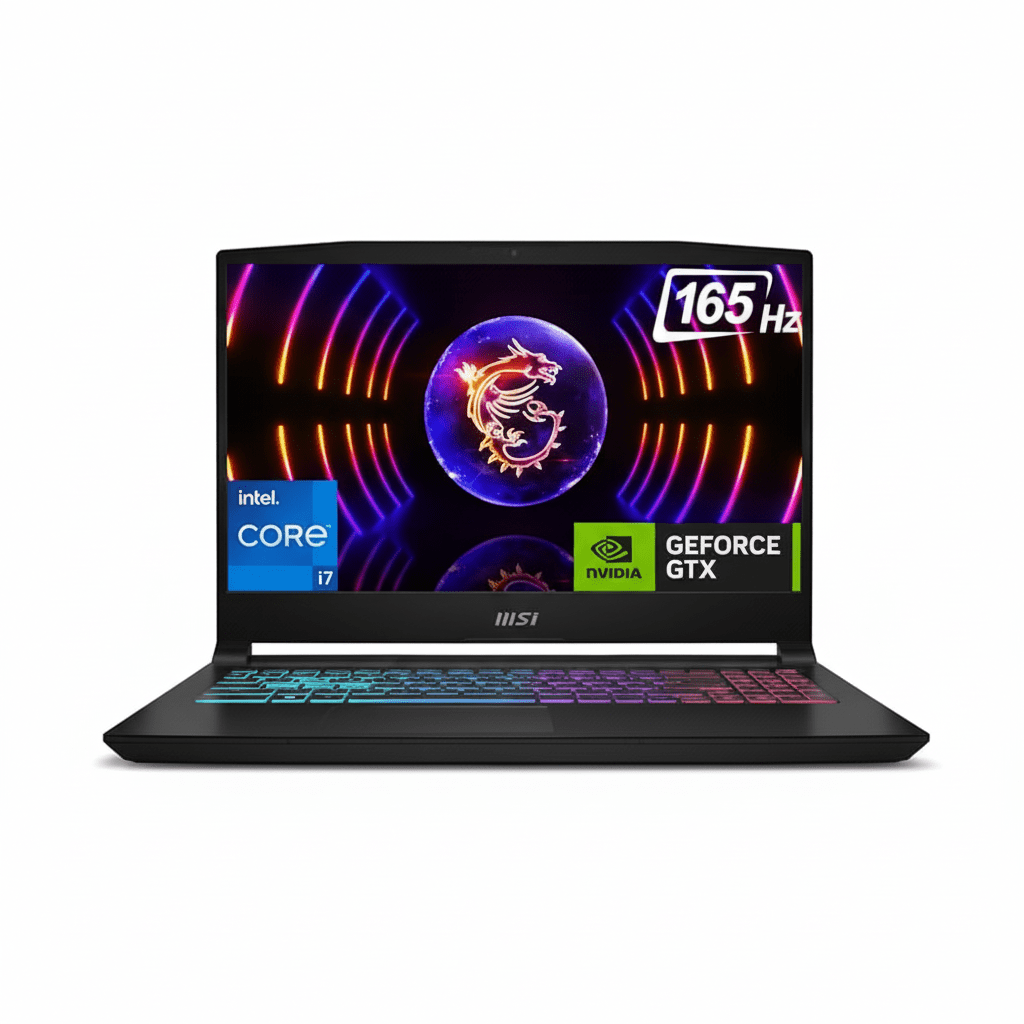

Dell 27 All-in-One EC27250 Review – Core i5, 16GB DDR5 & Dolby Atmos

Dell 27 All-in-One EC27250
Dell 27 All-in-One EC27250 Review: i5-1334U Powered Everyday Productivity Hub

Dell 27 All-in-One EC27250 Review: i5-1334U Powered Everyday Productivity Hub

13th Gen Intel Core i5-1334U (10C) Up to 4.6 GHz Boost Intel Iris Xe Graphics 512GB PCIe NVMe SSD 16GB DDR5-5200 RAM ₹77,999
4.6 out of 5 stars (600 reviews) | Versatile All-in-One for Home and Office Use

The Dell 27 All-in-One EC27250 combines a 27-inch FHD WVA IPS display with 13th Gen Intel Core i5-1334U processor, 16GB DDR5-5200 RAM, and a 512GB PCIe NVMe SSD for efficient everyday computing. Featuring Windows 11 Home, Wi-Fi 6E, Dolby Atmos speakers, pop-up HDR camera, and 3-year onsite support, it’s priced at ₹77,999 (inclusive of taxes) for family, student, and light professional setups in 2025.

Upgrade Your Daily Computing Experience?

Spacious 27-inch display with immersive audio, wireless peripherals, and smooth performance for work and entertainment!

₹77,999
₹85,000 (8% off)
Inclusive of all taxes | Free delivery

No cost EMI up to 24 months | 3 Year Onsite Support | AR Preview | Bundled Office & McAfee

Key Features at a Glance

Core i5-1334U: 10 cores up to 4.6 GHz.
Iris Xe Graphics: Integrated for light tasks.
16GB DDR5-5200: Dual-channel setup.
512GB NVMe SSD: Fast M.2 storage.
Wi-Fi 6E: AX211 with Bluetooth.
27″ FHD WVA: Non-touch IPS.

1. Processor Performance: Efficient Multitasking Power

Reliable speed for daily workflows.

Intel Core i5-1334U (10C):

The 13th Gen Core i5-1334U provides 10 cores (2P + 8E) with up to 4.6 GHz boost and 12MB cache for smooth browsing, office apps, and streaming. It handles 12 threads efficiently, scoring over 8,000 in Cinebench R23 multi-core for light productivity. 15W TDP ensures low power draw in the slim AIO form.

Boost Clock & Efficiency:

4.6 GHz Turbo excels in tasks like video calls or document editing, with Geekbench 6 multi-core around 7,500. Integrated design minimizes heat for quiet operation.

Multitasking & Daily Use:

Raptor Lake Architecture supports quick app launches and web tabs, 20% faster than prior gens. Up to 32GB RAM expandable for heavier loads.

2. Graphics & Display: Immersive 27-Inch FHD Experience

Vibrant visuals for entertainment and work.

Intel Iris Xe Graphics:

The Integrated Iris Xe supports 4K output via HDMI 1.4b, suitable for 1080p streaming and casual photo editing with Quick Sync. Handles light creative work but not intensive gaming.

27″ FHD WVA IPS Display:

1920×1080 Resolution with 99% sRGB, 250 nits, and anti-glare for clear viewing. Wide viewing angles and ComfortView Plus minimize eye strain during long sessions.

Media & Collaboration:

Pop-Up FHD HDR Webcam with array mics for sharp video calls and privacy. Dual 5W speakers with Dolby Atmos deliver rich sound for movies and music. HDMI-in enables console connectivity.

3. Design & Cooling: Space-Saving Modern Build

Sleek and sustainable for any setup.

Chassis Design:

Pearl White Finish with slim 41.8mm depth and isosceles stand for keyboard storage. Weighs 6.15 kg without stand, VESA compatible. Recycled materials enhance eco-friendliness.

Thermal Management:

Efficient Cooling with 90W adapter keeps temps under 70°C. Fanless-like quietness for home use.

Build Quality:

Modern Form includes pop-up privacy camera and SD slot. Sustainable packaging with 97% recycled content.

4. Storage & Memory: Dual-Channel DDR5 Speed

Quick boot and app performance.

512GB PCIe NVMe SSD:

M.2 2230/2280 Slot offers read speeds up to 3500 MB/s for fast file access. Expandable to 1TB or more.

16GB DDR5-5200 RAM:

Dual SO-DIMM (2x8GB) non-ECC for up to 32GB total, supporting seamless multitasking.

Expansion Options:

Upgrade Slots include M.2 for SSD/WiFi and SD 4.0 reader for media.

5. Connectivity: Versatile I/O for Devices

Easy connections for peripherals.

Rear & Side Ports:

4x USB 3.2 (Gen1/Gen2), USB-C 3.2 Gen2 (10Gbps), HDMI 1.4 in/out for dual displays. 1Gbps Ethernet and headset jack included.

PowerShare & Wake:

USB PowerShare charges devices when off; wake from USB for convenience.

Wireless Networking:

Wi-Fi 6E AX211 2×2 with Bluetooth 5.3 for fast, stable connections up to 2.4Gbps.

6. Software & Support: Complete Home Essentials

Bundled tools and reliable service.

Windows 11 Home:

Single Language with Snap Layouts for productivity. Includes Microsoft Office Home 2024 + 1-year Microsoft 365 Basic.

Support Services:

3-Year Basic Onsite after remote diagnosis. McAfee LiveSafe 1-year for 5 devices.

Included Peripherals:

Wireless KB/Mouse Dell Pro KM5221W in white for comfortable use. AR QR for virtual setup preview.

Pros and Cons

Balanced review for versatile AIO.

Pros

  • Large 27″ Display: Vivid FHD with 99% sRGB.
  • Dolby Atmos Audio: Immersive sound.
  • Bundled Software: Office and McAfee included.
  • 3-Year Onsite: Hassle-free support.
  • Wireless Peripherals: Clean setup.
  • Eco Materials: Sustainable build.

Cons

  • Integrated Graphics Only: No dedicated option in base.
  • Home OS: Lacks Pro features.
  • Non-Touch Base: Limited interaction.
  • External Adapter: Not internal PSU.
  • Basic Webcam: FHD, not 5MP.
  • Limited Upgrades: Single M.2 slot.

Who Is This Desktop For? User Profiles

Perfect for home and casual professional needs.

Ideal For These Users

  • Home User:

    Large screen and audio for streaming; 600 reviews praise ease of use.

  • Student:

    Bundled Office for assignments; efficient for online classes.

  • Small Home Office:

    Ports and wireless setup for light work; space-saving design.

Who Might Consider Other Options?

  • Gamers:

    Opt for models with NVIDIA MX570A.

  • Professionals:

    Choose Pro series with Windows Pro.

  • Touch Users:

    Select touch configurations.

Competitive Edge: Affordable All-in-One Value

Stands out in display and bundles.

  • Vs HP Pavilion 27 All-in-One:

    Larger 27″ with Dolby Atmos vs basic speakers; more ports and bundled Office for better home value.

  • Vs Lenovo IdeaCentre AIO 3:

    Wi-Fi 6E and 3-year support edge out; sustainable materials and AR preview add appeal.

  • Value Points:

    600 reviews highlight reliability; EMI and free delivery make it accessible.

  • Everyday Focus:

    FHD HDR camera and pop-up privacy superior for calls; internal slots for easy upgrades.

Full Specification Details

General Information

Price
₹77,999
Model
EC27250
Series
Dell Inspiron
Color
Pearl White
Product Type
All-in-One Desktop
Recommended Usage
Home & Everyday
Order Code
oec2725000401rinw3
Form Factor
All-in-One

Processor

Processor
13th Gen Intel Core i5-1334U
Cores/Threads
10/12
Max Boost Clock
Up to 4.6 GHz
Cache
12MB
Architecture
Raptor Lake
TDP
15W
Integrated Graphics
Intel Iris Xe

Memory & Storage

Memory
16GB DDR5-5200 MT/s
Memory Configuration
2 x 8GB, Non-ECC
Storage
512GB M.2 PCIe NVMe SSD
M.2 Slots
1 (2230/2280)
Max RAM
Up to 32GB
Card Reader
SD Card Slot

Graphics & Expansion

Graphics
Integrated Intel Iris Xe
Display Outputs
HDMI 1.4b In/Out
Max Displays
Up to 2 (4K@30Hz)
Expansion Slots
M.2 for WiFi/BT

Connectivity

Wireless
Wi-Fi 6E AX211, Bluetooth 5.3
Ethernet
1Gbps RJ-45
USB Ports
4x USB 3.2 (Gen1/Gen2), 1x USB-C Gen2
Video Ports
HDMI-In 1.4, HDMI-Out 1.4b
Audio
Global Headset Jack

Power & Dimensions

Power Adapter
90W AC (4.5mm Barrel)
Dimensions (With Stand)
604 x 456 x 201 mm
Weight (Without Stand)
6.15-6.25 kg
Stand
Isosceles White
Display
27″ FHD IPS Non-Touch WVA

Software & Warranty

OS
Windows 11 Home Single Language
Included Software
Office Home 2024 + M365 Basic 1-Year, McAfee 1-Year
Security
McAfee LiveSafe (5-Device)
Warranty
3 Year Basic Onsite Service
Peripherals
Dell Pro Wireless KB/Mouse KM5221W White

Audio & Environmental

Audio
Dual 5W Speakers, Dolby Atmos
Webcam
FHD 1080p HDR Pop-Up
Certifications
ENERGY STAR, EPEAT Silver
Display Features
Anti-Glare, 250 Nits, 99% sRGB

Final Verdict

The Dell 27 All-in-One EC27250 delivers solid performance and features for everyday use in an attractive, value-packed package.

★★★★★ 4.6 / 5 Stars – Expert Rating

Excellent choice for 2025 home computing needs.

HP Ink Advantage Ultra 4929: Wireless AIO Printer, Low Cost Ink, Smart App Setup, Print Copy Scan

HP Ink Advantage Ultra 4929 All-in-One Printer Review

HP Ink Advantage Ultra 4929 All-in-One Printer Review: Unbeatable Value for Home Printing in India?

Print, Scan, Copy, Wireless Single-band Wi-Fi, AirPrint 2 Black + 2 Tri-Color Ink Sets Included 1,000 pages/month duty cycle Ideal for Home Use

In the quest for an affordable yet efficient printer for your home in India, the HP Ink Advantage Ultra 4929 All-in-One Printer emerges as a compelling option. Launched with a focus on simple, stress-free printing, this compact A4 color inkjet multifunction device offers print, copy, and scan capabilities with convenient wireless connectivity. What truly sets the HP Ink Advantage Ultra 4929 apart, especially at its current price of ₹8,699 (after a 20% saving), is its exceptional bundled ink supply. It arrives with two sets of black and two sets of tri-color original HP Ink Advantage cartridges, promising significantly extended printing right out of the box. Designed for up to 3 users and basic color printing, could this be the ultimate value proposition for your household printing needs in India? Let’s explore its features, performance, and whether its unique ink offering makes it the smart choice for you.

Key Advantages: Why the HP Ink Advantage Ultra 4929 Shines

The HP Ink Advantage Ultra 4929 is engineered to deliver a seamless and economical printing experience for the modern home. Here’s what makes it a truly valuable addition to your digital setup:

Unmatched Value: Ultra-Low Cost Per Page from Day One!

This is the undisputed champion feature of the 4929. Unlike most printers that come with “starter” cartridges, the HP Ink Advantage Ultra 4929 is bundled with a generous supply: two sets of black and two sets of tri-color HP 47 Original Ink Advantage cartridges. This means you get significant printing capacity right out of the box, drastically lowering your initial running costs.

All-in-One Functionality: Your Home Productivity Hub:

Why juggle multiple devices when one can do it all? The 4929 seamlessly combines print, copy, and scan capabilities. From generating school reports to digitizing old family photos or quickly duplicating documents, this single device streamlines your tasks, saving space and effort in your home office or study area.

Hassle-Free Wireless Connectivity & Self-Reset Wi-Fi:

Embrace wireless freedom! The 4929 features built-in 2.4 GHz single-band Wi-Fi along with Wi-Fi Direct. A standout feature is “Self Reset WiFi,” which automatically detects and resolves connectivity issues, ensuring a reliable and stable wireless connection, minimizing interruptions to your workflow.

Intuitive Mobile Printing Support:

Print directly from your smartphone or tablet with ultimate ease. The HP Ink Advantage Ultra 4929 is compatible with popular mobile printing solutions like Apple AirPrint, Mopria, and Chrome OS, alongside the highly capable HP Smart App.

Compact and Space-Saving Design:

Designed with modern living in mind, its smaller dimensions mean the 4929 fits comfortably on most desks, shelves, or small tables without taking up valuable real estate. Its sleek and unobtrusive design blends seamlessly into any home environment.

Reliable Print Quality for Everyday Needs:

Don’t let the affordable price fool you on quality. The 4929 delivers up to 1200×1200 dpi for black prints and 4800×1200 dpi for color prints (on selected HP photo papers). This ensures sharp, crisp text for documents and vibrant, clear colors for everyday photos and graphics.

Crisp, Smudge-Resistant Black Text:

For important documents and professional correspondence, clarity is paramount. The printer utilizes pigment-based black ink, which provides superior water resistance and ensures your text is sharp, deep, and resists smudging, giving your documents a polished and durable finish.

Full Specifications: HP Ink Advantage Ultra 4929

Product & Price

  • Model Name: HP Ink Advantage Ultra 4929 Print, Copy, Scan, Self Reset WiFi, Smart App Setup
  • SKU: 60K34B
  • Current Price: ₹8,699
  • Original Price: ₹10,938
  • Savings: ₹2,239 (20%)
  • Product Type: Inkjet Multifunction Printer
  • Series: DeskJet
  • Perfect for: Home / Basic Color Printing

Core Functions & Print Technology

  • Functions: Print, Scan, Copy, Wireless
  • Top Key Features: Scan to PDF
  • Print Technology: HP Thermal Inkjet
  • Print Colours: Yes (Black, Cyan, Magenta, Yellow)

Print Performance

  • Print Speed Black (ISO): Up to 7.5 ppm
  • Print Speed Color (ISO): Up to 5.5 ppm
  • Print Speed Black (Draft, A4): Up to 20 ppm
  • Print Speed Colour (Draft, A4): Up to 16 ppm
  • Duty Cycle (monthly, A4): Up to 1000 pages
  • Recommended Monthly Page Volume: 50 to 100 pages
  • Target User & Print Volume: For teams up to 3 users; Prints up to 100 pages/month
  • Print Quality Black (best): Up to 1200 x 1200 rendered dpi
  • Print Quality Color (best): Up to 4800 x 1200 optimized dpi color (on selected HP photo papers with 1200 input dpi)

Paper Handling

  • Input Capacity: Up to 60 sheets
  • Output Capacity: Up to 25 sheets
  • Duplex Printing: Manual (driver support provided)
  • Media Sizes Supported: A4; B5; A6; DL envelope; Custom: 76 x 127 to 215 x 355 mm
  • Media Types: Plain paper, photo paper, brochure paper, envelopes and other specialty inkjet papers

Ink System

  • Number of Print Cartridges: 2 (1 each black, tri-color)
  • Ink Types: Dye-based (color); Pigment-based (black)
  • Replacement Cartridges: HP 47 Original Black Ultra Ink Advantage Cartridge (6ZD21A); HP 47 Original Tri-Color Ultra Ink Advantage Cartridge (6ZD61A)

Scanner & Copier Specifications

  • Scan Technology: Contact Image Sensor (CIS)
  • Scan Resolution, Optical: Up to 1200 dpi
  • Scan File Format: JPEG, TIFF, PDF, BMP, PNG
  • Copies, Maximum: Up to 9 copies
  • Copy Speed Black (ISO): Up to 6 cpm

System & Connectivity

  • Memory: 64 MB DDR1
  • Control Panel: Fixed icons display; 7 buttons; 5 LED indicator lights
  • Supported OS: Windows 10/11, macOS (10.14–14 Sonoma), Chrome OS
  • Connectivity: Single-band Wi-Fi (2.4 GHz), AirPrint, Mopria, HP App, USB 2.0

Dimensions & Power

  • Dimensions (W x D x H): 425 x 304 x 154 mm (Standard); 425 x 546 x 250 mm (Output Extension full out)
  • Power Consumption: 2.8 W (ready)

Box Contents & Warranty

  • Included In Box: HP DeskJet Ultra Ink Advantage 4929 Printer; HP 47 Setup Black Cartridge; HP 47 Setup Tri-color Cartridge; Regulatory flyer; Setup guide; Reference guide; USB cable, Power cord; PLUS 2 sets of Black Original Ink Advantage Cartridge; 2 sets of Tri-color Original Ink Advantage Cartridge
  • Warranty: One-year limited warranty

Making an Informed Choice: Pros and Cons

Pros: What You’ll Appreciate

  • Exceptional Value with Included Ink: This is the most significant selling point. Getting two extra sets of both black and tri-color cartridges translates to substantial printing capacity right out of the box, drastically reducing your immediate ink costs and offering a very low cost per page from day one.
  • Highly Affordable Purchase Price: At ₹8,699, it’s a very budget-friendly option for a wireless all-in-one printer, making it accessible to a wide range of home users.
  • Reliable Wireless Connectivity (Wi-Fi & Wi-Fi Direct): Enjoy the freedom of printing from multiple devices without cables. The “Self Reset WiFi” feature is a genuine convenience, helping maintain a stable connection automatically.
  • Broad Mobile Printing Support: With compatibility for Apple AirPrint, Mopria, and the versatile HP Smart App, printing directly from your smartphone or tablet is seamless and intuitive.
  • Compact & Space-Saving Design: Ideal for homes with limited desk space, its small footprint ensures it integrates well into any corner of your living or study area.
  • Good Print Quality for Everyday Needs: It delivers sharp black text and decent color prints, perfectly suitable for school assignments, documents, and casual photo printing.
  • Crisp, Smudge-Resistant Black Text: For important documents and professional correspondence, clarity is paramount. The printer utilizes pigment-based black ink, which provides superior water resistance and ensures your text is sharp, deep, and resists smudging, giving your documents a polished and durable finish.
  • Effortless Setup: The HP Smart App-guided setup process is remarkably straightforward, getting you printing in minutes even if you’re not tech-savvy.

Cons: What to Consider (and practical insights)

  • No Automatic Duplex Printing: For two-sided prints, you’ll need to manually flip pages. This can be cumbersome for large documents. Insight: For occasional duplex printing, the manual driver support works fine. If you print many double-sided documents daily, a printer with an automatic duplexer would be more efficient (though typically more expensive).
  • Modest ISO Print Speeds (7.5 ppm black / 5.5 ppm color): These speeds are on the slower side for inkjet printers. It’s not built for high-volume or urgent print jobs. Insight: This printer is optimized for home users who print intermittently. If you need to churn out hundreds of pages quickly, you’ll need to manage your expectations or look at business-oriented models.
  • Low Paper Capacity (60-sheet input / 25-sheet output): You’ll need to refill the input tray more frequently if you print continuous documents. Insight: This is a common characteristic of compact, budget-friendly printers. Keep a small stack of paper readily available to minimize interruptions.
  • No Automatic Document Feeder (ADF): For multi-page scanning or copying, each page must be placed manually on the scanner glass. Impact: If you regularly scan multi-page contracts or reports, this will be a manual process. Consider your scanning habits before purchasing.
  • Basic Control Panel: The fixed icon display with buttons and LEDs is less intuitive than a modern touchscreen. Workaround: The HP Smart App provides a much richer and more intuitive interface for managing print, scan, and copy functions, making the physical control panel less critical for most operations.
  • Single-Band Wi-Fi (2.4 GHz only): Limited to the 2.4 GHz band, which can be more susceptible to interference in crowded wireless environments compared to dual-band Wi-Fi. Tip: Ensure your wireless router is placed optimally, and if you experience slow speeds, consider if other 2.4GHz devices (like microwaves, Bluetooth devices) are causing interference.
  • No Ethernet Port: Lacks a wired network connection, relying solely on wireless or USB. Relevance: For most home users, Wi-Fi is sufficient. This is only a concern if you require a stable wired network connection due to specific IT setups or very unstable wireless conditions.
  • Limited Direct Copy Functionality: Maximum copies are 9, and advanced settings like reduce/enlarge are managed via the HP Smart App, not directly on the printer. Insight: This is standard for entry-level models. For complex copy jobs, utilizing the HP Smart App is necessary.

Who Is This Printer For? Tailored Recommendations

The HP Ink Advantage Ultra 4929 All-in-One Printer is an ideal choice for:

  • Home Users Seeking Exceptional Ink Value: If you want to minimize your long-term ink costs and appreciate a generous supply of cartridges included upfront.
  • Students and Small Families: Perfect for intermittent printing of assignments, recipes, occasional photos, and general documents.
  • Users Who Prioritize Wireless Convenience: With Wi-Fi, Wi-Fi Direct, and self-resetting Wi-Fi, it offers reliable and easy wireless printing from various devices.
  • Those with Limited Desk Space: Its compact design makes it suitable for smaller home offices or study areas.
  • Mobile-First Users: Seamless integration with the HP Smart App, AirPrint, and Mopria makes printing from smartphones and tablets effortless.

Who Might Consider Other Options?

You might consider other options if:

  • You Have High-Volume, Frequent Printing Needs: While the included ink is great, for very high daily volumes, a dedicated Ink Tank (tank-based) printer or a laser printer would be more efficient in the long run.
  • Automatic Duplex Printing is a Must: If you regularly print two-sided documents and need the convenience of automatic duplexing.
  • You Need to Scan/Copy Multi-Page Documents Regularly: The absence of an Automatic Document Feeder (ADF) means manual placement for each page, which can be time-consuming for large jobs.
  • You Require Faster Print Speeds: For business environments or situations where large print jobs need to be completed very quickly.
  • You Need an Ethernet (Wired Network) Connection: If your network setup or wireless stability demands a wired connection.

Competitive Edge: What Sets It Apart

The HP Ink Advantage Ultra 4929 All-in-One Printer distinguishes itself in the market with several key advantages:

  • Unmatched Ink Value Included: The primary differentiator is the inclusion of two full sets of HP 47 Original Ink Advantage cartridges, offering an incredibly low cost per page right from purchase and saving users significant money on initial ink refills.
  • Self Reset WiFi Feature: This intelligent feature automatically resolves connectivity issues, providing a more reliable and frustration-free wireless printing experience than many competitors.
  • HP Smart App Ecosystem: The seamless integration with the HP Smart App for effortless setup, comprehensive mobile printing (AirPrint, Mopria), and intuitive management sets it apart from many budget competitors.
  • Pigment-Based Black Ink: This is a premium feature for an entry-level printer, ensuring sharp, durable, and water-resistant black text documents, crucial for professional-looking prints.
  • Compact and Space-Saving Design: Its small footprint is a significant advantage for homes where space is limited, making it easy to integrate into any environment.

Final Verdict: Is the HP Ink Advantage Ultra 4929 Your Home’s Best Bet?

The HP Ink Advantage Ultra 4929 All-in-One Printer is an exceptional choice for individuals, students, or families with basic, low-to-moderate volume printing needs who prioritize affordability, ease of use, and incredible upfront ink value. Its standout feature – the inclusion of two full sets of both black and tri-color original HP Ink Advantage cartridges – offers an incredibly low cost per page right from the start, making it a very economical choice for long-term use. While it intelligently foregoes advanced features like automatic duplexing (beyond manual support), an ADF, and rapid print speeds, its robust wireless capabilities, compact size, and incredibly user-friendly mobile app setup make it a practical, efficient, and highly economical solution for everyday home printing, copying, and scanning in India. If you’re looking for value and simplicity, the Ultra 4929 is a strong contender.

★★★★☆

Overall Rating: 4.5 out of 5.0 (Based on Expert Analysis)