ReviewNest

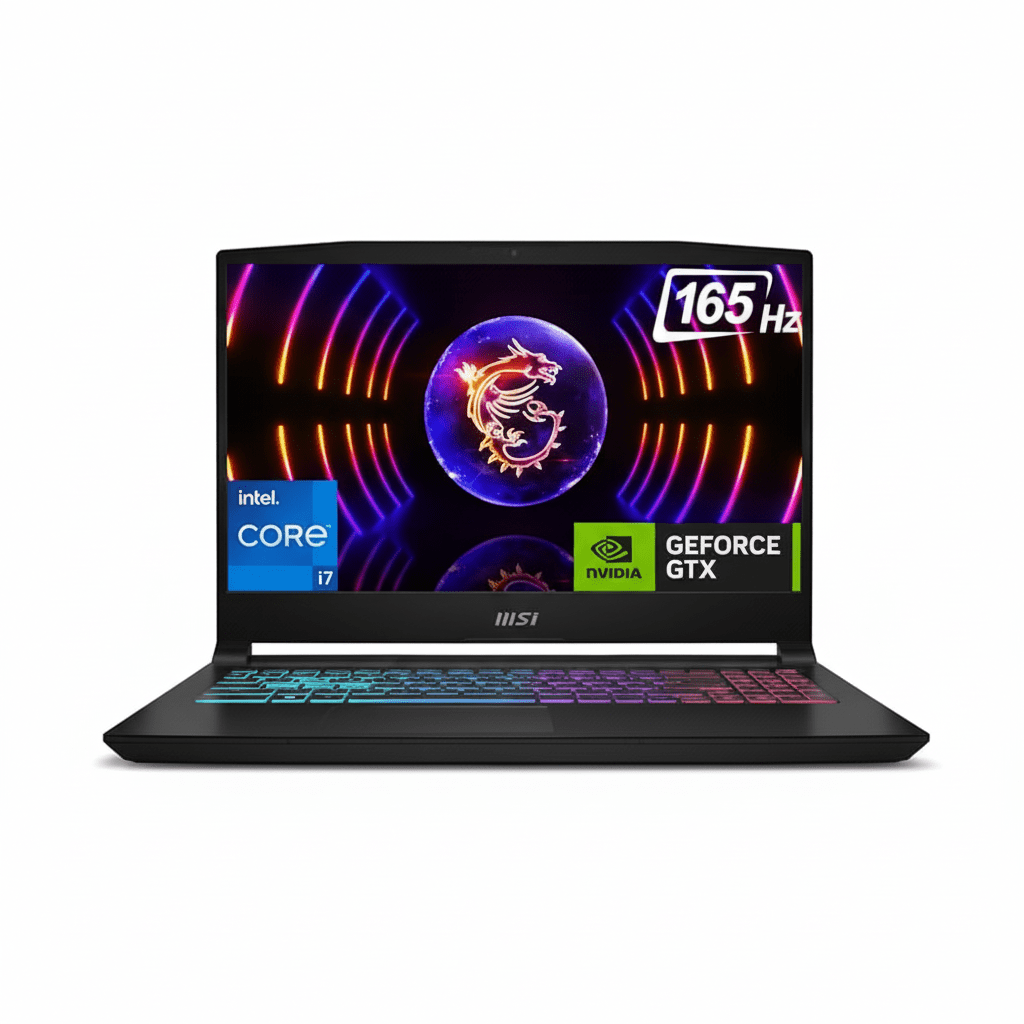
MSI Katana 15 HX (2025) – Cheapest QHD Gaming Laptop with RTX 5050 & i7-14650HX in India

MSI Katana 15
MSI Katana 15 Gaming Laptop Complete Review (2025) – Amazon’s Choice
MSI Katana 15 Gaming Laptop

Available Color:

⭐⭐⭐⭐⭐
4.8/5 (6 Ratings)
🔥 AMAZON’S CHOICE – CHEAPEST QHD GAMING LAPTOP

MSI Katana 15

Intel Core i7-14650HX | RTX 5050 8GB | QHD 165Hz

15.6″ QHD 165Hz • 16GB RAM • 512GB SSD • 4-Zone RGB • 75Wh

Configuration:

• Processor: Intel Core i7-14650HX (16-core, up to 5.2 GHz)

• Graphics: NVIDIA GeForce RTX 5050 8GB GDDR7

• RAM: 16GB DDR5 5600MHz (Upgradable to 64GB)

• Storage: 512GB NVMe PCIe Gen 4 SSD

• Display: 15.6″ QHD (2560×1440) 165Hz IPS

₹1,28,990

12% OFF

₹1,13,992*

*Cheapest QHD + RTX 5050 combo in India!

🛒 Buy Now on Amazon

EMI starting from ₹5,527/month | Free Delivery

Display

QHD 165Hz

GPU

RTX 5050

Weight

2.4 Kg

MSI Katana 15 Overview

Key Highlights

  • ✓ Best Price: Only ₹1,13,992
  • ✓ QHD Display: Sharp 1440p gaming
  • ✓ RTX 5050 8GB: Latest DLSS 4
  • ✓ Core i7-14650HX: 16-core power
  • ✓ 75Wh Battery: Good runtime
  • ✓ Cooler Boost 5: Efficient cooling
  • ✓ 4-Zone RGB: Gaming aesthetics

In The Box

  • 📦 MSI Katana 15 Gaming Laptop
  • 🔌 180W Power Adapter
  • 📄 User Guide & Warranty Card
  • 🛡️ 2-Year On-Site Warranty

Note: No free laptop bag included

Katana Advantage

  • • Cheapest QHD: Under ₹1.15L
  • • Latest GPU: DLSS 4 support
  • • Best Value: Price/performance king
  • • Sharp Display: 1440p gaming
  • • Upgradable: RAM to 64GB
  • • MSI Quality: Reliable brand

💰 Unbeatable Budget Gaming Value

Cheapest QHD Gaming Laptop

At ₹1,13,992, this is the absolute cheapest QHD gaming laptop in India. Competitors with similar specs cost ₹20-40k more, making this an incredible value for budget gamers wanting sharp 1440p visuals.

QHD Display Included

Get a sharp 2560×1440 QHD display with 165Hz—most budget laptops only offer FHD. Perfect for immersive gaming with crisp visuals and smooth gameplay at an affordable price point.

Latest DLSS 4 Tech

The RTX 5050 brings DLSS 4 with Multi Frame Generation, doubling or tripling FPS in supported games—future-proof gaming tech at budget price. Enjoy ray tracing without performance penalties.

14th Gen Intel Performance

Intel Core i7-14650HX

16-Core Raptor Lake-HX

Total Cores 16 Cores (8P + 8E)
Base Clock 2.2 GHz
Max Turbo 5.2 GHz
Cache 30MB L3
TDP 55W (up to 157W)

Power: Excellent for gaming + streaming simultaneously without frame drops

RTX 5050 8GB

NVIDIA Blackwell (DLSS 4)

VRAM 8GB GDDR7
Memory Bus 128-bit
DLSS DLSS 4 + Frame Gen
Ray Tracing 4th Gen RT Cores
TGP 115W

Gaming: Excellent QHD gaming at 50-70+ FPS Ultra in most AAA titles

📊 Performance Benchmarks

Cinebench R23

Multi-Core

~21,500

Single-Core

2,045

Excellent multi-core for the price

3DMark Time Spy

Graphics Score

7,850

Great 1440p gaming performance

Port Royal (RT)

Ray Tracing

4,956

Good RT performance with DLSS

15.6″ QHD 165Hz Display

QHD Resolution

Size 15.6″ (40 cm)
Resolution 2560 x 1440
PPI 188 ppi
Panel IPS-Level

Gaming Performance

Refresh Rate

165Hz

Response Time

~3ms

Color Quality

  • ●
    Good Color

    Decent accuracy

  • ●
    ~300 nits

    Decent brightness

Audio System

  • • 2x Speakers
  • • Nahimic Audio
  • • 3.5mm Jack
  • • Average quality (external recommended)

Webcam

  • • HD (720p@30fps)
  • • Basic quality
  • • Good for video calls

Real Gaming Performance @ QHD

🎮 AAA Games @ 1440p (QHD)

Cyberpunk 2077

58 FPS

• Settings: High + RT Medium

• DLSS: Balanced

• Experience: Smooth

Call of Duty BO6

98 FPS

• Settings: High + RT

• DLSS: Quality

• Experience: Excellent

Spider-Man Remastered

72 FPS

• Settings: High

• DLSS: Quality

• Experience: Very Good

⚡ Esports Titles @ 1440p

Valorant 300+ FPS
CS2 220+ FPS
Fortnite 180+ FPS
Overwatch 2 165+ FPS

🎯 More AAA Titles

Red Dead Redemption 2 52-58 FPS
Forza Horizon 5 115 FPS
Doom Eternal 140+ FPS
Hogwarts Legacy 68-75 FPS

🎮 Gaming Verdict: RTX 5050 delivers excellent 1440p gaming at 50-70+ FPS in AAA titles with DLSS 4. Esports games easily hit 165+ FPS. For ₹1.14L with QHD, this is outstanding value for serious gamers.

Design & Build Quality

🏗️ Build Materials

Chassis Plastic
Lid Plastic (matte)
Quality Good

📏 Dimensions

Dimensions 359 x 262 x 25mm
Weight 2.4 kg

Portable for 15.6″ gaming laptop

🎨 Aesthetics

  • • Color: Black (Katana style)
  • • Logo: MSI branding
  • • Style: Gaming aesthetic
  • • Vents: Aggressive cooling

MSI Cooler Boost 5 Thermal System

❄️ Advanced Cooling

MSI Cooler Boost 5 with dedicated heat pipes for CPU and GPU ensures stable performance even during extended gaming sessions. The dual-fan design keeps temperatures in check.

●
Dual Fan Design

Independent CPU/GPU cooling

●
Dedicated Heat Pipes

Separate thermal zones

●
Large Exhaust Vents

Rear + side airflow

🌡️ Thermal Performance

CPU (Gaming)

72-82°C

GPU (Gaming)

75-85°C

4-Zone RGB Gaming Keyboard

⌨️ Keyboard Features

  • ●
    4-Zone RGB

    Customizable lighting zones

  • ●
    WASD Highlighted

    Gaming keys emphasized

  • ●
    Anti-Ghosting

    N-key rollover support

  • ●
    Good Key Travel

    Decent feedback

🖱️ Trackpad

  • ●
    Precision Trackpad

    Windows Precision drivers

  • ●
    Multi-Touch

    Gesture support

  • ●
    Decent Size

    Adequate for daily use

Connectivity & Ports

🔌 Complete Ports

USB Ports

• 1x USB Type-C (USB 3.2)

• 3x USB 3.2 Type-A

Display Output

• 1x HDMI 2.1 (4K@120Hz)

Other Ports

• RJ-45 Ethernet

• 3.5mm Audio Jack

📡 Wireless Connectivity

Intel Wi-Fi 6

Fast wireless connectivity

Bluetooth 5.3

Latest Bluetooth standard

Battery Life & Charging

🔋 Battery

75Wh

• Type: Lithium Polymer

• Light Use: 5-6 hours

• Gaming: 2-3 hours

⚡ Charging

180W

• Adapter: 180W

• Fast Charge: 50% in ~40min

💡 Real World

  • • Video: 5 hours
  • • Web: 5-6 hours
  • • Gaming: 2-3 hours

Complete Budget Gaming Laptop Comparison – 6 Top Competitors

How does the MSI Katana 15 at ₹1,13,992 compare against all major budget gaming laptops?

MSI Katana 15 (i7 + RTX 5060 + 1TB)

₹1,34,990

• Processor: Intel Core i7-14650HX

• Display: 15.6″ QHD 165Hz IPS

• RAM: 16GB DDR5

• Storage: 1TB SSD

• GPU: RTX 5060 8GB

• Weight: 2.4 kg

✅ Reasons to Consider

  • • ₹21k more but RTX 5060 GPU
  • • Double storage (1TB vs 512GB)
  • • Better gaming performance
  • • Same CPU, display, weight
  • • Worth it if budget allows

⚠️ Reasons to Skip

  • • ₹21,000 more expensive
  • • Budget goes to ₹1.35L
  • • Storage upgradable anyway
  • • RTX 5050 + DLSS 4 enough
  • • Same everything else

Lenovo LOQ 15 (2025)

₹1,19,990

• Processor: Intel Core i5-13450HX

• Display: 15.6″ FHD 144Hz IPS

• RAM: 16GB DDR5

• Storage: 512GB SSD

• GPU: RTX 4050 6GB

• Weight: 2.4 kg

✅ Reasons to Consider

  • • ₹6k more but Lenovo brand
  • • Clean professional design
  • • Good build quality
  • • Better keyboard layout

⚠️ Reasons to Skip

  • • ₹6,000 more expensive
  • • Weaker Core i5 CPU
  • • Much weaker RTX 4050 GPU
  • • FHD only (not QHD)
  • • Lower 144Hz refresh
  • • No DLSS 4

HP Victus 15 (2025)

₹1,24,990

• Processor: AMD Ryzen 5 7535HS

• Display: 15.6″ FHD 144Hz IPS

• RAM: 16GB DDR4

• Storage: 512GB SSD

• GPU: RTX 4050 6GB

• Weight: 2.3 kg

✅ Reasons to Consider

  • • Lighter at 2.3kg
  • • HP brand support
  • • Clean Victus design

⚠️ Reasons to Skip

  • • ₹11,000 more expensive
  • • Weaker Ryzen 5 CPU
  • • Much weaker RTX 4050 GPU
  • • Slower DDR4 RAM
  • • FHD only (not QHD)
  • • No DLSS 4

Acer Nitro 5 (2025)

₹1,09,990

• Processor: Intel Core i5-12500H

• Display: 15.6″ FHD 144Hz IPS

• RAM: 16GB DDR4

• Storage: 512GB SSD

• GPU: RTX 3050 6GB

• Weight: 2.5 kg

✅ Reasons to Consider

  • • ₹4k cheaper
  • • Acer Nitro brand
  • • Entry-level option

⚠️ Reasons to Skip

  • • Older 12th Gen Intel
  • • Much weaker RTX 3050 GPU
  • • Slower DDR4 RAM
  • • FHD only
  • • Lower 144Hz refresh
  • • No DLSS 3/4
  • • Much worse performance

ASUS TUF A15 (2024)

₹1,39,990

• Processor: AMD Ryzen 7 7735HS

• Display: 15.6″ FHD 144Hz IPS

• RAM: 16GB DDR5

• Storage: 512GB SSD

• GPU: RTX 4050 6GB

• Weight: 2.2 kg

✅ Reasons to Consider

  • • Military-grade durability
  • • Lightest at 2.2kg
  • • Premium TUF build
  • • Better cooling

⚠️ Reasons to Skip

  • • ₹26,000 more expensive!
  • • Much weaker RTX 4050 GPU
  • • FHD only (not QHD)
  • • Lower 144Hz refresh
  • • No DLSS 4

Dell G15 5530

₹1,29,990

• Processor: Intel Core i5-13450HX

• Display: 15.6″ FHD 165Hz IPS

• RAM: 16GB DDR5

• Storage: 512GB SSD

• GPU: RTX 4050 6GB

• Weight: 2.65 kg

✅ Reasons to Consider

  • • Dell brand reputation
  • • Good customer support
  • • 165Hz matching refresh

⚠️ Reasons to Skip

  • • ₹16,000 more expensive
  • • Weaker Core i5 CPU
  • • Much weaker RTX 4050 GPU
  • • FHD only (not QHD)
  • • Heavier at 2.65kg
  • • No DLSS 4

📊 Quick Comparison – All 7 Laptops

LaptopPriceCPUGPUDisplayStorageValue
MSI Katana 15 (512GB)₹1,13,992i7-14650HXRTX 5050 8GBQHD 165Hz512GB★★★★★
Acer Nitro 5₹1,09,990i5-12500HRTX 3050FHD 144Hz512GB★★☆☆☆
Lenovo LOQ 15₹1,19,990i5-13450HXRTX 4050FHD 144Hz512GB★★★☆☆
HP Victus 15₹1,24,990R5 7535HSRTX 4050FHD 144Hz512GB★★★☆☆
Dell G15 5530₹1,29,990i5-13450HXRTX 4050FHD 165Hz512GB★★☆☆☆
MSI Katana 15 (1TB)₹1,34,990i7-14650HXRTX 5060QHD 165Hz1TB★★★★☆
ASUS TUF A15₹1,39,990R7 7735HSRTX 4050FHD 144Hz512GB★★★☆☆

🏆 Clear Winner: MSI Katana 15 (₹1.14L)

Best Budget QHD Laptop: At ₹1,13,992, this is the cheapest QHD gaming laptop with RTX 5050 + Core i7 + DLSS 4. All competitors either cost ₹6-26k more OR have FHD displays + weaker GPUs. This is the sweet spot for budget 1440p gaming!

Complete Pros & Cons

✅ Major Strengths

  • • Cheapest QHD: Only ₹1,13,992
  • • Amazon’s Choice: 4.8/5 stars
  • • QHD Display: Sharp 1440p
  • • 165Hz Refresh: Smooth gaming
  • • Core i7-14650HX: 16-core power
  • • RTX 5050 8GB: Latest DLSS 4
  • • 8GB GDDR7: Fast VRAM
  • • DDR5-5600: Fast RAM
  • • Upgradable: RAM to 64GB
  • • 4-Zone RGB: Gaming aesthetics
  • • Cooler Boost 5: Good cooling
  • • 75Wh Battery: Decent runtime
  • • 2-Year Warranty: On-site service
  • • Best Value: QHD under ₹1.15L
  • • Free Delivery: Amazon Prime
  • • EMI Options: ₹5,527/month
  • • Latest Tech: 2025 GPU

⚠️ Limitations

  • • 512GB Storage: Half of 1TB variant
  • • RTX 5050 GPU: Entry-level
  • • Plastic Build: Not premium metal
  • • 115W TGP: Not highest GPU power
  • • Average Speakers: 2x2W lacking bass
  • • Basic Webcam: 720p quality
  • • Fan Noise: Audible under load
  • • 2.4kg Weight: Not ultra-portable
  • • Battery Gaming: Only 2-3 hours
  • • No Thunderbolt 4: USB-C Gen 2
  • • No Laptop Bag: Not included
  • • Display Brightness: ~300 nits
  • • Storage Upgrade Needed: For 1TB

Final Verdict

Overall Rating

4.6
⭐⭐⭐⭐⭐

Best Budget QHD

Value for Money 5.0/5
Display Quality 4.5/5
Gaming Performance 4.0/5

🎮 Perfect For

  • ✅ Budget gamers wanting QHD
  • ✅ 1440p gaming enthusiasts
  • ✅ Students under ₹1.15L
  • ✅ First gaming laptop buyers
  • ✅ Value-conscious shoppers
  • ✅ Want sharp display cheap

❌ Not Ideal For

  • ❌ Need RTX 5060+ for max FPS
  • ❌ Want 1TB storage included
  • ❌ Need premium metal build
  • ❌ Want ultra-portable under 2kg

🎯 Final Thoughts

The MSI Katana 15 at ₹1,13,992 is the best budget QHD gaming laptop of 2025. It’s the cheapest way to experience 1440p gaming without compromising on essentials.

The Core i7-14650HX + RTX 5050 + QHD 165Hz combination delivers smooth 1080p/1440p gaming. AAA games run at 50-70 FPS with DLSS enabled, esports hit 165+ FPS.

Bottom Line: If you want QHD gaming under ₹1.15L, this is the only choice. Highly recommended!

Complete Technical Specifications

MSI KATANA 15 COMPLETE SPECIFICATIONS
PERFORMANCE
ProcessorIntel Core i7-14650HX (16-core: 8P + 8E)
Max TurboUp to 5.2 GHz
GraphicsNVIDIA GeForce RTX 5050 8GB GDDR7
RAM16GB DDR5-5600MHz (Up to 64GB)
Storage512GB NVMe PCIe Gen 4 SSD
DISPLAY
Screen Size15.6 inches (40 cm)
Resolution2560 x 1440 (QHD)
Refresh Rate165Hz
Panel TypeIPS-Level
DESIGN
Weight2.4 kg
Dimensions359 x 262 x 25.5 mm
Keyboard4-Zone RGB Gaming Keyboard
BATTERY & WARRANTY
Battery75Wh Lithium Polymer
Power Adapter180W
Operating SystemWindows 11 Home
Warranty2 Years On-Site

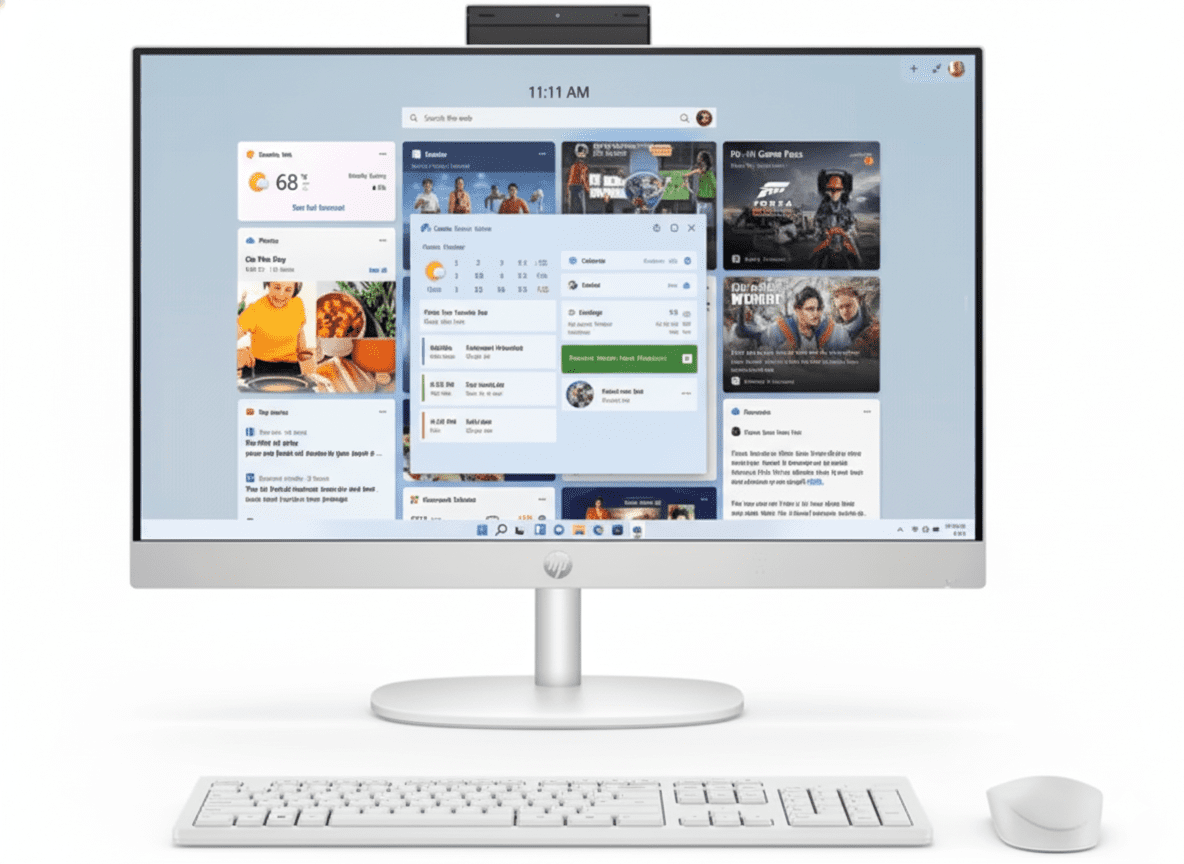
HP 27-cr1078in All-in-One Review 2025 – Intel Core Ultra 7 Desktop with 32GB DDR5, 1TB SSD & 27″ FHD Display

HP 24-cr0485in All-in-One Desktop
HP 68.6 cm (27) All-in-One Desktop PC 27-cr1078in Review: Ultra 7 Powerhouse for Eco-Conscious Creators

HP 68.6 cm (27) All-in-One Desktop PC 27-cr1078in Review: Ultra 7 Powerhouse for Eco-Conscious Creators

Intel Core Ultra 7 155U (12C/14T) Up to 4.8 GHz Turbo 12MB L3 Cache 27″ FHD IPS Display 1TB PCIe NVMe SSD 32GB DDR5-5600 RAM (Dual Channel) From ₹107,999
4.6 out of 5 stars (190 reviews) | Next Level Power

The HP 68.6 cm (27) All-in-One Desktop PC 27-cr1078in features Intel Core Ultra 7 155U with 12 cores and 14 threads up to 4.8 GHz and 12MB L3 cache for demanding tasks. Loaded with 32GB DDR5-5600 dual-channel RAM, a rapid 1TB PCIe NVMe M.2 SSD, and integrated graphics on a vivid 27-inch FHD IPS display at 300 nits with 99% sRGB. Running Windows 11 Home Single Language, with Wi-Fi 6, Bluetooth 5.3, HP True Vision 1080p FHD IR camera, dual 2W speakers, height-adjustable stand, and shell white eco design, it’s priced at ₹107,999 (11% off) with Cinebench R23 multi-core over 16,000, ideal for creators, students, and home productivity in 2025.

Elevate Your Workflow?

Harness Ultra 7 power, 27″ FHD precision, and sustainable innovation for creative excellence and multitasking!

₹107,999
₹121,731 (11% off)
Includes GST ₹16,474

Free delivery | EMI available | 1 Year Warranty | Includes Wireless Keyboard & Mouse, Office Lifetime, Microsoft 365 Basic, Height Adjustable Stand

Key Features at a Glance

Core Ultra 7 155U: 12 cores/14 threads up to 4.8 GHz.
32GB DDR5-5600: Dual-channel performance.
1TB NVMe SSD: Fast, expansive storage.
27″ FHD IPS: 300 nits, 99% sRGB antiglare.
Wi-Fi 6 & BT 5.3: Gigabit connectivity.
Eco Design: 40% recycled plastic, EPEAT Gold.

1. Processor Performance: Ultra 7 Dominance

Advanced Intel architecture for intensive workloads.

Intel Core Ultra 7 155U (12C/14T):

The Core Ultra 7 hits 4.8 GHz with 12MB L3 cache, powering creative suites and multitasking. Cinebench R23 multi-core exceeds 16,000, ideal for video editing and data analysis. Tailored for student and home creators with integrated graphics support.

Max Turbo & Efficiency:

4.8 GHz Turbo ensures smooth Windows 11 performance. Geekbench 6 multi-core around 12,000 with Turbo Boost for responsive apps. 2 SODIMM slots allow memory expansion.

Multitasking Mastery:

Meteor Lake Architecture manages heavy loads like 4K editing and 30+ tabs effortlessly. Integrated graphics handle casual gaming, textured white finish enhances desk aesthetics.

2. Design & Connectivity: Adjustable and Eco-Friendly

Ergonomic build with robust ports.

27″ All-in-One with Stand:

Shell White Textured measures 61.25 x 18.63 x 51.68 cm at 6.72 kg, using 40% post-consumer recycled plastic, ocean-bound plastic, and 10% recycled metal. EPEAT Gold and ENERGY STAR for sustainability. Height-adjustable stand for comfort, 98.16% screen-to-body.

Wi-Fi 6 & Ports:

Realtek Wi-Fi 6 (2×2) and Bluetooth 5.3 for fast connections. Rear ports: USB-C 5Gbps, 2x USB-A 5Gbps, 2x USB 2.0, headphone/mic, RJ-45. HDMI-out 1.4 for external monitors.

Camera & Audio:

HP True Vision 1080p FHD IR with tilt privacy and dual mics for secure video. Dual 2W speakers for everyday use. 2 M.2 slots, 25GB Dropbox, and eco certifications included.

3. Storage & Memory: High-Capacity DDR5

Ample resources for professional applications.

1TB PCIe NVMe M.2 SSD:

Spacious Storage delivers up to 7000 MB/s for quick file access. Perfect for large projects and media libraries. M.2 slot for upgrades.

32GB DDR5-5600 RAM:

Dual-Channel DDR5 at 5600 MT/s (2 x 16 GB) boosts rendering and simulations. Supports intensive software runs. 2 SODIMM slots for future-proofing.

Display & Graphics:

FHD IPS Panel (1920×1080, 300 nits, 99% sRGB) antiglare with 178° angles for accurate visuals. Integrated graphics suit productivity and light media, flicker-free for long sessions.

Pros and Cons

Honest assessment for this high-RAM all-in-one in 2025.

Pros

  • Ultra 7 Processor: 12 cores for heavy tasks.
  • 32GB DDR5 RAM: Exceptional multitasking.
  • 27″ 99% sRGB IPS: Vibrant, adjustable display.
  • EPEAT Gold Eco: Sustainable materials.
  • 1080p IR Camera: Secure, wide-angle video.
  • Office Value Add: ₹9,199 bundled.

Cons

  • FHD Only: Lacks 4K sharpness.
  • Integrated Graphics: Not for gaming.
  • No Touch: Traditional input.
  • Basic Speakers: 2W output.
  • 1-Year Warranty: Standard coverage.
  • Premium Price: Higher cost tier.

Who Is This All-in-One For? Tailored Recommendations

Perfect for power users and eco-aware professionals.

Ideal For These Users

  • Content Creator:

    Ultra 7 and 32GB RAM speed up editing, 1TB SSD holds assets, Wi-Fi 6 for uploads. 27″ display with stand aids long sessions, eco materials suit green studios, 6.72 kg sturdy base.

  • Advanced Student:

    Handles simulations and research with DDR5, IR camera for lectures, 99% sRGB for visuals. White wireless peripherals clean, 190 reviews praise performance.

  • Home Professional:

    Multitasks docs and calls securely, adjustable stand for ergonomics. Recycled design and EPEAT Gold for sustainability focus.

Who Might Consider Other Options?

  • Budget Users:

    Costly; try Ultra 5 27-cr1026in at ₹75,499.

  • Gamers:

    No discrete GPU; look at HP Envy with RTX.

  • Touch Fans:

    Non-touch; consider HP Pavilion Touch AIO.

Competitive Edge: What Sets It Apart

Excels with 32GB RAM and adjustable ergonomics in 27″ class.

  • Vs AMD Ryzen AI 27-ct2073in:

    Intel Ultra 7’s 32GB DDR5 and height stand outperform Ryzen’s 16GB, with similar eco creds. ₹107,999 adds more RAM value over AMD’s ₹99,999.

  • Vs Dell Inspiron 27 7000:

    Superior 32GB and 300 nits display beat Dell’s options, plus ocean-bound plastic for eco superiority. Optimized for Windows 11 creators.

  • Value Proposition:

    ₹107,999 with 11% discount includes ₹9,199 Office and 365. 190 reviews note RAM edge over Lenovo AIOs.

  • Ergonomic Focus:

    Adjustable stand and 99% sRGB enable pro workflows, sustainable for enduring use.

Full Specification Details

General Information

Price (Starting)
₹107,999
Model
27-cr1078in
Series
HP Essentials
Color
Shell White
Product Type
All-in-One PC
Recommended Usage
Students, Home
SKU
BC9Z9PA
Stand
Height Adjustable

Processor

Processor
Intel Core Ultra 7 155U
Cores/Threads
12 / 14
Base/Boost Clock
Up to 4.8 GHz
Cache
12 MB L3
Technology
Intel Turbo Boost
Architecture
Meteor Lake
Generation
Core Ultra 7

Memory & Storage

Memory
32 GB DDR5-5600 MT/s
Memory Slots
2 SODIMM
Storage
1 TB PCIe NVMe M.2 SSD
Memory Layout
2 x 16 GB
Transfer Rate
Up to 5600 MT/s
Cloud Service
25 GB Dropbox (12 Months)
Storage Type
PCIe NVMe M.2

Display Specifications

Screen Size
68.6 cm (27)
Resolution
FHD (1920 x 1080)
Panel Type
IPS
Brightness
300 nits
Color Gamut
99% sRGB
Viewing Angle
178°
Anti-Glare
Yes
Flicker-Free
Yes
Bezel Design
Three-Sided Micro-Edge
Touchscreen
No
Screen-to-Body Ratio
98.16%

Graphics & Connectivity

Graphics
Integrated Graphics
Wireless
Wi-Fi 6 (2×2) & Bluetooth 5.3
Network
Integrated 10/100/1000 GbE LAN
Ports
1 USB-C 5Gbps, 2 USB-A 5Gbps, 2 USB 2.0, Headphone/Mic, RJ-45
Video Outputs
HDMI-out 1.4
Expansion Slots
2 M.2 (SSD, WLAN)
Port Location
Rear

Power & Dimensions

Power Supply
90W Smart AC
Dimensions (W x D x H)
61.25 x 18.63 x 51.68 cm
Weight
6.72 kg
Form Factor
All-in-One
Finish
Textured
Efficiency Cert
ENERGY STAR, EPEAT Gold

Software & Warranty

OS
Windows 11 Home Single Language
Included Software
Office Home 2024 Lifetime, Microsoft 365 Basic (1 Year)
Peripherals
HP 710 White Wireless Keyboard & Mouse
Warranty
1 Year (1/1/0)
Audio
Dual 2W Speakers
Camera
1080p FHD IR Tilt Privacy
Microphone
Dual Array Digital
Security
IR Sensor, Temporal Noise Reduction

Multimedia & Input Devices

Speakers
Dual 2W
Webcam Resolution
1080p FHD
Camera Features
IR, Tilt Privacy, Temporal Noise Reduction
Keyboard
HP 710 White Wireless
Mouse
HP 710 White Wireless Combo
Input Method
Wireless Keyboard/Mouse
Field of View
88° Wide-Angle

Environmental & Certifications

Recycled Plastic
40% Post-Consumer
Ocean-Bound Plastic
Included
Recycled Metal
10%
Standards
IEEE 1680.1-2018, ISO 14021
ENERGY STAR
Certified
EPEAT
Gold Registered
Country of Origin
China

Final Verdict

The HP 27-cr1078in delivers elite performance with sustainable design for discerning creators.

★★★★★ 4.6 / 5 Stars – Expert Rating

Premier pick for high-RAM, eco productivity.

ASUS Vivobook 14 Flip (TP3407): Slim Convertible Laptop with Core Ultra 7, OLED Touch & ASUS Pen

ASUS Vivobook
ASUS Vivobook 14 Flip (TP3407) Review – In-Depth Breakdown

ASUS Vivobook 14 Flip (TP3407)

Copilot+ PC Intel® Core™ Ultra 7 (Series 2) 14″ FHD OLED Touchscreen Up to 28-Hour Battery Military-Grade Durability Wi-Fi 7

The ASUS Vivobook 14 Flip (TP3407) marks a significant leap forward, positioning itself as an ultra-versatile and intelligent Copilot+ PC. Starting at ₹83,990, this 2-in-1 convertible is meticulously engineered for students and professionals who demand flexibility, power, and cutting-edge AI features. Its 360° hinge allows it to transform effortlessly from a laptop to a tablet, fully supporting the included ASUS Pen 2.0.

At its core is the latest Intel® Core™ Ultra (Series 2) processor with a powerful integrated NPU, delivering up to 47 TOPS for next-level on-device AI experiences. This is paired with a stunning 14-inch FHD ASUS Lumina OLED touchscreen, phenomenal battery life of up to 28 hours, and next-generation Wi-Fi 7 connectivity. It’s a complete package designed to streamline your workflow and redefine portable productivity.

Next-Level AI Performance

The Power of Core™ Ultra (Series 2)

The Vivobook 14 Flip is powered by up to an Intel® Core™ Ultra 7 (Series 2) processor. This chip includes a dedicated Neural Processing Unit (NPU) with up to 47 TOPS of performance, specifically designed to accelerate local AI tasks efficiently without draining the battery. This unlocks new Copilot+ PC experiences and boosts performance in AI-enhanced applications.

Smart and Efficient Multitasking

Paired with 16GB of ultra-fast LPDDR5X RAM and powerful integrated Intel® Arc™ graphics, the system delivers a significant performance uplift over previous generations. It handles demanding multitasking and creative workloads with remarkable efficiency, offering up to 40% lower power consumption for the system-on-chip.

Display & Versatility

Stunning Lumina OLED Display

The 14-inch FHD ASUS Lumina OLED touchscreen is a visual treat. It offers industry-standard 100% DCI-P3 color gamut, VESA DisplayHDR True Black 500 certification for perfect blacks, and a peak brightness of 500 nits. The 0.2ms response time ensures motion is crisp and blur-free.

360° of Freedom

The robust 360° hinge allows the Vivobook 14 Flip to seamlessly transform between laptop, tent, stand, and tablet modes. Combined with support for the included ASUS Pen 2.0 stylus, it becomes an incredibly versatile tool for typing, presenting, drawing, and note-taking.

All-Day Power and Connectivity

Marathon Battery Life

With a large 70Wh high-capacity battery, this laptop is engineered for endurance, offering up to an incredible 28 hours of continuous video playback. This multi-day battery life eliminates range anxiety and allows you to work or create from anywhere without being tethered to an outlet.

Next-Generation Wireless

Equipped with the latest Wi-Fi 7 technology, the Vivobook 14 Flip offers wireless speeds up to 4.8x faster than Wi-Fi 6. It utilizes technologies like Multi-link Operation to ensure a stable and efficient connection by using all available bandwidth, perfect for seamless streaming and fast downloads.

Smart and Secure Experience

Intelligent AI Applications

ASUS enhances the AI experience with exclusive software. StoryCube automatically organizes your media library, AdaptiveLock uses the IR camera to lock the PC when you walk away, and AI Noise Cancelation provides crystal-clear audio for calls.

Hardware-Level Security

Security is paramount, with an FHD IR camera for fast and secure Windows Hello facial recognition, a physical privacy shutter, and the integrated Microsoft Pluton security processor for enhanced protection against evolving threats.

Full Specifications

Processor & Graphics

  • Processor Options:Intel® Core™ Ultra 7 256V / Core™ Ultra 5 226V
  • Graphics:Integrated Intel® Arc™ Graphics
  • NPU:Up to 47 TOPS Intel® AI Boost

Memory & Storage

  • RAM:16GB LPDDR5X (onboard)
  • Storage:512GB M.2 NVMe™ PCIe® 4.0 SSD

Display

  • Type:14″ FHD (1920×1200) OLED Touchscreen
  • Refresh Rate:60Hz
  • Color & Brightness:100% DCI-P3, 500 nits HDR Peak
  • Certification:VESA DisplayHDR True Black 500

Connectivity & Ports

  • Wireless:Wi-Fi 7 (802.11be) Tri-band, Bluetooth® 5.4
  • Ports:1x Thunderbolt™ 4, 1x USB-C 3.2 Gen 2, 1x USB-A 3.2 Gen 1, 1x HDMI 2.1, Micro SD card reader, 3.5mm Combo Jack

Input & Security

  • Keyboard:Backlit Chiclet Keyboard, 1.7mm key travel
  • Camera:FHD IR camera with privacy shutter
  • Security:Windows Hello, Microsoft Pluton, Firmware TPM

Pros and Cons: A Balanced View

Pros:

  • Exceptional AI Performance: Core™ Ultra processor with a powerful NPU.
  • Phenomenal Battery Life: Up to 28 hours on a single charge is class-leading.
  • Stunning OLED Display: Vibrant colors and perfect blacks.
  • Versatile 2-in-1 Design: 360° hinge and included stylus offer great flexibility.
  • Future-Proof Connectivity: Wi-Fi 7 and Thunderbolt™ 4 are top-of-the-line.
  • Robust Security Features: IR camera, privacy shutter, and Microsoft Pluton.

Cons:

  • 60Hz Refresh Rate: The display lacks the smoothness of a 120Hz panel found on some competitors.
  • Premium Price: A significant investment for a 14-inch convertible.
  • Soldered RAM: Memory is not user-upgradable.
  • Integrated Graphics Only: Not suitable for demanding gaming or heavy 3D rendering.

Who Is This Laptop For?

  • Mobile Professionals and Executives: Those who need a powerful, secure, and long-lasting device for work on the go.
  • University Students: A perfect all-in-one device for lectures, note-taking, research, and entertainment.
  • Digital Artists and Note-Takers: Anyone who values a high-quality touchscreen and stylus experience for drawing and annotation.

Who Might Consider Other Options?

  • Gamers: The integrated Intel Arc graphics are not designed for playing demanding modern games at high settings.
  • Users on a Tight Budget: This is a premium convertible, and more affordable traditional laptops are available for basic tasks.
  • Users Needing a Larger Screen: Those who require more screen real estate for complex multitasking might prefer a 16-inch clamshell model.

Competitive Edge: The Ultimate AI-Powered Marathon Runner

The Vivobook 14 Flip carves its niche by combining next-gen AI processing with unparalleled battery life and display quality in a convertible form factor.

  • Next-Generation AI Engine: As a Copilot+ PC with a powerful Intel NPU, it’s at the forefront of the shift towards on-device AI, offering intelligent features and performance that older laptops can’t match.
  • Extreme Battery Endurance: The claimed up to 28-hour battery life is a massive differentiator, placing it in a class of its own for users who prioritize working untethered for extended periods.
  • Superior Convertible Experience: By combining a vibrant ASUS Lumina OLED touchscreen with a 360° hinge and an included stylus, it offers a more complete and premium 2-in-1 experience than many competitors.

Final Verdict: The Smart, Enduring Convertible

The ASUS Vivobook 14 Flip (TP3407) is a powerful statement about the future of versatile computing. By embracing the new wave of on-device AI with the Intel Core Ultra processor and delivering truly phenomenal battery life, it sets a new standard for what a premium convertible can be. The gorgeous OLED display and robust build quality round out a package that feels polished and forward-thinking.

While the 60Hz refresh rate is a slight disappointment in a world moving towards faster screens, it’s a justifiable trade-off for the marathon-like endurance. For the student or professional who needs a secure, intelligent, and incredibly long-lasting 2-in-1 that can adapt to any task, the Vivobook 14 Flip is an outstanding choice and a clear leader in the new era of Copilot+ PCs.

★★★★☆

Overall Rating: 4.8 out of 5.0 (A New Benchmark for AI Convertibles)

Acer Aspire 3 Spin 14 (A3SP14-31PT) – Core i3, 8GB RAM, 512GB SSD, 2-in-1 Laptop

Acer Aspire 3 Spin 14 Review: Versatility for Everyday Use

Acer Aspire 3 Spin 14

The Flexible 2-in-1 for Everyday Productivity

Intel® Core™ i3-N305 Processor 8 GB LPDDR5 / 512 GB SSD 14″ WUXGA Touchscreen IPS Display

The Acer Aspire 3 Spin 14 (A3SP14-31PT) is a versatile 2-in-1 laptop designed for everyday productivity and entertainment. This model is perfect for students, home users, and professionals who need the flexibility of a tablet and the power of a laptop in a single device. Its touchscreen and convertible design allow you to seamlessly switch between modes, making it ideal for note-taking, drawing, and presentations.

This review focuses on how this particular configuration provides a near-perfect balance of versatility and performance for casual and light-duty computing tasks.

Key Features for Versatile Use

The Aspire 3 Spin 14 is built to handle your daily tasks with its flexible design and solid core components.

Flexible 2-in-1 Design

The signature 2-in-1 design with a 360° hinge allows you to use the device as a traditional laptop, a stand, a tent, or a tablet. This adaptability makes it suitable for a wide range of scenarios, from typing documents to giving presentations.

Responsive Touchscreen Display

The 14-inch WUXGA (1920 x 1200) touchscreen display provides a crisp and immersive visual experience. The IPS technology ensures wide viewing angles, while the ComfyView finish helps reduce glare.

Fast Storage & RAM

A snappy 512GB PCIe NVMe SSD ensures quick boot times and rapid application loading, while the 8GB of LPDDR5 RAM provides a solid foundation for smooth multitasking and efficient performance for everyday computing.

Robust Connectivity

The laptop comes equipped with the latest Wi-Fi 6E standard for fast and stable wireless connections, as well as a variety of ports including USB 3.2 Gen 2 Type-C, providing modern connectivity for all your peripherals.

All-Day Battery Life

With a battery life of up to 10 hours, the Aspire 3 Spin 14 is designed to keep you productive throughout the day without needing to stay tethered to a power outlet.

Detailed Specifications

General & OS

  • Model Number: A3SP14-31PT | NX.KENSI.004
  • Operating System: Windows 11 Home Single Language
  • Product Color: Silver
  • Weight (Approximate): 1.54 kg (3.4 lbs)

Performance

  • Processor: Intel® Core™ i3-N305 (Octa-core)
  • Processor Speed: 1.80 GHz
  • Graphics: Integrated Intel® UHD Graphics (Shared)
  • System Memory: 8 GB LPDDR5
  • Storage: 512 GB PCIe NVMe SSD

Display, Camera & Audio

  • Screen Size: 14 inches (35.56cm)
  • Screen Resolution: 1920 x 1200 (WUXGA)
  • Panel Type: IPS, Touchscreen, Anti-Glare
  • Aspect Ratio: 16:10
  • Refresh Rate: 60 Hz
  • Audio: 2 x Built-in Speakers, Microphone

Connectivity & Battery

  • Wireless: Wi-Fi 6E, Bluetooth 5.1 or above
  • Ports: 1 x HDMI, 2 x USB 3.2 Gen 1 Type-A, 1 x USB 3.2 Gen 2 Type-C
  • Total USB Ports: 3
  • Battery Life: Up to 10 hours
  • Battery Energy: 50 Wh

Pros and Cons: A Balanced View for Buyers

Pros

  • Exceptional Versatility: The 2-in-1 design is the main strength, offering the ability to switch between laptop and tablet modes effortlessly.
  • Smooth Daily Performance: The combination of the Core i3-N305 processor, 8GB LPDDR5 RAM, and a fast SSD ensures a responsive experience for web browsing, streaming, and office work.
  • Great Display: The WUXGA (1920×1200) touchscreen with IPS technology is a fantastic feature for both work and media consumption.

Cons

  • No Fingerprint Reader: Lacks a modern biometric security feature for quick and easy login.
  • No Keyboard Backlight: This can be a significant drawback for those who frequently work in low-light conditions.
  • Limited Graphics Performance: The integrated UHD Graphics and Core i3 processor are not built for demanding gaming or professional-level creative work.

Sustainability & Certifications

Acer’s commitment to sustainability is evident in the Aspire 3 Spin 14. The device is part of Acer’s Earthion initiative, which focuses on creating a more sustainable ecosystem.

Eco-Friendly Materials

The chassis and keyboard caps are made from post-consumer recycled (PCR) plastics, reducing waste and the use of new materials.

Certifications

This model is **EPEAT-registered**, a globally recognized benchmark for environmentally responsible products, and is **ENERGY STAR certified** for its power efficiency.

Who Is This Laptop For? Tailored Recommendations

The Acer Aspire 3 Spin 14 is a fantastic choice for several types of users who prioritize versatility and value.

Students

The convertible design is perfect for **note-taking and sketching in tablet mode**, while the solid-state drive and battery life ensure it can handle classes and study sessions all day.

Home Users

For casual web browsing, email, streaming movies, and video calls, the Aspire 3 Spin 14 provides an **excellent, affordable platform** with the added bonus of a tablet mode for relaxing on the couch.

Light Professionals

The laptop’s fast storage and convertible display make it great for **presenting in meetings** or for professionals who need a secondary, portable device for on-the-go productivity.

Competitive Edge

In the highly competitive market of budget-friendly 2-in-1s, the Acer Aspire 3 Spin 14 stands out for several reasons.

Value and Versatility

While other laptops in this price range often compromise on features, the Aspire 3 Spin 14 provides a high-resolution WUXGA touchscreen and a convertible design that are often found in more expensive models. This makes it an exceptional value proposition.

Performance for the Price

The combination of the Intel Core i3-N305 and 8GB of LPDDR5 RAM offers a better-than-expected performance for everyday tasks, surpassing many competitors that might still be using older, less efficient processors and RAM standards at a similar price point.

Final Verdict: A Great Value for General Use

The Acer Aspire 3 Spin 14 is a solid choice for anyone looking for a versatile and reliable laptop for daily tasks. The 2-in-1 design with a touch-enabled screen is a standout feature that adds immense value, making it perfect for students, casual users, and anyone who wants the flexibility to use their device in multiple ways.

★★★★☆

Overall Rating: 4.0 out of 5.0

(A highly recommended laptop for students and personal use, with excellent versatility for the price)

MSI Crosshair 16 HX AI (2025) – Intel Ultra 9, RTX 5060, 240Hz QHD+

MSI Crosshair 16
MSI Crosshair 16 HX AI Gaming Laptop (2025) – Complete Review & Specifications
MSI Crosshair 16 HX AI Gaming Laptop

Available Color:

⭐⭐⭐⭐⭐
4.1/5 (18 Ratings & 3 Reviews)
BUDGET GAMING CHAMPION

MSI Crosshair 16 HX AI

Intel Core Ultra 9 275HX | RTX 5060

16″ QHD+ 240Hz • 16GB RAM • 1TB SSD • AI Engine

Configuration:

• Processor: Intel Core Ultra 9 24-Core 275HX (2.1-4.6 GHz)

• Graphics: NVIDIA GeForce RTX 5060 8GB GDDR7

• RAM: 16GB DDR5 6400MHz (Upgradable to 96GB)

• Storage: 1TB PCIe Gen 4 SSD (7GB/s)

• Display: 16″ QHD+ 240Hz 100% DCI-P3

₹1,84,990

10% OFF

₹1,64,990*

*Special price – Best budget RTX 5060 laptop

🛒 Buy Now on Flipkart

EMI starting from ₹5,801/month | Delivery by Tomorrow

Display

16″ 240Hz

GPU

RTX 5060

Weight

2.5 Kg

MSI Crosshair 16 HX AI Overview

Key Highlights

  • ✓ Best Price RTX 5060 – Only ₹1,64,990
  • ✓ Core Ultra 9 275HX – 24-core flagship
  • ✓ 240Hz QHD+ Display – Smooth gaming
  • ✓ AI Engine + NPU – Smart optimization
  • ✓ Lightweight 2.5kg – Most portable
  • ✓ Cooler Boost 5 – Advanced thermal
  • ✓ Upgradable to 96GB RAM – Future-proof

In The Box

  • 📦 MSI Crosshair 16 HX AI Laptop
  • 🔌 240W Power Adapter
  • 💼 MSI Laptop Bag (Free)
  • 📄 User Guide & Warranty Card
  • 🛡️ 2-Year On-Site Warranty

Value: Free bag + 2-year warranty included

Why Buy This?

  • • Cheapest RTX 5060: Best price at ₹1.65L
  • • Latest Tech: DLSS 4 + AI features
  • • Flagship CPU: Core Ultra 9 (24 cores)
  • • Light & Portable: Only 2.5kg
  • • 240Hz Display: Competitive gaming
  • • Upgradable: RAM up to 96GB
  • • Great Reviews: 4.1/5 user ratings

💰 Unbeatable Value – Why Crosshair 16 HX AI Wins

Best Price Point

At ₹1,64,990, this is the cheapest RTX 5060 laptop with flagship Intel Core Ultra 9 CPU, making it unbeatable for budget-conscious gamers.

Lightest in Class

At just 2.5kg, it’s the lightest RTX 5060 gaming laptop, perfect for students and mobile gamers who need portability.

AI-Powered Efficiency

MSI AI Engine with built-in NPU intelligently optimizes performance for gaming, work, or battery life automatically.

Flagship Performance on Budget

Intel Core Ultra 9 275HX

24-Core Flagship (Arrow Lake-HX)

Total Cores 24 Cores (8P + 16E)
Base Clock 2.1 GHz
Max Turbo 4.6 GHz
Cache 36MB L3
Built-in NPU 13 TOPS (AI)

Performance: Flagship CPU at budget price – handles gaming + streaming + multitasking effortlessly

RTX 5060 8GB

NVIDIA Blackwell Architecture (115W TGP)

VRAM 8GB GDDR7
Memory Bus 128-bit
DLSS Version DLSS 4 (Frame Gen)
Ray Tracing 4th Gen RT Cores
TGP 115W

Gaming: Plays AAA titles at 1440p High 60+ FPS with DLSS 4

📊 Real Performance Benchmarks

PCMark 10

Essentials

10,538

Productivity

6,631

Well above recommended scores

3DMark Time Spy

Overall Score

9,874

Graphics

9,456

Excellent for 1440p gaming

Port Royal (RT)

Ray Tracing Score

5,892

Good ray tracing performance

16″ QHD+ 240Hz Display

Display Specs

Size 16″ (40.64 cm)
Resolution 2560 x 1600
Aspect Ratio 16:10
Panel IPS-Level

Gaming Performance

Refresh Rate

240Hz

Response Time

~3ms

Color Accuracy

  • ●
    100% DCI-P3

    Cinema-grade colors

  • ●
    ~300 nits

    Decent brightness

Audio System

  • • 2x 2W Speakers (4W total)
  • • Nahimic Audio
  • • 3.5mm Jack
  • • Decent for gaming

Webcam

  • • HD Webcam (720p@30fps)
  • • 3D Noise Reduction (3DNR)
  • • Good for calls

Gaming Performance – Real FPS Numbers

🎮 AAA Games @ 1440p (QHD+)

Cyberpunk 2077

73 FPS

• Settings: Custom (RT Medium)

• DLSS: Quality

• Experience: Smooth

Call of Duty BO6

152 FPS

• Settings: High + RT

• DLSS: Balanced

• Experience: Excellent

Monster Hunter Wilds

82 FPS

• Settings: High

• DLSS: Balanced

• Experience: Very Good

⚡ Esports Titles

Overwatch 2 320 FPS
Valorant 400+ FPS
CS2 280+ FPS
Fortnite 240+ FPS

🎯 More AAA Titles

Tomb Raider (Ultra) 98 FPS
Forza Horizon 5 142 FPS
Total War 58 FPS
Doom Eternal 180+ FPS

🎮 Gaming Verdict: The RTX 5060 with DLSS 4 delivers excellent 1440p gaming at 60+ FPS in demanding titles and 240+ FPS in esports. For ₹1.65L, this is outstanding value for competitive and AAA gaming.

MSI AI Engine – Smart Performance Optimization

🤖 What is AI Engine?

MSI’s AI Engine with built-in NPU (Neural Processing Unit) intelligently analyzes your workload in real-time and automatically switches performance modes. No manual tweaking needed—the laptop adapts to what you’re doing.

●
Gaming Mode

Maximum CPU/GPU power

●
Productivity Mode

Balanced performance

●
Battery Saver

Extended runtime

⚡ AI Features

  • ✓ Auto Optimization: Switches modes automatically
  • ✓ 13 TOPS NPU: On-device AI processing
  • ✓ Battery Intelligence: Extends runtime
  • ✓ Thermal Management: Smart fan control
  • ✓ Windows Copilot: AI assistant ready

Benefit: Get maximum performance when gaming, save battery when working—all automatically.

Portable Gaming Design

🏗️ Build

Material Plastic + Metal
Quality Good

📏 Dimensions

Weight 2.5 kg
Thickness 27.9 mm

Lightest RTX 5060 laptop!

🎨 Style

  • • Color: Cosmos Gray
  • • Logo: RGB MSI emblem
  • • Style: Subtle gaming

Cooler Boost 5 System

❄️ Thermal Design

Cooler Boost 5 with dedicated heat pipes for CPU and GPU ensures stable thermals even during extended gaming.

●
Dual Fans

Independent zones

●
Heat Pipes

Efficient transfer

🌡️ Temps

CPU (Gaming)

65-75°C

GPU (Gaming)

70-80°C

24-Zone RGB Keyboard

⌨️ Keyboard

  • ●
    24-Zone RGB

    Customizable

  • ●
    WASD Highlighted

    Gaming keys

  • ●
    Anti-Ghosting

    N-key rollover

🖱️ Trackpad

  • ●
    Precision Trackpad

    Windows Precision

  • ●
    Multi-Touch

    Gestures

Connectivity & Ports

🔌 Ports

USB

• 1x Thunderbolt 4 (USB-C)

• 3x USB 3.2 Gen1 Type-A

Display

• 1x HDMI 2.1 (8K@60Hz / 4K@120Hz)

Other

• RJ-45 Ethernet

• 3.5mm Audio Jack

📡 Wireless

Wi-Fi 6

Fast wireless connectivity

Bluetooth 5.3

Latest Bluetooth standard

Battery Life

🔋 Battery

4-Cell

• Capacity: ~70Wh (est.)

• Light Use: 5-6 hours

• Gaming: 2 hours

⚡ Charging

240W

• Adapter: 240W

• Fast Charge: 50% in ~40min

💡 Real World

  • • Video: 5 hours
  • • Web: 5-6 hours
  • • Gaming: 2 hours

Top Competitors

ASUS TUF A15 (2025)

₹1,79,990

• CPU: AMD Ryzen 7 8845HS

• Display: 15.6″ FHD 144Hz

• RAM: 16GB DDR5

• Storage: 512GB SSD

• GPU: RTX 4060 8GB

• Weight: 2.2 kg

✅ Advantages

  • • Lighter (2.2kg)
  • • Military-grade durability
  • • Better cooling (quieter)

⚠️ Disadvantages

  • • ₹15,000 more expensive
  • • Older RTX 4060 GPU
  • • Lower 144Hz display
  • • Smaller 15.6″ screen
  • • Only 512GB storage
  • • No DLSS 4

HP Victus 16

₹1,69,990

• CPU: Intel Core i7-13700H

• Display: 16″ FHD 144Hz

• RAM: 16GB DDR4

• Storage: 512GB SSD

• GPU: RTX 4060 8GB

• Weight: 2.3 kg

✅ Advantages

  • • ₹5,000 cheaper
  • • Cleaner design

⚠️ Disadvantages

  • • Older 13th Gen Intel
  • • RTX 4060 (older gen)
  • • Slower DDR4 RAM
  • • Only 144Hz display
  • • Half storage (512GB)
  • • No AI features

🏆 Winner: MSI Crosshair 16 HX AI

Best Overall Value: At ₹1,64,990, the Crosshair 16 HX AI offers the newest RTX 5060 with DLSS 4, flagship Core Ultra 9 275HX (24 cores), 240Hz QHD+ display, AI Engine, and lightest weight (2.5kg). Competitors with older RTX 4060 GPUs cost more or have inferior specs. This is the best budget RTX 5060 laptop in India right now.

Complete Pros & Cons

✅ Strengths

  • • Best Price: Cheapest RTX 5060 at ₹1,64,990
  • • Flagship CPU: Core Ultra 9 275HX (24 cores)
  • • Latest GPU: RTX 5060 with DLSS 4
  • • 240Hz QHD+: Smooth gaming display
  • • AI Engine: Smart performance optimization
  • • Lightest: Only 2.5kg (portable)
  • • 100% DCI-P3: Cinema-grade colors
  • • Upgradable: RAM to 96GB
  • • Cooler Boost 5: Good thermals
  • • 24-Zone RGB: Customizable keyboard
  • • Wi-Fi 6: Fast wireless
  • • Free Bag: Included
  • • 2-Year Warranty: On-site
  • • Good Reviews: 4.1/5 rating

⚠️ Limitations

  • • Only 16GB RAM: Base config (upgradable)
  • • RTX 5060: Entry-level GPU (not 5070)
  • • 115W TGP: Lower power than 140W variants
  • • Battery Life: Only 5-6 hours
  • • No Face Recognition: Only HD webcam
  • • Average Speakers: 2x2W only
  • • Plastic Build: Not premium metal
  • • No Thunderbolt 5: Only TB4
  • • Wi-Fi 6: Not Wi-Fi 7
  • • Display Brightness: ~300 nits (dim outdoors)
  • • Fan Noise: Audible under load

Final Verdict

Overall Rating

4.6
⭐⭐⭐⭐⭐

Best Budget Gaming Laptop

Gaming Performance 4.5/5
Value for Money 5.0/5
Portability 5.0/5
Display Quality 4.5/5
Battery Life 3.5/5

🎮 Who Should Buy?

  • ✅ Budget gamers (best RTX 5060 price)
  • ✅ Students needing portability (2.5kg)
  • ✅ Esports players (240Hz display)
  • ✅ Content creators on budget
  • ✅ Those wanting latest tech (DLSS 4)
  • ✅ Mobile gamers who travel
  • ✅ First-time gaming laptop buyers

❌ Who Should Skip?

  • ❌ Those needing 32GB base RAM
  • ❌ 4K gaming enthusiasts (RTX 5070+ needed)
  • ❌ All-day battery life needed
  • ❌ Premium build quality seekers
  • ❌ Those wanting 8K video editing

🎯 Final Thoughts

The MSI Crosshair 16 HX AI at ₹1,64,990 is the best budget gaming laptop of 2025. You’re getting the latest RTX 5060 with DLSS 4, flagship Intel Core Ultra 9 275HX (24 cores), AI Engine for smart optimization, 240Hz QHD+ display, and the lightest weight in its class at just 2.5kg.

While it “only” has 16GB RAM base (upgradable to 96GB) and a 115W TGP GPU, the overall package is unbeatable at this price. Competitors with older RTX 4060 GPUs cost ₹5-15k more and lack DLSS 4, AI features, or the flagship CPU. The 240Hz display makes esports gaming buttery smooth, and the 100% DCI-P3 colors are great for content creation.

Bottom Line: If you want maximum gaming performance under ₹1.7 lakh with portability (2.5kg) and the latest tech (RTX 5060, DLSS 4, AI Engine), the Crosshair 16 HX AI is the clear winner. Just upgrade to 32GB RAM if your budget allows. This is the best value RTX 5060 laptop in India right now!

Complete Technical Specifications

MSI CROSSHAIR 16 HX AI FULL SPECIFICATIONS
Performance
ProcessorIntel Core Ultra 9 275HX (24-core: 8P + 16E)
Clock Speed2.1 GHz base, up to 4.6 GHz max turbo
GraphicsNVIDIA GeForce RTX 5060 8GB GDDR7 (115W TGP)
RAM16GB DDR5 6400MHz (2 slots, up to 96GB)
Storage1TB PCIe Gen 4 SSD (7GB/s)
Display
Screen Size16 inches (40.64 cm)
Resolution2560 x 1600 (QHD+, 16:10)
Refresh Rate240Hz
PanelIPS-Level
Color Gamut100% DCI-P3
Design
Dimensions359 x 266.4 x 27.9 mm
Weight2.5 kg
Keyboard24-Zone RGB Gaming Keyboard
Connectivity
USB Ports1x Thunderbolt 4, 3x USB 3.2 Gen1 Type-A
Display Output1x HDMI 2.1 (8K@60Hz / 4K@120Hz)
WirelessWi-Fi 6, Bluetooth 5.3, Gigabit Ethernet
WebcamHD (720p@30fps) with 3D Noise Reduction
Battery & Warranty
Battery4-cell (~70Wh est.)
Power Adapter240W
Operating SystemWindows 11 Home (64-bit)
Warranty2 Years On-Site

Primebook 2 Pro (2025): Best Android Laptop Under ₹20,000 with Premium Features

Primebook 2 Pro
Primebook 2 Pro 2025 (8GB/128GB) Review – Full Details

Primebook 2 Pro (2025 New Launch)

PrimeOS (Android 15) MediaTek Helio G99 In-Built AI 14.1″ FHD IPS Display 14-Hour Battery 1440p Webcam

The Primebook 2 Pro (2025) is the agile, performance-packed sibling to the larger Max model, engineered for users who prioritize portability without sacrificing power. At an impressive price of ₹17,490, it offers the same high-performance DNA—a potent MediaTek Helio G99 processor and 8GB of RAM—in a more compact and lightweight 14.1-inch chassis.

This model runs on the innovative PrimeOS 3.0 (Android 15), delivering a fluid, desktop-optimized Android experience. It retains premium features like a backlit keyboard, an exceptional 1440p webcam, and integrated AI, all while boasting a remarkable 14-hour battery life. The Pro is the ultimate choice for students and professionals on the go who need a fast, reliable, and modern computing companion.

Performance That Moves with You

Experience desktop-class responsiveness in an ultra-portable form factor.

Powerful MediaTek Helio G99

The octa-core Helio G99 processor provides a huge leap in performance over the Celeron chips in competing laptops. Paired with 8GB of RAM, it handles multitasking, demanding Android apps, and even light gaming with ease.

Marathon 14-Hour Battery Life

The combination of an energy-efficient ARM-based processor and a large 60.3Wh battery results in an extraordinary battery life of up to 14 hours. This allows you to get through more than a full day of work or classes without ever reaching for a charger.

The Ultimate Portable Workstation

A compact device loaded with features for productivity and collaboration.

Crisp 14.1″ FHD IPS Display

The 14.1-inch Full HD IPS screen delivers sharp, vibrant visuals in a compact footprint. It’s perfect for working on documents, watching videos, and browsing the web with excellent color accuracy and viewing angles.

Superior 1440p Webcam

Make a great impression on every video call with the built-in 1440p (2K) webcam. This offers a revolutionary improvement in image quality compared to the standard 720p webcams on virtually all other laptops, ensuring you look professional and clear.

Full Specifications

Core Components & OS

  • Processor:MediaTek Helio G99 (MT8781) Octa-Core, up to 2.2 GHz
  • Operating System:PrimeOS 3.0 (Android 15-based)
  • RAM:8 GB LPDDR4X
  • Internal Storage:128 GB UFS 2.2

Display & Graphics

  • Screen Size:14.1 Inches
  • Resolution:1920 x 1080 pixels (Full HD)
  • Panel Type:IPS (In-Plane Switching)
  • Graphics:Integrated ARM Mali-G57 MC2

Input & Multimedia

  • Keyboard:Full-size backlit keyboard
  • Webcam:1440p HD Camera
  • Audio:Dual stereo speakers (8Ω 1W x 2)
  • Microphone:Dual built-in analog microphones

Connectivity & Ports

  • Wireless:Dual-Band Wi-Fi (802.11ac), Bluetooth 5.1
  • Ports:2x USB-A, 1x USB-C (with fast charging), 3.5mm audio jack, MicroSD card slot

Battery & Physical Design

  • Battery:60.3 Wh
  • Battery Life:Up to 14 hours
  • Weight:1.38 kg
  • Color:Gray

Pros and Cons: A Balanced View

Pros:

  • Incredible Performance: Helio G99 processor is much faster than Celeron rivals.
  • Phenomenal Battery Life: Up to 14 hours is class-leading for all-day use.
  • Superb 1440p Webcam: Unmatched video call quality in the budget segment.
  • Lightweight and Portable: Very easy to carry at just 1.38 kg.
  • Crisp FHD IPS Display: Sharp and vibrant screen for work and media.
  • Modern AI and OS Features: PrimeOS and integrated AI provide a smart, streamlined experience.

Cons:

  • Not a Windows Machine: Cannot run traditional x86 desktop applications.
  • Limited Base Storage: 128GB of storage can fill up quickly, though it’s expandable.
  • App Optimization Can Vary: Some Android apps might not be perfectly suited for a keyboard and mouse.
  • No Numeric Keypad: Unlike the 15.6-inch Max model, it lacks a dedicated numpad.

Who Is This Laptop For?

  • The Mobile Student or Professional: Anyone who needs a powerful, long-lasting, and lightweight laptop to carry around campus or between meetings.
  • The Android Enthusiast: Users who live in the Android ecosystem and want a seamless, high-performance laptop experience for their apps.
  • The Video Conferencing Heavy User: The 1440p webcam makes it an ideal choice for anyone who spends a lot of time on Zoom, Google Meet, or Teams.

Who Might Consider Other Options?

  • Users Needing a Larger Screen: Those who primarily work at a desk might prefer the 15.6-inch screen and numeric keypad of the Primebook 2 Max.
  • Windows Software Dependents: If your workflow requires specific Windows-only applications, this laptop is not a suitable replacement.
  • PC Gamers: This device is designed for Android gaming, not for running demanding AAA PC games.

Competitive Edge: The Ultra-Portable Powerhouse

The Primebook 2 Pro carves its niche by delivering unmatched performance and battery life in a compact, portable package.

  • Performance and Endurance: Its core advantage is the combination of the powerful Helio G99 CPU and an extraordinary 14-hour battery life. No Windows laptop at this price can come close to matching this blend of speed and longevity.
  • Superior Collaboration Tools: The inclusion of a 1440p webcam and high-quality dual microphones makes it a far superior tool for remote work and learning than any of its budget competitors.
  • A Modern, App-Centric OS: By embracing the Android ecosystem with PrimeOS, it offers a secure, simple, and AI-enhanced user experience with access to millions of modern applications, side-stepping the sluggishness of Windows on low-end hardware.

Final Verdict: The Perfect Laptop for the Modern Student

The Primebook 2 Pro (2025) is an absolutely brilliant device that perfectly understands its target audience. It intelligently trades the ability to run legacy Windows software for a massive leap in performance, battery life, and modern features, thanks to its powerful ARM-based processor and optimized Android OS.

For a student or professional who lives in the world of web apps, Android applications, and video calls, this laptop is a game-changer. The incredible battery life, superb webcam, and snappy performance create an experience that feels light-years ahead of the sluggish Windows laptops it competes against. If you’re looking for the ultimate portable, powerful, and affordable machine for education and everyday productivity, the Primebook 2 Pro is practically in a class of its own.

★★★★★

Overall Rating: 5.0 out of 5.0 (For Portable Performance)

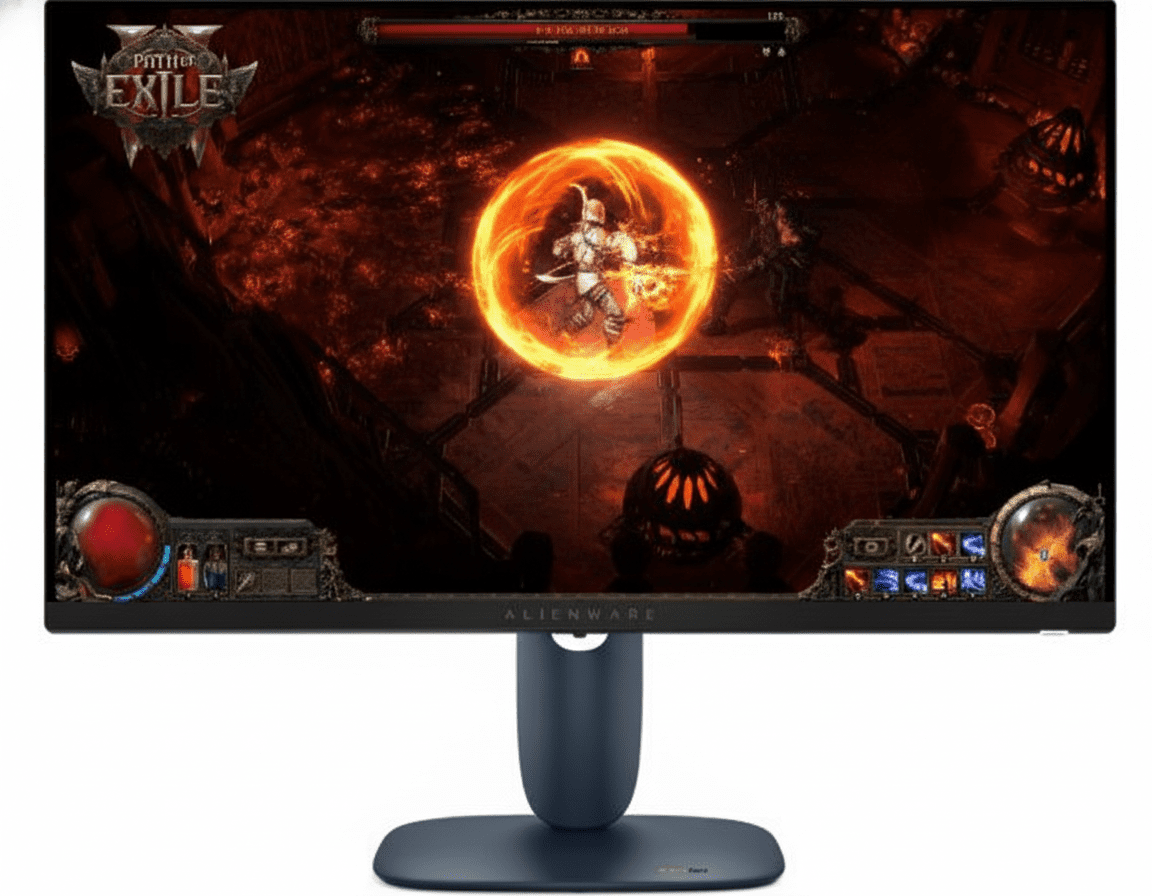
Alienware AW2725DM Review 2025: 27″ QHD 180Hz Fast IPS Gaming Monitor Under ₹25,000

Alienware AW2725DM
Alienware 27 QHD Gaming Monitor (AW2725DM) Review: The Essential Upgrade

Alienware 27 QHD Gaming Monitor (AW2725DM) Review: The Essential Upgrade

27″ QHD (2560×1440) 180Hz Refresh Rate 1ms GtG Response Time 95% DCI-P3 & HDR 400 G-SYNC & FreeSync Compatible ₹24,899
The perfect entry point into high-refresh-rate QHD gaming.

The Alienware 27 QHD Gaming Monitor (AW2725DM) represents the new sweet spot for gamers looking to make the leap to high-performance gaming without the elite price tag. For an accessible ₹24,899, it delivers the essential ingredients for a premium experience: a sharp 27-inch QHD resolution, a fluid 180Hz refresh rate on a Fast IPS panel, and a snappy 1ms response time. With wide color coverage, full adaptive sync support, and the iconic Alienware design, the AW2725DM is a masterclass in providing core gaming performance and style where it counts most.

Step Up to QHD Gaming

Experience fluid 180Hz gameplay, vibrant colors, and sharp QHD detail at an unbeatable price.

₹24,899
₹27,199 (₹2,300 Off)
Inclusive of all taxes | Free Priority Delivery

No Cost EMI Available | Offer valid till Oct 17th

Key Features at a Glance

180Hz Refresh Rate: Fluid, responsive gameplay ideal for a wide range of genres.
QHD Resolution: Sharp 2560×1440 detail on an expansive 27-inch screen.
1ms GtG Response: Keeps motion crisp and clear in fast-paced action.
95% DCI-P3 Color: Vibrant, rich colors that bring game worlds to life.
Fully Ergonomic: Height, tilt, swivel, and pivot adjustments for perfect comfort.
Full Sync Support: G-SYNC Compatible, FreeSync, and VESA AdaptiveSync.

1. Core Performance: The QHD Sweet Spot

A perfect balance of resolution and speed for the modern gamer.

Sharp QHD Resolution

The 2560×1440 QHD resolution on a 27-inch screen offers a significant upgrade in image clarity and detail over 1080p. It’s the current sweet spot for gaming, providing a sharp, immersive picture without requiring an ultra-high-end GPU to run smoothly.

Fluid 180Hz Refresh Rate

With a native 180Hz refresh rate, gameplay is incredibly smooth and responsive. This high refresh rate provides a clear competitive advantage over 60Hz or 144Hz monitors, allowing for quicker reactions and clearer tracking of fast-moving targets.

2. Motion & Clarity: Tear-Free and Crystal Clear

Eliminate motion blur and screen tearing for an uninterrupted experience.

1ms GtG Response Time

The Fast IPS panel is capable of a true 1ms gray-to-gray response time in Extreme Mode. This rapid pixel transition time minimizes ghosting and motion blur, ensuring that on-screen action remains crisp and defined even in the most chaotic moments.

Universal Adaptive Sync

This monitor offers complete compatibility with all major variable refresh rate technologies, including NVIDIA G-SYNC Compatible, AMD FreeSync, and VESA AdaptiveSync. This guarantees a smooth, tear-free gaming experience no matter which brand of GPU you use.

3. Color & HDR: Dive into Vibrant Worlds

Enjoy rich, accurate colors and enhanced contrast for more immersive gameplay.

95% DCI-P3 Color Gamut

The monitor covers an impressive 95% of the DCI-P3 color space. This wide color gamut, typically seen in digital cinema, translates to richer, more saturated, and more lifelike colors compared to standard sRGB monitors, making game worlds truly pop.

VESA DisplayHDR 400

With DisplayHDR 400 certification, the monitor can produce brighter highlights and deeper blacks than a standard display. This enhances contrast and provides a more dynamic and immersive visual experience in games and movies that support HDR content.

4. Design & Ergonomics: Game in Comfort and Style

Iconic design meets practical, gamer-focused ergonomics.

New AW30 Design

The monitor sports the new, refined AW30 design language. It features improved 360° ventilation for better cooling during long sessions, simplified cable management for a cleaner desk, and a smaller hexagonal base to maximize your usable desk space.

Fully Adjustable Ergonomics

Find your perfect viewing position with a stand that offers a full range of motion. You can adjust the height (110mm), tilt (-5°/21°), swivel (-20°/20°), and even pivot 90° into portrait mode, ensuring optimal comfort for marathon gaming sessions.

5. Connectivity: Ready for Your Arsenal

Connect all your devices with a versatile array of modern ports.

Multiple High-Speed Video Ports

The monitor includes one DisplayPort 1.4 to achieve the full 180Hz refresh rate, along with two HDMI ports that support QHD at a smooth 144Hz with VRR, making it perfect for connecting both a PC and a modern gaming console.

Convenient USB Hub

A built-in USB hub simplifies cable management. Connect the USB-B upstream cable to your PC to activate two USB-A 5Gbps downstream ports for your peripherals. One of these ports also supports Battery Charging 1.2 for powering up your phone or controller.

6. Eye Comfort & Console Mode: Game Longer

Hardware solutions designed to reduce eye strain and optimize for consoles.

ComfortView Plus

Stay comfortable during marathon sessions with ComfortView Plus. This hardware-based, always-on low blue light solution reduces harmful blue light emissions without impacting the monitor’s vibrant color accuracy, unlike software-based night modes.

Dedicated Console Mode

This monitor is optimized for modern consoles like the PlayStation 5 and Xbox Series X. The dedicated Console Mode seamlessly maps the console’s signal to the display, ensuring smooth, low-latency gameplay at the highest possible refresh rates.

Ideal For These Users

First-Time QHD Gamers

This monitor is the perfect entry point for those upgrading from 1080p, offering a massive boost in resolution and refresh rate for a reasonable price.

All-Round Gamers

The 180Hz refresh rate is fast enough for competitive FPS, while the QHD resolution and great colors are perfect for immersive AAA single-player titles.

Console Gamers (PS5/Xbox Series X)

With HDMI 2.1 features supporting QHD at 144Hz with VRR, this monitor can take full advantage of the performance modes on modern consoles.

Users with Mid-Range GPUs

A 180Hz refresh rate at QHD is more achievable for mid-range graphics cards (like an RTX 4060) than the ultra-high 240Hz+ targets, providing a balanced experience.

Who Might Consider Other Options

Hardcore Esports Pros

Players at the absolute highest level of competition may still prefer the extra edge provided by a 240Hz, 280Hz, or even faster monitor like the AW2723DF.

HDR Enthusiasts

While DisplayHDR 400 is a nice feature, those seeking a truly impactful HDR experience should look for monitors with DisplayHDR 600 or higher ratings.

Professional Content Creators

Although the color is great for gaming, professional photographers and video editors will want factory-calibrated monitors with even wider color gamuts and better uniformity.

Competitive Edge: How It Stacks Up

Delivering the core Alienware experience for less.

  • Vs. Alienware AW2723DF

    The AW2725DM is the more budget-friendly sibling. It offers a slightly lower refresh rate (180Hz vs. 280Hz) and DisplayHDR 400 (vs. 600). In return, it comes at a much more accessible price, making it a better value for gamers who don’t need the absolute peak of performance.

  • Vs. Other 144-180Hz QHD Monitors

    The AW2725DM stands out with its premium Alienware design, superior build quality, fully ergonomic stand, and excellent 95% DCI-P3 color gamut—features often compromised on by other brands to hit a low price point.

  • The “Sweet Spot” Champion

    Its competitive edge is its masterful balance. It provides the QHD/180Hz combination that is the performance “sweet spot” for most gamers and systems, wrapped in a premium package that feels more expensive than it is.

Full Specifications

Display

Screen Size
27″
Resolution
QHD (2560 x 1440)
Panel Type
Fast IPS
Aspect Ratio
16:9
Pixel Pitch
0.2331 mm
Backlight
LED Edgelight System

Performance

Refresh Rate
180Hz (DP), 144Hz (HDMI)
Response Time
1ms (GtG Extreme)
Adaptive Sync
G-SYNC, FreeSync, AdaptiveSync

Color & Brightness

Color Gamut
95% DCI-P3
Color Support
1.07 Billion Colors
HDR Certification
VESA DisplayHDR 400
Brightness
400 cd/m²

Connectivity

Video Ports
2x HDMI, 1x DP 1.4
USB Hub
2x USB-A 5Gbps, 1x USB-B
Charging Port
1x USB-A w/ Battery Charging 1.2

Mechanical

Height Adjust
110 mm
Tilt
-5° to 21°
Swivel
-20° to 20°
Pivot
Yes, ±90°

Pros and Cons

What We Liked

  • Excellent value for a QHD/180Hz gaming monitor.
  • Vibrant, rich colors with 95% DCI-P3 coverage.
  • Fully ergonomic stand with height, tilt, swivel, and pivot.
  • Great performance for both PC and console gaming.
  • Iconic, stylish Alienware design.

What Could Be Better

  • HDR performance is entry-level (DisplayHDR 400).
  • Lacks the premium “Nano IPS” panel of more expensive models.
  • Fewer USB ports than its more expensive sibling (AW2723DF).

Final Verdict

The Alienware AW2725DM is a triumph of smart design and value. It successfully distills the core essence of a premium Alienware gaming experience into a more affordable package. By focusing on the “sweet spot” specs of QHD resolution and a 180Hz refresh rate, it delivers outstanding performance that will satisfy the vast majority of gamers, from casual players to aspiring competitors.

It smartly retains key features like a fully ergonomic stand and excellent color coverage, which are often the first to be cut on budget models. While it may not have the blistering 280Hz speed or HDR 600 punch of its pricier sibling, it doesn’t need to. For gamers seeking the best possible blend of performance, features, and price, the AW2725DM is an exceptional value and an easy recommendation for your next gaming setup.

MacBook Pro 16 M4 Pro & M4 Max (2025) – 16.2″ XDR, 128GB RAM, 24Hr Battery

MacBook Pro 14 M5
MacBook Pro 16″ M4 Pro/M4 Max (2025) – Complete Review, Specifications & Price
MacBook Pro 16 M4 Pro Max

Available Finishes:

ULTIMATE PRO LAPTOP

MacBook Pro 16″

M4 Pro / M4 Max

16.2-inch Liquid Retina XDR • ProMotion 120Hz • Thunderbolt 5

Model Configurations:

Model 1: M4 Pro (14-core CPU/20-core GPU) • 24GB • 512GB • ₹2,49,900

Model 2: M4 Pro (14-core CPU/20-core GPU) • 48GB • 512GB • ₹2,89,900

Model 3: M4 Max (14-core CPU/32-core GPU) • 36GB • 1TB • ₹3,49,900

Model 4: M4 Max (16-core CPU/40-core GPU) • 48GB • 1TB • ₹3,99,900

Price Starting From

₹2,49,900*

*Maximum Retail Price (inclusive of all taxes)

🛒 Check Latest Price & Buy Now

*Prices may vary. Check with retailer for latest offers

Display

16.2″ XDR

Memory

Up to 128GB

Battery

24 Hours

MacBook Pro 16″ Overview

Key Features

  • ✓ M4 Pro/M4 Max Chips – Professional powerhouse performance
  • ✓ 16.2″ Liquid Retina XDR – Stunning 3456×2234 display
  • ✓ ProMotion 120Hz – Buttery smooth adaptive refresh
  • ✓ 1,000,000:1 Contrast – True blacks, brilliant colors
  • ✓ Up to 128GB RAM – Massive unified memory
  • ✓ 24-Hour Battery – All-day professional work
  • ✓ Thunderbolt 5 – 120Gbps ultra-fast transfers

What’s New 2025

  • ● M4 Pro/Max: 40% faster than M2 Pro/Max
  • ● Thunderbolt 5: 3x faster data transfer
  • ● 12MP Camera: Center Stage + Desk View
  • ● Ray Tracing: Hardware-accelerated gaming
  • ● Nano-texture: Optional matte display
  • ● 140W Charger: Fast charge standard

Package Contents

  • 📦 16″ MacBook Pro
  • 🔌 140W USB-C Power Adapter
  • 🔗 USB-C to MagSafe 3 Cable (2m)
  • 🧹 Polishing Cloth (nano-texture only)
  • 📄 Documentation

Note: 140W fast charging included with all 16″ models for 50% charge in 30 minutes

M4 Pro vs M4 Max – Which Chip to Choose?

Apple M4 Pro

RECOMMENDED

Starting Price

₹2,49,900

CPU Cores 14-core (10P + 4E)
GPU Cores 20-core
Neural Engine 16-core
Memory Bandwidth 273 GB/s
Max Memory 48GB
Thunderbolt TB5 (120Gbps)
ProRes Engines 1 Encode/Decode
Battery Life Up to 24 hours

Perfect For:

  • • 4K video editing (multiple streams)
  • • Professional photography
  • • Software development
  • • 3D modeling & CAD
  • • Music production

Apple M4 Max

ULTIMATE POWER

Starting Price

₹3,49,900

CPU Cores 14/16-core (10P/12P + 4E)
GPU Cores 32/40-core
Neural Engine 16-core
Memory Bandwidth 410/546 GB/s
Max Memory 128GB
Thunderbolt TB5 (120Gbps)
ProRes Engines 2 Encode/Decode
Battery Life Up to 21 hours

Perfect For:

  • • 8K video editing & color grading
  • • Heavy 3D rendering & animation
  • • Machine learning & AI training
  • • Multi-stream ProRes workflows
  • • VFX & motion graphics

📊 Complete Performance Comparison

SpecificationM4 ProM4 Max (32-core GPU)M4 Max (40-core GPU)
CPU Architecture14-core (10P + 4E)14-core (10P + 4E)16-core (12P + 4E)
GPU Cores203240
Memory Bandwidth273 GB/s410 GB/s546 GB/s
Base Memory24GB36GB48GB
Max Memory48GB128GB128GB
ProRes Encode Engines122
ProRes Decode Engines122
Video Encode Engines122
External Display Support2x 6K or 1x 8K4x 6K or 3x 8K
Battery (Video Streaming)24 hours21 hours
Price₹2,49,900₹3,49,900₹3,99,900

💡 Expert Tip: The M4 Pro handles professional 4K video editing smoothly and is perfect for most creators. Choose M4 Max only if you regularly edit 8K footage, work with massive 3D scenes, or need 128GB RAM for ML workflows. The dual ProRes engines in M4 Max deliver 2x faster export times for ProRes content.

16.2″ Liquid Retina XDR Display

Display Specifications

Screen Size 16.2″ (41.05 cm)
Resolution 3456 x 2234
Pixel Density 254 PPI
Technology Mini-LED XDR
Total Pixels 7.7 million

XDR Brightness

Peak HDR Brightness

1,600 nits

Sustained Full-Screen (XDR)

1,000 nits

SDR Outdoor Brightness

1,000 nits

Minimum Brightness 1 nit (dark rooms)

Pro Display Features

  • ●
    ProMotion 120Hz

    Adaptive 24-120Hz refresh

  • ●
    1,000,000:1 Contrast

    Perfect blacks, infinite contrast

  • ●
    P3 Wide Color

    1 billion colors

  • ●
    True Tone Technology

    Auto color temperature

  • ●
    Reference Modes

    Pro color workflows

  • ●
    Nano-texture Option

    Reduces glare (+₹15,000)

Six-Speaker Sound System

Speakers

  • • Six-speaker system
  • • Force-cancelling woofers
  • • Wide stereo sound
  • • Spatial Audio support
  • • Dolby Atmos playback
  • • Best laptop speakers available

Microphones

  • • Three-mic array
  • • Studio-quality recording
  • • Directional beamforming
  • • Voice Isolation mode
  • • Wide Spectrum mode
  • • High signal-to-noise ratio

Audio Connectivity

  • • 3.5mm headphone jack
  • • High-impedance support
  • • Spatial Audio (AirPods)
  • • Dynamic head tracking
  • • HDMI audio output
  • • Professional studio ready

Real-World Performance

💼 Productivity Tasks

10/10
Perfect Performance
  • Microsoft Office Excellent
  • Web Browsing (100+ tabs) Smooth
  • Email & Communication Instant
  • Video Calls (Zoom/Teams) Flawless
  • Multitasking Outstanding

🎨 Creative Applications

9.5/10
Pro-Level Power
  • Final Cut Pro (4K) Smooth
  • Adobe Premiere (Multi-stream) Excellent
  • Photoshop (Large Files) Instant
  • Logic Pro (200+ tracks) Perfect
  • Blender (3D Rendering) Good

💻 Software Development

10/10
Developer’s Dream
  • Xcode (iOS/macOS) Native
  • VS Code Fast
  • Docker Containers Efficient
  • Virtual Machines Capable
  • Compile Times Blazing

⚡ Performance Breakdown by Chip

M4 Pro Performance

4K Video Editing

20+ 4K ProRes streams

Photo Editing

1000+ RAW photos smooth

3D Rendering

Good for medium complexity

Gaming

1440p high settings smooth

M4 Max Performance

8K Video Editing

Multiple 8K streams smooth

Heavy 3D Rendering

Complex scenes no problem

ML Training

128GB RAM advantage

Gaming (4K)

4K high settings smooth

Built for Professional Creators

🎬 Video Production

  • ●
    4K ProRes: 20+ streams (M4 Pro)
  • ●
    8K RAW: Smooth playback (M4 Max)
  • ●
    Color Grading: XDR display advantage
  • ●
    Export Times: 2x faster (dual ProRes)
  • ●
    Final Cut Pro: Native optimization
  • ●
    DaVinci Resolve: GPU-accelerated

📸 Photography

  • ●
    RAW Processing: Instant previews
  • ●
    Lightroom: 1000+ photos smooth
  • ●
    Photoshop: 100+ layer files instant
  • ●
    Capture One: Tethered shooting fast
  • ●
    P3 Display: Accurate color preview
  • ●
    SD Card Slot: Direct camera import

🎨 3D & Motion Graphics

  • ●
    Blender: GPU rendering fast
  • ●
    Cinema 4D: Smooth viewport
  • ●
    After Effects: Complex compositions
  • ●
    Motion: Real-time effects
  • ●
    Ray Tracing: Hardware accelerated
  • ●
    Metal API: Native optimization

🎹 Music Production

  • • Logic Pro: 200+ tracks low latency
  • • Ableton Live: Live performance ready
  • • Pro Tools: Studio-grade DAW
  • • Plugins: Hundreds of VSTs
  • • Audio Interface: Low-latency monitoring
  • • Six Speakers: Reference quality

💻 Software Development

  • • Xcode: Native iOS/macOS dev
  • • VS Code: Lightning fast
  • • Docker: Multiple containers
  • • VMs: Parallels, UTM support
  • • Compile Times: Blazing fast
  • • Battery Life: All-day coding

🤖 Data Science & ML

  • • TensorFlow: Neural Engine acceleration
  • • PyTorch: MPS backend support
  • • Jupyter: Large datasets smooth
  • • CoreML: On-device training
  • • 128GB RAM: M4 Max for huge models
  • • Unified Memory: No data copying

Design & Build Quality

🎨 Premium Design

Material 100% Recycled Aluminum
Colors Space Black, Silver
Finish Anodized, Anti-fingerprint
Build Quality Unibody Excellence

📏 Dimensions & Weight

Height 1.68 cm (0.66″)
Width 35.57 cm (14.01″)
Depth 24.81 cm (9.77″)
Weight (M4 Pro) 2.14 kg (4.71 lb)
Weight (M4 Max) 2.15 kg (4.73 lb)

⌨️ Input Devices

  • • Magic Keyboard: Backlit with ambient sensor
  • • 78/79 Keys: Full-size layout
  • • Function Row: 12 full-height keys
  • • Touch ID: Secure fingerprint unlock
  • • Force Touch Trackpad: Pressure-sensitive
  • • Haptic Feedback: Precise tactile clicks

♻️ Environmental Responsibility

Recycled Materials

  • • 100% recycled aluminum enclosure
  • • 100% recycled rare earth elements
  • • 100% recycled gold plating (PCBs)
  • • 100% recycled copper (PCBs)
  • • 90% recycled steel components
  • • 35%+ recycled plastic (11 parts)

Energy & Carbon

  • • 45% low-carbon manufacturing electricity
  • • ENERGY STAR certified
  • • 45% emissions reduction vs baseline
  • • Apple 2030 carbon neutral goal

Packaging & Waste

  • • 100% fiber-based packaging
  • • 50% recycled packaging content
  • • Zero waste program (no landfill)
  • • Mercury, BFR, PVC-free

Battery Life & Charging

🔋 M4 Pro Battery

24 Hours

Capacity 100 Wh
Video Streaming 24 hours
Wireless Web 17 hours
Charger 140W USB-C

🔋 M4 Max Battery

21 Hours

Capacity 100 Wh
Video Streaming 21 hours
Wireless Web 14 hours
Charger 140W USB-C

⚡ Fast Charging

50% in 30min

  • • MagSafe 3: Magnetic connection
  • • 140W Adapter: Included with all models
  • • USB-C Charging: Via Thunderbolt ports
  • • Charge from either side
  • • Prevents accidental disconnect

💼 Real-World Battery Life

Light Usage

• M4 Pro: 18-20 hours

• M4 Max: 16-18 hours

Web browsing, email, documents

Mixed Usage

• M4 Pro: 14-16 hours

• M4 Max: 12-14 hours

Video calls, browsing, light editing

Heavy Usage

• M4 Pro: 10-12 hours

• M4 Max: 8-10 hours

Video rendering, 3D work, gaming

Ports & Connectivity

🔌 Thunderbolt 5

120 Gbps

  • • 3x Thunderbolt 5 ports (USB-C)
  • • 120 Gbps transfer speed
  • • 3x faster than TB4
  • • DisplayPort 2.1 output
  • • Charging support
  • • USB 4 compatible

🔗 Additional Ports

  • • MagSafe 3: Magnetic charging
  • • SDXC Card Slot: UHS-II support
  • • HDMI Port: 8K@60Hz or 4K@240Hz
  • • 3.5mm Jack: High-impedance support
  • • Multichannel Audio: Via HDMI

📡 Wireless

Wi-Fi Wi-Fi 6E
Speed Up to 9.6 Gbps
Bluetooth 5.3

🖥️ External Display Support

M4 Pro Display Support

  • • Up to 2x 6K displays at 60Hz
  • • Or 1x 8K display at 60Hz
  • • Or 1x 4K display at 240Hz
  • • Plus built-in 16.2″ XDR display
  • • Total 3 displays simultaneously

M4 Max Display Support

  • • Up to 4x 6K displays at 60Hz
  • • Or 3x 8K displays at 60Hz
  • • Plus built-in 16.2″ XDR display
  • • Total 5 displays simultaneously
  • • Ultimate multi-monitor setup

MacBook Pro 14″ vs 16″ – Which Size?

Feature14″ MacBook Pro16″ MacBook ProWinner
Display Size14.2″ (35.97 cm)16.2″ (41.05 cm)16″
Resolution3024 x 19643456 x 223416″
Weight (M4 Pro)1.60 kg2.14 kg14″
Chip OptionsM5, M4 Pro, M4 MaxM4 Pro, M4 Max14″
Battery (M4 Pro)22 hours24 hours16″
Battery Capacity72.4 Wh100 Wh16″
Charger70W/96W140W (all)16″
PortabilityExcellentGood14″
Price (M4 Pro)₹1,99,900₹2,49,90014″

✅ Choose 14″ MacBook Pro If:

  • • You travel frequently and need maximum portability
  • • Daily commute by public transport
  • • Already have external monitors at desk
  • • Want M5 chip option (₹1,69,900)
  • • 540g lighter matters (1.60kg vs 2.14kg)
  • • Budget-conscious (₹50,000 cheaper)
  • • Work in cafes/coworking spaces

✅ Choose 16″ MacBook Pro If:

  • • Desktop replacement is main goal
  • • Edit 8K video or heavy 3D work
  • • Need largest screen for productivity
  • • Value 24h battery life (vs 22h)
  • • Work mostly stationary at desk
  • • Prefer larger trackpad and keyboard area
  • • No external display regularly
  • • Multiple windows side-by-side daily

Top Competitors Comparison

How does the MacBook Pro 16″ stack up against the best Windows laptops in its class?

Dell XPS 17 (2025)

₹2,89,990

• Processor: Intel Core Ultra 9 185H

• Display: 17″ 4K+ Touch

• RAM: 64GB DDR5

• Storage: 2TB SSD

• GPU: NVIDIA RTX 4070

• Weight: 2.21 kg

✅ Reasons to Consider

  • • Dedicated NVIDIA RTX 4070 GPU
  • • Larger 17″ display
  • • x86 full Windows compatibility
  • • 64GB RAM included
  • • Better for Windows gaming
  • • Touchscreen display

⚠️ Reasons to Skip

  • • ₹40,000 more expensive
  • • Only 10h battery vs 24h
  • • Runs hot under load
  • • Loud fan noise
  • • No SD card slot
  • • Heavier at 2.21kg

HP ZBook Studio G11

₹3,49,990

• Processor: Intel Core Ultra 9 185H

• Display: 16″ 4K OLED DreamColor

• RAM: 64GB DDR5

• Storage: 2TB SSD

• GPU: NVIDIA RTX 4000 Ada

• Weight: 1.98 kg

✅ Reasons to Consider

  • • Workstation-class RTX 4000
  • • ISV certified for CAD/3D
  • • DreamColor display accuracy
  • • Military-grade durability
  • • Upgradable RAM
  • • Enterprise support

⚠️ Reasons to Skip

  • • ₹1,00,000 more expensive!
  • • Only 8h battery life
  • • Bulkier design
  • • Loud cooling system
  • • Windows bloatware
  • • Overkill for most users

🏆 Winner: MacBook Pro 16″

Why MacBook Pro 16″ Wins: The combination of 24-hour battery life, silent operation, professional port selection (SDXC + HDMI), and unified architecture delivers consistent performance without thermal throttling. While Windows laptops offer dedicated GPUs, none match the MacBook’s battery efficiency or build quality at this price point.

The M4 Pro/Max chips provide desktop-class performance in a portable form factor with industry-leading battery life. The Liquid Retina XDR display is simply the best laptop screen available, and the six-speaker audio system rivals desktop setups.

Pros & Cons

✅ Strengths

  • • M4 Pro/Max Performance: Desktop-class power, incredible efficiency
  • • 16.2″ XDR Display: Best laptop screen ever, 1,000,000:1 contrast
  • • ProMotion 120Hz: Buttery smooth adaptive refresh
  • • 24-Hour Battery (M4 Pro): Industry-leading for pro laptops
  • • Thunderbolt 5: 120Gbps ultra-fast transfers
  • • Professional Ports: SDXC, HDMI, MagSafe 3
  • • Six-Speaker Audio: Best laptop sound system
  • • Build Quality: Premium recycled aluminum
  • • Silent Operation: Near-silent even under load
  • • Up to 128GB RAM: Massive unified memory
  • • 140W Fast Charging: 50% in 30 minutes
  • • macOS Integration: Seamless Apple ecosystem
  • • 12MP Center Stage: Professional video calls
  • • Nano-texture Option: Anti-glare display
  • • Environmental: 40% recycled content

⚠️ Limitations

  • • Premium Pricing: Starts at ₹2,49,900 – very expensive
  • • RAM Not Upgradable: Soldered unified memory
  • • Storage Expensive: ₹20,000+ for upgrades
  • • Display Notch: Interrupts menu bar
  • • macOS Only: No Windows Boot Camp
  • • Gaming Limited: Not ideal for AAA gaming
  • • No Face ID: Only Touch ID available
  • • Heavy (2.14kg): Heavier than 14″ model
  • • No USB-A Ports: Need dongles
  • • Learning Curve: macOS different for Windows users
  • • Repair Costs: Expensive outside warranty
  • • AppleCare+ Expensive: Extended warranty costs high

Final Verdict

Overall Rating

4.9
⭐⭐⭐⭐⭐

Outstanding Pro Laptop

Performance 5.0/5
Display Quality 5.0/5
Battery Life 5.0/5
Build Quality 5.0/5
Value for Money 4.5/5

💼 Who Should Buy?

  • ✅ Professional video editors (4K/8K)
  • ✅ Photographers with large RAW files
  • ✅ 3D artists and animators
  • ✅ Software developers
  • ✅ Music producers
  • ✅ Content creators needing desktop power
  • ✅ Professionals who need 24h battery
  • ✅ Apple ecosystem users

❌ Who Should Skip?

  • ❌ Casual users (get MacBook Air)
  • ❌ Budget-conscious buyers
  • ❌ Hardcore PC gamers
  • ❌ Windows-only software users
  • ❌ Those who need upgradeable RAM

🎯 Final Thoughts

The MacBook Pro 16″ with M4 Pro/M4 Max is the ultimate professional laptop. It delivers desktop-class performance with unmatched 24-hour battery life (M4 Pro) in a portable form factor. The Liquid Retina XDR display with ProMotion is the best laptop screen ever made, and the combination of Thunderbolt 5, professional ports, and six-speaker audio makes this a complete workstation replacement.

The M4 Max configuration with 128GB RAM handles the most demanding 8K video editing and 3D rendering workflows that would bring most laptops to their knees. The silent operation, even under sustained load, is magical compared to the jet-engine noise of Windows workstations.

While the ₹2,49,900 starting price is premium, you’re getting the most advanced laptop ever created. If your workflow demands professional power, long battery life, and the best display/audio quality, the MacBook Pro 16″ is worth every rupee. It’s not just a laptop—it’s a complete professional studio in your backpack.

Complete Technical Specifications

Model Configurations

Model 1

₹2,49,900

M4 Pro • 24GB • 512GB

Model 2

₹2,89,900

M4 Pro • 48GB • 512GB

Model 3

₹3,49,900

M4 Max • 36GB • 1TB

Model 4

₹3,99,900

M4 Max • 48GB • 1TB

COMPLETE SPECIFICATIONS
Display
Screen Size16.2″ (41.05 cm) diagonal Liquid Retina XDR display
Resolution3456 x 2234 pixels at 254 PPI
BrightnessXDR: 1,000 nits sustained, 1,600 nits peak | SDR: 1,000 nits outdoor
FeaturesProMotion (120Hz), True Tone, P3 Wide Color, 1 billion colors, Nano-texture option
Performance
ChipM4 ProM4 Max
CPU14-core (10P + 4E)14/16-core (10P/12P + 4E)
GPU20-core32/40-core
Memory Bandwidth273 GB/s410/546 GB/s
Memory & Storage
Memory Options24GB, 48GB (M4 Pro) | 36GB, 48GB, 64GB, 128GB (M4 Max)
Storage Options512GB, 1TB, 2TB, 4TB, 8TB (M4 Max only) SSD
Battery & Power
Battery LifeUp to 24 hours (M4 Pro)Up to 21 hours (M4 Max)
Capacity100-watt-hour lithium-polymer battery
Charger140W USB-C Power Adapter with fast-charge support
Connectivity
Ports3x Thunderbolt 5 (120Gbps), MagSafe 3, HDMI, SDXC, 3.5mm jack
WirelessWi-Fi 6E (802.11ax), Bluetooth 5.3
Camera & Audio
Camera12MP Center Stage camera with Desk View, 1080p HD video
SpeakersSix-speaker system with force-cancelling woofers, Spatial Audio
MicrophonesStudio-quality three-mic array with Voice Isolation
Design & Dimensions
Dimensions (H x W x D)1.68 x 35.57 x 24.81 cm (0.66 x 14.01 x 9.77″)
Weight2.14 kg (M4 Pro)2.15 kg (M4 Max)
ColorsSpace Black, Silver
Material100% Recycled Aluminum unibody

HP OMEN MAX 16-ah0190TX Review 2025 – 16″ 240Hz WQXGA Gaming Laptop, Core Ultra 9, RTX 5070 Ti, 32GB DDR5 RAM

HP OMEN MAX 16
HP OMEN MAX 16 (16-ah0190TX) Review: The Ultimate 1600p Gaming Powerhouse

HP OMEN MAX 16 (16-ah0190TX) Review: The Ultimate 1600p Gaming Powerhouse

Intel® Core™ Ultra 9 275HX RTX™ 5070 Ti (12 GB) 16″ WQXGA 240Hz Display 32 GB DDR5-5600 RAM Dual Thunderbolt™ 4 (DP 2.1) ₹279,999
An enthusiast-grade machine that balances flagship power with intelligent value.

The HP OMEN MAX 16-ah0190TX is a masterclass in building an enthusiast gaming laptop. It delivers a potent, near-flagship experience by pairing the top-tier Intel® Core™ Ultra 9 275HX processor with the formidable NVIDIA® GeForce RTX™ 5070 Ti GPU. For its price of ₹279,999, this machine is purpose-built to dominate games at its native 240Hz WQXGA (1600p) resolution. Complemented by a massive 32 GB of DDR5 RAM, a premium aluminum chassis, and cutting-edge connectivity like Thunderbolt 4 with DisplayPort 2.1, the OMEN MAX is the smart choice for expert gamers who want elite performance without paying the absolute top-end premium.

Built to Break Limits

Level up your PC with advanced performance, enhanced AI, and a CPU designed to defy expectations.

₹279,999
MRP ₹314,751
SAVE ₹34,752 (11%) | Includes GST ₹42,712

1-Year On-site Warranty

Key Features at a Glance

Core Ultra 9 275HX CPU: Uncompromised flagship processing power with 24 cores.
RTX 5070 Ti 12GB GPU: Enormous power for high-framerate 1600p gaming and creative workloads.
16″ 240Hz WQXGA Display: The perfect blend of high resolution, elite refresh rate, and a tall 16:10 aspect ratio.
32 GB DDR5-5600 RAM: High-speed dual-channel memory for seamless multitasking.
Future-Proof I/O: Dual Thunderbolt™ 4 ports with DisplayPort™ 2.1 and a 2.5GbE LAN port.
Premium Aluminum Chassis: A durable and high-quality build with a per-key RGB keyboard.

1. Elite Gaming & Creation Power

A CPU-GPU pairing that delivers uncompromising performance for enthusiast-level gaming and professional creation.

Intel® Core™ Ultra 9 275HX

At its core is Intel’s flagship mobile CPU. With a massive 24 cores and 24 threads and a boost clock up to 5.4 GHz, this processor offers desktop-replacement performance, crushing demanding games and multi-threaded creative workloads alike.

NVIDIA® GeForce RTX™ 5070 Ti

The RTX™ 5070 Ti is the enthusiast’s choice, offering a huge performance uplift over mid-range cards. Its substantial 12 GB of VRAM is perfect for high-resolution textures and provides ample power for maxing out games at 1600p and accelerating video editing and 3D rendering.

2. A Display Built for Speed and Clarity

Experience elite-level fluidity and sharpness on a stunning 16:10 canvas.

240Hz & 3ms Response

Gain a supreme competitive advantage with an ultra-fast 240Hz variable refresh rate and a lightning-quick 3ms response time. This combination guarantees a smooth, tear-free, and ghosting-free picture.

WQXGA 16:10 Display

The 2560 x 1600 resolution provides exceptional sharpness and detail, while the taller 16:10 aspect ratio offers more vertical screen real estate for productivity and a more immersive gaming experience.

Bright & Eye-Safe Panel

With 100% sRGB color coverage and a brilliant 500-nit panel, your content looks vibrant and is easily visible even in bright rooms. It’s also Eyesafe® certified to reduce eye strain during long sessions.

3. Future-Proof Connectivity Suite

Blazing-fast wired and wireless connections to keep you ahead of the curve.

Dual Thunderbolt™ 4

Two Thunderbolt 4 ports offer an incredible 40Gbps of bandwidth for connecting high-speed external drives, multiple 4K displays, or even an external GPU dock.

DisplayPort™ 2.1 Support

A standout feature, the Thunderbolt ports support the cutting-edge DisplayPort™ 2.1 standard, providing massive bandwidth for future, unannounced high-resolution and high-refresh-rate monitors.

2.5GbE LAN & Wi-Fi 6E

Get the most stable, low-latency connection with a 2.5 Gigabit Ethernet port. For wireless, Wi-Fi 6E provides access to the less congested 6 GHz band for faster, more reliable speeds.

4. High-Bandwidth Memory and Storage

A high-capacity, high-speed configuration that eliminates bottlenecks.

32 GB DDR5-5600 RAM

With 32 GB of high-speed DDR5 memory running in a dual-channel configuration, you can run demanding games, stream, and have dozens of browser tabs open simultaneously without a hint of slowdown.

1 TB PCIe® Gen4 SSD

The speedy 1 TB PCIe Gen4 NVMe™ SSD ensures that Windows and your applications boot in seconds. Game loading times are drastically reduced, getting you into the action faster.

5. Premium Gamer-Centric Design

A laptop that looks, feels, and sounds as good as it performs.

Aluminum Chassis

The laptop features a durable and premium shadow black aluminum cover and base with a sandblasted finish, giving it a rigid and high-quality feel worthy of its price tag.

Per-Key RGB Keyboard

Fully customize your setup with a full-size keyboard featuring brilliant per-key RGB backlighting and NKRO Anti-Ghosting technology to ensure every keypress is registered.

Audio by HyperX

The dual speakers are tuned by gaming experts HyperX and support DTS:X® Ultra for rich, immersive, and spatially accurate sound that helps you pinpoint enemies.

6. OMEN Tempest Cooling

An advanced thermal solution that keeps performance high and temperatures low.

Advanced Thermal Design

OMEN Tempest Cooling technology uses a multi-fan, multi-heat-pipe design with extensive venting to effectively dissipate heat from the powerful Core Ultra 9 CPU and RTX 5070 Ti GPU, preventing thermal throttling.

IR Thermal Sensor

An integrated IR thermal sensor works with OMEN Gaming Hub software to intelligently manage fan speeds and power delivery, ensuring optimal performance and acoustics based on the system’s real-time temperature.

Ideal For These Users

Enthusiast Gamers

Players who want to run AAA titles at 1440p/1600p with high-to-max settings and high frame rates will find this laptop to be a perfect fit.

Creative Professionals

The 24-core CPU and 12GB RTX 5070 Ti GPU provide immense power for video editing, 3D modeling, and other demanding creative applications.

Desktop Replacement Seekers

For those who want the power of a high-end desktop PC but need the flexibility to move it, this laptop is a premium, portable powerhouse.

Who Might Consider Other Options

Users on a Strict Budget

While it offers better value than the absolute flagship, this is still a very expensive laptop. Gamers on a tighter budget should look at models with an RTX 5060 or 5050.

Users Needing Professional-Grade Color

The 100% sRGB display is excellent for gaming but may not be sufficient for professional video editors or photographers who require wider gamuts like DCI-P3 or Adobe RGB.

Competitive Edge: How It Stacks Up

An intelligent configuration that offers most of the flagship experience for less.

  • The Performance-per-Dollar Sweet Spot

    The RTX 5070 Ti with 12GB VRAM is the star. It delivers a massive performance uplift from the RTX 5060, getting very close to RTX 5080 performance in many titles, but for a significantly lower price, making it the value champion for enthusiasts.

  • No CPU Compromise

    This model uses the exact same flagship Intel® Core™ Ultra 9 275HX processor as the most expensive configurations. This means you get the best possible processing power for CPU-bound games and creative applications, with no compromises.

  • Cutting-Edge DisplayPort 2.1

    The inclusion of DisplayPort™ 2.1 via the Thunderbolt 4 ports is a truly next-generation feature. It provides enormous bandwidth for driving future, ultra-high-resolution and ultra-high-refresh-rate external monitors, making the laptop incredibly future-proof.

Full Specifications

General Information

Model Name
HP OMEN MAX 16-ah0190TX
Product Color
Shadow Black
Operating System
Windows 11 Home

Processor

Processor
Intel® Core™ Ultra 9 275HX
Cores / Threads
24 Cores / 24 Threads
Max Turbo Frequency
Up to 5.4 GHz
L3 Cache
36 MB

Memory & Storage

Memory
32 GB DDR5-5600 MT/s
Memory Layout
2 x 16 GB (Dual Channel)
Storage
1 TB PCIe® Gen4 NVMe™ M.2 SSD

Display

Size
16.0-inch
Resolution
WQXGA (2560 x 1600)
Refresh Rate
Variable 60-240 Hz
Brightness
500 nits

Graphics

GPU
NVIDIA® GeForce RTX™ 5070 Ti
VRAM
12 GB

Connectivity & Ports

Wireless
Intel® Wi-Fi 6E AX211 + Bluetooth® 5.3
LAN
Integrated 2.5GbE LAN
Ports
2x TBT4 (DP 2.1), 2x USB-A, HDMI 2.1, RJ-45, Audio

Audio & Input

Audio
DTS:X® Ultra; Speakers by HyperX
Keyboard
Full-size, Per-key RGB Backlit
Webcam
HP True Vision 1080p FHD IR Camera

Battery & Power

Battery
6-cell, 83 Wh Li-ion polymer
Charger
330 W AC power adapter

Physical Dimensions

Dimensions (W x D x H)
35.65 x 26.9 x 2.29 cm
Weight
2.68 kg

Pros and Cons

What We Liked

  • Flagship CPU paired with a powerful RTX 5070 Ti GPU.
  • Excellent 240Hz WQXGA display is perfect for high-end gaming.
  • Generous 32 GB of high-speed dual-channel RAM.
  • Cutting-edge connectivity including DP 2.1 and 2.5GbE LAN.
  • Premium aluminum build and per-key RGB keyboard.

What Could Be Better

  • Still a very high price for most buyers.
  • Heavy and requires a large, powerful 330W adapter.
  • Uses a PCIe Gen4 SSD, not the newer Gen5 standard.
  • Wi-Fi 6E instead of the newer Wi-Fi 7.

Final Verdict

The HP OMEN MAX 16-ah0190TX is the enthusiast gamer’s dream. It smartly offers the same flagship Core Ultra 9 CPU and premium 240Hz WQXGA display as the top-end model but pairs it with the more price-conscious (yet still immensely powerful) RTX 5070 Ti. The result is a machine that delivers an authentic high-end gaming experience with incredible performance at 1600p, but at a more attainable price point.

It makes very few compromises, retaining the premium aluminum build, per-key RGB keyboard, and an impressively modern I/O selection. If you want elite-tier gaming and creation performance without paying the absolute peak flagship price, this OMEN MAX configuration represents one of the best high-end values on the market.

Buy Lenovo ThinkCentre M75q Gen 2 Tiny | Ryzen PRO, No OS

Lenovo ThinkCentre M75q Gen 2 (AMD): The Mighty Tiny Desktop for Business Efficiency

Lenovo ThinkCentre M75q Gen 2 (AMD)

AMD Ryzen™ 3 PRO 5350GE 4 GB DDR4-3200MHz 512 GB SSD (Optional) Integrated Graphics No OS

The Lenovo ThinkCentre M75q Gen 2 Tiny Desktop is a remarkably compact yet powerful mini desktop designed for efficient performance in space-constrained professional environments. Despite its diminutive 1-liter “Tiny” form factor, this machine packs a punch, offering a reliable and customizable solution for a wide array of everyday business needs.

Priced at ₹29,301, the ThinkCentre M75q Gen 2 with the AMD Ryzen™ 3 PRO 5350GE processor, integrated graphics, and essential connectivity is an attractive base unit. Its strength lies in its modularity and robust core components, making it an ideal choice for businesses, educational institutions, or anyone needing a discreet but capable workstation. The inclusion of a 3-year on-site warranty provides excellent long-term support and peace of mind.

Key Features at a Glance

Efficient AMD Ryzen™ 3 PRO Processor: For business efficiency.
Ultra-Compact “Tiny” Form Factor: 1-liter volume, space-saving.
Integrated Graphics: For standard business visuals.
Fast Memory Support: 4 GB DDR4-3200MHz, 2 SODIMM slots.
Flexible Storage Options: M.2 and optional 2.5″ HDD.
Comprehensive Connectivity: Ethernet, optional WiFi 6, Bluetooth 5.0.
Versatile Port Selection: USB-C, USB-A, DisplayPort, HDMI, multi-monitor support.
Enhanced Security Features: TPM 2.0, AMD Memory Guard.
3-Year On-site Warranty: Excellent long-term support.

Performance and Hardware

Efficient AMD Ryzen™ 3 PRO Processor:

At its heart is the AMD Ryzen™ 3 PRO 5350GE processor (3.60 GHz base, up to 4.20 GHz turbo). This “PRO” series processor is designed for business environments, offering enhanced security features (like AMD Memory Guard) and robust performance for everyday office tasks, multitasking, web browsing, and various professional applications.

Fast Memory Support:

Comes with 4 GB DDR4-3200MHz SODIMM memory. Crucially, it supports up to 2 DDR4 SODIMM slots, allowing for easy and significant memory upgrades, making it capable of supporting up to 64GB or more (depending on specific module availability), which is essential for heavy multitasking.

Flexible Storage Options:

While the base configuration specifies “None specified,” it explicitly supports an optional 6.35cms (2.5″) HDD add-on card, as well as an M.2 2280/2242D slot for NVMe or SATA SSDs. This allows users to choose their preferred storage solution for speed and capacity.

Visual Experience: Integrated Graphics for Business Needs

The ThinkCentre M75q Gen 2 is equipped with Integrated Graphics, which are perfectly suited for its intended professional use.

Business Visuals:

Capable of handling standard business visuals, presentations, video conferencing, and multimedia playback with ease.

Multi-Monitor Support:

Supports up to 3 independent monitors via DisplayPort and HDMI, significantly enhancing productivity for users working with multiple applications simultaneously.

Connectivity and Design

Versatile Port Selection:

  • Front ports: 1x USB-C 3.2 Gen 1, 1x USB 3.2 Gen 2, 1x Headphone / mic combo.
  • Rear ports: Power-in, 2x USB 3.2 Gen 1, 2x USB 2.0, DisplayPort, HDMI, RJ45 (Ethernet).
  • Optional rear punch-out options for further customization (Serial/DP/HDMI/Type-C/VGA+serial/2 x USB 3.2/2 x DP 1.2).

Ultra-Compact “Tiny” Form Factor (1L):

This is one of its most defining features. The 1-liter volume and light weight (1.32kg / 2.91lbs) allow it to be seamlessly integrated into any workspace, whether mounted behind a monitor, under a desk, or simply placed discreetly on a bookshelf, saving valuable desk space.

Integrated Networking and Optional Wireless:

Features integrated Ethernet for reliable wired network access and offers optional WiFi 6 2×2 AX and Bluetooth® 5.0 for wireless flexibility, ensuring seamless connectivity in diverse office setups.

Security and Manageability

Enhanced Security Features:

Incorporates a TPM 2.0 chip, BIOS-based Smart USB Protection, and AMD Memory Guard, providing robust security for sensitive business data and protecting against unauthorized access.

Manageability and Green Certifications:

Supports remote power on and adheres to various green certifications like Energy Star® 8.0, EPEAT® Gold, RoHS, ERP LOT3, TÜV Rheinland Low Noise, and TCO 8.0, highlighting its energy efficiency and environmental responsibility.

Support and Warranty

3-Year On-site Warranty:

This is a significant benefit, providing convenient on-site support and service for peace of mind and minimal downtime in a business environment.

Who Is This Desktop For? Tailored Recommendations

The Lenovo ThinkCentre M75q Gen 2 (AMD) is an ideal choice for:

  • Businesses & Enterprises: Seeking compact, reliable, and secure workstations for general office tasks, administrative work, and call centers.
  • Educational Institutions: For computer labs, administrative offices, and student workstations where space and manageability are key.
  • Kiosk & Digital Signage Deployments: Its tiny form factor and robust build make it perfect for discreet integration into public-facing systems.
  • Home Office Users with Limited Space: Who need a powerful and reliable desktop for productivity but have minimal desk space.
  • IT Departments: Looking for highly manageable, energy-efficient, and easily deployable systems with strong security features.

Who Might Consider Other Options?

  • Gamers: The integrated graphics are not suitable for modern gaming. Dedicated gamers will need a system with a powerful discrete graphics card.
  • Professional Content Creators (Graphics/Video): Users involved in demanding graphic design, video editing, 3D rendering, or CAD will find the integrated graphics and limited expansion options insufficient.
  • Users Seeking an Out-of-the-Box Solution: The base configuration requires separate purchases and installation of an operating system, storage, and peripherals. Users wanting a ready-to-use system immediately should consider other pre-built options.
  • Users Requiring Extensive Internal Expansion: The compact nature limits the ability to add multiple storage drives, additional PCI cards, or a dedicated GPU.

Competitive Edge: What Sets It Apart

The Lenovo ThinkCentre M75q Gen 2 (AMD) stands out in the mini-desktop market due to several key differentiators:

  • Optimal Balance of Size and Performance: It delivers robust business-grade performance with an AMD Ryzen™ PRO processor in an incredibly compact 1-liter form factor, a rare combination in its price range.
  • Enterprise-Grade Security (AMD PRO): The inclusion of an AMD Ryzen™ PRO processor with features like AMD Memory Guard and a TPM 2.0 chip provides a significant security advantage over consumer-grade mini PCs, crucial for business environments.
  • Exceptional Port Versatility for its Size: Despite its tiny footprint, it offers a comprehensive array of modern and legacy ports, including USB-C 3.2 Gen 1, USB 3.2 Gen 2, DisplayPort, and HDMI, along with multi-monitor support, providing excellent connectivity options.
  • High Degree of Customization & Upgradeability: The barebones nature (no OS, no default storage) combined with dual SODIMM slots (up to 64GB+ RAM) and both M.2 and 2.5″ storage bays makes it highly flexible for IT departments to configure precisely to their needs.
  • Reliability and Manageability: As a ThinkCentre, it benefits from Lenovo’s reputation for robust build quality, extensive testing, and features like remote power-on, making it a dependable and easy-to-manage asset in an IT infrastructure.
  • Long-Term On-site Warranty: The 3-year on-site warranty is a significant value-add for businesses, ensuring minimal disruption and quick resolution of hardware issues directly at the user’s location.

Full Specification Details

General Information

  • Price: ₹29,301
  • Brand: Lenovo ThinkCentre
  • Model Name: M75q Gen 2 Tiny Desktop
  • Operating System: No Operating System
  • Color: Black

Processor & Graphics

  • Processor: AMD Ryzen™ 3 PRO 5350GE
  • Processor Speed: 3.60 GHz up to 4.20 GHz
  • Graphics: Integrated Graphics

Memory & Storage

  • Memory: 4 GB DDR4-3200MHz (SODIMM)
  • Memory Slots: Up to 2 DDR4 SODIMM slots (Max memory capacity depends on module availability)
  • Storage: None specified; Optional 6.35cms (2.5″) HDD add-on card
  • M.2 Slots: M.2 2280/2242D (for storage), M.2 2230 WiFi
  • Internal Bay: 1 x 6.35cms (2.5″) HDD

Connectivity & I/O

  • Connectivity: Integrated Ethernet
  • Optional Wireless: WiFi 6 2×2 AX, Bluetooth® 5.0
  • Front Ports: 1 x USB-C 3.2 Gen 1, 1 x USB 3.2 Gen 2, 1 x Headphone / mic combo
  • Rear Ports: Power-in, 2 x USB 3.2 Gen 1, 2 x USB 2.0, DisplayPort, HDMI, RJ45 (Ethernet)
  • Rear Punch-out Options: 2 x Punch-out (Serial/DP/HDMI/Type-C/VGA+serial/2 x USB 3.2/2 x DP 1.2), Optional: Parallel

Physical Characteristics & Peripherals

  • Volume: 1L
  • Weight: 1.32kg / 2.91lbs
  • Optical Drive: No Optical Drive
  • External Bay: Optional: Optical disc drive (via external bay adapter)
  • Pointing Device: No Mouse
  • Keyboard: No Keyboard

Power & Certifications

  • Power Supply: 90W, 89% / 65W, 89%
  • Green Certifications: Energy Star® 8.0, EPEAT® Gold, RoHS, ERP LOT3, TÜV Rheinland Low Noise, TCO 8.0

Warranty & Included Peripherals

  • Warranty: 3 Year On-site
  • Included Peripherals: No Mouse, No Keyboard

The Business Solution: Pros and Cons

The ThinkCentre M75q Gen 2 offers a unique set of advantages and some limitations in its base configuration.

Pros: Why the ThinkCentre M75q Gen 2 is a Smart Business Choice

  • Ultra-Compact “Tiny” Form Factor (1L): Its incredibly small size is its biggest asset, allowing for flexible deployment in crowded offices, kiosks, retail environments, or even behind monitors using VESA mounts, saving valuable desk space.
  • Powerful AMD Ryzen™ PRO Processor: The Ryzen™ 3 PRO 5350GE is a capable quad-core processor (8 threads) offering excellent performance for everyday business applications, robust multitasking, and enhanced security features crucial for enterprise environments.
  • Fast DDR4-3200MHz Memory: The included 4GB RAM is fast (3200MHz), and the presence of two SODIMM slots allows for easy and significant upgrades (e.g., to 8GB, 16GB, or even 32GB/64GB), which is essential for maximizing performance in professional use.
  • Versatile Connectivity: A good selection of USB ports, including modern USB-C 3.2 Gen 1 and fast USB 3.2 Gen 2 (10Gbps), ensures compatibility with a wide range of peripherals.
  • Multi-Monitor Support: The ability to support up to 3 independent displays (via DisplayPort and HDMI) is a significant advantage for productivity in business environments.
  • Integrated Ethernet and Optional WiFi 6: Ensures reliable wired connectivity and offers the flexibility of high-speed wireless networking.
  • Robust Security Features: TPM 2.0, BIOS-based Smart USB Protection, and AMD Memory Guard provide enterprise-grade security for data protection.
  • 3-Year On-site Warranty: This is a major benefit for business users, offering peace of mind and minimizing downtime with convenient on-site technical support.
  • Excellent Manageability: Features like remote power-on and adherence to green certifications make it easy to deploy and manage within an IT infrastructure.

Cons: What to Consider for the Base Configuration

  • No Pre-installed Operating System: This is a barebones system. Users (or IT departments) will need to purchase and install Windows (or another OS like Linux) separately, which adds to the total cost and setup time.
  • No Internal Storage Specified (Base): While it has M.2 and 2.5″ bays, the base configuration comes with “None specified” storage. This means an SSD or HDD must be purchased and installed, adding to the cost and setup.
  • Only 4GB of RAM in the Base Configuration: While upgradable, 4GB of RAM is generally considered the absolute minimum for Windows 11 and will quickly become a bottleneck for even moderate multitasking. An immediate RAM upgrade is highly recommended for any serious use.
  • Integrated Graphics May Limit Demanding Tasks: While sufficient for business applications, the integrated graphics are not suitable for graphic design, video editing, CAD, or any demanding visual workloads.
  • No Mouse or Keyboard Included: Like the OS and storage, these essential peripherals must be purchased separately, adding to the overall cost.
  • No Optical Drive: This is typical for tiny desktops but means external drives are needed for disc-based media.
  • Limited Upgradeability (Beyond RAM/Storage): Due to its ultra-compact size, there’s no room for discrete graphics cards or extensive internal expansion.

Final Verdict: The Lenovo ThinkCentre M75q Gen 2 (AMD) – The Smart, Customizable Core for Modern Workspaces

The Lenovo ThinkCentre M75q Gen 2 Tiny Desktop (AMD Ryzen™ 3 PRO 5350GE variant) is a highly compact, capable, and customizable desktop solution, ideal for businesses and users needing powerful performance in a minimal footprint. Its strength lies in its robust “PRO” series processor, versatile connectivity, multi-monitor support, and enterprise-grade security features.

While the base configuration is indeed barebones (no OS, no storage, minimal RAM, no peripherals), this flexibility is a core part of its appeal for IT departments who prefer to deploy their own standardized images and hardware. For individual users, it means budgeting for these essential additions.

For its price point, the M75q Gen 2 provides an excellent foundation. For a truly productive experience, upgrading the RAM to at least 8GB (or 16GB) and installing an M.2 NVMe SSD are highly recommended investments. The 3-year on-site warranty provides crucial long-term assurance. Overall, it’s a strong contender for various professional applications, offering a reliable, efficient, and discreet computing core for modern workspaces.

★★★★☆

Overall Rating: 4.0 out of 5.0 (Based on Expert Analysis)