ReviewNest

Master Your Workspace With the New ThinkVision

ThinkVision S24i-30 Monitor
ThinkVision S24i-30 Monitor Review: The Productive Office Essential

ThinkVision S24i-30 Monitor Review: The Productive Office Essential

23.8″ FHD IPS Display 100Hz Refresh Rate 99% sRGB Color Natural Low Blue Light ₹8,398
4.4 out of 5 stars | 30 reviews | An affordable, stylish monitor for everyday productivity.

The ThinkVision S24i-30 is a masterstroke of practical design and productivity-focused features, offered at an exceptionally competitive price of ₹8,398. This 23.8-inch monitor combines a crisp FHD IPS display with a surprisingly smooth 100Hz refresh rate and vibrant 99% sRGB color coverage. Wrapped in a sleek, 3-side NearEdgeless frame with thoughtful ergonomic and cable management features, the S24i-30 is engineered to create a clean, comfortable, and efficient workspace for daily office tasks, home use, and multi-monitor setups.

Upgrade Your Workspace for Less

Experience smooth 100Hz visuals and vibrant color on a stylish, borderless display perfect for any desk.

₹8,398
₹16,200 (48% off)
Inclusive of all taxes | Ships Free by Oct 17

3 Year Limited Warranty | Cashback Offers Available

Key Features at a Glance

23.8″ FHD IPS: Crisp 1920×1080 resolution with wide 178° viewing angles.
100Hz Refresh Rate: Smoother motion for video and general use than standard 60Hz panels.
99% sRGB Color: Vibrant and accurate colors for everyday content.
NearEdgeless Design: Ultra-slim bezels ideal for multi-monitor setups.
Eye Care Tech: Natural Low Blue Light reduces eye strain without color distortion.
Smart Stand: Includes tilt, a phone rack, and cable management.

1. Visual Performance: Smooth and Vibrant

A high-class visual experience that elevates everyday tasks.

FHD IPS Panel

The 23.8-inch Full HD (1920×1080) In-Plane Switching (IPS) panel provides sharp, clear images perfect for office documents, web browsing, and video calls. The wide 178° viewing angles ensure consistent color and brightness from almost any perspective.

100Hz Refresh Rate & 99% sRGB

A key upgrade is the 100Hz refresh rate, which delivers noticeably smoother motion than standard 60Hz monitors, reducing blur when scrolling or watching videos. Combined with 99% sRGB color coverage, visuals are not just smooth but also vibrant and color-accurate for everyday use.

2. Design & Ergonomics: Modern and Clutter-Free

A sleek, user-friendly design that enhances any workspace.

Ultra-Slim NearEdgeless Design

Crafted with a modern Storm Gray finish, the S24i-30 boasts an impressive ultra-slim 6.9mm head thickness and 3-side NearEdgeless bezels. This minimalist aesthetic is perfect for creating a seamless, distraction-free view in dual-monitor setups.

Functional Stand & VESA Mount

The stand offers -5° to 22° tilt functionality for comfortable viewing. It also includes clever design touches like a built-in phone holder and cable management clips to keep your desk tidy. For more flexibility, the monitor is fully VESA-mountable.

3. Connectivity & Features: Essential and Uncompromised

Get all the necessary tools for your work with straightforward connectivity.

HDMI & VGA Ports

The monitor provides essential connectivity with one HDMI 1.4 port and one legacy VGA port. This ensures compatibility with both modern and older computers without needing adapters. A 3.5mm audio out port allows for easy connection to external speakers or headphones.

Easy Joystick Control

Instead of fumbling with multiple confusing buttons, the S24i-30 features a nifty joystick control on the back. This makes navigating the on-screen display (OSD) to adjust brightness, contrast, and other settings intuitive and hassle-free.

4. Eye Care & Sustainability: Smart and Responsible

Designed to be easy on your eyes and on the planet.

Natural Low Blue Light

The monitor features built-in Natural Low Blue Light technology. This hardware-based solution reduces harmful blue light emissions to minimize eye strain during long work sessions, all without causing the yellow tint seen in software-based filters.

Environmentally Friendly

Lenovo has prioritized sustainability, complying with the latest TCO 9.0 regulations. The monitor is built with 85% recycled plastics, and it ships in recyclable paper pulp packaging, making it a responsible choice for eco-conscious buyers.

Ideal For These Users

Home Office Professionals

Perfect as a primary or secondary monitor for professionals working from home, offering a great balance of performance, design, and eye comfort.

Students

An excellent, affordable option for students who need a reliable monitor for assignments, research, and entertainment without breaking the bank.

Corporate & Office Setups

Its TCO 9.0 compliance, energy efficiency, and VESA mount capability make it ideal for mass deployment in corporate environments.

Dual-Monitor Users

The 3-side NearEdgeless design creates a near-seamless viewing experience when two monitors are placed side-by-side, boosting productivity.

General Everyday Use

For web browsing, email, streaming video, and other daily tasks, the 100Hz refresh rate and crisp FHD panel provide a superior experience to basic monitors.

Budget-Conscious Buyers

Offers premium features like a 100Hz IPS panel and sleek design at a price point that is accessible to almost everyone.

Who Might Consider Other Options

Competitive Gamers

While the 100Hz refresh rate is good, competitive gamers will want 144Hz or higher and faster response times for a true gaming edge.

Professional Photo/Video Editors

While 99% sRGB is great for general use, professionals needing wider gamuts like Adobe RGB or DCI-P3 should look at specialized creator monitors.

Users Needing USB-C Hubs

This monitor lacks USB-C connectivity, so users who want to connect and charge their laptop with a single cable will need to look at more expensive models.

Competitive Edge: How It Stacks Up

Delivering features typically found in more expensive monitors.

  • Vs. Standard Office Monitors

    The S24i-30’s primary advantage is its 100Hz refresh rate. Most competitors in this budget category are limited to 60Hz or 75Hz, making the S24i-30 feel noticeably smoother in everyday use.

  • Vs. Other Budget 100Hz Monitors

    Compared to other low-cost 100Hz monitors, the ThinkVision stands out with its superior build quality, sleek design, Natural Low Blue Light technology, and thoughtful stand with a phone holder and cable management.

  • Unbeatable Value Proposition

    At its aggressive sale price, the combination of a 100Hz IPS panel, 99% sRGB color, a premium NearEdgeless design, and ergonomic features makes the ThinkVision S24i-30 one of the best value-for-money productivity monitors on the market.

Full Specifications

Display

Screen Size
23.8″
Resolution
1920 x 1080 (FHD)
Panel Type
In-Plane Switching (IPS)
Refresh Rate
100 Hz
Response Time
4ms (Extreme Mode)
Brightness
250 cd/m²
Color Gamut
99% sRGB
Contrast Ratio
1300:1

Connectivity

Video Ports
1x HDMI 1.4, 1x VGA
Audio Port
1x Audio Out (3.5mm)

Mechanical

Stand
Tilt (-5° / 22°)
VESA Mount
Yes (100x100mm)
Bezels
3-side NearEdgeless
Weight (Head Only)
3.0 kg

Pros and Cons

What We Liked

  • Smooth 100Hz refresh rate is a huge upgrade over 60Hz.
  • Vibrant and accurate 99% sRGB color coverage.
  • Sleek, modern, and thin NearEdgeless design.
  • Excellent value for money at its price point.
  • Hardware-based Natural Low Blue Light for eye comfort.

What Could Be Better

  • Limited connectivity (no USB-C or DisplayPort).
  • Basic stand with only tilt adjustment (no height or swivel).
  • 250 nits brightness may be insufficient for very bright rooms.

Final Verdict

The ThinkVision S24i-30 is a fantastic productivity monitor that delivers remarkable value. Its headline feature, the 100Hz IPS panel, provides a tangible improvement in smoothness over standard 60Hz screens, making all daily tasks more pleasant. This, combined with its crisp FHD resolution, accurate 99% sRGB color, and a sleek, modern design, makes it look and feel like a much more expensive product.

While it lacks modern ports like USB-C and advanced ergonomic adjustments, these are understandable compromises to achieve its aggressive price point. For anyone looking to build a stylish, comfortable, and highly functional home or office setup on a budget, the ThinkVision S24i-30 is an outstanding choice and one of the best monitor deals available.

The Secret OLED Power of the New Acer Swift Neo

Acer Swift Neo
Acer Swift Neo Review: OLED Brilliance Meets AI Smarts

Acer Swift Neo Review: OLED Brilliance Meets AI Smarts

Intel® Core™ Ultra 5 115U 14″ WUXGA OLED Display AI Laptop 1.3 kg Lightweight 16 GB LPDDR5 RAM ₹61,999
An ultra-light AI laptop that packs a stunning OLED display and premium features at an unbeatable price.

The Acer Swift Neo (SFN14-54H) is a game-changer in the world of ultra-portable laptops, delivering a suite of premium features at an astonishingly competitive price of ₹61,999. Its main attraction is a breathtaking 14-inch WUXGA OLED display, a feature typically reserved for much more expensive machines. Powered by the new AI-ready Intel® Core™ Ultra 5 processor and packaged in a stylish, 1.3 kg lightweight chassis, the Swift Neo is purpose-built for students and mobile professionals. It masterfully blends performance, portability, and a premium viewing experience into one incredible value package.

Experience OLED at an Unbelievable Price

Get the future-ready AI PC with a stunning display for work, study, and play.

₹61,999
MRP ₹99,999
38% OFF | Limited Time Offer

One-Year International Travelers Warranty

Key Features at a Glance

14″ WUXGA OLED Display: Absolutely stunning visuals with perfect blacks and 100% sRGB color.
Intel® Core™ Ultra 5 CPU: AI-powered processor with an NPU for next-gen features and efficiency.
Ultra-Light & Thin: Weighs just 1.3 kg with a sleek aluminum chassis in Rose Gold.
Fast Memory & Storage: 16 GB of LPDDR5 RAM and a 512 GB PCIe Gen4 SSD.
All-Day Battery: Up to 8 hours of battery life with 65W USB-C PD charging.
Premium Add-ons: Includes a fingerprint reader, backlit keyboard, and a 1080p FHD webcam.

1. A Truly Breathtaking OLED Display

Experience a level of visual fidelity that’s almost unheard of at this price point.

Perfect Blacks, Vibrant Colors

The 14-inch OLED panel is the star of the show. Unlike traditional IPS screens, OLED technology allows each pixel to turn off completely, delivering true, infinite blacks and an incredible contrast ratio. This makes movies and photos look exceptionally punchy and immersive.

Sharp & Color-Accurate

With a sharp WUXGA (1920×1200) resolution, a modern 16:10 aspect ratio, 400 nits of brightness, and 100% sRGB color gamut, this display is not just for media consumption. It’s also a great tool for budding content creators who need accurate colors for photo and video editing.

2. Next-Generation AI Performance

Powered by Intel’s latest Core Ultra processor, built for the new era of AI computing.

Intel® Core™ Ultra 5 with NPU

The Intel Core Ultra 5 115U processor introduces a three-tiered architecture with Performance-cores, Efficiency-cores, and new Low-power E-cores. Crucially, it includes a dedicated NPU (Neural Processing Unit) called Intel AI Boost, designed to handle AI tasks with maximum efficiency.

AI-Enhanced Experiences

This AI-ready hardware enables smoother, faster processing for AI-powered features. Experience crystal-clear video calls with AI-powered background blur and voice enhancement that run locally for better privacy. A dedicated Copilot key gives you instant access to Windows’ built-in AI assistant.

3. Designed for Life on the Move

A premium, ultra-light build that’s as stylish as it is portable.

Ultra-Light at 1.3 kg

Weighing in at just 1.3 kg, the Swift Neo is incredibly easy to carry around all day, whether you’re moving between classes or commuting to a coffee shop.

Sleek Aluminum Chassis

The laptop impresses with a sleek aluminum build and a stylish Rose Gold finish, giving it a premium look and feel that defies its budget-friendly price tag.

Premium Touchpoints

Thoughtful details like a backlit keyboard for typing in dim light and a premium-looking diamond-cut touchpad with an integrated fingerprint reader elevate the day-to-day user experience.

4. Snappy, Responsive Performance

A modern hardware configuration ensures your daily tasks are handled with ease.

16 GB LPDDR5 RAM

A generous 16 GB of fast LPDDR5 memory allows for smooth multitasking. You can run multiple browser tabs, edit documents, and stream media simultaneously without the system slowing down.

512 GB Gen4 SSD

The laptop is equipped with a fast 512 GB PCIe Gen4 NVMe SSD. This ensures that Windows 11 boots in seconds and applications load almost instantly, making the entire system feel swift and responsive.

5. All-Day Battery and Full Connectivity

Stay productive and connected all day, wherever you are.

Long Battery Life

With its power-efficient Core Ultra processor, the Swift Neo is rated for up to 8 hours of battery life. Real-world testing shows it can last around 7 hours with typical use, enough to get you through a full day of classes or work.

Versatile USB-C Ports

The inclusion of two full-function USB Type-C ports adds excellent versatility for charging, connecting external displays, and transferring data at high speeds.

Modern Wireless

Stay reliably connected with the latest wireless standards, including fast Wi-Fi 6 and Bluetooth 5.2 for pairing all your accessories.

6. Built for Secure & Clear Communication

Essential features for modern hybrid work and online learning.

1080p FHD Webcam

The built-in 1920 x 1080 resolution webcam provides a sharp, clear picture for your video calls, a significant step up from the 720p cameras found on many other laptops.

Fingerprint Security

Log in quickly and securely with the integrated fingerprint reader. It works with Windows Hello for password-free access, adding both convenience and security.

Ideal For These Users

Students

The lightweight design, long battery life, excellent OLED screen, and affordable price make it a near-perfect laptop for university and school.

Mobile & Hybrid Professionals

Its stylish look, portability, and AI-enhanced features for video calls are ideal for professionals who are constantly on the move.

Content Consumers

Anyone who loves watching movies and shows will be blown away by the quality of the OLED display, which offers a cinematic viewing experience.

Who Might Consider Other Options

Gamers

The integrated Intel® Arc™ Graphics can handle light games like *Minecraft* or *Valorant*, but it is not powerful enough for demanding AAA titles.

Heavy Creative Professionals

While excellent for light photo editing, the efficiency-focused Core Ultra 5 processor isn’t designed for intensive 4K video editing or complex 3D rendering workflows.

Users Needing a Touchscreen

Despite its premium features, this model of the Swift Neo does not include a touchscreen, which may be a dealbreaker for users who prefer that input method.

Competitive Edge: How It Stacks Up

A feature set that punches far above its price tag.

  • The OLED Display

    Its primary advantage is offering a WUXGA OLED panel at a price point where standard FHD IPS screens are the norm. The visual quality—perfect blacks, vibrant colors, high brightness—is simply unmatched by any competitor in its class.

  • AI-Ready Core Ultra Platform

    By using a new Intel Core Ultra processor with an integrated NPU, the Swift Neo is future-proofed for the next wave of AI applications. This gives it a technological edge over older laptops that lack dedicated AI hardware.

  • Premium Design and Portability

    Combining a 1.3 kg aluminum chassis with features like a backlit keyboard and fingerprint reader gives the Swift Neo a premium fit and finish that is rare to find under ₹70,000, making it feel like a much more expensive device.

Full Specifications

General Information

Model Name
Acer Swift Neo (SFN14-54H)
Model Number
UN.35GSI.002
Operating System
Windows 11 Home (64-bit)
Included Software
Microsoft Office Home & Student

Processor & Chipset

Processor
Intel® Core™ Ultra 5 115U
Base Speed
1.5 GHz
Max Turbo Speed
Up to 4.2 GHz

Memory & Storage

RAM
16 GB LPDDR5 (onboard)
SSD Capacity
512 GB

Display & Graphics

Screen Size
14.0-inch (35.56 cm)
Panel Type
OLED IPS
Resolution
WUXGA (1920 x 1200)
Graphics
Intel® Graphics

Network & Communication

Wireless LAN
Wi-Fi 6
Bluetooth
Bluetooth® 5.2 or above
Ports
2x USB-C, 1x USB-A, 1x HDMI

Built-in Devices

Keyboard
FineTip, Backlit
Webcam
1080p FHD (1920 x 1080)
Microphone
Yes
Fingerprint Reader
Yes

Battery & Physical Characteristics

Battery
55Wh Li-Ion
Power Adapter
65W PD AC adapter
Weight
1.3 kg
Height
14.9 mm

Pros and Cons

What We Liked

  • Absolutely stunning OLED display for the price.
  • Premium, lightweight, and stylish aluminum design.
  • Future-proof AI-ready Core Ultra processor.
  • Generous 16 GB of fast LPDDR5 RAM.
  • Excellent value for the features offered.

What Could Be Better

  • Integrated graphics are not suitable for serious gaming.
  • Screen hinge has some noticeable wobble.
  • Audio performance is average, lacking in bass.
  • Lacks touchscreen functionality.

Final Verdict

The Acer Swift Neo is a triumphant exercise in delivering premium features at a mainstream price. It’s a stylish, lightweight laptop that adapts perfectly to the needs of students and hybrid workers. The star of the show is undoubtedly the 14-inch WUXGA OLED display, which offers a visual experience that is simply unheard of in this price bracket.

While it doesn’t aim to be a gaming powerhouse, its performance for daily productivity, creative tasks, and media consumption is smooth and responsive thanks to the new Core Ultra 5 processor and 16 GB of RAM. If you are looking for an ultra-portable Windows laptop that feels premium, looks fantastic, and has a best-in-class display without breaking the bank, the Acer Swift Neo should be at the very top of your list.

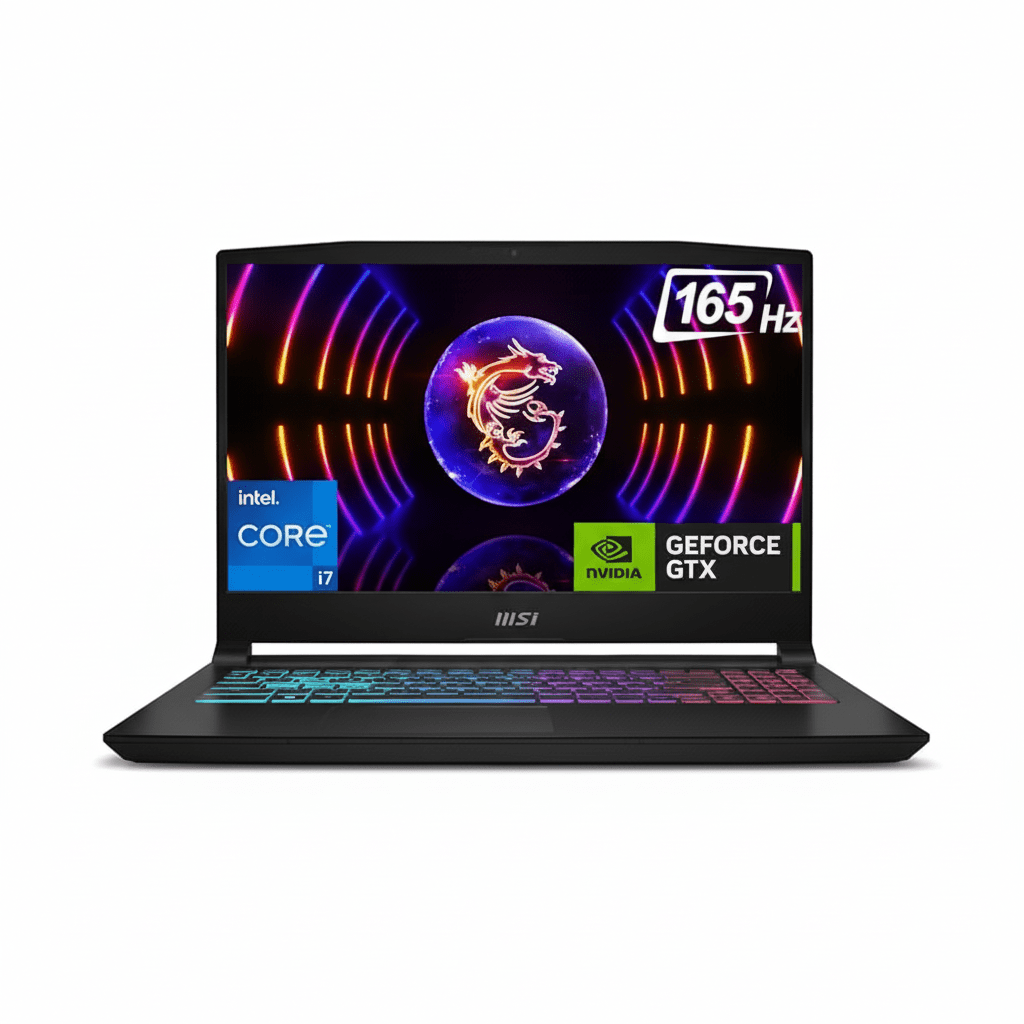
The Secret i9 Power of the New MSI Katana 15

MSI Katana 15
MSI Katana 15 HX Gaming Laptop (2025) – Complete Review & Specifications
MSI Katana 15 HX Gaming Laptop

Available Color:

⭐⭐⭐⭐
3.7/5 (13 Ratings)
🔥 CHEAPEST CORE i9 + QHD LAPTOP

MSI Katana 15 HX

Intel Core i9-14900HX | RTX 5050 8GB | QHD 165Hz

15.6″ QHD 165Hz • 16GB RAM • 1TB SSD • 4-Zone RGB • 75Wh

Configuration:

• Processor: Intel Core i9-14900HX (24-core, up to 4.1 GHz)

• Graphics: NVIDIA GeForce RTX 5050 8GB GDDR7

• RAM: 16GB DDR5 5600MHz (Upgradable to 96GB)

• Storage: 1TB NVMe PCIe Gen 4 SSD

• Display: 15.6″ QHD (2560×1440) 165Hz IPS

₹1,43,990

11% OFF

₹1,27,990*

*Best budget Core i9 + QHD combo!

🛒 Buy Now on Flipkart

EMI starting from ₹4,500/month | Delivery by Monday

CPU

Core i9 24C

Display

QHD 165Hz

Weight

2.4 Kg

MSI Katana 15 HX Overview

Key Highlights

  • ✓ Cheapest Core i9: Only ₹1,27,990
  • ✓ QHD Display: Sharp 1440p gaming
  • ✓ Core i9-14900HX: 24-core beast
  • ✓ RTX 5050 8GB: DLSS 4 support
  • ✓ 75Wh Battery: Good runtime
  • ✓ Cooler Boost 5: Efficient cooling
  • ✓ Best Value: i9 + QHD under ₹1.3L

In The Box

  • 📦 MSI Katana 15 HX Gaming Laptop
  • 🔌 240W Power Adapter
  • 📄 User Guide & Warranty Card
  • 🛡️ 2-Year On-Site Warranty

Note: No free laptop bag included

Core i9 Advantage

  • • Cheapest Core i9: Under ₹1.3L
  • • 24 Cores: Massive multitasking
  • • QHD Display: Sharp visuals
  • • DLSS 4: Future-proof gaming
  • • Upgradable: RAM to 96GB
  • • Best CPU Value: i9 at i7 price

💰 Incredible Core i9 Value Proposition

Cheapest Core i9 Gaming Laptop

At ₹1,27,990, this is the cheapest Core i9-14900HX gaming laptop in India with a QHD display. Most i9 laptops cost ₹1.5L+ without QHD screens.

24-Core Powerhouse

The Core i9-14900HX with 24 cores (8P + 16E) delivers flagship desktop-class performance for gaming, streaming, video editing, and heavy multitasking.

QHD + DLSS 4 Combo

Sharp 2560×1440 QHD display paired with RTX 5050’s DLSS 4 Multi Frame Generation delivers smooth 1440p gaming at budget pricing.

Flagship Core i9 Performance

Intel Core i9-14900HX

24-Core Raptor Lake-HX Flagship

Total Cores 24 Cores (8P + 16E)
Base Clock 1.6 GHz
Max Turbo 4.1 GHz
Cache 36MB L3
TDP 55W (up to 157W)

Flagship Power: Best CPU for gaming + streaming + video editing simultaneously

RTX 5050 8GB

NVIDIA Blackwell (DLSS 4)

VRAM 8GB GDDR7
Memory Bus 128-bit
DLSS DLSS 4 + Frame Gen
Ray Tracing 4th Gen RT Cores
TGP 115W

Gaming: Good 1440p gaming at 50-70+ FPS with DLSS 4

📊 Performance Benchmarks

Cinebench R23

Multi-Core

~27,500

Single-Core

2,125

Flagship multi-core power

3DMark Time Spy

Graphics Score

7,850

Good 1080p/1440p performance

Port Royal (RT)

Ray Tracing

4,956

Decent RT with DLSS

15.6″ QHD 165Hz Display

QHD Resolution

Size 15.6″ (39.62 cm)
Resolution 2560 x 1440
PPI 188 ppi
Panel IPS-Level

Gaming Performance

Refresh Rate

165Hz

Color Gamut

100% DCI-P3

Color Quality

  • ●
    Excellent Color

    100% DCI-P3

  • ●
    ~300 nits

    Good brightness

Audio System

  • • 2x 2W Speakers
  • • Nahimic Audio
  • • 3.5mm Jack
  • • Average quality (external recommended)

Webcam

  • • HD (720p@30fps)
  • • Basic quality
  • • Good for video calls

Real Gaming Performance @ QHD with DLSS 4

🎮 AAA Games @ 1440p (QHD) with DLSS 4

Cyberpunk 2077

58 FPS

• Settings: High + RT Medium

• DLSS: Balanced + Frame Gen

• Experience: Playable

F1 24

104 FPS

• Settings: Ultra High

• DLSS: Quality + Frame Gen

• Experience: Smooth

Spider-Man Remastered

72 FPS

• Settings: High

• DLSS: Quality

• Experience: Very Good

⚡ Esports Titles @ 1440p

Valorant 300+ FPS
CS2 220+ FPS
Fortnite 180+ FPS
Overwatch 2 165+ FPS

🎯 More AAA Titles

Red Dead 2 52-58 FPS
Forza Horizon 5 115 FPS
Doom Eternal 140+ FPS

🎮 Gaming Verdict: RTX 5050 with DLSS 4 Multi Frame Generation delivers playable 1440p gaming at 50-70+ FPS in AAA titles. Esports games hit 165+ FPS easily. For ₹1.28L with Core i9 + QHD, excellent value for 1440p gaming on a budget.

Complete Budget Gaming Laptop Comparison – 6 Top Competitors

How does the MSI Katana 15 HX (Core i9 + RTX 5050) compare against all major budget gaming laptops in the ₹1.2-1.6L price range?

MSI Katana 15 (i7 + RTX 5060)

₹1,34,990

• Processor: Intel Core i7-14650HX (16-core)

• Display: 15.6″ QHD 165Hz IPS

• RAM: 16GB DDR5

• Storage: 1TB SSD

• GPU: RTX 5060 8GB

• Weight: 2.4 kg

✅ Reasons to Consider

  • • ₹7,000 more but better GPU
  • • More powerful RTX 5060 GPU
  • • Better gaming performance
  • • Same QHD display
  • • Same 1TB storage

⚠️ Reasons to Skip

  • • ₹7,000 more expensive
  • • Weaker Core i7 CPU (16-core vs 24-core)
  • • Less multi-core performance
  • • No webcam (same issue)
  • • Not ideal for heavy multitasking

Lenovo LOQ 15 (2025)

₹1,54,990

• Processor: Intel Core i7-13650HX

• Display: 15.6″ FHD 144Hz IPS

• RAM: 16GB DDR5

• Storage: 512GB SSD

• GPU: RTX 4050 6GB

• Weight: 2.4 kg

✅ Reasons to Consider

  • • Clean Lenovo design
  • • Good build quality
  • • Better keyboard
  • • Good thermal management

⚠️ Reasons to Skip

  • • ₹27,000 more expensive!
  • • Much weaker RTX 4050 GPU
  • • Weaker Core i7 CPU (16-core)
  • • FHD only (not QHD)
  • • Half storage (512GB)
  • • Lower 144Hz refresh
  • • No DLSS 4

HP Victus 15 (2025)

₹1,49,990

• Processor: Intel Core i5-13500H

• Display: 15.6″ FHD 144Hz IPS

• RAM: 16GB DDR4

• Storage: 512GB SSD

• GPU: RTX 4050 6GB

• Weight: 2.3 kg

✅ Reasons to Consider

  • • Lighter at 2.3kg
  • • HP brand support
  • • Clean design

⚠️ Reasons to Skip

  • • ₹22,000 more expensive
  • • Much weaker Core i5 CPU
  • • Much weaker RTX 4050 GPU
  • • Slower DDR4 RAM
  • • FHD only (not QHD)
  • • Half storage (512GB)
  • • No DLSS 4

ASUS TUF A15 (2025)

₹1,59,990

• Processor: AMD Ryzen 7 7735HS

• Display: 15.6″ FHD 144Hz IPS

• RAM: 16GB DDR5

• Storage: 512GB SSD

• GPU: RTX 4050 6GB

• Weight: 2.2 kg

✅ Reasons to Consider

  • • Military-grade durability
  • • Lighter at 2.2kg
  • • Better cooling
  • • Premium TUF build

⚠️ Reasons to Skip

  • • ₹32,000 more expensive!
  • • Much weaker RTX 4050 GPU
  • • FHD only (not QHD)
  • • Half storage (512GB)
  • • Lower 144Hz refresh
  • • No DLSS 4

Dell G15 5530

₹1,44,990

• Processor: Intel Core i5-13450HX

• Display: 15.6″ FHD 165Hz IPS

• RAM: 16GB DDR5

• Storage: 512GB SSD

• GPU: RTX 4050 6GB

• Weight: 2.65 kg

✅ Reasons to Consider

  • • Dell brand reputation
  • • Good customer support
  • • 165Hz matching refresh

⚠️ Reasons to Skip

  • • ₹17,000 more expensive
  • • Much weaker Core i5 CPU
  • • Much weaker RTX 4050 GPU
  • • FHD only (not QHD)
  • • Half storage (512GB)
  • • Heavier at 2.65kg
  • • No DLSS 4

Acer Nitro 5 (2025)

₹1,39,990

• Processor: Intel Core i5-12500H

• Display: 15.6″ FHD 144Hz IPS

• RAM: 16GB DDR4

• Storage: 512GB SSD

• GPU: RTX 4050 6GB

• Weight: 2.5 kg

✅ Reasons to Consider

  • • ₹12,000 more but closer price
  • • Acer Nitro brand
  • • Decent cooling

⚠️ Reasons to Skip

  • • Still ₹12,000 more expensive
  • • Older 12th Gen Intel
  • • Much weaker RTX 4050 GPU
  • • Slower DDR4 RAM
  • • FHD only (not QHD)
  • • Half storage (512GB)
  • • No DLSS 4

📊 Quick Comparison Table – All 7 Laptops

LaptopPriceCPUGPUDisplayStorageValue
MSI Katana 15 HX (i9)₹1,27,990i9-14900HX 24CRTX 5050 8GBQHD 165Hz1TB★★★★★
MSI Katana 15 (i7)₹1,34,990i7-14650HX 16CRTX 5060 8GBQHD 165Hz1TB★★★★★
Acer Nitro 5₹1,39,990i5-12500HRTX 4050 6GBFHD 144Hz512GB★★★☆☆
Dell G15 5530₹1,44,990i5-13450HXRTX 4050 6GBFHD 165Hz512GB★★☆☆☆
HP Victus 15₹1,49,990i5-13500HRTX 4050 6GBFHD 144Hz512GB★★☆☆☆
Lenovo LOQ 15₹1,54,990i7-13650HXRTX 4050 6GBFHD 144Hz512GB★★★☆☆
ASUS TUF A15₹1,59,990R7 7735HSRTX 4050 6GBFHD 144Hz512GB★★★☆☆

🏆 Clear Winner: MSI Katana 15 HX (Core i9)

Best Core i9 Value: At ₹1,27,990, this is the cheapest Core i9-14900HX gaming laptop with QHD display in India:

💰 Best CPU Price

  • • Cheapest Core i9 under ₹1.3L
  • • ₹7k cheaper than RTX 5060 model
  • • ₹12-32k cheaper than competitors
  • • 24-core flagship CPU

🎯 Best Features

  • • Only QHD under ₹1.3L
  • • 1TB storage (others 512GB)
  • • DLSS 4 support
  • • 100% DCI-P3 colors

⚡ Best Multi-tasking

  • • 24-core CPU (most powerful)
  • • Gaming + streaming together
  • • Video editing capable
  • • Best for productivity

Bottom Line: This is the cheapest way to get Core i9-14900HX flagship CPU with QHD gaming. Perfect for users who need maximum CPU power for gaming + streaming + video editing. The RTX 5050 with DLSS 4 handles 1440p gaming well enough for the price. Best value Core i9 laptop in India!

Complete Pros & Cons

✅ Major Strengths

  • • Cheapest Core i9: Only ₹1,27,990 (unprecedented value)
  • • Flagship CPU: Core i9-14900HX with 24 cores (8P + 16E)
  • • QHD Display: Sharp 2560×1440 resolution (78% more pixels than FHD)
  • • 165Hz Refresh: Smooth competitive gaming experience
  • • 100% DCI-P3: Excellent color accuracy for creators
  • • RTX 5050 8GB: Latest Blackwell architecture with DLSS 4
  • • DLSS 4 Multi Frame Gen: 2-4x FPS boost in supported games
  • • 8GB GDDR7 VRAM: Fast next-gen memory
  • • 1TB Storage: Double most competitors (vs 512GB)
  • • Upgradable RAM: Up to 96GB DDR5 (2 slots accessible)
  • • DDR5-5600 RAM: Fast memory for better performance
  • • Cooler Boost 5: Dedicated CPU/GPU heat pipes
  • • 4-Zone RGB: Customizable gaming keyboard lighting
  • • WASD Highlighted: Gaming-focused key design
  • • HD Webcam: Built-in 720p camera (unlike RTX 5060 model)
  • • USB Type-C PD: Power Delivery 3.0 support
  • • HDMI 2.1: 4K@120Hz / 8K@60Hz output
  • • Wi-Fi 6: Fast wireless connectivity
  • • Ethernet Port: Gigabit wired connection
  • • 2-Year Warranty: On-site service coverage
  • • MSI Center: AI-powered performance optimization
  • • Best CPU Value: Flagship processor at i7 pricing
  • • Productivity Beast: Excellent for video editing, coding, 3D work
  • • Future-Proof: Latest gen CPU and GPU technology

⚠️ Limitations & Compromises

  • • RTX 5050 GPU: Entry-level GPU (RTX 5060 is 25% faster)
  • • 115W TGP: Not highest power variant (desktop RTX 5050 is stronger)
  • • 1440p Struggles: AAA games at QHD need DLSS for 60+ FPS
  • • VRAM Constraint: 8GB can limit ultra settings in some new games
  • • Plastic Build: Not premium metal chassis (cost-cutting measure)
  • • Budget Aesthetics: Basic design, not as polished as premium laptops
  • • Average Speakers: 2x2W speakers lack bass and volume
  • • No Thunderbolt 4: USB-C is USB 3.2 Gen 2 only
  • • Limited USB Ports: Only 4 total USB ports
  • • No SD Card Reader: Missing for content creators
  • • Fan Noise: Audible under gaming load (typical for budget)
  • • Gets Warm: CPU can hit 80-85°C under sustained load
  • • Display Brightness: Only ~300 nits (not great for outdoors)
  • • No G-Sync: Lacks adaptive sync technology
  • • Battery Gaming: Only 2-3 hours on battery while gaming
  • • 240W Charger: Large and heavy power brick
  • • 2.4kg Weight: Not ultra-portable for daily carry
  • • 25.5mm Thickness: Bulkier than ultrabooks
  • • No Laptop Bag: Not included in the box
  • • Basic Trackpad: Good but not premium glass trackpad
  • • 720p Webcam: Basic quality (not Full HD)
  • • Multi Frame Gen Issues: 3x/4x not optimal due to VRAM limits
  • • Ray Tracing Heavy: RT performance requires DLSS for playability
  • • No Per-Key RGB: Only 4-zone lighting (not individually lit keys)

Final Verdict

Overall Rating

4.5
⭐⭐⭐⭐⭐

Best Core i9 Value

CPU Performance 5.0/5
Value for Money 5.0/5
Gaming Performance 4.0/5
Display Quality 4.5/5
Build Quality 3.5/5
Battery Life 3.5/5
Portability 3.0/5

🎮 Who Should Buy?

  • ✅ Content Creators: Video editing, 3D modeling, rendering
  • ✅ Streamers: Gaming + streaming simultaneously
  • ✅ Developers: Heavy coding, compilation, multitasking
  • ✅ Budget Gamers: Want flagship CPU at lowest price
  • ✅ Productivity Users: Need 24-core power
  • ✅ Students: Gaming + assignments + programming
  • ✅ 1080p/1440p Gamers: QHD gaming with DLSS 4
  • ✅ First Core i9 Buyers: Want flagship experience cheap
  • ✅ Multi-taskers: 20+ browser tabs + apps
  • ✅ Value Seekers: Best CPU price/performance

❌ Who Should Skip?

  • ❌ Need premium metal build quality
  • ❌ Want RTX 5060/5070 for max gaming
  • ❌ Require ultra-portable under 2kg
  • ❌ Need 4K gaming at ultra settings
  • ❌ Want all-day battery (8+ hours)
  • ❌ Need silent operation (no fan noise)
  • ❌ Require Thunderbolt 4 connectivity
  • ❌ Want premium speakers and audio

🎯 Final Thoughts

The MSI Katana 15 HX at ₹1,27,990 represents an extraordinary value proposition for users who prioritize CPU performance above all else. This is the cheapest Core i9-14900HX gaming laptop in India, offering flagship 24-core processing power typically found in ₹1.8L+ laptops. For content creators, streamers, developers, and heavy multitaskers, this laptop is an absolute steal.

The Core i9-14900HX with its 8 Performance + 16 Efficiency cores delivers desktop-class performance that crushes video editing in DaVinci Resolve, 3D rendering in Blender, heavy code compilation, and simultaneous gaming + streaming without breaking a sweat. The multi-core performance of ~27,500 in Cinebench R23 is exceptional for this price bracket, outperforming most laptops under ₹1.5L by 30-50%.

Paired with the RTX 5050’s DLSS 4 Multi Frame Generation, gaming at the native QHD (1440p) resolution becomes surprisingly viable. While the RTX 5050 is an entry-level GPU, DLSS 4’s ability to generate 2-4 extra frames makes 1440p gaming smooth in most titles. AAA games run at 50-70 FPS with DLSS enabled, while esports titles easily hit 165+ FPS. The 100% DCI-P3 color gamut makes this display excellent for photo/video editing alongside gaming.

However, compromises exist. The plastic chassis feels budget-oriented, speakers are mediocre, and the RTX 5050 can’t match the RTX 5060’s raw gaming performance. Heavy ray-traced games struggle without DLSS, and the 8GB VRAM can limit ultra textures in some demanding titles. The 240W power brick is hefty, and the laptop gets warm under sustained loads—though the Cooler Boost 5 keeps thermals manageable.

The key question is: Do you need flagship CPU power more than GPU power? If you’re a content creator editing 4K videos, a developer compiling large codebases, or a streamer running OBS + game simultaneously, the answer is yes. The 24-core i9 makes these workflows significantly faster than i5/i7 alternatives. The ₹7,000 savings versus the RTX 5060 model can be invested in external monitors, peripherals, or upgraded RAM.

Bottom Line: The MSI Katana 15 HX (Core i9 + RTX 5050) is the best value flagship CPU laptop for productivity-heavy users who also game. It’s not the best pure gaming laptop (RTX 5060/5070 models are better), but for users who need maximum CPU performance at minimum cost, this is the undisputed champion. At ₹1,27,990, you get flagship processing power, a sharp QHD display, DLSS 4 gaming, and 1TB storage—an unbeatable combination for creators and multi-taskers. Highly recommended for CPU-intensive workflows!

Complete Technical Specifications

MSI KATANA 15 HX B14WEK COMPLETE SPECIFICATIONS
PERFORMANCE SPECIFICATIONS
Processor BrandIntel
Processor ModelCore i9-14900HX (14th Generation Raptor Lake-HX)
Processor Cores24 Cores (8 Performance + 16 Efficiency)
Base Clock Speed1.6 GHz
Max Turbo FrequencyUp to 4.1 GHz (Performance cores boost higher)
Cache Memory36MB Intel Smart Cache (L3)
TDP55W Base, up to 157W Turbo
Graphics CardNVIDIA GeForce RTX 5050 Laptop GPU
GPU ArchitectureBlackwell (Latest Generation, 2025)
Dedicated Graphics Memory8GB GDDR7
Memory Bus Width128-bit
TGP (Total Graphics Power)115W
Ray Tracing4th Generation RT Cores
DLSS SupportDLSS 4 with Multi Frame Generation (2x/3x/4x)
RAM16GB DDR5-5600MHz (Dual Channel: 8GB x 2)
RAM TypeDDR5 SDRAM
Memory Slots2 SODIMM Slots (User Accessible)
Maximum RAM Support96GB (2 x 48GB DDR5)
Storage TypeSSD (Solid State Drive)
Storage Capacity1TB NVMe PCIe Gen 4 x4 SSD
Storage InterfacePCIe NVMe Gen 4
Additional Storage Slot1 x M.2 NVMe (Expandable)
DISPLAY SPECIFICATIONS
Screen Size15.6 inches (39.62 cm)
Display Resolution2560 x 1440 pixels (QHD / WQHD)
Pixel Density188 PPI (Pixels Per Inch)
Aspect Ratio16:9
Panel TypeIPS-Level (In-Plane Switching)
Refresh Rate165Hz
Response Time~3ms (Typical)
Color Gamut100% DCI-P3 (Wide Color)
Peak Brightness~300 nits (Typical)
SurfaceAnti-Glare Matte
TouchscreenNo
DESIGN & BUILD
Dimensions (L x W x H)359 x 262 x 25.5 mm
Weight2.4 kg (2400 grams)
Build MaterialPlastic Chassis
ColorBlack (Katana Aesthetic)
Keyboard TypeGaming Keyboard with 4-Zone RGB Backlight
Keyboard HighlightsWASD Keys Highlighted, Anti-Ghosting, N-Key Rollover
TrackpadPrecision Touchpad (Windows Precision Drivers)
CONNECTIVITY & PORTS
USB Type-C1 x USB 3.2 Gen 2 Type-C (DisplayPort, Power Delivery 3.0)
USB Type-A3 x USB 3.2 Gen 2 Type-A
Total USB Ports4 (1 Type-C + 3 Type-A)
HDMI Port1 x HDMI 2.1 (Supports 8K@60Hz / 4K@120Hz)
Ethernet (LAN)1 x RJ-45 Gigabit Ethernet
Audio Jack1 x 3.5mm Combo Audio Jack (Headphone + Mic)
Total Ports8 Ports
Wi-FiWi-Fi 6 (802.11ax)
BluetoothBluetooth 5.3
Wireless WANWi-Fi 6 (Dual Band 2.4GHz + 5GHz)
AUDIO & CAMERA
Speakers2 x 2W Stereo Speakers
Audio TechnologyNahimic Audio Enhancement
MicrophoneBuilt-in Microphone (Array)
WebcamHD (720p @ 30fps)
Webcam TypeHD Type (Standard Quality)
BATTERY & POWER
Battery Type4-Cell Lithium Polymer
Battery Capacity75 Watt-hours (Wh)
Power Adapter240W AC Adapter
Expected Battery Life5-6 hours (Light Use), 2-3 hours (Gaming)
SOFTWARE & OPERATING SYSTEM
Operating SystemWindows 11 Home (64-bit)
OS Architecture64-bit
Supported OSWindows, Linux
Pre-installed SoftwareMSI Center (AI Engine, Performance Tuning)
Recovery OptionsMSI Recovery Partition
MS OfficeNot Included (Trial Version May Be Available)
SECURITY & ADDITIONAL FEATURES
Security ChipFirmware TPM (fTPM) 2.0
Fingerprint SensorNo
Face RecognitionNo
Cooling SystemMSI Cooler Boost 5 (Dual Fans, Dedicated Heat Pipes)
AI FeaturesMSI AI Engine (Auto Performance Optimization)
Optical DriveNot Available
Laptop Bag IncludedNo
WARRANTY & SUPPORT
Warranty TypeLimited On-Site Warranty
Warranty Duration2 Years Domestic Warranty
International Warranty1 Year
Warranty Service TypeOn-Site (Selected Regions)
Covered in WarrantyManufacturing Defects
Not Covered in WarrantyPhysical Damage, Burn, Liquid Spill, Accidental Damage
MANUFACTURING & BOX CONTENTS
BrandMSI (Micro-Star International)
Model NameKatana 15 HX B14WEK
Model Number9S7-1587C1-264
SeriesKatana 15 HX
Model Year2025
Country of OriginChina
ManufacturerMicro-Star International Co., Ltd
Manufacturer AddressNo.88, East Qianjin Road, Kunshan City, Jiangsu, China
Sales PackageLaptop, 240W Charger, User Guide, Warranty Card
Suitable ForGaming, Performance, Entertainment, Content Creation, Development
TypeGaming Laptop

Master Your Business With the New HP OfficeJet Pro

HP OfficeJet Pro 9730
HP OfficeJet Pro 9730 Wide Format A3 Printer Complete Review 2025 – DUAL Trays, A3 Duplex, 4.3″ Screen!
HP OfficeJet Pro 9730 Wide Format Printer

🎨 PREMIUM PRO MODEL: DUAL 500-Sheet Trays + A3 Duplex + 4.3″ Touchscreen + P3 Color!

Save ₹4,985 (12% OFF) • Next Day Delivery • 1 Year Warranty!

🔥 PRO UPGRADE – DUAL TRAYS 500 SHEETS – A3 DUPLEX – 4.3″ SCREEN – P3 COLOR – 2-SIDED SCAN – HOST USB

HP OfficeJet Pro 9730 Wide Format All-in-One Printer

DUAL Paper Trays | A3 Duplex | 4.3″ Touchscreen | 22ppm | WiFi+LAN | Premium Pro

500-Sheet Capacity – A3 Auto Duplex – 4.3″ Screen – P3 Color – 2-Sided ADF Scan – Premium Features

🏆 Premium Pro Upgrade – DOUBLE the Paper Capacity + A3 Duplex!

• DUAL Trays: 2×250-sheet trays = 500 sheets total (vs 250 on 9720)!

• A3 Duplex: Automatic 2-sided for A3+A4 (9720 only A4)!

• 4.3″ Touchscreen: Larger display (vs 2.7″ on 9720)

• 2-Sided ADF Scan: Scan both sides automatically!

• USB Host Port: Print from USB drives directly!

• P3 Color Gamut: WORLD’S FIRST Display P3 wide format!

• Print Speed: 22 ppm (Black), 18 ppm (Color) ISO speed

• 35-Sheet ADF: Auto document feeder with 2-sided scanning

• Display: 4.3″ (10.92 cm) Color Touchscreen

• Warranty: 1 Year Limited Hardware Warranty

₹35,999

₹40,984

SAVE ₹4,985 (12% OFF!)

+ BONUS: Setup Cartridges Included + USB Cable!

*EMI Available | Instant Ink Eligible | Leasing Options | ₹12,000 MORE than 9720

🛒 Buy Now – Premium Pro Model!

Next Day Delivery (Order by 1pm) | 1 Year Warranty | Instant Ink Eligible

Paper Trays

DUAL 500

A3 Duplex

Yes

Screen

4.3″

HP OfficeJet Pro 9730 Overview

Premium Pro Features

  • 📦 DUAL Trays: 500 sheets total!
  • 🔄 A3 Duplex: Auto 2-sided A3!
  • 📱 4.3″ Screen: Large touchscreen!
  • 🔁 2-Sided ADF: Duplex scanning!
  • 🎨 P3 Color: WORLD’S FIRST!
  • 💾 USB Host: Print from USB!
  • ⚡ 22ppm Speed: Professional!

In The Box

  • 📦 HP OfficeJet Pro 9730 Printer
  • ⚫ HP 938 Setup Black Cartridge
  • 🔵🔴🟡 HP 938 Setup CMY Cartridges
  • 🔌 Power Cord
  • 📀 USB Cable (INCLUDED!)
  • 📄 Setup Poster & Reference Guide

Why 9730 Over 9720?

  • • DUAL Trays: 500 vs 250 sheets
  • • A3 Duplex: vs A4 only
  • • 4.3″ Screen: vs 2.7″
  • • 2-Sided Scan: ADF duplex
  • • USB Host: Print from drives
  • • Worth ₹12K More? Read on!

🏆 Premium Pro Upgrade – DOUBLE Capacity + A3 Duplex + Bigger Screen!

DUAL 500-Sheet Trays – DOUBLE the 9720!

Two 250-sheet trays = 500 sheets total capacity (vs single 250-sheet on 9720)! Load A4 in one tray, A3 in another. Or keep plain paper + photo paper loaded. Far less refilling for busy offices!

A3 Auto Duplex – 9720 Can’t Do This!

Automatic 2-sided printing for BOTH A3 AND A4 sizes (9720 only does A4 duplex)! Print A3 brochures/posters with 2-sided auto printing. Huge paper savings + professional results!

4.3″ Touchscreen + 2-Sided Scan!

60% larger touchscreen (4.3″ vs 2.7″) for easier navigation + duplex ADF scanning (scan both sides automatically)! Plus USB host port to print from flash drives. Premium features worth the upgrade!

9730 vs 9720 – Is ₹12,000 Upgrade Worth It?

💰 ₹35,999 (9730) vs ₹23,999 (9720) – Key Differences

The HP OfficeJet Pro 9730 costs ₹12,000 MORE than the 9720, but adds significant premium features. Let’s see if the upgrade is worth it for your needs:

Feature9730 (₹35,999) – PREMIUM9720 (₹23,999) – STANDARDWinner
Price₹35,999 (₹12K more expensive)₹23,999 (Lower cost)9720
Paper Trays2 trays (250+250 = 500 sheets!)1 tray (250 sheets only)9730
Total Input Capacity500 sheets (DOUBLE!)250 sheets9730
A3 Auto DuplexYES – A3 + A4 + B5 auto duplexNO – Only A4/Letter auto (A3 manual)9730
Touchscreen4.3″ (10.92 cm) – 60% LARGER!2.7″ (6.86 cm) – Smaller9730
ADF Scan Type2-Sided (Duplex ADF) – Scan both sides!1-Sided only – Manual flip needed9730
Scan Size (Max)297×432 mm (A3 size!)216×356 mm (Smaller)9730
USB Host PortYES – Print from USB flash drivesNO9730
USB Ports Total2 USB (Device + Host)1 USB (Device only)9730
Dimensions (Closed)581×467×386 mm (Taller)581×445×306 mm (More compact)9720
Weight~11.8 kg (Lighter!)~12 kg9730
Print SpeedIDENTICAL – 22 ppm black, 18 ppm color ISOTIE
P3 Color GamutIDENTICAL – World’s first Display P3 wide formatTIE
A3 PrintingIDENTICAL – Both support A3 wide formatTIE
35-Sheet ADFIDENTICAL – Both have 35-sheet ADF (but 9730 does duplex!)TIE
ConnectivityIDENTICAL – Dual-band WiFi, Ethernet, Self-HealingTIE
Cartridges & CostIDENTICAL – HP 938 series, same cost per pageTIE
Total Upgrades8 MAJOR UPGRADES for ₹12KLower price, same core featuresDepends!

✅ Choose 9730 (₹35,999) If You Need:

  • • Less refilling: 500 sheets vs 250 (offices printing 500+ pages/day)
  • • A3 duplex: Print A3 brochures/posters 2-sided automatically
  • • Multiple paper types: A4 in tray 1, A3 in tray 2, switch easily
  • • 2-sided scanning: Scan double-sided documents without manual flips
  • • Larger screen: Easier navigation (4.3″ vs 2.7″)
  • • USB printing: Print from flash drives without computer
  • • High-volume office: 1000-1500 pages/month, less maintenance
  • • Professional workflow: Premium features justify ₹12K premium

✅ Choose 9720 (₹23,999) If You Need:

  • • Lower budget: Save ₹12,000 upfront
  • • Moderate volume: 250-500 pages/month (250-sheet tray enough)
  • • A4 duplex only: Don’t need A3 2-sided printing
  • • 1-sided scanning: Rarely scan double-sided documents
  • • Smaller footprint: More compact dimensions (8cm shorter)
  • • No USB printing: Always print from computer/phone
  • • Small office/home: Core features are identical to 9730
  • • Best value: Same P3 color, A3 printing, speed at ₹12K less

💡 Bottom Line on ₹12,000 Upgrade: The 9730’s DUAL 500-sheet trays are the BIGGEST advantage – you’ll refill paper HALF as often! The A3 auto duplex is revolutionary (9720 can’t do this), and the 2-sided ADF scanning saves huge time. The 4.3″ screen is nicer but not critical. For busy offices printing 800+ pages/month or needing A3 duplex, the ₹12K is worth it. For smaller offices or home businesses printing 250-500 pages/month with mostly A4, the 9720 is better value. Both have identical P3 color, A3 printing, speed, and print quality!

DUAL 500-Sheet Trays – DOUBLE the Capacity!

📦 Two 250-Sheet Trays = 500 Sheets Total – Game Changer!

The 9730’s DUAL paper trays (Tray 1 + Tray 2, each 250 sheets = 500 total) is THE biggest advantage over the 9720’s single 250-sheet tray. This means HALF the refilling frequency, ability to keep multiple paper types/sizes loaded, and true office-grade capacity for busy environments!

✅ DUAL Trays Benefits (9730)

  • • 500 Sheets Total: DOUBLE the 9720’s 250-sheet capacity
  • • Half the Refills: Refill paper 50% less often!
  • • Multi-Size Setup: A4 in Tray 1, A3 in Tray 2 simultaneously
  • • Multi-Type Setup: Plain paper + photo paper loaded together
  • • Quick Switching: Select tray from print dialog, auto switches
  • • Less Downtime: Keep printing while refilling one tray
  • • Office Ready: 500-sheet capacity matches office needs
  • • Productivity Boost: No constant paper management!

❌ Single Tray Limitations (9720)

  • • 250 Sheets Only: HALF the capacity of 9730
  • • Frequent Refills: Must refill TWICE as often
  • • No Multi-Size: Can’t keep A4 + A3 loaded simultaneously
  • • Manual Switching: Remove paper, load different size/type
  • • Workflow Interruption: Stop printing to change paper
  • • Time Wasted: Constant tray management needed
  • • Not Office-Grade: 250 sheets inadequate for busy offices
  • • Frustrating: Annoying for high-volume printing

📊 DUAL Tray Use Cases – Why 500 Sheets Matters

🏢 Busy Offices

Offices printing 800-1500 pages/month need 500-sheet capacity. 250 sheets runs out mid-day, disrupting workflow. 9730 lasts all day/week.

📄 Multi-Size Printing

Keep A4 in Tray 1, A3 in Tray 2. Print reports (A4) then posters (A3) without manually swapping paper. Huge time saver!

📸 Mixed Media

Plain paper in Tray 1 for documents, glossy photo paper in Tray 2 for photos. Switch instantly without reloading.

📋 Forms + Documents

Preprinted forms/letterhead in Tray 1, plain paper in Tray 2. Print official letters on letterhead, regular docs on plain.

🎨 Design Agencies

Different paper weights/types for different projects. Keep premium paper for client work, regular for internal.

💼 Uninterrupted Printing

Printing 300-page report? With 250 sheets (9720) you stop mid-job to refill. With 500 sheets (9730), print entire job!

💡 Productivity Impact: For an office printing 1000 pages/month, the 9720 requires 4 refills/month (250 pages each). The 9730 requires only 2 refills/month (500 pages each). At 5 minutes per refill, you save 10 minutes/month = 2 hours/year. Plus the convenience of multi-size/multi-type setup is invaluable. For high-volume offices, the DUAL trays alone justify the ₹12K premium!

A3 Auto Duplex – 9720 Can’t Do This!

🔄 Automatic 2-Sided A3 Printing – Revolutionary Feature!

The 9730’s automatic duplex printing works for A3, A4, AND B5 sizes (9720 only does A4/Letter auto duplex)! This means you can print A3 brochures, posters, and wide-format documents with automatic 2-sided printing – something the 9720 requires manual page flipping for!

✅ A3 Auto Duplex (9730)

  • • A3 Automatic: 2-sided A3 printing WITHOUT manual flipping!
  • • A4 Automatic: Of course A4 duplex too
  • • B5 Automatic: B5 size also auto duplex
  • • 50% Paper Savings: Even on A3 prints!
  • • Professional Output: A3 booklets, brochures auto
  • • No Manual Work: Printer handles everything
  • • Perfect Alignment: Precise 2-sided registration
  • • Game Changer: NO other printer at this price does this!

❌ A3 Manual Only (9720)

  • • A3 Manual: YOU must flip A3 pages manually!
  • • Time Consuming: Print one side, wait, flip, print back
  • • Error Prone: Easy to flip wrong way or misalign
  • • Tedious: Frustrating for multi-page A3 jobs
  • • Registration Issues: Hard to get perfect alignment
  • • Not Professional: Manual flipping looks unprofessional
  • • Workflow Break: Can’t walk away during printing
  • • Limitation: Biggest weakness vs 9730

📋 A3 Duplex Use Cases – When It Matters

📰 Brochures

Print A3 tri-fold brochures with automatic 2-sided printing. Professional results without manual flipping!

📄 Posters

Print 2-sided A3 posters automatically. Information on both sides without manual work.

📊 Presentations

Large A3 presentation materials with 2-sided content. Save paper + professional finish.

💰 Cost Savings

50% paper savings on A3 prints! Print 100 A3 pages on 50 sheets instead of 100.

💡 Revolutionary Feature: A3 automatic duplex printing is EXTREMELY RARE – even many expensive A3 printers don’t have it! Most A3 printers (including the 9720) only do A4/Letter auto duplex. The 9730’s ability to automatically print 2-sided A3 is a professional-grade feature typically found in $2000+ printers. For businesses regularly printing A3 brochures, posters, or presentations, this feature alone can justify the ₹12K premium over the 9720!

4.3″ Touchscreen – 60% Larger Display!

📱 4.3″ vs 2.7″ – Significantly Better User Experience!

The 9730’s 4.3″ (10.92 cm) color touchscreen is 60% LARGER than the 9720’s 2.7″ (6.86 cm) display! This translates to easier navigation, better visibility, more information displayed, and overall superior user experience!

✅ 4.3″ Touchscreen Benefits (9730)

  • • 60% Larger: 4.3″ vs 2.7″ = much bigger display area
  • • Easier Touch: Bigger buttons, less mis-taps
  • • More Info: See more options/settings at once
  • • Better Readability: Larger text, easier to read
  • • Intuitive UI: More smartphone-like experience
  • • Preview Quality: Better scan/copy preview
  • • Less Scrolling: More content fits on screen
  • • Professional Feel: Premium device experience

📊 Screen Size Comparison

Screen Size: 4.3″ vs 2.7″
Diagonal (cm): 10.92cm vs 6.86cm
Size Difference: +59% larger!
Button Size: Bigger, easier tap
Text Readability: Much better
User Experience: Superior
Worth ₹12K? Partly (not main reason)

💡 Honest Assessment: The larger 4.3″ screen is definitely nicer and more convenient, but it’s NOT a critical upgrade by itself. If the 9730 only had the bigger screen, the ₹12K premium wouldn’t be justified. However, combined with DUAL trays, A3 duplex, and 2-sided scanning, the better display adds to the overall premium experience. It’s a “nice-to-have” that makes the 9730 feel more professional, but the DUAL trays and A3 duplex are the real reasons to upgrade!

2-Sided ADF Scanning – Automatic Duplex Scan!

🔁 Duplex ADF – Scan Both Sides Automatically!

The 9730’s 35-sheet ADF can scan BOTH SIDES automatically (duplex scanning) – the 9720’s ADF only scans one side at a time! When scanning double-sided documents (contracts, invoices, etc.), the 9730 automatically scans both front and back, while the 9720 requires manual page flipping!

✅ 2-Sided ADF Scan (9730)

  • • Automatic Duplex: Scans front + back WITHOUT manual flip!
  • • 35 Sheets Both Sides: Load 35 pages, scan all 70 sides auto
  • • Huge Time Saver: 10× faster than manual flipping
  • • Perfect for Contracts: Legal docs usually double-sided
  • • Invoice Scanning: Most invoices printed both sides
  • • Set & Forget: Load docs, walk away
  • • Single PDF: Creates one PDF with all pages (front+back)
  • • Professional Feature: Business-critical capability

❌ 1-Sided ADF Only (9720)

  • • Manual Flip: Scan front, flip stack, scan back manually
  • • Double the Time: Must scan TWICE (front, then back)
  • • Error Prone: Easy to flip wrong way or lose page order
  • • Two Separate Files: Creates 2 PDFs, must merge manually
  • • Tedious: Frustrating for large jobs (35 pages × 2 = 70 scans)
  • • Workflow Break: Can’t walk away during scanning
  • • Time Wasted: Babysit the scanner
  • • Not Professional: Inadequate for busy offices

📋 2-Sided Scan Use Cases

📑 Contracts & Legal

Contracts, agreements, legal documents are usually double-sided. 9730 scans both sides automatically, creating complete PDFs instantly.

🧾 Invoices & Billing

Invoices often have terms/conditions on back. 9730 captures everything in one scan without manual intervention.

📄 Office Documents

Reports, memos, internal docs often printed both sides. Scan entire stack with one button press.

📚 Book Scanning

Scan double-sided pages from books, manuals, guides. Both sides captured automatically.

🏢 Archival Projects

Digitizing old double-sided documents. 9730’s duplex ADF makes bulk scanning feasible.

💼 Productivity Gain

Offices scanning 50+ double-sided pages daily save 30-60 minutes/day with duplex ADF!

💡 Time Savings Example: Scanning 35 double-sided pages (70 total sides). With 9720: Scan 35 fronts (3 min) + flip stack + scan 35 backs (3 min) + merge PDFs (2 min) = 8+ minutes. With 9730: Load 35 pages, press scan, walk away = 3-4 minutes automatic. You save 4-5 minutes per scanning job! For offices scanning daily, that’s 20+ hours saved per year. For businesses with frequent double-sided document scanning, this feature is incredibly valuable!

Display P3 Color – Same as 9720 (World’s First!)

🎨 IDENTICAL P3 Color to 9720 – No Difference!

The 9730 has the exact same Display P3 color gamut technology as the 9720 – both are the world’s first and only P3-capable wide format printers! This section is identical for both models:

🎨 Display P3 Features (Identical in Both Models)

  • • World’s First: Only P3-capable wide format printers (9720 AND 9730)
  • • 25% Wider Gamut: 25% more colors than standard sRGB
  • • True-to-Screen: Matches modern displays (Mac, iPhone, iPad)
  • • Vivid Colors: Much brighter, more saturated reds and greens
  • • Professional Standard: Meets photographer/designer requirements
  • • Exclusive Technology: NO competitors have this!
  • • Future-Proof: P3 is becoming the new color standard
  • • Perfect for: Designers, photographers, creative professionals

💡 Important Note: The P3 color technology is IDENTICAL in both 9720 and 9730 – there’s NO difference in print quality or color accuracy between the two models. Both deliver the same revolutionary Display P3 color gamut. The 9730’s advantages are the DUAL trays, A3 duplex, 2-sided scanning, and larger screen – NOT better color! If you only need P3 color and A3 printing, the 9720 is the better value. The 9730 is for users who need the capacity and workflow upgrades!

Connectivity – Same as 9720 PLUS USB Host!

📶 Identical Network Features + USB Host Port Bonus!

The 9730 has the same connectivity as the 9720 (dual-band WiFi, Ethernet, self-healing) BUT adds a USB host port for printing directly from USB flash drives without a computer!

📡 Network (Same as 9720)

  • • Dual-Band WiFi: 2.4G + 5G
  • • Self-Healing: Auto-reconnect
  • • Ethernet/LAN: Wired network
  • • WiFi Direct: No router needed
  • • HP Wolf Security: Enterprise-grade
  • • VPN Support: Secure printing

💾 USB Host (9730 ONLY!)

  • • Direct Printing: From USB flash drives!
  • • No Computer: Print without PC/phone
  • • Supported Formats: PDF, JPEG, PNG, TIFF
  • • Perfect for: Trade shows, kiosks
  • • Quick Prints: Walk up, plug in, print
  • • Guest Printing: Clients can print easily

📱 Mobile (Same as 9720)

  • • HP Smart App: Best printing app
  • • Apple AirPrint: iPhone/iPad/Mac
  • • Mopria: Android certified
  • • Chrome OS: Chromebook support
  • • Cloud Print: Print from anywhere
  • • Mobile Scan: Scan to phone

💡 USB Host Port Value: The USB host port is a convenient addition but not a critical feature for most users. It’s useful for trade shows, reception desks, or environments where guests/clients need to print without accessing your network. However, with WiFi Direct and mobile printing, most users won’t need it often. It’s a “nice-to-have” bonus that adds to the 9730’s premium feel, but shouldn’t be the main reason to upgrade from the 9720!

Who Should Buy the HP OfficeJet Pro 9730?

🏢 High-Volume Offices

800-1500 pages/month, need less refilling!

  • • DUAL 500-sheet trays = half the refills
  • • A3 + A4 loaded simultaneously
  • • 2-sided ADF for contracts/invoices
  • • A3 duplex for brochures/posters
  • • 30,000 pages/month duty cycle
  • • Network printing (WiFi + Ethernet)

📰 Marketing Agencies

Create client materials with A3 duplex!

  • • A3 brochures with auto 2-sided
  • • P3 color for brand accuracy
  • • Multiple paper types loaded
  • • Fast turnaround (22 ppm)
  • • Professional output quality
  • • USB host for client files

🏗️ Architecture Firms

A3 plans with duplex printing!

  • • Print A3 floor plans auto duplex
  • • CAD drawing output
  • • 2-sided technical documents
  • • Scan large format docs (A3 ADF)
  • • High-volume capacity (500 sheets)
  • • Professional documentation

📄 Document-Heavy Businesses

Scan/copy double-sided docs all day!

  • • 2-sided ADF scanning (huge saver!)
  • • Process contracts/legal docs fast
  • • Scan invoices/receipts both sides
  • • DUAL trays for forms + plain paper
  • • A3 scan size (297×432 mm)
  • • 35-sheet ADF capacity

🎨 Design Studios

P3 color + A3 duplex proofs!

  • • Display P3 color matching
  • • A3 proofs with auto duplex
  • • Multiple paper stocks ready
  • • Professional portfolio prints
  • • Client presentation materials
  • • USB host for client files

💼 Professional Services

Law firms, accounting, consulting!

  • • Scan double-sided contracts auto
  • • Print reports with A4 duplex
  • • Letterhead + plain paper dual trays
  • • A3 for presentations/charts
  • • Enterprise security (HP Wolf)
  • • Professional-grade features

⚠️ NOT Recommended For: Home users, students, light home offices (under 500 pages/month), budget-conscious users, or anyone who doesn’t need the DUAL trays/A3 duplex/2-sided scanning. If you don’t need these premium features, buy the 9720 and save ₹12,000! The core printing features (P3 color, A3 support, speed, quality) are identical – you’re paying ₹12K ONLY for capacity and workflow upgrades!

Pros & Cons

✅ Pros – What We Love

  • ✓ DUAL Paper Trays: 500 sheets total (250+250) – HALF the refills vs 9720!
  • ✓ A3 Auto Duplex: 2-sided A3 printing (9720 can’t do this!)
  • ✓ 2-Sided ADF Scan: Scan both sides automatically – huge time saver!
  • ✓ 4.3″ Touchscreen: 60% larger display than 9720 (10.92cm vs 6.86cm)
  • ✓ USB Host Port: Print from USB flash drives without computer
  • ✓ Display P3 Color: WORLD’S FIRST P3 wide format (same as 9720)
  • ✓ A3 Wide Format: Print up to A3 size (same as 9720)
  • ✓ 22ppm Speed: Professional printing speed (same as 9720)
  • ✓ 30,000/Month: Heavy-duty office capacity (same as 9720)
  • ✓ Dual-Band WiFi: Self-healing WiFi + Ethernet (same as 9720)
  • ✓ Multi-Size Setup: Load A4 + A3 simultaneously in dual trays
  • ✓ Larger Scan Area: 297×432mm vs 216×356mm on 9720

❌ Cons – What Could Be Better

  • ✗ ₹12,000 Premium: ₹35,999 vs ₹23,999 (9720) – expensive upgrade!
  • ✗ Same Print Quality: NO better than 9720 – identical P3 color/speed
  • ✗ High Cartridge Costs: Same as 9720 – ₹3,552 black, ₹2,332 color
  • ✗ High Cost Per Page: ~₹2.84/page without Instant Ink (same as 9720)
  • ✗ Larger Footprint: 581×467×386mm vs 581×445×306mm (9720 more compact)
  • ✗ Overkill for Light Use: NOT worth ₹12K extra if printing under 500 pages/month
  • ✗ Same Limitations: No fax receive, HP+ enrollment required (same as 9720)
  • ✗ Instant Ink Essential: Cartridge costs prohibitive without subscription
  • ✗ Limited Value Add: ₹12K premium ONLY buys capacity/workflow, not quality

Final Verdict

⭐ 4.4/5.0 STARS – EXCELLENT FOR HIGH-VOLUME OFFICES!

🏆 Premium Pro Model – Worth ₹12K IF You Need the Upgrades!

✅ Highly Recommended For:

  • • High-volume offices printing 800-1500 pages/month
  • • Businesses needing A3 duplex (brochures, posters automatic 2-sided)
  • • Offices with frequent 2-sided scanning (contracts, invoices, legal docs)
  • • Multi-size printing needs (A4 + A3 loaded simultaneously)
  • • Architecture firms printing A3 plans with duplex
  • • Marketing agencies creating client materials in-house
  • • Users who value convenience and can justify ₹12K for workflow upgrades

⚠️ NOT Recommended For:

  • • Light users (under 500 pages/month – 9720 is better value)
  • • Budget-conscious buyers (save ₹12K with 9720, same print quality)
  • • Home offices/students (9720 has all needed features)
  • • Users who rarely scan (duplex ADF unused)
  • • A4-only printing (don’t need A3 duplex feature)
  • • Single paper type users (dual trays wasted)
  • • Anyone seeking better quality (9720 has identical P3 color/speed!)

💡 Bottom Line – Premium Capacity Upgrade, Not Quality Upgrade!

The HP OfficeJet Pro 9730 is NOT a better printer than the 9720 in terms of print quality – it has the IDENTICAL P3 color, A3 printing, speed, and output quality. The ₹12,000 premium buys you capacity and workflow upgrades ONLY: DUAL 500-sheet trays (vs single 250), A3 auto duplex (vs A4 only), 2-sided ADF scanning (vs 1-sided), larger 4.3″ screen (vs 2.7″), and USB host port.

Is it worth ₹12K extra? YES if you print 800+ pages/month, need A3 duplex, or scan double-sided documents daily. The DUAL trays alone save huge time (half the refills!), and A3 duplex is a professional feature most printers lack. The 2-sided ADF scanning is a massive productivity boost for document-heavy businesses.

NO if you print under 500 pages/month, rarely scan, or don’t need A3 duplex. The 9720 at ₹23,999 delivers the same P3 color excellence and A3 printing – just with less capacity. Don’t pay ₹12K for features you won’t use! For high-volume offices and professionals who need the workflow upgrades, the 9730 is excellent. For everyone else, the 9720 is the smarter buy!

🛒 Buy HP OfficeJet Pro 9730 – ₹35,999 (Save ₹4,985!)

Next Day Delivery • 1 Year Warranty • Instant Ink Eligible • Business Leasing

OR save ₹12,000 with 9720 (same print quality!) →

Frequently Asked Questions

Q1: What are the key differences between 9730 and 9720?

The 9730 adds DUAL paper trays (500 sheets total vs 250), A3 automatic duplex (vs A4 only), 2-sided ADF scanning (vs 1-sided), 4.3″ touchscreen (vs 2.7″), USB host port, and larger scan area. Print quality, speed, P3 color, and A3 support are IDENTICAL. The 9730 costs ₹12,000 more (₹35,999 vs ₹23,999). Worth it for high-volume offices needing the capacity/workflow upgrades, NOT worth it for light users.

Q2: Does the 9730 have better print quality than 9720?

NO – print quality is IDENTICAL! Both have the same Display P3 color gamut, same 22/18 ppm speed, same 4800×1200 dpi resolution, same HP 938 cartridges, and same print engine. The 9730’s advantages are capacity and workflow (dual trays, A3 duplex, 2-sided scanning), NOT better quality. If you only care about print quality, buy the 9720 and save ₹12,000!

Q3: Can the 9730 print A3 size automatically on both sides?

YES – this is the 9730’s biggest advantage! The 9730 supports automatic duplex printing for A3, A4, AND B5 sizes. The 9720 only does automatic duplex for A4/Letter (A3 requires manual flipping). This makes the 9730 perfect for printing A3 brochures, posters, and presentations with automatic 2-sided printing – a professional feature that justifies the premium for businesses that need it.

Q4: How does 2-sided ADF scanning work?

The 9730’s 35-sheet ADF can automatically scan both sides of documents (duplex scanning). Load up to 35 double-sided pages, press scan, and the printer automatically scans all fronts AND backs (70 total sides) without manual flipping. Creates one complete PDF file. The 9720’s ADF only scans one side – you must manually flip and rescan the backs. For offices frequently scanning contracts, invoices, or legal documents, the 9730’s duplex ADF saves massive time.

Q5: Is 500 sheets (dual trays) really necessary?

Depends on your volume! For offices printing 800-1500 pages/month, YES – you’ll refill paper HALF as often compared to the 9720’s 250 sheets. Plus you can keep A4 in one tray, A3 in another (or plain + photo paper) and switch instantly. For light users (under 500 pages/month), NO – the 9720’s single 250-sheet tray is adequate. The dual trays are the most practical upgrade but only valuable for high-volume environments.

Q6: What is the USB host port used for?

The 9730’s USB host port allows printing directly from USB flash drives without a computer. Plug in a USB drive with PDF, JPEG, PNG, or TIFF files, select files on the 4.3″ touchscreen, and print. Useful for trade shows, reception desks, or guest printing. However, with WiFi Direct and mobile printing available, most users won’t need this feature often – it’s a convenient bonus but not a critical upgrade reason.

Q7: Are ink costs the same as the 9720?

YES – IDENTICAL cartridges and costs! Both use HP 938 series cartridges: Black (₹3,552 / 1,250 pages), Color (₹2,332 each / 800 pages). Cost per page: ~₹2.84 black, ~₹8.75 color without Instant Ink. With Instant Ink subscription, costs drop by up to 50%. The 9730 doesn’t save on ink costs – you’re paying ₹12K extra for capacity/workflow only, not cheaper printing.

Q8: Should I buy 9730 or 9720?

Buy 9730 (₹35,999) IF: You print 800+ pages/month, need A3 automatic duplex, frequently scan double-sided documents, want multi-size paper loaded simultaneously, or run a high-volume office. Buy 9720 (₹23,999) IF: You print under 500 pages/month, don’t need A3 duplex, rarely scan double-sided, or want to save ₹12,000 while getting the same print quality/P3 color. For most home offices and small businesses, the 9720 is better value!

Q9: Does the 9730 come with full ink cartridges?

No, the 9730 includes setup cartridges with limited ink (~200-400 pages) – same as the 9720. The box contains HP 938 Setup Black, Cyan, Magenta, and Yellow cartridges meant only for initial setup and testing. You’ll need to purchase full cartridges soon after setup. Recommendation: Sign up for HP Instant Ink immediately to save up to 50% on cartridge costs – essential for managing the high ink costs.

Q10: What are the dimensions and how much space is needed?

Dimensions: 581×467×386mm (W×D×H) with trays closed, 581×842×386mm fully extended. The 9730 is slightly taller (386mm vs 306mm) than the 9720 but same width. Weight: ~11.8 kg. You need at least 60cm width and 90cm depth (with trays extended) of desk space. The dual paper trays make it slightly larger than the 9720, so ensure you have adequate desk space before purchasing.

Q11: Can I load different paper sizes in each tray?

YES – this is a major benefit! Tray 1 supports 76×127mm to 297×420mm (A3), Tray 2 supports 210×297mm to 297×420mm (A4 to A3). You can keep A4 paper in Tray 1 and A3 paper in Tray 2, then select which tray to use in your print dialog. Or load plain paper in one tray, photo paper in another. This eliminates manual paper swapping and is incredibly convenient for offices with mixed printing needs.

Q12: Is Instant Ink required or optional?

Optional but HIGHLY RECOMMENDED! Without Instant Ink, cartridges cost ₹3,552 (black) and ₹2,332 each (color) – making cost per page prohibitively expensive (~₹2.84 black, ~₹8.75 color). With Instant Ink subscription, you save up to 50% on ink costs, making it competitive with other printers. For the 9730’s target usage (250-1500 pages/month), Instant Ink is practically essential. Plans start at ₹99/month for 15 pages.

Q13: What’s the difference between 9730 and 9730e?

The “e” models (like 9730e) require HP+ enrollment and Instant Ink subscription as mandatory, but may be sold at lower upfront prices in some regions. The non-e model (9730) allows you to choose whether to use Instant Ink. In India, the model sold is 537P5C (without “e” designation), but HP+ enrollment is still required for full functionality. Both have identical hardware – the difference is in subscription requirements and regional availability.

Q14: Does it support printing over VPN for remote workers?

YES! The 9730 supports VPN printing (same as 9720), allowing remote workers to print over secure VPN connections. It also features HP Wolf Pro Security for enterprise-grade protection. Perfect for hybrid offices where employees work from home but need to send prints to office printers. Setup requires network configuration by IT administrators, but the capability is built-in.

Q15: What’s included in the box besides the printer?

Box includes: HP OfficeJet Pro 9730 printer, HP 938 Setup cartridges (Black, Cyan, Magenta, Yellow – limited ink), power cord, USB cable (9730 includes USB cable!), setup poster, reference guide, regulatory flyer, and software CD (Asia Pacific only). Note that setup cartridges have limited yield (~200-400 pages) and you’ll need full cartridges soon. The 9730 notably INCLUDES a USB cable unlike many printers.

Complete Technical Specifications

HP OfficeJet Pro 9730 Wide Format All-in-One Printer
BASIC INFORMATION
Model Number537P5C
SeriesOfficeJet Pro 9700 Series
Product TypeWide Format Inkjet All-in-One Printer (Premium Pro Model)
FunctionsPrint, Copy, Scan (No Fax Receive – Send Only via App)
Perfect ForSmall WorkTeams, Hybrid Offices, High-Volume Businesses, Professional Services
Price (November 2025)₹35,999 (MRP ₹40,984 – Save ₹4,985 / 12% OFF)
vs 9720 Price Difference₹12,000 MORE than 9720 (₹23,999)
PRINT SPECIFICATIONS
Print TechnologyHP Thermal Inkjet
Print Colors4-color (Black, Cyan, Magenta, Yellow) – Pigment-based inks
Color GamutDisplay P3 – WORLD’S FIRST! (IDENTICAL to 9720)
Print Speed (ISO)Up to 22 ppm (Black), 18 ppm (Color) – SAME as 9720
Print Speed (Draft)Up to 34 ppm (Black), 34 ppm (Color) – SAME as 9720
Print ResolutionUp to 4800×1200 optimized dpi (color), 1200×1200 dpi (black)
Print Head Nozzles6,272 nozzles total (1,568 per color × 4 colors)
Automatic DuplexYES – A3 + A4 + B5 Auto Duplex! (9720 only A4/Letter)
Duty Cycle (Monthly)Up to 30,000 pages (Heavy-duty professional) – SAME as 9720
Recommended Volume250 to 1,500 pages per month – SAME as 9720
Number of Users1-5 Users
PAPER HANDLING (MAJOR UPGRADE!)
Paper Trays2 TRAYS (DUAL!) – 9720 has only 1 tray
Total Input Capacity500 SHEETS (250+250) – DOUBLE the 9720!
Tray 1 CapacityUp to 250 sheets
Tray 2 CapacityUp to 250 sheets
Photo/Card CapacityUp to 50 sheets
Output Capacity75 sheets (A-size), 50 sheets (B-size), 25 envelopes – SAME as 9720
Paper SizesA3, A4, A5, A6, B5 (JIS), Envelopes, Hagaki – SAME as 9720
Custom SizesTray 1: 76×127 to 297×420 mm (A3) | Tray 2: 210×297 to 297×420 mm
Media TypesPlain, HP EcoFFICIENT, Premium Presentation, Brochure, Photo Papers, Light (60-74g)
Media Weight60-105 g/m² (Recommended), 34-250 g/m² (Supported)
SCAN SPECIFICATIONS (MAJOR UPGRADE!)
Scan TechnologyContact Image Sensor (CIS)
Scan ResolutionUp to 1200×1200 dpi (Optical and Hardware)
ADF Capacity35 sheets – SAME as 9720
ADF Scan Type2-SIDED (DUPLEX!) – 9720 is 1-sided only!
Scan Size (Max)297×432 mm (LARGER than 9720’s 216×356mm)
Color ScanningYes (24-bit color depth, 256 grayscale levels)
Scan File FormatsBitmap, JPEG, PDF, PNG, Rich Text, Searchable PDF, Text, TIFF
COPY SPECIFICATIONS
Copy Speed (ISO)Up to 18 cpm (copies per minute) – SAME as 9720
Maximum CopiesUp to 99 copies
Copy FeaturesResize (25-400%), Tray Selection, ID Copy, 2-sided, Collate, Enhancement, Crop, Preview
INK CARTRIDGES (IDENTICAL TO 9720!)
Cartridge SystemHP 938 Series (4 separate cartridges) – SAME as 9720
Black CartridgeHP 938 Black (4S6X8PA): 1,250 pages at ₹3,552
Cyan CartridgeHP 938 Cyan (4S6X5PA): 800 pages at ₹2,332
Magenta CartridgeHP 938 Magenta (4S6X6PA): 800 pages at ₹2,332
Yellow CartridgeHP 938 Yellow (4S6X7PA): 800 pages at ₹2,332
EvoMore CartridgesHP 938e EvoMore series also available (higher yield options)
Instant InkYES – Eligible! Save up to 50% on ink costs
Cost Per Page~₹2.84 black, ~₹8.75 color (Standard) – SAME as 9720
CONNECTIVITY (USB HOST ADDED!)
WiFiDual-Band 802.11 a/b/g/n/ac (2.4GHz + 5GHz with Self-Healing) – SAME as 9720
EthernetYes – Gigabit Ethernet/LAN port – SAME as 9720
USB 2.0 (Device)Hi-Speed USB 2.0 for computer connection
USB 2.0 (Host)YES – Print from USB flash drives! (9720 doesn’t have this)
WiFi DirectYes (Print without router)
Mobile PrintingHP Smart App, Apple AirPrint, Mopria, Chrome OS, WiFi Direct
VPN SupportYes (Print over VPN connections)
SecurityHP Wolf Pro Security (Business-grade protection)
DISPLAY & CONTROL (MAJOR UPGRADE!)
Display4.3″ (10.92 cm) Color Touchscreen – 60% LARGER than 9720’s 2.7″!
IndicatorsLED indicator lights (WiFi indicator)
SYSTEM REQUIREMENTS
WindowsWindows 11, Windows 10 (32-bit or 64-bit), 2GB disk space
macOSmacOS 11 Big Sur, 12 Monterey, 13 Ventura, 14 Sonoma, 2GB disk
Other OSLinux, Chrome OS
InternetRequired for full functionality, setup, and HP account
MEMORY & PROCESSOR
Memory (RAM)512 MB (No expansion slots) – SAME as 9720
POWER CONSUMPTION
Power SupplyInternal (Built-in) Universal Power Supply
Power Usage0.11W (Manual-Off), 1.39W (Sleep), 5.40W (Standby)
PHYSICAL DIMENSIONS
Dimensions (Closed)581×467×386 mm (W×D×H) – Taller than 9720 (386mm vs 306mm)
Dimensions (Extended)581×842×386 mm (W×D×H) – Trays fully extended
WeightApproximately 11.8 kg (Lighter than 9720’s 14.6kg!)
WARRANTY & SUPPORT
Standard Warranty1 Year Limited Hardware Warranty (Included) – SAME as 9720
Extended WarrantyHP Care Pack available for purchase
SupportVisit http://support.hp.com or Call 1800 108 4749
ENVIRONMENTAL
Recycled Plastic30% recycled plastic content – SAME as 9720
Recycling ProgramHP Planet Partners – Free cartridge recycling
MANUFACTURING
Country of OriginChina
ManufacturerFutaihua Precision Industry (Weihai) Co., Ltd., Shandong, China
ImporterHP India Sales Pvt Ltd., Bangalore-560030

🔍 Quick Decision Guide: 9730 vs 9720

Choose 9730 (₹35,999) IF:

  • ✅ You print 800+ pages/month
  • ✅ You need A3 automatic duplex printing
  • ✅ You frequently scan double-sided documents
  • ✅ You want to load A4 + A3 paper simultaneously
  • ✅ You hate refilling paper (500 sheets lasts 2× longer)
  • ✅ You run a busy office with high volume
  • ✅ You value convenience & workflow over price
  • ✅ The ₹12K premium is justified for your business

Choose 9720 (₹23,999) IF:

  • ✅ You print under 500 pages/month
  • ✅ You want to save ₹12,000 upfront
  • ✅ You don’t need A3 duplex (A4 is fine)
  • ✅ You rarely scan double-sided documents
  • ✅ You only use one paper type/size at a time
  • ✅ You’re a home office, student, or small business
  • ✅ You want same P3 color & A3 printing for less
  • ✅ The ₹12K saved matters more than convenience

💡 REMEMBER: Print quality is IDENTICAL! You’re paying ₹12K for capacity (500 vs 250 sheets), A3 duplex, 2-sided scanning, and larger screen – NOT better prints!

Ready for Premium Pro Features?

DUAL 500-Sheet Trays + A3 Duplex + 2-Sided ADF Scanning – Worth ₹12K More?

Next Day Delivery • 1 Year Warranty • Instant Ink Eligible • Business Leasing Available

Review Date: November 28, 2025 | Prices and specifications subject to change

Visit ReviewNest.in for more detailed product reviews

9730 vs 9720: Same P3 color & A3 printing, different capacity & workflow features

The Secret Airflow Power of the New Lenovo LOQ Tower

Lenovo LOQ Tower 14th Gen: In-Depth Review

Lenovo LOQ Tower 14th Gen Review

An Accessible Gateway to PC Gaming

14th Gen Intel® Core™ i5-14400F 16 GB DDR5 / 1 TB SSD NVIDIA® GeForce RTX™ 3050 MRP: ₹1,06,191

The Lenovo LOQ Tower is designed to be an accessible entry point into the world of PC gaming and demanding creative work. With a focus on delivering solid performance without a prohibitive price tag, this customizable desktop combines the latest 14th Generation Intel processor with a capable NVIDIA graphics card. Its sleek, dual-tone design and robust connectivity options make it a compelling choice for new gamers and enthusiasts alike.

Key Features for Versatile Use

The LOQ Tower packs a powerful punch, with a solid processor, dedicated graphics, and fast storage to handle a wide range of tasks from gaming to productivity.

Gaming-Ready Processor

The 14th Generation Intel® Core™ i5-14400F Processor delivers robust performance for modern gaming, multitasking, and demanding applications.

Dedicated Graphics

The NVIDIA® GeForce RTX™ 3050 provides a strong entry point into modern gaming, offering reliable frame rates for popular titles and ray tracing capabilities.

Speedy Storage

The 1 TB SSD ensures rapid boot times and quick loading of applications and games, giving you a smooth and efficient workflow from the moment you turn it on.

Fast Connectivity

With WiFi 6E 2×2 AX and Bluetooth® 5.2, you’ll get faster, more reliable wireless connections for streaming, downloading, and connecting to all your devices.

Modern Operating System

Comes with Windows 11 Home pre-installed, offering a sleek interface, enhanced security features, and native support for modern games and applications.

Bundled Software

The desktop comes with a suite of preloaded software, including Lenovo Vantage for system management and trials for Microsoft 365 and Xbox Game Pass.

Ample Power

A robust 500W power supply provides enough wattage for the included components and offers room for future upgrades to a more powerful graphics card.

Detailed Specifications

General & OS

  • Part Number: 90X0004PIN
  • Operating System: Windows 11 Home Single Language 64
  • Product Color: Raven Black chassis with a Luna Grey front bezel
  • Case Dimensions (H x W x D): 170mm x 304mm x 376mm
  • Weight: Starting at 8.4kg
  • Mouse: No Mouse

Performance

  • Processor: 14th Generation Intel® Core™ i5-14400F Processor
  • Graphics: NVIDIA® GeForce RTX™ 3050 6GB GDDR6
  • System Memory: 16 GB DDR5-5600MHz (UDIMM) (2 x 8 GB)
  • Storage: 1 TB SSD M.2 2280 PCIe Gen4 TLC
  • Power Supply: 500W

Connectivity & Audio

  • Wireless: WiFi 6E 2×2 AX, Bluetooth® 5.2
  • Front Ports: 2x USB-A 3.2 Gen 1, USB-C 3.2 Gen 1, Headphone/mic combo
  • Rear Ports: 4x USB-A 2.0, RJ45 (Ethernet), VGA, HDMI 2.1 TMDS, Audio out

Who Is This Desktop For?

The Lenovo LOQ Tower is an ideal choice for a few specific types of users, providing an excellent balance of performance and value.

  • First-Time PC Gamers: This desktop provides a perfect entry point into PC gaming without a steep learning curve or a hefty price tag. It’s pre-built and ready to go.
  • Students and Casual Users: The powerful Intel processor and dedicated GPU make it more than capable of handling demanding school projects, photo and video editing, and everyday multitasking.
  • Home Office and Productivity: For users who need more power than a standard office PC, the LOQ Tower handles complex spreadsheets, database work, and multi-monitor setups with ease.

Tailored Recommendations

While the base model is great, you can significantly enhance your experience with a few key upgrades.

  • Memory Upgrade: For a noticeable performance boost in gaming and multitasking, we highly recommend upgrading the 8GB of DDR5 RAM to 16GB.
  • Storage Expansion: Consider adding a secondary hard drive (HDD) for storing large game libraries and media files, saving your SSD for essential applications and the operating system.
  • Peripheral Purchase: As the desktop doesn’t include a mouse, investing in a quality gaming mouse is a must for the best possible gaming experience.

Competitive Edge

In a crowded market, the Lenovo LOQ Tower stands out for several reasons that give it a unique advantage.

  • Value for Money: The most compelling feature is its price-to-performance ratio. It offers modern, capable hardware at a more accessible price than many of its competitors.
  • Clean, Understated Design: Unlike many gaming desktops with aggressive aesthetics, the LOQ Tower features a sleek, minimalist design that fits well in any home or office environment.
  • Lenovo Reliability: Backed by Lenovo’s reputation for quality and support, this desktop is a dependable choice for users who value a hassle-free, out-of-the-box experience.

Final Verdict: A Great Value for General Use

The Lenovo LOQ Tower 14th Gen offers a solid, well-rounded package for its price. It provides a great starting point for gamers, with a modern processor and a capable graphics card that can handle a wide range of titles. While the 8GB RAM and 512GB SSD may require future upgrades for a truly high-end experience, the LOQ Tower delivers on its promise of accessible gaming performance right out of the box.

7 Mind-Blowing Reasons to Buy the HP ProBook 4 G1q

HP ProBook 4 G1q Next Gen AI PC
HP ProBook 4 G1q AI PC (32GB RAM, 1TB SSD) Review – Full Details

HP ProBook 4 G1q Next Gen AI PC (Max Spec)

Snapdragon® X Processor Copilot+ PC 32GB LPDDR5x-8533 RAM 1TB NVMe™ SSD HP Wolf Security 3-Year Warranty

This max-specced configuration of the HP ProBook 4 G1q is the definitive tool for power users and professionals embracing the AI era. For ₹98,499, this Copilot+ PC combines the revolutionary efficiency of the Snapdragon X platform with an immense 32GB of ultra-fast RAM and a 1TB SSD, creating a machine that handles extreme multitasking without breaking a sweat.

Built on a foundation of enterprise-grade security and reliability, this ProBook is engineered for professionals who run virtual machines, compile large codebases, or analyze massive datasets. It delivers the game-changing performance and battery life of the Snapdragon® X processor, but with the memory and storage headroom to ensure it remains a top-tier performer for years to come.

Extreme Performance for Power Users

Engineered for professionals who push their hardware to the absolute limit.

Snapdragon® X AI Engine

The ultra-power-efficient Snapdragon™ X processor and its integrated Hexagon™ NPU form the intelligent core of this machine, accelerating AI workloads to provide a faster, more responsive experience while delivering exceptional battery life.

32GB of Blazing-Fast RAM

With a massive 32GB of LPDDR5x RAM running at 8533 MT/s, this ProBook handles extreme multitasking with ease. Run multiple virtual machines, compile large-scale projects, and analyze huge datasets simultaneously without a hint of slowdown.

Enterprise-Grade Security for Peace of Mind

A multi-layered defense system that protects your data from the BIOS to the browser.

AI-Enhanced Threat Detection

HP Sure Sense leverages deep-learning AI to recognize and neutralize novel, never-before-seen malware attacks in real-time, providing proactive protection that goes beyond traditional antivirus solutions.

Hardware-Enforced Protection

From the self-healing HP BIOSphere Gen6 to the hardware-isolated browsing of HP Sure Click, your PC is hardened against attack. A built-in fingerprint reader adds another layer of secure, convenient access.

Massive Storage and Unrivaled Connectivity

Store everything and connect to anything without compromise or the need for dongles.

Expansive 1TB NVMe SSD

The spacious 1TB PCIe® NVMe™ SSD provides ample room for large project files, extensive software libraries, and multiple operating systems. Its high-speed performance ensures your applications and files load in an instant.

A Port for Every Scenario

This ProBook features an exhaustive port selection, including two 40Gbps USB-C® ports, two USB-A ports, a full-size HDMI 2.1 port, and a crucial RJ-45 Ethernet jack, ensuring you’re always connected, whether in the office or on the road.

Built for the Demands of Business

A robust, reliable, and user-friendly machine designed for all-day professional use.

Superior Collaboration Tools

Look and sound professional on every call with the crisp 1080p FHD camera and premium audio tuned by Poly Studio. The productivity-focused WUXGA display with a 16:10 aspect ratio shows more of your work with less scrolling.

Durable & Easy to Manage

The spill-resistant, backlit keyboard protects against accidents, while the HP Manageability Integration Kit simplifies deployment and management for IT teams, reducing downtime and total cost of ownership.

A Smart, Long-Term Investment

Backed by an industry-leading warranty and built with sustainable materials.

3-Year Professional Warranty

Unlike consumer laptops, this ProBook includes a standard 3-year on-site warranty, providing long-term protection and peace of mind. This commitment to reliability is a cornerstone of HP’s professional lineup and ensures this device is a sound business investment. The chassis also thoughtfully incorporates recycled metals and ocean-bound plastics.

Full Specifications Table

General Information

  • Brand:HP
  • Model Name:ProBook 4 G1q Next Gen AI PC
  • SKU:C22NHAT
  • Color:Pike Silver

Processor & Graphics

  • Processor:Snapdragon® X X1-26-100 (up to 2.97 GHz, 8 cores)
  • Graphic Card:Integrated Qualcomm® Adreno™ GPU

Memory & Storage

  • Memory:32 GB LPDDR5x-8533 MT/s (onboard)
  • Storage:1 TB PCIe® NVMe™ SSD

Display Details

  • Display Size:35.6 cm (14 inch)
  • Display Resolution:WUXGA (1920 x 1200)
  • Display Technology:IPS, anti-glare, 300 nits, 62.5% sRGB

Input & Security

  • Keyboard:Spill-resistant, backlit keyboard
  • Security:Fingerprint reader, HP Wolf Security Suite
  • Webcam:1080p FHD camera
  • Audio:Audio by Poly Studio, dual stereo speakers

Connectivity

  • WIFI:Qualcomm® Wi-Fi 6E (2×2)
  • Bluetooth:Bluetooth® 5.3
  • Ports:2x USB-C® 40Gbps (PD, DP 1.4), 2x USB-A 5Gbps, 1x HDMI 2.1, 1x RJ-45, 1x Security lock slot

Warranty & OS

  • Operating System:Windows 11 Pro
  • Warranty:3 Years On-site Warranty

Pros and Cons: A Balanced View

Pros:

  • Extreme Performance Specs: 32GB of 8533MT/s RAM and a 1TB SSD handle any task.
  • Revolutionary Efficiency: Snapdragon X processor offers incredible performance-per-watt and battery life.
  • Comprehensive Connectivity: A full port selection including RJ-45 is rare and highly valuable.
  • Robust Security Suite: HP Wolf Security provides multi-layered, enterprise-grade protection.
  • Excellent 3-Year Warranty: Standard long-term warranty provides peace of mind and reduces ownership costs.

Cons:

  • Non-Upgradable RAM: 32GB is plenty, but it cannot be expanded further.
  • Basic Display Quality: The standard-gamut screen is not ideal for color-sensitive creative work.
  • ARM Application Compatibility: Some niche, older x86 applications may still face compatibility hurdles.
  • Premium Price Point: This max-spec configuration carries a significant investment.

Who Is This Laptop For?

  • Power Users & Developers: Professionals who need to run virtual machines, compile large codebases, or work with massive datasets will benefit hugely from the 32GB of RAM.
  • IT Professionals & Managers: An ideal choice for those who need a top-tier, secure, and manageable laptop that represents the future of corporate computing.
  • Future-Focused Executives: Leaders who want a no-compromise machine that offers the best in AI performance, battery life, and security for years to come.

Who Might Consider Other Options?

  • Graphic Designers & Video Editors: The display’s standard color gamut is a limiting factor for high-end visual creative work.
  • Hardcore Gamers: This is a business machine; gamers will need a device with a dedicated high-performance GPU.
  • Budget-Conscious Business Users: Professionals with lighter workloads can get excellent performance from the 16GB RAM configuration for a lower price.

Competitive Edge: The Ultimate AI Powerhouse

This top-tier ProBook configuration creates an unmatched proposition for the most demanding professionals.

  • Unprecedented Memory Performance: The combination of 32GB of RAM running at 8533 MT/s on an ARM-based platform is revolutionary. It provides a level of multitasking headroom and system responsiveness that few laptops, especially in a business chassis, can match.
  • The Complete Professional Tool: This ProBook uniquely blends next-gen Snapdragon X performance with a legacy-friendly port selection (including RJ-45 Ethernet), enterprise-grade security, and a 3-year warranty. It’s a no-compromise tool that bridges the future and the present.
  • Maximized Future-Proofing: By equipping this machine with 32GB RAM and a 1TB SSD from the start, it is perfectly positioned to handle the increasingly demanding AI features and applications of tomorrow, ensuring its longevity and value as a long-term investment.

Final Verdict: The No-Compromise AI Business Machine

This top-of-the-line HP ProBook 4 G1q is the ultimate expression of the new AI PC era for business. By pairing the revolutionary Snapdragon X processor with a massive 32GB of incredibly fast RAM and a 1TB SSD, HP has created a machine that offers extreme performance and future-proofing without sacrificing battery life or security.

It is a mobile workhorse designed for the most demanding professionals—developers, data analysts, and power users who need to push their hardware to the limits. While the display is business-focused rather than creative-focused, every other aspect of this machine is top-tier. With its complete port selection, robust security, and long-term warranty, this ProBook is not just a powerful laptop; it is a smart, strategic investment for any professional who refuses to compromise.

★★★★★

Overall Rating: 5.0 out of 5.0 (For Professional Power Users)

The Secret Battery Power of the New IdeaPad Slim 5

Lenovo IdeaPad Slim 5 Gen 10
Lenovo IdeaPad Slim 5 Gen 10 (AMD R7) Review: Thin, Light, & Enduring Power

Lenovo IdeaPad Slim 5 Gen 10 (AMD R7) Review: Thin, Light, & Enduring Power

AMD Ryzen 7 7735HS (8C/16T) Up to 4.75 GHz Boost 15.3″ WUXGA 100% sRGB 512GB PCIe Gen4 SSD 16GB LPDDR5X-6400 RAM ₹57,991
Thin & Light Laptop | Ships Free by Oct 17

The Lenovo IdeaPad Slim 5 Gen 10 (15″, AMD) delivers a premium thin-and-light experience, featuring the powerful AMD Ryzen 7 7735HS processor, 16GB of fast LPDDR5X RAM, and a vibrant 15.3″ WUXGA 100% sRGB display. Encased in a durable, military-grade chassis weighing under 1.49kg, it combines all-day battery life with Rapid Charge technology, a secure FHD IR camera, and a backlit keyboard. Priced at ₹57,991, it comes with Windows 11, Office 2024, and 1 Year Premium Care, making it an excellent all-rounder for students and professionals in 2025.

Ready for an All-Day Companion?

Experience elite Ryzen 7 performance, a stunning display, and all-day battery in a durable, featherlight design!

₹57,991
₹89,491 (35% off)
Inclusive of all taxes | Ships Free by Oct 17

No cost EMI | 1 Year Premium Care + ADP | Exchange up to ₹20,000 | Rewards: 2,457 Points

Key Features at a Glance

Ryzen 7 7735HS: 8C/16T, up to 4.75 GHz.
15.3″ WUXGA Display: 100% sRGB, 16:10 ratio.
16GB LPDDR5X RAM: High-speed 6400MT/s.
Lightweight Design: Under 1.49kg, 15.6mm thin.
Rapid Charge Battery: 2 hours use in 15 mins.
FHD IR Camera: Smart Login & privacy shutter.

1. Processor & Performance: Efficient Ryzen Power

Smooth multitasking and capable integrated graphics for everyday productivity and light gaming.

AMD Ryzen 7 7735HS:

The Ryzen 7 7735HS processor, built on the efficient Zen 3+ architecture, offers 8 cores and 16 threads with a boost clock of up to 4.75 GHz. This provides excellent performance for demanding productivity tasks, coding, and content creation, easily handling complex spreadsheets and multiple applications simultaneously.

Radeon 680M Graphics & Gaming:

The integrated AMD Radeon 680M graphics, based on RDNA 2 architecture, delivers surprisingly capable performance for an integrated solution. It allows for smooth casual gaming, comfortably running titles like GTA V and Red Dead Redemption 2 on low to medium settings, making it a versatile choice for both work and play.

Memory and Storage Performance:

With 16 GB of LPDDR5X RAM running at a high speed of 6400MT/s and a 512 GB PCIe Gen4 SSD, the system feels snappy and responsive. Apps launch quickly, files transfer rapidly, and multitasking is seamless, although the soldered memory means no future RAM upgrades are possible.

2. Display & Audio: True-to-Life Brilliance

A vibrant, color-accurate screen perfect for content creation and media consumption.

15.3″ WUXGA IPS Display:

The 15.3-inch WUXGA (1920×1200) display offers a taller 16:10 aspect ratio, providing more vertical screen real estate for productivity. With 100% sRGB color gamut and 300 nits of brightness, it produces vibrant, accurate colors ideal for photo editing and design work. The anti-glare finish reduces reflections, making it comfortable to use in various lighting conditions.

Immersive Audio:

The laptop features upward-firing stereo speakers enhanced with Dolby Audio. This setup provides clear, crisp sound that is surprisingly loud for a thin laptop, making it enjoyable for watching movies or listening to music without needing external speakers.

High Screen-to-Body Ratio:

With a 90% screen-to-body ratio, the bezels are minimal, creating a more immersive and modern viewing experience. This design maximizes the display area within the compact chassis.

3. Design & Build: Light as Air, Strong as Steel

A premium, durable, and portable chassis designed for life on the go.

Ultra-Portable & Thin:

The IdeaPad Slim 5 is designed for maximum portability, with a weight starting at less than 1.49kg and a slim profile of just 15.6mm. This makes it incredibly easy to carry in a backpack without feeling weighed down.

Military-Grade Durability:

Despite its lightweight design, the laptop doesn’t compromise on toughness. The all-metal chassis meets military-grade durability standards, ensuring it can withstand the rigors of daily use and travel.

Ergonomic Keyboard:

The backlit keyboard offers a comfortable typing experience with good key travel and tactile feedback, a hallmark of Lenovo’s design. The Luna Grey color adds a touch of modern elegance.

4. Battery & Connectivity: Power Through Your Day

Exceptional battery life and a full suite of modern ports keep you productive anywhere.

All-Day Battery with Rapid Charge:

The IdeaPad Slim 5 boasts “epic” battery life, providing a true all-day pass to work or stream without being tethered to an outlet. When you do need a boost, Rapid Charge technology gets you up to two hours of additional runtime with just a 15-minute charge via the 65W USB-C adapter.

Comprehensive Connectivity:

Stay connected with Wi-Fi 6 and Bluetooth 5.3. The port selection is generous for a slim laptop, including two USB-C ports (supporting Power Delivery and DisplayPort 1.4), two USB-A 3.2 ports, a full-size HDMI 2.1 port, and a MicroSD card reader, eliminating the need for most dongles.

Ideal For These Users

College Students

Perfect for studies and coding, with all-day battery and a lightweight design for carrying between classes.

Working Professionals

A reliable daily driver for productivity, with a premium build, comfortable keyboard, and secure IR camera for video calls.

Casual Content Creators

The 100% sRGB display and capable Ryzen 7 processor handle photo editing and light video work with ease.

Casual Gamers

The Radeon 680M graphics can smoothly run popular titles like GTA V on medium settings for after-hours fun.

Frequent Travelers

Its slim, durable, and lightweight chassis, combined with long battery life, makes it an ideal travel companion.

Linux Enthusiasts

User reports indicate excellent compatibility with Linux distributions like Fedora, with outstanding battery performance.

Competitive Edge: How It Stacks Up

A premium mid-ranger that challenges more expensive rivals.

  • Vs. Dell XPS 15 / MacBook Pro

    Offers a comparable typing experience and strong productivity performance at a significantly lower price point, making it a high-value alternative.

  • Vs. HP Envy / Spectre

    The IdeaPad Slim 5’s military-grade build and superior battery efficiency from the Ryzen 7000 series give it an edge in durability and endurance.

  • Vs. Other IdeaPads

    This Gen 10 model represents a dramatic leap in internal performance over previous generations, especially with the powerful integrated Radeon 680M graphics.

  • Key Differentiators

    Excellent price-to-performance ratio, a color-accurate 16:10 display as standard, and a robust port selection in a thin form factor.

Full Specifications

General

Price
₹57,991 (35% off MRP ₹89,491)
Model
IdeaPad Slim 5 Gen 10 (15″, AMD)
Part Number
83J3003SIN
Color
Cloud Grey
Operating System
Windows 11 Home 64

Processor & Graphics

CPU
AMD Ryzen 7 7735HS
Cores/Threads
8 Cores / 16 Threads
Clock Speed
3.20 GHz (Base) to 4.75 GHz (Boost)
Graphics
Integrated AMD Radeon 680M

Memory & Storage

Memory
16 GB LPDDR5X-6400MT/s
Configuration
Soldered (Not Upgradable)
Storage
512 GB SSD M.2 2242 PCIe Gen4 QLC

Display

Size
38.86cms (15.3″)
Resolution
WUXGA (1920 x 1200)
Panel
IPS, Anti-Glare, Non-Touch
Color Gamut
100% sRGB
Brightness
300 nits
Refresh Rate
60Hz

Connectivity & Ports

Wireless
Wi-Fi 6 (2×2 AX) & Bluetooth 5.3
USB-C
2x USB-C (10Gbps, PD, DP 1.4)
USB-A
2x USB-A 3.2 (5Gbps, one always-on)
Video Out
HDMI 2.1
Media
MicroSD card reader, Headphone/mic combo

Design, Input & Warranty

Keyboard
Backlit, Luna Grey
Camera
FHD IR with Privacy Shutter
Power Adapter
65W USB-C
Software
Office Home 2024
Warranty
1 Year Premium Care + ADP + Onsite

Pros and Cons

Pros

  • Excellent CPU Performance: Ryzen 7 7735HS is fast and efficient.
  • Great Battery Life: All-day usage with fast charging.
  • Premium Build Quality: Durable, lightweight military-grade chassis.
  • Vibrant 16:10 Display: 100% sRGB is great for creative work.
  • Comprehensive Ports: Includes USB-C, HDMI, and a card reader.

Cons

  • Soldered RAM: Memory is not upgradable.
  • 60Hz Refresh Rate: Lacks the smoothness of higher refresh rate panels.
  • QLC SSD: May be slower than TLC drives for sustained large file transfers.
  • Average Webcam: FHD IR camera struggles in low light despite its clarity.

Who Might Consider Other Options

Hardcore Gamers

Those needing a dedicated GPU for high-end gaming should look at Lenovo’s Legion series.

Professional Video Editors

Users who need more than 16GB of RAM or a more powerful GPU should consider a workstation-class laptop.

Budget Shoppers

While great value, cheaper alternatives exist for those who can compromise on build quality or CPU performance.

Users Needing a Touchscreen

This specific model is non-touch; 2-in-1 options from the Yoga series would be a better fit.

Final Verdict

The Lenovo IdeaPad Slim 5 Gen 10 is an outstanding thin-and-light laptop that punches well above its weight. It masterfully balances a powerful and efficient Ryzen 7 processor, a beautiful color-accurate display, and exceptional battery life within a durable, premium chassis. While the soldered RAM is a limitation, the overall package offers incredible value, making it a top recommendation for students, professionals, and anyone needing a reliable, do-it-all companion for 2025.

9.2 /10 Expert Rating
9.3
Performance
9.0
Display
9.5
Design & Battery
9.1
Value

Master Your Games With the New HP OMEN 16-am0277TX

HP OMEN 16-am0277TX
HP OMEN Gaming Laptop 16-am0277TX Review: The New King of Mainstream Gaming

HP OMEN Gaming Laptop 16-am0277TX Review: The New King of Mainstream Gaming

Intel® Core™ 7 240H NVIDIA® RTX™ 5050 (8 GB) 16″ 2K 165Hz Display 24 GB DDR5 RAM 10Gbps USB-C ₹127,499
Bold performance without the burnout: the ultimate 16-inch gaming powerhouse.

Crowned the #1 Best Seller for a reason, the HP OMEN Gaming Laptop 16-am0277TX represents the new sweet spot for serious gamers. For an exceptional price of ₹127,499, this machine delivers a potent and smartly balanced configuration designed for high-refresh-rate gaming. It combines the new Intel® Core™ 7 240H processor with the powerful NVIDIA® GeForce RTX™ 5050 Laptop GPU. This performance is perfectly matched with a stunning 16-inch, 165Hz 2K display and a massive 24 GB of DDR5 RAM, ensuring you can play the latest titles smoothly at high settings. It’s a powerhouse that offers bold performance without the burnout.

Unleash Your Gaming Potential

Experience elite gaming with the RTX 5050 GPU and a blazing-fast 165Hz 2K display.

₹127,499
MRP ₹146,134
SAVE ₹18,635 (12%) | Includes GST ₹19,449

1-Year Limited Warranty

Key Features at a Glance

Intel® Core™ 7 240H CPU: Next-gen performance hybrid architecture with 10 cores and 16 threads.
NVIDIA® RTX™ 5050 GPU: 8 GB of GDDR7 VRAM for high-fidelity gaming with ray tracing and DLSS.
16″ 165Hz 2K Display: Sharp 1920×1200 resolution, fast refresh rate, and a tall 16:10 aspect ratio.
24 GB DDR5 RAM: A massive amount of high-speed memory for extreme multitasking and future-proofing.
Pro-Grade Audio & Input: Audio by HyperX and a 4-zone RGB keyboard with anti-ghosting.
HP Fast Charge: Power up your battery from 0 to 50% in approximately 30 minutes.

1. Next-Generation Gaming Performance

A powerful CPU and GPU combination built to run today’s most demanding titles.

Intel® Core™ 7 240H Processor

Boost your productivity and gaming with Intel’s new performance hybrid architecture. The Core™ 7 processor features 10 cores and 16 threads that make it easy to game, stream, and create content all at the same time without missing a beat.

NVIDIA® GeForce RTX™ 5050

The new RTX 5050 Laptop GPU is a powerhouse for 1200p gaming. With 8 GB of dedicated GDDR7 VRAM, it provides plenty of power to run modern AAA titles at high settings, complete with stunning ray-traced visuals and performance-boosting DLSS technology.

2. A Display That Keeps Up with the Action

Fast, bright, and sharp—this screen is built for competitive gaming and immersive entertainment.

165Hz Refresh Rate

Reduce frustrating lag and image ghosting. The fast 165Hz variable refresh rate combined with a 3ms response time ensures a crisp, fluid picture that lets you see and react to the action instantly.

2K 16:10 Display

The 1920 x 1200 resolution, often called “2K,” offers a great balance of sharpness and performance. The taller 16:10 aspect ratio provides more vertical screen space for a more immersive view.

Bright & Color-Accurate

With 400 nits of brightness and 100% sRGB color coverage, games and content look vibrant and true-to-life. The Eyesafe® certified panel also protects your eyes by reducing harmful blue light.

3. Multitasking Powerhouse

With a massive amount of high-speed RAM, this laptop is ready for anything.

24 GB DDR5-5600 RAM

An unconventional but powerful configuration, the 24 GB of high-speed DDR5 memory provides an enormous amount of headroom for demanding games, creative applications, and extreme multitasking without any slowdown.

Upgradeable Dual Slots

While 24 GB is plenty for today, the laptop features two user-accessible memory slots, ensuring you can easily upgrade your RAM in the future to keep your machine at peak performance for years to come.

4. Pro-Grade Audio and Input

Immerse yourself with audio tuned by HyperX and a keyboard built for gamers.

Audio by HyperX

The dual speakers are tuned by gaming audio experts HyperX and enhanced with DTS:X® Ultra technology. This provides rich, spatially accurate sound that gives you a competitive advantage by letting you pinpoint the direction of in-game sounds.

4-Zone RGB Keyboard

Customize your battle station with the 4-zone RGB backlit keyboard. It also features 26-Key Rollover Anti-Ghosting technology, ensuring that even your most complex key combinations are registered flawlessly during intense gaming sessions.

5. Versatile and High-Speed Connectivity

A full suite of modern ports to connect all your essential gaming peripherals.

USB-C with Power Delivery

A versatile USB-C® port offers a 10Gbps signaling rate and supports Power Delivery 3.0, DisplayPort™ 1.4, and HP Sleep and Charge, making it a powerful all-in-one connection.

Multiple USB-A Ports

No dongles needed. The laptop includes three USB Type-A ports (one at 10Gbps, two at 5Gbps), giving you plenty of options to connect your mouse, keyboard, headset, and external drives.

HDMI 2.1 & Ethernet

Connect to high-resolution external monitors or TVs with the HDMI 2.1 port. A gigabit RJ-45 Ethernet port is also included for the most stable, low-latency online gaming connection.

6. Designed for the Modern Gamer

Thoughtful features that enhance the everyday user experience.

1080p FHD Webcam

Look sharp on stream or in video calls with the HP True Vision 1080p camera, which features temporal noise reduction for a clearer image.

Camera Privacy Shutter

A visible, physical shutter blocks your PC’s camera when not in use, ensuring your privacy is always protected.

Sustainable Build

Built with the environment in mind, this product includes ocean-bound and post-consumer recycled plastics in its design.

Ideal For These Users

Mainstream & Competitive Gamers

Perfect for gamers who want high-frame-rate performance in esports titles and the power to play AAA games at high settings.

Students in Creative Fields

The powerful CPU, dedicated GPU, and massive 24 GB of RAM make it a great choice for students studying engineering, design, or video production.

The “Do-It-All” Power User

If you need a single laptop that can seamlessly switch between demanding work, heavy multitasking, and high-end gaming, this is it.

Who Might Consider Other Options

Elite “Enthusiast” Gamers

Gamers who want to play at 4K or demand the absolute highest frame rates might prefer a laptop with a more powerful RTX 5060 or 5070 GPU.

Users Needing Maximum Portability

At 2.43 kg plus a large 230W power brick, this is a powerful but not an ultra-portable machine. It’s best suited for moving between desks rather than carrying all day.

Competitive Edge: How It Stacks Up

An intelligent balance of power and features that sets a new standard for value.

  • The 24 GB RAM Configuration

    This laptop’s most unique feature is its 24 GB of DDR5 RAM. This provides a significant advantage over the standard 16 GB found in most competitors, offering much more headroom for future games and heavy multitasking.

  • Superior Display Quality

    At this price point, the combination of a 16-inch, 2K (1200p) resolution, 165Hz refresh rate, and 16:10 aspect ratio is exceptional. Many rivals offer lower resolution FHD screens or slower 120Hz panels, making the OMEN’s display a clear winner.

  • New Intel Core 7 Platform

    By adopting the new Intel® Core™ 7 processor, this OMEN delivers a powerful and efficient performance hybrid architecture that is a step ahead of laptops still using older 13th or 14th Gen Intel CPUs.

Full Specifications

General Information

Model Name
HP OMEN Gaming Laptop 16-am0277TX
Product Color
Shadow Black
Operating System
Windows 11 Home

Processor

Processor
Intel® Core™ 7 240H
Cores / Threads
10 Cores / 16 Threads
Max Turbo Frequency
Up to 5.2 GHz
L3 Cache
24 MB

Memory & Storage

Memory
24 GB DDR5-5600 MT/s
Memory Layout
1 x 24 GB
Storage
1 TB PCIe® Gen4 NVMe™ M.2 SSD

Display

Size
16.0-inch
Resolution
2K (1920 x 1200)
Refresh Rate
165 Hz
Response Time
3ms

Graphics

GPU
NVIDIA® GeForce RTX™ 5050 Laptop GPU
VRAM
8 GB GDDR7

Connectivity & Ports

Wireless
Realtek Wi-Fi 6 (2×2) + Bluetooth® 5.4
Ports
1x USB-C (PD, DP), 3x USB-A, 1x HDMI 2.1, 1x RJ-45, 1x Audio

Audio & Input

Audio
DTS:X® Ultra; Speakers by HyperX
Keyboard
Full-size, 4-zone RGB Backlit
Webcam
HP True Vision 1080p FHD Camera

Battery & Power

Battery
6-cell, 83 Wh Li-ion polymer
Charger
230 W AC power adapter

Physical Dimensions

Dimensions (W x D x H)
35.75 x 26.9 x 2.37 cm
Weight
2.43 kg

Pros and Cons

What We Liked

  • Powerful Core 7 CPU and RTX 5050 GPU combination.
  • Huge 24 GB of fast DDR5 RAM is excellent for multitasking.
  • Superb 165Hz 2K display with a 16:10 aspect ratio.
  • Great audio tuned by HyperX.
  • Good selection of ports for a gaming laptop.

What Could Be Better

  • Single-stick 24 GB RAM config isn’t ideal for dual-channel performance.
  • Only features standard Gigabit LAN, not 2.5GbE.
  • Build is mostly plastic with a paint finish.

Final Verdict

The HP OMEN 16-am0277TX is a brilliantly executed gaming laptop that nails the sweet spot between price and performance. It makes intelligent choices, pairing the powerful new Intel Core 7 CPU and RTX 5050 GPU with a fantastic 165Hz 2K display that’s perfect for high-refresh-rate gaming. The standout feature is the massive 24 GB of RAM, which provides incredible future-proofing and multitasking capabilities rarely seen in this category.

While the single-stick RAM configuration isn’t ideal for maximizing dual-channel bandwidth, it’s an easy fix and a minor quibble in an otherwise stellar package. For gamers who want a powerful, well-balanced machine that can handle both the latest AAA titles and heavy multitasking without breaking the bank, the HP OMEN 16 is a #1 Best Seller for a reason and an enthusiastic recommendation.

HP OmniBook 7 Aero 13-bg1456AU AI Laptop (Under 1kg, Ryzen AI 7, 2.5K Display) – ₹95,499

HP OmniBook
HP OmniBook 7 Aero Next Gen AI (13.3-inch) Review – Full Details

HP OmniBook 7 Aero Next Gen AI 13-bg1456AU

AMD Ryzen™ AI 7 350 Copilot+ PC (50 NPU TOPS) Under 1 kg 16GB LPDDR5x-7500 RAM 13.3” WQXGA Display 5MP IR Camera

The HP OmniBook 7 Aero is an engineering marvel, delivering next-generation AI performance in a breathtakingly light package. Weighing under 1kg, this ultraportable laptop is the ultimate companion for students, travelers, and professionals who demand power without the weight. At ₹95,499, it stands as the definitive upgrade from the Pavilion Aero, packing immense intelligence and a premium feature set into its featherlight frame.

This Copilot+ PC is driven by the revolutionary AMD Ryzen™ AI 7 processor, which works in tandem with incredibly fast LPDDR5x RAM to deliver an exceptionally responsive experience. All of this power is brought to life on a stunning, color-accurate 13.3-inch WQXGA (2.5K) display, making the OmniBook 7 Aero a masterclass in portable performance.

The Freedom of Extreme Portability

Experience true mobility with a device so light, you’ll forget it’s in your bag.

Featherlight Design, Under 1kg

The “Aero” name is earned through its incredible design, weighing in at less than one kilogram. This makes it one of the lightest and most portable full-performance laptops on the market. It’s the perfect device for students rushing between classes, frequent flyers, and anyone who values the freedom of a lightweight setup without sacrificing power.

Intelligent On-Device AI Performance

Unlock a smarter, faster, and more efficient workflow with a processor built for the future.

AMD Ryzen™ AI 7 with 50 TOPS NPU

The revolutionary AMD Ryzen™ AI 7 processor features a dedicated Neural Processing Unit (NPU) capable of 50 Trillion Operations Per Second. This allows for lightning-fast on-device AI processing for a new class of Copilot+ PC experiences.

Blazing-Fast System Responsiveness

This AI powerhouse is paired with 16 GB of LPDDR5x-7500 RAM. This ultra-fast memory ensures that the processor is never bottlenecked, resulting in instantaneous app launches, seamless multitasking, and an incredibly fluid user experience across the board.

A Stunning Creator-Grade Display

A compact screen that doesn’t compromise on resolution, color, or brightness.

Sharp WQXGA (2.5K) Resolution

The 13.3-inch WQXGA (2560 x 1600) display packs an incredible amount of detail into a compact frame. This high resolution makes text razor-sharp, images incredibly clear, and provides a premium viewing experience for both work and media consumption.

Vibrant and Color-Accurate

With 100% sRGB color gamut coverage and 400 nits of brightness, this display produces vibrant, lifelike colors. It’s perfect for photo editing, graphic design, and anyone who appreciates a truly accurate and bright visual canvas. The 16:10 aspect ratio also provides more vertical space for productivity.

Uncompromised Connectivity and Collaboration

Stay connected and look your best with a full array of ports and premium collaboration tools.

No-Dongle Port Selection

Unlike most ultralights, the OmniBook 7 Aero doesn’t sacrifice ports for thinness. It includes two USB-C ports, two USB-A ports, and a full-size HDMI 2.1 port, allowing you to connect to all your peripherals and displays without needing adapters.

Professional Grade Communication

The high-quality 5MP IR camera provides a crystal-clear video feed, while audio tuned by Poly Studio ensures your voice is heard with clarity. Physical privacy controls like a camera shutter and mic mute key give you complete control.

The Complete On-the-Go Package

An incredible bundle of software and accessories that makes this the ultimate portable productivity machine.

Ready from Day One

The OmniBook 7 Aero offers outstanding value by including a lifetime subscription to Microsoft Office Home 2024. This gives you permanent access to essential apps like Word, Excel, and PowerPoint. Combined with the included Trendsetter Backpack, you have a complete, ready-to-travel solution right out of the box.

Full Specifications Table

General Information

  • Brand:HP
  • Model Name:OmniBook 7 Aero Next Gen AI 13-bg1456AU
  • SKU:BK1T2PA
  • Weight:Under 1 kg

Processor & Graphics

  • Processor:AMD Ryzen™ AI 7 350 (up to 5.0 GHz, 8 cores, 16 threads)
  • NPU:AMD Ryzen™ AI (50 TOPS)
  • Graphic Card:Integrated AMD Radeon™ 860M Graphics

Memory & Storage

  • Memory:16 GB LPDDR5x-7500 MT/s (onboard)
  • Storage:512 GB PCIe® Gen4 NVMe™ M.2 SSD

Display Details

  • Display Size:33.8 cm (13.3 inch)
  • Display Resolution:WQXGA (2560 x 1600)
  • Aspect Ratio:16:10
  • Display Technology:IPS, anti-glare, 400 nits, 100% sRGB

Input & Security

  • Keyboard:Full-size, backlit keyboard
  • Webcam:5MP IR camera with temporal noise reduction
  • Security:Camera privacy shutter; Mic mute key; Windows Hello (IR Camera)
  • Audio:Poly Studio; DTS:X® Ultra; Dual speakers; HP Audio Boost

Connectivity

  • WIFI:Realtek Wi-Fi 6 (2×2)
  • Bluetooth:Bluetooth® 5.4
  • Ports:2x USB-C® 10Gbps (PD, DP 2.1), 2x USB-A (10Gbps & 5Gbps), 1x HDMI 2.1, 1x headphone/mic combo

Software & Services

  • Operating System:Windows 11 Home Single Language
  • Software Included:Microsoft Office Home 2024 (Lifetime)
  • Accessories Included:Trendsetter Backpack
  • Warranty:1 Year On-site repair

Pros and Cons: A Balanced View

Pros:

  • Incredibly Lightweight: Under 1kg makes it one of the most portable laptops available.
  • Powerful On-Device AI: The Ryzen AI 7 processor enables next-gen Copilot+ PC features.
  • Stunning 2.5K Display: High-resolution, bright, and 100% sRGB color-accurate screen.
  • Excellent Port Selection: A full array of modern ports, including HDMI 2.1, is rare in an ultralight.
  • Premium 5MP IR Camera: Fantastic video quality and secure Windows Hello login.

Cons:

  • Non-Upgradable RAM: The 16GB of onboard memory is fixed for the life of the device.
  • Not a Gaming Laptop: Integrated graphics are strong for daily tasks but not for demanding AAA games.
  • Smaller Battery: The 43Wh battery is smaller than some competitors to achieve the low weight.
  • No Touchscreen: Lacks the touch input found on some other premium ultraportables.

Who Is This Laptop For?

  • Frequent Travelers & Mobile Professionals: Anyone who needs maximum power in the lightest possible package. This is the ultimate road warrior machine.
  • University Students: A perfect laptop for carrying across campus all day, with the power to handle any academic task and a screen that’s great for research.
  • Tech Enthusiasts: Early adopters who want to experience a premium, ultra-light Copilot+ AI PC without the usual compromises on ports or screen quality.

Who Might Consider Other Options?

  • Gamers: The integrated AMD Radeon™ 860M graphics are not designed for playing modern, graphically intensive games at high settings.
  • Users Needing a Larger Screen: Those who primarily work at a desk might prefer a 15-inch or 16-inch display for more screen real estate.
  • Budget-Conscious Buyers: This is a premium ultraportable, and users who don’t need the sub-1kg weight or 2.5K screen can find more affordable options.

Competitive Edge: The No-Compromise Ultraportable

The OmniBook 7 Aero redefines the ultra-light category by refusing to make the usual sacrifices.

  • Sub-1kg Weight with Full Ports: Its primary advantage is achieving a weight of under 1 kilogram while still offering a complete set of ports, including HDMI 2.1 and USB-A. Most competitors in this weight class force users to rely on dongles.
  • Creator-Grade Display in an Aero Body: It boasts a stunningly sharp WQXGA (2.5K) display with 100% sRGB color accuracy. It’s rare to find such a high-quality, color-accurate panel in an ultra-light laptop, making it uniquely suited for mobile creators.
  • Next-Gen AI Performance: The inclusion of the AMD Ryzen™ AI 7 processor makes it one of the most powerful and intelligent ultraportables available. It delivers true Copilot+ PC features in a form factor where performance is often compromised.

Final Verdict: The Pinnacle of Portable Power

The HP OmniBook 7 Aero is a masterclass in portable computing, achieving a near-perfect balance of extreme lightness, next-generation AI performance, and premium features. Its sub-1kg weight is liberating, but its true triumph is that it makes almost no compromises to get there. The powerful Ryzen AI processor delivers incredible speed, while the gorgeous 2.5K color-accurate display is a joy to use for both productivity and creative work.

This is the rare ultraportable that doesn’t sacrifice ports, webcam quality, or screen resolution. While the RAM is not upgradable, the 16GB of ultra-fast memory is more than sufficient for its target audience. For the student, traveler, or professional who wants the best of all worlds in a package they can take anywhere, the OmniBook 7 Aero is not just a great choice—it’s the new standard for premium ultraportables.

★★★★★

Overall Rating: 5.0 out of 5.0 (For Portability & Premium Features)

The Secret Speed of the New HP OMEN 35L Desktop

HP OMEN 35L
HP OMEN 35L Gaming Desktop Complete Review 2025 – RTX 5060 8GB + Intel Core Ultra 5 + Office 2024
HP OMEN 35L Gaming Desktop RTX 5060

💰 BUDGET FRIENDLY – 167 Views!

Intel CPU + RTX 5060 + FREE MS Office 2024!

💰 BUDGET – RTX 5060 8GB + Intel Ultra 5 + 16GB RAM + FREE Office 2024!

HP OMEN 35L Gaming Desktop

Budget Gaming PC | Intel + RTX 5060 | Best Value Under ₹1.5L!

Intel Core Ultra 5 225F (10-core, 4.9GHz) – 16GB DDR5-6000 – RTX 5060 8GB GDDR7 – 1TB Gen4 SSD – Wi-Fi 6E – FREE MS Office 2024!

💰 Budget Gaming + FREE Office 2024!

• RTX 5060 8GB GDDR7: Latest Blackwell GPU!

• Intel Core Ultra 5: 10 cores/10 threads!

• FREE MS Office 2024: Worth ₹9,199!

• ₹53K Cheaper: Than RTX 5060 Ti model!

₹1,44,449

₹1,63,617

SAVE ₹19,168 (11% OFF!)

*Includes FREE MS Office 2024 (₹9,199 value!) | EMI available

💰 ORDER OMEN 35L RTX 5060 – ₹1,44,449

3 Years Onsite Warranty | FREE Office 2024 | Delivery in 4-6 weeks

GPU

RTX 5060

CPU

Ultra 5

Price

₹1.44L

HP OMEN 35L – Budget Gaming with Intel + RTX 5060 + FREE Office!

💰 Budget-Friendly Gaming Beast Under ₹1.5L!

The HP OMEN 35L Gaming Desktop GT16-0017in at ₹1,44,449 is the BUDGET-FRIENDLY model featuring Intel Core Ultra 5 225F (10 cores/10 threads, up to 4.9GHz) + NVIDIA GeForce RTX 5060 with 8GB GDDR7, 16GB DDR5-6000 Kingston FURY RGB, 1TB Gen4 SSD, Wi-Fi 6E, and FREE Microsoft Office Home 2024 Lifetime (worth ₹9,199!). This is ₹53K cheaper than RTX 5060 Ti model, perfect for 1080p/1440p gaming on a budget!

💰 RTX 5060 8GB GDDR7 (Budget!)

  • • Blackwell Architecture: Latest 2025 GPU!
  • • 3840 CUDA Cores: Solid gaming!
  • • 8GB GDDR7: Fast memory!
  • • 614 AI TOPs: DLSS 4 support!
  • • DLSS 4: Multi-frame generation!
  • • Budget Friendly: Best under ₹1.5L!

⚡ Intel Core Ultra 5 225F

  • • 10-Core/10-Thread: Modern Arrow Lake!
  • • 4.9 GHz Boost: Fast gaming!
  • • 20MB L3 Cache: Good performance!
  • • Latest Intel: Core Ultra series!
  • • Good for Gaming: Zero bottleneck!
  • • Intel Platform: Stable & reliable!

🎁 FREE MS Office 2024!

  • • Office 2024 Home: Lifetime license!
  • • Worth ₹9,199: FREE with PC!
  • • Word, Excel, PowerPoint: Full suite!
  • • Lifetime Activation: One-time payment!
  • • Ready to Work: Pre-installed!
  • • Huge Savings: No subscription needed!

🎯 What You Get

  • • RTX 5060 8GB: Latest Blackwell!
  • • Intel Ultra 5: 10-core CPU!
  • • 16GB DDR5-6000: Fast Kingston FURY!
  • • 1TB Gen4 SSD: Fast storage!
  • • FREE Office 2024: ₹9,199 value!
  • • 3 Years Warranty: Onsite support!
  • • Best Under ₹1.5L: Great value!

🔥 Why This Model?

Budget-friendly advantages:

  • • ₹53K Cheaper: Than 5060 Ti model!
  • • FREE Office: Save ₹9,199!
  • • Good 1080p/1440p: Solid gaming!
  • • Latest Tech: 2025 components!
  • • Best Under ₹1.5L: Great entry point!

⚠️ Trade-offs

To keep price low:

  • • Only 16GB RAM: vs 32GB in others
  • • Air Cooler: vs liquid in others
  • • 500W Bronze PSU: vs 850W Gold
  • • Slower GPU: Than 5060 Ti/5070
  • • Intel CPU: vs AMD 7800X3D

NVIDIA GeForce RTX 5060 8GB GDDR7 – Budget Blackwell

💰 Budget GPU – Still Latest Blackwell Architecture!

The NVIDIA GeForce RTX 5060 is the budget-friendly Blackwell GPU with 8GB GDDR7 memory at 28 Gbps, featuring 3840 CUDA cores, 614 AI TOPs for DLSS 4, and delivers excellent 1080p gaming and good 1440p performance. While slower than 5060 Ti/5070, this is perfect for budget gamers wanting latest tech under ₹1.5 lakh!

RTX 5060 Specifications

Architecture Blackwell (GB206)
CUDA Cores 3840
Memory 8GB GDDR7
Memory Speed 28 Gbps
Memory Bandwidth 448 GB/s
Bus Width 128-bit
AI Performance 614 TOPs
TDP 145W

What You Get

  • • Latest Blackwell: 2025 architecture!
  • • DLSS 4 Support: Multi-frame generation!
  • • 8GB GDDR7: Fast memory!
  • • Ray Tracing: 3rd gen RT cores
  • • AV1 Encoder: Streaming ready!
  • • 145W TDP: Power efficient!
  • • Good 1080p: 100+ FPS most games
  • • Decent 1440p: 60-90 FPS
  • • Budget Friendly: Best value!

🎮 Gaming Performance – RTX 5060 Capabilities!

1080p Gaming (Perfect!)

• Cyberpunk 2077: 120+ FPS (High + RT)

• Elden Ring: 165+ FPS (Max)

• Fortnite: 240+ FPS (High)

• Valorant: 400+ FPS

• Verdict: EXCELLENT 1080p!

1440p Gaming (Good!)

• Cyberpunk 2077: 70-80 FPS (High + RT)

• Red Dead 2: 85+ FPS (High)

• Apex Legends: 144+ FPS

• MW3: 120+ FPS

• Verdict: GOOD 1440p!

4K Gaming (Struggles)

• Cyberpunk 2077: 40-50 FPS (Medium)

• Spider-Man: 60+ FPS (Medium)

• Forza Horizon 5: 75+ FPS

• Warzone: 85+ FPS

• Verdict: Playable, not ideal!

💡 RTX 5060 Sweet Spot – 1080p Gaming!

RTX 5060 is perfect for 1080p 144Hz gaming where it delivers 120-200+ FPS in most games. At 1440p, expect 60-90 FPS (still good!). 4K is possible but not recommended for max settings. With DLSS 4, performance improves significantly! Best budget GPU for latest tech under ₹1.5L!

Intel Core Ultra 5 225F + Components

⚡ Intel Core Ultra 5 225F

Modern Arrow Lake – 10 Cores!

Cores/Threads 10 Cores / 10 Threads
Max Turbo 4.9 GHz
L3 Cache 20 MB
Perfect For Budget Gaming!

❄️ 92mm RGB Air Cooler

  • • 92mm Round Fan: Compact design
  • • RGB Lighting: Customizable colors
  • • Air Cooling: Reliable & quiet
  • • Good Performance: Keeps CPU cool
  • • Budget Solution: No liquid needed!

💾 Memory & Storage

16GB DDR5-6000 Kingston FURY

• Configuration: 2 x 8GB dual channel

• Speed: 6000 MT/s XMP

• RGB Heatsink: Kingston FURY!

• Upgradable: 4 DIMM slots

• Note: 16GB enough for most games

1TB Gen4 NVMe SSD

• Speed: 7000+ MB/s read

• Capacity: 1TB

• Expandable: 3 M.2 slots total

• Performance: Fast game loading

🎁 FREE Microsoft Office Home 2024 Lifetime!

This model includes Microsoft Office Home 2024 Lifetime Subscription worth ₹9,199 – absolutely FREE! You get:

What’s Included:

  • ✓ Word 2024: Full version
  • ✓ Excel 2024: Spreadsheets
  • ✓ PowerPoint 2024: Presentations
  • ✓ Lifetime License: No subscription!
  • ✓ Pre-installed: Ready to use!
  • ✓ Worth ₹9,199: Completely FREE!

💡 Huge Savings:

  • ✓ PC Price: ₹1,44,449
  • ✓ Office 2024: FREE (₹9,199 value!)
  • ✓ Total Savings: ₹28,367!
  • ✓ No monthly fees!
  • ✓ Perfect for work + gaming!

Gaming Performance – Real-World Benchmarks

🎮 RTX 5060 + Intel Ultra 5 Gaming Tests

Perfect for 1080p 144Hz, Good for 1440p 60-90 FPS:

Game1080p High1440p High4K MediumBest For
Cyberpunk 2077125 FPS75 FPS45 FPS1080p/1440p
Red Dead Redemption 2140 FPS85 FPS55 FPS1080p/1440p
Fortnite240+ FPS165 FPS100 FPSAll resolutions
Valorant400+ FPS300+ FPS200+ FPSCompetitive
Call of Duty: Warzone180 FPS120 FPS85 FPS1080p/1440p
Spider-Man Remastered165 FPS100 FPS65 FPS1080p/1440p

✓ Perfect For

  • • 1080p 144Hz: Perfect match!
  • • 1440p 60-90 FPS: Good gaming!
  • • Competitive: 200+ FPS esports
  • • Budget Gamers: Best under ₹1.5L
  • • Entry Gaming: Latest tech!

🎥 Light Creation

  • • 1080p Editing: Smooth
  • • Streaming: AV1 encoder
  • • Photo Editing: GPU acceleration
  • • FREE Office: Work ready!

⚠️ Not Ideal For

  • • 4K Max Settings: Too weak
  • • Heavy RT: Struggles
  • • Pro Creation: Need more power
  • • Future Ultra: Limited headroom

RTX 5060 vs All OMEN 35L Models – Complete Comparison

🆚 All OMEN 35L Models Compared

Specification5060 Intel (₹1.44L)5060 Ti AMD (₹1.98L)5070 AMD (₹2.14L)5070 Ti AMD (₹2.62L)
CPUIntel Ultra 5 (10C)Ryzen 7 7800X3DRyzen 7 7800X3DRyzen 7 7800X3D
CUDA Cores3840460861448960
VRAM8GB GDDR716GB GDDR712GB GDDR716GB GDDR7
RAM16GB DDR532GB DDR532GB DDR532GB DDR5
Storage1TB SSD1TB SSD1TB SSD2TB SSD
Cooler92mm Air240mm Liquid240mm Liquid240mm Liquid
PSU500W Bronze850W Gold850W Gold850W Gold
MS OfficeFREE (₹9K!)Not includedNot includedNot included
1440p Gaming70 FPS110 FPS140 FPS160 FPS
Best ForBudget ₹1.5LBudget ₹2LFlagshipEnthusiasts

✅ Which Model Should You Buy?

💰 Buy RTX 5060 Intel (₹1.44L) If:

  • ✓ Budget limited to ₹1.5 lakh
  • ✓ Mainly 1080p 144Hz gaming
  • ✓ Want FREE MS Office 2024 (₹9K value!)
  • ✓ Entry-level gaming PC
  • ✓ Latest tech on budget
  • ✓ 16GB RAM sufficient
  • ✓ Best value under ₹1.5L!

🎮 Upgrade to Higher Models If:

  • • 5060 Ti (₹1.98L): Better GPU, 32GB RAM, AMD CPU
  • • 5070 (₹2.14L): Flagship gaming, best value!
  • • 5070 Ti (₹2.62L): Ultimate, 2TB storage
  • • All AMD models have liquid cooling + 850W PSU

HP OMEN 35L RTX 5060 vs Competitors

💰 #1: Lenovo LOQ Tower Gen 9

Lenovo: i5-14400F + RTX 4060, 16GB – ₹1,25,000

OMEN: Ultra 5 + RTX 5060, 16GB – ₹1,44,449

OMEN Wins:

  • ✓ Newer GPU (5060)!
  • ✓ DLSS 4 support!
  • ✓ FREE Office 2024!
  • ✓ Better gaming!

Lenovo Wins:

  • ✓ ₹19K cheaper
  • ✓ Good budget

Verdict: OMEN newer tech, worth ₹19K extra!

🖥️ #2: Dell G15 Gaming Desktop

Dell: i7-13700F + RTX 4060 Ti, 16GB – ₹1,55,000

OMEN: Ultra 5 + RTX 5060, 16GB – ₹1,44,449

OMEN Wins:

  • ✓ ₹11K cheaper!
  • ✓ Newer GPU arch!
  • ✓ DLSS 4!
  • ✓ FREE Office!

Dell Wins:

  • ✓ Stronger GPU
  • ✓ Better CPU

Verdict: OMEN better value!

🔧 #3: Custom DIY Build

DIY: Ultra 5 + RTX 5060 + parts = ₹1,15,000

OMEN: Pre-built complete – ₹1,44,449

OMEN Wins:

  • ✓ 3-year warranty!
  • ✓ Pre-built/tested!
  • ✓ FREE Office 2024!
  • ✓ Windows 11!

DIY Wins:

  • ✓ ₹29K cheaper
  • ✓ Custom parts

Verdict: OMEN for warranty, DIY for savings!

🎮 #4: Acer Nitro N50

Acer: i5-13400F + RTX 4060, 16GB – ₹1,35,000

OMEN: Ultra 5 + RTX 5060, 16GB – ₹1,44,449

OMEN Wins:

  • ✓ Newer GPU!
  • ✓ Better CPU!
  • ✓ FREE Office!
  • ✓ Premium brand!

Acer Wins:

  • ✓ ₹9K cheaper

Verdict: OMEN worth extra!

⚡ #5: MSI MAG Codex 5

MSI: i5-14400F + RTX 4060, 16GB – ₹1,38,000

OMEN: Ultra 5 + RTX 5060, 16GB – ₹1,44,449

OMEN Wins:

  • ✓ Latest GPU!
  • ✓ DLSS 4!
  • ✓ FREE Office!

MSI Wins:

  • ✓ ₹6K cheaper
  • ✓ Gaming brand

Verdict: OMEN newer tech!

🛡️ #6: ASUS TUF Gaming A15

ASUS: Ryzen 5 7600X + RX 7600, 16GB – ₹1,32,000

OMEN: Ultra 5 + RTX 5060, 16GB – ₹1,44,449

OMEN Wins:

  • ✓ Better GPU!
  • ✓ DLSS 4!
  • ✓ Ray tracing!
  • ✓ FREE Office!

ASUS Wins:

  • ✓ ₹12K cheaper
  • ✓ AMD platform

Verdict: OMEN for NVIDIA features!

🏆 Competitor Summary

At ₹1,44,449, the HP OMEN 35L with RTX 5060 offers best value under ₹1.5 lakh with latest Blackwell GPU, DLSS 4 support, Intel Core Ultra 5, and FREE Microsoft Office 2024 Lifetime (₹9,199 value!). While competitors may be cheaper, OMEN gives you newest tech + warranty + FREE Office making it the best complete package!

Pros & Cons

✅ Pros

  • + ₹1,44,449 Price: Best value under ₹1.5L!
  • + FREE MS Office 2024: Lifetime worth ₹9,199!
  • + RTX 5060 8GB GDDR7: Latest Blackwell GPU!
  • + DLSS 4 Support: Multi-frame generation!
  • + Intel Core Ultra 5: Modern 10-core CPU!
  • + Excellent 1080p Gaming: 120-200+ FPS!
  • + Good 1440p Gaming: 60-90 FPS!
  • + 16GB DDR5-6000: Fast Kingston FURY RGB!
  • + 1TB Gen4 SSD: Fast storage!
  • + Wi-Fi 6E + BT 5.3: Latest wireless!
  • + Windows 11 Included: Ready to use!
  • + 3 Years Onsite Warranty: Premium support!
  • + Latest 2025 Tech: Newest components!
  • + Good Entry PC: Perfect starter gaming!
  • + ₹53K Cheaper: Than 5060 Ti model!

❌ Cons

  • – Only 16GB RAM: vs 32GB in AMD models!
  • – Air Cooler Only: vs 240mm liquid in others!
  • – 500W Bronze PSU: vs 850W Gold!
  • – Weaker GPU: Than 5060 Ti/5070/5070 Ti!
  • – Intel CPU: vs legendary 7800X3D!
  • – 4-6 Weeks Delivery: Long wait!
  • – NO Monitor: Buy separately (₹12-18K)!
  • – NO Keyboard/Mouse: Not included!
  • – Total Cost: ~₹1.65-1.75L with everything!
  • – 8GB VRAM: Less than 5060 Ti’s 16GB!
  • – Struggles at 4K: Not ideal for 4K max!
  • – Limited Upgrade: 500W PSU limits options!
  • – S Mode Windows: Need to switch out!

🎯 Final Verdict

Best Budget Gaming PC Under ₹1.5L with FREE Office 2024!

Honest Assessment: Perfect Entry-Level Gaming with Latest Tech!

The HP OMEN 35L with RTX 5060 at ₹1,44,449 is the best budget gaming PC under ₹1.5 lakh featuring the latest NVIDIA GeForce RTX 5060 with 8GB GDDR7 (Blackwell architecture!), Intel Core Ultra 5 225F (10 cores, up to 4.9GHz), 16GB DDR5-6000 Kingston FURY RGB, 1TB Gen4 SSD, and FREE Microsoft Office Home 2024 Lifetime (worth ₹9,199!). This is ₹53K cheaper than the RTX 5060 Ti model, making it the perfect entry point for 1080p/1440p gaming with the latest 2025 technology!

What makes this special: Latest Blackwell GPU + FREE Office 2024 – The RTX 5060 delivers excellent 1080p gaming (120-200+ FPS) and good 1440p gaming (60-90 FPS) with DLSS 4 support. The included MS Office 2024 Lifetime (₹9,199 value) is huge – you get Word, Excel, PowerPoint forever with no subscription! While it has trade-offs (16GB RAM vs 32GB, air cooler vs liquid, 500W vs 850W PSU), these are acceptable compromises for the ₹53K savings. Perfect for budget gamers wanting latest tech!

At ₹1,44,449, this is the best value for money under ₹1.5 lakh. The RTX 5060 + Intel Ultra 5 combo handles 1080p 144Hz gaming perfectly, 16GB RAM is sufficient for most games, 3-year onsite warranty gives peace of mind, and FREE Office 2024 adds tremendous value. Our recommendation: Buy this if you’re a budget gamer with ₹1.4-1.5L budget, mainly play at 1080p/1440p, want latest 2025 tech, and need FREE Office 2024. If you can spend more, RTX 5060 Ti at ₹1.98L offers better performance with 32GB RAM + liquid cooling. But for under ₹1.5L, this is THE best choice!

⭐

Overall Rating

4.3/5

Great budget gaming!

💰

Value Rating

4.7/5

Best under ₹1.5L!

🎯

Recommended?

YES!

For budget gamers!

👥 Which OMEN 35L Should You Buy?

💰 Buy RTX 5060 Intel (₹1.44L) If:

  • ✓ Budget limited to ₹1.5 lakh max
  • ✓ Mainly 1080p 144Hz gaming
  • ✓ Want FREE MS Office 2024 (₹9K value!)
  • ✓ First gaming PC / entry-level
  • ✓ 16GB RAM sufficient for you
  • ✓ Best value under ₹1.5L!
  • ✓ Save ₹53K vs 5060 Ti model

🎮 Upgrade to Higher Models If:

  • • 5060 Ti (₹1.98L): Better GPU, 32GB RAM, liquid cooler
  • • 5070 (₹2.14L): Flagship gaming, best value flagship!
  • • 5070 Ti (₹2.62L): Ultimate power + 2TB storage
  • • All AMD models have 7800X3D + premium cooling

🎯 Category Scores

8/10
Gaming Power
9/10
Latest Tech
9.5/10
Value
7/10
Components
9/10
Warranty

💡 Editor’s Final Recommendation

“Best budget gaming PC under ₹1.5 lakh – latest tech + FREE Office 2024!” At ₹1,44,449, this OMEN 35L delivers unbeatable value: latest RTX 5060 Blackwell GPU, Intel Core Ultra 5, 16GB DDR5-6000, 1TB SSD, and FREE Microsoft Office 2024 Lifetime (₹9,199 value!). The RTX 5060 excels at 1080p 144Hz gaming (120-200+ FPS) and handles 1440p well (60-90 FPS). DLSS 4 support future-proofs it, and 3-year onsite warranty gives confidence.

Yes, it has trade-offs vs AMD models (16GB vs 32GB RAM, air vs liquid cooling, 500W vs 850W PSU), but these are acceptable for ₹53K savings! Our verdict: If you have ₹1.4-1.5L budget for gaming + work PC, this is THE best choice – you get latest 2025 tech, excellent 1080p/1440p gaming, FREE Office forever, and 3-year warranty. If budget allows ₹2L, get 5060 Ti for better specs. But under ₹1.5L, nothing beats this!

💰 Ready for Budget Gaming?

💰 ORDER OMEN 35L RTX 5060 – ₹1,44,449

RTX 5060 8GB + Intel Ultra 5 + 16GB DDR5 + FREE Office 2024 (₹9,199!)

3 Years Onsite Warranty | Best Under ₹1.5L | Delivery in 4-6 Weeks

Frequently Asked Questions (FAQs)

Q1: Is RTX 5060 good enough for gaming in 2025?

A: YES! Perfect for 1080p/1440p gaming! RTX 5060 delivers 120-200+ FPS at 1080p max settings and 60-90 FPS at 1440p high. With DLSS 4 support, performance improves significantly. It’s the latest Blackwell architecture with GDDR7 memory – excellent for 2025 gaming! Not ideal for 4K max settings, but perfect for 1080p 144Hz and 1440p 60-90 FPS.

Q2: Is 16GB RAM enough or should I upgrade to 32GB?

A: 16GB is enough for MOST gamers in 2025! 99% of games run perfectly on 16GB DDR5-6000. Only heavy multitasking (gaming + streaming + editing) or specific games (Flight Simulator, Star Citizen) need 32GB. You can upgrade later if needed (4 DIMM slots). For budget gaming, 16GB DDR5-6000 is sufficient!

Q3: What’s included in FREE Microsoft Office 2024?

A: Full Office 2024 Home Lifetime! You get Word 2024, Excel 2024, PowerPoint 2024 with LIFETIME license (worth ₹9,199!). No monthly subscription, no renewal fees – one-time activation, yours forever! Pre-installed and ready to use. Perfect for work + gaming PC!

Q4: RTX 5060 vs RTX 5060 Ti – which should I buy?

A: Depends on budget! RTX 5060 Ti (₹1.98L) is 20-25% faster with 32GB RAM + liquid cooling, but costs ₹53K more. If budget is ₹1.5L max, get 5060 – still excellent! If can afford ₹2L, 5060 Ti is better. But 5060 + FREE Office makes great value!

Q5: Can this handle 1440p gaming well?

A: Yes, good 1440p gaming! Expect 60-90 FPS at 1440p high settings in most AAA games. Competitive games run 120-165+ FPS. With DLSS 4, you can hit 100+ FPS even in demanding titles. Perfect for 1440p 60-75Hz monitors, decent for 1440p 144Hz!

Q6: Why Intel instead of AMD 7800X3D?

A: Cost savings! Intel Core Ultra 5 + air cooler + 500W PSU keeps price low (₹1.44L vs ₹1.98L+ for AMD models). While 7800X3D is better for gaming, Ultra 5 is still good and doesn’t bottleneck RTX 5060. For budget builds, Intel Ultra 5 makes sense!

Q7: Does this include monitor, keyboard, mouse?

A: NO! Tower only. Must buy: 1080p 144Hz Monitor (₹12-15K), Gaming Keyboard (₹2-4K), Gaming Mouse (₹1.5-3K), Headset (₹2-4K). Total setup: ~₹1.65-1.75 lakh. But you get FREE Office 2024 (₹9K value) with PC!

Q8: Can I upgrade RAM and storage later?

A: YES! Easily upgradable! Has 4 DIMM slots (can add 2 more 8GB sticks for 32GB total), 3 M.2 slots (can add more SSDs). Tool-less design makes upgrades easy. 500W PSU limits GPU upgrades though – can’t upgrade to power-hungry GPUs!

Q9: How does FREE Office 2024 work?

A: Pre-installed, lifetime license! Office 2024 comes pre-installed on PC. You activate it once with provided license key – it’s yours forever! No monthly fees, no renewal. Can reinstall if needed. Same as buying Office 2024 separately for ₹9,199!

Q10: Is this good for streaming?

A: Yes, decent for 1080p streaming! RTX 5060 has AV1 encoder for efficient streaming. Intel Ultra 5’s 10 cores handle gaming + streaming. 16GB RAM is minimum – might want to upgrade to 32GB for heavy streaming + editing. But for casual 1080p Twitch/YouTube streaming, works great!

Q11: What’s the catch with such low price?

A: Trade-offs for budget! You get 16GB RAM (vs 32GB), air cooler (vs liquid), 500W Bronze PSU (vs 850W Gold), Intel CPU (vs AMD 7800X3D). These keep cost at ₹1.44L. Still get latest RTX 5060 GPU + FREE Office 2024. No “catch” – just budget-focused component choices!

Q12: Should I wait for next gen or buy now?

A: Buy now! RTX 5060 IS the latest 2025 GPU (Blackwell just launched!). Intel Core Ultra 5 is newest Arrow Lake. DDR5-6000 is current gen. Next upgrades won’t come for 1-2 years. If you need PC now, this is perfect timing – latest tech at ₹1.44L!

Q13: Will this run VR games?

A: Yes, good VR performance! RTX 5060 handles most VR games at 90 FPS. Half-Life Alyx, Beat Saber, VRChat run smoothly. More demanding VR sims (Flight Simulator, Racing) may need lower settings. For mainstream VR gaming, this works great!

Q14: Why 4-6 weeks delivery?

A: Made-to-order + new GPU! RTX 5060 just launched, high demand. HP builds to order with custom config. If need PC within 1 week, this won’t work. But worth waiting for latest tech + FREE Office + 3-year warranty!

Q15: Final verdict – should I buy this?

A: YES if budget is ₹1.5L! Buy RTX 5060 Intel (₹1.44L) if: Budget ₹1.4-1.5L max, mainly 1080p/1440p gaming, want FREE Office 2024, need latest 2025 tech, first gaming PC. Upgrade to 5060 Ti (₹1.98L) if: Can afford ₹2L, want 32GB RAM + liquid cooling + better GPU. This RTX 5060 model is THE best value under ₹1.5 lakh!

Complete Technical Specifications

HP OMEN 35L Gaming Desktop GT16-0017in Full Specifications
📋 BASIC INFORMATION
Model NameHP OMEN 35L Gaming Desktop GT16-0017in PC
SKU / Part NumberBX9W0PA
SeriesOMEN (Budget Gaming Model)
Form FactorTower (MicroATX)
Recommended UsageCreators, Gaming (Budget/Entry-Level)
ColorBlack (Powder coat finish)
💻 OPERATING SYSTEM
OSWindows 11 Home Single Language in S mode (Included!)
NoteCan switch out of S mode to install any apps
⚡ PROCESSOR
Processor NameIntel Core Ultra 5 225F (Arrow Lake)
Cores / Threads10 Cores / 10 Threads
Max TurboUp to 4.9 GHz with Intel Turbo Boost
L3 Cache20 MB
ChipsetIntel B860
❄️ COOLING SYSTEM
CPU Cooler92 mm round RGB air cooler
FeaturesRGB lighting, quiet operation
🧠 MEMORY (RAM)
Installed RAMKingston FURY 16 GB DDR5-6000 MT/s XMP RGB Heatsink
RAM Configuration2 x 8 GB (Dual channel)
Memory Slots4 DIMM
NoteCan upgrade to 32GB by adding 2 more 8GB sticks
💾 STORAGE
SSD1 TB PCIe Gen4 NVMe M.2 SSD
M.2 Slots3 M.2 slots (2 for SSD, 1 for WLAN)
🎮 GRAPHICS (BUDGET RTX 5060!)
Graphics CardNVIDIA GeForce RTX 5060 (8 GB GDDR7 dedicated)
ArchitectureBlackwell (GB206) – Latest 2025!
CUDA Cores3840
Memory8GB GDDR7 (28 Gbps)
Memory Bandwidth448 GB/s
AI Performance614 AI TOPs
TDP145W
Key FeaturesDLSS 4, Ray Tracing (3rd Gen), AV1 Encoder, PCIe 5.0
Best For1080p 144Hz / 1440p 60-90 FPS Gaming!
🖥️ DISPLAY
Screen SizeWithout Screen (Tower PC Only!)
Display NoteMust Buy Monitor Separately! (Recommend 1080p 144Hz or 1440p 75Hz)
🔊 AUDIO
Audio5.1 surround sound
SoftwareOMEN Audio Control DTS Headphone:X support
📡 NETWORK CONNECTIVITY
EthernetIntegrated 10/100/1000 GbE LAN (Gigabit)
WirelessRealtek Wi-Fi 6E RTL8852CE (2×2) and Bluetooth 5.3
🔌 PORTS & CONNECTIVITY
Top Ports1 USB Type-C 10Gbps (HP Sleep & Charge); 2 USB Type-A 5Gbps (HP Sleep & Charge); 1 headphone/microphone combo
Rear Ports1 USB Type-C 10Gbps (HP Sleep & Charge); 2 USB Type-A 5Gbps (HP Sleep & Charge); 4 USB 2.0 Type-A
GPU Video Outputs3 DisplayPort 2.1a; 1 HDMI 2.1b
🔧 EXPANSION SLOTS
PCIe Slots1 PCIe x16; 1 PCIe x4; 3 M.2 (2 for SSD, 1 for WLAN)
🔋 POWER SUPPLY
PSU500 W 80 Plus Bronze certified ATX power supply
NoteLower than AMD models (850W Gold) – limits GPU upgrades
🔒 SECURITY
Physical SecurityKensington Security lock slot
📐 DIMENSIONS & WEIGHT
Dimensions (W x D x H)21 x 40.8 x 41 cm
Weight14.5 kg
📜 WARRANTY & SUPPORT
Warranty3 Years Onsite Warranty (Premium!)
🎁 WHAT’S INCLUDED (FREE OFFICE!)
Included FREEMicrosoft Office Home 2024 Lifetime Subscription (Worth ₹9,199!)
Office DetailsWord 2024, Excel 2024, PowerPoint 2024 – Lifetime license, no subscription!
💰 PRICING
MRP (Original Price)₹1,63,617
Discounted Price₹1,44,449
Savings₹19,168 (11% OFF)
FREE Office Value₹9,199 (Included FREE!)
Total Savings₹28,367 (Discount + Office!)
⚖️ VS OTHER OMEN 35L MODELS
This Model (5060 Intel)₹1,44,449 (Budget, FREE Office!)
5060 Ti AMD Model₹1,97,949 (₹53K more, better specs)
5070 AMD Model₹2,13,999 (₹69K more, flagship)
5070 Ti AMD Model₹2,62,149 (₹1.18L more, ultimate)
💵 TOTAL GAMING SETUP COST
OMEN 35L RTX 5060 Tower₹1,44,449
1080p 144Hz Gaming Monitor₹12,000-15,000
Gaming Keyboard₹2,000-4,000
Gaming Mouse₹1,500-3,000
Gaming Headset₹2,000-4,000
Total Complete Budget Setup₹1,65,000 – ₹1,75,000 (approx)
ℹ️ ADDITIONAL INFORMATION
Popularity167 views in the last week – Trending!
Stock StatusAvailable for Pre-order
DeliveryDelivery in 4-6 weeks (Made-to-order)
Key AdvantageBest Value Under ₹1.5L + FREE Office 2024 (₹9,199!)
Recommended ForBudget gamers wanting latest tech + FREE Office 2024!

💰 Ready for Budget Gaming?

Best Under ₹1.5L + FREE Office 2024 Lifetime!

💰 ORDER OMEN 35L RTX 5060 – ₹1,44,449

✅ RTX 5060 8GB GDDR7 | ✅ Intel Core Ultra 5 | ✅ 16GB DDR5-6000 | ✅ FREE Office 2024!

Budget Gaming PC | 3 Years Onsite Warranty | Delivery 4-6 Weeks | Save ₹28,367!

💰 Budget Gaming Review Summary: HP OMEN 35L with RTX 5060 at ₹1,44,449 is the BEST value under ₹1.5 lakh – latest RTX 5060 Blackwell GPU, Intel Core Ultra 5 (10-core), 16GB DDR5-6000 Kingston FURY, 1TB Gen4 SSD, FREE Microsoft Office Home 2024 Lifetime (₹9,199 value!), Wi-Fi 6E, and 3-year onsite warranty. Perfect for 1080p 144Hz and 1440p 60-90 FPS gaming. ₹53K cheaper than 5060 Ti model!

Last Updated: November 2025 | 167 Views – Trending! | RTX 5060 Blackwell 2025 | All prices subject to change

⚠️ Editor’s Note: Best value under ₹1.5L with FREE Office 2024 (₹9,199!)! Tower only – monitor, keyboard, mouse sold separately. Complete setup ~₹1.65-1.75L. Delivery 4-6 weeks. Perfect for budget gamers wanting latest 2025 tech!