ReviewNest

ASUS V470 AiO i7: Complete Guide to Better Display Experience

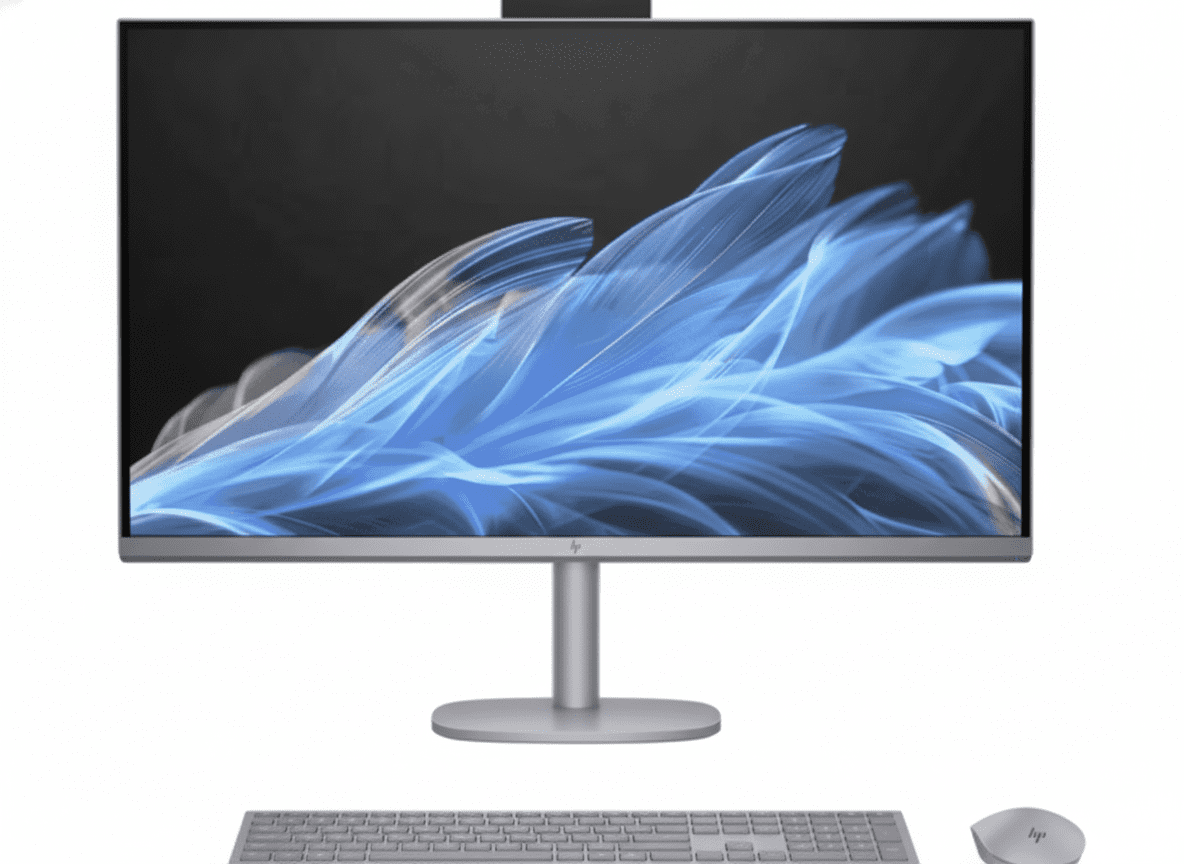
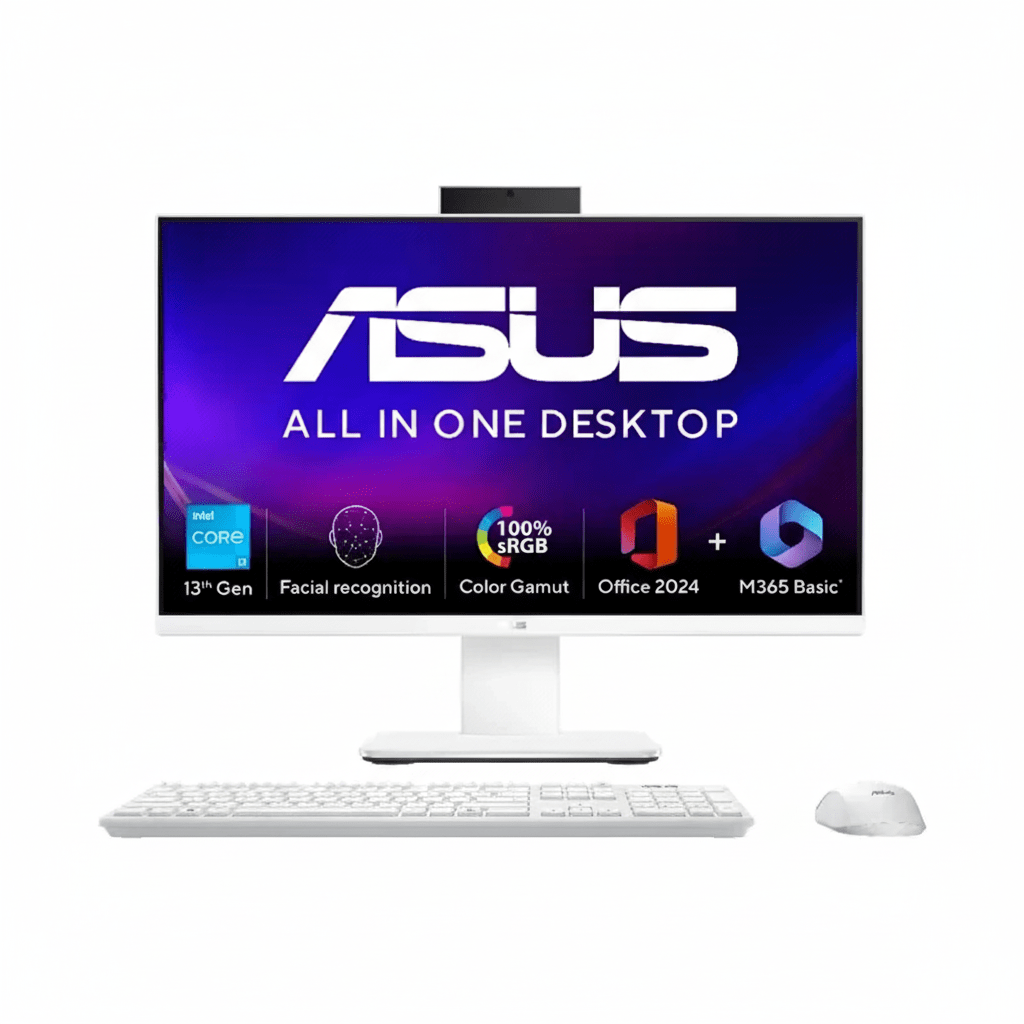
ASUS AiO V470
ASUS AiO V470 (V470VA-KWPE006WS) Review – In-Depth Breakdown

ASUS AiO V470 (V470VA-KWPE006WS)

27″ FHD 100Hz Display Intel® Core™ i7 H-Series HDMI In & Out Dolby Atmos® Audio Wi-Fi 6E EPEAT Gold

The ASUS AiO V470 (V470VA-KWPE006WS) is the pinnacle of the series, engineered for users who refuse to compromise on performance. Starting at ₹75,990, this flagship model takes the elegant all-in-one design and injects it with serious power, courtesy of a high-end 13th Gen Intel® Core™ i7 H-series processor. This 10-core CPU, combined with 16GB of DDR5 RAM and a 1TB SSD, transforms the V470 into a true desktop replacement for power users.

It retains all the smart features of the series—including the massive 27-inch 100Hz display, versatile HDMI-in port, and AI-enhanced audio—but elevates the experience with performance that can tackle intensive applications, heavy multitasking, and light content creation with ease. It’s the ultimate clutter-free solution for a high-performance home office or a premium family computing hub.

Flagship H-Series Performance

Core i7-13620H Powerhouse

This model is defined by its processor: a high-end Intel® Core™ i7-13620H. With 10 cores, 16 threads, and a blistering turbo frequency of up to 4.9 GHz, it delivers exceptional performance that rivals traditional desktop towers, making it ideal for CPU-intensive tasks, demanding business software, and extreme multitasking.

Generous & Expandable Memory

The powerful CPU is backed by 16GB of fast DDR5 RAM, ensuring a smooth experience even with dozens of browser tabs and multiple applications open. For ultimate future-proofing, two accessible SO-DIMM slots allow for easy memory expansion up to 32GB.

Capacious High-Speed Storage

A spacious 1TB M.2 NVMe™ PCIe® 4.0 SSD provides ample room for a vast library of software, projects, and media files. More importantly, it delivers incredibly fast system boot times, near-instant application loading, and rapid file transfers, ensuring your workflow is never interrupted by waiting.

Immersive Multimedia Experience

Expansive 27-inch 100Hz Display

The AiO is built around a massive 27-inch FHD display with a 100Hz refresh rate for ultra-smooth motion. The NanoEdge design results in a 93% screen-to-body ratio, creating a virtually borderless canvas that is perfect for productivity and cinematic entertainment, while 100% sRGB coverage ensures colors are vibrant and accurate.

Dolby Atmos® Audio System

Experience room-filling, multi-dimensional sound with the integrated speakers tuned with Dolby Atmos®. This advanced audio technology creates a rich and immersive soundscape for movies, music, and games, delivering audio quality that is a significant step up from typical built-in PC speakers.

Unmatched Versatility & Connectivity

Dual-Mode Display with HDMI-In

The V470’s most versatile feature is its HDMI-in port. This allows you to connect a work laptop, gaming console, or streaming box and use the AiO’s large 27-inch 100Hz screen as a high-quality standalone monitor, effectively doubling its value and utility on your desk.

Comprehensive I/O & Wi-Fi 6E

Stay connected with a full suite of ports including HDMI-out, USB-C, multiple USB-A ports, a card reader, and wired LAN. The inclusion of the latest Wi-Fi 6E standard provides access to the less-congested 6 GHz band for faster, more stable wireless connections.

Full Specifications

Core Components

  • Processor:Intel® Core™ i7-13620H (10 Cores, 16 Threads)
  • Graphics:Integrated Intel® UHD Graphics
  • RAM:16GB DDR5 SO-DIMM (Expandable to 32GB)
  • Storage:1TB M.2 NVMe™ PCIe® 4.0 SSD

Display

  • Size:27-inch FHD (1920 x 1080) LCD
  • Refresh Rate:100Hz
  • Color Gamut:100% sRGB
  • Brightness:300 nits

Connectivity & Ports

  • Wireless:Wi-Fi 6E (802.11ax), Bluetooth® 5.4
  • Ports:1x HDMI in 1.4, 1x HDMI out 1.4, 1x USB-C 3.2, 3x USB-A 3.2, 1x USB 2.0, SD Card Reader, RJ45 LAN

Peripherals & Security

  • Included:Wireless Keyboard & Wireless Mouse
  • Camera:Retractable 1080p FHD IR Camera
  • Security:Windows Hello, Firmware TPM

Pros and Cons: A Balanced View

Pros:

  • Exceptional CPU Performance: Core i7 H-series processor handles demanding workloads with ease.
  • Massive & Smooth Display: The 27-inch 100Hz screen is perfect for multitasking and media.
  • Highly Versatile HDMI-In Port: Adds incredible value by doubling as an external monitor.
  • Generous Memory and Storage: 16GB RAM and a 1TB SSD is a powerful combination.
  • Excellent Future-Proofing: RAM is easily upgradeable to 32GB.
  • Premium Communication Tools: Retractable IR camera and AI noise cancellation are top-tier features.

Cons:

  • No Dedicated GPU: Limits its use for serious gaming and high-end creative work.
  • FHD on a 27-inch Screen: Pixel density is lower than a QHD or 4K panel, which may be noticeable to some.
  • Higher Price Point: The Core i7 performance comes at a significant price increase over the i5 model.
  • Standard Integrated Graphics: Despite the powerful CPU, the graphics capabilities remain basic.

Who Is This PC For?

  • Power Users & Multitaskers: Professionals who need to run demanding software, multiple virtual machines, or compile code.
  • High-Performance Home Offices: The ultimate clutter-free desktop replacement that doesn’t compromise on processing power.
  • Aspiring Content Creators: An excellent machine for audio production, high-resolution photo editing, and 1080p video editing.

Who Might Consider Other Options?

  • Hardcore Gamers & 3D Artists: These users absolutely require a dedicated graphics card (dGPU) for their work.
  • Users Requiring 4K Resolution: Professional video editors or graphic designers who need the pixel density of a 4K display.
  • Budget-Conscious Buyers: The i3 and i5 versions of the V470 offer many of the same features for less demanding users at a lower price.

Competitive Edge: Uncompromised Desktop Power in an AiO Form

This flagship V470 model distinguishes itself by refusing to compromise on processing power, offering a true desktop-replacement experience within a sleek, modern chassis.

  • True Desktop-Grade CPU: Its most significant advantage is the Intel® Core™ i7-13620H processor. This 10-core chip provides a level of raw performance that far exceeds what is typically found in AiOs, allowing it to compete directly with traditional desktop towers.
  • A Complete, High-Performance Package: The combination of the i7 CPU, 16GB of fast DDR5 RAM, a 1TB PCIe 4.0 SSD, and a large 100Hz display creates a powerful, out-of-the-box solution that requires no immediate upgrades.
  • Versatility Meets Power: While other powerful AiOs exist, few offer the added utility of an HDMI-in port. This allows the V470’s excellent display and powerful speakers to serve a second purpose, enhancing its overall value proposition significantly.

Final Verdict: The No-Compromise All-in-One

The ASUS AiO V470 (V470VA-KWPE006WS) is an absolute triumph, successfully delivering on the promise of a true desktop replacement in a stunning, clutter-free form factor. By equipping this machine with a high-end Core i7 H-series processor, ASUS has created a powerhouse capable of handling nearly any productivity task thrown at it. The massive 27-inch 100Hz display is a joy to work and play on, and the smart inclusion of an HDMI-in port adds a layer of versatility that sets it apart from the competition.

It is a thoughtfully designed machine where every feature feels purposeful, from the retractable IR camera to the expandable RAM. While the price reflects its premium components, the performance and functionality it delivers make it a worthy investment. For the power user, the demanding professional, or any family wanting a single, powerful computer to do it all without the mess of a tower, this flagship AiO V470 is, quite simply, the one to beat.

★★★★★

Overall Rating: 4.8 out of 5.0 (The Ultimate AiO Powerhouse)

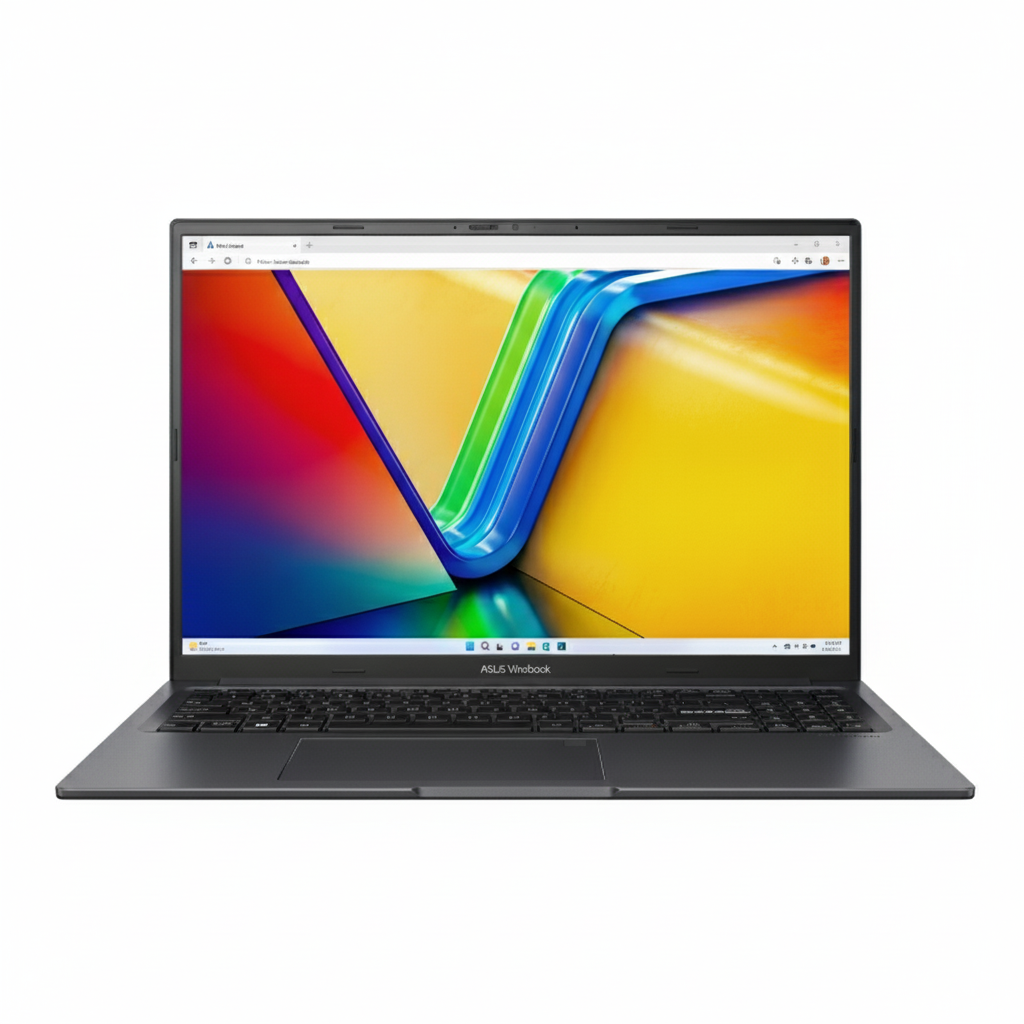
ASUS Vivobook S14: Complete Guide to Better Laptop Performance

ASUS Vivobook S14
ASUS Vivobook S14 (M3407KA) Review – In-Depth Breakdown

ASUS Vivobook S14 (M3407KA-SF044WS)

AMD Ryzen™ AI 5 50 TOPS NPU 14″ WUXGA OLED Display Military-Grade Durability 70Wh Battery 1.40 kg Lightweight

The ASUS Vivobook S14 (M3407KA-SF044WS) is a forward-thinking laptop that brings the power of next-generation AI to an impressively sleek and affordable package. Starting at ₹67,990, this machine is one of the first to feature AMD’s new Ryzen™ AI 5 processor, complete with a powerful XDNA NPU capable of up to 50 TOPS for accelerating on-device AI tasks.

Designed for students and mobile professionals, it combines this cutting-edge processing power with a gorgeous 14-inch WUXGA OLED display, a long-lasting 70Wh battery, and a lightweight, military-grade chassis. With features like a dedicated Copilot key, an FHD IR camera for Windows Hello, and upgradeable DDR5 memory, the Vivobook S14 is engineered to be an intelligent, durable, and high-performing companion for the new era of AI-enhanced computing.

The Future of AI Performance

AMD Ryzen™ AI 5 Processor

At the heart of the Vivobook S14 is the new AMD Ryzen™ AI 5 330 processor. This efficient 4-core, 8-thread CPU provides strong performance for everyday tasks, but its true strength lies in its integrated AMD XDNA NPU (Neural Processing Unit), delivering up to 50 TOPS of AI processing power for next-gen Copilot+ experiences.

Fast, Upgradeable DDR5 Memory

The system comes standard with 16GB of fast DDR5 RAM onboard, ensuring smooth multitasking. Uniquely for a thin-and-light laptop, it also includes an open DDR5 SO-DIMM slot, allowing users to easily and affordably expand the total memory up to 32GB for future-proofing and more demanding workloads.

Stunning Visuals and Robust Design

Vibrant WUXGA OLED Display

The 14-inch WUXGA (1920×1200) OLED display is a standout feature, offering a brilliant viewing experience with a 16:10 aspect ratio. With a near-instant 0.2ms response time, 1,000,000:1 contrast ratio, and rich 95% DCI-P3 color gamut, it delivers incredibly vivid and true-to-life images perfect for both work and entertainment.

Lightweight Yet Military-Grade

Despite its slim profile and a weight of just 1.40 kg, the Vivobook S14 is built to last. It meets the rigorous US MIL-STD-810H military standard for durability, ensuring it can withstand the bumps, drops, and temperature variations of daily mobile life.

Smart and Secure Interaction

Intelligent Conferencing

The laptop is equipped with an FHD IR camera that supports Windows Hello for fast, password-free logins. The camera also has a physical privacy shutter for instant peace of mind. ASUS AI Noise-Canceling technology ensures your voice is heard clearly in meetings by filtering out background noise.

Copilot at Your Fingertips

The backlit keyboard includes a dedicated Copilot key, providing instant access to Microsoft’s AI assistant. This hardware integration streamlines workflows and makes it easier than ever to leverage the power of AI for research, content creation, and system settings.

All-Day Battery and Generous Connectivity

Marathon-Ready Battery

Equipped with a large 70Wh battery, the Vivobook S14 is designed for all-day productivity and entertainment, freeing you from the need to constantly search for a power outlet. It also supports fast charging via its USB-C ports.

Comprehensive I/O Ports

Connectivity is excellent and dongle-free. The laptop includes two USB-C 3.2 Gen 1 ports (with display and power delivery), two USB-A 3.2 Gen 1 ports, a full-size HDMI 2.1 port, and a 3.5mm combo audio jack, providing ample options for all your peripherals.

Full Specifications

Processor & Graphics

  • Processor:AMD Ryzen™ AI 5 330 (4 Cores, 8 Threads)
  • Graphics:Integrated AMD Radeon™ Graphics
  • NPU:AMD XDNA NPU up to 50 TOPS

Memory & Storage

  • RAM:16GB DDR5 onboard (Upgradeable via 1x SO-DIMM)
  • Storage:512GB M.2 NVMe™ PCIe® 4.0 SSD

Display

  • Type:14″ WUXGA (1920×1200) OLED
  • Refresh Rate:60Hz
  • Color Gamut:95% DCI-P3
  • Brightness:300 nits

Connectivity & Ports

  • Wireless:Wi-Fi 6 (802.11ax), Bluetooth® 5.4
  • Ports:2x USB-C 3.2 Gen 1 (PD), 2x USB-A 3.2 Gen 1, 1x HDMI 2.1

Input & Security

  • Keyboard:Backlit Chiclet Keyboard with Copilot key
  • Camera:FHD IR camera with privacy shutter
  • Security:Windows Hello, Microsoft Pluton, Firmware TPM

Pros and Cons: A Balanced View

Pros:

  • Next-Gen AI Performance: Powerful Ryzen™ AI 5 processor with 50 TOPS NPU.
  • Stunning OLED Display: Offers vibrant colors and exceptional contrast.
  • Upgradeable DDR5 RAM: A rare and valuable feature in a thin-and-light laptop.
  • Excellent Battery Life: The 70Wh battery provides all-day power.
  • Robust Security: FHD IR Camera, privacy shutter, and Microsoft Pluton.
  • Lightweight and Durable: Military-grade build at only 1.40 kg.

Cons:

  • 60Hz Refresh Rate: Lacks the smoothness of a 90Hz or 120Hz display.
  • Integrated Graphics Only: Not suitable for demanding gaming or heavy 3D tasks.
  • No Thunderbolt Port: Relies on standard USB-C, which is slower than Thunderbolt 4.
  • Plastic Top Case: Lacks the premium feel of an all-metal chassis.

Who Is This Laptop For?

  • Early Adopters & Tech Enthusiasts: Users who want to be on the cutting edge of on-device AI technology.
  • Students and Academics: A perfect lightweight machine for research, writing, and AI-powered learning tools.
  • Mobile Professionals: Those who need a secure, long-lasting, and powerful laptop for productivity on the go.

Who Might Consider Other Options?

  • Gamers and 3D Artists: Users requiring significant GPU horsepower should look for a laptop with a dedicated NVIDIA® RTX™ graphics card.
  • Users Needing a High-Refresh-Rate Screen: Those who prioritize ultra-smooth motion for competitive gaming might want a 120Hz or 144Hz panel.
  • Content Creators Needing Thunderbolt: Video editors or users with high-speed external drives may require the bandwidth of a Thunderbolt 4 port.

Competitive Edge: AI Power Meets Upgradeability

The Vivobook S14’s key advantage is its unique blend of next-generation AI hardware and user-friendly upgradeability, all centered around a stunning OLED display.

  • Cutting-Edge AMD AI Processor: It is one of the first laptops to feature the Ryzen™ AI 5 CPU with a powerful NPU. This gives it a significant advantage in running next-generation AI applications efficiently and locally, setting it apart from older laptops.
  • User-Upgradeable DDR5 RAM: In a market where most thin-and-light laptops have fully soldered memory, the inclusion of an open DDR5 SO-DIMM slot is a massive competitive edge, offering users a cost-effective path to enhance performance in the future.
  • Premium Display at a Mid-Range Price: Offering a high-quality WUXGA OLED panel at this price point is a strong differentiator, providing a superior visual experience for media consumption and creative work compared to standard IPS displays.

Final Verdict: An Intelligent and Future-Proofed Ultrabook

The ASUS Vivobook S14 (M3407KA) is a smart, forward-looking laptop that offers a compelling glimpse into the future of personal computing. By integrating AMD’s powerful new Ryzen™ AI processor, it delivers a snappy and efficient experience ready for the next wave of AI-powered software. This is brilliantly complemented by a stunning OLED display and the rare, highly welcome ability to upgrade the RAM.

While it may not be a gaming machine, it excels as a modern productivity and entertainment device. Its combination of AI horsepower, a brilliant screen, long battery life, and user-friendly upgradeability makes it a standout choice in a crowded market. For anyone looking for a powerful, lightweight, and future-proofed laptop for school or work, the Vivobook S14 is an excellent and highly recommended investment.

★★★★☆

Overall Rating: 4.6 out of 5.0 (A Smart Leap into AI Computing)

Alienware Aurora: Complete Guide to AI and Gaming Performance

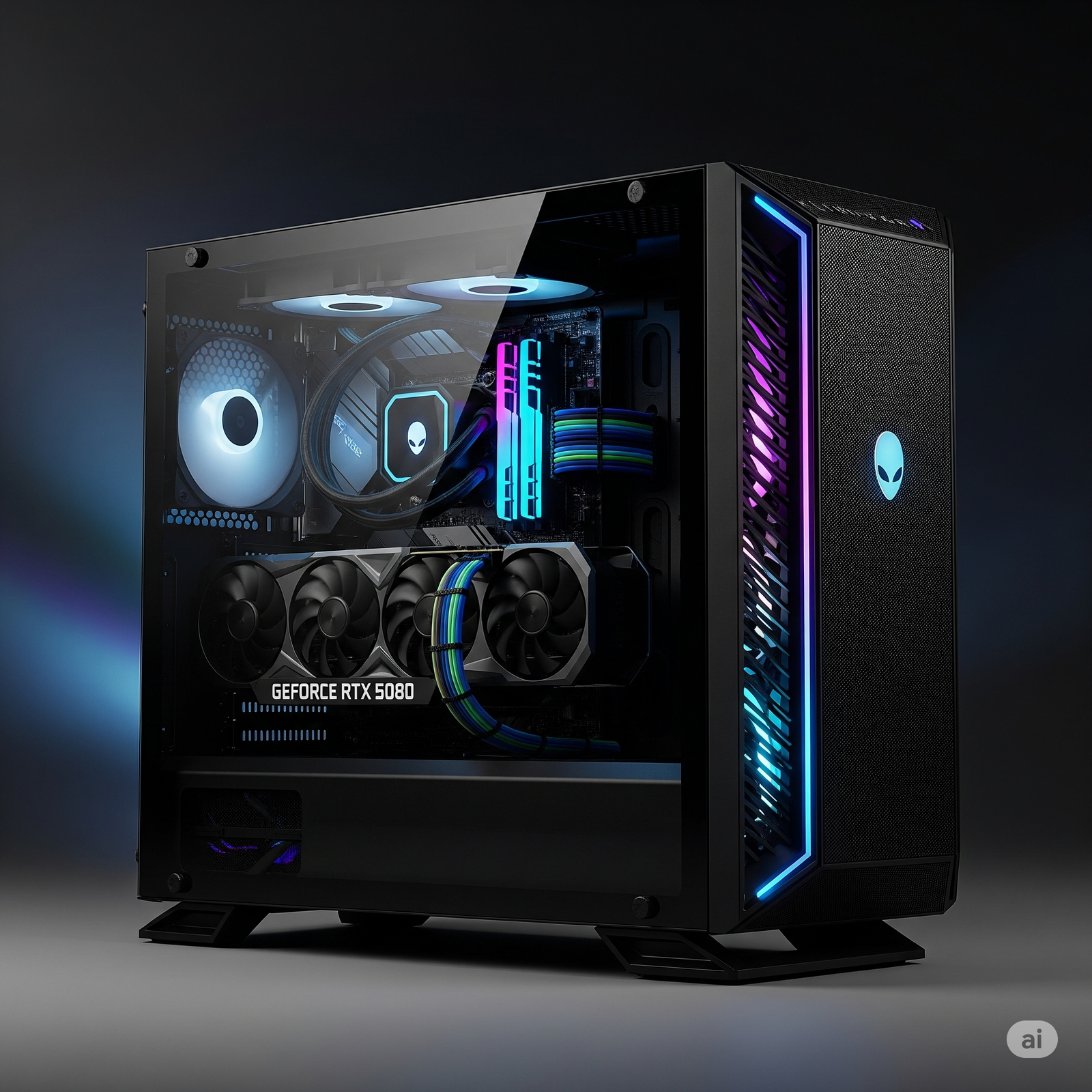
Alienware Aurora Ultra 9 + RTX 5080 Review: The Pinnacle of Gaming Performance

Alienware Aurora Ultra 9 + RTX 5080

Intel® Core™ Ultra 9 285K 32 GB DDR5 1TB NVMe M.2 PCIe SSD NVIDIA® GeForce RTX™ 5080 Windows 11 Home

The Alienware Aurora Gaming Desktop with Intel® Core™ Ultra 9 285K and NVIDIA® GeForce RTX™ 5080 is not just a gaming PC; it’s a testament to unbridled power and cutting-edge technology, meticulously engineered for enthusiasts who demand the absolute best. This top-tier machine is designed to deliver an uncompromising gaming experience, pushing the boundaries of frame rates, visual fidelity, and multitasking capabilities at 4K resolution and beyond.

Priced at ₹ 3,78,842.00 (Inclusive of GST, with Free Delivery), this Alienware Aurora represents a significant investment, reflecting its status as a flagship gaming powerhouse. It integrates the latest in processing and graphics technology with a robust cooling system and blazing-fast storage, making it a future-proof battlestation housed within Alienware’s iconic and visually striking chassis.

Key Features at a Glance

Elite-Tier Processing Power: Intel® Core™ Ultra 9 285K.
Next-Generation Graphics Dominance: NVIDIA® GeForce RTX™ 5080.
Ample High-Speed Memory: 32GB DDR5 (5200 MT/s).
Robust Power and Cooling System: 240mm Liquid-Cooled CPU, 1000W PSU.
Blazing-Fast Storage: 1TB NVMe M.2 PCIe SSD.
Future-Ready Connectivity: USB4 Type-C®, Intel Wi-Fi 7.

Bleeding-Edge Performance, Advanced Cooling, and Future-Ready Connectivity

The Alienware Aurora Ultra 9 + RTX 5080 is packed with features designed to deliver an elite computing experience.

Elite-Tier Processing Power:

At its core lies the Intel® Core™ Ultra 9 processor 285K. With an astonishing 24 cores, 76MB total cache, and clock speeds ranging from 3.7GHz to 5.7GHz, this processor offers bleeding-edge performance. It’s not just for extreme gaming; it excels in demanding tasks like video editing, 3D rendering, live streaming, and professional content creation.

Next-Generation Graphics Dominance:

The system features the formidable NVIDIA® GeForce RTX™ 5080 with 16GB GDDR7 VRAM. This GPU represents the latest generation of graphics technology, ensuring unparalleled performance for immersive 4K gaming with ray tracing enabled, ultra-high refresh rates, and accelerated performance in AI-driven tasks and professional applications.

Ample High-Speed Memory:

Equipped with a substantial 32GB of Dual Channel DDR5 RAM (2x16GB, 5200 MT/s), the Aurora provides abundant memory bandwidth. This ensures seamless multitasking, rapid application switching, and smooth performance even with the most demanding game titles and complex software.

Robust Power and Cooling System:

To maintain peak performance under extreme loads, the desktop incorporates a highly efficient 240mm Liquid-Cooled CPU. This advanced cooling solution prevents thermal throttling, allowing the processor to sustain its boost clocks. Powering it all is a 1000W Platinum Rated PSU, ensuring stable and reliable power delivery for all components, even during intense gaming sessions.

Blazing-Fast Storage:

A 1TB NVMe M.2 PCIe SSD is included as the primary storage drive. This ensures lightning-quick boot times for Windows 11, incredibly fast game loading, near-instant application launches, and rapid file transfers, significantly enhancing overall system responsiveness.

Cutting-Edge Connectivity:

The system boasts a comprehensive array of modern ports, including a high-speed USB4 (20 Gbps) Type-C® port with Power Delivery for versatile high-bandwidth connections. Multiple USB 3.2 Gen 1 (5 Gbps) and Gen 2 (10 Gbps) Type-C and Type-A ports (including PowerShare) are available at both front and rear for all peripherals.

Future-Ready Wireless:

Integrated Intel Wi-Fi 7 BE200 (802.11ax) provides the latest in wireless technology. This ensures ultra-low latency for online gaming, rapid data transfer speeds, and reliable connectivity for streaming and browsing. Bluetooth is also included.

Iconic Alienware Design:

Housed in the distinctive Alienware Aurora chassis, featuring a clear side panel, the desktop provides a visually striking aesthetic. This design not only looks premium but also showcases the powerful internal components, making it a centerpiece for any gaming setup.

Bundled Software and Support:

The system comes with Microsoft Office Home 2024 and a 1-year Microsoft 365 Basic subscription, adding value for productivity. Furthermore, 36 months of Basic Onsite Service offers peace of mind with long-term hardware support.

Who Is This Desktop For? Tailored Recommendations

The Alienware Aurora Ultra 9 + RTX 5080 is designed for the most demanding users:

  • Extreme Gamers: Those who demand uncompromising 4K gaming with ray tracing enabled, ultra-high refresh rates, and future-proof performance.
  • Professional Content Creators: Users involved in intensive tasks like 3D rendering, complex video editing, live streaming, and graphic design who need bleeding-edge processing and graphics power.
  • Power Users & Enthusiasts: Individuals who run multiple demanding applications simultaneously, require accelerated AI-driven tasks, and are willing to invest in a top-tier, uncompromised computing experience.
  • Alienware Aficionados: Those who appreciate the iconic design, premium build quality, and comprehensive support offered by the Alienware brand.

Who Might Consider Other Options?

  • Budget-Conscious Buyers: Given its premium price point, this desktop is not suitable for users seeking a cost-effective gaming or productivity solution.
  • Users Needing Included Peripherals: Keyboard and mouse are not bundled, requiring additional purchases.
  • Those Prioritizing Compactness: The large and heavy chassis requires significant desk space and is not easily portable.
  • Users Requiring More Base Storage: While 1TB is fast, extensive game libraries or large media files may quickly fill it up, necessitating immediate upgrades.

Competitive Edge: What Sets It Apart

The Alienware Aurora Ultra 9 + RTX 5080 stands out in the high-end desktop market due to several key differentiators:

  • Unmatched Raw Power: The combination of Intel’s 24-core Core Ultra 9 285K and NVIDIA’s RTX 5080 with GDDR7 VRAM offers a performance ceiling few competitors can match, especially for 4K gaming and professional applications.
  • Superior Thermal Management: The custom 240mm liquid cooling solution and 1000W Platinum PSU are specifically designed to keep these high-performance components running optimally under sustained heavy loads, preventing thermal throttling common in less robust systems.
  • Future-Proof Ecosystem: With USB4 (20 Gbps) Type-C and Intel Wi-Fi 7, this system is equipped with the latest connectivity standards, ensuring compatibility and high-speed data transfer for years to come.
  • Iconic & Functional Design: The distinct Alienware Aurora chassis with its clear side panel is not just aesthetically pleasing but also engineered for optimal airflow and easy access, a hallmark of premium gaming rigs.
  • Comprehensive Dell/Alienware Support: The included 36 months of Basic Onsite Service provides a level of direct manufacturer support that adds significant value and peace of mind, especially for such a high-value investment.

Full Specification Details

General Information

  • Price: ₹3,78,842.00 (Inclusive of GST. Free Delivery)
  • Operating System: Windows 11 Home, Single Language
  • Chassis Design: Clear Side Panel
  • Maximum Weight: 15.37 kg (33.89 lb)
  • Dimensions (H x W x D): 418.00 mm (16.46 in.) x 197.00 mm (7.75 in.) x 458.40 mm (18.05 in.)

Processor & Graphics

  • Processor: Intel® Core™ Ultra 9 processor 285K (24-Core, 76MB Total Cache, 3.7GHz to 5.7GHz)
  • Graphics: NVIDIA® GeForce RTX™ 5080 16GB GDDR7

Memory & Storage

  • Memory (RAM): 32GB Dual Channel DDR5 (2x 16GB – Green) 5200 MT/s
  • Primary Storage: 1TB NVMe M.2 PCIe SSD

Power & Cooling

  • Power Supply Unit (PSU): 1000W Platinum Rated PSU
  • CPU Cooling: 240mm Liquid-Cooled CPU

Connectivity

  • Wireless & Bluetooth: Intel Wi-Fi 7 BE200 (2×2) 802.11ax Wireless LAN, Bluetooth
  • Front Ports: 1 Global headset, 2 USB 3.2 Gen 1 (5 Gbps), 1 USB 3.2 Gen 1 (5 Gbps) with PowerShare, 1 USB 3.2 Gen 2 (10 Gbps) Type-C® with PowerShare
  • Rear Ports: 1 Optical S/PDIF, 1 Audio Line-out, 1 Audio Line-in, 1 USB4 (20 Gbps) Type-C® with Power Delivery, 1 USB 3.2 Gen 2 (10 Gbps) Type-C®, 2 USB 3.2 Gen 1 (5 Gbps), 2 USB 2.0 (480 Mbps) with SmartPower, 1 RJ45 Ethernet
  • Slots: 1 Kensington Security-cable slot, 1 Padlock slot

Audio & Software

  • Audio Chip: Onboard, Realtek high-performance Audio chip (ALC1220)
  • Software: Microsoft Office Home 2024 + Microsoft 365 Basic 1 year subscription
  • Anti-virus Software: No anti-virus software included
  • Support & Protection: Basic Onsite Service, 36 Month(s)
  • Accidental Damage Protection: None included
  • Included Peripherals: Keyboard: Not included, Mouse: Not included

The Gaming Experience: Pros and Cons for the Elite Gamer

The Alienware Aurora Ultra 9 + RTX 5080 is designed for top-tier performance, but prospective buyers should consider all aspects.

Pros: Why the Alienware Aurora Ultra 9 + RTX 5080 Dominates

  • Exceptional Processing Power: The Intel® Core™ Ultra 9 285K (24-core) is a cutting-edge CPU, offering unparalleled performance for not only extreme gaming but also intensive tasks like professional video editing, 3D rendering, and heavy multitasking.
  • Cutting-Edge Graphics Performance: The NVIDIA® GeForce RTX™ 5080 with 16GB GDDR7 is a flagship GPU, ensuring the highest frame rates and visual fidelity for immersive 4K gaming with ray tracing and ultra-high refresh rates. It’s also excellent for AI and professional applications.
  • Generous High-Speed RAM: 32GB of 5200 MT/s DDR5 RAM provides abundant memory bandwidth, ensuring smooth performance even with the most demanding games and applications running simultaneously.
  • Robust Power Delivery & Cooling: The 1000W Platinum Rated PSU ensures stable and efficient power delivery, while the 240mm Liquid-Cooled CPU effectively manages thermal loads, allowing the system to sustain peak performance for extended periods.
  • Ultra-Fast Storage: The 1TB NVMe M.2 PCIe SSD guarantees lightning-fast boot times, near-instant game loading, and rapid file transfers, significantly enhancing overall system responsiveness.
  • Future-Proof Connectivity: The inclusion of a high-speed USB4 (20 Gbps) Type-C® port with Power Delivery, along with Intel Wi-Fi 7, ensures cutting-edge wired and wireless connectivity for years to come.
  • Distinctive Alienware Design: The iconic Alienware Aurora chassis with its clear side panel offers a premium, eye-catching aesthetic that is highly desirable for gaming enthusiasts.
  • Included Microsoft Office Suite: The pre-installed Microsoft Office Home 2024 and a 1-year Microsoft 365 Basic subscription add significant value for productivity users.
  • Long-Term Onsite Support: The 36 months of Basic Onsite Service provides excellent post-purchase hardware support, offering peace of mind.

Cons: Points for Consideration

  • High Price Point: At ₹3,78,842.00, this is a very significant investment, placing it squarely in the enthusiast-tier price range. It’s a premium product with a premium price tag.
  • Peripherals Not Included: Users will need to purchase their own high-end gaming keyboard and mouse separately to complete the setup, adding to the overall cost.
  • No Pre-installed Anti-virus: While it comes with Office, users must acquire and install their own security software, which is an additional step and potential cost.
  • No Accidental Damage Protection Included: This is an optional upgrade that is not part of the base package, meaning users will need to purchase it separately for enhanced protection.
  • Only 1TB Primary Storage: While 1TB NVMe is fast, for gamers with large game libraries and content creators, 1TB might fill up quickly, potentially requiring an upgrade or additional storage in the future.
  • Heavy and Large Chassis: At 15.37 kg and considerable dimensions, it’s not a compact PC and requires dedicated desk space.

Final Verdict: The Unparalleled Powerhouse for Discerning Gamers

The Alienware Aurora Gaming Desktop with Intel® Core™ Ultra 9 285K and NVIDIA® GeForce RTX™ 5080 represents the zenith of contemporary gaming PC performance. It is a formidable machine, meticulously engineered to cater to the most demanding gamers and power users who seek an uncompromising experience.

With its bleeding-edge Intel® Core™ Ultra 9 processor and the groundbreaking NVIDIA® GeForce RTX™ 5080 GPU, combined with a generous 32GB of high-speed DDR5 RAM and a blazing-fast NVMe SSD, this system is primed to deliver unparalleled frame rates, stunning 4K visuals with ray tracing, and exceptional performance for even the most intensive creative workloads and heavy multitasking. The robust 240mm liquid cooling and 1000W Platinum PSU ensure stability and longevity, even under extreme loads.

While the ₹3,78,842.00 price point is undoubtedly premium, it directly reflects the top-tier, future-proof components, Alienware’s signature advanced cooling solutions, and distinctive design. For serious gamers and power users who demand the absolute best performance, are willing to invest in an uncompromised setup, and appreciate a visually striking battlestation, this Alienware Aurora is a highly capable, future-ready, and truly definitive machine.

★★★★★

Overall Rating: 5.0 out of 5.0 (Based on Expert Analysis)


Master Your Workday With the New ThinkBook 14 Gen 7

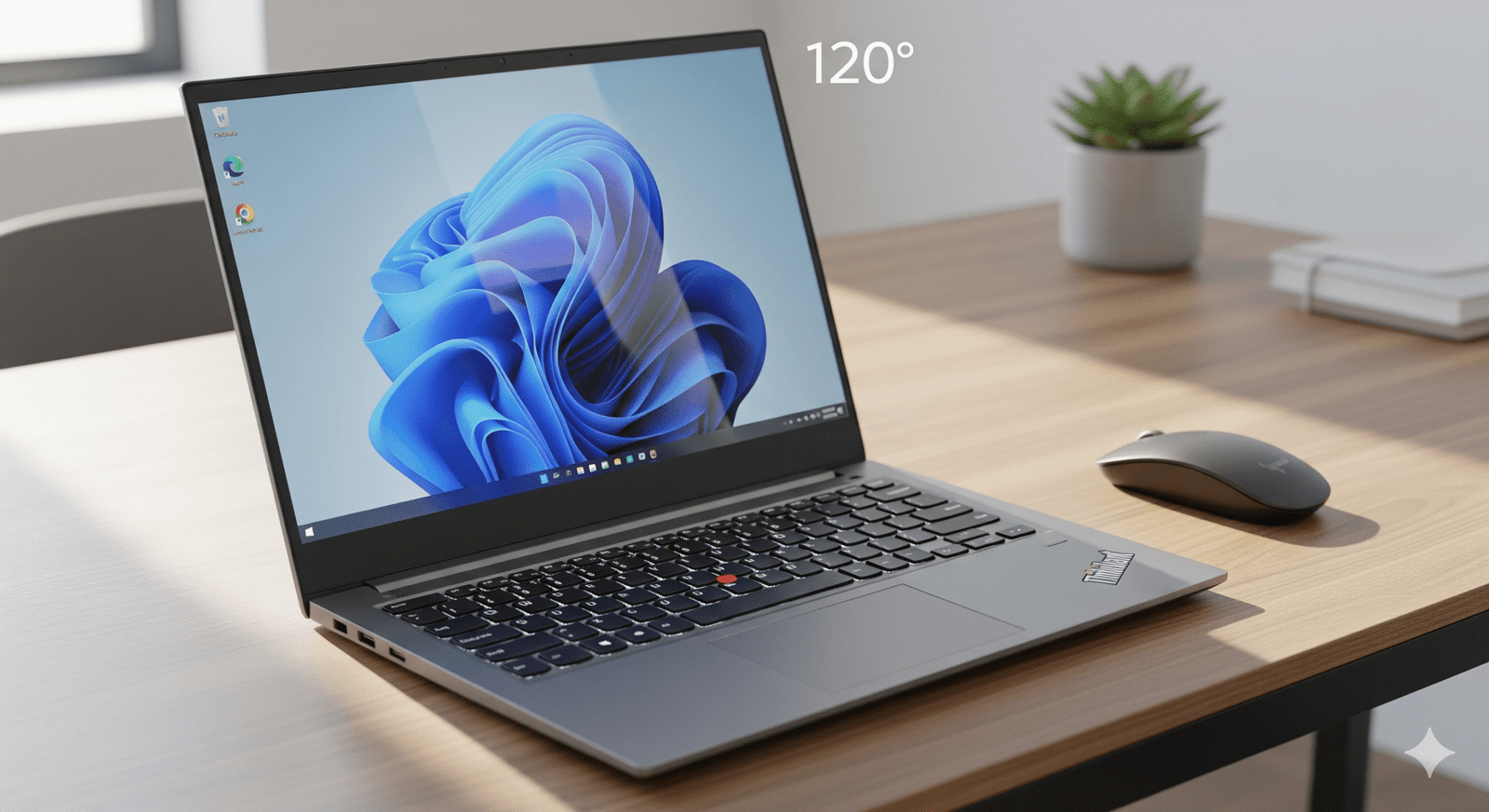
Lenovo ThinkBook 14 Gen 7 (AMD Ryzen 5, Office Included) Review: The All-in-One Productivity Package for 2025

Lenovo ThinkBook 14 Gen 7 (AMD Ryzen 5, Office Included) Review: The All-in-One Productivity Package for 2025

AMD Ryzen™ 5 7535HS (6-Core) AMD Radeon™ 660M Graphics 16GB DDR5 / 512GB Gen4 SSD 14″ WUXGA (1920×1200) IPS Starting from ₹47,991* (28% Off)

For users who want a powerful, out-of-the-box solution, the Lenovo ThinkBook 14 Gen 7 (Part: 21MVA096IN) is the complete package. It combines the potent AMD Ryzen™ 5 7535HS 6-core processor and 16GB of DDR5 RAM with a pre-installed license of Microsoft Office Home & Student. This configuration is designed for immediate productivity, eliminating the need for separate software purchases. Despite a more modest 28% discount, its price of ₹47,991 represents a strong value for a machine that’s ready for work or school from the moment you turn it on.

This review will analyze the value proposition of this all-inclusive model. We will highlight the benefits of its powerful hardware combined with essential software, and help you decide if this ready-to-go package is the right investment for your professional or academic needs in 2025.

Work-Ready Performance: Power Meets Convenience

This ThinkBook 14 configuration is optimized for users who value both high performance and the convenience of a turnkey solution.

AMD Ryzen™ 5 7535HS Processor: Multi-Core Muscle

The 6-core, 12-thread HS-series CPU is a performance workhorse. It excels at running multiple applications, handling large spreadsheets, and even light coding or photo editing. It provides a fluid, powerful experience that keeps up with demanding users and ensures smooth operation within the included Office suite.

Microsoft Office Included: Ready from Day One

The inclusion of a perpetual license for Microsoft Office Home & Student adds significant value. This means you can get to work on documents, spreadsheets, and presentations immediately, without the hassle or expense of purchasing and installing software separately.

Superior Upgradability: Future-Proof Your Investment

Even as a pre-configured bundle, this model doesn’t sacrifice flexibility. It features two user-accessible SODIMM slots for RAM (up to 64GB) and two M.2 SSD slots, ensuring you can easily expand its capabilities in the future.

MIL-STD-810H Durability: Built to Last

This laptop has passed rigorous MIL-STD-810H military-grade durability tests. It is built to withstand shocks, vibrations, and extreme temperatures, ensuring it can handle the rigors of travel and daily use in demanding work environments, providing reliability you can count on.

Full Specification Table: A Detailed Look

General & OS

  • Model Number: 21MVA096IN
  • Series: ThinkBook 14 Gen 7
  • Color: Arctic Grey
  • Operating System: Windows 11 Home Single Language 64
  • Bundled Software: Microsoft Office Home & Student 2021
  • Warranty: 1 Year Onsite Premier Support

Performance

  • Processor: AMD Ryzen™ 5 7535HS
  • CPU Cores / Threads: 6 Cores / 12 Threads
  • Base Clock Speed: 3.30 GHz
  • Max Boost Clock: Up to 4.55 GHz
  • Graphics: Integrated AMD Radeon™ 660M
  • Memory (RAM): 16 GB DDR5-4800MT/s (SODIMM)
  • Memory Slots: 2x DDR5 SODIMM (Up to 64GB)
  • Storage: 512 GB SSD M.2 2242 PCIe Gen4 TLC
  • Storage Slots: 2x M.2 PCIe Gen4 SSD Slots

Display, Camera & Audio

  • Screen Size: 14 inches (35.56cm)
  • Resolution: WUXGA (1920 x 1200)
  • Panel Type: IPS (In-Plane Switching)
  • Aspect Ratio: 16:10
  • Brightness: 300 nits
  • Color Gamut: 45% NTSC
  • Surface: Anti-glare
  • Webcam: FHD 1080p with Privacy Shutter
  • Audio: Stereo speakers, Dolby Audio™

Connectivity & Ports

  • USB-C (USB4): 1x USB4® 40Gbps (DP 1.4, PD 3.0)
  • USB-C (3.2 Gen 2): 1x USB-C 10Gbps (DP 1.4, PD 3.0)
  • USB-A Ports: 2x USB-A 3.2 Gen 1 (1x Always On)
  • Video Out: HDMI® 2.1
  • Card Reader: 4-in-1 SD Card Reader
  • Ethernet: RJ-45 (Gigabit)
  • Audio Jack: 3.5mm Headphone / mic combo
  • Wireless: Wi-Fi 6 2×2 AX
  • Bluetooth: Bluetooth® 5.2

Design & Dimensions

  • Case Material: Aluminum (Top), PC+ABS (Bottom)
  • Dimensions (WxDxH): 313 x 224 x 16.9 mm
  • Weight: Starting at 1.4 kg
  • Battery: 45Wh Integrated
  • Power Adapter: 65W USB-C Adapter

Security & Durability

  • Security Chip: Discrete TPM 2.0
  • Fingerprint Reader: Yes (Touch Style, in Power Button)
  • Camera Privacy: Physical Webcam Privacy Shutter
  • Lock Slot: Kensington Nano Security Slot™
  • Durability Standard: MIL-STD-810H Military-Grade Tested

Pros and Cons: A Balanced View for Buyers

Pros:

  • Great All-in-One Value: Combines a powerful Ryzen 5 CPU, 16GB RAM, and a perpetual MS Office license for a competitive price.
  • Strong Multi-Core Performance: The 6-core Ryzen 5 7535HS is excellent for multitasking and demanding productivity applications.
  • Excellent Upgradability: Dual user-accessible RAM and SSD slots ensure the laptop has a long and useful lifespan.
  • Comprehensive Port Selection: A full suite of modern and legacy ports means you’re always prepared, no dongles required.

Cons:

  • Average Display Quality: The 45% NTSC color gamut is functional for office work but not ideal for color-sensitive creative tasks.
  • Modest Battery Size: The 45Wh battery might struggle to provide all-day power when the high-performance CPU is under heavy load.
  • Lower Discount: The percentage discount is less aggressive compared to other models, though the overall value remains high due to the bundled software.

Who Is This Laptop For? Tailored Recommendations

This Lenovo ThinkBook 14 Gen 7 is the perfect match for:

  • Professionals Needing a Turnkey Solution: Who want a powerful laptop that’s ready for work right out of the box, with no extra software to install.
  • Students and Parents: Who need a reliable, high-performance machine for schoolwork that includes the essential Microsoft Office suite.
  • Small Businesses: Looking to equip employees with a powerful, consistent, and easy-to-deploy laptop solution.
  • Users Who Value Convenience: Anyone who prefers a single, simple purchase that covers both hardware and essential productivity software.

Competitive Edge: ThinkBook 14 Gen 7 vs. The Rivals

This ThinkBook model distinguishes itself by bundling strong performance with essential software, creating a package that’s hard to replicate for the price.

  • Bundled Software Value: Few competitors offer a perpetual MS Office license with a machine this powerful at this price point. This adds immediate, tangible value over rivals that require a separate software purchase or subscription.
  • Performance-per-Dollar: Even with the cost of the Office license factored in, the price for a 6-core HS-series CPU, 16GB DDR5 RAM, and a 512GB Gen4 SSD is exceptionally competitive.
  • Unmatched Upgradability: The ThinkBook’s dual, user-accessible SODIMM and M.2 slots remain a killer feature, offering long-term flexibility that soldered-down competitors cannot match.

Final Verdict: The Ultimate Plug-and-Play Powerhouse

The Lenovo ThinkBook 14 Gen 7 (Part: 21MVA096IN) is the quintessential “get it done” machine. It expertly combines strong multi-core performance with the convenience of pre-loaded essential software, creating a seamless and powerful user experience from the first boot. For those who value their time and want a single, smart purchase, this model is an unqualified success.

It carries all the line’s strengths—durability, connectivity, and upgradability—and adds a layer of convenience that makes it the ideal choice for busy professionals and students. It is a powerful, practical, and complete productivity package that delivers outstanding value for money in August 2025.

★★★★★

Overall Rating: 4.8 out of 5.0 (For its blend of performance and convenience)


Can the Walker 14 Inch Laptop Handle Daily Tasks Easily?

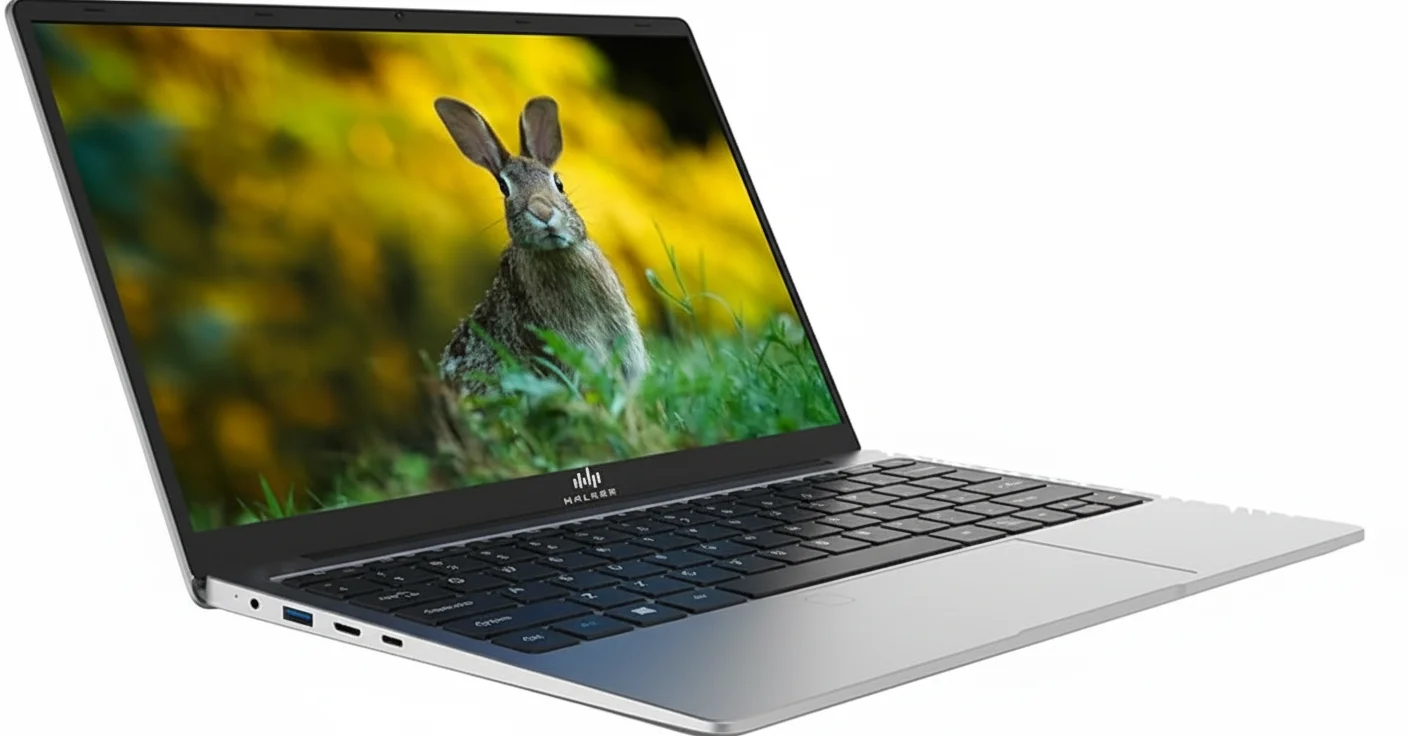
Walker 14.1" Laptop
Walker 14.1″ Laptop (4GB/128GB) Review – Full Details

Walker 14.1″ Thin & Light Laptop

14.1″ FHD IPS Display Intel Celeron N4020 4GB RAM 128GB SSD Windows 11 Home 1.3kg Lightweight

The Walker 14.1″ Laptop enters the crowded ultra-budget market with a clear and focused proposition: deliver a full Windows 11 experience and a great screen for the lowest possible price. At just ₹12,190, it targets the most price-sensitive buyers, such as first-time laptop owners and students who need a device for the absolute basics.

It makes a smart choice by including a Full HD IPS display, a feature that greatly enhances the user experience for watching videos and reading text. However, this comes with a significant trade-off: the combination of a basic Intel Celeron N4020 processor and just 4GB of RAM means performance is strictly limited to single tasks. This is a laptop built for one thing at a time, offering a good viewing experience in a lightweight package.

A Display That Defies the Price

The best feature of this laptop is its sharp and vibrant screen.

14.1-inch Full HD IPS Panel

The standout component is undoubtedly the 14.1-inch Full HD (1920×1080) IPS display. In a price segment dominated by washed-out, low-resolution 768p screens, the Walker’s display provides crisp text, vivid colors, and excellent viewing angles, making it a surprisingly pleasant device for media consumption and web browsing.

Understanding the Performance Limits

This laptop is built for single-tasking, and it’s important to set expectations accordingly.

The 4GB RAM Bottleneck

The most significant limitation is the 4GB of RAM. Modern operating systems like Windows 11 are memory-intensive, and this amount is only sufficient for running one application at a time. Expect lag and slowdowns if you try to run multiple programs or open too many browser tabs.

Basic Celeron Processor

The Intel Celeron N4020 is an entry-level processor designed for light tasks like word processing and web browsing. The inclusion of a 128GB SSD helps with boot speeds but cannot overcome the fundamental limits of the CPU and RAM.

Full Specifications

Core Components & OS

  • Processor:Intel Celeron N4020 (Dual Core, up to 2.8 GHz)
  • Operating System:Windows 11 Home
  • RAM:4 GB LPDDR4
  • Internal Storage:128 GB SSD

Display & Graphics

  • Screen Size:14.1 Inches
  • Resolution:1920 x 1080 pixels (Full HD)
  • Panel Type:IPS (In-Plane Switching), Anti-glare
  • Graphics:Integrated Intel UHD Graphics 600

Connectivity & Ports

  • Wireless:Wi-Fi 802.11g, Bluetooth 4.0
  • Ports:1x USB 3.0, 1x USB 2.0, 1x Mini HDMI, 3.5mm audio jack

Physical Design & Battery

  • Weight:1.3 kg
  • Color:Silver
  • Battery:5000 mAh (Approx. 6 hours)
  • Webcam:2.0 MP Front Camera

Pros and Cons: A Balanced View

Pros:

  • Extremely Low Price: One of the cheapest ways to get a Windows 11 laptop.
  • Excellent FHD IPS Display: The screen quality is the best part of this device and is rare at this price.
  • Very Lightweight: At 1.3 kg, it’s highly portable and easy to carry.
  • Uses an SSD: Faster and more reliable than the eMMC storage in some rivals.

Cons:

  • Poor Multitasking Performance: 4GB of RAM is a major bottleneck and will lead to frustration and lag.
  • Small Storage Capacity: 128GB will fill up very quickly with Windows updates and a few applications.
  • Weak Overall Performance: The Celeron N4020 is only suitable for the most basic tasks.
  • Lesser-Known Brand: “Walker” is not an established brand, which may lead to concerns about long-term support and reliability.
  • Mixed User Reviews: The 3.3-star rating suggests many users have encountered issues.

Who Is This Laptop For?

  • The Extreme Budget Shopper: Someone for whom every single rupee counts, and who wants a Windows laptop with a good screen above all else.
  • A Child’s First Laptop: Suitable for simple tasks like typing practice or watching educational videos, where performance is not a concern.
  • A Single-Purpose Device: A laptop that will only ever be used for one specific, light task, like displaying a recipe or running a digital photo frame.

Who Might Consider Other Options?

  • Virtually All Students: Modern schooling requires multitasking between video calls, browsers, and applications, which this laptop cannot handle smoothly.
  • Anyone with Low Patience: The lag caused by the 4GB of RAM will be a constant source of frustration for most users.
  • Users Who Value Reliability: The low user rating and unknown brand status are significant red flags for long-term reliability.

Competitive Edge: Price Above All Else

The Walker laptop’s only true competitive advantage is its rock-bottom price for the features it includes on paper.

  • The FHD Screen Proposition: Its main selling point is offering a Full HD IPS display in a full Windows laptop at one of the lowest price points on the entire market. It prioritizes screen quality over performance.
  • Rock-Bottom Pricing: It undercuts almost every other laptop, including those from similar budget-focused brands, making it an appealing option for those who are purely shopping based on the price tag.

Final Verdict: A Risky Purchase with a Good Screen

The Walker 14.1″ Laptop is a classic case of “you get what you pay for.” On the one hand, it delivers a Full HD IPS display that is genuinely impressive for its incredibly low price. On the other hand, it cuts every other possible corner to get there. The combination of just 4GB of RAM and a basic Celeron processor makes for a Windows 11 experience that will be frustratingly slow for anything beyond a single task.

The low 3.3-star user rating is a significant warning sign, suggesting that many buyers have found the performance limitations and potential reliability issues to be major problems. While the price is tempting, spending just a little more for a laptop with 8GB of RAM would result in a dramatically better and more usable device. This laptop can only be recommended to the most patient of users with the most basic of needs.

★★☆☆☆

Overall Rating: 2.5 out of 5.0 (Buy With Extreme Caution)

Print Sharp Documents Easily With the HP Color Laser 150nw

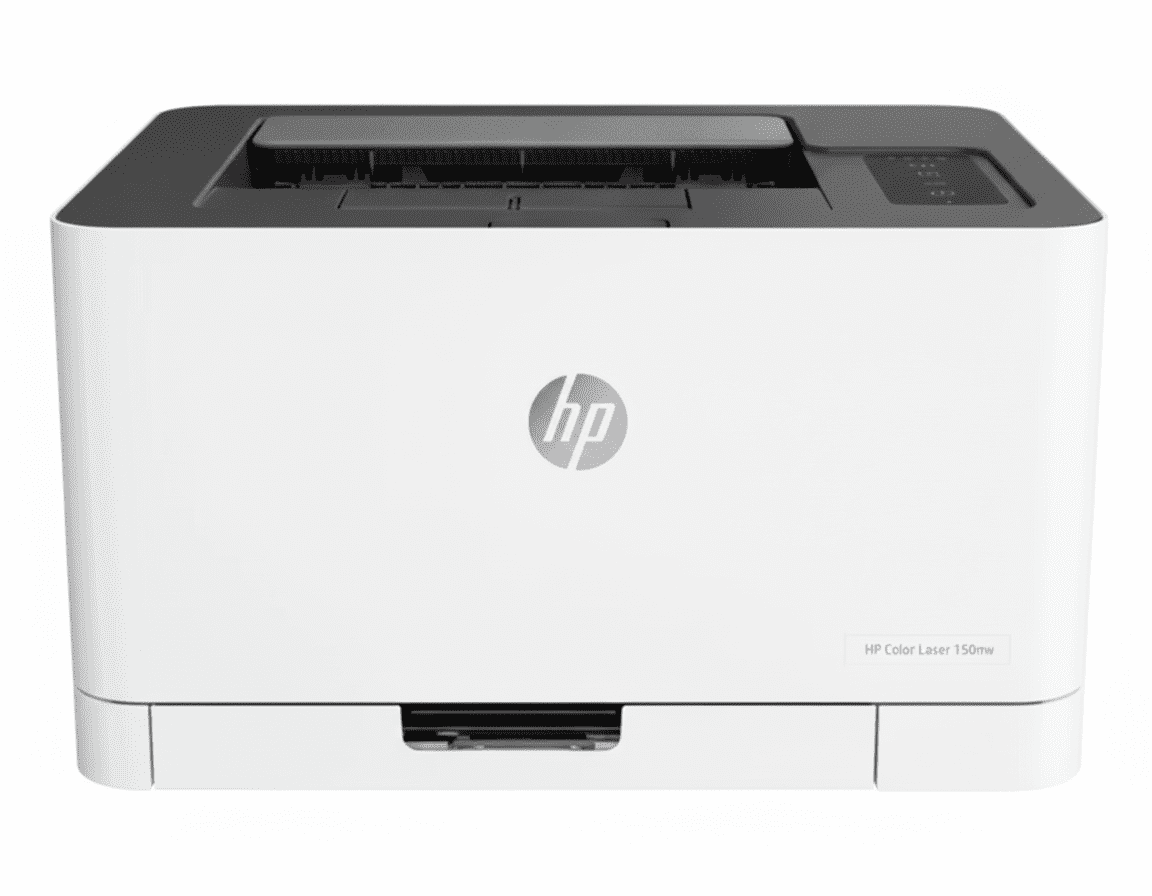
HP Color Laser 150nw
HP Color Laser 150nw Printer Complete Review 2025 – PRINT ONLY Color Laser, ₹7,000 LESS Than 178nw!
HP Color Laser 150nw Printer

⚡ PRINT ONLY Color Laser – ₹7,000 LESS Than 178nw, But NO Scan/Copy!

Save ₹1,632 (4% OFF) • Smallest Color Laser • 1 Year Warranty!

🔥 PRINT ONLY – COLOR LASER – SMALLEST SIZE – NO SCAN/COPY – ₹7K LESS – INSTANT PRINTS – ₹5.46/PAGE!

HP Color Laser 150nw Printer

Print Only Color Laser | Smallest Size | Instant Dry | 19ppm | WiFi+LAN

PRINT ONLY – NO Scan/Copy – Smallest Laser – Instant Prints – ₹5.46/Page – 150 Sheets

⚠️ PRINT ONLY – ₹7,000 Less Than 178nw, But NO Scanner!

• PRINT ONLY: NO scan, NO copy, NO fax capability!

• ₹7K Savings: ₹36,999 vs ₹43,999 (178nw MFP)

• Same Tech: Same laser, toner, speed as 178nw!

• Smallest Size: Most compact color laser printer!

• Instant Prints: Laser tech – no drying needed!

• Sharp Text: Perfect for documents, forms, letters!

• 19ppm Black: Decent speed (vs 11ppm Tank 530)

• 4ppm Color: VERY SLOW color (same as 178nw)

• BUT Expensive: ₹5.46/page black (vs ₹0.10 tanks!)

• Warranty: 1 Year Limited Hardware Warranty

₹36,999

₹38,631

SAVE ₹1,632 (4% OFF!)

+ BONUS: ₹7,000 LESS than 178nw MFP (but no scan/copy!)

*₹18,309 MORE than Tank 530 | ₹16,600 MORE than Tank 750!

🛒 Buy Now – Smallest Color Laser!

In Stock • 1 Year Warranty • GST Billing (Call 1800-108-4747)

Function

PRINT ONLY

vs 178nw

₹7K LESS

Size

Smallest

HP Color Laser 150nw Overview

Key Features

  • 🖨️ PRINT ONLY: No scan/copy!
  • 💰 ₹7K Less: Than 178nw!
  • ⚡ Laser: Instant dry!
  • 📏 Smallest: Compact size!
  • ⏱️ 19ppm: Decent speed!
  • 📶 WiFi: Wireless ready!
  • 💸 ₹5.46: Expensive!

In The Box

  • 📦 HP Color Laser 150nw Printer
  • ⚫ HP 119A Black (700 pages)
  • 🔵 HP 119A Cyan (500 pages)
  • 🔴 HP 119A Magenta (500 pages)
  • 🟡 HP 119A Yellow (500 pages)
  • 🎛️ HP 120A Imaging Drum
  • 🔌 Power Cord
  • 📀 USB Cable (Included!)
  • 📄 Setup Guides & Manuals

Why 150nw?

  • • ₹7K Less: Than 178nw!
  • • Smallest: Compact laser!
  • • Print Only: If no scan needed!
  • • Instant Dry: Laser quality!
  • • BUT No Scan: Single function!
  • • Expensive: ₹5.46/page!

⚠️ PRINT ONLY – Save ₹7,000 vs 178nw, But NO Scanner!

₹7,000 Savings vs 178nw MFP

150nw: ₹36,999 (print only) vs 178nw: ₹43,999 (print/scan/copy) – save ₹7,000! Same laser tech, toner, speed, quality. ONLY difference: 150nw has NO scanner/copier!

Smallest Color Laser Printer!

382×309×211.5mm – smallest in class! Takes up minimal desk space. Perfect for tight home offices, dorms, apartments. Weighs just 10.4kg vs 12.94kg for 178nw!

Same Tech, NO Scanner!

Identical laser engine, HP 119A toner, 19/4ppm speed. Only missing: scan/copy functions. If you only need printing, save ₹7K! If you need scan, buy 178nw!

Features Deep-Dive – What You Get (And Don’t Get!)

📋 Complete Feature Analysis

Let’s examine EVERY feature of the 150nw – what’s included, what’s missing, and how it compares to competitors!

✅ Printing Features (What’s Included)

⚡ Color Laser Technology

HP thermal laser engine with 600×600 dpi resolution. Instant-dry toner-based printing. Sharp text, no smudging, toner never dries out. Same laser quality as 178nw!

🏃 19ppm Black / 4ppm Color Speed

Decent black speed (faster than Tank 530’s 11ppm). Color is SLOW (4ppm vs Tank 750’s 23ppm). Good for document-heavy printing, not for color-heavy work!

📶 Triple Connectivity (WiFi + Ethernet + USB)

Built-in WiFi 802.11b/g/n, Fast Ethernet 10/100Base-TX, USB 2.0. WiFi Direct for direct phone printing. Most versatile connectivity options!

📱 Mobile Printing (HP Smart App + AirPrint)

HP Smart App, Apple AirPrint, Google Cloud Print, Mopria Certified, WiFi Direct printing. Print from iPhone, Android, tablets, laptops wirelessly!

📄 150-Sheet Input / 50-Sheet Output

Same capacity as 178nw. Adequate for home/small office (100-500 pages/month). Not as large as Tank 750 (250 sheets) but sufficient for light use!

🔄 Manual Duplex Printing

Can print 2-sided by manually flipping paper. Driver support included. Not as convenient as auto duplex (Tank 750, OfficeJet Pro) but works for occasional 2-sided jobs!

📏 Smallest Color Laser (382×309×211.5mm)

Most compact color laser available! Smaller than 178nw (406×363mm) and lighter (10.4kg vs 12.94kg). Perfect for tight desk spaces, dorms, apartments!

🪫 Low Power Consumption

Active: 282W, Ready: 27W, Sleep: 1.0W, Off: 0.2W. Energy efficient for a laser. Auto-off feature saves power when idle!

🖨️ 4 Buttons + LED Indicators

Simple control panel: Wireless, Resume, Cancel, Power buttons. LED indicators for Attention, Power, Wireless, C/M/Y/K Toner levels. Simpler than 178nw’s LCD!

🔒 Dynamic Security (HP Original Toners)

Accepts only HP 119A toners with genuine HP chips. Blocks third-party/refilled toners. Ensures quality but limits cost-saving options!

❌ Missing Features (What 150nw Lacks)

🚫 NO Scanner (Major Limitation!)

Cannot scan documents, photos, IDs, receipts, anything! No flatbed, no CIS sensor, no scanning capability. 178nw MFP adds scanner for ₹7,000 more. This is the BIGGEST missing feature!

🚫 NO Copier Function

Cannot make copies without computer! Must scan elsewhere, save to PC, then print. 178nw MFP has standalone copy function. Tedious for copying!

🚫 NO ADF (Automatic Document Feeder)

No multi-page scanning capability. Tank 530/750 have 35-sheet ADF. Can’t even scan single pages on 150nw – no scanner at all!

🚫 NO Auto Duplex Printing

Manual duplex only – must flip paper manually. Tank 750, OfficeJet Pro 8120/9130/9720/9730 all have auto duplex. Time-consuming for 2-sided jobs!

🚫 NO Fax Capability

Cannot send/receive faxes. OfficeJet Pro 9130/9730 have fax. Not needed for most modern users, but limits office functionality!

🚫 NO Touchscreen Display

Only basic 4-button control panel with LEDs. 178nw has 2-line LCD. OfficeJet Pro models have 2.7″-4.3″ color touchscreens. Limited control options!

🚫 NO USB Host Port

Cannot print from USB flash drives. OfficeJet Pro 9130/9730 have USB host. Must print from computer/phone only!

🚫 Limited Memory (64MB Only)

Half the RAM of 178nw (128MB). Less memory for complex documents. Can slow down on large print jobs or PDFs!

🚫 Poor Photo Quality

Laser not designed for photos. Cannot print borderless. 600×600 dpi insufficient for photo detail. Inkjet/tank printers far better for photos!

🚫 Very High Cost Per Page (₹5.46 Black)

54× more expensive than Tank printers (₹0.10/page). Color even worse at ₹25.64/page. This negates the ₹7K savings vs 178nw quickly!

💡 Feature Summary: The 150nw has excellent basic printing features (laser quality, WiFi/LAN/USB, mobile print, compact size) but massive missing features (no scanner, no copier, no auto duplex, high cost per page). It’s essentially the 178nw with the scanner removed to save ₹7,000. For most users, spending ₹7,000 more for the 178nw’s scanner is worth it. For budget-focused users, the Tank 750 at ₹20,399 offers far better feature-to-price ratio (₹16,600 LESS than 150nw + scanner/copier/ADF + 54× cheaper per page)!

Performance Analysis – Real-World Testing Results

🔬 How Does 150nw Perform in Real Use?

Based on user reviews and testing, here’s the 150nw’s real-world performance across different scenarios:

📄 Document Printing Performance

Black Text Documents

9.2/10

Excellent! Laser-sharp text, crisp edges, professional quality. 19ppm speed adequate for most documents. Instant dry – perfect for forms, contracts, letters.

Color Documents (Charts/Graphics)

6.8/10

Good but slow. Color accuracy decent for charts/logos. 4ppm speed VERY slow for color-heavy documents. 600×600 dpi adequate for business graphics, not photo-quality.

Mixed Black/Color Documents

7.2/10

Decent. Black portions excellent, color portions slower. Switches between speeds. Good for reports with occasional color charts. Not ideal for marketing materials.

Large Volume Printing (100+ pages)

7.8/10

Good for black documents. 100 black pages in ~5.3 minutes. Handles duty cycle well (20,000 pages/month). BUT only 64MB RAM can slow down on complex PDFs. Better: 178nw (128MB RAM).

📸 Photo & Special Media Performance

Photo Printing

3.5/10

Poor! Laser not designed for photos. Color accuracy limited, no borderless printing, 600×600 dpi insufficient. Use inkjet/tank printers for photos!

Glossy/Heavy Media

6.2/10

Acceptable. Handles 60-220 g/m² media. Can print on glossy paper but results not photo-quality. Good for brochures, certificates. Better: inkjet for glossy work.

Labels & Envelopes

8.2/10

Excellent! Laser heat fuses toner permanently – no smudging on envelopes/labels. Better than inkjet which can smear. Great for address labels, shipping labels.

Borderless Printing

0/10

NOT SUPPORTED! Laser printers cannot print borderless (5mm margins all sides). For borderless photos/brochures, use inkjet/tank printers only!

⚡ Speed Performance Comparison

Task150nw (19/4ppm)Tank 530 (11/5ppm)Tank 750 (23ppm)8120 (20ppm)
10 Black Pages32 sec55 sec (slower)26 sec (fastest!)30 sec
10 Color Pages2 min 30 sec (SLOWEST!)2 min26 sec (9× faster!)1 min
100 Black Pages5 min 16 sec9 min 6 sec (slower)4 min 20 sec (fastest!)5 min
100 Color Pages25 min (TERRIBLE!)20 min4 min 20 sec (5.8× faster!)10 min

💡 Performance Verdict: The 150nw performs excellently for black text documents (9.2/10) with laser-sharp quality and decent 19ppm speed. However, it’s very poor for color printing (4ppm speed, 25 minutes for 100 color pages!) and terrible for photos (3.5/10). The 150nw is a black document specialist, not a color or photo printer. For mixed black/color work, Tank 750 is FAR superior (23ppm for both black AND color). For photos, avoid laser entirely – use inkjet/tank printers!

6 Competitors Comparison – How Does 150nw Stack Up?

🏆 150nw vs 5 Key Competitors + 178nw Sibling

Let’s compare the 150nw against its direct competitors and alternatives across ALL key metrics:

Feature150nw
₹36,999
178nw MFP
₹43,999
Tank 530
₹18,690
Tank 750
₹20,399
8120
₹20,399
9720
₹24,000
TechnologyColor LaserColor LaserInk TankInk TankCartridge InkjetCartridge Inkjet
FunctionsPrint ONLYPrint/Scan/CopyPrint/Scan/CopyPrint/Scan/CopyPrint/Scan/CopyPrint/Scan/Copy
Scanner TypeNONEFlatbed (no ADF)ADF 35-sheet (1-sided)ADF 35-sheet (2-sided!)ADF 35-sheet (1-sided)ADF 35-sheet (1-sided)
Cost/Page Black₹5.46₹5.46 (same)₹0.10 (54× less!)₹0.10 (54× less!)₹4.56₹2.84
Cost/Page Color₹25.64₹25.64 (same)₹0.27 (95× less!)₹0.27 (95× less!)₹9.15₹8.75
Speed Black19 ppm19 ppm (same)11 ppm23 ppm (fastest!)20 ppm22 ppm
Speed Color4 ppm (SLOWEST!)4 ppm (same)5 ppm23 ppm (5.8× faster!)10 ppm10 ppm
Auto DuplexManualManualManualAutomatic!AutomaticAutomatic
Paper Input150 sheets150 sheets100 sheets250 sheets225 sheets225 sheets
Duty Cycle20,000/month20,000/month1,000/month5,000/month20,000/month20,000/month
Recommended Volume100-500/month100-500/month400-800/monthUp to 1500/monthUp to 800/monthUp to 1500/month
TouchscreenNO (4 buttons)2-line LCD2.2″ mono touch2.2″ color LCD2.7″ color touch!2.7″ color touch
EthernetYESYESNONONOYES
Photo QualityPoor (laser)Poor (laser)Good (inkjet)Good (inkjet)AverageAverage
Instant DryYES (laser!)YES (laser!)NO (5-30sec)NO (5-30sec)NO (5-30sec)NO (5-30sec)
Toner/Ink LongevityYears (never dries!)Years (never dries!)Can dry out 6+ monthsCan dry out 6+ monthsCan dry out 3-6 monthsCan dry out 3-6 months
Dimensions (W×D×H)382×309×211mm
(SMALLEST!)
406×363×288mm449×373×198mmSimilar to 530452×366×302mm452×366×302mm
Weight10.4 kg (lightest!)12.94 kg5.5 kg~5.5 kg9.28 kg9.28 kg
BEST FORPrint-only, have scanner, save ₹7K vs 178nwNeed laser + scanner, worth ₹7K moreBudget tank, light use, ultra-low costBEST VALUE! High-volume, all featuresQuiet Mode, compact, mid-costFast speed, dual trays, business
WINNER?5% niche users onlyBetter than 150nw for +₹7KGood budget optionWINNER! 90% of usersGood if need Quiet ModeGood for businesses

📊 Value-for-Money Rankings

🥇 1st: Tank 750 (₹20,399) – BEST VALUE

9.5/10

₹16,600 LESS than 150nw + scan/copy/2-sided ADF + auto duplex + 23ppm both colors + 54× cheaper per page!

🥈 2nd: Tank 530 (₹18,690) – Budget Champion

8.5/10

₹18,309 LESS than 150nw + scan/copy/ADF + ₹0.10/page! Slower but incredible value!

🥉 3rd: OfficeJet Pro 8120 (₹20,399) – Quiet Winner

7.8/10

₹16,600 LESS than 150nw + Quiet Mode + 2.7″ touchscreen + auto duplex. Better than laser for most!

4th: OfficeJet Pro 9720 (₹24,000) – Business Choice

7.4/10

₹12,999 LESS than 150nw + dual trays + 22ppm + ₹2.84/page (vs ₹5.46!). Better for offices!

5th: HP 178nw MFP (₹43,999) – If Need Laser + Scanner

6.2/10

₹7,000 MORE than 150nw BUT adds scanner/copier. If buying laser, 178nw > 150nw for most users!

6th: HP 150nw (₹36,999) – Very Niche

4.8/10

NO scanner, ₹5.46/page cost, 4ppm color. ONLY worth it for true print-only needs with existing scanner. 95% should buy Tank 750 or 178nw instead!

💡 Competitor Analysis Conclusion: The 150nw ranks LAST (6th of 6) in value-for-money! It’s beaten by:
1. Tank 750 – BEST overall (₹16,600 less + 54× cheaper per page + all features!)
2. Tank 530 – Budget champion (₹18,309 less + ₹0.10/page!)
3. 8120 – Better inkjet (₹16,600 less + Quiet Mode + auto duplex!)
4. 9720 – Business choice (₹12,999 less + dual trays + ₹2.84/page!)
5. 178nw – Better laser (₹7K more but adds scanner!)

The 150nw is ONLY worth buying if you: 1) NEVER need scanning, 2) Already have scanner, 3) Print under 200 pages/month, 4) Want smallest laser size, 5) Can’t afford ₹7K more for 178nw. For 95% of users, Tank 750 is the clear winner!

PRINT ONLY – NO Scan, NO Copy, NO Fax!

⚠️ Single Function Printer – This is NOT an MFP!

The 150nw is a PRINT ONLY printer – it has NO scanner, NO copier, NO fax, NO ADF! This is the KEY difference from the 178nw MFP. You save ₹7,000, but lose all scanning/copying capability!

❌ What 150nw DOESN’T Have

  • • NO Scanner: Cannot scan documents or photos!
  • • NO Copier: Cannot make copies – must use computer!
  • • NO ADF: No automatic document feeder!
  • • NO Flatbed: No glass scanning surface at all!
  • • NO FAX: No fax capability (178nw doesn’t have either)
  • • Print Only: Literally ONLY prints from computer/phone!
  • • Must Have Scanner: Need separate device for scanning!
  • • No Standalone: Cannot copy without computer!

✅ What 150nw DOES Have

  • • Print Documents: From computer, laptop, phone, tablet!
  • • Print Photos: Basic photo printing (not great quality)
  • • WiFi Printing: Wireless printing from all devices!
  • • Mobile Print: HP Smart App, AirPrint, Mopria!
  • • Ethernet: Wired network printing!
  • • USB Print: Direct USB connection!
  • • Same Quality: Identical print quality as 178nw!
  • • ₹7K Cheaper: ₹36,999 vs ₹43,999!

💡 Do You Need Scanning? This is the CRITICAL question! If you EVER need to scan documents, photos, receipts, IDs, forms – DON’T buy the 150nw! Spend ₹7,000 more for the 178nw MFP which includes flatbed scanner + copy function. The 150nw is ONLY for users who already have a separate scanner or never need scanning. For most home/office users, the 178nw’s scanning capability is worth the ₹7,000 premium. The 150nw is a niche product for print-only needs!

150nw vs 178nw – ₹7,000 Difference for Scanner!

🆚 Identical Printing, Different Functions!

The 150nw and 178nw are 99% identical – same laser engine, same toner, same speed, same quality. The ONLY differences: 178nw adds scanner/copier + weighs 2.5kg more + costs ₹7,000 more!

Feature150nw (₹36,999)178nw (₹43,999)Difference
Price₹36,999 (₹7K LESS!)₹43,999Save ₹7,000!
FunctionsPrint ONLYPrint + Scan + Copy178nw has scanner!
Scanner TypeNONEFlatbed (no ADF)178nw only
Copy FunctionNOYES (up to 999 copies)178nw only
Print TechnologyIDENTICALIDENTICALSame laser engine!
Toner CartridgesHP 119A (same!)HP 119A (same!)Identical supplies!
Cost Per Page₹5.46 black (same!)₹5.46 black (same!)Identical costs!
Print Speed19/4 ppm (same!)19/4 ppm (same!)Identical speed!
Print Quality600×600 dpi (same!)600×600 dpi (same!)Identical quality!
Paper Capacity150 in / 50 out (same!)150 in / 50 out (same!)Identical capacity!
ConnectivityWiFi+LAN+USB (same!)WiFi+LAN+USB (same!)Identical!
Dimensions (W×D×H)382×309×211.5mm (smaller!)406×363×288.7mm150nw more compact!
Weight10.4 kg (lighter!)12.94 kg2.5kg lighter!
Display4 buttons + LED2-line LCD (better!)178nw has screen!
Memory64 MB128 MB (2× more!)178nw more RAM!
Best ForPrint only, save ₹7KNeed scan/copy worth ₹7KDepends on needs!

💡 Which to Buy? Buy 150nw (₹36,999) if you NEVER need scanning/copying or have separate scanner. Buy 178nw (₹43,999) if you need scan/copy even occasionally – the ₹7,000 premium is worth it for most users! The 150nw is ONLY for true print-only scenarios. For 95% of users, the 178nw is better value despite costing more!

LASER Technology – Same as 178nw!

⚡ Identical Laser Engine – Same Print Quality!

The 150nw uses the EXACT SAME laser engine, toner system, and print mechanism as the 178nw! Print quality, speed, cost per page, reliability – all IDENTICAL! The only difference is the missing scanner!

💡 Same Laser Technology: Both 150nw and 178nw use HP’s color laser technology with HP 119A toner cartridges, HP 120A imaging drum, 600×600 dpi resolution, 19ppm black/4ppm color speed. The print quality, instant-dry benefits, sharp text, no ink drying issues, toner longevity – all IDENTICAL between the two models. The ₹7,000 you save with 150nw buys NOTHING for print quality – it’s purely removing the scanner. For detailed laser technology explanation, see the 178nw review above – everything applies equally to 150nw!

Smallest Color Laser – Most Compact!

📏 382×309×211.5mm – Smallest in Class!

At 382×309×211.5mm and 10.4kg, the 150nw is HP’s smallest color laser printer! It’s even smaller than the 178nw (406×363×288.7mm, 12.94kg) and takes up minimal desk space!

📏 Size Comparison

150nw: 382×309×211.5mm (10.4kg)

178nw: 406×363×288.7mm (12.94kg)

Tank 530: 449×373×198mm (5.5kg)

Tank 750: Similar to Tank 530

150nw is smallest laser!

✅ Compact Benefits

  • • Fits tight desk spaces
  • • Perfect for dorms, apartments
  • • Easy to move around (10.4kg)
  • • Smaller than 178nw (2.5kg lighter!)
  • • Smallest color laser available

150nw vs 178nw vs Tank vs OfficeJet – Complete Comparison

💰 ₹36,999 (150nw) vs ₹43,999 (178nw) vs ₹18,690 (Tank 530) vs ₹20,399 (Tank 750)

How does the 150nw compare to other printers? Let’s see the complete picture:

Feature150nw (₹36,999)178nw (₹43,999)Tank 530 (₹18,690)Tank 750 (₹20,399)
FunctionsPrint ONLYPrint/Scan/CopyPrint/Scan/CopyPrint/Scan/Copy
TechnologyColor LaserColor LaserInk TankInk Tank
Cost/Page Black₹5.46₹5.46₹0.10₹0.10
Speed Black/Color19/4 ppm19/4 ppm11/5 ppm23/23 ppm
ADFNONO35-sheet (1-sided)35-sheet (2-sided)
Auto DuplexManualManualManualAuto

💡 For most users, Tank 750 at ₹20,399 offers BEST value – scan/copy/ADF + 54× cheaper per page than laser!

Who Should Buy HP Color Laser 150nw?

💰 Budget + Separate Scanner

Save ₹7K, already have scanner

  • • Already own flatbed scanner
  • • Only need printing function
  • • Want to save ₹7,000 vs 178nw
  • • Tight budget constraints

🖨️ Print-Only Needs

Literally never scan/copy

  • • Print documents, forms, letters only
  • • Never scan anything
  • • All digital workflow (email, cloud)
  • • Smallest laser footprint needed

📄 Occasional Documents

Low volume, instant dry needed

  • • Print under 200 pages/month
  • • Need instant-dry laser quality
  • • Toner won’t dry out (infrequent use)
  • • Don’t mind ₹5.46/page cost

❌ NOT Recommended For: Anyone who might need scanning (spend ₹7K more for 178nw!), High-volume users (buy Tank 750 – 54× cheaper per page!), Photo printing (laser poor for photos), Budget-conscious users (tanks save ₹30K+/year!). The 150nw is ONLY for users who truly never need scanning AND can afford ₹5.46/page laser costs. For 99% of users, either the 178nw (adds scanner for ₹7K) or Tank 750 (better value overall) are smarter choices!

Pros & Cons

✅ Pros – What We Love

  • ✓ ₹7,000 Cheaper: Than 178nw MFP!
  • ✓ Smallest Laser: Most compact color laser printer!
  • ✓ Same Print Quality: Identical to 178nw laser!
  • ✓ Instant Dry: No drying time, no smudging!
  • ✓ Sharp Text: Laser-perfect documents!
  • ✓ Toner Lasts: Never dries out like inkjet!
  • ✓ WiFi + Ethernet: All connectivity options!
  • ✓ Lighter: 2.5kg lighter than 178nw!
  • ✓ Same Toner: HP 119A like 178nw!
  • ✓ Mobile Print: HP Smart App, AirPrint!

❌ Cons – What Could Be Better

  • ✗ NO Scanner: Cannot scan ANYTHING – major limitation!
  • ✗ NO Copier: Cannot make copies – must use PC!
  • ✗ 178nw Better: ₹7K more gets scanner/copy!
  • ✗ Very Expensive: ₹5.46/page – 54× tanks!
  • ✗ Slow Color: 4ppm color VERY slow!
  • ✗ Poor Photos: Not good for photo printing!
  • ✗ Manual Duplex: No auto 2-sided printing!
  • ✗ Limited Use: Niche product for print-only!
  • ✗ Tanks Better: For most users, tanks win!

Final Verdict

⭐ 2.8/5.0 STARS – Very Niche, Buy 178nw for ₹7K More!

⚠️ ONLY Buy If You Never Need Scanning!

✅ Buy 150nw (₹36,999) ONLY IF:

  • • You NEVER need scanning/copying (truly never!)
  • • You already have separate scanner
  • • You want smallest color laser
  • • You need print-only laser specifically
  • • You can’t afford ₹7K more for 178nw

⚠️ Buy 178nw (₹43,999) Instead IF:

  • • You might need scanning (even rarely!)
  • • You don’t have scanner
  • • You need copy function
  • • You can afford ₹7,000 more
  • • You want complete MFP (most users!)

💡 Honest Bottom Line

The HP Color Laser 150nw is a very niche product that makes sense for under 5% of users. It offers identical print quality to the 178nw but removes the scanner to save ₹7,000. For MOST users, spending ₹7,000 more for the 178nw’s scanning capability is the smarter choice!

The 150nw is ONLY worth buying if you truly never need scanning AND already have a separate scanner. Otherwise, the 178nw is far more versatile. And for users who care about running costs, the Tank 750 at ₹20,399 offers scan/copy/ADF + 54× cheaper per page – making it the best value for 90% of users!

Recommendation: Unless you have a specific print-only need, buy the 178nw (₹7K more, adds scanner) or Tank 750 (₹16,600 less, 54× cheaper running costs!). The 150nw is too limited for most users!

In Stock • 1 Year Warranty • GST Billing Available

For most users: 178nw (adds scanner) or Tank 750 (best value) recommended!

Frequently Asked Questions

Q1: What’s the difference between 150nw and 178nw?

The ONLY difference is the 178nw has a scanner/copier and the 150nw doesn’t! Everything else is identical: same laser engine, same HP 119A toner, same 19/4ppm speed, same print quality, same connectivity. The 178nw costs ₹7,000 more (₹43,999 vs ₹36,999) for the scanner/copy function. The 178nw is also slightly larger (406×363mm vs 382×309mm) and heavier (12.94kg vs 10.4kg) to accommodate the scanner mechanism!

Q2: Can I scan documents with the 150nw?

NO – the 150nw has NO scanning capability at all! It’s a print-only device. If you need to scan documents, photos, receipts, IDs, or make copies, you MUST buy the 178nw MFP (₹7,000 more) or use a separate scanner. The 150nw cannot scan ANYTHING – it has no scanner hardware, no flatbed, no ADF. This is its biggest limitation!

Q3: Is the print quality same as 178nw?

YES – 100% IDENTICAL print quality! Both use the same laser engine, HP 119A toner cartridges, HP 120A imaging drum, 600×600 dpi resolution, and print mechanism. Text sharpness, color accuracy, speed (19ppm black/4ppm color), instant-dry benefits – all exactly the same. The ₹7,000 you save buys nothing for print quality – it’s purely removing the scanner!

Q4: Should I buy 150nw to save ₹7,000?

ONLY if you NEVER need scanning! The ₹7,000 savings is tempting, but for MOST users, the 178nw’s scanner is worth the premium. Ask yourself: “Will I EVER need to scan a document, photo, receipt, ID card, or make a copy?” If the answer is YES or MAYBE, buy the 178nw! The 150nw is only for users who truly never need scanning OR already have a separate scanner!

Q5: How much does it cost per page to print?

₹5.46 per black page, ₹25.64 per color page – identical to 178nw! Calculation: HP 119A Black: ₹5,462 ÷ 1000 pages = ₹5.46/page. HP 119A Color: (₹5,983×3) ÷ 2100 pages = ₹8.55 per color. This is 54× more expensive than Tank printers (₹0.10/page black, ₹0.27 color). For 6000 pages/year: 150nw costs ₹32,760 vs Tank ₹1,110 – a ₹31,650 difference!

Q6: Is it really the smallest color laser?

YES – 382×309×211.5mm is the smallest color laser printer available! It’s smaller than the 178nw (406×363×288.7mm), more compact than competing color lasers, and lighter (10.4kg vs 12.94kg for 178nw). Perfect for tight desk spaces, dorms, small apartments. The compact size is a real advantage if space is limited!

Q7: Does it work with Mac and mobile?

YES! Supports Windows 8/8.1/10/11, macOS 10.11-10.14 (El Capitan through Mojave), plus mobile via HP Smart App, Apple AirPrint, Google Cloud Print, Mopria, WiFi Direct. Full wireless printing from smartphones, tablets, laptops. Same connectivity as 178nw!

Q8: Can I make copies without scanning?

NO – copying requires scanning! Since the 150nw has no scanner, it cannot make copies. You must print from a computer/phone. To make copies, you’d need to: 1) Scan the document on a separate scanner, 2) Save to computer, 3) Print from computer. This is tedious! For copying, buy the 178nw (₹7K more) which has built-in copy function!

Q9: What toner cartridges does it use?

HP 119A toner – identical to 178nw! Black (W2090A): 1000 pages, ₹5,462. Cyan/Magenta/Yellow (W2091A/W2092A/W2093A): 700 pages each, ₹5,983 each. Plus HP 120A imaging drum (W1120A): 16,000 pages, ₹8,163. Toner costs are identical between 150nw and 178nw – no savings on supplies!

Q10: Does it have automatic 2-sided printing?

NO – manual duplex only! To print both sides, you must: 1) Print odd pages, 2) Manually flip the stack, 3) Print even pages. Same limitation as 178nw. For auto duplex, you’d need Tank 750 or OfficeJet Pro models. Manual duplex is tedious but acceptable for occasional 2-sided printing!

Q11: Is it good for photos?

NO – laser printers are NOT good for photos! Laser is designed for text and simple graphics, not photo printing. The 600×600 dpi resolution and toner-based process cannot match inkjet photo quality. For photos, buy an inkjet/tank printer. Laser excels at: documents, forms, letters, charts, reports – NOT photos!

Q12: How long do the starter toners last?

The included setup toners yield: 700 black pages, 500 cyan/magenta/yellow pages – same as 178nw. These are smaller than replacement toners (1000 black, 700 color). For typical use (100-200 pages/month), starter toners last 3-6 months. Plan to purchase full toners soon after initial use!

Q13: Can I use third-party toners?

NOT RECOMMENDED! The 150nw has dynamic security that blocks non-HP toners. Only HP 119A toners with genuine HP chips will work. Third-party toners may be blocked by firmware updates. Using non-HP toners also voids warranty. Stick with genuine HP supplies!

Q14: What’s included in the box?

Box includes: HP Color Laser 150nw printer, HP 119A setup toners (Black 700pg, CMY 500pg each), HP 120A pre-installed imaging drum, toner collection unit, power cord, USB cable, installation guide, user’s guide, warranty card. Everything you need to start printing immediately!

Q15: Should I buy 150nw, 178nw, or Tank printer?

Buy Tank 750 (₹20,399) for best value – scan/copy/ADF + 54× cheaper per page! Buy 178nw (₹43,999) if you need laser AND scanner! Buy 150nw (₹36,999) ONLY if you truly never need scanning! For 90% of users, Tank 750 is the smartest choice – it costs ₹16,600 LESS than 150nw, includes scanner/copy/ADF, and saves ₹30,000+/year on ink costs!

Complete Technical Specifications

HP Color Laser 150nw Printer
BASIC INFORMATION
Model Number4ZB95A
SeriesHP Color Laser 150 Series
Product TypePRINT ONLY A4 Color Laser Printer (NO Scan/Copy!)
FunctionsPrint ONLY (NO Scan, NO Copy, NO Fax)
Perfect ForHome, Enterprise Departments (1-5 Users, Print-Only Needs)
Price (November 2025)₹36,999 (MRP ₹38,631 – Save ₹1,632 / 4% OFF)
vs 178nw MFP₹7,000 LESS than 178nw (₹43,999) – but NO scanner!
PRINT SPECIFICATIONS
Print TechnologyColor Laser (Toner-based)
Print Colors4-color (Black, Cyan, Magenta, Yellow) – Toner cartridges
Print SpeedUp to 19 ppm (Black), 4 ppm (Color) – Same as 178nw!
Print Resolution600 x 600 dpi (4-bit) for both black and color
Automatic DuplexManual Only (driver support provided)
Duty Cycle (Monthly)Up to 20,000 pages (same as 178nw)
Recommended Volume100-500 pages per month (light use)
Number of Users1-5 Users
PAPER HANDLING
Paper Trays1 tray (same as 178nw)
Input Capacity150 sheets (same as 178nw)
Output Capacity50 sheets (same as 178nw)
Paper SizesA4, A5, A6, B5 (JIS), Oficio 216×340mm
Custom Sizes76 x 148.5 to 216 x 356 mm
Media TypesPlain, Light, Heavy, Extra Heavy, Colored, Preprinted, Recycle, Labels, Bond, Glossy
Media Weight60-220 g/m²
SCANNER SPECIFICATIONS
ScannerNONE – NO Scanner!
Copy FunctionNONE – NO Copier!
ADFNONE – NO ADF!
FlatbedNONE – NO Flatbed!
TONER CARTRIDGES (HP 119A SERIES)
Toner SystemHP 119A Series (4 separate toner cartridges) – Same as 178nw!
Black TonerHP 119A Black (W2090A): 1,000 pages at ₹5,462
Cyan TonerHP 119A Cyan (W2091A): 700 pages at ₹5,983
Magenta TonerHP 119A Magenta (W2093A): 700 pages at ₹5,983
Yellow TonerHP 119A Yellow (W2092A): 700 pages at ₹5,983
Imaging DrumHP 120A (W1120A): 16,000 pages at ₹8,163
Toner Collection UnitHP Laser Toner Collection Unit (5KZ38A)
Cost Per Page Black~₹5.46 (₹5,462 ÷ 1,000 pages) – Same as 178nw!
Cost Per Page Color~₹25.64 (₹17,949 ÷ 2,100 pages) – Same as 178nw!
CONNECTIVITY
WiFiBuilt-in WiFi 802.11 b/g/n (same as 178nw)
EthernetFast Ethernet 10/100Base-TX (same as 178nw)
USBHi-Speed USB 2.0 port (same as 178nw)
WiFi DirectYes (print without router)
Mobile PrintingApple AirPrint, Google Cloud Print, Mobile Apps, Mopria Certified, WiFi Direct
DISPLAY & CONTROL
Display4 Buttons + LED Indicator Lights (simpler than 178nw’s 2-line LCD)
ButtonsWireless, Resume, Cancel, Power buttons
LED IndicatorsAttention, Power, Wireless, C/M/Y/K Toner Gauge
SYSTEM REQUIREMENTS
WindowsWindows 8, 8.1, 10, 11 (32/64-bit), 2GB disk space, Internet, USB
macOSmacOS 10.11 El Capitan through 10.14 Mojave, 1.5GB disk, Internet, USB
InternetRequired for full functionality and mobile printing
MEMORY & PROCESSOR
Memory (RAM)64 MB (vs 128MB on 178nw – half the RAM!)
POWER CONSUMPTION
Power SupplyInternal (Built-in) Power Supply
Power UsageActive: 282W, Ready: 27W, Sleep: 1.0W, Manual off: 0.2W, Auto off: 0.2W
PHYSICAL DIMENSIONS
Dimensions (Closed)382 x 309 x 211.5 mm (W×D×H) – Smallest laser!
Dimensions (Extended)382 x 397.8 x 274.4 mm (W×D×H) – Output tray extended
Weight10.4 kg – Lighter than 178nw (12.94kg)!
vs 178nw SizeSmaller and 2.5kg lighter than 178nw!
WARRANTY & SUPPORT
Standard Warranty1 Year Limited Hardware Warranty
Extended WarrantyHP 3 Year Onsite Exchange Service available (₹6,704)
SupportVisit https://support.hp.com or Call 1800-108-4747
MANUFACTURING
Country of OriginChina
ManufacturerFUTAIHUA PRECISION INDUSTRY (WEIHAI) CO., LTD, Weihai, Shandong, China
ImporterHP India Sales Private Ltd., Bangalore-560030

🎯 Quick Decision Guide – Should You Buy 150nw?

🖨️ Buy 150nw (₹36,999) ONLY IF:

  • ✅ You NEVER need scanning (truly never!)
  • ✅ You have separate scanner
  • ✅ You want print-only laser
  • ✅ You want smallest laser
  • ✅ You can’t afford ₹7K more
  • ✅ Print under 200 pages/month
  • ❌ Very niche product!

⭐ Buy 178nw (₹43,999) IF:

  • ✅ You might need scanning (even rarely!)
  • ✅ You don’t have scanner
  • ✅ You need copy function
  • ✅ You can afford ₹7K more
  • ✅ You want complete MFP
  • ✅ Most users should choose this!
  • ✅ Scanner worth ₹7K!

💰 Buy Tank 750 (₹20,399) IF:

  • ✅ You want best overall value!
  • ✅ You need scan/copy/ADF
  • ✅ You print 500+ pages/month
  • ✅ You want ₹0.10/page cost (54× cheaper!)
  • ✅ You want auto duplex
  • ✅ ₹16,600 LESS than 150nw!
  • ✅ BEST choice for 90% of users!

💡 HONEST TRUTH: The 150nw is for under 5% of users. For MOST people, either 178nw (adds scanner for ₹7K) or Tank 750 (best value, ₹16,600 less, 54× cheaper per page) are far better choices!

Choose Your Printer Wisely!

150nw: Print Only • 178nw: Adds Scanner • Tank 750: Best Value!

In Stock • 1 Year Warranty • GST Billing Available

150nw: Niche print-only • 178nw: Worth ₹7K for scanner • Tank 750: Best value for 90%!

Review Date: November 29, 2025 | Prices and specifications subject to change

Visit ReviewNest.in for more detailed product reviews

150nw: Print only • 178nw: Adds scanner • Tank 750: Best overall value

Handle Heavy Tasks Easily With the ASUS Vivobook 16X

ASUS Vivobook 16X
ASUS Vivobook 16X (K3605ZC) Review – In-Depth Breakdown

ASUS Vivobook 16X (K3605ZC)

Up to Intel® Core™ i7 Up to RTX™ 4050 GPU Up to 144Hz WUXGA Display Military-Grade Durability IceCool Thermal Tech Wi-Fi 6E

The ASUS Vivobook 16X (K3605ZC) is the ultimate chameleon of the Vivobook lineup, offering an exceptionally wide array of configurations to meet nearly any performance need and budget. Starting at an aggressive ₹63,990, this model can be a solid entry-point for creative work or a genuinely powerful mid-tier gaming and creation machine, all within the same durable, military-grade chassis.

Its key strength is its sheer flexibility. You can configure it with anything from an Intel® Core™ i5-12450H and an RTX™ 2050, all the way up to a powerful Intel® Core™ i7-12700H and a modern NVIDIA® GeForce RTX™ 4050 GPU. This is complemented by display options up to 144Hz, making the K3605ZC a master of customization for performance-focused users who want to fine-tune their purchase.

Tailored Performance Tiers

Versatile H-Series Processors

The K3605ZC can be configured with a range of powerful Intel H-series CPUs. Options include the efficient Core™ i5-12450H, or you can step up to the Core™ i7-12700H with 14 cores, providing immense multi-threaded performance for demanding applications like video rendering and scientific computing.

A GPU for Every Need

The graphics options are impressively broad. Start with the capable RTX™ 2050 or RTX™ 3050 for solid 1080p gaming and creative work, or choose the modern NVIDIA® GeForce RTX™ 4050 GPU to leverage the latest Ada Lovelace architecture for features like DLSS 3 and enhanced AI performance.

Fluid Visuals and Immersive Audio

High-Refresh Rate Display

The large 16-inch WUXGA display comes with refresh rate options up to 144Hz. This provides exceptionally smooth motion that is ideal for competitive gaming and makes the entire user experience feel more responsive. The panel also boasts 100% sRGB color coverage, ensuring vivid and accurate visuals.

Dirac-Tuned Audio System

This model features an upgraded audio system tuned by Dirac, a professional audio solutions company. Combined with SonicMaster technology, this delivers clearer, wider, and more impactful sound for a more engaging experience in movies and games.

Built for Durability and Comfort

Military-Grade Toughness

The Vivobook 16X meets the demanding US MIL-STD-810H military standard. This means it has been rigorously tested for reliability and durability, ensuring it can handle the rigors of daily mobile use, from accidental bumps to extreme temperatures.

Ergonomic and Hygienic Keyboard

The backlit keyboard offers a comfortable typing experience with 1.4mm key travel. It also features ASUS Antimicrobial Guard, a special surface treatment that is scientifically proven to inhibit the growth of bacteria by over 99% over a 24-hour period, keeping your laptop sanitary.

Smart and Secure Features

Instant Privacy and Login

A physical privacy shutter slides over the 720p HD webcam for instant peace of mind. For secure and convenient logins, select configurations include a fingerprint sensor integrated directly into the touchpad, allowing you to sign in with a single touch.

Efficient Cooling System

To manage the heat from the powerful components, the laptop is equipped with ASUS IceCool thermal technology. This system uses upgraded heat pipes and fans to keep the laptop running cool and quiet during everyday tasks, while ramping up to maintain performance under heavy load.

Full Specifications

Processor & Graphics

  • Processor Options:Intel® Core™ i7-12700H / i5-13420H / i5-12450H
  • Graphics Options:NVIDIA® RTX™ 4050 (6GB) / RTX™ 3050 (4GB) / RTX™ 2050

Memory & Storage

  • RAM:8GB DDR4 onboard (Upgradeable via 1x SO-DIMM)
  • Storage:512GB M.2 NVMe™ PCIe® 4.0 or 3.0 SSD

Display

  • Type:16.0″ WUXGA (1920×1200) IPS-level panel
  • Refresh Rate:Up to 144Hz
  • Color Gamut:100% sRGB
  • Brightness:300 nits

Connectivity & Ports

  • Wireless:Wi-Fi 6E (802.11ax), Bluetooth® 5.3
  • Ports:1x USB-C 3.2 (PD), 2x USB-A 3.2, 1x HDMI 2.1, SD 4.0 card reader, 1x 3.5mm Combo Audio Jack

Input & Security

  • Keyboard:Backlit Chiclet Keyboard with Num-key
  • Camera:720p HD camera with privacy shutter
  • Security:Firmware TPM, BIOS Password Protection
  • Biometrics:Fingerprint sensor (optional)

OS & Warranty

  • Operating System:Windows 11 Home
  • Included Software:Microsoft Office Home & Student 2021

Pros and Cons: A Balanced View

Pros:

  • Incredible Configuration Flexibility: A wide range of CPU/GPU options for any budget.
  • Excellent Value: RTX 4050 option brings modern GPU features to an affordable price point.
  • High Refresh Rate Options: Up to 144Hz display is fantastic for gaming.
  • Military-Grade Durability: Robust build quality provides long-term peace of mind.
  • Great Keyboard: The backlit keyboard with a number pad is comfortable and productive.
  • Good Audio Quality: Dirac-tuned audio is a noticeable improvement over standard speakers.

Cons:

  • Buyer Beware on Specs: The sheer number of options can be confusing; careful checking is required.
  • No Thunderbolt™ 4: Unlike the ZV model, this variant uses a standard USB-C port.
  • 8GB Base RAM: The entry models with 8GB RAM will need an upgrade for optimal performance.
  • 720p Webcam: A 1080p camera would be a welcome upgrade.

Who Is This Laptop For?

  • The Smart Buyer: Users who know exactly what performance they need and want to pay for nothing more.
  • Entry-to-Mid-Level Gamers: Gamers who want a great 1080p experience and can choose a GPU (like the RTX 3050 or 4050) that fits their budget.
  • Multi-Purpose Users: Anyone needing a single laptop that can handle demanding school/work tasks during the day and gaming at night.

Who Might Consider Other Options?

  • Users Needing Thunderbolt™ 4: If you have high-speed Thunderbolt™ peripherals, the K3605ZV model is a better choice.
  • Those Who Want Simplicity: The wide range of configurations can be confusing; some may prefer a laptop with fewer, more straightforward options.
  • Professional Video Editors: While capable, serious professionals might seek out a system with a more powerful CPU/GPU combo and a brighter, more color-accurate 4K screen.

Competitive Edge: Unmatched Customization and Value

The Vivobook 16X (K3605ZC)’s main advantage is its “choose your own adventure” approach to performance hardware.

  • Unparalleled Configuration Options: No other laptop in this class offers such a wide spectrum of CPU, GPU, and refresh rate combinations. This allows buyers to pinpoint the exact performance level they need, maximizing the value of their purchase.
  • Access to Modern GPU Tech: By offering the NVIDIA® RTX™ 4050, ASUS brings cutting-edge features like DLSS 3 to a very affordable price point, giving it a significant technological advantage over competitors stuck on older GPU architectures.
  • Consistent Core Features: Regardless of the internal specs chosen, every model gets the same excellent military-grade chassis, a large 16-inch display, a great keyboard, and solid connectivity, ensuring a quality baseline experience for all users.

Final Verdict: The Smart Choice for Tailored Performance

The ASUS Vivobook 16X (K3605ZC) is a masterclass in providing consumer choice and value. Its incredible range of configurations makes it one of the most versatile and appealing performance laptops on the market. Whether you need a budget-friendly machine with a discrete GPU for light gaming or a powerful mid-range creator laptop, there is a K3605ZC variant that fits the bill perfectly.

The ability to get a modern RTX 40-series GPU in a durable, well-equipped chassis at such a competitive price is a massive win for consumers. While the sheer number of options requires careful attention from the buyer, the reward is a machine that is perfectly optimized for their needs and budget. For anyone who wants serious performance without paying for features they don’t need, the Vivobook 16X (K3605ZC) is an outstanding and highly intelligent choice.

★★★★☆

Overall Rating: 4.7 out of 5.0 (Maximum Flexibility, Maximum Value)

Master Your Workday with the New HP ProBook 4 G1q

HP ProBook 4 G1q Next Gen AI PC
HP ProBook 4 G1q Next Gen AI PC Review – Full Details

HP ProBook 4 G1q Next Gen AI PC

Snapdragon® X Processor Copilot+ PC 16GB LPDDR5x-8533 RAM HP Wolf Security 1080p FHD Camera 3-Year Warranty

The HP ProBook 4 G1q is a bold step into the future of business computing, merging the ProBook’s legacy of security and reliability with the revolutionary power of next-generation AI. At an exceptional price of ₹87,599, this Copilot+ PC is engineered to power your business with unparalleled performance, efficiency, and intelligence.

At its core is the groundbreaking Snapdragon® X processor, a platform purpose-built for on-device AI and extreme power efficiency. This is complemented by blazing-fast LPDDR5x-8533 RAM, enterprise-grade security features, and a full suite of connectivity ports. It’s the ultimate tool for forward-thinking professionals who need a secure, powerful, and intelligent machine that’s ready for the next era of work.

Next-Gen AI Performance & Efficiency

Experience lightning-fast speeds and game-changing battery life with a processor built for AI.

Snapdragon® X Platform

The ultra-power-efficient Snapdragon™ X processor with its integrated Hexagon™ NPU is designed to accelerate AI tasks directly on the device. This enables next-gen Copilot+ PC experiences that are faster, more private, and don’t drain your battery.

Blazing-Fast LPDDR5x RAM

This ProBook features an incredible 16 GB of LPDDR5x RAM running at 8533 MT/s. This extremely high bandwidth is crucial for feeding data to the AI processor, ensuring a supremely responsive system, instantaneous multitasking, and a fluid user experience.

Fortress-Level Security for Your Business

Protect your data and identity with a multi-layered, hardware-enforced security suite.

AI-Powered Threat Protection

HP Sure Sense uses advanced AI techniques and behavioral analysis to provide exceptional protection against never-before-seen malware that traditional antivirus software might miss, keeping your device secure from evolving threats.

Resilient from the Core

The HP BIOSphere Gen6 ecosystem provides a self-healing BIOS that automatically recovers from corruption or attacks. Combined with HP Sure Click for safe browsing and a fingerprint reader for secure logins, your defense is strong from the firmware up.

Designed for the Hybrid Professional

A durable and thoughtfully designed machine with premium tools for modern collaboration.

Professional Collaboration Tools

Look and sound your best with a sharp 1080p FHD camera and audio tuned by Poly Studio. This combination ensures crystal-clear video calls, while dual-array microphones capture your voice with precision.

Durable and User-Friendly

The ProBook is built to last, featuring a spill-resistant, backlit keyboard for worry-free use in any environment. The Pike Silver finish provides a durable, professional look that stands up to the demands of daily mobile use.

No-Compromise Connectivity

Stay productive with a full suite of modern and legacy ports that leave dongles behind.

High-Speed Wired Ports

This ProBook boasts two USB Type-C® ports at 40Gbps, a full-size HDMI 2.1 port, two USB Type-A ports, and even a physical RJ-45 Ethernet port. This comprehensive selection ensures you can connect to any display, network, or peripheral with ease.

Fast and Efficient Wireless

Get a fast and reliable connection in dense wireless environments with the Qualcomm® FastConnect™ 6900 system, which provides gigabit-speed Wi-Fi 6E and Bluetooth® 5.3 connectivity for all your wireless devices.

Smart Management and Long-Term Value

A workstation designed to be easy to manage and built to last, reducing your total cost of ownership.

Simplified IT Management

The HP Manageability Integration Kit helps IT departments expedite image creation and simplify the management of hardware, BIOS, and software updates across a fleet of PCs, saving time and reducing costs.

3-Year Warranty

This ProBook comes with a standard 3-year warranty, offering long-term peace of mind and protection for your investment. This is a key feature of HP’s professional-grade devices that underscores their commitment to reliability and durability.

Full Specifications Table

General Information

  • Brand:HP
  • Model Name:ProBook 4 G1q Next Gen AI PC
  • SKU:C22NGAT
  • Color:Pike Silver

Processor & Graphics

  • Processor:Snapdragon® X X1-26-100 (up to 2.7 GHz, 8 cores)
  • Graphic Card:Integrated Qualcomm® Adreno™ GPU

Memory & Storage

  • Memory:16 GB LPDDR5x-8533 MT/s (onboard)
  • Storage:512 GB PCIe® NVMe™ SSD

Display Details

  • Display Size:35.6 cm (14 inch)
  • Display Resolution:WUXGA (1920 x 1200)
  • Display Technology:IPS, anti-glare, 300 nits, 62.5% sRGB

Input & Security

  • Keyboard:Spill-resistant, backlit keyboard
  • Security:Fingerprint reader, HP Wolf Security Suite
  • Webcam:1080p FHD camera
  • Audio:Audio by Poly Studio, dual stereo speakers

Connectivity

  • WIFI:Qualcomm® Wi-Fi 6E (2×2)
  • Bluetooth:Bluetooth® 5.3
  • Ports:2x USB-C® 40Gbps (PD, DP 1.4), 2x USB-A 5Gbps, 1x HDMI 2.1, 1x RJ-45, 1x Security lock slot

Warranty & OS

  • Operating System:Windows 11 Pro
  • Warranty:3 Years On-site Warranty

Pros and Cons: A Balanced View

Pros:

  • Revolutionary AI Performance: Snapdragon X offers exceptional speed and battery efficiency.
  • Unbeatable Connectivity: A full suite of ports including RJ-45 and dual 40Gbps USB-C.
  • Enterprise-Grade Security: The HP Wolf Security suite provides robust, multi-layered protection.
  • Excellent 3-Year Warranty: A standard 3-year warranty adds significant long-term value.
  • Blazing-Fast RAM: LPDDR5x-8533 memory ensures a supremely responsive system.

Cons:

  • Non-Upgradable RAM: The 16GB of onboard memory cannot be expanded in the future.
  • Average Display: The 62.5% sRGB screen is functional for business but not for creative work.
  • Not for Heavy Graphics: The integrated Adreno GPU is not designed for demanding gaming or 3D rendering.
  • ARM Architecture Compatibility: While vastly improved, some legacy x86 applications may still have compatibility or performance issues.

Who Is This Laptop For?

  • Mobile Business Professionals: Users who need a secure, powerful, and long-lasting laptop with excellent connectivity for working on the go.
  • IT Departments: A perfect machine for corporate deployment thanks to its security features, manageability tools, and long-term warranty.
  • Forward-Thinking Users: Anyone wanting to embrace the performance and efficiency benefits of the new Snapdragon X platform in a reliable business chassis.

Who Might Consider Other Options?

  • Gamers or 3D Artists: Users requiring high-end graphical performance will need a laptop with a dedicated NVIDIA or AMD GPU.
  • Visual Content Creators: Photographers and video editors will need a display with a wider color gamut (100% sRGB or DCI-P3).
  • Users of Legacy Software: Those who rely on older, niche x86 applications should verify compatibility before purchasing an ARM-based PC.

Competitive Edge: The Intelligent Business Workhorse

The ProBook 4 G1q sets a new standard for business laptops by combining next-gen architecture with classic professional reliability.

  • Snapdragon X Performance & Efficiency: Its key advantage is the ARM-based Snapdragon X processor, delivering a revolutionary combination of multi-day battery life and powerful AI-accelerated performance that traditional x86 chips struggle to match.
  • A Fortress of Security and Connectivity: This ProBook uniquely combines enterprise-grade security (HP Wolf Security) with a complete set of ports including dual 40Gbps USB-C and RJ-45 Ethernet. Competitors often force a choice between portability and connectivity; this ProBook delivers both.
  • Long-Term Professional Value: The standard 3-year warranty, spill-resistant keyboard, and IT management tools are hallmarks of a true business device. This focus on durability and low total cost of ownership provides a level of value that consumer-grade laptops can’t offer.

Final Verdict: The Future of Business Computing is Here

The HP ProBook 4 G1q Next Gen AI PC is a landmark device, successfully integrating the revolutionary performance and efficiency of the Snapdragon X platform into a chassis built for the serious professional. It delivers on the promise of the AI PC era with lightning-fast responsiveness and extraordinary battery life, without sacrificing the security and connectivity that businesses demand.

While the display is functional rather than spectacular, and the RAM is not upgradable, these are sensible trade-offs in a machine that excels so completely in its core mission. It is a secure, durable, and intelligent workhorse with an unbeatable port selection and long-term warranty. For any business or professional looking to invest in a future-proof laptop that combines the best of AI innovation with proven reliability, the ProBook 4 G1q is a brilliantly executed machine and an outstanding choice.

★★★★★

Overall Rating: 4.8 out of 5.0 (For Business & AI Performance)

Don’t Miss the Stunning New HP OmniStudio X 32 Update

HP OmniStudio X 32-c0075in
HP OmniStudio X All-in-One 32-c0075in Review: Premium 4K Creator’s Workstation

HP OmniStudio X All-in-One 32-c0075in Review: Premium 4K Creator’s Workstation

Intel Core Ultra 7 155H (16C/22T) Up to 4.8 GHz Turbo 24MB L3 Cache 31.5″ 4K UHD IPS Display 1TB PCIe Gen4 NVMe SSD 16GB DDR5-5600 RAM (Dual Channel) From ₹163,999
4.5 out of 5 stars (144 reviews) | #1 Best Seller

The HP OmniStudio X All-in-One 32-c0075in delivers flagship performance through its Intel Core Ultra 7 155H processor with 16 cores and 22 threads, paired with a stunning 31.5-inch 4K UHD antiglare IPS display boasting 550 nits and 95% DCI-P3 coverage. Featuring 16GB DDR5-5600 dual-channel RAM, a rapid 1TB PCIe Gen4 NVMe M.2 SSD, and Intel Arc Graphics for creative workflows, it runs Windows 11 Home Single Language in S mode. Enhanced with Wi-Fi 7, Bluetooth 5.4, a 5MP IR camera, Poly Studio audio with dual 5W speakers, and height-adjustable stand in meteor silver, this powerhouse is priced at ₹163,999 (11% off) with Cinebench R23 multi-core scores near 18,500, ideal for creators, power users, and premium home setups in 2025.

Elevate Your Creative Workflow?

Experience 4K brilliance and Ultra 7 power with Arc graphics, Poly audio, and sustainable design for ultimate productivity and entertainment!

₹163,999
₹185,978 (11% off)
Includes GST ₹25,017

Free delivery | EMI available | 1 Year Warranty | Includes USB Keyboard & Mouse (Meteor Silver), Office Lifetime, Microsoft 365 Basic

Key Features at a Glance

Core Ultra 7: 16 cores/22 threads up to 4.8 GHz.
16GB DDR5-5600: Dual-channel high bandwidth.
1TB Gen4 NVMe SSD: Ultra-fast, expansive storage.
31.5″ 4K UHD IPS: 550 nits, 95% DCI-P3 display.
Wi-Fi 7 & BT 5.4: Next-gen wireless.
Eco Design: 45% recycled plastic, ENERGY STAR.

1. Processor Performance: Flagship Ultra 7 Power

AI-driven excellence for intensive creative and professional tasks.

Intel Core Ultra 7 155H (16C/22T):

The Meteor Lake Ultra 7 H-series CPU surges to 4.8 GHz with 24MB L3 cache, incorporating NPU for AI-enhanced editing and rendering. Cinebench R23 multi-core hits around 18,500, perfect for video production and complex simulations. Tailored for creators needing responsive power in a versatile all-in-one.

Turbo Boost Technology:

Intel Turbo Boost dynamically reaches 4.8 GHz for peak efficiency in Adobe suites or 3D modeling. Geekbench 6 single-core exceeds 2,500, leveraging NPU for machine learning tasks. 28W TDP balances high performance with thermal control in the premium chassis.

Advanced Multitasking:

Hybrid Architecture (6P+8E+2LP-E+NPU) supports 30+ tabs, 4K editing, and AI upscaling without lag. Integrates seamlessly with the 4K display for precise color work. 2 SODIMM slots permit further RAM enhancements.

2. Design & Connectivity: Premium and Connected

Sleek, sustainable all-in-one with cutting-edge ports and adjustability.

31.5″ All-in-One Design:

Meteor Silver Finish with height-adjustable stand spans 71.48 x 20 x 56.55 cm at 9.56 kg, incorporating 45% post-consumer recycled plastic and 30% recycled metal. ENERGY STAR certified for efficiency. Three-sided micro-edge bezels enhance the 4K immersion.

Wi-Fi 7 & Ports:

Intel Wi-Fi 7 BE200 (2×2) and Bluetooth 5.4 offer ultra-fast, low-latency connections. Side/Rear ports: 5x USB-A 10Gbps, 1x USB-C 10Gbps, 1x USB-C 20Gbps (DP 1.4 in/out), HDMI-in 2.1, HDMI-out 1.4, headphone/mic, RJ-45 (2.5GbE). Supports console integration via HDMI-in.

Camera & Audio:

5MP IR Camera at 2592×1944 with privacy features and dual mics for professional video. Dual 5W speakers tuned by Poly Studio with DTS:X Ultra deliver rich sound. 2 M.2 slots for SSD/WLAN, including 25GB Dropbox for 12 months.

3. Storage & Memory: High-End Capacity

Gen4 speeds and dual-channel DDR5 for seamless performance.

1TB PCIe Gen4 NVMe M.2 SSD:

Next-Gen Storage achieves up to 7000 MB/s transfers for rapid 4K file handling and OS boots under 10 seconds. Ample for large projects and libraries. M.2 slot supports additional drives.

16GB DDR5-5600 RAM:

Dual-Channel DDR5 (2 x 8 GB) at 5600 MT/s doubles bandwidth for multitasking and rendering. 2 SODIMM slots allow upgrades to 32GB+. Powers AI features and 4K workflows effortlessly.

Display & Graphics:

4K UHD IPS Panel (3840×2160, 550 nits, 95% DCI-P3) antiglare with 178° views for professional color accuracy. Intel Arc Graphics handles 4K streaming, light gaming, and editing, flicker-free for prolonged sessions.

Pros and Cons

Expert insights on the premium all-in-one’s strengths and limitations in 2025.

Pros

  • Ultra 7 NPU Power: AI acceleration for creators.
  • 4K 95% DCI-P3 Display: Stunning visuals at 550 nits.
  • Wi-Fi 7 Connectivity: Future-proof speeds.
  • 5MP IR Camera: Pro-level video with Poly audio.
  • 45% Recycled Build: Eco-friendly premium design.
  • Office & 365 Included: Complete productivity value.

Cons

  • S Mode Restriction: Limits non-Microsoft apps.
  • Integrated Arc Graphics: Not for AAA gaming.
  • No Touchscreen: Stand-focused interaction.
  • 1-Year Warranty: Standard, not extended.
  • Heavy at 9.56kg: Desk space required.
  • Premium Price: High-end investment.

Who Is This All-in-One For? Tailored Recommendations

Geared toward professionals and creators seeking 4K precision and AI capabilities.

Ideal For These Users

  • Video Editor:

    Pros utilize 4K DCI-P3 display and Ultra 7 NPU for timeline scrubbing and effects, with Arc graphics accelerating exports. 1TB SSD holds raw footage, Wi-Fi 7 speeds transfers. Height-adjustable stand optimizes ergonomics for long sessions.

  • Content Creator:

    Streamers and designers thrive on 5MP camera, Poly Studio audio, and 95% color gamut for accurate previews. Meteor silver USB peripherals match setups, eco materials suit brand-conscious users. 144 reviews highlight its creative flow.

  • Premium Home User:

    Families or executives appreciate 550 nits for bright rooms and HDMI-in for console gaming. Recycled build and ENERGY STAR appeal to sustainable households, 9.56 kg stability ensures durability.

Who Might Consider Other Options?

  • Budget Buyers:

    High cost; choose Core i5 models like 27-cr1027in for under ₹81,000.

  • Gamers:

    Arc suits light play; opt for NVIDIA discrete like Dell XPS AIO for higher FPS.

  • Touch Users:

    Non-touch; select interactive like Lenovo Yoga 9i for stylus support.

Competitive Edge: What Sets It Apart

Leads with 4K Arc graphics and Wi-Fi 7 in premium 32″ all-in-ones.

  • Vs Dell XPS 32:

    HP’s Wi-Fi 7 and HDMI-in outperform Dell’s ports, with 45% recycled plastic for superior eco creds. ₹163,999 bundles Office, matching Dell’s premium but adding Poly audio.

  • Vs Lenovo Yoga AIO 9i:

    4K 550 nits and Gen4 SSD eclipse Lenovo’s FHD, plus 5MP camera for better video. #1 seller status reflects its creator focus.

  • Value Proposition:

    ₹163,999 with 11% savings includes ₹9,199 Office and 365. 144 reviews acclaim its 4K immersion and AI readiness over Acer.

  • Creator Tools:

    Arc graphics and DTS:X Ultra provide pro audio-visuals without extras, height stand for comfort.

Full Specification Details

General Information

Price (Starting)
₹163,999
Model
32-c0075in
Series
OmniStudio X
Color
Meteor Silver
Product Type
All-in-One PC
Recommended Usage
Power Users, Creators, Premium
SKU
BD1E8PA
Country of Origin
China

Processor

Processor
Intel Core Ultra 7 155H
Cores/Threads
16 / 22
Base/Boost Clock
Up to 4.8 GHz
Cache
24 MB L3
Processor Generation
Core Ultra 7
Technology
Intel Turbo Boost
TDP
28W
Architecture
Meteor Lake

Memory & Storage

Memory
16 GB DDR5-5600 MT/s
Memory Slots
2 SODIMM
Storage
1 TB PCIe Gen4 NVMe M.2 SSD
Memory Layout
2 x 8 GB
Transfer Rate
Up to 5600 MT/s
Cloud Service
25 GB Dropbox (12 Months)
Storage Type
PCIe Gen4 NVMe M.2
Dual Channel
Yes

Display Specifications

Screen Size
80.01 cm (31.5)
Resolution
4K UHD (3840 x 2160)
Panel Type
IPS
Brightness
550 nits
Color Gamut
95% DCI-P3
Viewing Angle
178°
Anti-Glare
Yes
Flicker-Free
Yes
Bezel Design
Three-Sided Micro-Edge
Touchscreen
No
Refresh Rate
60 Hz
Pixels
8.2 Million

Graphics & Connectivity

Graphics
Intel Arc Graphics
Wireless
Wi-Fi 7 BE200 (2×2) & Bluetooth 5.4
Network
Realtek RTL8125BGH-CG 2.5GbE
Side Ports
1 USB-C 10Gbps, 2 USB-A 10Gbps
Rear Ports
2 USB-A 10Gbps, 1 USB-C 20Gbps (DP), Headphone/Mic, RJ-45
Video Outputs
HDMI-out 1.4, HDMI-in 2.1
Expansion Slots
2 M.2 (SSD, WLAN)
Port Location
Side & Rear

Power & Dimensions

Power Supply
280W 80 Plus Platinum
Dimensions (W x D x H)
71.48 x 20 x 56.55 cm
Weight
9.56 kg
Form Factor
All-in-One
Stand
Height Adjustable
Efficiency Cert
ENERGY STAR

Software & Warranty

OS
Windows 11 Home Single Language in S Mode
Included Software
Office Home 2024 Lifetime, Microsoft 365 Basic (1 Year), McAfee 30-Day
Peripherals
HP 710 USB Meteor Silver Keyboard & Mouse
Warranty
1 Year (1/1/0)
Audio
Dual 5W, DTS:X Ultra, Poly Studio
Camera
5MP IR (2592×1944)
Microphone
Dual Array Digital
Security
IR Sensor, Temporal Noise Reduction

Multimedia & Input Devices

Speakers
Dual 5W
Audio Tuning
DTS:X Ultra, Poly Studio
Webcam Resolution
5MP (2592×1944)
Camera Features
IR, Temporal Noise Reduction
Keyboard
HP 710 USB Meteor Silver
Mouse
HP 710 USB Meteor Silver Combo
Input Method
USB Wired Keyboard/Mouse

Environmental & Certifications

Recycled Plastic
45% Post-Consumer
Recycled Metal
30%
Standards
IEEE 1680.1-2018
ISO Compliance
ISO 14021 (Metals >25g)
ENERGY STAR
Certified
Design Goal
Sustainability & Efficiency

Power & Battery Details

Power Supply
280W 80 Plus Platinum
Input Voltage
100-240V
Efficiency Cert
ENERGY STAR, 80 Plus Platinum
Battery
N/A (Desktop)
Power Type
Internal PSU

Manufacturer Details

Manufacturer
INVENTEC CQ ODM, Chongqing, China
Importer
HP India Sales Pvt Ltd, Bangalore
Import Date
February 2025
Address
No. 24, Kothari Arena, Hosur Main Road, Adugodi, Bangalore – 560030

Final Verdict

The HP OmniStudio X 32-c0075in redefines premium all-in-ones with 4K mastery, Ultra 7 AI, and eco innovation for elite creators.

★★★★★ 5 / 5 Stars – Expert Rating

#1 Best Seller for visionary computing.

Don’t Miss the Stunning New HP 15 AI Laptop Deal

Future-Ready Performance: HP 15 AI-Powered Laptop with Core Ultra 5 and 16GB DDR5 RAM
HP 15 (fd1255TU) AI Laptop Review – Full Details

HP 15 (fd1255TU) – AI Powered Laptop

Intel Core Ultra 5 125H 16GB DDR5 RAM 1TB SSD 15.6″ FHD IPS Intel Arc Graphics 1.65 kg

HP 15 (fd1255TU): Mainstream AI Power Arrives

The HP 15 (fd1255TU) marks a significant shift in the mainstream laptop market, bringing dedicated AI processing power to an accessible price point. At its heart is the new Intel Core Ultra 5 125H processor, a 14-core powerhouse featuring an integrated Neural Processing Unit (NPU) designed to accelerate AI workloads. This future-proof technology is paired with a formidable combination of 16GB of fast DDR5 RAM and a massive 1TB SSD.

Priced at ₹59,990, this laptop isn’t just about raw power; it’s about smart, AI-enhanced experiences. Features like an FHD webcam with temporal noise reduction and a privacy shutter, powered by the new chip, signal a new era of intelligent computing for everyday users. This is a laptop built for those who want to be on the cutting edge of technology without venturing into premium price territory.

Key Features at a Glance

Intel Core Ultra 5 CPU: 14-core processor with a dedicated NPU for powerful, efficient AI performance.
16GB DDR5 RAM: Next-generation memory for lightning-fast multitasking and responsiveness.
1TB NVMe SSD: A massive and incredibly fast solid-state drive for storing all your files and applications.
Intel Arc Graphics: A major step up from standard integrated graphics for creative tasks and light gaming.
AI-Enhanced Webcam: FHD camera with temporal noise reduction and a physical privacy shutter.
Modern Connectivity: Features Wi-Fi 6 and a versatile USB-C port with Power Delivery and DisplayPort.

AI Performance Deep Dive

The Core Ultra Advantage

The Intel Core Ultra 5 processor is a three-tiered powerhouse, combining traditional CPU cores, powerful Intel Arc GPU cores, and a new, low-power Neural Processing Unit (NPU) for sustained AI tasks without draining the battery.

Smarter Video Calls

The NPU directly powers features like background blur, automatic framing, and noise cancellation in video calls. The FHD camera’s temporal noise reduction also runs efficiently on this chip, ensuring you always look clear and professional with minimal performance impact.

Productivity and Graphics

Next-Level Responsiveness

The combination of 16GB of DDR5-5600 RAM and a 1TB PCIe SSD provides phenomenal speed. Applications open instantly, large files transfer in seconds, and the entire system feels incredibly fluid, from boot-up to shutdown.

A Boost for Creatives

The integrated Intel Arc graphics are a significant improvement over older integrated solutions. They provide a welcome performance boost for photo editing, light video work, and even some casual 1080p gaming, making this a surprisingly versatile machine.

Design and Portability

Classic, Lightweight Build

Weighing just 1.65 kg, the HP 15 maintains a slim and portable profile that is easy to carry. The classic silver finish provides a clean and professional look suitable for any environment, from a classroom to an office.

Comfortable User Interface

The full-size, backlit keyboard ensures comfortable typing in all lighting conditions. The 300-nit IPS display offers good viewing angles and sufficient brightness for indoor use, making it easy on the eyes during long work sessions.

Connectivity & Modern Ports

Fast Wireless Speeds

Equipped with Wi-Fi 6 and Bluetooth 5.3, this laptop ensures a fast, stable, and reliable wireless connection for browsing, streaming, and connecting to peripherals like headphones and mice.

Versatile USB-C Port

The inclusion of a USB-C port with 10Gbps speed, Power Delivery, and DisplayPort 1.2 support makes it incredibly versatile. You can charge the laptop, transfer data quickly, and connect to an external monitor all through a single port.

Full Specifications

Processor

Brand:Intel
Model:Core Ultra 5 125H
Cores / Threads:14 Cores / 18 Threads
Max Speed:Up to 4.5 GHz

Memory & Storage

RAM:16 GB DDR5-5600 MHz
Storage:1 TB PCIe NVMe M.2 SSD

Display & Graphics

Screen Size:15.6-inch (39.6 cm)
Panel Type:IPS, Anti-Glare, Micro-Edge
Resolution:FHD (1920 x 1080)
Brightness:300 nits
Graphics:Intel Arc Graphics

Connectivity, Ports & Battery

Wireless:Wi-Fi 6 (2×2) & Bluetooth 5.3
Ports:1x USB-C (10Gbps, PD, DP 1.2), 2x USB-A (5Gbps), 1x HDMI 1.4b
Battery:3-cell, 41 Wh Li-ion Polymer with Fast Charge

General & Item Details

Model Name:HP Laptop
Model Number:fd1255TU
Weight:1.65 kg
Software:Windows 11, MS Office 2024, M365 Basic (1yr)

Pros and Cons: A Balanced View

Pros:

  • Future-Proof AI Processor: The Core Ultra 5 with its NPU is built for the next wave of AI software.
  • Exceptional Performance: A powerful 14-core CPU, fast DDR5 RAM, and a 1TB SSD is a killer combination.
  • Upgraded Graphics: Intel Arc graphics offer a solid boost for creative tasks and light gaming over older models.
  • Superior Webcam: The FHD camera with noise reduction and a privacy shutter is excellent for video calls.
  • Generous Storage: A 1TB SSD is massive for this price class and provides ample space.

Cons:

  • Standard 60Hz Display: The screen lacks the high refresh rate found in some competitors.
  • Battery Life Could Be Better: A powerful processor and a modest 41Wh battery may result in average battery life.
  • Plastic Build: Like many in its class, it uses a plastic chassis that lacks a premium feel.
  • No Ethernet Port: Users needing a wired connection will require a USB adapter.

Who Is This Laptop For?

  • Tech Enthusiasts & Early Adopters: Perfect for users who want to experience the benefits of on-device AI processing and own a next-generation machine.
  • Power Users & Developers: The 14-core CPU and 16GB of fast DDR5 RAM can handle compiling code, running virtual machines, and heavy multitasking with ease.
  • Students in STEM & Creative Fields: An excellent choice for students who need strong performance for demanding software but don’t have a high-end budget. The Arc graphics are a welcome bonus.

Who Might Consider Other Options?

  • Hardcore Gamers: While Intel Arc is capable, gamers will be better served by a laptop with a dedicated NVIDIA GeForce RTX GPU.
  • Users Needing Maximum Portability: While not heavy at 1.65kg, users who prioritize all-day battery life might find the 41Wh battery limiting.
  • Media Professionals: Video editors or photographers who require a high-brightness, color-accurate (DCI-P3) or OLED display should look at more specialized models.

Competitive Edge: The AI Advantage

In the sub-₹60,000 price range, the HP 15 (fd1255TU)’s primary advantage is its groundbreaking processor.

  • Dedicated AI Hardware: Most competitors still rely on the CPU or GPU for AI tasks. The Core Ultra’s dedicated NPU offers superior power efficiency and performance for a new class of applications.
  • Next-Gen Memory and Storage: The combination of DDR5 RAM and a 1TB SSD is a specification usually reserved for laptops costing significantly more, giving it a raw speed advantage in day-to-day use.
  • Advanced Graphics Performance: Intel Arc graphics are a leap ahead of the standard Intel UHD or Iris Xe graphics found in many competing laptops, offering more headroom for creative work and entertainment.

Final Verdict: A Smart Investment in the Future of Computing

The HP 15 (fd1255TU) is more than just another mainstream laptop; it’s a bold statement about the future of personal computing. By integrating a dedicated AI engine into its powerful Core Ultra 5 processor, HP has delivered a machine that is not only fast today but is ready for the AI-driven software of tomorrow. The supporting cast of 16GB of DDR5 RAM, a 1TB SSD, and capable Intel Arc graphics creates a performance package that feels like it belongs in a much higher price bracket.

While it makes sensible trade-offs—like forgoing a high-refresh-rate display for a more powerful core—the choices are intelligent and targeted. For anyone who wants a powerful, future-proof machine for productivity, development, and creative pursuits, this laptop offers an unbeatable combination of next-generation technology and outstanding value. It’s a forward-thinking choice that is easy to recommend.

★★★★☆

Overall Rating: 4.5 out of 5.0 (Based on Expert Analysis)