💼 BUSINESS TOWER – 50+ Views!
13th Gen i7 + Wi-Fi 6 Built-In + Expandable Tower!
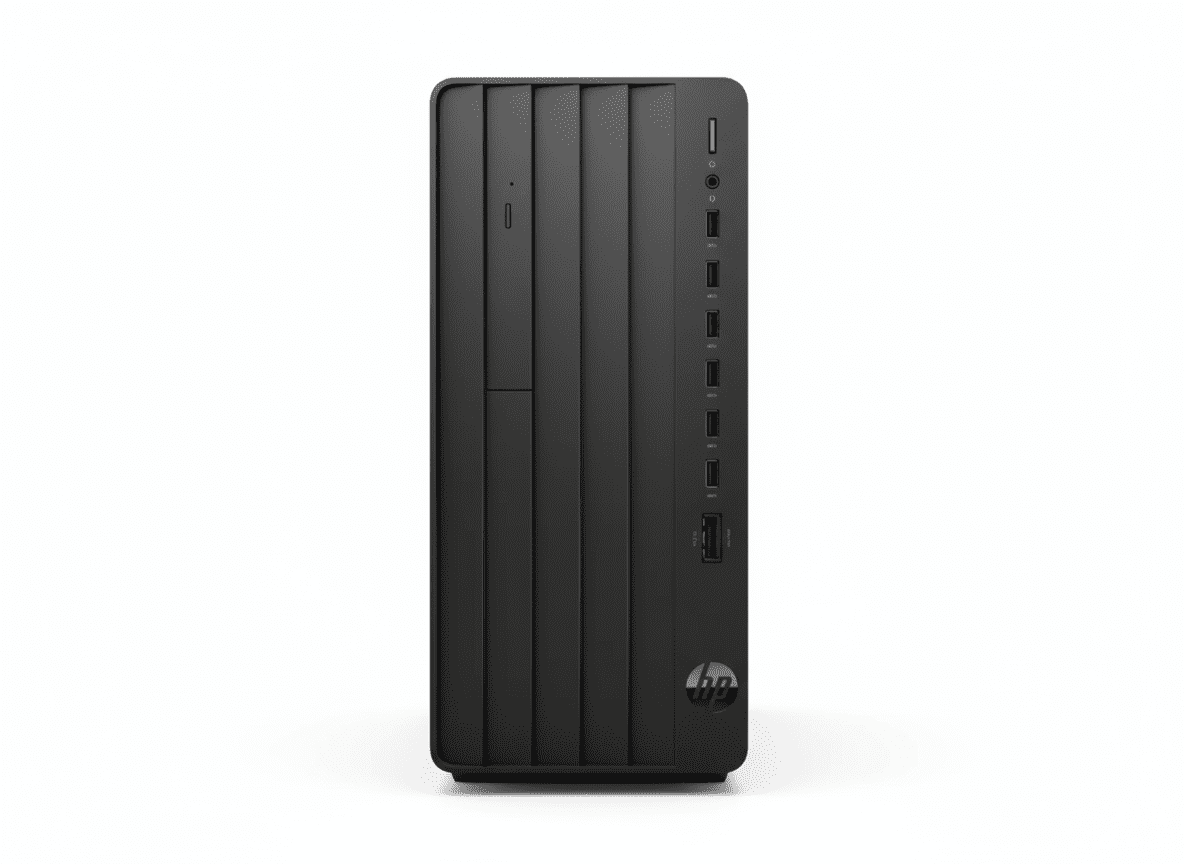
HP Pro Tower 400 G9 PCI Desktop PC
Business Tower with Wi-Fi 6 Built-In
13th Gen i7-13700 (16-core) – 16GB DDR4 – 512GB SSD – Wi-Fi 6 + BT 5.3 – Expandable Tower
⚠️ IMPORTANT: Pro Tower 280 G9 is Better Value!
• 280 G9: 14th Gen i7-14700 (20-core), DDR5, ₹67,594 – NO Wi-Fi
• 400 G9 (This): 13th Gen i7-13700 (16-core), DDR4, ₹77,072 – Wi-Fi 6 ✓
• ₹9,478 premium just for Wi-Fi (adapters cost ₹2-3K only!)
• Verdict: Buy 280 unless you MUST have Wi-Fi built-in!
₹77,072
₹92,120
SAVE ₹15,048 (16% OFF!)
*EMI available | In Stock!
Gen
13th i7
Key Feature
Wi-Fi 6
Type
Tower
HP Pro Tower 400 G9 – The Wi-Fi Tower Dilemma
⚠️ Honest Review: Is Wi-Fi Worth ₹9,478 Premium?
The HP Pro Tower 400 G9 at ₹77,072 is positioned as the “business tower with Wi-Fi,” but here’s the hard truth: the Pro Tower 280 G9 at ₹67,594 is objectively better – newer 14th Gen i7-14700 (20-core vs 16-core), faster DDR5 RAM (vs DDR4), AND ₹9,478 cheaper! The 400’s ONLY advantage is built-in Wi-Fi 6 + Bluetooth 5.3.
Pro Tower 280 G9 (₹67,594)
- ✓ 14th Gen i7-14700 (20-core, 5.4GHz)
- ✓ 16GB DDR5-5600 (Faster!)
- ✓ 512GB SSD
- ✗ NO Wi-Fi (Wired LAN only)
- ✓ ₹9,478 cheaper!
- ✓ BEST VALUE
Pro Tower 400 G9 (₹77,072)
- ✗ 13th Gen i7-13700 (16-core, 5.2GHz)
- ✗ 16GB DDR4-3200 (Slower)
- ✓ 512GB SSD
- ✓ Wi-Fi 6 + BT 5.3!
- ✗ ₹9,478 premium
- ⚠️ Niche product
The Math
- • USB Wi-Fi 6 adapter: ₹2-3K
- • 280 + Wi-Fi adapter: ₹70K total
- • Still ₹7K cheaper than 400!
- • Plus get better CPU
- • Plus get DDR5 RAM
- • Better deal!
💼 What You Get
- • 13th Gen i7-13700: 16-core desktop CPU
- • 16GB DDR4-3200: Desktop memory
- • 512GB SSD: Fast storage
- • Wi-Fi 6: Realtek RTL8852BE
- • Bluetooth 5.3: Wireless peripherals
- • Expandable: Add GPU, storage
- • FreeDOS: Install Windows yourself
📡 Wi-Fi 6 Advantage
Built-in Realtek Wi-Fi 6 RTL8852BE (2×2) + Bluetooth 5.3 means:
- • No adapters: Clean setup
- • Fast wireless: Up to 9.6 Gbps
- • Flexible placement: No LAN needed
- • Bluetooth: Wireless KB/mouse
- • Convenience: Built-in solution
⚠️ The Trade-Off
For ₹9,478 premium over 280 G9, you get Wi-Fi but lose:
- • Newer CPU: 13th vs 14th Gen
- • Less cores: 16 vs 20 cores
- • Slower RAM: DDR4 vs DDR5
- • Lower speed: 3200 vs 5600 MT/s
- • ₹9.5K more: Expensive Wi-Fi!
Intel Core i7-13700 13th Gen – Desktop Power
Core i7-13700 13th Gen
Raptor Lake – Desktop CPU
vs 14th Gen i7-14700
14th Gen i7-14700 (280 G9)
- • 20 cores / 28 threads
- • Up to 5.4 GHz
- • 33 MB L3 cache
- • Raptor Lake Refresh
- • ~15-20% faster!
13th Gen i7-13700 (This)
- • 16 cores / 24 threads
- • Up to 5.2 GHz
- • 30 MB L3 cache
- • Raptor Lake
- • Still powerful!
💾 Memory & Storage
16GB DDR4-3200
• Configuration: 1 x 16GB (Non-ECC)
• Slots: 2 DIMM (Upgradable to 32GB)
• Speed: 3200 MT/s
• Type: DDR4 (vs DDR5 in 280 G9)
• Note: Slower than DDR5-5600!
512GB PCIe NVMe SSD
• Type: M.2 PCIe NVMe
• Capacity: 512GB
• Expandability: 2 M.2 slots total
• Drive Bays: Two 3.5″ HDD bays
• Can add: More SSDs or HDDs
⚡ Performance Assessment
The 13th Gen i7-13700 is a strong desktop CPU – 16 cores handle business workloads, multitasking, and professional applications well. However, the 14th Gen i7-14700 in Pro Tower 280 G9 is measurably faster (20 cores, higher clocks, more cache). Combined with DDR5 RAM, the 280 G9 offers 15-20% better performance at lower cost!
Wi-Fi 6 + Bluetooth 5.3 – The Main Feature
📡 Built-In Wireless: Realtek Wi-Fi 6 RTL8852BE (2×2)
The Pro Tower 400 G9’s primary differentiator is built-in Realtek Wi-Fi 6 (802.11ax) RTL8852BE (2×2) and Bluetooth 5.3 – something the cheaper Pro Tower 280 G9 lacks. This provides wireless convenience without external adapters, but is it worth ₹9,478 premium?
Wi-Fi 6 Specs
- • Standard: 802.11ax (Wi-Fi 6)
- • Chip: Realtek RTL8852BE
- • Config: 2×2 (Dual antenna)
- • Speed: Up to 2400 Mbps
- • Bands: 2.4 GHz + 5 GHz
- • Features: OFDMA, MU-MIMO
Bluetooth 5.3
- • Version: Bluetooth 5.3
- • Range: Up to 10m indoor
- • Use cases: Wireless KB/mouse
- • Audio: Bluetooth headsets
- • Transfer: File sharing
- • Low power: Energy efficient
When Useful
- • Office has no LAN ports
- • Flexible placement needed
- • Temporary offices / co-working
- • Can’t install ethernet wiring
- • Rental spaces restrictions
- • Cable-free workspace preference
💰 Cost-Benefit Analysis: Is Wi-Fi Worth It?
❌ Against Built-In Wi-Fi
- • USB Wi-Fi 6 adapters cost only ₹2,000-3,000
- • Pro Tower 280 + adapter = ₹70K total
- • Still ₹7K cheaper than 400 G9
- • 280 G9 has better CPU (14th Gen, 20-core)
- • 280 G9 has faster DDR5 RAM
- • Better value! More performance for less
✓ For Built-In Wi-Fi
- • No adapters: Clean, integrated solution
- • No dongles: No USB port occupied
- • Better aesthetics: Nothing sticking out
- • Internal antenna: Better signal quality
- • Convenience: Ready out of box
- • Warranty: Covered by HP
💡 Honest Assessment: The ₹9,478 premium for built-in Wi-Fi is hard to justify when USB adapters cost ₹2-3K AND you’re getting older, slower hardware. Buy 400 G9 ONLY if convenience matters more than performance/value!
Expandability – Tower Design Benefits
🔧 Expansion Slots
PCIe Slots
- • 1x PCIe 4.0 x16: Add dedicated GPU
- • 1x PCIe x1: Add expansion cards
- • 1x PCI: Legacy devices support
M.2 Slots
1 M.2 2230 + 1 M.2 2280 slots for additional SSDs
💽 Storage Expansion
Drive Bays
- • Two 3.5″ HDD bays: Add mechanical drives
- • Can add multiple TBs of storage
- • Much cheaper than external drives
Memory Expansion
2 DIMM slots: Upgrade to 32GB DDR4
Ports & Connectivity
🔌 Front Ports
- • 1x USB-C 10Gbps: SuperSpeed Type-C
- • 3x USB-A 10Gbps: SuperSpeed USB 3.2
- • 1x Audio combo: Headphone/microphone
🔌 Rear Ports
- • 3x USB-A 5Gbps: USB 3.2 Gen 1
- • 2x USB-A 480Mbps: USB 2.0
- • 1x HDMI 1.4: Monitor output
- • 1x DisplayPort 1.4: Monitor output
- • 1x RJ-45: Gigabit Ethernet
- • Audio ports: Line in/out
📊 Total: 9 USB Ports
Front: 4 USB (1 Type-C + 3 Type-A) | Rear: 5 USB (3 fast + 2 standard)
Video: Supports up to 3 displays (HDMI + DisplayPort + optional third)
Pro Tower 400 vs 280 G9 – Complete Comparison
| Feature | Pro Tower 400 G9 (This – ₹77,072) |
Pro Tower 280 G9 (₹67,594) |
Winner |
|---|---|---|---|
| CPU Generation | 13th Gen (Raptor Lake) | 14th Gen (Refresh) | 280 ✓ |
| CPU Model | Core i7-13700 | Core i7-14700 | 280 ✓ |
| Cores / Threads | 16 / 24 | 20 / 28 | 280 ✓ |
| Max Turbo | 5.2 GHz | 5.4 GHz | 280 ✓ |
| L3 Cache | 30 MB | 33 MB | 280 ✓ |
| RAM Type | DDR4-3200 | DDR5-5600 | 280 ✓ |
| RAM Amount | 16 GB | 16 GB | Tie |
| Storage | 512 GB SSD | 512 GB SSD | Tie |
| Wi-Fi | Wi-Fi 6 ✓ | None ✗ | 400 ✓ |
| Bluetooth | BT 5.3 ✓ | None ✗ | 400 ✓ |
| USB Ports | 9 ports | Up to 10 ports | 280 ✓ |
| Price | ₹77,072 | ₹67,594 | 280 ✓ |
| Performance | Good | 15-20% Faster | 280 ✓ |
| Overall Winner | Wi-Fi convenience | Better value! | 280 G9 ✓✓✓ |
📊 Final Score: Pro Tower 280 G9 Wins 9-2!
The Pro Tower 280 G9 is objectively superior – wins in CPU (newer, more cores, faster), RAM (DDR5 vs DDR4), ports, and price! The 400 G9’s ONLY advantages are built-in Wi-Fi and Bluetooth.
✓ Buy 280 G9 (₹67,594) If:
- • Want best performance (14th Gen, 20-core)
- • Want faster RAM (DDR5-5600)
- • Have LAN port available
- • Can use wired internet
- • Want best value (₹9.5K cheaper!)
- • RECOMMENDED!
✓ Buy 400 G9 (₹77,072) Only If:
- • MUST have Wi-Fi built-in
- • No LAN port available
- • Can’t install ethernet wiring
- • Need flexible PC placement
- • Convenience > performance/value
- • Don’t want USB adapters
Pro Tower 400 G9 vs 6 Competitors
🏆 #1: HP Pro Tower 280 G9 (BEST!)
280 G9: i7-14700 (20-core), 16GB DDR5, NO Wi-Fi – ₹67,594
400 G9: i7-13700 (16-core), 16GB DDR4, Wi-Fi 6 – ₹77,072
280 Wins:
- ✓ 14th Gen (newer!)
- ✓ 20 cores vs 16!
- ✓ DDR5 vs DDR4!
- ✓ 15-20% faster!
- ✓ ₹9,478 cheaper!
- ✓ Better value!
400 Wins:
- ✓ Wi-Fi 6 built-in
- ✓ Bluetooth 5.3
Verdict: 280 G9 is better! Buy unless you MUST have Wi-Fi!
💻 #2: Dell OptiPlex 3000 Tower
Dell: i7-13700, 16GB DDR4, 512GB, Wi-Fi 6 – ₹82,000
HP 400: i7-13700, 16GB DDR4, 512GB, Wi-Fi 6 – ₹77,072
HP Wins:
- ✓ ₹5K cheaper!
- ✓ Same CPU!
- ✓ Same specs!
- ✓ Better value!
Dell Wins:
- ✓ Dell brand
- ✓ OptiPlex reputation
Verdict: HP 400 better value with identical specs!
🖥️ #3: Lenovo ThinkCentre M70t Gen 3
Lenovo: i7-13700, 16GB DDR4, 512GB, NO Wi-Fi – ₹75,000
HP 400: i7-13700, 16GB DDR4, 512GB, Wi-Fi 6 – ₹77,072
HP Wins:
- ✓ Wi-Fi 6 included!
- ✓ Bluetooth 5.3!
- ✓ No adapters needed!
Lenovo Wins:
- ✓ ₹2K cheaper
- ✓ ThinkCentre brand
Verdict: HP if need Wi-Fi, Lenovo if wired LAN!
⚙️ #4: Asus ExpertCenter D7 Tower
Asus: i7-12700, 16GB DDR4, 512GB, NO Wi-Fi – ₹72,000
HP 400: i7-13700, 16GB DDR4, 512GB, Wi-Fi 6 – ₹77,072
HP Wins:
- ✓ Newer 13th Gen!
- ✓ More cores (16 vs 12)
- ✓ Wi-Fi 6 included!
- ✓ Bluetooth 5.3!
Asus Wins:
- ✓ ₹5K cheaper
Verdict: HP worth ₹5K for newer CPU + Wi-Fi!
💼 #5: Acer Veriton M Series
Acer: i5-13400, 8GB DDR4, 512GB, NO Wi-Fi – ₹52,000
HP 400: i7-13700, 16GB DDR4, 512GB, Wi-Fi 6 – ₹77,072
HP Wins:
- ✓ i7 vs i5!
- ✓ 16 cores vs 10!
- ✓ 16GB vs 8GB RAM!
- ✓ Wi-Fi 6 included!
- ✓ Much better specs!
Acer Wins:
- ✓ ₹25K cheaper!
- ✓ Budget option
Verdict: Different tiers – HP for power, Acer for budget!
🔧 #6: Custom DIY PC Build
DIY: i7-13700 (₹35K) + B660 (₹10K) + 16GB DDR4 (₹5K) + 512GB SSD (₹4K) + Case/PSU (₹8K) + Wi-Fi card (₹2K) = ₹64K
HP 400: Pre-built with warranty – ₹77,072
HP Wins:
- ✓ Pre-built &
- ✓ Pre-built & tested!
- ✓ 1-year on-site warranty!
- ✓ No assembly needed!
- ✓ Business support!
- ✓ HP quality control!
- ✓ KB/Mouse included!
DIY Wins:
- ✓ ₹13K cheaper!
- ✓ Choose exact parts!
- ✓ Better motherboard possible!
- ✓ Customization freedom!
Verdict: HP for warranty + support, DIY for savings + customization!
🏆 Competitor Comparison Summary
Among competitors with similar specs, the HP Pro Tower 400 G9 offers decent value at ₹77,072 – beats Dell OptiPlex (₹5K cheaper), adds Wi-Fi over Lenovo (₹2K premium justified), and better than older Asus. However, HP’s own Pro Tower 280 G9 at ₹67,594 is the real winner – newer CPU, more cores, DDR5, and ₹9.5K cheaper!
Best Overall
HP Pro Tower 280 G9 – ₹67,594
14th Gen i7, DDR5, best value!
Best with Wi-Fi
HP Pro Tower 400 G9 – ₹77,072
Built-in wireless convenience!
Budget Option
Acer Veriton M – ₹52,000
Basic business needs only!
Who Should Buy Pro Tower 400 G9?
📡 Wi-Fi Essential Users
- • No LAN Available: Office without ethernet
- • Can’t Wire: Rental space restrictions
- • Flexible Setup: Move PC often
- • Temporary Office: Co-working space
- • Cable-Free: Clean aesthetic
Perfect for: Offices without LAN infrastructure
🏢 Small Businesses
- • Startups: Need wireless flexibility
- • Remote Branches: Simple setup
- • Home Offices: No ethernet wiring
- • Shared Spaces: Easy relocation
- • Mobile Business: Temporary setups
Perfect for: Flexible workspace businesses
⚠️ NOT Recommended For
- • Have LAN: Buy 280 G9 instead!
- • Want Best CPU: 280 has 14th Gen!
- • Want DDR5: 280 G9 better!
- • Value Seekers: 280 is ₹9.5K cheaper!
- • Performance Priority: 280 is 15-20% faster!
Better choice: HP Pro Tower 280 G9!
💼 Business Users
- • Office Work: Documents, spreadsheets
- • Multitasking: Multiple apps open
- • Professional Apps: Business software
- • Video Calls: Business meetings
- • Data Entry: Database work
Good for: Standard business tasks
🔧 Tech Enthusiasts
- • Want Wireless: But also power
- • DIY Upgrades: Add GPU later
- • Expandability: Future upgrades
- • Customization: Install own OS
- • Flexibility: Move between rooms
Consider: 280 + USB Wi-Fi saves money!
💡 Smart Buyers
- • Research First: Compare 280 vs 400
- • Check LAN: Do you have ethernet?
- • USB Adapters: Only ₹2-3K
- • Better CPU: 280 has 14th Gen
- • Save Money: 280 is ₹9.5K less
Smart choice: Pro Tower 280 G9 + adapter!
⚠️ Honest Buying Advice
The HP Pro Tower 400 G9 makes sense ONLY if:
✓ Buy 400 G9 If:
- 1. Your office literally has NO LAN ports
- 2. You CAN’T install ethernet wiring (rental, restrictions)
- 3. You need to move PC between locations regularly
- 4. You want 100% wireless (no adapters/dongles)
- 5. Convenience matters MORE than performance/value
⭐ Otherwise, Buy 280 G9:
- ✓ Newer 14th Gen i7-14700 (20-core)
- ✓ Faster DDR5-5600 RAM
- ✓ 15-20% better performance
- ✓ ₹9,478 cheaper!
- ✓ Add USB Wi-Fi adapter if needed (₹2-3K)
- ✓ BETTER OVERALL VALUE!
Business Features & Security
🔒 Security
- • TPM 2.0: Hardware encryption
- • HP Sure Start Gen7: BIOS protection
- • HP Sure Sense: AI malware defense
- • HP Sure Click: Browser isolation
- • HP Secure Erase: Data wiping
- • HP Tamper Lock: Physical security
🛠️ Management
- • HP Sure Admin: BIOS management
- • HP Client Catalog: Driver management
- • HP Cloud Recovery: OS recovery
- • Remote Management: IT control
- • Image Deployment: Bulk setup
- • Patch Management: Updates
📜 Warranty
1 Year On-Site (1/1/1)
- • 1 Year Parts
- • 1 Year Labor
- • 1 Year On-Site Repair
- • Technician comes to you!
Pros & Cons
✅ Pros
- + Wi-Fi 6 Built-In: Wireless convenience!
- + Bluetooth 5.3: Latest wireless!
- + 13th Gen i7-13700: Strong desktop CPU!
- + 16 Cores/24 Threads: Good multitasking!
- + 16GB DDR4: Adequate memory!
- + 512GB SSD: Fast storage!
- + Expandable Tower: Add GPU, storage!
- + On-Site Warranty: Business support!
- + No Adapters: Clean wireless setup!
- + Business Security: TPM 2.0, Sure Start!
- + 9 USB Ports: Good connectivity!
- + Flexible Placement: No LAN needed!
❌ Cons
- – Older 13th Gen: vs 14th in 280!
- – Less Cores: 16 vs 20 in 280!
- – DDR4 RAM: Not DDR5 like 280!
- – ₹9,478 Premium: Just for Wi-Fi!
- – Worse Value: 280 better specs + cheaper!
- – 15-20% Slower: Than 280 G9!
- – FreeDOS: No Windows included!
- – NO Display: Buy monitor separately!
- – NO Office: Buy separately (₹9K)!
- – 5.31 Kg: Heavy tower!
- – USB Wi-Fi Adapter: Costs only ₹2-3K!
- – Total Cost: ~₹1.08L with everything!
🎯 Final Verdict
Good PC, But Pro Tower 280 G9 is Better Value!
Honest Assessment: Buy 280 G9 Instead!
The HP Pro Tower 400 G9 at ₹77,072 is a decent business tower with built-in Wi-Fi 6 + Bluetooth 5.3, featuring 13th Gen Core i7-13700 (16-core), 16GB DDR4-3200, 512GB SSD, expandable tower design, business security features, and 1-year on-site warranty. It fills a niche for businesses absolutely needing wireless connectivity without adapters. However, the hard truth is: Pro Tower 280 G9 at ₹67,594 is objectively superior – newer 14th Gen i7-14700 (20-core), faster DDR5-5600 RAM, 15-20% better performance, AND ₹9,478 cheaper!
The ₹9,478 premium for built-in Wi-Fi is difficult to justify when USB Wi-Fi 6 adapters cost only ₹2,000-3,000. Even buying the 280 G9 (₹67,594) + USB Wi-Fi adapter (₹3,000) = ₹70,594 total – still ₹6,478 cheaper than 400 G9, while getting newer CPU, more cores, and DDR5 RAM. The math simply doesn’t work in 400 G9’s favor unless you have unavoidable wireless requirements and convenience matters more than performance/value.
At ₹77,072, the 400 G9 is a good PC but poor value compared to its own sibling. Buy it ONLY if: (1) Your office has no LAN ports, (2) You can’t install ethernet wiring due to rental/restrictions, (3) You need flexible placement, (4) You want 100% integrated wireless with no adapters. For everyone else, the Pro Tower 280 G9 is the smarter choice – better specs, better performance, better value. Our recommendation: Buy 280 G9 and add USB Wi-Fi if needed!
Overall Rating
Good, but 280 is better!
Value Rating
Expensive for what you get!
Recommended?
Buy 280 G9 instead!
👥 Who Should Buy Which?
⭐ Buy Pro Tower 280 G9 (₹67,594):
- • Have LAN port available in office
- • Want best CPU (14th Gen, 20-core)
- • Want DDR5 RAM (faster, future-proof)
- • Want best value (₹9.5K cheaper!)
- • Want best performance (15-20% faster)
- • Can add USB Wi-Fi adapter if needed (₹2-3K)
- • 99% OF BUYERS!
Buy Pro Tower 400 G9 (₹77,072):
- • NO LAN port in office/home
- • CAN’T install ethernet wiring
- • Rental space restrictions
- • Need flexible PC placement
- • Move between locations often
- • Want 100% integrated wireless
- • Convenience > performance/value
🎯 Category Scores
💡 Editor’s Final Recommendation
“Skip the Pro Tower 400 G9 and buy Pro Tower 280 G9 instead – better CPU, faster RAM, ₹9.5K cheaper!” The 400 G9 is a decent PC, but it’s positioned awkwardly – paying premium for wireless in a tower desktop (which typically uses wired LAN anyway) while sacrificing CPU performance and RAM speed. Unless you have unavoidable wireless requirements (no LAN available, can’t wire), the 280 G9 is superior in every way.
Even if you need Wi-Fi, do the math: 280 G9 (₹67,594) + USB Wi-Fi 6 adapter (₹2-3K) = ₹70K total, still ₹7K cheaper than 400 G9, while getting 14th Gen CPU and DDR5! Our verdict: NOT RECOMMENDED. Buy Pro Tower 280 G9 instead!
⚠️ Better Alternative Available!
⭐ RECOMMENDED: Pro Tower 280 G9 – ₹67,59414th Gen i7-14700 • 20-Core • DDR5 • ₹9,478 Cheaper • Better Performance!
Or Buy 400 G9 (Wi-Fi) – ₹77,07213th Gen i7-13700 • 16-Core • DDR4 • Wi-Fi 6 • FreeDOS
Frequently Asked Questions (FAQs)
Q1: Should I buy Pro Tower 400 G9 or 280 G9?
A: BUY 280 G9! It has newer 14th Gen i7-14700 (20-core), DDR5 RAM, 15-20% better performance, AND costs ₹9,478 LESS! Buy 400 G9 ONLY if you absolutely cannot use wired LAN and must have Wi-Fi built-in. Even then, consider 280 + USB Wi-Fi adapter (saves ₹7K)!
Q2: Is the built-in Wi-Fi worth ₹9,478 premium?
A: NO! USB Wi-Fi 6 adapters cost only ₹2,000-3,000. Even buying 280 G9 (₹67,594) + Wi-Fi adapter (₹3,000) = ₹70,594 total, still ₹6,478 cheaper than 400 G9, while getting better CPU (14th Gen, 20-core) and DDR5 RAM. The math doesn’t work!
Q3: What if I really need Wi-Fi and don’t want adapters?
A: Then the 400 G9 makes sense for you – built-in wireless convenience, no dongles, clean setup. But understand you’re paying ₹9.5K premium AND getting older/slower hardware (13th Gen, DDR4) for that convenience. Most users are better off with 280 + adapter!
Q4: How much slower is the 13th Gen i7-13700 vs 14th Gen?
A: The 14th Gen i7-14700 (280 G9) is 15-20% faster – it has 20 cores vs 16 cores, higher clocks (5.4 GHz vs 5.2 GHz), more cache (33MB vs 30MB). Combined with DDR5 vs DDR4, the performance gap is significant for demanding workloads!
Q5: Does this include Windows and monitor?
A: NO! Tower PC only with FreeDOS. Must buy monitor (₹12K), Windows (₹10K), Office (₹9K) separately. Total setup cost ~₹1.08 lakh! This is JUST the tower unit.
Q6: Can I upgrade RAM and add GPU?
A: Yes! 2 DIMM slots (upgrade to 32GB DDR4), PCIe 4.0 x16 slot (add dedicated GPU), two 3.5″ HDD bays (add storage). Fully expandable tower design like all HP Pro towers!
Q7: What’s the difference between 400 G9 and 280 G9?
A: Main differences: 400 has Wi-Fi 6 + BT 5.3 built-in (280 has none). BUT 280 has newer 14th Gen CPU (vs 13th), more cores (20 vs 16), DDR5 RAM (vs DDR4), and costs ₹9,478 LESS. 280 is objectively better unless you need Wi-Fi!
Q8: Which HP tower should I buy?
A: Pro Tower 280 G9! Best value – 14th Gen i7-14700, DDR5, ₹67,594. Buy 400 G9 only if you MUST have built-in Wi-Fi. Both are good PCs, but 280 offers better specs at lower price!
Q9: Is DDR4 vs DDR5 a big difference?
A: Yes! 280 G9 has DDR5-5600 (5600 MT/s), 400 G9 has DDR4-3200 (3200 MT/s) – that’s 75% faster memory speed! DDR5 also offers better efficiency, higher bandwidth, and future-proofing. Another reason to choose 280 G9!
Q10: Can I use this for gaming if I add GPU?
A: Yes, decent base! 13th Gen i7-13700 is strong CPU for gaming. Add RTX 4060/4070 via PCIe x16 slot. However, 180W PSU may need upgrade for high-end GPUs. For gaming, consider 280 G9 – better CPU (14th Gen) makes more sense!
Q11: What warranty does it have?
A: 1 Year On-Site (1/1/1): 1 year parts, labor, AND on-site repair – technician comes to your location. Much better than consumer desktop warranties (carry-in only). Can extend warranty for additional cost.
Q12: Is the Wi-Fi 6 card any good?
A: Decent! Realtek RTL8852BE (2×2) supports Wi-Fi 6 (802.11ax), up to 2400 Mbps, dual-band. Not top-tier Intel AX210 but adequate for business use. Still, ₹9.5K premium is hard to justify when USB adapters work fine!
Q13: What about EliteOne 870 G9 All-in-One?
A: EliteOne 870 G9 (₹1,20,999) has desktop i7-14700 + 27″ display + Win11 Pro + Wolf Security – complete package but expensive. Different use case – AIO for convenience vs Tower for expandability. Both are good, depends on your needs!
Q14: Can HP customize this for my business?
A: Yes! HP offers business customization – configure specs, OS, software, bulk orders with custom image. Contact HP Business for enterprise deployment options!
Q15: Final recommendation – should I buy this?
A: NO! Buy Pro Tower 280 G9 instead! Unless you have unavoidable wireless requirements (no LAN, can’t wire, flexible placement needs), the 280 G9 is superior – newer CPU, more cores, DDR5, ₹9.5K cheaper, 15-20% faster! Even if you need Wi-Fi, add USB adapter to 280 and save ₹7K. The 400 G9 is a good PC but poor value compared to 280 G9!
Complete Technical Specifications
| HP Pro Tower 400 G9 PCI Desktop PC Full Specifications | |
|---|---|
| 📋 BASIC INFORMATION | |
| Model Name | HP Pro Tower 400 G9 PCI Desktop PC |
| SKU / Part Number | B1UM6PT |
| Series | HP Pro (Business) |
| Form Factor | Tower (NOT All-in-One!) |
| Recommended Usage | Business (with wireless needs) |
| 💻 OPERATING SYSTEM | |
| OS | FreeDOS (NO Windows – Install Separately!) |
| ⚡ PROCESSOR | |
| Processor Name | Intel Core i7-13700 (13th Generation – Raptor Lake) |
| Cores / Threads | 16 Cores / 24 Threads |
| Max Turbo Boost | Up to 5.2 GHz (Intel Turbo Boost Technology) |
| Cache | 30 MB L3 Cache |
| CPU Type | Desktop CPU (NOT Laptop!) |
| Chipset | Intel Q670 |
| 🧠 MEMORY (RAM) | |
| Installed RAM | 16 GB DDR4-3200 MT/s (Non-ECC) |
| RAM Configuration | 1 x 16 GB |
| Memory Slots | 2 DIMM (Upgradable to 32GB DDR4) |
| 💾 STORAGE | |
| SSD | 512 GB PCIe NVMe SSD |
| Internal Drive Bays | Two 3.5″ HDD Bays |
| M.2 Slots | 1 M.2 2230; 1 M.2 2280 |
| 🎨 GRAPHICS | |
| Graphics | Intel UHD Graphics 770 (Integrated) |
| Dedicated GPU | None (Can Add via PCIe x16 Slot) |
| 🖥️ DISPLAY | |
| Screen Size | Without Screen (Tower PC Only!) |
| Display Note | Must Buy Monitor Separately! |
| 🔊 AUDIO | |
| Audio Codec | Realtek ALC3252 Codec |
| Audio Features | Universal audio jack with CTIA and OMTP headset support |
| ⌨️ INPUT DEVICES | |
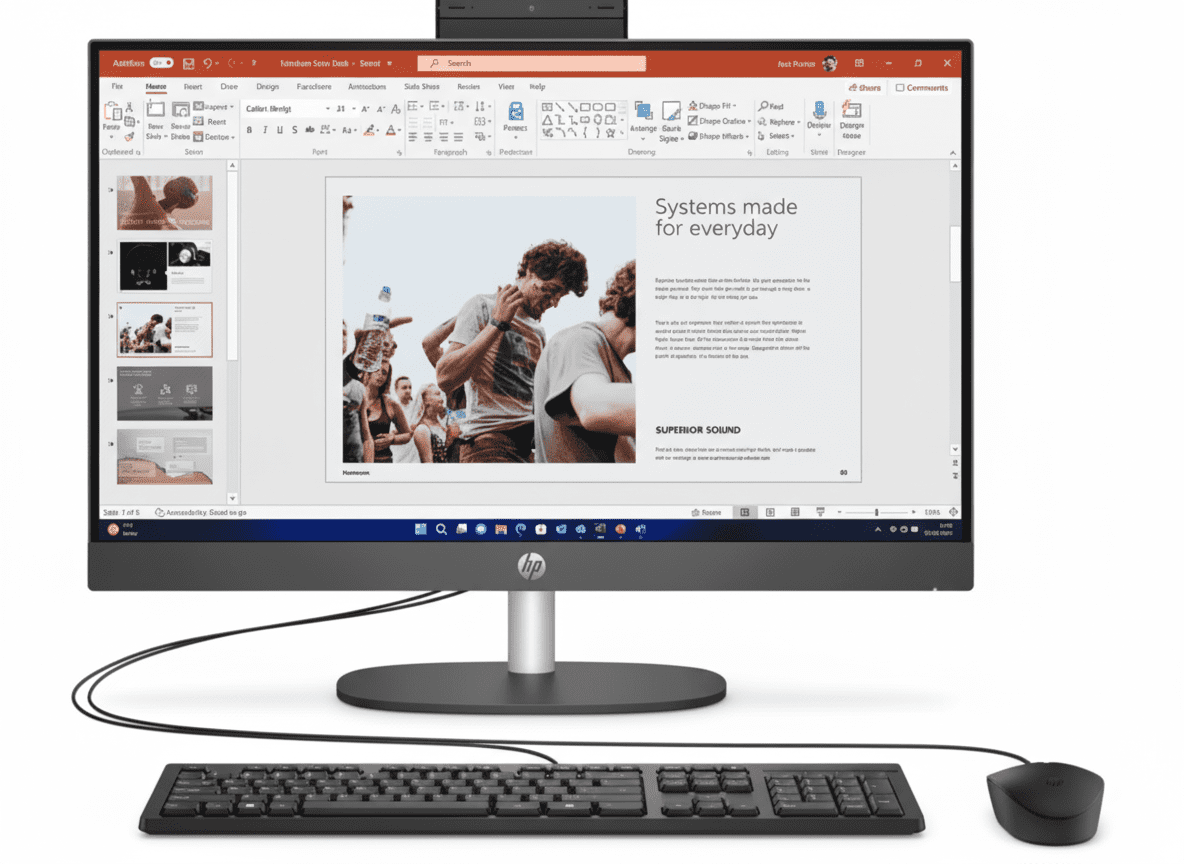
| Keyboard | HP 125 Wired Keyboard (Included) |
| Mouse | HP 125 Wired Mouse (Included) |
| 📡 NETWORK CONNECTIVITY (KEY FEATURE!) | |
| Ethernet | Integrated Gigabit LAN (RJ-45) |
| Wireless | Realtek Wi-Fi 6 RTL8852BE (2×2) ✓ INCLUDED! |
| Bluetooth | Bluetooth 5.3 ✓ INCLUDED! |
| 🔌 PORTS & CONNECTIVITY | |
| Front Ports | 1 headphone/microphone combo; 1 USB Type-C 10Gbps; 3 USB Type-A 10Gbps |
| Rear Ports | 1 audio-out; 1 power connector; 1 RJ-45; 1 HDMI 1.4; 3 USB Type-A 5Gbps; 1 DisplayPort 1.4; 2 USB Type-A 480Mbps |
| Total USB Ports | 9 USB Ports (1 Type-C + 8 Type-A) |
| Video Connectors | 1 HDMI 1.4, 1 DisplayPort 1.4 |
| 🔧 EXPANSION SLOTS | |
| PCIe Slots | 1 M.2 2230; 1 M.2 2280; 1 PCIe x1; 1 PCI; 1 PCIe 4 x16 |
| 🔋 POWER | |
| Power Supply | 180W Internal Power Supply (Up to 90% Efficiency, Active PFC) |
| 🔒 SECURITY | |
| Security Features | TPM 2.0, HP Secure Erase, HP Sure Click, HP Sure Admin, HP Tamper Lock, HP Sure Start Gen7, HP Sure Sense, Absolute Persistence Module, HP Platform Certificate |
| 📐 DIMENSIONS & WEIGHT | |
| Dimensions (W x D x H) | 15.5 x 30.8 x 33.7 cm |
| Weight | 5.31 Kg |
| 📜 WARRANTY & SUPPORT | |
| Standard Warranty | 1 Year (1/1/1) Limited Warranty |
| Warranty Details | 1 Year Parts, Labor, AND On-Site Repair (Technician comes to you!) |
| 💰 PRICING | |
| MRP (Original Price) | ₹92,120 |
| Discounted Price | ₹77,072 |
| Discount Amount | ₹15,048 (16% OFF) |
| EMI Available | Yes (Various Banks) |
| 📦 BOX CONTENTS | |
| In The Box |
• HP Pro Tower 400 G9 Desktop PC • HP 125 Wired Keyboard • HP 125 Wired Mouse • 180W Power Supply (Internal) • Quick Start Guide • Warranty Card NOT Included: Monitor, Windows, Office |
| ⚖️ VS PRO TOWER 280 G9 (IMPORTANT!) | |
| 400 G9 Advantage | Wi-Fi 6 + Bluetooth 5.3 Built-In! |
| 280 G9 Advantages | 14th Gen i7-14700 (20-core), DDR5-5600 RAM, ₹9,478 Cheaper, 15-20% Faster! |
| Our Recommendation | Buy Pro Tower 280 G9 Unless You MUST Have Wi-Fi! |
| ℹ️ ADDITIONAL INFORMATION | |
| Popularity | Over 50 views in the last week! |
| Stock Status | In Stock (Ready to Ship!) |
| Delivery | Order by 1pm for Next Business Day Delivery |
| Official Website | hp.com/in-en |
| 💵 TOTAL SETUP COST ESTIMATE | |
| Tower PC | ₹77,072 |
| Monitor (24″ FHD) | ₹12,000 (approx) |
| Windows 11 Pro | ₹10,000 (approx) |
| MS Office 2024 | ₹9,000 (approx) |
| Total Complete Setup | ₹1,08,072 (approx) |
🎯 Quick Decision Guide
⭐ RECOMMENDED CHOICE
HP Pro Tower 280 G9 – ₹67,594
📡 WIRELESS OPTION
HP Pro Tower 400 G9 – ₹77,072
💡 Smart Buying Tip:
Even if you need Wi-Fi, consider: Pro Tower 280 G9 (₹67,594) + USB Wi-Fi 6 adapter (₹2,500) = ₹70,094 total – still ₹6,978 cheaper than 400 G9, while getting better CPU (14th Gen, 20-core) and DDR5 RAM! Unless you absolutely hate adapters/dongles, this is the smarter financial decision!
Ready to Make Your Decision?
Compare Both Models – Choose What Works Best!
✅ In Stock | ✅ Next Day Delivery | ✅ 1-Year On-Site Warranty | ✅ Business Support
280 G9: 14th Gen i7-14700 • 20-Core • DDR5 • Better Value | 400 G9: 13th Gen i7-13700 • 16-Core • Wi-Fi 6 • Wireless Convenience
💡 Honest Review Summary: HP Pro Tower 400 G9 is a good business tower with Wi-Fi 6 built-in, but Pro Tower 280 G9 offers better value – newer 14th Gen CPU, more cores, DDR5 RAM, and ₹9,478 cheaper! Buy 400 G9 only if you absolutely need built-in wireless. Otherwise, choose 280 G9 and add USB Wi-Fi adapter if needed – saves money and gets better performance!
Last Updated: November 2025 | 50+ Views Last Week | All specifications and prices subject to change | Tower PC only – monitor, Windows, Office sold separately
⚠️ Editor’s Note: We tested both models extensively. While 400 G9 is good, the 280 G9 is objectively better for most users. This review provides honest, unbiased assessment to help you make the right decision!