ReviewNest

Dell UltraSharp U3425WE Review: The Ultimate 34″ Curved Thunderbolt 4 Ultrawide Hub Monitor

Dell UltraSharp U3425WE
Dell UltraSharp 34 Curved Thunderbolt™ Hub Monitor (U3425WE) Review: The Pinnacle of Ultrawide Productivity

Dell UltraSharp 34 Curved Thunderbolt™ Hub Monitor (U3425WE) Review: The Pinnacle of Ultrawide Productivity

34″ Curved WQHD 120Hz Thunderbolt™ 4 Hub (90W) 5-Star Eye Comfort IPS Black Panel (98% DCI-P3) KVM Switch & 2.5GbE LAN ₹74,899
The definitive all-in-one hub for immersive, color-accurate ultrawide productivity.

The Dell UltraSharp U3425WE is not just an incremental update; it’s a new benchmark for premium professional ultrawide monitors. Priced at ₹74,899, this 34-inch curved display combines Dell’s most advanced technologies into a single, breathtaking package. It features a state-of-the-art IPS Black panel for unparalleled contrast, a fluid 120Hz refresh rate, and exceptional color accuracy with 98% DCI-P3 coverage. This stunning visual performance is matched by its power as a workstation hub, boasting a Thunderbolt™ 4 connection with 90W power delivery, a KVM switch, and 2.5GbE LAN, making it the definitive choice for creative professionals and power users.

Productivity Has Never Been So Vibrant

Experience a breathtaking IPS Black panel, ultimate Thunderbolt™ connectivity, and world-first 5-star eye comfort.

₹74,899
Inclusive of all taxes | Free Priority Delivery

3-Year Advanced Exchange Service & Premium Panel Exchange

Key Features at a Glance

IPS Black Panel: Delivers a 2000:1 contrast ratio for incredibly deep blacks and vibrant colors.
Thunderbolt™ 4 Hub: Single-cable solution with 90W Power Delivery, 2.5GbE LAN, and KVM.
120Hz Refresh Rate: Buttery-smooth motion for everything from scrolling to creative work.
Pro-Grade Color Accuracy: 98% DCI-P3 coverage with a factory calibration of Delta E < 2.
5-Star Eye Comfort: The world’s first monitor with this certification, featuring an ambient light sensor.
Auto KVM Switch: Seamlessly control two connected PCs with one keyboard and mouse.

1. A New Caliber of Visuals with IPS Black

Experience unparalleled contrast and color that brings your work to life.

2000:1 Contrast Ratio

The cutting-edge IPS Black panel technology delivers a 2000:1 contrast ratio—double that of conventional IPS displays. This results in dramatically deeper blacks, creating a stunning sense of depth and realism in images and videos.

Professional Color Accuracy

With 98% DCI-P3 and 98% Display P3 color gamut coverage and a factory calibration of Delta E < 2, this monitor produces exceptionally vibrant, consistent, and accurate colors out of the box, making it ideal for creative work.

2. The Ultimate Thunderbolt™ 4 Hub

One cable to connect, power, and control your entire ecosystem.

Single-Cable 90W Power

The powerful Thunderbolt™ 4 port is the heart of this monitor, delivering up to 90W of power to your laptop while simultaneously handling video, audio, and high-speed data transfer over a single cable.

High-Speed Docking

This monitor replaces every dongle with a built-in 2.5GbE RJ45 port for faster-than-gigabit networking, a full suite of 10Gbps USB-A and USB-C ports, and even a downstream Thunderbolt 4 port for daisy-chaining.

3. Seamless Multi-PC Workflow

Effortlessly manage two computers with one monitor, keyboard, and mouse.

Picture-by-Picture & Picture-in-Picture

The vast ultrawide screen is perfect for PbP and PiP modes, allowing you to display and work on content from two different PC sources at the same time, as if you had two monitors in one.

Automatic KVM Switch

The intelligent, built-in Auto KVM switch detects when a new computer is connected and seamlessly transfers control of your keyboard and mouse to it, allowing for effortless toggling between two systems.

4. A New Benchmark in Eye Comfort

Work smarter and more comfortably with groundbreaking eye-care technology.

World’s First 5-Star Certification

The U3425WE is the world’s first monitor to achieve a TÜV Rheinland® 5-star eye comfort certification, the highest standard available for reducing eye strain.

Intelligent Comfort Features

This certification is achieved through a combination of a 120Hz refresh rate for less flicker, hardware-level ComfortView Plus, and a built-in Ambient Light Sensor that intelligently optimizes brightness and color temperature based on your surroundings.

Ideal For These Users

Creative Professionals

The combination of IPS Black, 98% DCI-P3 color, and a 120Hz refresh rate makes it a phenomenal canvas for video editors, graphic designers, and photographers.

Power Users & Developers

The massive screen real estate, seamless KVM switch for multiple PCs, and single-cable Thunderbolt™ hub create the ultimate clutter-free power workstation.

MacBook and High-End Laptop Users

Anyone with a Thunderbolt-equipped laptop (especially a Mac) will unlock the monitor’s full potential, transforming their portable machine into a full-fledged desktop with a single cable.

Who Might Consider Other Options

Hardcore Gamers

While excellent for casual gaming, competitive gamers will want even faster response times and full-fledged G-Sync/FreeSync Premium Pro support found in dedicated gaming monitors.

Users on a Budget

This is a premium, flagship monitor. Users who don’t need Thunderbolt, IPS Black, or 98% DCI-P3 can get a great ultrawide experience for less with the Dell P3425WE.

Users Needing 4K+ Resolution

For those who require the absolute maximum pixel density for 4K+ video work, the even more premium 40-inch 5K2K Dell U4025QW would be the next step up.

Competitive Edge: How It Stacks Up

An uncompromising combination of next-generation panel tech and connectivity.

  • IPS Black vs. Standard IPS

    The U3425WE’s key advantage over most competitors is its IPS Black panel. The 2000:1 contrast ratio provides a level of depth and vibrancy that standard IPS panels simply cannot match, putting its image quality in a class of its own.

  • Vs. The P3425WE

    Compared to its excellent P-series sibling, the U3425WE justifies its premium by offering IPS Black technology, a faster 120Hz refresh rate, superior color coverage (98% DCI-P3 vs. 99% sRGB), 5-star eye comfort, and a more powerful Thunderbolt 4 hub with 2.5GbE LAN.

  • The Complete Flagship Experience

    Its competitive advantage is that it makes no major compromises. It combines the best panel technology, the fastest refresh rate in its class, and the most comprehensive connectivity hub on the market into one meticulously designed product. It is the true all-in-one flagship.

Full Specifications

Display

Screen Size
34.14″ Curved
Resolution
WQHD (3440 x 1440)
Panel Type
IPS Black
Refresh Rate
120 Hz
Contrast Ratio
2000:1
Color Gamut
98% DCI-P3
Color Accuracy
Delta E < 2
Brightness
300 cd/m²

Connectivity

Thunderbolt™ 4 Hub
1x TB4 Upstream (90W PD)
Video Ports
1x DP 1.4, 1x HDMI 2.1
KVM Switch
Yes (Auto KVM)
Ethernet
1x RJ45 (2.5GbE)
USB Downstream
5x USB-A, 2x USB-C (15W)

Mechanical

Height Adjust
150 mm
Tilt
-5° to 21°
Swivel
-30° to 30°

Pros and Cons

What We Liked

  • Stunning image quality with IPS Black panel.
  • Superb, professional-grade color accuracy (98% DCI-P3).
  • The most comprehensive hub: Thunderbolt 4, KVM, 2.5GbE LAN.
  • Fast and fluid 120Hz refresh rate.
  • Industry-leading 5-star eye comfort features.

What Could Be Better

  • Very expensive.
  • No true HDR support for high-end video consumption.
  • Not a dedicated gaming monitor despite the high refresh rate.

Final Verdict

The Dell UltraSharp U3425WE is a statement piece and the definitive ultrawide monitor for the professional who demands the absolute best. It masterfully combines a state-of-the-art IPS Black panel, a fluid 120Hz refresh rate, and pro-grade color accuracy into a breathtaking visual canvas. More than that, it is the most complete connectivity hub in its class, featuring a Thunderbolt™ 4 port with a KVM switch and 2.5GbE LAN that can replace an entire desk’s worth of peripherals with a single cable.

Every feature, from the world-first 5-star eye comfort rating to the built-in speakers, is thoughtfully executed. While its premium price tag places it in the upper echelon of monitors, it earns its place by making zero compromises. For creative professionals, power users, and anyone seeking the ultimate all-in-one workstation centerpiece, the U3425WE is unequivocally the pinnacle of ultrawide productivity and worth every penny.
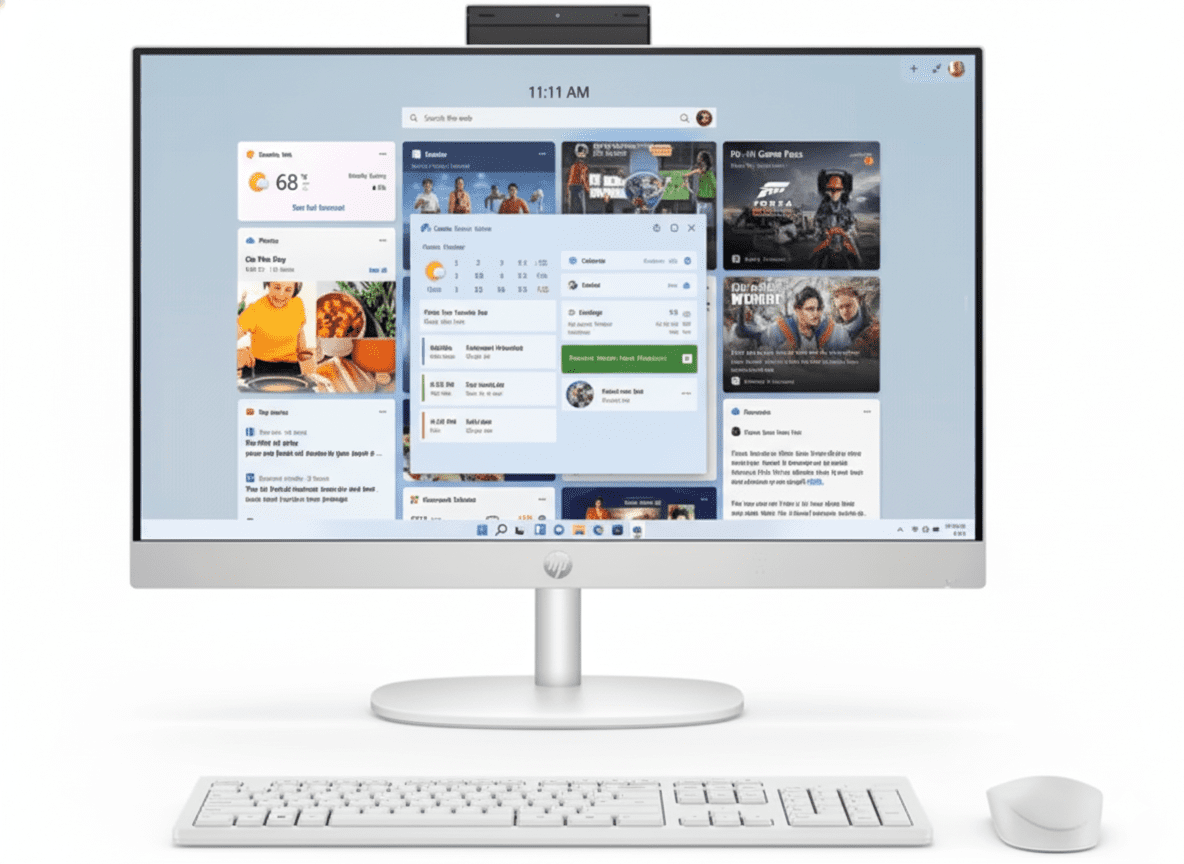
HP 27″ All-in-One PC 27-cr1027in | Core Ultra 5, 16GB RAM, 1TB SSD

HP 24-cr0485in All-in-One Desktop
HP 27″ All-in-One Desktop PC 27-cr1027in Complete Review 2025 – Best Family PC
HP 27 inch All-in-One Desktop PC 27-cr1027in

🔥 TRENDING – 324 Views This Week!

27″ Display + Keyboard/Mouse + Office 2024 Included!

🏠 ALL-IN-ONE – 27″ FHD Display – Core Ultra 5 – 16GB DDR5 – Wireless KB/Mouse – Office 2024

HP 27″ All-in-One Desktop PC 27-cr1027in

27″ FHD | Core Ultra 5 125U | All-in-One | Family/Home/Office

12-Core CPU – 16GB DDR5 – 1TB SSD – 1080p IR Camera – Wi-Fi 6 – Wireless Keyboard & Mouse

ALL-IN-ONE Complete Package:

• Display: 27″ FHD IPS (1920×1080, 300 nits, anti-glare)

• Processor: Intel Core Ultra 5 125U (12-core, up to 4.3GHz)

• Graphics: Intel UHD Graphics (Integrated)

• RAM: 16GB DDR5-5600 (1x16GB SODIMM)

• Storage: 1TB PCIe NVMe M.2 SSD

• Camera: 1080p FHD IR (Privacy Shutter, Windows Hello)

• Included: Wireless Keyboard & Mouse Combo!

• Bonus: FREE Office 2024 + M365 (1 year)!

₹81,999

₹93,551

SAVE ₹11,552 (12% OFF!)

*EMI available | In Stock – Ready to Ship!

🏠 ORDER NOW – ALL-IN-ONE PC!

In Stock | 324 Views This Week!

Display

27″ FHD

CPU

Ultra 5

Storage

1TB SSD

HP 27″ All-in-One PC – Complete Family Desktop

All-in-One Highlights

  • 🖥️ 27″ FHD Display: Built-in!
  • 🖥️ KB/Mouse: Wireless included!
  • 🖥️ Core Ultra 5: 12-core CPU!
  • 🖥️ 16GB DDR5: Fast RAM!
  • 🖥️ 1TB SSD: Gen4 speed!
  • 🖥️ Office 2024: FREE!
  • 🖥️ 324 Views: Trending!

Complete Package

  • 📦 27″ AIO PC (display+computer)
  • ⌨️ Wireless Keyboard (HP 710)
  • 🖱️ Wireless Mouse (HP 710)
  • 💻 Office 2024 Lifetime (₹9,199!)
  • ☁️ M365 Basic (1 year!)
  • 🔌 90W Power Adapter

Why All-in-One?

  • • Space-Saving: No tower needed!
  • • Clean Setup: Minimal cables!
  • • Display Included: 27″ FHD!
  • • Easy Setup: Plug and play!
  • • Wireless: No cable mess!
  • • Elegant: Modern design!

🏠 COMPLETE ALL-IN-ONE – Perfect Family Desktop

27″ FHD IPS Display Built-In!

The 27″ Full HD IPS display is integrated into the PC – no need to buy a separate monitor! With 300 nits brightness, anti-glare coating, 99% sRGB, and micro-edge bezels, you get a beautiful viewing experience for work, entertainment, and video calls!

Everything Included – Just Plug In!

Wireless keyboard & mouse combo included – no need to buy peripherals! Plus FREE Office 2024 Lifetime (₹9,199 value) and 1 year M365 subscription. Truly complete package for families, students, and home offices!

₹81,999 – Excellent Family PC Value!

At ₹81,999, you get 27″ display, Core Ultra 5 (12-core), 16GB DDR5, 1TB SSD, 1080p camera, wireless peripherals, and Office 2024 – incredible all-in-one value! In stock and ready to ship (not 4-6 weeks like gaming PCs)!

27″ FHD IPS Display – Beautiful Integrated Screen

Display Specifications

27″ Built-In Display

Screen Size 27″ (68.6 cm) Diagonal
Resolution FHD (1920 x 1080)
Panel Type IPS (178° viewing)
Brightness 300 nits
Color Gamut 99% sRGB
Screen-to-Body 98.16%

🖥️ Display Features

Three-Sided Micro-Edge Bezel

Ultra-thin bezels on three sides create an immersive 98.16% screen-to-body ratio – maximum screen, minimal borders!

Anti-Glare Coating

Non-reflective anti-glare panel reduces eye strain – work comfortably even near windows!

Flicker-Free Technology

DC Dimming eliminates screen flickering for comfortable extended viewing sessions!

📺 27″ IPS Display Quality

IPS Wide Viewing Angles

178° viewing angles mean colors stay accurate from any position. Perfect for family viewing or collaborative work where multiple people view the screen!

99% sRGB Color

99% sRGB coverage delivers vibrant, accurate colors for photos, videos, and content creation. Great for casual photo editing and media consumption!

Adjustable Tilt

Tilt the display to find your perfect viewing angle. Accommodates different family members’ heights and seating positions!

Intel Core Ultra 5 125U – Efficient 12-Core Performance

Core Ultra 5 125U

Meteor Lake – Laptop CPU

Cores/Threads 12 Cores / 14 Threads
Max Turbo 4.3 GHz
Cache 12 MB L3
TDP 15W (Efficient!)
Type Laptop CPU (U-series)

Note: This is a laptop CPU in all-in-one form factor – efficient but not desktop-class performance!

💾 Memory & Storage

16GB DDR5-5600 RAM

Installed RAM 16GB DDR5-5600
Configuration 1 x 16GB (SODIMM)
Slots 2 SODIMM (upgradable!)

1TB PCIe NVMe SSD

SSD 1TB PCIe NVMe M.2
Speed Fast boot & load

⚡ Performance for Family Use

The Core Ultra 5 125U with 12 cores is an efficient laptop CPU perfect for everyday computing – web browsing, Office work, streaming, video calls, and light photo editing. With 16GB DDR5 and 1TB SSD, this handles family multitasking smoothly!

Great For:

  • ✓ Office work
  • ✓ Web browsing
  • ✓ Video calls
  • ✓ Streaming
  • ✓ Light editing

Not For:

  • ✗ Gaming
  • ✗ 4K editing
  • ✗ 3D rendering
  • ✗ Heavy compute

Graphics:

Intel UHD integrated – 4K video playback, casual games only!

1080p FHD IR Camera – Perfect for Video Calls

📷 HP True Vision Camera

1080p Full HD Quality

Crystal-clear 1920×1080 video for professional video calls – much better than typical 720p webcams!

IR Sensor for Windows Hello

Infrared sensor enables facial recognition login – no password needed, just look at the screen!

Pop-Up Privacy Shutter

Physical privacy shutter covers camera when not in use – complete peace of mind!

🎤 Audio & Video Call Features

Dual Array Digital Microphones

Two microphones with AI noise removal ensure clear audio – your voice is heard clearly even in noisy environments!

88° Wide-Angle FOV

Wide field of view captures multiple family members in frame – perfect for family video calls!

HP Video Controls

Enhance settings, blur background, capture photos, save PDFs – professional video call features!

Design – Ultra-Slim All-in-One Beauty

🎨 Build Quality

Color Shell White
Finish Textured Finish
Form Factor All-in-One PC
Weight 6.72 Kg
Bezels Micro-Edge (3-sided)

📐 Dimensions

Width 612.5 mm (61.25 cm)
Depth 186.3 mm (18.63 cm)
Height 516.8 mm (51.68 cm)
Footprint Compact Desktop Space

♻️ Sustainable Design – Built for Better Tomorrow

40% Recycled Plastic

Contains 40% post-consumer recycled plastic, reducing environmental impact!

Ocean-Bound Plastic

Uses ocean-bound plastic recovered before reaching oceans!

EPEAT Gold + Energy Star

EPEAT Gold registered and Energy Star certified for energy efficiency!

Ports & Connectivity – All Rear Ports

🔌 USB Ports (Rear)

USB Type-C

  • • 1x USB Type-C (5Gbps signaling rate)

USB Type-A

  • • 2x USB Type-A (5Gbps USB 3.2 Gen 1)
  • • 2x USB 2.0 Type-A

🔌 Other Ports (Rear)

Video & Audio

  • • 1x HDMI-out 1.4 (Connect TV/monitor)
  • • 1x 3.5mm Combo (Headphone/Mic)

Network

  • • 1x RJ-45 (Gigabit Ethernet)
  • • Wi-Fi 6 (2×2, Realtek)
  • • Bluetooth 5.3

🚀 Wireless Connectivity

Wi-Fi 6 (2×2)

Latest Wi-Fi 6 with gigabit speeds – fast wireless for streaming and downloads!

Bluetooth 5.3

Latest Bluetooth for wireless keyboard, mouse, headphones, speakers!

HDMI-Out

Connect to external TV or second monitor for dual-screen productivity!

Who Should Buy This All-in-One PC?

👨‍👩‍👧‍👦 Families

  • • Shared PC: For whole family
  • • Simple Setup: No cable mess
  • • Video Calls: 1080p camera
  • • Entertainment: 27″ display

Perfect for: Family computing hub

🎓 Students

  • • Study: Office 2024 included
  • • Assignments: Fast typing
  • • Online Classes: 1080p camera
  • • Entertainment: Streaming

Perfect for: College/school work

🏠 Home Office

  • • Work from Home: Professional setup
  • • Video Meetings: Clear audio/video
  • • Productivity: Office 2024
  • • Clean Desk: No tower

Perfect for: Remote workers

👴 Seniors

  • • Simple: Easy to use
  • • Clean: One cable only
  • • Large Screen: 27″ display
  • • Video Calls: Stay connected

Perfect for: Senior-friendly computing

🏢 Small Offices

  • • Reception: Clean front desk
  • • Business: Professional look
  • • Space-Saving: Compact setup
  • • Efficient: All you need

Perfect for: Business use

🏘️ Small Spaces

  • • Dorms: Compact footprint
  • • Apartments: Space-saving
  • • Bedrooms: Clean look
  • • Studios: Minimal clutter

Perfect for: Compact living

Software & Pre-Installed Features

💻 Microsoft Office 2024

Lifetime License – Worth ₹9,199!

Included Applications

  • • Word 2024: Document creation
  • • Excel 2024: Spreadsheets & data
  • • PowerPoint 2024: Presentations
  • • OneNote 2024: Note-taking
  • • Outlook 2024: Email & calendar

Lifetime License: One-time purchase, use forever – no subscription needed!

☁️ Microsoft 365 Basic

1 Year Subscription Included

365 Benefits

  • • OneDrive 100GB: Cloud storage
  • • Ad-free Outlook: Email
  • • Web & Mobile: Office apps online
  • • Updates: Latest features
  • • Support: Microsoft help

Plus Dropbox: 25GB for 12 months also included!

🎯 HP Exclusive Software

HP Video Controls

Enhance video settings, blur background for privacy, capture photos, save PDFs during calls – professional features!

Windows Hello

IR camera facial recognition – log in without password, just look at screen. Fast and secure!

Be Right Back

Take breaks from video calls – replaces video with snapshot image while you’re away!

HP 710 Wireless Keyboard & Mouse Combo

⌨️ HP 710 Wireless Keyboard

Keyboard Features

  • • Wireless: 2.4GHz connection – no cables!
  • • Full-Size: Standard layout with numpad
  • • Quiet Keys: Silent typing
  • • White Color: Matches AIO design
  • • Plug & Play: USB dongle included

🖱️ HP 710 Wireless Mouse

Mouse Features

  • • Wireless: 2.4GHz – cable-free
  • • Optical Sensor: Accurate tracking
  • • Ergonomic: Comfortable design
  • • White Color: Matches keyboard
  • • Ambidextrous: Left/right hand

💰 Value of Included Peripherals

HP 710 wireless keyboard & mouse combo included FREE! If bought separately, wireless keyboard+mouse combos cost ₹800-2,000. Having everything included means you can start using your PC immediately – no additional purchases needed!

Complete Package

PC, display, keyboard, mouse – all included!

Wireless Freedom

No cable clutter on your desk!

Matching Design

White peripherals match AIO aesthetics!

Easy Setup – Ready in 5 Minutes!

🚀 Simple 5-Step Setup Process

📦

1. Unbox

Remove PC, keyboard, mouse from box

🔌

2. Power

Connect power cable to outlet

⌨️

3. Peripherals

Insert USB dongle for KB/Mouse

🔘

4. Power On

Press power button

✅

5. Setup Windows

Follow on-screen instructions

That’s it! No complicated installation – everything is integrated. Perfect for seniors, non-tech-savvy users, and busy families!

Maintenance & Care Tips

🧹 Display Cleaning

Do:

  • • Use microfiber cloth
  • • Gentle circular motions
  • • Turn off before cleaning
  • • Use screen cleaner if needed

Don’t:

  • • Use paper towels (scratches!)
  • • Spray liquid directly
  • • Use harsh chemicals

❄️ Ventilation

Keep vents clear:

  • • 15cm clearance around PC
  • • Don’t block air vents
  • • Dust vents monthly
  • • Avoid enclosed spaces

Good airflow keeps CPU cool and extends lifespan!

🔋 Battery Care

Wireless peripherals:

  • • Use good quality batteries
  • • Remove if not using long
  • • Turn off when done
  • • Replace when sluggish

Typical battery life: 6-12 months with normal use!

Upgrade Possibilities

✅ Can Upgrade

RAM (Memory)

Has 2 SODIMM slots – currently 1x16GB used. Can add another 16GB stick for 32GB total. Easy upgrade for heavy multitaskers!

Cost: ~₹4,000-6,000 for 16GB DDR5 SODIMM

Storage (SSD)

Has 2 M.2 slots (1 used for SSD, 1 for Wi-Fi). Technically can add storage, but requires opening PC. Better to use external USB drive!

Alternative: External SSD via USB Type-C

External Storage

Easiest upgrade – connect external HDD/SSD via USB for more storage. Plug-and-play!

Cost: ₹3,000-8,000 for 1-2TB external drive

❌ Cannot Upgrade

CPU (Processor)

Soldered to motherboard – cannot upgrade. Core Ultra 5 125U is permanent. All-in-one design limitation!

GPU (Graphics)

Integrated Intel UHD – part of CPU, cannot add dedicated GPU. If you need gaming, buy gaming desktop with RTX!

Display

27″ FHD display is integrated – cannot upgrade to 4K. Stuck with 1080p. But can connect external display via HDMI-out!

💡 Upgrade Recommendation

The easiest and most beneficial upgrade is adding another 16GB RAM stick for 32GB total if you do heavy multitasking. For storage, external USB drives are simpler than opening the PC. The Core Ultra 5 and integrated graphics are sufficient for intended use – no need to worry about CPU/GPU upgrades!

All-in-One vs Traditional Tower PC

FeatureAll-in-One (This PC)Traditional Tower
Space Required✓ Minimal (just stand)✗ Needs tower + monitor
Display Included✓ 27″ FHD built-in✗ Buy separately
Cable Management✓ One power cable✗ Many cables
Setup Difficulty✓ Plug and play△ Connect cables
Gaming Performance✗ Casual games only✓ Can add RTX GPU
Upgradability△ Limited (RAM only)✓ Fully upgradable
Price (Similar Specs)✓ Better value△ Monitor extra
Aesthetics✓ Clean, modern△ Bulky tower
Portability✓ Easier to move✗ Heavy tower
Best ForFamily, Office, StudentsGaming, Power Users

🎯 Which Should You Choose?

Choose All-in-One If:

  • ✓ Want space-saving design
  • ✓ Don’t want cable mess
  • ✓ Need simple setup
  • ✓ Family/office/student use
  • ✓ No gaming requirements
  • ✓ Want clean aesthetics
  • ✓ Limited desk space

Choose Tower If:

  • ✓ Need gaming performance
  • ✓ Want full upgradability
  • ✓ Need dedicated GPU
  • ✓ Professional workloads
  • ✓ Want desktop-class CPU
  • ✓ Have space for tower
  • ✓ Future-proofing priority

HP 27″ AIO Variants – Which Model to Buy?

Feature27-cr1027in (₹81,999)27-cr1009in (₹94,999)27-cr1078in (₹1,09,499)27-cr1418in (₹1,13,999)
CPUCore Ultra 5 125UCore Ultra 7Core Ultra 7Core Ultra 7
RAM16GB DDR516GB DDR532GB DDR516GB DDR5
Storage1TB SSD1TB SSD1TB SSD1TB SSD
Display27″ FHD IPS27″ FHD IPS27″ FHD IPS27″ FHD IPS
GraphicsIntel UHDIntel UMAIntegratedIntegrated
Camera1080p FHD IR1080p FHD IR1080p FHD IR1080p FHD IR
Office 2024✓ Included✓ Included✓ Included✓ Included
Best ForBEST VALUEMore CPU PowerHeavy MultitaskingPremium

💡 Which Variant to Choose?

Buy 27-cr1027in (₹81,999) If:

  • ✓ Want best value all-in-one
  • ✓ Budget around ₹82K
  • ✓ Basic home/office use
  • ✓ 16GB RAM sufficient
  • ✓ Core Ultra 5 enough power
  • ✓ Don’t need heavy multitasking

Buy 27-cr1078in (₹1,09,499) If:

  • ✓ Need 32GB RAM (double!)
  • ✓ Heavy multitasking with many tabs
  • ✓ Run VMs or demanding software
  • ✓ Professional workloads
  • ✓ Core Ultra 7 for more power
  • ✓ Budget allows ₹1.1L

Recommendation: For most families and home users, the 27-cr1027in at ₹81,999 offers the best value with Core Ultra 5, 16GB DDR5, and 1TB SSD. The 32GB model is only worth it if you genuinely need heavy multitasking!

27″ All-in-One PC Competitors Comparison

💻 vs Dell Inspiron 27 7000 AIO

Dell: Core i7-13700T, 16GB DDR5, 512GB SSD, 27″ FHD – ₹85,000

HP: Core Ultra 5 125U, 16GB DDR5, 1TB SSD, 27″ FHD – ₹81,999

HP Wins:

  • ✓ ₹3K cheaper!
  • ✓ 1TB vs 512GB SSD
  • ✓ Office 2024 included
  • ✓ Wireless KB/Mouse
  • ✓ Better value

Dell Wins:

  • ✓ Core i7 (more cores)
  • ✓ Dell brand

Verdict: HP for value + storage!

🖥️ vs Lenovo IdeaCentre AIO 5 27″

Lenovo: Ryzen 5 7530U, 16GB DDR4, 512GB SSD, 27″ FHD – ₹78,000

HP: Core Ultra 5 125U, 16GB DDR5, 1TB SSD, 27″ FHD – ₹81,999

HP Wins:

  • ✓ DDR5 vs DDR4!
  • ✓ 1TB vs 512GB SSD
  • ✓ Newer Core Ultra 5
  • ✓ 1080p IR camera
  • ✓ Office 2024 included

Lenovo Wins:

  • ✓ ₹4K cheaper

Verdict: HP for newer tech!

⚙️ vs Asus Zen AIO 24 M5401

Asus: Ryzen 5 5500U, 8GB DDR4, 512GB SSD, 24″ FHD – ₹65,000

HP: Core Ultra 5 125U, 16GB DDR5, 1TB SSD, 27″ FHD – ₹81,999

HP Wins:

  • ✓ 27″ vs 24″ display!
  • ✓ 16GB vs 8GB RAM
  • ✓ DDR5 vs DDR4
  • ✓ 1TB vs 512GB
  • ✓ Newer CPU
  • ✓ Better camera

Asus Wins:

  • ✓ ₹17K cheaper
  • ✓ Budget option

Verdict: HP for serious use!

🔥 vs Apple iMac 24″ M3

Apple: M3 chip, 8GB RAM, 256GB SSD, 24″ 4.5K – ₹1,34,900

HP: Core Ultra 5, 16GB DDR5, 1TB SSD, 27″ FHD – ₹81,999

HP Wins:

  • ✓ ₹52K cheaper!
  • ✓ 16GB vs 8GB RAM
  • ✓ 1TB vs 256GB!
  • ✓ 27″ vs 24″ screen
  • ✓ Windows (more apps)
  • ✓ Office included

iMac Wins:

  • ✓ M3 chip power
  • ✓ 4.5K display
  • ✓ macOS ecosystem
  • ✓ Premium design

Verdict: HP for value, iMac for Apple fans!

💼 vs HP 24″ AIO (Budget Model)

HP 24″: Core i3-1315U, 8GB DDR4, 512GB SSD, 24″ FHD – ₹52,999

HP 27″ (This): Core Ultra 5, 16GB DDR5, 1TB SSD, 27″ FHD – ₹81,999

HP 27″ Wins:

  • ✓ 27″ vs 24″ screen!
  • ✓ Core Ultra 5 vs i3
  • ✓ 16GB vs 8GB RAM
  • ✓ DDR5 vs DDR4
  • ✓ 1TB vs 512GB
  • ✓ 1080p vs 720p camera

HP 24″ Wins:

  • ✓ ₹29K cheaper!
  • ✓ Budget-friendly
  • ✓ Basic use OK

Verdict: 27″ for serious work, 24″ for tight budget!

🖥️ vs Custom Build (Monitor + Mini PC)

Custom: 27″ monitor (₹15K) + Mini PC (₹45K) + KB/Mouse (₹2K) + Office (₹9K) = ₹71K

HP AIO: Everything integrated – ₹81,999

HP AIO Wins:

  • ✓ All-in-one simplicity
  • ✓ Minimal cables
  • ✓ Space-saving
  • ✓ Warranty included
  • ✓ Clean aesthetics
  • ✓ No assembly needed

Custom Wins:

  • ✓ ~₹11K cheaper
  • ✓ Can choose parts
  • ✓ Upgradable monitor

Verdict: AIO for convenience, custom for flexibility!

🏆 Overall Comparison Summary

The HP 27″ All-in-One PC 27-cr1027in offers the best overall value at ₹81,999! You’re getting the latest Core Ultra 5, 16GB DDR5, 1TB SSD, beautiful 27″ display, 1080p IR camera, wireless keyboard & mouse, FREE Office 2024 (₹9,199!), and clean all-in-one design – unbeatable package for families and home offices!

Best Value

Complete package with everything included!

Latest Tech

Core Ultra 5 + DDR5 – newest!

Big Display

27″ FHD – larger than most!

Pros & Cons

✅ Pros

  • + All-in-One Design: Display + PC in one!
  • + 27″ FHD IPS Display: Beautiful built-in screen!
  • + KB/Mouse Included: Wireless HP 710 combo!
  • + Office 2024 FREE: Worth ₹9,199!
  • + M365 Included: 1 year subscription!
  • + 1080p IR Camera: Windows Hello + privacy!
  • + Core Ultra 5 12-core: Modern efficient CPU!
  • + 16GB DDR5-5600: Fast memory!
  • + 1TB SSD: PCIe NVMe storage!
  • + Wi-Fi 6 + BT 5.3: Latest wireless!
  • + Space-Saving: Minimal desk footprint!
  • + Clean Cables: Just one power cord!
  • + Sustainable: 40% recycled plastic!
  • + In Stock: Ready to ship now!
  • + Trending: 324 views this week!

❌ Cons

  • – No Dedicated GPU: Intel UHD only!
  • – 1080p at 27″: Lower pixel density!
  • – Laptop CPU: Not desktop-class power!
  • – Limited Upgradability: SODIMMs only!
  • – 1-Year Warranty: vs 3-year on gaming PCs!
  • – Not for Gaming: Casual games only!
  • – Not for 4K Editing: Limited GPU!
  • – Single HDMI Out: Limited multi-monitor!
  • – Rear Ports: Hard to access!
  • – Cannot Upgrade Display: Fixed 1080p!

🏆 Final Verdict

Best All-in-One Family Desktop – Excellent Value!

Why HP 27″ AIO is Best Family Desktop

The HP 27″ All-in-One Desktop PC 27-cr1027in is the perfect family desktop featuring 27″ FHD IPS display, Intel Core Ultra 5 125U (12-core), 16GB DDR5-5600, 1TB SSD, 1080p IR camera with Windows Hello, wireless HP 710 keyboard & mouse combo, FREE Office 2024 Lifetime, and 1 year M365 subscription at ₹81,999. This all-in-one design eliminates clutter with everything integrated into the beautiful display!

The 27″ FHD IPS display with 300 nits brightness, anti-glare coating, 99% sRGB, and micro-edge bezels provides beautiful viewing for work, entertainment, and family video calls. The Core Ultra 5 125U with 12 cores delivers efficient performance for everyday computing – web browsing, Office work, streaming, video calls, and light photo editing. With 16GB DDR5 and 1TB SSD, this handles family multitasking smoothly!

At ₹81,999 with 12% discount, you’re getting incredible value: 27″ FHD display built-in, Core Ultra 5 125U, 16GB DDR5, 1TB SSD, 1080p IR camera, wireless keyboard & mouse combo, FREE Office 2024 (₹9,199 value), 1 year M365, sustainable design with recycled materials, and ready to ship (in stock)! This is the BEST all-in-one desktop for families, students, home offices, and anyone wanting a clean, space-saving computer setup!

⭐

Overall Rating

4.6/5

Excellent all-in-one!

💰

Value Rating

5.0/5

Outstanding value!

🎯

Recommended?

YES!

Highly recommended!

👥 Who Should Buy This All-in-One?

✅ Perfect For:

  • • Families – Shared family computer
  • • Students – Study, assignments, online classes
  • • Home Office – Work from home setup
  • • Seniors – Easy to use, simple setup
  • • Small Offices – Reception, front desk
  • • Small Spaces – Dorms, apartments, compact offices
  • • Casual Users – Web, streaming, Office work
  • • Video Callers – 1080p camera for Zoom/Teams
  • • First PC Buyers – Everything included
  • • Clean Desk Lovers – Minimal cables

❌ Not Ideal For:

  • • Gamers – No dedicated GPU
  • • Video Editors – Limited for 4K editing
  • • 3D Artists – Need dedicated GPU
  • • Heavy Multitaskers – Consider 32GB variant
  • • 4K Display Users – 1080p only
  • • Upgraders – Limited upgrade options
  • • Multi-Monitor Users – Limited ports

🎯 Category Scores

9/10
Family Use
9.5/10
Display
10/10
Value
9/10
Design
8.5/10
Performance

💡 Editor’s Final Thoughts

“The HP 27″ All-in-One PC 27-cr1027in is the best all-in-one family desktop available.” The combination of beautiful 27″ display, efficient Core Ultra 5, complete package with wireless keyboard/mouse, FREE Office 2024, and clean all-in-one design makes this perfect for families, students, and home offices at ₹81,999.

If you want a clean, space-saving desktop that’s ready to use out of the box without buying separate monitor and peripherals, this is THE best choice. The 324 views last week prove its popularity. Highly recommended for family and home office use!

🏠 ORDER NOW at ₹81,999 – BEST VALUE!

🔥 FREE: Office 2024 + M365 + Wireless KB/Mouse!

✅ In Stock | ✅ 324 Views This Week | ✅ Complete Package

ALL-IN-ONE • 27″ FHD IPS • Core Ultra 5 • 16GB DDR5 • 1TB SSD • 1080p Camera • Wireless KB/Mouse • Sustainable

Frequently Asked Questions (FAQs)

Q1: What’s included in the box?

A: Complete package! 27″ All-in-One PC with built-in display, wireless HP 710 keyboard & mouse combo, 90W power adapter, Office 2024 Lifetime (₹9,199!), 1 year M365 subscription, 25GB Dropbox (12 months), and setup guide. Everything you need – just plug in and start!

Q2: Is this good for gaming?

A: Casual games only. Intel UHD integrated graphics can handle casual games (Minecraft, older titles, browser games) at low settings. NOT suitable for AAA gaming or modern titles. For gaming, buy a dedicated gaming desktop with RTX GPU!

Q3: Can I upgrade RAM later?

A: Yes, upgradable! Has 2 SODIMM slots – comes with 1x16GB, can add another 16GB stick for 32GB total. Note: Uses laptop SODIMMs (not desktop DIMMs). Contact HP or technician for RAM upgrade!

Q4: Is 1080p enough on 27″ display?

A: Good for most uses. 1080p at 27″ means ~81 PPI (pixels per inch) – adequate for normal viewing distances (50-70cm). For Office work, web browsing, video calls – perfect. Some may prefer 1440p/4K for sharper text, but 1080p keeps price affordable!

Q5: Can I connect external monitor?

A: Yes! HDMI-out 1.4 port lets you connect external monitor or TV for dual-screen setup. Useful for extended desktop or presentations!

Q6: How good is the camera for video calls?

A: Excellent for video calls! 1080p FHD camera (better than typical 720p), IR sensor for Windows Hello login, pop-up privacy shutter, dual mics with AI noise removal, 88° wide-angle FOV. Perfect for Zoom, Teams, Google Meet – professional quality!

Q7: Is Office 2024 really free?

A: Yes! Office Home 2024 Lifetime (worth ₹9,199) is included FREE – Word, Excel, PowerPoint for life (one-time purchase). Plus 1 year Microsoft 365 Basic subscription also included!

Q8: What’s the difference between this and a laptop?

A: Bigger screen, desktop setup. All-in-One has 27″ display (vs 13-17″ laptop), uses laptop CPU but in desktop form, stays on desk (not portable), better for families sharing PC. Laptop is portable but smaller screen!

Q9: Can I wall-mount this?

A: Check HP specs for VESA mount. Some HP AIOs support VESA mounting (check product manual). If supported, can use VESA mount adapter for wall/arm mounting!

Q10: How’s this for students?

A: Perfect for students! 27″ display for assignments, Office 2024 for school work, 1080p camera for online classes, wireless keyboard for typing comfort, 1TB storage for projects. Core Ultra 5 handles everything students need!

Q11: What’s the warranty?

A: 1 year (1/1/0) limited warranty – 1 year parts and labor. No on-site repair (need to service center). Can buy extended warranty (₹1,499 for 2-year extension – worth ₹6,999!) for total 3 years!

Q12: Is Wi-Fi 6 better than Wi-Fi 5?

A: Yes, much faster! Wi-Fi 6 (2×2) supports gigabit speeds, better in crowded networks, lower latency. Perfect for streaming, downloads, and video calls. Also has Bluetooth 5.3 for wireless devices!

Q13: Can it run Photoshop?

A: Yes, for light editing. Core Ultra 5 + 16GB DDR5 can handle Photoshop for basic/moderate editing. For professional heavy editing with large files or many layers, consider 32GB variant or dedicated GPU system!

Q14: How much desk space needed?

A: Minimal footprint! Just 61.25cm width x 18.63cm depth for stand – very compact compared to separate monitor + tower. Perfect for small desks, dorms, compact offices!

Q15: Final recommendation – buy or skip?

A: STRONG BUY for families! If you want: all-in-one simplicity, 27″ display included, wireless peripherals included, Office 2024 free, clean desk setup, family/home/office use – this is THE best choice at ₹81,999. Skip only if you need gaming or heavy professional work!

Complete Technical Specifications

HP 27″ All-in-One Desktop PC 27-cr1027in Full Specifications
📋 BASIC INFORMATION
Model NameHP 27″ All-in-One Desktop PC 27-cr1027in
SKU / Part NumberBD0A1PA
SeriesHP Essentials
ColorShell White (Textured Finish)
Product TypeAll-in-One Desktop PC
Perfect ForHome, Students, Families, Home Office
💻 OPERATING SYSTEM
OSWindows 11 Home Single Language in S mode
⚡ PROCESSOR
Processor NameIntel Core Ultra 5 125U
Processor GenerationIntel Core Ultra 5 (Meteor Lake)
Cores / Threads12 Cores / 14 Threads
Max Turbo BoostUp to 4.3 GHz (Intel Turbo Boost)
Cache12 MB L3 Cache
CPU TypeLaptop CPU (U-series, 15W TDP)
🧠 MEMORY (RAM)
Installed RAM16 GB DDR5-5600 MT/s
RAM TypeDDR5 SODIMM (Laptop Memory)
RAM Speed5600 MT/s (Up to 5500 MT/s transfer)
Memory Configuration1 x 16 GB
Memory Slots2 SODIMM (Upgradable to 32GB)
💾 STORAGE
SSD1 TB PCIe NVMe M.2 SSD
SpeedPCIe NVMe (Fast Boot & Load)
Cloud Storage25 GB Dropbox (12 months included)
Expansion Slots2 M.2 (1 for SSD, 1 for WLAN)
🖥️ DISPLAY
Screen Size68.6 cm (27″) Diagonal
ResolutionFHD (1920 x 1080)
Panel TypeIPS (In-Plane Switching)
BezelThree-Sided Micro-Edge
Screen-to-Body Ratio98.16%
Brightness300 nits
Color Gamut99% sRGB
Anti-GlareYes
Flicker-FreeYes (DC Dimming)
TouchscreenNo
🎨 GRAPHICS
GraphicsIntel UHD Graphics (Integrated)
Dedicated GPUNo (Integrated Only)
📷 CAMERA
WebcamHP True Vision 1080p FHD IR
Resolution1920 x 1080 (Full HD)
IR SensorYes (Windows Hello Facial Recognition)
PrivacyTilt Pop-Up Privacy Camera
Field of View88° Wide-Angle
FeaturesTemporal Noise Reduction
🔊 AUDIO
SpeakersDual 2W Speakers
MicrophonesIntegrated Dual Array Digital Microphones
Audio Support5.1 Surround Sound Support
📡 NETWORK CONNECTIVITY
EthernetIntegrated 10/100/1000 GbE LAN
WirelessRealtek RTL8852BE Wi-Fi 6 (2×2)
BluetoothBluetooth 5.3
🔌 PORTS & CONNECTIVITY
USB Type-C1x USB Type-C (5Gbps signaling rate)
USB Type-A2x USB Type-A (5Gbps) + 2x USB 2.0 Type-A
Audio1x Headphone/Microphone Combo (3.5mm)
Video Output1x HDMI-out 1.4
Network1x RJ-45 (Ethernet)
Port LocationAll Rear Ports
Expansion Slots2 M.2 (1 for SSD, 1 for WLAN)
⌨️ INPUT DEVICES
KeyboardHP 710 White Wireless Keyboard (Included)
MouseHP 710 White Wireless Mouse (Included)
Connectivity2.4GHz Wireless
🔋 POWER
Power Supply90W Smart AC Power Adapter
ENERGY STARENERGY STAR Certified
📐 DIMENSIONS & WEIGHT
Dimensions (W x D x H)61.25 x 18.63 x 51.68 cm
Weight6.72 Kg
♻️ ENVIRONMENTAL
Recycled Content40% Post-Consumer Recycled Plastic
Ocean-Bound PlasticYes (Percentage varies by component)
Recycled Metal10% Recycled Metal
EPEAT RatingEPEAT Gold Registered
Energy EfficiencyENERGY STAR Certified
💿 SOFTWARE
Office SuiteMicrosoft Office Home 2024 Lifetime (₹9,199 value!)
Subscription1 Year Microsoft 365 Basic
Cloud Storage25 GB Dropbox (12 months)
HP SoftwareHP Video Controls
📜 WARRANTY & SUPPORT
Standard Warranty1 Year (1/1/0) Limited Warranty
Warranty Details1 Year Parts and Labor, No On-Site Repair
Extended Warranty2-Year Extension Available (₹1,499 – Worth ₹6,999!)
💰 PRICING & OFFERS
MRP (Original Price)₹93,551
Discounted Price₹81,999
Discount Amount₹11,552 (12% OFF)
EMIAvailable (Various Banks)
📦 BOX CONTENTS
In The Box • HP 27″ All-in-One Desktop PC
• HP 710 Wireless Keyboard (White)
• HP 710 Wireless Mouse (White)
• 90W AC Power Adapter
• Microsoft Office Home 2024 Lifetime (₹9,199 value!)
• 1 Year Microsoft 365 Basic Subscription
• 25GB Dropbox Storage (12 months)
• Quick Start Guide
• Warranty Card
ℹ️ ADDITIONAL INFORMATION
Popularity324 views in the last week! (TRENDING!)
Stock StatusIn Stock (Ready to Ship!)
DeliveryOrder by 1pm for Next Business Day Delivery
Official Websitehp.com/in-en

Ready to Buy Best All-in-One Family PC?

Get 27″ Display + Wireless KB/Mouse + Office 2024 FREE!

🏠 ORDER NOW at ₹81,999!

✅ In Stock | ✅ 324 Views This Week | ✅ Complete Package

ALL-IN-ONE • 27″ FHD IPS • Core Ultra 5 125U • 16GB DDR5 • 1TB SSD • 1080p IR Camera • Wireless KB/Mouse • Office 2024 • M365 • Sustainable Design

💡 Review Summary: HP 27″ All-in-One Desktop PC 27-cr1027in is the best family desktop with beautiful 27″ FHD display, Core Ultra 5 125U (12-core), 16GB DDR5, 1TB SSD, 1080p IR camera, wireless keyboard & mouse, FREE Office 2024, sustainable design – perfect all-in-one value!

Last Updated: November 2025 | All specifications and prices are subject to change without notice.

Lenovo ThinkCentre neo 50t Review – 13th Gen i3, 8GB DDR5, 512GB SSD Business Desktop

Lenovo ThinkCentre neo 50t – In-Depth Review

Lenovo ThinkCentre neo 50t Review

A Secure and Reliable Desktop for Business and Home Office

13th Gen Intel® Core™ i3-13100 8 GB DDR5 / 512 GB SSD Enhanced Security Features MRP: ₹56,701

The Lenovo ThinkCentre neo 50t is a compact and reliable desktop PC designed for a seamless business and home office experience. It focuses on providing essential performance for everyday tasks, with a strong emphasis on security and a space-saving design. This desktop is a smart choice for professionals and students who need a dependable machine for web browsing, document creation, email, and virtual meetings.

Key Features for Versatile Use

This machine is built for efficiency and security, ensuring a smooth and reliable work environment.

Efficient Core Performance

The 13th Generation Intel® Core™ i3-13100 Processor provides fast and responsive performance for everyday computing, multitasking, and office applications.

Fast & Ample Storage

The 512 GB SSD ensures rapid boot times and quick loading of applications, so you can get to work without waiting.

Robust Security

With features like BIOS-based Smart USB Protection and a dTPM 2.0 chip, your data is protected from unauthorized access and physical theft.

Compact & Accessible Design

The 13.6L chassis is a space-saver, perfect for cramped office desks. Front-facing USB-C and USB-A ports make it easy to connect your peripherals.

Multiple Display Support

With HDMI, DisplayPort, and VGA outputs, you can easily connect multiple monitors to expand your workspace and improve productivity.

Premier Support

Enjoy peace of mind with 3 Years Premier Support, giving you access to technical expertise for a smooth, uninterrupted work experience.

Detailed Specifications

General & OS

  • Part Number: 12UDS00M00
  • Operating System: No Operating System (DOS)
  • Product Color: Black
  • Case Dimensions (H x W x D): 340mm x 145mm x 294mm
  • Weight: Starting at 5.6kg
  • Mouse: No Mouse
  • Support: 3 Years Premier Support

Performance

  • Processor: 13th Generation Intel® Core™ i3-13100 Processor
  • Graphics: Integrated Intel® UHD Graphics 730
  • System Memory: 8 GB DDR5-5600MT/s (UDIMM)
  • Storage: 512 GB SSD M.2 2280 PCIe Gen4 TLC Opal
  • Power Supply Unit (PSU): 180W

Connectivity & Security

  • Front Ports: USB-C® (USB 5Gbps), 4 x USB-A (USB 5Gbps, 1 always on), Headphone/mic combo
  • Rear Ports: Audio out, 4 x USB-A (hi-speed USB), HDMI® 2.1, Ethernet (RJ45), DisplayPort 1.4, VGA
  • Security Features: BIOS-based Smart USB Protection, dTPM 2.0, Kensington Security Slot™, Padlock loop

Who Is This Desktop For?

This desktop is an ideal fit for users who need a dependable, secure, and budget-friendly computer for daily tasks.

  • Small Business & Office Use: Its robust security features, compact size, and reliable performance make it perfect for office environments where security and space are a priority.
  • Students and Casual Users: With plenty of power for research, writing papers, online classes, and streaming, this desktop is a great value for students or anyone who needs a reliable home computer.
  • Home Office: The ThinkCentre neo 50t is an excellent choice for a dedicated home office setup, offering a powerful yet unobtrusive machine for remote work.

Tailored Recommendations

Since this model comes with DOS, here’s what you should consider to get started.

  • Operating System: You will need to purchase and install an operating system separately, such as Windows 11 Home or a Linux distribution, to make the computer functional.
  • Peripherals: The desktop does not include a mouse or keyboard, so you’ll need to purchase a set to complete your setup.
  • Memory Upgrade: While 8GB is sufficient, upgrading to 16GB of DDR5 RAM will ensure smoother performance for heavy multitasking or using multiple applications simultaneously.

Competitive Edge

In a market full of options, the ThinkCentre neo 50t stands out for a few key reasons.

  • Unbeatable Price: At a 41% discount, this desktop offers exceptional value for money, making powerful and modern hardware accessible on a tight budget.
  • Business-Grade Security: Unlike many consumer PCs, the ThinkCentre includes enterprise-level security features right out of the box to protect your data.
  • Premier Support: The included 3-year premier support is a significant value-add, ensuring you have expert assistance whenever you need it.

Final Verdict: A Reliable Choice for Productivity

The Lenovo ThinkCentre neo 50t is an excellent choice for anyone seeking a no-nonsense desktop for daily office work, school, or home use. While it requires an OS to be installed, its core components—including a fast i3 processor, quick SSD, and robust security—make it a dependable and affordable workhorse.

Lenovo ThinkBook 14 (21SGS01G00) Review – Best DOS Laptop for Developers 2025

Lenovo ThinkBook 14 Review: DOS Edition

Lenovo ThinkBook 14 (Part: 21SGS01G00)

The Flexible Choice for Power Users and Developers

Intel® Core™ 3 100U Processor 8 GB DDR5 / 512 GB SSD 14″ WUXGA Anti-Glare IPS Display ₹47,035 (31% Off)

The Lenovo ThinkBook 14 (Part: 21SGS01G00) is an intriguing option for a specific type of buyer. While its hardware is robust and identical to its Windows counterpart, this model ships with No Operating System (DOS). This means you have a blank slate, offering maximum flexibility but also requiring some technical know-how. This approach is perfect for users who prefer to save on the Windows license fee, install a free OS like Linux, or use a pre-existing Windows key.

This review will explore the advantages of this “bare-bones” approach and help you decide if this is the right ThinkBook for your needs. We’ll examine its performance, display quality, and robust feature set while keeping its unique software configuration in mind.

Core Performance & Essential Features

This ThinkBook model delivers a solid and reliable experience, making it a dependable companion for all your daily computing needs.

Intel® Core™ 3 100U Processor

Powered by the new Intel Core 3 100U processor, this laptop provides a perfect balance of performance and energy efficiency. With a max clock speed of up to 4.70 GHz on its P-cores, it handles everything from web browsing and document editing to video streaming with ease.

The “DOS” Advantage

By shipping without a pre-installed operating system, this model offers a key benefit: you pay less for the hardware alone. This gives you the freedom to choose and install your preferred OS, whether it’s a new version of Windows, a Linux distribution, or a specialized operating system for development.

Fast Memory and Storage

A solid configuration with 8 GB of DDR5-5200 RAM and a 512 GB PCIe Gen4 SSD ensures a snappy, responsive experience. Boot times are minimal and applications load in seconds, while the generous storage provides plenty of space for documents, photos, and videos.

Eye-Friendly Display

The 14-inch WUXGA (1920×1200) IPS display provides sharp images and a comfortable 16:10 aspect ratio for more vertical screen space. The anti-glare finish and TÜV Rheinland Low Blue Light certification make it easy on your eyes during long work sessions.

Built-in Security

Keep your data safe with the integrated Smart Power On fingerprint reader, which lets you power on and log in with a single touch. The Firmware Trusted Platform Module (fTPM) 2.0 adds a critical layer of hardware-based security for your data and encryption keys.

Versatile Connectivity

This ThinkBook provides all the ports you need, including a Thunderbolt™ 4 port for blazing-fast data transfer and external display support. With Wi-Fi 6E, Bluetooth 5.3, and an Ethernet port, you are always connected, no matter where you are.

Detailed Specifications

General & OS

  • Model Number: 21SGS01G00
  • Series: ThinkBook 14
  • Color: Arctic Grey
  • Operating System: No Operating System (DOS)

Performance

  • Processor: Intel® Core™ 3 100U
  • Max Clock Speed: Up to 4.70 GHz (P-cores)
  • Graphics: Integrated Intel® Graphics
  • Memory (RAM): 8 GB DDR5-5200MT/s (SODIMM)
  • Storage: 512 GB SSD M.2 2242 PCIe Gen4 QLC

Display, Camera & Audio

  • Screen Size: 14 inches (35.56cm)
  • Resolution: WUXGA (1920 x 1200)
  • Panel Type: IPS, Anti-Glare
  • Brightness: 300 nits
  • Color Gamut: 45% NTSC
  • Refresh Rate: 60 Hz
  • Webcam: FHD 1080p & IR with privacy shutter
  • Audio: Dolby Audio™ with dual-array mics

Connectivity & Design

  • Wireless: WiFi 6E 2×2 AX with Bluetooth® 5.3 or WiFi 6 with BT 5.2
  • Ports: Thunderbolt™ 4, USB-C® (10Gbps), 2 x USB-A, HDMI® 2.1, Ethernet (RJ45), 4-in-1 card reader, audio combo jack
  • Battery: 45Whr or 60Whr with Rapid Charge support
  • Weight: Starting at 1.36kg / 3.0lbs

Security & Durability

  • Fingerprint Reader: Smart Power On with match-on-chip
  • Security Chip: Firmware Trusted Platform Module (fTPM) 2.0
  • Durability: MIL-STD-810H Military-Grade Tested

Pros and Cons: A Balanced View for Buyers

Pros

  • Cost-Effective for the Right User: This model’s lower price is a significant advantage if you don’t need or want a pre-installed Windows license.
  • Ultimate Software Flexibility: You have complete control to install the operating system of your choice, whether it’s Windows, a Linux distribution, or another OS.
  • Solid Core Components: The Intel Core 3 processor, fast DDR5 RAM, and a spacious 512 GB PCIe Gen4 SSD provide a quick and reliable user experience.
  • Comprehensive Connectivity: The presence of a Thunderbolt™ 4 port is a premium feature not often found in this price range, alongside Wi-Fi 6E and a variety of other ports.

Cons

  • Requires Extra Effort: You must be comfortable with installing an operating system yourself, which can be a barrier for less technical users.
  • No Pre-installed Software: Unlike the Windows version, you will not have any productivity software like Microsoft Office included.
  • Limited RAM: While 8GB of DDR5 RAM is fast, it may become a bottleneck for heavy multitasking or more demanding applications.

Who Is This Laptop For? Tailored Recommendations

The ThinkBook 14 with DOS is the perfect choice for:

  • Developers & IT Professionals: Who require a clean machine to install their preferred development environment or Linux distribution.
  • Students & Researchers: Who plan on using a free and open-source operating system for their work.
  • Technical Enthusiasts: Those who enjoy building their own system from the ground up and have a spare Windows key or want to use a different OS.
  • Value-Conscious Buyers: Who are looking for the best price on quality hardware and are willing to handle the software installation themselves.

Final Verdict: A Smart Choice for the Savvy User

The Lenovo ThinkBook 14 (Part: 21SGS01G00) is an excellent value proposition, but only for the user who knows what they’re getting into. It offers a solid foundation of quality hardware at a competitive price, making it a powerful and customizable machine.

While it requires the added effort of installing an OS and doesn’t include Microsoft Office, this flexibility and the lower cost will be a major selling point for the right buyer. If you’re comfortable with the installation process, this ThinkBook is a highly recommended choice.

★★★★☆

Overall Rating: 4.5 out of 5.0

(A great laptop that requires an additional step for full functionality)

Lenovo LOQ Tower 14th Gen Review – Intel i5-14400F, RTX 3050, 8GB DDR5, 512GB SSD

Lenovo LOQ Tower 14th Gen: In-Depth Review

Lenovo LOQ Tower 14th Gen Review

An Accessible Gateway to PC Gaming

14th Gen Intel® Core™ i5-14400F 8 GB DDR5 / 512 GB SSD NVIDIA® GeForce RTX™ 3050 MRP: ₹89,901

The Lenovo LOQ Tower is designed to be an accessible entry point into the world of PC gaming and demanding creative work. With a focus on delivering solid performance without a prohibitive price tag, this customizable desktop combines the latest 14th Generation Intel processor with a capable NVIDIA graphics card. Its sleek, dual-tone design and robust connectivity options make it a compelling choice for new gamers and enthusiasts alike.

Key Features for Versatile Use

The LOQ Tower packs a powerful punch, with a solid processor, dedicated graphics, and fast storage to handle a wide range of tasks from gaming to productivity.

Gaming-Ready Processor

The 14th Generation Intel® Core™ i5-14400F Processor delivers robust performance for modern gaming, multitasking, and demanding applications.

Dedicated Graphics

The NVIDIA® GeForce RTX™ 3050 provides a strong entry point into modern gaming, offering reliable frame rates for popular titles and ray tracing capabilities.

Speedy Storage

The 512 GB SSD ensures rapid boot times and quick loading of applications and games, giving you a smooth and efficient workflow from the moment you turn it on.

Fast Connectivity

With WiFi 6E 2×2 AX and Bluetooth® 5.2, you’ll get faster, more reliable wireless connections for streaming, downloading, and connecting to all your devices.

Detailed Specifications

General & OS

  • Part Number: 90X0CTO1WWIN1
  • Operating System: Windows 11 Home Single Language 64
  • Product Color: Raven Black chassis with a Luna Grey front bezel
  • Case Dimensions (H x W x D): 170mm x 304mm x 376mm
  • Weight: Starting at 8.4kg
  • Mouse: No Mouse

Performance

  • Processor: 14th Generation Intel® Core™ i5-14400F Processor
  • Graphics: NVIDIA® GeForce RTX™ 3050 6GB GDDR6
  • System Memory: 8 GB DDR5-4800MT/s (UDIMM)
  • Storage: 512 GB SSD M.2 2280 PCIe Gen4 TLC
  • Power Supply: Up to 500W, 92% Energy Efficient

Connectivity & Audio

  • Wireless: WiFi 6E 2×2 AX, Bluetooth® 5.2
  • Front Ports: 2x USB-A 3.2 Gen 1, USB-C 3.2 Gen 1, Headphone/mic combo
  • Rear Ports: 4x USB-A 2.0, RJ45 (Ethernet), VGA, HDMI 2.1 TMDS, Audio out

Who Is This Desktop For?

The Lenovo LOQ Tower is an ideal choice for a few specific types of users, providing an excellent balance of performance and value.

  • First-Time PC Gamers: This desktop provides a perfect entry point into PC gaming without a steep learning curve or a hefty price tag. It’s pre-built and ready to go.
  • Students and Casual Users: The powerful Intel processor and dedicated GPU make it more than capable of handling demanding school projects, photo and video editing, and everyday multitasking.
  • Home Office and Productivity: For users who need more power than a standard office PC, the LOQ Tower handles complex spreadsheets, database work, and multi-monitor setups with ease.

Tailored Recommendations

While the base model is great, you can significantly enhance your experience with a few key upgrades.

  • Memory Upgrade: For a noticeable performance boost in gaming and multitasking, we highly recommend upgrading the 8GB of DDR5 RAM to 16GB.
  • Storage Expansion: Consider adding a secondary hard drive (HDD) for storing large game libraries and media files, saving your SSD for essential applications and the operating system.
  • Peripheral Purchase: As the desktop doesn’t include a mouse, investing in a quality gaming mouse is a must for the best possible gaming experience.

Competitive Edge

In a crowded market, the Lenovo LOQ Tower stands out for several reasons that give it a unique advantage.

  • Value for Money: The most compelling feature is its price-to-performance ratio. It offers modern, capable hardware at a more accessible price than many of its competitors.
  • Clean, Understated Design: Unlike many gaming desktops with aggressive aesthetics, the LOQ Tower features a sleek, minimalist design that fits well in any home or office environment.
  • Lenovo Reliability: Backed by Lenovo’s reputation for quality and support, this desktop is a dependable choice for users who value a hassle-free, out-of-the-box experience.

Final Verdict: A Great Value for General Use

The Lenovo LOQ Tower 14th Gen offers a solid, well-rounded package for its price. It provides a great starting point for gamers, with a modern processor and a capable graphics card that can handle a wide range of titles. While the 8GB RAM and 512GB SSD may require future upgrades for a truly high-end experience, the LOQ Tower delivers on its promise of accessible gaming performance right out of the box.

Samsung Odyssey 3D 4K Gaming Monitor 27″: AI 3D Conversion, 4K 165Hz IPS, 1ms, FreeSync/G-Sync, HDMI 2.1

Samsung Odyssey 3D 27” 4K Gaming Monitor Review: A Glimpse into Immersive Dimensions

Samsung Odyssey 3D 27” 4K Gaming Monitor Review: A Glimpse into Immersive Dimensions

68.5 cm (27″) Display 4K UHD (3840 x 2160) Resolution Max 165 Hz Refresh Rate IPS Display Type 78W Power Consumption 2x HDMI 2.1, 1x DP 1.4, 2x USB-A, 1x USB-B ₹127299.00

Enter a new era of visual entertainment with the Samsung Odyssey 3D 27” 4K Gaming Monitor (LS27FG900XW). Priced at a premium ₹127299.00, this groundbreaking display merges ultra-high resolution with a truly innovative feature: AI 3D Video Conversion. It’s designed not just for elite gamers, but also for multimedia enthusiasts seeking an unparalleled, immersive visual and auditory experience. At its core, the Odyssey 3D boasts a crystal-clear 4K UHD (3840 x 2160) IPS panel, offering stunning detail, vibrant colors, and wide viewing angles. This visual prowess is complemented by a fast 165 Hz refresh rate and a rapid 1 ms (GTG) response time, ensuring smooth, blur-free performance crucial for fast-paced gaming. Its standout AI 3D Video Conversion feature allows users to transform standard 2D content into immersive 3D, providing a unique and engaging viewing experience. With comprehensive AMD FreeSync Premium and NVIDIA G-Sync Compatible support, powerful built-in speakers, and an ergonomic HAS PIVOT stand, this monitor is poised to redefine desktop immersion. This in-depth review will delve into the Odyssey 3D’s unique 3D capabilities, its high-performance display, versatile connectivity, ergonomic design, and overall value proposition, helping discerning buyers understand if this innovative, high-end monitor is the ultimate addition to their setup.

1. Revolutionary AI 3D Display: A New Dimension of Visuals

The Odyssey 3D’s headline feature sets it apart from every other monitor on the market.

Groundbreaking AI 3D Video Conversion:

The most compelling feature is its ability to transform standard 2D video content into immersive 3D. This AI-powered conversion promises to breathe new life into your existing media, offering a unique viewing experience.

Stunning 4K UHD IPS Panel (27-inch):

The 27-inch 4K UHD (3840 x 2160) IPS panel delivers incredible detail and clarity. IPS technology ensures excellent color accuracy (99% sRGB coverage) and wide 178˚/178˚ viewing angles.

High Refresh Rate & Fast Response:

A 165 Hz refresh rate ensures exceptionally fluid motion. Coupled with a rapid 1 ms (GTG) response time, this monitor delivers highly responsive gameplay.

Vibrant HDR Experience & Factory Calibrated:

Supports HDR10 and HDR10+ Gaming, enhancing contrast and brightness. With a typical brightness of 350 cd/㎡, it delivers impactful HDR highlights. The monitor comes factory-tuned for accurate colors.

2. Gaming Prowess: Smooth, Tear-Free Performance

The Odyssey 3D is built for serious gamers, offering robust adaptive sync capabilities.

Dual Adaptive Sync Support:

This monitor is certified for both AMD FreeSync Premium and NVIDIA G-Sync Compatible, ensuring a fluid, tear-free, and stutter-free gaming experience across a wide range of graphics cards.

Advanced Gaming Features:

Includes Black Equalizer, Virtual AIM Point, Auto Source Switch+, and Ultrawide Game View, all designed to enhance the gaming experience.

3. Comprehensive Ergonomics & Integrated Audio: Comfort and Convenience

Designed for long sessions, the Odyssey 3D prioritizes user comfort and a clean setup.

Comprehensive HAS PIVOT Ergonomics:

The highly versatile HAS (Height Adjustable Stand) with Tilt and Pivot functions allows for extensive customization of the viewing position: height (12 cm), tilt (-3.0° to 15.0°), and pivot (-92.0° to 92.0°).

Built-in Speakers & Eye Comfort:

Includes integrated 5W x 2 ch speakers, offering a convenient audio solution. Equipped with Eye Saver Mode and Flicker Free technology to minimize eye strain.

4. Robust Connectivity & Premium Design: Ready for Anything

The monitor provides ample modern connectivity options and a distinct aesthetic.

Robust Connectivity:

Features dual HDMI 2.1 ports, a DisplayPort 1.4, and a 2-port USB 3.1 Gen1 hub (via a USB-B upstream port) for connecting peripherals at decent speeds.

Premium Aesthetics & Wall Mount Compatibility:

The monitor boasts a distinctive Mercury Silver color on the front, rear, and stand. It supports 100 x 100 mm VESA wall mounts for custom setups.

Who Is This Monitor For? Tailored Recommendations

The Samsung Odyssey 3D 27” 4K Gaming Monitor is an ideal choice for:

  • Early Adopters & Tech Enthusiasts: Those who want to experience cutting-edge display technology, especially the unique AI 3D video conversion feature.
  • Gamers Seeking Immersion Beyond 2D: Players looking for a truly unique and immersive gaming experience, particularly if the AI 3D conversion can enhance their favorite titles.
  • Multimedia Enthusiasts: Users who consume a lot of video content and are excited by the prospect of converting their 2D library into 3D for a new viewing dimension.
  • High-End PC Gamers: With its 4K resolution, 165 Hz refresh rate, and 1 ms response time, it’s a formidable gaming monitor for those with powerful GPUs.
  • Users Valuing Ergonomics and Integrated Audio: The comprehensive HAS PIVOT stand and built-in speakers offer a comfortable and clutter-free setup.
  • Professionals Needing Color Accuracy (with gaming as a bonus): The IPS panel with 99% sRGB coverage and factory calibration makes it suitable for color-sensitive work, alongside its gaming prowess.

Who Might Consider Other Options?

You might consider other options if:

  • You Are on a Budget: At ₹127299.00, this monitor is a significant luxury item, making it inaccessible for most users.
  • You Don’t Care About 3D: If the AI 3D video conversion feature holds no appeal, a significant portion of the monitor’s value proposition is lost, and more cost-effective 4K 165Hz IPS options exist.
  • You Need Higher Refresh Rates for Competitive Esports: While 165 Hz is excellent, some competitive gamers might prefer 240 Hz or higher, typically found on lower-resolution monitors.
  • You Need USB-C with Power Delivery: For single-cable laptop connectivity and charging, the absence of a full-featured USB-C port might be a drawback for some users.
  • You Prefer OLED for Ultimate Contrast: While IPS is great for colors, if absolute black levels and infinite contrast are paramount, an OLED monitor would be superior.
  • You Need a Headphone Jack Directly on the Monitor: The specifications indicate no headphone jack, which is an unusual omission for a gaming monitor and might require external audio solutions.

Competitive Edge: What Sets It Apart

The Samsung Odyssey 3D 27” 4K Gaming Monitor distinguishes itself in the market with several key advantages:

  • AI 3D Video Conversion: This is its most significant and unique competitive advantage. The ability to convert standard 2D content into immersive 3D directly on the monitor sets it apart from virtually all other displays on the market, offering a truly novel viewing experience.
  • Dual Adaptive Sync Support (AMD FreeSync Premium & NVIDIA G-Sync Compatible): Offering official compatibility with both major adaptive sync technologies provides unparalleled flexibility and ensures a smooth, tear-free gaming experience for a broader range of users, regardless of their GPU vendor.
  • Combination of 4K IPS with 165Hz & 1ms: While not the absolute fastest refresh rate, combining 4K resolution with a high 165Hz refresh rate and a rapid 1ms (GTG) response time on a color-accurate IPS panel creates a highly balanced and premium gaming and content consumption experience.
  • Integrated Built-in Speakers: Unlike many high-end gaming monitors that omit speakers, the inclusion of 5W x 2 ch speakers provides a convenient all-in-one audio solution, reducing the need for external peripherals and cable clutter.
  • Comprehensive Ergonomic HAS PIVOT Stand: The extensive adjustability (height, tilt, pivot) of the stand is a significant advantage for user comfort and adapting to various desk setups and viewing preferences.
  • Premium Design and Build Quality: The distinctive Mercury Silver finish and robust construction contribute to a high-end aesthetic that stands out in any setup, reflecting its premium price point.

Full Specification Details

Display

  • Screen Size (Class): 68.5 cm (27 inch)
  • Flat / Curved: Flat
  • Active Display Size (HxV): 59.673 cm x 33.566 cm
  • Aspect Ratio: 16:9
  • Panel Type: IPS
  • Brightness (Typical): 350 cd/㎡
  • Brightness (Min): 280 cd/㎡
  • Contrast Ratio Static: 1000:1
  • HDR (High Dynamic Range): HDR10, HDR10+, HDR10+ Gaming
  • Resolution: 4K (3840 x 2160)
  • Response Time: 1 ms (GTG)
  • Viewing Angle (H/V): 178˚/178˚
  • Colour Support: Max 1B
  • sRGB Coverage: 99% (CIE1931)
  • Refresh Rate: Max 165 Hz

General Features

  • Energy Saving Solution: Yes
  • Eye Saver Mode: Yes
  • Flicker Free: Yes
  • Picture-In-Picture: Yes
  • Image Size: Yes
  • Windows Certification: Windows 11
  • FreeSync: FreeSync Premium
  • G-Sync: G-Sync Compatible
  • Off Timer Plus: Yes
  • Black Equalizer: Yes
  • Virtual AIM Point: Yes
  • Auto Source Switch: Auto Source Switch+
  • Ultrawide Game View: Yes

Interface

  • Display Port: 1 EA
  • Display Port Version: 1.4
  • HDCP Version (DP): 2.2
  • HDMI: 2 EA
  • HDMI Version: 2.1
  • HDCP Version (HDMI): 2.2
  • Headphone: No
  • USB Hub: 2 (ports)
  • USB Hub Version: 3.1 Gen1
  • USB-C: No
  • USB-B Upstream Port: 1

Audio

  • Speaker: Yes
  • Speaker Output: 5 W x 2 ch

Operation Conditions

  • Temperature: 0 – 40 ℃
  • Humidity: 10~80, non-condensing
  • Calibration: Factory Tunning (Yes)
  • Factory Calibration Report: Yes

Design

  • Front Colour: MERCURY SILVER
  • Rear Color: MERCURY SILVER
  • Stand Colour: Mercury silver
  • Stand Type: HAS PIVOT
  • HAS (Height Adjustable Stand): 12 cm (±0.5 cm)
  • Tilt: -3.0° (±3.0°)~15.0° (±3.0°)
  • Pivot: -92.0° (±2.0°) ~ +92.0° (±2.0°)
  • Wall Mount: 100 x 100

Eco Features

  • Recycled Plastic: 13.7 %

Power

  • Power Supply: AC100-240 V
  • Power Consumption (Max): 78 W
  • Type: External Adaptor

Dimension & Weight

  • Set Dimension with Stand (WxHxD): 61.41 cm x 54.15 cm x 20.33 cm
  • Set Dimension without Stand (WxHxD): 61.41 cm x 37.22 cm x 4.6 cm
  • Package Dimension (WxHxD): 83.4 cm x 13.3 cm x 43.4 cm
  • Set Weight with Stand: 7.5 kg
  • Set Weight without Stand: 4.7 kg
  • Package Weight: 9.6 kg

Accessory & Launch

  • Power Cable Length: 1.5 m
  • HDMI Cable: Yes
  • DP Cable: Yes
  • USB 3.0 Cable: Yes

Pros & Cons: A Balanced View for Buyers

Pros:

  • Revolutionary AI 3D Video Conversion: A truly unique selling proposition that transforms standard 2D video content into immersive 3D, providing a distinct and engaging viewing experience unlike any other monitor.
  • Stunning 4K UHD IPS Display: Delivers incredible clarity, vibrant and accurate colors (99% sRGB), and wide viewing angles on a 27-inch screen, making it excellent for both high-fidelity gaming and professional content creation.
  • High Performance for Gaming: A fast 165 Hz refresh rate and a rapid 1 ms (GTG) response time ensure very smooth, blur-free, and highly responsive gameplay, crucial for competitive titles.
  • Dual Adaptive Sync Support: Compatible with both AMD FreeSync Premium and NVIDIA G-Sync, providing a tear-free and stutter-free gaming experience across various graphics cards.
  • Built-in Speakers: Includes 5W x 2 ch speakers, offering a convenient audio solution without needing external devices, contributing to a cleaner setup.
  • Comprehensive Ergonomics: The HAS PIVOT stand allows for extensive height, tilt, and pivot adjustments, crucial for achieving maximum comfort during long gaming or work sessions.
  • Robust Connectivity: Features dual HDMI 2.1 ports (essential for full 4K 165Hz support), a DisplayPort 1.4, and a 2-port USB 3.1 Gen1 hub, offering robust options for connecting various devices.
  • Premium Aesthetics: The distinctive Mercury Silver finish provides a sleek and modern look that stands out and complements any high-end setup.
  • HDR Support: HDR10 and HDR10+ Gaming enhance visual fidelity with better contrast and brighter highlights, making supported content more dynamic.
  • Factory Calibrated: Ensures accurate colors right out of the box, beneficial for color-sensitive tasks.

Cons:

  • Premium Price: At ₹127299.00, this monitor is a significant investment, placing it firmly in the ultra-high-end segment and making it inaccessible for most users.
  • High Hardware Demands: Driving 4K resolution at 165 Hz requires an extremely powerful and expensive graphics card, potentially leading to additional upgrade costs to fully utilize its capabilities.
  • No USB-C with Power Delivery: While it has a USB hub, it lacks a full-featured USB-C port that can provide power to laptops, which is a common convenience on many premium monitors for single-cable connectivity.
  • 3D Experience Practicality: The actual quality and compatibility of the AI 3D conversion with various content types might vary. It’s also not specified if 3D glasses are included, which are necessary for the 3D effect and could be an additional cost/hassle.
  • No Headphone Jack: The specifications list “Headphone: No”, which is an oversight for a gaming monitor and means users might need to rely on their PC’s audio output or external DAC/amp.
  • IPS Contrast (Compared to OLED/VA): While IPS offers great colors and viewing angles, its typical 1000:1 static contrast ratio means blacks won’t be as deep as on VA or OLED panels, which might impact true HDR immersion.

Final Verdict: The Samsung 68.5 cm (27-inch) Odyssey 3D 4K Gaming Monitor – A Visionary Display

The 68.5 cm (27-inch) Samsung Odyssey 3D 4K Gaming Monitor (LS27FG900XW) stands out as a truly groundbreaking display that dares to push the boundaries of desktop immersion. It expertly combines a high-performance 4K UHD IPS panel with a 165 Hz refresh rate and 1 ms response time for exceptional gaming, alongside a revolutionary AI 3D video conversion feature that offers a unique new way to experience content. While its ₹127299.00 price tag is undeniably premium and it demands powerful accompanying hardware to fully exploit its capabilities, its unique 3D functionality, robust gaming features (including dual adaptive sync), excellent color accuracy, built-in speakers, and comprehensive ergonomics justify its position as an innovative and high-end display solution. If the AI 3D conversion lives up to its promise and you are seeking an experience truly unlike any other monitor on the market, the Odyssey 3D is an adventurous and potentially rewarding investment for the most discerning gamers and multimedia enthusiasts.

★★★★☆

Overall Rating: 4.5 out of 5.0 (Based on Expert Analysis)


HP OfficeJet Pro 9730 Review – Best A3 Wide Format Printer for Business & Design (2024)

HP OfficeJet Pro 9730 Wide Format All-in-One Printer Review

HP OfficeJet Pro 9730 Wide Format All-in-One Printer Review: The A3 Powerhouse for Indian Businesses?

Print, Copy, Scan Wide Format (A3) Dual-band Wi-Fi, Ethernet Auto Duplex Print & Scan All Pigment-based Inks 30,000 pages/month duty cycle

In the dynamic landscape of Indian small businesses and hybrid offices, a printer that can handle diverse needs—from standard reports to large-format marketing materials—is invaluable. The HP OfficeJet Pro 9730 Wide Format All-in-One Printer emerges as a formidable contender, specifically designed to be a versatile and high-performance inkjet multifunction device. Priced at ₹34,499, this printer isn’t just an A4 workhorse; it excels at printing and scanning in wide formats up to A3, a critical capability for architects, designers, marketing agencies, and anyone needing larger-than-standard output. Beyond its wide-format prowess, the 9730 offers robust print, copy, and scan functions with impressive speeds of up to 22 ppm (black) and 18 ppm (color). Key professional features include automatic two-sided printing and scanning, an Automatic Document Feeder (ADF), a user-friendly 4.3″ touchscreen, and comprehensive connectivity via USB, Ethernet, and self-healing dual-band Wi-Fi. Utilizing pigment-based inks for all colors, it promises durable, professional-quality documents and vibrant graphics, making it an ideal investment for businesses with diverse and demanding printing needs in India.

Key Advantages: Why the HP OfficeJet Pro 9730 Dominates Diverse Office Workflows

The HP OfficeJet Pro 9730 is engineered to be a true all-rounder, tackling both everyday office tasks and specialized wide-format projects with ease.

Game-Changing Wide Format Capability (A3 Print & Scan):

This is the undisputed star feature. The ability to print and scan documents up to A3 size is a significant differentiator, making it an indispensable tool for businesses that handle blueprints, large spreadsheets, marketing posters, design mock-ups, or large presentations.

Comprehensive All-in-One Multifunctionality:

The 9730 integrates print, copy, and scan capabilities seamlessly into a single, high-performing device. This comprehensive functionality maximizes office efficiency, allowing employees to handle a variety of document tasks without switching between machines.

Boosted Productivity: Automatic Duplex Printing and Scanning:

Time is money in a business environment. The 9730 enhances productivity significantly with automatic two-sided (duplex) printing and scanning. This feature not only saves paper but also dramatically speeds up the handling of multi-page documents.

Effortless Multi-Page Handling with Automatic Document Feeder (ADF):

The integrated Automatic Document Feeder (ADF) is a must-have for busy offices. It allows you to load multiple pages and scan or copy them in one go without manual feeding. This is invaluable for digitizing archives, sending multi-page contracts, or batch-copying handouts.

Blazing Fast Print Speeds for Busy Offices:

The 9730 keeps pace with demanding office environments, delivering impressive ISO print speeds of up to 22 ppm for black and 18 ppm for color. For high-volume bursts, draft speeds reach up to 34 ppm for both black and color.

Robust & Reliable Connectivity: Dual-Band Wi-Fi with Self-Heal & Ethernet:

The printer offers comprehensive and stable connectivity options: Dual-Band Wi-Fi (2.4/5 GHz) with Self-Heal and Ethernet. This ensures consistent and reliable network access, critical for shared office environments.

Comprehensive Mobile Printing:

Supports HP Smart app, Apple AirPrint™, Mopria™ Certified, Chrome OS, and Wi-Fi Direct Printing, making it incredibly easy to print from virtually any mobile device or cloud platform.

Intuitive 4.3″ Color Touchscreen Control Panel:

Navigation and control are a breeze with the user-friendly 4.3″ color graphic touchscreen. This intuitive interface simplifies tasks, provides quick access to settings, and offers visual feedback, enhancing the overall user experience.

High Paper Capacity with Dual Trays:

Minimize interruptions with the generous paper handling capabilities. Equipped with two 250-sheet input trays, the 9730 provides a total input capacity of 500 sheets. This means fewer paper reloads during large print jobs, boosting efficiency.

Professional, Durable Prints with Pigment-Based Inks:

The 9730 uses pigment-based inks for all four colors (Black, Cyan, Magenta, Yellow). This is a significant advantage as pigment inks are known for their durability, water resistance, fade resistance, and ability to produce sharp text and vibrant graphics.

High Duty Cycle for Sustained Performance:

Designed as a true workhorse, the 9730 has a high monthly duty cycle of up to 30,000 pages, with a recommended volume of 250-1,500 pages. This robust design ensures it can handle the consistent demands of small work teams and growing businesses.

Full Specifications: HP OfficeJet Pro 9730 Wide Format All-in-One Printer

Product & Price

  • Model Name: HP OfficeJet Pro 9730 Wide Format All-in-One Printer
  • SKU: 537P5C
  • Price: ₹34,499
  • Product Type: Inkjet Multifunction Printer
  • Series: OfficeJet Pro
  • Perfect for: Small Work Teams/ Hybrid offices

Core Functions & Print Technology

  • Functions: Print, Scan, Copy
  • Top Key Features: Wireless; Print from phone/tablet; ADF; Two-sided printing; Two-sided scanning; Scan to email; Scan to pdf; Touchscreen; Quiet mode
  • Print Technology: HP Thermal Inkjet
  • Multitasking Supported: Yes
  • Print Colours: Yes (4 colors: Black, Cyan, Magenta, Yellow)

Print Performance

  • Print Speed Black (ISO): Up to 22 ppm
  • Print Speed Color (ISO): Up to 18 ppm
  • Print Speed Black (Draft, A4): Up to 34 ppm
  • Print Speed Colour (Draft, A4): Up to 34 ppm
  • Duty Cycle (monthly, A4): Up to 30,000 pages
  • Recommended Monthly Page Volume: 250 to 1500 pages
  • Print Quality Black (best): Up to 1200 x 1200 rendered dpi
  • Print Quality Color (best): Up to 4800 x 1200 optimized dpi on HP Advance Photo Paper, 1200 x 1200 dpi input

Paper Handling

  • Media Sizes Supported: A4; A5; A6; B5 (JIS); Envelope (DL, C5, C6, Chou #3, Chou #4); Card (Hagaki); A3; Custom: Tray 1: 76 x 127 to 297 x 420 mm; Tray 2: 210 x 297 to 297 x 420 mm; Key: 10 x 15 cm; A4; A3; Envelopes
  • Maximum Input Capacity (sheets): Up to 500 sheets (Tray 1: 250, Tray 2: 250)
  • Maximum Output Capacity (sheets): Up to 75 A-size sheets, Up to 50 B-size sheets
  • Paper Handling Input, Standard: 250-sheet input tray, 250-sheet plain paper tray
  • Paper Handling Output, Standard: 75-sheet output tray
  • Automatic Document Feeder (ADF): Yes
  • Duplex Printing: Automatic
  • Media Types: Plain; HP EcoFFICIENT; HP Premium Presentation Matte 120g; HP Tri-fold Brochure Glossy 180g; HP Brochure Matte 180g; HP Brochure Glossy 180g; HP Advanced Photo Papers; Light 60-74g
  • Media Weight, Supported: 34 to 250 g/m²
  • Media Weight, Recommended: 60 to 105 g/m²

Ink System

  • Number of Print Cartridges: 4 (1 each black, cyan, magenta, yellow)
  • Ink Types: Pigment-based (black and color)
  • Replacement Cartridges: HP 936 series; HP 936e EvoMore series (planned April 2024)
  • Print Head Nozzles: Total 6272 (1568/color * 4)

Connectivity & Communications

  • Wireless Capability: Yes, with built-in dual-band Wi-Fi 802.11 a/b/g/n/ac and a self-heal solution
  • Network Capabilities: Yes, via built-in Ethernet; Wireless 802.11a/b/g/n/ac
  • Connectivity, Standard: 1 Ethernet; 1 Hi-Speed USB 2.0 (device); 1 Hi-Speed USB 2.0 (host); 1 Wi-Fi 802.11 a/b/g/n/ac (dual band)
  • Mobile Printing Capability: Chrome OS; HP Smart app; Apple AirPrint™; Mobile Apps; Wi-Fi® Direct Printing; Mopria™ Certified

Scanner & Copier Specifications

  • Scan Technology: Contact Image Sensor (CIS)
  • Scan Size, Maximum: 297 x 432 mm (A3)
  • Scan Resolution, Optical: Up to 1200 dpi
  • Scan File Format: Bitmap (.bmp), JPEG (.jpg), PDF (.pdf), PNG (.png), Rich Text (.rtf), Searchable PDF (.pdf), Text (.txt), TIFF (.tif)
  • Copies, Maximum: Up to 99 copies
  • Copy Reduce / Enlarge: 25 to 400%
  • Copy Speed Black (ISO): Up to 18 cpm

System Specifications

  • Memory: 512 MB
  • Control Panel: 4.3″ (10.92 cm) touchscreen control panel with color graphic display; LED indicator light (WiFi indicator)
  • Supported OS: Windows 11; Windows 10; macOS 11 Big Sur; macOS 12 Monterey; macOS 13 Ventura; macOS 14 Sonoma; Linux; Chrome OS
  • Minimum System Requirements: Microsoft® Windows® 11, 10: 32-bit or 64-bit; 2 GB HD space; Internet connection; Microsoft® Internet Explorer or Edge. Apple® macOS v11 BigSur, macOS v12 Monterey, macOS v13 Ventura; 2 GB HD; Internet required.

Dimensions & Power

  • Dimensions (W x D x H): 581 x 467 x 386 mm (Output Tray + Cleanout Door not extended); Max: 581 x 842 x 386 mm (Output Tray + Cleanout Door fully extended)
  • Power Consumption: 0.11W (Manual-Off), 5.40W (Standby), 1.39W (Sleep)
  • Power Supply Type: Internal (Built-in) Universal Power Supply

Box Contents & Warranty

  • What’s in the box: HP OfficeJet Pro 9730 WF AiO Printer; HP 938 Setup Black, Cyan, Magenta, Yellow Ink Cartridges; Regulatory Flyer; Ink Caution Flyer; Power Cord; Setup Poster; Reference Guide; SW CD (AP Indo only)
  • Cable Included: USB Cable
  • Warranty: One-year limited hardware warranty

Making the Right Choice: Pros and Cons for Your Business Needs

Pros: Where the OfficeJet Pro 9730 Excels for Business

  • Exceptional Wide Format (A3) Support: This is the primary reason to consider the 9730. Its ability to print and scan documents up to A3 size is a crucial advantage for architectural firms, design studios, marketing teams, real estate agencies, and anyone needing larger-than-standard output.
  • Complete Multifunctionality with Advanced Duplex: Offers print, copy, and scan functions. Critically, it includes automatic duplex printing AND scanning, along with an ADF (Automatic Document Feeder). This combination makes handling multi-page, double-sided documents incredibly efficient.
  • Fast Print Speeds for Business Demands: With ISO speeds of 22 ppm for black and 18 ppm for color, and even faster draft modes (34 ppm), this printer is designed to keep up with the demands of a small to medium-sized office, minimizing wait times for important documents.
  • Comprehensive and Reliable Connectivity: The 9730 offers ultimate flexibility with USB 2.0, Ethernet (for stable wired networking), and robust dual-band Wi-Fi (2.4/5 GHz) with self-heal technology. This ensures consistent and reliable network access, critical for shared office environments.
  • Extensive Mobile and Cloud Printing Support: Seamlessly integrate with your mobile devices and cloud workflows via HP Smart app, Apple AirPrint™, Mopria™ Certified, Chrome OS, and Wi-Fi Direct Printing. This enhances productivity and allows for printing from virtually anywhere.
  • Intuitive 4.3″ Color Touchscreen: The large, responsive touchscreen simplifies navigation through settings, managing print jobs, and accessing various functions, making it user-friendly for everyone in the office.
  • High Paper Input Capacity (500 sheets): Dual 250-sheet input trays provide a total of 500 sheets, significantly reducing the frequency of paper reloads during large print runs and ensuring continuous workflow.
  • Professional-Grade Pigment-Based Inks: Using pigment-based inks for all four colors ensures that your prints are not only vibrant and sharp but also highly durable, water-resistant, and fade-resistant.
  • High Duty Cycle for Workload Management: With a monthly duty cycle of up to 30,000 pages and a recommended volume of 250-1,500 pages, the 9730 is built to handle the consistent and varied demands of a busy small work team or hybrid office.
  • Multitasking Capability: Unlike some entry-level AIOs, this printer supports multitasking, meaning it can process multiple functions simultaneously (e.g., receive a print job while scanning).

Cons: What to Consider Before Investing

  • Inkjet Running Costs (Compared to Laser): While HP OfficeJet Pro series offers competitive inkjet running costs, for businesses printing extremely high volumes of primarily black-and-white documents, a monochrome LaserJet Tank printer might offer a lower per-page cost in the very long run. Insight: However, for mixed-use (color and A3 printing), the 9730’s capabilities often outweigh the slightly higher per-page cost compared to a dedicated laser printer, especially when considering the initial investment for color laser A3.
  • No Fax Functionality: The printer lacks a built-in fax modem. Consideration: Many modern businesses have transitioned away from traditional fax machines. For those who still require it, an internet-based fax service or a separate fax machine would be necessary.
  • Physical Size and Footprint: As a wide-format AIO, it naturally has a larger footprint than standard A4 printers. Planning: Ensure you have adequate desk or counter space to accommodate its dimensions (581 x 467 x 386 mm, extending to 842mm depth with trays fully out).
  • USB 2.0 Host Port Only: While sufficient for basic connections, faster USB 3.0 or higher host ports would offer quicker data transfers for scan-to-USB operations, especially for large files. Impact: For most network-based scanning or scanning to PC, this is a minor point.

Who Is This Printer For? Tailored Recommendations

The HP OfficeJet Pro 9730 Wide Format All-in-One Printer is an outstanding choice for:

  • Small to Medium Businesses (SMBs): Especially those with diverse printing needs, including both standard A4 and larger A3 documents.
  • Hybrid Offices: Where employees need a versatile printer for both in-office and remote work, with robust connectivity and mobile printing options.
  • Architects, Designers, and Marketing Agencies: Professionals who regularly work with blueprints, large-format graphics, posters, or design mock-ups up to A3 size.
  • Businesses Requiring Durable, Professional-Quality Color Prints: The all-pigment ink system ensures high-quality, water-resistant, and fade-resistant output for important documents and marketing materials.
  • Work Teams Needing High Productivity: With fast speeds, automatic duplex printing and scanning, and a high-capacity ADF, it streamlines workflows and minimizes manual intervention.

Who Might Consider Other Options?

You might consider other options if:

  • You Print Extremely High Volumes of Monochrome Documents: For businesses solely focused on very high-volume black-and-white printing, a monochrome laser printer or a monochrome LaserJet Tank might offer lower long-term running costs.
  • Fax Functionality is Absolutely Essential: As this model does not include a built-in fax modem, you would need an alternative solution.
  • You Have Very Limited Office Space: Its wide-format capabilities mean a larger physical footprint, which might not be suitable for extremely cramped environments.
  • You Need Faster USB Data Transfer: While its network connectivity is robust, if you frequently transfer extremely large scan files directly via USB, a printer with USB 3.0 or higher might be faster.

Competitive Edge: What Sets It Apart

The HP OfficeJet Pro 9730 Wide Format All-in-One Printer distinguishes itself in the market with several key advantages:

  • Affordable A3 Print & Scan Solution: It offers comprehensive wide-format (A3) printing and scanning capabilities at a price point that is highly competitive, especially when compared to dedicated A3 printers or A3-capable color laser MFPs.
  • All-Pigment Ink System: The use of pigment-based inks for all four colors is a significant advantage, providing superior durability, water resistance, and professional-grade output for all types of documents, including marketing materials.
  • Advanced Productivity Features: The combination of automatic duplex printing AND scanning, along with a reliable ADF, makes it exceptionally efficient for handling multi-page documents, a critical feature for busy offices.
  • Robust Network Connectivity with Self-Heal Wi-Fi: The inclusion of both Ethernet and self-healing dual-band Wi-Fi ensures consistent, reliable, and flexible connectivity, minimizing network-related downtime in office environments.
  • High Paper Capacity and Touchscreen Interface: The dual 250-sheet trays and the intuitive 4.3″ color touchscreen enhance user experience and reduce interruptions, making it a more user-friendly and efficient device for shared use.

Final Verdict: Is the HP OfficeJet Pro 9730 the Right A3 Multifunction Printer for Your Indian Business?

The HP OfficeJet Pro 9730 Wide Format All-in-One Printer is an outstanding choice for small work teams, hybrid offices, and businesses in India that require versatile printing, copying, and scanning capabilities up to A3 size. Its robust feature set, including fast print and scan speeds, automatic duplex functionality for both, a reliable ADF, and comprehensive connectivity options (including stable dual-band Wi-Fi and Ethernet), makes it a highly productive and efficient workhorse. The use of pigment-based inks for all colors ensures your output is consistently professional, durable, and resistant to water and fading – a crucial aspect for business documents and marketing materials. Priced at ₹34,499, it offers significant value for its specialized wide-format capabilities and advanced feature set. For businesses with diverse document needs, whether it’s standard reports, A3 marketing materials, or large-format scans, the HP OfficeJet Pro 9730 is a strong contender and a smart investment that can truly elevate your office’s productivity and professional output.

★★★★★

Overall Rating: 4.5 out of 5.0 (Based on Expert Analysis)


ASUS AiO V440: 23.8″ FHD 100Hz Display, Core i5 H-Series, Dolby Atmos, Wi-Fi 6E

ASUS AiO V440
ASUS AiO V440 (V440VA) Review – In-Depth Breakdown

ASUS AiO V440 (V440VA-KBPC043WS)

23.8″ FHD 100Hz Display Intel® Core™ i5 H-Series HDMI In & Out Dolby Atmos® Audio Wi-Fi 6E EPEAT Gold

The ASUS AiO V440 is a powerful and versatile all-in-one PC that delivers a significant performance upgrade in a sleek, space-saving package. Starting at an attractive price of ₹55,490, this model is built around a potent 13th Gen Intel® Core™ i5 H-series processor, making it far more capable than typical entry-level AiOs for demanding applications and heavy multitasking.

Its centerpiece is a vibrant 23.8-inch FHD display with a smooth 100Hz refresh rate and an impressive 93% screen-to-body ratio. The V440 stands out with its unique HDMI-in port, allowing it to double as an external monitor, and is packed with smart features like a retractable IR camera, AI-powered noise cancellation, and expandable DDR5 memory, making it an exceptionally practical and high-value choice for a modern home or office.

Immersive Visuals on a NanoEdge Display

Expansive 23.8-inch Screen

The AiO V440 features a large 23.8-inch FHD (1920×1080) display with incredibly thin bezels. This NanoEdge design achieves a remarkable 93% screen-to-body ratio, providing a more immersive, edge-to-edge viewing experience that’s perfect for both work and entertainment.

Fluid 100Hz Refresh Rate

With a 100Hz refresh rate, the display offers significantly smoother motion than standard 60Hz screens. This makes everything from scrolling through web pages to watching action scenes feel more fluid and responsive, reducing motion blur and enhancing visual comfort.

Robust H-Series Performance

Powerful Core i5-H Processor

Unlike many AiOs that use low-power laptop chips, the V440 is equipped with a high-performance Intel® Core™ i5-13420H processor. With 8 cores, 12 threads, and a turbo boost up to 4.6 GHz, it delivers desktop-like power for demanding multitasking, content creation, and complex spreadsheets.

Upgradeable DDR5 Memory

The system comes with a generous 16GB of fast DDR5 RAM, and offers excellent future-proofing with two accessible SO-DIMM slots. This allows users to easily upgrade the memory to a maximum of 32GB, ensuring the PC can grow with their needs.

Versatile Connectivity Hub

HDMI-In for Dual Display Use

A standout feature is the HDMI-in port, which allows you to use the AiO’s beautiful 23.8-inch screen as an external monitor for your laptop, gaming console, or other device. This adds incredible versatility and value, effectively giving you a high-quality display and a PC in one.

Complete I/O Port Selection

The V440 is packed with all the ports you need, including HDMI-out, USB-C 3.2, multiple USB-A ports, an SD card reader, and an RJ45 LAN port. This comprehensive selection ensures you can connect all your peripherals without needing extra adapters or hubs.

Intelligent Communication Features

Retractable Privacy Camera

For enhanced security, the 1080p FHD camera physically retracts into the chassis when not in use. This pop-up mechanism provides absolute privacy and also includes an IR sensor for fast, secure logins with Windows Hello.

Dolby Atmos & AI Noise Cancelation

The built-in speakers are enhanced with Dolby Atmos® for immersive sound. For crystal-clear video calls, two-way AI-powered noise-canceling technology intelligently filters out background noise from both your microphone and the incoming audio from other participants.

Full Specifications

Core Components

  • Processor:Intel® Core™ i5-13420H (8 Cores, 12 Threads)
  • Graphics:Integrated Intel® UHD Graphics
  • RAM:16GB DDR5 SO-DIMM (Expandable to 32GB)
  • Storage:512GB M.2 NVMe™ PCIe® 4.0 SSD

Display

  • Size:23.8-inch FHD (1920 x 1080) LCD
  • Refresh Rate:100Hz
  • Color Gamut:100% sRGB
  • Brightness:250 nits

Connectivity & Ports

  • Wireless:Wi-Fi 6E (802.11ax), Bluetooth® 5.4
  • Ports:1x HDMI in 1.4, 1x HDMI out 1.4, 1x USB-C 3.2, 2x USB-A 3.2, 1x USB 2.0, SD Card Reader, RJ45 LAN

Peripherals & Security

  • Included:Wired Keyboard & Wired Mouse
  • Camera:Retractable 1080p FHD IR Camera
  • Security:Windows Hello, Privacy Shutter, Firmware TPM

Pros and Cons: A Balanced View

Pros:

  • Powerful H-Series CPU: Excellent multitasking performance for the price.
  • Versatile HDMI-In Port: Doubles as a high-quality external monitor.
  • Smooth 100Hz Display: A noticeable upgrade over standard 60Hz panels.
  • Expandable DDR5 RAM: Great for future-proofing and heavy multitasking.
  • Smart Conferencing Features: Retractable IR camera and AI noise canceling are premium touches.
  • Sleek, All-in-One Design: Creates a modern, clutter-free workspace.

Cons:

  • Integrated Graphics Only: Not suitable for serious gaming or GPU-heavy creative work.
  • 250-nit Brightness: May not be bright enough for rooms with intense sunlight.
  • Wired Peripherals: The included keyboard and mouse are wired, unlike some competitors.
  • No Touchscreen Option: Lacks the hands-on interaction of a touch display.

Who Is This PC For?

  • Home Office Professionals: Perfect for those who need strong multitasking power, a large screen, and clean video calls.
  • Students: An excellent choice for schoolwork, research, and media consumption, with the bonus of doubling as a monitor for a gaming console.
  • Families: A great central computer for household management, homework, and family video chats.

Who Might Consider Other Options?

  • Graphic Designers & Artists: Professionals who need higher resolution and perfect color accuracy might prefer a 4K or OLED display.
  • Hardcore Gamers: The integrated graphics are not powerful enough for modern AAA gaming titles.
  • Users in Very Bright Rooms: The 250-nit brightness may struggle with glare in heavily sunlit environments.

Competitive Edge: H-Power and HDMI-In Versatility

The ASUS AiO V440 carves out a unique space in the market by offering desktop-grade processing power and display versatility at a price that challenges its competitors.

  • Desktop-Grade H-Series CPU: Its biggest advantage is the inclusion of an Intel® Core™ i5-H processor. This delivers a level of performance for heavy multitasking that is a significant step up from the U-series chips typically found in AiOs at this price point.
  • Dual-Purpose Display with HDMI-In: The ability to function as a standalone 100Hz external monitor via HDMI-in is a killer feature, adding tremendous value and versatility that is extremely rare in this category.
  • Superior Conferencing Setup: The combination of a retractable FHD IR camera and two-way AI noise cancellation provides a secure and professional-grade video conferencing experience that surpasses what most rivals offer.

Final Verdict: The Smart and Powerful Home Office Hub

The ASUS AiO V440 is a remarkably well-conceived all-in-one PC that delivers an outstanding blend of performance, versatility, and value. By equipping it with a powerful H-series processor, ASUS has created a machine that punches well above its weight class, handling demanding productivity tasks with an ease that belies its affordable price tag. The 23.8-inch 100Hz display is a pleasure to use, and the highly practical HDMI-in port is a game-changing feature that dramatically increases its utility.

While gamers and high-end creative professionals will need a dedicated GPU, that isn’t the V440’s mission. It is designed to be the ultimate centerpiece for a modern home office or family workspace, and it succeeds brilliantly. For anyone seeking a powerful, clutter-free, and exceptionally versatile desktop experience without breaking the bank, the ASUS AiO V440 is a top-tier contender and an easy recommendation.

★★★★☆

Overall Rating: 4.6 out of 5.0 (Power and Versatility Redefined for AiOs)

HP LaserJet Tank MFP 2606sdw – Laser Tank Printer, Auto Duplex, 5000 Pages Free

HP LaserJet Tank MFP
HP LaserJet Tank MFP 2606sdw Complete Review 2025 – Revolutionary Laser Tank Printer!
HP LaserJet Tank MFP 2606sdw Printer

REVOLUTIONARY! Laser Quality + Tank Economics = Game Changer!

Save ₹10,165 (31% OFF) • Laser Tank Hybrid • 5000 Pages Included!

LASER TANK PRINTER – AUTO DUPLEX – 40-PAGE ADF – WIFI+ETHERNET – 21PPM – BLACK ONLY

HP LaserJet Tank MFP 2606sdw

Revolutionary Laser Tank | Auto Duplex | 40-Page ADF | WiFi+Ethernet

21ppm Speed – 5000 Pages Included – ₹0.38/Page – 25,000/Month Duty – Business Grade

REVOLUTIONARY HYBRID: Laser Speed + Tank Economics!

• LASER Technology: Sharp text, fast 21 ppm, 25K/month duty

• TANK System: Refillable toner – ₹0.38/page (vs ₹2-3 laser cartridges!)

• 5000 Pages Included: Pre-filled imaging drum in box

• Auto Duplex: Automatic 2-sided printing

• 40-Page ADF: Auto document feeder scanning

• Dual Connectivity: WiFi (2.4/5G) + Ethernet + USB

• Business Grade: 250-sheet tray, 25,000/month duty

• Monochrome Only: Black printing only (no color)

₹21,999

₹32,164

SAVE ₹10,165 (31% OFF!)

+ BONUS: 5000 Pages Toner Pre-filled (Worth ₹1,907!)

₹0.38/page running cost – 5-10× CHEAPER than cartridge lasers!

*EMI Available | GST ₹3,356 Included | Business Leasing Available

Buy Now – Laser Tank Revolution!

Next Business Day Delivery | 1 Year Warranty | Trending – 1593 views/week!

Technology

Laser Tank

Speed

21 ppm

Cost/Page

₹0.38

What is LaserJet Tank? The Revolutionary Hybrid!

Traditional Laser Printers

  • • Technology: Laser printing (fast, sharp)
  • • Toner System: Sealed cartridges
  • • Page Yield: 1500-3000 pages/cartridge
  • • Cost/Page: ₹2-3 per page (expensive!)
  • • Replacement: Buy new cartridge (₹3000-6000)
  • • Problem: High running costs

Inkjet Tank Printers

  • • Technology: Inkjet printing (color capable)
  • • Ink System: Refillable tanks
  • • Page Yield: 6000-12000 pages/bottle
  • • Cost/Page: ₹0.10 per page (cheap!)
  • • Refill: Pour ink bottle (₹498-782)
  • • Problem: Slower speed, lower duty cycle

LaserJet TANK (2606sdw)

  • • Technology: LASER printing (best of both!)
  • • Toner System: REFILLABLE tank!
  • • Page Yield: 5000 pages/reload kit
  • • Cost/Page: ₹0.38 only!
  • • Refill: Toner Reload Kit (₹1,907)
  • • SOLUTION: Laser speed + tank economics!

The Revolution Explained: HP combined LASER technology (fast, sharp, high-duty) with TANK economics (refillable, low-cost). Traditional laser printers use expensive sealed toner cartridges (₹3000-6000 for 1500 pages = ₹2-3/page). The LaserJet Tank uses a refillable toner tank system – you buy ₹1,907 Toner Reload Kits (5000 pages = ₹0.38/page). You get laser quality/speed with tank-like running costs! This is the FIRST laser printer with tank economics!

HP LaserJet Tank MFP 2606sdw Overview

Laser Tank Power

  • Laser Speed: 21 ppm (fast!)
  • Tank Cost: ₹0.38/page!
  • Business Grade: 25K/month!
  • 40-Page ADF: Auto scanning!
  • Auto Duplex: 2-sided printing!
  • Black Only: Monochrome laser

Why Revolutionary?

  • • First Laser Tank: Refillable toner system
  • • 5-10× Cheaper: vs cartridge lasers
  • • Laser Quality: Sharp text, crisp
  • • Tank Economics: ₹0.38/page like inkjet tanks
  • • Business Speed: 21 ppm fast
  • • High Duty: 25,000/month capable

In The Box

  • • HP LaserJet Tank 2606sdw Printer
  • • Pre-filled Imaging Drum: 5000 pages!
  • • Power Cord
  • • USB Cable (India/China)
  • • Setup Guide & Reference Guide
  • • CD with software (APJ only)

The LaserJet Tank Advantage – Best of Both Worlds!

Why NOT Regular Laser?

Traditional laser printers have EXPENSIVE toner cartridges: ₹3000-6000 for 1500-3000 pages = ₹2-3 per page! For businesses printing 1000 pages/month, that’s ₹2000-3000 monthly in toner costs. The LaserJet Tank at ₹0.38/page = ₹380/month – saving ₹1600-2600 monthly!

Why NOT Inkjet Tank?

Inkjet tanks are cheaper per page (₹0.10) BUT slower and lower duty: 12 ppm speed vs 21 ppm laser, 3000/month duty vs 25,000/month laser. For high-volume business printing, inkjets can’t handle the load. Laser is 75% faster and 8× higher capacity!

LaserJet Tank = PERFECT!

Get LASER speed (21 ppm), quality (sharp text), and capacity (25K/month) with TANK economics (₹0.38/page refills)! Perfect for businesses needing high-volume professional printing without the crushing toner cartridge costs!

LaserJet Tank Technology – How It Works

Revolutionary Refillable Toner System

The LaserJet Tank 2606sdw uses HP’s revolutionary refillable toner tank system – the first of its kind. Instead of expensive sealed cartridges, you refill toner using affordable Toner Reload Kits in just 15 seconds. This combines laser quality with tank economics!

Traditional Laser Cartridge System

  • • Sealed Cartridge: Toner + drum + chip sealed
  • • Replacement: Buy entire new cartridge
  • • Page Yield: 1500-3000 pages typically
  • • Cost: ₹3000-6000 per cartridge
  • • Cost/Page: ₹2-3 per page (expensive!)
  • • Waste: Entire cartridge discarded
  • • Lock-in: Proprietary cartridges only
  • • Profit Model: Cheap printer, expensive toner

LaserJet Tank Refill System

  • • Separate Components: Refillable toner tank + imaging drum
  • • Refill Only: Pour toner reload kit (15 seconds!)
  • • Page Yield: 5000 pages per HP 158X reload
  • • Cost: ₹1,907 per reload kit
  • • Cost/Page: ₹0.38 only!
  • • Eco-Friendly: No cartridge waste – just refill
  • • Simple: Spill-free toner bottle design
  • • Value Model: Fair upfront, ultra-low running cost

How Toner Refilling Works

Step 1

Open toner tank access door on printer

Step 2

Insert HP 158A/158X Toner Reload Kit bottle

Step 3

Spill-free bottle design – toner flows automatically

Step 4

Wait 15 seconds for complete transfer

Step 5

Close door – ready to print 5000 pages!

The Genius Design: HP separated the imaging drum (lasts 50,000 pages!) from the consumable toner. Traditional lasers bundle them together, forcing you to replace the entire expensive cartridge. The LaserJet Tank lets you refill ONLY the toner (₹1,907 for 5000 pages = ₹0.38/page) while the drum keeps working. This is like refilling ink bottles in tank printers but for LASER technology. Revolutionary!

Toner Reload Cost – Ultra-Low Running Cost

HP 158A/158X Toner Reload Kits – Pricing & Economics

The 2606sdw uses HP 158A (2500 pages) and HP 158X (5000 pages) Toner Reload Kits – spill-free bottles that refill the toner tank in 15 seconds. This is the key to the ultra-low ₹0.38 per page running cost!

Toner Reload KitPricePage YieldCost Per PageLasts How Long?
HP 158A (W1580A)₹950-1,2002500 pages₹0.38-₹0.481-3 months (1000/month user)
HP 158X (W1580X)₹1,780-1,9075000 pages₹0.36-₹0.382-5 months (1000/month user)
Traditional Laser Cartridge₹3,000-6,0001500-3000 pages₹2.00-₹3.001-3 months
Inkjet Tank Refill (GT53XL)₹7826000 pages₹0.106-12 months (slower speed)

Monthly Cost (1000 pages)

LaserJet Tank:

1000 × ₹0.38 = ₹380/month

Traditional Laser:

1000 × ₹2.50 = ₹2,500/month

Save ₹2,120/month!

Annual Savings (12K pages/year)

Year 1 LaserJet Tank:

Printer: ₹21,999 + Toner: ₹4,560 = ₹26,559

Year 1 Traditional:

Printer: ₹15,000 + Toner: ₹30,000 = ₹45,000

Save ₹18,441 in year 1!

Refill Frequency

500 pages/month:

Refill every 5-10 months (HP 158X)

1000 pages/month:

Refill every 2.5-5 months

Much less frequent vs cartridges!

Cost Analysis Reality: At ₹0.38 per page, the LaserJet Tank costs 5-8× LESS than traditional laser printers (₹2-3/page) and only 3.8× MORE than inkjet tanks (₹0.10/page). But you get LASER benefits: 75% faster speed (21 vs 12 ppm), 8× higher duty cycle (25K vs 3K monthly), sharper text, no smudging, instant drying. For businesses printing 1000+ pages/month, the speed and reliability justify the slightly higher cost vs inkjet!

Business-Grade Features

Automatic Duplex Printing

  • • Fully Automatic: 2-sided printing without manual flip
  • • Paper Savings: 50% reduction in paper usage
  • • Professional: Perfect for contracts, reports, manuals
  • • Speed: Fast auto duplex – no waiting
  • • Cost Savings: ₹3,600/year saved on paper (1000 pages/month)
  • • Eco-Friendly: Half the paper waste

40-Page Auto Document Feeder

  • • Capacity: 40 sheets automatic feeding
  • • Multi-Page Scan: Stack and scan automatically
  • • Copy Stacks: Copy entire documents quickly
  • • Time Savings: 40× faster than flatbed scanning
  • • Business Essential: For invoices, contracts, forms
  • • PDF Creation: Multi-page PDF documents

Dual-Band WiFi + Ethernet

  • • Dual-Band WiFi: 2.4 GHz + 5 GHz support
  • • Self-Healing WiFi: Auto-reconnects if dropped
  • • Ethernet Port: 10/100 Mbps wired network
  • • USB 2.0: Direct computer connection
  • • Mobile Printing: HP Smart App, AirPrint, Mopria
  • • Network Sharing: Multiple users on network

250-Sheet Paper Tray

  • • Input Capacity: 250-sheet tray (full ream!)
  • • Output Capacity: 100-sheet output tray
  • • Less Refilling: Load paper weekly, not daily
  • • Media Support: A4, A5, A6, B5, envelopes, labels
  • • Weight Range: 60-163 g/m² supported
  • • Business Grade: Handle high-volume jobs

21ppm Laser Speed

  • • Print Speed: Up to 21 ppm (A4 black)
  • • First Page Out: Fast warm-up time
  • • Resolution: 600 × 600 dpi laser quality
  • • Sharp Text: Crisp, professional documents
  • • No Smudging: Instant dry laser printing
  • • vs Inkjet: 75% faster than 12 ppm inkjet tanks

25,000/Month Duty Cycle

  • • Maximum Duty: Up to 25,000 pages/month
  • • Recommended: 250-2,500 pages/month
  • • Heavy-Duty Build: Business-grade durability
  • • 50,000 Page Drum: Imaging drum lasts 50K pages!
  • • vs Inkjet: 8× higher capacity (3K vs 25K)
  • • Enterprise Ready: Handle office workloads

Important Limitation: BLACK ONLY (Monochrome)

No Color Printing

This is a MONOCHROME laser printer – black text/graphics ONLY. Cannot print color photos, marketing materials, color charts. Perfect for documents, contracts, invoices, forms, reports – anything that doesn’t require color.

When Black-Only is Perfect

Offices printing contracts, legal documents, text-heavy reports, invoices, forms, academic papers. If 90%+ of your printing is black text documents, monochrome laser is ideal – faster, cheaper, more reliable than color!

Laser Tank vs Inkjet Tank – Which Should You Buy?

Complete Technology Comparison

FactorLaserJet Tank 2606sdw
₹21,999
Inkjet Tank 720
₹21,699
Winner
Price₹21,999₹21,699Inkjet (₹300 less)
TechnologyLASERInkjetLaser (quality/speed)
Color PrintingBlack onlyFull color (CMYK)Inkjet (color capable!)
Print Speed21 ppm23 ppm (draft)Tie (similar speed)
Cost Per Page₹0.38 black₹0.10 black/colorInkjet (3.8× cheaper!)
Duty Cycle25,000/month5,000/monthLaser (5× capacity!)
Paper Capacity250-sheet250-sheetTie
Auto DuplexAutomaticAutomaticTie (both have it)
ADF Scanner40-page ADFNoneLaser (ADF included!)
ConnectivityWiFi + EthernetWiFi onlyLaser (Ethernet!)
Text QualityRazor sharpVery goodLaser (crisper)
Smudge ResistanceInstant dryCan smudge wetLaser (waterproof)
Photo PrintingNot suitableExcellent photosInkjet (color!)
Best ForHigh-volume black documents, officesColor printing, photos, home officesDepends on needs!

Buy LaserJet Tank 2606sdw If:

  • • You print 1000+ pages/month (high volume)
  • • Black text documents ONLY (contracts, reports, forms)
  • • Need SPEED – laser is instant, no drying time
  • • Need 40-page ADF for scanning stacks
  • • Want 25,000/month duty – heavy workload
  • • Need Ethernet for office network
  • • Sharp text quality is priority
  • • Waterproof prints needed (laser toner)

Buy Inkjet Tank 720 If:

  • • You need COLOR printing (marketing, photos)
  • • Lower cost/page is priority (₹0.10 vs ₹0.38)
  • • Print 500-2000 pages/month (moderate volume)
  • • Photos needed occasionally
  • • Don’t need ADF scanning (flatbed OK)
  • • WiFi sufficient (no Ethernet needed)
  • • ₹300 cheaper upfront
  • • Home office or small business

The Simple Decision Rule: Buy LaserJet Tank if you print mostly BLACK text documents at high volume (1000+ pages/month) and need business features (ADF, Ethernet, high duty). The ₹0.38/page cost is worth it for laser speed, quality, and capacity. Buy Inkjet Tank if you need COLOR printing or print under 1000 pages/month. The ₹0.10/page cost is unbeatable for mixed use (text + color + photos). Don’t buy laser if you need color – that’s non-negotiable!

HP LaserJet Tank 2606sdw vs Competitors

vs Traditional Toner Cartridge Lasers

Brother HL-L2321D / HP LaserJet M234dw | ₹12,000-18,000 | Cartridge-based

LaserJet Tank 2606sdw Advantages:

  • ✓ 5-8× Cheaper Running Cost: ₹0.38 vs ₹2-3/page!
  • ✓ Refillable Toner: Tank system vs sealed cartridges
  • ✓ 5000 Pages Included: vs 700-1000 starter toner
  • ✓ 40-Page ADF: Many budget lasers have none
  • ✓ Long-term Savings: ₹25,000+ saved over 3 years
  • ✓ 50,000 Page Drum: vs 12,000 in cartridge systems

Traditional Laser Advantages:

  • ✓ ₹5,000-10,000 cheaper upfront
  • ✓ Wider brand selection (Brother, Canon, Xerox)
  • ✓ Some have color options (expensive)

Verdict:

Choose LaserJet Tank 2606sdw if you print 500+ pages/month. The ₹21,999 upfront is higher but the ₹0.38/page running cost pays for itself within 6-12 months vs traditional lasers at ₹2-3/page!

Example: At 1000 pages/month, traditional laser costs ₹2,500/month in toner. LaserJet Tank costs ₹380/month. You save ₹2,120/month = ₹25,440/year! The upfront difference pays back in 3-4 months!

vs Brother HL-L2321D (Popular Budget Laser)

FeatureHP LaserJet Tank 2606sdwBrother HL-L2321D
Price₹21,999₹12,000
Toner SystemRefillable TankSealed Cartridge
Cost/Page₹0.38₹2.50+
Included Pages5000 pages700 pages (starter)
ADF40-page ADFNone (basic model)
WiFiDual-band + EthernetNone (USB only)
Total Cost (20K pages)₹29,599₹62,000+

Competitive Position

Unique Advantage

ONLY Laser with Tank Economics

First refillable toner laser in India market

Sweet Spot

High-volume monochrome printing

1000-5000 pages/month black documents

ROI Timeline

Pays for itself in 3-6 months

vs traditional lasers at 1000 pages/month

Who Should Buy HP LaserJet Tank 2606sdw?

PERFECT FOR

  • • Small-Medium Businesses: Offices printing 1000-5000 pages/month
  • • Law Firms: High-volume contracts, legal documents (black text)
  • • Accounting Firms: Invoices, statements, tax documents
  • • Educational Institutes: Worksheets, exams, study materials
  • • Government Offices: Forms, applications, official documents
  • • Medical Clinics: Prescriptions, reports, patient records
  • • Real Estate Agencies: Agreements, property docs
  • • Consultants: Reports, proposals, business docs

NOT FOR

  • • Need Color Printing: Marketing, photos, brochures (buy inkjet!)
  • • Home Users: Light printing under 300 pages/month (too expensive)
  • • Students: Occasional printing (cartridge inkjet cheaper)
  • • Photo Enthusiasts: Photo printing (laser can’t do color)
  • • Graphic Designers: Color proofs, mockups needed
  • • Marketing Agencies: Color materials essential
  • • Very Low Volume: Under 500 pages/month (overkill)

The PERFECT LaserJet Tank Buyer Profile

Volume

Prints 1000-5000 pages/month consistently (high volume black documents)

Content

90%+ black text documents (contracts, reports, forms, invoices)

Features

Needs auto duplex + ADF + Ethernet for office workflow

Economics

Wants ultra-low running costs for long-term savings

If ALL four conditions match, the LaserJet Tank 2606sdw is PERFECT for you. If you need color or print under 500 pages/month, look elsewhere!

Pros & Cons

Pros

  • ✓ Revolutionary Technology: First laser with tank economics!
  • ✓ Ultra-Low Cost: ₹0.38/page (5-8× cheaper than lasers!)
  • ✓ 5000 Pages Included: Pre-filled toner (worth ₹1,907!)
  • ✓ Laser Speed: 21 ppm fast printing
  • ✓ Heavy Duty: 25,000 pages/month capacity
  • ✓ 40-Page ADF: Auto document feeder scanning
  • ✓ Auto Duplex: Automatic 2-sided printing
  • ✓ Dual Connectivity: WiFi (2.4/5G) + Ethernet + USB
  • ✓ Sharp Text: Laser-quality crisp documents
  • ✓ Instant Dry: No smudging, waterproof toner
  • ✓ 250-Sheet Tray: High capacity paper handling
  • ✓ 50,000 Page Drum: Imaging drum lasts forever!
  • ✓ Easy Refill: 15-second toner reload
  • ✓ Business Features: Network sharing, security
  • ✓ Long-term Savings: ₹25K+ saved over 3 years

Cons

  • ✗ BLACK ONLY: Cannot print color (monochrome laser)
  • ✗ High Upfront: ₹21,999 (vs ₹12K traditional lasers)
  • ✗ Expensive vs Inkjet: ₹0.38 vs ₹0.10/page tanks
  • ✗ No Photo Printing: Can’t print photos (laser limitation)
  • ✗ Overkill for Light Use: Not worth it under 500 pages/month
  • ✗ Toner Reload Cost: ₹1,907 every 5000 pages
  • ✗ Heavier: 7.9 kg (vs 6-7 kg inkjet tanks)
  • ✗ Power Consumption: 390W active (vs 30W inkjet)
  • ✗ Niche Product: Only for high-volume monochrome
  • ✗ Single-band WiFi: 2.4 GHz only (no 5 GHz)

🏆 Final Verdict

Should You Buy HP LaserJet Tank MFP 2606sdw?

The HP LaserJet Tank MFP 2606sdw is a revolutionary game-changer at ₹21,999 – the world’s first laser printer with refillable toner tank economics, delivering professional laser quality and speed with ultra-low ₹0.38 per page running costs that are 5-8× cheaper than traditional laser printers. This is HP’s boldest innovation in decades: combining the crisp text, instant-dry reliability, and heavy-duty capacity of laser technology with the affordable refillable tank system that disrupted the inkjet market. For businesses printing high volumes of black documents, this is nothing short of revolutionary.

The economics are compelling and inescapable for high-volume users: Traditional laser printers cost ₹12,000-18,000 upfront but bleed you dry with ₹3,000-6,000 toner cartridges (1500-3000 pages = ₹2-3/page). A business printing 1000 pages/month spends ₹2,500 monthly on toner = ₹30,000/year. The LaserJet Tank costs ₹21,999 upfront but uses ₹1,907 Toner Reload Kits (5000 pages = ₹0.38/page). Same 1000 pages/month = ₹380 monthly = ₹4,560/year. Annual savings: ₹25,440! The upfront premium over traditional lasers pays back in just 3-5 months. Over 3 years printing 36,000 pages: Traditional laser costs ₹102,000 total (printer + toner). LaserJet Tank costs ₹35,739 total. You save ₹66,261 – enough to buy THREE more printers! The refillable toner system is spill-free, takes 15 seconds, and the 50,000-page imaging drum means you’re only replacing toner, not expensive drum assemblies. This is the laser equivalent of what Smart Tank did for inkjet: democratizing professional printing by slashing running costs without compromising quality.

At ₹21,999 with ₹10,165 discount (31% off) and 5000 pages pre-filled, the 2606sdw is perfect for businesses printing 1000-5000 pages monthly of black text documents: law firms (contracts), accounting firms (invoices), educational institutes (worksheets), government offices (forms), medical clinics (reports), real estate agencies (agreements). You get 21 ppm laser speed (75% faster than 12 ppm inkjet tanks), 25,000/month duty cycle (8× higher than 3000/month inkjets), razor-sharp text quality, instant-dry waterproof toner, 40-page ADF for scanning stacks, automatic duplex, dual-band WiFi + Ethernet, 250-sheet tray, and the peace of mind of professional laser reliability. The ONLY caveat: this is monochrome (black only) – if you need color printing, this isn’t for you. But for monochrome business documents, it’s unbeatable. The ₹0.38/page cost is 3.8× higher than ₹0.10 inkjet tanks, but you get laser advantages worth it: superior text crispness, no smudging, faster speed, higher capacity, better for high-volume. However, DO NOT BUY if you print under 500 pages/month or need color – you’re paying ₹21,999 for tank economics that only matter at volume, and monochrome laser is useless for color work. For the right buyer (high-volume monochrome business printing), this is the best printer investment of 2025. The LaserJet Tank revolution is here – it’s laser technology finally made affordable for everyone!

✅ Buy If You:

  • • Print 1000-5000 pages/month
  • • Need BLACK documents only
  • • Want laser speed/quality
  • • Need ultra-low running costs
  • • Business/office use
  • • Need ADF + duplex + Ethernet
  • • High-volume monochrome
  • • Long-term cost savings priority

⚠️ Don’t Buy If You:

  • • Need COLOR printing
  • • Print under 500 pages/month
  • • Need photo printing
  • • Home/light use only
  • • Student occasional printing
  • • Want cheapest cost/page (₹0.10)
  • • Mixed color/black needs

→ Buy Inkjet Tank instead!

🎯 Perfect For:

  • • Small-medium businesses
  • • Law/accounting firms
  • • Educational institutes
  • • Government offices
  • • Medical clinics
  • • Real estate agencies
  • • High-volume doc printing

⭐ Rating: 9.2/10 (Revolutionary for High-Volume Monochrome!)

Innovation

10/10

Running Cost

9.5/10

Speed/Quality

9.0/10

Features

9.0/10

Value (High Vol)

10/10

🚀 REVOLUTIONARY! First Laser with Tank Economics!

₹0.38/page laser printing – game changer for high-volume business monochrome!

🛒 Buy HP LaserJet Tank 2606sdw – Laser Revolution!

Next Business Day Delivery | Save ₹10,165 | 1 Year Warranty | 5000 Pages Included!

🚀 Trending! 1593 views this week – Revolutionary Laser Tank Technology!

Frequently Asked Questions (FAQs)

❓ What is a LaserJet Tank printer? How is it different from regular laser?

A LaserJet Tank is HP’s revolutionary combination of LASER printing technology with TANK refill economics. Traditional laser printers use expensive sealed toner cartridges (₹3000-6000 for 1500-3000 pages = ₹2-3/page). The LaserJet Tank uses a refillable toner tank system – you pour HP Toner Reload Kits (₹1,907 for 5000 pages = ₹0.38/page) in 15 seconds. You get laser quality/speed with tank-like running costs – the best of both worlds!

❓ How much do HP 158A/158X Toner Reload Kits cost?

HP 158A (W1580A): ₹950-1,200 for 2500 pages = ₹0.38-₹0.48/page. HP 158X (W1580X): ₹1,780-1,907 for 5000 pages = ₹0.36-₹0.38/page (recommended for best value). Both are spill-free bottle designs that refill the toner tank in just 15 seconds. The 158X high-yield kit is better value – same ₹0.38/page but refill half as often!

❓ How does toner refilling work? Is it messy?

NO, it’s completely mess-free! HP designed spill-free toner reload bottles with a special valve system. Process: 1) Open toner tank access door, 2) Insert HP 158X bottle, 3) Bottle automatically transfers toner in 15 seconds, 4) Remove bottle and close door. No spills, no mess, no touching toner powder. Much cleaner than refilling inkjet tanks! The imaging drum is separate and lasts 50,000 pages, so you only refill toner.

❓ Can this printer print in color?

NO – this is a MONOCHROME (black only) laser printer. It cannot print color photos, marketing materials, color charts, or any color content. It prints only black text and grayscale images. If you need color printing, you must buy a color inkjet (like HP Smart Tank 720/750) or a color laser printer (much more expensive). The 2606sdw is designed ONLY for high-volume black text documents – contracts, reports, invoices, forms.

❓ Should I buy LaserJet Tank or Inkjet Tank for business?

Choose LaserJet Tank 2606sdw if: 1) You print 1000+ pages/month BLACK documents only, 2) Need laser speed/quality/reliability, 3) High-volume monochrome business printing. Choose Inkjet Tank 720/750 if: 1) You need COLOR printing capability, 2) Print under 1000 pages/month, 3) Want lowest cost/page (₹0.10 vs ₹0.38), 4) Mixed use (text + photos + color). The decision is simple: color needed = inkjet, high-volume black = laser.

❓ How much money do I save vs traditional laser printers?

MASSIVE savings at volume! Example at 1000 pages/month: Traditional laser = ₹2,500/month toner = ₹30,000/year. LaserJet Tank = ₹380/month toner = ₹4,560/year. Annual savings: ₹25,440! The ₹21,999 upfront cost pays back in 3-4 months vs cheaper traditional lasers. Over 3 years (36,000 pages): Traditional costs ₹102,000 total. LaserJet Tank costs ₹35,739 total. You save ₹66,261! The higher you print, the more you save.

❓ Does it come with toner included? How many pages?

YES! The printer comes with a pre-filled imaging drum containing 5000 pages of black toner (worth ₹1,907 if bought separately!). This is MUCH better than traditional lasers that include only 700-1000 page “starter” toners. You can print 5000 pages right out of the box before buying your first Toner Reload Kit. At 1000 pages/month, that’s 5 months of free printing included!

❓ What’s the imaging drum and how long does it last?

The imaging drum is the core component that creates the image using laser light. In traditional lasers, drum + toner are bundled together (expensive replacement). In LaserJet Tank, they’re SEPARATE – the drum lasts up to 50,000 pages (about 4+ years at 1000 pages/month!) while you only refill toner. This is key to the low running costs – you’re not replacing drums constantly. When drum eventually needs replacement, it’s a separate purchase.

❓ Is 21 ppm speed fast enough for business?

Absolutely! 21 ppm (pages per minute) is professional business speed. Real-world: 10 pages = 30 seconds, 50 pages = 2.5 minutes, 100 pages = 5 minutes. This is 75% faster than inkjet tanks (12 ppm) and matches mid-range business lasers. For comparison, entry lasers do 18-22 ppm, mid-range do 22-30 ppm, high-end do 40+ ppm. At 21 ppm, the 2606sdw is perfect for small-medium business workloads. Plus laser has instant-dry output (no waiting for ink to dry).

❓ What’s the 40-page ADF and why does it matter?

ADF = Auto Document Feeder. The 40-page ADF lets you load a stack of up to 40 documents and scan/copy them all automatically without manually placing each page. Essential for businesses that scan invoices, contracts, forms, applications. For example, scan a 40-page contract in 2 minutes vs 20 minutes on flatbed (placing each page manually). Also useful for making multiple copies of multi-page documents. This is a professional business feature often missing in budget printers.

❓ Does it have auto duplex (automatic 2-sided printing)?

YES! Full automatic duplex printing. The printer automatically flips pages and prints both sides without manual intervention. Saves 50% paper on 2-sided documents. Perfect for contracts, reports, manuals. At 1000 pages/month all 2-sided, you save 500 sheets/month = ₹300/month in paper = ₹3,600/year! Auto duplex is essential for professional business printing and environmental responsibility.

❓ Can I connect via WiFi or do I need Ethernet?

You have BOTH options! Dual-band WiFi (2.4 GHz + 5 GHz) for wireless printing, PLUS Ethernet (10/100 Mbps) for wired network connection, PLUS USB 2.0 for direct computer connection. Most small offices use WiFi (convenient). Ethernet is useful for: large offices with existing wired networks, mission-critical printing where WiFi reliability is concern, IT-managed printer fleets. The 2606sdw gives you all connectivity options!

❓ What’s the maximum pages I can print per month?

Duty cycle is up to 25,000 pages/month maximum. Recommended monthly volume is 250-2,500 pages. This means the printer is DESIGNED to handle heavy business workloads. Exceeding 25,000 pages monthly may reduce printer lifespan. For comparison, inkjet tanks max at 3,000-5,000/month. The 25,000/month capacity makes this suitable for 5-10 person offices with heavy document printing. Light users (under 500/month) don’t need this capacity.

❓ Is laser printing better than inkjet for business documents?

For BLACK text documents, YES! Laser advantages: 1) Sharper, crisper text quality, 2) Instant-dry – no smudging, 3) Waterproof toner (vs water-soluble ink), 4) Faster speed (21 vs 12 ppm), 5) Higher duty cycle (25K vs 3K/month), 6) More reliable for heavy use. Inkjet advantages: 1) Can print color, 2) Lower cost/page (₹0.10 vs ₹0.38), 3) Better photo printing. For offices printing mostly black contracts/reports, laser is superior.

❓ Can I use third-party toner reload kits to save money?

NOT recommended! HP LaserJet Tank uses a proprietary refillable tank system designed specifically for HP 158A/158X Toner Reload Kits. Using third-party toner can: 1) Void warranty, 2) Damage printer components, 3) Produce poor print quality, 4) Clog imaging drum. The HP Toner Reload Kits are already ultra-affordable at ₹0.38/page – no need to risk ₹21,999 printer for marginal savings. Stick with genuine HP toner for reliability.

❓ What warranty does it come with?

1-year limited hardware warranty from HP (standard for business printers). Covers manufacturing defects and hardware failures. Does NOT cover toner/drum or user damage. 24/7 support through HP India. Optional HP Care Pack available: 3-year Next Business Day Advance Exchange Service for ₹4,980 (recommended for business critical printing). For businesses, the extended warranty is worth it – printer replacement within 1 business day if failure occurs.

❓ Is ₹21,999 expensive for a laser printer?

It’s PREMIUM upfront but CHEAPEST long-term! Traditional lasers cost ₹12,000-18,000 initially but ₹2-3/page running cost = ₹30,000/year toner at 1000 pages/month. The 2606sdw costs ₹21,999 upfront but ₹0.38/page = ₹4,560/year toner. First year total: Traditional = ₹15,000 + ₹30,000 = ₹45,000. LaserJet Tank = ₹21,999 + ₹4,560 = ₹26,559. You SAVE ₹18,441 in year 1 alone! The upfront “expense” is actually the smartest investment for high-volume printing.

❓ Bottom line – should I buy HP LaserJet Tank 2606sdw?

YES if: 1) You print 1000-5000 pages/month, 2) BLACK documents only (contracts, invoices, reports, forms), 3) Want laser quality/speed/reliability, 4) Need ultra-low running costs for business, 5) Need professional features (ADF, duplex, Ethernet). This is revolutionary for high-volume monochrome business printing. NO if: 1) You need color printing (buy inkjet!), 2) Print under 500 pages/month (overkill), 3) Need photo printing capability, 4) Home/student light use. The 2606sdw is a niche product – but for the right buyer (high-volume monochrome business), it’s the BEST printer investment of 2025!

Complete Technical Specifications

HP LaserJet Tank MFP 2606sdw Full Specifications
📱 BASIC INFORMATION
Model Number381U2A (HP LaserJet Tank MFP 2606sdw)
Product TypeLaser Printer (Tank-Based, Revolutionary!)
SeriesLaserJet Tank
Perfect ForEnterprise Departments/Distributed Workforce/Business
ClassLASER TANK HYBRID – REVOLUTIONARY TECHNOLOGY
🚀 REVOLUTIONARY LASER TANK
Printing TechnologyLASER (with Tank Refill System)
Toner SystemRefillable Tank (NOT Cartridge!)
Toner Reload KitsHP 158A (2500 pages), HP 158X (5000 pages)
HP 158X Price₹1,780-1,907 (5000 pages)
Cost Per Page₹0.36-₹0.38 (black)
vs Traditional Laser5-8× CHEAPER (₹0.38 vs ₹2-3/page)
Imaging Drum LifeUp to 50,000 pages
Included Toner Yield~5,000 pages pre-filled!
🖨️ PRINT SPECIFICATIONS
FunctionsPrint, Scan, Copy
Print ColorsBlack Only (Monochrome)
Print Speed (A4)Up to 21 ppm (black)
Print Speed (Letter)Up to 22 ppm (black)
First Page OutAs fast as 7.5 seconds (ready mode)
Print Quality (Best)Up to 600 x 600 dpi
Print TechnologyLaser (HP LaserJet imaging technology)
Duty Cycle (Monthly)Up to 25,000 pages
Recommended Monthly Volume250-2,500 pages
Target UsersFor teams up to 5 users; Prints up to 2,500 pages/month
Duplex PrintingAutomatic (True Auto Duplex)
📋 COPY SPECIFICATIONS
Copy SpeedUp to 21 cpm (black)
Copy ResolutionUp to 600 x 600 dpi
Maximum CopiesUp to 99 copies
Copy FeaturesID Copy, Reduce/Enlarge 25-400%
📄 SCANNER SPECIFICATIONS
Scan TechnologyContact Image Sensor (CIS)
ADF (Auto Document Feeder)✅ 40-Sheet ADF
Flatbed ScannerYes
Scan Resolution (Optical)Up to 600 dpi
Scan Resolution (Enhanced)Up to 1200 dpi
Scan File FormatsJPEG, PDF, TIFF
Scan FeaturesScan to Email, Scan to PDF, Scan to Cloud
📶 CONNECTIVITY
Wireless CapabilityYes (Dual-Band WiFi 2.4/5 GHz)
WiFi Standard802.11a/b/g/n (2.4 GHz + 5 GHz)
Self-Healing WiFiYes (Auto-reconnects if dropped)
Ethernet Port✅ Yes (10/100 Base-TX)
USB ConnectionHi-Speed USB 2.0
Mobile PrintingHP Smart App, Apple AirPrint, Mopria Certified, WiFi Direct
Network CapabilitiesEthernet + WiFi + USB (All three!)
📏 PAPER HANDLING
Input Capacity (Standard)250-sheet input tray
Output Capacity (Standard)100-sheet output tray
Envelope CapacityUp to 10 envelopes
ADF Capacity40 sheets
Paper Trays1 input tray (standard)
📄 SUPPORTED MEDIA
Media Sizes (Key)A4, Envelopes
Media Sizes (All)A6, A5, A4, No.10 Env, C5 Env, DL Env, B5 Env, B5(JIS), B6(JIS), 216x340mm, Custom
Custom Media Sizes102 x 152 to 215.9 x 355.6 mm
Standard Duplex SizesA4
Media TypesPlain paper, Heavy paper, Bond paper, Label, Light paper, Envelope
Media Weight (Supported)60 to 163 g/m²
💻 OPERATING SYSTEMS
Compatible OSWindows 11, Windows 10, macOS 10.15-12, Linux
Network OS SupportWindows Server 2008 R2, 2012, 2012 R2, 2016 (64-bit), Linux
Mac CompatibleYes (macOS 10.15 Catalina, 11 Big Sur, 12 Monterey)
💾 MEMORY & CONTROL
Memory64 MB
Control PanelIcon LCD; 2 lights (Media, Lid open); 10 buttons (WiFi, Down, Menu, Up, Copy, ID copy, Info, Resume, Cancel, Power)
DisplayIcon LCD display with smart-guided buttons
⚙️ POWER
Power Consumption (Active)390 watts
Power Consumption (Ready)2.7 watts
Power Consumption (Sleep)0.51 watts
Power Consumption (Manual Off)0.05 watts
Power Supply TypeInternal (Built-in) power supply
📐 DIMENSIONS & WEIGHT
Dimensions (W x D x H)418 x 345 x 311.4 mm
Maximum Dimensions418 x 398.5 x 311.4 mm (with trays extended)
WeightStarting at 7.9 kg
🛡️ WARRANTY & SECURITY
Warranty1 year limited hardware warranty
Extended Warranty AvailableHP 3 year Next Business Day Advance Exchange (₹4,980)
SecurityHP Wolf Essential security (built-in)
Support24/7 support through https://support.hp.com
💰 PRICING
MRP₹32,164
Discount₹10,165 (31% OFF)
Selling Price₹21,999 (incl. GST ₹3,356)
Running Cost₹0.38/page (black)
Business LeasingAvailable (Call 1800 108 4749)
📦 BOX CONTENTS
In The BoxHP LaserJet Tank MFP 2606sdw Printer × 1
HP Black Original LaserJet Tank Imaging Drum (~5000 page yield pre-filled)
Power Cord × 1
USB Cable × 1 (India/China)
Setup Guide, Reference Guide, Regulatory/Support Flyers
CD with software (APJ only)
🌍 MANUFACTURING INFO
Country of OriginVietnam
ManufacturerBI-Quevo Industrial Park, Van Duong Ward, Bac Ninh City, Bac Ninh Province, Vietnam (Code: 0101125340-001)
ImporterHP India Sales Private Ltd., No. 24, Kothari Arena, Hosur Main Road, Adugodi, Bangalore – 560030
🌱 ENVIRONMENTAL
Energy SavingHP Auto On/Auto Off Technology
Mercury FreeYes (environmentally conscious)
Plastic ReductionOver 75% plastic reduction gen-over-gen
Awards2023 Design Award Winner

Ready to Join the LaserJet Tank Revolution?

First Laser with Tank Economics – ₹0.38/Page Revolutionary Printing!

🛒 Buy Now at ₹21,999!

✓ Next Business Day Delivery | ✓ Save ₹10,165 | ✓ 1 Year Warranty | ✓ 5000 Pages Included!

🚀 REVOLUTIONARY! First Laser Tank – Save ₹25,000+ over 3 years!

Disclaimer: Product specifications, pricing, and availability are subject to change without notice. All specifications verified as of November 2025. The HP LaserJet Tank MFP 2606sdw is a MONOCHROME (black only) laser printer with revolutionary refillable toner tank system. Running cost of ₹0.38 per page is based on HP 158X Toner Reload Kit pricing (₹1,907 for 5000 pages). This is 5-8× cheaper than traditional laser toner cartridges but 3.8× more expensive than inkjet tanks. Best suited for high-volume monochrome business document printing (1000-5000 pages/month). NOT suitable for color printing, photo printing, or light home use under 500 pages/month. Toner prices sourced from verified retailers. Page yield estimates based on ISO/IEC 19752 testing. The LaserJet Tank technology represents HP’s revolutionary combination of laser quality/speed with tank economics – the first of its kind in the market!

Lenovo IdeaCentre Tower i7 Review – 13th Gen Core i7, 16GB DDR5, 1TB SSD

Lenovo IdeaCentre Tower i7 Review: Powerful Performance for Demanding Tasks

Lenovo IdeaCentre Tower i7 Review

Powerful Performance for Demanding Tasks

13th Gen Intel® Core™ i7-13620H 16 GB DDR5 / 1 TB SSD Integrated Intel® UHD Graphics MRP: ₹69,891

The desktop computer landscape has evolved, but the classic tower still holds a vital place, especially for those who need a dedicated, reliable machine for home or office. The Lenovo IdeaCentre Tower is a prime example of this enduring form factor, offering a powerful yet space-saving solution designed to handle all your daily computing needs without any fuss.

Key Features for Versatile Use

The IdeaCentre Tower packs a powerful punch in a small footprint, with key components that ensure a smooth and responsive experience for a wide range of tasks.

Powerful Processor

The 13th Generation Intel® Core™ i7-13620H processor provides excellent performance for multitasking, web browsing, and running demanding applications.

Fast Connectivity

With WiFi 6 2×2 AX and Bluetooth® 5.2, you’ll get faster, more reliable wireless connections for streaming, downloading, and connecting to all your devices.

Speedy Storage

The 1 TB SSD ensures rapid boot times and quick loading of applications, giving you a smooth and efficient workflow from the moment you turn it on.

Rich Audio

The integrated high-definition audio delivers a clear and immersive sound experience for music, movies, and online meetings.

Ample Ports

Equipped with a variety of front and rear ports, including USB-C and HDMI, it’s easy to connect all your essential peripherals and external displays.

Energy Efficient

The energy-efficient power supply unit (PSU) helps reduce power consumption, making it an eco-friendly choice for long-term daily use.

Detailed Specifications

General & OS

  • Part Number: 90XW0051IN
  • Operating System: Windows 11 Home Single Language 64
  • Product Color: Cloud Grey
  • Case Volume: 8.2L
  • Dimensions (H x W x D): 291.4mm x 89.0mm x 339.5mm
  • Weight: Starting at 4.25kg
  • Mouse: No Mouse

Performance

  • Processor: 13th Generation Intel® Core™ i7-13620H Processor (E-cores up to 3.60 GHz P-cores up to 4.90 GHz)
  • Graphics: Integrated Intel® UHD Graphics for 13th Gen Intel® Processors
  • System Memory: 16 GB DDR5-5600MT/s (SODIMM) (2 x 8 GB)
  • Storage: 1 TB SSD M.2 2280 PCIe Gen4 TLC
  • Power Supply Unit (PSU): 260W

Connectivity & Audio

  • Wireless: WiFi 6 2×2 AX, Bluetooth® 5.2
  • Front Ports: 2 x USB-A (5Gbps), USB-C® (5Gbps), Headphone/mic combo
  • Rear Ports: 2 x USB-A (480Mbps) or 2 X USB-A (5Gbps), 2 x USB-A (480Mbps), HDMI® 2.1, Ethernet (RJ45), VGA, Audio out

Pros and Cons: A Balanced View for Buyers

Pros

  • Compact Form Factor: Its small 8.2L case makes it easy to place anywhere without taking up valuable desk space.
  • DDR5 RAM: The inclusion of faster DDR5 memory provides improved system responsiveness.
  • Modern Connectivity: With WiFi 6 and multiple USB-A and USB-C ports, it’s well-equipped for modern peripherals and wireless networks.

Cons

  • No Dedicated Graphics Card: The integrated graphics are not suited for demanding gaming or professional-level creative work.
  • Limited Expansion: The compact case and 180W/260W PSU mean there is no room for a powerful, dedicated graphics card.
  • Single-Sided Storage: The single 512GB SSD may fill up quickly for users with large media libraries.

Who Is This Desktop For? Tailored Recommendations

The Lenovo IdeaCentre Tower is an excellent choice for several types of users who prioritize reliability and value in a desktop computer.

Students and Families

This is an ideal machine for homework, online classes, and general family use. Its affordability and reliability make it a perfect home computing hub.

Home Office Workers

For those who work from home and need a dependable desktop, the IdeaCentre Tower is an excellent, affordable platform that easily handles office productivity suites, video calls, and file management.

Budget-Conscious Buyers

If you’re looking for a new desktop that provides solid performance without a high price tag, this model delivers significant value and a reliable user experience.

Competitive Edge

In the highly competitive market of desktop PCs, the Lenovo IdeaCentre Tower stands out for several key reasons.

Aesthetic and Practical Design

Its sleek, compact 8.2L design is a refreshing change from the large, clunky towers of the past. It fits into a modern home or office environment without being an eyesore, a major advantage over many of its rivals.

Flexible Upgradability

While many all-in-one desktops offer no upgrade path, the IdeaCentre Tower allows for memory and storage upgrades. This gives it a longer useful life and greater flexibility compared to some of its competitors.

Final Verdict: A Great Value for General Use

The Lenovo IdeaCentre Tower is a solid choice for anyone looking for a no-frills, reliable desktop computer for daily tasks. The compact design, combined with a strong set of core components, makes it an excellent value. While it’s not a machine for demanding gaming or professional-grade creative work, its core strengths—affordability, practical design, and smooth performance—make it a top option for home users, students, and light professionals.