ReviewNest

HP Smart Tank 720 Wi-Fi All-in-One Printer Review – Best Ink Tank Printer Under ₹22,000

HP Smart Tank 720 Wi-Fi All-in-One Printer Review

HP Smart Tank 720 Wi-Fi All-in-One Printer Review: The Smart Choice for Ultra-Low Cost Printing in India

Print, Copy, Scan Dual-Band Wi-Fi, USB 6,000 Black / 8,000 Color Pages Included 5,000 pages/month duty cycle Automatic Duplex Printing

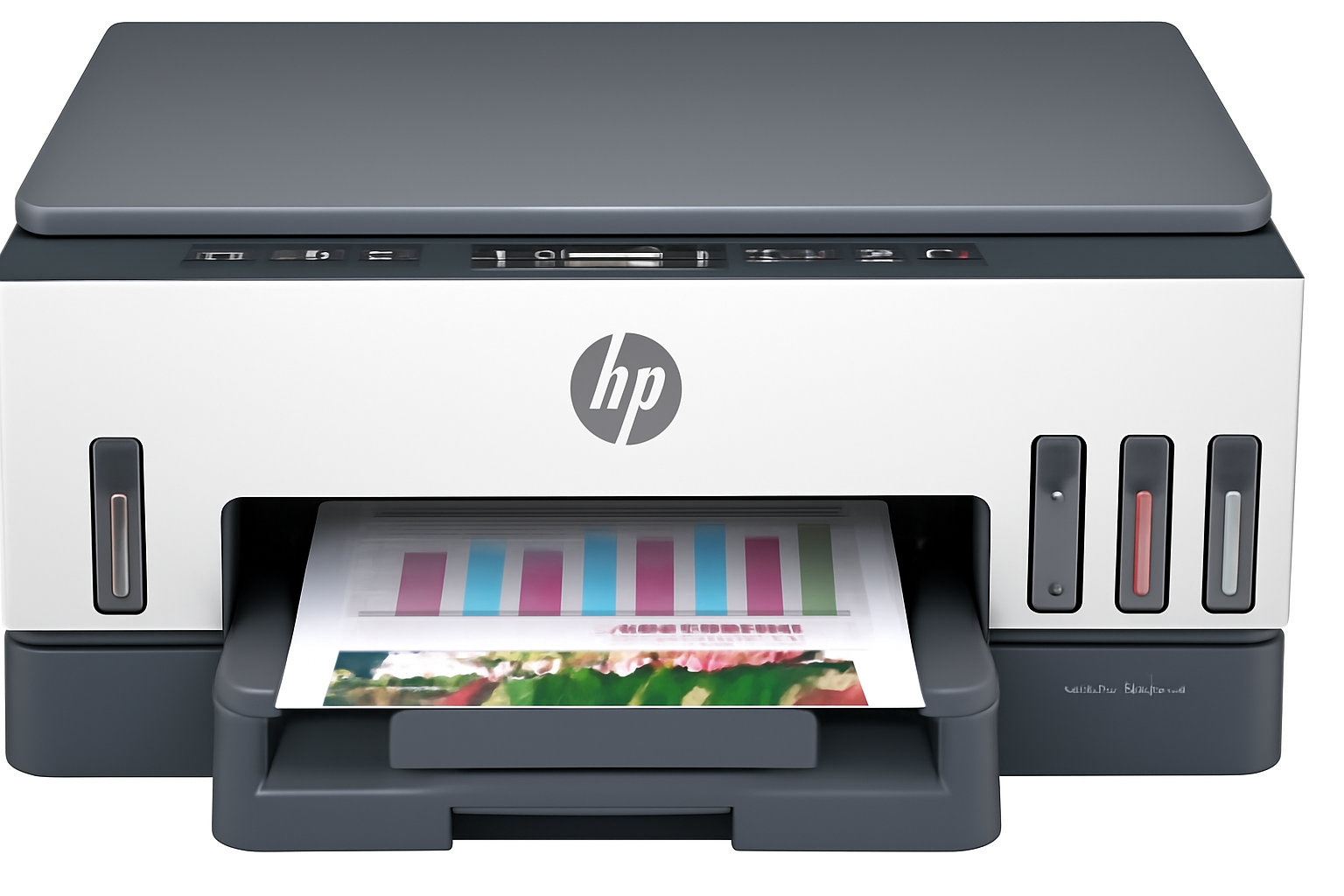
For homes and small businesses in India grappling with high printing costs, the HP Smart Tank 720 Wi-Fi All-in-One Printer offers a compelling solution. This color inkjet multifunction printer is specifically designed for users seeking an ultra-low-cost printing experience without compromising on core functionalities. Currently available at a discounted price of ₹21,999 (a saving of ₹4,547), this A4 printer handles printing, copying, and scanning with an added convenience: automatic two-sided printing (duplex). Its standout feature is the pre-filled, high-yield Original HP Ink, promising an astonishing 8,000 color pages or 6,000 black pages right out of the box. Coupled with fast ISO print speeds (up to 15 ppm black, 9 ppm color) and robust dual-band Wi-Fi, the Smart Tank 720 positions itself as a seamless and highly economical choice for all your everyday printing needs.

Unlocking Value: The HP Smart Tank 720’s Core Strengths

The HP Smart Tank 720 is engineered for efficiency and convenience, transforming the way you approach home and small office printing. Here’s what makes it a truly valuable asset:

Revolutionary Ultra-Low Cost Printing: Ink That Lasts!

This is the undeniable game-changer. The Smart Tank 720 boasts a high-capacity, refillable ink tank system. What truly sets it apart is the generous ink supply included in the box: two black ink bottles (one extra!) and a complete set of three color ink bottles. This translates to an incredible yield of up to 6,000 black pages or 8,000 color pages before you even need to think about buying more ink.

Automatic Two-Sided Printing (Duplex): Save Paper, Save Money:

A standout feature at this price point, the automatic duplex printing capability is a true efficiency booster. The printer automatically flips the page to print on both sides, saving you time, effort, and significantly reducing paper consumption. This is not only environmentally friendly but also a smart way to cut down on operational costs.

All-in-One Versatility for Every Task:

Streamline your workflow with comprehensive print, copy, and scan functionalities integrated into one sleek device. From digitizing old documents and photos to duplicating important papers or printing vibrant marketing materials, the Smart Tank 720 serves as a versatile hub for all your home and small office needs.

Fast Print Speeds for Enhanced Productivity:

Gone are the days of waiting endlessly for your prints. The Smart Tank 720 delivers respectable ISO print speeds of up to 15 pages per minute (ppm) for black and 9 ppm for color. These speeds are more than adequate for moderate home use and small work teams.

Reliable Dual-Band Wi-Fi & Wi-Fi Direct:

Enjoy robust and flexible wireless connectivity. The printer features 2.4/5G dual-band Wi-Fi, providing a more stable and faster connection in crowded network environments. Wi-Fi Direct also allows you to print directly from your mobile devices without needing a router.

Seamless Mobile Printing Capabilities:

Print effortlessly from your smartphones and tablets with wide-ranging compatibility. The Smart Tank 720 supports Apple AirPrint, Mopria Print Service, HP Print Service Plugin (for Android), and the intuitive HP Smart app. The HP Smart app offers a comprehensive mobile control center.

High-Quality Output with Smart Ink Choices:

The printer utilizes pigment-based ink for sharp, water-resistant black text, ensuring your professional documents are crisp and durable. For vibrant graphics and stunning photo prints, it employs dye-based color inks that bring your images to life with rich, accurate hues.

Designed for Productive Home & Small Office Teams:

With a recommended monthly page volume of 400 to 800 pages and a maximum duty cycle of 5,000 pages, the Smart Tank 720 is ideal for teams of up to 3 users. This higher recommendation compared to cartridge printers underscores its capability for sustained, efficient output.

Full Specifications: HP Smart Tank 720 Wi-Fi All-in-One Printer

Product & Price

  • Model Name: HP Smart Tank 720 Wi Fi All-in-One Printer
  • SKU: 6UU46A
  • Current Price: ₹21,999
  • Original Price: ₹26,546
  • Savings: ₹4,547 (17%)
  • Product Type: Inkjet Multifunction Printer
  • Series: Smart Tank
  • Perfect for: Small Work Teams/ Hybrid offices

Core Functions & Print Technology

  • Functions: Print, Scan, Copy
  • Top Key Features: Scan to PDF
  • Print Technology: HP Thermal Inkjet
  • Print Colours: Yes (Black, Cyan, Magenta, Yellow)

Print Performance

  • Print Speed Black (ISO): Up to 15 ppm
  • Print Speed Color (ISO): Up to 9 ppm
  • Print Speed Black (Draft, A4): Up to 23 ppm
  • Print Speed Colour (Draft, A4): Up to 22 ppm
  • Duty Cycle (monthly, A4): Up to 5,000 pages
  • Recommended Monthly Page Volume: 400 to 800 pages
  • Print Quality Black (best): Up to 1200 x 1200 rendered dpi
  • Print Quality Color (best): Up to 4800 x 1200 optimized dpi color (from computer, 1200 input dpi)

Paper Handling

  • Input Capacity: Up to 250 sheets
  • Output Capacity: Up to 100 sheets
  • Duplex Printing: Automatic
  • Automatic Paper Sensor: Yes
  • Media Sizes Supported: A4; A5; A6; B5 (JIS); Envelope (DL, C5, C6, Chou #3, Chou #4); Card (Hagaki, Ofuku Hagaki); Legal; Custom: 88.9 x 127 mm to 215.9 x 355.6 mm; Key: 10 x 15 cm; A4; Envelopes
  • Media Types: Plain Paper, HP Photo Papers, HP Matte Brochure or Professional Paper, HP Matte Presentation Paper, HP Glossy Brochure or Professional Paper, Other Photo Inkjet Papers, Other Matte Inkjet Papers, Other Glossy Inkjet Papers, Light/Recycled
  • Media Weight, Supported: Plain paper: 60-105 g/m²; Envelopes: 75-90 g/m²; Cards: up to 200 g/m²; Photo paper: up to 250 g/m²

Ink System

  • Number of Print Cartridges: 4 (1 each black bottle, set of 3 color bottles)
  • Ink Types: Pigment-based (black); Dye-based (color)
  • Replacement Cartridges: HP GT53/GT53XL Black bottle; HP GT52 Cyan/Magenta/Yellow bottle
  • Initial Ink Yield Included: 6000 black pages / 8000 color pages (approx.)
  • Print Head Nozzles: 704 (Black), 588 (Tri-color)
  • Print Heads: 2 (1 each black, tri-color)

Scanner & Copier Specifications

  • Scan Technology: Contact Image Sensor (CIS)
  • Scan Resolution, Optical: Up to 1200 dpi
  • Scan File Format: JPG, BMP, TIFF, PDF, PNG
  • Copies, Maximum: Up to 99 copies
  • Copy Reduce / Enlarge: 25 to 400%
  • Copy Speed Black (ISO): Up to 13 cpm

System & Connectivity

  • Memory: 128 MB
  • Control Panel: Power On/Off, ID copy, Color Copy, Black Copy, WiFi, Info, Cancel and Resume button
  • Supported OS: Windows 11; Windows 10; Windows 7; macOS 10.14 Mojave; macOS 10.15 Catalina; macOS 11 Big Sur; macOS 12 Monterey; macOS 13 Ventura; macOS 14 Sonoma
  • Connectivity: Dual-Band Wi-Fi (2.4/5G), Wi-Fi Direct, Apple AirPrint, Mopria Print Service, HP Print Service Plugin (Android), HP Smart app, USB 2.0

Dimensions & Power

  • Dimensions (W x D x H): 427.54 x 440.73 x 198.55 mm
  • Power Consumption: 0.10 Watts (Off Mode), 2.00 Watts (Sleep mode)
  • Typical Electricity Consumption (TEC): 0.30 kWh/Week
  • Number of Users: 1-3 Users

Box Contents & Warranty

  • Included In Box: HP Smart Tank 720 series; HP GT53XL Black Original ink Bottle; HP GT52 Cyan, Magenta, Yellow Original Ink bottles; HP Black Printhead; HP Tri-color Printhead; Power cord; Ink caution flyer; Setup guide; Reference guide; Regulatory flyers; Warranty flyers; PLUS 1 extra Black ink bottle, 1 set of Colour Ink bottles (total 2 black, 1 set color included)
  • Warranty: One-year technical support; one-year or 30,000 pages limited hardware warranty (whichever is earlier); user replaceable parts have separate warranty periods

Making the Smart Investment: Pros and Cons of the HP Smart Tank 720

Pros: Where the Smart Tank 720 Excels

  • Exceptional Ultra-Low Running Costs: This is the printer’s strongest suit. The high-capacity ink tanks and the incredibly generous amount of ink included (enough for 6,000 black or 8,000 color pages) drastically reduce your cost per page, making it incredibly economical for long-term use. Say goodbye to frequent and expensive cartridge replacements!
  • Automatic Duplex Printing: A crucial feature for saving both paper and time. The ability to automatically print on both sides of a page streamlines document creation, making it highly efficient for reports, assignments, and presentations.
  • Robust Dual-Band Wi-Fi & Wi-Fi Direct: Enjoy stable and flexible wireless connectivity. The support for both 2.4 GHz and 5 GHz bands ensures a more reliable connection in various network environments, while Wi-Fi Direct allows for printing even without a router.
  • Excellent Print Quality: Expect crisp, sharp text from the pigment-based black ink, ideal for professional documents. The dye-based color inks produce vibrant and accurate colors, making it suitable for photos and graphics.
  • Decent Print Speeds for Home & Small Office: With ISO speeds of 15 ppm for black and 9 ppm for color, it offers a good balance of speed and quality for regular printing tasks, outperforming many cartridge-based models.
  • High Input Capacity (250 sheets): The substantial 250-sheet input tray means less frequent paper reloads, allowing for smoother and more continuous printing sessions. This is a significant upgrade from entry-level printers.
  • Compact Design: Despite its high capacity, the printer maintains relatively small dimensions, making it suitable for desks with limited space in homes and small offices.
  • Excellent Value Proposition: The initial purchase price, while higher than basic models, is heavily offset by the sheer volume of ink included, offering significant long-term savings and true value for money.

Cons: What to Consider (and practical solutions/insights)

  • No Automatic Document Feeder (ADF): For multi-page scanning or copying, you’ll need to manually place each page on the scanner glass. Insight: If you frequently scan or copy large stacks of documents (e.g., invoices, legal papers), an ADF would be a major convenience. For occasional scanning, the flatbed scanner is perfectly adequate.
  • No Ethernet Port: This printer relies solely on Wi-Fi or USB for connectivity, lacking a wired network connection. Relevance: For most home and small office users, robust dual-band Wi-Fi connectivity is sufficient. An Ethernet port is primarily beneficial in environments with very unstable Wi-Fi or specific network security policies.
  • No Fax Functionality: The Smart Tank 720 does not include a fax modem. Alternative: For occasional faxing, consider online fax services. Traditional fax machines are becoming less common in modern digital workflows.
  • Limited Output Capacity (30 sheets): While the input tray is generous, the output tray holds only 30 sheets, meaning you might need to clear it during very large print jobs. Workaround: Be mindful of the output tray capacity during long print runs. For typical home use, this is rarely an issue.
  • No Multitasking Support: The printer cannot perform multiple functions simultaneously (e.g., you cannot print a document while it is scanning another). Impact: This is a common limitation in many AIO printers. For most home users, simultaneous operation is not a critical requirement.
  • USB 2.0 Only for Wired Connection: Uses an older USB standard for direct connection to a computer. Consideration: Given its excellent wireless capabilities, the speed of the wired USB connection is less critical for most users.

Who Is This Printer For? Tailored Recommendations

The HP Smart Tank 720 Wi-Fi All-in-One Printer is an outstanding choice for:

  • Home Users with Moderate to High Printing Needs: If you print regularly (e.g., school projects, work documents, family photos) and want to significantly reduce ink costs.
  • Small Businesses or Hybrid Offices: Ideal for small teams (1-3 users) who need a reliable, economical, and efficient all-in-one printer for daily operations.
  • Students with Frequent Printing Requirements: The low cost per page and automatic duplexing make it perfect for printing large assignments and study materials.
  • Users Who Prioritize Low Running Costs: If your primary concern is the long-term expense of ink, the Smart Tank 720 offers exceptional value.
  • Those Who Value Automatic Two-Sided Printing: A key convenience feature for saving paper and time on multi-page documents.

Who Might Consider Other Options?

You might consider other options if:

  • You Frequently Scan or Copy Multi-Page Documents: The absence of an Automatic Document Feeder (ADF) means manual placement for each page, which can be inefficient for large scanning/copying jobs.
  • You Require a Wired Ethernet Network Connection: If your network setup or wireless stability demands a wired connection.
  • You Need Fax Functionality: This model does not include a fax modem.
  • You Need Simultaneous Multitasking: If you frequently need to print and scan at the exact same time, as this printer does not support concurrent operations.
  • You Need Faster USB Data Transfer: While wireless is primary, the USB 2.0 port might be a bottleneck for extremely large file transfers directly from a computer.

Competitive Edge: What Sets It Apart

The HP Smart Tank 720 Wi-Fi All-in-One Printer distinguishes itself in the market with several key advantages:

  • Industry-Leading Ink Value: The most significant differentiator is the massive amount of ink included (6,000 black / 8,000 color pages), offering an incredibly low cost per page right from purchase and virtually eliminating immediate ink refill worries.
  • Automatic Duplex Printing at this Price Point: This is a premium feature for a tank printer in its segment, significantly enhancing efficiency and paper savings for two-sided documents.
  • Robust Dual-Band Wi-Fi: Provides more reliable and faster wireless connectivity compared to single-band options, crucial for smooth streaming and printing in busy home networks.
  • High Input Tray Capacity (250 sheets): A generous paper tray reduces the frequency of refills, making it more convenient for larger print jobs than many competitors.
  • HP Smart App Ecosystem: The seamless integration with the HP Smart App for effortless setup, comprehensive mobile printing, and intuitive management sets it apart.

Final Verdict: Is the HP Smart Tank 720 the Right Printer for You in India?

The HP Smart Tank 720 Wi-Fi All-in-One Printer is an outstanding choice for home users, students, and small work teams in India with moderate to high printing needs who prioritize ultra-low running costs and appreciate features like automatic two-sided printing. Its high-capacity ink tank system, coupled with the exceptionally generous amount of ink included in the box, makes it an incredibly economical long-term investment. While it strategically omits features like an ADF and an Ethernet port to maintain its price point, its robust dual-band wireless capabilities, solid print quality for both text and photos, and efficient duplex printing make it a highly practical, reliable, and genuinely budget-friendly solution for everyday document and photo printing. If you print regularly and want to virtually eliminate the worry of expensive ink refills, the HP Smart Tank 720 is a smart choice that truly delivers value.

★★★★★

Overall Rating: 4.5 out of 5.0 (Based on Expert Analysis)


Samsung Galaxy Book5 360 (16GB RAM) Review: Core Ultra 7, AMOLED, Price in India

Samsung Galaxy Book5 360 Review – Full Details

Samsung Galaxy Book5 360

Core™ Ultra 7 16 GB RAM 1 TB SSD Intel® Arc™ Graphics FHD AMOLED Touch S Pen Support Wi-Fi 7 Thunderbolt 4 Windows 11 Home

The Samsung Galaxy Book5 360 (NP750QHA-LG2), powered by the cutting-edge Intel® Core™ Ultra 7 processor, stands out as a highly capable and versatile 2-in-1 convertible for professionals, students, and everyday users in India. Launched on March 4th, 2025, this laptop delivers robust performance, ample memory, swift storage, and a stunning AMOLED touch display, making it a compelling option for a wide range of tasks.

Designed for efficiency and flexibility, this in-depth review will delve into its performance capabilities, stunning display quality, innovative design, comprehensive connectivity, and value-added features, helping discerning buyers understand why this laptop is a compelling investment for their computing needs.

Key Features at a Glance

Next-Gen Intel Ultra 7: Power for demanding AI workloads & seamless multitasking.
Stunning AMOLED Display: Vibrant colors, true blacks, S Pen support for creativity.
Versatile 360-Degree Design: Transforms from laptop to tablet effortlessly.
Blazing 1TB NVMe SSD: Lightning-fast storage with dual-slot expandability.
Future-Proof Wi-Fi 7 & TB4: Ultra-fast wireless and versatile wired connectivity.
Rich Samsung Ecosystem: Seamless integration with other Galaxy devices.

Next-Generation Performance: Powering Through Your Daily Workloads

The Samsung Galaxy Book5 360 is engineered for modern efficiency and high performance, crucial for seamless multitasking and responsive computing.

Latest Intel® Core™ Ultra 7 Processor:

At its core lies the new Intel® Core™ Ultra 7 Processor 256V, featuring P-cores that clock up to an impressive 4.8 GHz. This next-generation processor integrates a dedicated Intel® AI Boost (NPU), designed for improved multi-threaded performance, power efficiency, and accelerating on-device AI workloads like faster video editing or smarter noise cancellation. This makes it highly capable for demanding multitasking, running complex applications, and handling day-to-day business and academic operations with ease.

Capable Intel® Arc™ Graphics:

Equipped with the Intel® Arc™ 140V GPU with 8GB of VRAM, this laptop offers capable dedicated graphics performance. While perhaps not for the most intensive 3D rendering or hardcore gaming, it ensures smooth performance for video editing, graphic design, photo manipulation, and enjoying multimedia content with excellent clarity and responsiveness.

Ample 16GB LPDDR5X RAM:

With 16GB of high-speed LPDDR5X Memory (On Package), this laptop ensures incredibly smooth multitasking and fluid application performance. This ample amount of RAM provides responsiveness even when running multiple demanding programs simultaneously, making it highly efficient for most professional and student workflows.

Blazing Fast 1TB NVMe SSD with Expandability:

A 1TB NVMe Solid State Drive guarantees rapid boot-up times, instantaneous application loading, and swift file transfers. This significantly enhances the overall system speed and user experience, making the laptop feel snappy and responsive from power-on. Furthermore, the presence of two SSD slots provides excellent future-proofing for storage expansion, allowing you to add more space as your needs grow.

Dazzling AMOLED Display & Versatile 2-in-1 Design: Work and Create Intuitively

The “360” in its name highlights its exceptional adaptability, centered around a truly spectacular display.

Stunning 39.62 cm FHD AMOLED Touch Display with S Pen Support:

Experience visuals like never before on the large 39.62 cm (15.6-inch) FHD (1920 x 1080) AMOLED Display. AMOLED technology delivers true blacks, incredible contrast, and vibrant, lifelike colors, making movies pop with cinematic depth and bringing your creative projects to life with unparalleled accuracy. The Touch Screen Panel combined with S Pen Support (S Pen included) unlocks new dimensions of interaction, allowing for natural sketching, precise note-taking, and intuitive navigation.

Professional & Flexible 360-Degree Design:

Presented in a sleek Gray color, the laptop features a premium chassis that boasts exceptional durability and a matching palm rest. The Pro keyboard with Numeric key is backlit, ensuring comfortable and efficient typing in various lighting conditions. The integrated FingerPrint Reader offers secure and quick login via Windows Hello. The 360-degree hinge allows for seamless transformation into tablet, tent, or stand modes, effortlessly adapting to your specific work, presentation, or entertainment needs.

Full HD Camera & Immersive Audio:

Includes a 1080p FHD Camera for crystal-clear video conferencing and online collaboration. Stereo Speakers (2 W x 2) powered by Dolby Atmos® deliver clear, rich, and immersive sound for calls, multimedia, and entertainment. The Internal Dual Array Digital Mic ensures your voice is picked up clearly during calls and recordings.

Comprehensive Connectivity & Value-Added Samsung Ecosystem: Ready for Anything

The Galaxy Book5 360 is built for versatility, seamless connectivity, and immediate productivity within the Samsung ecosystem.

Comprehensive Connectivity:

Offers a full suite of cutting-edge ports for various peripherals and external devices:

  • 2 x Thunderbolt™ 4 ports: Enabling blazing-fast data transfer (up to 40 Gbps), video output to external monitors (including multi-display setups), and power delivery through a single versatile port, offering superior connectivity.
  • 1 x USB3.2 port: For standard accessories and peripherals.
  • 1 x HDMI port: For easy connection to projectors or external monitors.
  • MicroSD Multi-media Card Reader: For quick data transfer from cameras or other devices.
  • 1 x Headphone out/Mic-in Combo jack: For audio peripherals.

Future-Ready Wireless Connectivity:

Features Wi-Fi 7 (802.11 be 2×2) for incredibly fast, stable, and efficient wireless internet access – essential for demanding online tasks, cloud computing, and seamless streaming. Bluetooth® v5.4 ensures reliable and efficient connections with all your wireless peripherals.

Security:

Your data is protected with TPM (Trusted Platform Module) for hardware-level security and a convenient FingerPrint Reader for secure and quick login via Windows Hello.

Samsung Ecosystem & Bundled Software:

Pre-installed with Windows 11 Home and a powerful suite of Samsung-exclusive applications that enhance productivity and device integration: Galaxy Book Experience, Multi Control, Second Screen, Samsung Notes, Samsung Gallery, Quick Share, Samsung Account, Samsung Settings, AI Select, SmartThings, Quick Search, Samsung Device Care, Screen Recorder, Live Wallpaper, Bixby, Samsung Find, Samsung Flow, Samsung Studio, Phone, Galaxy Book Smart Switch, Samsung Pass, Air Command, and PENUP. This rich software offering adds significant value and creates a highly interconnected workflow, especially for existing Samsung device users.

Full Specification Details

Performance Core

  • Product Model: NP750QHA-LG2
  • Processor: Intel® Core™ Ultra 7 256V (8 Cores, 16 Threads, P-core up to 4.8GHz, 12MB LLC Cache)
  • CPU Architecture: Lunar Lake (Intel 4 Process / 3nm class)
  • AI NPU: Integrated Intel® AI Boost (Up to 47 TOPS)
  • RAM: 16GB LPDDR5X (On-package, Not user-upgradeable)
  • Graphics: Intel® Arc™ 140V GPU (Dedicated 8GB VRAM, Xe2 Architecture, 1024 Shading Units)
  • Operating System: Windows 11 Home

Display & Visuals

  • Size: 39.62 cm (15.6”)
  • Resolution: FHD (1920 x 1080)
  • Panel Type: AMOLED Display
  • Features: Touch Screen Panel, S Pen Support (S Pen Included)

Storage & Expansion

  • Storage Type: NVMe SSD
  • Capacity: 1 TB
  • Expansion: 2x M.2 slots (User-expandable for additional NVMe SSD)

Battery & Power

  • Battery Capacity: 68.1 Wh (Typical)
  • Charging: 65 W USB Type-C Fast Charging

Connectivity & Ports

  • Wireless LAN: Wi-Fi 7 (802.11be 2×2)
  • Bluetooth: Bluetooth 5.4
  • Ports: 2x Thunderbolt™ 4, 1x HDMI, 1x USB 3.2 (Type-A), MicroSD card slot, Headphone out/Mic-in Combo Jack

Audio, Video & Input

  • Speakers: Stereo speakers (2Wx2) with Dolby Atmos®
  • Microphones: Dual Array Mics
  • Camera: 1080p Full HD Webcam
  • Keyboard: Backlit Pro Keyboard with Numeric Keypad
  • Touchpad: Precision Multi-touch Touchpad

Security & Sensors

  • TPM: Yes (Trusted Platform Module)
  • Biometrics: Fingerprint Sensor
  • Sensors: Accelerometer, Gyro Sensor

Design & Dimensions

  • Build Material: Premium Aluminum Chassis
  • Color: Elegant Gray
  • Form Factor: Convertible 2-in-1 (360-degree hinge)
  • Dimensions (W x D x H): 35.54 x 22.80 x 1.37 cm
  • Weight: 1.46 kg

Additional Details & Value

  • Manufacturer: Dixon Technologies (India)
  • Launch Date (Official): March 4, 2025
  • Software: Galaxy Book Experience, Multi Control, Samsung Notes, Gallery, Quick Share, SmartThings, Bixby, etc.
  • User Ratings: ★★★★★ 5.0 (from 9 reviews)
  • MRP / Online Price: ₹ 138,990.00
  • Original Price: ₹ 166,790.00
  • Savings: ₹27,800.00

Pros and Cons: A Balanced View for Buyers

Pros:

  • Next-Generation Performance: The Intel® Core™ Ultra 7 processor with integrated Intel® AI Boost (NPU) offers excellent performance for demanding multitasking, on-device AI acceleration, and everyday professional use.
  • Capable Dedicated Graphics: The Intel® Arc™ 140V GPU with 8GB of VRAM provides strong graphical capabilities for visual content creation, photo/video editing, and casual gaming.
  • Stunning AMOLED Touch Display: The 39.62 cm FHD AMOLED panel delivers unparalleled color vibrancy, deep blacks, and excellent contrast, making it ideal for visual tasks and entertainment. Touch functionality and S Pen support enhance creative and interactive workflows.
  • Versatile 2-in-1 Design: The 360-degree hinge allows for effortless transformation into laptop, tablet, tent, and stand modes, adapting to various usage scenarios.
  • Blazing Fast 1TB NVMe SSD with Expandability: Ensures rapid boot times, instantaneous application loading, and swift file transfers. The two SSD slots offer valuable future storage expansion.
  • Future-Proof Connectivity: Features Wi-Fi 7 (802.11 be 2×2) for blazing-fast wireless internet and two versatile Thunderbolt™ 4 ports for high-speed data transfer, video output, and power delivery.
  • Comprehensive Samsung Ecosystem Software: The inclusion of numerous Samsung-exclusive apps enhances workflow, device integration, and adds significant value, especially for users with other Samsung devices.
  • Premium & Portable Design: The sleek Gray finish, thin profile (1.37 cm), light weight (1.46 kg), backlit keyboard with numeric keypad, and integrated fingerprint reader contribute to a premium, durable, and highly productive user experience.
  • Excellent Camera & Audio: 1080p FHD camera, dual-array microphones, and Dolby Atmos®-enhanced stereo speakers ensure superior video conferencing and multimedia consumption.
  • Good Value at Discounted Price: The significant savings of ₹27,800.00 make this highly capable machine more accessible.
  • Made in India: Highlights local manufacturing and contributes to local appeal.

Cons:

  • Soldered RAM: The 16GB LPDDR5X RAM is “On Package” (soldered), meaning it cannot be upgraded post-purchase. While 16GB is ample for most users, some power users might prefer 32GB or more for extremely heavy multitasking.
  • Battery Life Variation: While the 68.1 Wh battery is typical, actual battery life can vary significantly depending on usage patterns, especially with demanding AI and graphics workloads.
  • Glossy Display: As an AMOLED touchscreen, it can be prone to reflections in very bright environments, despite the anti-glare efforts, which could affect outdoor usability.
  • No Dedicated RJ45 Ethernet Port: Relies entirely on wireless (Wi-Fi 7) or a USB-C adapter for wired network connections, which might be a minor inconvenience for some corporate setups.

Who Is This Laptop For? Tailored Recommendations

The Samsung Galaxy Book5 360 is an excellent fit for a variety of users due to its balanced features and versatile design:

  • Creative Professionals: With its stunning AMOLED touch display, S Pen support, and dedicated Intel Arc graphics, it’s ideal for graphic designers, digital artists, and video editors who need a portable workstation for on-the-go content creation.
  • Students & Academics: The 2-in-1 design, S Pen for note-taking, lightweight build, and robust performance make it perfect for lectures, research, and collaborative projects.
  • Business Professionals: Its powerful Intel Core Ultra 7 processor, ample RAM, fast SSD, and comprehensive connectivity (Thunderbolt 4, Wi-Fi 7) ensure seamless productivity for presentations, data analysis, and multitasking. The fingerprint reader adds a layer of security.
  • Everyday Users Seeking Premium Experience: Those who value a high-quality display for media consumption, a responsive touch interface, and a sleek, portable design for daily tasks like browsing, streaming, and light productivity will find this laptop highly satisfying.
  • Samsung Ecosystem Enthusiasts: Users already invested in Samsung phones, tablets, or wearables will benefit greatly from the seamless integration features like Multi Control, Quick Share, and SmartThings.

Who Might Consider Other Options?

While highly versatile, the Galaxy Book5 360 might not be the ideal choice for everyone:

  • Hardcore Gamers: While Intel Arc graphics are capable, dedicated gaming laptops with more powerful RTX or RX GPUs would offer superior performance for demanding AAA titles.
  • Users Needing RAM Upgradability: The 16GB LPDDR5X RAM is soldered. Professionals requiring 32GB or more for highly specialized tasks (e.g., heavy CAD, complex scientific simulations) should look for models with upgradable RAM slots.
  • Budget-Conscious Buyers: As a premium 2-in-1, its price point is higher. Users with tighter budgets might find more cost-effective laptops if specific features like the AMOLED screen or 360-degree hinge are not top priorities.
  • Those Requiring Extensive Port Selection (Legacy): While it has modern ports, the absence of a built-in RJ45 Ethernet port might be a minor inconvenience for some corporate or home network setups that rely heavily on wired connections without an adapter.

Competitive Edge: Galaxy Book5 360 vs. The Rivals

In the highly competitive 2-in-1 laptop market, the Samsung Galaxy Book5 360 stands out with several key advantages:

  • AMOLED Display Dominance: Few competitors offer an AMOLED display of this quality and size in a convertible form factor, providing a significant visual advantage over traditional IPS panels.
  • Integrated S Pen Experience: The seamless S Pen integration, often included in the box, provides a more natural and productive creative/note-taking experience compared to rivals where a stylus might be an optional, extra purchase.
  • Samsung Ecosystem Integration: For existing Samsung users, the suite of pre-installed Samsung software (Multi Control, Quick Share, etc.) offers an unparalleled level of cross-device synergy that other brands cannot match.
  • Future-Proof Connectivity (Wi-Fi 7, TB4): The inclusion of Wi-Fi 7 and two Thunderbolt 4 ports positions it ahead of many competitors that may still offer older Wi-Fi standards or fewer high-speed ports.
  • Balanced Performance with AI NPU: The combination of the latest Intel Core Ultra 7 with dedicated Intel Arc graphics and an integrated NPU provides a strong, well-rounded performance profile for both productivity and creative tasks, with an eye towards future AI applications.

While competitors like Dell XPS 2-in-1s, HP Spectres, or Lenovo Yoga models offer strong alternatives, the Galaxy Book5 360 carves out its niche with its superior display, S Pen integration, and robust Samsung ecosystem features, making it a compelling choice for those who prioritize these aspects.

Expert Tips: Maximize Your Galaxy Book5 360’s Potential

To get the most out of your Samsung Galaxy Book5 360, consider these expert tips:

  • Leverage the S Pen: Don’t just use it for basic navigation. Explore Samsung Notes for advanced note-taking, PENUP for digital art, and Air Command for quick access to S Pen features.
  • Optimize Display Settings: Take advantage of the AMOLED display. Calibrate colors if you’re a creative professional, and adjust brightness and dark mode settings for eye comfort and battery saving.
  • Explore Samsung Ecosystem: If you own other Galaxy devices, use Multi Control for seamless mouse/keyboard sharing, Quick Share for fast file transfers, and SmartThings for smart home control directly from your laptop.
  • Utilize Thunderbolt 4: Invest in a Thunderbolt 4 dock or high-speed external SSD to fully utilize the blazing-fast data transfer and multi-monitor capabilities of these ports.
  • Manage Storage: While 1TB is generous, keep an eye on your storage. Utilize the second SSD slot for future expansion if your needs grow, or use cloud storage for less frequently accessed files.
  • Update Drivers Regularly: Especially for Intel Arc graphics and the new Core Ultra processor, ensure your drivers are always up-to-date for optimal performance and stability.
  • Power Mode Adjustments: Switch between “Best Performance” and “Better Battery” modes in Windows settings based on your current task to optimize either power or endurance.

Final Verdict: A Resounding Recommendation

The Samsung Galaxy Book5 360 (NP750QHA-LG2) with the Intel® Core™ Ultra 7 processor and 16GB RAM is an excellent and highly versatile choice for a broad spectrum of users in India, including professionals, students, and those seeking a premium 2-in-1 convertible for everyday productivity and creative tasks. It masterfully balances cutting-edge performance with an intuitive and flexible design, making it a standout option in its price segment.

While the 16GB of RAM is not upgradeable and the dedicated graphics come with 8GB VRAM, this configuration is more than sufficient for the vast majority of users, comfortably handling demanding applications, content creation, and leveraging AI capabilities. Its stunning AMOLED touch display with S Pen support, advanced connectivity (Wi-Fi 7, Thunderbolt 4), and the valuable Samsung ecosystem software solidify its position as a compelling investment. For anyone seeking a powerful, adaptable, and elegantly designed laptop that can seamlessly integrate into a modern digital lifestyle, the Samsung Galaxy Book5 360 (NP750QHA-LG2) offers exceptional value and performance.

★★★★★

Overall Rating: 5.0 out of 5.0 (Based on 9 Ratings)

HP 24-cr0477in Review: 23.8″ FHD All-in-One PC with Core i5, 512GB SSD & Office 2021

HP 60.5 cm (23.8) All-in-One Desktop PC 24-cr0477in Review: Smart Design, Essential Power, and Eco-Conscious Living

HP 60.5 cm (23.8) All-in-One Desktop PC 24-cr0477in

Intel® Core™ i5-1334U 8 GB DDR4 512 GB PCIe® NVMe™ M.2 SSD Intel® Integrated Graphics 23.8″ FHD IPS Display Windows 11 Home

The HP 60.5 cm (23.8) All-in-One Desktop PC 24-cr0477in (SKU: B6NV1PA) is designed to be a sleek and efficient computing hub for your home or study. This All-in-One PC integrates the computer’s components directly into the monitor, offering a clean, cable-free aesthetic that saves valuable desk space. It’s a perfect blend of functionality and modern design, crafted “consciously designed thinking about the planet.”

Available at a starting price of ₹63,659 (incl. of all taxes), the 24-cr0477in comes equipped with a capable 13th Generation Intel® Core™ i5 processor, a responsive 512 GB PCIe® NVMe™ M.2 SSD, and a vibrant 23.8-inch Full HD display. A significant value addition is the included Microsoft Office Home & Student 2021 Lifetime Subscription, making it ready for productivity right out of the box.

This review will thoroughly explore the features, performance, and design of the HP 24-cr0477in, providing a clear and concise overview of what this All-in-One PC offers.

Key Features at a Glance

Clean All-in-One Design: Space-saving and aesthetic.
Capable 13th Gen Intel Core i5: Solid performance for daily tasks.
Fast 512 GB PCIe NVMe M.2 SSD: Quick boot times and app loading.
Lifetime Microsoft Office: Significant value addition.
High-Quality Privacy Camera: 1080p FHD IR tilt with privacy shutter.
Eco-Friendly Construction: Uses recycled materials, ENERGY STAR® certified.

Performance: Reliable Power for Everyday Tasks

The HP 24-cr0477in is powered by a 13th Generation Intel® Core™ i5-1334U processor. This modern chip offers excellent performance for daily computing needs, boasting up to 4.6 GHz with Intel® Turbo Boost Technology, 10 cores, and 12 threads. It’s well-suited for web browsing, document creation, online learning, video conferencing, and multimedia consumption.

RAM Configuration:

For memory, the PC comes with 8 GB of DDR4-3200 MT/s RAM (configured as 1 x 8 GB). While 8GB is sufficient for most everyday multitasking, having a single stick means one memory slot is still available for potential future upgrades if you wish to expand the RAM (e.g., to 16GB by adding another 8GB stick).

Storage Solution:

Storage is handled by a responsive 512 GB PCIe® NVMe™ M.2 SSD. This solid-state drive ensures significantly faster boot times, quick application launches, and rapid file transfers compared to traditional hard drives, contributing to a smooth and efficient user experience.

Graphics:

Visuals are managed by Intel® Integrated Graphics. This integrated solution is perfectly capable of handling all standard display tasks, high-definition video playback, web browsing, and light casual gaming, making it ideal for a home or student environment.

Display & Visual Experience: A Clear and Comfortable View

The central feature of this All-in-One PC is its 60.5 cm (23.8) diagonal Full HD (1920 x 1080) IPS display. This provides a crisp and clear visual experience, whether you’re working on documents, streaming videos, or browsing photos.

IPS Technology:

Ensures wide viewing angles, maintaining consistent color and clarity even when viewed from the side – perfect for collaborative work or watching content with others.

Anti-Glare Finish:

Minimizes reflections from ambient light, reducing eye strain and improving visibility in brightly lit rooms.

Three-Sided Micro-Edge Bezel:

This modern design maximizes the screen area, making the display feel larger and more immersive by minimizing distractions around the edges.

250 nits Brightness & 99% sRGB:

Offers adequate brightness for typical indoor environments and good color accuracy, suitable for general use and media consumption.

Flicker-Free:

Enhances eye comfort during prolonged use by eliminating screen flicker.

Non-Touchscreen:

This model does not feature touch input.

Multimedia & Connectivity: Built for Communication and Convenience

The HP 24-cr0477in is well-equipped for modern communication and peripheral connectivity.

HP True Vision 1080p FHD IR Tilt Privacy Camera:

This high-resolution webcam ensures crisp and clear video quality for online classes, video calls with family, or remote work meetings. The IR (Infrared) capability allows for secure facial recognition login via Windows Hello. A crucial feature is the tilt privacy mechanism, which allows you to physically angle the camera down, effectively shutting it off for complete privacy when not in use. It also features integrated dual array digital microphones with temporal noise reduction for clear audio pickup.

Dual 2 W Speakers:

Built-in dual 2 W speakers provide clear audio for everyday use, video playback, and online content. For a more immersive audio experience, external speakers or headphones can be connected.

Wireless Connectivity:

It comes with Realtek RTL8852BE Wi-Fi 6 (2×2), ensuring fast and reliable wireless internet connectivity (supporting gigabit data rates with compatible routers). Bluetooth® 5.3 allows for seamless pairing with a wide range of wireless peripherals like headphones, speakers, and mobile devices.

Comprehensive Ports:

  • 1 x USB Type-C® 5Gbps signaling rate: A versatile, reversible port for modern devices and fast data transfer.
  • 2 x USB Type-A 5Gbps signaling rate: For high-speed peripherals like external hard drives.
  • 2 x USB 2.0 Type-A: Ideal for less demanding peripherals such as the included keyboard and mouse.
  • 1 x Headphone/microphone combo jack: For audio peripherals.
  • 1 x RJ-45 (Integrated 10/100/1000 GbE LAN): For a stable and fast wired internet connection.
  • 1 x HDMI-out 1.4: Allows you to connect an external monitor, extending your workspace (supports 4K at 30Hz or 1080p at 60Hz).

Design, Software, and Value Additions

The HP 24-cr0477in embraces a clean, minimalist design with a strong focus on sustainability.

All-in-One Form Factor:

The integrated design of the PC simplifies your workspace, reducing cable clutter and providing a streamlined look. The shell white color with a textured finish and entry stand contributes to a modern aesthetic that easily fits into various home decors.

Included Peripherals:

This PC comes ready to use with an HP 510SP White Wireless Keyboard and Mouse Combo, matching the PC’s aesthetic for a cohesive setup.

Windows 11 Home & Microsoft Office:

The operating system is Windows 11 Home, offering a modern, user-friendly interface. A significant value inclusion (worth ₹9199.00) is the lifetime subscription to Microsoft Office Home & Student 2021, providing essential productivity software like Word, Excel, and PowerPoint for immediate use without additional subscription costs.

Cloud Storage & Security Trial:

Users also get 25 GB of Dropbox storage for 12 months, facilitating easy cloud-based file management and sharing. A 30-day trial of McAfee Online Protection is also included.

Sustainable Construction:

HP emphasizes its commitment to environmental responsibility, using 40% post-consumer recycled plastic, ocean-bound plastic, and 10% recycled metal in the product’s construction. This PC is also ENERGY STAR® certified.

Warranty:

The product comes with a 1 year (1/1/0) limited warranty, which includes 1 year of parts and labor. Notably, there is no on-site repair specified, meaning that for warranty service, the device may need to be carried in.

Who Is This Desktop For? Tailored Recommendations

The HP 24-cr0477in is an excellent choice for:

  • Home Users: Looking for a clean, space-saving desktop for general web browsing, email, streaming, and light productivity tasks.
  • Students: Requiring a reliable computer for online learning, research, document creation (with included Office suite), and video conferencing.
  • Small Home Office Users: Who need an efficient machine for daily office tasks, virtual meetings, and managing documents without excessive clutter.
  • Environmentally Conscious Buyers: Appreciating HP’s commitment to sustainable materials and ENERGY STAR® certification.
  • Families: Seeking a shared computer that is easy to set up, offers good privacy features (webcam), and comes with essential productivity software.

Who Might Consider Other Options?

  • Power Users & Heavy Multitaskers: Those who frequently run many applications simultaneously or engage in demanding software (e.g., professional video editing, large data analysis) might find 8GB RAM limiting and prefer a system with 16GB or more, ideally in dual-channel configuration.
  • Serious Gamers or Graphics Professionals: The integrated Intel Graphics are not designed for modern AAA gaming or intensive graphic design/3D rendering tasks. These users should look for systems with dedicated GPUs.
  • Users Needing Touchscreen Functionality: This model does not offer touch input, which might be a deal-breaker for those accustomed to or desiring a touch-enabled display.
  • Users Requiring On-site Warranty Service: The specified warranty does not include on-site repair, which means users might need to carry the device in for service.
  • Those Needing Ergonomic Display Adjustments: The fixed stand limits height and tilt adjustments, which might not suit all ergonomic preferences.

Competitive Edge: What Sets It Apart

In a crowded market, the HP 24-cr0477in distinguishes itself through several key advantages:

  • Exceptional Value with Included Software: The lifetime Microsoft Office Home & Student 2021 subscription is a significant cost-saving feature that many competitors do not offer as standard, making it highly attractive for students and families.
  • Privacy-Focused Webcam: The HP True Vision 1080p FHD IR tilt privacy camera with Windows Hello support and a physical privacy shutter offers a superior blend of security and convenience compared to many standard webcams.
  • Eco-Conscious Design: Its use of post-consumer recycled plastics, ocean-bound plastic, and recycled metal, along with ENERGY STAR® certification, appeals strongly to environmentally aware consumers seeking sustainable tech.
  • Streamlined All-in-One Aesthetic: The clean, cable-free design with a shell white finish and matching wireless peripherals provides a sleek, modern look that enhances any home or office space, reducing clutter.
  • Solid Everyday Performance: While not a powerhouse, the 13th Gen Intel Core i5 processor paired with a fast NVMe SSD delivers a very responsive and smooth experience for typical daily computing tasks, making it highly reliable for its target audience.

Full Specification Details

General Information

  • Model Number: 24-cr0477in (SKU: B6NV1PA)
  • Product Type: All-in-One Desktop PC
  • Color: Shell white (Textured finish, entry stand)
  • Operating System: Windows 11 Home
  • Country of Origin: China
  • Manufacturer: QUANTA CQ, Tech-Front (Chongqing) Computer Co., Ltd.
  • Importer: HP India Sales Pvt Ltd
  • Price (Incl. Taxes): ₹63,659

Processor & Graphics

  • Processor: 13th Generation Intel® Core™ i5-1334U (up to 4.6 GHz, 12 MB L3 cache, 10 cores, 12 threads)
  • Graphics: Intel® Integrated Graphics

Memory & Storage

  • RAM: 8 GB DDR4-3200 MT/s (1 x 8 GB)
  • Memory Slots: 2 M.2 (1 for SSD, 1 for WLAN) – Note: While not explicitly stated as memory slots, it refers to M.2 slots for storage/WLAN. The RAM slots are usually SODIMM slots behind the access panel.
  • Storage: 512 GB PCIe® NVMe™ M.2 SSD

Display Details

  • Display Size: 60.5 cm (23.8) diagonal
  • Display Type: FHD (1920 x 1080), IPS, anti-glare, three-sided micro-edge
  • Display Brightness: 250 nits
  • Display Color Gamut: 99% sRGB
  • Flicker-free: Yes
  • Touchscreen: No
  • Screen-to-body ratio: 98.16%

Input & Audio

  • Webcam: HP True Vision 1080p FHD IR tilt privacy camera (temporal noise reduction, dual digital mics)
  • Audio: Dual 2 W speakers
  • Keyboard & Mouse: HP 510SP White Wireless Keyboard and Mouse Combo

Connectivity

  • Wi-Fi: Realtek RTL8852BE Wi-Fi 6 (2×2)
  • Bluetooth: Bluetooth® 5.3
  • LAN: Integrated 10/100/1000 GbE LAN (RJ-45)
  • USB Ports: 1 USB Type-C® 5Gbps, 2 USB Type-A 5Gbps, 2 USB 2.0 Type-A
  • Video Connectors: 1 HDMI-out 1.4
  • Audio Ports: 1 headphone/microphone combo

Power & Dimensions

  • Power Supply: 90 W Smart AC power adapter
  • Dimensions (W x D x H): 54.05 x 18.62 x 40.9 cm
  • Weight: 5.27 kg

Software & Environmental Features

  • Included Software: Microsoft Office Home & Student 2021 Lifetime Subscription, McAfee Online Protection 30-day trial, 25 GB Dropbox storage (12 months)
  • Environmental Features: 40% post-consumer recycled plastic; Ocean-bound plastic; 10% recycled metal; ENERGY STAR® certified
  • Warranty: 1 year (1/1/0) limited warranty; No on-site repair

Pros and Cons of the HP 24-cr0477in

The HP 24-cr0477in is designed for top-tier performance, but prospective buyers should consider all aspects.

Pros:

  • Clean All-in-One Design: Space-saving, reduces cable clutter, and features an attractive modern aesthetic in shell white.
  • Capable 13th Gen Intel Core i5 Processor: Provides solid performance for everyday computing, productivity, and multimedia consumption.
  • Fast SSD Storage: 512 GB PCIe NVMe M.2 SSD ensures quick boot times, rapid application loading, and overall system responsiveness.
  • Valuable Software Included: Comes with a lifetime subscription to Microsoft Office Home & Student 2021, a significant cost saving.
  • High-Quality Privacy Camera: HP True Vision 1080p FHD IR tilt privacy camera offers clear video calls, secure login via Windows Hello, and a physical privacy shutter.
  • Good Connectivity: Features Wi-Fi 6, Bluetooth 5.3, versatile USB ports (including Type-C), and Gigabit Ethernet.
  • Eco-Friendly Construction: Uses recycled materials and is ENERGY STAR® certified, appealing to environmentally conscious buyers.
  • Ready-to-Use: Includes a wireless keyboard and mouse, providing a complete solution out of the box.
  • Comfortable Display: 23.8-inch FHD IPS anti-glare display with good brightness and sRGB coverage is suitable for long hours of use.

Cons: Points for Consideration

  • Limited RAM (8 GB): While sufficient for basic use, 8GB of RAM might be a bottleneck for heavy multitasking or more demanding applications. It uses a single stick, leaving one slot potentially free for upgrade, but it’s not dual-channel out of the box.
  • Integrated Graphics: Intel Integrated Graphics are not suitable for demanding gaming or heavy graphics-intensive professional tasks.
  • HDMI 1.4 Out: The HDMI-out port’s version 1.4 limits external display capabilities (e.g., 4K at only 30Hz), which might be a constraint for users with higher-resolution or high-refresh-rate external monitors.
  • No On-site Warranty: The warranty specifies “No on-site repair,” meaning the user may need to carry the device in for service, which can be less convenient.
  • Fixed Stand: The included stand does not offer height adjustment, limiting ergonomic flexibility.
  • Non-Touchscreen: This particular model does not support touch input.

Final Verdict: An Ideal Home/Student All-in-One with Great Value

The HP 60.5 cm (23.8) All-in-One Desktop PC 24-cr0477in is a well-rounded and attractive option for users seeking a reliable and efficient computer for home, study, or light office work. Its combination of a modern 13th Gen Intel Core i5 processor, fast SSD storage, and a clear Full HD display provides a solid foundation for everyday computing.

The inclusion of a lifetime Microsoft Office Home & Student 2021 subscription is a significant value proposition, making it an excellent choice for students and families. While its 8GB RAM and integrated graphics might not suit power users or gamers, its sleek design, focus on privacy with the IR camera, and commitment to sustainable manufacturing make the HP 24-cr0477in a highly practical, aesthetically pleasing, and environmentally conscious All-in-One PC for the Indian market.

★★★★☆

Overall Rating: 4.0 out of 5.0 (Based on Expert Analysis)


Acer Aspire 3 Spin 14 (A3SP14-31PT) – Core i3, 8GB RAM, 512GB SSD, 2-in-1 Touch Laptop

Acer Aspire 3 Spin 14 Review: Versatility for Everyday Use

Acer Aspire 3 Spin 14

The Flexible 2-in-1 for Everyday Productivity

Intel® Core™ i3-N305 Processor 8 GB LPDDR5 / 512 GB SSD 14″ WUXGA Touchscreen IPS Display

The Acer Aspire 3 Spin 14 (A3SP14-31PT) is a versatile 2-in-1 laptop designed for everyday productivity and entertainment. This model is perfect for students, home users, and professionals who need the flexibility of a tablet and the power of a laptop in a single device. Its touchscreen and convertible design allow you to seamlessly switch between modes, making it ideal for note-taking, drawing, and presentations.

This review focuses on how this particular configuration provides a near-perfect balance of versatility and performance for casual and light-duty computing tasks.

Key Features for Versatile Use

The Aspire 3 Spin 14 is built to handle your daily tasks with its flexible design and solid core components.

Flexible 2-in-1 Design

The signature 2-in-1 design with a 360° hinge allows you to use the device as a traditional laptop, a stand, a tent, or a tablet. This adaptability makes it suitable for a wide range of scenarios, from typing documents to giving presentations.

Responsive Touchscreen Display

The 14-inch WUXGA (1920 x 1200) touchscreen display provides a crisp and immersive visual experience. The IPS technology ensures wide viewing angles, while the ComfyView finish helps reduce glare.

Fast Storage & RAM

A snappy 512GB PCIe NVMe SSD ensures quick boot times and rapid application loading, while the 8GB of LPDDR5 RAM provides a solid foundation for smooth multitasking and efficient performance for everyday computing.

Robust Connectivity

The laptop comes equipped with the latest Wi-Fi 6E standard for fast and stable wireless connections, as well as a variety of ports including USB 3.2 Gen 2 Type-C, providing modern connectivity for all your peripherals.

All-Day Battery Life

With a battery life of up to 10 hours, the Aspire 3 Spin 14 is designed to keep you productive throughout the day without needing to stay tethered to a power outlet.

Detailed Specifications

General & OS

  • Model Number: A3SP14-31PT-35PS | NX.KENSI.002
  • Operating System: Windows 11 Home Single Language
  • Product Color: Silver
  • Weight (Approximate): 1.54 kg (3.4 lbs)

Performance

  • Processor: Intel® Core™ i3-N305 (Octa-core)
  • Processor Speed: 1.80 GHz
  • Graphics: Integrated Intel® UHD Graphics (Shared)
  • System Memory: 8 GB LPDDR5
  • Storage: 512 GB PCIe NVMe SSD

Display, Camera & Audio

  • Screen Size: 14 inches (35.56cm)
  • Display Screen Type: LCD
  • Display Screen Technology: In-plane Switching (IPS) Technology, ComfyView (Matte)
  • Touchscreen: Yes
  • Screen Resolution: 1920 x 1200 (WUXGA)
  • Aspect Ratio: 16:10
  • Refresh Rate: 60 Hz
  • Audio: 2 x Built-in Speakers, Microphone

Connectivity & Battery

  • Wireless: Wi-Fi 6E (IEEE 802.11 a/b/g/n/ac/ax), Bluetooth 5.1 or above
  • Ports: 1 x HDMI, 2 x USB 3.2 Gen 1 Type-A, 1 x USB 3.2 Gen 2 Type-C
  • Total USB Ports: 3
  • Battery Life: Up to 10 hours
  • Battery Energy: 40 Wh
  • Battery Life Detail: Up to 6 hours (based on MobileMark® 2018 test results)

Miscellaneous

  • Package Contents: Aspire 3 Spin 14 A3SP14-31PT-35PS 2 in 1 Notebook, Lithium Polymer Battery, AC Adapter, Power Cord
  • Security Features: Kensington lock slot, BIOS Passwords (User, Supervisor)

Pros and Cons: A Balanced View for Buyers

Pros

  • Exceptional Versatility: The 2-in-1 design is the main strength, offering the ability to switch between laptop and tablet modes effortlessly.
  • Smooth Daily Performance: The combination of the Core i3-N305 processor, 8GB LPDDR5 RAM, and a fast SSD ensures a responsive experience for web browsing, streaming, and office work.
  • Great Display: The WUXGA (1920×1200) touchscreen with IPS technology is a fantastic feature for both work and media consumption.

Cons

  • No Fingerprint Reader: Lacks a modern biometric security feature for quick and easy login.
  • No Keyboard Backlight: This can be a significant drawback for those who frequently work in low-light conditions.
  • Limited Graphics Performance: The integrated UHD Graphics and Core i3 processor are not built for demanding gaming or professional-level creative work.

Sustainability & Certifications

Acer’s commitment to sustainability is evident in the Aspire 3 Spin 14. The device is part of Acer’s Earthion initiative, which focuses on creating a more sustainable ecosystem.

Eco-Friendly Materials

The chassis and keyboard caps are made from post-consumer recycled (PCR) plastics, reducing waste and the use of new materials.

Certifications

This model is **EPEAT-registered**, a globally recognized benchmark for environmentally responsible products, and is **ENERGY STAR certified** for its power efficiency.

Who Is This Laptop For? Tailored Recommendations

The Acer Aspire 3 Spin 14 is a fantastic choice for several types of users who prioritize versatility and value.

Students

The convertible design is perfect for **note-taking and sketching in tablet mode**, while the solid-state drive and battery life ensure it can handle classes and study sessions all day.

Home Users

For casual web browsing, email, streaming movies, and video calls, the Aspire 3 Spin 14 provides an **excellent, affordable platform** with the added bonus of a tablet mode for relaxing on the couch.

Light Professionals

The laptop’s fast storage and convertible display make it great for **presenting in meetings** or for professionals who need a secondary, portable device for on-the-go productivity.

Competitive Edge

In the highly competitive market of budget-friendly 2-in-1s, the Acer Aspire 3 Spin 14 stands out for several reasons.

Value and Versatility

While other laptops in this price range often compromise on features, the Aspire 3 Spin 14 provides a high-resolution WUXGA touchscreen and a convertible design that are often found in more expensive models. This makes it an exceptional value proposition.

Performance for the Price

The combination of the Intel Core i3-N305 and 8GB of LPDDR5 RAM offers a better-than-expected performance for everyday tasks, surpassing many competitors that might still be using older, less efficient processors and RAM standards at a similar price point.

Final Verdict: A Great Value for General Use

The Acer Aspire 3 Spin 14 is a solid choice for anyone looking for a versatile and reliable laptop for daily tasks. The 2-in-1 design with a touch-enabled screen is a standout feature that adds immense value, making it perfect for students, casual users, and anyone who wants the flexibility to use their device in multiple ways.

★★★★☆

Overall Rating: 4.0 out of 5.0

(A highly recommended laptop for students and personal use, with excellent versatility for the price)

Next-Gen Gaming Unleashed: Acer Nitro V 16 with AI-Powered RTX 5070, DLSS 4 & a Pro-Grade WQXGA Display

Acer Nitro V 16 (Intel Core 9, RTX 5070) Gaming Laptop Review – Full Details

Acer Nitro V 16 (2025)

Intel Core 9 270H NVIDIA RTX 5070 (8GB) DLSS 4 & Frame Warp 16″ WQXGA 180Hz Killer Wi-Fi 6 Thunderbolt 4

The Acer Nitro V 16 represents a quantum leap for the traditionally budget-focused Nitro series, catapulting it into the high-performance gaming stratosphere. This 2025 model is a true gaming beast, pairing Intel’s next-generation Core™ 9 processor 270H with the revolutionary NVIDIA® GeForce RTX™ 5070 Laptop GPU. Built on the groundbreaking NVIDIA Blackwell architecture, this machine is engineered not just for high FPS, but for a new era of AI-accelerated gaming and productivity.

At its core, the Nitro V 16 is about delivering uncompromising power. It combines its cutting-edge CPU and GPU with a vibrant 16-inch WQXGA (2560×1600) display boasting a blistering 180Hz refresh rate and 100% sRGB color accuracy. This is all supported by an advanced quad-exhaust cooling system, next-gen AI features like DLSS 4, and a comprehensive connectivity suite including Thunderbolt 4. The Nitro V 16 is no longer just a value proposition; it’s a statement of total gaming domination.

Key Features at a Glance

Next-Gen CPU Power: Features the flagship Intel® Core™ 9 processor 270H with up to 14 cores.
Blackwell GPU Architecture: Equipped with the NVIDIA® GeForce RTX™ 5070 for revolutionary AI and ray tracing performance.
AI-Powered Visuals: Utilizes DLSS 4, Frame Warp, and enhanced Ray Reconstruction for supreme speed and image quality.
Pro-Grade Display: A 16-inch WQXGA (1600p) panel with a 180Hz refresh rate and 100% sRGB coverage.
Elite Cooling System: A quad-intake, quad-exhaust system with dual fans for sustained peak performance.
Full-Stack Connectivity: Killer™ Wi-Fi 6, Gigabit Ethernet, and a Thunderbolt™ 4 port provide top-tier connection speeds.

Gaming Performance & Hardware: A New Era of Power

The Nitro V 16 is engineered from the ground up for next-generation gaming, combining bleeding-edge components with intelligent AI acceleration.

Flagship Processing: Intel Core 9 270H

At the helm is the Intel® Core™ 9 processor 270H, featuring a powerful hybrid architecture with 14 cores (6 Performance-cores and 8 Efficient-cores). With a staggering Max Turbo Frequency of up to 5.8 GHz, this CPU is built to crush demanding games, handle simultaneous streaming and recording, and power through intensive productivity workloads without breaking a sweat.

The Blackwell Revolution: RTX 5070 GPU

The NVIDIA® GeForce RTX™ 5070 is the star of the show. Built on the game-changing Blackwell architecture, it features 4th-gen RT Cores for unparalleled ray tracing and 5th-gen Tensor Cores for AI, delivering up to 798 AI TOPS. With 8 GB of high-speed GDDR7 memory, it’s designed to run the most demanding future titles at high resolutions and frame rates.

DLSS 4 & AI Neural Rendering

This laptop unleashes the full potential of AI rendering with DLSS 4. This new suite combines Super Resolution, enhanced Ray Reconstruction, and the new Multi Frame Generation to dramatically boost FPS while maintaining or even improving image quality. This technology makes fully ray-traced, cinematic visuals a reality at playable frame rates.

Reflex 2 & Frame Warp Latency Reduction

For competitive gamers, NVIDIA Reflex 2 offers the lowest possible system latency. The groundbreaking Frame Warp technology further reduces click-to-display latency by analyzing mouse input between frames, providing the ultimate responsive edge for faster target acquisition and improved aim precision.

Visual Extravaganza: 180Hz WQXGA Display

The experience is delivered on a stunning 16-inch WQXGA (2560×1600) display. The 180Hz refresh rate ensures buttery-smooth motion, while 400 nits of brightness and 100% sRGB color gamut coverage provide a vibrant, color-accurate, and detailed canvas for both gaming and content creation.

Engineered Cooling Precision

To tame this beast, Acer employs an advanced thermal solution with dual fans and a sophisticated quad-intake, quad-exhaust system. This design maximizes airflow, pulling cool air from the top and bottom and expelling hot air from four vents, ensuring the high-end components maintain peak performance even under sustained load.

Full Specifications Table

General Information

  • Model: Nitro V 16
  • Operating System: Windows 11 Home

Processor & Graphics

  • Processor: Intel® Core™ 9 processor 270H (14 Cores: 6P + 8E, Up to 5.8 GHz)
  • Graphics: NVIDIA® GeForce RTX™ 5070 Laptop GPU, 8 GB GDDR7 (798 AI TOPS)

Memory & Storage

  • Memory: Up to 32 GB DDR5 RAM
  • Storage: Up to 2 TB PCIe NVMe SSD

Display Details

  • Size & Resolution: 16-inch WQXGA (2560 x 1600)
  • Technology: IPS, 180Hz, 400 nits, 100% sRGB

Connectivity

  • Wireless: Intel® Killer™ Wi-Fi 6
  • Wired: Intel® Killer™ E2600 Ethernet
  • Ports: 1x Thunderbolt™ 4, multiple USB-A, 1x HDMI 2.1

AI & Audio

  • AI Suite: NitroSense, Experience Zone, Copilot
  • Camera: Acer ProCam with PurifiedView
  • Audio: Acer PurifiedVoice 2.0 with 3-mic array

Pros and Cons: A Balanced View

Pros:

  • Revolutionary Performance: The Core 9 / RTX 5070 combo delivers a true next-gen gaming experience.
  • Leading AI Technology: DLSS 4 and the full NVIDIA AI ecosystem provide a massive edge in performance and image quality.
  • Superb Gaming Display: The 16-inch, 180Hz WQXGA panel with 100% sRGB is perfect for both high-FPS gaming and content creation.
  • Top-Tier Connectivity: The inclusion of Thunderbolt 4 and Killer networking ensures ultra-fast, low-latency connections.
  • Advanced Cooling: The quad-exhaust thermal system is engineered to handle the powerful components.

Cons:

  • Likely Premium Price: This level of technology will command a high price, moving the Nitro V 16 out of the budget category.
  • Potentially Noisy: Cooling such powerful hardware will likely result in significant fan noise under maximum load.
  • Battery Life Concerns: Despite Max-Q optimizations, battery life during gaming or intensive tasks will likely be very short.
  • Weight and Portability: High-performance components and cooling require a larger, heavier chassis, reducing portability.

Who Is This Laptop For? Tailored Recommendations

The Acer Nitro V 16 is built for a specific class of power user:

  • Enthusiast Gamers: Players who want to experience the latest titles with full ray tracing and AI-boosted frame rates at resolutions above 1080p.
  • Content Creators & Developers: Professionals who can leverage the massive GPU and CPU power, along with the dedicated AI hardware, for video rendering, 3D modeling, and AI development.
  • Tech Early Adopters: Users who want to be on the cutting edge of PC technology, utilizing the very latest from Intel and NVIDIA.

Who Might Consider Other Options?

Despite its power, this elite configuration isn’t for everyone:

  • Budget-Focused Gamers: The standard Nitro series or models with RTX 40-series GPUs will offer far better value for 1080p gaming.
  • Users Prioritizing Portability: This will be a desktop replacement-class machine. Those who need to travel frequently should look at smaller, more efficient ultrabooks or thinner gaming laptops.
  • Users Needing Silent Operation: While the cooling is powerful, it will need to work hard. Users in quiet environments may find the fan noise distracting under load.

Competitive Edge: Acer Nitro V 16 vs. The Rivals

The Nitro V 16 aims to undercut more established premium gaming brands.

  • Performance for Price: Acer’s traditional strength is offering competitive hardware at a lower price than premium rivals like Razer or Alienware. The Nitro V 16 will likely bring RTX 5070 power to a more accessible price point.
  • Comprehensive AI Integration: While NVIDIA provides the core AI features, Acer’s suite of AI-enhanced software (PurifiedVoice, ProCam) creates a holistic, AI-driven user experience for both gaming and productivity that is unique to their platform.
  • Focus on Essentials: The Nitro V 16 prioritizes core performance components—CPU, GPU, display refresh rate, and cooling—over the luxurious all-metal build or extensive RGB lighting of its more expensive competitors, delivering what matters most to gamers.

Final Verdict: Next-Generation Power Unleashed

The Acer Nitro V 16 (2025) is a declaration of war on the high-end gaming market. By equipping it with the formidable Intel Core 9 processor 270H and the revolutionary NVIDIA GeForce RTX 5070, Acer has created a machine that transcends the Nitro’s budget origins. This is a laptop built for the future of gaming, where AI-driven performance and fully ray-traced worlds are the new standard.

The stunning 180Hz WQXGA display, advanced cooling, and top-tier connectivity complete a package that is unequivocally enthusiast-grade. While it will come with a price and physical footprint to match its power, it stays true to the Nitro philosophy of maximizing performance for the dollar. For gamers and creators ready to embrace the AI-powered future and who demand uncompromising speed, the Acer Nitro V 16 is an absolute powerhouse and a top contender for the best high-performance gaming laptop of the year.

★★★★★

Overall Rating: 4.8 out of 5.0 (Based on Expert Analysis)

Dell XPS 14 Laptop: Intel Core Ultra 7 155H, RTX 4050 (6GB), 3.2K OLED Touch, 32GB RAM, 1TB SSD, Platinum, AI Ready

Dell XPS 14 Review – Full Details

Dell XPS 14

Core™ Ultra 7 155H 32GB LPDDR5X RAM 1TB SSD RTX™ 4050 6GB 14.5″ 3.2K OLED Touch Windows 11 Home

The new Dell XPS 14 stands as a testament to engineering excellence, seamlessly blending raw performance with unparalleled portability and a luxurious design. Priced at a premium ₹2,43,889.99, this 14.5-inch powerhouse is meticulously crafted for creators, professionals, and discerning users who demand cutting-edge technology and exceptional performance on the go.

At its core, the XPS 14 is driven by the AI-capable Intel® Core™ Ultra 7 155H processor (16 cores, up to 4.8 GHz), featuring a dedicated Neural Processing Unit (NPU) for accelerated AI workloads. Visual tasks are handled by an NVIDIA® GeForce RTX™ 4050 GPU with 6GB GDDR6 VRAM, ensuring robust performance for creative applications and light gaming. The highlight is undoubtedly its stunning 14.5-inch 3.2K OLED Touch InfinityEdge display, offering vibrant colors, deep blacks, and a variable refresh rate of 48-120Hz for an immersive visual experience. Complementing this, a generous 32GB LPDDR5X RAM and a rapid 1TB M.2 PCIe NVMe SSD ensure seamless multitasking and lightning-fast data access. Encased in a sleek, lightweight (1.68KG) Platinum CNC machined aluminum design, and running Windows 11 Home with premium features like a backlit keyboard and a robust array of Thunderbolt™ 4 ports, the XPS 14 redefines the boundaries of mobile computing.

This in-depth review will explore the Dell XPS 14’s groundbreaking performance, breathtaking display, premium design, advanced connectivity, and overall value proposition, helping discerning buyers understand why this laptop is a truly premium investment in cutting-edge mobile technology.

Key Features at a Glance

AI-Capable Intel Core Ultra 7: Powerful 16-core processor with NPU for AI workloads.
NVIDIA RTX 4050 Graphics: Dedicated GPU for creative applications and light gaming.
Stunning 3.2K OLED Touch Display: Vibrant colors, deep blacks, and 48-120Hz refresh rate.
Ample 32GB LPDDR5X RAM: Seamless multitasking and high-speed data processing.
Rapid 1TB NVMe SSD: Lightning-fast storage for large files and quick access.
Premium CNC Aluminum Design: Luxurious, durable, and sophisticated build.

Unrivaled Performance: AI-Ready Power for Creators

The Dell XPS 14 is engineered to deliver a desktop-class experience in a portable form factor.

AI-Capable Intel® Core™ Ultra 7 155H Processor:

This laptop is powered by the latest Intel Core Ultra 7 155H processor, featuring 16 cores (6 Performance, 8 Efficient, 2 Low Power Efficient) and clock speeds up to 4.8 GHz. A standout feature is its integrated Neural Processing Unit (NPU), making it “AI ready” for accelerated AI workloads, enhanced productivity through intelligent features, and efficient performance for demanding applications like video editing, 3D rendering, and complex data analysis.

NVIDIA® GeForce RTX™ 4050 Graphics:

For powerful visual performance, the XPS 14 is equipped with an NVIDIA RTX 4050 GPU with 6 GB of GDDR6 memory. This dedicated graphics card supports hardware-accelerated ray tracing and AI capabilities (like DLSS), providing ample power for creative applications (e.g., Adobe Creative Suite), light to moderate gaming, and other graphically demanding tasks. The 30W TGP (Total Graphics Power) is a consideration, as it’s on the lower side for an RTX 4050, meaning peak performance will be somewhat limited compared to versions with higher TGP, but it’s optimized for efficiency in a thin-and-light chassis.

Blazing Fast Memory & Storage:

With a generous 32 GB of LPDDR5X RAM at 7467 MT/s (onboard, dual-channel), the laptop ensures seamless multitasking, fluid application performance, and high-speed data processing. A rapid 1TB M.2 PCIe NVMe Solid State Drive provides ample storage for large files and ensures lightning-fast boot times, instantaneous application loading, and swift file transfers.

Stunning Visuals & Premium Design: Immersive and Elegant

The XPS 14 offers a visual feast complemented by an exquisite build.

Stunning 14.5″ 3.2K OLED Touch Display:

The highlight of this laptop is its breathtaking 14.5-inch 3.2K (3200×2000) OLED Touch InfinityEdge display. OLED technology delivers vibrant colors, true blacks, and incredible contrast, creating an unparalleled visual experience for content consumption, creation, and entertainment. The 400 nits brightness, InfinityEdge design (minimal bezels), and a variable refresh rate of 48-120Hz ensure buttery-smooth visuals and exceptional responsiveness. Low Blue Light technology also helps reduce eye strain during extended use.

Premium & Portable Design:

Crafted from CNC machined aluminum with a seamless glass palm rest in an elegant Platinum finish, the XPS 14 exudes a luxurious and durable feel. Weighing just 1.74 kg (for the OLED model) and with a slim 18.00 mm profile, it offers a perfect balance of robust build quality and easy mobility, making it an ideal companion for professionals and students on the go.

Advanced Thermal Management:

Despite its slim profile and powerful components, the XPS 14 is designed with advanced thermal management to maintain optimal performance even under demanding loads, ensuring efficient cooling for the powerful CPU and GPU.

High-Definition Camera & Audio:

Features a 1080p FHD RGB-IR camera with dual-array microphones and Windows Hello compliance (Express Sign-In™) for secure facial recognition. Intel Intelligent Collaboration features enhance video conferencing. Stereo speakers with Waves MaxxAudio, a quad-speaker design (8W total peak output), and Dolby Atmos deliver immersive and high-quality audio for multimedia and calls.

Premium Keyboard & Touchpad:

Enjoy comfortable typing in any lighting condition with the Platinum Backlit English Keyboard. The integrated fingerprint reader provides secure and quick login via Windows Hello. The seamless glass touchpad with haptic feedback offers a modern, multi-touch gesture-enabled precision experience.

Modern Connectivity & Comprehensive Support: Future-Ready

The XPS 14 offers cutting-edge connectivity and peace of mind.

Modern Connectivity (Thunderbolt™ 4):

The laptop boasts three Thunderbolt™ 4 (USB Type-C™) ports, offering versatile connectivity for power delivery, DisplayPort video output, and ultra-fast data transfer (up to 40 Gbps). It also includes a headset port and a microSDXC card reader, catering to content creators. The reliance on USB-C means users may need adapters for older USB-A or HDMI peripherals.

Intel® Killer™ Wi-Fi 6E & Bluetooth®:

Ensures ultra-fast and reliable wireless connectivity with Wi-Fi 6E (802.11ax) for seamless network access and Bluetooth® for peripheral connections.

Long Battery Life:

Powered by a 6-Cell, 69.5Whr primary battery, offering impressive battery life. While Dell quotes up to 21 hours (with FHD+ display), actual results with the power-hungry 3.2K OLED display and dedicated RTX 4050 GPU will likely be significantly less but still competitive for a performance-oriented machine.

Pre-loaded Software & Premium Support:

Comes with Windows 11 Home Single Language, Microsoft Office Home 2024 (perpetual license) + Microsoft 365 Basic 1-year subscription, and McAfee+ Premium 1-year for security. It also includes 1 Year Premium Support with Hardware and Software, offering next business day onsite service after remote diagnosis for comprehensive peace of mind.

Full Specification Details

Performance Core

  • Processor: Intel® Core™ Ultra 7 155H (16 cores, up to 4.8 GHz)
  • Operating System: Windows 11 Home Single Language, English
  • Video Card: NVIDIA® GeForce RTX™ 4050, 6 GB GDDR6, 30W
  • Memory: 32 GB LPDDR5X, 7467 MT/s (onboard), dual-channel
  • Storage: 1TB M.2 PCIe NVMe Solid State Drive

Display & Visuals

  • Display: 14.5″, Touch 3.2K OLED, 400 nit, 48-120Hz, InfinityEdge, Low Blue Light

Design & Dimensions

  • Color: Platinum
  • Keyboard: Platinum Backlit English Keyboard with Fingerprint Reader
  • Palmrest: Multi-touch gesture-enabled precision touchpad with haptic function, Seamless glass touchpad with haptics
  • Dimensions (HxDxW): 18.00 mm x 216.00 mm x 320.00 mm
  • Starting Weight: 1.68 kg (3.70 lb) for FHD+; 1.74 kg (3.80 lb) for OLED
  • Chassis: CNC machined aluminum with glass palm rest in platinum

Audio, Video & Input

  • Camera: 1080p at 30 fps FHD RGB-IR camera, Dual-array mics, Ambient light sensor, Windows Hello, Express Sign-In™, Intel Intelligent Collaboration
  • Audio & Speakers: Stereo speakers with Waves MaxxAudio, Quad-speaker design (8W total peak output), Headphone/microphone combo with Waves Nx® 3D audio, Dual array microphone with Waves MaxxVoice, Dolby Atmos

Connectivity & Ports

  • Ports: 3 Thunderbolt™ 4 (USB Type-C™) with Power Delivery and DisplayPort, 1 headset (headphone and microphone combo) port
  • Slots: 1 microSDXC card reader v6.0 UHS-I/UHS-II
  • Wireless: Intel® Killer™ Wi-Fi 6E 1675 (AX211), 2×2, 802.11ax, Bluetooth® wireless card

Battery & Power

  • Primary Battery: 6-Cell, 69.5Whr
  • Battery Life: Up to 21 hours (with FHD+; actual for OLED may vary)
  • Power Adapter: 100W AC adapter, USB Type-C

Software & Support

  • Microsoft Office: Microsoft Office Home 2024 + Microsoft 365 Basic 1 year subscription
  • Security Software: McAfee+ Premium 1-year
  • Support Services: 1Y Premium Support with Hardware and Software (1-2 Biz Day Onsite after remote diagnosis)
  • Accidental Damage Protection: None

Pricing

  • Price (India): ₹2,43,889.99

Pros and Cons: A Balanced View for Buyers

Pros:

  • Exceptional Performance: The Intel Core Ultra 7 155H with its integrated NPU and the NVIDIA RTX 4050 GPU (even at 30W TGP) provide robust performance for demanding applications, creative tasks, and AI acceleration, making it suitable for professionals and creators.
  • Stunning OLED Display: The 3.2K OLED touch display with its variable 48-120Hz refresh rate and InfinityEdge design offers unparalleled visual quality, color accuracy, deep blacks, and immersive viewing, ideal for content creation and consumption.
  • Premium Build & Design: Crafted from CNC machined aluminum with a glass palm rest and an elegant Platinum color, it delivers a luxurious, durable, and sophisticated feel.
  • Highly Portable: Lightweight (1.74 kg for the OLED model) and a slim profile make it exceptionally easy to carry for professionals and students on the go.
  • Ample & Fast Memory/Storage: 32GB LPDDR5X RAM ensures seamless multitasking and high-speed data processing, while the 1TB PCIe NVMe SSD provides ample, lightning-fast storage.
  • Excellent Modern Connectivity: Three Thunderbolt 4 (USB Type-C) ports offer versatile and ultra-high-speed peripheral connections for power delivery, display output, and data transfer.
  • Advanced Camera & Audio: The 1080p IR camera with Windows Hello, intelligent collaboration features, and quad-speaker Dolby Atmos audio enhance video calls, security, and multimedia experiences.
  • Potentially Long Battery Life: Impressive battery capacity, offering good endurance, though real-world battery life with the OLED display and RTX GPU will vary.
  • Comprehensive Support: 1-year Premium Support with onsite service adds peace of mind and efficient technical assistance.
  • Pre-loaded Microsoft Office: Inclusion of a perpetual license for Office Home 2024 is a significant value add, saving on immediate software costs.

Cons:

  • High Price Point: At ₹2,43,889.99, it’s a premium device, representing a significant investment that might be out of reach for many users.
  • GPU Power Limit (30W TGP): While an RTX 4050 is capable, the 30W TGP is on the lower side for this GPU, meaning its peak performance will be limited compared to laptops with higher TGP RTX 4050s. This might impact very heavy gaming or intense rendering workloads.
  • Memory is Soldered (Onboard): The 32GB LPDDR5X RAM is soldered onto the motherboard, meaning it cannot be upgraded later. While 32GB is ample for most tasks, it lacks future-proofing for exceptionally memory-intensive workflows beyond that capacity.
  • No USB-A Ports: Reliance on Thunderbolt 4 (USB-C) means older USB-A peripherals will require an adapter or hub, which is an additional cost and inconvenience.
  • No Dedicated HDMI Port: External display connections primarily rely on DisplayPort over Thunderbolt 4, requiring an adapter for direct HDMI connections.
  • No Accidental Damage Protection Included: This crucial protection is not included and would need to be purchased separately, which is an important consideration for such a premium, portable device.
  • Actual Battery Life with OLED/RTX: While up to 21 hours is quoted for the FHD+ variant, the 3.2K OLED display and the dedicated RTX 4050 will consume significantly more power, and real-world battery life will likely be considerably less under typical usage.

Who Is This Laptop For? Tailored Recommendations

The Dell XPS 14 is an excellent fit for a variety of users due to its balanced features and versatile design:

  • Creative Professionals: With its stunning 3.2K OLED display, NVIDIA RTX 4050 graphics, and powerful Intel Core Ultra 7 processor, it’s ideal for graphic designers, digital artists, video editors, and photographers needing a portable powerhouse for content creation.
  • Business Professionals & Executives: Its premium design, exceptional portability, robust performance, and advanced security features make it perfect for on-the-go professionals who require a high-end, reliable machine for presentations, data analysis, and multitasking.
  • Power Users & Developers: The 16-core Intel Core Ultra 7, 32GB of fast RAM, and 1TB NVMe SSD provide ample resources for compiling code, running virtual machines, and handling complex computational tasks.
  • Students (High-End Disciplines): Particularly beneficial for students in fields like architecture, engineering, design, or media studies who require significant computing power and a high-quality display for specialized software.
  • Users Seeking a Premium Experience: Those who prioritize top-tier build quality, an immersive display, cutting-edge performance, and a sleek, portable design for both work and high-quality media consumption.

Who Might Consider Other Options?

While the Dell XPS 14 is a top-tier machine, it might not be the ideal choice for everyone:

  • Budget-Conscious Buyers: With a price tag of ₹2,43,889.99, the XPS 14 is a significant investment. Users with tighter budgets will find more cost-effective laptops if specific premium features are not a top priority.
  • Hardcore Gamers (for peak performance): While it features an RTX 4050, its 30W TGP is optimized for efficiency in a thin chassis, limiting its peak gaming performance compared to dedicated gaming laptops with higher TGP GPUs.
  • Users Needing RAM Upgradability: The 32GB LPDDR5X RAM is soldered (onboard) and cannot be upgraded post-purchase. While 32GB is ample for most, users with extremely specialized, memory-intensive workflows requiring more should look for models with upgradable RAM slots.
  • Those Requiring Extensive Legacy Port Selection: The laptop heavily relies on Thunderbolt 4 (USB-C) ports. Users frequently needing USB-A, dedicated HDMI, or RJ45 Ethernet ports without adapters might find this inconvenient.
  • Users Prioritizing Included Accidental Damage Protection: This crucial protection is not included with the standard package and would need to be purchased separately, which is an important consideration for a premium, portable device.

Competitive Edge: Dell XPS 14 vs. The Rivals

In the highly competitive premium laptop market, the Dell XPS 14 stands out with several key advantages:

  • Unmatched Display Quality: The 14.5-inch 3.2K OLED Touch InfinityEdge display with a variable 48-120Hz refresh rate is a market leader, offering superior color accuracy, true blacks, and an incredibly immersive visual experience that few competitors can match.
  • Premium Design & Build Materials: Its CNC machined aluminum chassis with a seamless glass palm rest in Platinum sets a high bar for aesthetics and durability, often surpassing rivals in terms of sheer premium feel and sophisticated minimalism.
  • Portability with Dedicated Graphics: The XPS 14 uniquely combines a highly portable, thin, and light form factor with a capable NVIDIA RTX 4050 dedicated GPU, offering a rare blend of mobility and creative power.
  • Abundance of Thunderbolt 4 Ports: Featuring three Thunderbolt 4 ports provides unparalleled versatility for high-speed data transfer, multi-display setups, and power delivery, offering a future-proof connectivity solution.
  • AI-Ready Performance: The integration of the Intel Core Ultra 7 processor with a dedicated NPU positions the XPS 14 ahead in accelerating on-device AI workloads, making it ready for future intelligent applications.
  • Comprehensive Premium Support: The included 1-year Premium Support with onsite service offers a higher level of after-sales service compared to basic warranties from many competitors, providing enhanced peace of mind.

While competitors like Apple MacBook Pro 14, HP Spectre x360 14, or Lenovo Yoga 9i offer strong alternatives, the Dell XPS 14 carves out its niche with its superior display, premium design, and powerful yet portable performance, making it a compelling choice for those who prioritize these aspects.

Final Verdict: A Resounding Recommendation

The Dell XPS 14 is a highly desirable and cutting-edge laptop tailor-made for professionals, content creators, and discerning users in India in June 2025 who demand a perfect fusion of powerful performance, stunning visuals, and exceptional portability. Its AI-capable Intel Core Ultra 7 processor, beautiful 3.2K OLED touch display, and premium CNC machined aluminum design make it a standout device in the ultralight performance category.

While the ₹2,43,889.99 price tag is undeniably premium, and the RTX 4050’s 30W TGP means it’s optimized for efficiency rather than raw gaming power, for users prioritizing an elegant design, a superior immersive display, advanced AI features for productivity and creative work on the go, and top-tier build quality, the XPS 14 offers an unparalleled and future-ready computing experience. It’s a significant investment, but one that promises to deliver exceptional performance and a truly premium user experience for years to come.

★★★★★

Overall Rating: 5.0 out of 5.0 (Based on Expert Analysis)

Lenovo ThinkBook 14 (21SGS01F00) Review – Best Windows 11 Pro Business Laptop 2025

Lenovo ThinkBook 14 Review: Pro Edition

Lenovo ThinkBook 14 (Part: 21SGS01F00)

The Secure and Professional Choice for Business

Intel® Core™ 3 100U Processor 8 GB DDR5 / 512 GB SSD 14″ WUXGA Anti-Glare IPS Display ₹58,189 (22% Off)

The Lenovo ThinkBook 14 (Part: 21SGS01F00) is an excellent choice for professionals who need a reliable and secure laptop for the office or remote work. While it has a slightly higher price than other configurations, the inclusion of Windows 11 Pro adds significant value through its advanced security features and management tools.

This review will highlight the key benefits that set this model apart, making it the ideal business companion. We’ll explore its performance for daily tasks, the clarity of its WUXGA display, and its robust connectivity options, all while focusing on the benefits of the professional operating system.

Core Performance & Essential Features

This ThinkBook model delivers a solid and reliable experience, making it a dependable companion for all your daily computing needs.

Intel® Core™ 3 100U Processor

Powered by the new Intel Core 3 100U processor, this laptop provides a perfect balance of performance and energy efficiency. With a max clock speed of up to 4.70 GHz on its P-cores, it handles everything from web browsing and document editing to video streaming with ease.

Windows 11 Pro for Business

The most significant upgrade here is Windows 11 Pro. This version includes essential business features like BitLocker device encryption, remote desktop, and enhanced network management tools, making it a secure and versatile platform for corporate use.

Fast Memory and Storage

A solid configuration with 8 GB of DDR5-5200 RAM and a 512 GB PCIe Gen4 SSD ensures a snappy, responsive experience. Boot times are minimal and applications load in seconds, while the generous storage provides plenty of space for documents, photos, and videos.

Eye-Friendly Display

The 14-inch WUXGA (1920×1200) IPS display provides sharp images and a comfortable 16:10 aspect ratio for more vertical screen space. The anti-glare finish and TÜV Rheinland Low Blue Light certification make it easy on your eyes during long work sessions.

Built-in Security

Keep your data safe with the integrated Smart Power On fingerprint reader, which lets you power on and log in with a single touch. The Firmware Trusted Platform Module (fTPM) 2.0 adds a critical layer of hardware-based security for your data and encryption keys.

Versatile Connectivity

This ThinkBook provides all the ports you need, including a Thunderbolt™ 4 port for blazing-fast data transfer and external display support. With Wi-Fi 6E, Bluetooth 5.3, and an Ethernet port, you are always connected, no matter where you are.

Detailed Specifications

General & OS

  • Model Number: 21SGS01F00
  • Series: ThinkBook 14
  • Color: Arctic Grey
  • Operating System: Windows 11 Pro 64

Performance

  • Processor: Intel® Core™ 3 100U
  • Max Clock Speed: Up to 4.70 GHz (P-cores)
  • Graphics: Integrated Intel® Graphics
  • Memory (RAM): 8 GB DDR5-5200MT/s (SODIMM)
  • Storage: 512 GB SSD M.2 2242 PCIe Gen4 QLC

Display, Camera & Audio

  • Screen Size: 14 inches (35.56cm)
  • Resolution: WUXGA (1920 x 1200)
  • Panel Type: IPS, Anti-Glare
  • Brightness: 300 nits
  • Color Gamut: 45% NTSC
  • Refresh Rate: 60 Hz
  • Webcam: FHD 1080p & IR with privacy shutter
  • Audio: Dolby Audio™ with dual-array mics

Connectivity & Design

  • Wireless: WiFi 6E 2×2 AX with Bluetooth® 5.3 or WiFi 6 with BT 5.2
  • Ports: Thunderbolt™ 4, USB-C® (10Gbps), 2 x USB-A, HDMI® 2.1, Ethernet (RJ45), 4-in-1 card reader, audio combo jack
  • Battery: 45Whr or 60Whr with Rapid Charge support
  • Weight: Starting at 1.36kg / 3.0lbs

Security & Durability

  • Fingerprint Reader: Smart Power On with match-on-chip
  • Security Chip: Firmware Trusted Platform Module (fTPM) 2.0
  • Durability: MIL-STD-810H Military-Grade Tested

Pros and Cons: A Balanced View for Buyers

Pros

  • Enhanced Security & Management: Windows 11 Pro adds critical business features like BitLocker and Group Policy management, making it perfect for corporate environments.
  • Solid Core Components: The Intel Core 3 processor, fast DDR5 RAM, and a spacious 512 GB PCIe Gen4 SSD provide a quick and reliable user experience.
  • Comprehensive Connectivity: The presence of a Thunderbolt™ 4 port is a premium feature not often found in this price range, alongside Wi-Fi 6E and a variety of other ports.

Cons

  • Higher Price Point: This model is more expensive than its Windows Home or DOS counterparts, reflecting the cost of the Pro license.
  • Limited RAM: While 8GB of DDR5 RAM is fast, it may become a bottleneck for heavy multitasking or more demanding applications.
  • Basic Display: The 300 nits brightness and 45% NTSC color gamut are adequate for general use but not ideal for professional creative work or use in brightly lit environments.

Who Is This Laptop For? Tailored Recommendations

The ThinkBook 14 with Windows 11 Pro is the perfect choice for:

  • Business Professionals & Corporate Employees: The built-in security and management features of Windows 11 Pro are essential for working in a corporate IT environment.
  • Users with Sensitive Data: Anyone who needs to protect their data with disk encryption (BitLocker) will find this model a necessity.
  • Remote Workers: The ability to use Remote Desktop to securely access other computers makes this a powerful tool for remote employees.
  • IT & System Administrators: The advanced features of Windows 11 Pro are a must-have for managing devices on a corporate network.

Final Verdict: A Premium Business Workhorse

The Lenovo ThinkBook 14 (Part: 21SGS01F00) is an excellent business-focused laptop. While it costs more than its consumer-grade counterparts, the price is justified by the added security, management, and professional features of **Windows 11 Pro**.

It is a highly recommended choice for any professional who needs a reliable, secure, and manageable machine. If your use case requires a Pro-level operating system, this model is an outstanding value despite its lower discount.

★★★★☆

Overall Rating: 4.0 out of 5.0

(A great professional laptop, but the value proposition is tied to the need for its features)

LG 32UR500K-B 4K Monitor Review 2025 — Massive 32-Inch 4K HDR Display at a Budget Price

LG 32UR500K-B 4K Monitor
LG 32UR500K-B 4K UHD Monitor Review: Immersive 4K on a Budget

LG 32UR500K-B 4K UHD Monitor Review: Immersive 4K on a Budget

31.5″ UHD 4K (3840×2160) High-Contrast VA Panel DCI-P3 90% Color HDR10 Support Built-in Stereo Speakers ₹28,999
The ideal large-screen 4K monitor for immersive entertainment and everyday productivity.

The LG 32UR500K-B is built on a simple but powerful premise: deliver a massive, immersive 4K experience at an incredibly accessible price point. At just ₹28,999, this 31.5-inch monitor offers a stunning UHD 4K (3840×2160) VA panel, which provides exceptional contrast for deep, inky blacks. Combined with good color coverage (DCI-P3 90%) and HDR10 support, it’s a fantastic canvas for streaming movies and casual gaming. By focusing purely on screen size and image quality while offering conveniences like built-in speakers, the 32UR500K-B presents an unbeatable value proposition for anyone looking to make the jump to a large-format 4K display without breaking the bank.

Go Big with 4K HDR

Immerse yourself in a massive 31.5-inch 4K screen with vibrant color and deep contrast.

₹28,999
MRP ₹36,000
Inclusive of all taxes | Free Priority Delivery

3-Year Warranty

Key Features at a Glance

31.5″ 4K UHD VA Display: Large, high-contrast screen for immersive viewing.
DCI-P3 90% Color Gamut: Delivers rich and vibrant colors for entertainment and creative work.
HDR10 Support: Enhances contrast for a more dynamic and realistic picture with compatible content.
Built-in Stereo Speakers: 5W x 2 speakers with Waves MaxxAudio® for convenient, integrated sound.
Advanced Game Modes: Features Dynamic Action Sync and Black Stabilizer to enhance gameplay.
3-Side Borderless Design: Modern, slim-bezel look that minimizes distractions.

1. Expansive and Immersive 4K Visuals

Get lost in the detail with a massive screen and exceptional contrast.

Large 31.5-inch 4K Screen

The huge 31.5-inch screen combined with a sharp 3840×2160 resolution creates a deeply immersive canvas. It’s perfect for cinematic movie watching from a distance or for opening multiple windows side-by-side for maximum productivity.

High-Contrast VA Panel

This monitor uses a VA (Vertical Alignment) panel, which delivers a superb native contrast ratio of 3000:1. This is roughly three times higher than typical IPS panels, resulting in significantly deeper blacks and a more punchy, dynamic image, especially in dark scenes.

2. Built for Entertainment

Enjoy movies, streaming, and gaming with vibrant color and integrated sound.

DCI-P3 90% Color

With 90% coverage of the DCI-P3 color space, the monitor produces rich, saturated colors that make movies and games pop. This wide color gamut ensures a more vivid and true-to-life viewing experience.

HDR10 Support

The monitor supports HDR10, allowing it to display content with an expanded range of brightness and contrast. This brings out extra detail in the brightest and darkest parts of the image for more realistic visuals in supported games and streaming content.

Built-in Stereo Speakers

A pair of integrated 5W stereo speakers, enhanced with Waves MaxxAudio® technology, provides a convenient all-in-one audio solution, eliminating the need for external speakers for casual viewing and gaming.

3. Enhanced for Immersive Gaming

Get a competitive edge with features designed to improve responsiveness and visibility.

Dynamic Action Sync

This feature minimizes input lag, ensuring your commands are registered on-screen almost instantaneously. This provides a more responsive feel and allows you to react to in-game action more quickly.

Black Stabilizer

Gain a tactical advantage in dark game scenes. Black Stabilizer brightens the darkest corners of the map, helping you spot enemies lurking in the shadows before they see you.

4. Simple and Functional Design

An elegant look with easy setup and basic ergonomic comfort.

3-Side Virtually Borderless

The monitor sports a modern design with slim bezels on the top and sides. This maximizes the screen-to-body ratio, creating a more immersive view and a sleeker look on your desk.

One-Click Stand with Tilt

The included stand offers simple, tool-free installation with its One-Click mechanism. It provides a basic -5° to 15° tilt adjustment for finding a comfortable viewing angle. For more advanced ergonomics, the monitor supports a standard 100x100mm VESA mount.

Ideal For These Users

Movie & Streaming Enthusiasts

The large 31.5-inch 4K screen, high-contrast VA panel, and HDR10 support make it a fantastic and affordable choice for an immersive cinematic experience.

Budget-Conscious Productivity Users

The huge 4K canvas provides an incredible amount of screen real estate for multitasking with sharp, clear text, all at a very accessible price.

Console Gamers (PS5/Xbox Series X)

This monitor is a great match for modern consoles, offering a large 4K 60Hz display with HDR support and gaming-specific features to enhance the experience.

Who Might Consider Other Options

Competitive PC Gamers

The 60Hz refresh rate is not ideal for fast-paced, competitive PC gaming. These users should look for monitors with at least a 120Hz refresh rate.

Users Needing Full Ergonomics

The stand is tilt-only. If you require height, swivel, or pivot adjustments, you will need to either buy a separate VESA mount or choose a different monitor like the LG 27UP650K-W.

Serious Creative Professionals

While the DCI-P3 90% coverage is good, professionals who do color-critical work may prefer an IPS panel for its wider viewing angles and potentially higher color accuracy.

Laptop Users Needing a Hub

The monitor lacks any USB ports, especially a USB-C port for video and power. Laptop users wanting a single-cable setup should look elsewhere.

Competitive Edge: How It Stacks Up

Delivering massive screen real estate for an unbeatable price.

  • Focus on Size and Immersion

    This monitor’s key advantage is offering a massive 31.5-inch 4K screen at a price where most competitors are offering 27-inch models. It prioritizes screen size and the superior contrast of its VA panel above all else.

  • Vs. The LG 27UP650K-W

    The 32UR500K-B is the larger, higher-contrast sibling to the 27UP650K-W. It trades the IPS panel and fully adjustable stand of the 27-inch model for a bigger screen, deeper blacks from its VA panel, and built-in speakers, making it a better choice for media consumption.

  • Entertainment Value Leader

    By combining a huge 4K panel, HDR10, good color, and built-in speakers, this monitor offers an exceptional all-in-one entertainment package for its price. It’s a fantastic value proposition for a living room or dorm room setup where immersive media is the priority.

Full Specifications

Display

Screen Size
31.5″
Resolution
UHD 4K (3840 x 2160)
Panel Type
VA
Aspect Ratio
16:9
Refresh Rate
60 Hz
Response Time
4ms (GtG)
Contrast Ratio
3000:1 (Typ.)
Brightness
250 cd/m² (Typ.)
Color Gamut
DCI-P3 90% (Typ.)
Color Depth
1.07 Billion Colors
HDR
HDR10
Viewing Angle
178° / 178°

Connectivity

HDMI
2 ports
DisplayPort
1 port (v1.4)
Headphone Out
Yes

Sound

Speakers
2 x 5W Stereo
Audio Enhancement
Waves MaxxAudio®

Mechanical

Adjustability
Tilt (-5° to +15°)
VESA Mount
100 x 100 mm
Weight (with stand)
6.2 kg

Power

Power Supply
External Adapter
Consumption (Typ.)
~32W
Consumption (Standby)
< 0.5W

Pros and Cons

What We Liked

  • Huge 31.5-inch screen provides an immersive experience.
  • Excellent value for a 4K monitor of this size.
  • High 3000:1 contrast ratio delivers deep blacks.
  • Good color gamut (DCI-P3 90%) for vibrant visuals.
  • Built-in stereo speakers are a convenient addition.

What Could Be Better

  • Basic tilt-only stand lacks height and pivot adjustment.
  • Refresh rate is limited to 60Hz.
  • No USB ports for connecting peripherals.
  • Lower peak brightness (250 nits) than many competitors.

Final Verdict

The LG 32UR500K-B is an impressive achievement in value-focused monitor design. It makes a very clear trade-off: it sacrifices ergonomic flexibility and modern connectivity for pure, unadulterated screen size and immersion. The massive 31.5-inch 4K VA panel is fantastic for media consumption, thanks to its high native contrast, and the DCI-P3 90% color coverage ensures that content looks vibrant and engaging.

While the basic stand and lack of USB ports are notable compromises, they are understandable given the aggressive price point. For users who prioritize a big-screen 4K experience for movies, console gaming, and general productivity over all else, the 32UR500K-B is a phenomenal deal. It offers an incredible amount of screen for the money and is an easy recommendation for anyone seeking maximum immersion on a budget.

LG gram 14 (14Z90R-G.CP54A2) Ultra-Lightweight Laptop | Intel Evo 13th Gen i5, 16:10 WUXGA IPS, 72Wh Battery

LG gram 14 (35.56cm) Ultra-lightweight Laptop Review – Full Details

LG gram 14 (35.56cm) Ultra-lightweight

Core™ i5-1340P 8GB LPDDR5 RAM 512GB NVMe Gen4 SSD Intel Iris Xe Graphics 14″ WUXGA IPS Windows 11 Pro

The LG gram 14 (14Z90R-G.CP54A2) redefines portability, delivering a premium computing experience in an incredibly light and robust package. This 14-inch (35.56cm) laptop is designed for professionals, students, and frequent travelers in India who demand a harmonious blend of performance, stunning visuals, and unparalleled mobility.

Weighing in at a mere 999g, the LG gram 14 lives up to its “ultra-lightweight” designation, making it effortless to carry anywhere. It features a vibrant 14-inch 16:10 WUXGA (1920 x 1200) IPS Anti-glare Display with an impressive DCI-P3 99% color gamut, ensuring crisp, color-accurate, and comfortable visuals. Under the hood, it’s powered by an Intel® Evo™ 13th Gen. Core™ i5-1340P processor and 8GB of high-speed LPDDR5 RAM, delivering snappy responsiveness and exceptional battery life from its 72Wh battery. Running Windows 11 Pro and equipped with a 512GB NVMe Gen4 SSD (with dual slots), Dolby Atmos audio, and versatile Thunderbolt 4 connectivity, the LG gram 14 is a sophisticated and highly efficient machine for professionals and creators on the go.

This in-depth review will explore the LG gram 14’s extraordinary portability, display quality, performance capabilities, design, connectivity, and overall value proposition, helping discerning buyers understand why this laptop is a top-tier choice for mobile productivity.

Key Features at a Glance

Ultra-Lightweight (999g): Unparalleled portability for on-the-go use.
Vibrant 14″ WUXGA IPS Display: 16:10 aspect ratio, anti-glare, DCI-P3 99% color gamut.
Intel Evo 13th Gen Core i5: Responsive performance for multitasking and productivity.
Long-Lasting 72Wh Battery: Exceptional endurance for extended use away from power.
Fast 512GB Gen4 SSD (Dual Slots): Rapid storage with excellent upgrade potential.
Versatile Thunderbolt 4: High-speed data, display output, and power delivery.

Unmatched Portability & Premium Display: Carry Power Effortlessly

The LG gram 14’s defining features are its extreme lightness and exceptional screen.

Ultra-Lightweight Design (999g):

The LG gram 14’s most striking feature is its incredibly low weight of just 999g. This makes it one of the lightest 14-inch laptops on the market, allowing users to carry it effortlessly for daily commutes, university, or extensive business travel without feeling burdened. Its durable magnesium-alloy chassis ensures robustness despite its featherlight build.

Vibrant 14-inch 16:10 WUXGA IPS Anti-glare Display:

The 14-inch (35.56cm) WUXGA (1920 x 1200) IPS display offers crisp, clear visuals with a productivity-friendly 16:10 aspect ratio, providing more vertical screen real estate for documents, web browsing, and code. The anti-glare panel effectively minimizes reflections, ensuring comfortable viewing in various lighting conditions.

DCI-P3 99% Color Gamut:

For creators and users who demand color accuracy, the DCI-P3 99% (Typical) color gamut provides exceptionally vibrant and true-to-life colors, making it ideal for photo editing, graphic design, and immersive content consumption.

350 nits Brightness:

With 350 nits of brightness, the display is adequately bright for most indoor and moderately lit outdoor environments.

Responsive Performance & Long-Lasting Battery: Power for the Long Haul

The LG gram 14 delivers strong performance and impressive endurance.

Intel® Evo™ Platform with 13th Gen Intel® Core™ i5-1340P Processor:

As an Intel® Evo™ certified laptop, the LG gram 14 ensures a premium mobile experience. It is powered by the 13th Gen Intel® Core™ i5-1340P processor, which features a hybrid architecture for a strong balance of performance and efficiency. This provides snappy responsiveness for multitasking, demanding office applications, web browsing, and light creative work.

8GB LPDDR5 Dual Channel RAM (6000MHz):

The 8GB of LPDDR5 RAM operates at a high speed of 6000MHz in dual channel, ensuring very efficient data handling. This provides smooth multitasking and faster application loading, contributing to a fluid user experience. While 8GB is sufficient for general use, it is important to note that LPDDR5 RAM is soldered (onboard) and therefore not upgradeable, which might be a limitation for very resource-intensive tasks in the long run.

512GB NVMe Gen4 SSD with Dual Slots:

The 512GB NVMe Gen4 M.2 SSD delivers lightning-fast boot-up times, quick data access, and rapid application loading. The presence of dual SSD slots is a significant advantage, offering excellent future upgrade potential for expanding storage capacity without sacrificing existing files.

72Wh High Capacity Battery:

One of the standout features is the 72Wh high-capacity battery, which provides exceptional battery life. This allows users to work, study, or stream for extended periods without needing to constantly search for a power outlet, making it truly ideal for mobile professionals.

Comprehensive Features & Professional Design: Smart and Secure

The LG gram 14 is packed with features that enhance user experience and security.

Windows 11 Pro:

Running Windows 11 Pro provides enhanced productivity features, robust security measures, and a modern, intuitive user interface, making it suitable for both professional and power users who require advanced management and security capabilities.

Thunderbolt™ 4 Connectivity:

The inclusion of two USB 4 Gen3x2 Type-C ports with Thunderbolt™ 4 support offers unparalleled versatility. These ports enable ultra-fast data transfer speeds, support for multiple 4K displays (up to two), and convenient power delivery for charging the laptop and compatible devices through a single, powerful connection.

FHD IR Webcam with Dual Mic (Face Recognition):

The FHD IR Webcam with dual microphones ensures crystal-clear video calls and allows for secure and convenient login using Windows Hello facial recognition, adding a layer of biometric security.

Dolby Atmos Audio:

The Stereo Speakers (2.0W x 2, Max 5W with Smart Amp) with Dolby Atmos technology provide an immersive and rich spatial sound experience, enhancing entertainment and communication.

Backlit Keyboard & Essential Ports:

The Full Size 79 Keys (US) Backlit Keyboard enables comfortable typing in dimly lit environments. Beyond Thunderbolt 4, it includes a USB 3.2 Gen 2×1 (Type-A) port, an HDMI port, and a Micro SD Card Slot, ensuring compatibility with a wide range of peripherals and memory cards.

Security Features:

Features like Slim Kensington lock, SSD Security, and LG Security Guard provide peace of mind regarding physical and data security.

Full Specification Details

General Information

  • Model Name: LG gram 14 (35.56cm) Ultra-lightweight
  • Model Number: 14Z90R-G.CP54A2
  • Operating System: Windows 11 Pro

Performance Core

  • Processor: Intel® Evo™ Platform Powered by 13th Gen Intel® Core™ i5-1340P
  • Graphics: Intel Iris Xe Graphics
  • Memory (RAM): 8GB LPDDR5 (Dual Channel, 6000MHz)
  • Storage (SSD): 512GB NVMe Gen4 M.2 (2280)
  • SSD Slots: Dual SSD slots

Display & Visuals

  • Display Size: 14 inches (35.56cm)
  • Display Type: IPS Non-Touch, Anti-Glare Display
  • Resolution: WUXGA (1920 x 1200)
  • Aspect Ratio: 16:10
  • Brightness: 350 nits
  • Contrast Ratio: 1200:1 (Typical)
  • Color Gamut: DCI-P3 99% (Typical, min 95%)
  • Refresh Rate: 60Hz

Design & Dimensions

  • Weight (kg): 0.999 kg
  • Dimensions (mm): 312 x 213.9 x 16.8
  • Chassis Materials: Magnesium, PC-ABS
  • Color: Snow White
  • Keyboard: Full Size 79 Keys (US), Backlit KBD
  • Pointing Device: Precision Touch Pad w/ Scroll and Gesture Function (size: 131.5 x 82.6mm)

Audio, Video & Input

  • Webcam: FHD IR Webcam with Dual Mic (Face recognition)
  • Audio & Speakers: HD Audio with Dolby Atmos, Stereo Speaker 2.0W x 2, Max 5W (Smart Amp)

Connectivity & Ports

  • Wireless: Intel® Wireless-AX211 (802.11ax, 2×2, Dual Band, BT Combo)
  • Bluetooth: BT 5.1
  • USB Type-A Ports: USB 3.2 Gen 2×1 (x1)
  • USB Type-C Ports: USB 4 Gen3x2 Type C (x2, with Power Delivery, Display Port, Thunderbolt 4)
  • HDMI Port: YES
  • Headphone Out: 4Pole Headset, US type
  • Micro SD Card Slot: YES

Battery & Power

  • Battery: 72Wh High Capacity Battery
  • AC Adapter: 65W

Software & Security

  • Security Features: Slim Kensington lock, SSD Security, LG Security Guard
  • Pre-installed Software: LG Glance by Mirametrix®, Dolby Atmos, Intel® Connectivity Performance Suite, Intel® Unision, LG Display Extension, LG On Screen Display 3, LG PC Manuals, LG Update & Recovery, McAfee Live Safe (30 Days Trial), Microsoft 365 (30 Days Trial), PCmover Professional, Sync on Mobile

Shipping Details

  • Shipping Dimensions (mm): 432 x 262 x 60
  • Shipping Weight (kg): 1.9 kg

Pros and Cons: A Balanced View for Buyers

Pros:

  • Exceptional Portability: At just 999g, it is truly ultra-lightweight, making it incredibly easy to carry for daily commutes, extensive travel, or moving between workspaces.
  • Vibrant and Productivity-Friendly Display: The 14-inch 16:10 WUXGA (1920×1200) IPS anti-glare display with DCI-P3 99% color gamut offers excellent visuals for both work and media consumption, with ample vertical screen real estate and reduced eye strain.
  • Strong Performance for Everyday Tasks: The Intel Evo 13th Gen Core i5-1340P processor and 8GB LPDDR5 RAM provide snappy performance for multitasking, office applications, web browsing, and light creative work, backed by the Evo platform’s responsiveness.
  • Long Battery Life: The 72Wh battery ensures extended usage on a single charge, making it ideal for users who are frequently on the go and need reliable power away from an outlet.
  • Fast Storage with Expandability: The 512GB NVMe Gen4 SSD delivers rapid boot and load times, and the presence of dual SSD slots offers valuable future upgrade potential for storage expansion.
  • Thunderbolt 4 Connectivity: Two Thunderbolt 4 ports provide versatile, high-speed connectivity for a wide range of peripherals, external displays, and convenient power delivery.
  • Enhanced Audio Experience: Dolby Atmos audio, combined with stereo speakers, provides immersive sound for entertainment and crystal-clear audio for video calls.
  • Robust Security: Features like an IR webcam for Windows Hello facial recognition, SSD security, and a Kensington lock provide peace of mind regarding data and device security.
  • Windows 11 Pro: Offers advanced features suitable for business and power users, including enhanced security, BitLocker encryption, and remote management capabilities.
  • Backlit Keyboard: Enables comfortable and efficient typing in dimly lit environments.

Cons:

  • Limited RAM (8GB Soldered): While 8GB of high-speed LPDDR5 RAM is adequate for most everyday tasks, it may be a bottleneck for very demanding applications like heavy video editing, complex CAD, or extensive virtual machine use. Crucially, the RAM is soldered (onboard) and therefore not upgradeable, limiting its future-proofing for exceptionally memory-intensive tasks.
  • No Dedicated Graphics Card: Reliance on integrated Intel Iris Xe Graphics means the laptop is not suitable for serious gaming, intensive GPU-accelerated professional applications (e.g., high-end video rendering, 3D modeling), or machine learning workloads that benefit from discrete GPUs.
  • Price (Implied Premium): While not explicitly stated in the provided text, LG Gram laptops typically come at a premium price point due to their advanced features, ultra-light design, and long battery life. This should be a consideration for budget-conscious buyers.
  • Fingerprint Reader Absence: The reliance solely on facial recognition for biometric login means there is no fingerprint scanner on the power button, which some users might prefer for quick and alternative login methods.
  • Limited USB-A Ports: Only one USB 3.2 Gen 2×1 Type-A port might require users with multiple traditional USB peripherals to use a dongle or hub.
  • 60Hz Refresh Rate: While sufficient for productivity, the 60Hz refresh rate is standard and not as fluid as higher refresh rate displays (e.g., 90Hz, 120Hz) found in some competing premium laptops, especially for casual gaming or very smooth scrolling.

Who Is This Laptop For? Tailored Recommendations

The LG gram 14 is an excellent fit for a variety of users due to its balanced features and versatile design:

  • Frequent Travelers & Mobile Professionals: Its sub-kilogram weight and exceptional battery life make it the ultimate companion for those constantly on the move, ensuring productivity without being burdened by weight or power outlets.
  • Students & Academics: Ideal for carrying between classes, libraries, and home, offering strong performance for research, writing, online collaboration, and general academic tasks.
  • Business Users Seeking Portability: Professionals who need a lightweight, durable, and reliable laptop for presentations, client meetings, and core office applications while traveling or commuting.
  • Users Prioritizing Display Quality for Productivity: The 16:10 WUXGA IPS display with DCI-P3 99% color gamut is excellent for those who value crisp visuals, accurate colors, and more vertical screen real estate for documents and web browsing.
  • Everyday Users Seeking Premium Experience: Individuals who appreciate a premium build, sleek design, and a highly responsive computing experience for daily tasks, streaming, and casual use.

Who Might Consider Other Options?

While the LG gram 14 is a top-tier machine for portability, it might not be the ideal choice for everyone:

  • Hardcore Gamers & Intensive Content Creators: The integrated Intel Iris Xe Graphics are not suitable for demanding AAA gaming, professional-grade video editing, 3D rendering, or other GPU-intensive tasks. These users should opt for laptops with dedicated graphics cards.
  • Users Needing More Than 8GB RAM: The 8GB LPDDR5 RAM is soldered and non-upgradeable. While sufficient for most, users running multiple virtual machines, very large datasets, or extremely memory-intensive applications might find 8GB limiting in the long run and should consider models with 16GB or 32GB upgradable RAM.
  • Budget-Conscious Buyers: LG gram laptops typically command a premium price due to their ultra-light design and advanced features. Users with tighter budgets might find more affordable alternatives that offer similar core performance but compromise on extreme portability or display quality.
  • Those Preferring a Fingerprint Reader: The laptop relies on facial recognition for biometric login. Users who prefer or require a fingerprint scanner for quick and alternative login methods might need to look at other models.
  • Users Needing Multiple USB-A Ports: With only one USB-A port, users with numerous traditional USB peripherals will likely need to carry a dongle or a USB hub, which can be an inconvenience.

Competitive Edge: LG gram 14 vs. The Rivals

In the highly competitive market for ultra-portable laptops, the LG gram 14 stands out with several distinct advantages:

  • Unrivaled Lightweight Design: At just 999g, the LG gram 14 is one of the absolute lightest 14-inch laptops available, making it significantly more portable than most competitors, including many premium ultrabooks.
  • Exceptional Battery Life: The combination of a large 72Wh battery and power-efficient components delivers class-leading battery endurance, allowing users to work for extended periods without needing a charger.
  • Productivity-Optimized Display: The 16:10 WUXGA IPS anti-glare display provides more vertical screen real estate, which is highly beneficial for document work and web browsing compared to traditional 16:9 screens found in many rivals. The DCI-P3 99% color gamut also sets it apart for color accuracy.
  • Dual SSD Slots in a Thin Chassis: The inclusion of two NVMe Gen4 SSD slots in such an ultra-light and thin laptop is a rare and significant advantage, offering flexible storage expansion options that many competitors lack.
  • Thunderbolt 4 Versatility: Dual Thunderbolt 4 ports provide cutting-edge connectivity for high-speed peripherals, external monitors, and universal charging, ensuring future-proof versatility.
  • Intel Evo Platform Certification: This certification guarantees a premium mobile experience, including instant wake, fast charging, and strong real-world performance, setting a high standard for responsiveness and efficiency.

While competitors like Dell XPS 13, HP Spectre x360, or Lenovo Yoga series offer strong features, the LG gram 14’s unique combination of extreme lightness, long battery life, and a productivity-focused display makes it a compelling choice for users who prioritize ultimate portability without sacrificing performance for everyday and professional tasks.

Final Verdict: A Resounding Recommendation

The LG gram 14 (14Z90R-G.CP54A2) is an outstanding choice for professionals, students, and frequent travelers in India who prioritize extreme portability, long battery life, and a high-quality display for productivity and everyday computing. Its sub-kilogram weight is truly remarkable, making it an ideal companion for those constantly on the move.

The Intel Evo platform, combined with the 13th Gen Core i5 processor and fast DDR5 RAM, ensures reliable and responsive performance for a wide range of tasks. Features like the vibrant WUXGA IPS display with DCI-P3 99% color, dual Thunderbolt 4 ports, Dolby Atmos audio, and Windows 11 Pro further enhance the overall user experience and professional utility. While the 8GB of non-upgradeable RAM might be a limitation for highly resource-intensive tasks and the lack of a dedicated GPU means it’s not suited for demanding creative or gaming workloads, for its target audience focused on mobility, core productivity, and a premium experience, the LG gram 14 excels as a premium, ultra-lightweight powerhouse. It’s a significant investment, but one that promises to deliver unparalleled convenience and performance for the modern, mobile professional.

★★★★★

Overall Rating: 5.0 out of 5.0 (Based on Expert Analysis)

Samsung Galaxy Book5 360 (512GB SSD) Review: Core Ultra 7, 16GB RAM

Samsung Galaxy Book5 360 Review: The Future of Business Computing – Compact AI Powerhouse, Military-Grade Toughness, and Unmatched Manageability!

Samsung Galaxy Book5 360

Intel® Core™ Ultra 7 16 GB LPDDR5X 512 GB NVMe SSD Intel® Arc™ GPU FHD AMOLED Touch Windows 11 Home

The Samsung Galaxy Book5 360 (NP750QHA-LG2) is a premium 2-in-1 convertible designed for dynamic professionals, creative users, and students seeking an AI-accelerated, high-performance computing experience. Featuring Intel’s latest Core Ultra 7 processor with integrated NPU for on-device AI, 16GB high-speed RAM, speedy NVMe SSD storage, and a dazzling FHD AMOLED touchscreen with S Pen support, this device balances power, flexibility, and value at a competitive price.

This review will thoroughly explore the features, performance, and design of the Samsung Galaxy Book5 360, providing a clear and concise overview of what this versatile 2-in-1 offers.

Key Features at a Glance

AI-Optimized Performance: Intel Core Ultra 7 with NPU.
Stunning AMOLED Touch Display: Vivid colors, S Pen support.
Versatile 2-in-1 Design: Laptop, tablet, tent, and stand modes.
Expandable Storage: Dual SSD slots for future growth.
Future-Ready Connectivity: Wi-Fi 7 and Dual Thunderbolt 4.
Seamless Samsung Ecosystem: Multi Control, Quick Share.

Performance and Hardware

Next-Gen Processor:

Powered by the Intel Core Ultra 7 Processor 256V (P-cores up to 4.8GHz), the Galaxy Book5 360 offers excellent performance for demanding multitasking, advanced productivity, and creative content work. The dedicated Intel AI Boost NPU enables faster, more secure on-device AI tasks—ideal for users who want rapid workflow acceleration while maintaining data privacy.

Graphics:

The Intel Arc 140V GPU with 8GB VRAM provides robust support for creative applications (e.g., photo editing, graphic design, light video rendering) and smooth multimedia playback. While capable of casual gaming, it’s best suited to professionals prioritizing visualization and design.

Memory & Storage:

With 16GB LPDDR5X “on package” memory, users enjoy fast multitasking and fluid application switching. The 512GB NVMe SSD delivers ultra-fast boot times and loading, and a second SSD slot offers future storage expansion—a key benefit for longevity and value.

Display and Convertible Design

Immersive AMOLED Touch Display:

The 39.62cm (15.6-inch) FHD AMOLED touchscreen paints vivid colors, deep blacks, and broad contrast ratios—ideal for creative professionals, content consumption, and presentations. S Pen support (with stylus included) enables natural note-taking, sketching, and intuitive navigation, enhancing productivity and digital creativity.

360° Versatility:

A precision-engineered hinge enables seamless transitions between laptop, tablet, tent, and stand modes, catering to a range of professional, educational, and entertainment scenarios. Weighing just 1.46kg and measuring 1.37cm thin, it’s portable and travel-friendly.

Premium Build:

Finished in sleek gray with a robust aluminum chassis, the device sports a backlit Pro keyboard with numeric keypad and an integrated fingerprint reader for secure, convenient access.

Connectivity and Ecosystem

Comprehensive Ports:

  • 2x Thunderbolt 4: (40Gbps, charging & display out) for versatile, high-speed connections.
  • 1x USB 3.2: For general peripheral connectivity.
  • 1x HDMI: For connecting to external displays.
  • MicroSD card slot: For expanded storage or data transfer from cameras.
  • Headphone/mic combo jack: For audio peripherals.

Future-Ready Wireless:

Wi-Fi 7 (802.11be 2×2) ensures ultra-fast wireless performance for demanding data transfers and seamless streaming. Bluetooth 5.4 provides stable connections to multiple peripherals.

Samsung Ecosystem Integration:

Exclusive apps like Multi Control, Quick Share, Samsung Notes, SmartThings, and Samsung Flow unify Galaxy mobile devices, tablets, and laptops into a frictionless, cross-platform workspace—accelerating productivity and creative possibilities.

Security:

TPM hardware security and a fast, secure fingerprint reader enable peace of mind, especially for enterprise and student users.

Multimedia, Battery, and Portability

Camera & Audio:

1080p FHD webcam, stereo Dolby Atmos speakers, and dual-array mics ensure professional-quality video calls and immersive entertainment.

Battery:

68.1Wh battery with 65W USB-C fast charging delivers all-day performance for typical productivity, with variability for demanding AI or creative workflows.

Portability:

Lightweight (1.46kg) and slim (1.37cm), with durable local manufacturing by Dixon Technologies (India).

Who Is This Laptop For? Tailored Recommendations

The Samsung Galaxy Book5 360 (NP750QHA-LG2) is an excellent fit for a variety of users due to its balanced features and versatile design:

  • Creative Professionals: Who value touchscreen and stylus for design, illustration, or content editing.
  • Business Professionals and Travelers: Who need secure, portable performance and robust connectivity.
  • Students and Educators: Who want advanced note-taking and seamless collaboration tools.
  • Existing Samsung Device Users: Seeking a unified cross-device workflow.
  • Entertainment Enthusiasts: Seeking premium audio-visual experiences.

Who Should Consider Other Options:

  • Power Users Needing More Than 16GB RAM: (Consider the 32GB variant or flexible alternatives if available, as RAM is soldered).
  • Hardcore Gamers: Look for devices with more powerful dedicated GPUs, as Intel Arc is better suited for casual gaming and creative tasks.
  • Users Who Dislike Glossy Screens: The glossy AMOLED screen may reflect ambient light; a matte screen protector could help, but some might prefer a native matte display.
  • Those Requiring Built-in Ethernet: No built-in Ethernet port means a USB-C adapter is required for wired networks.

Alternative Options:

  • Lenovo Yoga 9i: (OLED display, strong audio, 2-in-1 flexibility)
  • HP Spectre x360 14: (premium build, security, 2-in-1, Thunderbolt 4)
  • Microsoft Surface Laptop 5: (sleek, PixelSense display, Surface Pen support)

Tips for Maximizing Value:

  • Pair with a Samsung Galaxy device: To unlock cross-device workflows and instant file transfers.
  • Upgrade storage easily: Via the second SSD slot to avoid future performance bottlenecks.
  • Use pre-loaded Samsung apps: For time-saving task automation (Multi Control, Notes, SmartThings).
  • Protect the display: With a matte screen protector for better outdoor visibility.

Competitive Edge: What Sets It Apart

The Samsung Galaxy Book5 360 distinguishes itself in the premium convertible market through several key advantages:

  • Integrated AI Acceleration: The Intel Core Ultra 7 with its dedicated NPU provides a clear advantage for on-device AI tasks, offering faster and more private AI-driven workflows compared to systems relying solely on CPU/GPU for AI.
  • Stunning AMOLED Display with S Pen Integration: The vibrant FHD AMOLED touchscreen offers superior visual quality (deep blacks, high contrast) compared to traditional LCDs, making it ideal for creative work and media. The included S Pen enhances its versatility significantly.
  • Seamless Samsung Ecosystem: The tight integration with other Samsung Galaxy devices via features like Multi Control and Quick Share creates a highly productive and convenient cross-device workflow that is unmatched by competitors outside the Apple ecosystem.
  • Future-Proof Connectivity (Wi-Fi 7 & Dual Thunderbolt 4): The inclusion of the latest Wi-Fi 7 standard and two Thunderbolt 4 ports ensures cutting-edge wireless and wired connectivity, providing high-speed data transfer and versatile expansion for years to come.
  • Expandable Storage in a Slim Design: The presence of a second SSD slot for storage expansion in such a thin and light 2-in-1 is a notable advantage, offering users more flexibility for future storage needs without compromising portability.

Full Specification Details

General Information

  • Product Model: NP750QHA-LG2
  • Color: Gray
  • Operating System: Windows 11 Home
  • Manufacturer: Dixon Technologies (India) Ltd
  • Launch Date: March 4, 2025
  • Online Price: ₹122,990
  • Original Price: ₹147,590
  • Savings: ₹24,600
  • EMI: From ₹9,582.49/month
  • User Ratings: 5.0 (9 Ratings)

Processor & Graphics

  • Processor: Intel® Core™ Ultra 7 Processor 256V (P-core Up to 4.8 GHz 12 MB LLC Cache)
  • Graphics: Intel® Arc™ 140V GPU (8GB)
  • NPU: Intel AI Boost

Memory & Storage

  • Memory: 16 GB LPDDR5X Memory (On Package)
  • Storage: 512 GB NVMe SSD (2 slots, expandable)

Display Details

  • Display: 39.62 cm FHD AMOLED Display (1920 x 1080), Touch Screen Panel, S Pen Support

Input & Audio

  • Camera: 1080p FHD
  • Audio: Stereo Speakers (2W x 2), Dolby Atmos, Dual Array Mic
  • Keyboard/Input: Backlit Pro Keyboard w/ Numeric Key, Touchpad, S Pen

Connectivity

  • Network: Bluetooth 5.4, Wi-Fi 7 (802.11be 2×2)
  • Ports: 2x Thunderbolt 4, 1x HDMI, 1x USB 3.2, MicroSD, Headphone/Mic Combo

Power & Dimensions

  • Battery: 68.1Wh, 65W USB Type-C Adapter
  • Dimensions (W x D x H): 35.54cm x 22.80cm x 1.37cm
  • Weight: 1.46kg

Software & Security

  • Software: Galaxy Book Experience, Multi Control, Samsung Notes, Gallery, Quick Share, Bixby, SmartThings, and more
  • Security: TPM, Fingerprint Reader
  • Sensors: Accelerometer, Gyro

Pros and Cons of the Samsung Galaxy Book5 360

The Samsung Galaxy Book5 360 offers a strong package, but it’s important to consider its limitations.

Pros:

  • Outstanding AI-optimized performance: For multitasking and creative work, powered by Intel Core Ultra 7 with NPU.
  • Expandable dual SSD slots: For future growth, offering excellent longevity.
  • AMOLED touchscreen with S Pen: For detailed creative tasks, natural note-taking, and an immersive visual experience.
  • Flexible modes, excellent portability, premium build: Versatile 2-in-1 design, lightweight, slim, and robust aluminum chassis.
  • Top-tier wireless and Thunderbolt 4 connectivity: Wi-Fi 7 and Dual Thunderbolt 4 ports ensure future-ready, high-speed connections.
  • Seamless Samsung ecosystem integration: Exclusive apps like Multi Control, Quick Share, and Samsung Notes enhance productivity across Galaxy devices.
  • Robust security features: Including TPM hardware security and a fast, secure fingerprint reader.
  • Made in India and offers significant savings: Positive for local production and provides great value with the current discount.

Cons: Points for Consideration

  • RAM is soldered (non-upgradable): Heavy users who might need more than 16GB of RAM in the future should consider a 32GB variant from the outset, as it cannot be upgraded later.
  • Battery life varies: While generally good for productivity, battery life can be significantly shorter with high-load AI or creative tasks.
  • Glossy AMOLED screen may reflect ambient light: A matte screen protector could help mitigate reflections, but some users might prefer a native matte display.
  • No built-in Ethernet port: A USB-C adapter will be required for wired network connections, which might be an inconvenience for some business users.

Final Verdict: Versatility Meets Modern Power

The Samsung Galaxy Book5 360 (NP750QHA-LG2) offers one of the best combinations of AI-ready performance, immersive display, design flexibility, and Galaxy ecosystem integration at a price that undercuts other premium convertibles. For modern professionals, students, and creative users in India, it is a smart and future-proof investment.

★★★★★

Overall Rating: 5.0 out of 5.0 (Based on Expert Analysis)