ReviewNest

ASUS Expert Book B5 B5605CVA Review – Power-Packed Business Laptop with AI and Ultra 7 Performance

ASUS ExpertBook B5 B5605CVA Laptop Review – Full Details

ASUS ExpertBook B5 B5605CVA

Intel Core i5/i7/Ultra Up to 64GB DDR5 Up to 2TB PCIe 4.0 SSD Intel® Graphics 16″ WQXGA Anti-glare Windows 11 Pro/Home

The ASUS ExpertBook B5 B5605CVA represents a significant step up in the ExpertBook lineup, positioning itself as a premium-grade 16-inch business laptop meticulously engineered for high-performance, enhanced mobility, and enterprise-level security. Designed to cater to demanding professionals, it seamlessly integrates the latest Intel processors, including Intel® Core™ Ultra 7, with dual SSD options, AI Boost NPU, and a stunning high-resolution WQXGA display.

This laptop is tailored for users who require powerful computing capabilities, advanced connectivity, and robust security features in their daily workflow. With processor options ranging from Core i5-1350P to the cutting-edge Core Ultra 7 255H, generous up to 64GB DDR5 RAM (2x SO-DIMM slots), and flexible up to 2TB PCIe 4.0 SSD storage with RAID 0/1 and TCG Opal 2.0 SED support, the ExpertBook B5 B5605CVA is a true workhorse. Its highlight display, a 16-inch WQXGA (2560×1600) anti-glare panel with 400 nits brightness and 100% sRGB color accuracy, ensures a superior visual experience. All of this is packed into a durable yet relatively lightweight chassis with a comprehensive port selection and AI-enhanced features, making it an ideal choice for business users, remote workers, and executives.

This in-depth review will explore the ASUS ExpertBook B5 B5605CVA’s top-tier performance, vibrant display, enterprise-grade security, comprehensive connectivity, and overall value proposition, to help discerning buyers understand its position as a high-end business companion.

Key Features at a Glance

Excellent CPU Range with Core Ultra & AI NPU: Powerful and AI-accelerated.
Ultra-Sharp WQXGA Display (100% sRGB): Superior visual clarity and color accuracy.
Supports RAID Storage & Self-Encrypting Drives: Flexible and secure data storage.
Comprehensive I/O including Thunderbolt 4: Versatile and high-speed connectivity.
Ample 64GB DDR5 RAM (Upgradeable): Extensive memory for heavy multitasking.
Robust Security Features: IR camera, Smart Card Reader, TCG Opal.

High-Performance Processing & Advanced Storage: Powering Productivity

The ExpertBook B5 B5605CVA offers robust performance and sophisticated storage options.

Processor Options:

The laptop features a wide and powerful range of processors, from the 13th Gen Intel Core i5-1350P and i7-1370P to the very latest Intel® Core™ Ultra 5 225H and Core™ Ultra 7 255H. The Core Ultra processors are particularly notable for their hybrid architecture and integrated Intel® AI Boost NPU (up to 13 TOPS), which provides dedicated hardware acceleration for AI workloads, enhancing productivity and enabling intelligent features within Windows 11. The Core Ultra 7 255H, with its 16 cores and boost speeds up to 5.1GHz, offers elite-level multi-core performance for demanding applications and heavy multitasking.

Ample & Upgradeable RAM:

Supporting a substantial up to 64GB DDR5 RAM across two SO-DIMM slots, the ExpertBook B5 B5605CVA provides exceptional memory capacity for handling memory-intensive professional software, virtual machines, and extensive multitasking. The SO-DIMM design allows for user upgrades, offering flexibility and long-term value.

Flexible & Secure Storage:

It features dual PCIe 4.0 SSD slots, supporting up to 2TB storage with options for RAID 0/1 configurations. This allows for either enhanced performance (RAID 0) or data redundancy (RAID 1), catering to various professional needs. Crucially, it also supports TCG Opal 2.0 SED (Self-Encrypting Drive), providing hardware-level data encryption for enhanced security, a critical feature for enterprise environments.

Intel Iris Xe Graphics:

Leveraging Intel Iris Xe Graphics when configured with dual-channel RAM, this laptop offers significantly better integrated graphics performance than basic Intel Graphics. This makes it capable of handling photo and video editing, complex visualizations, and even light gaming, which is a definite plus for a business laptop.

Stunning WQXGA Display & Business-Ready Design: Visual Clarity and Professional Aesthetic

The laptop’s display is a highlight, complementing its durable and functional design.

16-inch WQXGA Anti-glare Display:

A significant upgrade over the B5605CCA model, this laptop boasts a 16-inch WQXGA (2560×1600) display. This higher resolution provides a much sharper image, more screen real estate for productivity, and superior detail for creative work. With 400 nits brightness, it offers better visibility in varied lighting conditions, and 100% sRGB color accuracy ensures true-to-life colors, making it suitable for tasks requiring good color representation. The anti-glare finish remains essential for reducing reflections in office environments.

Durable & Portable Chassis:

Weighing approximately 1.75 kg, the ExpertBook B5 B5605CVA maintains good portability for a 16-inch business laptop. Its robust chassis is designed for durability, ensuring it can withstand the rigors of daily business use and travel.

1080p IR Camera with Privacy Shutter:

The 1080p IR (Infrared) webcam ensures clear video conferencing and supports Windows Hello facial recognition for secure and convenient login. The privacy shutter adds an extra layer of physical security, crucial for safeguarding privacy.

Backlit, Spill-Resistant Keyboard:

The backlit chiclet keyboard with 1.5mm key travel provides a comfortable and precise typing experience. The spill-resistant design adds durability and protection against minor liquid accidents, a practical feature for a work environment.

Comprehensive Connectivity & Enterprise-Grade Security: Versatility and Peace of Mind

The ExpertBook B5 B5605CVA is equipped with a wide array of ports and enterprise-grade features.

Comprehensive I/O:

The laptop offers a wide array of modern and essential ports:

  • 2x Thunderbolt™ 4: These are crucial for high-speed data transfer (up to 40Gbps), connecting multiple 4K displays, and universal charging, enabling a highly versatile workspace.
  • 2x USB-A 3.2 Gen 2: For traditional peripherals.
  • HDMI 2.1: For high-resolution external displays.
  • RJ45 (Ethernet): Provides stable wired network connectivity, vital for business environments.
  • Audio jack, microSD card reader, and smart card reader: Enhancing versatility for various professional tools and advanced security needs (e.g., government, finance).

Advanced Wireless Connectivity:

Supports Wi-Fi 6E / Wi-Fi 7 (depending on configuration) and Bluetooth 5.4, ensuring extremely fast and reliable wireless networking and seamless peripheral connections.

Battery & Charging:

Equipped with a 50Wh or 63Wh 3-cell Li-ion battery and supports 65W USB-C charging, providing solid battery life for typical workdays and convenient universal charging.

AI-Enhanced Features & Enterprise-Grade Security:

Includes MyASUS & AI ExpertMeet (requires 12GB+ RAM), leveraging the NPU for enhanced video conferencing features like background blur, noise cancellation, and eye-tracking. Features like the IR camera with Windows Hello, Smart Card Reader, and TCG Opal 2.0 SED support for SSDs provide robust security measures crucial for protecting sensitive business data.

Full Specification Details

General Information

  • Model: ASUS ExpertBook B5 B5605CVA
  • Color: Gentle Grey
  • Operating System: Windows 11 Pro / Pro Education / Home (non-preinstalled)

Processor & Graphics

  • Processor Options: Core i5-1350P / i7-1370P / Ultra 5 225H / Ultra 7 255H
  • Graphics: Intel® Graphics / Intel Iris Xe (w/ dual-channel RAM)

Memory & Storage

  • Memory: Up to 64GB DDR5 (2x SO-DIMM slots)
  • Storage: Up to 2TB PCIe 4.0 SSD, RAID 0/1, TCG Opal 2.0 SED support

Display Details

  • Display: 16″ WQXGA (2560×1600), 400 nits, Anti-glare, 100% sRGB, 85% STB Ratio

Camera, Audio & Input

  • Camera: 1080p IR w/ Windows Hello + privacy shutter
  • Keyboard: Backlit chiclet, spill-resistant, 1.5mm travel
  • Audio: Dirac audio, Smart Amp, stereo speakers, array mic

Connectivity

  • Wireless: Wi-Fi 6E / Wi-Fi 7, Bluetooth 5.4
  • Ports: 2x USB-A 3.2 Gen 2, 2x Thunderbolt 4, HDMI 2.1, RJ45, audio jack, microSD, smart card

Power & Dimensions

  • Battery: 50Wh / 63Wh, 3-cell Li-ion
  • Adapter: 65W USB-C Type-C
  • Weight: ~1.75 kg
  • Dimensions (mm): 358.4 x 253.9 x 17.8 ~ 17.9 mm
  • Build Material: Aluminum (implied by typical ExpertBook B5 series)

Software

  • Software: MyASUS, AI ExpertMeet, battery health, fan profiles, Splendid, Tru2Life

Pros and Cons: A Balanced View for Buyers

Pros:

  • Excellent CPU Range with Core Ultra and AI NPU: Offers powerful processor options, including the latest Intel Core Ultra CPUs with integrated AI Boost NPU, providing superior performance for demanding tasks and future-proof AI acceleration.
  • Ultra-Sharp WQXGA Display with 100% sRGB: The 2560×1600 resolution and 100% sRGB color accuracy deliver a significantly sharper, more vibrant, and color-accurate visual experience compared to typical business laptops, ideal for professionals needing visual precision.
  • Supports RAID Storage & Self-Encrypting Drives: Dual SSD slots with RAID 0/1 capability provide flexibility for performance or redundancy, while TCG Opal 2.0 SED support ensures hardware-level data encryption for enhanced security.
  • Comprehensive I/O including Thunderbolt 4: Equipped with a wide array of modern and essential ports, including two Thunderbolt 4 ports, HDMI 2.1, RJ45 Ethernet, USB-A, and a smart card reader, offering excellent versatility for peripherals and docking.
  • Ample & Upgradeable RAM: Supports up to 64GB DDR5 RAM via two SO-DIMM slots, providing extensive memory capacity for heavy multitasking and user-upgradeability.
  • Solid Battery Life and Portability: With up to 63Wh battery and a manageable weight of ~1.75kg for a 16-inch laptop, it offers good endurance and mobility for business users.
  • AI-Enhanced Video Meetings: Leveraging the NPU, features like AI ExpertMeet enhance video conferencing with intelligent capabilities.
  • Robust Security Features: Includes IR camera with Windows Hello, privacy shutter, and Smart Card Reader for comprehensive enterprise-level security.
  • High-Speed Wireless: Support for Wi-Fi 6E / Wi-Fi 7 ensures cutting-edge wireless connectivity.

Cons:

  • No Touch Display Option: For users who prefer or require touch input for certain applications or interactions, the absence of a touch display option might be a drawback.
  • Higher Configurations May Increase Cost Significantly: While it offers a range of configurations, opting for the top-tier Core Ultra 7 processor, 64GB RAM, and 2TB SSD will likely push the price considerably higher.
  • Intel Iris Xe Requires Dual-Channel RAM: To benefit from the better Iris Xe integrated graphics performance, the system must be configured with dual-channel RAM, which is a common but important detail for optimal graphics.
  • Non-Preinstalled OS (for some configs): Some configurations might require the user to install Windows 11 themselves, adding an extra step to the initial setup (though many retail units will likely come with OS pre-installed).

Who Is This Laptop For? Tailored Recommendations

The ASUS ExpertBook B5 B5605CVA is an excellent fit for a variety of users due to its balanced features and practical design:

  • Business Professionals: Its robust performance, extensive connectivity, and security features make it a reliable workhorse for demanding office applications, extensive multitasking, and presentations.
  • Students & Academics: The large 16-inch display, ample RAM capacity, and durable build make it suitable for research, coding, and general academic tasks.
  • IT Managers & Enterprises: The upgradeable RAM, RAID storage capability, and comprehensive port selection (including smart card reader) make it a versatile and manageable option for corporate deployments.
  • Users Requiring Flexible Storage & Memory: The dual SO-DIMM slots and support for two PCIe 4.0 SSDs with RAID options offer unparalleled flexibility for users who need to customize or expand their system’s capabilities over time.
  • Value-Conscious Buyers: It provides a strong set of business-oriented features and performance without the premium price tag of more specialized or consumer-focused ultrabooks.

Who Might Consider Other Options?

While the ASUS ExpertBook B5 B5605CVA is a strong contender, it might not be the ideal choice for everyone:

  • Creative Professionals (Color-Critical Work): The display’s 45% NTSC color gamut is not sufficient for professional photo or video editing where accurate color reproduction is essential. These users should look for laptops with 100% sRGB or DCI-P3 coverage.
  • Hardcore Gamers & Intensive 3D/Video Professionals: While H-series processors are capable, the integrated Intel Graphics (even Iris Xe) are not designed for demanding AAA gaming or heavy 3D rendering. These users will need a laptop with a dedicated discrete GPU.
  • Users Prioritizing Ultra-High Resolution Displays: The WUXGA (1920×1200) resolution is standard but lower than the 2.5K, 2.9K, or 4K displays found on some premium consumer or creator laptops.
  • Those Who Prefer Pre-Installed Operating Systems: While most retail units will likely come with Windows, the “non-preinstalled” note for some configurations means some users might need to handle the OS installation themselves, which could be a minor inconvenience.

Competitive Edge: ASUS ExpertBook B5 B5605CVA vs. The Rivals

In the competitive business laptop market, the ASUS ExpertBook B5 B5605CVA carves out a strong position with several key advantages:

  • Exceptional Memory Expandability (Up to 64GB DDR5): This is a significant differentiator. Most slim business laptops, especially in this price range, either have soldered RAM or lower maximum capacities. The B5605CVA’s dual SO-DIMM slots for up to 64GB DDR5 offer unparalleled future-proofing and capacity for heavy multitasking and virtual machines.
  • Flexible Storage with RAID 0/1 & TCG Opal 2.0 SED: The ability to configure up to 2TB PCIe 4.0 SSDs in RAID 0 (for performance) or RAID 1 (for data redundancy), combined with hardware-level encryption (TCG Opal 2.0 SED), is a rare and highly valuable feature in a business laptop, offering enterprise-grade storage flexibility and security often found in more expensive workstations.
  • Comprehensive Port Selection (including Thunderbolt 4 & RJ45): The B5605CVA offers a complete suite of modern and legacy ports, including two Thunderbolt 4, HDMI 2.1, RJ45 Ethernet, and a smart card reader. Many competitors omit RJ45 or offer fewer high-speed ports, making the ExpertBook B5 more versatile for diverse office setups.
  • Intel Core Ultra Processors with AI NPU: The inclusion of the latest Intel Core Ultra CPUs with dedicated AI Boost NPU provides a performance and efficiency advantage, especially for AI-accelerated tasks, positioning it ahead of many business laptops with older generation processors.
  • Superior WQXGA (2560×1600) Display with 100% sRGB: This higher-resolution, color-accurate display is a significant upgrade over the standard FHD panels found in many business laptops, providing a much better visual experience for professionals.
  • Spill-Resistant Keyboard & IR Webcam with Privacy Shutter: Practical and crucial features for a business laptop, offering an extra layer of protection against accidental liquid damage and enhancing security and privacy during video calls.

While competitors like Dell Latitude, HP EliteBook, or Lenovo ThinkPad series offer strong alternatives, the ASUS ExpertBook B5 B5605CVA distinguishes itself with its exceptional memory and storage flexibility, superior display, advanced AI-capable processors, and comprehensive business-oriented features, making it a highly compelling choice for IT departments and professionals prioritizing long-term value, performance, and adaptability.

Final Verdict: A Premium Business Powerhouse

The ASUS ExpertBook B5 B5605CVA is an exceptionally powerful and feature-rich business laptop designed for demanding professionals, remote workers, and executives who require robust performance, superior visual clarity, and advanced security features. It stands out significantly from its B5605CCA sibling with its upgraded display, more powerful processor options (including Intel Core Ultra with AI NPU), and enhanced storage capabilities.

Its ultra-sharp WQXGA display with 100% sRGB makes it ideal for tasks requiring visual precision, while the Intel Core Ultra processors provide ample power for even the most intensive business applications, complemented by AI acceleration for modern workflows. The comprehensive I/O, including Thunderbolt 4, coupled with robust security features like RAID storage with TCG Opal support, makes it a highly versatile and secure machine for enterprise environments.

While the lack of a touch display and the potentially higher cost for top-tier configurations are minor considerations, the overall package of high performance, stunning display, extensive connectivity, and enterprise-grade features positions the ASUS ExpertBook B5 B5605CVA as an excellent and highly recommended investment for professionals who demand a premium and reliable computing experience.

★★★★★

Overall Rating: 5.0 out of 5.0 (Based on Expert Analysis)

Next-Gen Gaming Powerhouse: HP Victus 15 with RTX 5050 & 24GB RAM for Unbeatable Value

HP Victus 15-fa2309TX: RTX 5050 8GB
HP Victus 15 Gaming Laptop (i7, RTX 5050) Review – Full Details

HP Victus 15.6″ Gaming Laptop 15-fa2309TX

Intel® Core™ i7-13620H RTX™ 5050 8GB GDDR7 24GB DDR5 RAM 1TB PCIe NVMe™ SSD 15.6” 144Hz FHD Microsoft Office 2024

The HP Victus 15 is engineered to deliver a premium PC gaming experience without the premium price tag. For ₹105,499, this sleek, Mica Silver machine packs a formidable punch with next-generation components designed for high-refresh-rate 1080p gaming. It’s a well-balanced system for gamers who value both performance and a sophisticated, portable design.

Under the hood, it pairs a powerful 13th Gen Intel® Core™ i7-13620H processor with the latest NVIDIA® GeForce RTX™ 5050 Laptop GPU. This cutting-edge combination, supported by a massive 24GB of DDR5 RAM and a lightning-fast 1TB SSD, brings games to life on its crisp 144Hz FHD display, making it a complete and compelling package for gamers on the go.

Next-Generation Gaming Performance

Experience elite-level gaming with a potent blend of cutting-edge processing and graphics power.

Powerful Intel® Core™ i7 CPU

At the heart of the Victus is the Intel® Core™ i7-13620H processor. With 10 cores, 16 threads, and a turbo boost up to 4.9 GHz, it provides the high-end processing power needed to run the latest AAA titles and streaming software simultaneously without bottlenecks.

NVIDIA® GeForce RTX™ 5050 Power

The brand-new NVIDIA® GeForce RTX™ 5050 GPU with 8GB of dedicated GDDR7 VRAM is a game-changer. It delivers exceptional 1080p performance, enabling high frame rates and leveraging next-gen features like ray tracing and AI-powered DLSS for stunningly realistic and smooth visuals.

Immersive Visuals and Fluid Gameplay

A display built for speed and clarity, bringing your games to life with precision and responsiveness.

144Hz High-Refresh-Rate Display

Gain a competitive edge with the 15.6-inch FHD display featuring a 144Hz refresh rate. This reduces frustrating lag and image ghosting, ensuring buttery-smooth action in fast-paced shooters and racing games, allowing you to react faster and aim with more precision.

Comfortable, Flicker-Free Viewing

Engineered for long gaming sessions, the display uses DC Dimming technology to eliminate screen flickering for more comfortable viewing. The anti-glare panel minimizes reflections, and the micro-edge bezel design creates a high screen-to-body ratio for a more immersive experience.

Blazing-Fast Memory and Storage

Eliminate loading screens and enjoy seamless multitasking with a high-capacity, high-speed configuration.

24GB of Next-Gen DDR5 RAM

Equipped with a massive 24GB of DDR5-5600MT/s RAM, the Victus handles extreme multitasking with ease. Run your favorite game, stream to your audience, and keep Discord and other apps open without a hint of slowdown. Plus, with user-accessible slots, you can upgrade to 32GB in the future.

Massive 1TB NVMe™ SSD

With a spacious 1TB PCIe® NVMe™ SSD, you can store a vast library of modern games and access them in a flash. Drastically reduced loading times mean you spend less time waiting and more time playing, giving you a faster and more fluid experience from system boot-up to in-game map changes.

Sophisticated Design and Superior Thermals

A refined aesthetic that looks good anywhere, backed by an advanced cooling system to keep performance high.

Refined, Portable Aesthetic

The Victus breaks away from aggressive gamer stereotypes with a clean, modern design. The Mica Silver finish and smaller footprint make it a stylish device that fits in just as well at a LAN party as it does in a classroom or café.

Updated Thermal Design

Peak performance requires peak cooling. The Victus features an updated thermal system with enhanced heat pipes and high-volume fans that efficiently expel heat, allowing the powerful Intel CPU and NVIDIA GPU to maintain high boost clocks for sustained gaming performance.

Every Feature a Gamer Needs

From customizable input to enhanced audio, the Victus is packed with gamer-centric quality-of-life features.

RGB Backlit Keyboard

Game in style with the full-size keyboard featuring 1-zone RGB backlighting. Customize the color to match your setup or mood, and enjoy the tactile feedback of a keyboard built for gaming, complete with a dedicated numeric keypad for added productivity.

Immersive DTS:X® Ultra Audio

Pinpoint enemy footsteps and become fully immersed in your game world with DTS:X® Ultra audio technology. The dual speakers, enhanced by HP Audio Boost, provide rich, spatially accurate 3D sound that gives you a clear auditory advantage.

Full Specifications Table

General Information

  • Brand:HP
  • Model Name:Victus Gaming Laptop 15-fa2309TX
  • SKU:C25MSPA
  • Color:Mica Silver

Processor & Graphics

  • Processor:Intel® Core™ i7-13620H (up to 4.9 GHz, 24 MB L3 cache, 10 cores, 16 threads)
  • Graphic Card:NVIDIA® GeForce RTX™ 5050 Laptop GPU (8 GB GDDR7 dedicated)

Memory & Storage

  • Memory:24 GB DDR5-5600 MT/s RAM (1 x 24 GB)
  • Storage:1 TB PCIe® NVMe™ SSD
  • Memory Slots:2 User-accessible (Upgradable to 32 GB)

Display Details

  • Display Size:39.6 cm (15.6 inch)
  • Display Resolution:FHD (1920 x 1080)
  • Display Technology:IPS, 144 Hz, micro-edge, anti-glare, 300 nits, 62.5% sRGB

Input & Audio

  • Keyboard:Full-size, 1-zone RGB backlit keyboard with numeric keypad
  • Pointing Device:HP Imagepad with Precision Touchpad support
  • Webcam:HP Wide Vision 720p HD camera with temporal noise reduction
  • Audio:DTS:X® Ultra; Dual speakers; HP Audio Boost

Connectivity

  • WIFI:Realtek Wi-Fi 6 (2×2)
  • Bluetooth:Bluetooth® 5.4
  • Ports:1x USB-C® 5Gbps (PD 3.1, DP 1.4a), 2x USB-A 5Gbps, 1x HDMI 2.1, 1x RJ-45, 1x headphone/mic combo

Software & Services

  • Operating System:Windows 11 Home
  • Software Included:Microsoft Office Home 2024 (Lifetime)
  • Warranty:1 Year On-site repair (parts and labor)

Pros and Cons: A Balanced View

Pros:

  • Excellent CPU/GPU Combo: The Core i7-13620H and RTX 5050 provide outstanding 1080p gaming performance.
  • Huge, Fast RAM & Storage: 24GB of DDR5 RAM and a 1TB SSD is an exceptional configuration for this price point.
  • Smooth 144Hz Display: Delivers a fluid and responsive gaming experience crucial for competitive play.
  • Great Value Package: Includes a lifetime subscription to Microsoft Office Home 2024, adding significant value.
  • Upgradeable Memory: User-accessible RAM slots provide a clear path for future upgrades.

Cons:

  • Average Color Accuracy: The 62.5% sRGB display is fine for gaming but not ideal for color-sensitive creative work.
  • Basic 720p Webcam: Functional, but a 1080p camera would be better for high-quality streaming or video calls.
  • Single-Zone RGB: While customizable, it lacks the multi-zone or per-key RGB options found on more expensive gaming laptops.
  • Standard Wi-Fi 6: Doesn’t include the latest Wi-Fi 6E standard, which offers less congestion on the 6GHz band.

Who Is This Laptop For?

  • Mainstream Gamers: Perfect for players who want to enjoy the latest AAA and esports titles at high settings and high frame rates on a 1080p screen.
  • Students and Gamers: An ideal all-in-one machine for a student who needs a powerful laptop for schoolwork (especially with MS Office included) and serious gaming.
  • Budget-Conscious Power Users: Anyone looking for a high-performance machine with a top-tier CPU, GPU, and memory configuration without breaking the bank.

Who Might Consider Other Options?

  • Professional Content Creators: Video editors and graphic designers would benefit from a display with higher color accuracy (90-100% sRGB or DCI-P3).
  • Ultra-Portable Seekers: While stylish, at 2.29 kg plus a 200W power brick, this is not an ultralight machine for frequent travelers.
  • Hardcore RGB Enthusiasts: Gamers who desire intricate, per-key or multi-zone RGB lighting effects should look at higher-end models.

Competitive Edge: Unmatched Specs for the Price

The HP Victus 15 carves out a dominant position in the mid-range gaming market by delivering an unbeatable raw performance package.

  • Next-Gen GPU Power: Its key advantage is the inclusion of the brand-new NVIDIA RTX 5050 GPU with GDDR7 memory. This offers a significant performance leap over previous-generation GPUs often found in this price bracket, providing better longevity and feature support.
  • Exceptional Memory & Storage Configuration: Offering 24GB of DDR5 RAM and a 1TB SSD as standard is almost unheard of at this price. Competitors typically offer 16GB of RAM and a 512GB SSD, making the Victus a clear winner for multitasking and storage capacity out of the box.
  • Complete Value Proposition: The pre-included lifetime subscription to Microsoft Office 2024 is a massive value-add, saving users a significant expense and making it an incredibly compelling choice for students and professionals who also love to game.

Final Verdict: The New Mid-Range Gaming Champion

The HP Victus 15 (15-fa2309TX) is a phenomenal gaming laptop that redefines what to expect from the mid-range market. It focuses its budget on what matters most to gamers: a powerful Core i7 CPU, a cutting-edge NVIDIA RTX 5050 GPU, and an abundance of super-fast RAM and storage. This core trio delivers a high-performance 1080p gaming experience that rivals more expensive machines.

While it makes sensible compromises on screen color accuracy and webcam resolution, these do little to detract from its primary mission. The inclusion of MS Office 2024 elevates it from a pure gaming device to a versatile all-rounder. For any gamer looking for the absolute best performance-per-dollar, the HP Victus 15 is not just an easy choice—it’s an exceptional value and an enthusiastic recommendation.

★★★★★

Overall Rating: 4.9 out of 5.0 (Based on Performance & Value)

Lenovo IdeaPad Slim 5 Gen 10: AMD Ryzen AI 7, 14″ OLED Laptop with 24GB RAM

Lenovo IdeaPad Slim 5 Gen 10 (AMD AI R7) Laptop Review – Full Details

IdeaPad Slim 5 Gen 10, 35.56cms – AMD AI R7

Ryzen™ AI 7 350 24GB DDR5 RAM 1TB SSD Radeon™ 860M 14” WUXGA OLED Windows 11 Home

The Lenovo IdeaPad Slim 5 Gen 10 is a highly compelling and feature-rich 35.56cms (14-inch) laptop that sets a new standard for everyday productivity, entertainment, and AI-powered tasks. Priced at a competitive ₹87,990, this laptop masterfully blends a powerful AMD AI processor, a breathtaking OLED display, and ample memory and storage, making it an excellent choice for students, professionals, and home users alike.

At its heart, the IdeaPad Slim 5 Gen 10 is powered by the efficient AMD Ryzen™ AI 7 350 Processor, featuring a dedicated NPU for accelerated AI workloads and integrated AMD Radeon™ 860M Graphics for capable visual performance. A standout feature is its vibrant 14-inch WUXGA (1920 x 1200) OLED display, boasting HDR500, 100% DCI-P3 color accuracy, and 400 nits brightness for incredibly immersive visuals. With a unique 24GB DDR5-4800MT/s RAM configuration (2x12GB SODIMM, allowing for potential upgrades) and a spacious 1TB PCIe Gen4 QLC SSD, this laptop offers a formidable blend of performance and storage. Encased in a sleek Luna Grey design, preloaded with Office Home 2024 and backed by a 1-year PremiumCare warranty with Accidental Damage Protection, the IdeaPad Slim 5 Gen 10 delivers exceptional value in the mainstream segment.

This in-depth review will explore the Lenovo IdeaPad Slim 5 Gen 10’s AI-capable performance, stunning display, design, connectivity, and overall value proposition, helping discerning buyers understand why this laptop is a top contender for a modern computing experience.

Key Features at a Glance

AI-Capable AMD Ryzen™ AI 7: Powerful processor with dedicated NPU.
Stunning 14″ WUXGA OLED Display: HDR500, 100% DCI-P3, vibrant visuals.
Generous 24GB DDR5 RAM: Excellent for multitasking, potentially upgradeable.
Ample 1TB PCIe Gen4 SSD: Fast and spacious storage for all your files.
Cutting-Edge Wi-Fi 7: Ultra-fast and reliable wireless connectivity.
Comprehensive Warranty & ADP: 1 Year PremiumCare + Accidental Damage Protection.

AI-Capable Performance: Powering Modern Workflows

The IdeaPad Slim 5 Gen 10 is designed for robust and intelligent performance.

Next-Gen AMD Ryzen™ AI Processor:

Equipped with the AMD Ryzen™ AI 7 350 Processor, based on the new Zen 5 architecture, this laptop delivers strong multi-core performance (8 Cores, 16 Threads, up to 5.00 GHz boost) for demanding tasks and seamless multitasking. A key highlight is its dedicated NPU (Neural Processing Unit), offering up to 50 TOPS for AI acceleration. This makes it “AI ready” for future Copilot+ PC features and efficient handling of AI-powered applications, enhancing productivity and user experience.

Capable Integrated Graphics:

The integrated AMD Radeon™ 860M Graphics, built on the RDNA 3.5 architecture (8 Graphics Cores, up to 3000 MHz), provides solid performance for everyday creative work, video editing (light to moderate), and casual gaming. It’s significantly more capable than standard integrated graphics solutions, offering a smooth visual experience.

Generous & Upgradeable 24GB DDR5 RAM:

A unique and highly beneficial feature is the 24GB of DDR5-4800MT/s RAM, configured as 2x 12GB SODIMMs. This generous amount of memory is excellent for heavy multitasking and running demanding applications. Crucially, being SODIMM (unlike soldered LPDDR5), it allows for potential future upgrades by the user, providing flexibility and long-term value.

Ample & Fast 1TB PCIe Gen4 SSD:

A spacious 1TB SSD M.2 2242 PCIe Gen4 provides plenty of fast storage for all your files, applications, and media. This ensures quick boot times, instantaneous application loading, and swift file transfers, significantly enhancing overall system responsiveness.

Stunning OLED Display & Thoughtful Design: Immersive Visuals and Ergonomics

The laptop offers a premium visual experience within a practical design.

Vibrant WUXGA OLED Display:

A true highlight is the 14-inch WUXGA (1920 x 1200) OLED display. This panel delivers incredible contrast, vibrant colors, and deep blacks due to OLED technology. With HDR 500 (VESA DisplayHDR True Black 500) certification and 100% DCI-P3 color accuracy, it provides a stunning visual experience for media consumption, content creation, and everyday use. The 400 nits brightness ensures good visibility, and low blue light certification helps reduce eye strain. However, it’s a glare (glossy) display, which may lead to reflections in brightly lit environments.

60Hz Display:

While the OLED panel is visually impressive, the 60Hz refresh rate is standard for productivity-focused OLEDs. Users accustomed to higher refresh rate displays for gaming or very smooth scrolling might notice a difference.

Sleek Luna Grey Design:

The laptop features a sleek Luna Grey finish, offering a modern and professional aesthetic.

Backlit Keyboard & ClickPad:

The backlit keyboard ensures comfortable typing in various lighting conditions. The ClickPad provides precise navigation with multi-touch gesture support.

Likely FHD IR Camera & Dolby Audio:

Based on similar IdeaPad Slim 5 models, it likely features an FHD 1080p IR camera with a privacy shutter for secure Windows Hello login and clear video conferencing, along with dual speakers with Dolby Audio for an enhanced audio experience.

Comprehensive Connectivity & Value-Added Support: Future-Proof and Secure

The IdeaPad Slim 5 Gen 10 offers excellent modern connectivity and peace of mind.

Modern Connectivity:

The laptop provides a strong selection of ports, ensuring versatile connectivity:

  • 2x USB-C® (USB 10Gbps) with Power Delivery 3.0 & DisplayPort 1.4: Highly versatile ports for charging, high-speed data transfer, and connecting external displays.
  • 2x USB-A (USB 5Gbps, one always-on): For traditional peripherals.
  • HDMI® 1.4: Supports up to 4K@30Hz for external displays.
  • Micro SD card reader: Convenient for data transfer from cameras and other devices.
  • Headphone / mic combo jack.

Future-Proof Wireless:

Features Wi-Fi 7 (2×2 BE 160MHz) for ultra-fast and reliable wireless internet connectivity, along with Bluetooth® 5.4 for seamless peripheral connections, ensuring future-proof wireless performance.

Software Bundle:

Comes preloaded with Microsoft Office Home 2024 (a perpetual license) and Lenovo AI Now, adding significant value and immediate productivity out of the box.

Enhanced Warranty & Protection:

Includes 1 Year PremiumCare, which offers advanced technical support, and 1 Year Accidental Damage Protection, providing comprehensive coverage and peace of mind against unforeseen incidents.

Full Specifications Table

General Information

  • Brand: Ideapad (Lenovo)
  • Model Name: IdeaPad Slim 5 Gen 10 (14, AMD)
  • Operating System: Windows 11 Home Single Language 64
  • Color: Luna Grey

Processor & Graphics

  • Processor: AMD Ryzen™ AI 7 350 Processor (2.00 GHz up to 5.00 GHz, 8 Cores, 16 Threads, Zen 5 architecture, 16 MB L3 Cache)
  • NPU (AI Acceleration): Up to 50 TOPS (AMD XDNA NPU)
  • Graphic Card: Integrated AMD Radeon™ 860M (8 Graphics Cores, up to 3000 MHz, RDNA 3.5 architecture)

Memory & Storage

  • Memory: 24 GB DDR5-4800MT/s (SODIMM) (2 x 12 GB)
  • Storage: 1 TB SSD M.2 2242 PCIe Gen4 QLC

Display Details

  • Display Size: 35.56cms (14 inch)
  • Display Resolution: WUXGA (1920 x 1200)
  • Display Technology: OLED, Glare, Non-Touch, HDR 500 (VESA DisplayHDR True Black 500), 100%DCI-P3, 400 nits, 60 Hz, Low Blue Light

Input & Audio

  • Keyboard: Backlit, Luna Grey – English (US)
  • Pointing Device: ClickPad
  • Webcam (Likely): FHD 1080p IR camera with privacy shutter
  • Audio (Likely): Dual speakers with Dolby Audio

Connectivity

  • WIFI: Wi-Fi 7 2×2 BE 160MHz
  • Bluetooth: Bluetooth® 5.4
  • Ports (Left Side): HDMI® 1.4 (supports resolution up to 4K@30Hz), 2x USB-C® (USB 10Gbps) with power delivery 3.0 & DisplayPort 1.4, Headphone / mic combo
  • Ports (Right Side): Power button, Micro SD card reader, 1x USB-A (USB 5Gbps, 1 always on), 1x USB-A (USB 5Gbps), OneKey Recovery button

Power & Dimensions

  • AC Adapter / Power Supply: 65W USB-C (likely)
  • Battery (Likely): 57 Whr (typical for IdeaPad Slim 5 14 inch)
  • Dimensions (Likely): Starting from ~312.4 x 221.7 x 16.9 mm (12.3 x 8.73 x 0.67 inches)
  • Weight (Likely): Starting from ~1.39 kg (3.06 lbs)

Software & Services

  • Software Preload: Office Home 2024 + Lenovo® AI Now
  • Warranty: 1 Year PremiumCare
  • Services: 1YR Accidental Damage Protection

Pros and Cons: A Balanced View for Buyers

Pros:

  • Stunning OLED Display: The 14-inch WUXGA OLED screen with HDR 500, 100% DCI-P3 color gamut, and 400 nits brightness offers incredible contrast, vibrant colors, and deep blacks for a superior visual experience in both entertainment and productivity.
  • Powerful AMD Ryzen™ AI Processor: The AMD Ryzen™ AI 7 350 delivers strong multi-core performance for demanding tasks and integrates a dedicated NPU for efficient AI acceleration (e.g., Copilot+ PC features), making it future-ready.
  • Capable Integrated Graphics: The AMD Radeon™ 860M is robust enough for everyday creative work, light video editing, and casual gaming, offering better performance than standard integrated GPUs.
  • Generous & Upgradeable RAM: 24GB DDR5 SODIMM RAM is excellent for multitasking, and the SODIMM slots mean it can be potentially upgraded by the user (unlike soldered RAM), extending its longevity.
  • Ample & Fast Storage: A 1TB PCIe Gen4 SSD provides plenty of fast storage for all your applications and files, ensuring quick boot and load times.
  • Excellent Modern Connectivity: A comprehensive selection of ports including dual USB-C with Power Delivery & DisplayPort, multiple USB-A, HDMI, and a Micro SD card reader, alongside cutting-edge Wi-Fi 7 and Bluetooth 5.4, ensures versatile and future-proof connectivity.
  • Software Bundle: Includes a perpetual license for Office Home 2024 and Lenovo AI Now, adding significant value and immediate productivity right out of the box.
  • Enhanced Warranty & Protection: 1 Year PremiumCare and 1 Year Accidental Damage Protection offer comprehensive support and peace of mind against potential issues or accidents.
  • Backlit Keyboard: Improves usability and comfort in low-light conditions, essential for various work environments.

Cons:

  • QLC SSD: While 1TB is generous, QLC (Quad-Level Cell) SSDs typically offer lower write speeds and endurance compared to TLC (Triple-Level Cell) SSDs. This might lead to slower performance in very demanding I/O scenarios (e.g., frequent large file transfers, heavy video editing) over time, though for most users it won’t be noticeable.
  • 60Hz Display: While standard for productivity-focused OLEDs, users accustomed to higher refresh rates (e.g., 90Hz, 120Hz) might find 60Hz less smooth for scrolling or fast-paced content, especially if coming from gaming monitors or premium smartphones.
  • HDMI 1.4 Limitation: The HDMI 1.4 port supports 4K resolution only at 30Hz, which is fine for most presentations but limiting for external 4K displays at higher refresh rates (though the USB-C DisplayPort offers a capable workaround for 4K@60Hz or higher).
  • Glossy Display: The glare finish on the OLED screen can lead to noticeable reflections in brightly lit environments or near windows, potentially impacting visibility and comfort.
  • No Thunderbolt (Intel-specific): As an AMD system, it naturally lacks Intel’s Thunderbolt protocol. While its USB-C (USB 10Gbps with DP 1.4) offers strong versatility, it doesn’t provide the same ecosystem benefits or the absolute fastest speeds that Thunderbolt 4/USB4 offers.

Who Is This Laptop For? Tailored Recommendations

The Lenovo IdeaPad Slim 5 Gen 10 is an excellent fit for a variety of users due to its balanced features and versatile design:

  • Students & Academics: With its powerful processor, ample RAM, stunning display, and comprehensive connectivity, it’s ideal for research, multimedia projects, and everyday academic tasks. The included Office Home 2024 is a big plus.
  • Home Users & Everyday Productivity: Perfect for browsing, streaming, online communication, managing personal finances, and light creative hobbies. The OLED display enhances the entertainment experience.
  • Professionals & Hybrid Workers: Offers strong performance for office applications, video conferencing, and multitasking. The portable design and robust connectivity make it suitable for both office and remote work.
  • Users Seeking a Premium Display on a Budget: For those who want the visual benefits of an OLED screen without the premium price tag of higher-end models, this laptop offers exceptional value.
  • Early Adopters of AI Features: The dedicated NPU in the AMD Ryzen AI 7 processor makes it ready for future AI-powered applications and Copilot+ PC features.

Who Might Consider Other Options?

While the Lenovo IdeaPad Slim 5 Gen 10 is a strong contender, it might not be the ideal choice for everyone:

  • Hardcore Gamers & Heavy Video Editors: While the Radeon 860M is capable for integrated graphics, it’s not a dedicated GPU. Users needing to play demanding AAA games at high settings or perform intensive video rendering will require a laptop with a discrete graphics card (e.g., NVIDIA RTX, AMD Radeon RX).
  • Users Requiring Absolute Top-Tier SSD Performance: While 1TB is ample, the QLC SSD might show slower write speeds and lower endurance compared to more expensive TLC or enterprise-grade NVMe drives under extremely heavy, sustained workloads. Most users won’t notice this, but professionals with specific I/O demands might.
  • Those Who Dislike Glossy Displays: The glare finish on the OLED screen can be a significant drawback for users who frequently work in brightly lit environments or near windows, as reflections can be distracting. An anti-glare matte display might be preferred.
  • Users Needing High Refresh Rate Displays: For competitive gaming or simply a smoother visual experience (e.g., scrolling, animations), the 60Hz refresh rate, while standard for OLEDs in this segment, might feel less fluid than 90Hz or 120Hz panels found in some other laptops.
  • Professionals Needing Thunderbolt Ecosystem: As an AMD-based system, it does not support Intel’s Thunderbolt protocol. While its USB-C ports are highly capable (USB 10Gbps with DP/PD), users with existing Thunderbolt docks or peripherals might prefer an Intel-based laptop for full compatibility and the absolute fastest single-cable solutions.

Competitive Edge: Lenovo IdeaPad Slim 5 Gen 10 vs. The Rivals

In the competitive mainstream laptop market, the Lenovo IdeaPad Slim 5 Gen 10 carves out a strong position with several key advantages:

  • OLED Display at a Mainstream Price: One of its biggest advantages is offering a stunning WUXGA OLED display (with HDR500 and 100% DCI-P3) at a price point where many competitors still offer only IPS panels. This provides a significantly superior visual experience for media consumption and creative tasks.
  • AI-Capable AMD Ryzen™ AI Processor: The inclusion of AMD’s new Ryzen™ AI 7 processor with a dedicated NPU gives it a significant edge in AI acceleration, making it future-ready for Copilot+ PC features and efficient handling of AI-powered applications, a feature often found in more expensive laptops.
  • Upgradeable 24GB DDR5 RAM: The unique 24GB (2x12GB SODIMM) DDR5 RAM configuration is a standout. Not only is 24GB generous for multitasking, but the SODIMM slots offer user-upgradability, providing better long-term value and flexibility compared to laptops with soldered RAM.
  • Integrated Radeon™ 860M Graphics: The integrated AMD Radeon™ 860M GPU offers stronger performance than Intel’s Iris Xe graphics in many scenarios, providing a more capable solution for light gaming and GPU-accelerated creative tasks without needing a discrete card.
  • Wi-Fi 7 Connectivity: Being equipped with Wi-Fi 7 provides cutting-edge wireless performance and future-proofing, a feature not yet common in this price segment.
  • Comprehensive Warranty with ADP: The inclusion of 1 Year PremiumCare and 1 Year Accidental Damage Protection as standard adds significant value and peace of mind, often a costly add-on with other brands.

While competitors like Acer Swift Go, HP Pavilion Plus, or Dell Inspiron series offer strong alternatives, the Lenovo IdeaPad Slim 5 Gen 10 distinguishes itself with its premium OLED display, AI-ready performance, and user-friendly upgrade options, making it a highly attractive package for its price.

Final Verdict: A Resounding Recommendation

The Lenovo IdeaPad Slim 5 Gen 10 (AMD AI R7) is an exceptionally well-rounded and compelling laptop that truly punches above its weight in the mainstream segment. It offers a stunning OLED display that makes daily computing and media consumption a true pleasure, bringing visuals to life with incredible contrast and vibrant colors. This is combined with the powerful and AI-capable AMD Ryzen™ AI 7 350 processor, delivering seamless productivity and future-ready AI features for Windows 11.

The generous 24GB of upgradeable DDR5 RAM and a large 1TB PCIe Gen4 SSD further enhance its value, ensuring excellent multitasking and ample, fast storage. While the QLC SSD and 60Hz glossy display are minor considerations, for users prioritizing a premium visual experience, strong performance for everyday and demanding tasks, and excellent, future-proof connectivity (including Wi-Fi 7), all at a highly competitive price point, this laptop is an outstanding choice. With the added benefit of bundled Office Home 2024 and comprehensive PremiumCare with Accidental Damage Protection, the Lenovo IdeaPad Slim 5 Gen 10 strikes an impressive balance between features, performance, and value, making it a highly recommended solution for students, professionals, and home users alike.

★★★★★

Overall Rating: 5.0 out of 5.0 (Based on Expert Analysis)
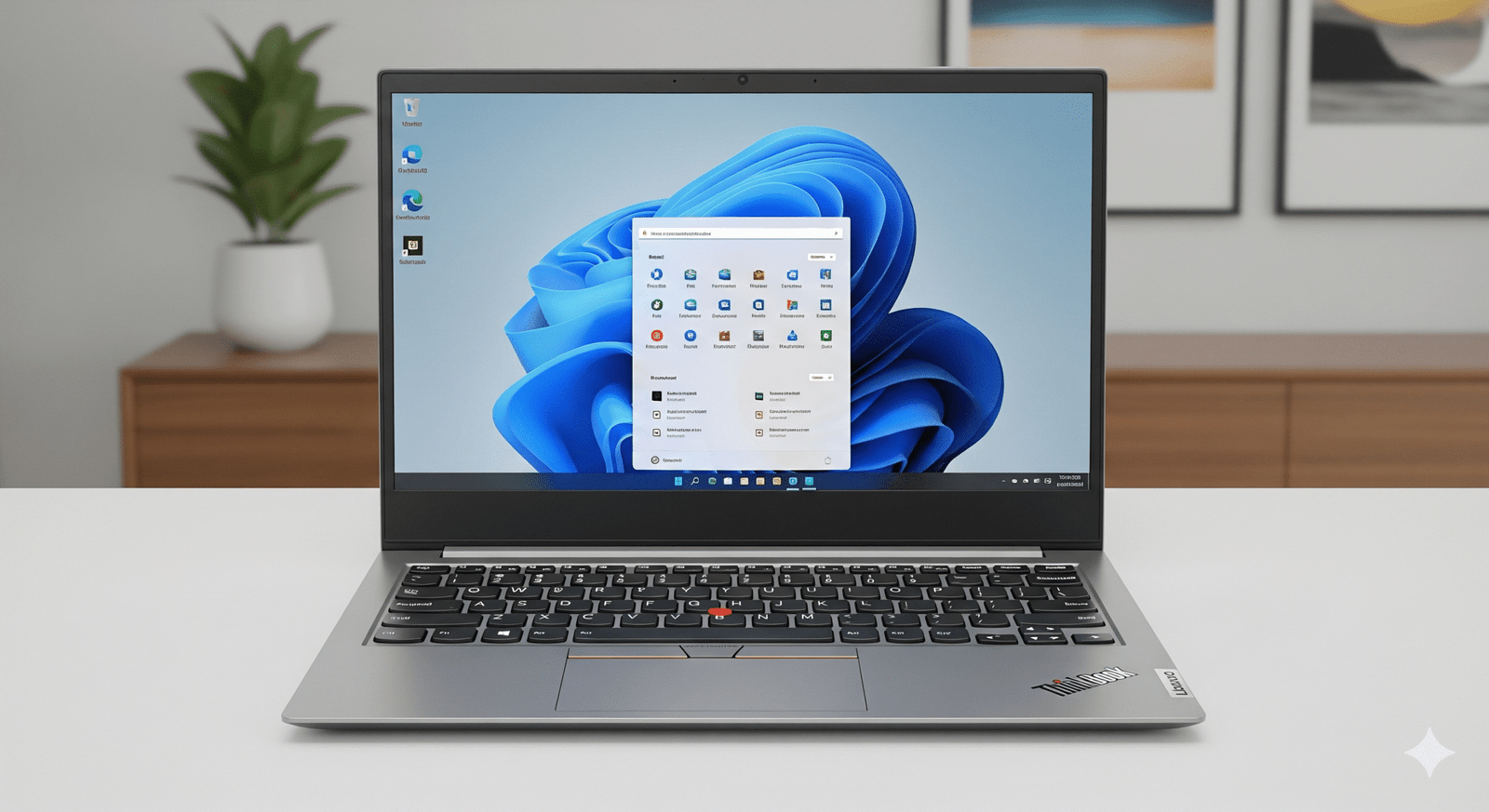
Lenovo ThinkBook 14 (21SGS00400) – 16GB RAM, Windows 11 Pro & 3-Year Support at 42% Off

Lenovo ThinkBook 14 Review: Performance Edition

Lenovo ThinkBook 14 (Part: 21SGS00400)

The Ideal Blend of Power, Security, and Value

Intel® Core™ 5 210H Processor 16 GB DDR5 / 512 GB SSD 14″ WUXGA Anti-Glare IPS Display ₹77,590 (42% Off)

The Lenovo ThinkBook 14 (Part: 21SGS00400) is arguably the most well-rounded offering in its lineup. It builds upon the professional features of its counterparts by doubling the RAM to 16 GB, a crucial upgrade that significantly enhances multitasking and performance for more demanding applications. This model also comes with the enterprise-focused Windows 11 Pro and a robust 3-year Premier Support plan, all at a remarkable 42% discount off its MRP.

This review focuses on how this particular configuration provides a near-perfect balance of power, security, and affordability for professionals, students, and power users who need a laptop that won’t hold them back.

Key Features for the Power User

This ThinkBook model is built to handle your daily tasks and more, ensuring a smooth and responsive experience.

Smooth Multitasking with 16GB RAM

The upgrade to 16 GB of DDR5 RAM is the most significant selling point. It provides a massive performance boost, allowing you to run multiple applications, open dozens of browser tabs, or handle tasks like light photo editing and coding with ease, eliminating frustrating slowdowns.

Windows 11 Pro for Business

This model comes with Windows 11 Pro, offering advanced features like BitLocker encryption, remote desktop access, and Hyper-V for virtualization. This is essential for professionals who need to manage data securely and connect to corporate networks.

Ample 512 GB SSD

The 512 GB PCIe Gen4 SSD provides a perfect balance between storage capacity and speed. It ensures your system boots up instantly, applications load quickly, and you have plenty of room for all your important files, projects, and media.

Comfortable Display

The 14-inch WUXGA (1920×1200) IPS display is clear and comfortable for extended viewing. Its anti-glare finish and TÜV Rheinland Low Blue Light certification help reduce eye strain, which is essential for a long workday.

Robust Security

This model is equipped with a Smart Power On fingerprint reader for secure, one-touch login and a Firmware Trusted Platform Module (fTPM) 2.0 for hardware-based data protection.

Versatile Connectivity

Connectivity is a strength, with a Thunderbolt™ 4 port for high-speed docking and data transfer, along with multiple USB ports, HDMI, and an SD card reader to connect all your peripherals.

Detailed Specifications

General & OS

  • Model Number: 21SGS00400
  • Series: ThinkBook 14
  • Color: Arctic Grey
  • Operating System: Windows 11 Pro 64
  • Support: 3 Years Premier Support

Performance

  • Processor: Intel® Core™ 5 210H
  • Max Clock Speed: Up to 4.80 GHz (P-cores)
  • Graphics: Integrated Intel® Graphics
  • Memory (RAM): 16 GB DDR5-5600MT/s (SODIMM)
  • Storage: 512 GB SSD M.2 2242 PCIe Gen4 QLC

Display, Camera & Audio

  • Screen Size: 14 inches (35.56cm)
  • Resolution: WUXGA (1920 x 1200)
  • Panel Type: IPS, Anti-Glare
  • Brightness: 300 nits
  • Color Gamut: 45% NTSC
  • Refresh Rate: 60 Hz
  • Webcam: FHD 1080p & IR with privacy shutter
  • Audio: Dolby Audio™ with dual-array mics

Connectivity & Design

  • Wireless: WiFi 6E 2×2 AX with Bluetooth® 5.3 or WiFi 6 with BT 5.2
  • Ports: Thunderbolt™ 4, USB-C® (10Gbps), 2 x USB-A, HDMI® 2.1, Ethernet (RJ45), 4-in-1 card reader, audio combo jack
  • Battery: 45Whr or 60Whr with Rapid Charge support
  • Weight: Starting at 1.36kg / 3.0lbs

Security & Durability

  • Fingerprint Reader: Smart Power On with match-on-chip
  • Security Chip: Firmware Trusted Platform Module (fTPM) 2.0
  • Durability: MIL-STD-810H Military-Grade Tested

Pros and Cons: A Balanced View for Buyers

Pros

  • Performance for the Price: The combination of 16GB RAM and a 512GB SSD makes this an excellent value, especially with the 42% discount.
  • Ideal for Professionals: Windows 11 Pro and 3-year Premier Support offer the security and reliability that business users require.
  • Future-Proofed: The 16GB of RAM is an ideal amount for current and future software needs, ensuring the laptop stays fast for years to come.

Cons

  • Basic Display: The 300 nits brightness and 45% NTSC color gamut are adequate for general use but not ideal for professional creative work or use in brightly lit environments.

Who Is This Laptop For? Tailored Recommendations

This particular ThinkBook model is an excellent choice for:

  • Business Professionals & Executives: The combination of power, security, and top-tier support makes this a reliable work companion.
  • Students & Researchers: It’s perfect for handling demanding research applications, multiple software tools, and complex data analysis without performance bottlenecks.
  • Software Developers: The 16GB of RAM is a necessity for running virtual machines, multiple development environments, and compilers smoothly.

Final Verdict: The Best Value for Performance

The Lenovo ThinkBook 14 (Part: 21SGS00400) stands out as a compelling choice. While other configurations are available, this one offers the most comprehensive package for professionals and power users. The significant upgrade to 16GB of RAM and the 42% discount make it a far superior choice for anyone who needs to push their laptop beyond basic tasks. This is the model to get if you are looking for a powerful and reliable work machine.

★★★★★

Overall Rating: 5.0 out of 5.0

(A highly recommended laptop with an ideal blend of performance and professional features)

HP ZBook Studio 16 G11 Mobile Workstation – Intel Core Ultra 9, NVIDIA RTX 4070, 64GB RAM

HP ZBook Studio 16 G11 Mobile Workstation
HP ZBook Studio 16 G11 Mobile Workstation Review – Full Details

HP ZBook Studio 16 G11 Mobile Workstation

Up to Intel® Core™ Ultra 9 Up to NVIDIA® RTX™ 4070 Up to 64GB DDR5 RAM 16-inch 16:10 Display ISV Certified HP Wolf Security

The HP ZBook Studio G11 is a masterstroke of mobile workstation design, packing astonishing power into a sleek, impossibly thin chassis. It’s engineered for the most demanding creative professionals—3D artists, video editors, data scientists, and developers—who require desktop-class performance without being tethered to a desk.

This portable powerhouse can be configured with up to an Intel® Core™ Ultra 9 processor, a professional-grade NVIDIA® GeForce RTX™ 4070 Laptop GPU, and a massive 64GB of DDR5 RAM. It’s a no-compromise solution for rendering complex scenes, training AI models, and visualizing massive datasets, all from a device that easily slips into a backpack.

Uncompromising Creative Power

Accelerate your workflow with top-tier processing and professional-grade graphics.

Next-Gen Intel® Core™ Ultra 9

The available Intel® Core™ Ultra 9 processor features a revolutionary architecture with dedicated CPU, GPU, and NPU engines. This allows it to intelligently allocate resources, delivering extreme performance for complex 3D modeling and data analysis while efficiently handling AI-enhanced software features.

Professional NVIDIA® RTX™ Graphics

Configure your ZBook with up to an NVIDIA® GeForce RTX™ 4070 Laptop GPU or a professional NVIDIA RTX™ Ada Generation GPU. This hardware accelerates rendering, ray tracing, and AI computations, making it an essential tool for animators, architects, and data scientists.

Sleek Design, Serious Performance

A device that defies expectations by packing immense power into a remarkably thin and light chassis.

Thin, Light, and Durable

Starting at just 1.73 kg and measuring as thin as 1.8 cm, the ZBook Studio is exceptionally portable for a 16-inch workstation. The premium aluminum chassis is both elegant and durable, built to withstand the rigors of professional use on the go.

Immersive 16:10 Display

The 16-inch, 16:10 aspect ratio display gives you more vertical screen real estate, perfect for viewing timelines in video editing software or seeing more lines of code. Higher-end configurations offer stunning DreamColor displays with exceptional color accuracy for creative work.

Built for Professional Collaboration

Stay connected and communicate clearly, no matter where your work takes you.

Crystal-Clear Audio by Poly Studio

Experience best-in-class audio with dual stereo speakers and dual-array microphones tuned by Poly Studio. AI-enhanced noise suppression filters out background distractions, ensuring your voice is heard with perfect clarity during client calls and team meetings.

Future-Proof Connectivity

The ZBook Studio is equipped with a full suite of modern ports, including two versatile Thunderbolt™ 4 ports for high-speed data, display output, and charging. It also features the latest Wi-Fi 7 standard, providing ultra-fast and reliable wireless connectivity.

Enterprise-Grade Security and Reliability

A workstation designed to protect your data and withstand the demands of professional workflows.

Advanced Security and Durability

The ZBook Studio comes standard with advanced security features, including HP Sure Start, the industry’s first self-healing BIOS, to protect your device at the firmware level. The spill-resistant keyboard with a built-in drain hole and the integrated fingerprint reader underscore its durable, professional-grade design, ensuring it’s ready for real-world work environments.

Full Specifications Table

Processor & Graphics

  • Processor Options:Up to Intel® Core™ Ultra 9
  • Graphics Options:Up to NVIDIA® GeForce RTX™ 4070 Laptop GPU

Memory & Storage

  • Memory:Up to 64 GB DDR5 5600 MT/s (2x SODIMM slots)
  • Storage:Up to 2 TB PCIe Gen4 NVMe™ SSD

Display

  • Size:16.0-inch diagonal
  • Aspect Ratio:16:10
  • Panel Options:WUXGA (1920×1200) IPS, DreamColor OLED options available

Connectivity & Ports

  • Wireless:Wi-Fi 7 + Bluetooth® 5.4
  • Ports:2x Thunderbolt™ 4 with USB-C, 1x USB 3.2 Gen 1 Type-A, 1x Headphone/mic combo jack

Physical & OS

  • Dimensions:Approx. 35.6 x 24.2 x 1.9 cm
  • Weight:Starting at 1.73 kg
  • Battery:86 Whr Polymer with Fast Charge
  • Operating System:Windows 11 Pro

Pros and Cons: A Balanced View

Pros:

  • Extreme Performance: Configurable with Core Ultra 9 and RTX 4070 for true desktop-class power.
  • Sleek and Portable Design: Incredibly thin and light for a 16-inch workstation.
  • User-Upgradable RAM/SSD: Dual SODIMM and M.2 slots allow for future expansion.
  • Excellent Pro-Grade Keyboard: Comfortable and durable for long work sessions.
  • Robust Security Features: Enterprise-level security with a self-healing BIOS.

Cons:

  • Very High Price: Top-tier configurations are a major financial investment.
  • Underwhelming Webcam: Some models come with a basic 720p webcam, which is disappointing for a premium device.
  • Limited Port Selection: Lacks a dedicated SD card reader and has only one USB-A port.
  • Battery Life Under Load: The powerful components can drain the battery quickly during intensive tasks.

Who Is This Laptop For?

  • 3D Artists and Animators: Professionals who need powerful CPU and GPU performance for modeling, sculpting, and real-time rendering.
  • Video Editors and Colorists: Creators working with high-resolution footage who need fast rendering times and color-accurate displays (on premium screen models).
  • Data Scientists and Developers: Users who compile large codebases, run complex simulations, or train machine learning models.

Who Might Consider Other Options?

  • Users on a Budget: The ZBook Studio commands a significant premium; other workstations offer more power for the price if you can accept a bulkier design.
  • Those Needing Maximum I/O: Professionals who rely on multiple USB-A devices, an SD card reader, or an Ethernet port may find the port selection limiting.
  • Professionals Needing Extreme Battery Life: While the battery is large, the high-performance components mean it won’t last as long as an ultra-portable with integrated graphics.

Competitive Edge: The Creator’s Dream Machine

The ZBook Studio G11 carves out a unique space by refusing to compromise on either performance or portability.

  • Performance Density: Its primary advantage is packing an incredible amount of power—a Core Ultra 9 and an RTX 4070—into a chassis that is significantly thinner and lighter than traditional mobile workstations. It offers the power of a tank in the body of a sports car.
  • Sleek, Professional Aesthetics: Unlike many clunky, gaming-inspired performance laptops, the ZBook Studio maintains a clean, professional, and minimalist design that looks at home in any client meeting or creative studio.
  • Upgradability and ISV Certification: Despite its slim design, it offers user-upgradable RAM and storage, a key feature for long-term use. Its ISV certifications also guarantee stable and optimized performance in professional creative applications from Adobe, Autodesk, and more.

Final Verdict: The Pinnacle of Portable Power

The HP ZBook Studio G11 is a stunning achievement in workstation engineering. It successfully delivers on the promise of true desktop-level performance in a design that is remarkably sleek, light, and portable. For the creative professional who has been forced to choose between a powerful but heavy workstation and a portable but underpowered ultrabook, the ZBook Studio is the answer.

While it commands a very high price and makes some minor compromises on webcam quality and port selection, these are small trade-offs for the sheer performance density it offers. This is a specialized tool for top-tier professionals who need to render, compile, and create without limits, wherever inspiration strikes. For those users, the ZBook Studio G11 is not just an excellent choice—it is arguably the best in its class.

★★★★★

Overall Rating: 4.9 out of 5.0 (For Creative Professionals)

Samsung Odyssey OLED G8 27″ 4K Gaming Monitor: 240Hz, 0.03ms, HDR True Black 400, FreeSync Premium Pro, OLED UHD

Samsung Odyssey OLED G8 2025 (27”) Review: The Pinnacle of 4K OLED Gaming

Samsung Odyssey OLED G8 2025 (27”) Review: The Pinnacle of 4K OLED Gaming

68.5 cm (27″) Display 4K UHD (3840 x 2160) Resolution Max 240 Hz Refresh Rate OLED with Quantum Dot 140W Power Consumption 2x HDMI 2.1, 1x DP 1.4, 2x USB-A 3.2 Gen1, 1x USB-B

Prepare for an unparalleled gaming experience with the Samsung Odyssey OLED G8 2025 (27”), a monitor meticulously engineered for elite gamers and enthusiasts who demand nothing less than perfection. This 68.5 cm (27-inch) display redefines visual fidelity and speed, setting a new benchmark in the high-end gaming monitor segment. At its core, the Odyssey OLED G8 features a stunning 4K UHD (3840 x 2160) OLED panel with Quantum Dot technology, delivering true blacks, infinite contrast, and vibrant colors that leap off the screen. This visual prowess is paired with an incredibly fast 240 Hz refresh rate and a near-instant 0.03 ms (GTG) response time, ensuring hyper-responsive, blur-free gameplay. With VESA DisplayHDR True Black 400, HDR10+ Gaming, and AMD FreeSync Premium Pro, it promises breathtaking, tear-free visuals. Furthermore, Samsung provides crucial peace of mind with an OLED burn-in warranty for normal usage, addressing a key concern. While a specific price was not provided for this 2025 model, based on its cutting-edge specifications, it positions itself as a significant investment for discerning gamers building a top-tier setup. This in-depth review will delve into the Odyssey OLED G8’s groundbreaking display technology, its blazing-fast performance, comprehensive ergonomic adjustments, robust connectivity, and overall value proposition, helping enthusiasts understand why this monitor is a top-tier choice for the ultimate 4K OLED gaming experience.

1. Revolutionary OLED Visuals: Immersive Depth and Color

The Odyssey OLED G8 harnesses the power of OLED technology to deliver an unparalleled visual feast.

Exceptional 4K UHD OLED Panel with Quantum Dot:

The 27-inch 4K UHD (3840 x 2160) OLED panel features individual pixel illumination, allowing for perfect blacks and an infinite contrast ratio (1,000,000:1). Coupled with Quantum Dot technology, it produces vivid colors (99% DCI-P3 coverage).

True Black HDR:

Certified with VESA DisplayHDR True Black 400, alongside support for HDR10 and HDR10+ Gaming, the monitor excels in High Dynamic Range content, providing exceptional detail in both highlights and shadows.

Factory Calibrated & UL Glare Free:

For professionals and enthusiasts, the monitor comes factory-tuned and includes a calibration report. UL Glare Free Certification enhances viewing comfort by reducing distracting glare.

2. Blazing Fast Performance: A Competitive Edge

Speed is paramount for gaming, and the OLED G8 delivers it in spades.

Unmatched 240 Hz Refresh Rate:

A super-high 240 Hz refresh rate provides incredibly fluid motion, eliminating motion blur and delivering crystal-clear visuals even in the most fast-paced action sequences. This responsiveness is a significant advantage in competitive gaming.

Near-Instant 0.03 ms (GTG) Response Time:

This incredibly low 0.03 ms Grey-to-Grey (GTG) response time effectively eliminates ghosting and input lag, ensuring that every command translates into immediate on-screen action, crucial for competitive titles where milliseconds matter.

AMD FreeSync Premium Pro:

The inclusion of AMD FreeSync Premium Pro ensures fluid, tear-free, and low-latency gaming by dynamically synchronizing the monitor’s refresh rate with compatible AMD GPU frame rates. This prevents screen tearing and stuttering.

3. Burn-in Protection & Ergonomics: Peace of Mind and Comfort

Addressing key user concerns, Samsung offers valuable assurances and adjustability.

OLED Burn-in Warranty:

A significant highlight, Samsung provides a burn-in warranty for normal usage (excluding commercial, abuse, or misuse). This crucial assurance helps alleviate a primary concern often associated with OLED technology.

Comprehensive HAS PIVOT Ergonomics:

The highly versatile HAS PIVOT stand offers extensive ergonomic adjustments: height (12 cm ±0.5 cm), tilt (-2.0º to 25.0º), swivel (-30.0º to 30.0º), and pivot (-92.0º to 92.0º), allowing for optimal viewing positions.

Wall Mount Compatibility (100 x 100):

For those preferring a custom mounting solution, the monitor supports the 100 x 100 mm VESA standard.

4. Robust Connectivity & Gaming Features: Designed for Power Users

The OLED G8 is equipped with the necessary ports to handle high-end gaming setups and enhance the experience.

Advanced Connectivity:

Features dual HDMI 2.1 ports, crucial for supporting full 4K resolution at 240Hz. A DisplayPort 1.4 provides another high-bandwidth option.

USB 3.2 Gen1 Hub:

The inclusion of two USB 3.2 Gen1 Type-A downstream ports (via a USB-B upstream port) provides a convenient hub for connecting peripherals at decent speeds.

Dedicated Gaming Features:

Enhancements like Black Equalizer, Virtual AIM Point, Core Sync, Super Arena Gaming UX, Auto Source Switch+, and Ultrawide Game View all contribute to a more immersive and competitive gaming experience.

Headphone Jack:

A convenient headphone jack allows for direct audio output, a must-have for gamers using wired headsets.

5. Premium Design: Aesthetics That Match Performance

The Odyssey OLED G8 boasts a design that reflects its high-performance nature.

Sleek Silver Finish:

The monitor features a sleek silver finish for both the front and rear, giving it a modern and sophisticated aesthetic that complements any high-end gaming or professional setup.

Slim Profile:

Despite its powerful internals, the monitor maintains a relatively slim profile, adding to its premium appearance and making it a sleek addition to any desk.

Who Is This Monitor For? Tailored Recommendations

The Samsung Odyssey OLED G8 2025 (27”) is an exceptional choice for:

  • Elite Competitive Gamers: The 240 Hz refresh rate and 0.03 ms GTG response time provide an unparalleled competitive edge, ensuring every action is instantaneous and blur-free.
  • High-End PC Enthusiasts: Users with top-tier graphics cards (e.g., RTX 4090, RX 7900 XTX) who want to experience 4K gaming at its absolute best, leveraging the monitor’s full capabilities.
  • Visual Fidelity Aficionados: Those who prioritize stunning image quality, perfect blacks, infinite contrast, and vibrant colors for immersive single-player games and cinematic content.
  • Content Creators & Professionals (with gaming in mind): While primarily a gaming monitor, its factory calibration and excellent color gamut (99% DCI-P3) make it suitable for color-sensitive work, especially for those who also game.
  • Users Seeking Peace of Mind with OLED: Samsung’s burn-in warranty for normal usage provides crucial reassurance for those concerned about OLED longevity.
  • Next-Gen Console Gamers (PS5, Xbox Series X): While consoles don’t hit 240Hz, the HDMI 2.1 ports, 4K resolution, and stunning OLED visuals will provide an incredible experience at 4K 120Hz.

Who Might Consider Other Options?

You might consider other options if:

  • You Are on a Strict Budget: This is a premium monitor, and its price point (though not specified, expected to be high) will likely be a barrier for budget-conscious buyers.
  • You Have Mid-Range Gaming Hardware: To fully utilize 4K at 240Hz, you need an extremely powerful and expensive graphics card. If your GPU is not top-tier, you might be better served by a lower resolution or refresh rate monitor.
  • You Exclusively Use NVIDIA GPUs and Demand G-Sync Ultimate: While FreeSync Premium Pro often works with NVIDIA cards, if you specifically want validated G-Sync Ultimate for the best possible adaptive sync experience with an NVIDIA card, you might look for a monitor with that certification.
  • You Need Built-in Speakers: This monitor lacks integrated speakers, requiring external audio solutions (headphones or desktop speakers), which adds to the overall cost and setup complexity.
  • You Require USB-C with Power Delivery: For single-cable laptop connectivity and charging, the absence of a USB-C port with power delivery might be a drawback for some users.
  • You Primarily Use Your Monitor for Static Productivity Tasks: While the burn-in warranty offers peace of mind, if your usage involves extremely long hours with static UI elements (e.g., spreadsheets with fixed toolbars), the inherent risk of OLED burn-in, however small, might still lead you to consider a high-end IPS or VA panel.

Competitive Edge: What Sets It Apart

The Samsung Odyssey OLED G8 2025 (27”) distinguishes itself in the market with several key advantages:

  • Unrivaled 4K OLED Gaming Performance: The combination of 4K UHD resolution, a blazing 240 Hz refresh rate, and a near-instant 0.03 ms (GTG) response time on an OLED panel is a rare and powerful trifecta, offering an elite gaming experience that few competitors can match.
  • Samsung’s OLED Burn-in Warranty: This is a significant differentiator. Offering a warranty specifically covering burn-in under normal usage directly addresses the primary concern many users have with OLED technology, providing a strong competitive advantage and peace of mind.
  • VESA DisplayHDR True Black 400 & HDR10+ Gaming: While many monitors offer HDR, the OLED G8’s true black capabilities and support for HDR10+ Gaming (which offers dynamic tone mapping) ensure a superior and more impactful HDR experience compared to non-OLED displays.
  • Comprehensive Ergonomic HAS PIVOT Stand: Unlike many gaming monitors that offer limited adjustability, the G8’s stand provides extensive height, tilt, swivel, and pivot options, making it highly adaptable and comfortable for long sessions.
  • Advanced HDMI 2.1 Connectivity: The inclusion of dual HDMI 2.1 ports is crucial for next-generation console compatibility and for fully utilizing the 4K 240Hz capabilities with high-end PCs, ensuring future-proofing.
  • Factory Calibration & UL Glare Free Certification: These features ensure excellent color accuracy out of the box and a comfortable viewing experience by reducing reflections, adding to its premium appeal.

Full Specification Details

Display

  • Screen Size (Class): 68.5 cm (27 inch)
  • Flat / Curved: Flat
  • Active Display Size (HxV): 58.99 cm x 33.29 cm
  • Aspect Ratio: 16:9
  • Panel Type: OLED with Quantum Dot
  • Burn-In Warranty: Burn-in at normal usage covered within warranty (But, not covered for Commercial, abuse or mis-use)
  • Brightness (Typical): 250 cd/㎡
  • Brightness (Min): 200 cd/㎡
  • Contrast Ratio Static: 1,000,000:1
  • HDR (High Dynamic Range): VESA DisplayHDR True Black 400, HDR10+, HDR10+ Gaming
  • Resolution: 4K (3840 x 2160)
  • Response Time: 0.03 ms (GTG)
  • Viewing Angle (H/V): 178˚/178˚
  • Colour Support: Max 1B
  • Color Gamut (DCI Coverage): 99% (CIE1976)
  • Refresh Rate: Max 240 Hz

General Features

  • Energy Saving Solution: Yes
  • Eye Saver Mode: Yes
  • Flicker Free: Yes
  • Picture-In-Picture: Yes
  • Quantum Dot Color: Yes
  • Image Size: Yes
  • Windows Certification: Windows 11
  • FreeSync: FreeSync Premium Pro
  • G-Sync: No
  • Off Timer Plus: Yes
  • Black Equalizer: Yes
  • Virtual AIM Point: Yes
  • Core Sync: Yes
  • Super Arena Gaming UX: Yes
  • Auto Source Switch: Auto Source Switch+
  • Ultrawide Game View: Yes

Interface

  • Display Port: 1 EA
  • Display Port Version: 1.4
  • HDCP Version (DP): 2.2
  • HDMI: 2 EA
  • HDMI Version: 2.1
  • HDCP Version (HDMI): 2.2
  • Headphone: Yes
  • USB-C: No
  • USB-B Upstream Port: 1
  • USB Type-A Downstream Port: 2
  • USB Type-A Downstream Version: 3.2 Gen1

Audio

  • Speaker: No

Operation Conditions

  • Temperature: 10~40 ℃
  • Humidity: 10~80, non-condensing
  • Calibration: Factory Tunning (Yes)
  • Factory Calibration Report: Yes

Design

  • Front Colour: SILVER
  • Rear Color: SILVER
  • Stand Colour: Silver
  • Stand Type: HAS PIVOT
  • HAS (Height Adjustable Stand): 12 cm ±0.5 cm
  • Tilt: -2.0º(± 2°) ~ 25.0º(± 2°)
  • Swivel: -30.0º(± 3°) ~ 30.0º(± 3°)
  • Pivot: -92.0º(± 2°) ~ 92.0º(± 2°)
  • Wall Mount: 100 x 100

Power

  • Power Supply: AC 100~240 V
  • Power Consumption (Max): 140 W
  • Type: External Adaptor

Dimension & Weight

  • Set Dimension with Stand (WxHxD): 61.17 cm x 55.42 cm x 26.35 cm
  • Set Dimension without Stand (WxHxD): 61.17 cm x 35.38 cm x 4.92 cm
  • Package Dimension (WxHxD): 68.4 cm x 20 cm x 46.4 cm
  • Set Weight with Stand: 6.9 kg
  • Set Weight without Stand: 3.8 kg
  • Package Weight: 9.5 kg

Accessory & Launch

  • Power Cable Length: 1.5 m
  • HDMI Cable: Yes
  • DP Cable: Yes
  • Certification and Compliance: UL Glare Free (Yes)
  • Launch Date: April 7th, 2025

Pros & Cons: A Balanced View for Buyers

Pros:

  • Stunning 4K OLED Visuals: Delivers impeccable image quality with true blacks, infinite contrast ratio (1,000,000:1), and vibrant colors (99% DCI-P3 coverage) on a 4K UHD resolution, ideal for highly detailed content and incredibly immersive gaming.
  • Unmatched Speed: Features a blazing-fast 240 Hz refresh rate and an incredibly swift 0.03 ms (GTG) response time, ensuring smooth, blur-free, and hyper-responsive gameplay, crucial for competitive titles.
  • True Black HDR: VESA DisplayHDR True Black 400 certification, alongside HDR10 and HDR10+ Gaming support, provides deep blacks and exceptional detail in both bright and dark scenes, making HDR content intensely impactful and realistic.
  • AMD FreeSync Premium Pro: Guarantees fluid, tear-free, and stutter-free gaming for AMD GPU users by synchronizing the monitor’s refresh rate with GPU frame rates, enhancing the overall gaming experience.
  • OLED Burn-in Warranty: Samsung’s inclusion of burn-in coverage under normal usage significantly alleviates a major concern often associated with OLED displays, providing crucial peace of mind.
  • Full Ergonomic Adjustability: The HAS PIVOT stand allows for extensive height, tilt, swivel, and pivot adjustments, providing maximum comfort and flexibility for any setup and long gaming sessions.
  • Advanced Connectivity: Dual HDMI 2.1 ports enable full 4K 240Hz support from compatible GPUs and next-gen consoles, complemented by DisplayPort 1.4 and a versatile USB 3.2 Gen1 Type-A hub.
  • Premium Design: The sleek silver finish and slim profile add a modern and sophisticated aesthetic to any desk, matching its high-performance capabilities.
  • Factory Calibrated: Comes with factory tuning and a calibration report, ensuring accurate and consistent colors right out of the box.

Cons:

  • No NVIDIA G-Sync Compatibility: While it supports FreeSync Premium Pro, the lack of explicit G-Sync Compatible certification might be a drawback for NVIDIA GPU users seeking validated adaptive sync performance, though FreeSync often works on NVIDIA GPUs.
  • High Hardware Demands: Driving 4K resolution at 240 Hz requires an extremely powerful and expensive graphics card, making it a high-cost setup overall for users to fully utilize its capabilities.
  • No Built-in Speakers: Requires external speakers or headphones for audio output, adding to the total cost and potential cable clutter.
  • No USB-C with Power Delivery: Lacks a USB-C port that can also deliver power, which would provide a convenient single-cable solution for compatible laptops for both video and charging.
  • Premium Price: While the exact price was not provided in the input, based on similar high-end OLED monitors with these specifications, it is expected to be a significant investment, making it inaccessible for budget-conscious buyers.
  • OLED Burn-in Risk (despite warranty): Although covered under warranty for normal use, the inherent nature of OLED technology means potential burn-in is still a consideration for users with static UI elements or very long, unchanging usage patterns (e.g., specific productivity tasks).

Final Verdict: The Samsung 68.5 cm (27-inch) Odyssey OLED G8 4K Gaming Monitor – An Unrivaled Gaming Experience

The 68.5 cm (27-inch) Samsung Odyssey OLED G8 4K Gaming Monitor is a state-of-the-art display for gamers and enthusiasts who demand the absolute pinnacle of visual fidelity and speed. Its combination of a stunning 4K OLED panel with a blazing-fast 240 Hz refresh rate and a near-instant 0.03 ms response time offers an unparalleled immersive and responsive gaming experience that few monitors can match. The inclusion of an OLED burn-in warranty for normal usage, advanced HDR capabilities (True Black 400), and comprehensive ergonomic adjustments further solidifies its position as a top-tier choice. While it undeniably demands high-end PC hardware to fully exploit its capabilities, lacks built-in speakers, and doesn’t offer USB-C with power delivery, for those seeking the ultimate 4K OLED gaming display with peace of mind, the Odyssey OLED G8 is an exceptional and future-proof option that justifies its premium segment.

★★★★★

Overall Rating: 5.0 out of 5.0 (Based on Expert Analysis)


ASUS AiO V470: The Ultimate 27″ All-in-One PC with Expandable DDR5, HDMI Versatility & Dolby Atmos

ASUS AiO V470
ASUS AiO V470 (V470VA-KWPE005WS) Review – In-Depth Breakdown

ASUS AiO V470 (V470VA-KWPE005WS)

27″ FHD 100Hz Display Intel® Core™ i5 H-Series HDMI In & Out Dolby Atmos® Audio Wi-Fi 6E EPEAT Gold

The ASUS AiO V470 (V470VA-KWPE005WS) elevates the all-in-one experience by combining a massive 27-inch display with robust, desktop-grade performance. Starting at ₹65,990, this model is a significant step-up, featuring the powerful 13th Gen Intel® Core™ i5 H-series processor, 16GB of DDR5 RAM, and a spacious 1TB SSD, making it ideal for demanding productivity and heavy multitasking.

Designed for a modern, clutter-free workspace, it boasts a sleek, minimalist chassis with an immersive 93% screen-to-body ratio. Premium features like a 100Hz refresh rate, a versatile HDMI-in port to use it as a monitor, a retractable IR camera, and Dolby Atmos audio make this AiO an exceptionally powerful, practical, and high-value centerpiece for any home or office.

Expansive & Fluid Visuals

Immersive 27-inch NanoEdge Screen

The V470 is dominated by its vast 27-inch FHD display. With ultra-thin bezels creating an expansive 93% screen-to-body ratio, it delivers an edge-to-edge viewing experience that is perfect for side-by-side document editing, complex spreadsheets, or cinematic movie watching.

Smooth 100Hz Refresh Rate

The display’s 100Hz refresh rate provides a superior visual experience with noticeably smoother motion compared to standard 60Hz panels. This makes everything from scrolling through websites to watching videos feel more fluid and responsive, reducing eye strain during long sessions.

High-Performance Core for Productivity

Powerful Core i5-H Processor

At its core is a high-performance Intel® Core™ i5-13420H processor. This 8-core, 12-thread CPU is significantly more powerful than the U-series chips found in typical AiOs, delivering the muscle needed for demanding multitasking, light content creation, and running business applications without lag.

Generous and Upgradeable Memory

The system is equipped with a generous 16GB of fast DDR5 RAM out of the box. Crucially, it features two accessible SO-DIMM slots, allowing for future upgrades up to 32GB, ensuring the PC remains fast and responsive for years to come.

Spacious High-Speed Storage

With a large 1TB M.2 NVMe™ PCIe® 4.0 SSD, the V470 offers both ample space for all your files, applications, and media, as well as lightning-fast boot times and near-instantaneous application loading, contributing to a seamless and efficient workflow.

Unmatched Connectivity and Versatility

HDMI-In for Monitor Mode

A key differentiator is the HDMI-in port. This allows you to connect a laptop, gaming console, or streaming device and use the AiO’s beautiful 27-inch 100Hz screen as a high-quality external monitor, effectively giving you two products in one and maximizing your desk space.

Comprehensive Port Selection

The V470 is equipped with a full range of I/O ports, including HDMI-out, USB-C 3.2, multiple USB-A ports, an SD card reader, and an RJ45 LAN port. This extensive selection ensures you can connect all your essential peripherals without needing a dongle.

Full Specifications

Core Components

  • Processor:Intel® Core™ i5-13420H (8 Cores, 12 Threads)
  • Graphics:Integrated Intel® UHD Graphics
  • RAM:16GB DDR5 SO-DIMM (Expandable to 32GB)
  • Storage:1TB M.2 NVMe™ PCIe® 4.0 SSD

Display

  • Size:27-inch FHD (1920 x 1080) LCD
  • Refresh Rate:100Hz
  • Color Gamut:100% sRGB
  • Brightness:300 nits

Connectivity & Ports

  • Wireless:Wi-Fi 6E (802.11ax), Bluetooth® 5.4
  • Ports:1x HDMI in 1.4, 1x HDMI out 1.4, 1x USB-C 3.2, 3x USB-A 3.2, 1x USB 2.0, SD Card Reader, RJ45 LAN

Peripherals & Security

  • Included:Wireless Keyboard & Wireless Mouse
  • Camera:Retractable 1080p FHD IR Camera
  • Security:Windows Hello, Firmware TPM

Pros and Cons: A Balanced View

Pros:

  • Powerful H-Series CPU: Excellent multitasking performance for demanding home office work.
  • Huge, Smooth Display: The 27-inch 100Hz screen is fantastic for productivity and media.
  • Versatile HDMI-In Port: Adds incredible value by allowing use as a standalone monitor.
  • Generous & Expandable RAM/Storage: 16GB RAM and 1TB SSD is a great starting point with room to grow.
  • Smart Privacy and Audio Features: Retractable camera and AI noise cancellation are premium touches.
  • Wireless Peripherals Included: Offers a clean, clutter-free desk setup out of the box.

Cons:

  • Integrated Graphics Only: Not suitable for serious gaming or GPU-intensive creative applications.
  • FHD Resolution on 27″: Pixels may be noticeable to some users; QHD would have been sharper.
  • Basic Bundled Peripherals: The included wireless keyboard and mouse are functional but may not satisfy power users.
  • No Touchscreen: Lacks the direct interaction capabilities of a touch-enabled display.

Who Is This PC For?

  • Power Home Office Users: Professionals who juggle multiple applications, large datasets, and frequent video calls.
  • Families Needing a Central Hub: An excellent, powerful machine that can serve as the main computer for the entire family’s needs.
  • Users Seeking a Minimalist Setup: Anyone who wants the power of a desktop without the clutter of a tower and cables.

Who Might Consider Other Options?

  • Dedicated Gamers: The integrated graphics cannot handle modern AAA games at high settings.
  • Professional Content Creators: Video editors, 3D artists, and photographers who require a dedicated GPU and a higher-resolution 4K display.
  • Users on a Tight Budget: The Core i3 version of the V470 offers a similar experience for less demanding users at a lower cost.

Competitive Edge: A Power User’s AiO in Disguise

This specific configuration of the ASUS AiO V470 stands out by packing true desktop-replacement power and unmatched versatility into a sleek form factor.

  • Desktop-Grade Performance: Its key advantage is the potent Core™ i5-H processor paired with 16GB of DDR5 RAM. This combination delivers a level of multitasking performance that rivals traditional mid-range desktops, setting it apart from most AiOs in its price bracket.
  • Ultimate Display Versatility: The HDMI-in port is a game-changing feature that transforms the entire PC into a large, 100Hz external monitor for other devices, offering a level of utility and value that few competitors can match.
  • Future-Proofed by Design: With user-accessible, expandable DDR5 memory and the latest Wi-Fi 6E standard, the V470 is built not just for today’s needs, but is also ready for the demands of tomorrow.

Final Verdict: The Ultimate All-in-One Powerhouse

The ASUS AiO V470 (V470VA-KWPE005WS) is a home run, brilliantly executing the concept of a powerful, do-it-all desktop in a single, elegant package. By opting for a high-performance H-series processor and a generous 16GB of RAM, ASUS has created a machine that feels incredibly responsive and capable, effortlessly handling demanding workloads that would make lesser AiOs struggle. The massive 27-inch 100Hz display is a joy for both productivity and entertainment, and the inclusion of an HDMI-in port adds a layer of versatility that is simply unmatched at this price.

This is more than just a computer; it’s a complete, clutter-free workstation. For anyone seeking a powerful and stylish desktop replacement for a home office, family room, or workspace, this specific configuration of the V470 offers a phenomenal combination of performance, features, and long-term value. It is an outstanding machine and a clear leader in its class.

★★★★★

Overall Rating: 4.8 out of 5.0 (The Definitive High-Performance AiO)

Samsung M7 32” 4K Smart Monitor (2024) Review – UHD Display with USB-C, Tizen & Alexa at ₹31,899

Samsung M7 32” 4K Smart Monitor Review: Your Compact 4K Smart Hub for Work and Play

Samsung M7 32” 4K Smart Monitor Review: Your Compact 4K Smart Hub for Work and Play

80 cm (32”) Display 4K UHD (3840 x 2160) Resolution 60 Hz Refresh Rate VA Display Type 150W Power Consumption 2x HDMI 2.0, 3x USB-A (2.0) ₹31899.00

In a world increasingly seeking versatile and space-saving technology, the Samsung M7 32” 4K Smart Monitor presents itself as a compelling all-in-one display solution. Priced at an attractive ₹31899.00, this 80 cm (32-inch) monitor is engineered to be a central hub, seamlessly integrating productivity, entertainment, and smart home control into a single, sleek device. It features a crisp 4K UHD (3840 x 2160) VA panel that delivers sharp visuals and deep blacks, complemented by a standard 60 Hz refresh rate and 4ms (GTG) response time. Running on Samsung’s intuitive Tizen™ OS, the M7 uniquely combines monitor capabilities with a full Smart TV experience, offering direct access to all your favorite streaming apps without needing an external PC. With convenient USB-C (65W charging), robust built-in Wi-Fi and Bluetooth, integrated voice assistants (Bixby, Alexa), and included remote control and speakers, the M7 provides a comprehensive and clutter-free solution for any modern setup. This in-depth review will explore the M7’s immersive display, its extensive smart features, versatile connectivity, integrated audio, and overall value, helping discerning buyers determine if this 32-inch smart monitor is the perfect fit for their home office, casual gaming, or media consumption needs in mid-2025.

1. The Integrated 4K Smart Display: Beyond the Ordinary Monitor

The Samsung M7 goes beyond traditional monitor functionality, offering a complete multimedia experience.

Sharp 4K UHD VA Panel (32-inch):

The 32-inch 4K UHD (3840 x 2160) resolution delivers exceptional clarity and detail. The VA (Vertical Alignment) panel provides a strong 3000:1 static contrast ratio, ensuring deep blacks and vibrant colors.

60 Hz Refresh Rate & 4ms GTG Response Time:

The 60 Hz refresh rate is perfectly adequate for everyday computing, smooth video playback, and general web browsing. A 4ms Grey-to-Grey (GTG) response time helps minimize ghosting, offering a decent experience for casual gaming.

Standard Brightness & HDR10 Support:

With a typical brightness of 300 cd/㎡, the monitor is well-suited for most indoor lighting conditions. It supports HDR10, enabling it to display High Dynamic Range content with enhanced contrast and color.

Wide Viewing Angles & Adaptive Picture:

The 178°(H)/178°(V) viewing angles ensure that colors and contrast remain consistent. The Adaptive Picture feature optimizes screen brightness and color based on ambient lighting.

2. Comprehensive Smart Hub: Entertainment & Control at Your Fingertips

Powered by Tizen™ OS, the M7 offers a seamless smart experience without needing an external device.

Integrated 4K Smart TV Experience (Tizen™ OS):

The heart of the M7’s smart capabilities is Samsung’s acclaimed Tizen™ OS. This provides a full Smart TV experience directly on your monitor, granting instant access to popular streaming services (Netflix, Amazon Prime Video, YouTube, etc.), Samsung TV Plus (IN Only) for free content, and a Universal Guide for personalized recommendations, all in stunning 4K resolution.

Voice Assistant Integration:

With built-in Bixby and Amazon Alexa (IN Only), and Far-Field Voice Interaction, you can control the monitor, search for content, set alarms, and even manage compatible smart home devices using just your voice.

SmartThings Hub Functionality:

The M7 acts as a SmartThings Hub, allowing you to connect and control a wide range of compatible smart home devices directly from your monitor, making it a central command center for your connected home.

Enhanced Multi-Device Experience:

Features like “Mobile to Screen” mirroring, “Tap View” for quick mirroring, and “Sound Mirroring” for playing mobile audio through the monitor’s speakers streamline content sharing from your smartphone.

Remote Access & Basic Smart Calibration:

Remote Access allows you to work on your office PC or laptop directly from the M7. Optimize your display’s color accuracy via a compatible smartphone using the basic smart calibration feature.

Robust Wireless Connectivity:

Built-in Wi-Fi 5 (802.11ac) ensures fast and reliable internet access. Bluetooth 5.2 allows for seamless connection of wireless peripherals.

3. Connectivity & Audio: Streamlined and Integrated

The M7 is designed for modern connectivity and a complete audio-visual experience.

USB-C with Power Delivery:

A highly versatile USB-C port with 65W charging power provides a single-cable solution for connecting and simultaneously charging compatible laptops, significantly reducing cable clutter.

Dual HDMI 2.0 Ports:

Equipped with two HDMI 2.0 ports (with HDCP 2.2 support), the monitor allows you to connect multiple devices like a PC, gaming console, or set-top box without constant cable swapping.

USB 2.0 Hub:

The inclusion of three USB-A 2.0 ports provides a convenient hub for connecting basic peripherals like a keyboard, mouse, or USB drive, though these are the slower USB 2.0 standard.

Built-in Audio & Remote:

The integrated 10W speakers with Adaptive Sound provide decent audio for everyday media consumption. The included remote controller enhances the Smart TV experience.

4. Design & Ergonomics: Sleek and Practical

The M7 boasts a minimalist design that integrates well into any modern space.

Sleek Black Aesthetic:

The monitor features a sleek black finish for the front, rear, and stand, providing a professional and understated look that blends seamlessly with most decor.

Simple Tilt Stand:

The included stand offers tilt adjustment (-2.0˚ to 22.0˚), allowing users to find a comfortable viewing angle. While basic, it provides stability for the display.

Wall Mount Compatibility (100 x 100):

For those seeking a more permanent or space-saving setup, the monitor is compatible with 100 x 100 mm VESA wall mounts.

Who Is This Monitor For? Tailored Recommendations

The Samsung M7 32” 4K Smart Monitor is an excellent choice for:

  • Home Office Users: Its 4K resolution and smart features make it a versatile display for productivity, video conferencing, and seamless switching between work and entertainment.
  • Students & Small Space Dwellers: The all-in-one nature saves desk space by combining a monitor, smart TV, and basic smart home hub into one device.
  • Media Consumers & Streamers: With Tizen™ OS, built-in apps, and decent speakers, it’s perfect for watching movies, shows, and YouTube without needing a separate media player.
  • Casual Gamers: While not for competitive esports, the 4K resolution and 60Hz refresh rate provide a good visual experience for single-player or casual gaming titles.
  • Users Seeking a Clutter-Free Setup: USB-C with power delivery, integrated speakers, and wireless connectivity minimize cables and external devices.
  • Smart Home Enthusiasts on a Budget: Its SmartThings Hub functionality adds value by allowing control of compatible smart home devices.

Who Might Consider Other Options?

You might consider other options if:

  • You Are a Serious Competitive Gamer: The 60Hz refresh rate and 4ms GTG response time are not sufficient for high-refresh-rate, low-latency competitive gaming.
  • You Need Advanced Ergonomics: The basic tilt-only stand lacks height, swivel, or pivot adjustments, which are crucial for optimal ergonomic positioning during long work sessions.
  • You Require Faster USB Data Transfer: The integrated USB-A ports are USB 2.0, which are significantly slower for transferring large files compared to modern USB 3.0 or 3.1.
  • You Need Higher Brightness for HDR: While it supports HDR10, a typical brightness of 300 cd/㎡ is not bright enough to deliver a truly impactful HDR experience, especially in very well-lit rooms.
  • You Prefer an IPS Panel for Color Critical Work: While the VA panel offers great contrast, IPS panels generally provide more consistent color accuracy and wider viewing angles without color shift, which can be important for professional photo/video editing.
  • You Need a Built-in Camera: Unlike the M8, this M7 model does not include a built-in or detachable webcam, requiring a separate purchase if video calls are frequent.

Competitive Edge: What Sets It Apart

The Samsung M7 32” 4K Smart Monitor distinguishes itself in the market with several key advantages:

  • All-in-One Smart TV Integration at 32-inch 4K: Its primary competitive edge is the seamless blend of a 4K monitor with a full Tizen™ OS Smart TV experience, offering built-in streaming apps, Wi-Fi, and Bluetooth, making it a highly versatile and space-saving solution.
  • Value for Money: Priced at ₹31899.00, it offers a comprehensive package of 4K resolution, smart features, and integrated audio at a very competitive price point for its size.
  • Convenient USB-C with 65W Power Delivery: This single-cable solution for video, data, and power simplifies connectivity for modern laptops, reducing desktop clutter significantly.
  • Powerful Integrated Audio: The 10W speakers with Adaptive Sound provide a much better audio experience than typical monitors, eliminating the need for external speakers for most users.
  • Integrated Voice Assistants & SmartThings Hub: The inclusion of Bixby and Alexa with Far-Field Voice Interaction, along with SmartThings Hub functionality, transforms it into a central, hands-free control point for both the monitor and your smart home.
  • Dual HDMI 2.0 Ports: Provides more flexibility for connecting multiple modern devices (e.g., PC and game console) simultaneously compared to many other monitors in its class.

Full Specification Details

Display

  • Screen Size (Class): 80 cm (32 inch)
  • Flat / Curved: Flat
  • Active Display Size (HxV): 69.73 cm x 39.22 cm
  • Aspect Ratio: 16:9
  • Panel Type: VA
  • Brightness (Typical): 300 cd/㎡
  • Brightness (Min): 240 cd/㎡
  • Contrast Ratio Static: 3,000:1 (Static)
  • HDR (High Dynamic Range): HDR10
  • Resolution: 4K (3840 x 2160)
  • Response Time: 4 ms (GTG)
  • Viewing Angle (H/V): 178°(H)/178°(V)
  • Colour Support: Max 1B
  • Color Gamut (NTSC 1976): 72%
  • Refresh Rate: Max 60 Hz

General Features

  • Eye Saver Mode: Yes
  • Flicker Free: Yes
  • Image Size: Yes
  • Windows Certification: Windows 11
  • Virtual AIM Point: Yes
  • Game Bar 2.0: Yes
  • HDMI-CEC: Yes
  • Auto Source Switch+: Yes
  • Adaptive Picture: Yes
  • Ultrawide Game View: Yes

Smart Service

  • Smart Type: Smart
  • Operating System: Tizen™
  • Bixby: Yes
  • Far-Field Voice Interaction: Yes
  • TV Plus: Yes (IN Only)
  • Universal Guide: Yes (IN Only)
  • Alexa Built-in: Alexa (IN Only)
  • SmartThings Hub: Yes
  • Multi Device Experience: Mobile to Screen, Screen initiate mirroring, Sound Mirroring, Wireless On, Tap View
  • My Contents: Yes
  • Multi View: upto 2 videos
  • Smart Calibration: Basic
  • NFT: Nifty Gateway
  • Remote Access: Yes

Interface

  • Wireless Display: Yes
  • HDMI: 2 EA
  • HDMI Version: 2.0
  • HDCP Version (HDMI): 2.2
  • USB Hub: 3 (ports)
  • USB Hub Version: 2.0
  • USB-C: 1 EA
  • USB-C Charging Power: 65 W
  • HDCP Version (USB-C): 2.2
  • Wireless LAN Built-in: Yes (WiFi5)
  • Bluetooth: Yes (5.2)

Audio

  • Speaker: Yes
  • Speaker Output: 10W
  • Adaptive Sound: Adaptive Sound

Operation Conditions

  • Temperature: 10~40 ℃
  • Humidity: 10~80 (non-condensing)
  • Calibration: Factory Tunning (Yes)

Design

  • Front Colour: BLACK
  • Rear Color: BLACK
  • Stand Colour: Black
  • Stand Type: SIMPLE
  • Tilt: -2.0˚(±2.0˚) ~ 22.0˚(±2.0˚)
  • Wall Mount: 100 x 100

Power

  • Power Supply: AC 100~240 V
  • Power Consumption (Max): 150 W
  • Type: Internal Power

Dimension & Weight

  • Set Dimension with Stand (WxHxD): 71.61 cm x 51.70 cm x 19.35 cm
  • Set Dimension without Stand (WxHxD): 71.61 cm x 42.45 cm x 4.18 cm
  • Package Dimension (WxHxD): 84.20 cm x 13.30 cm x 48.70 cm
  • Set Weight with Stand: 6.5 kg
  • Set Weight without Stand: 5.4 kg
  • Package Weight: 8.4 kg

Accessory & Launch

  • Power Cable Length: 1.5 m
  • HDMI Cable: Yes
  • Remote Controller: Yes

Pros & Cons: A Balanced View for Buyers

Pros:

  • True All-in-One Smart Hub: Seamlessly combines a 4K monitor with a full Smart TV experience (Tizen™ OS), including built-in streaming apps, Wi-Fi, Bluetooth, and voice assistants (Bixby, Alexa), significantly reducing clutter and simplifying setups.
  • Sharp 4K UHD Display: Offers excellent clarity and detail on a 32-inch screen, ideal for productivity, graphic design, and consuming high-resolution media.
  • Convenient USB-C Connectivity: A single USB-C port with 65W power delivery simplifies connecting and charging compatible laptops, leading to a cleaner and more efficient workspace.
  • Integrated Audio & Control: Built-in 10W speakers with Adaptive Sound and an included remote control provide a complete entertainment solution without requiring external accessories.
  • Smart Home Integration: Functions as a SmartThings Hub, allowing control and monitoring of compatible smart home devices directly from the monitor, enhancing smart home management.
  • Enhanced Multi-Device Experience: Features like Mobile to Screen mirroring and Tap View make it incredibly easy to share content from smartphones to the larger display.
  • Good Contrast: The VA panel delivers a strong 3000:1 static contrast ratio for decent black levels and good image depth.
  • Affordable for 4K Smart Monitor: At ₹31899.00, it offers significant value for a 32-inch 4K monitor with such extensive smart features, making it accessible for a wide range of users.
  • Dual HDMI 2.0 Ports: Provides flexibility for connecting two modern devices simultaneously.

Cons:

  • Limited Refresh Rate & Response Time: A 60 Hz refresh rate and 4ms (GTG) response time are standard for general use and streaming but are not ideal for serious competitive gaming, limiting its appeal to casual gamers or those prioritizing visuals over speed.
  • Basic Ergonomics: The simple stand only offers tilt adjustment, lacking height, swivel, or pivot capabilities, which can limit optimal viewing positions and ergonomic comfort for prolonged use.
  • USB 2.0 Hub: The integrated USB hub utilizes older USB 2.0 standards, which are slower for data transfer compared to modern USB 3.0 or 3.1, potentially affecting speed for external drives.
  • HDMI 2.0 Ports: While sufficient for 4K at 60Hz, HDMI 2.0 lacks the higher bandwidth of HDMI 2.1, meaning it cannot support potential future uses like 4K at higher refresh rates (though the panel itself is 60Hz).
  • Brightness: A typical brightness of 300 cd/㎡ is adequate for general use but not exceptionally bright for a truly impactful HDR experience, especially in very well-lit environments.
  • No Built-in Camera: Unlike some other smart monitors (like the M8), this model does not include an integrated or detachable webcam, requiring a separate purchase if video calls are a frequent need.

Final Verdict: The Samsung 80 cm (32-inch) M7 UHD 4K Smart Monitor – Your Versatile Home Hub

The 80 cm (32-inch) Samsung M7 UHD 4K Smart Monitor is an exceptional choice for users seeking a versatile, all-in-one display that seamlessly blends premium 4K monitor capabilities with a comprehensive smart TV experience. Its integrated Tizen™ OS, robust wireless connectivity, USB-C with power delivery, and smart home features make it a highly practical and clutter-free solution for productivity, streaming, and casual gaming. While not designed for competitive esports due to its 60Hz refresh rate and basic ergonomics, its attractive price of ₹31899.00 for a 32-inch 4K smart monitor makes it an outstanding value proposition for a living room, home office, or bedroom setup. If you’re looking for a single device to handle your computing, entertainment, and smart home control needs with crisp 4K visuals, the Samsung M7 is a highly recommended and well-rounded choice.

★★★★☆

Overall Rating: 4.5 out of 5.0 (Based on Expert Analysis)


ASUS ExpertCenter B900 SFF AI PC: Intel Core Ultra, Up to 128GB DDR5, 4TB SSD, Win 11 Pro, MIL-STD 810H

ASUS ExpertCenter B900 SFF (B900SF) Review: The Future of Business Computing

ASUS ExpertCenter B900 SFF (B900SF)

Intel® Core™ Ultra 7 265 Up to 128 GB DDR5 512 GB NVMe PCIe 4.0 SSD Up to professional NVIDIA® graphics Windows 11 Pro

The ASUS ExpertCenter B900 SFF (B900SF) heralds a new era for business computing, proudly introduced as the first ASUS commercial AI PC. This ultra-compact (8.6L) desktop is meticulously engineered to deliver uncompromising performance and efficiency in demanding business environments. It’s built for the modern enterprise, leveraging the power of Intel’s latest Core Ultra processors with integrated AI Boost NPU and offering robust security, extreme durability, and exceptional manageability.

While no specific base price is provided, the B900 SFF is clearly positioned as a premium business solution. It is designed to be highly configurable, with options for up to Intel vPro® with Intel® Core™ Ultra 9 processors and support for professional NVIDIA® graphics. Its space-saving design, combined with tool-free maintenance, extensive memory (up to 128 GB DDR5), diverse storage options (up to 2 TB HDD + 4 TB SSD), and comprehensive security features, makes it an ideal choice for businesses looking for a future-proof, high-performance, and reliable computing platform.

Key Features at a Glance

First Commercial AI PC: Integrated Intel® AI Boost NPU.
Powerful Intel® Core™ Ultra Processors: Up to Core Ultra 9 with vPro.
Optional Professional NVIDIA® Graphics: For specialized visual tasks.
Compact & Tool-Free Chassis: 8.6L SFF, easy maintenance.
Next-Gen DDR5 Memory Support: Up to 128 GB across four slots.
Flexible Hybrid Storage Options: Up to 2 TB HDD + 4 TB SSD.
Military-Grade Durability: MIL-STD 810H tested.
Comprehensive Security Features: TPM 2.0, Kensington, Padlock loop.
Rich I/O & Connectivity: USB 3.2 Gen 2, HDMI, DP, VGA, Wi-Fi 6/6E.

AI Optimization, Enterprise-Grade Security, and Unrivaled Flexibility

The ASUS ExpertCenter B900 SFF (B900SF) is packed with features that underscore its advanced capabilities for business.

First ASUS Commercial AI PC:

This is a significant distinction. Optimized for AI-driven business tasks, it features the Intel® AI Boost NPU (Neural Processing Unit) integrated into the Core Ultra processors. This dedicated hardware accelerates AI workloads, enhancing performance in AI-accelerated applications, machine learning tasks, and intelligent automation within the business ecosystem.

Powerful Intel® Core™ Ultra Processors:

The B900 SFF is highly configurable with up to Intel vPro® with Intel® Core™ Ultra 9 processors. The showcased Intel® Core™ Ultra 7 Processor 265 (20 cores, 20 Threads, up to 5.3GHz) provides formidable multi-core performance for intensive workloads, while Intel vPro® adds enterprise-grade security, stability, and remote manageability.

Optional Professional NVIDIA® Graphics:

For specialized visual performance and demanding workloads like advanced CAD, basic content creation, or specific scientific simulations, the B900 SFF supports discrete professional NVIDIA® graphics (specific models would be configurable during purchase).

Compact & Tool-Free Chassis:

With an ultra-compact 8.6L Small Form Factor (SFF) design, this desktop saves valuable desk space, ideal for modern offices. The tool-free chassis design facilitates remarkably easy upgrades, component swaps, and maintenance, significantly reducing IT overhead and downtime.

Next-Gen DDR5 Memory Support:

The system supports an impressive up to 128 GB DDR5 U-DIMM memory across four slots. This high-speed memory capacity provides superior bandwidth for intensive multitasking, running multiple virtual machines, handling large datasets, and ensuring smooth performance for memory-demanding business applications.

Flexible Hybrid Storage Options:

Offers extensive storage configurations, including support for up to 2 TB HDD + 4 TB SSD (via M.2 NVMe™ PCIe® 4.0 SSDs and SATA ports). This flexibility allows businesses to balance between lightning-fast boot times and application loads with SSDs, and vast capacity for archival or less frequently accessed data with HDDs.

Military-Grade Durability:

The B900 SFF undergoes rigorous MIL-STD 810H military standard testing and extensive ASUS in-house testing. This ensures exceptional reliability, resilience, and longevity in demanding operating conditions, minimizing hardware failures and downtime.

Comprehensive Security Features:

Designed with business security in mind, it includes HDD User Password Protection, a Kensington Security Slot™, Discrete TPM 2.0 (Trusted Platform Module) for hardware-level encryption and secure boot, and a Padlock loop for physical security, providing layered protection for critical data.

Rich I/O & Connectivity:

The desktop features a wide array of front and rear ports, including multiple USB 3.2 Gen 2 Type-A/C (for high-speed data transfer), HDMI, DisplayPort, and VGA for versatile display connectivity, RJ45 Gigabit Ethernet for reliable wired networking, and Wi-Fi 6/6E with Bluetooth® 5.3/5.4 for future-ready wireless connectivity.

Energy Efficient Power Supply Options:

Available with either a 330W (80+ Platinum, peak 660W) or 180W (80+ Bronze, peak 228W) power supply. These options ensure high energy efficiency, reducing operational costs and supporting corporate sustainability initiatives.

Who Is This Desktop For? Tailored Recommendations

The ASUS ExpertCenter B900 SFF (B900SF) is an ideal solution for:

  • Modern Enterprises & Businesses: Especially those adopting AI-driven workflows, requiring robust security features (vPro, TPM), and valuing remote manageability.
  • Professionals & Power Users: Engaged in data analysis, complex simulations, content creation (with optional GPU), or intensive multitasking that benefits from high core counts and large DDR5 memory.
  • Companies with Limited Desk Space: The ultra-compact SFF design makes it perfect for crowded offices or workstations where space optimization is critical.
  • Organizations Prioritizing Durability & Reliability: Its MIL-STD 810H testing ensures it can withstand challenging environments and provides long-term operational stability.
  • IT Departments Seeking Easy Management: The tool-free chassis and Intel vPro features simplify deployment, maintenance, and remote troubleshooting, reducing IT overhead.

Who Might Consider Other Options?

  • Budget-Constrained Small Businesses/Startups: As a premium business solution with advanced features, its likely higher price point might be a barrier for those with very limited IT budgets.
  • Users Needing High-End Graphics Out-of-the-Box: While it supports professional NVIDIA graphics, the base configurations might come with integrated graphics. Users needing powerful graphics from the start without additional configuration might prefer pre-built workstations.
  • Individuals for Personal Use: Its business-centric features like vPro, TPM, and military-grade testing might be overkill and add unnecessary cost for a typical home user.
  • Those Requiring Massive Internal Storage Expansion Bays: While flexible, SFF designs inherently have limits compared to full-tower desktops if extensive internal HDD/SSD bays are a primary requirement.

Competitive Edge: What Sets It Apart

The ASUS ExpertCenter B900 SFF distinguishes itself in the business desktop market through several key advantages:

  • Pioneering Commercial AI PC: As the first ASUS commercial AI PC with a dedicated Intel AI Boost NPU, it offers a distinct advantage in accelerating AI-driven business applications and future-proofing workflows.
  • Unmatched Manageability & Security (vPro & TPM 2.0): The integration of Intel vPro technology provides unparalleled remote management capabilities, enhanced stability, and robust hardware-level security (Discrete TPM 2.0), which are critical for enterprise environments.
  • Superior Durability (MIL-STD 810H): Unlike many standard business desktops, the B900 SFF’s military-grade testing ensures exceptional resilience against physical stresses, translating to fewer hardware failures and greater business continuity.
  • Tool-Free Serviceability: The thoughtful tool-free chassis design significantly reduces the time and effort required for upgrades and maintenance, offering a tangible benefit for IT departments in terms of efficiency and cost savings.
  • High Configurability & Future-Readiness: With support for up to 128GB DDR5 RAM, flexible hybrid storage (NVMe PCIe 4.0 + HDD), and optional professional NVIDIA graphics, it offers a high degree of customization to meet diverse business needs and ensures longevity.

Full Specification Details

General Information

  • Model & Color: Model: B900SF, Color: Black
  • Operating System: Windows 11 Pro (recommended for business), Windows 11 Home
  • Physical Characteristics (Weight): 05.06 kg (11.16 lbs)
  • Dimensions (W x D x H): 09.30 x 29.60 x 30.90 cm (3.66″ x 11.65″ x 12.17″)
  • Ecolabels & Compliances: EPEAT Gold with Climate+, Energy star 9.0, RoHS, REACH

Processor & Graphics

  • Processor Options: Intel® Core™ Ultra 7 Processor 265 (2.4GHz, up to 5.3GHz, 30MB Cache, 20 cores, 20 Threads); Intel® Core™ Ultra 5 Processor 235 (3.4GHz, up to 5.0GHz, 24MB Cache, 14 cores, 14 Threads)
  • Neural Processor: Intel® AI Boost NPU
  • Graphics Options: Up to professional NVIDIA® graphics (details not specified)

Memory & Storage

  • Memory Slots: 4x DDR5 U-DIMM slot
  • Standard Memory: 8GB DDR5 U-DIMM or 16GB DDR5 U-DIMM
  • Maximum Memory: Up to 128GB DDR5
  • SATA Ports: 4 x SATA 6.0Gb/s ports
  • Storage Options: 1TB SATA 7200RPM 3.5″ HDD + 512GB M.2 2280 NVMe™ PCIe® 4.0 SSD, OR 512GB M.2 2280 NVMe™ PCIe® 4.0 SSD
  • Maximum Storage: Up to 2 TB HDD + 4 TB SSD (combined)

Optical Drive & Audio

  • Optical Drive (Optional): Options: DVD writer 8X, Without optical drive
  • Audio: High Definition 7.1 Channel Audio

I/O Ports & Expansion Slots

  • Front I/O Ports: 1x 2 in 1 card reader SD / MMC, 1x Headphone, 1x Mic in, 4x USB 3.2 Gen 2 Type-A, 1x USB 3.2 Gen 2 Type-C
  • Rear I/O Ports: 1x RJ45 Gigabit Ethernet, 1x HDMI 1.4, 1x VGA Port, 1x Displayport 1.4, 1x 7.1 channel audio (microphone, line-out, Line-in), 1x Kensington lock, 1x Padlock loop, 2x USB 2.0 Type-A, 4x USB 3.2 Gen 1 Type-A
  • Expansion Slots (includes used): 2x PCIe® 3.0 x 1, 1x PCIe® 4.0 x 16, 1x M.2 connector for WiFi, 1x M.2 2280 connector for storage, 1x M.2 2230 connector for storage, 4x DDR5 U-DIMM slot

Network & Communication

  • Wireless Card Options: Wi-Fi 6(802.11ax) (Dual band) 22 + Bluetooth® 5.4 Wireless Card, Wi-Fi 6E(802.11ax) (Dual band) 22 + Bluetooth® 5.3 Wireless Card (Vpro)
  • Ethernet: RJ45 Gigabit Ethernet

Power Supply & Thermal Cooling

  • Power Supply Options: 330W (80+ Platinum, peak 660W), 180W (80+ Bronze, peak 228W)
  • Thermal Cooling: Air Cooler

Security Features & Included in the Box

  • Security Features: HDD User Password Protection and Security, Kensington Security Slot™(7x 3mm), Discrete Trusted Platform Module (TPM) 2.0, Padlock loop
  • Included in the Box (Optional): Wired optical mouse (USB), Wired keyboard (USB), 1 x COM port, 3.5″ HDD assembly kit, Intrusion cable (Intrusion Switch)

The Business Experience: Pros and Cons for the Enterprise Professional

The ASUS ExpertCenter B900 SFF (B900SF) presents a highly advanced solution for business, but it’s important to consider all aspects.

Pros: Why the ASUS ExpertCenter B900 SFF Excels for Business

  • Dedicated AI PC Capabilities with Intel® AI Boost NPU: This is a major advantage for modern businesses increasingly leveraging AI for tasks like data analysis, predictive modeling, and intelligent automation. The integrated NPU offloads AI workloads from the CPU, improving efficiency and performance.
  • High-End Processor Options (Up to Intel Core Ultra 9 with vPro): Offers top-tier multi-core performance, essential for complex business applications, data processing, and demanding workloads. Intel vPro adds crucial features for enterprise-grade security, remote management, and stability.
  • Next-Gen DDR5 Memory with High Capacity (Up to 128 GB): Provides superior speed and immense capacity for handling intensive multitasking, running numerous virtual machines, large datasets, and memory-hungry applications, ensuring smooth and responsive operations.
  • Flexible and Fast Storage Options (Up to 2 TB HDD + 4 TB NVMe PCIe 4.0 SSDs): Allows businesses to configure storage for both massive capacity and lightning-fast boot times, application loads, and data access. The NVMe PCIe 4.0 SSDs offer significant performance gains.
  • Compact SFF Design (8.6L) & Tool-Free Chassis: The ultra-compact form factor saves valuable desk space, crucial in modern office environments. The tool-free design greatly simplifies hardware upgrades and maintenance, reducing IT support time and costs.
  • Military-Standard Durability (MIL-STD 810H): Rigorous testing ensures exceptional reliability and resilience to demanding conditions (vibration, temperature extremes, etc.), leading to less downtime and a longer product lifespan.
  • Comprehensive Connectivity (Rich I/O): A wide array of modern USB ports (including high-speed Gen 2 Type-A/C), multiple video outputs (HDMI, DisplayPort, VGA for legacy support), Gigabit Ethernet, and Wi-Fi 6/6E with Bluetooth provide versatile peripheral and network options for any business setup.
  • Robust Security Features: Discrete TPM 2.0, Kensington lock, padlock loop, and HDD password protection offer multiple layers of physical and data security, vital for protecting sensitive business information.
  • Energy Efficiency Options: The choice of 80+ Platinum and Bronze power supplies ensures reduced energy consumption and lower operational costs, aligning with corporate sustainability goals.
  • Windows 11 Pro: Ideal for business environments, offering advanced security, remote desktop capabilities, and management features.

Cons: Points for Consideration

  • Integrated Graphics as Standard (Professional NVIDIA® Graphics Optional): While the option for discrete professional NVIDIA graphics is a pro, base configurations will likely rely on integrated graphics. These are not suitable for graphically intensive professional tasks like advanced CAD, complex 3D rendering, or specialized scientific visualization, requiring an additional investment for the dedicated GPU.
  • SATA HDD Option (Slower Primary Storage): While offering large capacity, the 7200RPM SATA HDD will be significantly slower than NVMe SSDs for primary storage. Businesses should prioritize NVMe SSDs for the operating system and critical applications for optimal performance.
  • Optional Components May Increase Cost: Many desirable accessories like the wired mouse/keyboard, optical drive, and specific assembly kits are optional, meaning additional costs may be incurred beyond the base price to get a fully functional setup.
  • Price (Implied Premium): Given the high-end processors (Core Ultra with vPro), next-gen DDR5 memory, NVMe storage, professional graphics options, military-grade durability, and advanced security features, this PC is undoubtedly a premium-priced product, which might be a barrier for very budget-constrained businesses.
  • Air Cooler (Standard): While effective, an air cooler might not be as silent or as efficient as liquid cooling options for sustained heavy loads, though it’s typically sufficient for business environments.

Final Verdict: The Strategic Investment for Future-Ready Businesses

The ASUS ExpertCenter B900 SFF (B900SF) is a meticulously engineered and highly capable commercial AI PC that sets a new standard for business desktops. It is designed as a strategic investment for enterprises and professionals who demand top-tier performance, uncompromising security, and long-term reliability in a compact, manageable form factor.

Its standout features, including the cutting-edge Intel® Core™ Ultra processors with integrated NPU for AI acceleration, next-gen DDR5 memory up to 128GB, flexible high-speed storage configurations, and military-grade MIL-STD 810H durability, make it a highly robust and future-proof solution. The tool-free chassis design further simplifies IT management and maintenance.

While configurations with integrated graphics may limit its use for graphically intensive workflows without the optional professional NVIDIA® graphics, the B900 SFF’s extensive connectivity, robust security features (including TPM 2.0), and energy-efficient power options make it incredibly versatile. This PC is an excellent and strategic investment for businesses and professionals seeking a powerful, manageable, and secure computing solution for advanced business operations, AI-driven tasks, and ensuring business continuity for years to come.

★★★★★

Overall Rating: 5.0 out of 5.0 (Based on Expert Analysis)
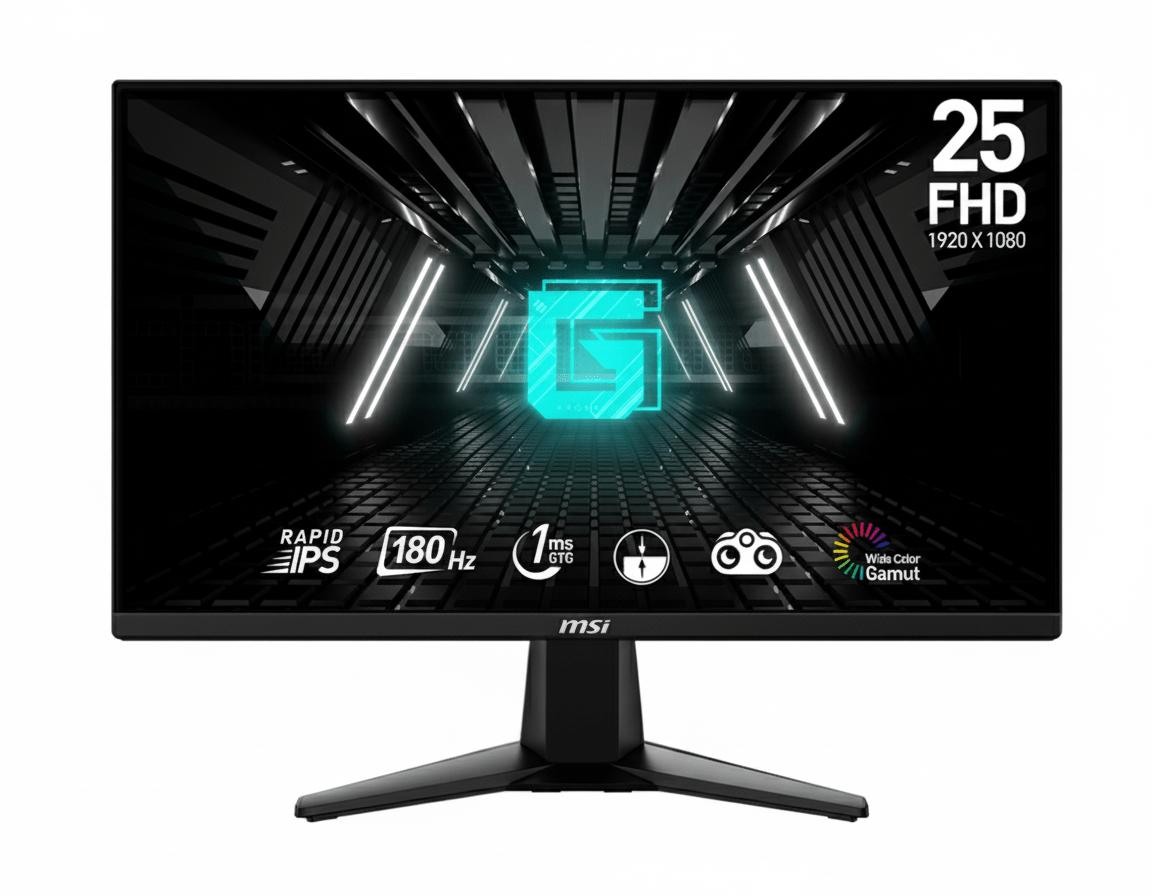

MSI G255F 24.5″ 180Hz Rapid IPS Gaming Monitor | 1ms, Adaptive-Sync, Esports Ready

MSI G255F 24.5″ 180Hz Rapid IPS Gaming Monitor
MSI G255F Review 2026 – 24.5″ 180Hz Rapid IPS Gaming Monitor – Competitive Edge Under ₹13K
MSI G255F 24.5 inch 180Hz Rapid IPS Gaming Monitor

🎯 Esports-Ready: 24.5″ 180Hz Rapid IPS – Competitive Gaming Perfection!

Tournament-standard size meets blazing-fast refresh rate for ultimate competitive edge

🏆 Best 180Hz Gaming Monitor – Esports Champion

MSI G255F 24.5″

24.5″ FHD 180Hz | Rapid IPS | Adaptive-Sync | 1ms GTG | Night Vision

1920×1080 Resolution – 1ms Response – 300 nits – sRGB 99% – Frameless Design

⚡ The Ultimate Competitive Gaming Experience:

• 180Hz Refresh Rate: 3× smoother than 60Hz – 5.56ms frame time for ultra-fluid motion

• Rapid IPS Panel: 1ms GTG response + IPS color accuracy – best of both worlds

• 24.5″ Esports Standard: Tournament-standard size for competitive fairness

• Display: 24.5″ Full HD (1920×1080) – 90 PPI – 16:9 Aspect Ratio

• Adaptive-Sync: 48-180Hz VRR eliminates tearing for smooth gameplay

• Wide Color Gamut: 105% sRGB, 77% Adobe RGB, 77% DCI-P3 coverage

• Night Vision: Smart black tuner reveals enemies in dark areas

• Eye Care: Anti-Flicker + Less Blue Light for marathon gaming sessions

₹12,999

₹18,999

32% OFF

Model: G255F | 3-Year Warranty | Free Delivery

🛒 Buy Now on Amazon India

$149.99

Model: G255F | Limited Warranty | Free Shipping

🛒 Buy Now – USA

£139

Model: G255F | Limited Warranty | Check availability

🛒 Check UK Retailers

🌍 Global Availability

• India: ₹12,999 (Amazon – 32% discount available)

• USA: $149.99 (MSI Store, Newegg, Amazon)

• UK: £139 (Scan, Overclockers UK)

• Europe: €139-159 varies by country

• Availability: Widely available at major retailers

Screen Size

24.5 inches

Refresh Rate

180Hz

Response Time

1ms GTG

MSI G255F Overview – Tournament-Standard Competitive Gaming

🖥️ Rapid IPS Excellence

  • 24.5″ Screen: Esports tournament standard
  • Rapid IPS: 1ms GTG + IPS colors
  • sRGB 105%: Wide, accurate colors
  • 300 Nits: Bright, vivid display
  • 1000:1 Contrast: Deep blacks
  • 16.7M Colors: Smooth gradients
  • Frameless: 3-side slim bezel
  • Anti-Glare: Matte coating

⚡ Lightning-Fast Speed

  • 🔄 180Hz Refresh: Ultra-smooth
  • ⚡ 1ms GTG: Zero ghosting
  • 🎮 Adaptive-Sync: Tear-free gaming
  • 🎯 Night Vision: See in shadows
  • 💨 48-180Hz VRR: Dynamic sync
  • 👁️ 178° View: Wide angles

💎 Competitive Value

  • • ₹12,999 Price: Best 180Hz value
  • • MSI Gaming: Trusted esports brand
  • • Dual HDMI 2.0b: Console + PC ready
  • • DisplayPort 1.2a: Full 180Hz support
  • • VESA Mount: 100×100mm compatible
  • • 3-Year Warranty: India protection

🎯 What Makes MSI G255F Special?

The MSI G255F represents the perfect storm of competitive gaming essentials: the industry-standard 24.5-inch screen size used in esports tournaments worldwide, combined with a blazing 180Hz Rapid IPS panel that delivers both speed and color accuracy. At ₹12,999 (32% off ₹18,999), this monitor provides exceptional value for serious competitive gamers who refuse to compromise on refresh rate or response time.

The 24.5-inch size is no accident—it’s the esports standard chosen deliberately to ensure competitive fairness across tournaments and professional gaming. This size provides the optimal viewing distance and field of view where players can see the entire screen without excessive head or eye movement, maintaining focus and reaction speed during intense competitive matches. The screen dimensions align perfectly with human ergonomics for prolonged gaming sessions.

The 180Hz refresh rate delivers 5.56ms frame time—three times faster than 60Hz (16.67ms), creating dramatically smoother motion that’s immediately noticeable in fast-paced competitive titles. Combined with Rapid IPS technology’s true 1ms GTG response time, you get both the speed of TN panels and the superior color accuracy and viewing angles of IPS—a combination previously reserved for premium gaming monitors costing ₹20,000+.

What sets the G255F apart from budget 144Hz alternatives is the extra 36Hz providing 25% more frames per second, translating to tangible competitive advantage in tracking fast targets, executing precise flicks, and maintaining smooth visuals during rapid camera movements. The Adaptive-Sync support (48-180Hz VRR range) ensures tear-free gameplay even when frame rates fluctuate, crucial for maintaining competitive edge across various game scenarios.

The wide color gamut (105% sRGB, 77% Adobe RGB, 77% DCI-P3) means environments, character models, and visual effects look more vibrant and detailed than standard budget gaming monitors. This isn’t just aesthetic—better color differentiation helps spot enemies against complex backgrounds in tactical shooters. The 300-nit brightness and 1000:1 contrast ratio provide sufficient dynamic range for competitive visibility without washing out darker scenes.

MSI’s Night Vision smart black tuner brightens dark areas without overexposing bright regions, helping reveal enemies hiding in shadows—a feature especially valuable in games like Valorant, CS2, Rainbow Six Siege, and battle royales where visibility determines outcomes. Combined with Anti-Flicker and Less Blue Light eye-care features, the G255F supports marathon ranked grinding sessions without excessive eye strain or fatigue.

Display Quality – Rapid IPS Panel Excellence

📺 24.5-Inch Esports Standard

The 24.5-inch screen size is the official esports tournament standard, deliberately chosen by competitive gaming organizations worldwide to ensure fairness and consistency. This size provides optimal viewing ergonomics where the entire screen fits within natural field of view at typical gaming distances (50-70cm), eliminating need for excessive head or eye movement that slows reaction time and causes fatigue.

At 1920×1080 resolution on 24.5 inches, pixel density reaches approximately 90 PPI—the sweet spot for competitive gaming where text remains sharp while GPUs can easily achieve high frame rates. The Full HD resolution doesn’t tax hardware like 1440p or 4K, allowing budget and mid-range graphics cards to consistently hit the monitor’s 180Hz ceiling in esports titles and maintain high frame rates in AAA games.

24.5″ Esports Advantages

  • • Tournament Standard: Same size used in professional competitions
  • • Optimal Viewing: Entire screen visible without head movement
  • • 90 PPI Density: Sharp text with easy-to-drive resolution
  • • Competitive Fairness: Standardized size eliminates advantages

🎨 Rapid IPS Technology

The Rapid IPS panel delivers true 1ms GTG response time previously exclusive to TN panels, while maintaining IPS technology’s superior color accuracy, wide 178°/178° viewing angles, and consistent brightness from any position. This eliminates the traditional trade-off between speed and image quality—you get both premium color reproduction and zero ghosting or motion blur.

The wide color gamut covers 105% sRGB, 77% Adobe RGB, and 77% DCI-P3, producing more vibrant, saturated colors than standard gaming monitors. This means game environments look richer and more lifelike, with better differentiation in shades helping spot details and movement. The 16.7 million colors (8-bit) produce smooth gradients without banding, while 300-nit brightness and 1000:1 contrast ratio provide sufficient punch for indoor gaming.

Rapid IPS Benefits

  • • 1ms GTG Response: Zero ghosting in fast motion
  • • 105% sRGB Coverage: Vivid, accurate colors
  • • 178° Viewing Angles: No color shift off-center
  • • 300 Nits Brightness: Clear visibility indoors

⚖️ Rapid IPS vs Traditional TN & Standard IPS

TN Panels (Traditional Fast)

Advantages: True 1ms response, lowest input lag, cheapest production cost. Still common in extreme budget gaming monitors (₹8,000-10,000).

Disadvantages: Poor color accuracy (washed out), terrible viewing angles (color shift when moving head), limited contrast. Fine for pure competitive focus but compromises visual experience.

Verdict: The G255F’s Rapid IPS matches TN speed while eliminating all image quality compromises.

Standard IPS (Traditional Beautiful)

Advantages: Excellent colors, wide viewing angles, consistent brightness. Great for content consumption and casual gaming where visual quality matters.

Disadvantages: Typical 4-5ms GTG response causes noticeable ghosting and motion blur in fast-paced competitive games. Not suitable for serious esports where clarity during rapid movement is critical.

Verdict: Standard IPS beautiful but too slow for competitive gaming; Rapid IPS solves this.

Rapid IPS (Best of Both)

Advantages: True 1ms GTG response matching TN speed, IPS color accuracy and viewing angles, wide color gamut coverage. Zero compromise—fast AND beautiful simultaneously.

Technology: Advanced liquid crystal alignment and overdrive circuitry achieve instant pixel transitions without sacrificing IPS benefits. Premium feature democratized in G255F.

Verdict: The G255F delivers premium Rapid IPS at ₹12,999—exceptional value for competitive gamers.

Gaming Performance – 180Hz Competitive Advantage

🔄 180Hz Refresh Rate

The 180Hz refresh rate updates frames every 5.56 milliseconds—three times faster than 60Hz (16.67ms) and 25% faster than 144Hz (6.94ms). This creates dramatically smoother motion where fast-moving targets remain clear and distinct, camera panning feels fluid without judder, and rapid flicks or tracking movements display every micro-adjustment with precision.

For competitive esports titles (Valorant, CS2, Overwatch 2, Apex Legends), 180Hz provides genuine advantage over 60Hz and 144Hz competitors. The extra frames reveal target positions sooner, helping predict enemy movement and execute precise crosshair placement. Modern mid-range GPUs (RTX 4060, RX 7600) easily sustain 180+ fps in esports games at 1080p, making this refresh rate perfectly matched to affordable gaming hardware.

180Hz Competitive Edge

  • • 5.56ms Frame Time: 3× faster than 60Hz
  • • 25% More Frames: vs 144Hz (36 extra fps)
  • • Smoother Tracking: Clearer fast target movement
  • • GPU Friendly: Achievable with mid-range hardware

🎮 Adaptive-Sync Technology

Adaptive-Sync dynamically synchronizes the monitor’s refresh rate with your GPU’s frame output, eliminating screen tearing and reducing stuttering when frame rates fluctuate. The 48-180Hz VRR (Variable Refresh Rate) window covers typical competitive gaming scenarios, providing smooth experience whether frames dip to 80fps during intense action or max out at 180fps in calmer moments.

This technology works with both AMD FreeSync and NVIDIA G-SYNC Compatible modes, providing universal GPU support. Unlike fixed V-Sync which introduces input lag, Adaptive-Sync maintains low latency while preventing tearing—critical for competitive gaming where every millisecond matters. The wide VRR range means smooth gameplay across diverse titles without manual adjustment.

Adaptive-Sync Advantages

  • • No Tearing: Eliminates horizontal tear lines
  • • No Stuttering: Smooth with variable FPS
  • • 48-180Hz Range: Wide VRR window
  • • Universal Support: AMD & NVIDIA compatible

🎯 Advanced Gaming Features

⚫ Night Vision Smart Black Tuner

Night Vision is MSI’s proprietary smart black tuner that brightens dark scene areas without overexposing bright regions. This reveals enemies hiding in shadows, dark corners, or poorly-lit interiors—common camping spots in competitive shooters. The technology analyzes screen content in real-time, selectively adjusting darkness visibility while maintaining overall image quality and contrast.

In games like Valorant (dark corners on Haven), CS2 (pit on Dust2), Rainbow Six Siege (shadowy rooms), and battle royales (buildings, forests), Night Vision provides tactical advantage by making previously invisible threats visible. Adjustable intensity levels let you fine-tune the effect for different games and personal preference without washing out the entire image.

⚡ 1ms Response Time (GTG & MPRT)

The 1ms GTG (Gray-to-Gray) response time means pixels transition instantly from one shade to another, eliminating ghosting trails behind fast-moving objects. This is complemented by 1ms MPRT (Moving Picture Response Time) which measures motion blur in dynamic scenes. Both metrics at 1ms confirm truly instantaneous pixel response across all scenarios.

For competitive gaming, this means crosshairs track smoothly across moving targets without blur, rapid camera panning maintains sharp focus, and flick shots display crisp target edges for precise aiming. The combination of 180Hz refresh and 1ms response creates motion clarity rivaling professional esports monitors costing ₹25,000+.

🎮 Expected Gaming Performance by Genre

✅ Ideal Game Types

Competitive FPS Shooters: Valorant, CS2, Overwatch 2, Rainbow Six Siege, Call of Duty Warzone. The 180Hz and 1ms response provide competitive edge with clearer target tracking, faster reaction display, and smoother aiming adjustments. Easily achieve 180+ fps with mid-range GPUs.

Fighting Games: Street Fighter 6, Tekken 8, Mortal Kombat 1, Guilty Gear Strive. The 1ms response ensures frame-perfect inputs register accurately for combos, parries, and counters. Fighting game community values low latency above all—G255F delivers.

Battle Royales: Fortnite, Apex Legends, PUBG. The 24.5″ size and 180Hz maintain competitive awareness during chaotic endgames. Adaptive-Sync smooths frame rate drops when multiple players engage. Night Vision helps spot enemies in varied lighting conditions.

MOBA & RTS: League of Legends, Dota 2, StarCraft II. The fast response and high refresh rate improve micro-management precision during team fights and rapid unit control. Esports-standard size fits strategy game UI layouts perfectly.

⚠️ Recommended GPU Pairing

Budget GPUs (GTX 1660 Super, RX 6600): Consistently hit 180fps in esports titles (Valorant, CS2, League, Overwatch 2) at medium-high settings. Perfect pairing for competitive gaming under ₹60,000 total build cost. Adaptive-Sync smooths any dips below 180fps.

Mid-Range GPUs (RTX 4060, RX 7600 XT): Ideal match—maintain 180fps in esports games maxed out, achieve 120-180fps in modern AAA titles (Cyberpunk 2077, Starfield, Hogwarts Legacy) at medium-high settings. This GPU tier fully utilizes the monitor’s capabilities.

High-End GPUs (RTX 4070+): Easily max out 180Hz in all games including demanding AAA titles at ultra settings. The 1080p resolution means GPU power focuses on maxing frame rates rather than pushing pixels. Consider 1440p 240Hz if budget allows ₹30,000+ for monitor.

Console Gaming: PS5 and Xbox Series X support 120Hz maximum—the G255F’s 180Hz is wasted. For console-only gaming, consider 120Hz/144Hz alternatives. However, if PC + console hybrid setup, the monitor excels for PC competitive gaming while serving consoles adequately.

Features – Gaming-Focused Connectivity & Design

🔌 Comprehensive Connectivity

The MSI G255F includes 2× HDMI 2.0b ports supporting full 1920×1080@180Hz bandwidth, allowing simultaneous connection of gaming PC and console without cable swapping. Both HDMI ports deliver the complete 180Hz experience, unlike some budget monitors where secondary ports are limited to 60Hz. This dual-HDMI setup is particularly valuable for streamers or hybrid gamers maintaining PC + PS5/Xbox setup.

The 1× DisplayPort 1.2a connection provides alternative high-bandwidth input preferred by many PC gamers for superior signal quality and feature support. DisplayPort also enables daisy-chaining for multi-monitor setups if needed. The 3.5mm headphone jack provides convenient audio output when using HDMI/DisplayPort audio pass-through, eliminating need to reach PC rear panel for headphone connection during gaming sessions.

🖼️ Frameless Design for Immersion

The three-side frameless design with ultra-slim bezels maximizes screen-to-body ratio, creating clean, modern aesthetic that reduces visual distractions during gaming. The minimal borders on top and sides make the display appear larger than traditional thick-bezel monitors, enhancing immersion in first-person shooters and action games where peripheral awareness matters.

This frameless design proves especially valuable for multi-monitor setups where slim bezels create near-seamless panoramic displays. Dual or triple G255F configurations provide expansive workspace for sim racing, flight simulation, or productivity workflows with minimal visual interruption between screens. The consistent bezel thickness ensures professional appearance whether used standalone or in arrays.

🎨 Gaming Presets & Customization

🎮 Picture Mode Presets

The monitor includes multiple pre-calibrated picture modes optimized for different content types. Gaming modes enhance visibility and contrast for competitive play, while cinema modes prioritize color accuracy and saturation for movies and streaming. User mode allows complete customization of brightness, contrast, sharpness, and color temperature to personal preference.

Quick preset switching via OSD buttons lets you instantly adapt display characteristics between competitive ranked matches (gaming mode with Night Vision) and casual single-player adventures (cinema mode for immersive visuals). This flexibility ensures optimal viewing experience across diverse gaming scenarios without manual readjustment each time.

⚙️ On-Screen Display Controls

The intuitive OSD (On-Screen Display) menu provides quick access to all monitor settings including brightness, contrast, color temperature, gaming features (Night Vision intensity), input selection, and picture modes. Physical buttons on the monitor bezel offer tactile feedback for navigation without requiring software installation or mouse access.

The OSD organization follows logical hierarchy with frequently-adjusted settings (brightness, input source, game mode) easily accessible in top-level menus, while advanced options (color calibration, overdrive settings) nest within sub-menus. This balance between simplicity and depth ensures both casual gamers and enthusiasts find needed controls efficiently.

Eye Care Technology – Marathon Gaming Comfort

💡 Less Blue Light Technology

MSI’s Less Blue Light technology reduces harmful blue light wavelength emissions that studies suggest contribute to eye strain, headaches, and disrupted sleep patterns during extended screen time. The monitor is optimized at hardware level to produce less blue light while maintaining acceptable color accuracy, unlike software filters that simply tint the entire screen orange.

This feature proves particularly valuable for late-night gaming sessions or marathon ranked grinds where players spend 6-8+ hours in front of the screen. By reducing blue light exposure, the monitor helps minimize eye fatigue and maintains natural circadian rhythms, potentially improving sleep quality after gaming. The effect is subtle—you won’t notice obvious color shift, but your eyes feel less strained after extended use.

Less Blue Light Benefits

  • • Reduced Eye Strain: Less fatigue during long sessions
  • • Better Sleep: Minimizes circadian rhythm disruption
  • • Hardware-Based: No color accuracy compromise
  • • Always Active: Works at all brightness levels

✨ Anti-Flicker Protection

Anti-Flicker technology eliminates invisible screen flickering caused by PWM (Pulse Width Modulation) brightness control common in budget displays. Standard monitors flicker at high frequencies (typically 200-250Hz) that aren’t consciously visible but cause headaches, eye strain, and fatigue during prolonged viewing. The G255F uses DC (Direct Current) dimming for truly flicker-free illumination.

The benefit is imperceptible moment-to-moment but significantly impacts comfort during extended gaming marathons. Users sensitive to flicker-induced strain report fewer headaches and less eye fatigue after 6-8 hour sessions compared to flickering displays. Combined with Less Blue Light, the G255F provides genuinely comfortable all-day gaming experience rare in budget gaming monitors prioritizing speed over health features.

Anti-Flicker Advantages

  • • Zero Flicker: DC dimming eliminates PWM
  • • Reduced Headaches: Helps sensitive users
  • • Less Fatigue: Comfortable extended viewing
  • • All Brightness: Works at every level

👁️ Complete Eye Protection for Competitive Gaming

The combination of Less Blue Light, Anti-Flicker, and anti-glare matte coating makes the G255F exceptionally comfortable for marathon gaming sessions. Competitive gamers grinding ranked ladders, practicing for tournaments, or streaming for hours benefit from comprehensive eye care that reduces accumulated fatigue without compromising visual quality or competitive performance.

The wide 178°/178° IPS viewing angles maintain consistent image quality even when you shift position, lean back between matches, or adjust seating posture. You don’t need to maintain perfect centered position, reducing neck and shoulder strain during extended sessions. The anti-glare matte coating minimizes reflections from windows and overhead lighting, improving visibility in various room lighting conditions without requiring blackout curtains.

For the ₹12,999 price point, having comprehensive eye care features alongside 180Hz speed is exceptional value typically found in premium displays. MSI demonstrates that competitive gaming monitors can prioritize both performance and player health, making the G255F suitable for serious gamers who regularly invest long hours improving their skills and climbing ranks.

Design & Ergonomics – Gaming-Focused Aesthetics

🖼️ Gaming Aesthetic Design

The MSI G255F features clean, modern gaming aesthetic with three-side frameless design and matte black finish that fits seamlessly into gaming setups without excessive RGB or aggressive styling. The understated appearance appeals to both hardcore competitive gamers and professional environments where flashy designs would be inappropriate, making it versatile for home office or dedicated gaming room.

The sturdy V-shaped stand provides stable support while occupying reasonable desk footprint (318.0 × 220.1mm base dimensions). The stand design balances stability during intense gaming (preventing wobble during aggressive mouse movements) with efficient space usage, leaving room for keyboard, mouse, and peripherals. The simple black aesthetic maintains focus on the screen rather than distracting with unnecessary embellishments.

⚙️ Tilt Adjustment & VESA Mount

The included stand provides tilt adjustment from -5° to 20°, allowing you to angle the screen for optimal viewing position and eliminate glare from overhead lighting. This range accommodates most desk heights and seating positions for comfortable viewing during gaming sessions. However, there’s no height, swivel, or pivot adjustment, limiting ergonomic flexibility compared to premium adjustable stands.

For users requiring advanced ergonomics, the monitor supports VESA 100×100mm mounting standard, enabling installation on third-party monitor arms or wall mounts. Budget monitor arms cost ₹1,500-3,000 and provide full height adjustment, 360° swivel, portrait pivot, and cable management—significantly improving desk ergonomics and freeing up desk space. The VESA compatibility provides upgrade path without replacing the entire monitor.

📏 Physical Specifications & Build Quality

📐 Dimensions & Footprint

The monitor measures 557.1 × 220.1 × 418.5mm (W×D×H) with stand attached, occupying moderate desk space appropriate for 24.5-inch size. The footprint is compact enough for standard gaming desks while providing adequate screen size for competitive gaming. Without stand, dimensions are 557.1 × 66.4 × 326.9mm, maintaining slim profile suitable for VESA arm mounting or wall installation.

The net weight is 3.24kg with stand (2.87kg panel only), making it manageable for single-person setup and relocation without being flimsy. The weight indicates solid construction without excessive bulk. The anti-glare matte screen coating reduces reflections effectively without introducing excessive grain that degrades image clarity.

🔨 Build Quality & Durability

The monitor uses plastic construction typical of budget-focused gaming displays, but MSI’s manufacturing quality ensures solid feel without creaking or flexing. The panel doesn’t wobble excessively during typing or mouse movement, and the stand provides stable support even during intense gaming. The bezels fit together cleanly with consistent gaps demonstrating good quality control.

The monitor includes 3-year warranty in India (varies by region), providing peace of mind for panel defects, backlight issues, or electronic failures. MSI’s established service network ensures support availability if problems arise. For the ₹12,999 price, the build quality meets expectations for budget gaming monitors, prioritizing display performance over premium materials while maintaining acceptable durability.

Who Should Buy MSI G255F?

✅ Perfect For These Users

🎯 Competitive Esports Players

Players focused on Valorant, CS2, Overwatch 2, Rainbow Six Siege, Apex Legends, and other competitive shooters will appreciate the tournament-standard 24.5-inch size combined with 180Hz refresh and 1ms response. The monitor provides genuine competitive advantage with clearer target tracking, faster visual updates, and Rapid IPS color accuracy for spotting enemies. For ₹12,999, this is exceptional value for serious ranked grinding.

⚡ Fast-Paced Action Gamers

Gamers who prioritize lightning-fast response and high frame rates in action titles (Doom Eternal, Devil May Cry, fighting games, racing sims) benefit from 1ms response eliminating all motion blur. The 180Hz refresh makes fast-paced gameplay feel incredibly smooth and responsive. Night Vision helps in games with varying lighting conditions, revealing details in dark areas without manual brightness adjustment.

💰 Budget-Conscious Serious Gamers

Gamers wanting genuine high-refresh gaming without spending ₹20,000+ on premium displays find exceptional value here. The 180Hz Rapid IPS combination typically costs ₹18,000-22,000, but MSI delivers it for ₹12,999. This is ideal for budget gaming builds (total cost under ₹70,000) where every rupee matters but competitive performance cannot be compromised.

🖥️ Dual Monitor Setup Builders

Users building dual or triple monitor configurations for gaming, streaming, or productivity benefit from the frameless design creating seamless multi-display arrays. The 24.5-inch size is practical for desk space efficiency while providing adequate screen area. At ₹12,999 each, dual G255F setup costs ₹25,998—affordable panoramic gaming or expansive workspace for content creators and streamers.

🎬 Console + PC Hybrid Gamers

Users with gaming PC and PS5/Xbox Series X benefit from dual HDMI 2.0b ports supporting both devices simultaneously without cable swapping. The 180Hz excels for PC competitive gaming while handling console 120Hz modes (though not fully utilizing the monitor’s speed). This versatility makes it practical for households where one display serves multiple gaming platforms efficiently.

⚠️ Consider Alternatives If You Need

📺 Larger Screen Size

Users preferring 27-inch or larger displays for more immersive single-player experiences should look elsewhere. The 24.5-inch size prioritizes competitive gaming over screen real estate. For casual gaming, movies, or productivity, 27-inch alternatives like LG 27MR400-B (100Hz, ₹8,799) provide 28% more display area, though sacrificing the G255F’s 180Hz speed and Rapid IPS response.

🎨 Content Creation Professionals

Photo editors, video editors, and graphic designers need higher resolution (1440p/4K) for detailed work and precise color accuracy with hardware calibration support. The 1080p resolution doesn’t provide enough workspace or pixel density for professional creative workflows. Invest in 27-inch 1440p IPS monitors (₹18,000-25,000) with better color coverage and factory calibration for serious creative work.

⚙️ Advanced Ergonomics

Users requiring height, swivel, and pivot adjustment for ergonomic positioning must budget for monitor arm (₹1,500-3,000 extra) or choose monitors with fully adjustable stands. The tilt-only stand limits positioning flexibility, potentially problematic for users with specific desk heights, multiple users sharing display, or those needing portrait orientation for coding or document work.

🔊 Built-in Audio

The monitor lacks built-in speakers, requiring external speakers or headphones for audio. While most gamers prefer dedicated audio anyway for quality, users wanting all-in-one convenience without peripherals should choose monitors with integrated speakers. Budget external speakers cost ₹500-2,000; quality gaming headsets ₹2,000-5,000—factor these into total cost if not already owned.

🏆 Extreme Competitive Edge

Professional esports players and extreme enthusiasts targeting maximum refresh rates (240Hz-360Hz) for ultimate competitive advantage should invest more. While 180Hz is excellent, dedicated pro players benefit from 240Hz+ panels (₹18,000-30,000) providing even faster frame updates. The G255F suits serious competitive gaming but doesn’t match absolute top-tier esports equipment used by sponsored professionals.

Top Competitors & Alternatives

AOC 24G2 Gaming Monitor

24″ FHD 165Hz IPS Gaming

₹11,999

24″ FHD | 165Hz | IPS | AMD FreeSync Premium

Display: 24″ Full HD (1920×1080), IPS, 165Hz, 1ms MPRT

Features: FreeSync Premium, Low Input Lag, height-adjustable stand

Advantage: Fully adjustable ergonomic stand included

Ports: 2× HDMI 1.4, 1× DisplayPort 1.2, VGA, headphone

Why Choose AOC 24G2 Instead?

Save ₹1,000 while getting fully adjustable stand (height, tilt, swivel, pivot). The 165Hz refresh is still excellent for competitive gaming (8% less than 180Hz—minimal real-world difference). If ergonomics matter and budget is tight, AOC 24G2 provides better value despite slightly lower refresh rate.

Why Choose MSI G255F Instead?

9% faster refresh rate (180Hz vs 165Hz) provides competitive edge with extra 15 frames per second. The 24.5-inch size matches tournament standard perfectly vs AOC’s 24-inch. Rapid IPS response may be superior to AOC’s standard IPS. Worth ₹1,000 premium for serious competitive players prioritizing maximum speed.

BenQ ZOWIE XL2546K

24.5″ FHD 240Hz TN Esports

₹32,999

24.5″ FHD | 240Hz | TN | DyAc⁺ Technology

Display: 24.5″ Full HD (1920×1080), TN, 240Hz, 0.5ms GTG

Features: DyAc⁺ motion blur reduction, Black eQualizer, fully adjustable stand

Advantage: Professional esports-grade with 240Hz

Ports: 1× HDMI 2.0, 1× DisplayPort 1.2, 3× USB 3.2, headphone

Why Choose BenQ XL2546K Instead?

240Hz refresh provides 33% faster updates than 180Hz for maximum competitive advantage. The DyAc⁺ technology and professional esports features justify premium for sponsored players or extreme enthusiasts. Used in actual tournaments by professionals. Ultimate competitive tool if budget allows ₹33K.

Why Choose MSI G255F Instead?

Save ₹20,000 (154% cheaper) while still getting excellent 180Hz competitive performance. The Rapid IPS delivers superior colors and viewing angles vs BenQ’s TN panel. For most players, 180Hz provides sufficient competitive edge without extreme ₹33K investment. Better value unless you’re professional player where marginal gains justify cost.

LG 24MR400-B Budget IPS

24″ FHD 100Hz IPS Productivity/Gaming

₹7,349

24″ FHD | 100Hz | IPS | AMD FreeSync™

Display: 24″ Full HD (1920×1080), IPS, 100Hz, 5ms GTG

Features: Reader Mode, OnScreen Control, Screen Split, Flicker Safe

Advantage: Exceptional value for mixed productivity/gaming

Ports: 1× HDMI, 1× VGA, headphone jack

Why Choose LG 24MR400-B Instead?

Save ₹5,650 (77% cheaper) for budget builds under ₹50K total. The 100Hz still provides smooth upgrade over 60Hz for casual competitive gaming. Better productivity features (Reader Mode, OnScreen Control software). Choose if budget is extremely tight and 100Hz suffices for your gaming intensity level.

Why Choose MSI G255F Instead?

80% faster refresh rate (180Hz vs 100Hz) and 5× faster response (1ms vs 5ms). The Rapid IPS eliminates ghosting entirely vs LG’s standard IPS. For serious competitive gaming, the ₹5,650 premium is absolutely justified—dramatic performance difference. LG suits casual gaming; MSI targets competitive excellence.

ViewSonic XG2431

24″ FHD 240Hz IPS Premium Gaming

₹24,999

24″ FHD | 240Hz | IPS | Blur Busters Approved

Display: 24″ Full HD (1920×1080), IPS, 240Hz, 1ms MPRT

Features: Blur Busters Certified, customizable overdrive, fully adjustable stand

Advantage: 240Hz IPS combination (rare)

Ports: 1× HDMI 2.0, 1× DisplayPort 1.2, 4× USB 3.2, headphone

Why Choose ViewSonic XG2431 Instead?

240Hz IPS panel delivers both ultimate speed AND color accuracy—best of both worlds. The Blur Busters certification ensures superior motion clarity with customizable overdrive. Premium features like USB hub, elite gamers wanting absolute best without TN compromises. Worth ₹25K for enthusiasts demanding perfection.

Why Choose MSI G255F Instead?

Save ₹12,000 (92% cheaper) while getting 180Hz that’s still excellent for competitive gaming. The diminishing returns from 180Hz to 240Hz don’t justify double the price for most players. MSI provides 75% of the performance for 48% of the cost—dramatically better value. ViewSonic suits deep-pocketed enthusiasts; MSI suits value-conscious competitors.

Pros and Cons – MSI G255F

✅ What We Loved

🚀 Blazing 180Hz Refresh Rate

The 180Hz refresh rate delivers 5.56ms frame time—three times faster than 60Hz and 25% faster than 144Hz. This creates dramatically smoother motion in competitive games, providing genuine advantage with clearer target tracking and more responsive feel. For ₹12,999, having 180Hz is exceptional—most competitors offer 144Hz at this price.

⚡ True 1ms Rapid IPS Response

The Rapid IPS technology delivers genuine 1ms GTG response time previously exclusive to TN panels, while maintaining IPS color accuracy and wide viewing angles. This eliminates the traditional speed vs quality trade-off—you get both premium colors and zero ghosting. The 1ms response ensures crystal-clear motion even during rapid flicks and tracking.

🎯 Tournament-Standard 24.5″ Size

The 24.5-inch screen is the official esports tournament standard used worldwide for competitive fairness. This size provides optimal viewing ergonomics where entire screen fits natural field of view without excessive head movement. The dimensions align perfectly with competitive gaming requirements, making practice at home directly transferable to tournament settings.

🎨 Wide Color Gamut Coverage

The 105% sRGB, 77% Adobe RGB, and 77% DCI-P3 coverage produces vibrant, accurate colors exceeding typical budget gaming monitors. Game environments look richer and more lifelike, with better color differentiation helping spot details and movement. This wide gamut rivals monitors costing ₹18,000+, making the G255F exceptional value for color-conscious gamers.

🎮 Adaptive-Sync Tear-Free Gaming

Adaptive-Sync with 48-180Hz VRR range eliminates screen tearing and stuttering, synchronizing refresh rate with GPU output. This provides smooth gameplay even when frame rates fluctuate in demanding scenes. Works with both AMD and NVIDIA GPUs for universal compatibility, ensuring tear-free competitive experience without input lag penalties of traditional V-Sync.

👁️ Comprehensive Eye Care Features

The Anti-Flicker and Less Blue Light technologies reduce eye strain during marathon gaming sessions. Anti-Flicker eliminates invisible PWM flickering causing headaches, while Less Blue Light minimizes harmful wavelengths disrupting sleep. These features make the G255F comfortable for extended ranked grinds and tournament practice without excessive fatigue.

🌙 Night Vision Smart Black Tuner

Night Vision brightens dark areas without overexposing bright regions, revealing enemies hiding in shadows. This competitive feature provides tactical advantage in games where visibility determines outcomes—spotting opponents in dark corners before they see you. Adjustable intensity accommodates different games and preferences effectively.

💰 Exceptional Value for Money

At ₹12,999, the G255F delivers 180Hz Rapid IPS performance typically found in monitors costing ₹18,000-22,000. The combination of high refresh rate, fast response, wide color gamut, and gaming features at this price represents outstanding value for competitive gamers. MSI packs premium performance into budget-friendly package without major compromises.

🔌 Dual HDMI 2.0b Connectivity

The 2× HDMI 2.0b ports both support full 180Hz bandwidth, allowing simultaneous PC and console connection without cable swapping. This dual-input flexibility is valuable for hybrid gamers or streamers managing multiple devices. The inclusion of DisplayPort 1.2a provides additional high-bandwidth input preferred by PC enthusiasts.

⚠️ What Could Be Better

⚙️ Basic Tilt-Only Stand

The included stand provides only tilt adjustment (-5° to 20°) without height, swivel, or pivot. This limits ergonomic flexibility for users needing precise positioning or multiple viewing positions. While VESA 100×100mm mounting enables monitor arm upgrades, this requires additional ₹1,500-3,000 investment beyond the monitor’s cost for proper ergonomics.

📏 Smaller 24.5″ Screen Size

The 24.5-inch size, while perfect for competitive gaming, feels small for immersive single-player experiences or productivity multitasking. Users wanting larger screen real estate for movies, open-world games, or side-by-side windows may find the dimensions restrictive. The size is deliberate competitive choice but sacrifices casual gaming and general-use immersion.

🔇 No Built-In Speakers

The monitor lacks integrated speakers, requiring external speakers or headphones for audio. While most gamers prefer dedicated audio for quality, this means additional cost (₹500-5,000) for budget builders expecting all-in-one solution. The absence is typical for gaming monitors prioritizing display performance, but adds complexity for minimalist setups.

🎮 Not Quite 240Hz Tier

While 180Hz is excellent, extreme competitive players and professional esports athletes prefer 240Hz+ for maximum advantage. The 60Hz difference between 180Hz and 240Hz provides marginal but measurable improvement for elite players. The G255F targets serious competitive gaming but doesn’t match absolute top-tier equipment used by sponsored professionals.

💻 1080p Resolution Only

The Full HD (1920×1080) resolution is perfect for competitive gaming but limiting for content creation or detailed productivity work. Photo/video editors need higher resolution (1440p/4K) for workspace and pixel density. The 1080p is intentional for high refresh rates with affordable GPUs, but creative professionals require more pixels.

📱 No USB Hub or KVM

The monitor lacks USB hub, built-in KVM switch, or USB-C connectivity found in premium displays. There’s no convenient peripheral switching between multiple PCs or laptop docking capability. These omissions keep costs down but limit functionality for users managing complex multi-device workflows or seeking simplified cable management.

Final Verdict – Competitive Gaming Excellence

🏆 Best 180Hz Gaming Monitor – Competitive Champion
9.2 /10

Exceptional Competitive Gaming Value

🎯 The Bottom Line

The MSI G255F delivers exceptional competitive gaming performance by combining the industry-standard 24.5-inch esports size with blazing 180Hz refresh rate and true 1ms Rapid IPS response. At ₹12,999, this monitor provides genuine competitive advantage typically reserved for displays costing ₹18,000-22,000, making it outstanding value for serious gamers refusing to compromise on speed or quality.

The 180Hz refresh rate creates dramatically smoother motion than 60Hz or even 144Hz competitors, providing clearer target tracking, faster visual updates, and more responsive gameplay feel. Combined with Rapid IPS technology’s instant pixel response and superior color accuracy, the G255F eliminates the traditional trade-off between speed and image quality—you get both premium performance and beautiful visuals simultaneously.

The wide color gamut (105% sRGB), comprehensive eye care features, Night Vision smart tuner, and Adaptive-Sync support create complete competitive gaming package addressing both performance and player comfort. MSI demonstrates understanding of serious gamers’ needs by including features that matter—speed, clarity, and health—without wasteful extras inflating price.

💡 Who Should Buy This?

Competitive esports players, serious ranked grinders, and action game enthusiasts seeking maximum performance from budget-conscious builds will find tremendous value. The tournament-standard 24.5-inch size and 180Hz speed provide genuine competitive advantage in shooters, fighters, racing games, and MOBAs without requiring ₹20,000+ investment in premium displays.

The monitor excels for dedicated gaming setups prioritizing performance over versatility. Users building competitive gaming PCs, creating dual-monitor streaming stations, or upgrading from 60Hz dinosaurs will experience transformative improvement. The comprehensive eye care features make it suitable for marathon gaming sessions and daily tournament practice without excessive fatigue.

Users needing larger screens for immersion should consider 27-inch alternatives. Creative professionals requiring higher resolution should invest in 1440p/4K displays. Those demanding maximum ergonomics need monitor arms. However, for focused competitive gaming where speed and clarity determine outcomes, the G255F represents exceptional value.

Final Recommendation: At ₹12,999, the MSI G255F is highly recommended for competitive gamers seeking tournament-grade performance without premium pricing. The combination of 180Hz Rapid IPS, esports-standard size, wide color gamut, and gaming-focused features creates compelling package. Best 180Hz value in budget gaming monitor category.

📊 Rating Breakdown

Competitive Gaming Performance 9.7/10
Value for Money 9.5/10
Refresh Rate & Response Time 9.6/10
Color Quality & IPS Panel 9.0/10
Eye Care & Comfort Features 8.8/10
Gaming Features (Night Vision, Adaptive-Sync) 9.3/10
Connectivity & Ports 8.5/10
Ergonomics & Stand Quality 6.5/10
Build Quality & Design 8.2/10

Frequently Asked Questions

❓ Is 180Hz really better than 144Hz for competitive gaming?

Yes, 180Hz provides 25% more frame updates than 144Hz (180 frames per second vs 144 fps). This translates to 5.56ms frame time compared to 6.94ms on 144Hz—approximately 1.4ms faster visual updates. While not as dramatic as 60Hz to 144Hz jump, the difference is measurable and noticeable in fast-paced competitive scenarios. Professional players and serious ranked grinders benefit from the extra frames providing clearer motion and fractionally faster enemy position updates.

❓ What is Rapid IPS and how does it differ from regular IPS?

Rapid IPS is advanced IPS technology achieving true 1ms GTG response time previously exclusive to TN panels. Traditional IPS panels typically have 4-5ms response causing noticeable ghosting in fast motion. Rapid IPS uses improved liquid crystal alignment and overdrive circuitry to achieve instant pixel transitions while maintaining IPS benefits—accurate colors, wide viewing angles, consistent brightness. You get TN-like speed with IPS quality, eliminating the traditional trade-off between performance and image quality.

❓ Can my GPU achieve 180fps to utilize this monitor fully?

It depends on your GPU and games. Esports titles (Valorant, CS2, League, Overwatch 2) easily hit 180+ fps with mid-range cards like GTX 1660 Super, RX 6600, RTX 3050, or better. These competitive games are optimized for high frame rates. Modern AAA games (Cyberpunk 2077, Starfield) require RTX 4060/RX 7600 XT or better to maintain 180fps at medium-high settings. However, Adaptive-Sync ensures smooth experience even when frames dip below 180—the monitor adjusts refresh rate dynamically, so you don’t need constant 180fps to benefit.

❓ Does this monitor work with PlayStation 5 and Xbox Series X?

Yes, but with limitations. PS5 and Xbox Series X support maximum 120Hz output, so the monitor’s 180Hz is underutilized for console gaming. The dual HDMI 2.0b ports allow easy connection, and the monitor will display console games smoothly at 120Hz. However, if you’re console-only, consider 120Hz/144Hz alternatives saving money. The G255F shines for PC + console hybrid setups where 180Hz benefits PC competitive gaming while still serving consoles adequately.

❓ Is 24.5 inches too small compared to 27-inch monitors?

It depends on your priorities. 24.5 inches is the deliberate esports tournament standard chosen for competitive fairness and optimal viewing ergonomics. For competitive gaming, the size is perfect—entire screen visible without head movement, maintaining focus and reaction speed. However, for immersive single-player experiences, movies, or productivity multitasking, 27-inch displays provide more screen real estate. The G255F targets competitive gaming excellence; if general versatility matters more, consider 27-inch alternatives like LG 27MR400-B.

❓ Does the monitor include height adjustment or do I need a monitor arm?

The included stand provides only tilt adjustment (-5° to 20°) without height, swivel, or pivot. For proper ergonomic positioning, you’ll need a monitor arm supporting VESA 100×100mm mounting. Budget arms cost ₹1,500-3,000 and provide full height adjustment, swivel, and rotation. Premium arms (₹4,000-6,000) add cable management and extended reach. The basic stand keeps the monitor affordable while offering upgrade path for users needing advanced ergonomics.

❓ What does Night Vision do and should I use it?

Night Vision is MSI’s smart black tuner that brightens dark scene areas without overexposing bright regions, revealing enemies hiding in shadows. It’s incredibly valuable in competitive shooters (Valorant, CS2, Rainbow Six Siege, battle royales) where opponents camp in dark corners or poorly-lit areas. Enable it during competitive matches for tactical advantage—you’ll spot enemies sooner. However, disable it for single-player story games where natural lighting and atmosphere matter. Adjustable intensity lets you fine-tune the effect to preference.

❓ Does Adaptive-Sync work with both AMD and NVIDIA GPUs?

Yes, the monitor’s Adaptive-Sync supports both AMD FreeSync and NVIDIA G-SYNC Compatible modes. AMD Radeon cards (RX 400 series+) support it natively as FreeSync. NVIDIA GeForce cards (GTX 10 series+) support it as “G-SYNC Compatible”—enable it in NVIDIA Control Panel under “Set up G-SYNC” section. Both receive the same tear-free, smooth gaming experience. The 48-180Hz VRR range works seamlessly with both brands, eliminating screen tearing while maintaining low latency.

❓ Can I use this monitor for photo/video editing?

For casual editing, yes—the IPS panel with 105% sRGB coverage provides accurate, vibrant colors suitable for basic content creation. However, for professional work, the 1080p resolution doesn’t provide enough workspace or pixel density for detailed editing, color grading, or precise adjustments. Professional editors need 27-inch 1440p or 4K displays (₹18,000-30,000+) with hardware calibration and wider gamut coverage. The G255F targets competitive gaming; if creative work is priority, invest in proper editing monitors.

❓ How do Anti-Flicker and Less Blue Light features work?

Anti-Flicker eliminates invisible PWM (Pulse Width Modulation) flickering that causes headaches and eye strain. The monitor uses DC (Direct Current) dimming instead, providing truly flicker-free illumination at all brightness levels. Less Blue Light reduces harmful blue light wavelength emissions through hardware optimization, minimizing eye fatigue and potential sleep disruption. These work automatically without software, maintaining color accuracy better than software filters. Combined, they make marathon gaming sessions significantly more comfortable without compromising competitive performance.

❓ Is the ₹12,999 price worth it compared to cheaper 144Hz monitors?

Yes, for serious competitive gamers. The ₹2,000-3,000 premium over budget 144Hz alternatives gets you 25% faster refresh rate (180Hz vs 144Hz), Rapid IPS technology (1ms vs 4-5ms standard IPS), wider color gamut, and MSI gaming features. The performance difference is tangible in competitive scenarios—clearer motion, faster visual updates, zero ghosting. If you’re serious about climbing ranks and improving skills, the investment pays dividends. However, ultra-budget gamers satisfied with 144Hz can save money with cheaper alternatives.

❓ Does the monitor have built-in speakers?

No, the G255F does not include built-in speakers. You’ll need external speakers or headphones for audio. However, it has a 3.5mm headphone jack for convenient audio output when using HDMI/DisplayPort connection. The omission keeps costs down—most serious gamers prefer dedicated headsets anyway for competitive audio positioning and communication. Budget ₹2,000-5,000 for quality gaming headset if not already owned; this is standard for competitive gaming setups.

❓ What warranty does MSI provide in India?

MSI provides 3-year warranty in India covering manufacturing defects, panel issues, and electronic failures. MSI has established service network in India with service centers in major cities, ensuring support availability if problems arise. Registration and warranty claims are handled through MSI India website and customer support. The 3-year coverage provides peace of mind for ₹12,999 investment, demonstrating MSI’s confidence in build quality and reliability.

Complete Technical Specifications

Display Specifications
Screen Size24.5 inches (62.2 cm diagonal)
Panel TypeRapid IPS (In-Plane Switching)
ResolutionFull HD (1920 × 1080)
Aspect Ratio16:9 (Widescreen)
Pixel Pitch0.2832mm (H) × 0.2802mm (V)
Active Display Area543.744mm (H) × 302.616mm (V)
CurvatureFlat
Refresh Rate180Hz (Native)
Response Time (GTG)1ms (Gray to Gray)
Response Time (MPRT)1ms (Moving Picture Response Time)
Brightness (SDR)300 cd/m² (nits)
Contrast Ratio1000:1 (Static)
Dynamic Contrast Ratio (DCR)100,000,000:1
Viewing Angle178° Horizontal / 178° Vertical
Display Colors16.7 Million (8-bit)
Color Bit Depth8 bits
Surface TreatmentAnti-Glare (Matte)
Color Gamut Coverage
NTSC (CIE1976)86% Area / 80% Overlap
NTSC (CIE1931)73% Area / 72% Overlap
sRGB (CIE1976)99% Area / 93% Overlap
sRGB (CIE1931)105% Area / 95% Overlap
Adobe RGB (CIE1976)84% Area / 82% Overlap
Adobe RGB (CIE1931)77% Area / 74% Overlap
DCI-P3 (CIE1976)78% Area / 78% Overlap
DCI-P3 (CIE1931)77% Area / 77% Overlap
Rec.709 (CIE1976)99% Area / 93% Overlap
Rec.709 (CIE1931)105% Area / 95% Overlap
Rec.2020 (CIE1976)56% Area / 56% Overlap
Rec.2020 (CIE1931)54% Area / 54% Overlap
Gaming & Adaptive Sync
Adaptive Sync TechnologyAdaptive-Sync (AMD FreeSync / NVIDIA G-SYNC Compatible)
VRR Range48-180Hz (Variable Refresh Rate)
Signal Frequency52.7-198 KHz (H) / 48-180 Hz (V)
Night VisionYes – Smart black tuner for dark areas
Frameless DesignYes – 3-side borderless
Eye Care Technology
Anti-FlickerYes – DC dimming eliminates PWM flicker
Less Blue LightYes – Reduces harmful blue light emission
Anti-Glare CoatingYes – Matte surface treatment
Wide Viewing Angle178°/178° IPS – Consistent image quality
Connectivity & Ports
HDMI Ports2× HDMI 2.0b (Both support 180Hz)
HDMI Version2.0b
HDMI HDCP Version2.3
DisplayPort1× DisplayPort 1.2a
DisplayPort Version1.2a
DisplayPort HDCP Version2.3
Headphone Out1× 3.5mm headphone jack
Built-in SpeakersNone
USB PortsNone
Lock TypeKensington Lock
Ergonomics & Mounting
Tilt Adjustment-5° to +20° (Forward/Backward)
Height AdjustmentNone (Stand)
SwivelNone (Stand)
Pivot (Portrait Mode)None (Stand)
VESA Mount100 × 100 mm
Physical Dimensions & Weight
Dimensions (With Stand)557.1 × 220.1 × 418.5 mm (W × D × H)
Dimensions (Without Stand)557.1 × 66.4 × 326.9 mm (W × D × H)
Stand Dimension318.0 × 220.1 × 142.5 mm (W × D × H)
Weight (Net with Stand)3.24 kg (7.14 lbs)
Weight (Without Stand)2.87 kg (6.33 lbs)
Weight (Gross/Packaged)5.13 kg (11.31 lbs)
Color FinishBlack (Matte)
Power & Energy
Power TypePower Cable (Internal PSU)
Power Input100-240V AC, 50-60Hz (Universal)
Power Consumption (On-mode)18 KWh/1000h
Annual Energy Consumption26 KWh
Standby Power Consumption0.5W
Off-mode Power Consumption0.3W
Energy Efficiency RatingE
Power Cord TypeC13
Package Contents
In The Box • 1× MSI G255F Monitor
• 1× Monitor Stand (Base + Riser)
• 1× HDMI Cable
• 1× Power Cord
• 1× Quick Guide
• No DisplayPort cable included
• No USB cables included
Pricing & Warranty
India Price₹12,999 (Street Price) / ₹18,999 (MRP)
USA Price$149.99
UK Price£139
Warranty Period36 Months (3 Years) – India
Model NumberG255F (3BC0)
Part Number9S6-3BC01M-002
SeriesMSI G Series (Gaming)
EAN4711377142670
UPC824142339909
UCC1410824142339906
Packaging Dimensions
Inside Carton Dimension63 × 12.5 × 41.1 cm
Outer Carton Dimension65 × 14.5 × 44.3 cm

Ready for Competitive Gaming Dominance?

Get the MSI G255F – 24.5″ 180Hz Rapid IPS Monitor for Just ₹12,999!

🛒 Buy Now on Amazon – ₹12,999 (32% OFF)

✓ 3-Year Warranty | ✓ 180Hz Competitive Performance | ✓ Free Priority Delivery