ReviewNest

Need Power on a Budget? The Lenovo IdeaPad Slim 3i Packs a Performance Punch for Students & Office.

Lenovo IdeaPad Slim 3i 12th Gen (Intel i5) Laptop Review – Full Details

IdeaPad Slim 3i 12th Gen, 39.62cms – Intel i5

Intel® Core™ i5-12450H 16GB LPDDR5 RAM 512GB SSD Intel® UHD Graphics 15.6” FHD TN Windows 11 Home

The Lenovo IdeaPad Slim 3i 12th Gen is a mainstream workhorse laptop that prioritizes raw processing power over visual flair, aiming to deliver exceptional value for students and office users. Priced competitively at ₹54,990, it packs a high-performance H-series processor and a generous 16GB of RAM—a combination rarely seen in this segment.

At its core, this laptop is built around the powerful Intel® Core™ i5-12450H Processor, designed for demanding productivity tasks. It pairs this with 16GB of fast LPDDR5 RAM and a 512GB PCIe Gen4 SSD for a responsive experience. However, to meet its aggressive price point, it makes a significant compromise with a basic 15.6-inch FHD TN display. Encased in a durable Arctic Grey chassis and bundled with MS Office Home 2024 and a comprehensive warranty, the IdeaPad Slim 3i presents a compelling, if unbalanced, package for performance-focused buyers.

Key Features at a Glance

High-Performance H-Series CPU: A powerful 12th Gen Intel Core i5 processor for demanding tasks.
Generous 16GB RAM: Fast LPDDR5 memory ensures smooth multitasking.
Full-Size Backlit Keyboard: Includes a dedicated number pad for enhanced productivity.
Durable Build Quality: Engineered with military-grade (MIL-STD-810H) quality for on-the-go use.
Excellent Value Bundle: Comes preloaded with a lifetime license for MS Office Home 2024.
Comprehensive Warranty: Includes 1 Year On-site support and 1 Year Accidental Damage Protection.

H-Series Power for Productivity Workflows

The H-Series Advantage

The star of the show is the Intel® Core™ i5-12450H Processor. Unlike the low-power U-series chips common in this price range, this 45W H-series processor offers significantly higher multi-core performance, making it well-suited for heavy multitasking, coding, running virtual machines, and demanding office applications without throttling.

Basic Integrated Graphics

The integrated Intel® UHD Graphics are sufficient for driving the display and handling video playback. However, they are not intended for gaming or graphically intensive creative work like video editing, which would require a laptop with a discrete GPU.

Fast but Fixed 16GB Memory

With 16GB of LPDDR5-4800MT/s RAM, the system capably handles numerous browser tabs, large documents, and multiple apps simultaneously. As is common in thin laptops, this memory is soldered to the motherboard and cannot be upgraded later.

Responsive Gen4 Storage

The 512GB M.2 PCIe Gen4 SSD ensures quick boot times and rapid application loading. While the QLC (Quad-Level Cell) nature means it has lower theoretical endurance than more expensive TLC drives, this is unnoticeable for typical office and student workloads.

Functional Design & Display Compromises

The Display: A Major Trade-Off

To afford the powerful CPU, Lenovo made its biggest compromise on the display. The 15.6-inch FHD panel is a TN (Twisted Nematic) type, which results in poor viewing angles. Its low brightness of 250 nits and limited color coverage (45% NTSC) make for a washed-out image that is difficult to use in bright rooms and wholly unsuitable for color-sensitive work.

Practical and Durable Chassis

The laptop features a sleek Arctic Grey finish and boasts a military-grade (MIL-STD-810H) rated chassis, ensuring it can withstand the bumps and scrapes of daily commutes. At 10% slimmer than the previous generation, it remains quite portable for a 15.6-inch device.

Productivity-Focused Inputs

The backlit keyboard is a highlight, offering a comfortable typing experience with the significant advantage of a dedicated number pad. This forces the main keyboard and trackpad to be off-center, which can feel awkward but is a boon for anyone working with spreadsheets or data entry. The webcam includes a physical privacy shutter for peace of mind.

Comprehensive Connectivity & Value-Added Support

Modern Port Selection

The laptop is well-equipped for peripherals and displays:

  • 1x USB-C® 3.2 Gen 1: A full-function port supporting data, power delivery, and DisplayPort 1.2.
  • 2x USB-A 3.2 Gen 1: For connecting legacy devices like mice and keyboards.
  • HDMI® 1.4: For connecting to external monitors or projectors.
  • SD card reader & Headphone/mic jack.

Wireless & Software

Equipped with Wi-Fi 6 and Bluetooth® 5.1, the laptop offers fast and reliable wireless performance. The inclusion of a lifetime license for Microsoft Office Home & Student 2024 adds tremendous value right out of the box, saving users a significant expense.

Enhanced Warranty & Protection

Lenovo includes a strong support package as standard: 1 Year of On-site Warranty for convenient hardware service and 1 Year of Accidental Damage Protection (ADP), which covers spills, drops, and other unforeseen mishaps.

Full Specifications Table

General Information

  • Brand: Ideapad (Lenovo)
  • Model: IdeaPad Slim 3i 12th Gen (83ER00MCIN)
  • OS: Windows 11 Home Single Language 64
  • Color: Arctic Grey

Processor & Graphics

  • Processor: 12th Gen Intel® Core™ i5-12450H (E-cores up to 3.30 GHz, P-cores up to 4.40 GHz)
  • Graphics: Integrated Intel® UHD Graphics for 12th Gen Intel® Processors

Memory & Storage

  • Memory: 16 GB LPDDR5-4800MT/s (Soldered)
  • Storage: 512 GB SSD M.2 2242 PCIe Gen4 QLC

Display

  • Size: 39.62cms (15.6 inch)
  • Resolution: FHD (1920 x 1080)
  • Technology: TN, Anti-Glare, Non-Touch, 45% NTSC, 250 nits, 60 Hz

Input & Connectivity

  • Keyboard: Backlit, Storm Grey – English (US) with Numpad
  • Pointing Device: ClickPad
  • Wireless: Wi-Fi 6 2×2 AX & Bluetooth® 5.1 or above
  • Ports: 1x USB-C 3.2 Gen 1 (full function), 2x USB-A 3.2 Gen 1, HDMI 1.4, SD Card Reader, Headphone / mic combo

Software & Services

  • Software Preload: MS Office Home 2024
  • Warranty & Services: 1 Year On-site Warranty + 1 Year Accidental Damage Protection

Pros and Cons: A Balanced View

Pros:

  • Excellent CPU Performance: The Core i5-H series processor is a powerhouse for this price point, ideal for demanding work.
  • Generous Memory: 16GB of fast LPDDR5 RAM ensures smooth multitasking across many applications.
  • Great Value Bundle: Comes with a lifetime license for MS Office 2024 and a comprehensive 1-year ADP warranty.
  • Productive Keyboard: A full-size, backlit keyboard with a dedicated number pad is great for office work and data entry.
  • Durable & Sturdy: Military-grade build quality provides peace of mind for daily commutes and travel.

Cons:

  • Very Poor Display Quality: The TN panel has terrible viewing angles, low brightness (250 nits), and poor color reproduction (45% NTSC).
  • Soldered RAM: No option to upgrade memory in the future, limiting long-term viability for power users.
  • Awkward Ergonomics: The off-center keyboard and trackpad layout, forced by the numpad, can be uncomfortable for touch typists.
  • Basic Graphics: Integrated Intel UHD graphics are only suitable for the lightest of tasks, not gaming or creative work.
  • Likely Short Battery Life: The power-hungry H-series CPU will likely result in mediocre battery performance compared to U-series laptops.

Who Is This Laptop For? Tailored Recommendations

  • Students & Office Users on a Budget: This is a perfect fit for users who need maximum processing power for coding, heavy spreadsheets, and multitasking, and care more about performance than screen quality.
  • “Desktop Replacement” Users: Ideal for those who plan to use the laptop primarily with an external monitor, keyboard, and mouse. In this scenario, the poor display and awkward ergonomics become irrelevant, and you get a powerful mini-PC for a great price.
  • Number Crunchers: Accountants, analysts, and anyone who lives in Excel will greatly appreciate the dedicated number pad.

Who Might Consider Other Options?

  • Anyone Doing Visual Work: The display’s extremely poor color accuracy and viewing angles make it an instant deal-breaker for photographers, designers, and video editors.
  • Media Lovers: If you want to watch movies and TV shows, the washed-out and dim TN panel will provide a disappointing experience.
  • Gamers: The integrated graphics are not capable of running modern games.
  • Users Prioritizing Portability & Battery Life: The H-series chip, while powerful, consumes more battery than a U-series chip, making it less ideal for long stretches away from a power outlet.

Competitive Edge: Power vs. Polish

In the sub-₹60,000 price bracket, the IdeaPad Slim 3i’s competitive edge is crystal clear: it sacrifices everything for raw CPU power.

  • Unmatched CPU Performance: Its key advantage is the Intel Core i5-12450H. Most competitors in this range, like the Acer Aspire Lite or HP 15s, use lower-power Core i3/i5 U-series chips. The Slim 3i will significantly outperform them in multi-threaded tasks, compiling code, or handling large datasets.
  • Generous High-Speed RAM: Offering 16GB of LPDDR5 RAM as standard is another strong point. Many rivals still offer only 8GB or slower DDR4 memory, giving the Slim 3i an edge in heavy multitasking.
  • The Display Deficit: This is where competitors win. For a similar price, other laptops will almost always offer a superior IPS display with better colors and viewing angles, making them far better for general use and media consumption. The Slim 3i is betting that its target user will prioritize performance over the screen.

Final Verdict: A Performance Powerhouse with a Major Flaw

The Lenovo IdeaPad Slim 3i 12th Gen is a laptop of extreme, calculated trade-offs. It delivers unbeatable processing power and memory speed in its price class, thanks to the Core i5-H CPU and 16GB of LPDDR5 RAM. For users whose primary concern is raw performance for tasks like coding, heavy browsing, or complex spreadsheets, this machine is a phenomenal value. The inclusion of Office 2024 and a strong ADP warranty further sweetens the deal.

However, this performance comes at the direct and severe expense of the screen. The low-quality TN display is a significant drawback that cripples the laptop’s versatility, making it unsuitable for any task that requires color accuracy or for simply enjoying media. Therefore, this laptop can only be recommended to a very specific user: someone on a strict budget who needs maximum CPU power for their work and either plans to use an external monitor or truly does not care about display quality. It’s a specialized tool, not an all-rounder.

★★★☆☆

Overall Rating: 3.5 out of 5.0 (For its Niche Audience)

MSI Commercial 14 H vPro Laptop – i7 13th Gen, 32GB RAM, 1TB SSD, Win 11 Pro | 25% OFF Enterprise Beast

MSI Commercial 14 H
MSI Commercial 14 H A13MG vPro-065IN Complete Review 2025 – Intel vPro Business Laptop
MSI Commercial 14 H vPro

🎁 FREE: 10 Days Service Centre Replacement + 3 Year Warranty!

Plus EMI from ₹5,115/month | Up to ₹3,165 cashback!

🔥 vPRO – 32GB RAM – 1TB SSD – WIN 11 PRO – 25% OFF

MSI Commercial 14 H A13MG vPro-065IN

Intel Core i7-13700H (13th Gen) | Intel vPro Platform | Enterprise Business Laptop

14″ FHD+ – 32GB DDR4 – 1TB SSD – Intel Iris Xe – Only 1.6Kg – Windows 11 Pro

Enterprise vPro Configuration:

– Processor: Intel Core i7-13700H (14-core, up to 5.0GHz)

– Graphics: Intel Iris Xe Graphics (Integrated)

– RAM: 32GB DDR4-3200 (16GB×2 Dual Channel)

– Storage: 1TB NVMe PCIe Gen 4 SSD

– Display: 14″ FHD+ (1920×1200) IPS 16:10

– Weight: Only 1.6kg – Ultra-portable!

₹1,05,511

₹1,40,000

SAVE ₹34,489 (25% OFF!)

*EMI from ₹5,115/month | Up to ₹3,165 cashback | ₹3,000 bank discount

🛒 Buy Now on Amazon – 25% OFF + Bank Offers!

Free Delivery | Pay on Delivery | 3-Year Warranty | 4.4★ Rating

RAM

32 GB

Platform

Intel vPro

Weight

1.6 kg

MSI Commercial 14 H vPro Overview

Enterprise Laptop

  • ✓ Intel vPro: Enterprise platform
  • ✓ 32GB RAM: Heavy multitasking
  • ✓ 1TB Storage: Ample space
  • ✓ Windows 11 Pro: Business OS
  • ✓ 1.6kg Weight: Ultra-light
  • ✓ 3-Year Warranty: Long support
  • ✓ 25% OFF: Save ₹34K!

In The Box

  • 📦 MSI Commercial 14 H Laptop
  • 🔋 53.8Wh Battery (3-Cell)
  • 🔌 90W Power Adapter
  • 💼 Windows 11 Pro
  • 📄 User Manual & Warranty Card
  • 🛡️ 3-Year Onsite Warranty

vPro Advantage

  • – Enterprise Security: Hardware-level
  • – Remote Management: IT control
  • – Hardware Shield: Protection
  • – Threat Detection: Advanced
  • – Business Grade: Reliable
  • – 25% Discount: Great value

💼 Enterprise Business Laptop – Intel vPro Platform with 32GB RAM!

Intel vPro Enterprise Platform!

Intel vPro platform provides enterprise-grade security, remote management, and hardware-level protection! Perfect for IT departments managing large fleets. Unrivaled business solution!

32GB RAM – True Multitasking!

32GB DDR4 RAM (16GB×2) handles heavy multitasking effortlessly! Run dozens of apps, VMs, databases, and development environments simultaneously. Upgradable to 64GB!

Excellent Value – 25% OFF!

Originally ₹1,40,000, now ₹1,05,511 – save ₹34,489! Plus up to ₹3,165 cashback and ₹3,000 bank discount. Enterprise laptop at amazing price!

Intel Core i7-13700H Performance

Intel Core i7-13700H

14-core Business Processor (13th Gen)

Total Cores 14 Cores (6P+8E)
Threads 20 Threads
Base Speed 1.8 GHz
Max Turbo 5.0 GHz
Cache 24 MB L3

💾 Memory & Storage

RAM Configuration

Installed RAM 32GB DDR4-3200
Configuration 16GB × 2 (Dual Channel)
Slots 2 SODIMM
Maximum RAM 64GB

Storage Configuration

Capacity 1TB NVMe SSD
Type PCIe Gen 4×4

⚡ 32GB RAM – Enterprise Multitasking

32GB DDR4 RAM (16GB×2 dual channel) provides exceptional multitasking capability! Run dozens of applications, VMs, databases, development environments, and enterprise software simultaneously without slowdowns!

Heavy Multitasking

50+ browser tabs, Office apps, VMs, databases running together

Future-Proof

Handles demanding workloads for 5+ years

Upgradable

Can upgrade to 64GB if needed

Intel Iris Xe Graphics

🎨 Intel Iris Xe – Integrated Graphics

The Intel Iris Xe Graphics integrated into i7-13700H delivers excellent performance for business productivity, video conferencing, and general computing. Better than basic integrated graphics!

GPU Type

Intel Iris Xe

Integrated (96 EUs)

Performance

2× Better

Than UHD Graphics

Display Support

4K@60Hz

External displays

💼 Business Use

  • – Office Apps: Excellent
  • – Video Conferencing: 4K smooth
  • – Multitasking: Fast
  • – Presentations: Perfect
  • – Data Analysis: Good

🎨 Light Creative

  • – Photo Editing: Light work
  • – Graphic Design: Basic
  • – Video Editing: 1080p
  • – CAD: 2D drafting
  • – Overall: Light creative OK

🎮 Gaming

  • – E-Sports: 30-60 FPS
  • – Casual: Playable
  • – Indie: Good
  • – AAA: Not suitable
  • – Note: Business laptop

14″ FHD+ IPS Display – 16:10 Aspect Ratio

📺 Display Specs

Size 14″ (36 cm)
Resolution FHD+ (1920×1200)
Aspect Ratio 16:10
Panel IPS-Level

💡 Display Quality

Refresh Rate 60 Hz
PPI 162
Touchscreen No

📹 HD Webcam

  • – HD 720p
  • – 30fps Recording
  • – 3D Noise Reduction
  • – Webcam Shutter

🔊 Premium Audio System

Audio Features

  • – Dual Speakers: 2× 2W stereo
  • – 3D Noise Reduction: Clear audio
  • – Spatial Array Mic: 3-mic setup
  • – AI Noise Cancellation: Pro quality
  • – Headphone Jack: 3.5mm combo

Conference Quality

Experience crystal-clear video conferences with 3D Noise Reduction technology and Spatial Array Microphone with AI Noise Cancellation Pro!

Perfect for enterprise video calls, remote meetings, and professional presentations!

Ultra-Light Design – Only 1.6kg with Sustainability Focus

🪶 Ultra-Portable

1.6 kg

Weight 1.6 kg
Thickness 1.86 cm
Color Solid Gray

📏 Dimensions

L × W × H 31.3 × 23.6 × 1.8 cm
Portability Excellent

♻️ Sustainability

  • – Green Materials
  • – PCR Plastic
  • – Eco-Friendly Build
  • – Responsible Design

💧 Spill-Resistant Keyboard

Spill-resistant design prevents accidentally spilled liquids from reaching the motherboard and other components! Keeps your work safe from unexpected spilling accidents – perfect for busy professionals!

🔒 Enterprise Security Features

Webcam Shutter

One swipe to disable camera for privacy

Windows Hello

Fingerprint recognition for secure login

TPM 2.0

Hardware-based security functions

Intel vPro Platform – Enterprise-Grade Management & Security

🛡️ Intel vPro – Unrivaled Business Solution

Commercial 14 H utilizes the Intel vPro platform to protect data privacy with the most reliable and unrivaled business solution! Enterprise-grade security, remote management, and hardware-level protection!

Hardware Security

Protection built into the processor itself

Remote Management

IT can manage and troubleshoot remotely

Threat Detection

Advanced threat protection and detection

Fleet Management

Manage thousands of devices efficiently

🔐 Enterprise Security

  • – Hardware Shield: Built-in protection
  • – Secure Boot: Verified startup
  • – Encryption: Data protection
  • – TPM 2.0: Trusted platform module
  • – BIOS Protection: Firmware security

🖥️ IT Management

  • – Remote Access: KVM control
  • – Out-of-Band: Even when powered off
  • – Updates: Centralized deployment
  • – Diagnostics: Remote troubleshooting
  • – Fleet Control: Manage at scale

Backlit Spill-Resistant Keyboard

⌨️ Business Keyboard

  • ●
    Backlit Keyboard

    Single color white illumination

  • ●
    Spill-Resistant Design

    Protects from accidental spills

  • ●
    Full-Size Layout

    Comfortable typing experience

  • ●
    Function Keys

    Quick access shortcuts

🖱️ Precision Touchpad

  • ●
    Precision Touchpad

    Windows Precision drivers

  • ●
    Multi-Touch Gestures

    Smooth navigation

  • ●
    Fingerprint Reader

    Windows Hello biometric login

Complete Connectivity – 4-Sided Ports & Wi-Fi 6E

🔌 Left Side Ports

Thunderbolt 4

– 1x Thunderbolt 4 (40Gbps)

– USB Power Delivery

– DisplayPort support

USB & Audio

– 1x USB 3.2 Type-A

– 1x 3.5mm audio jack

Power

– 1x DC power jack

🔌 Rear & Right Ports

Rear Ports

– 1x HDMI 2.1 output

– 2x USB 3.2 Type-A

– 1x RJ-45 Gigabit Ethernet

Right Side

– Cable lock slot (Kensington)

– Optional: Smart Card Reader

📡 Intel Wi-Fi 6E + Bluetooth 5.3

Wi-Fi 6E (802.11ax)

Wi-Fi 6E with 6GHz band support delivers faster speeds, lower latency, and better performance in dense environments! Perfect for enterprise networks!

  • – Standard: 802.11ax (Wi-Fi 6E)
  • – 6GHz Band: Less congestion
  • – Speed: Up to 2.4 Gbps

Bluetooth 5.3

Bluetooth 5.3 provides reliable wireless connectivity for peripherals, headsets, and accessories!

  • – Version: Bluetooth 5.3
  • – Range: Extended
  • – Efficiency: Improved

53.8Wh Battery – Up to 14 Hours

🔋 Lithium Polymer

53.8 Wh

– Type: 3-Cell Li-Polymer

– Capacity: 53.8 Watt Hours

– Battery Life: Up to 14 hours

⚡ Power Adapter

90W

– Adapter: 90W AC adapter

– Charging: Standard charging

– Full Charge: ~2.5 hours

💡 Real World

  • – Office: 10-12 hours
  • – Video Calls: 8-10 hours
  • – Web Browsing: 12-14 hours
  • – Mixed Use: 9-11 hours

✅ All-Day Battery: The 53.8Wh battery with efficient i7-13700H delivers up to 14 hours battery life! Perfect for full workday without charging. Efficient business productivity!

Who Should Buy MSI Commercial 14 H vPro?

IT Departments & Enterprises

Perfect Choice: MSI Commercial 14 H vPro – Intel vPro platform enables remote management, hardware-level security, and fleet control. Ideal for large organizations managing thousands of devices!

Business Professionals

Excellent Choice: MSI Commercial 14 H vPro – 32GB RAM handles heavy multitasking, multiple VMs, and enterprise apps. Windows 11 Pro + vPro platform ensures security. Only 1.6kg for travel!

Developers & Engineers

Great Choice: MSI Commercial 14 H vPro – 32GB RAM runs multiple VMs, Docker containers, and development environments. 1TB SSD for codebases and projects. i7-13700H compiles code fast!

Data Analysts

Good Choice: MSI Commercial 14 H vPro – 32GB RAM handles large datasets, Excel, SQL databases, and data visualization tools. i7-13700H processes data efficiently. 1TB for data storage!

Remote Workers

Ideal Choice: MSI Commercial 14 H vPro – AI Noise Cancellation Pro ensures crystal-clear calls. Spatial Array Mic captures voice accurately. Webcam shutter for privacy. 14-hour battery for all-day work!

Security-Conscious Users

Perfect Choice: MSI Commercial 14 H vPro – Intel vPro platform + TPM 2.0 + Windows 11 Pro provide enterprise-grade security. Hardware-level protection, secure boot, and encryption. Best for sensitive data!

Gaming Performance (Not Recommended)

🎮 Limited Gaming Capability

The Intel Iris Xe Graphics is NOT designed for gaming! This is a business laptop optimized for productivity, not entertainment. Casual/e-sports gaming possible at low settings.

✅ Games That Might Work

  • – CS:GO: 40-60 FPS low
  • – League of Legends: 50-70 FPS medium
  • – Dota 2: 40-60 FPS low
  • – Minecraft: 50-70 FPS
  • – Browser Games: Fine

❌ NOT For Gaming

  • – Modern AAA Games: Won’t run
  • – Competitive Gaming: Not suitable
  • – High Graphics: Impossible
  • – This is a BUSINESS laptop

🎯 Gaming Verdict: NOT A GAMING LAPTOP! MSI Commercial 14 H vPro is designed for enterprise business use. For gaming, buy dedicated gaming laptops with RTX 4050/4060 GPUs!

Complete Enterprise Laptop Comparison

How does MSI Commercial 14 H vPro (32GB + vPro + Win 11 Pro + 1.6kg) at ₹1,05,511 compare?

Lenovo ThinkPad T14 Gen 4 (Intel vPro)

₹1,35,990

– Processor: Intel Core i7-1365U (vPro)

– Display: 14″ FHD IPS

– RAM: 16GB DDR4

– Storage: 512GB SSD

– GPU: Intel Iris Xe

– Weight: 1.47 kg

✅ Reasons to Consider

  • – Lighter (1.47kg vs 1.6kg)
  • – ThinkPad legendary keyboard
  • – Same Intel vPro
  • – Lenovo enterprise support
  • – Military-grade durability

⚠️ Reasons to Skip

  • – ₹30,479 more expensive!
  • – Only 16GB RAM (vs 32GB)
  • – Only 512GB storage (vs 1TB)
  • – Weaker U-series CPU (vs H-series)
  • – Not as powerful
  • – MSI offers better value

HP ProBook 440 G10

₹89,990

– Processor: Intel Core i7-1355U

– Display: 14″ FHD IPS

– RAM: 16GB DDR4

– Storage: 512GB SSD

– GPU: Intel Iris Xe

– Weight: 1.4 kg

✅ Reasons to Consider

  • – ₹15,521 cheaper
  • – Lighter (1.4kg vs 1.6kg)
  • – HP ProBook reliability
  • – Good for basic business

⚠️ Reasons to Skip

  • – Only 16GB RAM (vs 32GB)
  • – Only 512GB storage (vs 1TB)
  • – NO Intel vPro platform
  • – Weaker U-series CPU
  • – Windows 11 Home (not Pro)
  • – Missing enterprise features

Dell Latitude 5440 (vPro)

₹1,28,990

– Processor: Intel Core i7-1355U (vPro)

– Display: 14″ FHD

– RAM: 16GB DDR4

– Storage: 512GB SSD

– GPU: Intel Iris Xe

– Weight: 1.53 kg

✅ Reasons to Consider

  • – Lighter (1.53kg)
  • – Dell Latitude reliability
  • – Same Intel vPro
  • – Excellent support

⚠️ Reasons to Skip

  • – ₹23,479 more expensive
  • – Only 16GB RAM (vs 32GB)
  • – Only 512GB storage (vs 1TB)
  • – Weaker U-series processor
  • – Less powerful
  • – MSI offers better specs

ASUS ExpertBook B9 (2024)

₹1,19,990

– Processor: Intel Core i7-1355U

– Display: 14″ FHD OLED

– RAM: 16GB LPDDR5

– Storage: 1TB SSD

– GPU: Intel Iris Xe

– Weight: 1.01 kg

✅ Reasons to Consider

  • – Ultra-light (1.01kg!)
  • – OLED display (better contrast)
  • – Same 1TB storage
  • – Premium design
  • – Military-grade durability

⚠️ Reasons to Skip

  • – ₹14,479 more expensive
  • – Only 16GB RAM (vs 32GB)
  • – NO Intel vPro platform
  • – Weaker U-series CPU
  • – Soldered RAM (non-upgradable)
  • – OLED burn-in risk

Acer TravelMate P4 (2024)

₹79,990

– Processor: Intel Core i5-1335U

– Display: 14″ FHD IPS

– RAM: 16GB DDR4

– Storage: 512GB SSD

– GPU: Intel Iris Xe

– Weight: 1.4 kg

✅ Reasons to Consider

  • – ₹25,521 cheaper
  • – Lighter (1.4kg)
  • – Budget-friendly
  • – Good for basic business

⚠️ Reasons to Skip

  • – Weaker i5 CPU (vs i7)
  • – Only 16GB RAM (vs 32GB)
  • – Only 512GB storage (vs 1TB)
  • – NO Intel vPro
  • – Windows 11 Home (not Pro)
  • – Missing enterprise features

MSI Commercial 14 H (16GB Base Model)

₹85,990

– Processor: Intel Core i7-13700H

– Display: 14″ FHD+ IPS

– RAM: 16GB DDR4

– Storage: 512GB SSD

– GPU: Intel Iris Xe

– Weight: 1.6 kg

✅ Reasons to Consider

  • – ₹19,521 cheaper
  • – Same design & features
  • – Same powerful i7-13700H
  • – Good for lighter workloads

⚠️ Reasons to Skip

  • – Only 16GB RAM (vs 32GB)
  • – Only 512GB storage (vs 1TB)
  • – NO Intel vPro platform
  • – Windows 11 Home (not Pro)
  • – Missing enterprise management
  • – Worth paying ₹20K more for vPro!

🏆 Winner: MSI Commercial 14 H vPro at ₹1,05,511

Best Enterprise Laptop Value: At ₹1,05,511 (25% OFF), MSI Commercial 14 H vPro offers unbeatable enterprise combination – Intel vPro platform, 32GB RAM, 1TB storage, powerful i7-13700H, Windows 11 Pro, only 1.6kg, 3-year warranty. No competitor matches this complete package!

💪 Unique Strengths

  • – 32GB RAM: Most RAM
  • – 1TB Storage: Most storage
  • – vPro + i7-H: Best combo
  • – Windows 11 Pro: Business OS
  • – 3-Year Warranty: Longest

🎯 Best For

  • – IT departments
  • – Enterprise organizations
  • – Power users
  • – Developers
  • – Need 32GB + vPro

⚡ Value Verdict

  • – Most RAM: 32GB
  • – Most storage: 1TB
  • – Best platform: vPro
  • – Best CPU: H-series
  • – Best value: Champion!

Complete Pros & Cons

✅ Major Strengths (35)

  • – Intel vPro Platform: Enterprise management
  • – 32GB DDR4 RAM: Heavy multitasking
  • – Dual Channel: 16GB × 2 configuration
  • – Upgradable to 64GB: Future-proof
  • – 1TB SSD: Ample storage
  • – PCIe Gen 4: Fast storage speeds
  • – i7-13700H: 14-core 5.0GHz turbo
  • – Windows 11 Pro: Business OS
  • – 1.6kg Weight: Ultra-light
  • – 14 Hours Battery: All-day power
  • – Wi-Fi 6E: Fast wireless
  • – Bluetooth 5.3: Latest standard
  • – Thunderbolt 4: 40Gbps port
  • – 4-Sided Ports: Comprehensive connectivity
  • – HDMI 2.1: Modern video output
  • – Gigabit Ethernet: Wired connection
  • – Spill-Resistant: Keyboard protection
  • – Backlit Keyboard: Work in dark
  • – Webcam Shutter: Privacy control
  • – Fingerprint Reader: Secure login
  • – TPM 2.0: Hardware security
  • – AI Noise Cancellation: Clear calls
  • – Spatial Array Mic: 3-mic setup
  • – 3D Noise Reduction: Better video
  • – 16:10 Display: More vertical space
  • – IPS Panel: Good viewing angles
  • – Sustainable: PCR plastic, green materials
  • – Remote Management: vPro capability
  • – Hardware Shield: Built-in protection
  • – 3-Year Warranty: Long support
  • – Onsite Service: Convenient repairs
  • – 25% Discount: Save ₹34,489
  • – 4.4★ Rating: Customer approved
  • – Free Delivery: Fast shipping
  • – MSI Brand: Reliable manufacturer

⚠️ Limitations (7)

  • – Integrated GPU: No dedicated graphics
  • – 720p Webcam: Not 1080p
  • – 60Hz Display: Not 144Hz
  • – DDR4 RAM: Not DDR5 (but 32GB compensates)
  • – No Touchscreen: Not available
  • – Gaming Limited: Business laptop, not for gaming
  • – Price: ₹1.05L (but enterprise-grade)

Final Verdict

Overall Rating

4.6
⭐⭐⭐⭐⭐

Best Enterprise Laptop Value

Enterprise Features 5.0/5
Value for Money 4.7/5
Portability 4.8/5

💼 Perfect For

  • ✅ IT departments managing fleets
  • ✅ Enterprise organizations
  • ✅ Business professionals needing 32GB
  • ✅ Developers & engineers
  • ✅ Security-conscious users
  • ✅ Remote workers

❌ Not Ideal For

  • ❌ Gaming (get dedicated gaming laptop)
  • ❌ Heavy 3D work (need dedicated GPU)
  • ❌ Consumer use (get consumer laptop)
  • ❌ Budget shoppers (enterprise pricing)

🎯 Final Thoughts

The MSI Commercial 14 H A13MG vPro-065IN at ₹1,05,511 (25% OFF) is the best enterprise business laptop in India! With Intel vPro platform, 32GB RAM, 1TB storage, Windows 11 Pro, only 1.6kg, and 3-year warranty – this delivers exceptional business productivity and IT management capability!

Intel vPro platform is THE enterprise advantage – remote management, hardware-level security, threat detection, and fleet control make this perfect for large organizations. IT departments can manage thousands of these laptops efficiently!

32GB RAM is MASSIVE for business use – run dozens of apps, multiple VMs, databases, and development environments simultaneously. Upgradable to 64GB for future needs. Combined with 1TB storage, this handles any workload!

Bottom Line: If you need an enterprise business laptop with Intel vPro, 32GB RAM, 1TB storage, Windows 11 Pro, 1.6kg portability, and excellent security, the MSI Commercial 14 H vPro is the clear winner. Highly recommended for IT departments and enterprise professionals!

Frequently Asked Questions

Q1: What is Intel vPro and why do I need it?

A: Intel vPro is an enterprise platform providing remote management, hardware-level security, and IT fleet control. Essential for organizations managing multiple devices. Allows IT to troubleshoot, update, and secure laptops remotely!

Q2: Can I upgrade the 32GB RAM to 64GB?

A: YES! The Commercial 14 H has 2 SODIMM slots supporting up to 64GB DDR4. Current configuration is 16GB × 2 = 32GB. You can upgrade to 32GB × 2 = 64GB if needed!

Q3: Is 32GB RAM overkill for business use?

A: NO, perfect for enterprise! 32GB handles heavy multitasking, VMs, databases, development environments, and dozens of apps simultaneously. Future-proofs for 5+ years. Developers, data analysts, and power users need 32GB!

Q4: Why Windows 11 Pro instead of Home?

A: Windows 11 Pro is for business! Adds BitLocker encryption, Remote Desktop, Hyper-V virtualization, Group Policy, domain join, and enterprise features. Essential for corporate environments and IT management!

Q5: How does the 3-year warranty work?

A: 3-Year Onsite Warranty means MSI sends technicians to your location for repairs (no shipping laptop). Covers hardware defects. Significantly longer than standard 1-year warranties. Great for business reliability!

Q6: Is the laptop good for running VMs?

A: EXCELLENT for VMs! 32GB RAM + i7-13700H (14-core) + Windows 11 Pro with Hyper-V support = perfect virtualization platform! Run multiple VMs (2-4 VMs with 8GB each) for testing and development!

Q7: What is spill-resistant keyboard?

A: Spill-resistant design prevents accidentally spilled liquids from reaching motherboard and components through drain holes. NOT waterproof, but protects from minor coffee/water spills. Business-essential feature!

Q8: Why is it called “Commercial” laptop?

A: “Commercial” means business/enterprise-focused (vs consumer). Features Intel vPro, spill-resistant keyboard, enterprise security, sustainable materials, and longer warranty. Designed for corporate environments!

Q9: Can it handle Docker containers and development?

A: YES, perfect for development! 32GB RAM + i7-13700H handles Docker containers, Kubernetes, IDEs, databases, and compiling code efficiently. 1TB storage for development environments and projects!

Q10: Is the 25% discount available always?

A: Limited time offer! The 25% OFF (save ₹34,489) brings price from ₹1,40,000 to ₹1,05,511. Check Amazon for current pricing and additional bank offers (up to ₹3,165 cashback). Act fast!

Complete Technical Specifications

MSI COMMERCIAL 14 H A13MG vPRO-065IN COMPLETE SPECIFICATIONS
PRODUCT INFO
ModelMSI Commercial 14 H A13MG vPro-065IN
TypeEnterprise Business Laptop
ColorSolid Gray
PERFORMANCE
ProcessorIntel Core i7-13700H (14 cores, 20 threads, 1.8 GHz base, up to 5.0 GHz turbo, 24 MB cache)
Generation13th Generation Intel Core
PlatformIntel vPro (Enterprise Management & Security)
GraphicsIntel Iris Xe Graphics (Integrated)
RAM32 GB DDR4-3200 MHz (16GB × 2 Dual Channel)
Maximum RAM64 GB
Storage1 TB NVMe PCIe Gen 4×4 SSD
DISPLAY
Screen Size14 inches (36 cm diagonal)
ResolutionFHD+ (1920 × 1200 pixels)
Panel TypeIPS-Level
Aspect Ratio16:10 (Golden Ratio)
Refresh Rate60 Hz
AUDIO & VIDEO
WebcamHD 720p with 3D Noise Reduction
Webcam ShutterYes (Manual Privacy Shutter)
SpeakersDual Stereo Speakers (2× 2W)
MicrophoneSpatial Array Microphone (3-mics) with AI Noise Cancellation Pro
INPUT DEVICES
KeyboardBacklit Keyboard (Single White), Spill-Resistant Design
TouchpadPrecision Touchpad
BiometricFingerprint Recognition (Windows Hello)
CONNECTIVITY
Wi-FiIntel Wi-Fi 6E (802.11ax)
BluetoothBluetooth 5.3
EthernetGigabit Ethernet (RJ-45)
Thunderbolt 41× Thunderbolt 4 (40Gbps, USB-C)
USB Ports3× USB 3.2 Type-A (1 left + 2 rear)
HDMI1× HDMI 2.1 (Rear)
Audio Jack3.5mm Headphone/Microphone Combo
BATTERY & POWER
Battery53.8 Wh Lithium Polymer (3-Cell)
Battery LifeUp to 14 Hours
Power Adapter90W AC Adapter
DESIGN & BUILD
Dimensions (L×W×H)31.3 × 23.6 × 1.8 cm
Weight1.6 kg (Starting weight)
SustainabilityPCR Plastic, Green Materials
SOFTWARE & SECURITY
Operating SystemWindows 11 Pro (Pre-loaded with lifetime validity)
Intel vProYes (Remote Management, Hardware Security)
TPMTPM 2.0 (Trusted Platform Module)
Preinstalled SoftwareMSI Center
WARRANTY & SUPPORT
Warranty3 Years Onsite Warranty
Service10 Days Service Centre Replacement
PACKAGE CONTENTS
In The BoxLaptop, Power Adapter
COUNTRY INFO
Country of OriginChina
Model Year2024

Acer Aspire 3 (A325-45) Review: The Best 8GB RAM Laptop Under ₹20,000?

Acer Aspire 3
Acer Aspire 3 (A325-45) Laptop Review – Full Details

Acer Aspire 3 Laptop (A325-45)

Intel Celeron N4500 8GB LPDDR4X RAM 256GB SSD 15.6″ HD Display Windows 11 Home 1.5kg Lightweight

The Acer Aspire 3 (A325-45) positions itself as a dependable, no-frills workhorse for students and home users on a strict budget. Priced at ₹19,990, this laptop focuses on delivering a balanced and reliable Windows 11 experience by combining a solid 8GB of RAM and a snappy 256GB SSD with a large 15.6-inch screen.

While it makes a key compromise with its basic HD resolution display, it compensates with the trusted performance of an Intel Celeron N4500 processor and the backing of Acer’s established brand reputation. It’s designed for users who prioritize smooth multitasking for everyday tasks and a familiar Windows environment over a high-resolution screen, making it a safe and practical choice from a well-known manufacturer.

Balanced Performance for Daily Use

A smart combination of RAM and storage for a smooth everyday Windows experience.

8GB RAM for Smooth Multitasking

With 8GB of LPDDR4X RAM, the Aspire 3 can handle everyday multitasking—like browsing with multiple tabs, streaming music, and using Microsoft Office—with a level of smoothness that 4GB laptops struggle to provide in Windows 11.

Snappy 256GB SSD

The 256GB SSD ensures that the laptop boots up quickly, applications load without long waits, and the overall system feels responsive. It provides a good amount of space for essential programs and personal files.

Designed for Productivity and Portability

A large screen for work and a lightweight chassis for when you’re on the move.

Large 15.6-inch Workspace

The 15.6-inch screen offers a large canvas for productivity, making it comfortable to work on spreadsheets or view documents. While it’s only an HD (1366×768) panel, it includes Acer’s BlueLightShield technology to reduce eye strain during long sessions.

Thin and Light Design

Despite its large screen, the Aspire 3 is impressively lightweight at just 1.5 kg. Its slim profile makes it easy to slip into a backpack, offering a good balance between screen size and portability for students.

Full Specifications

Core Components & OS

  • Processor:Intel Celeron N4500 (Dual Core, up to 2.80 GHz)
  • Operating System:Windows 11 Home
  • RAM:8 GB LPDDR4X SDRAM
  • Storage:256 GB SSD

Display & Graphics

  • Screen Size:15.6 Inches
  • Resolution:1366 x 768 pixels (HD)
  • Panel Type:LED with Acer BlueLightShield
  • Graphics:Integrated Intel UHD Graphics

Connectivity & Ports

  • Wireless:Dual-Band Wi-Fi 5 (802.11ac)
  • Ports:Multiple USB 3.0, HDMI, Ethernet Port

Physical Design & Battery

  • Weight:1.5 kg
  • Color:Pure Silver
  • Battery:38 WHr Lithium Ion
  • Webcam:HD Webcam

Pros and Cons: A Balanced View

Pros:

  • Good Multitasking Performance: 8GB RAM provides a smooth experience for everyday tasks.
  • Trusted Brand: Acer is an established brand with a reliable service network.
  • Lightweight for its Size: Very portable for a 15.6-inch laptop at just 1.5 kg.
  • Full Windows 11 Experience: Runs the familiar Windows operating system with full software compatibility.
  • Fast Storage: The 256GB SSD ensures quick boot and load times.

Cons:

  • Low-Resolution Display: The 1366×768 HD screen is a major drawback and is not sharp for a 15.6-inch panel.
  • Weak Processor: The Celeron N4500 is suitable for basic tasks but will struggle with anything demanding.
  • No Backlit Keyboard: Lacks a feature that is becoming common even in budget laptops.
  • Basic Design: The laptop has a simple, no-frills plastic construction.

Who Is This Laptop For?

  • The Brand-Conscious Student: A student who needs a reliable laptop for assignments and research from a well-known brand with good service support.
  • The Home User: Perfect for family use, including web browsing, paying bills, homework, and email.
  • The Basic Office Worker: A suitable, low-cost option for remote work that revolves around Microsoft Office, email, and web-based applications.

Who Might Consider Other Options?

  • Media Consumers: Users who primarily watch videos or movies will be disappointed by the low-resolution HD screen.
  • Users Needing Performance: Competitors like the Primebook 2 Max offer significantly more processing power for the same price.
  • Anyone Doing Creative Work: The weak processor and low-resolution screen make it unsuitable for photo editing, video work, or graphic design.

Competitive Edge: The Safe and Reliable Choice

The Acer Aspire 3’s main advantage is its positioning as the dependable, well-supported option in a sea of lesser-known brands.

  • Brand Trust and Service: Its key competitive edge is the Acer brand name. Buyers get the peace of mind that comes with a large, established company, including a reliable warranty and a widespread service network, which smaller brands can’t match.
  • Balanced, Usable Specs: The combination of 8GB RAM and a 256GB SSD is the “just right” configuration for a smooth Windows 11 experience for basic use, a balance that many other budget laptops fail to achieve.
  • Focus on the Essentials: It doesn’t try to dazzle with high-end features. Instead, it focuses on providing a stable and reliable platform for the most common tasks, making it a straightforward and practical choice for its target audience.

Final Verdict: A Safe Bet with One Major Flaw

The Acer Aspire 3 (A325-45) is the “safe bet” in the under-₹20,000 laptop category. It comes from a trusted brand, offers a solid 8GB/256GB configuration that ensures a smooth experience for everyday Windows tasks, and is commendably lightweight. For users who are wary of newer brands and prioritize reliability and service, it is a very sensible option.

However, its one major, undeniable flaw is the low-resolution HD display. In a market where competitors are offering crisp, vibrant FHD screens for the same price, the Aspire 3’s screen feels dated and is a significant compromise. If you can look past the display and value brand reliability above all else, the Aspire 3 is a solid performer for basic needs. Otherwise, better screens and more powerful processors are available for the same money.

★★★☆☆

Overall Rating: 3.5 out of 5.0 (Held back by the HD Display)

Dell Pro Tower QCT1255 Review – Ryzen 5 8500G Business Powerhouse 2025

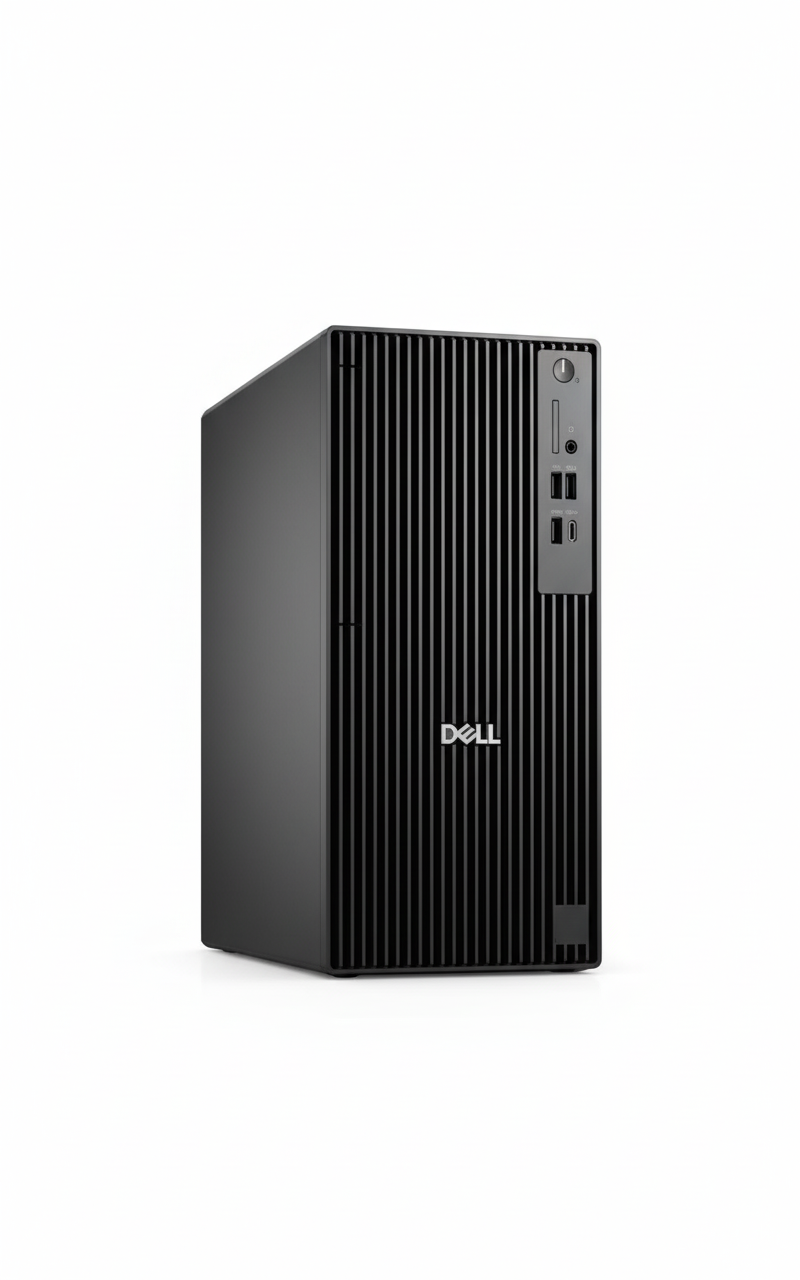
Dell Pro Tower Plus QBT1250
Dell Pro Tower QCT1255 Review: AMD Ryzen 5 8500G Expandable Business Desktop

Dell Pro Tower QCT1255 Review: AMD Ryzen 5 8500G Expandable Business Desktop

AMD Ryzen 5 8500G (6C) Up to 5.0 GHz Boost Integrated Graphics 512GB SSD 16GB DDR5-4800 RAM ₹84,568
4.2 out of 5 stars (29 reviews) | Expandable Business Tower Desktop

The Dell Pro Tower QCT1255 Desktop is equipped with AMD Ryzen 5 8500G featuring 6 cores up to 5.0 GHz for robust productivity. It comes with 16GB DDR5-4800 RAM (dual-channel), a 512GB SSD, and integrated graphics supporting multiple displays. Running Windows 11 Pro, it includes Wi-Fi 6, extensive ports including USB-C, HDMI/DisplayPort, and PCIe expansion slots for future upgrades, bundled keyboard/mouse, priced at ₹84,568 (inclusive of taxes) with 1-year warranty, ideal for growing business needs in 2025.

Power Up Your Professional Setup?

Drive multitasking with Ryzen efficiency, dual-channel RAM, and tower expandability for evolving workflows!

₹84,568
₹99,000 (15% off)
Inclusive of all taxes | Free delivery

No cost EMI up to 12 months | 1 Year Warranty | Includes Keyboard & Mouse | Accessory Offers Available

Key Features at a Glance

Ryzen 5 8500G: 6 cores up to 5.0 GHz.
Integrated Graphics: HDMI & DisplayPort support.
16GB DDR5-4800: Dual-channel memory.
512GB SSD: Fast NVMe storage.
Wi-Fi 6: MediaTek MT7920 with Bluetooth.
PCIe x16 Slot: Full-height expansion.

1. Processor Performance: Ryzen Business Power

8000 Series for AI and multitasking.

AMD Ryzen 5 8500G (6C):

The Ryzen 5 8500G provides 6 cores with up to 5.0 GHz boost for demanding tasks. Integrated Radeon 740M graphics support 4K displays. Cinebench R23 multi-core around 12,000, perfect for productivity and light editing.

Boost Clock & Efficiency:

5.0 GHz Turbo handles multitasking seamlessly. Geekbench 6 multi-core over 10,500, upgradable to Ryzen 7 8700G for AI acceleration. 65W TDP balances performance in tower chassis.

Business Multitasking:

Zen 4 Architecture with NPU for AI tasks. Dimensions at 324 x 154 x 293 mm and 6.00 kg minimum for robust placement, expandable for growth.

2. Design & Connectivity: Robust Tower Build

Expandable chassis with versatile ports.

Tower Chassis:

Compact Tower Design at 324 x 154 x 293 mm, 6.00-6.76 kg for desk stability. Tool-less access for upgrades, Kensington lock support.

Ports Overview:

Front USB-C 5Gbps, audio jack, multiple USB-A. Rear: 1Gbps Ethernet, HDMI 2.1, DisplayPort 1.4a, optional VGA/serial/USB 10Gbps.

Expansion Slots:

Full-Height PCIe: x16 (x8 wired), 2x x1, SATA for HDD/ODD. M.2 for SSD/Wi-Fi, ideal for GPU or storage additions.

3. Storage & Memory: Dual-Channel Speed

DDR5 and SSD with upgrade paths.

512GB SSD:

M.2 2230/2280 NVMe ensures rapid boots and loads. Additional SATA slots for HDD or ODD, up to 2TB+ total storage.

16GB DDR5-4800 RAM:

Dual-Channel (2x8GB) at 4800 MT/s for smooth operations. Non-ECC, expandable to 128GB via slots for intensive applications.

Graphics Integration:

Radeon 740M supports HDMI 2.1/DP 1.4a up to 8K. PCIe slot allows discrete GPU addition for enhanced visuals.

4. Software & Security: Pro Business Ready

Windows Pro with AMD optimizations.

AMD PRO Security:

Hardware-Level Protection with encryption and firmware TPM. Supports remote wipe and secure boot for enterprise compliance.

Windows 11 Pro OS:

Windows 11 Pro includes BitLocker, Remote Desktop, and AI Copilot. 30-day Microsoft 365 trial for Office apps and collaboration.

Base Setup:

No Antivirus Preloaded; uses Windows Defender. Optional ProSupport Plus for extended 24/7 coverage and on-site service.

5. Power & Accessories: Reliable Essentials

Efficient PSU with wired inputs.

180W Bronze PSU:

Internal 180W Unit with 360W Platinum upgrade. 80+ Bronze efficiency, diagnostic LED for quick troubleshooting.

Bundled Peripherals:

KB216 Keyboard & MS116 Mouse offer reliable wired connectivity. QWERTY layout and optical tracking for everyday use.

Support & Diagnostics:

1-Year Onsite Warranty with ProSupport options. Power button LED and PSU diagnostics aid maintenance; 29 reviews highlight ease of use.

6. Wireless & Networking: Modern Connectivity

Wi-Fi 6 for reliable performance.

Wi-Fi 6 MT7920:

802.11ax 2×2 delivers up to 1.2 Gbps with MU-MIMO. Internal antenna for stable signals, Bluetooth 5.2 for peripherals.

Ethernet & Expansion:

1Gbps RJ45 ensures wired reliability. M.2 Wi-Fi slot for upgrades, full PCIe for network cards.

Business Networking:

Bluetooth 5.2 supports devices wirelessly. 29 reviews appreciate seamless connectivity for office environments.

7. Expansion & Upgrades: Future-Proof Tower

Multiple slots for customization.

RAM Upgrades:

Up to 128GB DDR5 via DIMM slots. Dual-channel base enhances bandwidth for virtual machines.

Storage Expansion:

SATA 3.0 Slots for HDD/ODD, M.2 for additional SSD. Supports RAID configurations for data redundancy.

GPU & Peripherals:

Gen4 PCIe x16 for discrete GPUs up to RTX series. Optional ports enhance I/O for multi-monitor setups.

Pros and Cons

Balanced review for this expandable tower in 2025.

Pros

  • Expandable Design: PCIe and SATA slots.
  • Dual-Channel RAM: 16GB DDR5 base.
  • Wi-Fi 6: Strong wireless performance.
  • USB-C Front: Modern connectivity.
  • Ryzen AI: Built-in NPU for tasks.
  • Bundled Kit: Keyboard and mouse included.

Cons

  • Integrated Graphics: Limits heavy visuals.
  • No Optical Drive: Base excludes ODD.
  • 180W PSU Base: Upgrade for add-ons.
  • No Webcam: Requires external.
  • Basic Audio: Integrated only.
  • Tower Size: Larger footprint.

Who Is This Desktop For? User Profiles

Tailored for scalable professional environments.

Ideal For These Users

  • Growing Business:

    Ryzen 5 and 16GB RAM handle workflows at 5.0 GHz. Expansion slots for future needs, 29 reviews praise value.

  • Office Multitasker:

    512GB SSD and Wi-Fi 6 support apps and connectivity. Dual displays via ports.

  • IT Admin:

    PCIe/SATA for custom builds, Pro OS for management. Onsite warranty simplifies support.

Who Might Consider Other Options?

  • Entry-Level Users:

    Opt for Slim model at ₹70,175 for compact needs.

  • Gamers/Creatives:

    Add GPU or choose pre-built gaming towers.

  • Space-Constrained:

    All-in-One at ₹76,950 for integrated display.

Competitive Edge: Expandable AMD Tower

Excels in upgradability and value.

  • Vs HP Pro Tower 400 G9:

    Ryzen 5 8500G and DDR5 outperform Intel i5 in multi-core, more PCIe lanes. ₹84,568 undercuts HP with better expansion.

  • Vs Lenovo ThinkCentre M70t:

    Wi-Fi 6 and NPU edge out older Intel, full-height slots superior to Lenovo. EMI and free delivery advantages.

  • Value Points:

    29 reviews favor over Dell OptiPlex for price, AR preview tool. Upgradable PSU for longevity.

  • AI Ready:

    8000 Series NPU supports Copilot+, 180W PSU efficient for business loads.

Full Specification Details

General Information

Price
₹84,568
Model
QCT1255
Series
Pro Tower
Color
Standard Black
Product Type
Business Tower Desktop
Recommended Usage
Productivity & Expansion
Order Code
bto517_qct1255_i2x
Form Factor
Tower

Processor

Processor
AMD Ryzen 5 8500G
Cores
6
Max Boost Clock
Up to 5.0 GHz
Technology
Zen 4
Graphics
Integrated Radeon 740M
Series
8000 Series
TDP
65W

Memory & Storage

Memory
16GB DDR5-4800 MT/s
Memory Configuration
2 x 8GB, Non-ECC
Storage
512GB SSD NVMe
M.2 Slots
1 (2230/2280)
SATA Slots
2 (HDD/ODD)
Max RAM
Up to 128GB

Graphics & Expansion

Graphics
Integrated Radeon 740M
Video Outputs
HDMI 2.1, DisplayPort 1.4a
PCIe Slots
1x x16 (x8), 2x x1
Optional Ports
VGA, Serial, USB 10Gbps
Optical Drive
None (SATA Optional)
Max Displays
Up to 4

Connectivity

Wireless
Wi-Fi 6 MT7920, Bluetooth 5.2
Network
RJ45 1Gbps Ethernet
Front Ports
USB-C 5Gbps, 3x USB-A, Audio
Rear Ports
4x USB-A, HDMI, DP, Ethernet
Security Slot
Kensington Padlock
Audio
Integrated HD

Power & Dimensions

Power Supply
180W Bronze (360W Optional)
Dimensions (H x W x D)
32.4 x 15.4 x 29.3 cm
Weight
6.00 kg (Minimum)
Chassis
Dell Pro Tower
Efficiency
80+ Bronze

Software & Warranty

OS
Windows 11 Pro
Included Software
Microsoft 365 30-Day Trial
Security Software
None (Defender)
Warranty
1 Year Onsite
Peripherals
KB216 Keyboard, MS116 Mouse

Audio & Environmental

Audio
Integrated Stereo
Certifications
ENERGY STAR, EPEAT
Materials
Recyclable Chassis
Diagnostic
Power LED & PSU Light

Final Verdict

The Dell Pro Tower QCT1255 delivers scalable power with Ryzen efficiency and extensive expansion for business growth.

★★★★☆ 4.2 / 5 Stars – Expert Rating

Excellent for expandable professional desktops.

Samsung Odyssey OLED G6 Review – 27″ 240Hz QHD OLED Gaming Monitor for ₹74,199

Samsung Odyssey OLED G6 Review: The Pinnacle of QHD OLED Gaming

Samsung Odyssey OLED G6 Review: The Pinnacle of QHD OLED Gaming

68.5 cm (27″) Display QHD (2560 x 1440) Resolution Max 240 Hz Refresh Rate OLED with Quantum Dot 140W Power Consumption 2x HDMI 2.1, 1x DP 1.4, 2x USB 3.0, 1x USB-B, Headphone Out ₹74199.00

This in-depth review will explore the Odyssey OLED G6’s groundbreaking display technology, its blistering performance, versatile connectivity, ergonomic design, and overall value proposition, helping discerning buyers understand why this monitor is a top-tier choice for elevating their gaming experience.

1. Blazing Fast OLED Panel: Unrivaled Speed and Visuals

The Odyssey OLED G6 combines the best of OLED technology with extreme speed.

Unrivaled Response Time:

The defining feature is its astonishingly fast 0.03 ms Grey-to-Grey (GTG) response time. This virtually eliminates motion blur and ghosting, making it one of the fastest monitors available for competitive gaming.

Ultra-High 240 Hz Refresh Rate:

Provides exceptionally smooth gameplay and fluid motion. This high refresh rate is crucial for competitive esports and fast-paced genres, allowing gamers to react quicker.

Crisp 2K QHD Resolution (2560 x 1440):

On a 27-inch screen, QHD resolution strikes a perfect balance between sharp image quality and achievable high frame rates. It offers significantly more detail than Full HD.

Stunning OLED Visuals with Quantum Dot:

Utilizes OLED technology for true blacks and an infinite contrast ratio (1,000,000:1). Coupled with Quantum Dot Color, it offers a wide color gamut (99% DCI-P3 coverage).

HDR10+ Gaming Support & UL Glare Free:

Delivers enhanced contrast, brightness, and color depth for a more immersive High Dynamic Range gaming experience. UL Glare Free Certification enhances viewing comfort by reducing distracting glare.

2. Comprehensive Adaptive Sync & Peace of Mind: Gaming Without Compromise

The G6 ensures smooth gameplay and addresses a key OLED concern.

Advanced Adaptive Sync:

This monitor offers the best of both worlds, being certified for both AMD FreeSync Premium Pro and being NVIDIA G-Sync Compatible. This guarantees buttery-smooth, tear-free, and stutter-free gaming experiences.

Burn-in Warranty Coverage:

A critical advantage for an OLED panel, Samsung provides burn-in coverage under normal usage (excluding commercial, abuse, or misuse). This crucial warranty offers significant peace of mind.

3. Excellent Ergonomics & Robust Connectivity: Comfort and Convenience

Designed for long gaming sessions, the Odyssey OLED G6 prioritizes user comfort and versatile connections.

Highly Ergonomic Stand (HAS PIVOT):

The comprehensive HAS PIVOT stand allows for extensive customization to achieve the most comfortable viewing position. It offers height adjustment (120.0 ±5.0 mm), tilt (-2.0º to 25.0º), swivel (-30.0º to 30.0º), and pivot functionality (-92.0º to 92.0º).

Comprehensive Connectivity:

Equipped with dual HDMI 2.1 ports, a DisplayPort 1.4, and a 2-port USB 3.0 Hub (with a USB-B Upstream port). A headphone out jack is also included.

Dedicated Gaming Features:

Includes Black Equalizer, Virtual AIM Point, Super Arena Gaming UX, Ultrawide Game View, and Auto Source Switch+ to optimize the gaming experience and streamline setup.

Who Is This Monitor For? Tailored Recommendations

The Samsung Odyssey OLED G6 is an ideal choice for:

  • Competitive Esports Players: The 240 Hz refresh rate and 0.03 ms response time provide a significant competitive advantage in fast-paced games.
  • Gamers Seeking the Best Visuals and Speed: For those who want the incredible contrast and colors of OLED combined with top-tier gaming performance without the extreme hardware demands of 4K 240Hz.
  • Users with High-End (but not necessarily bleeding-edge) GPUs: A QHD 240Hz monitor is a fantastic match for powerful graphics cards that might struggle to consistently hit 4K 240Hz frame rates.
  • Adaptive Sync Enthusiasts: With support for both FreeSync Premium Pro and G-Sync Compatible, it offers a smooth experience regardless of your GPU brand.
  • Anyone Concerned About OLED Burn-in: Samsung’s included burn-in warranty provides crucial peace of mind that sets this monitor apart.
  • Users Who Value Ergonomics: The highly adjustable HAS PIVOT stand ensures comfortable viewing for long gaming or work sessions.

Who Might Consider Other Options?

You might consider other options if:

  • You Are on a Strict Budget: At ₹74199.00, this monitor is a significant investment and falls into the premium category.
  • You Prefer 4K Resolution: If pixel density and maximum sharpness for productivity or specific content are your top priority, a 4K monitor would be a better choice, though often at a lower refresh rate or higher price for OLED.
  • You Need Built-in Speakers: This monitor does not include integrated speakers, meaning you’ll need external audio solutions (headphones or desktop speakers).
  • You Need USB-C with Power Delivery: For a single-cable solution to connect and charge compatible laptops, the absence of a USB-C port with power delivery might be a drawback.
  • You Primarily Use Your Monitor for Static Productivity Tasks: While the burn-in warranty offers peace of mind, if your usage involves extremely long hours with static UI elements (e.g., fixed toolbars in design software), some users might still prefer a high-end IPS or VA panel.

Competitive Edge: What Sets It Apart

The Samsung Odyssey OLED G6 distinguishes itself in the market with several key advantages:

  • Unmatched Speed at QHD OLED: The combination of a 240 Hz refresh rate and a virtually instantaneous 0.03 ms (GTG) response time on an OLED panel at QHD resolution is a sweet spot for competitive gaming, offering a level of responsiveness that few monitors can match.
  • Samsung’s OLED Burn-in Warranty: This is a crucial differentiator. Offering a warranty specifically covering burn-in under normal usage directly addresses the primary concern many users have with OLED technology, providing significant peace of mind.
  • Dual Adaptive Sync Support (FreeSync Premium Pro & G-Sync Compatible): This provides universal adaptive sync compatibility, ensuring a buttery-smooth, tear-free experience for users with both AMD and NVIDIA graphics cards, a feature not always found on all high-end monitors.
  • Optimal QHD Resolution for Gaming: Unlike 4K, QHD (1440p) is less graphically demanding, allowing more users to achieve and sustain high frame rates (like 240Hz) with high-end but not necessarily bleeding-edge GPUs, making the high refresh rate more accessible.
  • Excellent Ergonomics and Connectivity: The comprehensive HAS PIVOT stand, dual HDMI 2.1 ports, DisplayPort 1.4, and a USB 3.0 hub provide a highly versatile and user-friendly experience, catering to various setup needs.
  • Stunning OLED Visuals with Quantum Dot: The inherent advantages of OLED (true blacks, infinite contrast) combined with Quantum Dot technology for vibrant colors deliver a visually superior experience for both gaming and multimedia consumption.

Full Specification Details

Display

  • Screen Size (Class): 68.5 cm
  • Flat / Curved: Flat
  • Active Display Size (HxV): 59.04 cm (H) x 33.37 cm (V)
  • Aspect Ratio: 16:9
  • Panel Type: OLED with Quantum Dot
  • Burn-In Warranty: Covered under normal usage (not for Commercial, abuse or mis-use)
  • Brightness (Typical): 250 cd/㎡
  • Brightness (Min): 200 cd/㎡
  • Contrast Ratio Static: 1,000,000:1
  • HDR (High Dynamic Range): HDR 10, HDR10+, HDR 10 + Gaming
  • Resolution: QHD (2560 x 1440)
  • Response Time: 0.03 ms (GTG)
  • Viewing Angle (H/V): 178˚/178˚
  • Colour Support: Max 1B
  • Color Gamut (DCI Coverage): 99% (CIE1976)
  • Refresh Rate: Max 240 Hz

General Features

  • Eye Saver Mode: Yes
  • Flicker Free: Yes
  • Picture-In-Picture: Yes
  • Quantum Dot Color: Yes
  • Image Size: Yes
  • Windows Certification: Windows 11
  • FreeSync: FreeSync Premium Pro
  • G-Sync: G-Sync Compatible
  • Off Timer Plus: Yes
  • Black Equalizer: Yes
  • Virtual AIM Point: Yes
  • Super Arena Gaming UX: Yes
  • Auto Source Switch: Auto Source Switch+
  • Ultrawide Game View: Yes

Interface

  • Display Port: 1 EA
  • Display Port Version: 1.4
  • HDCP Version (DP): 2.2
  • HDMI: 2 EA
  • HDMI Version: 2.1
  • HDCP Version (HDMI): 2.2
  • Headphone: Yes
  • USB Hub: 2 (ports)
  • USB Hub Version: 3
  • USB-C: No
  • USB-B Upstream Port: 1

Audio

  • Speaker: No
  • Speaker Output: No

Operation Conditions

  • Temperature: 10~40 ℃
  • Humidity: 10~80, non-condensing

Design

  • Front Colour: SILVER
  • Rear Color: SILVER
  • Stand Colour: Silver
  • Stand Type: HAS PIVOT
  • HAS (Height Adjustable Stand): 120.0 ±5.0
  • Tilt: -2.0º(± 2°) ~ 25.0º(± 2°)
  • Swivel: -30.0º(± 3°) ~ 30.0º(± 3°)
  • Pivot: -92.0º(± 2°) ~ 92.0º(± 2°)
  • Wall Mount: 100 x 100

Eco Features

  • Recycled Plastic: Yes (details not specified)

Power

  • Power Supply: AC 100~240 V
  • Power Consumption (Max): 140 W
  • Type: External Adaptor

Dimension & Weight

  • Set Dimension with Stand (WxHxD): 61.17 cm x 55.42 cm x 26.35 cm
  • Set Dimension without Stand (WxHxD): 61.17 cm x 35.38 cm x 4.92 cm
  • Package Dimension (WxHxD): 68.4 cm x 20 cm x 46.4 cm
  • Set Weight with Stand: 6.9 kg
  • Set Weight without Stand: 3.8 kg
  • Package Weight: 9.5 kg

Accessory & Launch

  • Power Cable Length: 1.5 m
  • DP Cable: Yes
  • Certification and Compliance: UL Glare Free (Yes)
  • Launch Date: February 28th, 2025

Pros & Cons: A Balanced View for Buyers

Pros:

  • Unrivaled Response Time: The astonishing 0.03 ms (GTG) response time virtually eliminates ghosting and motion blur, making it one of the fastest monitors available and providing an immense advantage in competitive gaming.
  • Blazing Fast Refresh Rate: The 240 Hz refresh rate delivers incredibly smooth and responsive gameplay, crucial for high-tier esports and fluid visual experiences.
  • Stunning OLED Visuals: Offers true blacks, an infinite contrast ratio, and a wide color gamut (99% DCI-P3) for incredibly vibrant, accurate, and immersive visuals, especially noticeable in HDR content.
  • Optimal QHD Resolution on 27-inch: Provides a perfect balance of sharp image quality and high frame rates, delivering excellent visual detail without being as overly demanding on the GPU compared to 4K.
  • Comprehensive Adaptive Sync: With both FreeSync Premium Pro and G-Sync Compatible certification, it ensures buttery-smooth, tear-free, and stutter-free gaming with both AMD and NVIDIA GPUs.
  • Burn-in Warranty: Samsung’s inclusion of burn-in coverage under normal usage provides crucial peace of mind for an OLED panel, addressing a key concern for this technology.
  • Excellent Ergonomics: The HAS PIVOT stand allows for extensive height, tilt, swivel, and pivot adjustments, ensuring optimal viewing comfort for long gaming or work sessions.
  • HDMI 2.1 Connectivity: Dual HDMI 2.1 ports enable full QHD 240Hz support for next-gen consoles and high-end PCs, ensuring future-proofing.
  • Integrated USB Hub: Built-in 2-port USB 3.0 hub (with upstream port) offers convenient connectivity for peripherals directly to the monitor, simplifying cable management.
  • Advanced Gaming Features: Includes Black Equalizer, Virtual AIM Point, Super Arena Gaming UX, Ultrawide Game View, and Auto Source Switch+ to further enhance the overall gaming experience.

Cons:

  • Premium Price: At ₹74199.00, it is a significant investment, targeting serious enthusiasts and professional gamers, making it inaccessible for budget-conscious buyers.
  • No Built-in Speakers: Requires external speakers or headphones for audio output, adding to the overall cost and potential for more cables.
  • Potential for Burn-in (despite warranty): While covered under warranty for normal usage, OLED technology still carries a theoretical risk of image retention or burn-in with extreme prolonged static image display, which some users might remain wary of.
  • Brightness for SDR Content: A typical brightness of 250 cd/㎡ is standard but might feel less impactful than some brighter non-OLED panels for SDR content, especially in very bright rooms.
  • No USB-C with Power Delivery: Lacks a USB-C port that can also deliver power, which would provide a convenient single-cable solution for compatible laptops.

Final Verdict: The Samsung 68.5 cm (27-inch) Odyssey OLED G6 – An Uncompromising Gaming Experience

The 68.5 cm (27-inch) Samsung Odyssey OLED G6 is an uncompromising, top-tier gaming monitor for competitive players and enthusiasts who demand the absolute best in speed, responsiveness, and visual quality. Its combination of a 240 Hz OLED panel with a near-instant 0.03 ms response time is truly groundbreaking, offering an unparalleled gaming experience that sets a new standard. The inclusion of both FreeSync Premium Pro and G-Sync Compatible certifications, modern HDMI 2.1 ports, a comprehensive ergonomic stand, and a crucial burn-in warranty further solidify its position as a premium choice. While the price is high and it lacks built-in speakers, for serious gamers looking to elevate their experience to the highest possible level in QHD resolution, the Odyssey OLED G6 represents the pinnacle of current gaming display technology. It’s an investment in unparalleled performance and visual fidelity.

★★★★★

Overall Rating: 5.0 out of 5.0 (Based on Expert Analysis)


Dell 27″ 4K USB-C Hub Monitor Review: The Perfect Productivity Sweet Spot for Professionals

Dell 27" 4K USB-C Hub Monitor
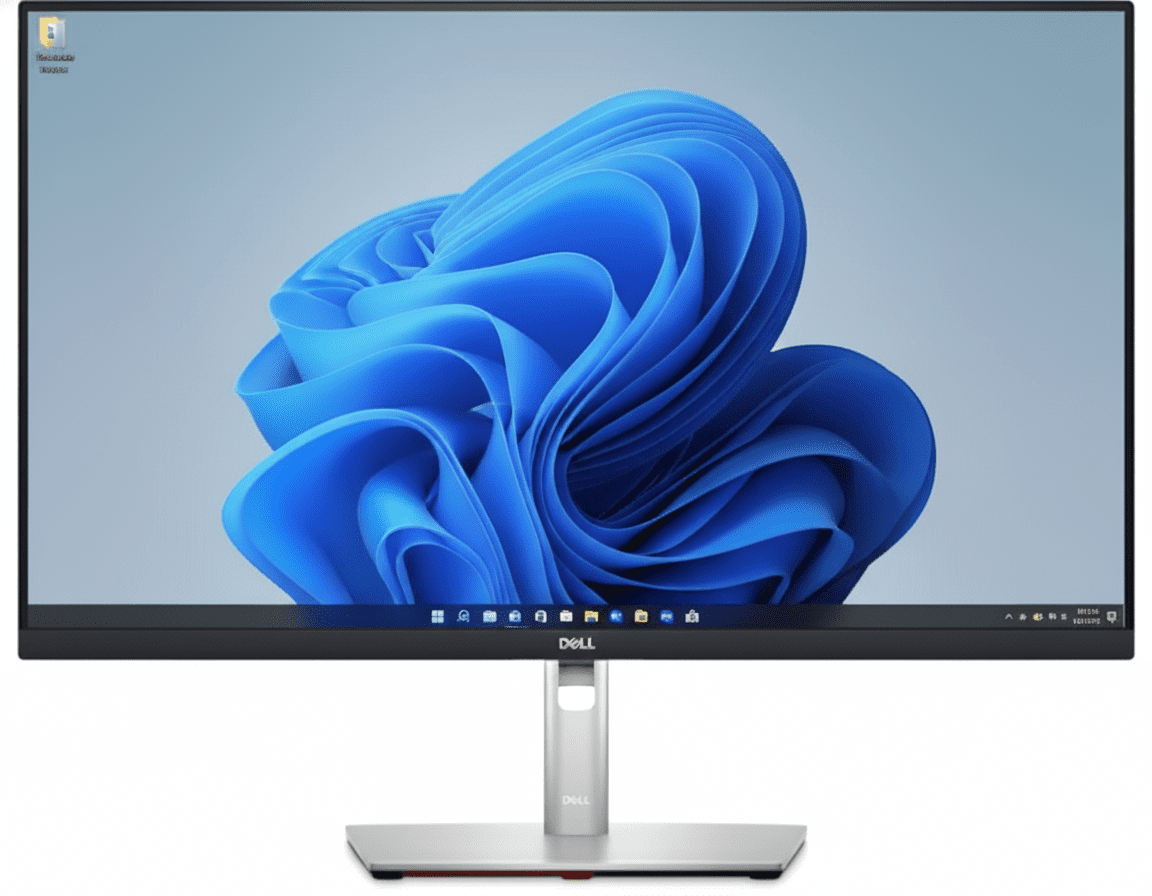
Dell 27 4K USB-C Hub Monitor (P2723QE) Review: The Perfect Productivity Hub

Dell 27″ 4K USB-C Hub Monitor (P2723QE) Review: The Perfect Productivity Hub

27″ 4K UHD Display 90W USB-C Power Delivery Full Docking Hub with RJ45 Fully Ergonomic Stand ComfortView Plus ₹34,999
The ideal 4K hub monitor for professionals seeking the perfect balance of size and pixel density.

The Dell 27 4K USB-C Hub Monitor (P2723QE) hits the ultimate sweet spot for professionals, delivering pixel-perfect clarity and single-cable convenience in the most popular monitor size. Priced aggressively at ₹34,999, it packs a stunning 27-inch 4K IPS screen into a full-featured productivity hub. With 90W USB-C power delivery, a built-in Gigabit Ethernet port, and a fully ergonomic stand, the P2723QE is engineered to create a powerful, efficient, and completely clutter-free workspace.

The Productivity Sweet Spot

Get pixel-perfect 4K clarity and single-cable hub convenience in the ideal 27-inch size.

₹34,999
₹43,299 (Save ₹8,300)
Inclusive of all taxes | Free Priority Delivery

Clearance Sale | 3 Year Advanced Exchange Service

Key Features at a Glance

27-inch 4K Panel: High pixel density (163 PPI) for incredibly sharp text and images.
90W USB-C Hub: Power your laptop, transfer data, and get video with a single cable.
Integrated RJ45 Port: Adds stable, wired Gigabit Ethernet to your laptop.
Full Ergonomics: Complete height, tilt, swivel, and pivot adjustability.
ComfortView Plus: Hardware-level low blue light filter that doesn’t affect color.
Eco-Friendly Design: Built with 85% post-consumer recyclable plastic.

1. 4K Clarity in the Perfect Size: Pixel-Perfect Detail

Experience outstanding clarity and detail on a brilliant 27-inch, 4K screen.

High Pixel Density

The 4K UHD (3840 x 2160) resolution packed into a 27-inch screen results in an incredibly high pixel density of 163 PPI. This makes text razor-sharp, images incredibly detailed, and provides a premium, crisp viewing experience for all professional applications.

Vibrant IPS Panel

The IPS panel ensures consistent, accurate colors with wide 178° viewing angles. With 99% sRGB color gamut and support for 1.07 billion colors, this monitor provides the color performance needed for presentations, web content, and general office productivity.

2. The Ultimate Hub: One Cable, Zero Clutter

Your monitor is now your docking station, streamlining your desk setup.

90W USB-C Power Delivery

The powerful USB-C port delivers up to 90W, enough to charge most high-performance laptops. Connect your machine with a single cable to handle video, data, and power, completely eliminating the need for a separate laptop charger and display cable.

Full Docking Connectivity

Beyond USB-C, the monitor acts as a complete dock with an RJ45 Ethernet port for stable network access and four SuperSpeed USB ports for your keyboard, mouse, webcam, and other accessories. Your desk stays organized and efficient.

3. All-Day Comfort: Designed for Wellness

A full range of adjustments and advanced eye care technology for optimal viewing comfort.

Complete Adjustability

Tailor the monitor to your exact preference. The stand offers a full range of motion, including 150mm height adjustment, tilt (-5°/+21°), swivel (-45°/+45°), and pivot (±90°). This ensures you can maintain a comfortable posture throughout your workday.

ComfortView Plus

ComfortView Plus is an always-on, hardware-based low blue light screen that reduces harmful blue light emissions. Unlike software solutions, it does this without compromising the monitor’s excellent color accuracy, protecting your eyes without a yellow tint.

4. Smart Productivity Features

Software and hardware integrations that streamline your workflow.

Advanced Multitasking with DDM

Use Dell Display Manager (DDM) to organize your screen with Easy Arrange, which offers 38 preset window layouts. The auto-restore feature remembers your layout, so applications return to where you left them, even after unplugging.

Jumpstart Productivity

The Power Sync feature allows you to seamlessly start your monitor and a compatible connected Dell PC by simply pressing the monitor’s power button. This convenience gets you to work faster, especially in a hybrid work environment.

Ideal For These Users

Hybrid Workers & Laptop Users

The single-cable USB-C hub functionality is perfect for those who frequently connect and disconnect their laptops, instantly turning their desk into a full-featured workstation.

Anyone Needing High-Resolution Detail

The 27-inch 4K combination provides exceptional text clarity, making it ideal for programmers, writers, financial analysts, and anyone who works with detailed information.

Users with Limited Desk Space

By integrating a full docking station, this monitor eliminates the need for a separate dock, chargers, and extra cables, creating a minimalist and organized setup.

Entry-Level Content Creators

With its sharp 4K resolution and accurate 99% sRGB color, this monitor is a great starting point for creators working primarily with web content.

Who Might Consider Other Options

Gamers

The 60Hz refresh rate and 5ms response time are not suitable for gaming. Gamers should opt for high-refresh-rate models like Dell’s Alienware series.

Professional Creatives (Video/Photo)

While 99% sRGB is excellent for web work, professionals in print, photo, and video will need monitors with wider color gamuts (Adobe RGB, DCI-P3), such as the Dell UltraSharp (U-series) monitors.

Users Needing More Screen Space

For those who want an even larger canvas for multitasking, the 32-inch version of this monitor (P3223QE) offers the same great features with more screen real estate.

Competitive Edge: How It Stacks Up

The perfect balance of size, resolution, and hub functionality.

  • Vs. P3223QE (32-inch version)

    The P2723QE offers all the same fantastic hub features as its larger sibling but in a more compact and popular 27-inch size. Its main advantage is a higher pixel density (163 vs. 140 PPI), which results in even sharper text and images.

  • Vs. Dell UltraSharp U2723QE

    The UltraSharp U2723QE is a step up, offering an advanced IPS Black panel for superior contrast and a wider DCI-P3 color gamut for creative work. However, the P2723QE provides the same core 4K resolution and hub functionality for a significantly lower price, making it a better value for general productivity.

  • The “Sweet Spot” Hub Monitor

    Its competitive edge lies in hitting the sweet spot in every category. The 27-inch size is the industry standard, the 4K resolution provides excellent sharpness, and the 90W USB-C hub with RJ45 is exactly what most laptop users need. It’s the perfect all-in-one package.

Full Specifications

Display

Screen Size
27″
Resolution
4K UHD (3840 x 2160)
Panel Type
IPS
Refresh Rate
60 Hz
Response Time
5ms (Fast Mode)
Brightness
350 cd/m²
Color Gamut
99% sRGB
Pixel Density
163 PPI

Connectivity

Video Ports
1x DP 1.4, 1x HDMI
USB-C Hub
1x USB-C (90W PD, DP Alt Mode)
USB-A Hub
4x USB 3.2 Gen 1 downstream
Ethernet
1x RJ45 Gigabit Ethernet

Mechanical

Height Adjust
150 mm
Tilt
-5° to 21°
Swivel
-45° to 45°
Pivot
±90°

Pros and Cons

What We Liked

  • Single-cable hub with 90W USB-C and RJ45 is a game-changer.
  • Extremely sharp 4K resolution in the ideal 27-inch size.
  • Fully ergonomic stand provides excellent adjustability.
  • ComfortView Plus effectively reduces eye strain.
  • Great value for a full-featured 4K docking station monitor.

What Could Be Better

  • 60Hz refresh rate is standard, not smooth like 100Hz+ models.
  • Strictly for productivity; not suitable for gaming.
  • Lacks the wider DCI-P3 color gamut of pricier UltraSharp models.

Final Verdict

The Dell P2723QE is an absolute triumph in the world of productivity monitors. It perfectly balances the most desirable features for a modern professional: an incredibly sharp 27-inch 4K screen and a comprehensive single-cable USB-C hub. This monitor doesn’t just display your work; it powers and streamlines your entire desk setup, eliminating clutter and maximizing efficiency.

By adding a fully ergonomic stand and hardware-based eye comfort technology, Dell has created a tool that is as comfortable as it is powerful. While the 60Hz refresh rate means gamers should look elsewhere, the P2723QE is unapologetically focused on productivity, and it excels. For any laptop user looking for the perfect intersection of size, pixel density, and hub functionality, the P2723QE is the definitive choice and one of the best value propositions in the entire monitor market.

MSI Crosshair A16 HX (2025) – Ryzen 9, RTX 5060, 240Hz OLED Gaming Beast

MSI Crosshair A16
MSI Crosshair A16 HX Gaming Laptop (2025) – Complete Review & Specifications
MSI Crosshair A16 HX Gaming Laptop

Available Color:

🔥 CHEAPEST RTX 5060 LAPTOP

MSI Crosshair A16 HX

AMD Ryzen 9 8940HX | RTX 5060 | OLED

16″ QHD+ OLED 240Hz • 16GB RAM • 1TB SSD • 26-Zone RGB

Configuration:

• Processor: AMD Ryzen 9 16-Core 8940HX (2.4-5.3 GHz)

• Graphics: NVIDIA GeForce RTX 5060 8GB GDDR7

• RAM: 16GB DDR5 5200MHz (Upgradable to 96GB)

• Storage: 1TB PCIe Gen 4 SSD

• Display: 16″ QHD+ OLED 240Hz 100% DCI-P3

₹1,79,990

11% OFF

₹1,59,990*

*Lowest price RTX 5060 + OLED display!

🛒 Buy Now on Flipkart

EMI starting from ₹5,625/month | Delivery by Tomorrow

Display

OLED 240Hz

GPU

RTX 5060

Weight

2.5 Kg

MSI Crosshair A16 HX Overview

Key Highlights

  • ✓ Lowest Price: Cheapest at ₹1,59,990
  • ✓ OLED Display: Stunning 240Hz panel
  • ✓ Ryzen 9 8940HX: 16-core power
  • ✓ RTX 5060 + DLSS 4: Latest gaming
  • ✓ 2.5kg Lightweight: Portable
  • ✓ 26-Zone RGB: Customizable
  • ✓ Upgradable to 96GB: Future-proof

In The Box

  • 📦 MSI Crosshair A16 HX Laptop
  • 🔌 240W Power Adapter
  • 📄 User Guide & Warranty Card
  • 🛡️ 2-Year On-Site Warranty

Note: No free laptop bag with this model

AMD Advantage

  • • ₹5,000 Cheaper: Than Intel variant
  • • OLED Display: Premium panel
  • • Better Multi-Core: 16 cores
  • • Same Weight: 2.5kg portable
  • • Same GPU: RTX 5060
  • • Great Value: Best price/performance

🌈 OLED Display – The Game Changer

Infinite Contrast

OLED delivers perfect blacks with infinite contrast ratio. Each pixel turns off completely, creating stunning visuals IPS panels can’t match.

Vibrant Colors

100% DCI-P3 coverage with OLED’s self-emitting pixels produces colors that are more vibrant and accurate than any IPS display.

Zero Motion Blur

OLED’s 0.1ms response time combined with 240Hz refresh eliminates ghosting for the smoothest competitive gaming experience.

AMD Ryzen 9 8940HX Performance

AMD Ryzen 9 8940HX

16-Core Zen 4 Architecture

Total Cores 16 Cores / 32 Threads
Base Clock 2.4 GHz
Max Boost 5.3 GHz
Cache 32MB L3
TDP 45W+ (Boost 75W+)

Multi-Core Beast: Excellent for gaming + streaming + video editing simultaneously

RTX 5060 8GB

NVIDIA Blackwell (DLSS 4)

VRAM 8GB GDDR7
Memory Bus 128-bit
DLSS DLSS 4 + Frame Gen
Ray Tracing 4th Gen RT Cores
TGP 115W

Gaming: Excellent 1440p gaming at 60-80+ FPS Ultra

📊 Performance Benchmarks

Cinebench R23

Multi-Core

~24,000

Single-Core

1,858

Excellent multi-core performance

3DMark Time Spy

Graphics Score

9,456

Great 1440p gaming performance

Port Royal (RT)

Ray Tracing

5,892

Good RT performance

16″ QHD+ OLED 240Hz Display – Premium Visual Experience

OLED Technology

Panel Type OLED
Resolution 2560 x 1600
Aspect Ratio 16:10
Size 16″ (40.64 cm)

OLED Benefits

  • ●
    Perfect Blacks

    Infinite contrast ratio

  • ●
    0.1ms Response

    Zero motion blur

  • ●
    100% DCI-P3

    Cinema-grade colors

Gaming Performance

Refresh Rate

240Hz

Response Time

0.1ms

🆚 OLED vs IPS Display Comparison

FeatureOLED (This Model)IPS (Intel Model)
Contrast RatioInfinite (Perfect blacks)1000:1 (Gray blacks)
Response Time0.1ms (Instant)3ms (Good)
Color VibrancyOutstandingGood
Viewing AnglesPerfect (178°)Good (178°)
HDR ContentExceptionalLimited
Burn-in RiskYes (minimal with care)No

Audio

  • • 2x 2W Speakers
  • • Nahimic Audio
  • • 3.5mm Jack
  • • Decent for gaming

Webcam

  • • HD (720p@30fps)
  • • Basic quality
  • • Good for calls

Real Gaming Performance

🎮 AAA Games @ 1440p (QHD+)

Cyberpunk 2077

55 FPS

• Settings: High + RT Medium

• DLSS: Balanced

• With Frame Gen: 60-65 FPS

GTA V Enhanced

50-55 FPS

• Settings: Maximum + RT

• Resolution: 1600p

• Experience: Playable

Overwatch 2

130-135 FPS

• Settings: Ultra

• DLSS: Quality

• Experience: Smooth

⚡ Esports Titles

Valorant 400+ FPS
CS2 280+ FPS
Fortnite 240+ FPS
Apex Legends 220+ FPS

🎯 More AAA

Elden Ring 40-45 FPS
RDR2 60-65 FPS
Tomb Raider 95+ FPS

Gaming Verdict: RTX 5060 delivers excellent 1440p gaming in most titles. Demanding games like Cyberpunk need DLSS Frame Gen, but esports titles easily hit 240+ FPS. For ₹1.6L with OLED, this is outstanding value.

Design & Build Quality

🏗️ Build

Material Plastic + Metal
Quality Good

📏 Dimensions

Dimensions 359 x 266 x 28mm
Weight 2.5 kg

Lightest RTX 5060 with OLED!

🎨 Style

  • • Color: Cosmos Gray
  • • Logo: RGB MSI
  • • Style: Subtle gaming

Cooler Boost 5 Thermal System

❄️ Cooling

Dual fans with shared heat pipes between CPU and GPU ensure stable performance during gaming.

●
Dual Fans

CPU + GPU cooling

●
Heat Pipes

Shared thermal

🌡️ Temps

CPU (Gaming)

68-78°C

GPU (Gaming)

72-82°C

26-Zone RGB Gaming Keyboard

⌨️ Keyboard

  • ●
    26-Zone RGB

    More zones than Intel model

  • ●
    WASD Highlighted

    Gaming keys

  • ●
    Anti-Ghosting

    N-key rollover

🖱️ Trackpad

  • ●
    Precision Trackpad

    Windows Precision

  • ●
    Multi-Touch

    Gestures

Connectivity & Ports

🔌 Ports

USB

• 1x USB-C (USB 3.2 Gen2 + DP + PD)

• 3x USB 3.2 Gen2 Type-A

Display

• 1x HDMI 2.1 (8K@60Hz / 4K@120Hz)

Other

• RJ-45 Ethernet

• 3.5mm Audio Jack

📡 Wireless

Wi-Fi 6

Fast wireless connectivity

Bluetooth 5.3

Latest standard

Battery Life

🔋 Battery

4-Cell

• Capacity: ~70Wh (est.)

• Light Use: 5-6 hours

• Gaming: 2 hours

⚡ Charging

240W

• Adapter: 240W

• Fast Charge: 50% in ~40min

💡 Real World

  • • Video: 5 hours
  • • Web: 5-6 hours
  • • Gaming: 2 hours

Intel vs AMD Crosshair 16 HX – Which to Buy?

FeatureAMD (This Model)Intel ModelWinner
Price₹1,59,990₹1,64,990AMD (₹5k cheaper)
DisplayOLED 240HzIPS 240HzAMD (OLED!)
ProcessorAMD Ryzen 9 8940HX (16C)Intel Core Ultra 9 275HX (24C)Intel (more cores)
Single-Core~1,858~3,049Intel (faster)
Multi-Core~24,000~27,000Intel
GPURTX 5060 8GB (Same)Tie
RAM (Base)16GB DDR5 (Same)Tie
Storage1TB SSD (Same)Tie
Weight2.5 kg (Same)Tie
Keyboard RGB26-Zone24-ZoneAMD
AI FeaturesNoYes (NPU + AI Engine)Intel

✅ Choose AMD (This Model) If:

  • • You want OLED display (infinite contrast)
  • • Save ₹5,000 (better value)
  • • Prefer AMD ecosystem
  • • Cinematic gaming experience priority
  • • 26-zone RGB keyboard preferred
  • • Don’t need AI features
  • • Best display quality under ₹1.7L

✅ Choose Intel Model If:

  • • Need best CPU performance (24 cores)
  • • Want AI Engine features
  • • Prefer Intel ecosystem
  • • IPS display sufficient
  • • Better single-core important
  • • Future-proof AI tasks
  • • Can spend extra ₹5,000

🏆 Winner: AMD Crosshair A16 HX (This Model)

Best Value: The AMD model wins with its stunning OLED display (infinite contrast, perfect blacks, 0.1ms response) and ₹5,000 lower price at ₹1,59,990. While Intel has better CPU performance, the OLED display is a game-changer that provides a far superior gaming and media experience. For most gamers, the visual quality upgrade is worth more than extra CPU cores.

Complete Competitors Comparison

How does the MSI Crosshair A16 HX stack up against the best gaming laptops in the ₹1.5-2L price range?

ASUS TUF A15 (2025)

₹1,79,990

• Processor: AMD Ryzen 7 8845HS

• Display: 15.6″ FHD 144Hz IPS

• RAM: 16GB DDR5

• Storage: 512GB SSD

• GPU: RTX 4060 8GB

• Weight: 2.2 kg

✅ Reasons to Consider

  • • 300g lighter at 2.2kg
  • • Military-grade MIL-STD-810H durability
  • • Better cooling (quieter fans)
  • • More durable build quality
  • • Better trackpad
  • • Longer battery life (6-7h)

⚠️ Reasons to Skip

  • • ₹20,000 more expensive
  • • Older RTX 4060 GPU (no DLSS 4)
  • • Much smaller 15.6″ FHD display
  • • Only 144Hz (vs 240Hz OLED)
  • • IPS panel (vs stunning OLED)
  • • Half the storage (512GB vs 1TB)
  • • Weaker CPU (8-core vs 16-core)
  • • Lower resolution (1080p vs 1600p)

HP Victus 16

₹1,69,990

• Processor: Intel Core i7-13700H

• Display: 16″ FHD 144Hz IPS

• RAM: 16GB DDR4

• Storage: 512GB SSD

• GPU: RTX 4060 8GB

• Weight: 2.3 kg

✅ Reasons to Consider

  • • ₹10,000 more expensive
  • • Cleaner, professional design
  • • HP brand reliability
  • • Good keyboard quality
  • • Decent speaker quality

⚠️ Reasons to Skip

  • • Still ₹10,000 more expensive
  • • Older 13th Gen Intel CPU
  • • RTX 4060 (previous gen, no DLSS 4)
  • • Slower DDR4 RAM (not DDR5)
  • • Only 144Hz display
  • • IPS panel (not OLED)
  • • Lower FHD resolution
  • • Half the storage (512GB)
  • • Less RGB customization

Lenovo LOQ 15

₹1,54,990

• Processor: Intel Core i7-13650HX

• Display: 15.6″ FHD 144Hz IPS

• RAM: 16GB DDR5

• Storage: 512GB SSD

• GPU: RTX 4050 6GB

• Weight: 2.4 kg

✅ Reasons to Consider

  • • ₹5,000 cheaper
  • • Lighter at 2.4kg
  • • Clean Lenovo design
  • • Good for budget gaming
  • • Decent build quality

⚠️ Reasons to Skip

  • • Weaker RTX 4050 GPU (not 5060)
  • • Only 6GB VRAM (vs 8GB)
  • • Smaller 15.6″ FHD display
  • • Only 144Hz IPS (not 240Hz OLED)
  • • Half the storage (512GB)
  • • No DLSS 4 support
  • • Lower 1080p resolution
  • • Weaker gaming performance
  • • Basic RGB lighting

Dell G15 5530

₹1,74,990

• Processor: Intel Core i7-13650HX

• Display: 15.6″ FHD 165Hz IPS

• RAM: 16GB DDR5

• Storage: 512GB SSD

• GPU: RTX 4060 8GB

• Weight: 2.65 kg

✅ Reasons to Consider

  • • Dell brand reputation
  • • Good customer support
  • • Decent thermal design
  • • Better webcam quality
  • • Professional look

⚠️ Reasons to Skip

  • • ₹15,000 more expensive
  • • Heavier at 2.65kg
  • • Older RTX 4060 (no DLSS 4)
  • • Smaller 15.6″ display
  • • Only 165Hz IPS (not 240Hz OLED)
  • • Lower FHD resolution
  • • Half storage (512GB)
  • • Weaker 13650HX CPU
  • • Bulkier design

Acer Predator Helios Neo 16

₹1,84,990

• Processor: Intel Core i7-13700HX

• Display: 16″ WUXGA 165Hz IPS

• RAM: 16GB DDR5

• Storage: 512GB SSD

• GPU: RTX 4060 8GB

• Weight: 2.6 kg

✅ Reasons to Consider

  • • Predator branding (premium)
  • • Better cooling system
  • • RGB light bar design
  • • Good keyboard quality
  • • Decent speakers (4x)
  • • Metal chassis

⚠️ Reasons to Skip

  • • ₹25,000 more expensive!
  • • Heavier at 2.6kg
  • • Older RTX 4060 GPU
  • • Only 165Hz IPS (not 240Hz OLED)
  • • Lower resolution (1920×1200)
  • • Half storage (512GB)
  • • No DLSS 4
  • • Poor value for money

MSI Katana 15 B13V

₹1,39,990

• Processor: Intel Core i7-13620H

• Display: 15.6″ FHD 144Hz IPS

• RAM: 16GB DDR5

• Storage: 512GB SSD

• GPU: RTX 4060 8GB

• Weight: 2.25 kg

✅ Reasons to Consider

  • • ₹20,000 cheaper
  • • Lightest at 2.25kg
  • • Same MSI brand
  • • Good for tight budgets
  • • Katana aesthetic design

⚠️ Reasons to Skip

  • • Older RTX 4060 (not 5060)
  • • Smaller 15.6″ FHD display
  • • Only 144Hz IPS (not 240Hz OLED)
  • • Weaker CPU (10-core vs 16-core)
  • • Lower 1080p resolution
  • • Half storage (512GB)
  • • No DLSS 4 support
  • • Basic RGB (not 26-zone)
  • • Plastic build (cheaper feel)

📊 Quick Comparison Table

LaptopPriceGPUDisplayStorageWeightValue
MSI Crosshair A16 HX₹1,59,990RTX 506016″ 240Hz OLED1TB2.5 kg★★★★★
ASUS TUF A15₹1,79,990RTX 406015.6″ 144Hz IPS512GB2.2 kg★★★☆☆
HP Victus 16₹1,69,990RTX 406016″ 144Hz IPS512GB2.3 kg★★★☆☆
Lenovo LOQ 15₹1,54,990RTX 405015.6″ 144Hz IPS512GB2.4 kg★★☆☆☆
Dell G15 5530₹1,74,990RTX 406015.6″ 165Hz IPS512GB2.65 kg★★★☆☆
Acer Predator Neo 16₹1,84,990RTX 406016″ 165Hz IPS512GB2.6 kg★★☆☆☆
MSI Katana 15₹1,39,990RTX 406015.6″ 144Hz IPS512GB2.25 kg★★★☆☆

🏆 Clear Winner: MSI Crosshair A16 HX

Unbeatable Value Champion: At ₹1,59,990, the Crosshair A16 HX offers:

🎯 Best Features

  • • Only OLED in price range
  • • Latest RTX 5060 with DLSS 4
  • • 240Hz fastest refresh
  • • 1TB storage (2x competitors)

💰 Best Value

  • • ₹20k cheaper than ASUS
  • • ₹25k cheaper than Acer
  • • ₹15k cheaper than Dell
  • • ₹10k cheaper than HP

🚀 Best Performance

  • • Fastest GPU (RTX 5060)
  • • Most CPU cores (16)
  • • Best display (OLED)
  • • Latest tech (DLSS 4)

Bottom Line: Every competitor either costs more, has an inferior display (IPS vs OLED), older GPU (RTX 4060/4050 vs RTX 5060), less storage (512GB vs 1TB), or slower refresh rate (144-165Hz vs 240Hz). The Crosshair A16 HX is the only laptop under ₹1.7L that combines RTX 5060 + OLED + 240Hz + 1TB storage. This is unbeatable value that no competitor can match.

🏆 Winner: MSI Crosshair A16 HX

Unbeatable Value: At ₹1,59,990, the Crosshair A16 HX offers the cheapest RTX 5060 with the only OLED display in this price range. Competitors cost ₹10-20k more with older RTX 4060 GPUs, smaller displays, and inferior IPS panels. The OLED’s infinite contrast and perfect blacks provide a premium gaming experience no IPS can match. This is the best value gaming laptop under ₹1.7L in India.

Complete Pros & Cons

✅ Strengths

  • • Cheapest RTX 5060: Best price at ₹1,59,990
  • • OLED Display: Infinite contrast, perfect blacks
  • • 240Hz OLED: 0.1ms response time
  • • 100% DCI-P3: Cinema-grade colors
  • • Ryzen 9 8940HX: 16-core power
  • • RTX 5060 + DLSS 4: Latest gaming tech
  • • Lightweight 2.5kg: Most portable
  • • 26-Zone RGB: 2 more zones than Intel
  • • Upgradable to 96GB: Future-proof RAM
  • • 1TB Storage: Ample space
  • • Cooler Boost 5: Good thermals
  • • Wi-Fi 6: Fast wireless
  • • 2-Year Warranty: On-site
  • • Best Value: Unbeatable price/performance

⚠️ Limitations

  • • Only 16GB RAM: Base config (upgradable)
  • • RTX 5060: Entry-level GPU (not 5070)
  • • 115W TGP: Not highest power
  • • OLED Burn-in Risk: Rare but possible
  • • Battery Life: Only 5-6 hours
  • • No AI Engine: Unlike Intel model
  • • HD Webcam Only: No FHD/IR
  • • Average Speakers: 2x2W only
  • • Plastic Build: Not premium metal
  • • No Laptop Bag: Not included
  • • Fan Noise: Audible under load
  • • Older CPU: 8940HX vs newer 9955HX

Final Verdict

Overall Rating

4.8
⭐⭐⭐⭐⭐

Best Value OLED Gaming

Display Quality 5.0/5
Value for Money 5.0/5
Gaming Performance 4.5/5
Portability 5.0/5
Battery Life 3.5/5

🎮 Who Should Buy?

  • ✅ Budget gamers wanting OLED
  • ✅ Students needing portability (2.5kg)
  • ✅ Movie/media enthusiasts
  • ✅ Competitive gamers (240Hz OLED)
  • ✅ Content creators on budget
  • ✅ Those wanting best display under ₹1.7L
  • ✅ First premium gaming laptop buyers

❌ Who Should Skip?

  • ❌ Those needing 32GB base RAM
  • ❌ 4K gaming at max settings
  • ❌ All-day battery life needed
  • ❌ Worried about OLED burn-in
  • ❌ Want AI features (get Intel)

🎯 Final Thoughts

The MSI Crosshair A16 HX at ₹1,59,990 is the best value gaming laptop of 2025. This is the cheapest RTX 5060 laptop AND the only one with an OLED display in this price range—a combination no competitor offers.

The OLED panel is a game-changer: infinite contrast ratio with perfect blacks, 0.1ms response time, and 100% DCI-P3 colors create a visual experience that obliterates IPS displays. Whether gaming, watching movies, or content creation, the OLED makes everything look stunning. The AMD Ryzen 9 8940HX with 16 cores handles gaming + streaming + multitasking effortlessly, and the RTX 5060 with DLSS 4 delivers excellent 1440p gaming.

Bottom Line: If you want maximum visual quality with RTX 5060 gaming under ₹1.7 lakh, this is the clear winner. The OLED display alone justifies the purchase—competitors charge ₹2.5L+ for OLED gaming laptops. This is unbeatable value. Just upgrade to 32GB RAM if you can afford it!

Complete Technical Specifications

MSI CROSSHAIR A16 HX FULL SPECIFICATIONS
Performance
ProcessorAMD Ryzen 9 8940HX (16-core / 32-thread, Zen 4)
Clock Speed2.4 GHz base, up to 5.3 GHz max boost
GraphicsNVIDIA GeForce RTX 5060 8GB GDDR7 (115W TGP)
RAM16GB DDR5 5200MHz (2 slots, up to 96GB)
Storage1TB PCIe Gen 4 SSD
Display
Screen Size16 inches (40.64 cm)
Resolution2560 x 1600 (QHD+, 16:10)
Panel TypeOLED
Refresh Rate240Hz
Response Time0.1ms
Color Gamut100% DCI-P3
Design
Dimensions359 x 266.4 x 27.9 mm
Weight2.5 kg
Keyboard26-Zone RGB Gaming Keyboard
Connectivity
USB Ports1x USB-C (USB 3.2 Gen2 + DP + PD), 3x USB 3.2 Gen2 Type-A
Display Output1x HDMI 2.1 (8K@60Hz / 4K@120Hz)
WirelessWi-Fi 6, Bluetooth 5.3, Gigabit Ethernet
WebcamHD (720p@30fps)
Battery & Warranty
Battery4-cell (~70Wh est.)
Power Adapter240W
Operating SystemWindows 11 Home (64-bit)
Warranty2 Years On-Site

Samsung M8 32” 4K Smart Monitor (2024) Review – Best USB-C HDR10+ Monitor with Webcam Under ₹51,000

Samsung M8 32” 4K Smart Monitor Review: The All-in-One Hub for Modern Lifestyles

Samsung M8 32” 4K Smart Monitor Review: The All-in-One Hub for Modern Lifestyles

80 cm (32”) Display 4K UHD (3840 x 2160) Resolution 60 Hz Refresh Rate VA Display Type 140W Power Consumption 1x HDMI 2.0, 2x USB-A (2.0) ₹50099.00

In an evolving digital landscape where workspaces and entertainment merge, the Samsung M8 32” 4K Smart Monitor emerges as a sophisticated, all-in-one solution. Priced at ₹50099.00, this 80 cm (32-inch) display is more than just a monitor; it’s a comprehensive smart hub designed for seamless integration into modern living. Boasting a crisp 4K UHD (3840 x 2160) VA panel with a peak brightness of 400 cd/㎡ and 99% sRGB coverage, the M8 delivers vibrant and accurate visuals, perfect for both productivity and immersive entertainment. What truly sets it apart is its unique combination of a full Smart TV experience (Tizen™ OS), advanced AI features including built-in voice assistants (Bixby, Alexa), a SmartThings Hub, and an included magnetic SlimFit Camera. With a versatile USB-C port (65W PD), premium HAS PIVOT stand, and an elegant Warm White design, the M8 is crafted to be the central point for productivity, communication, and entertainment in any contemporary space. This in-depth review will delve into the M8’s integrated smart features, its stunning display capabilities, ergonomic design, versatile connectivity, and overall value proposition, helping discerning buyers make an informed decision for their dynamic home and professional needs.

1. The Ultimate Smart Hub: Beyond a Traditional Monitor

The Samsung M8 redefines what a monitor can be, functioning as a complete smart entertainment and control center.

Integrated AI Smart TV (Tizen™ OS):

At its core, the M8 runs on Samsung’s acclaimed Tizen™ OS, providing a full-fledged Smart TV experience without needing an external set-top box. This means direct access to popular streaming apps (Netflix, Amazon Prime Video, Disney+ Hotstar, etc.), Samsung TV Plus for free live and on-demand content (IN Only), and a Universal Guide for personalized content recommendations.

Built-in Voice Assistants & Far-Field Voice Interaction:

For ultimate convenience, the M8 features built-in Bixby and Amazon Alexa (IN Only), complete with Far-Field Voice Interaction. This allows you to control the monitor, search for content, manage smart home devices, and get information simply by speaking, even from across the room.

SmartThings Hub Integration:

The M8 acts as a SmartThings Hub, enabling you to connect and control compatible smart home devices (lights, thermostats, cameras, etc.) directly from your monitor. This creates a centralized command center for your smart home ecosystem.

Multi Device Experience & Wireless Display:

Features like Mobile to Screen, Screen Initiate Mirroring, Sound Mirroring, Wireless On, and Tap View make it incredibly easy to wirelessly cast content from your smartphone or tablet. The Wireless Display function further streamlines connecting compatible devices without cables.

My Contents & Remote Access:

Organize your favorite content with “My Contents” and utilize “Remote Access” to work on your office PC or access files from your work laptop directly on the M8.

2. Immersive Visuals: Crisp 4K UHD and Vibrant HDR

The M8 delivers a high-quality visual experience suitable for both work and play.

Sharp 4K UHD (3840 x 2160) VA Panel:

The 32-inch 4K UHD resolution offers exceptional detail and clarity, making it ideal for professional tasks like graphic design, video editing, and complex spreadsheets, as well as for consuming high-resolution media. The VA (Vertical Alignment) panel typically provides superior contrast ratios, resulting in deeper blacks compared to IPS panels, enhancing cinematic viewing.

Enhanced Brightness & HDR10+ Certified:

With a typical brightness of 400 cd/㎡, the M8 delivers a more impactful HDR (High Dynamic Range) experience. It’s HDR10+ Certified, meaning it supports dynamic metadata, adjusting brightness and contrast scene-by-scene for truly vibrant and lifelike visuals.

Excellent Color Accuracy & Adaptive Picture:

Boasting 99% sRGB coverage (CIE1931) and supporting Max 1B colors, the monitor ensures good color reproduction. The Adaptive Picture feature optimizes brightness and color based on ambient lighting for optimal viewing comfort.

Eye Care Features:

Includes Eye Saver Mode to reduce blue light emissions and Flicker Free technology to minimize screen flickering, significantly enhancing viewing comfort during long sessions.

3. Premium Ergonomics & Modern Design: Form Meets Function

The M8 is designed to be both highly functional and a statement piece.

Premium HAS PIVOT Stand:

A standout feature, the Height Adjustable Stand (HAS) with Pivot functionality offers unparalleled ergonomic flexibility. You can adjust the height (12.0 cm), tilt (-2.0˚ to 15.0˚), and even pivot the screen to portrait orientation (92.0˚), making it perfect for coding, document review, or diverse multi-tasking setups.

Elegant Warm White Design:

The distinctive Warm White color scheme for the front, rear, and stand, combined with a slim profile and virtually borderless display, gives the M8 a premium, contemporary aesthetic that beautifully complements modern interiors.

VESA Mount Compatible (100 x 100):

For those who prefer custom mounting solutions, the monitor supports the 100 x 100 mm VESA standard.

4. Communication, Connectivity & Security: All-Inclusive

The M8 is built to support your daily workflow and communication needs.

Included SlimFit Camera:

A significant value-add, the magnetic, detachable SlimFit Camera is perfect for high-quality video calls, online meetings, or streaming without the need for a separate webcam. It seamlessly attaches to the top of the monitor.

Convenient USB-C with Power Delivery:

A single USB-C port (65W charging power) provides a versatile one-cable solution for connecting and charging compatible laptops, simplifying desktop setup and reducing cable clutter. This port also supports HDCP 2.2.

Robust Wireless Connectivity:

Built-in Wi-Fi 5 (802.11ac) ensures fast and reliable internet access for streaming and smart features. Bluetooth 5.2 allows for seamless connection of wireless keyboards, mice, headphones, and other peripherals.

Essential Wired Ports:

Includes one HDMI 2.0 port (with HDCP 2.2 support) for connecting a PC or gaming console, and two USB-A 2.0 ports acting as a USB hub for connecting basic peripherals like keyboards and mice.

Advanced Audio:

The 10W speakers with Adaptive Sound Pro intelligently optimize audio based on the content being played and the environmental acoustics, providing a richer and more immersive listening experience for movies and music.

Knox Vault Security:

Incorporates Knox Vault, Samsung’s robust security platform, which helps protect personal data and device security, providing peace of mind in an increasingly connected world.

5. Gaming Features (Casual)

While not designed for competitive esports, the M8 offers features for an enjoyable casual gaming experience.

60 Hz Refresh Rate & 4ms GTG Response Time:

A 60 Hz refresh rate and 4ms (GTG) response time are standard for general use and streaming, providing a smooth enough experience for casual gaming and cinematic titles.

Game Bar 2.0 & Ultrawide Game View:

The intuitive Game Bar 2.0 allows quick access to game settings. Ultrawide Game View lets you expand the aspect ratio to 21:9 for compatible games, offering a broader view of the action. It also includes a Virtual AIM Point for FPS gamers.

Who Is This Monitor For? Tailored Recommendations

The Samsung M8 32” 4K Smart Monitor is an excellent choice for:

  • Professionals & Content Creators: Its crisp 4K UHD resolution, excellent color accuracy (99% sRGB), and highly ergonomic HAS PIVOT stand make it ideal for graphic design, video editing, coding, and other detailed productivity tasks.
  • Users Seeking an All-in-One Home Entertainment Hub: With its integrated Smart TV (Tizen™ OS), built-in streaming apps, voice assistants, and SmartThings Hub, it can serve as a primary display for both work and entertainment, eliminating the need for a separate TV.
  • Individuals Prioritizing Clean & Minimalist Setups: The single USB-C cable for video and power, wireless connectivity, and included SlimFit Camera reduce cable clutter and simplify the workspace.
  • Smart Home Enthusiasts: Its integration as a SmartThings Hub allows seamless control of compatible smart home devices directly from the monitor.
  • Casual Gamers who Value Resolution & Features: While not for competitive esports, the 4K resolution, Game Bar 2.0, and Ultrawide Game View provide an enjoyable and immersive experience for casual gaming.
  • Those Who Appreciate Premium Design: The elegant Warm White color and slim, borderless profile make it a stylish addition to any modern interior.

Who Might Consider Other Options?

You might consider other options if:

  • You Are a Serious Competitive Gamer: The 60Hz refresh rate and lack of Adaptive Sync (FreeSync/G-Sync) are significant limitations for competitive esports, where higher refresh rates (120Hz+) and tear-free technologies are crucial.
  • You Need Multiple HDMI 2.0/2.1 Ports: With only one HDMI 2.0 port, connecting multiple modern devices (e.g., a gaming console, a desktop PC, and a Blu-ray player) simultaneously will require frequent cable swapping.
  • You Require Faster USB Hub Speeds: The integrated USB-A ports are USB 2.0, which are slow for data transfer. If you frequently connect external hard drives or other high-bandwidth peripherals, you’ll need a monitor with USB 3.0/3.1 ports.
  • Your Budget is Strictly Limited: At ₹50099.00, the M8 is a premium product. If your budget is tighter, there are more affordable 4K monitors available, though they might lack the extensive smart features and ergonomic stand.
  • You Prefer an IPS Panel for Wider Viewing Angles/Color Consistency: While the VA panel offers deep blacks, IPS panels generally maintain better color consistency at extreme off-angles.

Competitive Edge: What Sets It Apart

The Samsung M8 32” 4K Smart Monitor distinguishes itself significantly from competitors with its unique blend of features:

  • True All-in-One Smart Hub: Unlike most monitors, the M8 integrates a full Tizen™ OS Smart TV experience, complete with streaming apps, Samsung TV Plus, and Universal Guide, making it a standalone entertainment unit.
  • Integrated Voice Assistants & SmartThings Hub: The combination of built-in Bixby and Alexa with Far-Field Voice Interaction, alongside its function as a SmartThings Hub, transforms it into a central control point for your smart home, a feature rarely found in monitors.
  • Included Magnetic SlimFit Camera: This is a major value-add, providing a high-quality, detachable webcam for video calls and streaming without an additional purchase or messy setup.
  • Premium HAS PIVOT Stand: The extensive ergonomic adjustments, including height, tilt, and pivot to portrait mode, are typically found on much more expensive professional monitors, offering superior user comfort and versatility.
  • Elegant Warm White Design: Its distinctive and sophisticated aesthetic sets it apart from the standard black monitors, making it a stylish centerpiece for modern living spaces.
  • Convenient USB-C with 65W Power Delivery: Offers a streamlined, single-cable solution for modern laptops, reducing clutter and simplifying connectivity.

Full Specification Details

Display

  • Screen Size (Class): 80 cm (32 inch)
  • Flat / Curved: Flat
  • Active Display Size (HxV): 69.73 cm x 39.22 cm
  • Aspect Ratio: 16:9
  • Panel Type: VA
  • Brightness (Typical): 400 cd/㎡
  • Brightness (Min): 300 cd/㎡
  • Contrast Ratio Static: 3,000:1 (Static)
  • HDR (High Dynamic Range): HDR10, HDR10+ Certified (HDR10+)
  • Resolution: 4K (3840 x 2160)
  • Response Time: 4 ms (GTG)
  • Viewing Angle (H/V): 178°(H)/178°(V)
  • Colour Support: Max 1B
  • sRGB Coverage: 99% (CIE1931)
  • Refresh Rate: Max 60 Hz

General Features

  • Eye Saver Mode: Yes
  • Flicker Free: Yes
  • Image Size: Yes
  • Windows Certification: Windows 11
  • Virtual AIM Point: Yes
  • Game Bar 2.0: Yes
  • HDMI-CEC: Yes
  • Auto Source Switch+: Yes
  • Adaptive Picture: Yes
  • Ultrawide Game View: Yes

Smart Service

  • Smart Type: Smart
  • Operating System: Tizen™
  • Bixby: Yes
  • Far-Field Voice Interaction: Yes
  • TV Plus: Yes (IN Only)
  • Universal Guide: Yes (IN Only)
  • Alexa Built-in: Alexa (IN Only)
  • SmartThings Hub: Yes
  • Multi Device Experience: Mobile to Screen, Screen initiate mirroring, Sound Mirroring, Wireless On, Tap View
  • My Contents: Yes
  • Multi View: upto 2 videos
  • Smart Calibration: Basic
  • NFT: Nifty Gateway
  • Knox Vault: Yes
  • Remote Access: Yes

Interface

  • Wireless Display: Yes
  • HDMI: 1 EA
  • HDMI Version: 2.0
  • HDCP Version (HDMI): 2.2
  • USB Hub: 2 (ports)
  • USB Hub Version: 2.0
  • USB-C: 1 EA
  • USB-C Charging Power: 65 W
  • HDCP Version (USB-C): 2.2
  • Wireless LAN Built-in: Yes (WiFi5)
  • Bluetooth: Yes (5.2)

Audio

  • Speaker: Yes
  • Speaker Output: 10 W
  • Adaptive Sound: Adaptive Sound Pro

Operation Conditions

  • Temperature: 10℃~40℃
  • Humidity: 10%~80%(non-condensing)
  • Calibration: Factory Tunning (Yes)

Design

  • Front Colour: WARM WHITE
  • Rear Color: WARM WHITE
  • Stand Colour: Warm White
  • Stand Type: HAS PIVOT
  • HAS (Height Adjustable Stand): 12.0 cm ± 0.5 cm
  • Tilt: -2.0˚(±2.0˚) ~ 15.0˚(±2.0˚)
  • Pivot: -92.0˚(±2.0˚) ~ 92.0˚(±2.0˚)
  • Wall Mount: 100 x 100

Power

  • Power Supply: AC 100~240 V
  • Power Consumption (Max): 140 W
  • Type: External Adaptor

Dimension & Weight

  • Set Dimension with Stand (WxHxD): 71.34 cm x 61.62 cm x 20.01 cm
  • Set Dimension without Stand (WxHxD): 71.34 cm x 42.38 cm x 2.45 cm
  • Package Dimension (WxHxD): 92.5 cm x 13.2 cm x 48.5 cm
  • Set Weight with Stand: 7.2 kg
  • Set Weight without Stand: 4.2 kg
  • Package Weight: 10.4 kg

Accessory & Launch

  • Power Cable Length: 1.5 m
  • HDMI Cable: Yes
  • USB Type-C Cable: Yes
  • Remote Controller: Yes
  • Camera: Yes
  • Pogo Gender: Yes
  • Launch Date: June 5th, 2024

Pros & Cons: A Balanced View for Buyers

Pros:

  • Comprehensive Smart Hub with AI: Offers a full Smart TV experience (Tizen™ OS) with integrated streaming apps, multiple voice assistants (Bixby, Alexa with Far-Field Voice Interaction), and AI features for enhanced usability, making it a true all-in-one entertainment and productivity device.
  • Included SlimFit Camera: The magnetic, detachable camera is a significant value-add, providing seamless video calls, online meetings, or streaming without needing a separate webcam.
  • Premium Ergonomics: The HAS PIVOT stand provides extensive height, tilt, and pivot adjustments, offering superior comfort and adaptability for various tasks and viewing positions, a rare find in monitors at this price point.
  • Sharp 4K UHD VA Display: The 32-inch 4K (3840×2160) VA panel delivers crisp, highly detailed visuals with excellent contrast and deep blacks, ideal for professional work, content creation, and high-resolution media consumption.
  • Improved Brightness & HDR: With 400 cd/㎡ typical brightness and HDR10+ certification, it provides a more vibrant and impactful HDR viewing experience for compatible content.
  • Convenient USB-C with Power Delivery: A single USB-C port with 65W power delivery simplifies connectivity for compatible laptops, enabling a clean, one-cable desktop setup that handles both video and power.
  • Advanced Audio: Features 10W speakers with Adaptive Sound Pro, which intelligently optimizes audio based on content and environment, delivering a richer and more immersive sound than typical monitor speakers.
  • Enhanced Security: Includes Knox Vault, offering robust security features for personal data and device protection.
  • Stylish Design: The distinctive Warm White color scheme and sleek, minimalist profile make it a visually appealing and sophisticated addition to any modern space.
  • Excellent Color Accuracy: 99% sRGB coverage ensures good color reproduction for general use and basic creative tasks.

Cons:

  • Limited Refresh Rate (60 Hz): While sufficient for general use and streaming, a 60 Hz refresh rate is not ideal for serious, competitive gamers who typically prefer 120Hz or higher for the smoothest gameplay.
  • Only One HDMI Port: Having only one HDMI 2.0 port can be limiting for users who need to connect multiple external devices (e.g., a gaming console, a desktop PC, and a Blu-ray player) simultaneously, potentially requiring frequent cable swapping.
  • USB 2.0 Hub: The integrated USB hub uses older USB 2.0 standards, which are significantly slower for data transfer compared to modern USB 3.0 or 3.1.
  • Price: At ₹50099.00, it’s a significant investment, especially considering the 60Hz refresh rate and the single HDMI port, which might deter budget-conscious gamers.
  • VA Panel Limitations: While VA panels offer good contrast, they can sometimes exhibit slight color shifting at extreme angles or slower response times compared to IPS panels, although the M8’s 4ms GTG is respectable.

Final Verdict: The Samsung 80 cm (32-inch) M8 UHD 4K AI Smart Monitor – An All-in-One Powerhouse

The 80 cm (32-inch) Samsung M8 UHD 4K AI Smart Monitor is a groundbreaking display that masterfully blur the lines between a traditional monitor and a Smart TV. It stands out as a premium, highly versatile device designed to be the central hub for modern, dynamic lifestyles. It beautifully blends a stunning 4K UHD VA panel with a comprehensive Tizen™-powered Smart TV experience, enhanced by intelligent AI features and unique additions like the included SlimFit Camera and a sophisticated HAS PIVOT stand. For professionals seeking a highly ergonomic display for productivity, for individuals wanting an all-in-one entertainment center with streaming capabilities, or for casual gamers who prioritize high resolution and smart features over high refresh rates, the M8 offers an unparalleled experience. While its 60Hz refresh rate and single HDMI port limit its appeal for dedicated high-end gaming setups, the M8’s striking Warm White design, advanced smart capabilities, and robust feature set justify its premium price of ₹50099.00. It’s an excellent choice for anyone looking for a versatile, elegant, and intelligent display that simplifies their digital life.

★★★★☆

Overall Rating: 4.5 out of 5.0 (Based on Expert Analysis)


HP ZBook Firefly 14 G11 Workstation Laptop (Core Ultra 5, 16GB DDR5, FreeDOS) – ₹81,499

HP ZBook Firefly 14 G11 Workstation Laptop

HP ZBook Firefly 14 G11 Mobile Workstation Review – Full Details

HP ZBook Firefly 14 G11 Mobile Workstation

Intel® Core™ Ultra 5 HP Z Turbo Drive SSD 2x Thunderbolt™ 4 HP Wolf Security 3-Year Warranty FreeDOS

The HP ZBook Firefly 14 G11 represents the pinnacle of professional-grade mobile computing, made accessible. For a remarkable price of ₹81,499, it delivers the performance, security, and durability of HP’s legendary ZBook line in a highly portable 14-inch chassis. This machine is engineered for professionals who handle complex tasks, from 2D and light 3D workflows to large-scale data analysis.

Powered by the new Intel® Core™ Ultra 5 processor and fast DDR5 RAM, it offers a new level of power-efficient performance. This configuration comes with FreeDOS, providing a blank slate for IT departments and tech-savvy professionals to deploy their preferred operating system (like Windows Pro or Linux). It’s a powerful, secure, and customizable foundation for serious work.

Professional-Grade Performance

Engineered to handle complex workloads with speed and efficiency.

Intel® Core™ Ultra Processor

The Intel® Core™ Ultra 5 125U features a new architecture with 12 cores and 14 threads, delivering exceptional, power-efficient performance. It intelligently sends the right task to the right engine, making it purpose-built to handle demanding business applications and the next era of AI software.

Upgradable DDR5 RAM & Z Turbo Drive

This workstation is equipped with 16 GB of fast DDR5-5600 RAM and supports dual-channel configurations via two SODIMM slots for future upgrades. The HP Z Turbo Drive (PCIe SSD) is up to 21x faster than traditional HDDs, ensuring your projects and applications load in an instant.

Enterprise-Level Security and Durability

A device built to protect your work and withstand the rigors of professional use.

Industry-Leading Security

Advanced security features come standard. The ZBook is protected by HP Sure Start, the industry’s first self-healing BIOS, which automatically recovers from attacks or corruption. Your device, data, and identity are locked down tight.

Built for the Real World

The HP Premium Quiet Keyboard is more than just comfortable; it’s spill-resistant and features a drain hole to channel minor spills away from critical components. This thoughtful design minimizes downtime and protects your investment from common accidents.

Uncompromising Connectivity

Connect to everything you need with a full-size port selection that leaves no dongle behind.

Dual Thunderbolt™ 4 Ports

Featuring two Thunderbolt™ 4 ports, this ZBook offers incredible versatility. Use a single cable to transfer data at 40Gbps, drive multiple 4K displays, and power your device. It provides a simple, powerful, and uncluttered desk setup.

A Port for Every Purpose

In addition to Thunderbolt, the Firefly includes two USB Type-A ports, a full-size HDMI 2.1 port, and a headphone/mic combo jack. Combined with Wi-Fi 6E, you have a fast and reliable connection for every peripheral and network, wired or wireless.

Designed for Professional Productivity

Every element is crafted to enhance your focus and collaboration.

Productivity-Oriented Display

The 14-inch WUXGA (1920 x 1200) display features a taller 16:10 aspect ratio, giving you more vertical space to view your work with less scrolling. The anti-glare finish and 300 nits of brightness make it comfortable to use in various lighting conditions.

Superior Audio by Poly Studio

Look and sound professional in every meeting. Audio tuned by Poly Studio, combined with dual stereo speakers and an HP World Facing Microphone array, delivers crisp, clear communication, ensuring you’re always heard perfectly.

A Customizable Foundation (FreeDOS)

This workstation offers ultimate flexibility for professionals and IT departments who demand control.

The Power of Choice

This ZBook configuration comes with FreeDOS, meaning it does not have a pre-installed operating system like Windows. This is a deliberate choice for professionals and organizations who wish to deploy their own licensed OS—be it a specific version of Windows 11 Pro, a corporate image, or a Linux distribution like Ubuntu. This flexibility allows for complete customization and seamless integration into existing IT environments.

Full Specifications Table

General Information

  • Brand:HP
  • Model Name:ZBook Firefly 14 G11 Mobile Workstation
  • SKU:A92TXPT
  • Operating System:FreeDOS

Processor & Graphics

  • Processor:Intel® Core™ Ultra 5 125U (up to 4.3 GHz, 12 cores, 14 threads)
  • Graphic Card:Integrated Intel® Graphics

Memory & Storage

  • Memory:16 GB DDR5-5600 MHz RAM (1 x 16 GB)
  • Storage:512 GB PCIe® NVMe™ SSD (HP Z Turbo Drive)
  • Memory Slots:2 SODIMM; supports dual channel (Upgradable)

Display Details

  • Display Size:35.6 cm (14 inch)
  • Display Resolution:WUXGA (1920 x 1200)
  • Display Technology:IPS, anti-glare, 300 nits, 45% NTSC

Input & Security

  • Keyboard:HP Premium Quiet Keyboard, spill-resistant, backlit
  • Security:Fingerprint sensor, HP Sure Start (Self-healing BIOS)
  • Audio:Audio by Poly Studio, dual stereo speakers, HP World Facing Microphone

Connectivity

  • WIFI:Intel® Wi-Fi 6E AX211 (2×2)
  • Bluetooth:Bluetooth® 5.3
  • Ports:2x Thunderbolt™ 4, 2x USB-A 5Gbps, 1x HDMI 2.1, 1x headphone/mic combo

Warranty

  • Warranty:3 Years On-site Warranty (Parts & Labor)

Pros and Cons: A Balanced View

Pros:

  • Exceptional Value for a ZBook: Professional-grade hardware and security at an aggressive price.
  • Enterprise-Grade Security: Features like a self-healing BIOS offer robust data protection.
  • Outstanding Connectivity: Dual Thunderbolt™ 4 ports plus HDMI 2.1 and USB-A in a 14″ chassis.
  • Upgradable RAM: Dual SODIMM slots provide a clear path for future memory expansion.
  • Excellent 3-Year Warranty: Provides long-term peace of mind and reduces total cost of ownership.

Cons:

  • Requires OS Installation: Comes with FreeDOS, so the user must purchase and install their own OS (e.g., Windows).
  • Basic Display: The 45% NTSC screen is not suitable for color-critical creative work.
  • No Included Software: Lacks the bundled software like MS Office found in consumer models.
  • No Webcam: This specific configuration does not list a webcam, a critical omission for most users.

Who Is This Laptop For?

  • IT Professionals & Departments: Perfect for deploying custom corporate OS images on a secure, reliable, and manageable hardware platform.
  • Engineers, Architects, & Developers: Ideal for users running 2D/light 3D CAD, coding, or complex applications who prefer to use a specific Linux distro or version of Windows.
  • Tech-Savvy Power Users: Professionals who want workstation-level performance and security and are comfortable installing their own operating system to save costs.

Who Might Consider Other Options?

  • General Consumers: Users who want a laptop that works right out of the box with Windows pre-installed should look at consumer models.
  • High-End Visual Creators: Video editors, 3D artists, and photographers will need a model with a dedicated GPU and a color-accurate display (e.g., 100% DCI-P3).
  • Users Needing a Webcam: As this model does not appear to include a webcam, anyone needing to make video calls should choose a different configuration.

Competitive Edge: The Professional’s Blank Canvas

The ZBook Firefly G11 carves out a unique space by offering professional-grade hardware and security with ultimate customization flexibility.

  • ZBook Security and Build at a Firefly Price: Its main advantage is providing access to the legendary ZBook ecosystem, including HP Sure Start BIOS protection, a spill-resistant keyboard, and a 3-year warranty, at a price point that competes with high-end consumer laptops.
  • The Power of Choice (FreeDOS): By shipping with FreeDOS, it gives IT departments and power users complete control over the software environment. This “bring-your-own-OS” model is a significant advantage for corporate deployment and specialized Linux workflows.
  • Unmatched Connectivity in a 14″ Chassis: The inclusion of two Thunderbolt™ 4 ports alongside legacy USB-A and HDMI 2.1 is exceptional for a portable 14-inch workstation, eliminating the need for dongles and offering maximum peripheral and display compatibility.

Final Verdict: An Unbeatable Foundation for Professionals

The HP ZBook Firefly 14 G11 is a remarkable mobile workstation that delivers an incredible value proposition for the right user. It successfully distills the core essence of the ZBook brand—performance, security, and reliability—into an accessible and portable package. The combination of a modern Intel® Core™ Ultra processor, upgradable DDR5 memory, and unparalleled connectivity makes it a productivity powerhouse.

The choice to ship with FreeDOS is a strategic move that makes this machine a blank canvas for IT professionals and tech-savvy users, offering ultimate flexibility and significant cost savings. While this and the basic display make it unsuitable for general consumers, it’s a perfect fit for its intended audience. For any professional seeking a secure, powerful, and customizable workstation foundation without the premium price tag, the ZBook Firefly G11 is an intelligent and highly recommended investment.

★★★★☆

Overall Rating: 4.5 out of 5.0 (For Professional/IT Use)

HP OmniBook X Flip 14: AI-Powered Convertible Laptop with 3K OLED & Intel® Core™ Ultra 5

HP OmniBook X Flip 14
HP OmniBook X Flip 14 Review – In-Depth Breakdown

HP OmniBook X Flip 14-fm0058TU

Intel® Core™ Ultra 5 Next Gen AI PC 16GB LPDDR5x RAM 14″ 3K OLED Touch Display Wi-Fi 7 Convertible Form Factor

The HP OmniBook X Flip 14 represents HP’s bold step into the future of computing, packaging cutting-edge AI-enhanced performance into a sleek, premium convertible chassis. Priced at ₹107,999, this “Next Gen AI PC” is engineered for creators, professionals, and anyone who demands both power and versatility.

At its heart is the new Intel® Core™ Ultra 5 processor with a dedicated NPU for accelerating AI tasks. This is paired with an absolutely stunning 14-inch 3K OLED touch display, lightning-fast LPDDR5x RAM, and next-generation connectivity like Wi-Fi 7. Complete with a bundled MPP 2.0 pen and a lifetime subscription to Microsoft Office, the OmniBook X Flip 14 is a complete, forward-looking package for the modern user.

AI-Enhanced Performance

Intel® Core™ Ultra with NPU

The Core™ Ultra 5 processor includes a dedicated Neural Processing Unit (NPU) designed to handle sustained AI workloads efficiently. This frees up the CPU and GPU, leading to better overall performance and improved battery life when using AI-powered features in apps like Adobe Photoshop or Windows Studio Effects.

Blazing-Fast Memory and Storage

Equipped with 16GB of ultra-fast 8533 MT/s LPDDR5x RAM and a 512GB PCIe® Gen4 SSD, the system is incredibly responsive. Apps launch instantly, large files open without delay, and multitasking between demanding creative programs feels effortless.

Display & Visual Experience

3K OLED Brilliance

The 14-inch 3K (2880×1800) OLED display is a true masterpiece, offering per-pixel lighting for perfect blacks and infinite contrast. With 100% DCI-P3 color gamut coverage and HDR 500 nits brightness, it produces exceptionally accurate and vibrant colors, making it ideal for professional creative work.

Fluid Motion and Durability

A variable refresh rate (48-120Hz) ensures smooth scrolling and motion while optimizing battery life. The screen is also protected by Corning® Gorilla® Glass 3, providing enhanced scratch resistance and durability for the touch and pen-enabled display.

Design and Versatility

Premium Convertible Chassis

Crafted from recycled metals in a sleek Glacier Silver finish, the OmniBook X feels premium and robust. The 360-degree hinge is smooth yet sturdy, allowing for effortless transition between laptop, tent, stand, and tablet modes to suit any creative or professional workflow.

Intuitive Pen and Keyboard

The full-size, backlit keyboard offers a comfortable typing experience. The included HP MPP 2.0 Pen attaches magnetically to the side for charging and storage, providing a natural, low-latency inking experience for drawing and note-taking directly on the screen.

Collaboration and Connectivity

Crystal-Clear Conferencing

The high-resolution 5MP IR camera delivers sharp, detailed video, while temporal noise reduction keeps the image clear in low light. Audio is tuned by Poly Studio with DTS:X® Ultra, ensuring your voice is captured with exceptional clarity by the dual-array microphones.

Future-Proofed Ports and Wi-Fi

Stay connected with the latest Intel® Wi-Fi 7 for multi-gigabit speeds and low latency. The comprehensive port selection, including a Thunderbolt™ 4 port, means you can connect to high-speed storage, multiple 4K displays, and other accessories without compromise.

Full Specifications

Processor & Graphics

  • Processor:Intel® Core™ Ultra 5 226V (up to 4.5 GHz)
  • Cores/Threads:8 Cores, 8 Threads
  • NPU:Intel® AI Boost (40 NPU TOPS)
  • Graphics:Integrated Intel® Arc™ Graphics

Memory & Storage

  • RAM:16 GB LPDDR5x-8533 MT/s (onboard)
  • Storage:512 GB PCIe® Gen4 NVMe™ M.2 SSD

Display

  • Type:14″ diagonal, 3K OLED, multitouch
  • Resolution:2880 x 1800 (16:10 Aspect Ratio)
  • Refresh Rate:48-120 Hz (Variable)
  • Brightness:HDR 500 nits
  • Color Gamut:100% DCI-P3
  • Protection:Corning® Gorilla® Glass 3

Connectivity & Ports

  • Wireless:Intel® Wi-Fi 7 BE201 (2×2), Bluetooth® 5.4
  • Ports:1x Thunderbolt™ 4, 1x USB-C 10Gbps, 2x USB-A 10Gbps, 1x HDMI 2.1, 1x Headphone/Mic Combo

Input & Security

  • Keyboard:Full-size, backlit, soft grey keyboard
  • Pointing Device:HP Imagepad
  • Camera:5MP IR camera with privacy shutter
  • Security:Mic mute key, Firmware TPM support

OS & Warranty

  • Operating System:Windows 11 Home Single Language
  • Included Software:MS Office Home 2024 (Lifetime), 1-year M365 Basic
  • Warranty:1 year limited warranty with 1 year on-site repair

Pros and Cons: A Balanced View

Pros:

  • Stunning 3K OLED Display: Best-in-class screen with 120Hz refresh rate.
  • Powerful AI Performance: Core™ Ultra processor with NPU is built for the future.
  • Premium Convertible Design: Sleek, lightweight, and versatile.
  • Excellent Connectivity: Wi-Fi 7 and a full suite of modern ports including Thunderbolt™ 4.
  • Great Value Bundle: Includes a pen, sling bag, and lifetime Office subscription.
  • Superior Camera and Audio: 5MP IR camera and Poly Studio audio for clear collaboration.

Cons:

  • Premium Price Point: A significant investment compared to standard laptops.
  • Integrated Graphics Only: While powerful, Intel® Arc™ graphics are not a replacement for a dedicated GPU for heavy gaming or 3D rendering.
  • Battery life may vary: The high-resolution 120Hz OLED screen can be power-hungry under heavy use.

Who Is This Laptop For?

  • Creative Professionals: Photographers, graphic designers, and artists who need a color-accurate screen and pen input.
  • Business Leaders and Executives: A premium, versatile, and powerful device for productivity and presentations on the go.
  • Tech Enthusiasts: Early adopters who want to experience the latest in AI-powered computing and next-gen hardware.

Who Might Consider Other Options?

  • Hardcore Gamers: The integrated Intel Arc graphics are capable for light gaming but cannot compete with laptops featuring a dedicated NVIDIA or AMD GPU.
  • Budget-Conscious Users: The premium features come at a premium price; there are many more affordable laptops for basic needs.
  • Users Needing a Larger Screen: While the 14-inch screen is excellent, those who need more screen real estate for complex timelines or spreadsheets might prefer a 16-inch model.

Competitive Edge: The Complete Premium Package

The OmniBook X Flip 14’s edge lies in its perfect balance of next-gen power, a world-class display, and outstanding value.

  • AI-First Architecture: Its primary advantage is the Intel® Core™ Ultra processor with an integrated NPU. This future-proofs the device, making it ready for the next wave of AI-native applications while boosting efficiency on current AI tasks.
  • Display Supremacy: The 3K, 120Hz OLED touch display is in a class of its own. No competitor at this price point offers this combination of resolution, refresh rate, color accuracy, and touch/pen functionality.
  • Unbeatable Value Bundle: By including a high-quality pen, a laptop sling, and a lifetime Microsoft Office subscription, HP has created a package that is ready to use out of the box and offers significantly more value than rivals who sell these items separately.

Final Verdict: A Glimpse of the Future, Today

The HP OmniBook X Flip 14 is a masterclass in modern laptop design. It’s a powerful, beautiful, and incredibly versatile machine that feels every bit the “Next Gen AI PC” it claims to be. The Core™ Ultra processor delivers a tangible boost in efficiency for AI tasks, and the 3K OLED display is simply one of the best screens you will find on any laptop, at any price.

When you factor in the excellent port selection, Wi-Fi 7 connectivity, and the generous bundle of included accessories and software, the OmniBook X Flip 14 becomes more than just a laptop—it becomes an exceptional value. For any creative or professional user looking for a premium Windows convertible that is ready for the age of AI, this is the new benchmark to beat.

★★★★★

Overall Rating: 5.0 out of 5.0 (A Premium Masterpiece)