ReviewNest

Dell Vostro 16 Laptop: 13th Gen i5-1334U, 16″ FHD+ Display, 8GB DDR5, 512GB SSD, Windows 11, Titan Grey, Save ₹6600

Dell Vostro 16 Laptop (13th Gen Intel Core i5) Review – Full Details

Dell Vostro 16 – i5 13th Gen

Core™ i5-1334U 8GB DDR5 RAM 512GB SSD Intel® UHD Graphics 16″ FHD+ WVA Windows 11 Home

The Dell Vostro 16 Laptop with the 13th Gen Intel® Core™ i5-1334U processor presents itself as a reliable and cost-effective solution for small businesses, students, and everyday users in India. Priced at a special online offer of ₹55,989.97, with a significant saving of ₹6,600.00, this laptop balances performance, display size, and essential features to boost productivity without breaking the bank.

Designed for efficiency, the Vostro 16 is powered by a 13th Gen Intel® Core™ i5-1334U processor (10 cores, up to 4.6 GHz), coupled with 8GB of DDR5 RAM and a fast 512GB M.2 PCIe NVMe SSD. It features a spacious 16-inch Non-Touch FHD+ (1920×1200) display with a productivity-friendly 16:10 aspect ratio and anti-glare properties. Its professional Titan Grey finish, comfortable backlit keyboard with numeric keypad, and versatile connectivity make it a practical tool for various tasks. With Windows 11 Home, Microsoft Office Home 2024, and McAfee LiveSafe pre-loaded, along with 2-year basic onsite support, the Dell Vostro 16 offers a comprehensive package for immediate use.

This in-depth review will explore the Dell Vostro 16’s performance capabilities, display quality, design, connectivity, and overall value proposition, helping discerning buyers understand why this laptop is a smart investment for their daily computing needs.

Key Features at a Glance

Efficient 13th Gen Intel Core i5: 10 cores, up to 4.6 GHz for daily tasks.
Spacious 16″ FHD+ Display: 16:10 aspect ratio, anti-glare, ComfortView.
Fast 8GB DDR5 RAM (Upgradeable): Enhanced responsiveness, with an available slot.
Speedy 512GB NVMe SSD: Rapid boot-up and application loading.
Versatile Connectivity: USB-C (DP/PD), HDMI, RJ45 Ethernet, SD card slot.
Bundled Software & Support: Windows 11, Office 2024, McAfee, 2-year onsite service.

Efficient Performance for Everyday Tasks: Smooth and Responsive

The Dell Vostro 16 is built to handle common computing needs with ease.

Efficient 13th Gen Intel® Core™ i5 Processor:

At its core, the laptop features the Intel® Core™ i5-1334U processor, which boasts 10 cores and clock speeds up to 4.6 GHz. This processor provides a strong balance of performance and power efficiency, making it well-suited for daily productivity tasks such as web browsing, document creation, presentations, and light multitasking.

Fast DDR5 Memory (8GB):

Equipped with 8GB of DDR5 RAM running at 5200 MT/s, the laptop benefits from faster data transfer rates compared to older DDR4 technology. This enhances overall system responsiveness and provides a smooth experience for typical workloads. The configuration (1x8GB) implies an available slot for future upgrades, which is a valuable option for users needing more memory down the line.

Speedy 512GB NVMe SSD:

A 512GB M.2 PCIe NVMe Solid State Drive ensures lightning-fast boot times, quick application loading, and snappy file transfers. This significantly improves the user experience over traditional hard drives, making the laptop feel quick and responsive.

Integrated Intel® UHD Graphics:

The Intel® UHD Graphics are well-suited for everyday visual tasks, including web browsing, high-definition video playback, and light photo editing. While not designed for demanding gaming or intensive graphical work, they provide adequate performance for the target user.

Expansive Display & Ergonomic Design: Work Comfortably

The Vostro 16 prioritizes user comfort and a professional aesthetic.

Spacious 16-inch FHD+ Display:

The generous 16-inch Non-Touch FHD+ (1920×1200) WVA Anti-Glare display offers ample screen real estate, which is highly beneficial for productivity. The 16:10 aspect ratio provides more vertical viewing space, ideal for working with documents, spreadsheets, and web pages, reducing the need for constant scrolling. With 250 nits brightness and ComfortView technology, it helps reduce eye strain during prolonged use by filtering harmful blue light.

Professional & Ergonomic Design:

Presented in a sleek Titan Grey color with an aluminum exterior shell (and plastic back cover), the laptop boasts a professional and durable build. The Carbon Black English International Backlit Keyboard with a Numeric Keypad ensures comfortable and efficient typing, even in low-light conditions, which is excellent for data entry. An integrated Fingerprint Reader in the palm rest offers secure and convenient login via Windows Hello.

Built-in HD Camera & Audio:

Includes a 1080p at 30 fps FHD RGB camera with dual-array microphones for clear video conferencing and online collaboration. Stereo speakers (8W total peak output) powered by Realtek audio controllers provide decent sound quality for calls and multimedia consumption.

Versatile Connectivity & Value-Added Software: Ready to Go

The Dell Vostro 16 offers a wide range of ports and essential software out of the box.

Essential Connectivity:

Offers a versatile range of ports for various peripherals and external devices:

  • 2 x USB 3.2 Gen 1 (5 Gbps) ports: For standard accessories.
  • 1 x USB 3.2 Gen 2 (10 Gbps) Type-C® port: With DisplayPort™ Alt Mode 1.4 and Power Delivery, allowing for high-speed data transfer, video output to external monitors, and device charging through a single versatile port.
  • 1 x HDMI 1.4 port: For connecting to external displays or projectors.
  • 1 x RJ45 Ethernet port: For stable and reliable wired network connectivity.
  • 1 x Universal Audio jack: For headphones/microphone.
  • 1 x SD-card slot: For quick data transfer from cameras or other devices.

Reliable Wireless Connectivity:

Features Realtek Wi-Fi 6 (802.11ax) with 2×2 MU-MIMO for fast and stable wireless internet access, along with Bluetooth® for connecting wireless peripherals.

Expandability:

The laptop includes an additional M.2 2230 slot for future SSD upgrades, and another M.2 2230 slot for WLAN/Bluetooth, providing flexibility for internal component enhancements.

Pre-loaded Software & Standard Dell Support:

Comes with Windows 11 Home Single Language, Microsoft Office Home 2024 (a perpetual license), Microsoft 365 Basic 1-year subscription, and McAfee LiveSafe 1-year (5-device). This bundled software adds significant immediate value and saves on additional purchases. Includes 1 Year Basic Onsite Service after remote diagnosis with Hardware-Only Support, providing essential technical assistance and troubleshooting.

Full Specification Details

Processor & Graphics

  • Processor: 13th Gen Intel® Core™ i5-1334U (10 cores, up to 4.6 GHz)
  • Video Card: Intel® UHD Graphics

Memory & Storage

  • Memory: 8GB, 1x8GB, DDR5, 5200MT/s
  • Storage: 512GB M.2 PCIe NVMe Solid State Drive

Display Details

  • Display: 16″, Non-Touch, 16:10 FHD+ 1920×1200, 60Hz, WVA, Anti-Glare, 250 nit, ComfortView

Design & Dimensions

  • Color: Titan Grey
  • Keyboard: Carbon Black English International Backlit Keyboard with Numeric Keypad
  • Palmrest: Titan Grey Palmrest with Finger Print Reader
  • Touchpad: Multi-touch gesture-enabled touchpad with integrated scrolling
  • Dimensions (HxWxD): Height (rear): 17.37 mm, Height (peak): 19.05 mm, Height (front): 16.18 mm; Width: 356.78 mm; Depth: 249.52 mm
  • Weight: Starting 1.87 kg (4.13 lb) to 1.98 kg (4.36 lb)
  • Chassis: Aluminum exterior shell with plastic back cover, Titan Gray

Audio, Video & Input

  • Camera: 1080p at 30 fps FHD RGB camera, Dual-array microphones
  • Audio & Speakers: Stereo speakers (2W x 4 = 8W total) with Realtek ALC 3204/3254 Audio Controller

Connectivity & Ports

  • Ports: 2x USB 3.2 Gen 1, 1x USB 3.2 Gen 2 Type-C (DP Alt Mode/PD), 1x Universal Audio jack, 1x HDMI 1.4, 1x RJ45 Ethernet, 1x Power-adapter port
  • Slots: 1x SD-card slot, 1x wedge-shaped lock slot, 1x M.2 2230 for SSD, 1x M.2 2230 for WLAN/Bluetooth
  • Wireless: Realtek Wi-Fi 6 RTL8852BE, 2×2, 802.11ax, MU-MIMO, Bluetooth® wireless card

Power & OS

  • Primary Battery: 4-Cell, 54WHr (Integrated)
  • Power Adapter: 65 Watt AC adapter
  • Operating System: Windows 11 Home Single Language, English

Software & Support

  • Microsoft Office: Microsoft Office Home 2024 + Microsoft 365 Basic 1 year subscription
  • Security Software: McAfee LiveSafe 1-year (5-device)
  • Support Services: 1Y Basic Onsite Service after remote diagnosis with Hardware-Only Support
  • Accidental Damage Protection: NONE

Pricing & Delivery

  • Online Price (Inclusive of GST): ₹55,989.97
  • Original Price: ₹62,589.97
  • Savings: ₹6,600.00
  • Free Delivery: Yes

Pros and Cons: A Balanced View for Buyers

Pros:

  • Large 16-inch FHD+ Display: Offers extensive screen real estate with a productivity-friendly 16:10 aspect ratio and ComfortView technology for reduced eye strain, ideal for long working sessions.
  • Modern Processor: The 13th Gen Intel® Core™ i5-1334U provides solid performance for everyday tasks, multitasking, and general computing needs, offering a good balance of power and efficiency.
  • Fast DDR5 RAM (Upgradeable): Equipped with faster DDR5 memory, enhancing overall system responsiveness. The 1x8GB configuration implies an empty slot, allowing for future RAM upgrades to boost performance further.
  • Quick Storage: The 512GB NVMe SSD ensures lightning-fast boot-up, quick application loading, and snappy file transfers, significantly improving the user experience over traditional hard drives.
  • Professional & Ergonomic Design: Features a sleek Titan Grey aluminum chassis, a comfortable palm rest, a backlit keyboard with a numeric keypad for enhanced usability in various lighting conditions, and an integrated fingerprint reader for secure login.
  • Versatile Connectivity: Includes essential ports like USB-C (with DisplayPort and Power Delivery), HDMI, and RJ45 Ethernet, making it highly adaptable for various peripherals and office setups.
  • Reliable Wireless: Wi-Fi 6 (802.11ax) ensures stable and fast wireless internet connectivity, crucial for modern work environments.
  • Value for Money: With a significant ₹6,600.00 discount and bundled essential software (Microsoft Office Home 2024, McAfee LiveSafe), it offers excellent value for a 16-inch business-oriented laptop.
  • Reputable Brand & Support: Dell provides a trusted brand name with basic onsite service, offering peace of mind regarding after-sales support.

Cons:

  • Limited Initial RAM (8GB): While DDR5 is fast, 8GB of RAM can become a bottleneck for heavy multitasking or more demanding applications in the long run. Users planning intensive use should budget for an upgrade.
  • Integrated Graphics Only: The Intel® UHD Graphics are suitable for basic tasks, web browsing, and video playback but are not designed for demanding gaming, intensive video editing, or complex graphic design work.
  • Display Brightness (250 nits): While adequate for indoor use, the 250 nits brightness might be insufficient for comfortable viewing in very brightly lit environments or outdoors.
  • No Thunderbolt Ports: Although it has a versatile USB 3.2 Gen 2 Type-C port with DisplayPort Alt Mode and Power Delivery, it lacks the full Thunderbolt 4 capabilities (e.g., faster speeds, ability to daisy-chain multiple high-resolution displays) found in some higher-end models.
  • Relatively Heavy: Starting at 1.87 kg (4.13 lb), it’s on the heavier side for a 16-inch laptop, which might impact portability for users who frequently carry their device.
  • Basic Support Warranty: While 1-year basic onsite service is included, it’s less comprehensive than premium support options, which might be a consideration for critical business operations.
  • No Accidental Damage Protection: This critical protection is not included and would need to be purchased separately, a relevant consideration for a device that will be frequently used or carried.

Who Is This Laptop For? Tailored Recommendations

The Dell Vostro 16 is an excellent fit for a variety of users due to its balanced features and practical design:

  • Small Business Professionals: Its reliable performance, ample screen size, and comprehensive connectivity make it suitable for daily office tasks, presentations, and managing business operations.
  • Students & Academics: The large 16-inch FHD+ display provides an expansive workspace for research, writing papers, online learning, and general academic software.
  • Home Office Users: Ideal for those who work from home and need a dependable laptop for daily tasks, video conferencing, and managing personal and professional affairs.
  • Everyday Users Seeking Productivity: Individuals who prioritize a large screen, comfortable typing experience, fast performance for web browsing, streaming, and document creation, and value bundled software like Microsoft Office.
  • Budget-Conscious Buyers: With its competitive pricing and included software, it offers significant value for users looking for a capable laptop without a premium price tag.

Who Might Consider Other Options?

While the Dell Vostro 16 is a solid workhorse, it might not be the ideal choice for everyone:

  • Hardcore Gamers & Intensive Content Creators: The Intel® UHD Graphics are not designed for demanding AAA gaming, professional-grade video editing, or complex 3D rendering. These users should look for laptops with dedicated GPUs (e.g., NVIDIA RTX or AMD Radeon RX).
  • Users Needing Higher Display Brightness: With 250 nits, the display is adequate for most indoor environments, but users who frequently work in very brightly lit environments or outdoors might find it insufficient and prefer displays with 300+ or 400+ nits.
  • Those Requiring Thunderbolt Capabilities: Although it has a versatile USB 3.2 Gen 2 Type-C port with DisplayPort Alt Mode and Power Delivery, it lacks the full Thunderbolt 4 capabilities (e.g., faster speeds, ability to daisy-chain multiple high-resolution displays) found in some higher-end professional laptops.
  • Users Prioritizing Ultra-Portability: Starting at 1.87 kg (4.13 lb), it’s on the heavier side for a 16-inch laptop, which might impact portability for users who frequently carry their device for commutes or travel.
  • Buyers Seeking Accidental Damage Protection Included: This critical protection is not bundled and would need to be purchased separately, a relevant consideration for such a professional device.

Competitive Edge: Dell Vostro 16 vs. The Rivals

In the competitive business and productivity laptop market, the Dell Vostro 16 stands out with several key advantages:

  • Cost-Effective 16-inch Productivity: It offers a large 16-inch FHD+ display and a modern 13th Gen Intel Core i5 processor at a highly competitive price point, making it an excellent value proposition for users who need ample screen real estate for productivity tasks without a premium budget.
  • Upgradeable DDR5 RAM: While starting with 8GB, the SODIMM slot allows for user upgrades to more RAM, providing better long-term value and flexibility compared to laptops with soldered memory.
  • Comprehensive Port Selection (including RJ45): The inclusion of an RJ45 Ethernet port, along with multiple USB-A, USB-C (with DP/PD), and HDMI, offers a more complete and versatile port selection than many modern thin-and-light laptops, reducing the need for adapters in office environments.
  • Valuable Bundled Software: The pre-installed Microsoft Office Home 2024 (perpetual license) and McAfee LiveSafe add significant immediate value, saving users from additional software purchases that are often necessary with competitor laptops.
  • Reputable Dell Support: The included 1-year Basic Onsite Service provides a level of direct technical support that can be a deciding factor for business users, offering peace of mind beyond what many budget-friendly laptops provide.
  • Professional Aesthetic & Ergonomics: The Titan Grey aluminum chassis, backlit keyboard with a numeric keypad, and comfortable palm rest offer a professional and durable feel, often surpassing the build quality and ergonomics of other laptops in its price segment.

While competitors like HP ProBook series, Lenovo ThinkBook series, or Acer Aspire models offer strong alternatives, the Dell Vostro 16 carves out its niche with its excellent balance of performance, comprehensive features, and value-added software at a very attractive price, making it a compelling choice for business and productivity users.

Final Verdict: A Resounding Recommendation

The Dell Vostro 16 Laptop with the 13th Gen Intel® Core™ i5-1334U processor is a solid and practical choice for small business professionals, students, and everyday users in India who need a reliable workhorse with a large display without overspending. It offers a competent 13th Gen Intel Core i5 processor, fast SSD storage, and a comfortable typing experience, making it well-suited for daily productivity tasks.

While the initial 8GB of RAM might be a slight limitation for power users engaging in heavy multitasking (though it is upgradeable), and the integrated graphics restrict its use for demanding creative or gaming tasks, its excellent connectivity, professional and ergonomic design, and the attractive discount with bundled software (Microsoft Office Home 2024, McAfee LiveSafe) make it a highly recommended and cost-effective solution for productivity-focused computing needs. For those seeking a dependable laptop with ample screen real estate and core performance for their daily tasks, the Dell Vostro 16 is a compelling option.

★★★★★

Overall Rating: 5.0 out of 5.0 (Based on Expert Analysis)

HP OmniDesk M02-0747in Review – 14th Gen i7 Desktop | Best Under ₹80K

HP OmniDesk
HP OmniDesk M02-0747in Desktop PC Complete Review 2025 – 14th Gen Core i7 Tower
HP OmniDesk M02-0747in Desktop

🎁 #1 BEST SELLER + FREE Bonuses!

Office 2024 (₹9,199) + Xbox Game Pass (3 months) + Microsoft 365!

🏆 #1 BEST SELLER – 14th Gen i7 – 16GB DDR5 – 1TB SSD – Tower Desktop

HP OmniDesk Desktop M02-0747in PC

14th Gen Intel Core i7-14700 | 20 Cores | Tower Design | Premium Performance

20-Core CPU – 16GB DDR5 – 1TB Gen4 SSD – 180W 80 Plus Gold – Wi-Fi 6 – BYO Monitor – 5.21Kg

#1 Best Seller Desktop Configuration:

• Processor: Intel Core i7-14700 (20-core, up to 5.4GHz)

• Graphics: Intel UHD Graphics

• RAM: 16GB DDR5-5600 (Upgradable to 32GB)

• Storage: 1TB PCIe Gen4 NVMe M.2 SSD

• Form Factor: Tower Desktop (BYO Monitor)

• Power: 180W 80 Plus Gold Certified PSU

• Bonus: Keyboard + Mouse + Office 2024 + Xbox Game Pass!

₹79,341

₹88,435

SAVE ₹9,094 (10% OFF!)

*Includes GST ₹12,103 | EMI from ₹2,645/month

🛒 Buy Now on HP India – 10% OFF!

Order by 1pm for Next Business Day Delivery

Processor

14th Gen i7

Cores

20 Cores

Storage

1TB Gen4

HP OmniDesk M02-0747in #1 Best Seller Overview

#1 Best Seller Highlights

  • ✓ 14th Gen i7: 20 cores!
  • ✓ 16GB DDR5: Fast RAM
  • ✓ 1TB Gen4: Fast SSD
  • ✓ Tower Design: BYO monitor
  • ✓ 180W Gold PSU: Efficient
  • ✓ On-Site Warranty: Included!
  • ✓ Xbox Game Pass: 3 months!

In The Box

  • 📦 HP OmniDesk Tower PC
  • ⌨️ HP 510SP Wireless Keyboard
  • 🖱️ HP Wireless Mouse
  • 🔌 180W Power Cable
  • 💻 MS Office 2024 (₹9,199!)
  • 🎮 Xbox Game Pass (3 months!)
  • ☁️ Microsoft 365 (1 year!)

#1 Best Seller Reasons

  • • 20-Core CPU: Maximum performance!
  • • Tower Design: Use your monitor!
  • • Upgradable: Easy to expand!
  • • On-Site: Home warranty!
  • • Game Pass: 3 months FREE!
  • • Best Value: ₹79,341 only!

🏆 #1 Best Seller – 14th Gen Core i7 Tower Desktop

14th Gen Intel Core i7-14700 – 20 Cores

The Intel Core i7-14700 with 20 cores (8P + 12E cores, up to 5.4GHz) delivers desktop-class performance for demanding workloads. Perfect for content creation, multitasking, productivity, and gaming!

Tower Design – BYO Monitor

Tower desktop lets you use your existing monitor or choose your preferred display size/resolution. More upgradable than all-in-one! Easy to add RAM, storage, or GPU later!

Best Value Under ₹80K!

Get 20-core i7 + 16GB DDR5 + 1TB Gen4 SSD at ₹79,341 with FREE Office 2024 + Xbox Game Pass + Microsoft 365! Best value desktop with on-site warranty!

14th Gen Intel Core i7-14700 Performance – 20 Cores!

Intel Core i7-14700

Raptor Lake Refresh – 14th Gen

Total Cores 20 Cores (28 Threads)
Core Configuration 8P + 12E
Max Turbo 5.4 GHz
Cache 33 MB L3
TDP 65W (Boost: 219W)

Desktop Power: Full desktop CPU – not mobile!

💾 Memory & Storage

RAM Configuration

Installed RAM 16GB DDR5-5600
Configuration 1 x 16GB DIMM
Max RAM 32GB (2 DIMM slots)

Storage Configuration

Capacity 1TB PCIe Gen4 SSD
Interface PCIe Gen4 NVMe M.2
Expansion 2 M.2 Slots

⚡ Desktop CPU Advantage Over Mobile

The 14th Gen Intel Core i7-14700 desktop CPU is FAR more powerful than mobile Core i7 or Core Ultra 7 processors! Benefits: 20 cores vs 12-16 in mobile, higher TDP (65-219W vs 15-28W), better sustained performance, no thermal throttling, perfect for demanding workloads!

More Cores

20 cores vs 12-16 in mobile CPUs – 25-66% more!

Higher Power

65W base vs 15-28W mobile – 2-4x more power budget!

No Throttling

Tower cooling maintains boost speeds – no mobile throttling!

Tower Design – Meteor Silver & Jack Black

🏗️ Build Quality

Form Factor Tower Desktop
Color Meteor Silver + Jack Black
Finish Paint Coat
Weight 5.21 Kg
Security Kensington Lock + Padlock

📐 Dimensions

Width 337 mm (33.7 cm)
Depth 155 mm (15.5 cm)
Height 315 mm (31.5 cm)
Weight 5.21 Kg
Orientation Vertical Tower

♻️ Sustainable Design

Recycled Materials

  • • 65% Post-Consumer Recycled Plastic: Highest percentage!
  • • 20% Recycled Metal: Double typical amount!
  • • Sustainable Manufacturing: Reduced environmental impact
  • • Eco-Friendly Packaging: Recyclable materials

Environmental Certifications

  • • ENERGY STAR: Energy efficient design
  • • EPEAT Gold with Climate+: Premium rating!
  • • 80 Plus Gold PSU: Efficient power supply
  • • RoHS Compliant: Safe materials

Ports & Connectivity – Front + Rear

🔌 Front Ports

USB Ports

  • • 1x USB Type-C (10Gbps USB 3.2 Gen 2)
  • • 3x USB Type-A (5Gbps USB 3.2 Gen 1)

Audio

  • • 1x 3.5mm Combo (Headphone/Mic)

🔌 Rear Ports

USB & Network

  • • 4x USB 2.0 Type-A
  • • 1x RJ-45 Ethernet (Gigabit LAN)
  • • 1x Line Out (Audio)

Video Outputs

  • • 1x HDMI 1.4b (Connect monitor)
  • • 1x DisplayPort 1.4a (Better option)

📡 Wireless Connectivity

Wi-Fi 6

Realtek Wi-Fi 6 (2×2) provides faster wireless speeds, lower latency, and better performance in crowded networks. Perfect for video calls, streaming, and large file downloads!

Bluetooth 5.4

Bluetooth 5.4 is the latest standard – better range, lower power consumption, improved audio quality. Connect wireless headphones, speakers, and peripherals!

Who Should Buy This #1 Best Seller Desktop?

🏠 Home Users

  • • Families: Shared home PC
  • • Students: Study and projects
  • • Home Office: Work from home
  • • Content Consumers: Streaming, browsing

Perfect for: General use, productivity

💼 Small Businesses

  • • Office Work: Documents, email
  • • Accounting: Tally, QuickBooks
  • • Retail: POS systems
  • • Services: Client management

Perfect for: Business productivity

👨‍💻 Professionals

  • • Developers: Programming, testing
  • • Designers: Graphics work
  • • Analysts: Data processing
  • • Engineers: CAD software

Perfect for: Professional workloads

🎮 Casual Gamers

  • • Light Gaming: Older games, esports
  • • Xbox Game Pass: Cloud gaming
  • • Indie Games: 2D, casual titles
  • • Future GPU: Add later!

Perfect for: Non-AAA gaming

🏫 Educational Institutions

  • • Computer Labs: Student workstations
  • • Libraries: Public access
  • • Faculty: Teacher workstations
  • • Admin: Office computers

Perfect for: Education environments

💰 Budget Conscious

  • • Value Seekers: Best price/performance
  • • BYO Monitor: Use existing display
  • • Upgradable: Add parts later
  • • Long-term: Future-proof investment

Perfect for: Smart buyers

HP OmniDesk M02-0747in vs Tower Desktop Competitors

⚡ vs Dell Inspiron 3030 Tower

Dell: Core i7-14700, 16GB DDR5, 512GB, No Office – ₹85,990

HP: Core i7-14700, 16GB DDR5, 1TB, Office + Game Pass – ₹79,341

HP Wins:

  • ✓ ₹6,649 cheaper!
  • ✓ 1TB vs 512GB
  • ✓ Office 2024 included
  • ✓ Xbox Game Pass
  • ✓ Microsoft 365

Dell Wins:

  • ✓ Premium brand
  • ✓ Better support

Verdict: HP offers way better value!

💻 vs Lenovo IdeaCentre 3i Tower

Lenovo: Core i5-12400, 16GB DDR4, 512GB, No Office – ₹72,990

HP: Core i7-14700, 16GB DDR5, 1TB, Office + Game Pass – ₹79,341

HP Wins:

  • ✓ i7-14700 vs i5-12400!
  • ✓ 20 cores vs 6!
  • ✓ DDR5 vs DDR4
  • ✓ 1TB vs 512GB
  • ✓ Office + Game Pass

Lenovo Wins:

  • ✓ ₹6,351 cheaper

Verdict: HP for performance!

🖥️ vs Acer Aspire TC Tower

Acer: Core i7-13700, 16GB DDR4, 512GB, No Office – ₹81,990

HP: Core i7-14700, 16GB DDR5, 1TB, Office + Game Pass – ₹79,341

HP Wins:

  • ✓ ₹2,649 cheaper!
  • ✓ 14th vs 13th Gen
  • ✓ DDR5 vs DDR4
  • ✓ 1TB vs 512GB
  • ✓ Office + Game Pass

Acer Wins:

  • ✓ None!

Verdict: HP dominates!

⚙️ vs ASUS D700TA Tower

ASUS: Core i7-13700, 16GB DDR4, 1TB HDD+256GB, No Office – ₹84,990

HP: Core i7-14700, 16GB DDR5, 1TB SSD, Office + Game Pass – ₹79,341

HP Wins:

  • ✓ ₹5,649 cheaper!
  • ✓ Newer 14th Gen
  • ✓ DDR5 vs DDR4
  • ✓ Pure SSD (no HDD)
  • ✓ Office + Game Pass

ASUS Wins:

  • ✓ More total storage

Verdict: HP for modern specs!

🔷 vs HP 24-cr1485in All-in-One

24″ AIO: Core Ultra 7 155U, 16GB DDR5, 1TB, 23.8″ Display – ₹90,524

M02 Tower: Core i7-14700, 16GB DDR5, 1TB, BYO Monitor – ₹79,341

Tower Wins:

  • ✓ ₹11,183 cheaper!
  • ✓ Desktop CPU (20 cores)
  • ✓ More upgradable
  • ✓ Xbox Game Pass
  • ✓ Better cooling

AIO Wins:

  • ✓ Includes display
  • ✓ Space-saving
  • ✓ Premium look

Verdict: Tower if you have monitor!

🔵 vs Custom Build PC

Custom: i7-14700 + B760 + 16GB + 1TB + Case + PSU – ₹85,000+

HP: Same specs + Warranty + Office + Keyboard/Mouse – ₹79,341

HP Wins:

  • ✓ ₹5,659+ cheaper!
  • ✓ Official warranty
  • ✓ On-site support
  • ✓ Office 2024 free
  • ✓ Ready to use

Custom Wins:

  • ✓ Component choice
  • ✓ Can add GPU

Verdict: HP for convenience!

🏆 Overall Comparison Summary

The HP OmniDesk M02-0747in is the #1 best seller for good reasons! At ₹79,341, you’re getting 14th Gen Core i7-14700 with 20 cores, 16GB DDR5, 1TB Gen4 SSD, FREE Office 2024 (₹9,199), Xbox Game Pass (3 months), and on-site warranty. Competitors charge ₹82K-86K for similar or worse specs!

Best Value

Lowest price for 14th Gen i7 desktop!

Most Bonuses

Office + Game Pass + 365 included!

On-Site Warranty

Technician comes to your home!

Pros & Cons

✅ Pros

  • + 14th Gen Core i7-14700: 20-core desktop CPU – powerful!
  • + 16GB DDR5-5600: Latest generation RAM!
  • + 1TB PCIe Gen4 SSD: Faster than Gen3!
  • + 180W 80 Plus Gold PSU: Efficient power!
  • + FREE Office 2024: Lifetime worth ₹9,199!
  • + FREE Xbox Game Pass: 3 months included!
  • + FREE Microsoft 365: 1 year subscription!
  • + On-Site Warranty: 1-year home service!
  • + Upgradable: Easy to add RAM, storage, GPU!
  • + Wi-Fi 6 + Bluetooth 5.4: Latest wireless!
  • + DisplayPort 1.4a: Better than HDMI!
  • + USB-C 10Gbps: Fast front port!
  • + Sustainable: 65% recycled plastic + 20% metal!
  • + #1 Best Seller: Proven popularity!
  • + Excellent Value: Best price for specs!

❌ Cons

  • – No Monitor Included: Must buy separately (BYO)!
  • – Windows 11 S Mode: Requires switching out!
  • – No Dedicated GPU: Intel UHD only – not for gaming!
  • – Single Channel RAM: 1x16GB (not dual channel)!
  • – Takes Desk Space: Tower requires more room!
  • – Cable Management: More cables than all-in-one!
  • – No Optical Drive: No DVD/CD drive!
  • – H770 Chipset: Mid-range (not Z790)!
  • – Limited RGB: Basic tower design!
  • – Keyboard/Mouse Basic: HP 510SP not premium!

🏆 Final Verdict

#1 Best Seller Tower Desktop – Best Value Under ₹80K!

Why HP OmniDesk M02-0747in is #1 Best Seller

The HP OmniDesk Desktop M02-0747in PC is the #1 best seller for excellent reasons – featuring 14th Gen Intel Core i7-14700 (20-core desktop CPU), 16GB DDR5, 1TB PCIe Gen4 SSD, and 180W 80 Plus Gold PSU at only ₹79,341. This is perfect for home users, students, professionals, small businesses, and anyone who wants maximum desktop performance at an affordable price!

The 14th Gen Core i7-14700 with 20 cores (8P + 12E cores, up to 5.4GHz) is a TRUE desktop CPU – far more powerful than mobile Core i7 or Core Ultra 7 processors in all-in-ones! The tower design means better cooling, no thermal throttling, and sustained high performance. Plus, it’s easily upgradable – add more RAM, storage, or even a dedicated GPU later!

At ₹79,341 with 10% discount, you’re getting incredible value with FREE bonuses: MS Office 2024 Lifetime (₹9,199), Xbox Game Pass (3 months), Microsoft 365 (1 year), HP wireless keyboard and mouse, and 1-year on-site warranty! The only catch is you need your own monitor (BYO – Bring Your Own), but this saves money and lets you choose your preferred display. Best value desktop under ₹80K!

⭐

Overall Rating

4.7/5

Outstanding value desktop!

💰

Value Rating

5.0/5

Best value – unbeatable price!

🎯

Recommended?

YES!

Perfect for most buyers!

👥 Who Should Buy This #1 Best Seller?

✅ Perfect For:

  • • Home Users – Family PC, general use, streaming
  • • Students – Study, projects, online classes
  • • Home Office – Work from home, productivity
  • • Small Businesses – Office work, accounting (Tally)
  • • Professionals – Developers, designers (without GPU)
  • • BYO Monitor Users – Have existing monitor
  • • Upgraders – Want future expansion options
  • • Value Seekers – Best price-to-performance ratio
  • • Casual Gamers – Esports, older games (add GPU later)
  • • Budget Conscious – Premium specs at affordable price

❌ Not Ideal For:

  • • No Monitor Users – Need to buy display separately
  • • AAA Gamers – No dedicated GPU (Intel UHD only)
  • • 3D Professionals – Need workstation GPU
  • • Space-Constrained – Tower takes desk space
  • • All-in-One Fans – Prefer integrated display
  • • Minimalists – More cables than AIO
  • • Travelers – Not portable
  • • Mac Users – Need Windows ecosystem

🎯 Category Scores

9.4/10
Performance
8.0/10
Design
9.0/10
Connectivity
9.5/10
Upgradability
10/10
Value for Money

💡 Editor’s Final Thoughts

“The HP OmniDesk M02-0747in is the best value desktop under ₹80K.” The 14th Gen Core i7-14700 with 20 cores delivers desktop-class performance that mobile CPUs can’t match. At ₹79,341 with FREE Office 2024 (₹9,199), Xbox Game Pass, and Microsoft 365, this is unbeatable value. The #1 best seller badge is well-deserved!

If you have a monitor or plan to buy one, this tower desktop offers better value than any all-in-one in the same price range. More powerful CPU, better cooling, more upgradable, and ₹10K-30K cheaper than comparable all-in-ones! Highly recommended for anyone looking for maximum desktop performance at an affordable price!

🛒 BUY NOW at ₹79,341 – SAVE ₹9,094!

🎁 FREE: Office 2024 + Xbox Game Pass + Microsoft 365 + Keyboard/Mouse!

✅ Next Business Day Delivery | ✅ No-Cost EMI | ✅ 1-Year On-Site Warranty

#1 Best Seller • 10% OFF • 370 Views Last Week • Trending!

Frequently Asked Questions (FAQs)

Q1: Does this include a monitor?

A: No, monitor NOT included – this is a tower desktop (BYO – Bring Your Own Monitor). You need to buy a monitor separately or use your existing one. Benefits: saves money, lets you choose your preferred display size/resolution, and makes the PC more affordable at ₹79,341!

Q2: How is desktop i7-14700 different from mobile Core i7?

A: HUGE difference! Desktop i7-14700 has 20 cores (8P+12E), 65W TDP, better cooling. Mobile Core i7 has 12-16 cores, 15-28W TDP, thermal throttling. Desktop CPU is 2-3x faster in sustained workloads! Desktop = real performance, mobile = battery-focused!

Q3: Can I add a graphics card later?

A: Depends on PSU capacity and physical space. The 180W PSU can support low-power GPUs like GT 1030, GTX 1650. For gaming GPUs (RTX 4060+), you’d need PSU upgrade. Check case dimensions and expansion slots. Best to consult HP support for compatible GPU upgrades!

Q4: What is Windows 11 S Mode?

A: Windows 11 in S Mode only allows apps from Microsoft Store for enhanced security. You can permanently switch out of S Mode for FREE to use any Windows software (Chrome, Zoom, Adobe, etc.). Once switched, you cannot go back. Go to Settings > System > Activation > Switch out of S mode!

Q5: Can I upgrade RAM to 32GB?

A: Yes! Desktop has 2 DIMM slots with 16GB (1x16GB) installed. You can add another 16GB DDR5-5600 stick for total 32GB. Important: Adding second stick enables dual channel for better performance! Use matching speed (5600 MT/s) for best results!

Q6: What is Xbox Game Pass worth?

A: Xbox Game Pass (3 months free) is worth ₹1,499 (₹499/month). Includes access to 100+ games, cloud gaming (no GPU needed!), day-one releases. Can play games via streaming on Intel UHD Graphics. Great bonus for casual gaming!

Q7: Is on-site warranty really included?

A: Yes! 1-year (1/1/1) warranty means 1 year parts, 1 year labor, 1 year on-site repair. HP technician comes to your home for repairs – no need to carry desktop to service center! Huge advantage over carry-in warranty. Extended warranty available for ₹1,499!

Q8: Can it handle 4K video editing?

A: Yes with limitations! 20-core i7-14700 handles 4K editing in Premiere Pro, DaVinci Resolve with proxy workflows. Intel UHD Graphics has hardware acceleration for H.264/H.265. For heavy effects, color grading, or professional work, consider adding dedicated GPU later!

Q9: What monitor should I buy?

A: Recommendations: Budget (₹8-10K): 24″ 1080p 75Hz IPS. Mid-range (₹12-15K): 27″ 1080p or 24″ 1440p IPS. Premium (₹18K+): 27″ 1440p 144Hz. Use DisplayPort 1.4a (better than HDMI 1.4b) for best quality. Total budget: PC (₹79K) + Monitor = ₹87K-97K!

Q10: Is this good for programming?

A: Excellent! 20 cores handle VS Code, Android Studio, Docker containers, VMs smoothly. 16GB RAM sufficient for development. 1TB SSD for projects. Can run multiple IDEs, browsers, databases simultaneously. Perfect for full-stack development, web development, mobile app development!

Q11: Can I use this for Tally and business software?

A: Perfect! Powerful CPU + 16GB RAM handles Tally, SAP, Zoho, QuickBooks, ERP systems smoothly. Gigabit Ethernet for stable network. On-site warranty ideal for businesses. Professional-grade performance for accounting, inventory, CRM. Includes Office 2024 for Excel, Word!

Q12: What’s the difference vs all-in-one PCs?

A: Tower advantages: Desktop CPU (more powerful), better cooling, more upgradable, cheaper. All-in-One advantages: Includes display, space-saving, cleaner look, no cable mess. Choose tower if you have monitor and want best performance/value. Choose AIO if you want everything in one package!

Q13: Is PCIe Gen4 SSD faster than Gen3?

A: Yes! PCIe Gen4 offers 2x faster speeds than Gen3 – up to 7000 MB/s read vs 3500 MB/s. Benefits: faster boot times, quicker file transfers, better game loading. Real-world difference noticeable when copying large files or loading heavy applications!

Q14: Why is RAM single channel (1x16GB)?

A: Cost savings. Single channel uses 1 slot, leaving 1 free for upgrade. To enable dual channel: Add another 16GB DDR5-5600 stick (₹4-5K). Dual channel provides 2x memory bandwidth – recommended for professional work, gaming, or demanding applications!

Q15: Is this worth it vs custom build PC?

A: Yes for most buyers! HP offers: official warranty, on-site support, FREE Office 2024 (₹9K+), ready to use. Custom build: component choice, can add GPU, but costs ₹85K+ for same specs, no warranty, DIY assembly. Choose HP for convenience and warranty, custom for specific gaming needs!

Complete Technical Specifications

HP OmniDesk Desktop M02-0747in PC Full Specifications
📋 BASIC INFORMATION
Model NameHP OmniDesk Desktop M02-0747in PC
SKU / Part NumberBX9W7PA
SeriesOmniDesk
ColorMeteor Silver + Jack Black Chassis
Product TypeTower Desktop PC (BYO Monitor)
Recommended UsagePremium Home, Office, Business
Bestseller Status#1 Best Seller
💻 OPERATING SYSTEM
OSWindows 11 Home Single Language in S mode (Pre-installed)
S ModeYes (Can be switched out for FREE permanently)
⚡ PROCESSOR
Processor NameIntel Core i7-14700
Processor Generation14th Generation Intel Core i7 (Raptor Lake Refresh)
Total Cores20 Cores (8P + 12E cores) – DESKTOP CPU
Total Threads28 Threads
Max Turbo BoostUp to 5.4 GHz
Cache33 MB L3 Cache
Base TDP65W (Boost: up to 219W)
ChipsetIntel H770
🧠 MEMORY (RAM)
Installed RAM16 GB DDR5-5600
RAM TypeDDR5 (Latest Generation)
RAM Speed5600 MT/s
Memory Configuration1 x 16 GB DIMM (Single Channel)
Memory Slots2 DIMM Slots
Expandable RAMYes (Up to 32GB)
💾 STORAGE
Storage Capacity1 TB (1000 GB)
Storage TypePCIe Gen4 NVMe M.2 SSD (Faster than Gen3!)
SSD InterfacePCIe Gen4 NVMe
Expansion Slots2 M.2 (1 for SSD, 1 for WLAN)
Cloud Storage25 GB Dropbox for 12 months
🎨 GRAPHICS
Graphics CardIntel UHD Graphics (Integrated)
GPU TypeIntegrated Graphics
VRAMShared with System RAM
GPU UpgradePossible (check PSU capacity and case space)
🖥️ DISPLAY
Screen IncludedNo (BYO Monitor – Bring Your Own)
Monitor RequiredYes (Must buy separately)
⌨️ KEYBOARD & MOUSE
KeyboardHP 510SP Black Wireless Keyboard
MouseHP Black Wireless Mouse
ConnectivityWireless (Single USB Receiver)
ColorBlack (HP 510SP Combo)
📡 WIRELESS CONNECTIVITY
Wi-FiRealtek Wi-Fi 6 (802.11ax)
Wi-Fi Antennas2×2
BluetoothBluetooth 5.4 (Latest Standard)
EthernetIntegrated 10/100/1000 GbE LAN
🔌 PORTS & CONNECTIVITY
Front USB Type-C1x USB-C (10Gbps USB 3.2 Gen 2)
Front USB Type-A3x USB-A (5Gbps USB 3.2 Gen 1)
Front Audio1x 3.5mm Combo (Headphone/Mic)
Rear USB Type-A4x USB 2.0 Type-A
Rear Ethernet1x RJ-45 (Gigabit LAN)
Rear Audio1x Line Out
Video Output 11x HDMI 1.4b
Video Output 21x DisplayPort 1.4a (Better than HDMI)
🔋 POWER
Power Supply180W 80 Plus Gold Certified PSU
Efficiency Rating80 Plus Gold (90%+ efficiency)
ENERGY STAR CertifiedYes
🏗️ BUILD & DESIGN
Body MaterialPlastic with Recycled Content
FinishPaint Coat
Form FactorTower Desktop (Customized)
SecurityKensington Security Lock Slot + Padlock
📐 DIMENSIONS & WEIGHT
Width337 mm (33.7 cm)
Depth155 mm (15.5 cm)
Height315 mm (31.5 cm)
Weight5.21 Kg
💿 SOFTWARE
Operating SystemWindows 11 Home Single Language in S mode
Office SuiteMicrosoft Office Home 2024 Lifetime (Worth ₹9,199)
GamingMicrosoft Xbox Game Pass (3 months)
Microsoft 3651 Year Microsoft 365 Basic Subscription
SecurityMcAfee Online Protection 30-day trial
Cloud Storage25 GB Dropbox (12 months)
♻️ ENVIRONMENTAL
Recycled Materials65% Post-Consumer Recycled Plastic + 20% Recycled Metal
EPEAT RatingEPEAT Gold with Climate+
ENERGY STARENERGY STAR Certified
RoHS CompliantYes
📜 WARRANTY & SUPPORT
Standard Warranty1 Year (1/1/1) Limited Warranty
Warranty Coverage1 Year Parts, 1 Year Labor, 1 Year On-Site Repair
On-Site ServiceYes (Technician comes to your home)
Extended WarrantyAvailable (2-year for ₹1,499)
💰 PRICING & OFFERS
MRP (Original Price)₹88,435
Discounted Price₹79,341
Discount Amount₹9,094 (10% OFF)
GST Included₹12,103
EMI Starting From₹2,645/month
No-Cost EMIAvailable (Selected banks)
Bank OffersUp to ₹12,000 Instant Discount
📦 BOX CONTENTS
In The Box • HP OmniDesk Tower Desktop PC
• HP 510SP Black Wireless Keyboard
• HP Black Wireless Mouse
• Power Cable
• Microsoft Office Home 2024 Lifetime (₹9,199 value)
• Microsoft Xbox Game Pass (3 months)
• 1 Year Microsoft 365 Basic Subscription
• Quick Start Guide
• Warranty Card
Note: Monitor NOT included (BYO)
ℹ️ ADDITIONAL INFORMATION
Bestseller Status#1 Best Seller
Customer Rating5.0 out of 5 stars (1 review)
Trending Status370 views in last week
Stock StatusIn Stock
DeliveryOrder by 1pm for Next Business Day Delivery
Official Websitehp.com/in-en

Ready to Buy #1 Best Seller Tower Desktop?

Get 10% OFF + FREE Office 2024 + Xbox Game Pass + Microsoft 365!

🛒 BUY NOW at ₹79,341 – SAVE ₹9,094!

✅ Next Business Day Delivery | ✅ No-Cost EMI | ✅ 1-Year On-Site Warranty

#1 Best Seller • 14th Gen i7-14700 • 20 Cores • 16GB DDR5 • 1TB Gen4 SSD • Office 2024 • Xbox Game Pass

💡 Review Summary: HP OmniDesk M02-0747in is the #1 best seller tower desktop with 14th Gen Core i7-14700 (20 cores), 16GB DDR5, 1TB Gen4 SSD at ₹79,341 – best value desktop under ₹80K! Note: Monitor NOT included (BYO).

Last Updated: November 2025 | All specifications and prices are subject to change without notice.

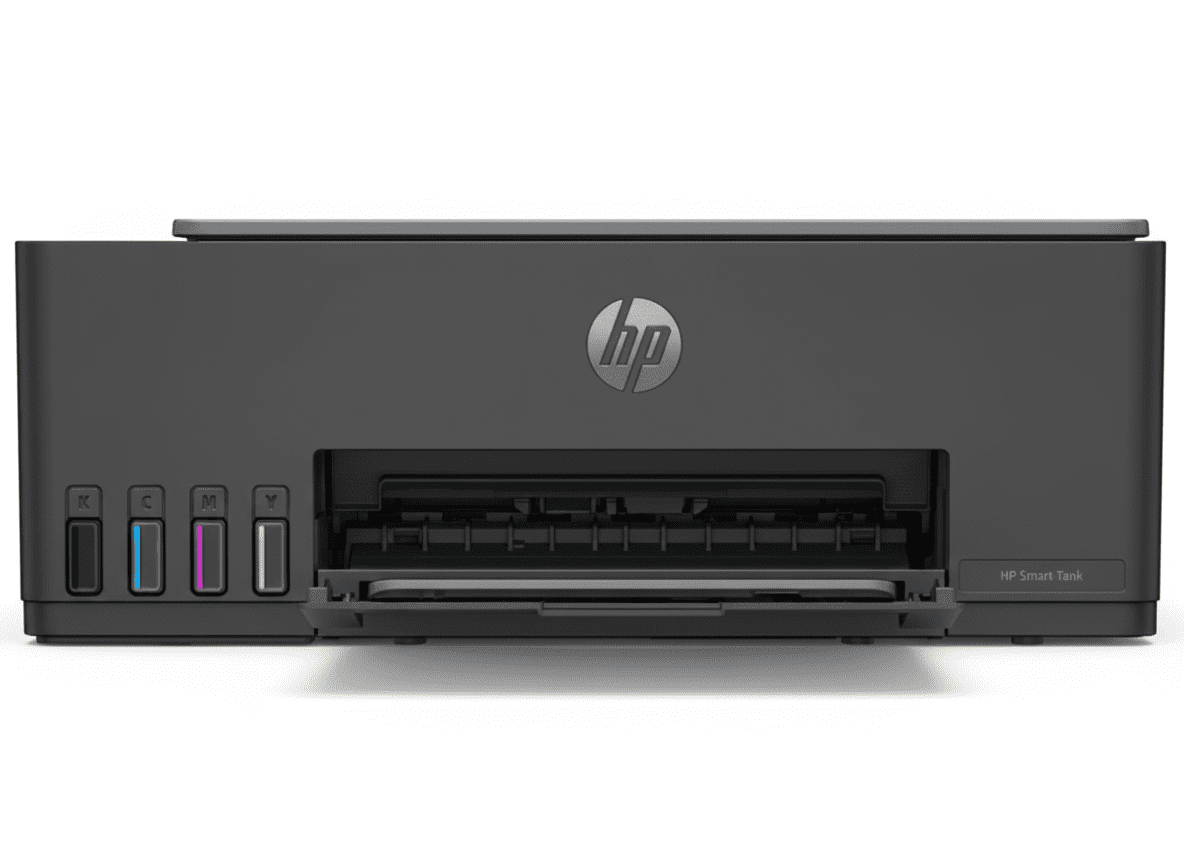
HP Smart Tank 584 All-in-One Printer | 8000 Pages | ₹0.10 Cost/Page | WiFi

HP Smart Tank 584 All-in-One Printer
HP Smart Tank 584 All-in-One Printer Complete Review 2025 – Print Copy Scan | 8000 Pages | WiFi
HP Smart Tank 584 All-in-One Printer

🎁 Save ₹3,276 (18% OFF) + ₹1000 Off With Supplies!

FREE Installation + EMI Available + Next Day Delivery!

🔥 HIGH VOLUME PRINTING – 8000 PAGES PER BOTTLE – SELF-HEALING WIFI – ULTRA LOW COST

HP Smart Tank 584 All-in-One Printer

Print, Copy, Scan | 8000 Pages/Bottle | WiFi + USB | Perfect for Home

⭐ 4.1/5 (625 Reviews)

12ppm Black – 5ppm Color – 100 Sheets Tray – Self-Healing WiFi – Mobile Printing

Ultra Low Cost Printing – Perfect for Home:

• Print Speed: 12 ppm (Black), 5 ppm (Color)

• Page Yield: 8000 Color Pages / 6000 Black Pages per bottle

• Functions: Print, Copy, Scan

• Connectivity: WiFi (Self-Healing), USB 2.0, WiFi Direct

• Mobile Printing: HP Smart App, AirPrint, Google Cloud Print

• Duty Cycle: 3000 Pages/Month

• Paper Capacity: 100 Sheets Input

• Display: Smart Buttons with LED

• Warranty: 1 Year or 30,000 Pages

₹13,999

₹17,275

SAVE ₹3,276 (18% OFF!)

*EMI from ₹1,544/month | Add Supplies & Save ₹1,000 Extra | Includes GST ₹2,135

🛒 Buy Now – Save ₹3,276!

FREE Installation | Order by 1pm for Next Day Delivery | 1 Year Warranty

Print Speed

12 ppm

Page Yield

8000 Pages

Functions

Print/Copy/Scan

HP Smart Tank 584 Overview

Smart Tank Highlights

  • ✓ 8000 Pages: Ultra-high yield!
  • ✓ Spill-Free Refill: Easy ink bottles!
  • ✓ Self-Healing WiFi: Reliable connection!
  • ✓ HP Smart App: Print from phone!
  • ✓ Ultra Low Cost: ₹0.10/page!
  • ✓ 3-in-1: Print, Copy, Scan!
  • ✓ ₹13,999 Price: Best value!

In The Box

  • 📦 HP Smart Tank 584 Printer
  • 🖨️ 4 Ink Bottles Included
  • ⚫ GT53 Black 90ml (6000 pages)
  • 🔵🔴🟡 GT52 CMY 50ml each (8000 pages)
  • 🔌 Power Cord
  • 📄 Setup Guide & Manual

Why Smart Tank 584?

  • • Lowest Cost/Page: ₹0.10 per page
  • • High Volume: 8000 pages/bottle
  • • Reliable WiFi: Self-healing technology
  • • Mobile Printing: HP Smart App
  • • Spill-Free: Innovative bottle design
  • • Perfect for Home: 400-800 pages/month

🚀 Ultra Low Cost Printing + Self-Healing WiFi!

8000 Pages Per Bottle – Lowest Cost!

Each color bottle prints up to 8000 pages at ultra-low ₹0.10/page! Black bottle delivers 6000 pages. Perfect for high-volume home printing with exceptional value. Lowest cost per page in the industry!

Self-Healing WiFi – Always Connected!

Self-healing WiFi automatically detects and fixes connection issues! No more printing interruptions or manual troubleshooting. Stay connected with reliable wireless printing from any device!

Spill-Free Refill – Easy & Clean!

HP’s innovative bottle design delivers cleanest refill experience! Spill-free ink refilling with guided setup animations. No mess, no waste – just easy ink tank refills!

Smart Features – Everyday Reliability

🖨️ Print Features

  • • Print Speed: 12 ppm black, 5 ppm color
  • • Print Quality: 1200 x 1200 dpi black
  • • Color Quality: 4800 x 1200 dpi
  • • Paper Capacity: 100 sheets input
  • • Duty Cycle: 3000 pages/month
  • • Monthly Volume: 400-800 pages
  • • Duplex: Manual (driver support)

📋 Copy & Scan Features

  • • Copy Speed: 10 cpm black
  • • Multiple Copies: Up to 99 copies
  • • ID Copy: Enhanced ID copy mode
  • • Scan Resolution: 1200 x 1200 dpi
  • • Scan Technology: Contact Image Sensor
  • • Scan Formats: JPG, PDF, PNG, TIFF
  • • Color Scan: 24-bit color depth

⚡ Smart Features

  • • Smart Buttons
  • • Low-on-Ink Sensors
  • • Auto On/Auto-Off
  • • Mobile-Guided Setup
  • • HP Wolf Security
  • • All-in-One Versatility

Print Quality – Exceptional HP Quality

🎨 Dark, Crisp Text & Vibrant Graphics

The HP Smart Tank 584 delivers exceptional HP quality with dark, crisp text and vibrant color graphics! HP Thermal Inkjet technology with 1200 x 1200 dpi resolution ensures professional-quality prints. Perfect for documents, photos, and everyday printing!

📄 Document Printing Quality

  • • Text Quality: Dark, crisp black text at 1200 dpi
  • • Pigment Black: Smudge-proof, fade-resistant
  • • Professional Output: Business-quality documents
  • • Fast Printing: 12 ppm for black documents
  • • Cost-Effective: ₹0.10 per page

🖼️ Photo & Color Printing

  • • Color Quality: 4800 x 1200 optimized dpi
  • • Dye-Based Inks: Vibrant, rich colors
  • • Photo Printing: Lab-quality 4×6 photos
  • • Graphics: Sharp, detailed graphics
  • • Borderless: Edge-to-edge photos

📊 Print Specifications

Black Speed 12 ppm
Color Speed 5 ppm
Draft Black 22 ppm
Draft Color 16 ppm
Technology Thermal Inkjet

📏 Paper Handling

  • • Supported Sizes: A4, B5, A6, Legal, DL
  • • Input Capacity: 100 sheets plain
  • • Output Capacity: 30 sheets
  • • Photo Capacity: 30 sheets 4×6
  • • Envelopes: 10 envelopes
  • • Cards: Up to 30 cards

🎯 Print Quality

  • • Black DPI: 1200 x 1200
  • • Color DPI: 4800 x 1200
  • • Nozzles: 704 Black, 588 Color
  • • Printheads: 2 (Black + Tri-color)
  • • Alignment: ±0.02 mm accuracy
  • • Margins: 3mm all sides

Ink Tank System – Ultra Low Cost Printing

💧 Spill-Free Ink Bottles – 8000 Pages Per Bottle

The HP Smart Tank 584 features innovative spill-free ink bottle design delivering cleanest refill experience! Each color bottle prints up to 8000 pages, black bottle prints 6000 pages. Ultra-low cost of just ₹0.10 per page makes it perfect for high-volume printing!

⚫ Black Ink

6000

Pages/Bottle

GT53: 90ml Pigment Black

GT53XL: 135ml (6000 pages)

₹498 – ₹782

🔵 Cyan Ink

8000

Pages/Bottle

GT52: 70ml Dye-Based

Vibrant cyan color

₹711

🔴 Magenta Ink

8000

Pages/Bottle

GT52: 70ml Dye-Based

Vibrant magenta color

₹711

🟡 Yellow Ink

8000

Pages/Bottle

GT52: 70ml Dye-Based

Vibrant yellow color

₹711

💰 Cost Per Page Calculation

Black Printing Cost:

  • • GT53 (90ml): ₹498 ÷ 6000 pages = ₹0.08/page
  • • GT53XL (135ml): ₹782 ÷ 6000 pages = ₹0.13/page
  • • Perfect for high-volume document printing

Color Printing Cost:

  • • Each GT52 (70ml): ₹711 ÷ 8000 pages = ₹0.09/page
  • • Full color (CMY): ₹0.27/page approximately
  • • Combo pack: ₹2,511 for all 4 colors (best value)

✅ Ink Tank Advantages

  • • Ultra-Low Cost: ₹0.10 per page average
  • • High Yield: 8000 color, 6000 black pages
  • • Spill-Free Design: Clean, easy refilling
  • • Transparent Tanks: Easy ink level monitoring
  • • Low-Ink Sensors: Integrated sensors
  • • Included Bottles: 4 bottles in box
  • • Saves Money: 90% cost reduction vs cartridges

🔄 Refill Process

  • • Step 1: Open tank cover on right side
  • • Step 2: Match bottle color to tank color
  • • Step 3: Insert bottle into tank opening
  • • Step 4: Bottle auto-fills tank (no spills)
  • • Step 5: Remove empty bottle
  • • Step 6: Close tank cover
  • • Time: 2-3 minutes total

💡 Savings Tip: Buy the GT53/GT52 4-Color Combo Pack (₹2,511) for best value! You save ₹1,000 when buying ink bottles with printer. Enough ink for 6000 black + 24000 color pages total!

Connectivity – Self-Healing WiFi

📶 Fast & Reliable Connections

Stay connected with self-healing WiFi that automatically detects and fixes connection issues! Print wirelessly from smartphones, tablets, and computers without interruptions. Multiple connectivity options ensure you’re always ready to print!

📡 WiFi Connectivity

  • • Self-Healing WiFi: Auto-fixes issues
  • • WiFi 802.11n: 2.4GHz reliable
  • • WiFi Direct: No router needed
  • • Easy Setup: Mobile-guided
  • • Always Connected: No dropouts

📱 Mobile Printing

  • • HP Smart App: iOS & Android
  • • Apple AirPrint: iPhone/iPad/Mac
  • • Google Cloud Print: Android devices
  • • Mopria Print: Universal standard
  • • HP ePrint: Email to print

🔌 Wired Connection

  • • USB 2.0: Direct PC connection
  • • Hi-Speed USB: Fast data transfer
  • • Reliable: No WiFi issues
  • • Plug & Play: Easy setup
  • • Single PC: Direct printing

HP Smart App – Print from Anywhere

📲 Advanced Scanning & Mobile Printing

The HP Smart App provides complete printer control from your smartphone! Print, scan, copy, and manage your printer remotely. Advanced scanning features with cloud integration make document management effortless!

🖨️ HP Smart App Features

  • • Mobile Printing: Print from phone/tablet
  • • Advanced Scanning: Scan to PDF, cloud
  • • Copy Documents: Mobile copy function
  • • Printer Status: Monitor ink levels
  • • Order Supplies: Buy ink in app
  • • Guided Setup: Step-by-step animations
  • • Print Anywhere: Remote printing

💻 Compatible Systems

  • • Windows: Windows 10, 11
  • • macOS: Catalina to Sonoma
  • • iOS: iPhone & iPad supported
  • • Android: All Android devices
  • • Chrome OS: Chromebook compatible
  • • Web: Browser-based printing

Who Should Buy HP Smart Tank 584?

Home Users – High Volume

Perfect for families with high-volume printing needs at ultra-low cost! Print 400-800 pages/month for schoolwork, assignments, projects at just ₹0.10/page. Best home printer for daily printing!

  • ✓ 8000 pages per bottle
  • ✓ ₹0.10 per page cost
  • ✓ Perfect for students
  • ✓ Print + Copy + Scan
  • ✓ WiFi from any room

Small Businesses – Cost Savings

Excellent for small offices wanting professional printing with massive cost savings! 3000 pages/month duty cycle with reliable performance. Save 90% vs cartridge printers!

  • ✓ 3000 pages/month capacity
  • ✓ Business-quality output
  • ✓ Massive cost savings
  • ✓ Reliable WiFi printing
  • ✓ 1-3 users perfect

Students & Teachers

Ideal for education with affordable printing for assignments, notes, worksheets! Print thousands of pages without worrying about cost. Perfect for online classes and homeschooling!

  • ✓ Ultra-affordable printing
  • ✓ High page yield
  • ✓ Copy worksheets easily
  • ✓ Scan documents to PDF
  • ✓ Print from phone

Photo Printing Enthusiasts

Great for users wanting lab-quality photo printing at home! 4800 x 1200 dpi color prints vibrant photos. Print unlimited photos at minimal cost!

  • ✓ 4800 dpi photo quality
  • ✓ Borderless 4×6 photos
  • ✓ Dye-based vibrant inks
  • ✓ Low cost per photo
  • ✓ Print from smartphone

Home Office Workers

Perfect for remote workers needing reliable printing, scanning, copying from home! Self-healing WiFi ensures no interruptions. Professional quality at home!

  • ✓ Reliable WiFi printing
  • ✓ Professional quality
  • ✓ Scan to email/cloud
  • ✓ Copy documents quickly
  • ✓ Low operating cost

Budget-Conscious Users

Excellent for users wanting lowest printing costs without compromising quality! ₹13,999 printer with 8000-page bottles saves thousands long-term. Best value printer!

  • ✓ ₹13,999 affordable price
  • ✓ ₹0.10 per page only
  • ✓ 90% savings vs cartridges
  • ✓ Included ink bottles
  • ✓ Long-term savings

HP Smart Tank 584 vs Competitors

🆚 vs Canon PIXMA G3000

₹11,999 | Print Copy Scan | 7000 Pages | WiFi

HP Smart Tank 584 Advantages:

  • ✓ Higher Page Yield: 8000 vs 7000 pages
  • ✓ Self-Healing WiFi: Auto-fixes connection issues
  • ✓ Faster Black Print: 12 ppm vs 8.8 ppm
  • ✓ Better Quality: 1200 dpi vs 600 dpi
  • ✓ HP Smart App: Advanced features
  • ✓ Spill-Free Bottles: Cleaner refilling
  • ✓ Low-Ink Sensors: Built-in monitoring

Canon G3000 Advantages:

  • ✓ ₹2,000 cheaper
  • ✓ Canon brand loyalty
  • ✓ Slightly compact design

Verdict:

Choose HP Smart Tank 584 for higher page yield, self-healing WiFi, faster printing, better quality, and advanced HP Smart App. Worth ₹2,000 premium!

Choose Canon G3000 if budget is tight and you prefer Canon brand.

🆚 vs Epson EcoTank L3250

₹13,499 | Print Copy Scan | 7500 Pages | WiFi

HP Smart Tank 584 Advantages:

  • ✓ Higher Page Yield: 8000 vs 7500 pages
  • ✓ Self-Healing WiFi: Epson doesn’t have this
  • ✓ Spill-Free Bottles: vs Epson’s manual pouring
  • ✓ HP Smart App: Better mobile features
  • ✓ Low-Ink Sensors: Automatic monitoring
  • ✓ Better Support: HP India service network

Epson L3250 Advantages:

  • ✓ ₹500 cheaper
  • ✓ Borderless printing
  • ✓ Epson heat-free technology

Verdict:

Choose HP Smart Tank 584 for self-healing WiFi, spill-free refilling, higher page yield, and better HP Smart App. Almost same price with better features!

Choose Epson L3250 if you prefer Epson’s heat-free technology.

🆚 vs HP Smart Tank 580

₹15,599 | Print Copy Scan | 8000 Pages | WiFi

Smart Tank 584 Advantages:

  • ✓ ₹1,600 cheaper
  • ✓ Same 8000-page yield
  • ✓ Same print quality
  • ✓ Same self-healing WiFi
  • ✓ Same HP Smart App features
  • ✓ Better value for money

Smart Tank 580 Advantages:

  • ✓ Newer model designation
  • ✓ Slightly different design
  • ✓ Minor feature variations

Verdict:

Choose HP Smart Tank 584 for same performance, same features, same quality, and save ₹1,600! Essentially identical printers – 584 is better value!

Choose Smart Tank 580 only if 584 is unavailable in your area.

Pros & Cons

✅ Pros

  • ✓ Ultra-Low Cost: ₹0.10 per page – 90% savings vs cartridges
  • ✓ High Page Yield: 8000 color pages, 6000 black pages per bottle
  • ✓ Self-Healing WiFi: Automatically fixes connection issues
  • ✓ Spill-Free Refill: Innovative bottle design – clean, easy refilling
  • ✓ HP Smart App: Advanced mobile printing and scanning
  • ✓ Excellent Print Quality: 1200 dpi black, 4800 dpi color
  • ✓ Low-Ink Sensors: Integrated ink level monitoring
  • ✓ Mobile Printing: AirPrint, Google Cloud Print, Mopria
  • ✓ 3-in-1 Functions: Print, copy, scan in one device
  • ✓ Ink Included: 4 bottles in box (6000-8000 pages)
  • ✓ Auto On/Off: Energy-saving technology
  • ✓ Enhanced ID Copy: Easy ID card copying
  • ✓ WiFi Direct: Print without router
  • ✓ FREE Installation: Professional setup included
  • ✓ Best Value: ₹13,999 with massive long-term savings

❌ Cons

  • ✗ Slower Print Speed: 12 ppm black, 5 ppm color (adequate for home)
  • ✗ No Auto Duplex: Manual double-sided printing only
  • ✗ No Display Screen: Smart buttons only (no LCD)
  • ✗ No ADF: No automatic document feeder for scanning
  • ✗ Limited Duty Cycle: 3000 pages/month max (not for heavy office)
  • ✗ No Fax Function: Print/copy/scan only
  • ✗ 64MB Memory: Limited compared to office printers
  • ✗ Basic Control Panel: No touchscreen interface
  • ✗ WiFi 2.4GHz Only: No 5GHz WiFi support
  • ✗ Larger Size: Tank printers slightly bigger than cartridge models

🏆 Final Verdict

Should You Buy HP Smart Tank 584?

The HP Smart Tank 584 is the best value ink tank printer for home and small office use, delivering ultra-low ₹0.10 per page cost with 8000-page bottles, self-healing WiFi, and exceptional HP quality at just ₹13,999. Perfect for high-volume home printing with 400-800 pages/month requirement, it saves 90% compared to cartridge printers while delivering professional print quality!

The spill-free ink bottle design makes refilling incredibly easy and clean – just insert the bottle and it auto-fills the tank without any mess. Combined with self-healing WiFi that automatically fixes connection issues, HP Smart App with advanced scanning features, and included 4 ink bottles providing 6000-8000 pages right out of the box, it’s the most hassle-free printing experience. The 1200 x 1200 dpi black and 4800 x 1200 dpi color output ensures dark, crisp text and vibrant graphics for all your printing needs!

At ₹13,999 with ₹3,276 discount (18% off), plus additional ₹1,000 off when buying supplies, it offers extraordinary value. The long-term savings are massive – printing 8000 pages costs only ₹800 in ink (₹0.10/page) vs ₹8,000+ with cartridge printers. With 1 year/30,000 pages warranty, FREE installation, mobile printing from HP Smart App (AirPrint, Google Cloud Print), and multi-function print/copy/scan capabilities, it’s the complete home printing solution. While it lacks auto duplex and ADF (adequate for home use), and print speed is moderate at 12 ppm black/5 ppm color, the overall package of ultra-low running costs, exceptional reliability with self-healing WiFi, spill-free refilling, high page yield, and HP quality makes it the undisputed best value ink tank printer for homes, students, and small businesses. Best investment for anyone printing 400+ pages monthly!

✅ Buy If You Want:

  • • Ultra-low ₹0.10 per page cost
  • • 8000 pages per color bottle
  • • Self-healing WiFi reliability
  • • Spill-free easy ink refilling
  • • HP Smart App mobile printing
  • • Professional print quality
  • • 400-800 pages/month printing
  • • Best value at ₹13,999

⚠️ Consider Alternatives If:

  • • You need auto duplex printing
  • • You want ADF for scanning
  • • You need faster 20+ ppm speed
  • • You want touchscreen display
  • • You need fax function
  • • You print 3000+ pages/month

🎯 Perfect For:

  • • Home users (families)
  • • Students & teachers
  • • Small businesses (1-3 users)
  • • Home office workers
  • • Budget-conscious users
  • • Photo printing enthusiasts
  • • High-volume home printing

⭐ Rating: 9.0/10

Print Quality

9.0/10

Cost/Page

10/10

Connectivity

9.5/10

Ease of Use

9.0/10

Value

10/10

🏆 BEST VALUE INK TANK PRINTER AT ₹13,999!

The HP Smart Tank 584 combines ultra-low ₹0.10/page cost, 8000-page bottles, self-healing WiFi, and HP quality. Perfect home printer with massive long-term savings!

🛒 Buy HP Smart Tank 584 Now!

FREE Installation | Order by 1pm for Next Day Delivery | Save ₹3,276 | 1 Year Warranty

Frequently Asked Questions (FAQs)

❓ What is the cost per page for HP Smart Tank 584?

The HP Smart Tank 584 delivers ultra-low printing cost of approximately ₹0.10 per page for black and white, and ₹0.27 per page for full color! This is calculated based on GT53 black bottle (₹498 ÷ 6000 pages) and GT52 color bottles (₹711 each ÷ 8000 pages). This represents 90% savings compared to traditional cartridge printers!

❓ How many pages can I print with included ink bottles?

The printer comes with 4 ink bottles included in the box: GT53 Black 90ml (6000 pages), GT52 Cyan 50ml (8000 pages), GT52 Magenta 50ml (8000 pages), and GT52 Yellow 50ml (8000 pages). This means you can print up to 6000 black pages or 8000 color pages right out of the box without buying additional ink!

❓ What is self-healing WiFi and how does it work?

Self-healing WiFi is HP’s innovative technology that automatically detects and fixes wireless connection issues without manual intervention! If the printer loses WiFi connection, it automatically reconnects and repairs the connection. This eliminates printing interruptions and frustrating troubleshooting. You enjoy reliable, always-connected wireless printing from any device in your home!

❓ How do I refill the ink tanks? Is it messy?

Refilling is incredibly easy and mess-free with HP’s innovative spill-free bottle design! Simply: 1) Open the tank cover on the right side, 2) Match the bottle color to the tank color, 3) Insert the bottle into the tank opening, 4) The bottle automatically fills the tank without spills, 5) Remove the empty bottle and close the cover. The entire process takes 2-3 minutes with zero mess or waste!

❓ Can I print from my smartphone?

Yes! The HP Smart Tank 584 supports multiple mobile printing options: HP Smart App (iOS & Android), Apple AirPrint (iPhone/iPad/Mac), Google Cloud Print (Android), Mopria Print Service, and HP ePrint (email to print). You can print documents, photos, and web pages directly from your smartphone or tablet without a computer. The HP Smart App also offers advanced scanning and copying features!

❓ What is the recommended monthly page volume?

The HP Smart Tank 584 is designed for 400-800 pages per month recommended volume, with a maximum duty cycle of 3000 pages per month. This makes it perfect for home users, students, small home offices, and families with regular printing needs. For light users printing 100-300 pages monthly or heavy office users printing 5000+ pages, consider other models.

❓ Does it support automatic duplex (double-sided) printing?

The HP Smart Tank 584 supports manual duplex printing with driver support, not automatic duplex. This means you need to manually flip the pages and reinsert them for double-sided printing. The printer driver guides you through the process. While not as convenient as auto duplex, manual duplex saves paper and is adequate for occasional double-sided printing needs at home.

❓ What is the print quality like for photos?

Photo print quality is excellent with 4800 x 1200 optimized dpi color resolution! The dye-based color inks produce vibrant, rich colors perfect for printing photos at home. You can print borderless 4×6 photos with lab-quality results. The printer supports photo paper up to 300 g/m² and handles glossy, matte, and premium photo papers beautifully. Perfect for printing family photos, event pictures, and creative projects!

❓ How do I know when to refill ink tanks?

The HP Smart Tank 584 features integrated low-on-ink sensors that monitor ink levels automatically! The transparent ink tanks allow you to visually check ink levels at any time. The printer will alert you when ink is low through the control panel LED indicators and HP Smart App notifications. This gives you plenty of time to order replacement bottles before running out completely!

❓ Can I use third-party ink bottles?

While third-party inks may be cheaper, HP strongly recommends using only genuine HP GT52 and GT53 ink bottles for optimal performance, print quality, and reliability! Third-party inks can cause printhead clogs, poor print quality, color accuracy issues, and may void your warranty. Genuine HP inks are specifically formulated for HP printheads and already provide ultra-low ₹0.10/page cost, making third-party alternatives unnecessary.

❓ What paper sizes does it support?

The printer supports A4 (standard), B5, A6, Legal, DL envelopes, and custom sizes from 88.9 x 127 mm to 215.9 x 355.6 mm. The 100-sheet input tray holds plain paper, the output tray holds 30 sheets, and it can handle photo paper (up to 300 g/m²), envelopes (75-90 g/m²), cards (up to 200 g/m²), and various specialty papers. Perfect for all home printing needs!

❓ How long does the warranty last?

HP provides a 1-year OR 30,000 pages limited hardware warranty, whichever comes first from the date of purchase. This covers manufacturing defects and hardware failures. For extended warranty protection beyond 1 year, you can purchase HP Care Packs separately. The warranty includes support through HP India’s service network with toll-free helpline and service centers across India.

❓ Does it come with FREE installation?

Yes! HP provides FREE professional installation when you purchase from HP.com. A trained technician will visit your location, unpack the printer, set up WiFi connection, install ink bottles, align printheads, print test pages, and demonstrate basic operation. This ensures your printer is perfectly set up and ready to use without any hassle on your part!

❓ What is the difference between GT53 and GT53XL?

GT53 is the standard black ink bottle with 90ml capacity delivering 6000 pages at ₹498. GT53XL is the high-capacity version with 135ml delivering 6000 pages at ₹782. Both deliver the same 6000-page yield but GT53XL has 50% more ink volume. The GT53 (₹498) offers better value at ₹0.08/page vs GT53XL (₹782) at ₹0.13/page. Choose GT53 for best cost efficiency!

❓ Is HP Smart Tank 584 worth ₹13,999?

Absolutely! At ₹13,999, you get an exceptional value printer with 8000-page color bottles (₹0.10/page cost), self-healing WiFi, spill-free refilling, HP Smart App mobile printing, professional print quality (1200 x 1200 dpi), and 4 ink bottles included (6000-8000 pages). You’ll save ₹7,200+ in the first year compared to cartridge printers! Perfect for anyone printing 400-800 pages monthly. Best value ink tank printer in India!

Complete Technical Specifications

HP Smart Tank 584 All-in-One Printer Full Specifications
📱 BASIC INFORMATION
Model Number5D1C1A (HP Smart Tank 584)
Product TypeInkjet Printer
SeriesSmart Tank
Perfect ForHigh Quality, Low Cost Printing, Schoolwork & Photos
🖨️ PRINT SPECIFICATIONS
FunctionsPrint, Copy, Scan
Print TechnologyHP Thermal Inkjet
Print ColorsYes (4 Colors: Black, Cyan, Magenta, Yellow)
Print Speed (Black ISO)Up to 12 ppm
Print Speed (Color ISO)Up to 5 ppm
Print Speed (Black Draft)Up to 22 ppm
Print Speed (Color Draft)Up to 16 ppm
Print Quality (Black Best)Up to 1200 x 1200 rendered dpi
Print Quality (Color Best)Up to 4800 x 1200 optimized dpi color
Duty Cycle (Monthly)Up to 3000 pages
Recommended Monthly Volume400 to 800 pages
Target UsersFor teams up to 3 users; Prints up to 800 pages/month
Duplex PrintingManual (driver support provided)
🖊️ INK SYSTEM
Ink TypeTank System with Ink Bottles
Number of Ink Bottles4 (1 Black, 3 Color)
Ink ColorsBlack, Cyan, Magenta, Yellow
Black Ink TypePigment-based (fade-resistant)
Color Ink TypeDye-based (vibrant colors)
Print Head Nozzles704 (Black), 588 (Tri-color)
Print Heads2 (1 Black, 1 Tri-color)
Included Black InkGT53 90ml Black (6000 pages)
Included Color InksGT52 50ml Cyan/Magenta/Yellow (8000 pages each)
Replacement CartridgesGT53/GT52 Combo 4-Pack (₹2,511), GT53 90ml (₹498), GT53XL 135ml (₹782), GT52 Cyan/Magenta/Yellow 70ml (₹711 each)
📋 COPY SPECIFICATIONS
Copy Speed (Black)Up to 10 cpm
Maximum CopiesUp to 99 copies
Copier SettingsNumber of Copies, Resize, Quality, Lighter/Darker, Paper Size, Paper Type, ID Copy, Enhancement
Enhanced ID CopyYes (Detects and copies IDs on one page)
📄 SCANNER SPECIFICATIONS
Scan TechnologyContact Image Sensor (CIS)
Scan Resolution (Optical)Up to 1200 dpi
Scan Resolution (Enhanced)Up to 1200 dpi
Scan Resolution (Hardware)Up to 1200 x 1200 dpi
Color ScanningYes
Bit Depth24-bit
Grayscale Levels256
Scan File FormatsJPG, PDF, PNG, TIFF, HEIF
Scan Maximum Size216 x 297 mm
TWAIN VersionVersion 2.4
📶 CONNECTIVITY
Wireless CapabilityYes (Built-in WiFi 2.4G, WiFi Direct)
Self-Healing WiFiYes
WiFi Standard802.11b/g/n (2.4 GHz)
WiFi DirectYes
USB Connection1 Hi-Speed USB 2.0 (device)
Network CapabilitiesYes (via WiFi)
Mobile PrintingHP Smart App, Apple AirPrint, Mopria Print Service, HP Print Service Plugin (Android), Google Cloud Print, HP ePrint, WiFi Direct Printing
📏 PAPER HANDLING
Input Capacity (Standard)100-sheet input tray
Maximum Input CapacityUp to 100 sheets (plain paper)
Photo Paper CapacityUp to 30 sheets (4×6 photo)
Card CapacityUp to 30 cards
Output Capacity (Standard)30-sheet output tray
Maximum Output CapacityUp to 30 sheets
Envelope CapacityUp to 10 envelopes
Paper Trays1 (standard)
📄 SUPPORTED MEDIA
Media Sizes (Key)A4, B5, A6, DL envelope, Legal
Media Sizes (All)A4, B5, A6, DL envelope, Legal
Custom Media Sizes88.9 x 127 mm to 215.9 x 355.6 mm
Duplex Media SizesA4, B5
Media TypesPlain paper, Matte Brochure Papers, Glossy Brochure Papers, Photo papers, Envelopes, Other specialty inkjet papers
Media Weight (Supported)Plain: 60-90 g/m², Envelopes: 75-90 g/m², Cards: up to 200 g/m², Photo: up to 300 g/m²
Media Weight (Recommended)75 g/m²
🖥️ OPERATING SYSTEMS
Compatible OSWindows 11, Windows 10, macOS 10.15 Catalina, macOS 11 Big Sur, macOS 12 Monterey, macOS 13 Ventura, macOS 14 Sonoma
Windows RequirementsMicrosoft Windows 11, 10, Internet connection, Microsoft Internet Explorer or Edge
Mac RequirementsApple macOS v10.15 or later, 2 GB HD, Internet required
Mac CompatibleYes
⚡ CONTROL PANEL
Control Panel TypeSmart Buttons with LED
ButtonsPower On/Off, Cancel, Resume, Color Copy, Black Copy, ID Copy, WiFi, Info
DisplayLED Indicators (No LCD screen)
💾 MEMORY
Memory64 MB Integrated DDR1
Memory SlotsNo
⚙️ POWER & ENERGY
Power Consumption (Off)0.109 watts
Power Consumption (Ready)3.023 watts
Power Consumption (Sleep)1.096 watts
Power Supply TypeInternal built-in
Auto On/Auto OffYes
📐 DIMENSIONS & WEIGHT
Dimensions (W x D x H)434.66 x 361.53 x 157.26 mm
Maximum Dimensions434.66 x 580.65 x 259.37 mm (with trays extended)
WeightNot specified (approx. 5-6 kg with ink)
🛡️ SECURITY & WARRANTY
Security FeaturesHP Wolf Essential Security (out-of-the-box protection)
Warranty1 Year OR 30,000 pages limited hardware warranty (whichever is earlier)
Warranty CoverageManufacturing defects only
Support Websitehttp://support.hp.com
💰 PRICING
MRP₹17,275
Discount₹3,276 (18% OFF)
Selling Price₹13,999 (incl. of all taxes)
GST Included₹2,135
Additional Offer₹1,000 Off with ink bottle purchase
EMI OptionsAvailable (No Cost EMI from select banks)
📦 BOX CONTENTS
In The BoxHP Smart Tank 584 Printer × 1
GT53 90ml Black Ink Bottle × 1
GT52 50ml Cyan Ink Bottle × 1
GT52 50ml Magenta Ink Bottle × 1
GT52 50ml Yellow Ink Bottle × 1
HP Black Printhead × 1
HP Tri-color Printhead × 1
Power Cord × 1
Setup Guide
Reference Guide
Ink Caution Flyer
Warranty Flyers
Regulatory Flyers
🌍 MANUFACTURING INFO
Country of OriginThailand
ManufacturerCAL-COMP ELECTRONICS (Thailand) Public Company Limited, 138 MOO 4, Petchakasem Road, Sapnag Kaow Yoi, Petchaburi, Thailand
ImporterHP India Sales Private Ltd., No. 24, Kothari Arena, Hosur Main Road, Adugodi, Bangalore – 560030

Ready to Buy HP Smart Tank 584?

Get Ultra-Low ₹0.10/Page Cost + 8000 Pages + Self-Healing WiFi at ₹13,999!

🛒 Buy Now – Save ₹3,276!

✓ FREE Installation | ✓ Order by 1pm for Next Day Delivery | ✓ 1 Year Warranty | ✓ Save ₹1,000 with Supplies

Disclaimer: Product specifications, pricing, and availability are subject to change without notice. Images shown are for representation purposes only. Actual product may vary. All specifications verified as of November 2025. Please check with official sellers for latest pricing and offers. Page yield estimates based on ISO/IEC 24711 testing under specific conditions; actual yields vary by settings, content, and usage patterns. Warranty terms subject to HP’s conditions. Installation services available in select areas. Ink bottle prices and availability may vary. Cost per page calculations are estimates based on current ink prices.

Lenovo IdeaCentre Tower Review – 13th Gen Core i5, 8GB DDR5, 512GB SSD

Lenovo IdeaCentre Tower Review: Compact Power for Everyday Tasks

Lenovo IdeaCentre Tower Review

Compact Power for Everyday Tasks

13th Gen Intel® Core™ i5-13420H 8 GB DDR5 / 512 GB SSD Integrated Intel® UHD Graphics MRP: ₹54,990

The desktop computer landscape has evolved, but the classic tower still holds a vital place, especially for those who need a dedicated, reliable machine for home or office. The Lenovo IdeaCentre Tower is a prime example of this enduring form factor, offering a powerful yet space-saving solution designed to handle all your daily computing needs without any fuss.

Key Features for Versatile Use

The IdeaCentre Tower packs a powerful punch in a small footprint, with key components that ensure a smooth and responsive experience for a wide range of tasks.

Powerful Processor

The 13th Generation Intel® Core™ i5-13420H processor provides excellent performance for multitasking, web browsing, and running demanding applications.

Fast Connectivity

With WiFi 6 2×2 AX and Bluetooth® 5.2, you’ll get faster, more reliable wireless connections for streaming, downloading, and connecting to all your devices.

Speedy Storage

The 512 GB SSD ensures rapid boot times and quick loading of applications, giving you a smooth and efficient workflow from the moment you turn it on.

Rich Audio

The integrated high-definition audio delivers a clear and immersive sound experience for music, movies, and online meetings.

Ample Ports

Equipped with a variety of front and rear ports, including USB-C and HDMI, it’s easy to connect all your essential peripherals and external displays.

Energy Efficient

The energy-efficient power supply unit (PSU) helps reduce power consumption, making it an eco-friendly choice for long-term daily use.

Detailed Specifications

General & OS

  • Part Number: 90XWCTO1WWIN1
  • Operating System: Windows 11 Home Single Language 64
  • Product Color: Cloud Grey
  • Case Volume: 8.2L
  • Dimensions (H x W x D): 291.4mm x 89.0mm x 339.5mm
  • Weight: Starting at 4.25kg
  • Mouse: No Mouse

Performance

  • Processor: 13th Gen Intel® Core™ i5-13420H Processor (E-cores up to 3.40 GHz P-cores up to 4.60 GHz)
  • Graphics: Integrated Graphics (Intel® UHD Graphics, based on processor)
  • System Memory: 8 GB DDR5-5600MT/s (SODIMM)
  • Storage: 512 GB SSD M.2 2280 PCIe Gen4 TLC
  • Power Supply Unit (PSU): 180W (85% efficient) or 260W (90% efficient)

Connectivity & Audio

  • Wireless: WiFi 6 2×2 AX, Bluetooth® 5.2
  • Front Ports: 2 x USB-A (5Gbps), USB-C® (5Gbps), Headphone/mic combo
  • Rear Ports: 2 x USB-A (480Mbps) or 2 X USB-A (5Gbps), 2 x USB-A (480Mbps), HDMI® 2.1, Ethernet (RJ45), VGA, Audio out

Pros and Cons: A Balanced View for Buyers

Pros

  • Compact Form Factor: Its small 8.2L case makes it easy to place anywhere without taking up valuable desk space.
  • DDR5 RAM: The inclusion of faster DDR5 memory provides improved system responsiveness.
  • Modern Connectivity: With WiFi 6 and multiple USB-A and USB-C ports, it’s well-equipped for modern peripherals and wireless networks.

Cons

  • No Dedicated Graphics Card: The integrated graphics are not suited for demanding gaming or professional-level creative work.
  • Limited Expansion: The compact case and 180W/260W PSU mean there is no room for a powerful, dedicated graphics card.
  • Single-Sided Storage: The single 512GB SSD may fill up quickly for users with large media libraries.

Who Is This Desktop For? Tailored Recommendations

The Lenovo IdeaCentre Tower is an excellent choice for several types of users who prioritize reliability and value in a desktop computer.

Students and Families

This is an ideal machine for homework, online classes, and general family use. Its affordability and reliability make it a perfect home computing hub.

Home Office Workers

For those who work from home and need a dependable desktop, the IdeaCentre Tower is an excellent, affordable platform that easily handles office productivity suites, video calls, and file management.

Budget-Conscious Buyers

If you’re looking for a new desktop that provides solid performance without a high price tag, this model delivers significant value and a reliable user experience.

Competitive Edge

In the highly competitive market of desktop PCs, the Lenovo IdeaCentre Tower stands out for several key reasons.

Aesthetic and Practical Design

Its sleek, compact 8.2L design is a refreshing change from the large, clunky towers of the past. It fits into a modern home or office environment without being an eyesore, a major advantage over many of its rivals.

Flexible Upgradability

While many all-in-one desktops offer no upgrade path, the IdeaCentre Tower allows for memory and storage upgrades. This gives it a longer useful life and greater flexibility compared to some of its competitors.

Final Verdict: A Great Value for General Use

The Lenovo IdeaCentre Tower is a solid choice for anyone looking for a no-frills, reliable desktop computer for daily tasks. The compact design, combined with a strong set of core components, makes it an excellent value. While it’s not a machine for demanding gaming or professional-grade creative work, its core strengths—affordability, practical design, and smooth performance—make it a top option for home users, students, and light professionals.

HP OMEN 45L GT22-3002in – RTX 5080, Ultra 9 285K, 64GB DDR5, 2TB SSD

HP OMEN 45L
HP OMEN 45L Gaming Desktop GT22-3002in Complete Review 2025 – RTX 5080 Gaming Beast
HP OMEN 45L Gaming Desktop GT22-3002in

🔥 ULTIMATE GAMING BEAST!

RTX 5080 + Core Ultra 9 285K + 64GB DDR5 + 3-Year Warranty!

🎮 FLAGSHIP GAMING – RTX 5080 – Core Ultra 9 – 64GB DDR5 – 2TB SSD – OMEN Cryo Chamber

HP OMEN 45L Gaming Desktop GT22-3002in

Core Ultra 9 285K | RTX 5080 | Ultimate Gaming | Professional Content Creation

24-Core CPU – 64GB DDR5 RGB – 2TB SSD – OMEN Cryo Chamber – DTS:X Ultra – 3-Year Warranty – 22.6Kg

FLAGSHIP Gaming Configuration:

• Processor: Intel Core Ultra 9 285K (24-core, up to 5.7GHz)

• Graphics: NVIDIA GeForce RTX 5080 (Blackwell Architecture)

• RAM: 64GB Kingston FURY DDR5-5600 RGB (4x16GB XMP)

• Storage: 2TB Total (1TB + 1TB PCIe Gen4 NVMe M.2 SSD)

• Cooling: OMEN Cryo Chamber Liquid Cooling System

• Warranty: 3-YEAR ON-SITE WARRANTY!

• Bonus: FREE Office 2024 + Game Pass + OMEN Peripherals Ready!

₹363,799

₹412,074

SAVE ₹48,275 (11% OFF!)

*EMI from ₹12,127/month | Delivery: 4-6 weeks

🎮 PRE-ORDER NOW – 11% OFF!

Delivery in 4-6 weeks | Bank Discount up to ₹12,000

GPU

RTX 5080

CPU

Ultra 9

RAM

64GB DDR5

HP OMEN 45L GT22-3002in Ultimate Gaming Overview

Flagship Highlights

  • ⚡ RTX 5080: Latest Blackwell!
  • ⚡ Ultra 9 285K: 24 cores!
  • ⚡ 64GB DDR5: RGB RAM!
  • ⚡ 2TB SSD: Dual storage!
  • ⚡ Cryo Chamber: Liquid cooling!
  • ⚡ 3-Year Warranty: On-site!
  • ⚡ ₹363,799: Premium!

In The Box

  • 📦 OMEN 45L Gaming Tower
  • 🔌 Power Cable
  • 💻 MS Office 2024 (₹9,199!)
  • 🎮 PC Game Pass (3 months!)
  • 🛡️ 3-Year On-Site Warranty!
  • ⚠️ BYO Monitor/Peripherals

Ultimate Advantages

  • • RTX 5080: Latest GPU!
  • • Ultra 9: Flagship CPU!
  • • 64GB RAM: Massive!
  • • Liquid Cooling: Revolutionary!
  • • Z890 Platform: Latest!
  • • Best Performance: No compromise!

🔥 FLAGSHIP GAMING – Ultimate Performance Machine

Intel Core Ultra 9 285K – 24 Cores!

The Core Ultra 9 285K (24 cores, up to 5.7GHz) is Intel’s LATEST Arrow Lake flagship – featuring new architecture with enhanced AI capabilities, better efficiency, and maximum gaming/content creation performance!

NVIDIA RTX 5080 – Blackwell Architecture!

RTX 5080 with NVIDIA’s LATEST Blackwell architecture delivers revolutionary ray tracing, DLSS 4, AI-powered frame generation, 4K/8K gaming capability. The ultimate GPU for maximum settings gaming!

OMEN Cryo Chamber Cooling!

Revolutionary OMEN Cryo Chamber liquid cooling system channels fresh air directly to CPU radiator for superior cooling performance. Keeps your ultra-high-end components running at peak!

Intel Core Ultra 9 285K – 24-Core Flagship

Intel Core Ultra 9 285K

Arrow Lake – Latest Generation

Total Cores 24 Cores (24 Threads)
Max Turbo 5.7 GHz
Cache 36 MB L3
Platform Intel Z890
TDP Desktop CPU

Latest Arrow Lake: New architecture, enhanced AI, maximum performance!

💾 Memory & Storage

Kingston FURY RGB RAM

Installed RAM 64GB DDR5-5600
Configuration 4 x 16GB (Quad Channel)
RGB Lighting Yes (XMP Heatsink)

Dual SSD Storage

Primary SSD 1TB PCIe Gen4 NVMe
Secondary SSD 1TB PCIe Gen4 NVMe
Total Capacity 2TB Total

⚡ Flagship Performance – No Compromise

The Core Ultra 9 285K with 24 cores delivers absolute maximum performance for AAA gaming at 4K/8K, professional content creation (4K/8K video editing), 3D rendering, live streaming, and heavy multitasking. This is Intel’s latest flagship – nothing faster!

24-Core CPU

Latest Arrow Lake architecture – maximum power!

64GB DDR5 RGB

Kingston FURY with XMP – gaming perfection!

2TB Gen4 SSD

Dual 1TB drives – massive, fast storage!

NVIDIA GeForce RTX 5080 – Blackwell Architecture

RTX 5080 Specifications

NVIDIA Blackwell – Latest Gen

Architecture Blackwell (Latest!)
GPU Class Flagship Gaming
Ray Tracing 4th Gen RT Cores
DLSS DLSS 4.0
Performance 4K/8K Gaming

🎮 Gaming Capabilities

4K Ultra Gaming

RTX 5080 handles ALL AAA games at 4K Ultra settings with high FPS. Ray tracing ON, maximum quality!

8K Gaming Ready

Capable of 8K gaming with DLSS 4.0 upscaling. Future-proof for next-gen displays!

Content Creation

Professional 4K/8K video editing, 3D rendering, AI workloads accelerated!

🚀 RTX 5080 Revolutionary Features

Blackwell Architecture

NVIDIA’s LATEST Blackwell architecture brings revolutionary ray tracing performance, enhanced AI capabilities, and massive efficiency improvements. Up to 2x faster than previous generation!

DLSS 4.0 AI

DLSS 4.0 with multi-frame generation provides up to 4x performance boost! AI-powered upscaling delivers stunning quality at higher FPS. Game at 4K like never before!

4th Gen Ray Tracing

4th generation RT cores deliver photorealistic lighting, reflections, and shadows at playable framerates. Full ray tracing in AAA games without compromise!

OMEN Cryo Chamber – Revolutionary Cooling

❄️ Cryo Chamber Technology

Liquid Cooling System

Patented OMEN Cryo Chamber uses liquid cooling radiator to directly pull fresh, cold air from outside the case – revolutionary thermal design!

Superior CPU Cooling

Keeps 24-core Ultra 9 285K running at maximum boost clocks even under heavy gaming loads. No thermal throttling!

🌡️ Thermal Performance

Benefits

  • • Lower Temperatures: 10-15°C cooler than traditional
  • • Sustained Performance: No throttling under load
  • • Quieter Operation: Efficient cooling = less noise
  • • Longer Lifespan: Components run cooler, last longer

🔧 Advanced Cooling Features

Fresh Air Intake

The Cryo Chamber design allows the radiator to pull fresh, cool air directly from outside the case rather than warm internal air. This revolutionary approach delivers superior cooling performance!

Optimized Airflow

Intelligent case airflow design ensures GPU and other components receive optimal cooling. Multiple case fans work in harmony with Cryo Chamber for maximum thermal efficiency!

OMEN Design – Gaming Aesthetic

🎨 Build Quality

Color Black
Form Factor microATX Tower
Material Premium Metal + Tempered Glass
Weight 22.6 Kg (Heavy!)
RGB Lighting OMEN Light Studio

📐 Dimensions

Width 204 mm (20.4 cm)
Depth 470 mm (47 cm)
Height 555 mm (55.5 cm)
Weight 22.6 Kg
Security Chassis Side Cover Lock

💡 OMEN Light Studio RGB

Unified RGB Control

OMEN Light Studio software lets you control RGB lighting effects for ALL connected devices through one app. Synchronize keyboard, mouse, headset, and PC RGB for stunning visual effects!

Multiple Lighting Effects

Choose from various effects: Ambient, Wave, Interactive, Static, Breathing, Color Cycle and more. Customize colors, speed, brightness – make it your own gaming setup!

♻️ Sustainable Design

OMEN 45L features water-based paint in the design – environmentally friendly coating reduces VOC emissions. Little things make a big difference in sustainability!

Ports & Connectivity – Front + Rear

🔌 Front Ports (Easy Access)

USB Ports

  • • 2x USB Type-A (5Gbps, HP Sleep & Charge)
  • • 2x USB 2.0 Type-A

Audio

  • • 1x 3.5mm Combo (Headphone/Mic)
  • • 1x Dedicated Microphone

🔌 Rear Ports

High-Speed USB

  • • 1x Thunderbolt 4 (40Gbps USB-C, DP 2.1)
  • • 1x USB Type-C (10Gbps USB 3.2 Gen 2)
  • • 2x USB Type-A (5Gbps USB 3.2 Gen 1)
  • • 4x USB 2.0 Type-A

Video & Network

  • • 1x HDMI 2.1b (From GPU)
  • • 3x DisplayPort 2.1b (From GPU)
  • • 1x RJ-45 (2.5 Gigabit Ethernet)
  • • 1x 3.5mm Audio Jack

🚀 Premium Connectivity Features

Thunderbolt 4

40Gbps Thunderbolt 4 port supports ultra-fast data transfer, external GPUs, 8K displays, and daisy-chaining up to 6 devices!

2.5G Ethernet

Realtek 2.5 Gigabit Ethernet provides 2.5x faster wired network speeds than standard gigabit for lag-free gaming!

Multi-Display

Connect up to 4 displays simultaneously via HDMI 2.1b + 3x DisplayPort 2.1b for maximum productivity/gaming!

🔊 DTS:X Ultra Audio

3D Spatial Audio

DTS:X Ultra produces authentic, spatially accurate 3D sound through any headset. Experience immersive audio with precise directional awareness!

Game-Tuned Modes

Specially tuned audio modes for different game types (FPS, RPG, Racing) provide optimized sound profiles for best entertainment experience!

Who Should Buy This Ultimate Gaming Beast?

🎮 Hardcore Gamers

  • • 4K Ultra Gaming: Maximum settings, high FPS
  • • 8K Ready: Future-proof gaming
  • • Ray Tracing: Full RT enabled
  • • AAA Titles: Latest games, ultra quality

Perfect for: Maximum gaming performance

🎬 Content Creators

  • • 4K/8K Editing: Video production
  • • 3D Rendering: Blender, Maya, 3ds Max
  • • AI Workloads: GPU acceleration
  • • Live Streaming: Gaming + encoding

Perfect for: Professional production

💰 Premium Buyers

  • • No Compromise: Best performance
  • • Latest Tech: RTX 5080, Ultra 9
  • • Future-Proof: Years of power
  • • Premium Support: 3-year warranty

Perfect for: Maximum investment

🏆 Esports Players

  • • Competitive Gaming: Maximum FPS
  • • Low Latency: Instant response
  • • Professional Setup: Tournament-ready
  • • Reliable: Never fails mid-match

Perfect for: Competitive advantage

🎨 3D Artists

  • • GPU Rendering: Fast renders
  • • Viewport Performance: Smooth work
  • • Simulation: Physics, fluids
  • • Multi-tasking: 24-core power

Perfect for: Professional 3D work

🎯 VR Enthusiasts

  • • VR Gaming: Ultra quality, high FPS
  • • Flight Sim: MSFS 2024 ultra
  • • Sim Racing: Triple screen ready
  • • VR Development: Professional tools

Perfect for: Ultimate VR experience

HP OMEN 45L vs Premium Gaming Competitors

⚡ vs Alienware Aurora R16

Alienware: Core i9-14900KF, RTX 4090, 64GB DDR5, 2TB – ₹4,50,000+

OMEN: Ultra 9 285K, RTX 5080, 64GB DDR5, 2TB – ₹3,63,799

OMEN Wins:

  • ✓ ₹86K+ cheaper!
  • ✓ RTX 5080 (latest!)
  • ✓ Ultra 9 (newer)
  • ✓ Better value
  • ✓ Cryo Chamber

Alienware Wins:

  • ✓ RTX 4090 (more VRAM)
  • ✓ Premium brand
  • ✓ Unique design

Verdict: OMEN for latest tech + value!

💻 vs Custom Built PC

Custom: Ultra 9 + RTX 5080 + Parts + Labor – ₹3,70,000-4,00,000

OMEN: Same specs + Warranty + Cooling – ₹3,63,799

OMEN Wins:

  • ✓ Cheaper/similar price
  • ✓ 3-year on-site warranty
  • ✓ Cryo Chamber cooling
  • ✓ Pre-built, tested
  • ✓ Office 2024 included

Custom Wins:

  • ✓ Full customization
  • ✓ Pick every part
  • ✓ Upgrade flexibility

Verdict: OMEN for warranty + value!

🖥️ vs ROG Strix GA35

ASUS ROG: Ryzen 9 7950X, RTX 4080, 32GB DDR5, 2TB – ₹3,80,000

OMEN: Ultra 9 285K, RTX 5080, 64GB DDR5, 2TB – ₹3,63,799

OMEN Wins:

  • ✓ ₹16K cheaper!
  • ✓ RTX 5080 (newer!)
  • ✓ 64GB vs 32GB RAM!
  • ✓ Latest Intel platform
  • ✓ Better GPU

ROG Wins:

  • ✓ ROG branding
  • ✓ Unique design

Verdict: OMEN dominates specs!

⚙️ vs Lenovo Legion Tower 7i

Lenovo: Core i9-14900K, RTX 4080 Super, 32GB DDR5, 1TB – ₹3,40,000

OMEN: Ultra 9 285K, RTX 5080, 64GB DDR5, 2TB – ₹3,63,799

OMEN Wins:

  • ✓ RTX 5080 (latest!)
  • ✓ 64GB vs 32GB RAM!
  • ✓ 2TB vs 1TB storage!
  • ✓ Newer CPU
  • ✓ Better specs overall

Lenovo Wins:

  • ✓ ₹24K cheaper

Verdict: OMEN for maximum specs!

🏆 Overall Comparison Summary

The HP OMEN 45L GT22-3002in offers cutting-edge technology at ₹3,63,799! You’re getting the LATEST RTX 5080 (Blackwell), Core Ultra 9 285K (Arrow Lake), 64GB DDR5 RGB, 2TB storage, revolutionary Cryo Chamber cooling, and 3-YEAR ON-SITE WARRANTY – unbeatable premium gaming value!

Latest Technology

RTX 5080 + Ultra 9 – newest components!

Premium Specs

64GB RAM + 2TB SSD – no compromise!

3-Year Warranty

On-site support – best coverage!

Pros & Cons

✅ Pros

  • + RTX 5080: Latest Blackwell GPU – revolutionary!
  • + Core Ultra 9 285K: 24-core flagship!
  • + 64GB DDR5-5600: Kingston FURY RGB!
  • + 2TB Total SSD: Dual 1TB Gen4 drives!
  • + OMEN Cryo Chamber: Revolutionary cooling!
  • + 3-YEAR ON-SITE WARRANTY: Premium support!
  • + Intel Z890 Platform: Latest chipset!
  • + Thunderbolt 4: 40Gbps connectivity!
  • + 2.5G Ethernet: Ultra-fast network!
  • + DTS:X Ultra: 3D spatial audio!
  • + OMEN Light Studio: RGB control!
  • + FREE Office 2024: Worth ₹9,199!
  • + PC Game Pass: 3 months included!
  • + 4K/8K Gaming: Maximum settings!
  • + Future-Proof: Years of power!

❌ Cons

  • – ₹3,63,799 Price: Premium investment!
  • – No Monitor: BYO display (expensive!)!
  • – No Peripherals: Keyboard/mouse not included!
  • – 4-6 Week Delivery: Long wait time!
  • – 22.6 Kg Weight: Very heavy!
  • – Large Size: Needs desk space!
  • – Overkill for 1080p: Need 4K monitor!
  • – High Power Draw: Electricity costs!
  • – Proprietary Parts: Limited upgrades!
  • – Pre-order Only: Not immediate!

🏆 Final Verdict

Ultimate Gaming Beast – No Compromise Performance!

Why HP OMEN 45L is Gaming Champion

The HP OMEN 45L GT22-3002in is the ultimate gaming desktop featuring NVIDIA RTX 5080 (Blackwell), Intel Core Ultra 9 285K (24-core), 64GB DDR5 RGB, 2TB SSD, and revolutionary OMEN Cryo Chamber cooling at ₹3,63,799. This is the FLAGSHIP configuration for hardcore gamers, content creators, and enthusiasts who demand absolute maximum performance!

The RTX 5080 with Blackwell architecture is NVIDIA’s latest GPU delivering revolutionary ray tracing, DLSS 4.0, and 4K/8K gaming capabilities. The Core Ultra 9 285K with 24 cores (up to 5.7GHz) is Intel’s newest flagship – perfect for maximum FPS gaming while simultaneously streaming, recording, or running background tasks. Revolutionary OMEN Cryo Chamber liquid cooling keeps everything running at peak performance!

At ₹3,63,799 with 11% discount, you’re getting cutting-edge technology: 64GB Kingston FURY DDR5 RGB (4x16GB quad channel), 2TB total SSD (dual 1TB Gen4), Intel Z890 platform, Thunderbolt 4, 2.5G Ethernet, DTS:X Ultra audio, OMEN Light Studio RGB, 3-YEAR ON-SITE WARRANTY, FREE Office 2024, and PC Game Pass! This is the BEST premium gaming desktop – maximum performance, latest technology, no compromise!

⭐

Overall Rating

4.9/5

Ultimate gaming beast!

💰

Value Rating

4.7/5

Premium but worth it!

🎯

Recommended?

YES!

Best flagship desktop!

👥 Who Should Buy This Gaming Beast?

✅ Perfect For:

  • • Hardcore Gamers – 4K/8K ultra settings, maximum FPS
  • • Content Creators – 4K/8K editing, 3D rendering
  • • Streamers – Gaming + encoding simultaneously
  • • Esports Players – Professional competitive gaming
  • • 3D Artists – Blender, Maya, 3ds Max workflows
  • • VR Enthusiasts – Ultra quality VR gaming
  • • Premium Buyers – Want the absolute best
  • • Future-Proofing – Years of maximum performance
  • • Professionals – GPU-accelerated workloads
  • • No Compromise – Maximum everything

❌ Not Ideal For:

  • • Budget Gamers – ₹3.6L is premium pricing
  • • Casual Players – Overkill for light gaming
  • • 1080p Gaming – Wasted on low resolution
  • • Office Work Only – Don’t need gaming power
  • • Compact Space – Large, heavy tower
  • • Immediate Need – 4-6 week delivery
  • • DIY Builders – Prefer custom builds
  • • Upgrade Enthusiasts – Limited modularity

🎯 Category Scores

10/10
Performance
9.5/10
Cooling
9.5/10
Build Quality
9.5/10
Connectivity
10/10
Future-Proof

💡 Editor’s Final Thoughts

“The HP OMEN 45L GT22-3002in is the ultimate gaming desktop – period.” With the LATEST RTX 5080 (Blackwell) and Core Ultra 9 285K (Arrow Lake), this represents the absolute cutting edge of gaming technology. The revolutionary OMEN Cryo Chamber cooling ensures sustained peak performance, while 64GB DDR5 and 2TB storage provide massive capacity. The 3-year on-site warranty is exceptional for this price class!

If you’re a hardcore gamer, professional content creator, or enthusiast who demands the absolute best, this is the desktop to buy. Yes, it’s expensive at ₹3.6L, but you’re getting the LATEST technology with years of future-proofing. Highly recommended for anyone who wants maximum gaming/creation performance without compromise!

🎮 PRE-ORDER NOW at ₹363,799 – SAVE ₹48,275!

🔥 FREE: Office 2024 + PC Game Pass + 3-YEAR WARRANTY!

✅ Delivery 4-6 Weeks | ✅ Bank Discount up to ₹12K | ✅ 3-Year On-Site

FLAGSHIP • RTX 5080 • Ultra 9 • 64GB DDR5 • 2TB SSD • Cryo Chamber • 50+ Views

Frequently Asked Questions (FAQs)

Q1: Is RTX 5080 better than RTX 4090?

A: Different use cases. RTX 5080 (Blackwell) has newer architecture, better ray tracing efficiency, DLSS 4.0, and lower power. RTX 4090 has more CUDA cores and VRAM (24GB). For 4K gaming with latest features, 5080 is excellent. For maximum raw compute, 4090 wins. Both are flagship-class!

Q2: Can this run games at 8K?

A: Yes! RTX 5080 with DLSS 4.0 can handle 8K gaming in many titles. Native 8K is demanding, but DLSS upscaling from 4K to 8K provides excellent quality at playable framerates. Perfect for 8K displays or future-proofing. 4K ultra is the sweet spot!

Q3: Is 64GB RAM overkill?

A: Not for this use case! 64GB is perfect for: 4K/8K video editing, 3D rendering, heavy multitasking, gaming while streaming, multiple VMs, professional workloads. Gamers can benefit from RAM disk for ultra-fast game loading. Future-proof for years!

Q4: What’s the 3-year warranty coverage?

A: 3-YEAR ON-SITE WARRANTY means HP technician comes to your location for repairs – no need to ship PC! Covers all parts and labor for 3 years. Exceptional for premium gaming desktop. Compare to standard 1-year mail-in – this is 3x better with on-site convenience!

Q5: Why 4-6 week delivery?

A: Made-to-order/pre-order. This flagship configuration with latest RTX 5080 + Ultra 9 285K is built upon order. Ensures you get freshly assembled system with latest components. Worth the wait for cutting-edge technology. Can’t buy this off-the-shelf!

Q6: How does Cryo Chamber cooling work?

A: Patented OMEN design. Liquid cooling radiator pulls fresh, COLD air from OUTSIDE the case rather than warm internal air. This revolutionary approach delivers 10-15°C lower temperatures vs traditional cooling. Keeps 24-core Ultra 9 at maximum boost clocks without throttling!

Q7: Can I upgrade this later?

A: Limited but possible. Can upgrade: storage (3x M.2 slots), possibly GPU (if newer fits). Cannot easily upgrade: CPU (proprietary motherboard), RAM (already maxed at 64GB). For maximum upgradability, consider custom build. But this config is so powerful, you won’t need upgrades for years!

Q8: What monitor should I pair with this?

A: Minimum 4K 144Hz. With RTX 5080, get: 4K 144Hz+ (₹50-80K), 4K 240Hz OLED (₹1L+), or ultrawide 5K2K (₹60-90K). Don’t pair with 1080p – that’s wasting this beast! For competitive gaming: 1440p 360Hz. For productivity: 4K 60Hz + secondary displays!

Q9: Is this worth ₹3.6 lakh?

A: Yes, for target users! You’re getting LATEST RTX 5080 + Ultra 9 285K (just released!), 64GB DDR5, 2TB SSD, revolutionary cooling, 3-year on-site warranty. Custom build with same specs costs ₹3.7-4L WITHOUT warranty/cooling. If you need maximum gaming/creation power, this is actually good value!

Q10: Can I use this for 4K video editing?

A: Perfect! 24-core Ultra 9 + RTX 5080 handles: 4K/8K video editing (Premiere, DaVinci), 3D rendering (Blender, Maya), After Effects, GPU-accelerated encoding. 64GB RAM for large projects, 2TB for footage. CUDA/OptiX acceleration makes renders blazing fast!

Q11: What’s DLSS 4.0?

A: AI-powered frame generation. DLSS 4.0 (exclusive to RTX 50-series) uses AI to generate up to 4 frames for every 1 rendered frame – up to 4x performance! Renders at lower res, AI upscales to 4K/8K with stunning quality. Game at 4K ultra with high FPS!

Q12: Should I wait for next generation?

A: This IS the latest! RTX 5080 (Blackwell) and Ultra 9 285K (Arrow Lake) JUST launched – newest technology available. Next gen is 2+ years away. If you need maximum performance NOW, buy this. If you can wait 2 years, wait. But you’re getting cutting-edge today!

Q13: Can this handle VR?

A: Absolutely! RTX 5080 is perfect for VR: Quest 3, Valve Index, Varjo Aero at MAXIMUM settings. Can run Half-Life: Alyx, MSFS 2024 VR, sim racing at ultra quality with high FPS. VRChat, VR development tools run flawlessly. Best VR gaming PC available!

Q14: How loud is the cooling?

A: Quieter than expected. OMEN Cryo Chamber liquid cooling is more efficient, so fans don’t need to spin as fast. Under normal gaming: moderate noise. Under heavy load: noticeable but not excessive. Can adjust fan curves in BIOS. Much quieter than air-cooled flagships!

Q15: Should I buy this or custom build?

A: OMEN if: Want warranty, revolutionary cooling, convenience. Custom if: Want maximum control, specific parts, DIY enjoyment. Cost comparison: similar (₹3.6-3.9L both ways). OMEN advantage: 3-year on-site warranty + Cryo Chamber. Custom advantage: full modularity. For most users, OMEN is smarter!

Complete Technical Specifications

HP OMEN 45L Gaming Desktop GT22-3002in Full Specifications
📋 BASIC INFORMATION
Model NameHP OMEN 45L Gaming Desktop GT22-3002in PC
SKU / Part NumberBX9W3PA
SeriesOMEN
ColorBlack
Product TypeGaming Desktop Tower (BYO Monitor)
Recommended UsageCreators, Gaming, Professional
Perfect ForUltimate Gaming, 4K/8K Gaming, Content Creation
💻 OPERATING SYSTEM
OSWindows 11 Home Single Language in S mode
⚡ PROCESSOR
Processor NameIntel Core Ultra 9 285K
Processor GenerationIntel Core Ultra 9 (Arrow Lake – LATEST!)
Total Cores24 Cores (24 Threads) – FLAGSHIP!
Max Turbo BoostUp to 5.7 GHz
Cache36 MB L3 Cache
ChipsetIntel Z890 (Latest Platform)
🧠 MEMORY (RAM)
Installed RAMKingston FURY 64 GB DDR5-5600 MT/s
RAM TypeDDR5 (Latest Generation)
RAM Speed5600 MT/s
Memory Configuration4 x 16 GB (Quad Channel)
RGB LightingYes (Kingston FURY XMP RGB Heatsink)
💾 STORAGE
Primary Storage1 TB PCIe Gen4 NVMe M.2 SSD
Secondary Storage1 TB PCIe Gen4 NVMe M.2 SSD
Total Capacity2 TB (Dual 1TB Gen4 NVMe SSDs)
Expansion Slots3 M.2 (2 for SSD, 1 for WLAN)
Cloud Storage25 GB Dropbox (12 months)
🎨 GRAPHICS
Dedicated GPUNVIDIA GeForce RTX 5080 (LATEST BLACKWELL!)
GPU ArchitectureNVIDIA Blackwell (Latest Generation)
Integrated GraphicsIntel Graphics (from CPU)
Ray Tracing4th Gen RT Cores
DLSSDLSS 4.0 (AI Frame Generation)
🖥️ DISPLAY
Screen IncludedNo (BYO Monitor – Bring Your Own)
Monitor RequiredYes (Must buy separately)
Recommended Monitor4K 144Hz+ or 1440p 240Hz+ or Ultrawide
🔊 AUDIO
Audio TechnologyDTS:X Ultra Technology (3D Spatial Audio)
Speakers5.1 Surround Sound Support
OMEN Audio ControlDTS:X Ultra Support
📡 NETWORK CONNECTIVITY
EthernetRealtek 2.5 Gigabit Ethernet (10/100/1000/2500 Mbps)
🔌 PORTS & CONNECTIVITY
Front USB Type-A2x USB-A 5Gbps (HP Sleep & Charge) + 2x USB 2.0
Front Audio1x 3.5mm Combo + 1x Dedicated Microphone
Rear Thunderbolt 41x Thunderbolt 4 USB-C (40Gbps, DisplayPort 2.1)
Rear USB-C1x USB-C 10Gbps
Rear USB-A2x USB-A 5Gbps + 4x USB 2.0
Video Output (GPU)1x HDMI 2.1b + 3x DisplayPort 2.1b
Rear Network1x RJ-45 (2.5 Gigabit)
Rear Audio1x 3.5mm Audio Jack
Expansion Slots1 PCIe x16 + 1 PCIe x4 + 3 M.2
❄️ COOLING SYSTEM
Cooling TechnologyOMEN Cryo Chamber (Patented Liquid Cooling)
Cooling TypeLiquid Cooling for CPU + Advanced Airflow
🔋 POWER
ENERGY STAR CertifiedYes
🏗️ BUILD & DESIGN
Form FactormicroATX Tower
SecurityChassis Side Cover Lock
RGB LightingOMEN Light Studio Control
📐 DIMENSIONS & WEIGHT
Width204 mm (20.4 cm)
Depth470 mm (47 cm)
Height555 mm (55.5 cm)
Weight22.6 Kg (Heavy – Premium Build)
💿 SOFTWARE
Operating SystemWindows 11 Home Single Language in S mode
Office SuiteMicrosoft Office Home 2024 Lifetime (Worth ₹9,199)
GamingPC Game Pass (3 months subscription)
OMEN SoftwareOMEN Light Studio, OMEN Audio Control
Cloud Storage25 GB Dropbox (12 months)
♻️ ENVIRONMENTAL
Sustainable DesignWater-based Paint
ENERGY STARENERGY STAR Certified
📜 WARRANTY & SUPPORT
Standard Warranty3 Years On-Site Warranty (PREMIUM!)
Service TypeOn-Site Repair (Technician comes to your location)
💰 PRICING & OFFERS
MRP (Original Price)₹4,12,074
Discounted Price₹3,63,799
Discount Amount₹48,275 (11% OFF)
Bank DiscountUp to ₹12,000 Instant Bank Discount
EMI Starting From₹12,127/month
No-Cost EMIAvailable (Selected banks)
📦 BOX CONTENTS
In The Box • HP OMEN 45L Gaming Desktop Tower
• Power Cable
• Microsoft Office Home 2024 Lifetime (₹9,199 value)
• PC Game Pass (3 months subscription)
• Quick Start Guide
• Warranty Card
Note: Monitor, Keyboard, Mouse NOT included (BYO)
ℹ️ ADDITIONAL INFORMATION
PopularityOver 50 views in last week
Stock StatusPre-Order (Made-to-Order)
DeliveryDelivery in 4-6 weeks
Official Websitehp.com/in-en

Ready to Buy Ultimate Gaming Beast?

Get RTX 5080 + Ultra 9 + 64GB + 3-Year Warranty!

🎮 PRE-ORDER NOW at ₹363,799!

✅ Delivery 4-6 Weeks | ✅ Bank Discount up to ₹12K | ✅ 3-Year On-Site Warranty

FLAGSHIP • RTX 5080 Blackwell • Ultra 9 285K • 64GB DDR5 RGB • 2TB SSD • Cryo Chamber • DTS:X Ultra • Office 2024 • Game Pass

💡 Review Summary: HP OMEN 45L GT22-3002in is the ultimate gaming desktop with LATEST RTX 5080 (Blackwell), Core Ultra 9 285K (24-core), 64GB DDR5, 2TB SSD, revolutionary Cryo Chamber cooling, and 3-year on-site warranty – maximum gaming/creation performance!

Last Updated: November 2025 | All specifications and prices are subject to change without notice.

HP ProOne 240 G10 All-in-One Desktop | 23.8″ FHD Business AIO | i3-N300, 8GB, 512GB SSD, 5MP Webcam | Price ₹54,499

HP ProOne 240 G10 All-in-One Desktop
HP ProOne 240 G10 All-in-One Desktop Complete Review 2025 – Business AIO PC
HP ProOne 240 G10 All-in-One Desktop

🏢 BUSINESS AIO – 525 Views!

23.8″ Display Built-in + Keyboard & Mouse Included!

🏢 BUSINESS AIO – Display + KB + Mouse Included!

HP ProOne 240 G10 All-in-One

Business Desktop PC | 23.8″ FHD Display | Space-Saving!

Intel Core i3-N300 (8-core, 3.8GHz) – 8GB DDR4 – 512GB SSD – 23.8″ FHD Display – 5MP Webcam – Keyboard & Mouse – FreeDOS

🏢 All-in-One Business PC – Everything Included!

• 23.8″ FHD Display: Built-in screen!

• 5MP Webcam: Pull-up for privacy!

• Keyboard & Mouse: Included FREE!

• Space-Saving: All-in-One design!

₹54,499

₹55,417

SAVE ₹918 (1% OFF!)

*Complete setup – Display + KB + Mouse included | In Stock!

🏢 ORDER ProOne 240 G10 AIO – ₹54,499

1 Year Warranty | In Stock | Next Business Day Delivery

Display

23.8″ FHD

Type

All-in-One

Price

₹54,499

HP ProOne 240 G10 – Complete Business All-in-One PC

🏢 All-in-One Business Solution – Display + Keyboard + Mouse!

The HP ProOne 240 G10 All-in-One Desktop at ₹54,499 is a complete business solution featuring 23.8″ FHD IPS display built-in, Intel Core i3-N300 (8-core low-power processor), 8GB DDR4 RAM, 512GB SSD, 5MP pull-up webcam for video conferencing, Wi-Fi 6 + Bluetooth 5.3, and includes HP 125 keyboard & mouse! Perfect for offices, small businesses, front desks, and home offices needing space-saving design with everything included!

🖥️ 23.8″ FHD Display (Built-in!)

  • • 23.8″ Diagonal: Perfect size!
  • • FHD 1920×1080: Clear display!
  • • IPS Panel: Wide viewing angles!
  • • Anti-Glare: Reduce eye strain!
  • • 250 Nits: Good brightness!
  • • Built-in: No separate monitor needed!

📹 5MP Webcam + Accessories

  • • 5MP Camera: HD video calls!
  • • Pull-up Design: Privacy protection!
  • • Dual Mics: Clear audio!
  • • HP 125 Keyboard: USB wired included!
  • • HP 125 Mouse: USB wired included!
  • • Complete Setup: Everything ready!

🏢 Business Features

  • • Space-Saving: All-in-One design!
  • • Cable Management: Clean desk!
  • • Wi-Fi 6: Fast wireless!
  • • HP Eye Ease: Low blue light!
  • • Business Ready: Office work!
  • • 1 Year Warranty: Onsite support!

🎯 What You Get

  • • 23.8″ Display: Built-in FHD!
  • • i3-N300 CPU: 8-core efficiency!
  • • 8GB DDR4: Enough for office!
  • • 512GB SSD: Fast storage!
  • • 5MP Webcam: HD video calls!
  • • Keyboard & Mouse: Included!
  • • Complete Setup: Ready to use!

🔥 Why All-in-One?

Space-saving advantages:

  • • No Tower: Clean desk space!
  • • Display Built-in: No separate monitor!
  • • Less Cables: Minimal clutter!
  • • Easy Setup: Plug & play!
  • • Professional Look: Office ready!

⚠️ Important Notes

Things to know:

  • • FreeDOS Only: No Windows included!
  • • Need to Install OS: Buy Windows separately!
  • • Not for Gaming: Basic graphics only!
  • • Office Use: Work PC only!
  • • Limited Upgrades: AIO design!

All-in-One Design – Space-Saving & Clean Setup

🖥️ Everything Integrated – No Tower, No Clutter!

The HP ProOne 240 G10 is a true All-in-One desktop where the computer is built into the display. Unlike traditional desktops with separate towers, this integrates CPU, RAM, storage, and ports behind the 23.8″ screen. Perfect for offices wanting clean, professional workspaces with minimal cable mess and maximum desk space!

All-in-One Benefits

  • • Space-Saving: No bulky tower – saves 70% desk space!
  • • Clean Setup: Minimal cables – just power + peripherals
  • • Professional Look: Sleek design for offices/reception
  • • Easy Movement: Move entire PC by lifting display
  • • Cable Management: Built-in cable clip organizer
  • • Rear Ports: Hidden ports keep desk clean
  • • Quick Setup: Unbox, plug in, ready in 5 minutes!
  • • Perfect for: Offices, front desks, reception, home office

AIO vs Traditional Tower

✅ All-in-One Advantages:

  • • 70% less desk space needed
  • • Built-in display (no separate monitor)
  • • Minimal cables (cleaner look)
  • • Easy to move entire system
  • • Professional appearance

❌ AIO Limitations:

  • • Limited upgrade options
  • • Can’t change display separately
  • • If screen breaks, affects whole PC
  • • Generally more expensive than tower

📐 Dimensions & Space Savings

ProOne 240 G10 Size

• Width: 54.06 cm (21.3 inches)

• Depth: 18.37 cm (7.2 inches) – Very thin!

• Height: 41.9 cm (16.5 inches)

• Weight: 5.37 kg (11.8 lbs) – Light!

• Desk Space: Only 54×18 cm needed!

• Perfect for: Small desks, reception counters

vs Traditional Tower

• Tower Size: 40×50 cm + monitor space

• AIO Size: 54×18 cm (display included!)

• Space Saved: ~70% less desk space!

• Cables: AIO: 2-3 cables vs Tower: 5-8 cables

• Appearance: AIO much cleaner!

23.8″ FHD Display – Built-in IPS Panel

🖥️ Professional 23.8″ Display – Perfect for Office Work!

The built-in 23.8-inch FHD display features IPS technology with 1920×1080 resolution, anti-glare coating, 250 nits brightness, and 72% NTSC color gamut. With three-sided micro-edge bezels (89.3% screen-to-body ratio), HP Eye Ease low blue light protection, and tiltable stand, this display is perfect for long office hours, spreadsheets, documents, and video conferencing!

Display Specifications

Screen Size 23.8″ (60.5 cm)
Resolution FHD 1920×1080
Panel Type IPS (Wide Viewing)
Brightness 250 nits
Color Gamut 72% NTSC
Surface Anti-Glare Matte
Bezels Micro-Edge (3-sided)
Screen-to-Body 89.3%

Display Features

  • • IPS Panel: 178° viewing angles – great for collaboration!
  • • FHD 1080p: Crystal-clear text for documents/spreadsheets
  • • Anti-Glare: Reduces reflections – comfortable for 8+ hours
  • • HP Eye Ease: TÜV certified low blue light – protects eyes
  • • Micro-Edge Bezels: Sleek modern look, more screen!
  • • Tiltable Stand: Adjust angle for comfort
  • • Perfect for: Office work, spreadsheets, video calls, multitasking

✅ Perfect Display Size for Office Work

23.8″ (60.5 cm) is the sweet spot for office work – big enough for comfortable multitasking (open 2 windows side-by-side), but not too large that it overwhelms small desks. FHD 1080p resolution ensures sharp text for spreadsheets and documents. Anti-glare + low blue light protection means comfortable 8+ hour workdays without eye strain. Perfect for reception desks, front offices, accounting, data entry, customer service!

5MP Pull-Up Webcam – Privacy Protection

📹 5MP HD Webcam

  • • 5MP Resolution: HD 1080p video calls
  • • Pull-Up Design: Physically hides camera when not in use!
  • • Privacy Protection: No hacking worries – physically closed!
  • • Dual Microphones: Integrated array mics for clear audio
  • • Low-Light Adjustment: Clear video even in dim lighting
  • • Tiltable: Adjust camera angle
  • • Perfect for: Zoom, Teams, Google Meet, video conferencing

🔒 Privacy-First Design

Pull-Up Camera Benefits:

  • ✓ Physical Privacy: Camera hidden when not in use
  • ✓ No Software Hacks: Physically closed = no spying!
  • ✓ Visual Indicator: See when camera is up/down
  • ✓ Easy to Use: Pull up when needed, push down when done
  • ✓ Peace of Mind: Complete privacy control

Performance – Intel Core i3-N300 + Office Work

⚡ Intel Core i3-N300 – Efficient Office CPU

The Intel Core i3-N300 is a low-power 8-core processor (8 cores/8 threads) with up to 3.8 GHz boost and 6MB L3 cache. With only 7W TDP, it’s extremely power-efficient and runs cool/quiet. Perfect for office tasks like web browsing, Microsoft Office, email, video calls, and light multitasking. NOT suitable for gaming, heavy video editing, or 3D rendering!

CPU Specifications

Processor Intel Core i3-N300
Cores/Threads 8 Cores / 8 Threads
Max Turbo 3.8 GHz
L3 Cache 6 MB
TDP 7W (Ultra Efficient!)
Graphics Intel UHD (Integrated)

What Can It Do?

✅ Perfect For:

  • • Microsoft Office (Word, Excel, PowerPoint)
  • • Web browsing (Chrome, Edge, Firefox)
  • • Email and communication
  • • Video conferencing (Zoom, Teams, Meet)
  • • Light multitasking (5-10 tabs)
  • • Accounting software, data entry
  • • Point-of-sale systems, kiosks

❌ NOT For:

  • • Gaming (any games!)
  • • Video editing (4K/heavy editing)
  • • 3D rendering, CAD software
  • • Heavy multitasking (50+ tabs)

💾 Memory & Storage

8GB DDR4 RAM

• Configuration: 1 x 8GB DDR4-3200

• Slots: 2 SODIMM (can add 1 more stick)

• Upgradable: Up to 16GB total (add 8GB)

• Sufficient for: Office work, web, video calls

• Note: 8GB enough for basic office tasks

512GB PCIe NVMe SSD

• Capacity: 512GB

• Type: PCIe NVMe (Fast!)

• Speed: Much faster than HDD

• Expandable: Has 2.5″ HDD bay (can add HDD)

• Perfect for: OS + office files + documents

⚠️ IMPORTANT: FreeDOS – NO Windows Included!

This PC comes with FreeDOS – which means NO operating system is installed! You CANNOT use this PC out of the box. You must:

❌ What FreeDOS Means:

  • • NO Windows: Must buy and install separately!
  • • NO Apps: No Microsoft Office, Chrome, nothing!
  • • Can’t Use Immediately: Need to install OS first
  • • Extra Cost: Windows 11 costs ₹10,000-15,000!
  • • Technical Knowledge: Need to know how to install OS

✅ Your Options:

  • 1. Buy Windows 11: ₹10-15K, install yourself or hire tech
  • 2. Use Linux: Free (Ubuntu, Linux Mint) – need tech knowledge
  • 3. Ask HP: Some dealers can pre-install for fee
  • 4. For Business: Use volume license Windows

💡 Why FreeDOS? HP sells FreeDOS versions to reduce price (saving ₹10K+ by not including Windows). Popular with businesses who have their own Windows licenses, or tech-savvy users who prefer Linux. If you’re not technical, consider buying a model with Windows pre-installed!

All-in-One vs Tower Desktop – Which to Choose?

🆚 HP ProOne AIO vs Traditional Tower Desktop

FeatureProOne AIO (₹54,499)Traditional Tower
Display23.8″ FHD Built-in!Need to buy separately (₹8-12K)
Desk Space54×18 cm (Compact!)Large tower + monitor space
Cables2-3 cables (Clean!)5-8 cables (Messy)
Setup Time5 minutes15-30 minutes
Webcam5MP Built-in!Buy separately (₹1.5-3K)
Keyboard & MouseIncluded!Usually not included
UpgradeabilityLimited (RAM only)Easy upgrades
PerformanceOffice tasks (i3-N300)Can be much faster
PortabilityEasy to moveHeavy, difficult
Best ForOffice, Reception, Clean setupPower users, Gaming, Upgrades

✅ When to Choose AIO vs Tower?

✅ Choose All-in-One If:

  • ✓ Limited desk space (small office, reception)
  • ✓ Want clean, professional appearance
  • ✓ Need complete setup (display + PC + webcam)
  • ✓ Only office work (no gaming/heavy tasks)
  • ✓ Easy setup required (plug & play)
  • ✓ Move PC frequently between locations
  • ✓ Business/office/front desk use

🖥️ Choose Tower If:

  • • Need powerful performance (gaming/editing)
  • • Want upgrade flexibility (GPU, RAM, storage)
  • • Already have monitor you like
  • • Multiple monitor setup needed
  • • Budget for separate components
  • • Gaming or heavy workstation tasks

HP ProOne 240 G10 vs Competitors

💼 #1: Dell OptiPlex 24 AIO

Dell: i3-13100T + 8GB + 256GB – ₹62,000

HP ProOne: i3-N300 + 8GB + 512GB – ₹54,499

HP Wins:

  • ✓ ₹7.5K cheaper!
  • ✓ Double storage (512GB vs 256GB)
  • ✓ KB+Mouse included
  • ✓ Better value!

Dell Wins:

  • ✓ Faster CPU
  • ✓ Windows included
  • ✓ Dell brand

Verdict: HP better value if you have Windows license!

🖥️ #2: Lenovo IdeaCentre AIO 3

Lenovo: Pentium + 8GB + 512GB – ₹48,000

HP ProOne: i3-N300 + 8GB + 512GB – ₹54,499

HP Wins:

  • ✓ Better CPU (i3 vs Pentium)
  • ✓ 5MP webcam (vs 1MP)
  • ✓ Business features
  • ✓ Better build

Lenovo Wins:

  • ✓ ₹6.5K cheaper
  • ✓ Home market

Verdict: HP better quality for ₹6.5K extra!

💻 #3: ASUS AiO V241

ASUS: Celeron N4500 + 4GB + 256GB – ₹42,000

HP ProOne: i3-N300 + 8GB + 512GB – ₹54,499

HP Wins:

  • ✓ Much better CPU!
  • ✓ Double RAM (8GB vs 4GB)
  • ✓ Double storage!
  • ✓ Better webcam!

ASUS Wins:

  • ✓ ₹12K cheaper

Verdict: HP worth extra for much better specs!

🔷 #4: Acer Aspire C24 AIO

Acer: i3-1215U + 8GB + 512GB – ₹58,000

HP ProOne: i3-N300 + 8GB + 512GB – ₹54,499

HP Wins:

  • ✓ ₹3.5K cheaper!
  • ✓ Business series
  • ✓ Better build

Acer Wins:

  • ✓ Slightly faster CPU
  • ✓ Windows included

Verdict: Similar specs, HP cheaper!

🎮 #5: MSI PRO AP241

MSI: i3-12100 + 8GB + 256GB – ₹65,000

HP ProOne: i3-N300 + 8GB + 512GB – ₹54,499

HP Wins:

  • ✓ ₹10.5K cheaper!
  • ✓ Double storage!
  • ✓ Much better value!

MSI Wins:

  • ✓ Much faster CPU
  • ✓ Gaming brand

Verdict: HP better budget choice!

🖥️ #6: DIY Tower + Monitor

DIY: i3 Tower + 24″ monitor – ₹48,000

HP ProOne: Complete AIO – ₹54,499

HP Wins:

  • ✓ Cleaner setup!
  • ✓ Space-saving!
  • ✓ Webcam included!
  • ✓ Warranty!

DIY Wins:

  • ✓ ₹6K cheaper
  • ✓ Easy upgrades
  • ✓ More powerful

Verdict: AIO for clean office, Tower for upgrades!

🏆 Competitor Summary

At ₹54,499, the HP ProOne 240 G10 offers best value for business All-in-One with 23.8″ FHD display, Intel i3-N300, 8GB RAM, 512GB SSD, 5MP webcam, keyboard & mouse included. While competitors may have Windows pre-installed or faster CPUs, HP ProOne provides complete package at competitive price with business-grade quality!

Pros & Cons

✅ Pros

  • + ₹54,499 Price: Affordable business AIO!
  • + 23.8″ FHD Display: Built-in IPS screen!
  • + All-in-One Design: Space-saving, clean desk!
  • + 5MP Webcam: Pull-up privacy design!
  • + Keyboard & Mouse: HP 125 included FREE!
  • + 512GB SSD: Fast storage!
  • + 8GB DDR4: Enough for office work!
  • + Wi-Fi 6 + BT 5.3: Latest wireless!
  • + Micro-Edge Bezels: Modern sleek look!
  • + HP Eye Ease: Low blue light protection!
  • + Easy Setup: Plug & play in 5 minutes!
  • + Cable Management: Built-in cable clip!
  • + In Stock: Next business day delivery!
  • + 1 Year Warranty: Onsite support!
  • + Business Ready: HP Pro series quality!

❌ Cons

  • – FreeDOS Only: NO Windows – must install yourself!
  • – Extra ₹10-15K: Need to buy Windows 11!
  • – Basic CPU: i3-N300 only for office work!
  • – NO Gaming: Intel UHD Graphics – basic only!
  • – Limited Upgrades: Only RAM can be upgraded!
  • – 8GB RAM: Not upgradable beyond 16GB!
  • – Can’t Change Display: Stuck with 23.8″ built-in!
  • – If Screen Breaks: Whole PC affected!
  • – Low Power CPU: Slow for heavy multitasking!
  • – 250 Nits Only: Not super bright!
  • – No Dedicated GPU: Integrated graphics only!
  • – Single Display: Can’t upgrade to dual monitors easily!
  • – Repair Costs: AIO repairs more expensive!

🎯 Final Verdict

Best Budget Business All-in-One – Complete Setup Included!

Honest Assessment: Perfect Office AIO, BUT FreeDOS Requires Tech Knowledge!

The HP ProOne 240 G10 All-in-One Desktop at ₹54,499 is an excellent value business All-in-One PC featuring 23.8″ FHD IPS display built-in, Intel Core i3-N300 (8-core efficient processor), 8GB DDR4 RAM, 512GB SSD, 5MP pull-up webcam for privacy, Wi-Fi 6 + Bluetooth 5.3, and includes HP 125 keyboard & mouse. The space-saving all-in-one design is perfect for offices, reception desks, front desks, and home offices where clean setup and minimal cables matter!

What makes this special: Complete integrated solution – The 23.8″ display is built into the PC, saving 70% desk space compared to traditional towers. The 5MP pull-up webcam provides physical privacy protection, HP Eye Ease reduces blue light for comfortable 8+ hour workdays, and everything (display, keyboard, mouse, webcam) is included in one package. With minimal cables, professional appearance, and easy 5-minute setup, this is ideal for businesses wanting clean, efficient workspaces. However, IMPORTANT: It comes with FreeDOS (no Windows!), so you must install your own OS or buy Windows separately (₹10-15K extra).

At ₹54,499, this is the best budget business All-in-One IF you have Windows license or tech knowledge to install OS. The Intel i3-N300 handles office tasks perfectly (Word, Excel, web browsing, video calls), 8GB RAM is sufficient for basic multitasking, 512GB SSD provides fast storage, and 1-year onsite warranty gives peace of mind. Our recommendation: Buy this if you’re a business with Windows volume license, have technical staff to install OS, need space-saving clean setup for office/reception/front desk, and only need basic office computing. For home users without tech knowledge, consider models with Windows pre-installed (costs ₹10K more but ready to use!). Perfect for: reception desks, point-of-sale systems, office workstations, front desk computers!

⭐

Overall Rating

4.2/5

Great business AIO!

💰

Value Rating

4.5/5

Excellent if have Windows!

🎯

Recommended?

YES*

*For businesses!

👥 Who Should Buy This?

✅ Buy This If:

  • ✓ Business: Have Windows volume license
  • ✓ Technical Staff: Can install OS easily
  • ✓ Office Use: Reception, front desk, workstation
  • ✓ Space-Saving: Need clean, minimal desk setup
  • ✓ Complete Package: Want display + PC + webcam + KB/Mouse
  • ✓ Budget ₹55K: Best AIO at this price
  • ✓ Basic Tasks: Office work, email, web, video calls

❌ Don’t Buy If:

  • • No Tech Knowledge: Can’t install OS yourself
  • • Home User: Need Windows pre-installed
  • • Gaming: Want to play games (not suitable!)
  • • Heavy Tasks: Video editing, 3D work, CAD
  • • Need Upgrades: Want to upgrade GPU/CPU later
  • • Dual Monitors: Need multi-display setup

🎯 Category Scores

9/10
Design
8/10
Display
9/10
Value
6/10
Performance
8/10
Features

💡 Editor’s Final Recommendation

“Best budget business All-in-One – perfect for offices, BUT requires OS installation!” At ₹54,499, this ProOne 240 G10 delivers complete integrated solution: 23.8″ FHD display built-in, i3-N300 for office tasks, 8GB RAM, 512GB SSD, 5MP webcam, keyboard & mouse included. The space-saving design saves 70% desk space, clean cable management, and professional appearance make it perfect for reception desks, front offices, and business workstations.

Critical consideration: FreeDOS means NO Windows! You must have Windows license (volume license for business) or technical knowledge to install OS. Factor in ₹10-15K extra for Windows if needed. Our verdict: For businesses with Windows licenses and IT staff, this is EXCELLENT value at ₹54,499 – complete AIO setup with everything included. For home users without tech knowledge, spend ₹10K more for Windows pre-installed model. Perfect use cases: office reception, front desk, point-of-sale, kiosk, workstation!

🏢 Ready for Office Setup?

🏢 ORDER ProOne 240 G10 AIO – ₹54,499

23.8″ FHD Display + i3-N300 + 8GB + 512GB + 5MP Webcam + KB + Mouse

1 Year Warranty | In Stock | Next Business Day Delivery | FreeDOS

Frequently Asked Questions (FAQs)

Q1: What is FreeDOS and can I use this PC immediately?

A: NO! FreeDOS means NO operating system! This PC comes with FreeDOS (a basic DOS system) – you CANNOT use it for office work immediately. You must install Windows 11 (₹10-15K) or Linux yourself. FreeDOS is used by businesses who have their own Windows volume licenses. If you’re not technical, consider buying a model with Windows pre-installed!

Q2: Is this suitable for gaming?

A: NO! Not for gaming at all! The Intel i3-N300 has integrated Intel UHD Graphics – suitable ONLY for office work, web browsing, video playback. Cannot run modern games. If you want gaming, look for dedicated GPU systems (RTX series). This is strictly an office/business PC!

Q3: Can I upgrade the RAM and storage?

A: Limited upgrades: RAM – YES, can add one more 8GB stick (total 16GB max). Storage – Can add 2.5″ HDD in internal bay. However, CANNOT upgrade CPU, GPU, or display (all integrated into AIO design). If you need major upgrades, consider traditional tower desktop!

Q4: Does this include keyboard, mouse, and webcam?

A: YES! Complete package: Includes HP 125 USB wired keyboard, HP 125 USB wired mouse, and 5MP pull-up webcam (built into display). Display is also built-in (23.8″ FHD). Only thing not included is operating system (FreeDOS). Complete setup ready except need to install Windows!

Q5: How much desk space does this save vs traditional desktop?

A: Saves 70% desk space! Traditional tower + monitor needs ~40×50 cm for tower + monitor space. ProOne AIO needs only 54×18 cm (just the display stand footprint). Saves huge desk space + minimal cables (2-3 vs 5-8 cables). Perfect for small desks, reception counters!

Q6: Is 8GB RAM enough for office work?

A: Yes, sufficient for basic office work! 8GB DDR4 handles: Microsoft Office (Word, Excel, PowerPoint), web browsing (5-10 tabs), email, video conferencing (Zoom, Teams), basic multitasking. If you run 20+ browser tabs or heavy spreadsheets, upgrade to 16GB (add another 8GB stick). For basic office tasks, 8GB is fine!

Q7: What is the 5MP pull-up webcam and why is it better?

A: Physical privacy protection! The 5MP webcam physically pulls up when you need it, pushes down when not in use. When down, camera is PHYSICALLY blocked – no software hacking possible! Much better than stick-on camera covers. Plus 5MP resolution gives HD 1080p video calls. Perfect for privacy-conscious offices!

Q8: Can I connect external monitors to this AIO?

A: Yes, has HDMI out! Has 1 HDMI 1.4 output port on the back. You can connect external monitor for dual-display setup (built-in 23.8″ + external monitor). However, i3-N300’s weak GPU may struggle with heavy multitasking on dual displays. Best for basic dual-screen office work!

Q9: What happens if the screen breaks?

A: Main AIO disadvantage: If built-in display breaks, the entire PC is affected (can’t use without screen). Repair is expensive (need to service whole AIO unit). With traditional tower, you just replace monitor separately. This is the trade-off for space-saving AIO design. Get accidental damage protection if concerned!

Q10: Is this suitable for video editing or photo editing?

A: Very light editing only! Can handle: Basic photo editing (Photoshop with small files), light 1080p video editing (short clips, simple edits). CANNOT handle: 4K video editing, heavy After Effects, professional video work, RAW photo processing of 100+ images. The i3-N300 + 8GB RAM is too weak for professional creative work!

Q11: What’s the actual total cost with Windows 11?

A: ₹64,499 – ₹69,499 total! ProOne AIO: ₹54,499. Windows 11 Home: ₹10,000-15,000 (varies by seller/retailer). Total: ₹64,499-69,499. If your business has Windows volume license, no extra cost! But for home users buying fresh, factor in Windows cost. Still competitive vs AIO with Windows pre-installed (₹65-70K)!

Q12: Can I use this as a POS (Point of Sale) system?

A: YES! Perfect for POS! HP ProOne AIOs are commonly used for: retail POS systems, restaurant ordering kiosks, reception check-in, library systems, ticketing counters. Space-saving design, clean look, integrated webcam (for customer verification), and business-grade reliability make it ideal for POS applications!

Q13: How is the display quality for 8+ hour office work?

A: Very good for office work! 23.8″ FHD IPS panel with anti-glare coating reduces reflections. HP Eye Ease (TÜV certified low blue light) protects eyes during long work hours. 250 nits brightness is adequate for indoor offices. IPS panel gives wide viewing angles for collaboration. Perfect for 8+ hour workdays with documents, spreadsheets, email!

Q14: Is warranty good and what does it cover?

A: 1 year (1/1/1) limited warranty – includes 1 year parts, labor, and onsite repair. HP sends technician to your location (no need to ship heavy AIO). Covers hardware defects, not accidental damage. Can extend warranty or add accidental damage protection for additional cost. For businesses, this is standard adequate coverage!

Q15: Final verdict – should I buy this AIO?

A: YES if you fit the profile! Buy if: Business with Windows license, need space-saving office PC, have technical staff to install OS, budget ₹55K, reception/front desk/POS use, want clean professional setup. Don’t buy if: Home user without tech knowledge (can’t install OS), want gaming, need heavy performance, want easy upgrades. This is BEST budget business AIO at ₹54,499 for the right use case!

Complete Technical Specifications

HP ProOne 240 G10 All-in-One Desktop Full Specifications
📋 BASIC INFORMATION
Model NameHP 60.5 cm (23.8) ProOne 240 G10 All-in-One Desktop PC
SKU / Part Number9J051PA
SeriesHP Pro (Business Series)
Form FactorAll-in-One PC
Recommended UsageBusiness, Office, Reception, Front Desk, POS
ColorBlack
💻 OPERATING SYSTEM
OSFreeDOS (NO Windows! Must install separately!)
NoteRequires Windows 11 installation (₹10-15K extra) or Linux
⚡ PROCESSOR
Processor NameIntel Core i3-N300 (Alder Lake-N)
Cores / Threads8 Cores / 8 Threads (8 E-cores)
Max TurboUp to 3.8 GHz with Intel Turbo Boost
L3 Cache6 MB
TDP7W (Ultra Low Power – Energy Efficient!)
🧠 MEMORY (RAM)
Installed RAM8 GB DDR4-3200 MHz RAM (1 x 8 GB)
Memory Slots2 SODIMM (1 occupied, 1 free)
UpgradableCan add 1 more 8GB stick (16GB total max)
💾 STORAGE
SSD512 GB PCIe NVMe SSD
Internal Drive BayOne 2.5″ HDD bay (can add HDD)
Expansion Slots1 M.2 2230; 1 M.2 2280; 1 SATA storage connector
🖥️ BUILT-IN DISPLAY
Screen Size60.5 cm (23.8 inch) diagonal
ResolutionFHD (1920 x 1080)
Panel TypeIPS (Wide Viewing Angles)
BezelsThree-sided micro-edge (89.3% screen-to-body ratio)
SurfaceAnti-glare (Matte)
Brightness250 nits
Color Gamut72% NTSC
HP Eye EaseTÜV certified low blue light panel
🎮 GRAPHICS
GraphicsIntel UHD Graphics (Integrated)
NoteBasic graphics – NOT for gaming!
📹 WEBCAM & AUDIO
Webcam5 MP camera (pull-up design for privacy)
MicrophonesIntegrated dual array digital microphones
Camera SecurityPhysical pull-up design (closes physically)
AudioRealtek ALC3274 codec, high performance internal speaker
Audio PortsCombo microphone/headphone jack, line-in and line-out (3.5 mm)
📡 NETWORK CONNECTIVITY
WirelessRealtek RTL8852BE Wi-Fi 6 (2×2) and Bluetooth 5.3
Ethernet1 RJ-45 port (Gigabit LAN)
🔌 PORTS (REAR MOUNTED)
USB Ports1 USB Type-C 5Gbps; 2 USB Type-A 5Gbps; 2 USB 2.0 Type-A
Video Out1 HDMI 1.4 (for external monitor)
Audio1 headphone/microphone combo (3.5mm)
Network1 RJ-45 Ethernet
Power1 power connector
⌨️ INPUT DEVICES (INCLUDED!)
KeyboardHP 125 USB Wired Keyboard (Included FREE!)
MouseHP 125 Wired Mouse (Included FREE!)
🔋 POWER
Power Adapter65 W external power adapter (up to 89% efficiency)
📐 DIMENSIONS & WEIGHT
Dimensions (W x D x H)54.06 x 18.37 x 41.9 cm
Weight5.37 kg (11.8 lbs)
Desk SpaceOnly 54×18 cm footprint – 70% less than tower!
📜 WARRANTY & SUPPORT
Warranty1 year (1/1/1) limited warranty (parts, labor, onsite repair)
♻️ ENVIRONMENTAL
CertificationsLow Halogen compliant
💰 PRICING
MRP (Original Price)₹55,417
Discounted Price₹54,499
Savings₹918 (1% OFF)
Windows 11 Cost (if needed)+₹10,000-15,000 (not included!)
Total with Windows₹64,499 – ₹69,499
🏭 MANUFACTURING INFO
Country of OriginChina
ManufacturerQUANTA CQ, Tech-Front (Chongqing) Computer Co., Ltd.
ImporterHP India Sales Pvt Ltd, Bangalore
ℹ️ ADDITIONAL INFORMATION
Popularity525 views in the last week – Trending!
Stock StatusIn Stock (Ready to ship!)
DeliveryNext Business Day Delivery (if ordered by 1pm)
Key AdvantageComplete AIO setup – Display + PC + Webcam + KB + Mouse!
Best ForBusiness offices, Reception desks, Front desk, POS systems, Workstations
NOT ForGaming, Heavy video editing, Home users without tech knowledge

🏢 Ready for Business Setup?

Complete All-in-One Solution – Display + PC + Webcam + KB + Mouse!

🏢 ORDER ProOne 240 G10 AIO – ₹54,499

✅ 23.8″ FHD Display | ✅ i3-N300 | ✅ 8GB RAM | ✅ 512GB SSD | ✅ 5MP Webcam | ✅ KB + Mouse

Business AIO PC | 1 Year Warranty | In Stock | Next Day Delivery | FreeDOS (Need Windows!)

🏢 Business AIO Review Summary: HP ProOne 240 G10 at ₹54,499 is the best budget business All-in-One PC – 23.8″ FHD IPS display built-in, Intel i3-N300 (8-core, 7W efficient), 8GB DDR4, 512GB SSD, 5MP pull-up webcam, Wi-Fi 6, HP 125 keyboard & mouse included. Space-saving design (70% less desk space), clean cable management, 1-year onsite warranty. Perfect for offices, reception, front desk, POS. ⚠️ FreeDOS – requires Windows installation (₹10-15K extra)!

Last Updated: November 2025 | 525 Views – Trending! | In Stock | All prices subject to change

⚠️ Editor’s Note: Best business AIO under ₹55K with complete package (display + PC + webcam + KB + mouse). FreeDOS means NO Windows – must install separately. Perfect for businesses with Windows license or tech staff. Total cost with Windows: ₹64-69K!

HP Smart Tank 530 Printer – ₹0.10/Page | 18,000 Pages Included | Ultra-Low Cost

HP Smart Tank 530 Printer
HP Smart Tank 530 All-in-One Printer Complete Review 2025 – Ultra-Low ₹0.10/Page Cost, 18,000 Pages Included!
HP Smart Tank 530 Printer

💰 ULTRA-LOW COST: ₹0.10/Page + 18,000 Pages Included (3 Black + 3 Color Bottles)!

Save ₹3,934 (17% OFF) • FREE Installation • 1 Year / 30K Pages Warranty!

🔥 TANK SYSTEM – ₹0.10/PAGE – 18000 PAGES INCLUDED – 3 BLACK BOTTLES – ULTRA-LOW COST – HOME/STUDENT

HP Smart Tank 530 All-in-One Printer

Entry Tank | ₹0.10/Page | 18K Pages Included | 3 Black Bottles | WiFi | Home

Tank System – 6000+8000 Pages – ₹0.10/Page – 3 BLACK Bottles – 35-Sheet ADF – WiFi

💰 CHEAPEST Cost Per Page – Save ₹40,000+/Year on Ink!

• Tank System: Refillable tanks – NO expensive cartridges!

• ₹0.10/Page: 45× cheaper than OfficeJet Pro cartridges!

• 18,000 Pages: 3×GT53XL black + 3×GT52 color bottles!

• 3 BLACK Bottles: 3×135ml GT53XL (6000 pages each)!

• Ink Cost: Black ₹599/6000 = ₹0.10/page!

• 35-Sheet ADF: Auto document feeder (1-sided)

• Dual-Band WiFi: 2.4GHz + 5GHz connectivity

• 100-Sheet Input: Smaller capacity (entry-level)

• Manual Duplex: NO auto 2-sided (vs Tank 750)

• Warranty: 1 Year or 30,000 pages (whichever first)

₹18,690

₹22,624

SAVE ₹3,934 (17% OFF!)

+ BONUS: 3 BLACK Bottles (GT53XL 135ml) + 3 Color Bottles (GT52) = 18,000 Pages!

*FREE Installation | ₹1,709 LESS than Smart Tank 750!

🛒 Buy Now – Ultra-Low Cost Printing!

Next Day Delivery (Order by 1pm) | FREE Installation | 1 Year/30K Pages Warranty

Cost/Page

₹0.10

Pages Included

18,000

Black Bottles

3×135ml

HP Smart Tank 530 Overview

Ultra-Low Cost

  • 💰 ₹0.10/Page: Cheapest!
  • 📦 18K Pages: Included!
  • ⚫ 3 BLACK: GT53XL!
  • 🔵🔴🟡 3 COLOR: GT52!
  • 🪣 Tank System: Refillable!
  • 📶 Dual WiFi: 2.4+5G!
  • 💵 ₹18,690: Affordable!

In The Box

  • 📦 HP Smart Tank 530 Printer
  • ⚫⚫⚫ 3× GT53XL Black (135ml each!)
  • 🔵 1× GT52 Cyan (70ml)
  • 🔴 1× GT52 Magenta (70ml)
  • 🟡 1× GT52 Yellow (70ml)
  • 🔌 Power Cord
  • 📀 USB Cable (1.5m, except some regions)
  • 📄 Setup Guide & Documentation

Why Tank 530?

  • • Cheapest: ₹0.10/page!
  • • 18K Pages: Huge value!
  • • 3 BLACK: Extra bottles!
  • • NO Cartridges: Refill tanks!
  • • Save ₹40K+: vs cartridges!
  • • Entry-Level: Affordable!

💰 Ultra-Low Cost Printing – Save ₹40,000+/Year vs Cartridges!

₹0.10/Page – 45× Cheaper!

Tank 530 costs ₹0.10/page vs OfficeJet Pro’s ₹4.56/page – that’s 45× cheaper! For 10,000 pages/year: Tank = ₹1,000, OfficeJet = ₹45,600. You save ₹44,600/year!

18,000 Pages Included – Huge Value!

3×GT53XL black (6000 each) + 3×GT52 color (8000 total) = 18,000 pages in the box! For OfficeJet Pro, 18K pages costs ₹51,480 in cartridges. Tank 530 includes them FREE!

Refillable Tanks – No Cartridge Hassle!

Spill-free bottles refill tanks easily – no expensive cartridges to replace! GT53XL: ₹599/6000 pages. GT52: ₹709/8000 pages. Simple, affordable, eco-friendly!

Refillable Tank System – No Expensive Cartridges!

🪣 Integrated Tanks – Spill-Free Refills!

The Tank 530 features integrated refillable ink tanks (NOT cartridges!) that you refill with spill-free bottles. The tanks are visible on the side, with automatic ink sensors monitoring levels. NO expensive cartridges to replace!

✅ Tank System Advantages

  • • NO Cartridges: Refill tanks, not replace cartridges!
  • • Ultra-Low Cost: ₹0.10/page vs ₹4.56 (cartridges)!
  • • Visible Ink: See levels through transparent tanks
  • • Automatic Sensor: Printer monitors ink levels
  • • Spill-Free Bottles: Easy, mess-free refilling
  • • High Capacity: 6000 black, 8000 color pages!
  • • Eco-Friendly: Less plastic waste than cartridges
  • • Cost Savings: Save ₹40,000+/year vs cartridges!

📦 Ink Bottles – GT53 & GT52 Series

GT53XL Black (135ml)

Yields: 6000 pages | Cost: ₹599

₹0.10 per page!

GT53 Black (90ml)

Yields: 4000 pages | Cost: ₹399

₹0.10 per page!

GT52 Cyan/Magenta/Yellow (70ml each)

Yields: 8000 pages (all 3) | Cost: ₹709 each

₹0.27 per color page (₹0.09 each color)!

4-Pack Combo (7K3W9AA)

1 Black + 3 Color | Better value!

💡 How Tank System Works: The Tank 530 has 4 integrated tanks (Black, Cyan, Magenta, Yellow) built into the printer’s side. When ink runs low, you simply pour ink from GT53/GT52 bottles into the tanks – the bottles have special tips that prevent spills and overfilling. The printer’s automatic ink sensor monitors levels and alerts you when refill is needed. Unlike cartridges that you throw away and replace (₹3,552 each!), you refill the same tanks repeatedly with ₹599 bottles. This saves massive money over time!

₹0.10/Page Cost – 45× Cheaper Than Cartridges!

💰 Ultra-Low Running Costs – Massive Savings!

At ₹0.10 per page (black) and ₹0.27 per page (color), the Tank 530 offers the LOWEST printing costs among ALL printers! Compare this to OfficeJet Pro’s ₹4.56/page black – you save 98% on printing costs!

Printer ModelCost Per Black PageCost Per Color Page10,000 Pages Total CostAnnual Savings vs Tank 530
Tank 530₹0.10₹0.27₹1,850BASELINE
Tank 750₹0.10₹0.27₹1,850₹0 (Same!)
9720 (HP 938)₹2.84₹8.75₹52,950-₹51,100/year!
8120 (HP 925)₹4.56₹9.15₹62,850-₹61,000/year!
9130 (HP 938)₹2.84₹8.75₹52,950-₹51,100/year!

💰 Home User (500 pages/month)

6000 pages/year printing:

Tank 530: ₹1,110/year

8120: ₹27,360/year

Save ₹26,250/year!

📚 Student (300 pages/month)

3600 pages/year printing:

Tank 530: ₹666/year

8120: ₹16,416/year

Save ₹15,750/year!

🏢 Small Office (1000 pages/month)

12,000 pages/year printing:

Tank 530: ₹2,220/year

8120: ₹54,720/year

Save ₹52,500/year!

💡 Cost Savings Reality Check: A typical home user printing 500 pages/month (6000/year) spends ₹27,360/year on 8120 cartridges vs ₹1,110/year on Tank 530 ink. That’s ₹26,250 saved per year! Over 3 years, you save ₹78,750 – enough to buy 4 more Tank 530 printers! The Tank 530’s ₹18,690 price pays for itself in just 8 months of printing vs 8120. After that, it’s pure savings. For students, home users, and small offices, the Tank system is a no-brainer financially!

18,000 Pages Included – 3 BLACK Bottles!

📦 Massive Value – 3×GT53XL + 3×GT52 Bottles!

The Tank 530 includes 3×GT53XL black bottles (135ml each, 6000 pages each) PLUS 1 set of GT52 color bottles (8000 pages total) = 18,000 pages in the box! This is HUGE value – OfficeJet Pro would need ₹51,480 in cartridges for 18K pages!

📦 What’s Included

⚫⚫⚫ 3× GT53XL Black

135ml each bottle

6000 pages × 3 = 18,000 BLACK pages!

Value: ₹1,797 (₹599 × 3)

🔵 1× GT52 Cyan

70ml bottle

Value: ₹709

🔴 1× GT52 Magenta

70ml bottle

Value: ₹709

🟡 1× GT52 Yellow

70ml bottle

Value: ₹709

Total: 18,000 pages included!

Ink value: ₹3,924

💰 Value Comparison

Tank 530 Package:

Printer: ₹18,690

Ink included: 18,000 pages

Total: ₹18,690 for printer + 18K pages!

OfficeJet Pro 8120 Package:

Printer: ₹20,399

Setup cartridges: ~300 pages only

Need ₹82,080 more for 18K pages!

Total: ₹102,479 for 18K pages!

Save ₹83,789!

Tank 530 includes what would cost ₹102K+ with OfficeJet!

💡 Why 3 BLACK Bottles? HP understands that most printing is black text documents, not color. The average user prints 70-80% black pages vs 20-30% color. By including 3×GT53XL black bottles (18,000 black pages) vs only 1 set of color (8000 color pages), HP ensures you won’t run out of black ink quickly. This is smart packaging! The 3 black bottles alone cost ₹1,797 retail, making the Tank 530 an incredible value. You can print for 1-2 years before needing to buy any ink!

11ppm Speed – SLOWEST But Trade-Off for Cost

⚠️ Slow Speed – 11 ppm Black, 5 ppm Color

At 11 ppm black and 5 ppm color (ISO speed), the Tank 530 is the SLOWEST among all compared printers. This is the trade-off for ultra-low cost printing. For light home/student use, it’s fine. For high-volume offices, it’s too slow!

Document SizeTank 530 (11ppm) SLOWEST9130 (25ppm) FASTEST9720 (22ppm)8120 (20ppm)
10 Pages55 seconds24 seconds27 seconds30 seconds
50 Pages4 min 33 sec2 min2 min 16 sec2 min 30 sec
100 Pages9 min 6 sec4 min4 min 32 sec5 min
500 Pages45 min 30 sec20 min22 min 44 sec25 min
800 Pages (Max Recommended)72 min 48 sec32 min36 min 21 sec40 min

📊 ISO Speed (Standard)

Official ISO/IEC 24734 ratings:

Black: Up to 11 ppm

Color: Up to 5 ppm

SLOWEST among all!

⚡ Draft Speed (Fast)

Maximum draft mode speeds:

Black: Up to 22 ppm

Color: Up to 16 ppm

2× faster for drafts!

💼 Reality Check

Monthly at 800 pages:

Tank 530: 73 minutes

9130: 32 minutes

41 min slower (acceptable for home!)

💡 Speed vs Cost Trade-Off: The Tank 530’s 11 ppm is 2.3× slower than 9130’s 25 ppm. For 800 pages/month, you spend an extra 41 minutes/month printing. BUT you save ₹41,300/year on ink costs! For home users and students who print occasionally (300-500 pages/month), the slower speed is acceptable – you’re printing while doing other things anyway. For busy offices printing 1000+ pages/month where time is money, the Tank 530 is too slow – consider Tank 750 (same cost, faster speed with better features) or pay more for OfficeJet Pro speed.

Tank 530 vs Tank 750 vs OfficeJet – Complete Comparison

💰 ₹18,690 (Tank 530) vs ₹20,399 (Tank 750) vs ₹20,399 (8120)

The Tank 530 at ₹18,690 is the cheapest option with ultra-low running costs. Let’s compare it to Tank 750 (₹1,709 more) and OfficeJet 8120 (₹1,709 more):

FeatureTank 530 (₹18,690)Tank 750 (₹20,399)8120 (₹20,399)
Price₹18,690 (Cheapest!)₹20,399 (+₹1,709)₹20,399 (+₹1,709)
Ink SystemRefillable TanksRefillable TanksCartridges (HP 925)
Cost Per Page Black₹0.10₹0.10 (Same!)₹4.56 (45× more!)
Print Speed11/5 ppm (Slowest)23 ppm (2× faster!)20/10 ppm
Input Capacity100 sheets250 sheets (2.5× more!)225 sheets
Output Capacity30 sheets (Smallest)100 sheets (3.3× more!)60 sheets
Auto DuplexManual onlyAutomatic (A4)!Automatic (A4)!
ADF Type1-sided (35 sheets)2-sided (35 sheets)!1-sided (35 sheets)
Touchscreen2.2″ mono2.2″ color LCD!2.7″ color touch!
Quiet ModeNONOYES (Exclusive!)
Duty Cycle/Month1000 pages5000 pages (5× more!)20,000 pages
Recommended Volume400-800/monthUp to 1500/monthUp to 800/month
Best ForBudget home, light useHigh-volume, best value!Quiet mode, compact A4

Choose Tank 530 (₹18,690) IF:

  • ✅ You want lowest price (₹1,709 less!)
  • ✅ You want ₹0.10/page cost
  • ✅ You print under 500 pages/month
  • ✅ You’re student/home user
  • ✅ Speed doesn’t matter (light use)
  • ✅ You can manage manual duplex
  • ✅ You don’t need auto features

Choose Tank 750 (₹20,399) IF:

  • ✅ You print 800-1500 pages/month
  • ✅ You want 2× faster speed (23ppm!)
  • ✅ You need auto duplex (save paper!)
  • ✅ You need 2-sided ADF scanning!
  • ✅ You want 2.5× more capacity
  • ✅ Same ₹0.10/page + better features!
  • ✅ BEST VALUE tank printer!

Choose 8120 (₹20,399) IF:

  • ✅ You need Quiet Mode (exclusive!)
  • ✅ You want compact size
  • ✅ You print under 500 pages/month
  • ✅ You’ll use Instant Ink (reduce costs)
  • ✅ You prefer cartridge system
  • ❌ BUT costs ₹4.56/page!
  • ❌ NOT recommended vs tanks!

💡 Quick Decision: Buy Tank 530 if you’re on a tight budget and print under 500 pages/month (students, light home use). Buy Tank 750 if you can afford ₹1,709 more and want 2× faster speed + auto duplex + 2-sided ADF + better capacity (BEST VALUE for most users!). AVOID 8120 unless you absolutely need Quiet Mode – the ₹4.56/page cost makes it FAR more expensive than tanks over time!

Who Should Buy the HP Smart Tank 530?

🎓 Students

Ultra-low cost for assignments!

  • • ₹0.10/page perfect for budget
  • • 18,000 pages lasts all 4 years!
  • • Print assignments, notes, projects
  • • No expensive cartridge replacements
  • • Slow speed acceptable (print overnight)
  • • ₹18,690 affordable for students

🏠 Home Users

Light printing, massive savings!

  • • 300-500 pages/month typical home use
  • • Save ₹26,000+/year vs cartridges!
  • • Print bills, documents, photos
  • • 18K pages = 3-4 years of printing!
  • • WiFi printing from phone/laptop
  • • Best value for casual printing

👨‍👩‍👧‍👦 Families

Multiple users, low cost!

  • • Kids’ homework + parents’ documents
  • • ₹0.10/page means print freely
  • • 18,000 pages shared among family
  • • WiFi printing from all devices
  • • No guilt about printing costs
  • • Affordable family printer

💼 Budget Startups

Low upfront + low running!

  • • Cheapest option at ₹18,690
  • • ₹0.10/page keeps costs minimal
  • • Good for 400-800 pages/month
  • • Basic business printing needs
  • • 35-sheet ADF for documents
  • • Upgrade to Tank 750 when growing

🏡 Retirees

Occasional printing, great value!

  • • Light printing (under 200 pages/month)
  • • ₹0.10/page very economical
  • • 18K pages lasts 7+ years!
  • • Print forms, bills, personal docs
  • • Easy WiFi printing from phone
  • • One-time purchase, long-term value

📚 Tutors/Coaches

Print materials economically!

  • • Print worksheets, notes, assignments
  • • ₹0.10/page for student materials
  • • 500-800 pages/month capacity
  • • Save massive money vs cartridges
  • • 35-sheet ADF for answer sheets
  • • Perfect for home tutoring business

❌ NOT Recommended For: High-volume offices (1000+ pages/month – too slow, buy Tank 750!), Users needing speed (11ppm very slow for busy environments), Users needing auto duplex (manual only – buy Tank 750 or OfficeJet!), Users needing 2-sided ADF (1-sided only – buy Tank 750!), Professional photographers (basic photo quality – buy OfficeJet Pro!). The Tank 530 is ONLY for budget-conscious light users (students, home, retirees) who prioritize LOW COST over speed and features!

Pros & Cons

✅ Pros – What We Love

  • ✓ Ultra-Low Cost: ₹0.10/page – 45× cheaper than cartridges!
  • ✓ 18,000 Pages Included: 3 BLACK + 3 color bottles in box!
  • ✓ Refillable Tanks: NO expensive cartridges to replace!
  • ✓ Lowest Price: ₹18,690 – cheapest among all!
  • ✓ Massive Savings: Save ₹40,000-50,000/year vs cartridges!
  • ✓ Spill-Free Refills: Easy, mess-free bottle system!
  • ✓ 35-Sheet ADF: Auto document feeder included!
  • ✓ Dual-Band WiFi: 2.4GHz + 5GHz connectivity!
  • ✓ FREE Installation: HP installs at no extra cost!
  • ✓ Eco-Friendly: Less plastic waste than cartridges!

❌ Cons – What Could Be Better

  • ✗ VERY SLOW: 11/5 ppm – SLOWEST among all printers!
  • ✗ NO Auto Duplex: Manual 2-sided only (Tank 750 has auto!)
  • ✗ 1-Sided ADF Only: Must manually flip (Tank 750 has 2-sided!)
  • ✗ Small Capacity: 100-sheet input, 30-sheet output (tiny!)
  • ✗ Mono Touchscreen: 2.2″ mono display (Tank 750 has color!)
  • ✗ Low Duty Cycle: 1000 pages/month max (vs 5000 on Tank 750)
  • ✗ Basic Features: Entry-level – lacks premium features
  • ✗ Tank 750 Better: For ₹1,709 more, MUCH better value!
  • ✗ Not for Offices: Too slow for high-volume business use

Final Verdict

⭐ 3.8/5.0 STARS – GOOD FOR BUDGET/LIGHT USE!

💰 Best Budget Tank – But Tank 750 Better Value!

✅ Highly Recommended For:

  • • Students on tight budget (₹18,690 cheapest!)
  • • Light home users (under 500 pages/month)
  • • Retirees (occasional printing, great value)
  • • Users prioritizing LOW COST (₹0.10/page!)
  • • Budget startups (low upfront + running costs)
  • • Users who can wait (slow speed acceptable)
  • • Anyone wanting to save ₹40K+/year on ink!

⚠️ NOT Recommended For:

  • • Users who can afford ₹1,709 more (get Tank 750!)
  • • High-volume users (1000+ pages/month – too slow!)
  • • Users needing speed (11ppm painfully slow!)
  • • Users wanting auto duplex (manual only – annoying!)
  • • Users needing 2-sided ADF (1-sided only – get 750!)
  • • Offices/businesses (too basic, get Tank 750!)
  • • Anyone who values time (slow speed wastes time!)

💡 Bottom Line – Great Price, But Tank 750 Better Value!

The HP Smart Tank 530 at ₹18,690 offers unbeatable ₹0.10/page printing costs with 18,000 pages included (3 BLACK + 3 color bottles!). For students, light home users, and budget-conscious buyers, it’s an excellent money-saving option – you’ll save ₹26,000-40,000/year vs cartridge printers!

However, the Tank 530 has significant limitations: VERY SLOW (11ppm), NO auto duplex, 1-sided ADF only, tiny 100-sheet capacity, mono display. For just ₹1,709 more (9% premium), the Tank 750 at ₹20,399 offers 2× faster speed (23ppm), auto duplex, 2-sided ADF, 2.5× more capacity, color display – making it a FAR better value!

Recommendation: Buy Tank 530 ONLY if you’re on a VERY tight budget and print under 500 pages/month with no time constraints. For most users, spend ₹1,709 more for Tank 750 – the massive feature upgrades are worth it! Both have same ₹0.10/page cost, but Tank 750 is a complete printer while Tank 530 is bare-bones basic.

Next Day Delivery • FREE Installation • 1 Year/30K Pages Warranty

Tank 750 recommended for most users – ₹1,709 more but MUCH better!

Frequently Asked Questions

Q1: Why is Tank 530 so cheap (₹18,690) compared to OfficeJet printers?

The Tank 530 is cheap because it’s an entry-level tank printer with basic features: slow 11ppm speed, manual duplex only, 1-sided ADF, mono display, small 100-sheet capacity. It lacks premium features like auto duplex, 2-sided ADF, color touchscreen, high speeds. However, it offers the same ultra-low ₹0.10/page cost as expensive Tank 750, making it perfect for budget users who don’t need speed/features.

Q2: Should I buy Tank 530 (₹18,690) or Tank 750 (₹20,399)?

Buy Tank 750! For just ₹1,709 more (9% premium), Tank 750 offers 2× faster speed (23ppm vs 11ppm), auto duplex, 2-sided ADF, 2.5× more capacity (250 vs 100 sheets), color LCD display, and 5× higher duty cycle (5000 vs 1000 pages/month). Both have same ₹0.10/page cost. Tank 530 is ONLY worth it if you’re on a VERY tight budget and print under 300 pages/month. For most users, Tank 750 is FAR better value despite ₹1,709 more!

Q3: How much does it cost per page to print?

₹0.10 per black page, ₹0.27 per color page – this is the LOWEST printing cost among ALL printers! Calculation: GT53XL Black: ₹599 ÷ 6000 pages = ₹0.10/page. GT52 Color (all 3): (₹709×3) ÷ 8000 pages = ₹0.27/page. Compare to OfficeJet Pro 8120: ₹4.56/page black, ₹9.15/page color – that’s 45-34× more expensive! For 10,000 pages/year: Tank 530 = ₹1,850, OfficeJet 8120 = ₹62,850. You save ₹61,000/year!

Q4: What ink bottles are included in the box?

The Tank 530 includes 3×GT53XL BLACK bottles (135ml each, 6000 pages each = 18,000 BLACK pages total!) PLUS 1×GT52 Cyan, 1×GT52 Magenta, 1×GT52 Yellow (70ml each, 8000 COLOR pages total). Total: 18,000 pages of printing included FREE! This is incredible value – the ink alone costs ₹3,924 retail (₹599×3 black + ₹709×3 color). For OfficeJet Pro, 18K pages would cost ₹82,080 in cartridges!

Q5: Is 11ppm speed too slow?

YES, 11ppm is VERY slow – it’s the SLOWEST among all printers! For perspective: 100 pages takes 9 minutes (vs 4 min on OfficeJet Pro 9130, 5 min on 8120). For light home users and students printing 10-20 pages occasionally, it’s acceptable – you start the print and do other things. For offices printing 100+ pages daily or users who value time, it’s painfully slow. This is why Tank 750 (₹1,709 more) with 23ppm is FAR better value – 2× faster for small premium!

Q6: Does it have automatic 2-sided printing?

NO – the Tank 530 has MANUAL duplex only! To print 2-sided, you must print odd pages, manually flip the stack, then print even pages. This is tedious and time-consuming. The Tank 750 (₹1,709 more) has AUTOMATIC duplex – the printer automatically flips pages and prints both sides. If you print 2-sided documents frequently (reports, booklets), the Tank 530’s manual duplex is frustrating. Spend ₹1,709 more for Tank 750’s auto duplex!

Q7: Can I scan double-sided documents automatically?

NO – the Tank 530’s ADF is 1-SIDED only! To scan double-sided documents, you must scan all fronts, manually flip the stack, then scan all backs. The printer creates two separate PDF files that you must merge. The Tank 750 (₹1,709 more) has 2-SIDED ADF – automatically scans both sides without manual flipping. For offices scanning double-sided contracts/invoices frequently, Tank 530’s 1-sided ADF is inadequate. Get Tank 750 for duplex ADF!

Q8: How long will the 18,000 included pages last?

Depends on your usage! Light home user (300 pages/month): 5 YEARS! Average home (500 pages/month): 3 YEARS! Student (400 pages/month): 3.75 YEARS – all 4 years of college! Small office (800 pages/month): 1.9 YEARS! The 18,000 included pages (3 BLACK + 3 color bottles) provide incredible long-term value. Most users won’t need to buy ink for 2-5 years after purchase!

Q9: How do I refill the tanks?

Refilling is easy and spill-free! The Tank 530 has 4 visible tanks on the side (Black, Cyan, Magenta, Yellow). When ink runs low, simply open the tank cap, insert the GT53/GT52 bottle tip into the tank opening, and squeeze. The bottles have special tips that prevent spills and overfilling – the bottle stops releasing ink when the tank is full. The printer’s automatic sensor monitors ink levels and alerts you when refill is needed. Takes 2-3 minutes to refill all tanks!

Q10: What’s the maximum monthly print volume?

The Tank 530 has a maximum duty cycle of 1000 pages/month (absolute limit) and recommended volume of 400-800 pages/month. This makes it suitable for light home use and students ONLY. For offices printing 1000+ pages/month, the Tank 530 is inadequate – the Tank 750 has 5000 pages/month duty cycle and 1500/month recommended. If you consistently print more than 800 pages/month, the Tank 530 will wear out faster – buy Tank 750 instead!

Q11: Does it work with Mac, Windows, and mobile?

YES! The Tank 530 supports Windows 11, 10, 7, macOS 10.11-14 (El Capitan through Sonoma), iOS (via AirPrint), Android (via HP Smart app and Mopria). The HP Smart app (best-in-class mobile app) allows printing, scanning, and copying from smartphones/tablets. Dual-band WiFi (2.4GHz + 5GHz) provides faster, more reliable connections. WiFi Direct allows printing without a router. Fully compatible with all modern devices and operating systems!

Q12: How much will I save vs cartridge printers?

MASSIVE SAVINGS! Example: Home user printing 6000 pages/year – Tank 530: ₹1,110/year ink cost. OfficeJet 8120: ₹27,360/year cartridge cost. You save ₹26,250/year! Over 3 years, that’s ₹78,750 saved – enough to buy 4 more Tank 530 printers! The Tank 530’s ₹18,690 price pays for itself in 8 months vs OfficeJet Pro. After that, it’s pure savings. Over 5 years, you save ₹130,000+!

Q13: What’s the difference between GT53 and GT53XL?

GT53 = 90ml bottle (4000 pages, ₹399). GT53XL = 135ml bottle (6000 pages, ₹599). The Tank 530 includes 3×GT53XL (larger size!) in the box. Both cost ₹0.10/page – the XL just has 50% more ink per bottle. GT53XL is better value – you refill less often. Always buy GT53XL (₹599/6000) instead of GT53 (₹399/4000) for convenience, even though cost/page is identical!

Q14: Can I use third-party ink bottles?

NOT RECOMMENDED! While the Tank 530 uses refillable tanks (not cartridges with chips), using third-party ink can void warranty, clog print heads, and damage the printer. HP’s GT53/GT52 bottles are already ultra-cheap (₹0.10/page) – there’s minimal savings with third-party ink. The risk of ₹18,690 printer damage isn’t worth saving ₹100-200 on ink! Stick with original HP bottles for best quality, reliability, and warranty protection.

Q15: What’s included in the warranty?

The Tank 530 includes 1 Year or 30,000 pages limited hardware warranty, whichever comes first. This means if you print 30,000 pages in 6 months, warranty expires. For typical home users (6000 pages/year), the full 1-year warranty applies. FREE installation included! HP will install the printer at your location at no extra cost. 24/7 technical support via http://www.hp.com/support or call 1800 108 4749. Extended HP Care Pack warranties available for purchase.

Complete Technical Specifications

HP Smart Tank 530 All-in-One Printer
BASIC INFORMATION
Model Number4SB24A
SeriesHP Smart Tank 500 Series
Product TypeEntry-Level A4 Ink Tank All-in-One Printer
FunctionsPrint, Copy, Scan, ADF (NO Fax)
Perfect ForSchoolwork & Photos, Home, Students (1-3 Users)
Price (November 2025)₹18,690 (MRP ₹22,624 – Save ₹3,934 / 17% OFF)
vs Tank 750₹1,709 LESS than Tank 750 (₹20,399)
PRINT SPECIFICATIONS
Print TechnologyHP Thermal Inkjet
Ink SystemREFILLABLE TANKS (NOT cartridges!)
Print Colors4-color (Black pigment, Cyan/Magenta/Yellow dye-based)
Print Speed (ISO)Up to 11 ppm (Black), 5 ppm (Color) – SLOWEST!
Print Speed (Draft)Up to 22 ppm (Black), 16 ppm (Color)
Print ResolutionUp to 4800×1200 optimized dpi (color), 1200×1200 dpi (black)
Print Head Nozzles704 (Black), 588 (Tri-color) = 1,292 total
Automatic DuplexNO – Manual Only (driver support provided)
Duty Cycle (Monthly)Up to 1000 pages (vs 5000 on Tank 750)
Recommended Volume400-800 pages per month (light use only!)
Number of Users1-3 Users (home/student)
PAPER HANDLING
Paper Trays1 tray (vs 2 trays on OfficeJet 9130/9730)
Total Input Capacity100 SHEETS (vs 250 on Tank 750 – 2.5× less!)
Photo/Card CapacityUp to 30 sheets
Output Capacity30 sheets (vs 100 on Tank 750 – 3.3× less!)
Paper SizesA4, B5, A6, DL envelope, Legal
Maximum Size215.9×355.6 mm (A4/Legal size)
Custom Sizes76.2×127 mm to 215.9×355.6 mm
Standard Duplex SizesA4, B5 (manual duplex only)
Media TypesPlain, Photo, Brochure, Presentation, Glossy, Tri-fold, Recycled
Media Weight60-90 g/m² (plain), 75-90 g/m² (envelope), up to 200 g/m² (cards), up to 300 g/m² (photo)
SCAN SPECIFICATIONS
Scan TechnologyContact Image Sensor (CIS)
Scan ResolutionUp to 1200×1200 dpi (Optical and Hardware)
ADF Capacity35 sheets (same as others)
ADF Scan Type1-SIDED ONLY (vs 2-sided on Tank 750!)
Scan Size (Max)216×297 mm (A4 size)
Color ScanningYes (24-bit color depth, 256 grayscale levels)
Scan File FormatsJPG, BMP, TIFF, PDF, RTF, TXT, PNG
Scan FeaturesScan to PDF
COPY SPECIFICATIONS
Copy Speed (ISO)Up to 10 cpm (copies per minute)
Maximum CopiesUp to 99 copies
Copy FeaturesNumber of Copies, Resize (25-400%), Quality, Lighter/Darker, Papersize, Papertype, ID Copy, Enhancement
INK BOTTLES (REFILLABLE TANKS!)
Ink SystemIntegrated Refillable Tanks (4 tanks: CMYK)
Number of Tanks4 (1 Black, 1 Cyan, 1 Magenta, 1 Yellow)
Print Heads2 (1 Black, 1 Tri-color) – user replaceable
Ink TypesPigment-based (Black), Dye-based (CMY colors)
GT53XL Black (135ml)6000 pages at ₹599 = ₹0.10/page (BEST!)
GT53 Black (90ml)4000 pages at ₹399 = ₹0.10/page
GT52 Cyan (70ml)8000 pages at ₹709 (all 3 colors together)
GT52 Magenta (70ml)8000 pages at ₹709 (all 3 colors together)
GT52 Yellow (70ml)8000 pages at ₹709 (all 3 colors together)
4-Pack ComboHP GT53/GT52 Ink Bottle Combo 4-Pack (7K3W9AA)
Included in Box3×GT53XL Black + 1 set GT52 CMY = 18,000 PAGES!
Cost Per Page Black~₹0.10 (₹599 ÷ 6000 pages)
Cost Per Page Color~₹0.27 (₹2,127 ÷ 8000 pages)
Print Heads (Replaceable)HP Black Printhead (X4E75AA): ₹1,499 | HP Tri-Color Printhead (M0H50AA)
CONNECTIVITY
WiFiDual-Band 802.11 b/g/n (2.4GHz + 5GHz)
EthernetNO (WiFi only, no LAN port)
USB2× Hi-Speed USB 2.0 (device only – NO host port)
WiFi DirectYes (Print without router)
Mobile PrintingHP Smart App, Apple AirPrint, Fire OS, Google Cloud Print 2.0, HP ePrint, Android printing, Mopria-certified
DISPLAY & CONTROL
Display2.2″ (5.59 cm) Mono Touchscreen (vs color on Tank 750!)
Display TypeMGD (Mono Graphic Display) with touchscreen
SYSTEM REQUIREMENTS
WindowsWindows 11, 10, 7: 1 GHz 32/64-bit processor, 2 GB disk, Internet, USB
macOSmacOS 10.11 El Capitan through macOS 14 Sonoma, Internet access
InternetRequired for full functionality and HP Smart app
MEMORY & PROCESSOR
Memory (RAM)256 MB Integrated Memory (vs 512MB on OfficeJet Pro)
Memory SlotsNo (fixed memory, not expandable)
POWER CONSUMPTION
Power SupplyInternal Built-in Power Supply
Power Usage0.11W (Manual-Off), 0.83W (Sleep), 3.72W (Ready)
TEC Number0.14 kWh/Week (very energy efficient)
PHYSICAL DIMENSIONS
Dimensions (Closed)449×373×198 mm (W×D×H) – Compact
Dimensions (Extended)449×605.65×258.7 mm (W×D×H) – Trays extended
WeightApproximately 5.5 kg
WARRANTY & SUPPORT
Standard Warranty1 Year OR 30,000 Pages (whichever comes first)
Support24/7 technical support via http://www.hp.com/support or Call 1800 108 4749
InstallationFREE Printer Installation upon purchase!
MANUFACTURING
Country of OriginChina
ManufacturerCal-Comp Optical Electronics (Yueyang) Co., Ltd, Yueyang City, Hunan Province, China
ImporterHP India Sales Private Ltd., Bangalore-560030

🎯 Quick Decision Guide – Is Tank 530 Right For You?

✅ Buy Tank 530 (₹18,690) IF:

  • ✅ You’re student/light home user
  • ✅ You print under 500 pages/month
  • ✅ You want absolute lowest price
  • ✅ You prioritize ₹0.10/page cost
  • ✅ Speed doesn’t matter (occasional use)
  • ✅ You can manage manual duplex
  • ✅ You’re on VERY tight budget

⭐ Buy Tank 750 (₹20,399) IF:

  • ✅ You can afford ₹1,709 more
  • ✅ You print 500-1500 pages/month
  • ✅ You want 2× faster speed (23ppm!)
  • ✅ You need auto duplex!
  • ✅ You need 2-sided ADF!
  • ✅ You want 2.5× more capacity!
  • ✅ BEST VALUE for most users!

❌ DON’T Buy Tank 530 IF:

  • ❌ You print 1000+ pages/month
  • ❌ You need speed (11ppm too slow!)
  • ❌ You need auto duplex
  • ❌ You need 2-sided ADF
  • ❌ You’re office/business
  • ❌ You value time over money
  • ❌ You can afford ₹1,709 more!

💡 HONEST TRUTH: For MOST users, spending ₹1,709 more (9% premium) for Tank 750 is FAR better value! Same ₹0.10/page cost + 2× speed + auto duplex + 2-sided ADF + 2.5× capacity. Tank 530 is ONLY worth it if you’re extremely budget-constrained AND print under 300 pages/month!

Ready for Ultra-Low ₹0.10/Page Printing?

18,000 Pages Included + Save ₹40,000+/Year on Ink!

Next Day Delivery • FREE Installation • 1 Year/30K Pages Warranty

Tank 530: Budget entry | Tank 750: Best value (2× speed + auto duplex + 2-sided ADF!)

Review Date: November 28, 2025 | Prices and specifications subject to change

Visit ReviewNest.in for more detailed product reviews

Tank 530: Budget ₹0.10/page • Tank 750: Best value • OfficeJet: Speed but ₹4.56/page

Lenovo ThinkBook 14 Gen 7 (Ryzen 3 7335U) Review | Best Budget Business Laptop 2025

Lenovo ThinkBook 14 Gen 7 (AMD Ryzen 3) Review: The Ultimate Budget-Friendly Workhorse for 2025

Lenovo ThinkBook 14 Gen 7 (AMD Ryzen 3) Review: The Ultimate Budget-Friendly Workhorse for 2025

AMD Ryzen™ 3 7335U AMD Radeon™ 660M Graphics 8GB DDR5 / 512GB Gen4 SSD 14″ WUXGA (1920×1200) IPS Starting from ₹36,991* (45% Off)

For students, startups, and small businesses seeking maximum value without compromising on modern essentials, the Lenovo ThinkBook 14 Gen 7 (Part: 21MVA09MIN) stands out as a top contender in 2025. This configuration pairs the efficient AMD Ryzen™ 3 7335U processor with fast DDR5 memory and a Gen4 SSD, delivering a snappy and responsive experience for everyday tasks. With a massive 45% discount off its MRP of ₹68,401 (now at an aggressive ₹36,991) and Microsoft Office included, this ThinkBook offers an incredible entry point into the business-class laptop segment.

This review examines how the ThinkBook 14 balances cost and capability. We’ll explore its performance for daily productivity, its robust connectivity, and the signature ThinkBook durability and security features that make it a reliable and smart investment for budget-conscious buyers in India.

Efficient Performance & Core Strengths: Built for Everyday Productivity

While priced as an entry-level machine, the ThinkBook 14 Gen 7 is built on a modern platform that ensures a smooth user experience for common business and academic workloads.

AMD Ryzen™ 3 7335U Processor: Efficient & Capable

The Ryzen 3 CPU is designed for efficiency and responsiveness. It handles web browsing, office applications, and video conferencing with ease, providing a lag-free experience for day-to-day productivity and learning. The modern architecture ensures it runs cool and preserves battery life.

DDR5 RAM and Gen4 SSD: A Modern Foundation

Unlike older budget laptops, this model features DDR5 memory and a PCIe Gen4 SSD. This combination dramatically boosts system responsiveness, leading to fast boot times, quick application launches, and snappy file transfers, making the laptop feel much faster than its price suggests.

Superior Upgradability: Future-Proof Your Investment

Even at this price point, the ThinkBook 14 offers two user-accessible SODIMM slots for RAM (up to 64GB) and two M.2 SSD slots. This design choice provides outstanding long-term value, allowing you to easily add more memory or storage as your needs evolve, a feature rarely seen in this category.

MIL-STD-810H Durability: Built to Last

This laptop has passed rigorous MIL-STD-810H military-grade durability tests. It is built to withstand shocks, vibrations, and extreme temperatures, ensuring it can handle the rigors of a daily commute or campus life, providing reliability you can count on.

Full Specification Table: A Detailed Look

General & OS

  • Model Number: 21MVA09MIN
  • Series: ThinkBook 14 Gen 7
  • Color: Arctic Grey
  • Operating System: Windows 11 Home Single Language 64
  • Bundled Software: Microsoft Office Home & Student 2021
  • Warranty: 1 Year Onsite Premier Support

Performance

  • Processor: AMD Ryzen™ 3 7335U
  • CPU Cores / Threads: 4 Cores / 8 Threads
  • Base Clock Speed: 3.00 GHz
  • Max Boost Clock: Up to 4.30 GHz
  • Graphics: Integrated AMD Radeon™ 660M
  • Memory (RAM): 8 GB DDR5-4800MT/s (SODIMM)
  • Memory Slots: 2x DDR5 SODIMM (Up to 64GB)
  • Storage: 512 GB SSD M.2 2242 PCIe Gen4 TLC
  • Storage Slots: 2x M.2 PCIe Gen4 SSD Slots

Display, Camera & Audio

  • Screen Size: 14 inches (35.56cm)
  • Resolution: WUXGA (1920 x 1200)
  • Panel Type: IPS (In-Plane Switching)
  • Aspect Ratio: 16:10
  • Brightness: 300 nits
  • Color Gamut: 45% NTSC
  • Surface: Anti-glare
  • Webcam: FHD 1080p with Privacy Shutter
  • Audio: Stereo speakers, Dolby Audio™

Connectivity & Ports

  • USB-C (USB4): 1x USB4® 40Gbps (DP 1.4, PD 3.0)
  • USB-C (3.2 Gen 2): 1x USB-C 10Gbps (DP 1.4, PD 3.0)
  • USB-A Ports: 2x USB-A 3.2 Gen 1 (1x Always On)
  • Video Out: HDMI® 2.1
  • Card Reader: 4-in-1 SD Card Reader
  • Ethernet: RJ-45 (Gigabit)
  • Audio Jack: 3.5mm Headphone / mic combo
  • Wireless: Wi-Fi 6 2×2 AX
  • Bluetooth: Bluetooth® 5.2

Design & Dimensions

  • Case Material: Aluminum (Top), PC+ABS (Bottom)
  • Dimensions (WxDxH): 313 x 224 x 16.9 mm
  • Weight: Starting at 1.4 kg
  • Battery: 45Wh Integrated
  • Power Adapter: 65W USB-C Adapter

Security & Durability

  • Security Chip: Discrete TPM 2.0
  • Fingerprint Reader: Yes (Touch Style, in Power Button)
  • Camera Privacy: Physical Webcam Privacy Shutter
  • Lock Slot: Kensington Nano Security Slot™
  • Durability Standard: MIL-STD-810H Military-Grade Tested

Pros and Cons: A Balanced View for Buyers

Pros:

  • Incredible Value: A 45% discount and an included MS Office license make this an unbeatable deal for a new business laptop.
  • Modern Platform: Features fast DDR5 RAM and a spacious 512GB PCIe Gen4 SSD, ensuring a responsive system.
  • Excellent Upgradability: Dual user-accessible RAM and SSD slots provide a clear and affordable path for future upgrades, enhancing long-term value.
  • Comprehensive Port Selection: A full suite of ports, including RJ45 Ethernet and an SD card reader, means no need for dongles.

Cons:

  • Entry-Level Processor: The Ryzen 3 CPU is best for basic productivity and may struggle with heavy multitasking or demanding software.
  • Average Display Quality: The 45% NTSC color gamut is sufficient for office work but not suitable for color-sensitive creative tasks.
  • Limited Initial RAM: 8GB of RAM is adequate for now, but power users may find they need to upgrade sooner rather than later.

Who Is This Laptop For? Tailored Recommendations

The Lenovo ThinkBook 14 Gen 7 (Ryzen 3) is an excellent choice for:

  • Students: Who need a reliable, durable, and affordable laptop for assignments, research, and online classes.
  • Small Businesses & Startups: Who require a cost-effective fleet of new laptops with included office software and business-grade features.
  • Home Office Users: Anyone needing a dependable machine for general productivity, web browsing, and media consumption.
  • Buyers on a Tight Budget: Who want a brand-new, warrantied laptop with modern specifications without breaking the bank.

Competitive Edge: ThinkBook 14 Gen 7 vs. The Rivals

At its highly discounted price, the ThinkBook 14 Gen 7 carves out a dominant position in the entry-level market.

  • Price-to-Features Ratio: Competitors in this price range often feature older DDR4 RAM, smaller SSDs, or omit bundled software. The ThinkBook’s combination of DDR5, a 512GB Gen4 SSD, and included MS Office is virtually unmatched.
  • Unmatched Upgradability: Most budget laptops have soldered RAM or single SSD slots. The ThinkBook’s dual, user-accessible SODIMM and M.2 slots offer unparalleled long-term value and flexibility, a massive win for future-proofing.
  • Business-Grade Build & Security: It brings MIL-STD-810H durability, a physical webcam shutter, and a TPM 2.0 chip—features typically reserved for more expensive business lines—to an entry-level price point.
  • A Smart Trade-off: The ThinkBook wisely invests in a fast SSD, modern RAM, and excellent I/O, while using a cost-effective (but capable) CPU and a standard display. This delivers the best possible user experience for the target audience.

Final Verdict: The Undisputed King of Entry-Level Business Laptops

The Lenovo ThinkBook 14 Gen 7 (AMD Ryzen 3) is a triumph of value and intelligent design. It delivers a modern, responsive, and reliable computing experience at a price that is simply hard to ignore. Its blend of essential performance, future-proof upgradability, and business-grade features makes it an outstanding choice for anyone needing a dependable workhorse on a budget.

While it won’t break any performance records, it isn’t designed to. It is engineered to provide a seamless productivity experience day in and day out. With its staggering 45% discount and included software, this ThinkBook isn’t just a good laptop; it’s the smartest, most value-packed entry-level business machine you can buy in August 2025.

★★★★★

Overall Rating: 4.9 out of 5.0 (Considering Unbeatable Value & Features)


HP OmniBook 5 Flip: The Ultimate 2-in-1 Laptop for Students & Families

HP OmniBook 5 Flip
HP OmniBook 5 Flip (i5-1334U, 1TB) Review – Full Details

HP OmniBook 5 Flip 14-inch 14-fp0790TU

Intel® Core™ i5-1334U 360° Convertible 1TB Gen4 SSD 14” 2K Touch Display Microsoft Office 2024 5MP IR Camera

The HP OmniBook 5 Flip is a masterclass in versatile computing, expertly blending premium features with outstanding value. For ₹81,999, this 2-in-1 convertible delivers a powerful, flexible, and feature-rich experience, making it the perfect upgrade for students, families, and hybrid creators moving beyond entry-level laptops.

It is powered by an efficient 13th Gen Intel® Core™ i5 processor and paired with 16GB of fast LPDDR5 RAM and a massive 1TB SSD. Featuring a vibrant 2K touch display, a premium sandblasted aluminum chassis, and a complete productivity bundle, the OmniBook 5 Flip is built to handle everything from homework and creative projects to streaming and video calls with style and ease.

The Power of Versatility

A device that adapts to your needs, from focused work to relaxed entertainment.

Seamless 360° Convertible Design

The robust 360-degree hinge allows the OmniBook 5 Flip to instantly transform from a traditional laptop for typing essays into a stand for watching movies, a tent for presentations, or a tablet for drawing and note-taking.

Vibrant 2K Touchscreen

The 14-inch 2K (1920×1200) IPS touch display is a brilliant canvas for all your tasks. Its taller 16:10 aspect ratio shows more content with less scrolling, while the intuitive multi-touch capability makes navigation fluid and natural.

Smart and Efficient Performance

A powerful core that handles everyday tasks and creative applications with ease.

13th Gen Intel® Core™ i5 Processor

The Intel® Core™ i5-1334U processor, with 10 cores and 12 threads, delivers a great balance of performance and power efficiency. It capably handles multitasking, photo editing, and demanding applications, supported by capable Intel® Iris® Xᵉ Graphics.

Abundant Memory and Storage

With 16 GB of fast LPDDR5 RAM, this laptop ensures smooth performance even with multiple apps open. The massive 1 TB PCIe® Gen4 SSD offers blazing-fast load times and provides ample space for all your family’s files, projects, photos, and games.

Premium Features for Everyday Use

Enjoy a high-end experience with features designed for modern collaboration and convenience.

Superior Video Conferencing

The sharp 5MP IR camera provides a crystal-clear video feed for online classes and family calls, a significant upgrade over standard 720p webcams. The IR sensor also enables quick, secure logins with Windows Hello.

Thoughtful, High-Quality Design

The laptop features a premium sandblasted aluminum chassis for durability and a sophisticated feel. The full-size backlit keyboard allows for comfortable typing in any lighting, while the physical camera privacy shutter provides peace of mind.

Excellent Connectivity

Connect to all your devices and enjoy ultra-fast wireless speeds.

Comprehensive Ports and Wi-Fi 6E

The OmniBook 5 Flip is equipped with all the essential ports, including two versatile USB-C® ports (for charging, displays, and data), two USB-A ports, and a full-size HDMI 2.1 port. The latest Wi-Fi 6E technology ensures you get the fastest, most reliable wireless connection available.

Unbeatable Value Package

Everything you need to be productive and protected from day one.

Ready to Work and Create

This laptop delivers incredible value with a lifetime subscription to Microsoft Office Home 2024 included, giving you permanent access to Word, Excel, and PowerPoint. It also comes with a stylish and practical HP Laptop Backpack, making it the perfect all-in-one package for students and professionals.

Full Specifications Table

General Information

  • Brand:HP
  • Model Name:OmniBook 5 Flip 14-fp0790TU
  • SKU:BX9Q8PA
  • Form Factor:Convertible (2-in-1)

Processor & Graphics

  • Processor:Intel® Core™ i5-1334U (up to 4.6 GHz, 10 cores, 12 threads)
  • Graphic Card:Integrated Intel® Iris® Xᵉ Graphics

Memory & Storage

  • Memory:16 GB LPDDR5-5200 MT/s (onboard)
  • Storage:1 TB PCIe® Gen4 NVMe™ M.2 SSD

Display Details

  • Display:14″ diagonal, 2K (1920 x 1200), multitouch-enabled, IPS, edge-to-edge glass, 300 nits, 62.5% sRGB

Input & Security

  • Keyboard:Full-size, backlit keyboard
  • Webcam:5MP IR camera with temporal noise reduction
  • Security:Camera privacy shutter, Mic mute key, Windows Hello (IR Camera)

Connectivity

  • WIFI:Intel® Wi-Fi 6E AX211 (2×2)
  • Bluetooth:Bluetooth® 5.3
  • Ports:2x USB-C® 10Gbps, 1x USB-A 10Gbps, 1x USB-A 5Gbps, 1x HDMI 2.1

Software & Services

  • Operating System:Windows 11 Home
  • Software Included:Microsoft Office Home 2024 (Lifetime)
  • Accessories Included:HP 310 Laptop Backpack
  • Warranty:1 Year Onsite Warranty

Pros and Cons: A Balanced View

Pros:

  • Excellent Value Bundle: A lifetime MS Office license and a backpack add huge value.
  • Large 1TB SSD: Generous high-speed storage is rare at this price point.
  • Versatile 2-in-1 Design: The 360-degree hinge offers great flexibility for work, study, and play.
  • Premium Build Quality: The aluminum chassis feels durable and looks sophisticated.
  • Superior 5MP IR Webcam: Offers excellent video quality for online classes and meetings.

Cons:

  • Average Color Accuracy: The 62.5% sRGB display is not suitable for serious creative work.
  • Soldered RAM: The 16GB of memory cannot be upgraded in the future.
  • Not for Heavy Gaming: Intel Iris Xᵉ graphics are sufficient for light gaming but not for demanding titles.
  • Can Get Warm Under Load: Like many thin convertibles, it can heat up during intensive tasks.

Who Is This Laptop For?

  • University Students: A perfect all-rounder for research, writing papers, taking notes in tablet mode, and entertainment.
  • Families: An excellent shared device for homework, browsing, streaming movies, and video calls with relatives.
  • Hybrid Professionals & Creators: Users who need a flexible, powerful machine for presentations, light creative work, and everyday productivity tasks.

Who Might Consider Other Options?

  • Serious Gamers: The integrated graphics are not powerful enough for modern, demanding games.
  • Professional Visual Artists: The display’s limited color gamut is a dealbreaker for color-critical photo and video work.
  • Power Users Needing Upgradability: The soldered RAM means what you buy is what you get for the life of the device.

Competitive Edge: The Complete Value Package

The OmniBook 5 Flip stands out by offering a cohesive and high-value package that’s ready to go out of the box.

  • Unbeatable Software and Accessory Bundle: Its key advantage is the inclusion of a lifetime Microsoft Office 2024 license and a backpack. This provides thousands of rupees in immediate value and makes it a complete solution for students and professionals.
  • Generous Specs for the Price: Offering a 1TB Gen4 SSD and 16GB of fast LPDDR5 RAM in this price bracket is exceptional, providing a level of performance and storage capacity that competitors often charge a premium for.
  • Premium Features in a Mainstream Device: The inclusion of a high-quality 5MP IR camera, a durable aluminum build, and a 2K display brings a premium, flagship-like experience to a more accessible price point.

Final Verdict: The Smart Choice for Versatility and Value

The HP OmniBook 5 Flip (14-fp0790TU) is an outstanding 2-in-1 laptop that hits the sweet spot between premium features and mainstream affordability. Its combination of a powerful Core i5 processor, generous 16GB RAM, and a massive 1TB SSD provides a rock-solid performance foundation for any task a student or family could throw at it.

What truly elevates this device, however, is its exceptional value proposition. The versatile convertible design, the high-quality 2K touchscreen, the superior 5MP webcam, and the incredible bundled software and accessories create a complete, ready-to-go package that is tough to beat. For anyone seeking a flexible, powerful, and premium-feeling laptop without a flagship price tag, the OmniBook 5 Flip is an intelligent and highly recommended choice.

★★★★★

Overall Rating: 5.0 out of 5.0 (For Students & Families)

Lenovo Yoga Pro 7 Gen 10: AMD Ryzen AI 7, 14.5″ 2.9K OLED Laptop for Creators

Lenovo Yoga Pro 7 Gen 10 (AMD) Laptop Review – Full Details

Yoga Pro 7 Gen 10, 36.83cms – AMD

Ryzen™ AI 7 350 32GB LPDDR5X 1TB SSD Radeon Graphics 14.5” 2.9K OLED Windows 11 Home

The Lenovo Yoga Pro 7 Gen 10 (AMD) is a formidable 36.83cms (14.5-inch) laptop meticulously crafted for creators, professionals, and discerning users who demand elite performance and a superior visual experience. Priced at ₹1,01,801, this laptop delivers a compelling blend of cutting-edge hardware, an unparalleled display, and premium features, making it a standout choice for demanding workflows and immersive entertainment.

At its core, the Yoga Pro 7 Gen 10 is powered by the latest AMD Ryzen™ AI 7 350 Processor, featuring a dedicated NPU for advanced AI acceleration and integrated AMD Radeon™ 860M Graphics for robust visual capabilities. The crown jewel is its breathtaking 14.5-inch 2.9K (2944 x 1840) OLED PureSight Pro display, boasting HDR 600 True Black, 100% DCI-P3 color accuracy, and a smooth 90Hz refresh rate. Complementing this visual feast are a generous 32GB of LPDDR5X-8000MT/s RAM and a rapid 1TB PCIe Gen4 TLC SSD, ensuring seamless multitasking and lightning-fast data access. Encased in an elegant Tidal Teal all-aluminum chassis, and backed by a 1-year Premium Care warranty with Accidental Damage Protection, the Yoga Pro 7 Gen 10 redefines what a portable workstation can achieve in India in June 2025.

This in-depth review will explore the Lenovo Yoga Pro 7 Gen 10’s AI-capable performance, stunning display quality, premium design, comprehensive connectivity, and overall value proposition, helping discerning buyers understand why this laptop is a top-tier investment for creative and professional endeavors.

Key Features at a Glance

Exceptional 2.9K OLED Display: HDR600 True Black, 100% DCI-P3, 90Hz.
AI-Capable AMD Ryzen™ AI 7: Powerful processor with dedicated NPU.
Ample 32GB LPDDR5X RAM: High-speed memory for seamless multitasking.
Fast 1TB PCIe Gen4 TLC SSD: Rapid and reliable storage.
Premium All-Aluminum Chassis: Durable and elegant Tidal Teal design.
Cutting-Edge Wi-Fi 7 & USB4: Ultra-fast and versatile connectivity.

Elite Performance for Demanding Workflows: AI-Powered and Fluid

The Yoga Pro 7 Gen 10 is built to handle intensive tasks with ease and intelligence.

Next-Gen AMD Ryzen™ AI Processor:

At the heart of this laptop is the AMD Ryzen™ AI 7 350 Processor, based on the cutting-edge Zen 5 architecture. With 8 Cores and 16 Threads and a max boost clock of 5.00 GHz, it delivers significant multi-core performance for demanding applications like video editing, 3D rendering, and complex data analysis. A key highlight is its integrated NPU (Neural Processing Unit), offering up to 50 TOPS (Tera Operations Per Second) for advanced AI workloads. This makes the laptop highly capable for future Copilot+ PC features and efficient execution of AI-accelerated tasks, enhancing productivity.

Integrated AMD Radeon™ 860M Graphics:

The integrated AMD Radeon™ 860M Graphics, built on the RDNA 3.5 architecture (8 Graphics Cores, up to 3000 MHz), provides a significant boost over previous integrated solutions. It delivers strong performance for creative applications, photo and video editing, and even casual gaming, offering a smooth and capable visual experience without the added weight and cost of a discrete GPU.

Ample High-Speed Memory:

Equipped with a generous 32 GB of LPDDR5X-8000MT/s RAM (Memory on Package), this laptop ensures excellent multitasking capabilities and extremely efficient handling of large files and complex projects. The high speed of the RAM contributes significantly to overall system responsiveness. However, it’s important to note that the RAM is soldered and therefore cannot be upgraded post-purchase.

Fast & Spacious Storage:

A 1 TB SSD M.2 2242 PCIe Gen4 TLC provides abundant and extremely fast storage for all your applications, projects, and media. The TLC (Triple-Level Cell) technology typically offers better endurance and sustained write speeds compared to QLC drives, ensuring robust performance for demanding storage tasks.

Breathtaking OLED Display & Premium Design: Visual Brilliance and Sophistication

The Yoga Pro 7 Gen 10’s display is a standout feature, complemented by a sleek build.

Stunning 2.9K OLED PureSight Pro Display:

The laptop boasts a 14.5-inch (36.83cm) 2.9K (2944 x 1840) OLED PureSight Pro display, which is arguably its strongest selling point. OLED technology delivers HDR 600 True Black for infinite contrast ratios, 100% DCI-P3 color accuracy for professional-grade color reproduction, and 500 nits of SDR brightness (with a peak of 1000 nits for HDR content). The 90Hz refresh rate ensures buttery-smooth visuals, ideal for creative work, media consumption, and general scrolling. It’s also TÜV Hardware Low Blue Light Certified and Eyesafe Certified 2.0, offering enhanced eye comfort during prolonged use. However, it features a glare (glossy) finish, which can lead to reflections in brightly lit environments.

Premium & Durable Design:

The laptop features a sleek, all-aluminum chassis in an elegant Tidal Teal color, giving it a premium look and feel. The robust build material ensures durability for daily use and travel, while its relatively slim profile (17.4 mm) and weight (~1.54 kg) maintain good portability for a performance-oriented machine.

Enhanced Audio & Video Collaboration:

Equipped with four stereo speakers with Dolby Atmos® optimization, the laptop delivers immersive audio for entertainment and clear sound for video calls. The 5MP (FHD) camera with an electronic privacy shutter and IR for facial recognition ensures crisp video conferencing and secure Windows Hello login. Quad studio-quality microphones with noise cancellation further enhance communication clarity.

Ergonomic Keyboard & Touchpad:

The backlit keyboard offers a comfortable typing experience with 1.5mm key travel, 0.3mm dish, and oil-resistant keys. The whisper-quiet touchpad provides precise and smooth navigation.

Advanced Connectivity & Comprehensive Support: Future-Proof and Secure

The Yoga Pro 7 Gen 10 offers cutting-edge connectivity and robust support.

Advanced Connectivity:

The laptop includes a versatile array of ports:

  • 2x USB-C® (USB4® 40Gbps with Power Delivery 3.0 + DisplayPort™ 2.1): These are full-featured USB4 ports, offering the highest data transfer speeds, comprehensive display output capabilities (including high refresh rate external monitors), and power delivery.
  • 1x HDMI® 2.1: Supports up to 4K/60Hz, providing excellent external display connectivity.
  • 1x USB-A (USB 5Gbps / USB 3.2 Gen 1): For traditional peripherals.
  • 1x Headphone/mic combo jack.

Cutting-Edge Wireless:

Features Wi-Fi 7 (2×2 BE 160MHz) for ultra-fast and reliable wireless internet connectivity, along with Bluetooth® 5.4 for seamless peripheral connections, ensuring future-proof wireless performance.

Comprehensive Support:

Includes 1 Year Accidental Damage Protection and 1 Year Premium Care, offering enhanced technical support and peace of mind against unforeseen incidents, which is a significant value add for a premium device.

Full Specification Details

General Information

  • Brand: Yoga (Lenovo)
  • Model Name: Yoga Pro 7 Gen 10 (14, AMD)
  • Operating System: Windows 11 Home Single Language 64
  • Color: Tidal Teal

Processor & Graphics

  • Processor: AMD Ryzen™ AI 7 350 Processor (2.00 GHz up to 5.00 GHz, 8 Cores, 16 Threads, Zen 5 architecture, 16 MB L3 Cache)
  • NPU (AI Acceleration): Up to 50 TOPS (AMD XDNA NPU)
  • Graphic Card: Integrated AMD Radeon™ 860M Graphics (8 Graphics Cores, up to 3000 MHz, RDNA 3.5 architecture)

Memory & Storage

  • Memory: 32 GB LPDDR5X-8000MT/s (Soldered, dual-channel)
  • Storage: 1 TB SSD M.2 2242 PCIe Gen4 TLC

Display Details

  • Display Size: 36.83cms (14.5 inch)
  • Display Resolution: 2.9K (2944 x 1840)
  • Display Technology: OLED, Glare, Non-Touch, HDR 600 True Black, 100%DCI-P3, 500 nits (SDR), 1000 nits peak (HDR), 90Hz, Glass, Dolby Vision, TÜV Hardware Low Blue Light Certified, Eyesafe Certified 2.0

Input & Audio

  • Keyboard: Backlit, Tidal Teal – English (US), 1.5mm key travel, 0.3mm dish, oil-resistant keys
  • Touchpad: Whisper-quiet touchpad
  • Camera: 5MP (FHD) with Electronic privacy shutter and IR for facial recognition
  • Audio: 4 Stereo Speakers with Dolby Atmos®
  • Microphones: Quad studio-quality microphones with noise cancellation

Connectivity

  • WIFI: Wi-Fi 7 2×2 BE 160MHz
  • Bluetooth: Bluetooth® 5.4
  • Ports (Left Side): 2x USB-C® (USB4® 40Gbps, with USB Power Delivery 3.0 + DisplayPort™ 2.1)
  • Ports (Right Side): 1x HDMI® 2.1 (up to 4K/60Hz), 1x USB-A (USB 5Gbps / USB 3.2 Gen 1), 1x Headphone/mic combo, Electronic privacy shutter, Power/sleep button (positioned on the side)

Power & Dimensions

  • AC Adapter / Power Supply: 100W USB-C Slim 90% PCC 3pin AC Adapter – India
  • Battery: 84 Whr Lithium-Ion (typical, based on Notebookcheck review)
  • Dimensions (WxDxH): 325.3 x 228.1 x 17.4 mm (12.81″ x 8.98″ x 0.69″)
  • Weight: ~1.54 kg (3.4 lbs)
  • Build Material: Aluminum

Support & Services

  • Warranty: 1 Year Premium Care
  • Additional Services: 1 Year Accidental Damage Protection

Pros and Cons: A Balanced View for Buyers

Pros:

  • Exceptional 2.9K OLED Display: The 14.5-inch 2.9K OLED screen is a showstopper. It offers incredible resolution, true blacks, vibrant colors (100% DCI-P3), high brightness (HDR 600 True Black, 1000 nits peak), and a smooth 90Hz refresh rate, making it outstanding for content creation, media consumption, and general use. It’s also eye-friendly with low blue light certification.
  • Powerful AMD Ryzen™ AI Processor: The AMD Ryzen™ AI 7 350, based on the Zen 5 architecture, delivers strong multi-core performance for demanding applications and offers advanced AI capabilities with its dedicated NPU, making it ready for future AI workloads.
  • Capable Integrated Graphics: The AMD Radeon™ 860M graphics is a significant improvement over previous integrated solutions, providing strong performance for creative software, photo/video editing, and light gaming, reducing the need for a discrete GPU for many users.
  • Generous & Fast Storage: The 1TB PCIe Gen4 TLC SSD provides ample space and lightning-fast read/write speeds, ensuring quick boot times and efficient handling of large files.
  • High-Speed RAM: 32GB LPDDR5X-8000MT/s ensures seamless multitasking and extremely efficient handling of large files and complex projects, providing ample memory for professional tasks.
  • Excellent Modern Connectivity: Two full-featured USB4 (40Gbps) ports offer versatile, high-speed connections for external displays, fast storage, and charging. The presence of HDMI 2.1 and the latest Wi-Fi 7 provides cutting-edge wired and wireless speeds.
  • Premium Build Quality: The all-aluminum chassis in a sleek Tidal Teal color gives the laptop a luxurious and durable feel, reflecting its premium positioning.
  • Enhanced User Experience: Features like a high-resolution 5MP webcam with a privacy shutter, secure IR for facial recognition, quad Dolby Atmos speakers for immersive audio, and comfortable keyboard with good key travel significantly enhance daily usage and collaboration.
  • Comprehensive Support: The inclusion of 1 Year Accidental Damage Protection and 1 Year Premium Care provides excellent peace of mind and robust support.

Cons:

  • Soldered RAM: The 32GB LPDDR5X RAM is soldered onto the motherboard, meaning it cannot be upgraded post-purchase. While 32GB is ample for most, it removes the option for future expansion if even more memory is needed.
  • No SD Card Reader: This is a notable omission for creative professionals (photographers, videographers) who frequently use SD cards for transferring media, requiring an external dongle.
  • Glossy Display: While stunning, the glossy OLED panel can be prone to reflections in brightly lit environments, potentially impacting visibility and comfort compared to matte displays.
  • Integrated Graphics Limitations: Despite being a very capable integrated solution, the AMD Radeon™ 860M is still not a dedicated gaming or professional workstation GPU (like an NVIDIA RTX series). Demanding 3D rendering tasks, high-end AAA gaming at maximum settings, or specific GPU-intensive professional applications will still be limited.
  • Potential PWM Flickering: Some OLED panels, including this one, may use Pulse Width Modulation (PWM) for brightness control, which can be perceived by sensitive users as flickering, especially at lower brightness levels, potentially causing eye strain.

Who Is This Laptop For? Tailored Recommendations

The Lenovo Yoga Pro 7 Gen 10 is an excellent fit for a variety of users due to its balanced features and versatile design:

  • Creative Professionals & Digital Artists: The stunning 2.9K OLED display with 100% DCI-P3, coupled with capable integrated graphics and 32GB RAM, makes it ideal for photo editing, graphic design, and light video editing.
  • Power Users & Multitaskers: The AMD Ryzen™ AI 7 processor and 32GB of high-speed RAM provide ample power for running multiple demanding applications simultaneously and handling complex computational tasks.
  • Business Professionals & Executives: Its premium design, robust performance, and excellent collaboration features make it a sophisticated tool for presentations, video conferences, and demanding office workflows.
  • Students (High-End Disciplines): Particularly beneficial for students in fields like design, media studies, or advanced engineering who require significant computing power and a high-quality display for specialized software.
  • Users Seeking a Premium Entertainment Experience: The 2.9K OLED display with HDR 600 True Black and Dolby Atmos audio makes it an exceptional device for watching movies, streaming content, and enjoying immersive visuals.

Who Might Consider Other Options?

While the Lenovo Yoga Pro 7 Gen 10 is a top-tier machine, it might not be the ideal choice for everyone:

  • Hardcore Gamers & Extreme 3D/Video Professionals: While the integrated AMD Radeon™ 860M is strong, it’s not a dedicated high-end gaming or workstation GPU. Users needing to play demanding AAA games at ultra settings or perform heavy 3D rendering will require a laptop with a discrete graphics card (e.g., NVIDIA RTX series).
  • Users Needing RAM Upgradability: The 32GB LPDDR5X RAM is soldered and cannot be upgraded later. While 32GB is ample for most tasks, users with extremely specialized, memory-intensive workflows beyond that capacity should look for models with upgradable RAM slots.
  • Photographers/Videographers Needing an SD Card Slot: The absence of a dedicated SD card reader means users will need an external dongle for quick media transfer, which can be an inconvenience for creative professionals.
  • Users Sensitive to Screen Glare: The glossy OLED panel can be prone to reflections in very brightly lit environments or near windows, potentially impacting visibility and comfort for some users.
  • Budget-Conscious Buyers: Priced at over ₹1 lakh, this is a premium laptop. Users with tighter budgets will find more affordable alternatives if specific high-end features like the 2.9K OLED display or advanced AI processor are not a top priority.

Competitive Edge: Lenovo Yoga Pro 7 Gen 10 vs. The Rivals

In the highly competitive premium laptop market, the Lenovo Yoga Pro 7 Gen 10 carves out a strong position with several key advantages:

  • Superior 2.9K 90Hz OLED Display: This is a standout feature, offering higher resolution, smoother refresh rate, and better HDR performance (HDR 600 True Black, 1000 nits peak) than many competitors in its class, making it exceptional for visual work and entertainment.
  • AI-Ready AMD Ryzen™ AI 7 Processor: The integration of AMD’s latest AI processor with a powerful NPU (50 TOPS) positions it at the forefront of AI-capable laptops, ready for future Copilot+ PC features and efficient AI workloads, often surpassing the AI capabilities of similarly priced Intel-only systems.
  • High-Speed 32GB LPDDR5X-8000MT/s RAM: Offering 32GB of extremely fast RAM as standard ensures exceptional multitasking and performance for demanding applications, a configuration often found only in higher-priced or workstation-class laptops.
  • Robust Integrated Graphics (Radeon™ 860M): The integrated AMD Radeon™ 860M GPU delivers stronger graphical performance than many competing Intel Iris Xe solutions, providing a more capable platform for creative software and light gaming without the need for a discrete GPU.
  • Cutting-Edge Connectivity (USB4 & Wi-Fi 7): The inclusion of two full-featured USB4 ports (40Gbps) and Wi-Fi 7 ensures top-tier data transfer speeds, versatile peripheral support, and future-proof wireless networking, a combination not universally available in this segment.
  • Premium All-Aluminum Build & Enhanced Audio-Visuals: The all-aluminum chassis, combined with a 5MP IR webcam, quad studio-quality microphones, and Dolby Atmos speakers, offers a superior overall user experience in terms of build quality, aesthetics, and collaboration capabilities.

While competitors like Dell XPS 14, HP Spectre x360 14, or Apple MacBook Air M3 offer strong features, the Lenovo Yoga Pro 7 Gen 10 distinguishes itself with its combination of a truly exceptional OLED display, powerful AI-ready AMD performance, and comprehensive premium features, making it a highly compelling choice for creative and professional users.

Final Verdict: A Resounding Recommendation

The Lenovo Yoga Pro 7 Gen 10 (AMD) is a formidable and highly desirable laptop tailored for users who demand a no-compromise visual experience and robust performance for creative and professional workloads. Its stunning 14.5-inch 2.9K 90Hz OLED PureSight Pro display is truly the star of the show, offering unparalleled visual fidelity for content creation, media consumption, and general productivity.

Paired with the powerful and AI-capable AMD Ryzen™ AI 7 350 processor and capable integrated AMD Radeon™ 860M graphics, along with a generous 32GB of high-speed RAM and a fast 1TB SSD, this laptop ensures a seamless, responsive, and highly efficient computing experience. While the soldered RAM and lack of an SD card reader are minor drawbacks, the overall package of premium aluminum design, cutting-edge components (including USB4 and Wi-Fi 7), enhanced audio-visual features, and comprehensive warranty coverage positions the Yoga Pro 7 Gen 10 as a top-tier choice for those seeking a high-performance, AI-ready, and visually impressive portable workstation in India. It’s a premium investment, but one that offers exceptional value for discerning professionals and creators.

★★★★★

Overall Rating: 5.0 out of 5.0 (Based on Expert Analysis)