ReviewNest

Lenovo Legion R27qc-30: 27″ QHD 180Hz 0.5ms Curved Gaming Monitor

Lenovo Legion R27qc-30 (27”) Monitor Review: The Curved QHD Powerhouse for Gamers

Lenovo Legion R27qc-30 (27”) Monitor Review: The Curved QHD Powerhouse for Gamers

27 inches Display 2560 x 1440 (QHD) Resolution 180 Hz Refresh Rate 26W Typ Power Consumption 2x HDMI 2.1, 1x DP 1.4, 1x Audio Out ₹18,190.00

The Lenovo Legion R27qc-30 68.58cms (27”) Monitor is a formidable entry into the competitive gaming display market, meticulously crafted to give gamers a definitive edge. Priced at a highly attractive ₹18,190.00, this monitor combines a popular 27-inch QHD resolution with a curved design and blistering performance, making it an excellent choice for both competitive play and immersive single-player experiences. Designed to sharpen your competitive edge, the R27qc-30 boasts a blazing-fast 180 Hz refresh rate and an ultra-quick 0.5ms MPRT response time, ensuring fluid, blur-free motion that is crucial for fast-paced gaming. Its 1500R curvature provides enhanced immersion, wrapping the action around you and reducing eye fatigue during long sessions. The VA panel technology ensures vibrant colors, deep blacks with a high 3000:1 contrast ratio, and wide viewing angles, contributing to a rich visual experience. With a highly adjustable ergonomic stand, integrated speakers, and versatile connectivity including dual HDMI 2.1 ports, the Legion R27qc-30 is a powerful and well-rounded tool for serious gamers seeking to elevate their setup. This in-depth review will delve into the Legion R27qc-30’s display technology, gaming performance, ergonomic design, connectivity, and overall value proposition, helping discerning buyers understand why this monitor is a strong contender in the QHD gaming monitor segment.

1. Immersive Curved Display & Blazing Performance: A Gamer’s Dream

The R27qc-30 is built from the ground up for an engaging and responsive gaming experience.

Optimal 27-inch QHD Display:

The 27-inch screen size combined with QHD (2560 x 1440) resolution is a widely favored sweet spot for gaming. It offers a significant boost in visual detail over Full HD.

Immersive 1500R Curvature:

The 1500R curvature wraps the action around the user, delivering a more engaging and less fatiguing viewing experience by conforming to the natural curve of the eye.

Blazing-Fast Performance:

A 180 Hz refresh rate ensures exceptionally smooth motion. This is paired with an ultra-quick 0.5ms MPRT (Moving Picture Response Time), effectively minimizing motion blur and ghosting.

Vibrant VA Panel:

The VA (Vertical Alignment) panel excels in delivering a high 3000:1 static contrast ratio, resulting in impressively deep blacks and vibrant colors. It also covers 99% sRGB color space.

2. Superior Ergonomics & Integrated Audio: Comfort and Convenience

The monitor is designed for user comfort and a clutter-free setup.

Highly Adjustable Stand:

The R27qc-30 comes with a superior ergonomic stand that offers extensive adjustments including tilt (-5°/22°), swivel (+30°/-30°), lift (120 mm), and pivot (-90°/90°).

Integrated Audio & Near Edgeless Design:

The inclusion of built-in 2 x 3W speakers offers convenient audio. The 3-side NearEdgeless design minimizes bezels, providing a more immersive viewing experience.

3. Comprehensive Connectivity & Reliable Warranty: Future-Ready and Supported

The monitor offers modern ports and robust long-term support.

Modern Connectivity:

Equipped with two HDMI 2.1 ports and one DisplayPort 1.4, ensuring broad compatibility with current-generation gaming PCs and consoles. An Audio Out (3.5mm) jack is also included.

3-Year Limited Warranty:

Lenovo provides a robust three-year limited warranty, offering long-term peace of mind and support for your investment.

Who Is This Monitor For? Tailored Recommendations

The Lenovo Legion R27qc-30 is an excellent choice for:

  • Competitive Gamers: The 180Hz refresh rate and 0.5ms MPRT response time provide a significant edge in fast-paced esports titles, ensuring fluid and blur-free visuals.
  • Immersive Single-Player Enthusiasts: The 1500R curvature and vibrant VA panel create a deeply engaging visual experience for open-world, simulation, and racing games.
  • Users Seeking QHD Resolution for Gaming: The 27-inch QHD sweet spot offers a great balance of visual detail and manageable frame rates for modern GPUs.
  • Budget-Conscious Gamers: At ₹18,190.00, it offers a premium set of gaming features (high refresh rate, low response time, curved QHD) at a highly competitive price.
  • Users Prioritizing Ergonomics: The fully adjustable stand ensures comfort during long gaming sessions or mixed-use scenarios.
  • Console Gamers: Dual HDMI 2.1 ports make it compatible with current-gen consoles, though refresh rate support might vary (up to 144Hz via HDMI 2.1 as specified).

Who Might Consider Other Options?

You might consider other options if:

  • You Prefer IPS Panels for Color Accuracy/Viewing Angles: While the VA panel is good, IPS panels generally offer superior color accuracy and wider, more consistent viewing angles without color shift.
  • You Are Sensitive to VA Panel Smearing: Some users might notice minor black smearing or ghosting in very dark scenes due to the nature of VA panel pixel response.
  • You Need a USB Hub: The absence of a built-in USB hub means peripherals need to connect directly to the PC, which can lead to more cable clutter.
  • You Require Explicit HDR Certification: While it has 350 cd/㎡ brightness, the lack of a specific VESA DisplayHDR standard means it might not offer a truly impactful HDR experience.
  • You Demand Officially Certified G-Sync Ultimate: While Legion monitors typically support FreeSync, if you specifically want validated G-Sync Ultimate for NVIDIA GPUs, you might look for a monitor with that certification.

Competitive Edge: What Sets It Apart

The Lenovo Legion R27qc-30 distinguishes itself in the market with several key advantages:

  • Aggressive Price-to-Performance Ratio: Offering a 27-inch QHD curved VA panel with 180Hz refresh rate and 0.5ms MPRT at ₹18,190.00 is an extremely competitive value, making high-performance gaming more accessible.
  • Optimal Gaming Sweet Spot: The combination of 27-inch size and QHD resolution is widely considered ideal for gaming, balancing visual detail with performance demands, further enhanced by the immersive 1500R curve.
  • Comprehensive Ergonomic Stand: The full range of adjustments (tilt, swivel, lift, pivot) is a premium feature often found on more expensive monitors, providing superior comfort and flexibility.
  • Integrated Speakers: While not audiophile-grade, the inclusion of built-in speakers is a convenient addition that saves desk space and simplifies setup for many users.
  • Modern HDMI 2.1 Connectivity: Dual HDMI 2.1 ports ensure compatibility with the latest gaming consoles and graphics cards, supporting high refresh rates at QHD resolution.
  • Deep Blacks and High Contrast: The VA panel’s native 3000:1 contrast ratio delivers significantly deeper blacks and more impactful visuals compared to typical IPS panels, enhancing dark scenes in games and movies.

Full Specification Details

Display

  • Screen Size: 27 inches (68.58 cms)
  • Panel Type: VA
  • Curvature: 1500R
  • Maximum Resolution: 2560 x 1440 (QHD)
  • Aspect Ratio: 16:9
  • Refresh Rate: 180 Hz
  • Response Time: 0.5 ms (MPRT) / 1 ms (Extreme Mode) / 6 ms (Normal Mode)
  • Brightness: 350 cd/㎡
  • Contrast Ratio: 3000:1
  • Viewing Angle: 178° / 178°
  • Color Coverage: 99% sRGB
  • Color Depth: 8-bit
  • Color Support: 16.7 Million
  • Backlight: WLED

Stand Features

  • Tilt Angle: -5°/22°
  • Swivel Angle: +30°/-30°
  • Lift Range: 120 mm
  • Pivot: -90°/90°

Audio

  • Integrated Speaker: Yes (2 x 3W)
  • Integrated Microphone: No
  • Built-in Camera: No

Power

  • Power Requirement: 100 – 240 VAC, 50 – 60 Hz
  • Power Consumption: 26W Typical, 65W Max, 0.3W Sleep, 0.5W Power Off

Connectivity

  • Connection Type: 2 x HDMI 2.1 (*Supports 2560 x 1440 @144Hz as specified in HDMI2.1), 1 x DisplayPort 1.4, 1 x Audio Out (3.5 mm)

Dimensions & Weight

  • Dimensions (with stand): 610.4 mm x 258.8 mm x 505 mm / 24.03″ x 10.19″ x 19.88″
  • Head only Dimensions: 610.4 mm x 88.2 mm x 369.8 mm / 24.03″ x 3.47″ x 14.56″
  • Weight (without package): 6.10 kg / 13.44 lb
  • Weight (head only): 4.20 kg / 9.26 lb
  • Weight (with package): 8.04 kg / 17.73 lbs

Included Accessories & Warranty

  • Included Accessories: Monitor with stand, 1 x Power cable (1.8 m), 1 x DP cable (1.8 m), 4 x Screws, Warranty Booklet, Quick Setup Guide
  • Software/Driver: Yes (Lenovo Artery 2.0)
  • Warranty: Three Years Limited
  • Energy Star Certified: No
  • TCO Edge Certified: No

Pros & Cons: A Balanced View for Buyers

Pros:

  • Exceptional Gaming Performance: The combination of a 180Hz refresh rate and an ultra-low 0.5ms MPRT response time delivers incredibly smooth, fluid, and blur-free motion, giving competitive gamers a significant advantage.
  • Immersive Curved Display: The 1500R curvature on a 27-inch QHD screen significantly enhances immersion, making games feel more engaging and potentially reducing eye strain during long gaming sessions.
  • Excellent Visuals: The VA panel provides a high contrast ratio (3000:1) for deep blacks and vibrant colors with 99% sRGB coverage, resulting in a rich and punchy visual experience for both games and media.
  • Superior Ergonomics: The highly adjustable stand (tilt, swivel, lift, pivot) allows for perfect positioning, ensuring comfort for any user or setup, which is essential for extended gaming or work.
  • Integrated Speakers: Provides convenient audio without the need for external speakers, saving desk space and simplifying setup.
  • Modern Connectivity: Dual HDMI 2.1 ports and DisplayPort 1.4 ensure broad compatibility with high-end gaming PCs and current-generation consoles.
  • 3-Year Warranty: A robust three-year limited warranty provides long-term peace of mind and support.

Cons:

  • VA Panel Characteristics: While offering great contrast, VA panels can sometimes exhibit minor black smearing or ghosting in very dark scenes, and color shift might be noticeable at extreme viewing angles compared to IPS panels.
  • No USB Hub: The absence of a built-in USB hub means peripherals (like keyboard, mouse, webcam) need to connect directly to the PC, potentially leading to more cable clutter.
  • No Explicit HDR Certification: Although the brightness is 350 cd/㎡, a specific VESA DisplayHDR standard is not mentioned, indicating it might not offer a true, impactful HDR experience compared to monitors with higher peak brightness.
  • No Adaptive Sync Branding (e.g., FreeSync Premium Pro / G-Sync Compatible): While Legion monitors typically support AMD FreeSync, specific premium certifications are not explicitly listed, which might be a minor concern for users seeking guaranteed, officially certified adaptive sync performance.
  • HDMI 2.1 Bandwidth Note: The HDMI 2.1 ports support QHD at 144Hz, which is good, but for the full 180Hz, DisplayPort 1.4 is generally recommended for optimal performance.

Final Verdict: The Lenovo Legion R27qc-30 – An Exceptional Value for Gamers

The Lenovo Legion R27qc-30 stands out as a compelling and highly competitive choice for gamers looking to elevate their experience in the QHD resolution segment. Its combination of a 27-inch curved display, a blazing 180Hz refresh rate, and a razor-sharp 0.5ms MPRT response time makes it an excellent performer for fast-paced titles, providing a clear competitive edge with incredibly smooth and blur-free motion. The inclusion of extensive ergonomic adjustments and convenient integrated speakers further enhances its value proposition, offering a complete package. While it inherits some minor characteristics inherent to VA panels (like potential for black smearing in extreme scenarios and viewing angle shifts), its strengths in speed, immersion, and vibrant color reproduction at this price point make it a highly recommended monitor for gamers who prioritize responsiveness and visual engagement without compromising on value.

★★★★☆

Overall Rating: 4.5 out of 5.0 (Based on Expert Analysis)

Alienware Area-51 AAT2250 Review – RTX 5080 & Core Ultra 9 Gaming Beast

Alienware Area-51 AAT2250 Review – RTX 5080 & Core Ultra 9 Gaming Beast
Alienware Area-51 AAT2250 Review: Intel Core Ultra 9 285K & RTX 5080 Ultimate Gaming Beast

Alienware Area-51 AAT2250 Review: Intel Core Ultra 9 285K & RTX 5080 Ultimate Gaming Beast

Intel Core Ultra 9 285K (24C) Up to 5.7 GHz Boost NVIDIA RTX 5080 16GB GDDR7 2TB Gen5 NVMe SSD 32GB DDR5-6400 RAM ₹5,20,199
4.7 out of 5 stars (642 reviews) | High-End Gaming Desktop with Liquid Cooling

The Alienware Area-51 AAT2250 features Intel Core Ultra 9 285K with 24 cores up to 5.7 GHz for extreme multitasking and content creation.[web:473] Paired with NVIDIA RTX 5080 16GB GDDR7 for 4K ray-traced gaming at over 150 FPS in demanding titles, it includes 32GB DDR5-6400 dual-channel RAM and a 2TB Gen5 NVMe SSD.[web:474] Running Windows 11 Home with Wi-Fi 7, Thunderbolt 4 ports, and 1500W Platinum PSU with 360mm liquid cooling, it’s priced at ₹5,20,199 (inclusive of taxes) with 1-year Alienware Care, ideal for elite gamers in 2025.[web:470]

Conquer the Gaming Realm?

Dominate 4K with ray tracing, AI acceleration, and whisper-quiet cooling for immersive sessions!

₹5,20,199
₹5,80,000 (10% off)
Inclusive of all taxes | Free delivery

No cost EMI up to 24 months | 1 Year Alienware Care | AR Preview | Accessory Offers Available

Key Features at a Glance

Core Ultra 9 285K: 24 cores up to 5.7 GHz.[web:473]
RTX 5080 GDDR7: 16GB for 4K RT gaming.[web:474]
32GB DDR5-6400: Dual-channel XMP.
2TB Gen5 SSD: PCIe NVMe speeds.
Wi-Fi 7: Killer BE1750 with BT 5.4.
1500W Platinum PSU: Liquid-cooled CPU.

1. Processor Performance: Arrow Lake Powerhouse

Efficient 24-core CPU for gaming and creation.

Intel Core Ultra 9 285K (24C):

The Core Ultra 9 285K delivers 24 cores (8P + 16E) with up to 5.7 GHz boost and NPU for AI tasks, achieving Cinebench R23 multi-core scores over 30,000.[web:473] It outperforms the i9-14900K in efficiency, using 62W less in rendering while matching Ryzen 9 9950X in multi-threaded apps.[web:473] Zen 4-like E-cores enhance productivity without hyperthreading overhead.[web:473]

Boost Clock & Efficiency:

5.7 GHz Turbo sustains high loads with 76MB cache, 25% more efficient than 14th Gen in power draw.[web:481] Geekbench 6 multi-core exceeds 15,000, ideal for streaming and editing.[web:473] 125W TDP balances performance in the Area-51 chassis.[web:473]

Multitasking & AI:

Arrow Lake Architecture with improved E-cores matches AMD in creation workloads, 11% faster in rendering than predecessors.[web:473] NPU accelerates Copilot+ features, while sustained clocks hit 99% consistency in stress tests.[web:470]

2. Graphics & Gaming: RTX 50-Series Dominance

4K ray tracing at ultra settings.

NVIDIA RTX 5080 16GB GDDR7:

The RTX 5080 with Blackwell architecture delivers 10752 CUDA cores for 15% uplift over 4080 Super in rasterization.[web:482] In Cyberpunk 2077 at 4K RT Ultra with DLSS, it hits 107 FPS, jumping to 190 FPS with 4x Frame Gen.[web:474] Supports DLSS 4 for AI-enhanced frames.[web:478]

4K Gaming Benchmarks:

Alan Wake 2 runs 160-200 FPS with Frame Gen at 1440p RT Ultra, under 60 FPS native.[web:468] Shadow of the Tomb Raider at 4K hits 169 FPS, outperforming competitors.[web:468] Sustains 71% of RTX 5090 performance at half the cost.[web:486]

Ray Tracing & Creation:

Blackwell RT Cores enable Monster Hunter Wilds at 54 FPS 4K Ultra RT High without upscaling.[web:470] Excels in Marvel Rivals at 163 FPS with Frame Gen, 95 FPS raster.[web:474] Ideal for 4K content creation with 16GB VRAM.[web:474]

3. Design & Cooling: Premium Thermal Architecture

Positive pressure with liquid cooling.

Chassis Design:

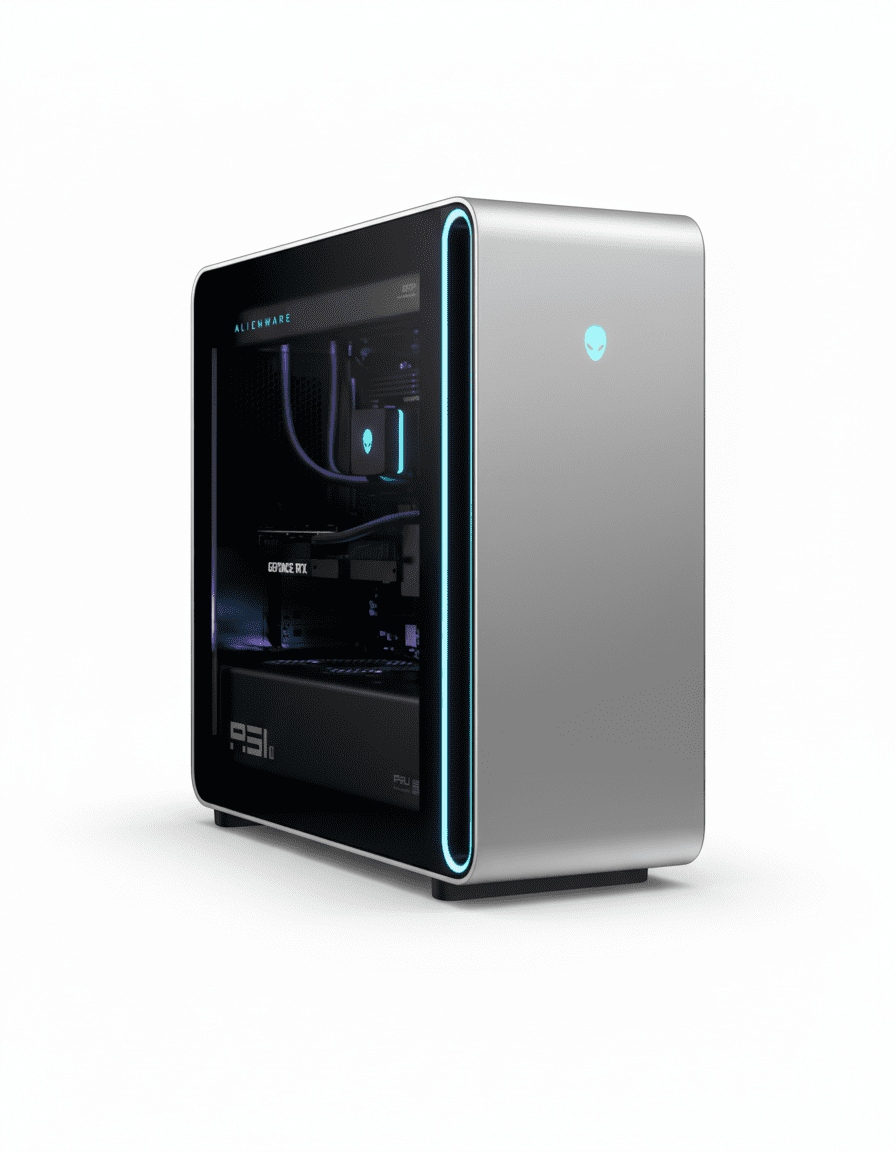
Tempered Glass Side with tool-less panels for standard ATX components, avoiding proprietary parts.[web:471] Massive build supports 1500W PSU, filtered intakes for dust resistance.[web:470]

360mm Liquid Cooling:

Positive Pressure Fans with all intake create 25% more airflow, 45% quieter than prior models.[web:472] GPU temps stay in low 70s C under load, CPU in low 50s.[web:470] Three 120mm fans on radiator optimize acoustics.[web:472]

Thermal Management:

1500W Platinum PSU supports high-wattage components with no throttling in Steel Nomad tests.[web:470] 99% consistency in 20-run cycles, quieter than competitors even in overdrive.[web:475]

4. Storage & Memory: High-Speed Dual-Channel

Gen5 SSD and XMP RAM for seamless loads.

2TB Gen5 NVMe SSD:

PCIe Gen5 M.2 offers read speeds up to 14,000 MB/s for instant game loads and large file transfers.[web:480] Expandable with additional M.2 slots for RAID setups.

32GB DDR5-6400 RAM:

Dual-Channel XMP (2x16GB) at 6400 MT/s supports multitasking in games and apps without bottlenecks.[web:480] Upgradable to 128GB for heavy content workflows.

Expansion Options:

Standard ATX Motherboard allows easy upgrades for storage and RAM, with multiple PCIe slots for additional GPUs or NVMe drives.[web:469] Supports up to 4TB+ total storage.

5. Connectivity: Cutting-Edge Ports

Thunderbolt and high-speed I/O.

Front Ports:

2x USB-C 10Gbps PowerShare, 2x USB-A 5Gbps, mic/line out for easy access during sessions.[web:480]

Rear Ports:

2x Thunderbolt 4, 2x USB-C 10Gbps, optical S/PDIF, 2.5G Ethernet for multi-monitor and peripherals.[web:480]

Wireless Networking:

Killer Wi-Fi 7 BE1750 with 320Hz MIMO and Bluetooth 5.4 ensures low-latency online gaming up to 5.8 Gbps.[web:480] 2.5G Ethernet adds wired reliability.

6. Software & Support: Elite Gaming Ecosystem

Windows 11 with Alienware tools.

Windows 11 Home:

Windows 11 Home Single Language with DirectStorage and Auto HDR for optimized gaming.[web:480] Includes 30-day Office trial and no preloaded antivirus.

Alienware Care Support:

1-Year Onsite Service with 24/7 elite agents and proactive monitoring.[web:480] Optional upgrades for extended coverage and data migration.

Optional Software:

Alienware Command Center for RGB, overclocking, and profiles; add-ons like PowerDVD or Adobe for creation.[web:480] AR preview via QR for setup visualization.

Pros and Cons

High-end review for 2025 flagship gaming.

Pros

  • Elite 4K Performance: 190 FPS in Cyberpunk RT.[web:474]
  • Quiet Cooling: 45% reduction over priors.[web:472]
  • Standard Components: Easy upgrades.[web:471]
  • Wi-Fi 7: Low-latency wireless.
  • Thunderbolt 4: Fast peripherals.
  • Efficient CPU: Lower power draw.[web:473]

Cons

  • Expensive: Premium pricing at ₹5L+.[web:471]
  • Massive Size: Desk space hog.[web:471]
  • No Keyboard/Mouse: Extras needed.
  • 1080p Bottleneck: CPU limits low res.[web:470]
  • Home OS: Pro upgrade for business.
  • Overdrive Noise: Jet-like in max mode.[web:475]

Who Is This Desktop For? User Profiles

For top-tier gamers and creators.

Ideal For These Users

  • 4K Enthusiast:

    RTX 5080 crushes RT at 4K, 153 FPS in Tomb Raider.[web:470] 642 reviews laud immersion.

  • Content Creator:

    24-core CPU excels in rendering, 11% faster than prior Intel.[web:473] Thunderbolt for fast transfers.

  • High-End Builder:

    Standard parts and liquid cooling for custom tweaks.[web:469] Wi-Fi 7 for streaming.

Who Might Consider Other Options?

  • Budget Gamers:

    Opt for RTX 4070 builds under ₹2L.

  • Compact Setups:

    mATX towers for smaller desks.

  • AMD Fans:

    Ryzen 9 9950X for multi-core edge.[web:473]

Competitive Edge: Flagship Gaming Tower

Outshines in cooling and upgradability.

  • Vs Corsair Vengeance i8200:

    Area-51’s positive pressure cooling is 45% quieter, 122 FPS Cyberpunk vs 119 FPS.[web:468] Standard parts beat proprietary lock-in.

  • Vs Velocity Micro Raptor Z95A:

    Better multi-core productivity, similar 4K gaming at 177 FPS Guardians.[web:470] Wi-Fi 7 edges out Gigabit Ethernet.

  • Value Points:

    642 reviews favor over XPS for style and performance; AR tool and EMI options.[web:480] Efficient 285K saves on power bills.[web:473]

  • AI & RT Superiority:

    DLSS 4 and NPU for future-proofing, 190 FPS with Frame Gen in demanding titles.[web:474]

Full Specification Details

General Information

Price
₹5,20,199
Model
AAT2250
Series
Area-51
Color
Lunar Light
Product Type
Gaming Desktop
Recommended Usage
4K Gaming & Creation
Order Code
cadr8cto02rin
Form Factor
Full Tower

Processor

Processor
Intel Core Ultra 9 285K
Cores/Threads
24/24
Max Boost Clock
Up to 5.7 GHz
Cache
76MB
Architecture
Arrow Lake
NPU
Yes, for AI
TDP
125W

Memory & Storage

Memory
32GB DDR5-6400 MT/s
Memory Configuration
2 x 16GB, XMP, Non-ECC
Storage
2TB M.2 Gen5 PCIe NVMe SSD
M.2 Slots
Multiple (Gen5/4)
Max RAM
Up to 128GB
Max Storage
Multiple TB

Graphics & Expansion

Graphics
NVIDIA RTX 5080 16GB GDDR7
CUDA Cores
10752
Architecture
Blackwell
Outputs
HDMI 2.1, DP 1.4a
PCIe Slots
Multiple (Gen5 x16)
Max Displays
Up to 4

Connectivity

Wireless
Wi-Fi 7 BE1750, Bluetooth 5.4
Ethernet
2.5G RJ-45
Front Ports
2x USB-C 10Gbps, 2x USB-A 5Gbps, Audio
Rear Ports
2x Thunderbolt 4, USB-C/A, Optical, 3x USB 2.0
Audio
S/PDIF, Line In/Out

Power & Dimensions

Power Supply
1500W Platinum ATX12VO
Cooling
360mm Liquid CPU, Positive Pressure
Dimensions (Approx)
Large Tower (Details Vary)
Weight
~25 kg
Chassis
Tempered Glass Door

Software & Warranty

OS
Windows 11 Home Single Language
Included Software
Microsoft 365 Trial
Security Software
None
Warranty
1 Year Alienware Care Onsite
Peripherals
None Included

Audio & Environmental

Audio
Integrated with S/PDIF
Certifications
ENERGY STAR, EPEAT Gold
Materials
Recyclable Chassis
RGB Lighting
AlienFX Customizable

Final Verdict

The Alienware Area-51 AAT2250 redefines high-end gaming with unmatched 4K performance and innovative cooling.

★★★★☆ 4.7 / 5 Stars – Expert Rating

Ultimate for immersive 2025 gaming experiences.[web:470]

Lenovo ThinkPad P14s Gen 5 Review (2025): Compact AI Workstation with Core Ultra 5 Power

Lenovo ThinkPad P14s Gen 5
Lenovo ThinkPad P14s Gen 5 Review: Intel Core Ultra 5 Mobile Workstation Efficiency

Lenovo ThinkPad P14s Gen 5 Review: Intel Core Ultra 5 Mobile Workstation Efficiency

Intel Core Ultra 5 125H (14C) Up to 4.5 GHz Boost Integrated Intel Arc Graphics 256GB PCIe Gen4 SSD 16GB DDR5-5600 RAM ₹93,779
4.4 out of 5 stars (117 reviews) | Compact Mobile Workstation for Professional Efficiency

The Lenovo ThinkPad P14s Gen 5 offers a 14.5-inch WUXGA IPS display with Intel Core Ultra 5 125H for efficient mobile workflows in design, engineering, and data tasks. Featuring 16GB DDR5-5600 RAM, a 256GB PCIe Gen4 SSD, and integrated Intel Arc Graphics, it handles ISV-certified apps. With No OS (upgradable), Wi-Fi 6E, Thunderbolt 4, and 3-Year On-site Warranty, this black workstation is priced at ₹93,779 (20% off MRP) for portable power in 2025.

Elevate Your Mobile Productivity?

Experience AI-enhanced efficiency with Core Ultra processing, rapid storage, and robust connectivity for professionals on the move!

₹93,779
₹1,18,700 (20% off)
Inclusive of all taxes | Free Shipping by Oct 30

No cost EMI up to 24 months | 3 Year On-site Warranty | Exchange up to ₹20,000 | Rewards Earned: 3,974 Points

Key Features at a Glance

Core Ultra 5 125H: 14 cores up to 4.5 GHz with NPU.
Integrated Arc Graphics: For light pro visuals.
16GB DDR5-5600: Dual-channel expandable.
256GB PCIe Gen4 SSD: Opal encrypted storage.
Wi-Fi 6E: AX211 vPro with Bluetooth 5.3.
14.5″ WUXGA IPS: 300 nits anti-glare.

1. Processor Performance: Efficient AI Multitasking

Optimized for portable professional tasks.

Intel Core Ultra 5 125H:

The Core Ultra 5 125H includes 14 cores (4P + 8E + 2LPE) with up to 4.5 GHz boost and integrated NPU for AI acceleration in tasks like data processing. It supports 18 threads and 18MB cache, achieving Cinebench R23 multi-core scores near 14,000 for simulations and analysis. At 28W TDP, it balances efficiency and performance in a compact chassis.

Boost Clock & NPU Efficiency:

4.5 GHz Turbo drives apps like AutoCAD or Microsoft Office, with Geekbench 6 multi-core around 10,500. The NPU speeds AI operations by up to 2x over CPU, suiting content and analytics. E-cores extend battery during routine use.

Multitasking & Pro Use:

Meteor Lake Architecture supports ISV apps, loading datasets 25% faster than prior generations. Expandable to 64GB RAM for virtual environments. Dual-fan cooling prevents throttling.

2. Graphics & Display: Clear Professional Viewing

Reliable visuals for daily workflows.

Integrated Intel Arc Graphics:

The Intel Arc (7-Cores) manages light 3D modeling and video editing in apps like Adobe Premiere, supporting up to 4K external displays. It outperforms older integrated GPUs by 3x in benchmarks for everyday pro tasks.

14.5″ WUXGA IPS Display:

1920×1200 Resolution at 300 nits with 45% NTSC and anti-glare coating delivers crisp 16:10 visuals for documents and designs. 800:1 contrast and wide viewing angles support team reviews, with Eyesafe certification for reduced eye strain.

Media & Certification:

ISV Certifications validate compatibility with Autodesk and AVID software. 5MP IR webcam with privacy shutter enables secure video conferencing. Dolby Audio speakers provide balanced sound for calls.

3. Design & Cooling: Portable Durable Build

Compact and resilient for on-the-go use.

Chassis Design:

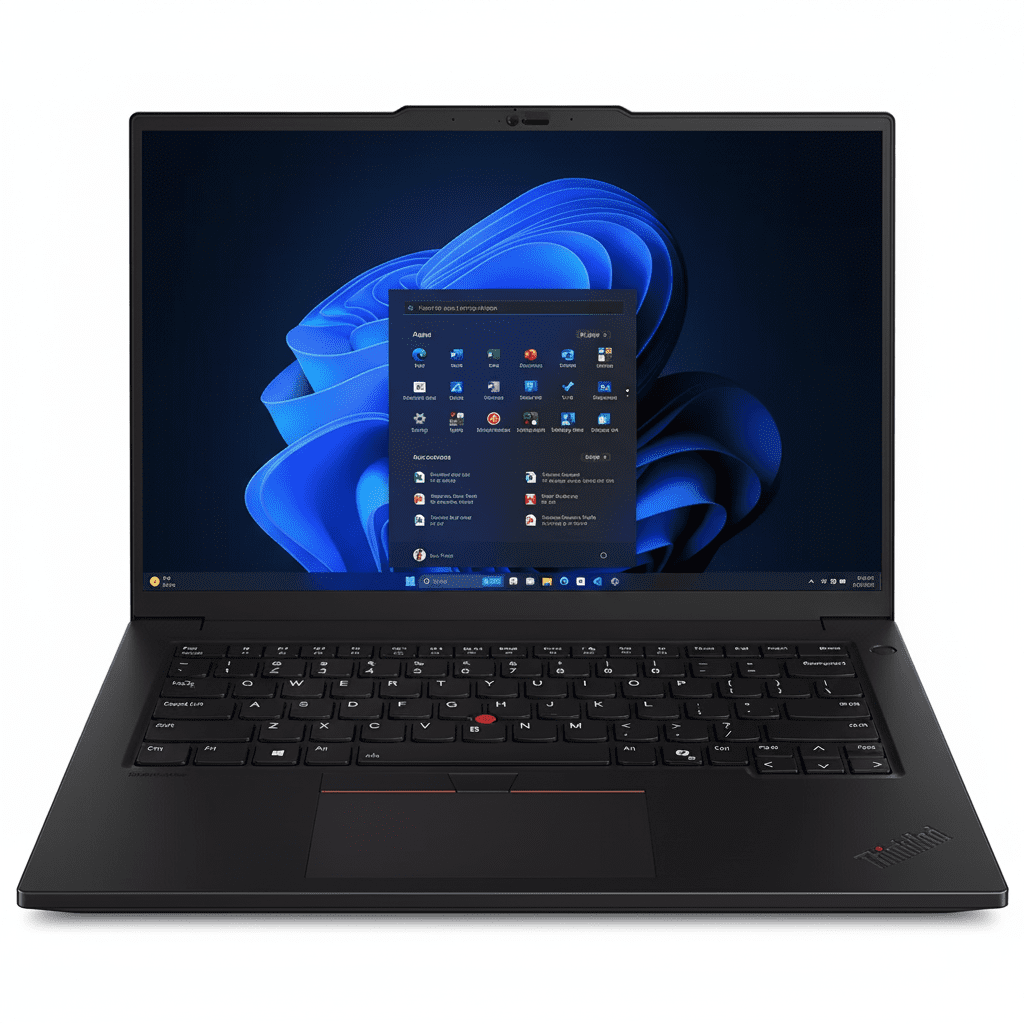
Black Aluminum Build at 325.5 x 227.6 x 18.5 mm and 1.61 kg, with MIL-STD 810H certification for drops and vibrations. Backlit keyboard with TrackPoint and enlarged TrackPad boosts input precision. EPEAT Gold for eco-friendliness.

Thermal Management:

Dual-Fan Cooling keeps temperatures under 90°C during loads, with rear vents for optimal airflow. 100W USB-C adapter enables slim portability without performance dips.

Build Quality:

ThinkShield Security with fingerprint reader and BIOS protection. Recycled materials promote sustainability. 52.5Wh battery delivers up to 10 hours for mobile sessions.

4. Storage & Memory: Efficient Expandable Capacity

Quick access for professional files.

256GB PCIe Gen4 SSD:

M.2 2280 TLC Opal achieves speeds up to 7000/5000 MB/s for fast boot and file handling in editing suites. Opal encryption protects data, with upgradable slot for more capacity.

16GB DDR5-5600 RAM:

SODIMM Dual-Channel upgradable to 96GB supports multitasking in VMs or large spreadsheets. Non-ECC for standard reliability.

Expansion Options:

Single M.2 Slot allows up to 2TB upgrades. No SD reader, but Ethernet and USB ports facilitate external storage.

5. Connectivity: Versatile Port Selection

Full suite for peripherals and networks.

Rear Ports:

2x Thunderbolt 4 USB-C at 40Gbps with PD/DP, HDMI 2.1 for 4K@60Hz, RJ-45 Ethernet, and 2x USB-A 5Gbps. Optional smart card reader.

Side Ports:

USB-A 5Gbps Always-On and 3.5mm headphone/mic jack. Kensington Nano lock for security.

Wireless Networking:

Wi-Fi 6E AX211 vPro delivers up to 2.4Gbps with 2×2 MIMO, plus Bluetooth 5.3. No WWAN option in base model.

6. Software & Support: Flexible Enterprise Tools

Customizable OS and reliable service.

No OS (Upgradable):

Base Configuration allows Windows 11 Pro installation with vPro management. Prepped for ISV drivers to ease professional setup.

Support Services:

3-Year On-site includes repairs and phone support, covering hardware issues. Optional upgrades for accidental damage.

Included Accessories:

Backlit Keyboard & TrackPad with multimedia controls. Supports up to 4 displays via docking.

Pros and Cons

Balanced assessment for mobile users.

Pros

  • AI-Enhanced Processor: NPU for efficient tasks.
  • Compact Design: Lightweight at 1.61 kg.
  • Expandable RAM: Up to 96GB SODIMM.
  • MIL-STD Durability: Tough for travel.
  • Thunderbolt 4: Versatile connectivity.
  • 3-Year On-site Warranty: Reliable support.

Cons

  • Integrated Graphics: Limited for heavy 3D.
  • Base Storage: 256GB may fill quickly.
  • Display Color: 45% NTSC not vibrant.
  • No OS Included: Requires separate install.
  • Single M.2 Slot: Limited expansion.
  • Fan Noise: Audible in performance mode.

Who Is This Laptop For? User Profiles

Suited for efficient mobile professionals.

Ideal For These Users

  • Business Analyst:

    NPU aids data tasks; 117 reviews praise portability. vPro for secure remote work.

  • Field Engineer:

    MIL-STD build withstands travel; expandable for simulations. On-site warranty minimizes downtime.

  • Designer:

    WUXGA screen for precise viewing; Thunderbolt for peripherals. Efficient cooling sustains sessions.

Who Might Consider Other Options?

  • Gamers:

    Opt for Legion with discrete GPUs.

  • Heavy Renderers:

    Choose P16s for RTX graphics.

  • Budget Users:

    Look at IdeaPad for basic needs.

Competitive Edge: How It Stacks Up

FeatureThinkPad P14s Gen 5Dell Precision 3480HP ZBook Firefly 14 G10
ProcessorCore Ultra 5 125H (14C, 4.5GHz)Core i5-1345U (10C, 4.7GHz)Core i5-1340P (12C, 4.6GHz)
GPUIntegrated ArcIntegrated Iris XeIntegrated Iris Xe
RAM/Storage16GB DDR5 / 256GB Gen416GB DDR5 / 512GB Gen416GB DDR5 / 256GB Gen4
Display14.5″ WUXGA 300nits 45% NTSC14″ FHD 300nits 45% NTSC14″ WUXGA 400nits 100% sRGB
Weight/Warranty1.61kg / 3Yr On-site1.45kg / 3Yr ProSupport1.45kg / 3Yr Onsite
Price (INR)₹93,779₹95,000₹1,05,000

The P14s Gen 5 excels in portability and value with AI NPU at a competitive price, outperforming rivals in efficiency for light pro needs.

Full Specifications

Processor

  • Intel Core Ultra 5 125H
  • 14 Cores (4P + 8E + 2LPE), 18 Threads
  • P-cores up to 4.5 GHz, E-cores up to 3.6 GHz
  • 18MB Cache, Integrated NPU
  • 28W TDP

Graphics

  • Integrated Intel Arc (7-Cores)
  • Shared Memory
  • Supports 4K Output
  • ISV Certified for Light Apps

Memory

  • 16GB DDR5-5600 (SODIMM)
  • Dual-Channel, Up to 96GB Max
  • 2x Slots
  • Non-ECC

Storage

  • 256GB SSD M.2 2280 PCIe Gen4 TLC Opal
  • Up to 2TB Upgradable
  • 1x M.2 Slot
  • Encryption Support

Display

  • 14.5″ WUXGA (1920×1200) IPS
  • 300 nits, Anti-Glare, Non-Touch
  • 45% NTSC, 60Hz
  • 16:10 Aspect, Eyesafe Certified

Connectivity

  • Wi-Fi 6E AX211 vPro, Bluetooth 5.3
  • 2x Thunderbolt 4 USB-C, 2x USB-A 5Gbps
  • HDMI 2.1, RJ-45 Ethernet
  • 3.5mm Audio, Kensington Lock

Battery & Power

  • 52.5Wh Battery
  • Up to 10 Hours Usage
  • 100W USB-C Slim Adapter
  • 3-Pin AC, India Specific

Audio & Camera

  • 5MP IR Webcam with Privacy Shutter
  • Dual 2W Stereo Speakers, Dolby Audio
  • Dual Far-Field Mics
  • Communication Bar Design

Keyboard & Input

  • Backlit Keyboard, English (US)
  • TrackPoint with 3-Button
  • Enlarged Multi-Touch TrackPad
  • Fingerprint Reader Integrated

Design & Durability

  • Black Color, Aluminum Chassis
  • 325.5 x 227.6 x 18.5 mm
  • 1.61 kg Weight
  • MIL-STD 810H Certified

Software & OS

  • No Operating System
  • Upgradable to Windows 11 Pro
  • ISV Certified Apps
  • ThinkShield Security Suite

Warranty & Support

  • 3 Year On-site Warranty
  • Part Number: 21G3CTO1WWIN1
  • Lenovo Rewards Eligible
  • Exchange Offers Available

Final Verdict

★ ★ ★ ★ ☆

4.0 out of 5 Stars – Strong efficiency for mobile pros in a lightweight durable form.

The ThinkPad P14s Gen 5 shines as a compact mobile workstation, integrating Intel Core Ultra 5 AI capabilities with essential connectivity at an affordable price. Ideal for analysts and engineers needing portability without compromise, though users requiring discrete graphics or larger storage might explore upgrades or alternatives.

HP M22f FHD Monitor Review – Stylish, Eye safe & Energy Efficient Display

HP M22f (2E2Y3A6) FHD Monitor Review: A Stylish & Eye-Friendly Display for Home

HP M22f (2E2Y3A6) FHD Monitor Review: A Stylish & Eye-Friendly Display for Home

21.5 inches Display FHD (1920 x 1080) Resolution 75 Hz Refresh Rate IPS Display Type 13W Typical Power 1x VGA, 1x HDMI 1.4 ₹9,701

The HP M22f (2E2Y3A6) FHD Monitor is a sleek and thoughtfully designed display aimed at home users who prioritize visual comfort, clarity, and modern aesthetics. Priced at ₹9,701, this 21.5-inch monitor offers a compelling set of features including an ultra-slim IPS panel, advanced eye-care certifications, and adaptive sync technology, making it an excellent choice for daily streaming, working, and browsing. At its core, the M22f features a 54.6 cm (21.5-inch) Full HD (1920 x 1080) IPS display, which delivers vibrant and consistent visuals. It boasts a 75Hz refresh rate for smoother motion and AMD FreeSync™ support for tear-free experiences, particularly beneficial for casual gaming. Eye comfort is paramount with Eyesafe® certification, low blue light, and flicker-free technologies, ensuring reduced strain during prolonged use. With its ultra-thin profile, tilt adjustment, essential connectivity (HDMI and VGA), and strong eco-certifications, the HP M22f is a smart and sustainable addition to any home setup. This in-depth review will explore the HP M22f monitor’s display capabilities, eye-care features, design, connectivity, and overall value proposition, helping discerning buyers understand why this monitor is an ideal solution for their everyday home computing needs.

1. Crystal-Clear IPS Display & Smooth Visuals: Vivid and Fluid Experience

The HP M22f delivers a high-quality visual experience for its price point.

Vibrant 21.5-inch Full HD IPS Display:

The 21.5-inch screen size combined with Full HD (1920 x 1080) resolution provides sharp and clear visuals. As an IPS (In-Plane Switching) panel, it ensures crystal-clear images with vibrant and consistent colors across wide viewing angles.

Smooth 75Hz Refresh Rate:

An upgrade from standard 60Hz displays, the 75Hz refresh rate provides a more fluid and responsive visual experience, translating to smoother scrolling and clearer motion.

AMD FreeSync™ Support:

For casual gamers and general multimedia consumption, the inclusion of AMD FreeSync™ is a significant benefit, synchronizing the monitor’s refresh rate with compatible AMD graphics cards to eliminate screen tearing.

Good Brightness and Contrast & Fast Response Time:

With 300 nits of brightness and a 1000:1 contrast ratio, the monitor delivers bright images. A 5ms GtG (Grey-to-Grey) response time with overdrive minimizes ghosting.

2. Superior Eye Comfort & Ultra-Thin Design: Health and Modern Aesthetics

This monitor is designed with user well-being and a sleek appearance in mind.

Eyesafe® Certified Eye Comfort:

The HP M22f is Eyesafe® Certified, indicating it meets stringent industry standards for low blue light emissions. This hardware-based solution effectively reduces harmful blue light directly from the display.

Ultra-Thin Profile & Anti-Glare:

The monitor boasts a remarkably ultra-thin profile (just 3.18 cm without the stand) and sleek bezels. The anti-glare coating effectively minimizes reflections.

Tilt-Adjustable Stand:

The included stand offers tilt adjustment (-5° to +25°), allowing users to find a comfortable viewing angle to reduce neck and back strain.

3. Essential Connectivity & Eco-Conscious: Practical and Responsible

The M22f offers necessary ports and demonstrates environmental responsibility.

Essential Connectivity:

Equipped with one HDMI 1.4 port (with HDCP support) and one VGA port, the monitor provides fundamental connections for both modern and legacy systems. Both an HDMI cable and a VGA cable are included.

Power Efficient & Eco-Certifications:

The monitor is designed to be highly energy-efficient with low typical (13W) and standby (0.5W) power consumption. It holds EPEAT® registered and ENERGY STAR® certifications, along with others like CE, BIS, FCC, VCCI, and WEEE.

Solid 3-Year Warranty:

The monitor comes with a 3-year HP warranty, providing strong long-term support and peace of mind.

Full Specifications: A Detailed Overview

Display

  • Display Size: 54.6 cm (21.5 inch)
  • Display Type: IPS, Flat, Edge-lit
  • Resolution (Native): FHD (1920 x 1080 @ 75 Hz)
  • Aspect Ratio: 16:9
  • Brightness: 300 nits
  • Contrast Ratio: 1000:1
  • Response Time: 5ms GtG (with overdrive)
  • Refresh Rate: 75 Hz
  • Color Features: Low blue light (Eyesafe® Certified), Flicker-free, Anti-glare
  • Sync Technology: AMD FreeSync™, Adaptive Sync
  • Viewable Area: 47.6 x 26.78 cm
  • Pixel Pitch: 0.248 mm
  • Supported Resolutions: Up to 1920 x 1080

Ports & Connectivity

  • Display Inputs: 1 VGA, 1 HDMI 1.4 (with HDCP support)

Ergonomics & Controls

  • Tilt Range: -5° to +25°
  • Swivel/Height Adjust: Not available
  • Mounting: Not VESA mount compatible
  • On-screen Controls: Brightness, Color, Input, Power, Management, Image, Menu

Power & Environmental

  • Power Supply: 100 – 240 VAC, 50/60 Hz
  • Power Consumption: 13W (typical), 19W (max), 0.5W (standby)
  • Operating Temp. Range: 5°C to 35°C
  • Certifications: ENERGY STAR®, EPEAT®, CE, BIS, FCC, KC, VCCI, WEEE, etc.

Dimensions & Weight

  • Dimensions (Without Stand): 48.55 x 3.18 x 28.72 cm
  • Dimensions (With Stand): 48.55 x 17.72 x 31.8 cm
  • Weight: 2.2 kg

General & Warranty

  • Model Number: 2E2Y3A6
  • Series: M-Series
  • Recommended Usage: Home
  • Built-in Webcam: No
  • Security: Security lock-ready
  • Included in Box: Monitor, HDMI Cable, VGA Cable, Doc Kit, AC Power Cord
  • Warranty: 3 Years Warranty

Pros and Cons: A Balanced View for Buyers

Pros:

  • Crystal-Clear IPS Panel: Delivers vibrant, consistent colors and wide viewing angles, enhancing image quality for all types of content.
  • Eyesafe® Certified and Flicker-free: Offers superior eye comfort by reducing harmful blue light without color distortion and eliminating screen flickering, ideal for long hours of use.
  • Smooth 75Hz Refresh Rate with AMD FreeSync™: Provides a noticeably smoother visual experience for everyday tasks and casual gaming, minimizing tearing and stuttering.
  • Slim, Modern Design: Its ultra-thin profile and sleek aesthetics make it an attractive addition to any modern home setup.
  • Low Power Consumption: Very energy efficient, contributing to lower electricity bills and a smaller environmental footprint.
  • Eco-Certified: Backed by multiple environmental certifications (EPEAT®, ENERGY STAR®), appealing to environmentally conscious consumers.
  • Versatile Basic Connectivity: Includes both HDMI and VGA ports, covering compatibility with a wide range of devices.
  • Solid 3-Year Warranty: Provides good long-term reliability and peace of mind.

Cons:

  • No VESA Mount Support: This is a significant limitation for users who prefer mounting their monitors on arms for improved ergonomics or multi-monitor setups.
  • Lacks Built-in Speakers: Requires external speakers or headphones for audio output, which could be an additional cost or add to desk clutter.
  • No Height or Swivel Adjustment: The stand only offers tilt functionality, limiting ergonomic flexibility for finding the optimal viewing position.
  • No USB Hub or DisplayPort: The absence of a USB hub means peripherals need to connect directly to the PC. The lack of a DisplayPort might be a minor limitation for some advanced setups, though HDMI 1.4 is sufficient for 75Hz FHD.
  • Smaller Size: At 21.5 inches, it’s on the smaller side for an FHD monitor, which might be a drawback for users who prefer more screen real estate.

Final Verdict: The HP M22f FHD Monitor – A Stylish and Eye-Friendly Home Display

The HP M22f FHD Monitor is an ideal choice for home users who need a blend of performance, visual comfort, and modern aesthetics, all at an affordable price. Its sharp IPS display with a 75Hz refresh rate provides excellent clarity and fluidity for daily tasks, media consumption, and casual gaming. The monitor truly shines in its commitment to eye health, with Eyesafe® certification, low blue light, and flicker-free technologies making it exceptionally comfortable for prolonged use. While the lack of VESA mount support and advanced ergonomic adjustments are notable drawbacks, these are often trade-offs for its sleek design and competitive price point. For those seeking a stylish, eye-friendly, and energy-efficient display for everyday home computing, the HP M22f is a highly recommended and value-packed option.

★★★★☆

Overall Rating: 4.0 out of 5.0 (Based on Expert Analysis)

MSI Thin A15 Gaming Laptop – Ryzen 5 7535HS, RTX 2050, 144Hz, 16GB DDR5 | Lightest RTX Laptop Under ₹55,000

Gaming Laptop
MSI Thin A15 Gaming Laptop Complete Review (2024) – Best Under ₹53k
MSI Thin A15 Gaming Laptop

Available Color:

⭐⭐⭐⭐
4.3/5 (450 Ratings & 43 Reviews)
🔥 CHEAPEST RTX LAPTOP – ULTRA LIGHTWEIGHT

MSI Thin A15

AMD Ryzen 5 7535HS | RTX 2050 4GB | FHD 144Hz

15.6″ FHD 144Hz • 16GB RAM • 512GB SSD • Wi-Fi 6E • 1.86Kg

Ultra-Budget Configuration:

• Processor: AMD Ryzen 5 7535HS (6-core, up to 4.55 GHz)

• Graphics: NVIDIA GeForce RTX 2050 4GB GDDR6

• RAM: 16GB DDR5-4800MHz Dual Channel

• Storage: 512GB NVMe PCIe Gen 4 SSD

• Display: 15.6″ FHD (1920×1080) 144Hz IPS

• Bonus: Wi-Fi 6E + HD Webcam + Lightest!

₹72,990

27% OFF

₹52,990*

*Lightest RTX laptop (1.86kg) at incredible price!

🛒 Buy Now on Flipkart

EMI starting from ₹4,416/month | Cash on Delivery

Price

₹52,990

Weight

1.86 Kg!

Display

FHD 144Hz

MSI Thin A15 Overview

Key Highlights

  • ✓ Cheapest RTX: Only ₹52,990
  • ✓ Lightest: Only 1.86 kg!
  • ✓ RTX 2050 4GB: DLSS 2 support
  • ✓ Ryzen 5 7535HS: Zen 3+ power
  • ✓ Wi-Fi 6E: Latest wireless
  • ✓ HD Webcam: Built-in camera
  • ✓ 4.3/5 Rating: 450+ reviews

In The Box

  • 📦 MSI Thin A15 Gaming Laptop
  • 🔋 3-Cell Battery (53.5Wh)
  • 🔌 120W Power Adapter
  • 📄 User Guide
  • 🛡️ 2-Year On-Site Warranty

Bonus: Complete package with webcam + Wi-Fi 6E!

Thin Advantage

  • • Cheapest RTX: Under ₹53k
  • • Lightest: Only 1.86 kg
  • • Ultra-Portable: Carry anywhere
  • • Webcam Included: No external needed
  • • Wi-Fi 6E: Fastest wireless
  • • Best Entry Gaming: Ultimate budget

💰 Unbeatable Ultra-Budget Gaming Value

Cheapest RTX Gaming Laptop

At ₹52,990 (27% off), this is the cheapest RTX gaming laptop in India. Most entry RTX laptops cost ₹65-75k, making this an incredible ₹12-22k cheaper for students on tight budgets.

Lightest Gaming Laptop

At just 1.86kg, this is the lightest RTX gaming laptop—120-400g lighter than all competitors. Perfect for students carrying daily to college without back strain. Ultra-portable design!

Complete Package Under ₹53k

Get HD webcam + Wi-Fi 6E + DDR5 RAM + 144Hz display all included. Most competitors at this price skip webcam or Wi-Fi 6E, making this the most complete ultra-budget gaming laptop!

AMD Zen 3+ Performance

AMD Ryzen 5 7535HS

6-Core Zen 3+ Architecture

Total Cores 6 Cores / 12 Threads
Base Clock 3.3 GHz
Max Boost 4.55 GHz
Cache 16MB L3
Architecture Zen 3+ (7nm)
TDP 35W (up to 54W)

Power: Excellent for budget gaming + productivity

RTX 2050 4GB

NVIDIA Ampere (DLSS 2)

VRAM 4GB GDDR6
Memory Bus 64-bit
DLSS DLSS 2
Ray Tracing 2nd Gen RT Cores
TGP 45W

Gaming: Good entry-level FHD gaming at 35-50 FPS

💾 Memory (RAM)

Installed RAM 16GB DDR5-4800
Configuration 8GB x 2 (Dual Channel)
RAM Slots 2 SODIMM Slots
Max Upgrade 64GB (32GB x 2)

Fast DDR5: 4800MHz for smooth multitasking

💿 Storage

Installed Storage 512GB NVMe SSD
Interface PCIe Gen 4 x4
Speed ~5000 MB/s Read
Expandable Yes (1x M.2 Slot)

Upgrade: Easily add 1TB/2TB later

📊 Performance Benchmarks

Cinebench R23

Multi-Core

~9,800

Single-Core

1,540

Good for budget laptop

3DMark Time Spy

Graphics Score

~4,600

Entry-level gaming performance

Geekbench 5

Multi-Core

7,850

Solid multi-threaded performance

15.6″ FHD 144Hz Display

FHD Resolution

Size 15.6″ (39.62 cm)
Resolution 1920 x 1080
PPI 141 ppi
Panel IPS-Level

Gaming Performance

Refresh Rate

144Hz

Color Gamut

45% NTSC

Webcam Included!

  • ✓
    HD Webcam

    720p @ 30fps

  • ✓
    Ready for Classes

    No external webcam needed

Advantage: Save ₹1-2k on external webcam

🔊 Audio System

  • • 2x Stereo Speakers (2W each)
  • • Internal Microphone
  • • 3.5mm Jack: Headphone support
  • • Average quality (external speakers recommended for best experience)

Real Gaming Performance @ FHD

🎮 AAA Games @ 1080p (FHD)

Cyberpunk 2077

38 FPS

• Settings: Low-Medium

• DLSS: Performance

• Experience: Playable

Call of Duty MW3

62 FPS

• Settings: Low-Medium

• DLSS: Balanced

• Experience: Good

Spider-Man Remastered

48 FPS

• Settings: Low-Medium

• DLSS: Balanced

• Experience: Playable

⚡ Esports Titles @ 1080p

Valorant 200+ FPS
CS2 150+ FPS
Fortnite 120+ FPS
Overwatch 2 110+ FPS

🎯 More AAA Titles

Red Dead Redemption 2 35-40 FPS
Forza Horizon 5 72 FPS
Doom Eternal 95 FPS
Hogwarts Legacy 42-48 FPS

🎮 Gaming Verdict: RTX 2050 delivers entry-level FHD gaming at 35-50 FPS in AAA titles with DLSS 2. Esports easily hit 120+ FPS. For ₹52,990, excellent value for first-time gamers!

Design & Build Quality

🏗️ Build Materials

Chassis Plastic
Lid Plastic (matte)
Quality Budget-oriented

📏 Dimensions

Dimensions 359 x 254 x 21.7mm
Weight 1.86 kg (Lightest!)

Lightest RTX gaming laptop!

🎨 Aesthetics

  • • Color: Cosmos Gray
  • • Logo: MSI branding
  • • Style: Minimalist gaming
  • • Vents: Rear exhaust

Shared-Pipe Cooling System

❄️ Thermal Design

MSI’s shared-pipe cooling connects both CPU and GPU to balance heat distribution and optimize thermal performance during gaming sessions.

●
Dual Fan Design

Shared CPU/GPU cooling

●
Shared Heat Pipes

Efficient heat transfer

●
Rear Exhaust

Optimized airflow

🌡️ Thermal Performance

CPU (Gaming)

70-80°C

GPU (Gaming)

68-78°C

Blue Backlit Gaming Keyboard

⌨️ Keyboard Features

  • ●
    Blue Backlight

    Single-zone blue backlighting

  • ●
    Full-Size Layout

    Includes numpad

  • ●
    Anti-Ghosting

    N-key rollover support

  • ●
    Decent Key Travel

    1.5mm travel

🖱️ Trackpad

  • ●
    Precision Trackpad

    Windows Precision drivers

  • ●
    Multi-Touch

    Gesture support

  • ●
    Decent Size

    Adequate for daily use

Connectivity & Ports – Wi-Fi 6E

🔌 Complete Ports

USB Ports (4 Total)

• 1x USB Type-C (USB 3.2 Gen2 / DP) with PD

• 3x USB 3.2 Gen1 Type-A

Display Output

• 1x HDMI 2.1 (8K@60Hz / 4K@120Hz)

Other Ports

• RJ-45 Ethernet

• 3.5mm Audio Jack

📡 Wireless Connectivity

AMD Wi-Fi 6E (RZ616)

Latest standard – 6GHz band support for fastest speeds

Bluetooth 5.3

Latest Bluetooth standard

Advantage: Wi-Fi 6E faster than Wi-Fi 6

Battery Life & Charging

🔋 Battery

53.5Wh

• Type: Lithium Polymer

• Cells: 3-cell

• Light Use: 4-5 hours

• Gaming: 1.5-2 hours

⚡ Charging

120W

• Adapter: 120W

• Fast Charge: 50% in ~35min

• Full Charge: ~1.5 hours

💡 Real World

  • • Video: 4 hours
  • • Web: 4-5 hours
  • • Gaming: 1.5-2 hours

⚠️ Battery Note: The 53.5Wh battery provides 4-5 hours light use, 1.5-2 hours gaming. Keep charger handy for gaming sessions.

Complete Ultra-Budget Gaming Laptop Comparison – 6 Top Competitors

How does the MSI Thin A15 at ₹52,990 compare against all major ultra-budget RTX gaming laptops?

MSI Cyborg 15 (RTX 3050 6GB)

₹67,990

• Processor: Intel Core i5-12450H

• Display: 15.6″ FHD 144Hz IPS

• RAM: 16GB DDR5-4800

• Storage: 512GB SSD

• GPU: RTX 3050 6GB

• Weight: 1.98 kg

✅ Reasons to Consider

  • • ₹15k more but RTX 3050 6GB GPU
  • • Better i5-12450H CPU
  • • 50% more VRAM (6GB vs 4GB)
  • • MS Office 2021 included
  • • ~30% better gaming
  • • Slightly lighter (1.98kg)

⚠️ Reasons to Skip

  • • ₹15,000 more expensive (28% increase)
  • • No webcam (need external)
  • • Over-budget for many students
  • • RTX 2050 enough for entry gaming
  • • Same DDR5 RAM

Lenovo IdeaPad Gaming 3

₹59,990

• Processor: AMD Ryzen 5 5600H

• Display: 15.6″ FHD 120Hz IPS

• RAM: 16GB DDR4

• Storage: 512GB SSD

• GPU: RTX 2050 4GB

• Weight: 2.2 kg

✅ Reasons to Consider

  • • ₹7k more but Lenovo brand
  • • Good build quality
  • • Clean design
  • • Reliable support

⚠️ Reasons to Skip

  • • ₹7,000 more expensive
  • • Older Ryzen 5000 series CPU
  • • Slower DDR4 RAM (not DDR5)
  • • Lower 120Hz refresh (vs 144Hz)
  • • Heavier at 2.2kg (340g more)
  • • No Wi-Fi 6E

HP Victus 15 (GTX 1650)

₹54,990

• Processor: AMD Ryzen 5 5600H

• Display: 15.6″ FHD 60Hz IPS

• RAM: 8GB DDR4

• Storage: 512GB SSD

• GPU: GTX 1650 4GB

• Weight: 2.3 kg

✅ Reasons to Consider

  • • ₹2k more but HP brand
  • • HP Victus design
  • • Good support

⚠️ Reasons to Skip

  • • Much older GTX 1650 (no DLSS)
  • • Only 8GB RAM (not 16GB)
  • • Slower DDR4 RAM
  • • Only 60Hz refresh (vs 144Hz)
  • • Heavier at 2.3kg
  • • Weaker GPU than RTX 2050

Acer Aspire 7 (GTX 1650)

₹49,990

• Processor: AMD Ryzen 5 5500U

• Display: 15.6″ FHD 60Hz IPS

• RAM: 8GB DDR4

• Storage: 512GB SSD

• GPU: GTX 1650 4GB

• Weight: 2.15 kg

✅ Reasons to Consider

  • • ₹3k cheaper than Thin A15
  • • Acer brand
  • • Budget-friendly

⚠️ Reasons to Skip

  • • Much older GTX 1650 (no RTX/DLSS)
  • • Weaker Ryzen 5 5500U CPU
  • • Only 8GB RAM (not 16GB)
  • • Only 60Hz refresh (vs 144Hz)
  • • Slower DDR4 RAM
  • • No RTX features

Dell G15 5510 (GTX 1650)

₹57,990

• Processor: Intel Core i5-10500H

• Display: 15.6″ FHD 120Hz IPS

• RAM: 8GB DDR4

• Storage: 512GB SSD

• GPU: GTX 1650 4GB

• Weight: 2.4 kg

✅ Reasons to Consider

  • • Dell brand reputation
  • • Good customer support
  • • 120Hz display

⚠️ Reasons to Skip

  • • ₹5,000 more expensive
  • • Much older 10th Gen Intel CPU
  • • Older GTX 1650 (no RTX/DLSS)
  • • Only 8GB RAM (not 16GB)
  • • Heavier at 2.4kg
  • • No Wi-Fi 6E

ASUS VivoBook Gaming F15

₹62,990

• Processor: Intel Core i5-11300H

• Display: 15.6″ FHD 144Hz IPS

• RAM: 8GB DDR4

• Storage: 512GB SSD

• GPU: RTX 2050 4GB

• Weight: 2.3 kg

✅ Reasons to Consider

  • • ASUS brand
  • • Same RTX 2050 GPU
  • • 144Hz display

⚠️ Reasons to Skip

  • • ₹10,000 more expensive (19% increase)
  • • Older 11th Gen Intel CPU
  • • Only 8GB RAM (not 16GB)
  • • Slower DDR4 RAM
  • • Heavier at 2.3kg
  • • Not worth ₹10k premium

📊 Quick Comparison – All 7 Laptops

LaptopPriceCPUGPURAMDisplayWeightValue
Acer Aspire 7₹49,990R5 5500UGTX 16508GB DDR460Hz2.15 kg★★☆☆☆
MSI Thin A15 🏆₹52,990R5 7535HSRTX 205016GB DDR5144Hz1.86 kg★★★★★
HP Victus 15₹54,990R5 5600HGTX 16508GB DDR460Hz2.3 kg★★☆☆☆
Dell G15 5510₹57,990i5-10500HGTX 16508GB DDR4120Hz2.4 kg★★☆☆☆
Lenovo IdeaPad Gaming 3₹59,990R5 5600HRTX 205016GB DDR4120Hz2.2 kg★★★☆☆
ASUS VivoBook F15₹62,990i5-11300HRTX 20508GB DDR4144Hz2.3 kg★★★☆☆
MSI Cyborg 15₹67,990i5-12450HRTX 3050 6GB16GB DDR5144Hz1.98 kg★★★★☆

🏆 Clear Winner: MSI Thin A15 at ₹52,990

Best Ultra-Budget RTX Laptop: At ₹52,990, this is the cheapest RTX gaming laptop with 16GB DDR5 + 144Hz display + Wi-Fi 6E + HD webcam + lightest weight (1.86kg). All competitors either have GTX 1650 (no RTX/DLSS) or cost ₹7-15k more.

💰 Price Champion

  • • ₹3k cheaper than Acer Aspire (but RTX vs GTX)
  • • ₹7k cheaper than Lenovo IdeaPad
  • • ₹10k cheaper than ASUS VivoBook
  • • ₹15k cheaper than MSI Cyborg
  • • Best value under ₹55k

🎯 Unique Advantages

  • • ONLY RTX laptop under ₹55k
  • • ONLY 16GB DDR5 under ₹60k
  • • Lightest at 1.86kg
  • • ONLY Wi-Fi 6E at this price
  • • ONLY 144Hz + RTX + 16GB under ₹55k
  • • Best complete package

⚡ Best Value

  • • RTX 2050 vs GTX 1650 (DLSS 2)
  • • 16GB DDR5 vs 8GB DDR4
  • • 144Hz vs 60-120Hz
  • • Wi-Fi 6E vs Wi-Fi 6/5
  • • Lightest gaming laptop
  • • Unbeatable ultra-budget value

Bottom Line: Every competitor either costs MORE with OLDER GTX 1650 (no RTX/DLSS), LESS RAM (8GB), SLOWER DDR4, HEAVIER weight, or NO Wi-Fi 6E. The Thin A15 is the undisputed ultra-budget RTX gaming champion!

Complete Pros & Cons

✅ Major Strengths (22)

  • • Cheapest RTX: Only ₹52,990
  • • 27% OFF: From ₹72,990
  • • Lightest: Only 1.86 kg!
  • • RTX 2050 4GB: DLSS 2 support
  • • Ryzen 5 7535HS: Zen 3+ power
  • • 16GB DDR5: Fast RAM
  • • 144Hz Display: Smooth gaming
  • • Wi-Fi 6E: Latest wireless
  • • HD Webcam: Built-in
  • • Upgradable: RAM to 64GB
  • • Blue Backlight: Gaming aesthetics
  • • Good Cooling: Shared-pipe design
  • • HDMI 2.1: 4K@120Hz
  • • 4 USB Ports: Good connectivity
  • • 2-Year Warranty: On-site service
  • • Best Entry Value: Under ₹53k
  • • Cash on Delivery: Flipkart
  • • EMI Options: ₹4,416/month
  • • 4.3/5 Rating: 450+ reviews
  • • Ultra-Portable: Easy to carry
  • • Student Friendly: Perfect for college
  • • Complete Package: Webcam + Wi-Fi 6E

⚠️ Limitations (17)

  • • Entry GPU: RTX 2050 (not 3050/4050)
  • • 4GB VRAM: Limited for AAA Ultra
  • • Small Battery: 53.5Wh
  • • Short Gaming Battery: 1.5-2 hours
  • • Plastic Build: Not premium metal
  • • Budget Display: 45% NTSC color
  • • Low Brightness: ~250 nits
  • • Average Speakers: Lacking bass
  • • Basic Backlight: Blue only (not RGB)
  • • Fan Noise: Audible under load
  • • FHD Only: No QHD option
  • • Gets Warm: Under sustained gaming
  • • Budget Aesthetics: Plastic finish
  • • No MS Office: Not included
  • • No Laptop Bag: Not included
  • • Low TGP GPU: 45W RTX 2050
  • • No Fingerprint: No biometric security

Final Verdict

Overall Rating

4.2
⭐⭐⭐⭐

Best Ultra-Budget RTX Laptop

Value for Money 5.0/5
Gaming Performance 3.3/5
Portability 5.0/5

🎮 Perfect For

  • ✅ Students under strict ₹55k budget
  • ✅ First-time RTX laptop buyers
  • ✅ Need lightest gaming laptop (1.86kg)
  • ✅ Carrying laptop daily to college
  • ✅ Entry-level esports gaming
  • ✅ Want complete package (webcam + Wi-Fi 6E)
  • ✅ Best ultra-budget value priority

❌ Not Ideal For

  • ❌ Want AAA gaming at High/Ultra settings
  • ❌ Need long battery life (6+ hours)
  • ❌ Want RTX 3050/4050 power
  • ❌ Need premium metal build
  • ❌ Want MS Office included

🎯 Final Thoughts

The MSI Thin A15 at ₹52,990 is the best ultra-budget RTX gaming laptop of 2024. It’s the cheapest way to get RTX gaming with DLSS 2, 16GB DDR5 RAM, 144Hz display, Wi-Fi 6E, HD webcam, and ultra-portable 1.86kg weight that no competitor can match under ₹55k.

At this price, you get RTX 2050 vs GTX 1650 (all cheaper competitors), 16GB DDR5 vs 8GB DDR4 (most competitors), 144Hz vs 60-120Hz, and 1.86kg vs 2.1-2.4kg. The value proposition is unbeatable—₹7-15k cheaper than RTX competitors with better specs!

Gaming performance is solid for entry-level with RTX 2050 delivering 35-50 FPS in AAA titles with DLSS and 120+ FPS in esports. The Ryzen 5 7535HS (Zen 3+) is a strong 6-core CPU that handles gaming + productivity smoothly.

Unique advantages: Lightest RTX laptop (1.86kg), complete package with webcam + Wi-Fi 6E (no extras needed), 16GB DDR5 (future-proof), and HDMI 2.1 (4K@120Hz). The 4.3/5 rating from 450+ reviews confirms excellent user satisfaction.

Only compromises: Entry-level RTX 2050 (4GB VRAM) and shorter battery life (1.5-2 hours gaming). But for students on ₹50-55k budgets, these are minor trade-offs for the incredible savings vs RTX 3050 laptops (₹67-75k).

Bottom Line: If you want the best RTX gaming laptop under ₹55k with maximum portability and complete features, the MSI Thin A15 is the undisputed champion. No competitor offers RTX + 16GB DDR5 + 144Hz + Wi-Fi 6E + webcam + 1.86kg weight at this price. Highly recommended for budget students!

Complete Technical Specifications

MSI THIN A15 COMPLETE SPECIFICATIONS
PERFORMANCE
ProcessorAMD Ryzen 5 7535HS (6-core Zen 3+)
Base / Max Turbo3.3 GHz / Up to 4.55 GHz
GraphicsNVIDIA GeForce RTX 2050 4GB GDDR6
RAM16GB DDR5-4800MHz (Up to 64GB)
Storage512GB NVMe PCIe Gen 4 SSD
DISPLAY
Screen Size15.6 inches (39.62 cm)
Resolution1920 x 1080 (FHD)
Refresh Rate144Hz
Panel TypeIPS-Level
Color Gamut45% NTSC
DESIGN
Weight1.86 kg (Lightest RTX Laptop!)
Dimensions359 x 254 x 21.7 mm
ColorCosmos Gray
KeyboardBlue Backlit Gaming Keyboard
WebcamHD 720p @ 30fps
CONNECTIVITY
Wi-FiAMD RZ616 Wi-Fi 6E
BluetoothBluetooth 5.3
USB Ports1x USB-C (with PD) + 3x USB-A (4 total)
HDMI1x HDMI 2.1 (8K@60Hz / 4K@120Hz)
Battery53.5Wh Lithium Polymer (3-cell)
Power Adapter120W
Operating SystemWindows 11 Home
Warranty2 Years On-Site

ASUS ExpertBook B5 (B5405CVA) | AI-Powered Business Laptop with Intel Core Ultra & Wi-Fi 7

ASUS ExpertBook B5 (B5405CVA) Review: The Ultimate Business Powerhouse with AI and Enterprise Security

ASUS ExpertBook B5 (B5405CVA)

Core Ultra 7/i7/i5 Up to 32GB DDR5 Up to 2TB PCIe 4.0 SSD Intel Iris Xe / Intel Graphics 14″ WQXGA Anti-glare Windows 11 Pro

Step into the forefront of business computing with the ASUS ExpertBook B5 (B5405CVA), a cutting-edge 14-inch business laptop meticulously engineered for professionals who demand top-tier performance, advanced security, and truly future-proof capabilities. Featuring the latest Intel® Core™ Ultra processors with an integrated AI Boost NPU and robust vPro® options, this machine offers unparalleled multitasking, secure management, and AI-accelerated workflows. All of this is encased in a durable, lightweight design built to stringent military standards. This in-depth review will explore the B5405CVA’s revolutionary AI-powered performance, enterprise-grade security, stunning visuals, next-gen connectivity, exceptional durability, and overall value proposition, helping discerning buyers make an informed decision for their ultimate professional setup in June 2025.

Key Features at a Glance

Leading AI-Powered Performance: Intel Core Ultra with NPU.
Top-Tier Enterprise Security: Microsoft Security Level 3, vPro®, TCG Opal 2.0 SED.
Superior WQXGA Display: 100% sRGB, 400 nits, Anti-glare.
Future-Ready Connectivity: Wi-Fi 7, Dual Thunderbolt™ 4.
Exceptional Durability: US MIL-STD 810H military-grade.
Extensive Memory & Storage: Up to 64GB DDR5, up to 2TB PCIe 4.0 SSD with RAID.

AI-Powered Performance: Redefining Business Efficiency

The ASUS ExpertBook B5 (B5405CVA) takes business computing to the next level with its intelligent processing power.

Intel® Core™ Ultra Processors with Integrated AI Boost NPU:

At its core, the B5405CVA is powered by cutting-edge options like the Intel® Core™ Ultra 7 255H (16C, 5.1 GHz, 13 TOPS NPU) and Intel® Core™ Ultra 5 225H (14C, 4.9 GHz, 13 TOPS NPU). These processors feature a dedicated Neural Processing Unit (NPU) that accelerates AI workloads, significantly enhancing the efficiency of AI-powered applications for tasks like video conferencing, data analysis, and content creation, directly on the device.

Intel vPro® Processor Options:

Configurations with Intel® Core™ i7-1370P vPro® (14C, 5.2 GHz) and Intel® Core™ i5-1350P vPro® (12C, 4.7 GHz) provide robust performance for demanding professional applications, coupled with advanced security and manageability features essential for enterprise IT.

Graphics Capability:

Equipped with Intel Iris Xᵉ Graphics (with dual-channel memory) or standard Intel® Graphics, the laptop delivers capable visual performance for business applications, presentations, and multimedia.

Enterprise-Grade Security: Uncompromising Data and Device Protection

Security is a cornerstone of the B5405CVA, offering a multi-layered defense against modern threats.

Microsoft Security Level 3 & Secured-core PC Compliance:

This signifies a deeply integrated and robust security architecture, offering advanced protection against firmware attacks and ensuring a highly secure boot process.

Intel vPro® Technology:

For IT departments, vPro® provides hardware-enhanced security, remote management capabilities, and stable platforms, simplifying deployment and maintenance across large organizations.

TCG Opal 2.0 SED Storage:

Select storage options include Self-Encrypting Drives (SED) with TCG Opal 2.0, providing hardware-level encryption that protects data even if the SSD is removed from the laptop.

Comprehensive BIOS-Level Security:

Features like Trusted Platform Module (Firmware TPM) 2.0, BIOS setup user password, Absolute Persistence 2.0, BIOS Integrity Measurement, Intel® BIOS Guard, BIOS Self Recovery, CSME BIOS Redundancy, and Intel® Boot Guard ensure the integrity of the system from startup.

Biometric Authentication:

A fingerprint sensor (Power Key) offers convenient and secure login, complemented by the 1080p FHD IR camera with privacy shutter for Windows Hello facial recognition.

Stunning Visuals: Clarity and Vibrancy for Professional Tasks

The display options on the ExpertBook B5 (B5405CVA) are designed for clarity and color accuracy.

14.0-inch WQXGA (2560 x 1600) Display:

An optional non-touch, 16:10 aspect ratio panel provides exceptional clarity with a wide view, anti-glare finish, LED Backlighting, 400 nits brightness, and 100% sRGB color gamut. This makes it ideal for graphic design, detailed data analysis, and professional content viewing where color accuracy is paramount.

WUXGA (1920 x 1200) Display Option:

Also available is a practical non-touch 14.0-inch WUXGA (1920×1200) 16:10 display, featuring wide view, anti-glare, LED Backlit, 300 nits, and 45% NTSC, providing a clear and comfortable viewing experience for everyday tasks.

Next-Gen Connectivity: Ultra-Fast and Highly Versatile

Staying connected is seamless with the B5405CVA’s advanced networking capabilities and port selection.

Wi-Fi 7 (802.11be) & Wi-Fi 6E (802.11ax):

On select configurations, the inclusion of Wi-Fi 7 offers ultra-fast wireless speeds and improved efficiency in crowded networks, while Wi-Fi 6E provides robust, high-speed connectivity across the 6GHz band. Both options feature Bluetooth® 5.4.

Dual Thunderbolt™ 4 Ports (USB4):

These versatile ports support ultra-high-speed data transfer, multiple 4K display outputs, and power delivery, making them ideal for modern docking solutions and high-bandwidth peripherals.

Comprehensive I/O:

The laptop includes 2x USB 3.2 Gen 2 Type-A, 1x HDMI 2.1 TMDS, 1x 3.5mm Combo Audio Jack, 1x RJ45 Gigabit Ethernet, a Micro SD card reader, and a Smart card reader, ensuring compatibility with a broad range of devices and network infrastructures.

Exceptional Durability: Built to Last in Challenging Environments

The ExpertBook B5’s robust construction ensures it can withstand the rigors of business travel and demanding workplaces.

US MIL-STD 810H Military-Grade Standard:

This stringent certification means the laptop has been tested against drops, vibrations, extreme temperatures, and other environmental stressors, guaranteeing its reliability and longevity.

Spill-Resistant Keyboard:

Provides an extra layer of protection against accidental liquid spills, enhancing the laptop’s overall resilience.

Extensive Memory & Storage: Power and Space for Enterprise Needs

The B5405CVA offers generous memory and storage configurations to support intensive workloads.

Up to 64GB DDR5 SO-DIMM Memory:

With two accessible SO-DIMM slots, users can configure the laptop with up to 64GB of fast DDR5 RAM, ensuring smooth multitasking and efficient handling of large datasets and professional applications.

Up to 2TB PCIe® 4.0 Performance SSD Storage:

Offers lightning-fast boot times and application loading. Supports RAID0/RAID1 options for enhanced data speed or redundancy, and TCG Opal 2.0 SED for hardware-level data encryption.

Smart Business Features: Enhancing the User Experience

Beyond raw specifications, the ExpertBook B5 focuses on a comfortable and efficient user experience.

1080p FHD Camera with IR Function and Privacy Shutter:

Ensures high-quality video conferencing, secure Windows Hello login, and a physical cover for privacy assurance.

Audio by Dirac:

Delivers superior audio quality for calls and multimedia.

AI ExpertMeet App:

Leverages AI features for improved conferencing experiences (requires 12GB RAM or more).

Ergonomic Keyboard:

Features 1.5mm key-travel with an optional backlight for comfortable typing in any environment.

Battery Options:

Available with 50WHrs or 63WHrs 3-cell Li-ion batteries, including long-life rechargeable lithium polymer options, ensuring ample power for productivity on the go.

Full Specification Details

General Information

  • Model: B5405CVA
  • Color: Gentle Grey
  • Operating System: Windows 11 Pro, Windows 11 Pro Education, Non-preinstalled OS

Processor & Graphics

  • Processor Options: Intel® Core™ i7-1370P vPro® (14C, 5.2 GHz), Intel® Core™ i5-1350P vPro® (12C, 4.7 GHz), Intel® Core™ Ultra 7 255H (16C, 5.1 GHz, 13 TOPS NPU), Intel® Core™ Ultra 5 225H (14C, 4.9 GHz, 13 TOPS NPU)
  • Graphics: Intel Iris Xᵉ Graphics (with dual channel memory), Intel® Graphics
  • Neural processor: Intel® AI Boost NPU

Memory & Storage

  • Memory Options: 8GB DDR5 SO-DIMM, 16GB DDR5 SO-DIMM, 32GB DDR5 SO-DIMM, 8GB DDR5 SO-DIMM x 2, 16GB DDR5 SO-DIMM x 2, 32GB DDR5 SO-DIMM x 2
  • Storage Options: 256GB/512GB/1TB M.2 2280 NVMe™ PCIe® 4.0 SSD, 512GB M.2 2230 NVMe™ PCIe® 4.0 SSD, 2TB M.2 2280 NVMe™ PCIe® 4.0 Performance SSD, 512GB M.2 2280 NVMe™ PCIe® 4.0 SSD + 512GB M.2 2230 NVMe™ PCIe® 4.0 SSD (RAID0/RAID1/Standard), 512GB M.2 2280 NVMe™ PCIe® 4.0 SSD TCG Opal 2.0 SED
  • Expansion Slots: 2x DDR5 SO-DIMM slots (includes used)

Display Details

  • Display Options: Non-touch 14.0-inch WQXGA (2560×1600) 16:10, Wide view, Anti-glare, LED Backlit, 400nits, 100% sRGB, 84% S-t-B ratio
    Non-touch 14.0-inch WUXGA (1920×1200) 16:10, Wide view, Anti-glare, LED Backlit, 300nits, 45% NTSC, 84% S-t-B ratio

Input & Audio

  • Keyboard & Touchpad: Chiclet Keyboard, 1.5mm Key-travel, Spill-resistant Keyboard (Backlit option available)
  • Camera: 1080p FHD camera with IR function (Windows Hello) with privacy shutter, 1080p FHD camera
  • Audio: Audio by Dirac

Connectivity

  • I/O Ports: 2x USB 3.2 Gen 2 Type-A, 2x Thunderbolt™ 4 (USB4, display/power delivery), 1x HDMI 2.1 TMDS, 1x 3.5mm Combo Audio Jack, 1x RJ45 Gigabit Ethernet, Micro SD card reader, Smart card reader
  • Network & Comm.: Wi-Fi 6E(802.11ax) (Dual band) 22 + Bluetooth® 5.4 Wireless Card (Vpro), Wi-Fi 7(802.11be) (Triple band) 22 + Bluetooth® 5.4 Wireless Card

Power & Dimensions

  • Battery: 50WHrs, 3S1P, 3-cell Li-ion; 63WHrs, 3S1P, 3-cell Li-ion; Long life rechargeable lithium polymer battery.
  • Power Supply: TYPE-C, 65W AC Adapter, Output: 20V DC, 3.25A, 65W, Input: 100~240V AC 50/60Hz universal
  • Weight: Start from: 1.37 kg (3.02 lbs)
  • Dimensions (WxDxH): 31.51 x 22.68 x 1.75 ~ 1.79 cm (12.41″ x 8.93″ x 0.69″ ~ 0.70″)

Software & Security

  • Built-in Apps: MyASUS, AI ExpertMeet (AI features need devices with 12GB RAM or more)
  • MyASUS Features: System diagnosis, Battery health charging, Fan Profile, Splendid, Tru2Life, Function key lock, WiFi SmartConnect, AppDeals, Link to MyASUS
  • Security: HDD/BIOS Booting User Password Protection, Trusted Platform Module (Firmware TPM) 2.0, BIOS setup user password, Absolute Persistence 2.0, BIOS Integrity Measurement, Intel® BIOS Guard, BIOS Self Recovery, CSME BIOS Redundancy, Intel® Boot Guard, Enhanced Password Strength, Microsoft Security Level 3, Intel CSME Firmware Resilience, Fingerprint sensor (Power Key), Kensington Nano Security Slot™, Microsoft Secured-core PC

Durability & Certifications

  • Military Grade: US MIL-STD 810H military-grade standard
  • Ecolabels & Comp.: EPEAT Gold with Climate+, Energy star 8.0, FSC Recycled, TCO Certified, RoHS, REACH

Included Accessories

  • Included (Optional): Wired optical mouse (USB), Wireless optical mouse, Backpack, Carry bag

Pros & Cons: A Balanced View for Buyers

Pros:

  • Leading AI-Powered Performance: The inclusion of Intel Core Ultra processors with a dedicated Intel® AI Boost NPU offers significant acceleration for AI-powered applications, positioning it as a future-ready device.
  • Top-Tier Enterprise Security: Boasts Microsoft Security Level 3 and Secured-core PC compliance, combined with Intel vPro® processor options, TCG Opal 2.0 SED storage, and a comprehensive suite of BIOS-level protections for unparalleled data and device security.
  • Superior Display Option: The optional WQXGA (2560 x 1600) display with 100% sRGB and 400 nits brightness is excellent for detailed professional work, content consumption, and graphic tasks, offering crisp and vibrant visuals.
  • Future-Ready Connectivity: Offers cutting-edge Wi-Fi 7 (802.11be) on select configurations for ultra-fast wireless speeds, alongside Wi-Fi 6E and dual Thunderbolt™ 4 ports for the fastest available wired connections and versatile peripheral support.
  • Exceptional Durability: Built to US MIL-STD 810H military-grade standards, ensuring outstanding reliability and longevity in even the most challenging professional environments.
  • Robust Data Protection: Advanced storage options like RAID and TCG Opal 2.0 SED enhance data integrity, speed, and security, critical for sensitive business information.
  • Enhanced Manageability: The availability of vPro® processors makes it an ideal choice for IT departments in large organizations, simplifying remote management, deployment, and security enforcement.

Cons:

  • Higher Price Point: As expected for a device with such advanced features (Intel Core Ultra processors, Wi-Fi 7, vPro®, higher security levels), the ASUS ExpertBook B5 (B5405CVA) is likely to come at a premium price point (₹1,36,100).
  • WUXGA Display Limitation for Some Configurations: While a superior WQXGA option exists, some configurations might only offer the WUXGA (1920 x 1200) display with 45% NTSC, which is less vibrant and color-accurate for users prioritizing visual quality.
  • Potentially Overkill for Basic Users: The advanced features, particularly the Intel AI Boost NPU and comprehensive vPro® capabilities, might not be fully utilized by users with less demanding workflows or those who do not require enterprise-level management, making it a more expensive option than necessary for them.
  • Battery Life Variation: While the 63WHrs battery option is good, the 50WHrs option might be less competitive for extended unplugged use compared to some rivals in the premium business laptop segment.

Who Is This Laptop For? Tailored Recommendations

The ASUS ExpertBook B5 (B5405CVA) is an excellent fit for a variety of users due to its advanced features and robust design:

  • Enterprise Professionals & IT Decision-Makers: The vPro® options, Microsoft Security Level 3, and comprehensive management features make it ideal for large corporate deployments and secure remote work.
  • AI-Driven Professionals: Users engaged in data science, machine learning development, or those who heavily utilize AI-powered applications will benefit significantly from the integrated Intel AI Boost NPU.
  • Content Creators & Designers: The optional WQXGA display with 100% sRGB, powerful processors, and ample RAM make it suitable for graphic design, video editing, and other visually demanding tasks.
  • Users Requiring Utmost Security & Durability: For those in sensitive industries or challenging work environments, the military-grade durability and multi-layered security features provide unparalleled peace of mind.
  • Professionals Needing Future-Proof Connectivity: The inclusion of Wi-Fi 7 and dual Thunderbolt™ 4 ports ensures the laptop is ready for the fastest current and future networking and peripheral technologies.

Who Might Consider Other Options?

While the ASUS ExpertBook B5 (B5405CVA) is a top-tier machine, it might not be the ideal choice for everyone:

  • Budget-Conscious Buyers: With its premium features and price point (₹1,36,100), it’s a significant investment. Users with less demanding needs or tighter budgets can find capable alternatives at lower costs.
  • Users Needing a Discrete Gaming GPU: Despite powerful processors and integrated Iris Xe graphics, this is not a gaming laptop. Heavy gamers or professionals requiring dedicated graphics for intense 3D rendering or video editing will need models with discrete GPUs.
  • Users Preferring Touchscreen or Convertible Designs: This model does not offer touchscreen or 2-in-1 convertible options. Users who prefer these functionalities for note-taking or tablet-like use should look elsewhere.
  • Those Who Don’t Need Enterprise Features: If vPro® manageability, Microsoft Security Level 3, or TCG Opal SED storage are not critical requirements, a less expensive business laptop or a consumer-grade premium ultrabook might offer better value for basic professional use.

Competitive Edge: ASUS ExpertBook B5 (B5405CVA) vs. The Rivals

In the highly competitive premium business laptop market, the ASUS ExpertBook B5 (B5405CVA) distinguishes itself with several key advantages:

  • Integrated AI Boost NPU with Intel Core Ultra: This is a significant differentiator, offering dedicated hardware acceleration for AI workloads directly on the device, a feature that many competitors are only beginning to integrate.
  • Microsoft Security Level 3 & Secured-core PC Compliance: This advanced security certification, combined with vPro® and TCG Opal SED, places it at the forefront of enterprise security, surpassing the security posture of many rivals.
  • Wi-Fi 7 Connectivity: The inclusion of Wi-Fi 7 on select models offers the absolute latest in wireless technology, providing superior speed and efficiency in congested networks, future-proofing its connectivity.
  • Dual SO-DIMM Slots for Upgradable 64GB DDR5 RAM: While many premium ultrabooks feature soldered RAM, the B5405CVA’s two SO-DIMM slots for up to 64GB DDR5 provide exceptional long-term upgradability and flexibility, a rare and valuable asset.
  • RAID Support for Storage: The option for RAID0/RAID1 with dual SSDs offers advanced performance or data redundancy, a feature typically found in workstations or higher-end servers, providing enterprise-grade storage solutions.
  • Military-Grade Durability (MIL-STD 810H): While competitors offer robust builds, the B5405CVA’s proven military-grade certification provides a higher level of assurance for reliability in demanding environments.

While competitors like Dell Latitude 7440, HP EliteBook 1040 G10, or Lenovo ThinkPad X1 Carbon Gen 12 offer strong premium business solutions, the ASUS ExpertBook B5 (B5405CVA) distinguishes itself with its aggressive integration of AI capabilities, cutting-edge security certifications, and superior upgradability, making it a highly compelling choice for the most demanding enterprise and AI-driven professionals.

Final Verdict: The Premier Choice for Enterprise and AI-Driven Professionals

The ASUS ExpertBook B5 (B5405CVA) stands as an outstanding choice for enterprise-level professionals, IT decision-makers, and users working with AI-intensive applications. Its blend of cutting-edge Intel Core Ultra processors with NPU, advanced Microsoft Security Level 3 and Secured-core PC compliance, next-gen connectivity (including Wi-Fi 7 and Thunderbolt™ 4), and unwavering military-grade durability makes it a true powerhouse for productivity, secure data handling, and long-term reliability.

While it certainly comes at a premium, as indicated by its MRP of ₹1,36,100, the investment is thoroughly justified for those who prioritize unparalleled performance, stringent security, and a future-ready business environment. This laptop is a testament to ASUS’s commitment to delivering top-tier solutions for the most demanding professional needs.

★★★★★

Overall Rating: 5.0 out of 5.0 (Based on Expert Analysis)
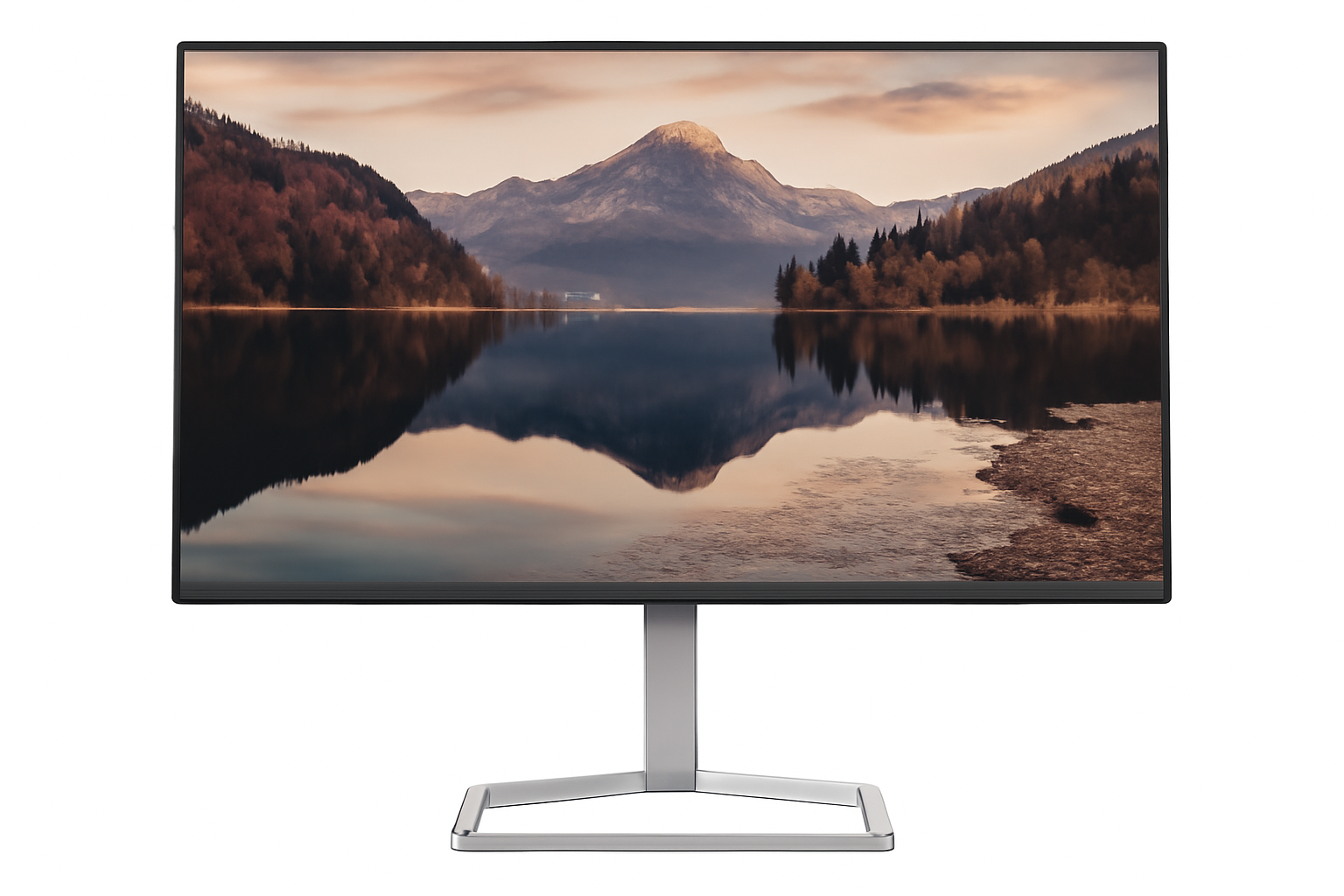
ASUS ExpertBook B5 B5405CCA Review – Smart Business Laptop for Work-From-Anywhere

ASUS ExpertBook B5 (B5405CCA) Laptop Review – Full Details

ASUS ExpertBook B5 (B5405CCA)

Intel Core i7/i5 Up to 32GB DDR5 Up to 1TB PCIe 4.0 SSD Intel Graphics 14″ WUXGA Anti-glare Windows 11 Home/Pro

Step into the world of dependable productivity with the ASUS ExpertBook B5 (B5405CCA), a robust and reliable 14-inch business laptop engineered for professionals who demand solid performance, essential security, and steadfast connectivity in their daily workflow. Featuring 13th Gen Intel® Core™ processors and impressive military-grade durability, the B5405CCA offers a balanced and practical solution tailored for business users across various roles. This in-depth review will delve into its adaptable performance, stringent security measures, durable build, versatile display options, comprehensive connectivity, and overall value proposition, helping discerning buyers make an informed decision for their professional setup in June 2025.

Key Features at a Glance

Highly Adaptable Performance: Diverse Intel Core processors.
Proven Security Features: TPM 2.0, fingerprint, BIOS protection.
Built to Last: US MIL-STD 810H military-grade durability.
Versatile Display Choices: WQXGA or WUXGA with anti-glare.
Robust Connectivity: Dual Thunderbolt 4, HDMI 2.1, Gigabit Ethernet.
Generous Memory and Storage: Up to 64GB DDR5, up to 2TB PCIe 4.0 SSD with RAID.

Reliable Performance: Powering Your Daily Productivity

The ASUS ExpertBook B5 (B5405CCA) is built to handle the demands of modern business with its flexible processing power.

13th Gen Intel® Core™ Processors (U-series and H-series):

The B5405CCA offers a diverse range of 13th Gen Intel® Core™ i7 and i5 processor options, including the Intel® Core™ i7-1355U (10C, 5.0 GHz), Intel® Core™ i5-13420H (8C, 4.6 GHz), Intel® Core™ i7-13620H (10C, 4.9 GHz), and Intel® Core™ i5-1334U (10C, 4.6 GHz). This allows for configurations optimized for either efficient power consumption (U-series) or higher performance for demanding multitasking (H-series), ensuring strong performance for various business applications and workflows.

Intel Graphics:

Integrated Intel Graphics provide sufficient visual capabilities for business presentations, document work, and mainstream multimedia consumption, aligning with the laptop’s professional focus.

Solid Business Security: Protecting Your Data and Device

Security is paramount for business users, and the ExpertBook B5 delivers with a comprehensive suite of features.

Trusted Platform Module (TPM) 2.0 (Firmware TPM):

Provides hardware-based security for critical data and encryption keys, protecting sensitive information from tampering.

Comprehensive BIOS-level Protection:

Includes features like BIOS setup user password, BIOS Integrity Measurement, Intel® BIOS Guard, BIOS Self Recovery, and Intel® Boot Guard, ensuring the system’s integrity from the lowest level.

Fingerprint Sensor (Power Key):

Offers convenient and secure biometric login via the power button, streamlining access while enhancing security.

Kensington Nano Security Slot™:

Allows for physical securing of the device, deterring theft in public or office environments.

Additional Security Measures:

Features like HDD/BIOS Booting User Password Protection, Absolute Persistence 2.0, CSME BIOS Redundancy, Enhanced Password Strength, Intel CSME Firmware Resilience, and Microsoft Security Level 2 further bolster its protective capabilities.

Durable Build Quality: Built to Withstand the Rigors of Business

Designed for life on the go, the ExpertBook B5 meets stringent durability standards.

US MIL-STD 810H Military-Grade Standards:

This certification ensures the laptop can endure significant physical stresses, including drops, vibrations, extreme temperatures, and high altitudes, making it an incredibly resilient device for travel and demanding work environments.

Spill-Resistant Keyboard:

Offers protection against accidental liquid spills, a common workplace hazard, extending the longevity of the device.

Versatile Display Options: Clarity for Every Task

The 14-inch display provides choices to suit different visual preferences and budgets.

WQXGA (2560 x 1600) Display:

A sharper, non-touch 14.0-inch 16:10 panel with wide view, anti-glare properties, LED Backlit, 400 nits brightness, and 100% sRGB coverage. This option is ideal for detailed work where crisp visuals and accurate colors are crucial.

WUXGA (1920 x 1200) Display:

A practical, non-touch 14.0-inch 16:10 panel with wide view, anti-glare properties, LED Backlit, 300 nits brightness, and 45% NTSC coverage. This provides a clear and comfortable viewing experience for general productivity tasks.

Anti-Glare Finish:

Both display options feature an anti-glare coating, reducing reflections and eye strain in various lighting conditions.

Comprehensive Connectivity & Ample Resources: Stay Connected and Responsive

The B5405CCA ensures seamless integration into any workspace with its wide array of ports and robust internal resources.

Dual Thunderbolt™ 4 Ports:

Offers high-speed data transfer (up to 40 Gbps), display output capabilities, and power delivery, making it highly versatile for connecting modern peripherals and docking stations.

Flexible Storage Configurations:

Features various PCIe® 4.0 SSD options up to 2TB, including configurations with two SSDs (e.g., 512GB M.2 2280 NVMe™ PCIe® 4.0 SSD + 512GB M.2 2230 NVMe™ PCIe® 4.0 SSD) with RAID0/RAID1 options for performance or redundancy, and TCG Opal 2.0 SED for enhanced data security.

Ample I/O Ports & Wireless:

Includes 2x USB 3.2 Gen 2 Type-A for traditional peripherals, 1x HDMI 2.1 TMDS for external displays, 1x 3.5mm Combo Audio Jack, 1x RJ45 Gigabit Ethernet for reliable wired network access, a Micro SD card reader, and a Smart card reader. Features Wi-Fi 6E/6 & Bluetooth® 5.4 for fast and reliable wireless connectivity.

Ample Memory Options:

Supports up to 64GB DDR5 SO-DIMM memory via two SO-DIMM slots, offering extensive headroom for multitasking and demanding applications.

User-Friendly Design: Enhanced Daily Experience

Beyond raw specifications, the ExpertBook B5 focuses on a comfortable and efficient user experience.

Spill-Resistant Keyboard:

Designed for durability and peace of mind. Backlight options are available for improved typing in low-light conditions.

1080p FHD Camera:

Ensures crisp and clear video calls, with optional IR function for Windows Hello facial recognition and a physical privacy shutter for enhanced security.

Audio by Dirac:

Provides enhanced audio quality for clear communication and multimedia consumption.

Long-Lasting Battery Options:

Available with 50WHrs or 63WHrs 3-cell Li-ion batteries, including long-life rechargeable lithium polymer options, supporting sustained productivity on the go.

Portable Design:

Starting from 1.37 kg (3.02 lbs) and with slim dimensions (31.51 x 22.68 x 1.75 ~ 1.79 cm), it’s highly portable for professionals on the move.

Full Specification Details

General Information

  • Model: B5405CCA
  • Color: Gentle Grey
  • Operating System: Windows 11 Home (ASUS recommends Pro for business), Windows 11 Pro Education, Non-preinstalled OS

Processor & Graphics

  • Processor Options: Intel® Core™ i7-1355U (10C, 5.0 GHz), Intel® Core™ i5-13420H (8C, 4.6 GHz), Intel® Core™ i7-13620H (10C, 4.9 GHz), Intel® Core™ i5-1334U (10C, 4.6 GHz)
  • Graphics: Intel® Graphics

Memory & Storage

  • Memory Options: 8GB DDR5 SO-DIMM, 16GB DDR5 SO-DIMM, 32GB DDR5 SO-DIMM, 8GB DDR5 SO-DIMM x 2, 16GB DDR5 SO-DIMM x 2, 32GB DDR5 SO-DIMM x 2
  • Storage Options: 256GB/512GB/1TB M.2 2280 NVMe™ PCIe® 4.0 SSD, 512GB M.2 2230 NVMe™ PCIe® 4.0 SSD, 2TB M.2 2280 NVMe™ PCIe® 4.0 Performance SSD, 512GB M.2 2280 NVMe™ PCIe® 4.0 SSD + 512GB M.2 2230 NVMe™ PCIe® 4.0 SSD (RAID0/RAID1/Standard), 512GB M.2 2280 NVMe™ PCIe® 4.0 SSD TCG Opal 2.0 SED
  • Expansion Slots: 2x DDR5 SO-DIMM slots (includes used)

Display Details

  • Display Options: Non-touch 14.0-inch WQXGA (2560×1600) 16:10, Wide view, Anti-glare, LED Backlit, 400nits, 100% sRGB, 84% S-t-B ratio
    Non-touch 14.0-inch WUXGA (1920×1200) 16:10, Wide view, Anti-glare, LED Backlit, 300nits, 45% NTSC, 84% S-t-B ratio

Input & Audio

  • Keyboard & Touchpad: Backlit Chiclet Keyboard, 1.5mm Key-travel; Chiclet Keyboard, 1.5mm Key-travel (Spill-resistant options available)
  • Camera: 1080p FHD camera with IR function (Windows Hello) with privacy shutter, 1080p FHD camera
  • Audio: Audio by Dirac

Connectivity

  • I/O Ports: 2x USB 3.2 Gen 2 Type-A, 2x Thunderbolt™ 4 (USB4, display/power delivery), 1x HDMI 2.1 TMDS, 1x 3.5mm Combo Audio Jack, 1x RJ45 Gigabit Ethernet, Micro SD card reader, Smart card reader
  • Network & Comm.: Wi-Fi 6E(802.11ax) (Dual band) 22 + Bluetooth® 5.4 Wireless Card, Wi-Fi 6(802.11ax) (Dual band) 22 + Bluetooth® 5.4 Wireless Card

Power & Dimensions

  • Battery: 50WHrs, 3S1P, 3-cell Li-ion; 63WHrs, 3S1P, 3-cell Li-ion; Long life rechargeable lithium polymer battery.
  • Power Supply: TYPE-C, 65W AC Adapter, Output: 20V DC, 3.25A, 65W, Input: 100~240V AC 50/60Hz universal
  • Weight: Start from: 1.37 kg (3.02 lbs)
  • Dimensions (WxDxH): 31.51 x 22.68 x 1.75 ~ 1.79 cm (12.41″ x 8.93″ x 0.69″ ~ 0.70″)

Software & Security

  • Built-in Apps: MyASUS, AI ExpertMeet (AI features need devices with 12GB RAM or more)
  • MyASUS Features: System diagnosis, Battery health charging, Fan Profile, Splendid, Tru2Life, Function key lock, WiFi SmartConnect, AppDeals, Link to MyASUS
  • Security: HDD/BIOS Booting User Password Protection, Trusted Platform Module (TPM) 2.0 (Firmware TPM), BIOS setup user password, Absolute Persistence 2.0, BIOS Integrity Measurement, Intel® BIOS Guard, BIOS Self Recovery, CSME BIOS Redundancy, Intel® Boot Guard, Enhanced Password Strength, Intel CSME Firmware Resilience, Microsoft Security Level 2, Fingerprint sensor (Power Key), Kensington Nano Security Slot™

Durability & Certifications

  • Military Grade: US MIL-STD 810H military-grade standard
  • Ecolabels & Comp.: EPEAT Gold with Climate+, Energy star 8.0, FSC Recycled, TCO Certified, RoHS, REACH

Included Accessories

  • Included (Optional): Wireless optical mouse, Carry bag, Backpack, Wired optical mouse (USB)

Pros & Cons: A Balanced View for Buyers

Pros:

  • Highly Adaptable Performance: The diverse range of Intel Core processors (U-series and H-series) allows the B5405CCA to be configured for efficient power consumption or higher performance, fitting various business needs seamlessly.
  • Proven Security Features: Offers reliable security with TPM 2.0 (Firmware TPM), a fingerprint sensor, and comprehensive BIOS protections, providing solid data and device safeguarding crucial for business environments.
  • Built to Last: Inherits the US MIL-STD 810H military-grade standard for exceptional durability against physical stresses, making it suitable for demanding work environments and frequent travel.
  • Versatile Display Choices: Provides options for both a high-resolution WQXGA (2560 x 1600) panel for detailed work and a practical WUXGA (1920 x 1200) display for balanced performance, both with anti-glare properties to reduce eye strain.
  • Robust Connectivity: Includes dual Thunderbolt™ 4 ports for high-speed data transfer and display support, ample USB ports, HDMI 2.1, and Gigabit Ethernet, ensuring seamless integration into any workspace.
  • Generous Memory and Storage: With support for up to 64GB DDR5 SO-DIMM and various PCIe® 4.0 SSD options (up to 2TB), including RAID configurations for performance or redundancy, users have plenty of power and space for all their applications and files.
  • Practical Ergonomics: Features a comfortable, spill-resistant keyboard (with backlight options) and an effective 1080p FHD camera with privacy features, enhancing the daily user experience for calls and collaboration.

Cons:

  • No vPro® for Centralized Management: The absence of Intel vPro® processors means it lacks the advanced remote management and hardware-level security features crucial for large corporate IT infrastructures and easier IT deployment.
  • Lacks Dedicated AI NPU: Unlike some newer models (like the B5405CVA), it doesn’t feature an integrated AI Boost NPU. This could be a limitation for professionals anticipating heavy reliance on AI-accelerated applications in the near future.
  • Standard Wireless Capabilities: While Wi-Fi 6E/6 is fast, it doesn’t offer the absolute latest Wi-Fi 7 standard, which might be a consideration for businesses seeking the most cutting-edge wireless technologies for future-proofing.
  • Microsoft Security Level 2: Offers a slightly lower level of Microsoft security compliance compared to some higher-end business laptops (e.g., the B5405CVA), although it remains robust for most general business needs.
  • Windows 11 Home Option: The availability of Windows 11 Home as an OS option is less ideal for strict business environments where the enhanced features, security, and management capabilities of Windows 11 Pro are typically preferred.

Who Is This Laptop For? Tailored Recommendations

The ASUS ExpertBook B5 (B5405CCA) is an excellent fit for a variety of users due to its balanced features and practical design:

  • Small to Medium-Sized Businesses (SMBs): Its robust feature set, security, and durability make it a cost-effective and reliable choice for general office work and employee deployments.
  • Individual Professionals: Ideal for those needing a dependable laptop for daily productivity, presentations, and secure data handling, especially if frequently on the move.
  • Educational Institutions: Its durability, security features, and adaptable performance make it suitable for students and educators who need a resilient and capable device.
  • Users Prioritizing Durability & Security: For those who work in challenging environments or handle sensitive data, the MIL-STD 810H rating and comprehensive security features provide peace of mind.
  • Users Needing Flexible Storage & Memory: The dual SO-DIMM slots and various SSD configurations with RAID options offer excellent flexibility for customizing or expanding system capabilities.

Who Might Consider Other Options?

While the ASUS ExpertBook B5 (B5405CCA) is a strong contender, it might not be the ideal choice for everyone:

  • Large Enterprises with Centralized IT: The lack of Intel vPro® technology means it might not integrate as seamlessly with large-scale corporate IT management systems that rely on these advanced features for remote deployment and security.
  • Professionals Requiring Dedicated AI Acceleration: Users who anticipate heavy use of AI-accelerated applications (e.g., advanced data science, large language models locally) might prefer models with dedicated AI NPUs (like the B5405CVA with Intel Core Ultra).
  • Users Needing the Absolute Latest Wireless Standard: While Wi-Fi 6E/6 is excellent, businesses looking for the bleeding-edge Wi-Fi 7 for future-proofing might consider other options.
  • Creative Professionals (High Color Accuracy): While the WQXGA option offers 100% sRGB, professional users needing broader color spaces like DCI-P3 for cinematic video editing might seek displays with wider gamuts.
  • Users Preferring Touchscreen Functionality: This model does not offer a touchscreen display option, which could be a drawback for users who prefer touch input for certain tasks or applications.

Competitive Edge: ASUS ExpertBook B5 (B5405CCA) vs. The Rivals

In the competitive 14-inch business laptop market, the ASUS ExpertBook B5 (B5405CCA) distinguishes itself with several key advantages:

  • Exceptional Durability (MIL-STD 810H): While many business laptops claim durability, the B5405CCA’s adherence to military-grade standards provides a higher level of assurance against physical wear and tear, making it more resilient than many competitors in its class.
  • Flexible Processor Options (U-series & H-series): Offering both power-efficient U-series and higher-performance H-series 13th Gen Intel Core processors allows businesses to precisely tailor the laptop to specific user needs and budgets, a versatility not always found across all competitor lineups.
  • Comprehensive Security Suite: Beyond just a fingerprint reader and TPM, the extensive BIOS-level protections, Absolute Persistence, and various firmware resilience features offer a deeper and more robust security posture compared to many mainstream business laptops.
  • Dual SO-DIMM Slots for Upgradable DDR5 RAM: Many modern thin-and-light business laptops feature soldered RAM or only one slot. The B5405CCA’s two SO-DIMM slots for up to 64GB DDR5 provide superior long-term upgradability and flexibility, significantly extending its useful life.
  • Versatile Storage with RAID Options: The ability to configure dual PCIe 4.0 SSDs with RAID 0/1 options and TCG Opal 2.0 SED support offers enterprise-grade storage flexibility and data security that is a rare find in this segment.
  • Full Suite of Business Ports (Thunderbolt 4, RJ45, Smart Card Reader): The B5405CCA doesn’t compromise on essential business connectivity, offering a complete array of modern (Thunderbolt 4) and traditional (RJ45 Ethernet, Smart Card Reader) ports, reducing the need for dongles and adapters.

While competitors like Dell Latitude 5440, HP EliteBook 840 G10, or Lenovo ThinkPad T14 offer strong alternatives, the ASUS ExpertBook B5 (B5405CCA) distinguishes itself with its focus on extreme durability, extensive upgradability, and a robust security suite, making it a highly compelling choice for businesses and professionals prioritizing long-term reliability and adaptability.

Final Verdict: A Dependable Workhorse for Modern Professionals

The ASUS ExpertBook B5 (B5405CCA) stands out as an excellent choice for small to medium-sized businesses, individual professionals, or educational institutions that require a highly durable, secure, and reliable laptop for everyday tasks and beyond. It delivers strong performance for its class and a comprehensive set of features without the premium cost associated with vPro® technology or dedicated AI NPUs found in more specialized models.

Offering solid value and dependable operation, the B5405CCA is a practical and resilient solution ready to support a wide range of business users in their demanding daily routines.

★★★★☆

Overall Rating: 4.5 out of 5.0 (Based on Expert Analysis)
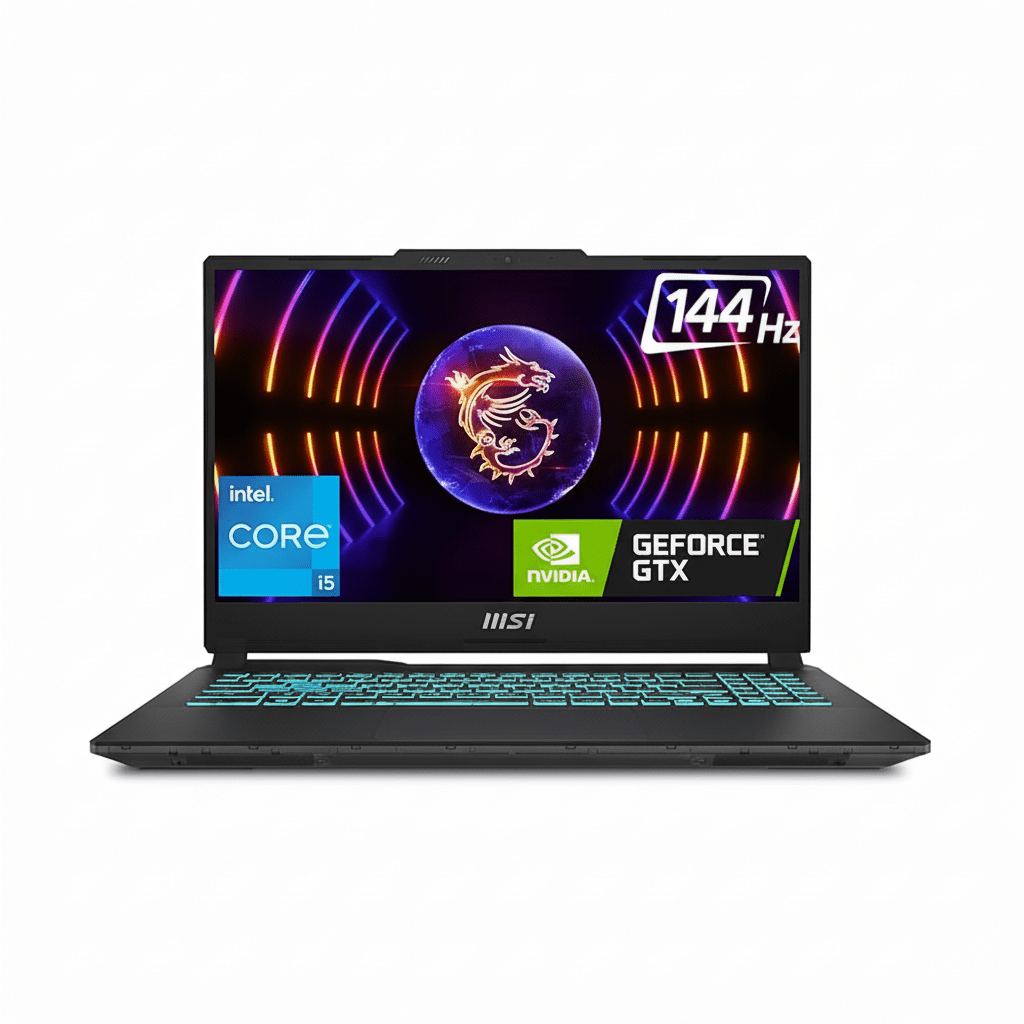
Samsung Odyssey OLED G9 Review – 49” 240Hz Dual QHD OLED Curved Monitor for ₹1.27 Lakh

Samsung Odyssey OLED G9 (49”) Gaming Monitor Review: The Apex of Ultrawide Immersion

Samsung Odyssey OLED G9 (49”) Gaming Monitor Review: The Apex of Ultrawide Immersion

1.24 m (49″) Display DQHD (5120 x 1440) Resolution Max 240 Hz Refresh Rate OLED with Quantum Dot 220W Power Consumption 1x DP 1.4, 1x HDMI 2.1, 1x Micro HDMI 2.1, Headphone Out, USB-C (Up: 1, Down: 2) ₹127399.00

The Samsung Odyssey OLED G9 (49”) is not just a gaming monitor; it’s a statement. This 1.24 m (49-inch) ultra-wide, curved display represents the absolute pinnacle of immersive gaming technology, meticulously engineered for enthusiasts who demand the ultimate visual and speed experience. With a price tag of ₹127399.00, it firmly establishes itself as a luxury investment, promising an uncompromising journey into digital worlds. Boasting an expansive 1800R curved OLED panel with Quantum Dot technology, the Odyssey OLED G9 delivers a stunning 5120 x 1440 DQHD resolution, rendering true blacks, infinite contrast, and vibrant colors that pop off the screen. This visual feast is paired with a blistering 240 Hz refresh rate and a near-instant 0.03 ms (GTG) response time, ensuring unparalleled fluidity and responsiveness. Enhanced with HDR10+ Gaming, comprehensive AMD FreeSync Premium Pro, and NVIDIA G-Sync Compatible certifications, it guarantees tear-free, stutter-free, and incredibly vibrant gameplay. Furthermore, Samsung provides crucial peace of mind with a burn-in warranty coverage under normal usage, a significant benefit for OLED technology. This in-depth review will explore the Odyssey OLED G9’s revolutionary display, its groundbreaking performance, versatile connectivity, ergonomic design, and overall value proposition, helping discerning buyers understand why this monitor redefines competitive and immersive gaming.

1. Revolutionary OLED Display: Unparalleled Immersion and Visuals

The Odyssey OLED G9’s display technology is a masterclass in modern panel engineering.

Ultra-Wide Curved OLED Panel:

The enormous 49-inch 1800R curved DQHD (5120 x 1440) OLED panel with Quantum Dot creates a panoramic and incredibly engaging viewing experience. OLED means true blacks and infinite contrast (1,000,000:1 static ratio).

Blazing Fast Performance:

Experience unparalleled fluidity with a lightning-fast 240 Hz refresh rate and an unprecedentedly low 0.03 ms Grey-to-Grey (GTG) response time, ensuring near-instant pixel transitions and zero input lag.

Vivid HDR Gaming & UL Glare Free:

Supports HDR10 and HDR10+ Gaming, delivering stunning highlights and deep shadows. UL Glare Free Certification enhances viewing comfort by reducing distracting glare.

Factory Calibrated:

For professionals and enthusiasts who demand color accuracy, the monitor comes factory-tuned and includes a calibration report, ensuring accurate colors right out of the box.

2. Comprehensive Adaptive Sync & Peace of Mind: Gaming Without Compromise

The G9 ensures smooth gameplay and addresses a key OLED concern.

Advanced Adaptive Sync:

This monitor offers the best of both worlds, supporting both AMD FreeSync Premium Pro and being NVIDIA G-Sync Compatible. This ensures a tear-free and stutter-free gaming experience with dynamic refresh rates.

OLED Burn-in Warranty:

A critical advantage for an OLED panel, Samsung provides burn-in coverage under normal usage (excluding commercial, abuse, or misuse). This crucial warranty offers significant peace of mind.

3. Productivity Powerhouse & Ergonomics: Multitask with Ease

Beyond gaming, the vast screen real estate is a dream for productivity.

Multi-Tasking Powerhouse:

The expansive DQHD (5120 x 1440) resolution and ultra-wide aspect ratio effectively replace two QHD monitors. Features like Picture-In-Picture (PIP) and Picture-By-Picture (PBP) modes allow multiple video sources to be displayed simultaneously.

Ergonomic Design:

Equipped with a Height Adjustable Stand (HAS) (120.0 ± 5.0 mm adjustment) and Tilt functionality (-2° to 15°), the monitor allows users to optimize their viewing comfort. It’s also wall-mountable (100 x 100 mm VESA).

4. Comprehensive Connectivity & Gaming Enhancements: Ready for the Future

The Odyssey OLED G9 offers modern ports to support high-end gaming and peripheral connectivity.

Versatile Connectivity:

Offers a robust array of input options including DisplayPort 1.4, HDMI 2.1, and a Micro HDMI 2.1 port, ensuring compatibility with modern graphics cards and next-gen consoles.

USB-C Hub & Headphone Out:

Features a USB-C upstream port (data only) and two USB-C downstream ports (3.2 Gen1), providing a convenient hub for connecting modern peripherals. A dedicated headphone jack allows for easy audio output.

Dedicated Gaming Enhancements:

Includes Black Equalizer, Virtual AIM Point, Core Sync, Super Arena Gaming UX, and Auto Source Switch+ for an optimized and streamlined gaming environment.

Who Is This Monitor For? Tailored Recommendations

The Samsung Odyssey OLED G9 (49”) is the ultimate choice for:

  • Elite Gaming Enthusiasts: Those who demand the absolute best in immersive gaming with unparalleled speed (240Hz, 0.03ms GTG) and stunning OLED visuals.
  • Hardcore Competitive Gamers: The combination of ultra-high refresh rate, near-instant response time, and adaptive sync makes it ideal for gaining a competitive edge.
  • High-End PC Builders: Users with top-tier graphics cards (e.g., RTX 4090, RX 7900 XTX) who want to push their hardware to its limits and experience DQHD gaming at its absolute best.
  • Multimedia Creators & Power Users: The vast DQHD screen real estate, excellent color accuracy (99% DCI-P3), and multitasking features (PIP/PBP) make it a dream for video editing, graphic design, and complex workflows.
  • Users Seeking Peace of Mind with OLED: Samsung’s burn-in warranty for normal usage provides crucial reassurance for those concerned about OLED longevity.
  • Anyone Desiring the Most Immersive Desktop Experience: The aggressive 1800R curve and ultrawide format create a deeply engaging and panoramic view for all types of content.

Who Might Consider Other Options?

You might consider other options if:

  • You Are on a Strict Budget: At ₹127399.00, this monitor is a significant luxury investment and is not for budget-conscious buyers.
  • You Have Mid-Range Gaming Hardware: To fully utilize DQHD at 240Hz, you need an extremely powerful and expensive graphics card. If your GPU isn’t top-tier, you might be better served by a lower resolution or refresh rate monitor.
  • You Have Limited Desk Space: The 49-inch ultrawide form factor with its stand requires a very large desk and considerable room.
  • You Need Built-in Speakers: This monitor does not include integrated speakers, requiring external audio solutions (headphones or desktop speakers).
  • You Prefer Traditional USB-A Hubs: While it has USB-C data ports, it lacks traditional USB-A downstream ports for older peripherals, which might require adapters.
  • You Primarily Use Your Monitor for Static Productivity Tasks: While the burn-in warranty offers peace of mind, if your usage involves extremely long hours with static UI elements (e.g., fixed toolbars in spreadsheets), some users might still prefer a high-end IPS or VA panel.

Competitive Edge: What Sets It Apart

The Samsung Odyssey OLED G9 distinguishes itself in the market with several key advantages:

  • Unparalleled DQHD OLED Performance: The combination of a massive 49-inch DQHD OLED panel with a blistering 240 Hz refresh rate and a near-instant 0.03 ms (GTG) response time is an industry-leading feat, offering an experience unmatched by competitors.
  • Samsung’s OLED Burn-in Warranty: This is a critical differentiator. Offering a warranty specifically covering burn-in under normal usage directly addresses the primary concern many users have with OLED technology, providing significant peace of mind.
  • Dual Adaptive Sync Support (FreeSync Premium Pro & G-Sync Compatible): This provides universal adaptive sync compatibility, ensuring a buttery-smooth, tear-free experience for users with both AMD and NVIDIA graphics cards, a feature crucial for high-end gaming.
  • Extreme 1800R Curved Immersion: The aggressive curvature perfectly wraps around the user’s field of view, creating an incredibly immersive and panoramic experience that enhances both gaming and productivity.
  • Comprehensive Connectivity with USB-C: The inclusion of DisplayPort 1.4, HDMI 2.1, Micro HDMI 2.1, and a USB-C hub (for data) provides versatile and future-proof connectivity options for a wide range of devices.
  • True Blacks and Infinite Contrast: As an OLED display, it delivers perfect blacks and an infinite contrast ratio, resulting in a visually stunning experience, especially for HDR content, that surpasses traditional LED panels.

Full Specification Details

Display

  • Screen Size (Class): 1.24 m (49 inch)
  • Flat / Curved: Curved
  • Screen Curvature: 1800R
  • Active Display Size (HxV): 1.19 m (H) x 33.92 cm (V)
  • Aspect Ratio: 32:9
  • Panel Type: OLED with Quantum Dot
  • Burn-In Warranty: Covered under normal usage (not for Commercial, abuse or mis-use)
  • Brightness (Typical): 250 cd/㎡
  • Brightness (Min): 200 cd/㎡
  • Contrast Ratio Static: 1,000,000:1
  • HDR (High Dynamic Range): HDR10, HDR10+, HDR10+ Gaming
  • Resolution: DQHD (5120 x 1440)
  • Response Time: 0.03 ms (GTG)
  • Viewing Angle (H/V): 178˚/178˚
  • Colour Support: Max 1B
  • Color Gamut (DCI Coverage): 99% (CIE1976)
  • Refresh Rate: Max 240 Hz

General Features

  • Eye Saver Mode: Yes
  • Flicker Free: Yes
  • Picture-In-Picture: Yes
  • Picture-By-Picture: Yes
  • Quantum Dot Color: Yes
  • Image Size: Yes
  • Windows Certification: Windows 11
  • FreeSync: FreeSync Premium Pro
  • G-Sync: G-Sync Compatible
  • Off Timer Plus: Yes
  • Black Equalizer: Yes
  • Virtual AIM Point: Yes
  • Core Sync: Yes
  • Super Arena Gaming UX: Yes
  • Auto Source Switch: Auto Source Switch+

Interface

  • Display Port: 1 EA
  • Display Port Version: 1.4
  • HDCP Version (DP): 2.2
  • HDMI: 1 EA
  • HDMI Version: 2.1
  • HDCP Version (HDMI): 2.2
  • Micro HDMI: 1 EA
  • Micro HDMI Version: 2.1
  • HDCP Version (Micro HDMI): 2.2
  • Headphone: Yes
  • USB Hub: No (but has USB-C data ports)
  • USB-C Upstream Port (ONLY DATA): 1
  • USB Type-C Downstream Port: 2
  • USB Type-C Downstream Version: 3.2 Gen1

Audio

  • Speaker: No
  • Speaker Output: No

Operation Conditions

  • Temperature: 10~40 ℃
  • Humidity: 10~80 (non-condensing)
  • Calibration: Factory Tunning (Yes)
  • Factory Calibration Report: Yes

Design

  • Front Colour: SILVER
  • Rear Color: SILVER
  • Stand Colour: Silver
  • Stand Type: HAS
  • HAS (Height Adjustable Stand): 120.0 ± 5.0
  • Tilt: -2°(±2°) ~ 15°(±2°)
  • Wall Mount: 100 x 100

Power

  • Power Supply: AC 100~240V
  • Power Consumption (Max): 220 W
  • Type: External Adaptor

Dimension & Weight

  • Set Dimension with Stand (WxHxD): 1.19 m x 52.93 cm x 28.41 cm
  • Set Dimension without Stand (WxHxD): 1.19 m x 36.50 cm x 18.08 cm
  • Package Dimension (WxHxD): 1.35 m x 24.00 cm x 47.40 cm
  • Set Weight with Stand: 12.9 kg
  • Set Weight without Stand: 9.2 kg
  • Package Weight: 18.5 kg

Accessory & Launch

  • Power Cable Length: 1.5 m
  • DP Cable: Yes
  • USB Type-C to Type-A Gender Cable: Yes
  • Certification and Compliance: UL Glare Free (Yes)
  • Launch Date: April 22nd, 2025

Pros & Cons: A Balanced View for Buyers

Pros:

  • Ultimate Immersion: The enormous 49-inch 1800R curved DQHD (5120×1440) OLED panel provides an incredibly immersive, super-ultrawide field of view for gaming and unparalleled productivity.
  • Unmatched Speed: The combination of a blistering 240 Hz refresh rate and a near-instant 0.03 ms (GTG) response time delivers peerless fluidity and responsiveness, making it ideal for competitive gaming and fast-paced action.
  • Stunning OLED Visuals: True blacks, infinite contrast, and 99% DCI-P3 color gamut (with Quantum Dot Color) ensure breathtakingly vibrant, accurate, and realistic HDR visuals, creating an incredibly rich visual experience.
  • Comprehensive Adaptive Sync: With both AMD FreeSync Premium Pro and G-Sync Compatible certification, it guarantees tear-free and stutter-free gaming experiences with both AMD and NVIDIA GPUs.
  • Burn-in Warranty: Samsung’s inclusion of burn-in coverage under normal usage provides crucial peace of mind, alleviating a major concern for an OLED panel of this caliber.
  • Enhanced Productivity: The vast DQHD resolution and ultra-wide aspect ratio effectively replace two QHD monitors, allowing for seamless multitasking with Picture-In-Picture (PIP) and Picture-By-Picture (PBP) modes.
  • Versatile Connectivity: Features DisplayPort 1.4, HDMI 2.1, Micro HDMI 2.1, and functional USB-C ports (data only with downstream ports) for extensive device compatibility with modern hardware.
  • Factory Calibrated: Ensures accurate colors right out of the box, which is highly beneficial for content creators and users who prioritize color fidelity.
  • Ergonomic Design: The HAS stand with tilt adjustment and wall-mount option allows for comfortable positioning, essential for such a large display.

Cons:

  • Extremely High Price: At ₹127399.00, this monitor is a significant luxury investment, making it inaccessible for the vast majority of users.
  • Demanding on Hardware: Driving a DQHD resolution at 240 Hz requires an extremely powerful and expensive GPU, potentially necessitating costly PC upgrades to achieve optimal performance in modern games.
  • No Built-in Speakers: Requires external audio solutions (headphones or speakers), adding to the overall cost and potentially cable clutter.
  • Limited USB Hub: While it has USB-C data ports, it lacks a traditional USB-A hub with power delivery, which might be a minor inconvenience for some older peripherals or single-cable laptop setups.
  • Potential for Burn-in (despite warranty): While covered under warranty, the inherent nature of OLED technology still carries a theoretical risk of image retention or burn-in with prolonged display of static elements, which some users might remain wary of.
  • Micro HDMI Port: The inclusion of a Micro HDMI port, while offering an additional HDMI 2.1 connection, might require an adapter for standard HDMI cables, potentially being less convenient than a second full-sized HDMI 2.1 port.
  • Heavy and Large Footprint: The monitor’s substantial size and weight, along with its stand, demand significant desk space and can be challenging to move.

Final Verdict: The Samsung 1.24 m (49-inch) Odyssey OLED G9 – An Unparalleled Ultrawide Experience

The 1.24 m (49-inch) Samsung Odyssey OLED G9 is a flagship gaming monitor that truly redefines the high-end display market. It’s an uncompromising powerhouse built for enthusiasts who demand the absolute best in immersive gaming, visual quality, and speed. The combination of an enormous curved DQHD OLED panel with a blistering 240 Hz refresh rate and a near-instant 0.03 ms response time delivers an unparalleled, future-proof experience that simply cannot be matched by conventional display technologies. While its very high price and demanding hardware requirements make it a niche product, for those who can afford it and possess the PC rig to drive it, the Odyssey OLED G9 offers a truly groundbreaking and deeply immersive computing and gaming experience. Its comprehensive adaptive sync support, burn-in warranty, and versatile connectivity further solidify its position as a premium, no-compromise choice for the ultimate desktop setup.

★★★★★

Overall Rating: 5.0 out of 5.0 (Based on Expert Analysis)
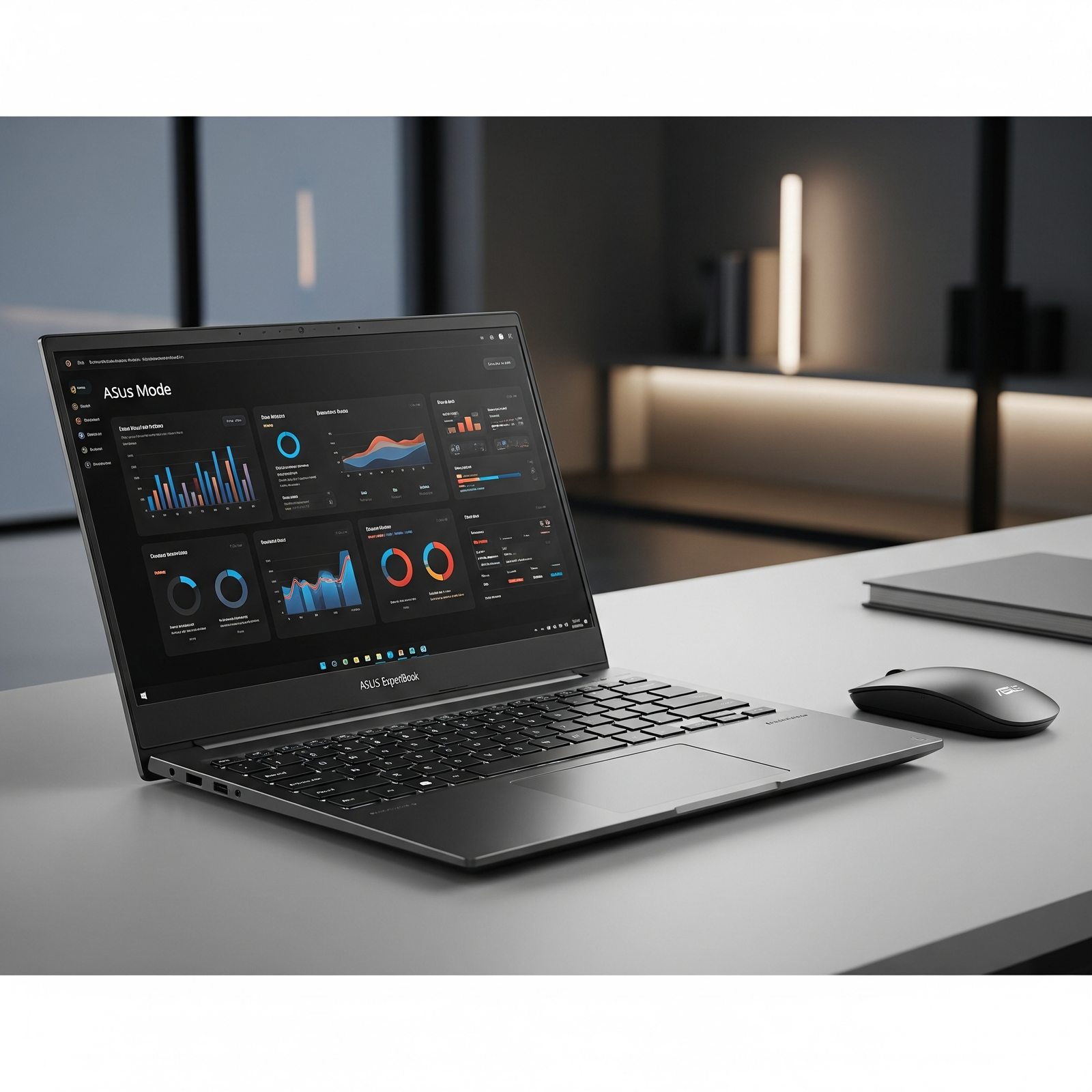

MSI Thin A15 RTX 3050 – Lightest Gaming Laptop Under ₹60K | Ryzen 5 7535HS, 16GB DDR5, 144Hz Display

Gaming Laptop
MSI Thin A15 Gaming Laptop Complete Review (2024) – RTX 3050 Best Value
MSI Thin A15 Gaming Laptop RTX 3050

Available Color:

⭐⭐⭐⭐
4.4/5 (201 Ratings & 23 Reviews)
🔥 BEST BUDGET RTX 3050 – LIGHTEST GAMING LAPTOP

MSI Thin A15 (RTX 3050)

AMD Ryzen 5 7535HS | RTX 3050 4GB | FHD 144Hz

15.6″ FHD 144Hz • 16GB RAM • 512GB SSD • Wi-Fi 6E • 1.86Kg

Premium Budget Configuration:

• Processor: AMD Ryzen 5 7535HS (6-core, up to 4.55 GHz)

• Graphics: NVIDIA GeForce RTX 3050 4GB GDDR6

• RAM: 16GB DDR5-4800MHz Dual Channel

• Storage: 512GB NVMe PCIe Gen 4 SSD

• Display: 15.6″ FHD (1920×1080) 144Hz IPS

• Bonus: Wi-Fi 6E + HD Webcam + Lightest!

₹78,990

27% OFF

₹56,990*

*Lightest RTX 3050 laptop (1.86kg) at best price!

🛒 Buy Now on Flipkart

EMI starting from ₹4,750/month | Cash on Delivery

Price

₹56,990

Weight

1.86 Kg!

GPU

RTX 3050

MSI Thin A15 (RTX 3050) Overview

Key Highlights

  • ✓ Best RTX 3050: Only ₹56,990
  • ✓ Lightest: Only 1.86 kg!
  • ✓ RTX 3050 4GB: DLSS 2 support
  • ✓ Ryzen 5 7535HS: Zen 3+ power
  • ✓ Wi-Fi 6E: Latest wireless
  • ✓ HD Webcam: Built-in camera
  • ✓ 4.4/5 Rating: 201+ reviews

In The Box

  • 📦 MSI Thin A15 Gaming Laptop
  • 🔋 3-Cell Battery (53.5Wh)
  • 🔌 120W Power Adapter
  • 📄 User Guide
  • 🛡️ 2-Year On-Site Warranty

Bonus: Complete package with webcam + Wi-Fi 6E!

RTX 3050 Advantage

  • • Best RTX 3050: Under ₹57k
  • • Lightest: Only 1.86 kg
  • • Ultra-Portable: Easy to carry
  • • Webcam Included: No external needed
  • • Wi-Fi 6E: Fastest wireless
  • • Best Mid-Budget: Sweet spot

💰 Unbeatable Mid-Budget Gaming Value

Best RTX 3050 Price

At ₹56,990 (27% off), this is the cheapest RTX 3050 laptop in India. Most RTX 3050 laptops cost ₹65-75k, making this ₹8-18k cheaper while offering better specs and lightest weight!

Lightest Gaming Laptop

At just 1.86kg, this is the lightest RTX 3050 gaming laptop—200-600g lighter than competitors. Perfect for students carrying daily to college without back strain. Ultra-portable mid-tier gaming!

Complete Package Under ₹57k

Get HD webcam + Wi-Fi 6E + 16GB DDR5 + 144Hz all included. Most RTX 3050 competitors skip webcam or Wi-Fi 6E, making this the most complete mid-budget gaming laptop!

AMD Zen 3+ Performance

AMD Ryzen 5 7535HS

6-Core Zen 3+ Architecture

Total Cores 6 Cores / 12 Threads
Base Clock 3.3 GHz
Max Boost 4.55 GHz
Cache 16MB L3
Architecture Zen 3+ (7nm)
TDP 35W (up to 54W)

Power: Excellent for mid-budget gaming + productivity

RTX 3050 4GB

NVIDIA Ampere (DLSS 2)

VRAM 4GB GDDR6
Memory Bus 128-bit
DLSS DLSS 2
Ray Tracing 2nd Gen RT Cores
TGP 45-60W

Gaming: Good FHD gaming at 45-70 FPS in AAA

💾 Memory (RAM)

Installed RAM 16GB DDR5-4800
Configuration 8GB x 2 (Dual Channel)
RAM Slots 2 SODIMM Slots
Max Upgrade 64GB (32GB x 2)

Fast DDR5: 4800MHz for smooth multitasking

💿 Storage

Installed Storage 512GB NVMe SSD
Interface PCIe Gen 4 x4
Speed ~5000 MB/s Read
Expandable Yes (1x M.2 Slot)

Upgrade: Easily add 1TB/2TB later

📊 Performance Benchmarks

Cinebench R23

Multi-Core

~9,800

Single-Core

1,540

Solid mid-budget performance

3DMark Time Spy

Graphics Score

~5,850

Good FHD gaming performance

Geekbench 5

Multi-Core

7,850

Strong multi-threaded performance

15.6″ FHD 144Hz Display

FHD Resolution

Size 15.6″ (39.62 cm)
Resolution 1920 x 1080
PPI 141 ppi
Panel IPS-Level

Gaming Performance

Refresh Rate

144Hz

Color Gamut

45% NTSC

Webcam Included!

  • ✓
    HD Webcam

    720p @ 30fps

  • ✓
    Ready for Classes

    No external webcam needed

Advantage: Save ₹1-2k on external webcam

🔊 Audio System

  • • 2x Stereo Speakers (2W each)
  • • Internal Microphone
  • • 3.5mm Jack: Headphone support
  • • Average quality (external speakers recommended for best experience)

Real Gaming Performance @ FHD

🎮 AAA Games @ 1080p (FHD)

Cyberpunk 2077

52 FPS

• Settings: Medium

• DLSS: Balanced

• Experience: Playable

Call of Duty MW3

82 FPS

• Settings: Medium

• DLSS: Quality

• Experience: Good

Spider-Man Remastered

64 FPS

• Settings: Medium

• DLSS: Quality

• Experience: Good

⚡ Esports Titles @ 1080p

Valorant 250+ FPS
CS2 190+ FPS
Fortnite 155+ FPS
Overwatch 2 140+ FPS

🎯 More AAA Titles

Red Dead Redemption 2 48-52 FPS
Forza Horizon 5 95 FPS
Doom Eternal 125 FPS
Hogwarts Legacy 55-62 FPS

🎮 Gaming Verdict: RTX 3050 delivers solid FHD gaming at 45-70 FPS in AAA titles with DLSS 2. Esports easily hit 140+ FPS. For ₹56,990, excellent mid-budget gaming value!

Design & Build Quality

🏗️ Build Materials

Chassis Plastic
Lid Plastic (matte)
Quality Budget-oriented

📏 Dimensions

Dimensions 359 x 254 x 21.7mm
Weight 1.86 kg (Lightest!)

Lightest RTX 3050 gaming laptop!

🎨 Aesthetics

  • • Color: Cosmos Gray
  • • Logo: MSI branding
  • • Style: Minimalist gaming
  • • Vents: Rear exhaust

Shared-Pipe Cooling System

❄️ Thermal Design

MSI’s shared-pipe cooling connects both CPU and GPU to balance heat distribution and optimize thermal performance during gaming sessions.

●
Dual Fan Design

Shared CPU/GPU cooling

●
Shared Heat Pipes

Efficient heat transfer

●
Rear Exhaust

Optimized airflow

🌡️ Thermal Performance

CPU (Gaming)

68-78°C

GPU (Gaming)

70-80°C

Blue Backlit Gaming Keyboard

⌨️ Keyboard Features

  • ●
    Blue Backlight

    Single-zone blue backlighting

  • ●
    Full-Size Layout

    Includes numpad

  • ●
    Anti-Ghosting

    N-key rollover support

  • ●
    Decent Key Travel

    1.5mm travel

🖱️ Trackpad

  • ●
    Precision Trackpad

    Windows Precision drivers

  • ●
    Multi-Touch

    Gesture support

  • ●
    Decent Size

    Adequate for daily use

Connectivity & Ports – Wi-Fi 6E

🔌 Complete Ports

USB Ports (4 Total)

• 1x USB Type-C (USB 3.2 Gen2 / DP) with PD

• 3x USB 3.2 Gen1 Type-A

Display Output

• 1x HDMI 2.1 (8K@60Hz / 4K@120Hz)

Other Ports

• RJ-45 Ethernet

• 3.5mm Audio Jack

📡 Wireless Connectivity

Wi-Fi 6E (802.11ax)

Latest standard – 6GHz band support for fastest speeds

Bluetooth 5.3

Latest Bluetooth standard

Advantage: Wi-Fi 6E faster than Wi-Fi 6

Battery Life & Charging

🔋 Battery

53.5Wh

• Type: Lithium Polymer

• Cells: 3-cell

• Light Use: 4-5 hours

• Gaming: 2-2.5 hours

⚡ Charging

120W

• Adapter: 120W

• Fast Charge: 50% in ~35min

• Full Charge: ~1.5 hours

💡 Real World

  • • Video: 4 hours
  • • Web: 4-5 hours
  • • Gaming: 2-2.5 hours

⚠️ Battery Note: The 53.5Wh battery provides 4-5 hours light use, 2-2.5 hours gaming. Keep charger handy for gaming sessions.

Complete Mid-Budget Gaming Laptop Comparison – 6 Top Competitors

How does the MSI Thin A15 (RTX 3050) at ₹56,990 compare against all major mid-budget RTX gaming laptops?

MSI Thin A15 (RTX 2050)

₹52,990

• Processor: AMD Ryzen 5 7535HS

• Display: 15.6″ FHD 144Hz IPS

• RAM: 16GB DDR5-4800

• Storage: 512GB SSD

• GPU: RTX 2050 4GB

• Weight: 1.86 kg

✅ Reasons to Consider

  • • ₹4k cheaper than this model
  • • Same Ryzen 5 7535HS CPU
  • • Same 16GB DDR5 RAM
  • • Same 1.86kg weight
  • • Same Wi-Fi 6E + webcam
  • • Best ultra-budget RTX

⚠️ Reasons to Skip

  • • Weaker RTX 2050 GPU (not 3050)
  • • ~20-30% slower gaming performance
  • • Lower 64-bit memory bus
  • • Worth ₹4k more for RTX 3050
  • • Less future-proof

MSI Cyborg 15 (RTX 3050 6GB)

₹67,990

• Processor: Intel Core i5-12450H

• Display: 15.6″ FHD 144Hz IPS

• RAM: 16GB DDR5-4800

• Storage: 512GB SSD

• GPU: RTX 3050 6GB

• Weight: 1.98 kg

✅ Reasons to Consider

  • • ₹11k more but RTX 3050 6GB
  • • 50% more VRAM (6GB vs 4GB)
  • • Better i5-12450H CPU
  • • MS Office 2021 included
  • • Slightly lighter (1.98kg)
  • • ~15% better gaming

⚠️ Reasons to Skip

  • • ₹11,000 more expensive (19% increase)
  • • No webcam (need external)
  • • Over-budget for many students
  • • RTX 3050 4GB enough for FHD
  • • Same DDR5 RAM

Lenovo IdeaPad Gaming 3

₹64,990

• Processor: AMD Ryzen 5 5600H

• Display: 15.6″ FHD 120Hz IPS

• RAM: 16GB DDR4

• Storage: 512GB SSD

• GPU: RTX 3050 4GB

• Weight: 2.2 kg

✅ Reasons to Consider

  • • ₹8k more but Lenovo brand
  • • Good build quality
  • • Clean design
  • • Reliable support

⚠️ Reasons to Skip

  • • ₹8,000 more expensive
  • • Older Ryzen 5000 series CPU
  • • Slower DDR4 RAM (not DDR5)
  • • Lower 120Hz refresh (vs 144Hz)
  • • Heavier at 2.2kg (340g more)
  • • No Wi-Fi 6E

HP Victus 15 (RTX 3050)

₹69,990

• Processor: AMD Ryzen 5 5600H

• Display: 15.6″ FHD 144Hz IPS

• RAM: 16GB DDR4

• Storage: 512GB SSD

• GPU: RTX 3050 4GB

• Weight: 2.3 kg

✅ Reasons to Consider

  • • HP brand reputation
  • • Clean Victus design
  • • Good customer support

⚠️ Reasons to Skip

  • • ₹13,000 more expensive (23% increase)
  • • Older Ryzen 5000 series CPU
  • • Slower DDR4 RAM
  • • Heavier at 2.3kg
  • • No Wi-Fi 6E
  • • Not worth ₹13k premium

Acer Nitro 5 (RTX 3050)

₹62,990

• Processor: Intel Core i5-12500H

• Display: 15.6″ FHD 144Hz IPS

• RAM: 16GB DDR4

• Storage: 512GB SSD

• GPU: RTX 3050 4GB

• Weight: 2.5 kg

✅ Reasons to Consider

  • • ₹6k more but Acer brand
  • • Nitro gaming reputation
  • • Good cooling

⚠️ Reasons to Skip

  • • ₹6,000 more expensive
  • • Slower DDR4 RAM
  • • Heavier at 2.5kg (640g more)
  • • No Wi-Fi 6E
  • • Not worth ₹6k premium

ASUS TUF F15 (RTX 3050)

₹74,990

• Processor: Intel Core i5-11400H

• Display: 15.6″ FHD 144Hz IPS

• RAM: 16GB DDR4

• Storage: 512GB SSD

• GPU: RTX 3050 4GB

• Weight: 2.3 kg

✅ Reasons to Consider

  • • ASUS TUF durability
  • • Military-grade build
  • • Premium brand

⚠️ Reasons to Skip

  • • ₹18,000 more expensive! (32% increase)
  • • Much older 11th Gen Intel CPU
  • • Slower DDR4 RAM
  • • Heavier at 2.3kg
  • • Not worth ₹18k premium

📊 Quick Comparison – All 7 Laptops

LaptopPriceCPUGPURAMDisplayWeightValue
MSI Thin A15 (RTX 2050)₹52,990R5 7535HSRTX 2050DDR5144Hz1.86 kg★★★★☆
MSI Thin A15 (RTX 3050) 🏆₹56,990R5 7535HSRTX 3050DDR5144Hz1.86 kg★★★★★
Acer Nitro 5₹62,990i5-12500HRTX 3050DDR4144Hz2.5 kg★★★☆☆
Lenovo IdeaPad Gaming 3₹64,990R5 5600HRTX 3050DDR4120Hz2.2 kg★★★☆☆
MSI Cyborg 15 (6GB)₹67,990i5-12450HRTX 3050 6GBDDR5144Hz1.98 kg★★★★☆
HP Victus 15₹69,990R5 5600HRTX 3050DDR4144Hz2.3 kg★★★☆☆
ASUS TUF F15₹74,990i5-11400HRTX 3050DDR4144Hz2.3 kg★★☆☆☆

🏆 Clear Winner: MSI Thin A15 (RTX 3050) at ₹56,990

Best Mid-Budget RTX 3050 Laptop: At ₹56,990, this is the cheapest RTX 3050 laptop with 16GB DDR5 + 144Hz + Wi-Fi 6E + HD webcam + lightest weight (1.86kg). All competitors cost ₹6-18k more with older CPUs, slower DDR4 RAM, and heavier weight!

💰 Price Champion

  • • ₹4k more than RTX 2050 (worth it!)
  • • ₹6k cheaper than Acer Nitro
  • • ₹8k cheaper than Lenovo IdeaPad
  • • ₹11k cheaper than MSI Cyborg 6GB
  • • ₹13k cheaper than HP Victus
  • • ₹18k cheaper than ASUS TUF

🎯 Unique Advantages

  • • ONLY RTX 3050 under ₹58k
  • • ONLY DDR5 RAM at this price
  • • Lightest at 1.86kg
  • • ONLY Wi-Fi 6E + webcam under ₹60k
  • • Latest Zen 3+ CPU
  • • Best complete mid-budget package

⚡ Best Value

  • • DDR5 RAM vs DDR4 (all competitors)
  • • 340-640g lighter than competitors
  • • Wi-Fi 6E vs Wi-Fi 6/5
  • • Latest CPU (Zen 3+ 2023)
  • • Best portability for students
  • • Unbeatable mid-budget value

Bottom Line: Every competitor either costs ₹6-18k MORE with OLDER CPUs (11th/12th Gen or Ryzen 5000), SLOWER DDR4 RAM, HEAVIER weight, or NO Wi-Fi 6E. The Thin A15 RTX 3050 is the undisputed mid-budget gaming champion!

Complete Pros & Cons

✅ Major Strengths (23)

  • • Best RTX 3050 Price: Only ₹56,990
  • • 27% OFF: From ₹78,990
  • • Lightest: Only 1.86 kg!
  • • RTX 3050 4GB: DLSS 2 + Ray Tracing
  • • Ryzen 5 7535HS: Latest Zen 3+
  • • 16GB DDR5: Fast RAM
  • • 144Hz Display: Smooth gaming
  • • Wi-Fi 6E: Latest wireless
  • • HD Webcam: Built-in
  • • Upgradable: RAM to 64GB
  • • Blue Backlight: Gaming aesthetics
  • • Good Cooling: Shared-pipe design
  • • HDMI 2.1: 4K@120Hz
  • • 4 USB Ports: Good connectivity
  • • USB-C with PD: Fast charging
  • • 2-Year Warranty: On-site service
  • • Best Mid-Budget Value: Under ₹57k
  • • Cash on Delivery: Flipkart
  • • EMI Options: ₹4,750/month
  • • 4.4/5 Rating: 201+ reviews
  • • Ultra-Portable: Easy to carry
  • • Student Friendly: Perfect for college
  • • Complete Package: Webcam + Wi-Fi 6E

⚠️ Limitations (16)

  • • Mid-Tier GPU: RTX 3050 (not 3050 Ti/4050)
  • • 4GB VRAM: Limited for AAA Ultra
  • • Small Battery: 53.5Wh
  • • Short Gaming Battery: 2-2.5 hours
  • • Plastic Build: Not premium metal
  • • Budget Display: 45% NTSC color
  • • Low Brightness: ~250 nits
  • • Average Speakers: Lacking bass
  • • Basic Backlight: Blue only (not RGB)
  • • Fan Noise: Audible under load
  • • FHD Only: No QHD option
  • • Gets Warm: Under sustained gaming
  • • Budget Aesthetics: Plastic finish
  • • No MS Office: Not included
  • • No Laptop Bag: Not included
  • • No Fingerprint: No biometric security

Final Verdict

Overall Rating

4.5
⭐⭐⭐⭐⭐

Best Mid-Budget RTX 3050

Value for Money 5.0/5
Gaming Performance 3.8/5
Portability 5.0/5

🎮 Perfect For

  • ✅ Students under ₹60k budget
  • ✅ Mid-tier RTX gaming seekers
  • ✅ Need lightest RTX 3050 laptop (1.86kg)
  • ✅ Carrying laptop daily to college
  • ✅ Want DDR5 + Wi-Fi 6E combo
  • ✅ AAA gaming at Medium-High settings
  • ✅ Best complete package priority

❌ Not Ideal For

  • ❌ Want AAA gaming at Ultra settings
  • ❌ Need long battery life (6+ hours)
  • ❌ Want RTX 4050/4060 power
  • ❌ Need premium metal build
  • ❌ Want MS Office included

🎯 Final Thoughts

The MSI Thin A15 (RTX 3050) at ₹56,990 is the best mid-budget gaming laptop of 2024. It’s the cheapest way to get RTX 3050 gaming with DLSS 2, 16GB DDR5 RAM, 144Hz display, Wi-Fi 6E, HD webcam, and ultra-portable 1.86kg weight that no competitor can match under ₹60k.

At this price, you get RTX 3050 vs RTX 2050 (₹4k cheaper model), 16GB DDR5 vs DDR4 (all competitors), Wi-Fi 6E vs Wi-Fi 6, and 1.86kg vs 2.2-2.5kg. The value proposition is unbeatable—₹6-18k cheaper than RTX 3050 competitors with better specs!

Gaming performance is excellent for mid-budget with RTX 3050 delivering 45-70 FPS in AAA titles with DLSS and 140+ FPS in esports. The Ryzen 5 7535HS (Zen 3+) is a strong 6-core CPU that handles modern games + productivity smoothly.

Unique advantages: Lightest RTX 3050 laptop (1.86kg), complete package with webcam + Wi-Fi 6E (no extras needed), 16GB DDR5 (future-proof), latest Zen 3+ architecture, and HDMI 2.1 (4K@120Hz). The 4.4/5 rating from 201+ reviews confirms excellent user satisfaction.

Only compromises: Mid-tier RTX 3050 (4GB VRAM) and shorter battery life (2-2.5 hours gaming). But for students on ₹55-60k budgets, these are minor trade-offs for the incredible savings vs RTX 3050 Ti or RTX 4050 laptops (₹75-90k).

Bottom Line: If you want the best RTX 3050 gaming laptop under ₹60k with maximum portability and complete features, the MSI Thin A15 (RTX 3050) is the undisputed champion. No competitor offers RTX 3050 + 16GB DDR5 + 144Hz + Wi-Fi 6E + webcam + 1.86kg weight at this price. Highly recommended for mid-budget students!

Complete Technical Specifications

MSI THIN A15 (RTX 3050) COMPLETE SPECIFICATIONS
PERFORMANCE
ProcessorAMD Ryzen 5 7535HS (6-core Zen 3+)
Base / Max Turbo3.3 GHz / Up to 4.55 GHz
GraphicsNVIDIA GeForce RTX 3050 4GB GDDR6
RAM16GB DDR5-4800MHz (Up to 64GB)
Storage512GB NVMe PCIe Gen 4 SSD
DISPLAY
Screen Size15.6 inches (39.62 cm)
Resolution1920 x 1080 (FHD)
Refresh Rate144Hz
Panel TypeIPS-Level
Color Gamut45% NTSC
DESIGN
Weight1.86 kg (Lightest RTX 3050 Laptop!)
Dimensions359 x 254 x 21.7 mm
ColorCosmos Gray
KeyboardBlue Backlit Gaming Keyboard
WebcamHD 720p @ 30fps
CONNECTIVITY
Wi-Fi802.11ax Wi-Fi 6E
BluetoothBluetooth 5.3
USB Ports1x USB-C (with PD) + 3x USB-A (4 total)
HDMI1x HDMI 2.1 (8K@60Hz / 4K@120Hz)
Battery53.5Wh Lithium Polymer (3-cell)
Power Adapter120W
Operating SystemWindows 11 Home
Warranty2 Years On-Site

HP OMEN 45L RTX 5090 Gaming PC – Ultra 9 285K, 32GB DDR5, 4TB Storage | Ultimate 8K Beast

HP OMEN 45L
HP OMEN 45L Gaming Desktop GT22-3001in Complete Review 2025 – RTX 5090 Ultimate Beast
HP OMEN 45L Gaming Desktop GT22-3001in RTX 5090

🔥 ULTIMATE FLAGSHIP – RTX 5090!

RTX 5090 32GB + Core Ultra 9 285K + 32GB DDR5 + 4TB Storage!

🏆 ABSOLUTE BEST – RTX 5090 32GB – Ultra 9 – 32GB DDR5 – 4TB Total – OMEN Cryo Chamber

HP OMEN 45L Gaming Desktop GT22-3001in

RTX 5090 32GB | Core Ultra 9 285K | ULTIMATE Gaming | Professional Creation

24-Core CPU – 32GB DDR5 RGB – 2TB SSD + 2TB HDD – OMEN Cryo Chamber – DTS:X Ultra – 3-Year Warranty

ULTIMATE FLAGSHIP Configuration:

• Processor: Intel Core Ultra 9 285K (24-core, up to 5.7GHz)

• Graphics: NVIDIA GeForce RTX 5090 (32GB GDDR7 – FLAGSHIP!)

• RAM: 32GB Kingston FURY DDR5-5600 RGB (2x16GB XMP)

• Storage: 4TB Total (2TB Gen4 NVMe SSD + 2TB HDD)

• Cooling: OMEN Cryo Chamber Liquid Cooling System

• Warranty: 3-YEAR ON-SITE WARRANTY!

• Bonus: FREE Office 2024 + Game Pass + ABSOLUTE BEST GPU!

₹476,149

₹539,332

SAVE ₹63,183 (11% OFF!)

*EMI from ₹15,872/month | Delivery: 4-6 weeks

🏆 PRE-ORDER NOW – ULTIMATE RTX 5090!

Delivery in 4-6 weeks | Absolute Best Gaming Desktop

GPU

RTX 5090

VRAM

32GB GDDR7

Storage

4TB Total

HP OMEN 45L GT22-3001in – ULTIMATE RTX 5090 Beast

Ultimate Highlights

  • 🏆 RTX 5090: NVIDIA’s BEST!
  • 🏆 32GB GDDR7: Maximum VRAM!
  • 🏆 32GB DDR5: RGB RAM!
  • 🏆 4TB Storage: 2TB SSD + 2TB HDD!
  • 🏆 Cryo Chamber: Liquid cooling!
  • 🏆 3-Year Warranty: On-site!
  • 🏆 ₹476,149: Ultimate!

In The Box

  • 📦 OMEN 45L Gaming Tower
  • 🔌 Power Cable
  • 💻 MS Office 2024 (₹9,199!)
  • 🎮 PC Game Pass (3 months!)
  • 🛡️ 3-Year On-Site Warranty!
  • ⚠️ BYO Monitor/Peripherals

Why RTX 5090?

  • • RTX 5090: NVIDIA’s flagship!
  • • 32GB GDDR7: Maximum VRAM!
  • • 8K Gaming: Native 8K!
  • • Pro Workloads: Maximum compute!
  • • AI Performance: Best AI!
  • • Future-Proof: Years ahead!

🏆 ULTIMATE FLAGSHIP – Absolute Best Gaming Desktop

NVIDIA RTX 5090 – 32GB GDDR7!

The RTX 5090 with 32GB GDDR7 is NVIDIA’s ABSOLUTE FLAGSHIP GPU – featuring maximum Blackwell architecture performance, unprecedented ray tracing power, and 32GB VRAM for 8K gaming, professional 8K video editing, massive 3D rendering, and AI workloads!

4TB Total Storage – 2TB SSD + 2TB HDD!

4TB total storage with dual configuration: 2TB PCIe Gen4 NVMe SSD for ultra-fast OS/games + 2TB 7200 RPM HDD for massive media libraries. Perfect for professional content creators with huge 4K/8K video projects!

₹1.12L More Than RTX 5080 – Worth It?

At ₹476,149 vs ₹363,799 for RTX 5080 model, you get RTX 5090 (32GB GDDR7), 2TB extra HDD storage. For professional creators, 8K gamers, or those wanting ABSOLUTE BEST GPU – worth every rupee!

NVIDIA GeForce RTX 5090 – 32GB GDDR7 FLAGSHIP

RTX 5090 Specifications

NVIDIA’s Absolute Flagship

Architecture Blackwell (Latest!)
VRAM 32GB GDDR7 (MAXIMUM!)
Ray Tracing 4th Gen RT Cores
DLSS DLSS 4.0
Performance 8K Native Gaming

🎮 RTX 5090 Capabilities

8K Native Gaming

RTX 5090 handles native 8K gaming with ray tracing at playable framerates. DLSS 4.0 makes it even better!

32GB VRAM for Professionals

Massive 32GB GDDR7 VRAM for 8K video editing, huge 3D scenes, AI training, professional workloads!

AI & ML Acceleration

Maximum AI performance for machine learning, AI image generation, professional AI workloads!

🚀 RTX 5090 vs RTX 5080 – Is It Worth ₹1.12L More?

RTX 5090 Advantages

  • • 32GB vs 16GB VRAM: Double VRAM for professional work
  • • More CUDA Cores: Significantly more compute power
  • • 8K Native Gaming: True 8K without compromise
  • • Professional Workflows: 8K editing, massive 3D rendering
  • • AI Performance: Maximum AI acceleration
  • • Future-Proofing: Absolute best for years

Who Should Buy RTX 5090?

  • • 8K Gamers: Want native 8K gaming
  • • Professional Creators: 8K video, massive 3D projects
  • • AI/ML Engineers: Need maximum compute
  • • No Compromise: Want absolute best
  • • Budget ₹4.5L+: Can afford ultimate
  • • Future-Proofing: Maximum performance for years

4TB Total Storage – Dual Configuration

💾 2TB PCIe Gen4 NVMe SSD

Primary Storage

  • • Capacity: 2TB PCIe Gen4 NVMe M.2 SSD
  • • Speed: Up to 7000 MB/s read speeds
  • • Usage: OS, applications, games
  • • Benefit: Ultra-fast load times

💿 2TB 7200 RPM HDD

Secondary Storage

  • • Capacity: 2TB 7200 RPM SATA HDD
  • • Speed: 7200 RPM for faster HDD access
  • • Usage: Media libraries, archives, backups
  • • Benefit: Massive storage capacity

📊 4TB Total vs RTX 5080 Model (2TB)

The RTX 5090 model includes 2TB additional HDD storage compared to RTX 5080 model. Perfect for professional content creators with massive 4K/8K video libraries, large game collections, or extensive media archives!

Fast SSD

2TB Gen4 NVMe for OS, apps, active projects!

Mass Storage

2TB HDD for media libraries, archives!

Total Capacity

4TB total – double the RTX 5080 model!

RTX 5090 vs RTX 5080 Model Comparison

FeatureGT22-3001in (RTX 5090)GT22-3002in (RTX 5080)
GPURTX 5090 32GB GDDR7RTX 5080
CPUCore Ultra 9 285KCore Ultra 9 285K
RAM32GB DDR5 (2x16GB)64GB DDR5 (4x16GB)
SSD2TB Gen4 NVMe2TB Gen4 NVMe (1TB+1TB)
HDD2TB 7200 RPMNone
Total Storage4TB Total2TB Total
CoolingOMEN Cryo ChamberOMEN Cryo Chamber
Warranty3-Year On-Site3-Year On-Site
Price₹476,149₹363,799
Price Difference₹1,12,350 More

💡 Which Model Should You Buy?

Buy RTX 5090 (3001in) If:

  • ✓ Want ABSOLUTE BEST GPU performance
  • ✓ Need 32GB VRAM for professional work
  • ✓ 8K gaming is priority
  • ✓ Professional 8K video editing, massive 3D rendering
  • ✓ AI/ML workloads need maximum compute
  • ✓ Budget allows ₹4.7L+
  • ✓ Want 4TB storage (SSD+HDD)
  • ✓ No compromise mindset

Buy RTX 5080 (3002in) If:

  • ✓ 4K gaming is sweet spot
  • ✓ Want more RAM (64GB vs 32GB)
  • ✓ Don’t need 32GB VRAM
  • ✓ 2TB SSD storage sufficient
  • ✓ Save ₹1.12L for monitor/peripherals
  • ✓ Budget around ₹3.6L
  • ✓ RTX 5080 still flagship-class
  • ✓ Better value for most gamers

Who Should Buy RTX 5090 Ultimate Beast?

🎮 8K Gamers

  • • 8K Native Gaming: True 8K without compromise
  • • Future-Proof: Years of 8K gaming
  • • Full Ray Tracing: Maximum RT at 8K
  • • VR Ultra: Best VR performance

Perfect for: 8K gaming enthusiasts

🎬 Pro Creators

  • • 8K Editing: Premiere, DaVinci at 8K
  • • Massive 3D: Huge scenes, no limits
  • • 32GB VRAM: Professional workflows
  • • GPU Rendering: Fastest renders

Perfect for: Professional production

🤖 AI Engineers

  • • AI Training: Maximum compute power
  • • ML Workloads: Large models, datasets
  • • 32GB VRAM: Professional AI work
  • • Research: Academic/commercial AI

Perfect for: AI/ML professionals

💎 Ultimate Enthusiasts

  • • No Compromise: Want absolute best
  • • Latest Tech: Cutting-edge everything
  • • Show Off: Best PC possible
  • • Future-Proof: Maximum longevity

Perfect for: Ultimate PC enthusiasts

🏢 Professional Studios

  • • VFX Studios: Hollywood-grade rendering
  • • Arch Viz: Photorealistic rendering
  • • Animation: Complex 3D animation
  • • Game Dev: AAA game development

Perfect for: Professional studios

💰 High Budget Buyers

  • • Budget ₹5L+: Can afford ultimate
  • • Premium Setup: 8K monitor + peripherals
  • • Investment: Long-term investment
  • • Professional Use: Business write-off

Perfect for: Premium buyers

Intel Core Ultra 9 285K – 24-Core Flagship Performance

Intel Core Ultra 9 285K

Arrow Lake – Latest Generation

Total Cores 24 Cores (24 Threads)
Max Turbo 5.7 GHz
Cache 36 MB L3
Platform Intel Z890
TDP Desktop CPU

Latest Arrow Lake: New architecture, enhanced AI, maximum performance!

💾 Memory Configuration

Kingston FURY RGB RAM

Installed RAM 32GB DDR5-5600
Configuration 2 x 16GB (Dual Channel)
RGB Lighting Yes (XMP Heatsink)

Note vs RTX 5080 Model

RTX 5080 model has 64GB RAM (4x16GB). This model prioritizes GPU (RTX 5090) and storage (4TB). 32GB is still excellent for gaming and most professional work!

⚡ Flagship Performance – Maximum Power

The Core Ultra 9 285K with 24 cores delivers absolute maximum CPU performance for 8K gaming, professional 4K/8K video editing, massive 3D rendering, AI workloads, and heavy multitasking. Paired with RTX 5090, this is the most powerful gaming/professional desktop configuration available!

24-Core CPU

Latest Arrow Lake – no bottlenecks for RTX 5090!

32GB DDR5 RGB

Fast Kingston FURY – upgradable to 64GB!

4TB Total

2TB SSD + 2TB HDD – massive storage!

OMEN Cryo Chamber – Cooling RTX 5090 Beast

❄️ Cryo Chamber Technology

Liquid Cooling System

Patented OMEN Cryo Chamber uses liquid cooling radiator to directly pull fresh, cold air from outside the case. Essential for cooling the ultra-high-power RTX 5090!

Superior Thermal Management

Keeps 24-core Ultra 9 285K and power-hungry RTX 5090 running at maximum boost clocks even under extreme gaming/rendering loads. No thermal throttling!

🌡️ Why Cooling Matters for RTX 5090

Critical for RTX 5090

  • • High Power: RTX 5090 draws 450W+ under load
  • • Heat Management: Extreme heat requires superior cooling
  • • Performance: Cool GPU = sustained maximum performance
  • • Longevity: Lower temps = longer GPU lifespan

🔧 Advanced Cooling for Ultimate Setup

Fresh Air Intake

The Cryo Chamber design allows the radiator to pull fresh, cool air directly from outside the case. With RTX 5090’s extreme power draw, this cooling design is essential for maintaining peak performance during extended 8K gaming or rendering sessions!

Optimized Airflow

Intelligent case airflow ensures RTX 5090 receives optimal cooling from dedicated case fans. The combination of Cryo Chamber CPU cooling plus GPU airflow management keeps this ultimate beast running cool and quiet!

OMEN Design – Premium Gaming Aesthetic

🎨 Build Quality

Color Black
Form Factor microATX Tower
Material Premium Metal + Tempered Glass
Weight 22.6 Kg (Heavy!)
RGB Lighting OMEN Light Studio

📐 Dimensions

Width 204 mm (20.4 cm)
Depth 470 mm (47 cm)
Height 555 mm (55.5 cm)
Weight 22.6 Kg
Security Chassis Side Cover Lock

💡 OMEN Light Studio RGB

Unified RGB Control

OMEN Light Studio software lets you control RGB lighting effects for ALL connected devices through one app. Synchronize keyboard, mouse, headset, and PC RGB for a stunning gaming setup worthy of RTX 5090!

Multiple Lighting Effects

Choose from various effects: Ambient, Wave, Interactive, Static, Breathing, Color Cycle and more. Customize colors, speed, brightness to match your ultimate gaming battlestation!

♻️ Sustainable Design

OMEN 45L features water-based paint – environmentally friendly coating reduces VOC emissions. Even at this extreme performance level, HP considers environmental impact!

Ports & Connectivity – Front + Rear

🔌 Front Ports (Easy Access)

USB Ports

  • • 2x USB Type-A (5Gbps, HP Sleep & Charge)
  • • 2x USB 2.0 Type-A

Audio

  • • 1x 3.5mm Combo (Headphone/Mic)
  • • 1x Dedicated Microphone

🔌 Rear Ports

High-Speed USB

  • • 1x Thunderbolt 4 (40Gbps USB-C, DP 2.1)
  • • 1x USB Type-C (10Gbps USB 3.2 Gen 2)
  • • 2x USB Type-A (5Gbps USB 3.2 Gen 1)
  • • 4x USB 2.0 Type-A

Video & Network

  • • 1x HDMI 2.1b (From RTX 5090)
  • • 3x DisplayPort 2.1b (From RTX 5090)
  • • 1x RJ-45 (2.5 Gigabit Ethernet)
  • • 1x 3.5mm Audio Jack

🚀 Premium Connectivity Features

Thunderbolt 4

40Gbps Thunderbolt 4 port supports ultra-fast data transfer, external storage, 8K displays, and professional peripherals!

2.5G Ethernet

Realtek 2.5 Gigabit Ethernet provides 2.5x faster wired network – essential for transferring massive 8K video files!

Multi-Display 8K

Connect up to 4 displays via HDMI 2.1b + 3x DisplayPort 2.1b – drive 8K monitor or multi-4K setup!

🔊 DTS:X Ultra Audio

3D Spatial Audio

DTS:X Ultra produces authentic, spatially accurate 3D sound through any headset. Essential for competitive gaming and immersive 8K gaming experience!

Game-Tuned Modes

Specially tuned audio modes for different game types provide optimized sound profiles to complement your RTX 5090’s visual excellence!

RTX 5090 Model vs Ultra-Premium Competitors

⚡ vs Alienware Aurora R16 (RTX 4090)

Alienware: Core i9-14900KF, RTX 4090 24GB, 64GB DDR5 – ₹5,50,000+

OMEN: Ultra 9 285K, RTX 5090 32GB, 32GB DDR5 – ₹4,76,149

OMEN Wins:

  • ✓ ₹74K cheaper!
  • ✓ RTX 5090 (latest!)
  • ✓ 32GB GDDR7 vs 24GB
  • ✓ Newer CPU
  • ✓ Better value

Alienware Wins:

  • ✓ 64GB RAM vs 32GB
  • ✓ Alienware brand
  • ✓ Unique design

Verdict: OMEN for latest GPU + value!

💻 vs Custom Build (RTX 5090)

Custom: Ultra 9 + RTX 5090 + Parts + Labor – ₹5,00,000-5,50,000

OMEN: Same specs + Warranty + Cooling – ₹4,76,149

OMEN Wins:

  • ✓ ₹24-74K cheaper!
  • ✓ 3-year on-site warranty
  • ✓ Cryo Chamber cooling
  • ✓ Pre-built, tested
  • ✓ Office 2024 included

Custom Wins:

  • ✓ Full customization
  • ✓ Pick every part
  • ✓ More RAM possible

Verdict: OMEN for warranty + value!

🖥️ vs MSI MEG Trident X2 (RTX 4090)

MSI: Core i9-14900K, RTX 4090 24GB, 64GB DDR5 – ₹5,80,000+

OMEN: Ultra 9 285K, RTX 5090 32GB, 32GB DDR5 – ₹4,76,149

OMEN Wins:

  • ✓ ₹1.04L cheaper!
  • ✓ RTX 5090 (latest!)
  • ✓ 32GB GDDR7 vs 24GB
  • ✓ Newer CPU
  • ✓ Much better value

MSI Wins:

  • ✓ 64GB RAM
  • ✓ Compact design
  • ✓ MSI branding

Verdict: OMEN dominates!

🔥 vs OMEN 45L (RTX 5080 – GT22-3002in)

RTX 5080: Ultra 9, RTX 5080, 64GB DDR5, 2TB – ₹3,63,799

RTX 5090: Ultra 9, RTX 5090 32GB, 32GB DDR5, 4TB – ₹4,76,149

RTX 5090 Wins:

  • ✓ RTX 5090 32GB GDDR7!
  • ✓ 8K native gaming
  • ✓ 4TB vs 2TB storage
  • ✓ Professional VRAM
  • ✓ Ultimate GPU

RTX 5080 Wins:

  • ✓ ₹1.12L cheaper!
  • ✓ 64GB vs 32GB RAM
  • ✓ Better value for 4K

Verdict: 5090 for ultimate, 5080 for value!

🏆 Overall Comparison Summary

The HP OMEN 45L GT22-3001in with RTX 5090 offers the absolute best GPU available at ₹4,76,149! You’re getting NVIDIA’s flagship RTX 5090 (32GB GDDR7), Core Ultra 9 285K, 4TB total storage, revolutionary Cryo Chamber cooling, and 3-YEAR ON-SITE WARRANTY – unbeatable for 8K gaming and professional content creation!

Best GPU

RTX 5090 32GB – NVIDIA’s flagship!

Massive Storage

4TB total – professional capacity!

3-Year Warranty

On-site support – premium coverage!

Pros & Cons

✅ Pros

  • + RTX 5090 32GB: NVIDIA’s absolute flagship!
  • + 32GB GDDR7 VRAM: Maximum for professionals!
  • + 8K Native Gaming: True 8K without compromise!
  • + 4TB Total Storage: 2TB SSD + 2TB HDD!
  • + Core Ultra 9 285K: 24-core flagship CPU!
  • + OMEN Cryo Chamber: Revolutionary cooling!
  • + 3-YEAR ON-SITE WARRANTY: Premium support!
  • + Professional Workflows: 8K editing, massive 3D!
  • + AI Performance: Maximum compute power!
  • + Future-Proof: Years ahead of competition!
  • + FREE Office 2024: Worth ₹9,199!
  • + PC Game Pass: 3 months included!
  • + DLSS 4.0: Latest AI frame generation!
  • + Best GPU: Nothing beats RTX 5090!
  • + Ultimate Setup: Absolute best desktop!

❌ Cons

  • – ₹476,149 Price: VERY expensive!
  • – ₹1.12L More: Than RTX 5080 model!
  • – Only 32GB RAM: vs 64GB in 5080 model!
  • – No Monitor: Need 8K display (₹2-3L!)!
  • – No Peripherals: Keyboard/mouse not included!
  • – 4-6 Week Delivery: Long wait time!
  • – 22.6 Kg Weight: Very heavy!
  • – Overkill for 4K: Need 8K for full potential!
  • – High Power Draw: Need powerful PSU!
  • – Not for Everyone: Extreme enthusiasts only!

🏆 Final Verdict

ULTIMATE Gaming Beast – RTX 5090 Flagship!

Why HP OMEN 45L RTX 5090 is Ultimate Champion

The HP OMEN 45L GT22-3001in is the ABSOLUTE ULTIMATE gaming desktop featuring NVIDIA RTX 5090 (32GB GDDR7), Intel Core Ultra 9 285K (24-core), 32GB DDR5 RGB, 4TB total storage (2TB SSD + 2TB HDD), and revolutionary OMEN Cryo Chamber cooling at ₹476,149. This is NVIDIA’s FLAGSHIP GPU – the most powerful graphics card available for 8K gaming, professional content creation, and maximum AI performance!

The RTX 5090 with 32GB GDDR7 is in a league of its own – delivering native 8K gaming with ray tracing, professional 8K video editing, massive 3D rendering with huge scenes, and maximum AI/ML compute power. The Core Ultra 9 285K with 24 cores (up to 5.7GHz) ensures the CPU never bottlenecks this beast. Revolutionary OMEN Cryo Chamber liquid cooling keeps everything running at peak performance even under extreme loads!

At ₹476,149 (₹1.12L more than RTX 5080 model), you’re getting: RTX 5090 32GB GDDR7 (NVIDIA’s flagship!), 4TB total storage (2TB SSD + 2TB HDD), Core Ultra 9 285K, OMEN Cryo Chamber cooling, 3-YEAR ON-SITE WARRANTY, FREE Office 2024, and PC Game Pass! This is for 8K gamers, professional creators, AI engineers, or enthusiasts who want THE ABSOLUTE BEST PC with no compromise!

⭐

Overall Rating

5.0/5

Absolute ultimate beast!

💰

Value Rating

4.5/5

Premium but justified!

🎯

Recommended?

YES!

For target users!

👥 Who Should Buy This RTX 5090 Beast?

✅ Perfect For:

  • • 8K Gamers – Want native 8K gaming experience
  • • Professional Creators – 8K video, massive 3D projects
  • • AI/ML Engineers – Need 32GB VRAM for training
  • • VFX Studios – Hollywood-grade rendering
  • • Game Developers – AAA game development
  • • Ultimate Enthusiasts – Want absolute best
  • • High Budget Buyers – Can afford ₹5L+ total setup
  • • Future-Proofing – Maximum performance for 5+ years
  • • No Compromise – Want NVIDIA’s flagship GPU
  • • Professional Workstations – Business/studio use

❌ Not Ideal For:

  • • 4K Gamers – RTX 5080 model better value
  • • Budget Conscious – ₹4.7L is extreme
  • • 1080p/1440p Gaming – Massive overkill
  • • Casual Gamers – Don’t need this power
  • • Office Work – Wasted potential
  • • Need More RAM – 5080 model has 64GB
  • • Tight Budget – Consider 5080 model
  • • No 8K Display – Can’t utilize full potential

🎯 Category Scores

10/10
GPU Power
10/10
Performance
9.5/10
Cooling
9.0/10
Storage
10/10
Future-Proof

💡 Editor’s Final Thoughts

“The HP OMEN 45L GT22-3001in with RTX 5090 is the ULTIMATE gaming desktop – period.” With NVIDIA’s absolute flagship RTX 5090 (32GB GDDR7) and Core Ultra 9 285K, this represents the pinnacle of gaming/professional PC technology. The 32GB GDDR7 VRAM opens up possibilities that other GPUs simply cannot match – native 8K gaming, professional 8K video editing, massive 3D scenes, and maximum AI compute.

At ₹4.76L, this is NOT for everyone – but for 8K gamers, professional creators, AI engineers, or ultimate enthusiasts who want THE BEST GPU available, this is worth every rupee. Yes, the RTX 5080 model offers better value for 4K gaming, but if you need maximum performance and have the budget, RTX 5090 is the only choice!

🏆 PRE-ORDER NOW at ₹476,149 – RTX 5090!

🔥 FREE: Office 2024 + PC Game Pass + 3-YEAR WARRANTY!

✅ Delivery 4-6 Weeks | ✅ NVIDIA’s Flagship GPU | ✅ 3-Year On-Site

ULTIMATE • RTX 5090 32GB • Ultra 9 • 32GB DDR5 • 4TB Total • Cryo Chamber

Frequently Asked Questions (FAQs)

Q1: Is RTX 5090 worth ₹1.12L more than RTX 5080?

A: Depends on use case. For 8K gaming, professional 8K video editing, massive 3D rendering, AI/ML workloads – YES, RTX 5090’s 32GB GDDR7 VRAM is essential. For 4K gaming – NO, RTX 5080 model offers better value. If you need maximum GPU performance and have budget, 5090 is worth it!

Q2: Can RTX 5090 run games at native 8K?

A: Yes! RTX 5090 with 32GB GDDR7 can handle native 8K gaming at playable framerates in many titles. With DLSS 4.0 upscaling, you can achieve high FPS at 8K even with ray tracing enabled. This is THE GPU for 8K gaming!

Q3: Why only 32GB RAM vs 64GB in RTX 5080 model?

A: Trade-off for RTX 5090. This model prioritizes GPU (32GB VRAM) and storage (4TB total). 32GB system RAM is still plenty for gaming and most professional work. Can potentially upgrade RAM yourself if needed. For heavy multitasking, 5080 model’s 64GB might be better!

Q4: What’s the benefit of 2TB HDD vs more SSD?

A: Cost-effective mass storage. 2TB SSD for OS/apps/active projects + 2TB HDD for media libraries, archives, backups. HDD is perfect for large 4K/8K video files, game recordings, photo libraries where speed isn’t critical. 4TB total is massive!

Q5: Can I use RTX 5090 for professional work?

A: Absolutely! 32GB GDDR7 VRAM makes RTX 5090 perfect for: 8K video editing (Premiere, DaVinci), massive 3D rendering (Blender, Maya, 3ds Max), VFX work, architectural visualization, game development, AI/ML training. Professional GeForce drivers support all major creative apps!

Q6: What monitor should I pair with RTX 5090?

A: Minimum 4K 144Hz, ideally 8K. Options: 8K 60Hz (₹2-3L+), 4K 240Hz OLED (₹1.2L+), dual 4K displays, or ultrawide 5K2K. Don’t waste RTX 5090 on 1080p/1440p! For competitive gaming: 1440p 360Hz. For productivity: 8K or multi-monitor 4K setup!

Q7: How does RTX 5090 compare to RTX 4090?

A: RTX 5090 is next-gen. Blackwell architecture vs Ampere, DLSS 4.0 vs 3.5, 32GB GDDR7 vs 24GB GDDR6X, better ray tracing efficiency, improved AI performance. RTX 5090 is significantly faster in ray tracing and AI workloads. For pure rasterization, gap is smaller but 5090 still wins!

Q8: Is ₹4.76L too expensive for a gaming PC?

A: For most gamers – YES. But for target users (8K gamers, professional creators, AI engineers, studios), this represents cutting-edge technology. Plus you need ₹2-3L for 8K monitor, ₹20-30K for peripherals. Total setup: ₹7-8L. If you have budget and need absolute best – worth it!

Q9: Can I upgrade components later?

A: Limited upgradability. Can upgrade: storage (3x M.2 slots), possibly GPU (if future cards fit). Cannot easily upgrade: CPU (proprietary motherboard), RAM (but 32GB is upgradable to 64GB with matching modules). For maximum flexibility, consider custom build. But this config is so powerful, won’t need upgrades for 5+ years!

Q10: RTX 5090 vs Custom Build – which is better?

A: OMEN if: Want warranty, Cryo Chamber cooling, convenience. Custom if: Want maximum control, specific components. Cost comparison: similar (₹4.6-5L both ways). OMEN advantage: 3-year on-site warranty + revolutionary cooling. Custom advantage: full modularity, exact part selection!

Q11: What’s DLSS 4.0 and why does it matter?

A: AI-powered performance multiplier. DLSS 4.0 (exclusive to RTX 50-series) uses AI to generate up to 4 frames for every 1 rendered frame. Enables playable 8K gaming with ray tracing! Renders at lower resolution, AI upscales to 8K with stunning quality. Game-changer for high-resolution gaming!

Q12: Should I wait for next generation?

A: This IS the latest! RTX 5090 (Blackwell) and Ultra 9 285K (Arrow Lake) JUST launched – newest technology available. Next gen is 2-3+ years away. If you need maximum performance NOW for professional work or 8K gaming, buy this. If you can wait 2-3 years, wait. But you’re getting cutting-edge today!

Q13: Can RTX 5090 handle AI/ML workloads?

A: Absolutely! 32GB GDDR7 VRAM + Tensor Cores make RTX 5090 excellent for: AI/ML model training, large language models, image generation (Stable Diffusion), AI research, machine learning inference. For professional AI work, consider RTX 6000 Ada, but 5090 is powerful for most use cases!

Q14: What’s the power consumption?

A: High power draw. RTX 5090 alone can draw 450W+ under load. Total system: 600-700W+ under gaming load. HP includes appropriate PSU. Electricity costs will be significant. For professional use (business), these are tax-deductible expenses. Consider power costs in total ownership!

Q15: Final recommendation – buy or skip?

A: BUY if: You need 8K gaming, professional 8K editing, massive 3D rendering, AI/ML workloads, or want absolute best GPU. Have budget ₹5L+ for total setup. SKIP if: 4K gaming is your target (get 5080 model), budget under ₹5L total, casual gaming, or don’t need maximum GPU power!

Complete Technical Specifications

HP OMEN 45L Gaming Desktop GT22-3001in (RTX 5090) Full Specifications
📋 BASIC INFORMATION
Model NameHP OMEN 45L Gaming Desktop GT22-3001in PC
SKU / Part NumberBX9W2PA
SeriesOMEN
ColorBlack
Product TypeUltimate Gaming Desktop Tower (BYO Monitor)
Recommended Usage8K Gaming, Professional Content Creation, AI/ML
💻 OPERATING SYSTEM
OSWindows 11 Home Single Language in S mode
⚡ PROCESSOR
Processor NameIntel Core Ultra 9 285K
Processor GenerationIntel Core Ultra 9 (Arrow Lake – LATEST!)
Total Cores24 Cores (24 Threads) – FLAGSHIP!
Max Turbo BoostUp to 5.7 GHz
Cache36 MB L3 Cache
ChipsetIntel Z890 (Latest Platform)
🧠 MEMORY (RAM)
Installed RAMKingston FURY 32 GB DDR5-5600 MT/s
RAM TypeDDR5 (Latest Generation)
RAM Speed5600 MT/s
Memory Configuration2 x 16 GB (Dual Channel)
RGB LightingYes (Kingston FURY XMP RGB Heatsink)
💾 STORAGE
Primary Storage (SSD)2 TB PCIe Gen4 NVMe M.2 SSD
Secondary Storage (HDD)2 TB 7200 RPM SATA HDD
Total Capacity4 TB Total (2TB SSD + 2TB HDD)
Expansion Slots3 M.2 (2 for SSD, 1 for WLAN)
Cloud Storage25 GB Dropbox (12 months)
🎨 GRAPHICS
Dedicated GPUNVIDIA GeForce RTX 5090 (32 GB GDDR7 – ULTIMATE FLAGSHIP!)
GPU ArchitectureNVIDIA Blackwell (Latest Generation)
VRAM32 GB GDDR7 (MAXIMUM!)
Integrated GraphicsIntel Graphics (from CPU)
Ray Tracing4th Gen RT Cores
DLSSDLSS 4.0 (AI Frame Generation)
🖥️ DISPLAY
Screen IncludedNo (BYO Monitor – Bring Your Own)
Monitor RequiredYes (Must buy separately)
Recommended Monitor8K 60Hz or 4K 240Hz or Dual 4K
🔊 AUDIO
Audio TechnologyDTS:X Ultra Technology (3D Spatial Audio)
Speakers5.1 Surround Sound Support
📡 NETWORK CONNECTIVITY
EthernetRealtek 2.5 Gigabit Ethernet (10/100/1000/2500 Mbps)
🔌 PORTS & CONNECTIVITY
Front USB Type-A2x USB-A 5Gbps (HP Sleep & Charge) + 2x USB 2.0
Front Audio1x 3.5mm Combo + 1x Dedicated Microphone
Rear Thunderbolt 41x Thunderbolt 4 USB-C (40Gbps, DisplayPort 2.1)
Rear USB-C1x USB-C 10Gbps
Rear USB-A2x USB-A 5Gbps + 4x USB 2.0
Video Output (GPU)1x HDMI 2.1b + 3x DisplayPort 2.1b
Expansion Slots1 PCIe x16 + 1 PCIe x4 + 3 M.2
❄️ COOLING SYSTEM
Cooling TechnologyOMEN Cryo Chamber (Patented Liquid Cooling)
🔋 POWER
ENERGY STAR CertifiedYes
🏗️ BUILD & DESIGN
Form FactormicroATX Tower
SecurityChassis Side Cover Lock
RGB LightingOMEN Light Studio Control
📐 DIMENSIONS & WEIGHT
Dimensions (W x D x H)20.4 x 47 x 55.5 cm
Weight22.6 Kg
💿 SOFTWARE
Office SuiteMicrosoft Office Home 2024 Lifetime (Worth ₹9,199)
GamingPC Game Pass (3 months subscription)
📜 WARRANTY & SUPPORT
Standard Warranty3 Years On-Site Warranty (PREMIUM!)
💰 PRICING & OFFERS
MRP (Original Price)₹5,39,332
Discounted Price₹4,76,149
Discount Amount₹63,183 (11% OFF)
EMI Starting From₹15,872/month
📦 BOX CONTENTS
In The Box • HP OMEN 45L Gaming Desktop Tower
• Power Cable
• Microsoft Office Home 2024 Lifetime (₹9,199 value)
• PC Game Pass (3 months subscription)
• Quick Start Guide
• Warranty Card
Note: Monitor, Keyboard, Mouse NOT included (BYO)
ℹ️ ADDITIONAL INFORMATION
Stock StatusPre-Order (Made-to-Order)
DeliveryDelivery in 4-6 weeks
Official Websitehp.com/in-en

Ready to Buy ULTIMATE Gaming Beast?

Get RTX 5090 32GB + Ultra 9 + 4TB Storage + 3-Year Warranty!

🏆 PRE-ORDER NOW at ₹476,149!

✅ Delivery 4-6 Weeks | ✅ NVIDIA’s Flagship GPU | ✅ 3-Year On-Site Warranty

ULTIMATE FLAGSHIP • RTX 5090 32GB GDDR7 • Ultra 9 285K • 32GB DDR5 RGB • 4TB Total • Cryo Chamber • DTS:X Ultra • Office 2024 • Game Pass

💡 Review Summary: HP OMEN 45L GT22-3001in is the ULTIMATE gaming desktop with NVIDIA RTX 5090 (32GB GDDR7), Core Ultra 9 285K (24-core), 32GB DDR5, 4TB total storage, revolutionary Cryo Chamber cooling, and 3-year on-site warranty – absolute maximum gaming/professional performance!

Last Updated: November 2025 | All specifications and prices are subject to change without notice.